
Facetune Review 2026: Is It the Best Portrait Editor for Creators?
Facetune Creative Tools Plans & Pricing
Facetune Comparison
Expert Review
Pros

Cons

Facetune Creative Tools 's Offerings
Facetune Pricing: Is It Worth It?
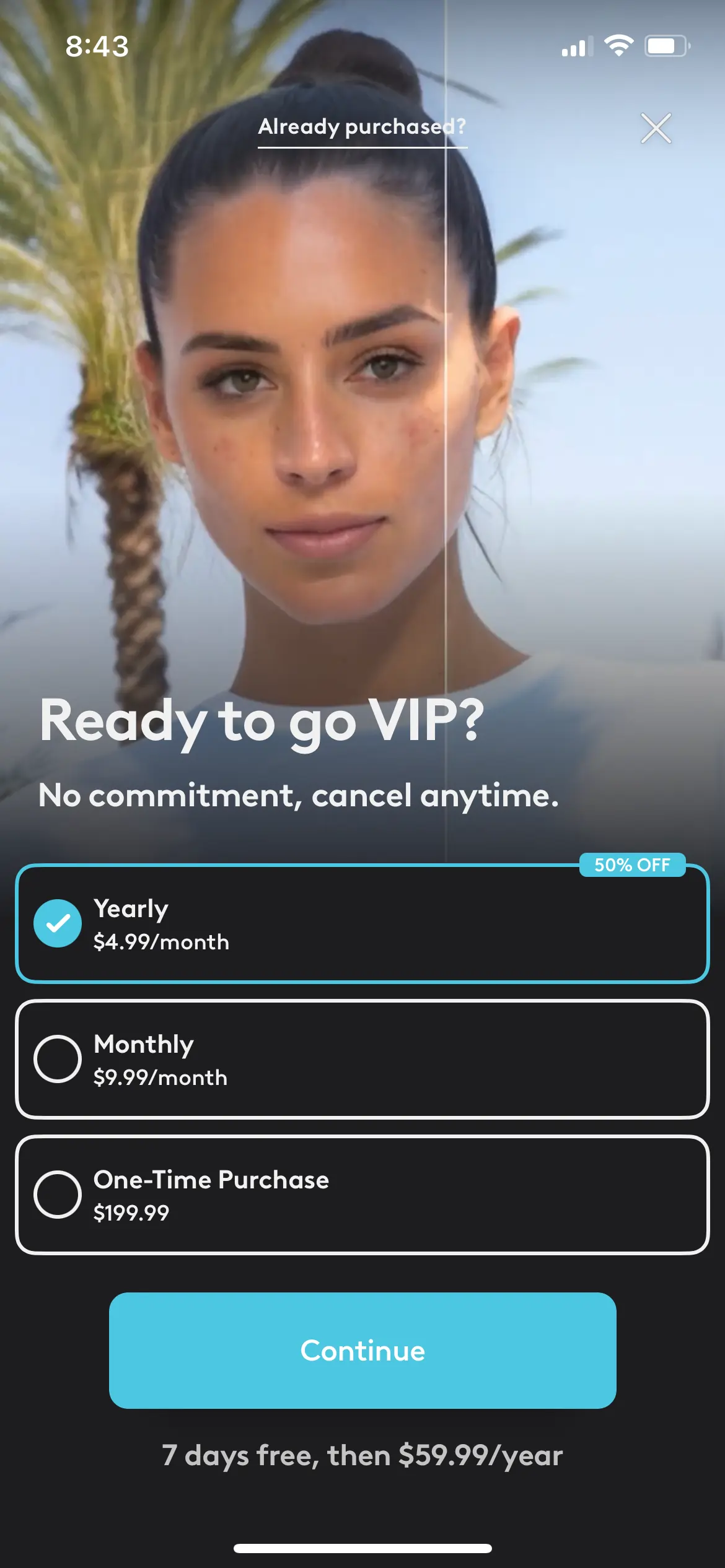
Facetune’s web pricing is premium. While the app is free to download, the features that make it useful (AI, advanced retouching) require a subscription.
Our Take on Value: The Monthly plan ($25) is very expensive—more than double the cost of Netflix. It only makes sense if you need it for one specific month (e.g., editing wedding photos).
If you plan to use it for a full year, the Yearly plan ($77.99) is the only logical choice, as it offers a 50% discount compared to paying monthly.
About Facetune: What Is It and Who Uses It?
Facetune is a specialized photo and video editing app designed primarily for portrait retouching. While tools like Adobe Lightroom focus on color grading and landscapes, Facetune is built to enhance faces, fix lighting, and reshape details on mobile devices.
Founded by Lightricks, it has become the “go-to” app for influencers, solopreneurs, and small businesses who need high-quality headshots or social media content without hiring a professional retoucher.
It connects specifically to your mobile workflow, perfect for optimizing content for:
- Instagram (Selfies & Lifestyle)
- TikTok (Video Retouching)
- LinkedIn (Professional Headshots)
Quick Verdict & Summary Box
After extensive testing (strictly on mobile, as there is no desktop version), we found Facetune is the ultimate “Portrait Specialist.” It bridges the gap between a novice and a professional editor, allowing you to achieve high-end results in minutes. Its biggest strengths are the manual “Paint” tools and AI features.
Crucial Warning: The pricing is steep. At $25/month for the monthly plan, it is expensive for a mobile-only app. It is only worth it if you commit to the yearly plan or use it to generate income (e.g., influencers/brands).
How We Review: Our Trust & Methodology
At Sonary, we want you to be confident in your software choice. To give you a clear and honest picture, we follow a simple review process:
- Hands-On Testing: We downloaded the app on iOS and Android. We tested the full workflow, from the “Clean Up” phase to final “Atmosphere” adjustments—using the 7-day free trial to simulate a real user’s start.
- Specific Workflow Tests: We didn’t just hit “Auto.” We tested granular techniques, like the “Hairline Trick” and “Eye Pop” painting method, to see if the tool allows for professional nuance.
- Real User Feedback: We analyzed feedback regarding the “plastic look” risks and pricing confusion to understand the long-term pros and cons.
Customer Support
Unlike many “faceless” mobile apps that hide behind automated bots, Facetune offers a surprisingly transparent and professional support system. It is backed by Lightricks, a major software company, which adds a strong layer of safety and accountability.
-
Direct Human Access: You are not left hanging. Unlike cheaper competitors, Facetune provides dedicated email support and even lists a contact number for support issues. This is rare in the app world and proves they are serious about helping users.
-
Legitimacy & Transparency: We found a clear physical address and a public list of founders (Zeev Farbman, Nir Pochter, Yaron Inger, and Amit Goldstein). This transparency is a huge “trust signal” that distinguishes Facetune from “scam” apps that might disappear with your money.
-
Social Media as Support: If you need a quick answer, their social channels are legitimate support pathways. With over 290,000 followers on Instagram and 210,000 on Facebook, the team is highly active. They frequently reply to comments and user questions publicly, making it a great secondary way to get attention.
Our Test: We found that Facetune operates less like a “side project” and more like a professional service. The combination of a physical HQ, active social agents, and direct contact methods makes us feel much more secure about the high subscription price—you are paying for a real company, not just an algorithm.
Features & Functionality
Key Features
Facetune is a popular photo editing app with over 200 million downloads in 2023. It’s easily one of the most powerful AI editors on the market, and it allows you to make major changes to your photos without much effort. If you’re an influencer or just someone who wants to enhance your photos without having to take the time to learn PhotoShop and other platforms, this is a great option for you.
Let’s take a look at the different features the platform has to offer to give you a better idea of whether it’s right for you.
AI-Powered Photo Editing
When using Facetune, you don’t have to manually adjust sliders, add elements to your photo, or even edit skin and other features. Instead, all you have to do is choose from the numerous presets, upload your photo, and watch as the AI-powered platform instantly transforms your photo. You can use this feature to enhance certain features, add makeup to your photos, change backgrounds, or even remove certain unwanted elements from your photos. Additionally, you can also use AI to remove blemishes and to generate AI headshots to appear more professional in your resume.
Edit Photos To Your Liking
After the AI does its magic on your photo, you can tweak it further according to your needs. This is great for those who are particular about the final look of the photo and want more control over different aspects such as warmth, contrast, brightness, and more. You can even tweak how intense or strong the AI filter is. That way, you can go for something more subtle or more bold, depending on your preferences.
Projects
There may be times when you have to do something important in the middle of editing a photo. When this happens, your projects are automatically saved on the app. So you can revisit the photo later on without losing your current edits or settings. This is great for those with a busy schedule who may have to have multiple editing sessions for a single project.
Download Photos
When you finish editing a photo, you can instantly download it as a JPEG file. If you want, you can even enhance the resolution of the JPEG image to give you more clarity when you share the photo.
Instant Sharing
Facetune integrates very well with other popular apps used for photo sharing. To start, you can instantly share photos with friends through iMessage, Messenger, WhatsApp, and similar apps directly on the Facetune platform. It even integrates with Instagram and Facebook so that you can immediately share AI-edited photos to your feed. This can make posting and sharing great photos much faster for busy influencers.
Retouch
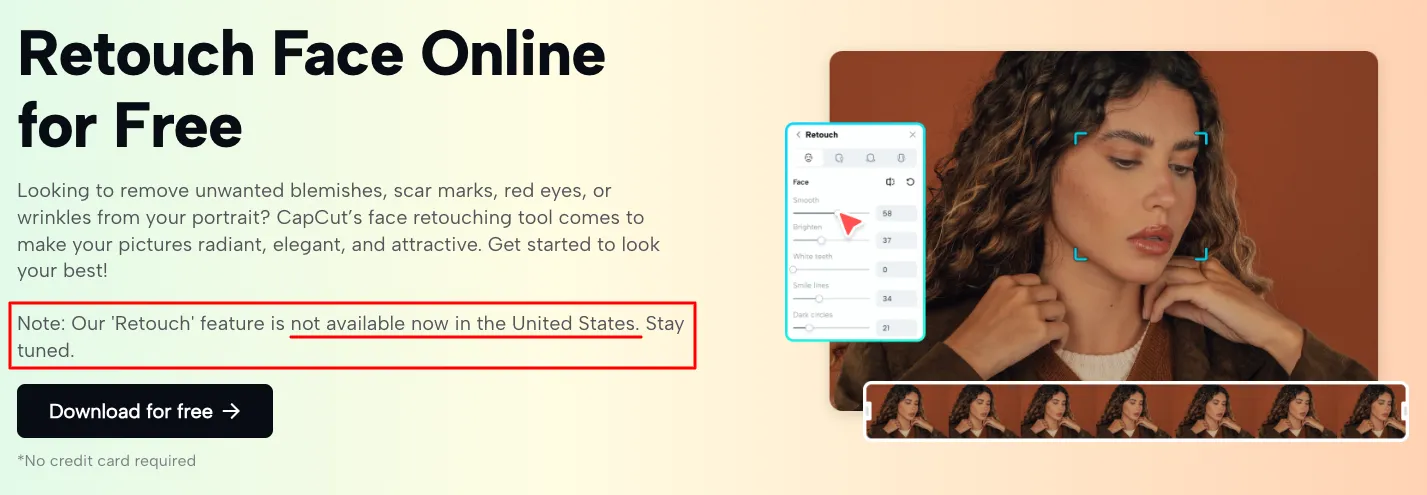
Facetune allows you to use several retouch features to improve your skin. You can find anything from an auto-retouch option that will automatically remove any spots or blemishes that it finds and even out your skin tone. You can also get more creative and use the “heal” option to manually remove any spots or imperfections you don’t want on your picture. In the Retouch function, you also have the option to whiten your teeth and smoothen your skin. You have many options when it comes to editing your skin, but one of the most advanced features in Facetune’s retouch options is the “Face” option, as it allows you to change your facial features, where you can easily make your nose appear smaller, make your eyes and lips bigger, edit your eyebrows and more.
The ‘Looks’ feature also allows you to create and save an overall beauty look in just one tap. This can be found in the ‘discover’ feed of the app.
Makeup
In the Makeup option in Facetune, you have five subcategories to choose from: Makeup, Paint, Looks, Discover, and Eyes. The Makeup option allows you to contour your face, apply lipstick and eyeshadow and even false eyelashes. If you want to achieve an even fiercer look, you can also apply eyeliner. Facetune does a great job at making any makeup look appear hyper-realistic. The Paint option is great for those who want to apply shadows to their selfies manually, making it great if you want to “paint” on your face makeup. The Look option comes with six preset makeup looks that you can apply with ease. If you go to discover, you will find a similar function, except it will be AI-generated makeup looks. Finally, if you head to the Eyes option, you can change your eye color, add reflection to create more of a doe-eye look, brighten up your eyes, enlarge your iris (the colored part of your eyes), or even remove red eyes from a photo.
Hair
Under the hair option, you can use the color option to choose from 18 standard colors. If you want to change your hairstyle, you can pick a look from a wide variety of categories such as enhanced, wavy, soft curls, a bold blowout, and even straight. All of these looks are AI-generated looks. However, to spice things up, you can even make a custom request by tapping on the option to the left that says “Custom.” Here, you could, for example, write that you want a “beach look,” and after you press the tick, AI will automatically generate your image accordingly. The last option is again a Pain option, and it appears identical to the option you see under the “Makeup” category. This option is great if you want to manually adjust your hair, for example, by adding some blonde to your roots if you have growth or even adding a highlighter.
Supported File Formats
Work with a wide range of file types for maximum compatibility.
Pricing plans
Choose from various plans to suit your creative needs.
Platform available on
Facetune is a Mobile-First experience.
- iOS (iPhone/iPad): This is the flagship version where new features often drop first.
- Android: Fully supported and updated regularly.
- Desktop/Web: No. Unlike Canva or Lightroom, there is currently no desktop editor. You cannot edit photos in a web browser on your laptop. The website is primarily for account management (billing/subscription) or viewing tutorials.
Note: While you may see a “Windows” listing in the Microsoft Store, it is often just a wrapper for the mobile app or a limited version. For the real workflow, you need your phone.
Usability
Designed for ease of use, catering to different skill levels.
Advanced Editing Tools
Facetune has moved far beyond just “smoothing skin.” We tested the high-end tools that justify the price tag:
- The “Paint” Tool: This is the manual power-user tool. You can sample skin tone to paint over blemishes manually, or use “Glitter” to add high-light sparkle to eyelids. It allows for artistry that AI can’t mimic.
- AI Clothes Changer: One of the newest features. You can circle your outfit and type “Business Suit” or “Leather Jacket,” and the AI maps the new texture onto your body. It is surprisingly effective for saving a photo where you dressed too casually.
- Vanish (Object Removal): Similar to Google’s “Magic Eraser.” You can brush over a trash can or a person in the background, and the app reconstructs the background.
- Relight: This changes the direction of the light source. If you took a selfie with bad overhead lighting, you can move the virtual light to the front to fill in shadows under the eyes.
- Video Retouching: Facetune Video allows you to apply these same effects (smooth skin, whiten teeth) to moving video. It tracks your face frame-by-frame, which is rare for mobile apps.
Sharing and Export
Once your edit is done, how do you get it out?
- Export Quality: You can save photos in High Resolution. We found the export quality sharp enough for Instagram, LinkedIn, and even small print marketing materials.
- Video Export: Supports HD video export, essential for TikTok/Reels content creators.
- Direct Sharing: It integrates directly with social platforms (Instagram, TikTok, WhatsApp, Messenger), allowing you to post straight from the export screen.
- The “Cloud” Limitation: Important: Facetune saves projects locally to your device, not the cloud. If you delete the app, you lose your “Projects” (editable files). There is no “sync” feature that lets you start an edit on an iPad and finish on an iPhone.
- Watermarks: The Free version applies a watermark to your downloads. The Paid plans remove this completely.
Export Formats
Support for diverse export options to meet specific requirements.
Performance:
Facetune doesn’t disappoint when it comes to performance. We put the app to the test and checked out all its features to see how they stacked up.
Startup Time
Facetune is a well-developed app that opens in just a few seconds without long and unnecessary loading screens. Once I tap on the app, it opens just as quickly as the camera app on my phone.
Lag & Stability
Facetune is also a very smooth app. Once you open the app, you’re welcomed by various filters and effects you can download. When you tap on a filter or effect, it downloads it in a matter of seconds (download speed depends on the internet speed), and it’s ready to use. This is true whether it’s a filter, editing preset, or even one of their AI-powered effects.
AI Editing & Integrations
The AI only takes a few seconds to work its magic, and you even have the freedom to do fine edits on the photo after the AI has done its work. You can even share the photos instantly right on the app and send them through social media platforms like Instagram and TikTok, or send the photos to friends on WhatsApp, Messenger, or iMessage.
The app is a top performer compared to other AI-powered editing tools, which is why it’s one of the most popular photo editors on the market today.
Ease Of Use:
A tool is only good if people use it. Here’s what it feels like to get started with Facetune.
-
Getting Started: The download is fast. The app immediately asks for access to your photos. The interface is modern and sleek—you don’t need a tutorial to find the “Smooth” or “Face” buttons.
-
The Workflow: We found the app encourages a specific flow: Clean Up $\rightarrow$ Paint $\rightarrow$ Structure $\rightarrow$ Atmosphere.
-
Learning Curve: The automated tools (“Smart Fix”) work instantly. However, mastering the manual tools (like the Paint brush) takes a few tries to get the pressure right so it doesn’t look fake.
Note: Long-time users might find the new interface slightly more complex due to the influx of AI features, but for new users, it is very logical.
Uniqueness:
In a market full of photo editors, what makes Facetune special?
Its key difference is that it is a Specialist, not a Generalist.
- Adobe Lightroom is best for Color & Lighting (Global adjustments).
- Snapseed is best for Healing & Selective edits (General adjustments).
- FaceApp is best for Viral Transformations (Age/Gender swaps).
- Facetune is best for The Face.
If you need to whiten teeth, smooth skin texture without losing pores, or reshape a nose, Facetune’s algorithms are superior to Lightroom’s mobile app. It strikes a balance between “fun” AI (like changing hair color) and “pro” retouching (like skin texture), giving you a “magazine cover” look that other apps struggle to replicate automatically.
Verdict:
Facetune is a great photo editing app for influencers or anyone looking to get stunning AI-edited photos in a matter of seconds. It’s easy to use, well-developed, and comes with tons of different filters and effects. This is why it’s easily one of the top AI photo editors on the market today!
Who Is Facetune For (And Who Should Skip It)?
You should use Facetune if:
- You are an Influencer or SMB Owner who uses their face as their brand.
- You are comfortable paying upfront (Yearly) to get the best rate.
- You work exclusively on your phone and need speed over complexity.
You should skip Facetune if:
- You are on a tight budget. (Try Snapseed; it’s free, though less powerful for portraits).
- You prefer editing on a laptop/desktop. (Use Lightroom or Photoshop).
- You only need basic filters. (Instagram or TikTok’s built-in tools are free).
 Write a Review