Lightspeed vs Clover POS 2026 : Which Point-of-Sale system fits your business best?


Choosing between Lightspeed and Clover POS comes down to what kind of business you run and how much customization you need. Both are leading cloud-based platforms, but they take very different approaches.
Clover focuses on simplicity and hardware flexibility across cafés, retail, and restaurants.
Lightspeed, by contrast, offers enterprise-grade analytics, inventory management, and eCommerce capabilities favored by fast-growing retailers.
This guide compares the two systems in depth—pricing, reporting, integrations, scalability, and real-world usability—so you can choose the POS that matches your operational goals.
Key points
- Clover is flexible and multi-industry, serving cafés, restaurants, and retail with modular hardware and an open App Market.
- Lightspeed is data-driven, designed for advanced retail, hospitality, and multi-store operations that need detailed inventory, analytics, and omnichannel tools.
- Clover offers transparent bundle pricing, built-in payments, and simple setup; Lightspeed uses custom quotes with integrated eCommerce and advanced reporting.
- Lightspeed excels in real-time inventory, purchase orders, and customer analytics; Clover shines in affordability, mobility, and app-based feature expansion.
- Clover suits small to midsize businesses that want plug-and-play simplicity; Lightspeed fits growth-oriented retailers and multi-location brands demanding deeper data control.
1. Market position & use cases
Clover positions itself as an all-in-one POS for restaurants, retail, and service businesses. Its modular hardware and app-driven ecosystem make it ideal for SMBs that want flexibility without enterprise overhead.
Lightspeed markets itself as a platform for advanced retail and hospitality. The company highlights “inventory accuracy,” “data-driven decisions,” and “unified commerce” across in-store, online, and mobile channels.
Fact-based summary:
Clover appeals to owners who need reliability and speed; Lightspeed appeals to operators who rely on deep product catalogs, omnichannel sales, and granular performance data.
Quick comparison table
| Feature | Clover POS | Lightspeed POS |
|
Primary focus |
Multi-industry: cafés, restaurants, retail |
Retail, hospitality, and multi-location chains |
|
Best for |
Small to midsize businesses wanting quick setup |
Medium to large retailers needing deep analytics |
|
Hardware options |
Proprietary all-in-one devices (Station, Mini, Flex, Go) |
iPad-based POS with modular peripherals |
|
Inventory management |
Basic item tracking, stock counts |
Advanced SKUs, bundles, and supplier management |
|
E-commerce |
Available through third-party integrations |
Native online store built into Retail plan |
|
Analytics & reporting |
Sales and performance dashboards |
Advanced analytics and forecasting |
|
Payment processing |
Built-in with transparent rates (2.3% + 10¢) |
Lightspeed Payments (custom rates) |
|
Contracts |
Month-to-month or 36-month with hardware |
Monthly or annual; discounts for annual |
|
Support |
24/7 via Clover or resellers |
24/7 global support and onboarding teams |
|
Scalability |
Ideal for small chains or single stores |
Designed for multi-store and multi-channel growth |
Takeaway:
Clover wins on simplicity and price clarity; Lightspeed wins on data depth, retail control, and scalability.
2. Hardware & device ecosystem
| Category | Clover | Lightspeed |
|
Hardware options |
Station, Mini, Flex, Go |
iPad-based POS, Lightspeed-branded terminals, scanners, printers |
|
Design focus |
All-in-one countertop or handheld devices |
Modular hardware built around iPad or PC stations |
|
Proprietary hardware |
Clover-certified only |
Works on Apple devices + approved accessories |
|
Offline mode |
Queues transactions and syncs later |
Maintains core POS functions offline |
|
Peripheral support |
Barcode scanners, printers, cash drawers |
Barcode scanners, printers, card readers, scales |
Verdict:
Clover is hardware-simple and ready out of the box. Lightspeed gives more hardware flexibility but may require setup and third-party peripherals.
3. Core feature suite & depth
Clover
- Streamlined checkout with customizable menus or product grids
- Employee permissions, time tracking, and tipping options
- Real-time sales reporting and customer database
- Optional modules for loyalty, gift cards, delivery, and online orders
Lightspeed
- Advanced inventory control (SKU variants, bundles, serial numbers)
- Purchase order management and supplier tracking
- CRM tools that track customer history, loyalty, and spending
- Integrated eCommerce website builder with synced inventory
Verdict:
Clover handles core POS operations well for cafés, retail, and restaurants. Lightspeed dominates inventory-heavy retail with detailed item tracking and unified online-offline workflows.
4. Reporting, analytics & insights
Clover
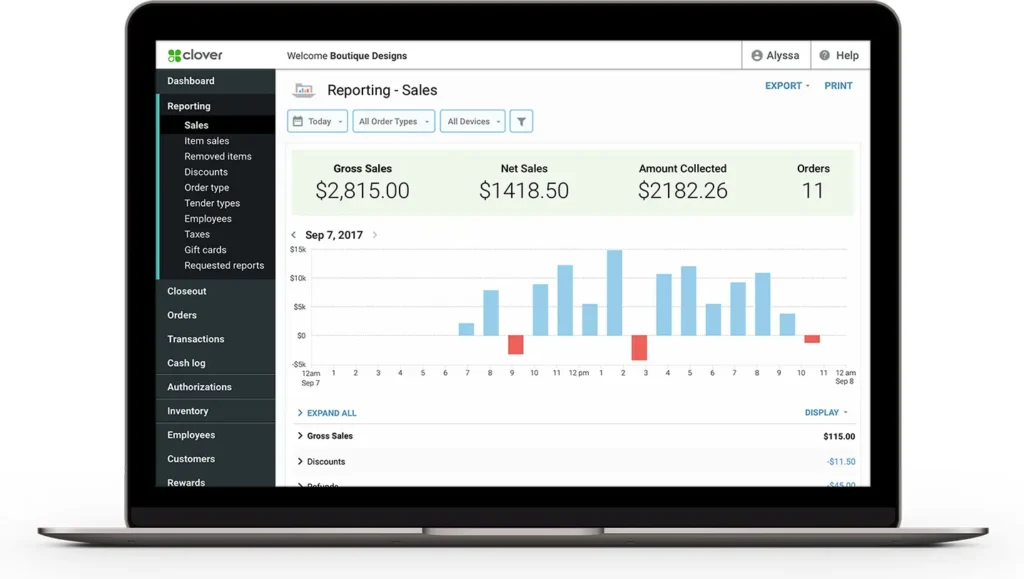
- Built-in reports: daily sales, category performance, busiest times, refunds, and top-selling products
- Exports compatible with QuickBooks and Xero
- Analytics can be extended through marketplace apps
Lightspeed
- Advanced dashboards covering sales, margin, inventory turnover, and employee performance
- Retail-specific KPIs like shrinkage, stock coverage, and reorder alerts
- Multi-store comparative reports and scheduled exports
Verdict:
Clover covers operational basics; Lightspeed offers enterprise-level analytics ideal for inventory-driven retailers and franchises.
5. Integrations, ecosystem & extensibility
- Clover connects to hundreds of apps: accounting, scheduling, loyalty, and marketing platforms. Its App Market enables tailored workflows for SMBs.
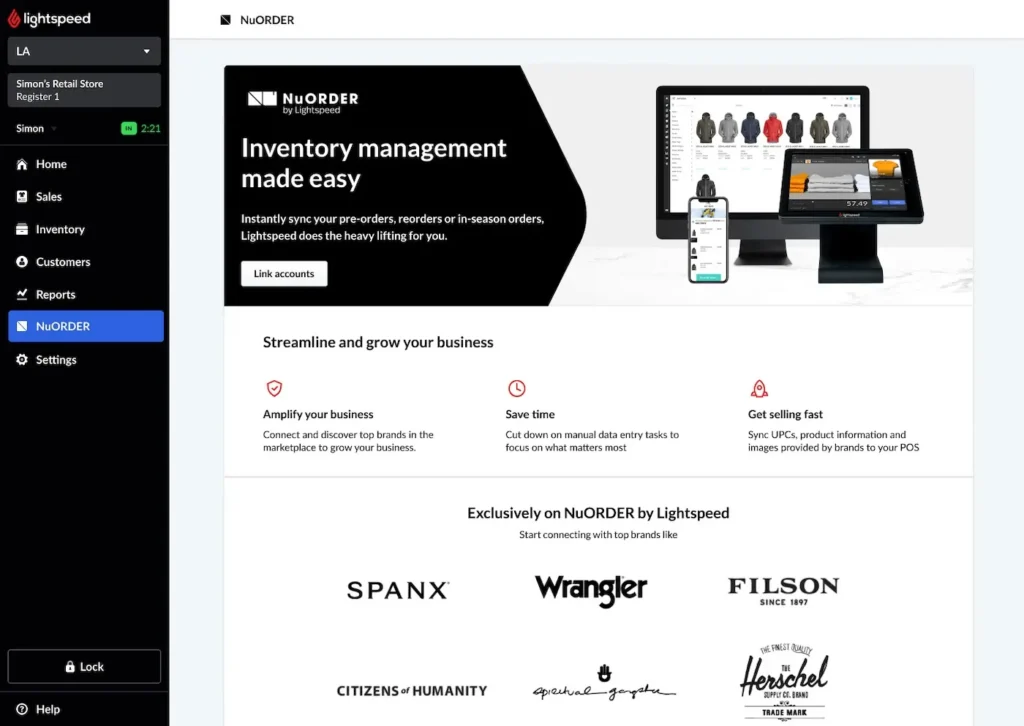
- Lightspeed integrates natively with major retail and accounting tools such as QuickBooks, Shopify, Mailchimp, and NuOrder, and offers an open API for developers.
Verdict:
Clover wins in accessibility and variety; Lightspeed wins in depth and developer control.
6. AI / automation / smart tools
Clover automates reporting, reorders, and loyalty messaging through its App Market. Its automation is rule-based—helpful for daily tasks but not predictive.
Lightspeed includes demand forecasting, automated reorder alerts, and AI-assisted analytics for inventory optimization and pricing insights (available in Lightspeed Analytics and Advanced Reporting tiers).
Verdict:
Lightspeed leads in smart inventory and analytics automation; Clover focuses on operational convenience.
7. Pricing, payment processing & contract structure
| Aspect | Clover | Lightspeed |
|
Pricing model |
Published bundles (Starter–Advanced) |
Tiered pricing; retail & restaurant plans sold separately |
|
Software cost |
From ~$15/month; full restaurant bundle ~$179–$354/mo |
Retail from ~$69/month; restaurant from ~$90/month (approx.) |
|
Processing fees |
2.3% + 10¢ (card-present); 3.5% + 10¢ (keyed) |
Varies by region; typically 2.6% + 10¢ (card-present) |
|
Contracts |
Month-to-month if hardware purchased; 36-mo if leased |
Monthly or annual; discounts for annual commitment |
|
Hardware |
Sold or financed via Clover bundles |
BYO iPad or purchase Lightspeed-certified hardware |
Fact-based summary:
Clover is more transparent and predictable; Lightspeed pricing varies by industry, region, and plan complexity.
8. Support, reliability & uptime
Clover provides 24/7 support via phone, chat, and reseller networks, plus cloud access to reports anywhere.
Lightspeed offers 24/7 support (phone, chat, email) and dedicated onboarding for larger retailers, with active uptime monitoring across its global infrastructure.
Verdict: Both maintain strong uptime; Lightspeed offers more consultative onboarding for complex setups.
9. Scalability & multi-location management
Clover: Scales easily by adding devices or locations through its dashboard; additional stores can share or separate reports.
Lightspeed: Built for chain retailers—centralized inventory, unified reporting, and bulk pricing updates across stores.
Verdict: Lightspeed handles multi-store growth better; Clover remains the simpler single-site or small-chain option.
10. Real-world use cases/examples
Case 1 – Boutique retailer expanding to e-commerce
Apparel boutiques operating across one or two physical locations often look to add an online store to increase reach and streamline sales. These businesses need unified product catalogs, real-time inventory sync, and tools that simplify supplier management so stock stays accurate across both in-store and online channels.
Best fit: Lightspeed, for its integrated eCommerce platform, inventory synchronization, and built-in supplier management.
Case 2 – Café or quick-service shop
Quick-service cafés and small food shops typically juggle dine-in and takeaway orders alongside simple menu items and occasional retail merchandise. They benefit from a POS that’s easy to install, intuitive for staff, and predictable in pricing, with hardware that fits limited counter space.
Best fit: Clover, for its plug-and-play devices, fast setup process, and transparent flat-rate pricing.
Case 3 – Multi-location lifestyle brand
Lifestyle retailers with several outlets need centralized oversight of pricing, stock levels, and reporting to maintain consistency across locations. Shared dashboards and unified inventory tools help operators track performance and coordinate replenishment more efficiently.
Best fit: Lightspeed, for its consolidated inventory management and analytics dashboards that support multi-store control.
11. Final verdict & recommendation table
| Evaluation factor | Best choice | Why |
|
Retail & inventory depth |
Lightspeed |
Advanced SKU, purchasing, and eCommerce tools |
|
Simplicity & affordability |
Clover |
Straightforward bundles and lower entry cost |
|
Multi-store ccalability |
Lightspeed |
Centralized control across outlets |
|
Multi-industry flexibility |
Clover |
Works for cafés, retail, and service |
|
Smart automation & forecasting |
Lightspeed |
AI-driven analytics and reordering |
|
Ease of setup |
Clover |
Minimal configuration required |
|
Transparency of fees |
Clover |
Publicly listed pricing and rates |
Summary:
Choose Clover for flexibility, cost clarity, and simplicity.
Choose Lightspeed for powerful analytics, inventory depth, and seamless omnichannel retail control.
12. FAQ: Lightspeed vs Clover POS (2025)
1. Which POS is cheaper long-term, Lightspeed or Clover?
Clover generally costs less over five years due to fixed bundle pricing and transparent processing rates.
Lightspeed adds value with analytics and eCommerce but may become more expensive at scale.
2. Which POS is better for retail inventory management?
Lightspeed is purpose-built for complex retail—handling variants, SKUs, and reorder automation.
Clover provides simpler inventory suitable for cafés or small shops.
3. Does Clover support e-commerce?
Yes, through app integrations like Shopify or WooCommerce connectors, but it’s not natively built-in.
Lightspeed includes full eCommerce capabilities in its Retail plan.
4. Which is easier to set up?
Clover wins for speed—you can unbox and transact the same day.
Lightspeed requires setup and onboarding but offers more configuration power.
5. Are payment fees the same for both?
Clover posts 2.3% + 10¢ (card-present).
Lightspeed varies by region but averages 2.6% + 10¢. Always confirm with each vendor.
6. Which works better offline?
Both have offline modes. Clover queues transactions; Lightspeed keeps full sales continuity and syncs automatically when back online.
7. Which scales better for multi-location retail?
Lightspeed, due to centralized inventory, pricing, and analytics dashboards.
8. Can I integrate accounting or loyalty software?
Both integrate with major accounting tools. Clover uses its App Market; Lightspeed provides native QuickBooks and Mailchimp integrations.
9. Which POS is better for cafés or hybrid shops?
Clover. It’s simpler, cheaper, and optimized for mixed service + retail operations.
10. Which offers better analytics overall?
Lightspeed—it provides deeper sales, customer, and inventory analytics through its built-in reporting suite.
Final word
Clover delivers simplicity, predictable pricing, and cross-industry flexibility.
Lightspeed delivers advanced analytics, eCommerce, and chain-ready inventory management.
If you’re a growing retailer or brand aiming for unified data and online-offline control, go with Lightspeed.
If you’re an SMB that values cost transparency and quick setup, Clover remains one of the most efficient choices on the market.