
Best HR Software for Small Business (2026)
The best HR software for small business is Gusto for U.S. payroll-first teams, BambooHR for companies actively hiring, and Homebase for hourly and shift-based teams. We tested each hands-on as 2–50-person operators. The right pick depends on whether your priority is payroll, hiring, scheduling, or global and remote hires.
Last updated: September 2026

- Award-winning payroll & HR Software
- Run payroll in a few clicks
- Payroll on Autopilot®
- Accurate tax calculations & free tax filings
- Easy integrations
- Easy to use interface with simple time tracking
- Customized onboarding tools
- No mobile app
- No annual plan, lifetime plan or money back guarantee
- Fairly limited performance appraisal features
- No option to e-sign custom documents in core plan
- Award-winning payroll & HR Software
- Run payroll in a few clicks
- Payroll on Autopilot®
- Accurate tax calculations & free tax filings
- Easy integrations
- Easy to use interface with simple time tracking
- Customized onboarding tools
- No mobile app
- No annual plan, lifetime plan or money back guarantee
- Fairly limited performance appraisal features
- No option to e-sign custom documents in core plan

- All-in-one payroll software
- Over 130+ seamless app integrations
- 24/7 Award-winning support
- User-friendly interface
- Extensive reporting and analytics
- Wide-range of learning and support resources
- Payroll is an Add-on
- All-in-one payroll software
- Over 130+ seamless app integrations
- 24/7 Award-winning support
- User-friendly interface
- Extensive reporting and analytics
- Wide-range of learning and support resources
- Payroll is an Add-on

Free plan available
- Instant payroll data access from anywhere
- Real-time, easy-to-use app for employees
- Manage shift schedules, payroll & tips
- Free plan for up to 20 employees
- Easy to use
- Mobile app available
- Great customer support
- Payroll feature can get expensive
- Some management features are accessible only when you sign into a desktop
Free plan available
- Instant payroll data access from anywhere
- Real-time, easy-to-use app for employees
- Manage shift schedules, payroll & tips
- Free plan for up to 20 employees
- Easy to use
- Mobile app available
- Great customer support
- Payroll feature can get expensive
- Some management features are accessible only when you sign into a desktop

- Built for all businesses small to large
- Automate tax registration
- Hire and onboard remote employees
- All-in-one HR solution
- User friendly, easy processes
- Great for small-midsize businesses
- Technical issues
- Poor report generating & customizing
- Built for all businesses small to large
- Automate tax registration
- Hire and onboard remote employees
- All-in-one HR solution
- User friendly, easy processes
- Great for small-midsize businesses
- Technical issues
- Poor report generating & customizing

- Streamlined onboarding process
- Integrations with leading HR tools
- Cost saving features
- Supports many payment methods and currencies
- Easy to use for remote workers
- 24/7 live chat
- Automated workflows
- No free trial
- No mobile app
- High-cost per-worker
- No built-in time tracking tools.
- Streamlined onboarding process
- Integrations with leading HR tools
- Cost saving features
- Supports many payment methods and currencies
- Easy to use for remote workers
- 24/7 live chat
- Automated workflows
- No free trial
- No mobile app
- High-cost per-worker
- No built-in time tracking tools.
- Advanced analytics to track KPIs & impact
- Automates onboarding, payroll & reporting
- Designed to support fast-growing companies
- User-friendly interface
- Includes all the necessary features for an HRIS
- Strong focus on employee engagement
- Customizable global HR platform
- Pricing may be higher than some competitors
- Limited customization options for certain features
- Recruitment module isn’t included
- Advanced analytics to track KPIs & impact
- Automates onboarding, payroll & reporting
- Designed to support fast-growing companies
- User-friendly interface
- Includes all the necessary features for an HRIS
- Strong focus on employee engagement
- Customizable global HR platform
- Pricing may be higher than some competitors
- Limited customization options for certain features
- Recruitment module isn’t included
* Featured prices and terms can be updated. Free offers may include additional terms.
Managing HR with a team of two, three, or five people means one person handles everything: payroll, hiring, compliance, scheduling, and benefits- usually after hours, usually in a spreadsheet. The right human resources software for small business replaces that mess with one system that actually runs in the background while you run your business.
The best HR software for small business is Gusto for U.S. payroll-first teams, BambooHR for companies actively hiring, and Homebase for hourly and shift-based teams. We tested each hands-on as 2–50-person operators. The right pick depends on whether your priority is payroll, hiring, scheduling, or global and remote hires.
Bottom line: Gusto is our top pick for most small U.S. businesses- it handles payroll, benefits, and onboarding without requiring an HR background to operate it. But the right answer depends on your team structure, and we break that down below.
TL;DR- 5 Things to Know Before You Choose HR Software
- Gusto is the best payroll and HR software for U.S.-based small teams — setup takes hours, not weeks.
- BambooHR is the strongest HR management software if you're actively hiring and need structured onboarding and performance tracking.
- Homebase is purpose-built for hourly teams- free for one location, and the best scheduling + time tracking software for shift-based businesses.
- Rippling is the most complete HR system software if you want payroll, IT, and people ops in one dashboard- but it has a learning curve.
- Deel is the go-to payroll and human resources software for remote teams or anyone with international contractors or employees.
- HiBob is the best online HR management software for culture-first small businesses in professional services, creative industries, or tech.
How We Test HR Software for Small Businesses
We don't review these platforms from the outside. We test them the way a real 3–5 person team uses them- one person doing multiple jobs, a tight monthly budget, and actual business operations running at the same time.
The best HR software for small businesses is Gusto for U.S. payroll-first teams, BambooHR for companies actively hiring, and Homebase for hourly and shift-based teams. We tested each hands-on as 2–50-person operators, running payroll, onboarding test employees, and tracking time across real accounts. The right pick depends on whether your priority is payroll, hiring, scheduling, or global and remote hires.
Our Evaluation Process
Real setup from scratch. We sign up, go through onboarding, and track how long it takes to run a first payroll or post a first job. If a non-HR person can't figure it out in a day, we flag it. Small teams don't have time for week-long implementation projects.
Full workflow simulation. We simulate the full employee lifecycle: posting a job, hiring someone, running payroll, approving a time-off request, and generating a compliance report. We document every friction point- not just what worked.
Support quality test. We contact support with a real, non-obvious question and measure the quality and speed of the response. For a small business with no IT department, support is not a bonus feature- it's a core one.
Pricing transparency audit. We map what's included at each tier, what triggers an upsell, and what the real monthly cost looks like for a 5-person team. We flag hidden fees.
Mobile usability. Most small business owners manage operations from their phone. We test core functions on mobile- especially payroll approval, time-off management, and employee self-service.
Which HR software list do you need?
- If PTO requests still live in a spreadsheet, leave management software is the smallest fix with the biggest relief - accrual rules, approvals and a calendar everyone can see.
- Startups hire fast, across states and often across countries. The HR software for startups list weighs compliance and contractor payments over org charts.
- If your problem is new hires, not payroll, look at employee onboarding software - e-signatures, checklists and document collection are the features that matter, and they are not in every HR suite.
- Hourly teams need clock-in, scheduling and overtime rules that feed payroll without re-keying. That is the time and attendance software list.
- Reviews, goals and one-on-ones need their own workflow. See performance management software if that is the gap in your current setup.
- A team under ten people rarely needs a paid HRIS. The free HR software we tested covers time off, documents and onboarding without a per-seat fee, and we say where each one caps you.
- Surveys and pulse checks are a separate tool category. The employee feedback software list is ranked on anonymity controls and reporting, not on payroll.
- Billable hours and project time are different from clock-in. See employee time tracking software for tools that export to invoices and payroll.
- Remote teams need multi-state or multi-country compliance and async onboarding. The HR software for remote teams list is built around that.
Best HR Software for Small Business: Our Top 6 Picks
Gusto - Best All-in-One Payroll and HR Software for Small U.S. Teams
Gusto is a cloud-based HR, payroll, and benefits platform designed for small and medium-sized businesses. It simplifies payroll processing with automated tax filings, direct deposits, and benefits… Read more
Gusto is a cloud-based HR, payroll, and benefits platform designed for small and medium-sized businesses. It simplifies payroll processing with automated tax filings, direct deposits, and benefits administration, ensuring compliance with labor laws. With features like employee self-service, time tracking, and onboarding tools, Gusto streamlines HR tasks and enhances workforce management. Businesses benefit from reduced administrative burdens, improved accuracy, and seamless integration with accounting software. The platform also offers health benefits and retirement plans, making it a comprehensive solution for business owners. In this Gusto payroll processing review, I'll discuss features, performance, customer service, and Gusto pricing.
Learn more in our full Gusto review.
Pros & Cons
- Exceptional value: payroll + HR + benefits from $49/mo
- Unlimited payroll runs at no extra cost
- Automated tax calculations, filings, and payments
- Employee self-service portal reduces HR admin significantly
- No dedicated admin mobile app, payroll requires desktop
- No annual plan or money-back guarantee
- E-sign for custom documents not available on Simple plan
- Global EOR covers ~13 countries
Features
- 401k Tracking
- FMLA Tracking
- Generation of pay stubs and reports
- Multi-Country
- Multi-State
- Mobile App For Employees
- Calculate and pay employee salaries
- Compliance with state and federal tax laws
- Direct Deposit for Employee Paychecks
- Tracking of employee hours and overtime
- Update real-time employee information
- Employee Attendance Tracking
- Employee self-service update anytime
- Vacation/Sick Leave Tracking
- Benefits Management
- Employee profile management
- Organizational Chart
- Automatic Tax Payment
- Form 1099-MISC
- Form 1095-B
- Form 1094-B
- Form 1095-C
- Form 1094-C
- Form 940 (Annual federal taxes)
- Form 941 (Quarterly federal taxes)
- Form 944 (Annual federal taxes)
- Form 945 (Non-Payroll Payments-e.g. Pension & Annuities)
- Form W-2 ( Tax filing included)
- Form W-3
- Form W-4
- Tax Compliance
- Time and Attendance Tracking
- HR & Benefits Systems
- Accounting Software
- Direct Deposit
- Tax filing and compliance
Pricing
$49
mo/
month
$80
mo/
month
$180
mo/
month
If you've ever missed a payroll tax deadline, paid someone the wrong amount because the spreadsheet formula was wrong, or spent a Sunday before tax season hunting down contractor payment totals- Gusto was built for exactly that situation.
Gusto is one of the clearest examples of software for HR that was genuinely designed with a non-HR person in mind. The language is plain, the interface is clean, and the whole system is structured around the assumption that you're probably running payroll after a full day of doing everything else.
What Makes Gusto Work for a 2–5 Person Team
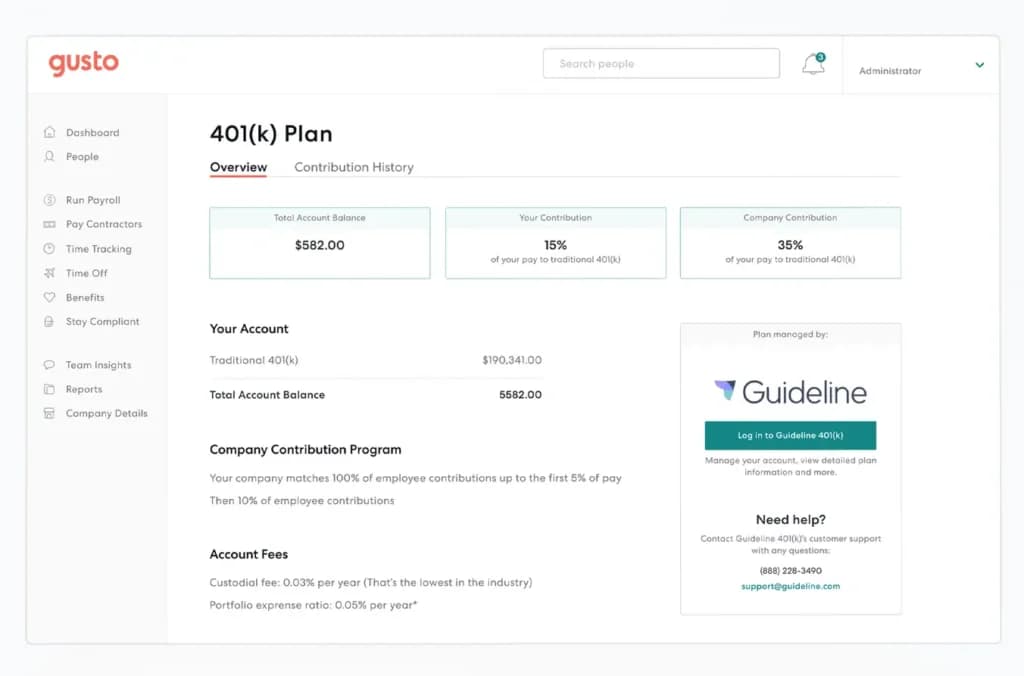
When you add an employee in Gusto, the platform immediately sends them a self-onboarding link. They fill in their bank details, upload their I-9 and W-4, and sign their offer letter- all without a single follow-up email from you. For a three-person team, this alone is worth the subscription.
Payroll in Gusto takes about four clicks. It handles federal and state tax filings automatically, including year-end W-2s and 1099s. If you've ever manually calculated payroll taxes or waited for your accountant to confirm the numbers are right, this is a meaningful shift.
Benefits administration is solid for a small team. You can offer health insurance, 401(k), commuter benefits, and HSAs directly through Gusto- managing carrier relationships and enrollments inside the same platform where you run payroll. For small businesses trying to compete for talent, offering real benefits without a dedicated HR person is a real advantage.
What it doesn't do well: Gusto is U.S.-only. If you have international contractors or employees in other countries, you'll need a separate solution. The reporting features are also basic compared to Rippling or BambooHR- if you need custom performance workflows or deep workforce analytics, you'll outgrow Gusto as you scale past 30–40 people.
Case Study: A 4-Person Marketing Agency
A boutique content marketing agency with four full-time employees and two part-time contractors was paying their accountant $200/month to handle payroll. They switched to Gusto's Simple plan at $49/month + $6 per person.
Within the first month, payroll was automated on a bi-weekly schedule, all four employees completed digital onboarding, and the owner reclaimed roughly 6 hours per month she was previously spending on payroll admin. The two contractors were added to Gusto's standalone contractor plan at $35/month + $6 per contractor. Their accountant now only handles tax strategy- not data entry.
The one real friction point: connecting their existing health insurance carrier took about two weeks and required back-and-forth with Gusto's benefits team. Not a dealbreaker, but worth building lead time into your setup.
Best for: U.S.-based small businesses with W-2 employees that want the simplest possible path from "I need to pay my team" to "payroll is done and taxes are filed."
Pricing: From $49/month + $6/person (Simple). Full HR + payroll from $80/month + $12/person.
BambooHR - Best HR Management Software for Small Teams That Are Actively Hiring
BambooHR is a powerful HR software solution tailored to simplify operations for businesses of all sizes. It features an employee feedback tool that supports 360-degree reviews, enabling… Read more
BambooHR is a powerful HR software solution tailored to simplify operations for businesses of all sizes. It features an employee feedback tool that supports 360-degree reviews, enabling self-assessments, peer evaluations, and manager insights for a comprehensive understanding of performance. BambooHR Payroll streamlines payroll management with features like automated tax filings, direct deposit, and time-off tracking, ensuring accurate and efficient compensation processes. With these tools, BambooHR not only enhances employee engagement but also empowers HR teams to drive organizational success. In this BambooHR review i'll examine the features, performance, customer support and BambooHR pricing tiers.
Learn more in our full Bamboohr review.
Pros & Cons
- User-friendly interface
- Extensive reporting and analytics
- Wide-range of learning and support resources
- Payroll is an Add-on
Features
- 360 Degree Feedback
- Applicant Tracking
- Benefits Management
- Compensation Management
- Employee Database
- Employee Profiles
- Onboarding
- Performance Management
- Recruitment Management
- Time Off Management
- Calendar Management
- FMLA Tracking
- Reporting/Analytics
- Time tracking
- Candidate Tracking
- Interview Scheduling
- Job Posting
- Resume Search
- Workflow Management
- Auto Tax Payment
- Tax Calculation
- Tax Filing
- Documentation
- Monthly Payment
- Annual subscription
- Mac
- Chromebook
- Windows
Pricing
$19
/mo /employee/
/mo /employee
$49.95
/mo /employee/
/mo /employee
BambooHR calls itself "HR software built for small and medium businesses," and for once, that's not just a positioning statement. It's one of the few HR management software platforms where you can feel the product was designed for a company of seven- not a company of 700 that decided to also sell to smaller teams.
Where Gusto focuses on payroll, BambooHR focuses on the full employee lifecycle- from the first job application through onboarding, performance reviews, and eventually offboarding. If your business is in hiring mode and you're bringing on two or three new people a year, BambooHR's structure will save you real time.
The Hiring and Onboarding Experience
BambooHR's applicant tracking system (ATS) is genuinely useful for a small team. You post a job, manage candidates through pipeline stages, collect team feedback, send offer letters, and trigger a custom onboarding checklist- all inside one platform. For a small business where the founder or a department lead is doing the hiring themselves, this workflow makes the difference between a consistent hiring process and a chaotic one.
The onboarding feature lets you build custom task lists: tasks for the new hire ("complete benefits enrollment"), tasks for the manager ("schedule 30-day check-in"), and tasks for IT ("set up laptop and accounts"). Every new hire gets the same experience, which is something most small businesses completely improvise.
Performance management is BambooHR's biggest edge over Gusto for growing teams. You can run structured peer reviews, set goals, track employee sentiment through eNPS surveys, and document performance conversations. When you eventually need to promote someone or, harder, let someone go- having that paper trail in one system is invaluable.
As of February 2026, BambooHR added built-in compliance intelligence via VirgilHR, embedded training through EasyLlama, and expanded AI support with "Ask BambooHR"- a chat assistant that helps managers navigate HR questions without calling support.
What it doesn't do well: BambooHR's payroll add-on exists for U.S. teams but isn't as polished as Gusto's. Many small businesses use BambooHR for HR and a separate tool for payroll, which creates some minor duplication. Pricing is also custom and quote-based, which makes it harder to budget without a sales conversation.

Case Study: A 5-Person E-Commerce Brand
A direct-to-consumer skincare brand with five employees had no formal HR system. Hiring was managed through email threads, onboarding was a Google Doc checklist, and performance reviews had not happened in 18 months- not because they didn't care, but because there was no structure to make it happen.
After implementing BambooHR, they hired two new team members fully through the platform in the first quarter. Both completed digital onboarding tasks before their first day. The owner said the biggest immediate win was the employee self-service portal: the weekly flood of "can you resend my offer letter?" and "how many PTO days do I have left?" messages dropped to zero.
Best for: Growing small businesses that are hiring regularly and want structured onboarding, performance tracking, and a centralized employee record system that scales to 50+ people.
Pricing: Custom quote, typically $6–9/employee/month depending on team size and features selected.
Homebase - Best HR Software for Hourly Workers and Shift-Based Small Businesses
The Homebase payroll tools offer amazing solutions for small businesses that need to streamline time-consuming processes such as payment scheduling, payroll, and paperwork. These things are essential… Read more
The Homebase payroll tools offer amazing solutions for small businesses that need to streamline time-consuming processes such as payment scheduling, payroll, and paperwork. These things are essential when running a small business, but they likely to cost you an entire day's work per week. With the Homebase business software, employee time-tracking and salaries become as easy as pie. In this Homebase review, we’ll cover the main features such as PTO management, auto payroll, time tracking, overtime calculation, Homebase pricing, available plans, and much more.
Learn more in our full Homebase review.
Pros & Cons
- Free plan for up to 20 employees
- Easy to use
- Mobile app available
- Great customer support
- Payroll feature can get expensive
- Some management features are accessible only when you sign into a desktop
Features
- 401k Tracking
- FMLA Tracking
- Generation of pay stubs and reports
- Multi-State
- Mobile App For Employees
- Calculate and pay employee salaries
- Compliance with state and federal tax laws
- Direct Deposit for Employee Paychecks
- Tracking of employee hours and overtime
- Update real-time employee information
- Employee Attendance Tracking
- Employee self-service update anytime
- Vacation/Sick Leave Tracking
- Employee profile management
- Automatic Tax Payment
- Form 1099-MISC
- Form 1095-B
- Form 1094-B
- Form 1095-C
- Form 1094-C
- Form 940 (Annual federal taxes)
- Form 941 (Quarterly federal taxes)
- Form 944 (Annual federal taxes)
- Form 945 (Non-Payroll Payments-e.g. Pension & Annuities)
- Form W-2 ( Tax filing included)
- Form W-3
- Form W-4
- Tax Compliance
- Time and Attendance Tracking
- HR & Benefits Systems
- Direct Deposit
- Tax filing and compliance
Pricing
$0
mo/
month
$20
/mo/per location/
/mo/per location
$48
/mo/per location/
/mo/per location
$80
/mo per location/
/mo per location
$39
/mo per location/
/mo per location
Most human resource management system software is designed around salaried, office-based employees. Homebase is built around a completely different reality: a six-person café where two baristas called in sick, someone wants to swap a Thursday shift, and you need to know if anyone's hitting overtime before you approve it.
If you run a retail store, restaurant, salon, cleaning service, or any business where scheduling and time tracking are the core of your HR challenge, Homebase is the tool that was designed specifically for you, not retrofitted from an enterprise system.
Scheduling and Time Tracking That Actually Works
Homebase's scheduling tool is the best in its class for small hourly teams. You build a visual weekly schedule, drag and drop shifts, and publish it to your team's phones in one tap. Employees get notified, can claim open shifts, request swaps, and confirm availability- all through the app without a single group text.
The time clock works on any tablet, phone, or computer. Employees clock in and out, and Homebase flags anything unusual in real time: someone clocking in 20 minutes early, overtime approaching, a missed punch. For a small business owner trying to control labor costs without watching the clock all day, these alerts are practical, not just nice-to-haves.
At the end of each pay period, Homebase exports a clean hours summary directly to Gusto, QuickBooks, ADP, or other payroll tools. It doesn't try to replace payroll software- it feeds it cleanly, which is exactly the right scope for this type of tool.
What it doesn't do well: Homebase is scheduling and time tracking, not full-cycle HR. You won't find onboarding workflows, performance reviews, or applicant tracking. If your hourly team is growing fast and you need more HR structure, you'll run Homebase alongside a platform like BambooHR.

Case Study: A 3-Person Café
A specialty coffee shop with one owner and three part-time baristas was managing schedules through a WhatsApp group and tracking hours in a paper notebook. The owner spent 3–4 hours every two weeks manually calculating hours, chasing down clock-in times, and handling last-minute shift swap texts.
After switching to Homebase's free plan, she built the weekly schedule in 20 minutes instead of an hour. Shift swaps happened in the app- the owner approved or denied from her phone without a single text message. The hours export went directly to their payroll provider at the end of each period.
The owner's estimate: 2–3 hours saved per week. For a single-location small business running on tight margins, that's real money. She later upgraded to the Essentials plan ($24.95/month, or $20/month on annual billing) after a GPS time tracking issue with one employee who was clocking in remotely.
Best for: Cafés, restaurants, retail stores, salons, and any small business with hourly workers and rotating shifts.
Pricing: Free for 1 location, up to 20 employees (core scheduling and time tracking). Essentials from $24.95/month/location ($20 billed annually). Plus from $59.95/month ($48 billed annually). Note: Homebase's own native payroll is a paid add-on at a $39/month base + $6/employee/month, regardless of which plan you're on.
Powerful Free Tools You Can Use
Rippling - Best HR System Software for Tech-Forward Small Teams
Rippling is an all-in-one employee management software that links human resources and IT management, all under one roof. It’s a cloud-based unified platform that helps manage employee data, payroll,… Read more
Rippling is an all-in-one employee management software that links human resources and IT management, all under one roof. It’s a cloud-based unified platform that helps manage employee data, payroll, benefits, devices, apps, and more. The software takes some training to get started. From device and app management to payroll, talent management, benefits, and employee management, it does an excellent job of offering functionality that's the best of both worlds. With Rippling you can manage and automate every part of the employee lifecycle in a single system.
Learn more in our full Rippling review.
Pros & Cons
- All-in-one HR solution
- User friendly, easy processes
- Great for small-midsize businesses
- Technical issues
- Poor report generating & customizing
Features
- 360 Degree Feedback
- Applicant Tracking
- Benefits Management
- Compensation Management
- Employee Database
- Employee Profiles
- Onboarding
- Payroll Management
- Performance Management
- Recruitment Management
- Self Service Portal
- Time & Attendance Management
- Time Off Management
- Calendar Management
- Employee Scheduling
- FMLA Tracking
- Overtime Calculation
- Reporting/Analytics
- Time tracking
- Assessments
- Background Screening
- Candidate Tracking
- Interview Scheduling
- Job Posting
- Resume Search
- Workflow Management
- Tax Calculation
- Tax Filing
- Live Online
- Webinars
- Documentation
- Monthly Payment
- Annual subscription
- Android
- Mac
- Chromebook
- Cloud, SaaS, Web-Based
- iPad
- iPhone
- Linux
- On-Premise - Linux
- On-Premise - Windows
- Windows
Pricing
$8
+$8/user/
+$8/user
Rippling is the most ambitious HR systems software on this list. It combines payroll, benefits, device management, app provisioning, workforce analytics, and compliance into one platform. When it's right for your business, it feels like the future of managing a small team. When it's more than you need, the setup complexity will frustrate you.
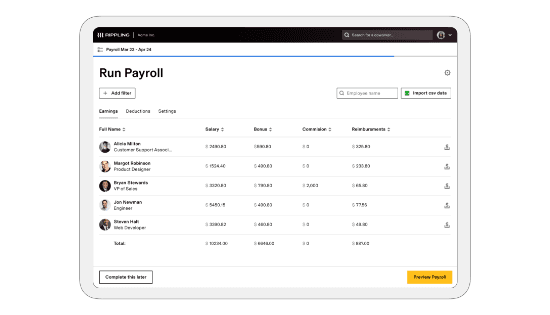
The core pitch: when you hire someone in Rippling, you can automatically provision their laptop, create their Google Workspace account, add them to Slack, enroll them in payroll, and assign their benefits- all from one automated workflow triggered by a single action. For a tech-first small team, this level of automation pays for itself quickly.
When Rippling Makes Sense for a Small Business
Rippling starts making real sense when you have a small team but a complex SaaS stack. If your five-person team uses GitHub, Notion, Figma, Slack, Google Workspace, and AWS- and you're spending significant time onboarding and offboarding people from each tool- Rippling removes that entirely. When someone leaves, you can deprovision their access to every platform in the stack with one click. For a small business, that's a security benefit most owners don't think about until there's a problem.
Global payroll is another meaningful differentiator. Rippling runs payroll in multiple countries, which means a small business that hires internationally doesn't have to switch systems as it grows.
What it doesn't do well: Setup requires time and some technical comfort. Rippling's modular pricing means the base platform is lean- real value requires purchasing several add-on modules, which pushes total cost significantly higher than Gusto or BambooHR for a 5-person team. There's no free trial.
Case Study: A 5-Person SaaS Startup
A bootstrapped SaaS company with five employees- two engineers, a product manager, a marketer, and a founder- was struggling with access management across six tools. Offboarding a contractor took 45 minutes across six separate platforms. After implementing Rippling, that process took four minutes. Onboarding a new hire meant approving one automated workflow.
The founders identified IT automation as the single biggest ROI driver- not HR or payroll. The honest caveat: initial setup took a full day and required a call with Rippling's support team. A non-technical founder would find this frustrating.
Best for: Tech-forward small businesses with distributed teams, complex software stacks, or international employees who want one system to handle HR, IT, and payroll together.
Pricing: From ~$8/user/month for the base HR platform. Practical all-in-one setup typically runs $15–35/user/month depending on modules.
Deel - Best Payroll and Human Resources Software for Remote or Global Teams
In recent years, Deel has become the leading payroll software for managing remote teams. It has a wide variety of features and functionalities, such as contractor management, on-demand pay, contract… Read more
In recent years, Deel has become the leading payroll software for managing remote teams. It has a wide variety of features and functionalities, such as contractor management, on-demand pay, contract generation, time-off management, and more. The online payment software allows you to manage international payments and salaries to streamline processes and create a simple experience for businesses working with global teams worldwide. In this Deel review, you'll find everything there is to know about this payroll service, from its plans and pricing to customer support and features you can expect.
Learn more in our full Deel review.
Pros & Cons
- Easy to use
- Informative customer support
- Huge variety of features
- A variety of plans for every business need
- Expensive plans
- Short demo length
- Lack of mobile app
Features
- 401k Tracking
- FMLA Tracking
- Generation of pay stubs and reports
- Multi-Country
- Multi-State
- Mobile App For Employees
- Calculate and pay employee salaries
- Compliance with state and federal tax laws
- Direct Deposit for Employee Paychecks
- Tracking of employee hours and overtime
- Update real-time employee information
- Employee Attendance Tracking
- Employee self-service update anytime
- Vacation/Sick Leave Tracking
- Benefits Management
- Employee profile management
- Organizational Chart
- Automatic Tax Payment
- Form 1099-MISC
- Form 1095-B
- Form 1094-B
- Form 1095-C
- Form 1094-C
- Form 940 (Annual federal taxes)
- Form 941 (Quarterly federal taxes)
- Form 944 (Annual federal taxes)
- Form 945 (Non-Payroll Payments-e.g. Pension & Annuities)
- Form W-2 ( Tax filing included)
- Form W-3
- Form W-4
- Tax Compliance
- Time and Attendance Tracking
- HR & Benefits Systems
- Accounting Software
- Direct Deposit
- Tax filing and compliance
Pricing
$29
mo/
month
$49
mo/
month
$599
mo/
month
Deel solves a specific problem that's become very common: you want to hire great people, but some of them live in different countries- and setting up a legal entity in every country is not a realistic option for a 4-person business.
For small businesses working with international contractors or employees, Deel is the clearest, most complete solution available. They operate as an Employer of Record (EOR) in 150+ countries, handling local payroll compliance, tax reporting, and benefits- so you manage the person's work, and Deel handles the legal and financial complexity of employing them where they live.
What Deel Actually Does for a Small Team
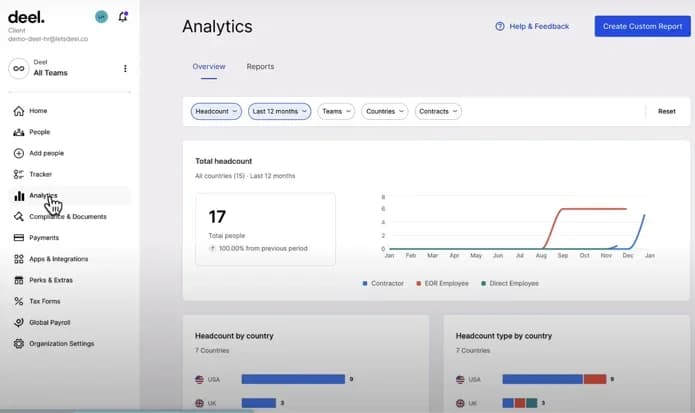
For international contractors, Deel generates locally compliant contracts, handles currency conversion, and lets you pay anyone in their local currency from one dashboard- with full payment history and documentation. For a small business that's been paying international contractors through PayPal and manually drafting contracts, this is a significant compliance upgrade.
For full-time international hires, Deel's EOR service means you can hire someone in Brazil, Spain, or the Philippines without a local entity. Deel becomes the legal employer on paper; you manage the person's day-to-day work. This model used to be accessible only to companies large enough to afford international employment lawyers. Deel made it available at a per-employee monthly fee.
What it doesn't do well: Deel is not the strongest option if your entire team is domestic. The U.S. payroll offering exists but isn't as polished as Gusto. Many small businesses with mixed teams use Deel for international and Gusto for domestic, which works, but means managing two platforms.
Case Study: A 4-Person Content Agency with a Distributed Team
A content strategy agency with a U.S.-based founder and three remote team members in Mexico, Romania, and the Philippines was paying contractors through PayPal with manually drafted contracts. They weren't aware how significant their compliance exposure was until a contractor asked them about local employment laws.
After switching to Deel, all three contractors signed locally compliant contracts within 48 hours. Recurring payments were automated in each contractor's local currency. The founder's main takeaway: peace of mind. Knowing the contracts were legally sound in each person's country- without hiring three local lawyers- was the primary value.
Best for: Small businesses with remote-first teams, international contractors, or founders who want to hire global talent without setting up foreign legal entities.
Pricing: Contractor management from $49/contractor/month. EOR (full-time international employees) from $599/employee/month.
HiBob - Best Online HR Management Software for Culture-First Small Teams
HiBob is a leading global HR management software that is changing how businesses manage their workforce. Designed with a focus on employee experience and engagement, HiBob provides features… Read more
HiBob is a leading global HR management software that is changing how businesses manage their workforce. Designed with a focus on employee experience and engagement, HiBob provides features supporting talent management such as employee feedback, payroll reporting and time management, and a manager dashboard for tracking employee performance. Let's explore the HR software's features, pricing, performance, and more in this HiBob review.
Learn more in our full HiBob review.
Pros & Cons
- User-friendly interface
- Includes all the necessary features for an HRIS
- Strong focus on employee engagement
- Customizable global HR platform
- Pricing may be higher than some competitors
- Limited customization options for certain features
- Recruitment module isn’t included
Features
- 360 Degree Feedback
- Applicant Tracking
- Benefits Management
- Compensation Management
- Employee Database
- Employee Profiles
- Onboarding
- Payroll Management
- Performance Management
- Recruitment Management
- Self Service Portal
- Time & Attendance Management
- Time Off Management
- Calendar Management
- Employee Scheduling
- FMLA Tracking
- Overtime Calculation
- Reporting/Analytics
- Time tracking
- Interview Scheduling
- Job Posting
- Workflow Management
- Auto Tax Payment
- Tax Calculation
- Live Online
- Webinars
- Documentation
- Android
- Mac
- Chromebook
- Cloud, SaaS, Web-Based
- iPad
- iPhone
- Linux
- On-Premise - Linux
- On-Premise - Windows
- Windows
Most online HR management software is built around processes- payroll runs, compliance checklists, and onboarding forms. HiBob (called "Bob" inside the platform) is built around people. If your small business competes partly on culture, employer brand, and how your company feels to work at, Bob is the platform that reflects that.
HiBob is an HRIS with strong international coverage, widely used across Europe, the UK, and Israel (where it was founded), and increasingly popular among modern small businesses in tech, creative services, and professional industries. It's not the first platform most people consider for a 4-person team, but it's increasingly the right call for small businesses that hire competitively and care about the employee experience.
What Makes HiBob Different
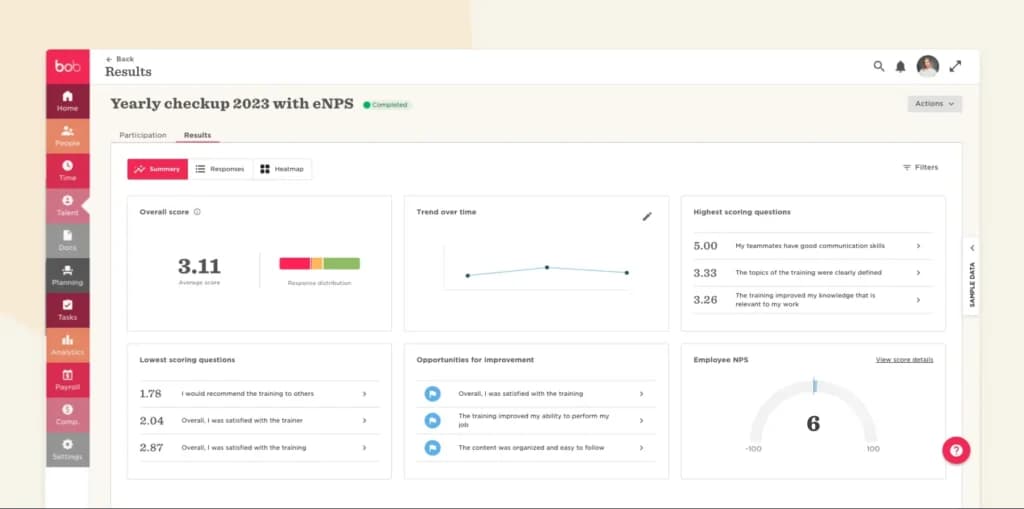
The first thing you notice in HiBob is that it doesn't look like HR software. It looks like a modern internal tool- visual, clean, and built around the idea that HR data should be engaging, not buried in a side menu.
The People Directory is a good example: instead of a static employee list, it's a visual, searchable org chart where team members can see who does what, fill in personal "about me" sections, and share working style preferences (morning focus hours vs. afternoon meetings, preferred communication channels). For a small team where relationships and culture matter, this changes how new hires experience their first two weeks.
Time off management is one of the best in its class. Custom leave policies, accrual rules, carry-over limits, and approval workflows are all configurable. The team calendar gives a real-time view of who's available- which for a 5-person team means you're never accidentally approving overlapping leave that leaves you understaffed.
Performance and engagement features are where HiBob pulls ahead of Gusto and Homebase for small teams in growth mode. Structured 360-degree reviews, OKR tracking, and pulse surveys for team sentiment are all built in- making it possible for a small business to build a real performance culture from the beginning, not bolt it on later.
What it doesn't do well: HiBob doesn't offer native payroll in most markets. You'll integrate with a payroll provider- Gusto, ADP, or local providers, depending on your country. This two-platform approach works well in practice, but it's worth planning for. HiBob is also priced above pure HRIS tools like Gusto, so it's not the right call if payroll compliance is your only current need.
Case Study: A 5-Person Branding Agency
A branding and design studio with five full-time employees was using Google Sheets to track time off, Notion for onboarding docs, and email threads for performance conversations. Nothing was broken- but nothing was consistent either, and the team was growing.
They chose HiBob over BambooHR primarily because of how the platform looked and felt to the team. "We're a design studio," the founder explained. "We can't be onboarding people in clunky software- that's not who we are."
After implementation, every employee had a complete profile with personal bios and working style preferences. The time-off system replaced the Google Sheet immediately. Within the first quarter, the founder ran the agency's first structured mid-year review using HiBob's performance module- something that had never happened before, not for lack of interest, but lack of infrastructure.
The Gusto integration for payroll took about an hour and has run without issues since. The honest challenge: quote-based pricing can feel like paying for capacity you haven't grown into yet. The founder's view: "We're building for where we want to be in two years, not just where we are now."
Best for: Small businesses in creative, tech, or professional services that want employees to actively engage with HR software, and are building performance and engagement practices from the start.
Pricing: Custom quote. Typically $8–12/employee/month for small teams, depending on modules and contract terms.
Best Cloud-Based HR Software for Small Business
Every platform on this list is cloud-based HR software — there's nothing to install, no server to maintain, and you can approve payroll or a time-off request from your phone. For a small business without an IT person, that's the point: your employee records, payroll, and documents live in one secure online system you reach from any browser.
If "cloud-based" is your main requirement, the practical question is what runs in the cloud alongside it. Gusto and Rippling run payroll natively in the cloud. BambooHR and HiBob are cloud HRIS platforms that connect to a cloud payroll provider. Homebase is the best cloud-based option for hourly teams — schedules and time clocks sync to every employee's phone in real time. Deel is the cloud platform to choose if any of your team works from another country.
For most small U.S. teams, Gusto is the best cloud-based HR and payroll software to start with; you can be running your first payroll the same afternoon you sign up.
HR Software vs Employee & People Management Software
People searching for "employee management software" or "people management software" usually want the same thing as HR software, with a different emphasis: less about payroll filings, more about managing the onboarding of humans, time off, performance, and keeping one reliable record for each person.
If that's your priority, core HR (a solid HRIS) is what you actually need, not a heavy HCM suite. BambooHR and HiBob are the strongest people-management platforms for small teams: BambooHR for structured hiring and performance reviews, HiBob for culture, org charts, and employee engagement. For a purely operational hourly team, Homebase is the simplest employee management software — scheduling, time tracking, and messaging in one app.
The tools built for enterprises (Workday-class HCM) add strategic workforce planning that a 5-person team will never use. Start with core HR; add people-management depth as you grow.
How Much Does HR Software Cost for a Small Business?
HR software pricing is less standardized than most software categories. Here's a realistic breakdown for a 5-person team:
- Entry-level / payroll-focused (HRIS):$40–80/month base + $6–12 per person. Gusto's Simple plan for 5 employees runs about $70–80/month total. This is the right starting point for most small businesses.
- Mid-tier HR management software:$6–12 per employee per month (often quote-based). For a 5-person team, expect $50–100/month. BambooHR and HiBob sit in this range.
- All-in-one with IT and advanced features:$15–35 per employee per month. Rippling for a 5-person team with key modules runs $100–200/month.
- International / EOR services: Contractor management via Deel starts at $49/contractor/month. Full-time international employees (EOR) are $599/employee/month- this covers the cost of legal employment in another country, which is a bargain compared to setting up a local entity.
- Hidden costs to watch for: Setup or implementation fees, annual contract requirements that lock in pricing, per-module add-ons that aren't visible in advertised pricing, and premium support tiers that charge extra for phone access.
- Free options: Homebase has a genuine free plan for single-location hourly businesses. Most other platforms offer 14–30-day free trials.
Quick Comparison: Best HR Software for Small Business2026
Platform | Best For | Payroll | ATS/Hiring | International |
|---|---|---|---|---|
Gusto | U.S. teams, payroll-first | ✅ Built-in | ❌ | ❌ |
BambooHR | Hiring & performance | ➕ Add-on | ✅ Strong | ❌ |
Homebase | Hourly/shift workers | ❌ Integrates | ❌ | ❌ |
Rippling | Tech teams, all-in-one | ✅ Built-in | ✅ | ✅ |
Deel | Remote & global teams | ✅ Global | ❌ | ✅ |
HiBob | Culture-first teams | ❌ Integrates | ➕ Limited | ✅ |
The cheapest HR software for a small business is Homebase — it has a genuinely free plan for a single location with up to 20 employees, covering scheduling, time tracking, and basic team management. If you need payroll and tax filing, the most affordable credible option is Gusto's Simple plan (from ~$40/month + $6/employee).
Free HR tools are fine for scheduling, but for anything touching payroll taxes, a small filing mistake usually costs more than a year of a paid plan.
What Is HR Software? (HRIS vs HRMS vs HCM Explained)
If you've searched for HR management software or human resource management system software, you've probably hit three acronyms: HRIS, HRMS, and HCM. They're not the same thing- and knowing the difference matters for a small team with a limited budget.
HRIS (Human Resources Information System)is the foundation. It stores employee data, handles basic HR admin, runs payroll, tracks time off, and keeps you compliant. This is what most small businesses actually need. Gusto and BambooHR are examples of solid HRIS platforms.
HRMS (Human Resources Management System)builds on HRIS with more automation, deeper workforce analytics, and customization. It's designed for businesses that need more than basic data management- think performance workflows, advanced reporting, and multi-location management. Rippling sits in this category.
HCM (Human Capital Management)is the broadest category. It covers everything HRIS and HRMS do, plus strategic workforce planning, succession planning, and learning management. HCM platforms like Workday are built for mid-to-large enterprises. A 5-person team doesn't need HCM.
For most small businesses: Start with a solid HRIS. You can always add features as you grow- but paying for HCM capabilities when you have four employees is wasted money.
What to Look for in HR Software for Small Business
Most comparison guides list 20 features and leave you more confused than when you started. Here's what actually matters for a small or micro business:
Payroll That Doesn't Require an Accountant
For a small team, payroll errors aren't just an inconvenience- they're a compliance liability. The best payroll and human resources software handles federal and state tax filings automatically, generates W-2s and 1099s at year-end, and alerts you if something looks off before it becomes a problem.
Employee Self-Service
The best human resource application software lets employees update their own bank details, request time off, view pay stubs, and sign documents- without emailing you. For a team of three to five, this alone saves hours per month.
Onboarding Automation
A new hire shouldn't need you to chase down their I-9, send their offer letter three times, or walk them through benefits enrollment step-by-step. Good online HR management software sends new hires a self-onboarding link that handles all of that before day one.
Compliance Built In
Labor law changes constantly. The right HR systems software flags compliance issues automatically- overtime thresholds, new hire reporting requirements, ACA obligations- so you're not finding out about a problem during an audit.
Integrations With Your Existing Stack
If your HR platform doesn't talk to your accounting software, your scheduling tool, or your time tracker, you're doing double data entry. The best HR software packages integrate cleanly with tools like QuickBooks, Xero, Slack, and Google Workspace.
Transparent, Per-Person Pricing
For a small business, the pricing model matters as much as the price. Per-employee-per-month (PEPM) pricing scales with your team- you don't pay for 50 seats when you have five people. Watch for platforms with mandatory annual contracts or module-based pricing that hides the real cost.
Conclusion
There's no single best human resources software for small business - but there is a right one based on what's actually consuming your time and creating risk right now.
Choose Gusto if payroll compliance is your biggest pain point and you have U.S.-based W-2 employees. Choose BambooHR if you're actively hiring and need a consistent onboarding and performance structure. Choose Homebase if your team is hourly and scheduling is your daily HR challenge- especially since it's free to start. Choose Rippling if your team is tech-first, growing fast, and you're tired of managing a stack of disconnected tools. Choose Deel if any part of your team is international or remote, and you're currently using makeshift solutions for global payments and contracts. Choose HiBob if you're in creative or professional services and you want HR software that reflects the quality of your brand- not just processes.
The common thread: the right HR management software gives you back time, reduces compliance risk, and removes administrative friction so you can focus on the work that actually grows your business.
FAQ: Human Resources Software for Small Business
Do I need HR software for my small business?
Yes, once you have even one W-2 employee. HR software handles payroll tax filing, new-hire reporting, and secure record-keeping that a spreadsheet can't do safely. For a 2–5 person team, the time saved on payroll and onboarding, plus reduced compliance risk, almost always outweighs the ~$40–80/month cost. Start with a simple HRIS like Gusto.
How do I choose the right HR software for my business?
Start with your biggest pain point, not a feature list. If it's paying people correctly, choose payroll-first software like Gusto. If it's hiring and onboarding, choose BambooHR. If it's scheduling hourly staff, choose Homebase. If part of your team is international, choose Deel. Then confirm per-employee pricing and that a non-HR person can run it.
What is the cheapest HR software for a small business?
Homebase is the cheapest — it's free for one location with up to 20 employees, covering scheduling and time tracking. For payroll and tax filing, Gusto's Simple plan (from about $40/month + $6/employee) is the most affordable reliable option. Avoid free payroll tools; a single tax-filing error usually costs more than a paid plan for a year.
What do most small businesses use for HR software?
Most U.S. small businesses start with an HRIS that combines payroll and core HR — Gusto and BambooHR are the two most common choices for teams under 50. Hourly and shift-based businesses lean on Homebase. Companies with remote or international staff use Deel. Very small teams often begin with payroll-first software and add HR features as they grow.
What's the best HR software for a small business that's starting to scale?
For a small business scaling past 20–30 people, BambooHR and Rippling are the strongest picks. BambooHR adds structured hiring, onboarding, and performance reviews without enterprise complexity. Rippling suits tech-forward teams that want HR, IT, and payroll automated together. Both scale cleanly to 50+ employees, so you won't have to migrate again a year later.
What is the best HR software for a small business with under 10 employees?
For most small businesses with under 10 employees in the U.S., Gusto is the best starting point. It handles payroll, tax filings, onboarding, and basic HR in one place without requiring HR expertise to operate. If you have hourly workers, Homebase is the better fit. If you're hiring actively, BambooHR offers more structure.
What is the difference between HRIS, HRMS, and HCM software?
HRIS (Human Resources Information System) handles core HR functions- employee records, payroll, time tracking, and compliance. HRMS (Human Resources Management System) adds more automation, analytics, and workflow customization. HCM (Human Capital Management) covers strategic workforce planning and is designed for larger organizations. Most small businesses only need a solid HRIS to start.
How much does HR software cost for a small business?
For a 5-person U.S.-based team, basic payroll and HR software (like Gusto) runs $70–80/month. Mid-tier HR management software with hiring and performance features typically costs $50–100/month. All-in-one platforms like Rippling can reach $100–200/month at the small team level once key modules are added.
Do I need HR software if I only have 2 or 3 employees?
Yes- especially for payroll. Even a two-person team has tax withholding, new hire reporting, and year-end filing obligations. The penalty for late or incorrect payroll taxes can exceed the cost of a full year of HR software in a single instance. Gusto's Simple plan at $40/month is cheaper than one payroll mistake.
What is the easiest HR software to set up for a non-technical founder?
Gusto is consistently the easiest for non-technical users. Onboarding is guided, the language is plain, and most small businesses are fully operational within one day. BambooHR is slightly more involved but still manageable. Rippling has the steepest setup curve and works best if someone on your team is comfortable with software configuration.
Can HR software handle both payroll and HR management?
Yes. Most modern all-in-one platforms- including Gusto, Rippling, and BambooHR (with its payroll add-on)- cover both payroll and HR management in one system. Dedicated payroll and HR software reduces double data entry, syncs benefits deductions automatically with payroll, and gives you one place for employee records and compensation history.
What HR software is best for remote teams?
Deel is the strongest option for teams with international remote workers or contractors. For domestic remote teams, Gusto, BambooHR, and HiBob all work well as cloud-based platforms accessible from anywhere. Rippling is particularly strong for remote tech teams because of its IT provisioning and access management features.
Is free HR software good enough for a small business?
It depends on what you need. Homebase's free plan is genuinely strong for scheduling and time tracking at a single location. For payroll and compliance, free tools carry significant limitations and risk- a small mistake in payroll tax filing can cost far more than a paid platform. For most small businesses with at least one W-2 employee, a paid HRIS is worth the investment.
What should I look for when comparing HR software packages?
Focus on five things: (1) Does it handle your specific payroll situation- hourly, salaried, contractors, or international? (2) Does it automate onboarding? (3) Does it integrate with the tools you already use- accounting software, scheduling tools, benefits providers? (4) Is the pricing per employee per month, and what triggers an upsell? (5) Can a non-HR person figure it out without a week of training?
Can I switch HR software after I've already started?
Yes, but timing matters. The best time to switch is the start of a new calendar year so payroll records stay clean. You'll need to export employee records, historical payroll data, and documents from your current platform. Most platforms offer migration support- ask about it before you sign a contract. The process typically takes one to two weeks for a small team.
What is the best HR software for a business with only part-time employees?
Homebase is the best starting point for part-time hourly teams, and the free plan covers core needs for a single location. If you need benefits administration or more formal HR processes for part-time staff, Gusto's contractor and part-time employee management is straightforward and cost-effective.
Pricing and features verified against vendor websites. We test platforms hands-on as small business operators