Best SEO Tools for Micro And Small Business 2026

I didn't just look at the dashboards; I stress-tested these SEO tools against the reality of Generative Engine Optimization. Below, you will find my unfiltered evaluations of Semrush (Intelligence), Ahrefs (Authority), Yoast (Infrastructure), SE Ranking (Monitoring), SurferSEO (Optimization), and Screaming Frog (Technical Auditing).
- Research database with 24B+ keywords
- Competitor data: Keywords, backlinks & ads
- HTML tags to check broken pages & links
- Find content ideas & link opportunities
- Audit & optimize your website SEO
- Monitor your keyword ranking over time
- Best Ahrefs alternative for half price
- Track rankings in ChatGPT and Gemini.
- Deep keyword research and SERP analysis
- Scalable tool for SMBs, webshops, or blogs
- AI-optimize SEO titles & meta descriptions
- Automatic internal linking suggestions
- Save Time on SEO
- Ensure Content Originality
- Optimize Content Effortlessly
- Advanced customization & data extraction
- Unlimited audits, one fixed price
- Powerful technical SEO insights
You’re running a small team—maybe 2-5 people—and you need SEO tools that move the needle without a dedicated SEO hire. I tested 18 SEO platforms over 12 months as a solo entrepreneur and with small teams. Most are overpriced, overly complex, or built for enterprises.
These are the 6 best SEO tools for small and micro businesses in 2026:
- SE Ranking — Best all-in-one daily dashboard for small teams ($52/mo)
- Semrush — Best for keyword gap analysis and competitive research ($117/mo)
- Ahrefs — Best for backlink research and link building ($29/mo)
- SurferSEO — Best for content optimization ($89/mo)
- Screaming Frog — Best for technical SEO audits (Free up to 500 URLs)
- Yoast / Rank Math — Best for on-page SEO foundations on WordPress (Free)
You don’t need all six. You need Google Search Console (free, non-negotiable) + Screaming Frog Free for technical audits + one premium tool based on your biggest need. The rest of this guide shows you which one to pick and exactly how to use it.
TL;DR
- The essential data sources are free. Google Search Console gives you ground truth from Google. Screaming Frog Free crawls up to 500 URLs. That covers most small business sites at $0. Pick one paid tool to close the gap.
- SE Ranking ($52/mo) is the best starting point. Daily rank tracking, site audits, competitor monitoring, and AI search visibility—at half the price of Semrush.
- Semrush is where you find which keywords your competitors rank for that you don’t. The free version (10 requests/day) is enough for monthly gap research.
- Ahrefs has the most accurate backlink data. Use it when you’re ready to invest in link building.
- SurferSEO tells you exactly what to include in your content to compete with top-ranking pages. Essential if you publish 2+ articles per month.
How We Test
Every tool was tested on real websites with real traffic—not demo accounts. I evaluate from the perspective of a small business owner who does SEO alongside sales, product, and customer support.
I measure time to first value (how fast you get an actionable insight), real monthly cost (including credit systems and hidden seat charges), one-person workflow fit (can you get results in 30-60 minutes per week), and data accuracy (cross-referenced across tools).
Pick the Right Tool for Your Business
Find your business type. Follow the recommendation.
Local business (restaurant, dentist, plumber, salon): SE Ranking ($52/mo) + Google Search Console + Screaming Frog Free. SE Ranking’s geogrid tracking shows where you rank in Google Maps block by block—standalone local tools charge $200-500/mo for this.
E-commerce store (Shopify, WooCommerce, BigCommerce): SurferSEO ($89/mo) + Screaming Frog Paid ($259/year) + Google Search Console. E-commerce sites need content optimization for category pages and unlimited technical crawls for large product catalogs.
Content-driven business (blog, SaaS, media): SE Ranking ($52/mo) + SurferSEO ($89/mo) + Screaming Frog Free + Google Search Console. Total: $141/mo. This is the exact stack that produced 240% traffic growth in the case study below.
Solo founder or freelancer (budget under $60/mo): SE Ranking ($52/mo) + Google Search Console + Screaming Frog Free + Yoast/Rank Math Free. Total: $52/mo.
Agency managing clients: Semrush or SE Ranking for white-label reporting + Ahrefs for link research + Screaming Frog Paid for audits. Build tool costs into client retainers.
When to Use Each Tool: The 4-Phase Workflow
SEO has four phases. Each phase has the right tool. Most small businesses fail because they skip Phase 1 or do phases out of order.
Phase 1: Initial Setup — Technical Foundation
Tools: Yoast or Rank Math (free) + one keyword research tool
Do this before writing any content.
Install Yoast or Rank Math on WordPress (pick one, not both). They handle the critical defaults automatically: XML sitemaps, schema markup (JSON-LD), canonical tags, and meta tag optimization. Submit your sitemap to Google Search Console immediately.
Both plugins are excellent. Rank Math offers more in its free tier (5 focus keywords per post vs. Yoast’s 1). Yoast has a larger community and more documentation. Pick whichever you prefer.
Then open your keyword research tool (SE Ranking, Semrush, or Ahrefs—whichever you chose as your premium tool). Enter your main topics. Filter for keywords with volume above 100 and KD under 50. Build a list of 15-20 target keywords organized by topic clusters. This is your content roadmap.
You only need ONE keyword research tool. Don’t pay for two.
Phase 2: Ongoing — Track Performance and Find Gaps
Tools: Google Search Console (free) + Semrush or Ahrefs for competitor gap analysis
Do this every week, starting from day one.
Google Search Console (weekly):
- Performance → Search results → sort by impressions. Pages with high impressions but low clicks have a title tag or meta description problem. Rewrite them. This is the fastest SEO win available.
- Pages → Indexing. Make sure your important pages are indexed. If Google excluded them, investigate.
- Performance → Queries. Look for keywords you rank for accidentally. If they’re relevant, optimize those pages to rank higher for them.
Competitor gap analysis (monthly):
In Semrush: Go to “Keyword Gap.” Enter your domain vs. 3 competitors. Filter by “Missing” (keywords all competitors rank for, you don’t) and “Weak” (you rank lower than all competitors). The Missing keywords are your biggest content opportunities. The Weak keywords are your quick-win optimization targets. The free version (10 requests/day) handles this.
In Ahrefs: Go to “Content Gap” in Site Explorer. Same concept—Ahrefs shows keywords competitors rank for in the top 10 that you don’t. Ahrefs is slightly better when you also want to see which specific competitor pages rank for those terms.
Pick 4-6 new target keywords each month from this analysis. Over 6-12 months, you systematically close the gap.
Phase 3: Technical SEO — Fix What’s Holding You Back
Tools: Screaming Frog (free under 500 URLs) + Google PageSpeed Insights (free)
Run a full audit monthly. Run PageSpeed when you see ranking drops.
Screaming Frog — fix in this order:
- Response Codes → filter “4xx.” Broken pages. Fix or redirect every one.
- Page Titles → filter “Duplicate.” Every page needs a unique title.
- Links → pages with zero inlinks. These are orphan pages—invisible to Google. Add internal links to them.
- Directives → check canonicals. Make sure each page points to the correct canonical version.
- Visualisations → Crawl Tree Graph. Important pages buried 4+ clicks deep need to be brought closer to the surface.
PageSpeed Insights (pagespeed.web.dev):
Enter your URL. Aim for 70+ on mobile. Focus on the “Opportunities” section—it tells you exactly what’s slow (uncompressed images, unused JavaScript, render-blocking CSS). Check Core Web Vitals: LCP, CLS, and INP. Green is good. Red needs immediate attention.
Phase 4: Content Optimization — Write Content That Ranks
Tools: SurferSEO ($89/mo) + Yoast or Rank Math (free)
Use every time you write or refresh content.
SurferSEO:
Open Content Editor. Enter your target keyword. Surfer analyzes the top 10-20 results and gives you a scoring panel:
- Content Score — aim for 75+. I don’t publish below 70.
- Terms to include — the entities and topics top-ranking pages cover. Don’t force every term in—use what fits naturally.
- Word count — if competitors average 2,200 words and your draft is 600, you’re not competing.
- Auto-Internal Links — Surfer suggests internal links based on your Search Console data. Use this after every article.
For underperforming existing content, use Surfer’s Audit feature. It compares your page against current competitors and shows exactly what’s missing. I’ve seen pages jump from position 15 to 5 after adding missing entities.
Yoast / Rank Math (before every Publish):
- Enter focus keyphrase. Check it appears in title, URL, first paragraph, meta description.
- Review SEO title preview (under 60 characters) and meta description (under 155 characters).
- Verify at least 2-3 internal links to and from related pages.
SurferSEO tells you WHAT to write. Your plugin ensures HOW you publish it is correct.
SE Ranking: Best All-in-One for Small Teams
SE Ranking gives you the broadest daily overview of any tool at this price: rank tracking, site audits, keyword research, competitor monitoring, local SEO geogrid, and AI search visibility—all for $52/mo.


Features
General Features

Pros & Cons
Pros
Cons

When I set up SE Ranking for a 4-person e-commerce team, the marketing manager was running reports independently within 20 minutes. No training needed.
Use SE Ranking for: daily rank monitoring, weekly site audits, competitor tracking, AI visibility checks, local SEO (geogrid for Google Maps).
Step-by-step:
- Rank Tracking: Add your keywords. SE Ranking updates daily (most tools at this price update weekly). Watch your Visibility % trend. A sudden drop means something changed.
- Website Audit: Run a full crawl. Fix critical errors: broken pages, duplicate titles, slow pages.
- AI Search Toolkit: See if your content gets cited in AI Overviews, ChatGPT, and Gemini. Semrush charges $140+/mo for this. SE Ranking includes it at $52/mo.
The catch: Smaller backlink database than Ahrefs. Slower processing than Semrush on large data sets. Tools open too many browser tabs.
Starting from: $52/mo | Free trial: 14 days, no credit card
Semrush: Best for Competitive Keyword Research
Semrush is the most comprehensive SEO platform available. For small businesses, the real value is in the Keyword Gap tool—no other platform shows as clearly which keywords your competitors own that you’re missing.

Features
General Features
Pros & Cons
Pros
Cons
Use Semrush for: keyword gap analysis (Phase 2), competitor keyword positioning, Content Shake AI drafts, AI visibility tracking.
Step-by-step (Keyword Gap):
- Go to “Keyword Gap” → enter your domain + 3 competitors → Compare.
- Filter by “Missing” (competitors rank, you don’t) and “Weak” (you rank lower).
- Sort by volume. Focus on KD under 50 for small businesses.
- Export. Pick 4-6 targets per month. Add them to your content calendar.
Also valuable: Position Tracking (daily rank updates), Organic Research → Pages tab (see which competitor URLs drive the most traffic), ContentShake AI (generates drafts from real keyword data).
The catch: ~$140/mo for Pro. Limited to 5 projects and 500 keywords. Credit system inflates costs during heavy research. The free version (10 requests/day) is enough for monthly gap analysis.
Starting from: $117.33/mo | Free trial: 7 days (credit card required) | Free version: 10 requests/day
Ahrefs: Best for Backlink Research
Ahrefs has the fastest, most accurate backlink index available. Their crawler refreshes every 15-20 minutes. When you need to know where competitors get their links from, Ahrefs is the only tool that gives you yesterday’s data—not last month’s.

Features
General Features
Pros & Cons
Pros
Cons
Use Ahrefs for: backlink profile audits, competitor link research, Link Intersect (finding sites that link to competitors but not you), Content Explorer (finding link-worthy content formats).
Step-by-step (Competitor Link Research):
- Site Explorer → enter competitor’s domain → Backlinks → filter by “New.”
- Referring Domains → see the full list of sites linking to them.
- Link Intersect → enter your domain + 3 competitors. Ahrefs shows sites linking to all competitors but not you. These are your highest-value outreach targets.
- Content Explorer → enter your topic → filter “One article per domain” → sort by Referring Domains. This shows which content formats earn the most links in your niche.
The catch: Credit system limits deep research on Starter plan. Learning curve assumes you know DR, referring domains, and anchor text distribution.
Set up Ahrefs Webmaster Tools (free) right now, even without a paid plan. It gives you backlink monitoring and a site audit for your own domain at $0.
Starting from: $29/mo (Starter) | Free entry: Ahrefs Webmaster Tools (free for own sites)
Screaming Frog: Best for Technical Audits
Screaming Frog crawls your site exactly like Googlebot and shows every broken link, orphan page, redirect chain, and duplicate title that cloud tools miss.

Features
General Features
Pros & Cons
Pros
Cons
The full how-to is in Phase 3 above. The free version crawls 500 URLs—enough for most small business sites. Run it monthly. Fix broken links first, orphan pages second, duplicates third.
Starting from: $0 (free, 500 URL limit) | Paid: $259/year (unlimited)
SurferSEO: Best for Content Optimization
SurferSEO tells you exactly what terms, headings, and structure your content needs to compete with top-ranking pages.

Features
General Features
Pros & Cons
Pros
Cons
The full workflow is in Phase 4 above. Open the Content Editor, enter your keyword, write until your score hits 75+, and use Auto-Internal Links after publishing.
The catch: $89/mo for content optimization only. You still need other tools for tracking, backlinks, and technical SEO. Following recommendations too rigidly makes writing robotic—use the score as a guide, not a rulebook.
Starting from: $89/mo | Free trial: 7-day money-back guarantee
Yoast and Rank Math: On-Page SEO Foundations
Both plugins Yoast and Rank Math handle the same core job: XML sitemaps, schema markup, meta tags, canonical tags, and real-time content checks inside WordPress.
Features
General Features
Pros & Cons
Pros
Cons
Yoast: Larger community. 1 focus keyword free, 5 in Premium ($99/year). Redirect Manager in Premium.
Rank Math: More features free (5 focus keywords, built-in redirects, advanced Schema). Slightly steeper learning curve.
Pick one. Don’t install both.
Monthly Workflow Summary
Week 1 — Research (Phase 2): Semrush Keyword Gap vs. 3 competitors. Pick 4-6 targets. Ahrefs Link Intersect for outreach targets.
Week 2-3 — Content (Phase 4): SurferSEO Content Editor for each target keyword. Yoast/Rank Math before every Publish.
Week 4 — Technical (Phase 3): Screaming Frog full crawl. PageSpeed Insights on top 5 pages. Fix critical issues.
Ongoing — Monitoring (Phase 2): SE Ranking daily dashboard. Google Search Console weekly. Email alerts for ranking drops.
Case Study: 3-Person Team, 240% Traffic Growth in 8 Months
The business: B2B SaaS startup. 3 employees. $151/mo SEO tool budget. No agency.
The problem: 47 indexed pages. 800 monthly organic sessions. Nothing ranked above page 3.
The stack: SE Ranking ($52/mo) + SurferSEO ($89/mo) + Screaming Frog Free + Yoast Free + Google Search Console + Ahrefs Webmaster Tools. Total paid: $151/mo.
Month 1 (Phase 1 + 3): Installed Yoast. Configured schema and sitemaps. Ran Screaming Frog: found 23 broken links, 8 duplicate titles, 5 orphan pages—including their pricing page with zero internal links. Fixed everything in one week.
Month 2-3 (Phase 2): Used SE Ranking for competitor analysis. Ran Semrush Free for Keyword Gap. Found 30 winnable long-tail keywords where competitors ranked 5-20 with thin content. Built a 3-month content calendar.
Month 4-6 (Phase 4): Published 12 articles, each optimized in SurferSEO (all scored 70+). Written in Tuesday/Thursday morning blocks (~2 hours each). Yoast handled meta tags and internal linking.
Month 7-8 (Phase 2 ongoing): SE Ranking tracker identified climbing vs. stuck articles. Refreshed 4 underperformers using SurferSEO Audit. Google Search Console revealed high-impression/low-CTR pages—rewrote titles and descriptions.
Results:
- Organic traffic: 800 → 2,720 sessions (240% increase)
- Top 20 rankings: 6 → 31 keywords
- Top 3 rankings: 0 → 8 keywords
- Time: ~6 hours/week from one person
Pricing Overview
| Tier | Monthly Cost | Best For |
| Free | $0 | Google Search Console, Screaming Frog Free, Yoast/Rank Math Free, Ahrefs Webmaster Tools |
| SMB | $52 – $120 | SE Ranking, Ahrefs Starter |
| Professional | $140 – $250 | Semrush Pro, Ahrefs Standard |
| Enterprise | $450+ | API access, unlimited crawls, custom reporting |
Hidden costs to watch: Ahrefs credit system doubles cost during heavy research. Semrush seat surcharges add $45-100/mo per team member. Feature gating hides AI tracking behind higher tiers.
| Tool | Free Trial | Credit Card Needed | Cheapest Entry |
| SE Ranking | 14 days | No | $52/mo |
| Semrush | 7 days | Yes | Free: 10 requests/day |
| Ahrefs | None | — | Webmaster Tools: free |
| SurferSEO | 7-day refund | Yes | Pay-per-article credits |
| Screaming Frog | Unlimited free | No | Free: 500 URLs |
| Yoast | Unlimited free | No | $0 |
| Rank Math | Unlimited free | No | $0 |
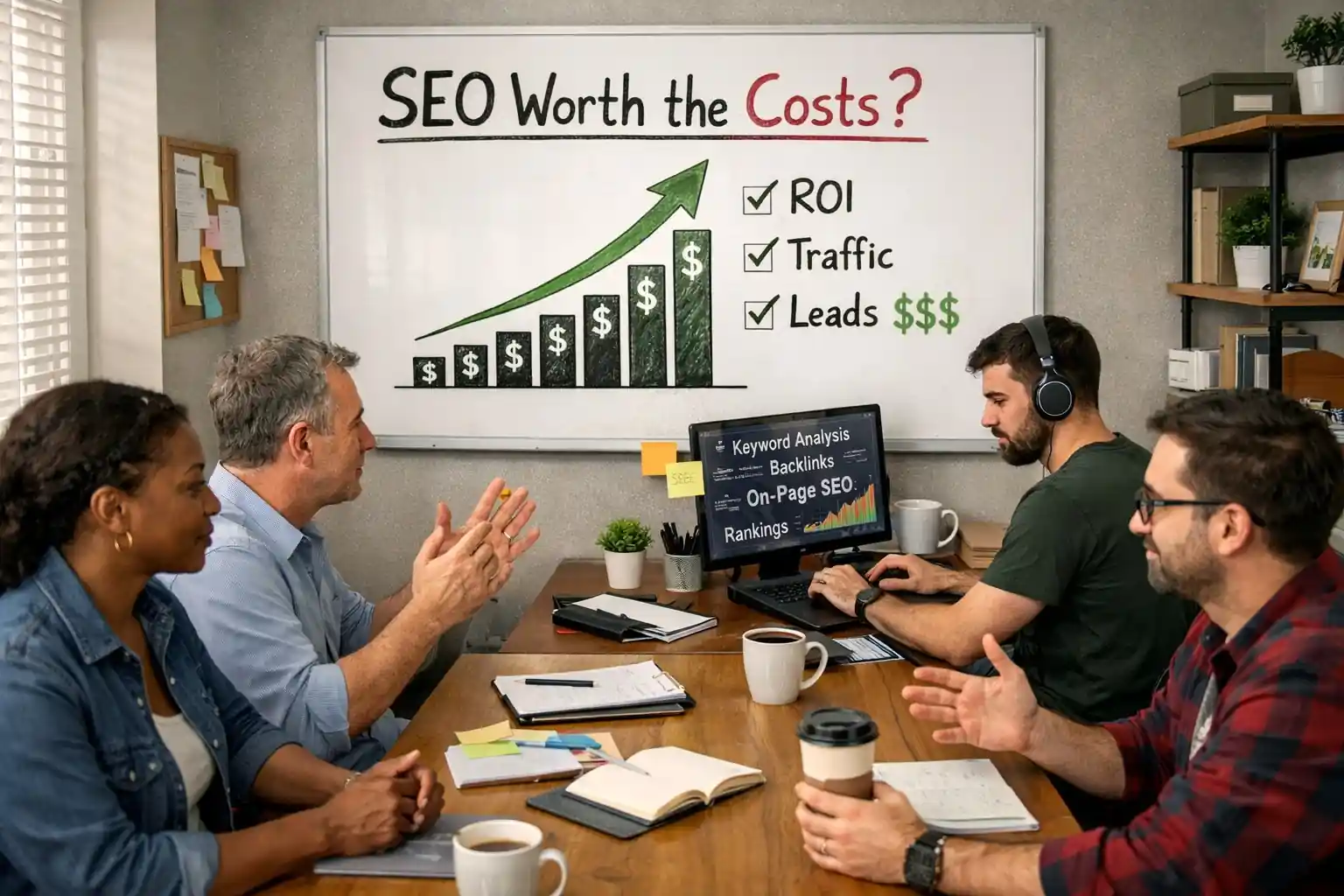
Is SEO Still Worth It in 2026?
Yes – but “Traditional SEO” is dead. It has evolved into GEO (Generative Engine Optimization). If you think of SEO as “tricking an algorithm,” you’ve already lost. If you think of it as shaping the Information Environment so that both humans and machines trust your brand, it is the highest ROI marketing channel in existence. With billions of daily searches shifting from “blue links” to “AI answers,” the rewards go to the brands that optimize for Trust and Entity Clarity.
Free Tools to Set Up First
Google Search Console – Truth source from Google. Indexing, keywords, clicks, errors. Non-negotiable.
Google Analytics 4 – What visitors do after arriving. Full picture from search to conversion.
Google Business Profile – For local businesses, often more important than your website.
Google PageSpeed Insights – Page speed analysis with specific fix recommendations.
AnswerThePublic – Page speed analysis with specific fix recommendations.
Schema Markup Generator – Shows the exact questions people ask online. Great for new topic ideas.
Schema Markup Generator – Creates special code that gives you “extra” search features like stars or FAQs.
See all other free SEO tools
Conclusion
We evaluated 18 SEO platforms and selected these 6 as the best for small and micro businesses: SE Ranking, Semrush, Ahrefs, SurferSEO, Screaming Frog, and Yoast/Rank Math.
You need at least two tools—but the essentials are free. Google Search Console + Screaming Frog Free cover your foundation at $0. Pick one premium tool to close the gap: SE Ranking for daily monitoring, Semrush for competitive research, or Ahrefs for backlinks.
Follow the 4-phase workflow: technical foundation first (Phase 1), ongoing monitoring and gap analysis (Phase 2), monthly technical audits (Phase 3), content optimization for every publish (Phase 4). The results compound.
FAQ
What is the best free SEO tool for small businesses? Google Search Console. It shows exactly how Google indexes and ranks your site. Pair it with Screaming Frog Free, Ahrefs Webmaster Tools, and Yoast or Rank Math. These four free tools cover about 60% of what most small businesses need.
Is Semrush worth it for a small business? The Keyword Gap tool is the best way to find which keywords your competitors rank for that you don’t. But at $140+/mo, start with SE Ranking ($52/mo) for daily monitoring and use Semrush’s free version (10 requests/day) for monthly gap research. Upgrade when revenue justifies it.
Can I do SEO without hiring an agency? Yes. The case study above shows a marketing generalist growing traffic by 240% using $151/mo in tools and 6 hours per week. Follow the 4-phase workflow. These tools automate the technical parts so you can focus on creating content.
What SEO tools do I need for local SEO? Google Business Profile (free), SE Ranking with geogrid tracking ($52/mo), and Yoast or Rank Math for local schema. SE Ranking’s geogrid shows exactly where you rank in Google Maps, block by block.
How much should a small business spend on SEO tools? $0-150/mo. Free tools handle the fundamentals. Adding SE Ranking ($52/mo) gives you professional-grade monitoring. Adding SurferSEO ($89/mo) adds content optimization. That $141/mo total produced 240% growth in our case study.
Do I need both Ahrefs and Semrush? They serve different jobs. Semrush excels at keyword gap analysis. Ahrefs excels at backlink research. If budget is tight, use SE Ranking as your daily tool and supplement with Semrush Free for gaps and Ahrefs Webmaster Tools for backlinks.
Is SEO still relevant with AI search? More than ever. AI tools pull answers from well-structured, authoritative content—exactly what good SEO produces. SE Ranking and Semrush both track your visibility in AI-generated answers.
Which SEO tool should I set up first? Google Search Console. It’s free and it’s the truth source for how Google sees your site. After that, install Yoast or Rank Math. Those two steps cost $0 and take 30 minutes. That’s your Phase 1 foundation.