AnyDesk Remote Desktop Review for 2026

Anydesk Remote Desktop Plans & Pricing

Anydesk Comparison
Expert Review
Pros

Cons

Anydesk Remote Desktop's Offerings
AnyDesk incorporates transparent price plans. There are no hidden or surprising charges. AnyDesk offers three price plans – namely “Essentials,” “Performance,” and “Enterprise.” The company offers a free 14-day trial for professional use. We will discuss each price in detail in the upcoming sections.
Customer Support
AnyDesk help center is available to answer the queries of its customers. You can find out different sections that further include multiple topics, such as setup, security, features, other platforms, and FAQ. Each topic section comprises multiple articles. Customers can contact AnyDesk’s support team specialists who can answer all of their technical questions.
Features & Functionality
General Features
Boost and optimize your company’s performance through AnyDesk’s powerful features. We will shed a light on the most interesting features and functionalities below.
Security & Privacy
Security is one of the most critical features in any remote desktop solution. AnyDesk provides you with robust security via Two-Factor Authentication, Permission Management, Whitelisting, Screen Frame, and Privacy Mode. Whitelist prevents unwanted devices to contact you. Rather, only the devices will be able to contact you that is located in the whitelist. With Privacy Mode, you can keep your session private by blackening the screen of your remote computer.
Remote Printing
Print your documents from any location. You can take a print from a local printer using your remote device. Doing so will provide you the access to all documents and files that you need. As a matter of fact, AnyDesk can act as a virtual printer on a remote device. Before installing the printer, you must need administrator rights. More importantly, your documents and files are secured while printing. AnyDesk involves military-grade encryption for remote printing.
REST-API
REST-API allows you to seamlessly integrate AnyDesk into your existing application. REST-API provides you with an interface to store and retrieve database information from your account on AnyDesk. This feature also enables you to automate your billing process. This means that you can retrieve your data accurately and automatically. REST-API feature is easy to implement and easy to understand.
Collaboration
Teamwork is the basic need in any modern organization. However, since the break out of Covid-19 and even before, remote desktop software is indispensable. With AnyDesk’s Collaboration feature, Teamwork has become faster and easier than ever. You can chat with your client via text. Whiteboard allows you to draw on the screen for visualization. With a session invitation, you can directly invite a user to access your computer. There is no need for further session requests.
Address Book
Random contacts are sometimes sound awkward. You need a well-organized contact list to easily contact and manage your customers. Address Book enables you to manage contacts and stay organized. You can sort all types of contacts by creating multiple Address Books. Organize your contacts via multiple view options and tags.
Administration
Streamline IT management with powerful admin tools.
Platform
Compatible with various operating systems and platforms.
Communication
Enable seamless collaboration with communication tools.
Software Types
Choose from standalone or integrated remote desktop solutions.
Performance:
How We Review: Our Trust & Methodology
At Reviews, we don’t just read the spec sheet. We use the tools. For this AnyDesk review:
- Hands-On Testing: We used the free version to connect between a Windows laptop and a MacBook Air to test cross-platform speed.
- Commercial Simulation: We analyzed the “Commercial Use Detected” triggers to see when a business is forced to upgrade.
- Real User Feedback: We gathered insights from IT managers who switched from TeamViewer to see if the savings were worth it.
Ease Of Use:
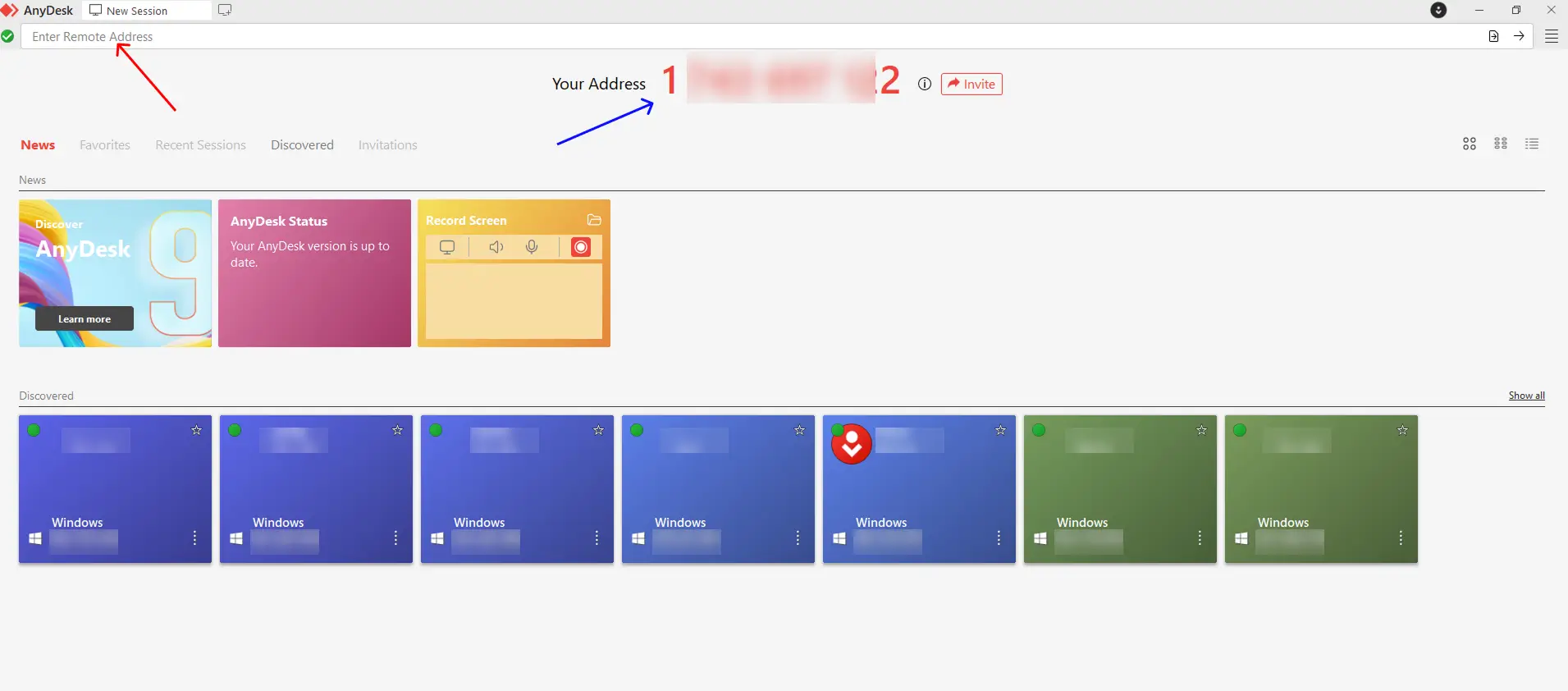
AnyDesk is an easy-to-use and easy-to-setup remote desktop solution that offers a user-friendly interface. Easily connect with your clients, partners, and other business stakeholders. AnyDesk is not platform-dependent and its mobile device support allows you to access any other device easily and safely. You can run this app either on the cloud or on-premises. Choose your cloud solution and easily install AnyDesk on your own servers. Doing so allows you to work completely independently. With AnyDesk, teamwork is faster and easier than ever.
Verdict:
Are you looking for a remote desktop solution that can enhance the creativity and productivity of your customers? AnyDesk is a secure, lightweight (just 3 MB), and fast remote desktop product that enables you to remotely work from anywhere and at any time. The speed of this app is due to the low latency that is via AnyDesk’s DeskRT codec, with frame rates of 60 fps.
The company guarantees a seamless connection and the user will feel like he is sitting in front of his computer at the office. AnyDesk also allows you to remotely maintain and control powerful machines across all platforms. In addition, the company offers you interactive and powerful features that include privacy and security, Address Book, REST-API, Remote Printing, Collaboration, Access & Control, Administration and Customization, and even a lot more.
Is AnyDesk Worth It?
Our Quick Answer: After a full review of its features, performance, and real user feedback, we found AnyDesk is a fantastic choice for IT Support teams and Solopreneurs who value speed above all else. Its biggest strength is its incredible performance; it rarely lags.
However, businesses looking for a free ride will find it frustrating. AnyDesk has strict “commercial use” detection that blocks free users if they suspect business activity. If you are an SMB, you must budget for a paid plan.
If you are an IT Professional or a Support Team, the speed alone makes it a winner over TeamViewer. It allows you to fix problems faster with less lag.
However, if you are a small business looking for a free tool, AnyDesk is not for you. The “commercial use detected” timeouts will eventually stop your work. In that case, you should pay for the Solo plan or look at free alternatives like Chrome Remote Desktop.
The best way to know is to try it. Since there is no installation required, you can test it in 60 seconds.
 Write a Review