Canva AI Review 2026: Pros, Cons, and Pricing

Canva AI Tools Plans & Pricing

Canva Comparison
Expert Review
Pros

Cons

Canva AI Tools's Offerings
Canva enables users to create, edit, and refine AI-generated designs and AI designs for both personal and commercial use. These AI-powered features enable users to quickly generate creative assets, such as images and layouts, while also accounting for legal considerations related to AI-generated content.
Canva’s AI content writing tools enhance the quality of written content. AI suggestions help improve style, tone, and grammar, while customizable templates streamline the creation process. Integration with Canva’s design elements creates visually engaging content, ideal for blogs, articles, and social media posts. Real-time collaboration and plagiarism checks ensure originality and efficiency, making Canva a comprehensive tool for content creators.
Pricing and Plans
Canva offers flexible pricing plans designed to meet the needs of individuals, small businesses, and large organizations. The free plan provides access to a selection of AI-powered tools, making it easy for anyone to get started with basic design features. For those seeking more advanced capabilities, Canva Pro unlocks unlimited access to AI features like Magic Studio, Dream Lab, Canva Code, and essential tools such as the one-click background remover, Magic Eraser, and Magic Resize.
Canva offers a variety of plans tailored to the needs of users, from individuals to large enterprises.
-
Free Plan: Canva Free is available at no cost for one person and offers limited features, making it a great option for those searching for ‘canva ai free’ solutions. Users on the free plan have access to over a thousand design formats and two million templates, as well as a subset of AI-powered tools like Magic Write and Magic Design. Even on the free plan, users can organize their work with unlimited folders, which is helpful for managing multiple projects. Canva Free is also available at no cost for verified and registered not-for-profit organizations, schools, and teachers.
-
Pro Plan: Canva Pro costs $15 per month or $120 per year for one person and includes premium features such as access to over five million templates, 1TB of cloud storage, the social content planner, and the ability to upload custom fonts. This plan is ideal for professionals who need robust design capabilities and advanced AI tools like Magic Eraser and Magic Write. Canva Pro also offers a 30-day trial, but payment information is required upfront.
-
Teams Plan: Canva for Teams is priced at $10 per month or $100 per year per person, with a minimum of three users. This plan includes all Pro features, plus additional collaboration tools for centralized brand management, such as 3,000 Brand Kits and enhanced control over brand assets. The minimum of three users makes it suitable for organizations looking for shared access and collaborative workflows. Canva for Teams also comes with a 30-day trial that requires payment information up front.
-
Enterprise Plan: This plan offers custom pricing based on specific organizational needs, providing enterprise-level security, real-time collaboration, and advanced management features. It is tailored for large organizations requiring comprehensive design solutions.
Features & Functionality
Writing Features
Canva’s writing tools are designed to make content creation effortless, even for those without a background in copywriting.
- Magic Write: Canva’s AI-powered text generator helps you craft compelling content in seconds. Whether you need short-form content like captions and headlines or assistance with longer pieces, Magic Write ensures your text aligns with your brand’s voice. By pairing Magic Write with Brand Voice in the Brand Kit, you can automatically apply your company’s tone and style guidelines, ensuring all content remains consistent and on-brand across your team. For businesses, this tool simplifies the process of maintaining a consistent tone across all materials.
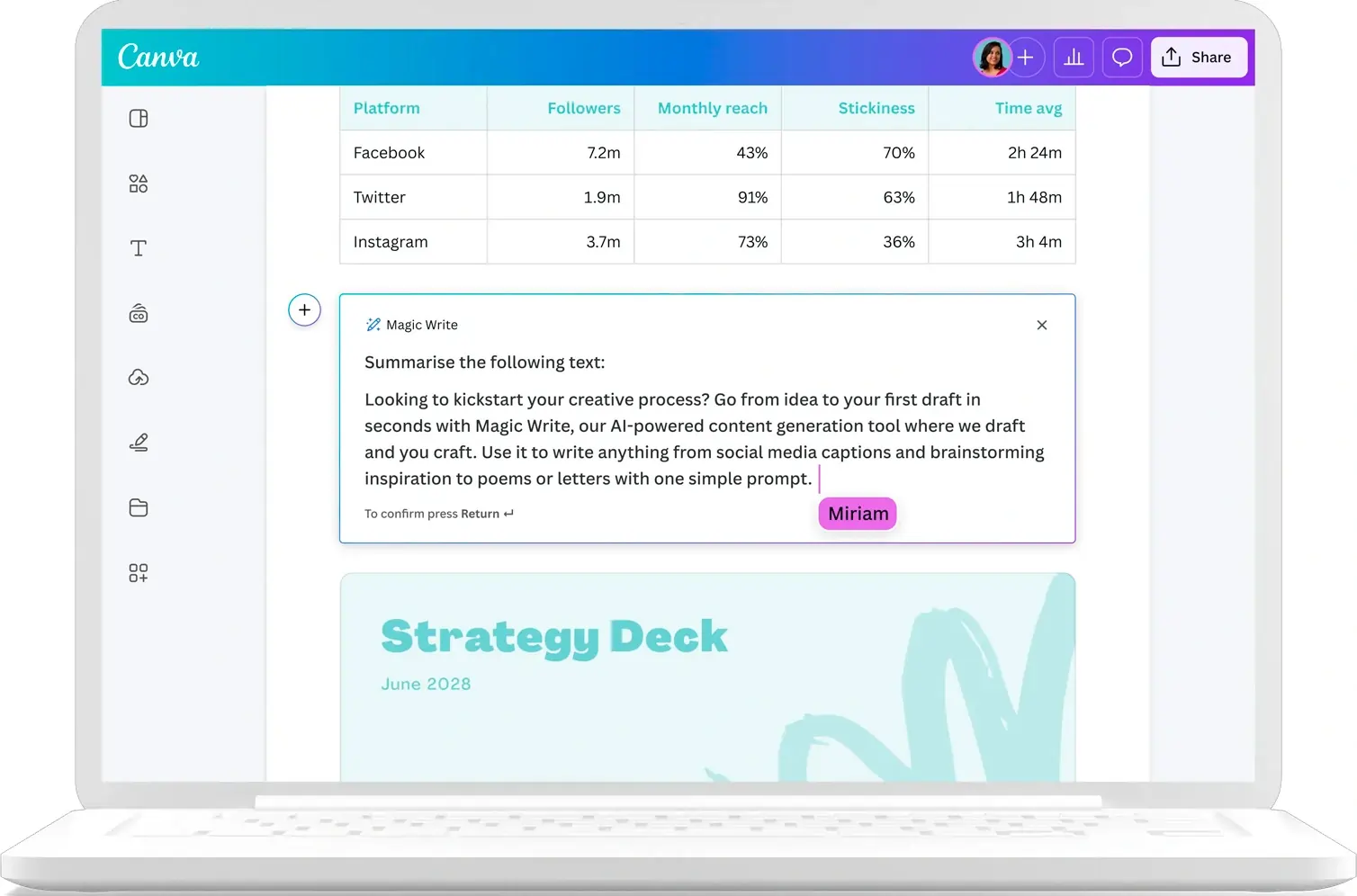
Photo Editing Features
Canva provides a powerful suite of photo editing tools that allow users to enhance images with ease.
-
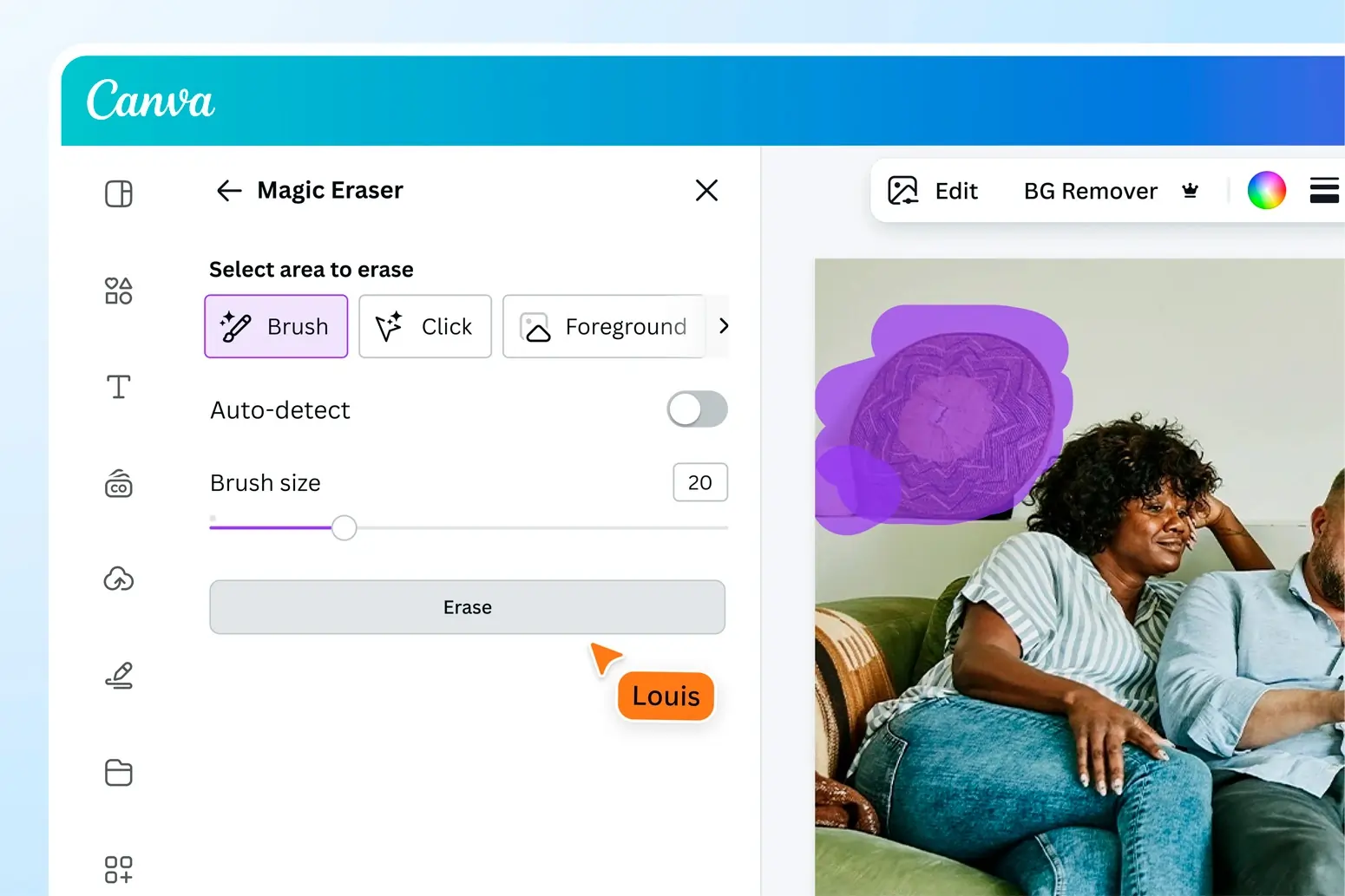
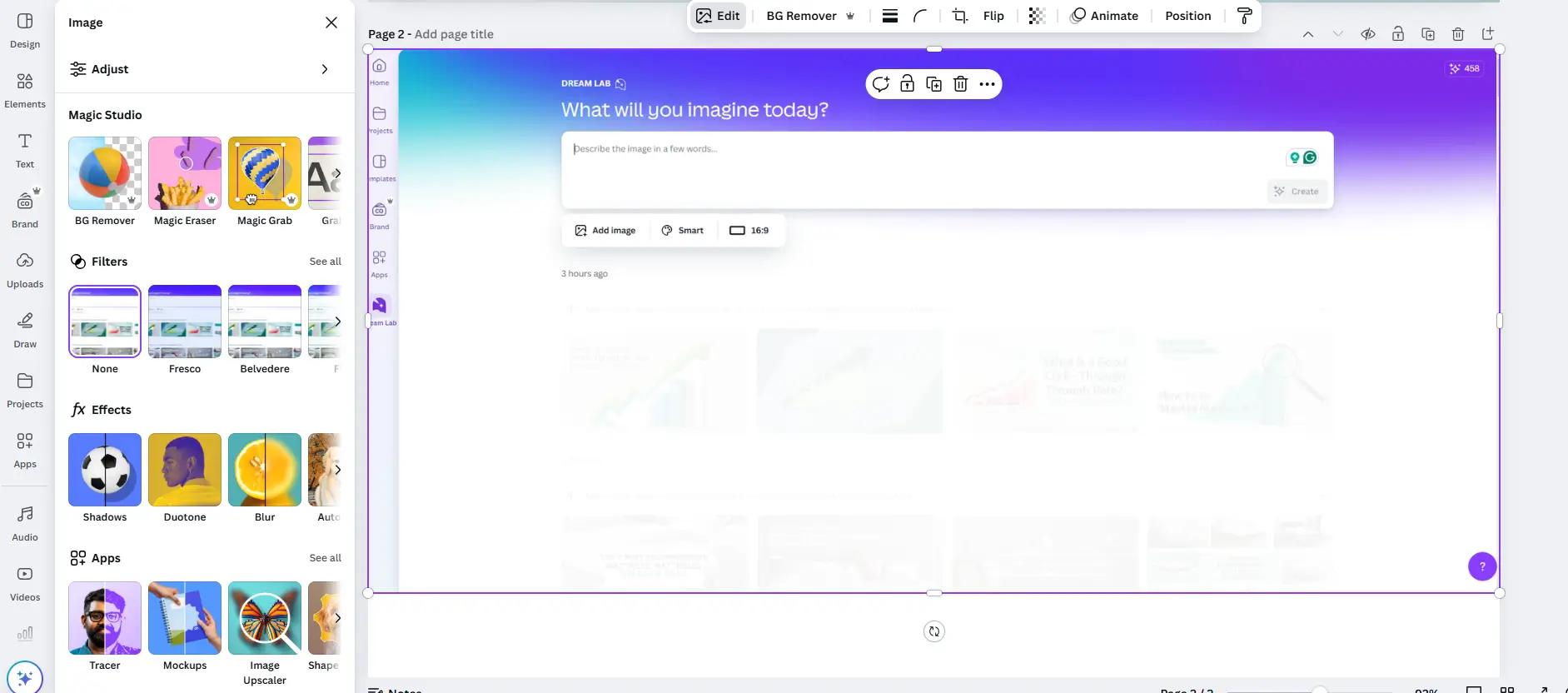
Magic Eraser: Quickly remove unwanted elements from your photos without compromising on quality. This feature is perfect for refining images before they go live on your website or social media platforms.
-
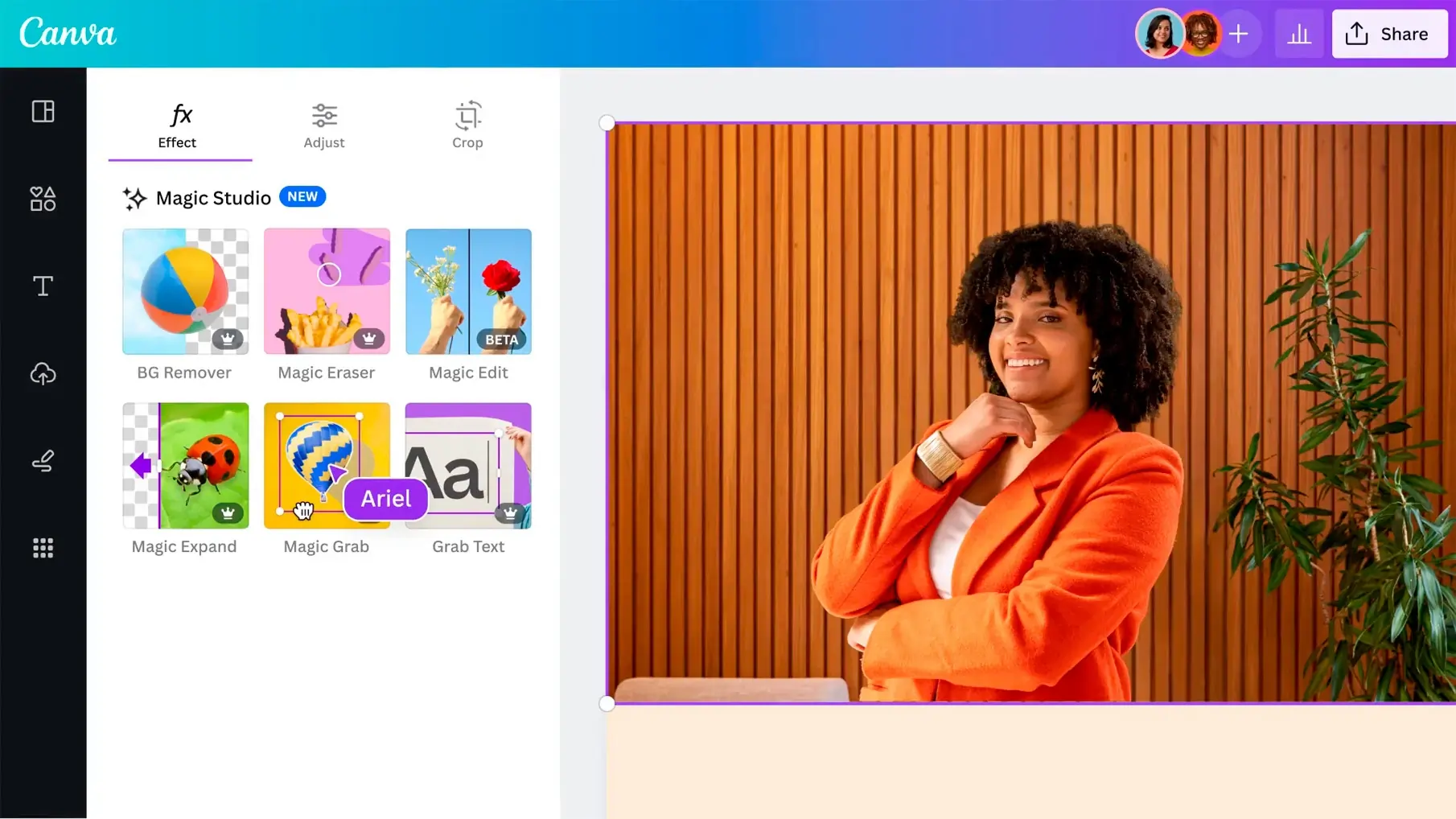
Magic Grab: Select and isolate subjects in your photos with just a few clicks, making it easy to reposition or resize elements to fit your design needs.
- Magic Edit: Use AI-powered Magic Edit to swap objects within an image, remove or extend backgrounds, and make intricate adjustments quickly. This one-click solution streamlines editing tasks that previously required advanced software, though it may have limitations with complex backgrounds and placement accuracy.
-
One-Click Background Removal: Available in the Teams plan, this feature allows you to remove backgrounds from images instantly, a must-have for creating professional-looking visuals.
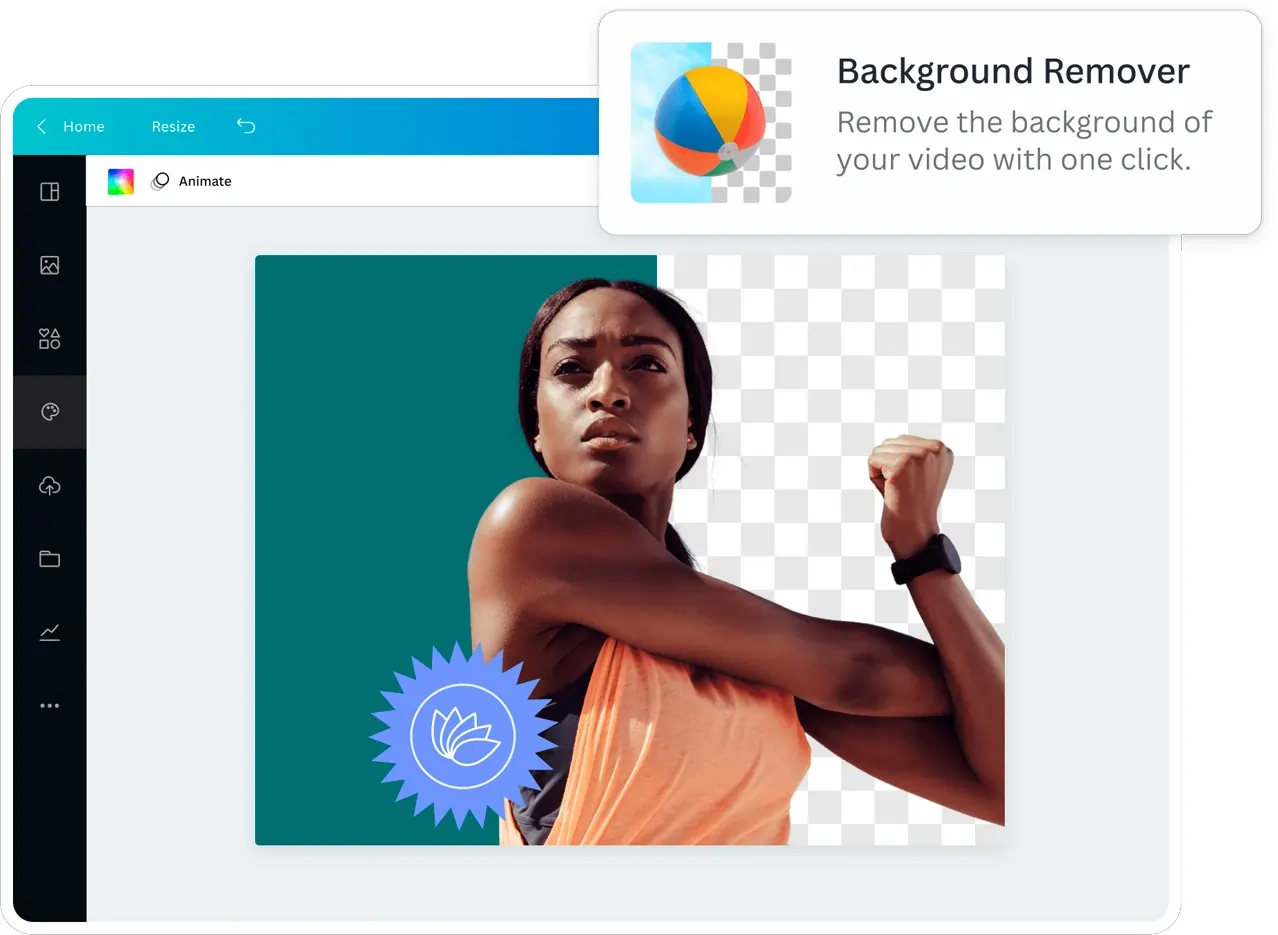
Image Generating Features
Canva’s AI-driven image generation tools, including the Dream Lab ai image generator, provide users with the ability to generate ai images and create stunning visuals from simple text prompts. Dream Lab allows users to generate ai images for various purposes, such as social media, blogs, or marketing materials, by transforming text into engaging photos and offering various styles to suit your brand’s aesthetic. Images generated with Dream Lab can be used for commercial use, but users should be aware of legal and copyright considerations, as ai generated designs may have specific usage policies and may lack traditional copyright protection.
-
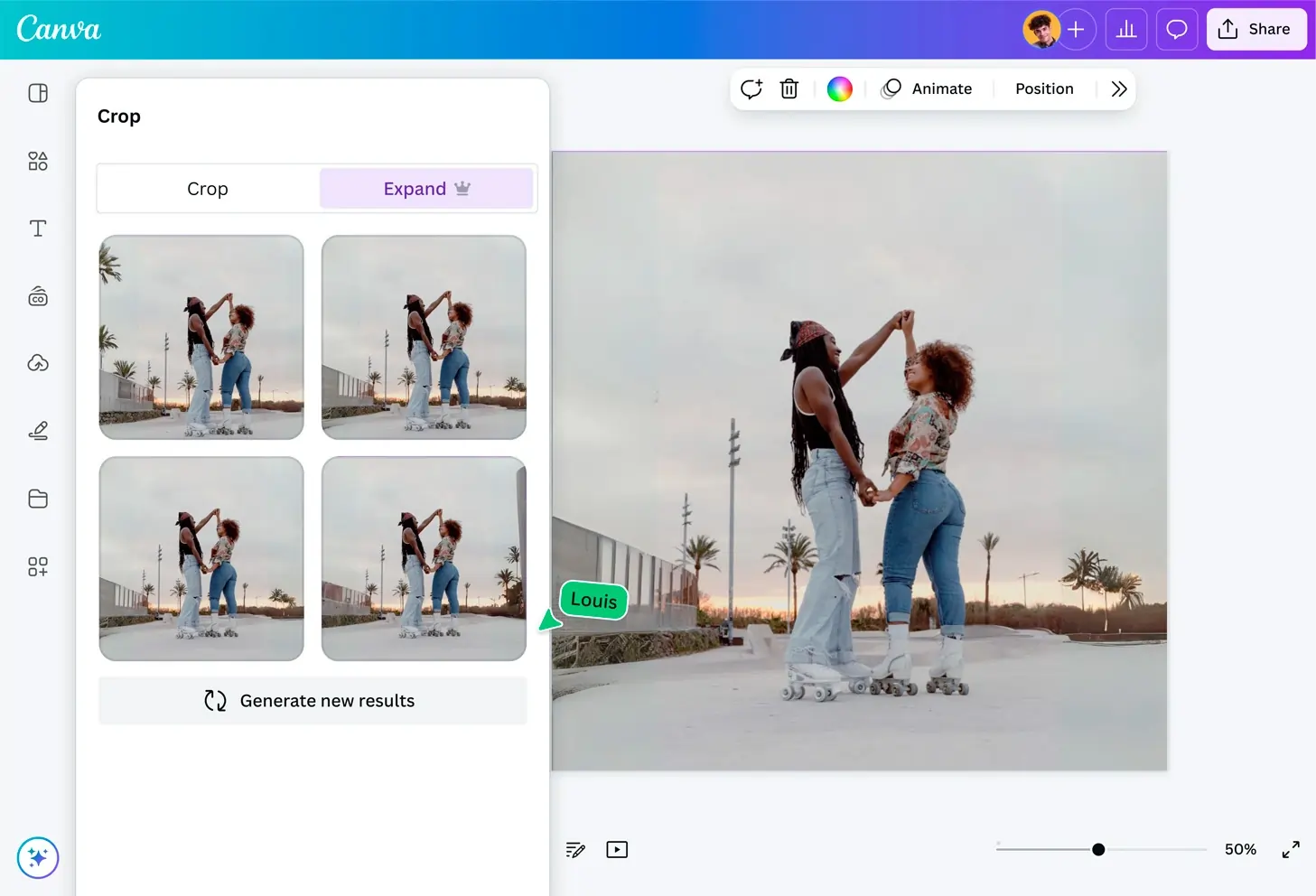
Magic Expand: Expand the canvas of zoomed-in images or change the aspect ratio of photos seamlessly, giving you greater flexibility in your design process.
- Dream Lab: This feature is an ai image generator that transforms text into engaging photos, offering various styles to suit your brand’s aesthetic. Whether you need images for social media, blogs, or marketing materials, Dream Lab ensures they are on-brand and visually appealing. Unlike some other AI image generators, with Canva you can add accurate words into the images, and the results are great. Sometimes, the letters can be muddled up on the image, or there will be additional written text that you didn’t ask for. You can ask Canva to generate more options (you’ll get 4 at a time) until you get the desired image, but you can also use Magic Eraser to remove unwanted words.
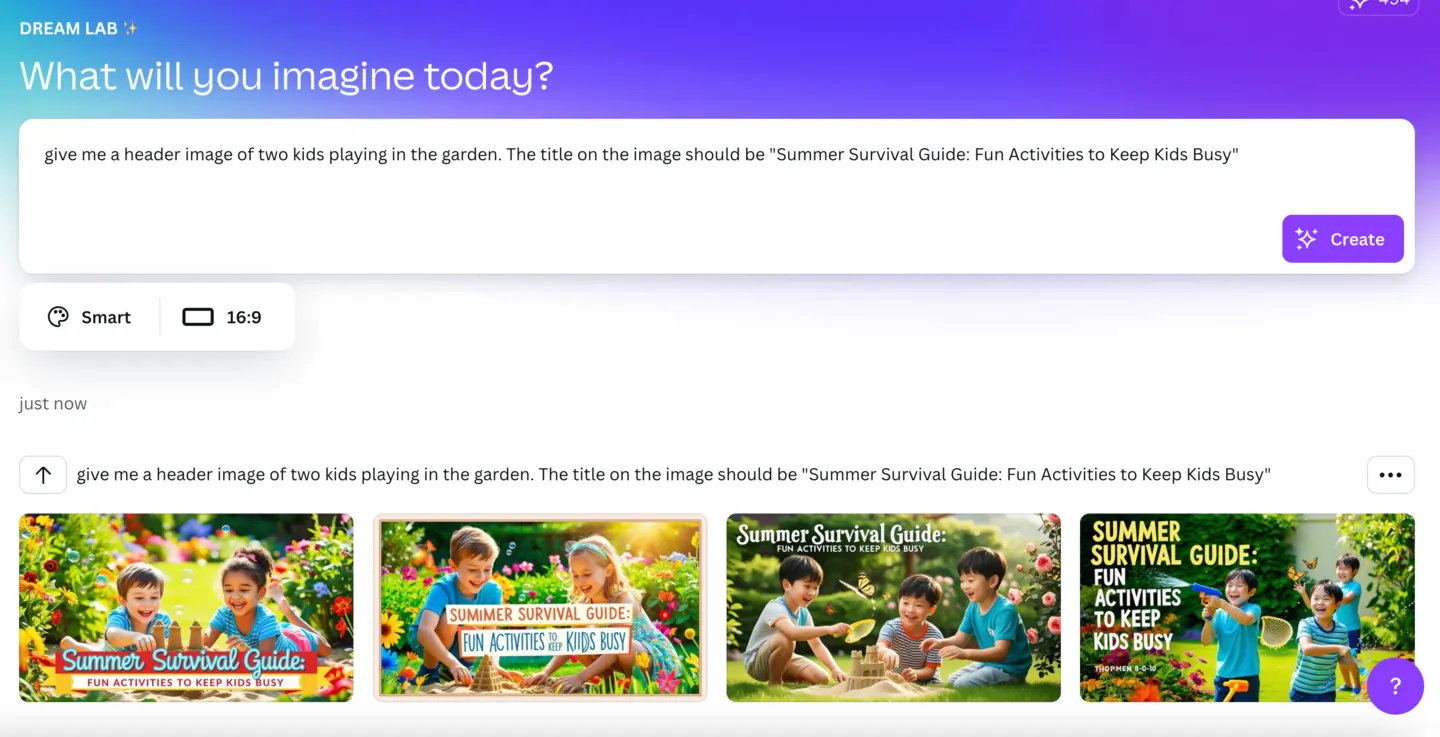
Canva’s AI features, including Magic Studio and Dream Lab, streamline the design process for creating AI-generated designs. When using images generated by AI for commercial use, always review Canva’s terms and intellectual property policies to ensure compliance and avoid potential copyright issues.
Generate Video Content
Creating video content with Canva AI is remarkably straightforward, thanks to its advanced ai powered tools designed for both beginners and professionals. With features like Magic Media and the ability to create a video clip from a simple prompt, users can produce high-quality videos complete with synchronized audio and cinematic effects. The AI video editor allows for easy trimming, cropping, and customization, while Magic Write helps generate compelling video scripts tailored to your message. Whether you’re a small business owner, marketer, or social media creator, Canva AI makes it easy to create engaging explainer videos, social media clips, and presentations in minutes. The platform’s intuitive tools ensure that anyone can create professional-looking video content quickly, making it an invaluable resource for those looking to boost their brand’s visual presence.
Canva’s Latest AI-Powered Innovations
As a passionate advocate for tools that simplify creativity, I’ve been closely following Canva’s journey, and their latest AI-powered updates are nothing short of groundbreaking. Canva’s AI tools are designed to make design more accessible to users without advanced graphic design skills, offering a comprehensive suite of AI-powered features that streamline creative workflows. Here’s my in-depth take on their newest features and how they’re transforming the design landscape.
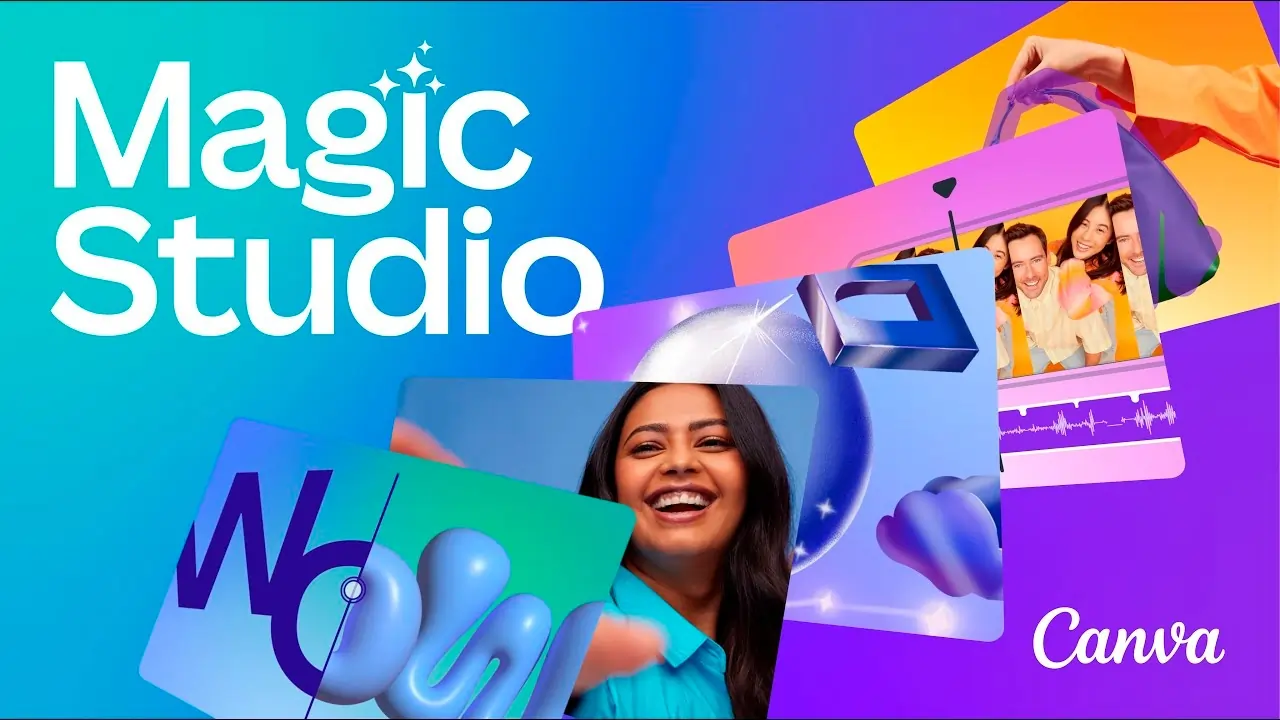
Magic Studio: A Complete AI-Driven Design Suite
Magic Studio feels like Canva’s all-in-one solution to make design faster and smarter. With tools like Magic Design, which turns simple text prompts into beautifully crafted documents or videos, this feature is perfect for anyone looking to save time. Magic Media goes a step further by generating unique images and even videos based on user prompts. And then there’s Magic Switch, which seamlessly converts designs into different formats—ideal for repurposing content across multiple platforms.
My Take:
This suite stands out for its versatility. It’s clear Canva aims to empower everyone, from beginners to professionals. For me, the Magic Studio tools are especially valuable when I need quick results without compromising creativity.
Magic Grab and Magic Expand: Redefining Photo Editing
These two tools have made editing feel effortless. Magic Grab lets me move and resize subjects within a photo, while Magic Expand fills in the edges of an image to create a larger composition, maintaining the original look.
Why It’s Amazing:
Magic Grab is perfect for adjusting compositions on the fly, and Magic Expand is a lifesaver when I need to resize images for different formats without losing quality.
Enhanced Text-to-Image Generator: Smarter and More Accurate
Canva’s improved Text-to-Image Generator delivers even more powerful results. I’ve tested it with abstract and detailed prompts, and it consistently produces images that align closely with what I envision.
Best Use Case:
This is ideal for creating visuals when stock images don’t quite fit the brief. It’s a huge leap forward for anyone who needs unique, context-specific graphics.
AI-Powered Design Tools: Automating Creativity
From Magic Write, an AI assistant for crafting engaging copy, to tools that automate labor-intensive tasks like resizing and reformatting, Canva has gone all-in on AI-driven productivity. Canva AI also features an AI voice tool that converts text to speech and generates voiceovers for videos, making video editing and content creation more accessible. Additionally, Canva AI features a conversational interface, allowing users to interact with the AI using natural language commands. These tools make it easier to focus on the creative aspects of a project while letting the system handle the technical details.
Why It Stands Out:
Magic Write, in particular, has become a go-to for drafting ideas. Whether it’s writing captions, brainstorming taglines, or creating outlines, it’s a creative partner that truly delivers.
How These Tools Transform the Design Experience
Canva’s latest AI updates aren’t just about making design easier—they’re about making creativity accessible to everyone. Whether you’re a small business owner, a marketer, or just someone looking to create beautiful visuals, these tools feel intuitive and empowering.
Personally, what I appreciate most is the balance Canva strikes between automation and user control. The AI takes care of the heavy lifting, but you’re still in charge of the final look and feel. It’s like having an extra creative hand that works at the speed of thought.
These AI tools are more than just features—they’re a glimpse into the future of design. Canva is proving that technology can amplify creativity, not replace it. Whether you’re a seasoned designer or someone new to the field, these updates make it clear: design isn’t just for the experts anymore; it’s for everyone. And honestly, that’s a future I’m excited to be part of.
Available on
Canva is available on web browsers, desktop apps (Windows and MacOS), mobile devices (iOS and Android), tablets, and integrates seamlessly with platforms like Google Drive, Dropbox, and social media for effortless design anywhere.
Performance:
Canva’s performance is top-notch, with the platform consistently delivering high-quality results across various design tasks. The user interface is intuitive, making it easy for users of all skill levels to create professional-grade content. With 24/7 customer support and a robust cloud infrastructure, Canva ensures that users can rely on its tools anytime, anywhere. Moreover, its AI-powered tools are fast and efficient, allowing for rapid content creation without sacrificing quality.
Uniqueness:
Canva stands out in the crowded field of design tools by offering a comprehensive, user-friendly platform that combines powerful AI tools with a vast library of resources. The Magic Studio suite, including tools like Magic Write and Magic Design, enables users to create high-quality content without needing extensive design or technical skills. This combination of accessibility and capability makes Canva a top choice for businesses and individuals alike.
Verdict:
Canva is an all-in-one design platform that democratizes the creation of visual content, making it accessible to everyone, regardless of design experience. With a range of plans from free to enterprise-level, Canva offers tools that cater to individuals, small teams, and large organizations. The platform features a robust suite of AI-powered tools, including Magic Write for text generation, Magic Eraser for photo editing, and Magic Media for image generation. Canva’s unique combination of ease of use, comprehensive features, and reliable performance makes it a top choice for creating professional-grade content quickly and efficiently. Whether you’re a small business looking to maintain brand consistency or an individual needing high-quality visuals, Canva’s diverse offerings ensure that you have the tools necessary to bring your creative ideas to life.
 Write a Review