
Best AI Image Generator Tools
AI image generators are cutting-edge software that use complex algorithms and neural networks to create images based on text descriptions, text-to-image, sketches, or existing images. These tools analyze input data to produce high-quality, realistic visuals, making them invaluable for many creative and commercial applications.
Last updated: September 2026

- Mash up multiple landscapes & swap skies
- Change your age, expression, or pose
- Facial recognition for quality alterations
- Enhance productivity and creativity, automating complex processes
- Produce high-quality results that blend with the original images
- Tools for mobile and web design
- Adobe Suite integration for easy workflow
- It may be too complex for basic editors
- No option for a perpetual license
- Mash up multiple landscapes & swap skies
- Change your age, expression, or pose
- Facial recognition for quality alterations
- Enhance productivity and creativity, automating complex processes
- Produce high-quality results that blend with the original images
- Tools for mobile and web design
- Adobe Suite integration for easy workflow
- It may be too complex for basic editors
- No option for a perpetual license

- Web-based and user-friendly AI tool
- Broad settings to tailor generated images
- Generative AI fill and expand tools
- Multiple variations of generated images on one prompt entered.
- Many effects and adjustments to choose from the camera angle to color variations.
- Can access the web-based app with portable and desktop devices. E
- dit your own images by removing, adding, or replacing certain areas.
- It takes a bit of patience to receive the result when generating images.
- Limited photo editing features, better for generating
- Live agent support isn’t easy to reach
- Web-based and user-friendly AI tool
- Broad settings to tailor generated images
- Generative AI fill and expand tools
- Multiple variations of generated images on one prompt entered.
- Many effects and adjustments to choose from the camera angle to color variations.
- Can access the web-based app with portable and desktop devices. E
- dit your own images by removing, adding, or replacing certain areas.
- It takes a bit of patience to receive the result when generating images.
- Limited photo editing features, better for generating
- Live agent support isn’t easy to reach

- Combine two photos into a single image
- Beautifying tools to enhance your selfies
- Create stickers from photos or drawings
- A wide variety of AI tools
- Thousands of premium design templates
- Free trial across all paid plans
- Simple user interface
- Limited free plan
- Works only online
- Limited cloud storage in the free and plus plan
- Combine two photos into a single image
- Beautifying tools to enhance your selfies
- Create stickers from photos or drawings
- A wide variety of AI tools
- Thousands of premium design templates
- Free trial across all paid plans
- Simple user interface
- Limited free plan
- Works only online
- Limited cloud storage in the free and plus plan

- Elevate SEO with keyword integration
- Translate & localize for global audiences
- Extensive features & mobile friendly
- Extensive free service
- High reading grade
- Provides accurate grammar and syntax corrections.
- Easy to navigate and use.
- Text generation can have factual inaccuracies
- Slower than some alternatives
- Limited image generation capacity
- Elevate SEO with keyword integration
- Translate & localize for global audiences
- Extensive features & mobile friendly
- Extensive free service
- High reading grade
- Provides accurate grammar and syntax corrections.
- Easy to navigate and use.
- Text generation can have factual inaccuracies
- Slower than some alternatives
- Limited image generation capacity

- Tons of features and customization tools
- 4 high-quality images with each prompt
- Image rights for private or commercial use
- Images are usable for commercial purposes
- Accurate image generation
- Numerous image customization tools
- Very simple to use
- Lacks customer support options
- No free trial
- Tons of features and customization tools
- 4 high-quality images with each prompt
- Image rights for private or commercial use
- Images are usable for commercial purposes
- Accurate image generation
- Numerous image customization tools
- Very simple to use
- Lacks customer support options
- No free trial
- Built-in fact-checking and citation tools
- Boost your writing skills & efficiency
- Formal, casual, humorous, or informative
- Many features available in the free plan, strong value at $0
- Deepest integration with Google Workspace
- Capable of writing in multiple languages for global reach
- Clear, laddered pricing from $4.99 → $99.99
- Occasionally misinterprets the context or the nuances of the task
- Top features can be region-limited and roll out unevenly
- Data-privacy considerations when feeding sensitive business content into a consumer AI
- Built-in fact-checking and citation tools
- Boost your writing skills & efficiency
- Formal, casual, humorous, or informative
- Many features available in the free plan, strong value at $0
- Deepest integration with Google Workspace
- Capable of writing in multiple languages for global reach
- Clear, laddered pricing from $4.99 → $99.99
- Occasionally misinterprets the context or the nuances of the task
- Top features can be region-limited and roll out unevenly
- Data-privacy considerations when feeding sensitive business content into a consumer AI

- Thousands of interactions simultaneously
- Adapts responses to each user's preference
- Detailed analytics into customer behavior
- Enhances teamwork by streamlining communication Integration with other Microsoft Apps
- Enterprise-grade security against threats and breaches
- Consistent updates
- The depth of data analysis needed for Copilot to function optimally raises privacy issues
- Dependency on Microsoft 365 subscription for business users
- Thousands of interactions simultaneously
- Adapts responses to each user's preference
- Detailed analytics into customer behavior
- Enhances teamwork by streamlining communication Integration with other Microsoft Apps
- Enterprise-grade security against threats and breaches
- Consistent updates
- The depth of data analysis needed for Copilot to function optimally raises privacy issues
- Dependency on Microsoft 365 subscription for business users

- Custom templates: Blogs, articles & social
- Plagiarism Checker: Protect your reputation
- Real-time teamwork to edit & refine copy
- User-friendly interface and AI-powered assistance
- Seamlessly integrates with Canva’s design tools
- Over a dozen different useful AI tools
- Offers many templates for different writing purposes
- May require a subscription to access all its features
- AI-generated content might not always be perfectly accurate
- Custom templates: Blogs, articles & social
- Plagiarism Checker: Protect your reputation
- Real-time teamwork to edit & refine copy
- User-friendly interface and AI-powered assistance
- Seamlessly integrates with Canva’s design tools
- Over a dozen different useful AI tools
- Offers many templates for different writing purposes
- May require a subscription to access all its features
- AI-generated content might not always be perfectly accurate

- High-quality AI-powered image creation Available through live chat and email
- Transform text into stunning visuals
- Customize and fine-tune your images
- Intuitive user interface with easy navigation.
- High-quality, detailed image generation.
- Extensive customization options for tailored visuals.
- Fast and efficient performance with minimal delays.
- Phone support is available only for Enterprise plan users.
- Some advanced features may have a learning curve for beginners.
- High-quality AI-powered image creation Available through live chat and email
- Transform text into stunning visuals
- Customize and fine-tune your images
- Intuitive user interface with easy navigation.
- High-quality, detailed image generation.
- Extensive customization options for tailored visuals.
- Fast and efficient performance with minimal delays.
- Phone support is available only for Enterprise plan users.
- Some advanced features may have a learning curve for beginners.
- Built-in collaboration tools for teams
- SEO capabilities for search engines
- Real-time suggestions & style adjustments
- Scalability from solo team to large enterprise
- Comprehensive marketing collaboration features for large teams
- Extensive prompt engineering educational materials
- Many helpful templates to get you started
- Not the cheapest option for marketing AI applications
- Requires existing content inputs for optimal results
- Some key features not included in plans (cost extra)
- Built-in collaboration tools for teams
- SEO capabilities for search engines
- Real-time suggestions & style adjustments
- Scalability from solo team to large enterprise
- Comprehensive marketing collaboration features for large teams
- Extensive prompt engineering educational materials
- Many helpful templates to get you started
- Not the cheapest option for marketing AI applications
- Requires existing content inputs for optimal results
- Some key features not included in plans (cost extra)
* Featured prices and terms can be updated. Free offers may include additional terms.
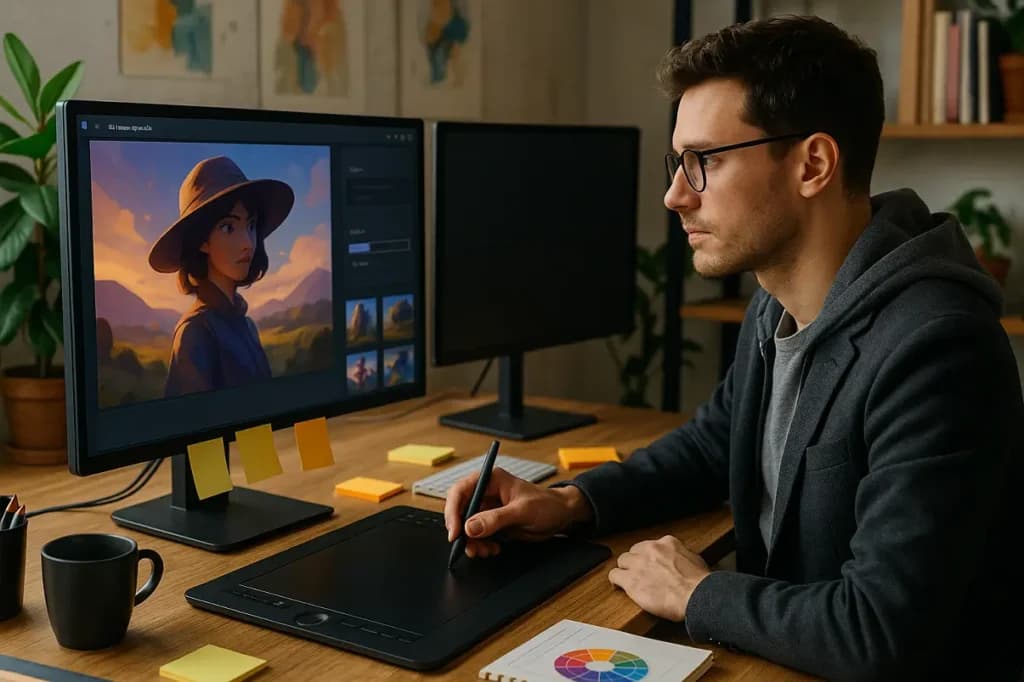
An AI image generator is a tool that uses artificial intelligence (AI) to create images based on text descriptions or other inputs. It can make realistic or artistic pictures automatically. These tools are useful for making artwork, marketing materials, social media content, and other creative projects. They help save time and effort by automating the image creation process.
Key Takeaways
- GPT-4o (ChatGPT) leads in realism and all-around quality, especially for faces, dynamic scenes, and accurate text.
- Midjourney offers the best blend of artistry and realism, producing hyper-realistic, “cinematic” images.
- Google Imagen 3 provides the highest quality output available for free users, only slightly less precise than GPT-4o in extreme prompt adherence.
- Adobe Firefly and Leonardo AI excel in creative and professional settings, with Firefly tightly integrated into editing workflows.
- Recraft and Canva are best for graphic, illustrative, or branding visuals, less focused on photorealism.
The Best AI Image Generators at a Glance
Tool | Best For | Access Options | Price | Company |
|---|---|---|---|---|
Photoshop | Custom image editing | Desktop & Adobe Cloud | From $9.99/month | Adobe |
Adobe Firefly | Text-to-image & photo enhancement | Web; Adobe Express & Photoshop | Free plan; from $9.99/month for more credits | Adobe |
Picsart | Influencers & quick social images | Mobile app; web | Free plan; premium available | Picsart |
DALL · E 3 | Professionals & businesses | Web; integrated with ChatGPT & API | From $20/month (via ChatGPT Plus) | OpenAI |
Midjourney | Artists & designers | Discord | From $10/month | Midjourney |
Gemini | Google integration & ease of use | Web; Google Workspace | Free plan; tied to Google tools | |
Copilot | Quick design ideas from prompts | Web | Free plan | Microsoft |
Canva | All-in-one design platform | Web; Mobile app | Free plan; from $12.99/month for Pro | Canva |
DaVinci AI | Professional creatives & authors | Web | Paid only | DaVinci AI |
Jasper Art | Marketing teams & AI image speed | Web | From $39/month (part of Jasper suite) | Jasper |
1. Photoshop - Best for Professional-Level Editing with AI Assistance
Why it's best: Photoshop remains the most powerful image editing tool. By integrating Adobe Firefly's AI features directly into its core interface, it provides unmatched control and quality for professionals who want both automation and precision. Whether you're a creative agency, marketing team, or small business producing premium visuals, Photoshop gives you total creative freedom with AI enhancements to speed up your workflow.
Photoshop is especially valuable because it doesn’t lock you into purely AI outputs. Instead, it lets you generate images via prompts and then edit every pixel manually, using industry-standard tools. This hybrid approach makes it best-in-class for detailed edits, print-ready assets, and brand consistency.
2. Adobe Firefly - Best for Safe, Easy, Commercial-Ready Image Generation
Why it's top-tier: Firefly is the most accessible image generator for businesses concerned about licensing and brand safety. It’s built on Adobe Stock content, so everything you generate is cleared for commercial use. It also integrates with Adobe Express and Illustrator, making it ideal for marketing teams, educators, and SMBs creating ads, graphics, and social content.
Compared to open-source models, Firefly offers peace of mind along with impressive visual quality. It’s especially good for fast, template-based generation where speed and legal safety matter more than hyper-creative output.
3. Picsart - Best for Mobile Creators & Social Media Content
Why it’s great: Picsart is the go-to AI image tool for influencers, small ecommerce stores, and TikTok marketers. Its strength lies in speed and ease-AI collages, image filters, sticker generation, and background removal all happen within a mobile-first app.
What sets it apart is how deeply integrated the AI is within a creative suite focused on mobile visuals. If you're making reels, stories, or branded posts on your phone, Picsart delivers powerful results without complexity.
4. DALL · E 3 - Best for User-Friendly Prompt-Based Generation
Why it excels: DALL · E 3 strikes the balance between ease and power. It’s perfect for users who want clean, editable AI images through natural language prompts-especially those who already use ChatGPT or Microsoft Copilot.
Its best feature is inpainting, which lets users edit specific parts of the image with conversational instructions. This makes it a favorite among bloggers, freelancers, and SMBs who need images to match written content precisely.
5. Midjourney - Best for Artistic and Cinematic Visuals
Why it leads for creativity: Midjourney consistently generates the most visually striking and unique images of any AI tool on the market. It’s beloved by artists, illustrators, and branding experts for its painterly, surreal, and concept-art quality outputs.
This is not a tool for quick business graphics. Instead, it’s for those who want their images to evoke emotion and stand out in a saturated visual world. If you want to wow your audience with style and originality, Midjourney is unmatched.
6. Gemini Image Generator - Best for Google Workspace Integration
Why it's a smart pick: Gemini is ideal for teams working inside the Google ecosystem. Its strength isn’t raw artistic power but practical integration-letting users generate visuals for presentations, docs, and emails right within their workflows.
For teachers, startup teams, or internal communications, Gemini turns text into usable visuals with almost no friction. It’s the best tool for convenience and speed in everyday work.
7. Copilot Image Generator - Best for Microsoft 365 Users Creating Presentations
Why it’s valuable: Microsoft Copilot’s AI image generator is tightly connected with PowerPoint, Word, and Excel. It’s built for professionals creating pitch decks, reports, and client proposals who want to enhance their documents without opening design software.
Its standout feature is context-aware generation-producing visuals that align with your slide or text content automatically. This makes it the easiest way to create smart, on-brand visuals at work.
8. Canva - Best All-in-One Design + Image Generator for SMBs
Why it’s the most versatile: Canva combines drag-and-drop simplicity with AI generation. You can prompt visuals, add them into pre-designed templates, and collaborate with your team-all in one place.
It’s perfect for small businesses, nonprofits, and marketers who need an all-purpose platform for creating blog graphics, flyers, emails, and more. It’s not the most artistic tool, but it’s unbeatable for speed, usability, and collaboration.
9. DaVinci AI - Best for Authors, Educators, and Narrative Creators
Why it’s powerful for storytelling: DaVinci AI is designed for those who want to turn imagination into illustration. It’s the top choice for book covers, children’s books, learning materials, and visual narratives.
Its models focus on emotional tone, color harmony, and storytelling detail, making it great for content that connects with audiences visually-not just decoratively. It’s not built for marketers but is invaluable for writers and publishers.
10. Jasper Art - Best for Marketing Teams Creating AI Images at Scale
Why it’s a growth tool: Jasper Art is integrated with the broader Jasper AI suite, giving marketing teams the power to generate copy and visuals together. This makes it ideal for fast-turnaround campaigns, blog assets, ad creatives, and social content.
Its advantage is workflow-your team can use brand voice templates, generate matching images, and deploy content in hours instead of days. It’s the best choice for scaling content creation while keeping visual consistency.
How do the top AI image generators compare in image quality and realism in2026
AI image generation has seen rapid improvement, and the best tools in 2025 produce images ranging from stunningly photorealistic photos to highly stylized artwork. Here's how the leading generators rank and compare on image quality and realism based on extensive independent reviews and side-by-side tests:
1. ChatGPT (GPT-4o / DALL-E 3)
- Image Quality: Produces consistently crisp, high-resolution images with vibrant colors, accurate lighting, and detailed textures. It excels in facial features and complex scene composition.
- Realism: Considered the most accurate for true-to-life images. GPT-4o surpasses previous versions, handling intricate prompts and photorealistic results - even outperforming Midjourney in tests of fine detail (like hands and facial expressions). Text embedding within images is also best-in-class.
- Use case: Best for users seeking a seamless experience with prompt adherence, realism, and easy image editing.
2. Midjourney (v7)
- Image Quality: Renowned for breathtaking visuals: cinematic, ultra-detailed, and dramatic. Hyper-realistic renderings especially excel with portraits, lighting, textures, and creative compositions.
- Realism: Midjourney is close to photographic realism but retains an artistic flair; sometimes, minute anatomical details (like fingers) can be less accurate than GPT-4o. It’s unparalleled for stylized or “cinematic” imagery.
- Use case: Ideal for artists, marketers, and anyone seeking visually striking art with a realistic core.
3. Google Imagen 3 (ImageFX, Gemini)
- Image Quality: Delivers high-fidelity, realistic photos, especially with difficult objects like hands. Outpaces paid competitors for fidelity in the free tier.
- Realism: Strong for everyday scenes and product visuals. Consistently rated alongside GPT-4o, though its prompt adherence is slightly less precise.
- Use case: Great for free access to high realism, especially within Google’s ecosystem.
4. Adobe Firefly
- Image Quality: High-quality images, outstanding integration with professional tools. Best for graphic design, compositing, and assets that need later editing.
- Realism: Leans towards stylized art but can achieve realism, especially with guidance or using reference images.
- Use case: Professional creatives needing seamless editing and design workflows.
5. Leonardo AI
- Image Quality: Impressive scene and character generation; excels in creative composition, vivid color, and rapid iteration.
- Realism: Good for illustrative and story-driven visuals but slightly less realistic than GPT-4o or Midjourney for pure photography-style outcomes.
- Use case: Character illustrators, game design, personalized branding.
6. Recraft
- Image Quality: Specializes in stylistic consistency, vectors, and iconography.
- Realism: Not aimed at photorealism, but outstanding for graphic, branding, and illustrative styles.
- Use case: Designers focused on UI, icons, logos, and graphic sets.
7. Canva (AI Generator)
- Image Quality: Reliable, especially for web-ready graphics, social posts, and infographics.
- Realism: Best for simple illustrations and digital graphics, not leading for photorealistic output.
- Use case: Marketers and non-designers needing rapid, editable visuals.
Tool | Photorealism | Artistic Quality | Text in Images | Best For |
|---|---|---|---|---|
ChatGPT (GPT-4o) | ⭐⭐⭐⭐⭐ | ⭐⭐⭐⭐ | ⭐⭐⭐⭐⭐ | All-purpose, ultra-realism |
Midjourney v7 | ⭐⭐⭐⭐ | ⭐⭐⭐⭐⭐ | ⭐⭐⭐ | Artistic photorealism |
Google Imagen 3 | ⭐⭐⭐⭐ | ⭐⭐⭐⭐ | ⭐⭐⭐⭐ | Free, high quality images |
Adobe Firefly | ⭐⭐⭐⭐ | ⭐⭐⭐⭐ | ⭐⭐⭐⭐ | Design, compositing |
Leonardo AI | ⭐⭐⭐ | ⭐⭐⭐⭐ | ⭐⭐⭐ | Characters, scenes |
Recraft | ⭐⭐ | ⭐⭐⭐⭐⭐ | ⭐⭐⭐⭐⭐ | Graphic design |
Canva AI | ⭐⭐ | ⭐⭐⭐ | ⭐⭐⭐⭐⭐ | Quick marketing graphics |
The Average Pricing of AI Image Generator
There is an ever-growing number of AI picture generators with pricing options tailored to different user needs and budgets.
Free Versions
Despite the huge processing cost, several AI image generators offer a free version but it has limited features. There may be watermarked outputs, limited usage quotas for AI photos, or restricted access to advanced features. This is good for users who need to explore image generator AI without making an upfront investment.
Paid Subscriptions
Many popular AI image generators offer affordable subscription plans for advanced features or higher usage.
You can expect to pay around $10 to $50 monthly for most subscriptions. Some tools charge per usage, so you’ll pay for credits, like DALL-E, which is around $15 for 115 credits. You can use these credits to create images.
These plans provide higher-resolution images, more storage, premium styles, and priority support.
Related Articles


Best Free Image Generators
Tool | Free Tier Details | Best For |
|---|---|---|
Leonardo AI | Generous free trial (25 tokens) | Detailed images, prompt help |
Google Imagen 3 (Gemini) | Free access | Photorealistic, high quality |
Canva AI | 50 uses + 5GB storage | Easy, beginner-friendly designs |
Freepik AI | 20 free credits | Stock + AI combined |
Flux AI | 50 daily credits | Casual use, intent understanding |
Criteria for Choosing the Best AI Image Generator
- Image Quality & Realism: Photorealistic rendering and detail fidelity are key.
- Generation Speed: Time taken to create images can impact workflow.
- Usability: Intuitive interfaces and accessibility across platforms.
- Pricing & Access: Free tiers vs subscription models and pay-per-use.
- Editing & Customizability: Ability to refine images post-creation.
- Licensing & Commercial Rights: Important if images are used for business.
How to Use AI Image Generators Effectively
- Craft clear, detailed prompts to guide image style, content, and mood accurately.
- Use iterative editing features when available, such as with ChatGPT-4o, to refine images without starting over.
- Combine AI-generated art with traditional design tools for enhanced creativity and customization.
Future Trends in AI Image Generation
The future of AI image generation is rapidly evolving, marked by significant breakthroughs in technology, creative workflows, and applications across industries. Here are the key trends shaping this field as of 2025:
AI image generation is evolving rapidly toward seamless collaboration between humans and machines, allowing users to refine images interactively from sketches or photos. Models now produce more realistic, detailed, and customizable visuals, overcoming previous flaws like anatomical errors. Multimodal AI merges text, images, and even 3D, enabling richer creative possibilities.
Integration with popular design and marketing tools is deepening, making AI-generated content a key part of professional workflows. AI adapts to individual user styles through learning and feedback, allowing hyper-personalized content. Popular aesthetics include nature-inspired biophilic art, nostalgic and stylized themes like Studio Ghibli, and immersive 3D visuals.
Ethical considerations and clear licensing are becoming more prominent as AI art use expands commercially. Across industries, media, marketing, healthcare, e-commerce, and education, AI image generation democratizes creativity and accelerates content production, making powerful visual storytelling accessible to all.
In short, 2025’s AI image generation blends realism, customization, integration, and ethical use to transform how images are created and used professionally and artistically.
See also
- Image generation is one tool in a wider kit, and the AI tools for small business hub shows what else is worth adding.
- Turning a generated image into a laid out ad or a one page flyer is design work, covered in best AI graphic design tools.
- Real product photos usually beat generated ones, and the retouching happens in best photo editing software.
- Motion needs a different engine entirely, so start from best free AI video generator for marketing when the output has to move.
Final Thoughts
AI image generators transform visual content creation by streamlining design, enhancing creativity, and optimizing resources. They automate marketing, personalize customer experiences, and accelerate product development.
Embracing these tools helps businesses elevate brand presence and drive growth, unlocking new efficiency, creativity, and competitiveness in the dynamic digital landscape.
With AI's ability to rapidly generate high-quality images from simple text prompts, businesses can now achieve unprecedented levels of innovation and visual impact.
Each AI image tool has strengths tailored to different needs. Here's a simple breakdown:
Need | Recommended Tool |
|---|---|
All-in-one design & visuals | Canva, Photoshop |
Brand-safe commercial use | Adobe Firefly |
Artistic and storytelling visuals | Midjourney, DaVinci AI |
Fast and easy social media content | Picsart, Gemini |
Image editing + control | Photoshop, DALL · E 3 |
Business presentations & proposals | Copilot, Gemini |
Content marketing teams | Jasper Art, Canva |