



ClickUp AI Agent Review 2026

ClickUp AI Agent AI Tools Plans & Pricing

ClickUp AI Agent Comparison
Expert Review
Pros

Cons

ClickUp AI Agent AI Tools's Offerings
What are the key points of this ClickUp Brain review?
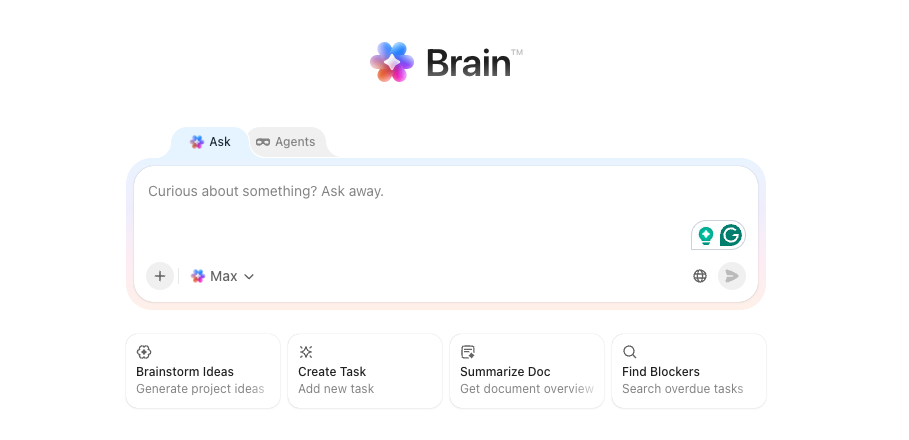
ClickUp Brain is not a standalone AI agent — it’s the AI layer embedded across your entire ClickUp workspace. It can write content, summarize tasks, answer questions about your projects, automate workflows, and assign tasks based on team capacity — and what separates it from bolting ChatGPT onto a project management tool is context: Brain has access to everything in your ClickUp workspace, tasks, docs, comments, custom fields, time tracking data, and sprint histories.
Super Agents are the standout upgrade: they hold a persistent presence in your workspace, monitor for triggers, and carry multi-step work to completion while you focus elsewhere — functioning like named team members you can @mention, assign tasks to, and put on recurring schedules.
The platform connects to multiple AI models in 2026, including GPT-4o, GPT-5, Claude Opus, and o3-mini depending on your subscription tier.
Skip ClickUp Brain if your workflows live outside ClickUp — it can’t see your CRM, help desk, or other SaaS tools directly. Choose ClickUp Brain if your team already runs projects, tasks, and docs inside ClickUp and wants AI that works from your actual data, not a generic training set.
ClickUp Brain pricing breakdown
ClickUp Brain has two billing layers: workspace plans and Brain AI add-on plans. Brain AI is sold separately at $9 or $28/user/month on top of your workspace plan.
Brain AI — $9/user/month (annual)
What’s included:
- Core AI assistant
- @Brain workspace search
- AI chat with GPT-4o, Gemini, and Claude
- 1,500 Super Credits per month
Best for: Teams new to ClickUp AI who want to test value before committing to the full agent tier.
Everything AI — $28/user/month (annual)
What’s included:
- Everything in Brain AI
- Super Agents (autonomous AI teammates)
- Ambient answers that proactively surface relevant information
- AI Notetaker and meeting transcription
- Talk-to-text
- Image generation
- AI Fields
- Multi-model access including GPT-5 and Claude Opus
Best for: Teams ready to deploy autonomous agents across their workspace and replace recurring manual work with supervised AI execution.
Core features within both tiers are unlimited; credits are consumed only by advanced features like Super Agents (100–300 credits per use), AI Fields (~10 credits per use), and image generation (~100 credits per use).
Which ClickUp Brain tier is right for you?
Is Brain AI at $9/user/month worth it?
Skip Brain AI if your team’s real bottleneck is cross-platform automation — Brain only sees ClickUp data. Choose Brain AI if you want AI that summarizes your actual tasks, drafts standups from real sprint data, and answers questions about live projects. The Knowledge Manager, Project Manager, and AI Writer are enough to prove real value before committing to the higher tier.
Is Everything AI at $28/user/month worth it for Super Agents?
Skip Everything AI if your team hasn’t yet proven ROI on the $9 tier — don’t pay for Super Agents before the basics are working. Choose Everything AI if you’re ready to assign recurring operational work to autonomous agents: bug triage, standup compilation, client status reporting, onboarding tracking. Super Agents can be @mentioned in comments, assigned to tasks, put on recurring schedules, and configured with 500+ fine-tuned skills. This is the tier for teams treating AI as a real headcount replacement, not just a writing assistant.
Which workflow bottleneck describes you?
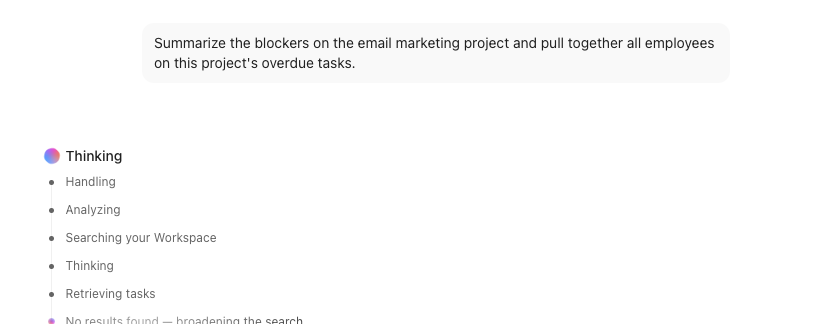
- You need AI that knows your actual project status. Pick Brain AI. Ask “what shipped last week?” or “summarize the blockers on Project X” and get answers from your real workspace data, not a generic model.
- You need autonomous agents handling recurring ops work. Pick Everything AI for Super Agents — assign them standup reports, onboarding tracking, or client updates on a schedule.
- You need AI across email, CRM, and channels outside ClickUp. Skip ClickUp Brain. Pick Base44 or Lindy — Brain can’t act outside the ClickUp ecosystem.
- You need a standalone coding agent. Skip ClickUp Brain. Pick Devin.
- You need deep research and market analysis. Skip ClickUp Brain. Pick Manus or Atoms — Brain is built for synthesising your work data, not external research.
Do you actually need ClickUp Brain?
Honest answer: only if your work already lives in ClickUp. Ask three questions before you pay.
Is your team’s data actually in ClickUp? Brain’s value is direct access to your tasks, docs, and comments. If half your work lives in Notion, Google Docs, or a CRM, Brain only sees part of the picture — and you’ll be paying for incomplete answers.
Will you start with Brain AI before jumping to Everything AI? Most teams don’t need premium models and Super Agents on day one. Start with summarization and standup reports — the use cases with the clearest ROI — before unlocking autonomous agents.
Will someone on your team actually review what the agents produce? Brain’s output is tied directly to prompt quality and workspace data quality. If your tasks are half-filled or your docs are outdated, the agents will surface that noise. Clean data in, useful answers out.
Customer Support
ClickUp offers solid support coverage across all plans, with the depth scaling as you move up the tier ladder.
Support is available 24/7 for all plans through an AI chatbot, which can also escalate to a live human specialist. ClickUp improved average chatbot response times to around 5 minutes in 2026. For teams that need more, live chat responses averaged under 10 minutes in testing, email tickets were answered within 6 hours, and technical bugs were escalated and resolved within 2 days.
Priority support with a dedicated Customer Success Manager and live onboarding training is reserved for Enterprise plan users, while Business plan users get 24/7 email support with a 24-hour response time.
Beyond direct support, ClickUp University offers self-paced courses, certifications, live webinars and paid training sessions — making it one of the more comprehensive self-service learning ecosystems in the project management space. The documentation is extensive, though finding answers to specific Brain or Super Agent questions can require some digging. There is no phone support on any plan.
Features & Functionality
Performance:
How do you actually put ClickUp Brain to work?
Four steps from sign-up to your first agent run. Plan on 15 to 30 minutes.
- Step 1: Start on any paid ClickUp plan and add Brain AI. Brain AI is not included by default — add it as a $9/user/month add-on from your workspace billing settings. No new account needed; it activates inside the ClickUp workspace you already use.
- Step 2: Start with Brain before touching Super Agents. Open the Brain chat panel and ask it a real question about your workspace — “summarize the blockers on Project X” or “what did the team complete this sprint?” This is where Brain earns its keep immediately, pulling answers from your actual tasks, docs, and comments. No setup required beyond having real data in your workspace.
- Step 3: Set up your first Super Agent from the catalog. Navigate to the Agents section, pick a pre-built agent from the catalog — standup compiler, ticket classifier, status reporter — and configure its trigger and output in plain English. The agent will appear as a named member in your workspace, ready to be @mentioned or run on a schedule. Most first agent setups take under 10 minutes.
- Step 4: Upgrade to Everything AI to unlock the full agent layer. Super Agents, multi-model access (GPT-5, Claude Opus), AI Notetaker, and AI Fields all require the $28/user/month Everything AI tier. Start on Brain AI to prove the value, then upgrade once your team is actively using summaries and standups and is ready to delegate recurring work to autonomous agents.
Ease Of Use:
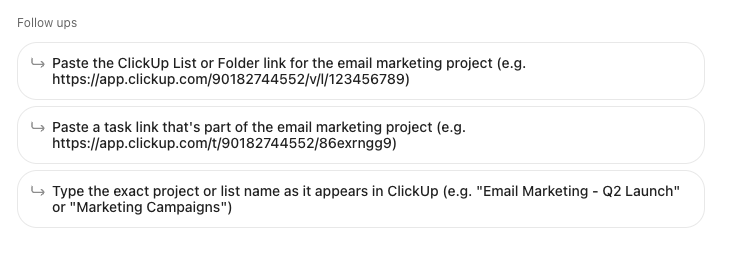
ClickUp Brain lowers the barrier to using AI inside your existing work — but it takes a different path than most standalone AI tools. There is no separate app to learn or new workspace to set up. You interact with Brain directly inside ClickUp through a simple @mention or chat prompt, asking questions in plain English like “what did the design team ship last week?” or “summarise the blockers on Project X.” Because Brain has access to everything in your ClickUp workspace — tasks, docs, comments, custom fields, time tracking data and sprint histories — the answers come from your actual data, not a generic model.
For teams already living in ClickUp, this makes the day-to-day AI experience feel natural from the start. There is no prompt engineering required and no need to import or explain your context. The trade-off is that ClickUp itself has a steeper learning curve than most competitors — expect two to three weeks for full team adoption, and Brain’s value is directly tied to how well your workspace is organised. If your tasks are half-filled or your docs are outdated, the AI surfaces that same noise back to you.
Super Agents raise the ceiling further for teams ready to go beyond reactive Q&A — they hold persistent presence in the workspace, monitor for triggers and carry multi-step work to completion without you prompting them, functioning like a team member you onboard once and delegate to repeatedly. For advanced users, ClickUp’s MCP server also lets external AI tools connect directly to the workspace, so Brain is not a ceiling — it is a starting point.
Uniqueness:
What’s the actual difference between ClickUp Brain and Monday AI, Notion AI, Asana AI, and Base44?
All are real AI platforms. The structural differences matter once you decide where your work lives.
- ClickUp Brain vs Monday.com AI. Monday’s AI is purpose-built around its board and CRM structure — strongest for sales pipelines, project tracking, and ops teams already running everything in Monday. ClickUp Brain covers a wider surface: tasks, docs, goals, time tracking, meetings, and autonomous Super Agents in one workspace. Pick Monday AI if your team runs sales and ops inside Monday boards. Pick ClickUp Brain if you want AI across a broader all-in-one workspace.
- ClickUp Brain vs Notion AI. Notion AI is a writing and knowledge-base assistant — excellent for drafting docs, summarising notes, and managing internal wikis. ClickUp Brain does all of that and adds task execution, sprint tracking, autonomous agents, and project management context. Pick Notion AI if your team lives in docs and wikis. Pick ClickUp Brain if your team runs live projects and needs AI tied to actual task data.
- ClickUp Brain vs Asana AI. Asana’s AI focuses on task prioritisation, workload balancing, and project status reporting. ClickUp Brain covers the same ground but adds Super Agents, multi-model access, meeting transcription, and a broader integration layer. Pick Asana AI if your team prioritises a clean, simple interface with lower onboarding friction. Pick ClickUp Brain if you want more AI depth and are willing to manage a steeper learning curve.
- ClickUp Brain vs Base44. Base44 is a standalone AI agent builder that works across Gmail, WhatsApp, Stripe, HubSpot, and other external apps — independent of any single platform. ClickUp Brain only sees what lives inside your ClickUp workspace. Pick Base44 if you need an autonomous AI agent spanning many apps and messaging channels. Pick ClickUp Brain if your work already lives in ClickUp and you want AI that knows your actual tasks and projects.
- ClickUp Brain vs Manus. Manus is a general-purpose autonomous research agent — strong for one-off deep research, analyst reports, and standalone task automation. ClickUp Brain is not a research agent; it is a workspace intelligence layer tied to your live project data. Pick Manus for a standalone research task with no project management context. Pick ClickUp Brain if you want AI that acts on your real work inside a team workspace.
Verdict:
How does ClickUp Brain actually improve how your team works?
Brain’s core advantage is context. Every answer, summary, and agent action is drawn from your real workspace data — tasks, docs, comments, custom fields, sprint histories, and time tracking logs. When you ask “what are the blockers on Project X?” or “what did the design team ship last week?”, Brain pulls from your actual records, not a generic model that knows nothing about your business.
Super Agents take that a step further. Rather than answering questions on demand, they hold persistent presence in your workspace, monitor for triggers, and execute recurring work autonomously — drafting weekly standups from completed sprint tasks, classifying incoming support tickets by priority, or compiling status reports without anyone prompting them. The structural advantage over a single general AI agent is the same principle as a team: Brain handles the knowledge layer, Super Agents handle the execution layer, and they share the same workspace context throughout.
One real limitation to flag: Brain’s intelligence is only as good as your workspace hygiene. If task descriptions are sparse, docs are outdated, or comments are scattered, Brain surfaces that noise back at you. Clean data in, useful answers out.
What do people actually ask about ClickUp Brain?
What is the difference between ClickUp Brain and a standalone AI agent like Base44 or Manus?
Brain is embedded inside your existing ClickUp workspace and works exclusively from your workspace data. Base44 and Manus are standalone agents you deploy across many external apps and channels. For teams whose work already lives in ClickUp, Brain wins on context and convenience. For teams that need an agent spanning Gmail, WhatsApp, Stripe, and other platforms outside ClickUp, Brain can’t help — pick Base44 instead.
What is the difference between Brain and Super Agents?
Brain is conversational — you ask, it answers, it stops. Super Agents are autonomous — you assign them a role, they monitor triggers, and they carry work to completion without you prompting them. Brain is a knowledgeable colleague you query. Super Agents are a team member you onboard and delegate to.
Do I need Everything AI to use Super Agents?
Yes. Super Agents are locked behind the Everything AI tier at $28/user/month. The Brain AI tier at $9/user/month gives you the core assistant, workspace search, and AI writing — but no autonomous agents.
Can ClickUp Brain access my tools outside ClickUp?
Partially. Brain MAX connects to Google Drive, GitHub, OneDrive, and Gmail. It cannot query your CRM, help desk, or other SaaS tools directly. If your work spans many platforms, Brain only sees part of the picture — for cross-platform automation, use Base44 or Lindy instead.
Are ClickUp Super Agents safe to give access to my workspace?
Reasonable for most teams. ClickUp states Brain does not use customer data for model training, and Enterprise plans include data residency and privacy controls. For regulated industries like healthcare or finance, review ClickUp’s DPA and SOC 2 compliance documentation before enabling Brain across your workspace.
Can I build a custom Super Agent for my specific workflow?
Yes. Alongside the pre-built catalog agents, ClickUp lets you configure Custom Agents for domain-specific tasks without code — defining the trigger, the skill set, and the output format. This gives teams more flexibility than platforms with fixed agent roles.
Do ClickUp Super Agents work 24/7 like a real employee?
Effectively yes for scheduled and trigger-based tasks. Super Agents run on recurring schedules or fire when a set condition is met — a task changing status, a sprint completing, a new item appearing in a list. They do not require you to be online. For purely on-demand interactions like drafting content or answering questions, that is Brain’s role, not the agents.
What is the bottom line on ClickUp Brain in 2026?
ClickUp Brain is the most capable AI layer inside any project management tool in 2026 — but only for teams already living in ClickUp. Brain AI at $9/user/month is the right starting point; prove value with summaries and standups before upgrading to Everything AI at $28/user/month for Super Agents. Skip ClickUp Brain if your workflows span many platforms outside ClickUp — use Base44. Skip it if you need a standalone research agent — use Manus. Skip it if you need a dedicated coding agent — use Devin. For everyone already running projects, docs, and tasks inside ClickUp, Brain is the most direct path to AI that actually knows your work.
 Write a Review