

Gusto vs Rippling: Which is better for small business HR in 2026?


Choosing between Gusto and Rippling is rarely just about payroll; it is a choice between two fundamentally different philosophies of business management. In the current landscape of HR technology, these two platforms dominate the conversation, but they serve distinct masters.
Gusto was born to solve the “pain” of payroll. It is built on the philosophy of human-centric simplicity, designed to make benefits and paying employees effortless for business owners who are not HR experts. Rippling, conversely, was built to solve the “administrative mess” of scaling companies. Its philosophy is the unification of HR and IT, treating employee data as the central source of truth that triggers actions across payroll, computers, and software permissions.
This article provides a rigorous, expert-led analysis of these two platforms. By the end, you will understand exactly how their pricing models differ, where their automation capabilities diverge, and which tool aligns with your company’s growth trajectory.
Key points (quick summary)
For the busy executive, here is the high-level breakdown of the Gusto vs Rippling comparison:
- Gusto is best for small businesses (1–50 employees) that want a “set it and forget it” payroll solution with a friendly, easy-to-navigate interface.2
- Rippling is stronger in automation and scalability, making it the superior choice for tech-forward companies (50–500+ employees) that need to manage company laptops and app access alongside payroll.
- The main difference in pricing is transparency: Gusto offers clear, published tiered pricing, whereas Rippling operates on a modular “base + per user” model that usually requires a custom quote.
- The key feature that separates them is IT management: Rippling can remotely wipe a laptop or provision a Slack account; Gusto cannot.
- The ideal audience for Gusto is local businesses, agencies, and service providers who need reliable payroll without IT complexity.
- The ideal audience for Rippling is high-growth startups and mid-market companies with complex workflows and distributed remote teams.
Gusto vs Rippling head-to-head feature comparison
This table breaks down the capabilities of Gusto (typically the “Plus” plan, their most popular) against Rippling (Core + standard HR/Payroll modules).
Core HR & Payroll
|
Feature |
Gusto |
Rippling |
Winner |
|
Full HRIS |
✅ Basic (People records, org chart) |
✅ Advanced (Deep data graphing) |
Rippling |
|
File W-2s & 1099s |
✅ Automated (Included) |
✅ Automated (Included) |
Tie |
|
Multi-State payroll |
✅ Included (in Plus/Premium) |
✅ Supported (Often extra fee) |
Gusto (Value) |
|
Global EOR (hire int’l employees) |
⚠️ Limited (Powered by Remote) |
✅ Native (185+ Countries) |
Rippling |
|
International contractor payments |
✅ Supported (120+ countries) |
✅ Supported (Native) |
Tie |
|
Benefits administration |
✅ Broker integrated (50 States) |
✅ BYO Broker or Rippling Broker |
Tie |
|
Time tracking |
✅ Built-in (Simple/Plus) |
⚠️ Separate Module (Paid add-on) |
Gusto (Value) |
Advanced capabilities
|
Feature |
Gusto |
Rippling |
Winner |
|
Applicant tracking (ATS) |
❌ Basic tools only (Offer letters) |
✅ Full “Recruiting” Module |
Rippling |
|
Device management (MDM) |
❌ Not available |
✅ Native (Order/Wipe laptops) |
Rippling |
|
App provisioning (SSO) |
❌ Not available |
✅ Native (Create Slack/Email accounts) |
Rippling |
|
Workflow automation |
⚠️ Basic (Reminders/Checklists) |
✅ Advanced (If/Then Logic) |
Rippling |
|
Learning management (LMS) |
❌ Partner integration only |
✅ Native “Learning” Module |
Rippling |
Analysis of key differences
- File W-2s & compliance: Both platforms are excellent here. They both automatically calculate, file, and pay your federal, state, and local taxes. They both generate and send W-2s to employees digitally at year-end. This is table stakes for modern payroll, and you are safe with either.
- Multiple states: Gusto creates a slight edge for smaller businesses here because unlimited multi-state payroll is often included in their “Plus” and “Premium” monthly price. Rippling can handle multi-state complexity better (e.g., different tax jurisdictions for remote workers), but you may see additional per-state filing fees depending on your specific contract.
- The “Native” advantage: You will notice Rippling wins many of the “Advanced” categories. This is because they built these tools in-house. Gusto relies on integrations for things like Applicant Tracking (e.g., integrating with Greenhouse) or Expense Management (integrating with Expensify). Rippling allows you to buy these as modules within one system, so data flows freely between them without API breaks.
Detailed breakdown
Market position & ideal use cases
While both platforms handle the basics of paying people, they occupy different spaces in the market ecosystem.
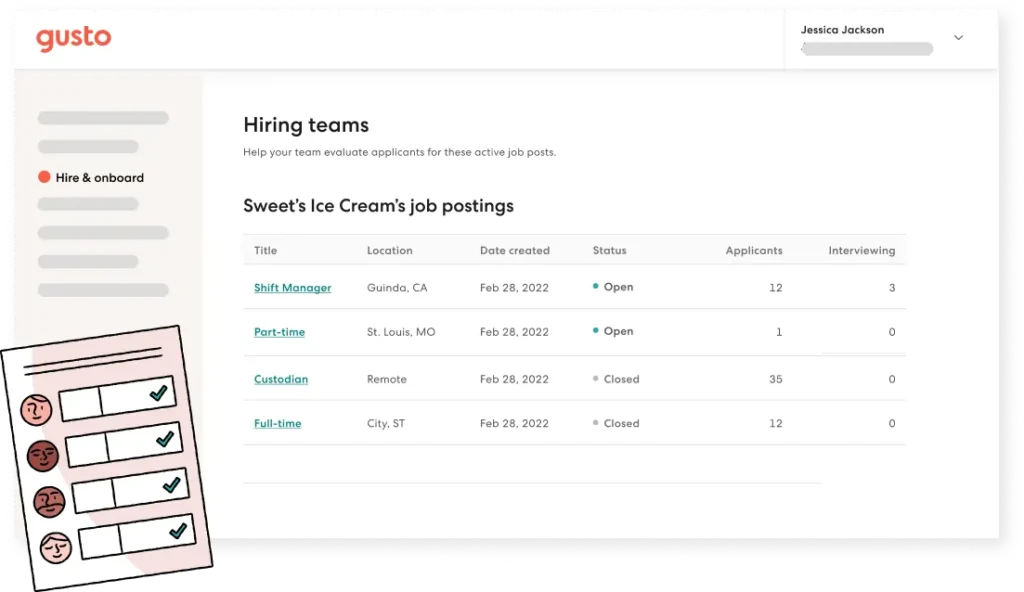
Gusto positions itself as the “people platform” for Main Street. Its ideal use case is a business without a dedicated HR department. If you run a design agency, a coffee shop, or a consultancy where the founder or an office manager handles payroll, Gusto’s intuitive design lowers the barrier to entry. It thrives in environments where simplicity is valued over granular control.
Rippling positions itself as a “workforce management platform.” It targets companies that view HR as an operational workflow rather than just a compliance necessity. If your company is hiring 10 people a month, shipping laptops to three different countries, and needs to ensure everyone has immediate access to Jira and GitHub, Rippling is the purpose-built tool. It overlaps with Gusto in the SMB space but quickly differentiates itself as soon as a company’s IT needs become complex.
Platform & ecosystem
This is the most distinct area of divergence. Because Rippling includes hardware management, this comparison is asymmetrical.
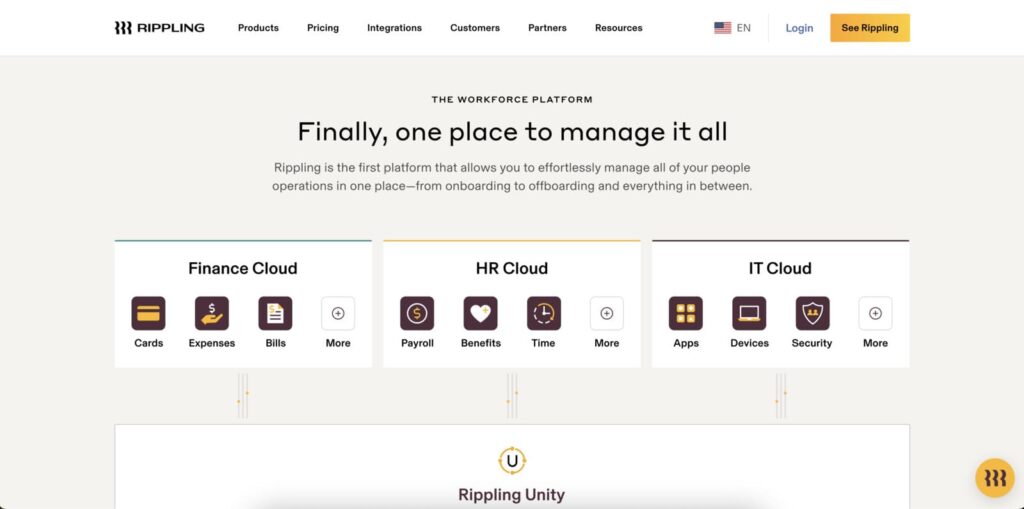
Rippling offers a “Unity” platform that combines HR, IT, and Finance.
- Device management (MDM): You can order fully configured MacBooks and PCs through Rippling. The software tracks who has which device and can lock them remotely upon termination.
- App management: It acts as a Single Sign-On (SSO) provider. When you hire an employee, Rippling creates their Google Workspace, Slack, and Zoom accounts automatically.
Gusto is a pure cloud software ecosystem.
- Software only: Gusto does not manage physical hardware or provision third-party app accounts (beyond basic integrations).
- Partner dependent: For IT services, Gusto relies on you using external vendors. It focuses strictly on the administrative side of employment—documents, pay, and benefits.
Core features & capabilities
When stripping away the IT components, how do the HR engines compare?
- Payroll processing: Gusto allows for unlimited payroll runs in all 50 states. Its “Auto-Pilot” feature is a standout, running payroll automatically without user intervention if salaries are fixed. Rippling also handles full-service payroll with high accuracy, but its strength lies in global payroll—allowing you to pay international contractors and employees in their local currency more seamlessly than Gusto’s current international offerings.
- Benefits administration: Gusto acts as the broker in many states, integrating heavily with medical, dental, and vision providers. The dashboard for employees to select plans is highly visual and easy to understand. Rippling allows you to bring your own broker or use theirs. The advantage here is that Rippling’s benefits deductions sync instantly with the payroll side, even for complex mid-cycle changes.
- Time & attendance: Both offer time tracking. Gusto includes simple time tracking in its higher tiers. Rippling sells this as a separate module, but it is deeply integrated—for example, you can set rules that prevent an employee from clocking in if they haven’t completed their sexual harassment training.
Reporting, analytics & insights
Data accessibility is where the “power vs simplicity” dynamic becomes most visible.
Gusto provides standardized, pre-built reports. You can easily pull a payroll journal, a benefits enrollment summary, or a contractor payment list. These reports are clean and sufficient for standard accounting needs, but customization is limited. You largely get what Gusto thinks you need.
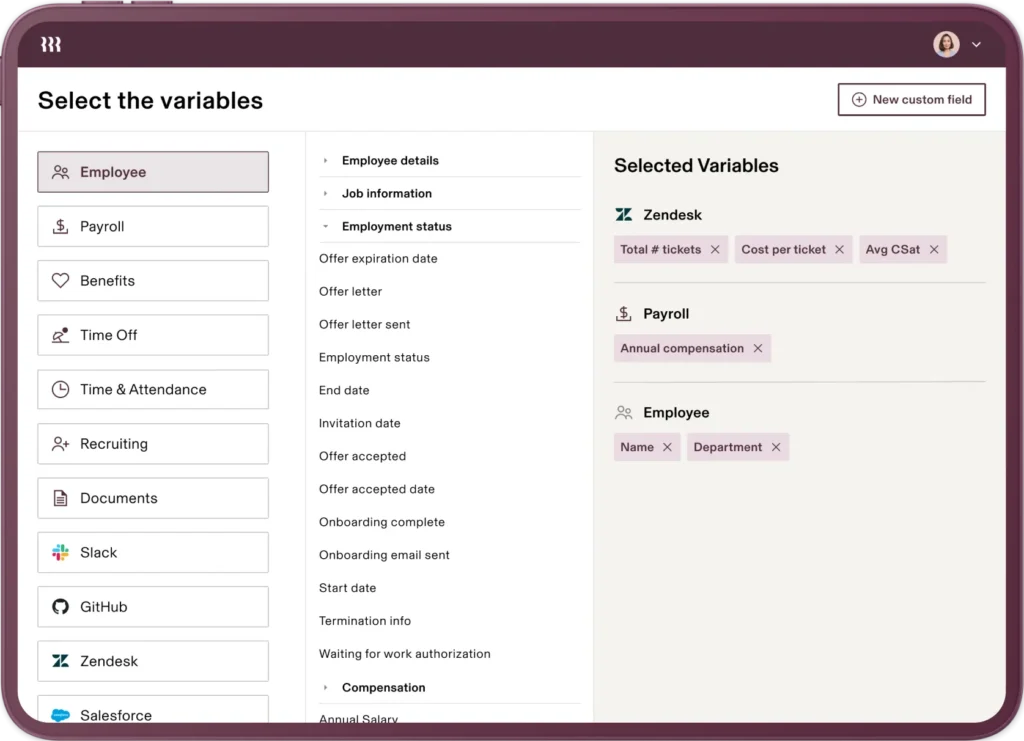
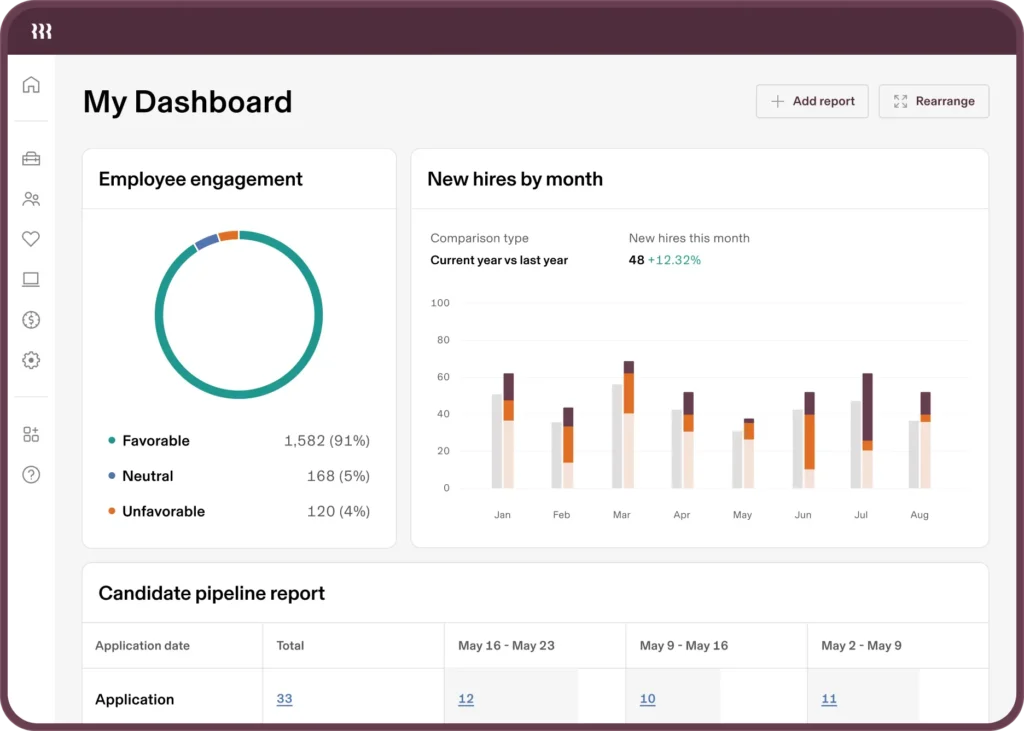
Rippling offers a proprietary “RQL” (Rippling Query Language) and a highly customizable report builder. You can create pivot tables and graphs combining data from disparate sources (e.g., “Show me sales commission payouts vs. Salesforce activity vs. Computer type”). For a data-driven Operations Manager or CFO, Rippling’s reporting capability is significantly more robust.
Integrations & connected tools
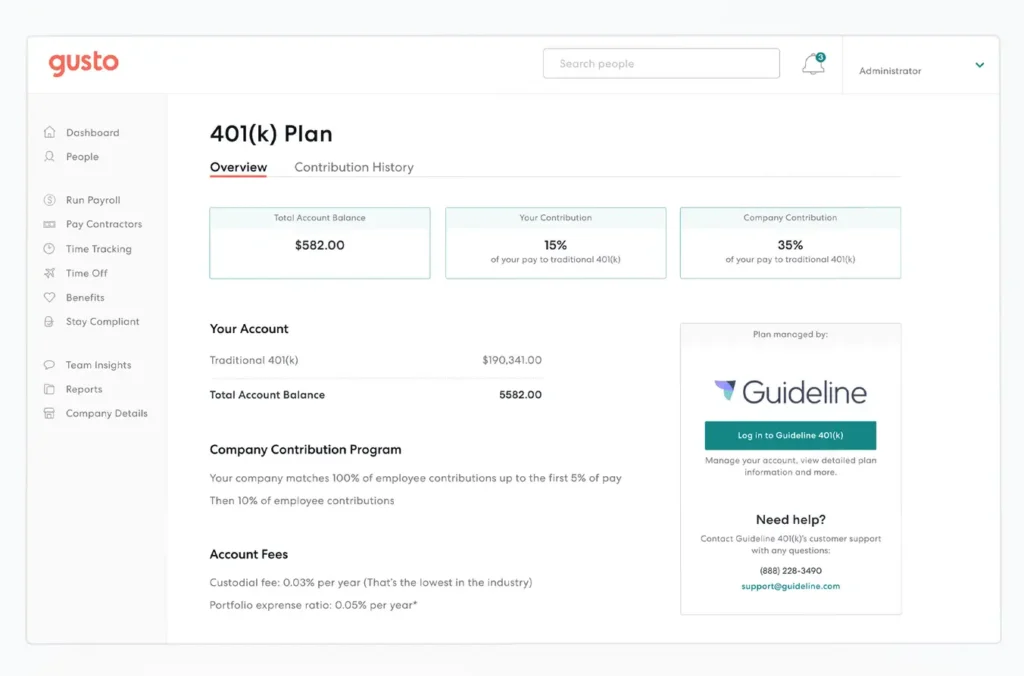
Gusto focuses on deep integrations with accounting and expense software. Its sync with QuickBooks Online (QBO) and Xero is widely regarded as reliable and easy to map. It features a marketplace of roughly 100+ third-party apps, mostly focused on time-tracking, accounting, and 401(k).
Rippling boasts an app shop with 500+ integrations, but the depth of integration is different.While Gusto pushes data to accounting software, Rippling pushes user credentials to operational software.
- Gusto integration example: Send payroll data to QuickBooks.
- Rippling integration example: Create a user in GitHub, add them to the “Engineering” Slack channel, and issue them a corporate card in Brex—all from the offer letter being signed.
AI, automation & smart features
Rippling is the clear leader in workflow automation. Its “Workflow Automator” allows users to build “If/Then” logic recipes without code.
- Example: “If an employee changes their home address to a new state, automatically send them the new state tax form and alert the finance team.”
Gusto uses AI and automation for compliance and user assistance. It creates smart suggestions, such as flagging if a salary seems below minimum wage for a specific state or automatically calculating R&D tax credits. Gusto’s automation is helpful guidance, whereas Rippling’s automation is operational execution.
Pricing & payment processing
Pricing models are a major point of differentiation. Gusto is transparent; Rippling is opaque.
Gusto publishes its pricing clearly:
|
Tier |
Monthly base fee |
Per person fee |
Key inclusions |
|
Simple |
$40 |
$6 |
Payroll, benefits integration, basic support. |
|
Plus |
$80 |
$12 |
Next-day pay, time tracking, org charts. |
|
Premium |
Custom |
Custom |
Dedicated support, compliance alerts, performance reviews. |
Rippling uses a modular pricing structure.
- Entry price: Starts at roughly $8 per user/month, but this is misleading as it only covers the core platform.
- Modules: You must pay extra for the Payroll module, the Benefits module, the Device module, and the App Management module.
- Platform fee: There is often a required monthly platform fee that is not publicly listed and varies based on company size.
Verdict: Gusto is generally cheaper and more predictable for small teams. Rippling becomes cost-effective for larger teams when it replaces multiple other software subscriptions (e.g., replacing 1Password, an MDM solution, and a separate time tracker).
Support, reliability & customer experience
Gusto built its brand on friendly support (“Piggyback” the pig is their mascot). They offer phone, chat, and email support. However, as they have scaled, user feedback indicates that wait times for the “Simple” tier can be long. Their Knowledge Base is extensive and written in plain English.
Rippling offers live chat and email support, with phone support generally reserved for administrative issues or higher-tier contracts. The platform is highly reliable (uptime), but the user experience is “admin-focused.” It assumes the user knows what they are doing. The self-service documentation is technical.
Scalability & growth potential
Gusto is excellent up to about 100–150 employees. Beyond that, the lack of custom permissions, complex reporting, and device management can create administrative bottlenecks. It is not designed for complex organizational hierarchies.
Rippling allows for infinite scalability. It handles complex org charts, international subsidiaries, and massive device fleets. A business can start on Rippling with 20 employees and stay on it through an IPO without needing to migrate to an enterprise ERP like Workday.
Real-world scenarios / use case analysis
Example 1: The boutique marketing agency
Profile: A 15-person creative agency with a mix of full-time staff and freelancers. They use Macs, work hybrid, and need to run payroll quickly. The founder manages HR.
Verdict: Gusto is the perfect fit.
The agency does not need complex device management; employees buy their own laptops or pick them up locally. The founder needs to run payroll in 5 minutes and get back to client work. Gusto’s “Auto-Pilot” feature handles the recurring salaries, and the contractor payments are seamless.22 The cost is predictable (~$130/month total), and the interface is friendly for creative professionals.
Example 2: The Series-A fintech startup
Profile: A 45-person company planning to hire 30 more people this year. They are fully remote, hiring engineers in the US, UK, and Canada. Security is paramount (SOC2 compliance).
Verdict: Rippling provides a stronger ROI.
The manual effort of shipping laptops to three countries and setting up secure access to AWS and GitHub for 30 new hires would require a full-time IT person. Rippling automates the device shipping and account provisioning.23 The global payroll module handles the UK and Canadian employees in a single pay run. Although the monthly cost is higher than Gusto, it eliminates the need for a $60k/year IT administrator.
Final verdict & recommendation table
|
Factor |
Best choice |
Reason |
|
Ease of use |
Gusto |
Intuitive UI designed for non-experts; almost zero learning curve. |
|
Feature depth |
Rippling |
Unmatched capability to manage IT, devices, and global apps. |
|
Pricing value |
Gusto |
Transparent, all-inclusive tiers are cheaper for typical SMBs. |
|
Best for small teams |
Gusto |
If you have under 50 staff and no IT department, this is the standard. |
|
Best for fast growth |
Rippling |
Automates the “busy work” of scaling (onboarding, provisioning) better than any competitor. |
FAQ: Gusto vs Rippling
Is Rippling cheaper than Gusto?
generally, no. While Rippling advertises a low “per user” price (starts at $8), you must add costs for payroll, benefits, and other modules. For a standard small business needing only payroll, Gusto is usually the more cost-effective and predictable option.
Can I migrate my data from Gusto to Rippling easily?
Yes. Rippling has built aggressive import tools specifically designed to pull data from Gusto. They can import employee profiles, tax information, and historical pay stubs, making the switch relatively painless.
Does Gusto offer device management (MDM)?
No. Gusto does not offer hardware management or MDM. If you need to remotely wipe laptops or enforce security policies on computers, you would need to purchase separate software (like Jamf or Kandji) to use alongside Gusto.
Which platform is better for international contractors?
Both platforms handle international contractors well. However, Rippling is superior if you plan to hire full-time international employees (EOR services), as their global capabilities are more natively integrated into the core platform compared to Gusto’s partner-heavy approach.
Does Rippling integrate with QuickBooks?
Yes, Rippling has a robust integration with QuickBooks Online (and Desktop). It allows for very granular mapping of payroll data to your general ledger, similar to Gusto.
Is Gusto good for companies with over 100 employees?
Gusto can technically handle companies with hundreds of employees, but users often report that the interface becomes cluttered and the reporting features feel limited at that scale. For 100+ employees, Rippling is generally the more robust choice.





