What is vibe coding? The non-technical founder’s guide


We are moving from “building” software to “directing” it. Here is what that means for your business, your dev budget, and your sanity.
If you’ve been hanging around the corners of the internet where tech people talk, you might have noticed a shift. For years, the conversation about building software was a gate-kept fortress of syntax. “Should we build in React or Python?” “Do we need a full-stack engineer or a backend specialist?”
If you were a non-technical founder, this was the part where your eyes glazed over, and your wallet started sweating. You knew you needed the software, but the bridge to get there was built out of code you didn’t speak and hourly rates that hurt.
But recently, the conversation changed. A new term dropped, coined by AI expert Andrej Karpathy, and it’s arguably the most critical shift for small business owners since the invention of the internet.
First, let’s cut to the chase: What is vibe coding?
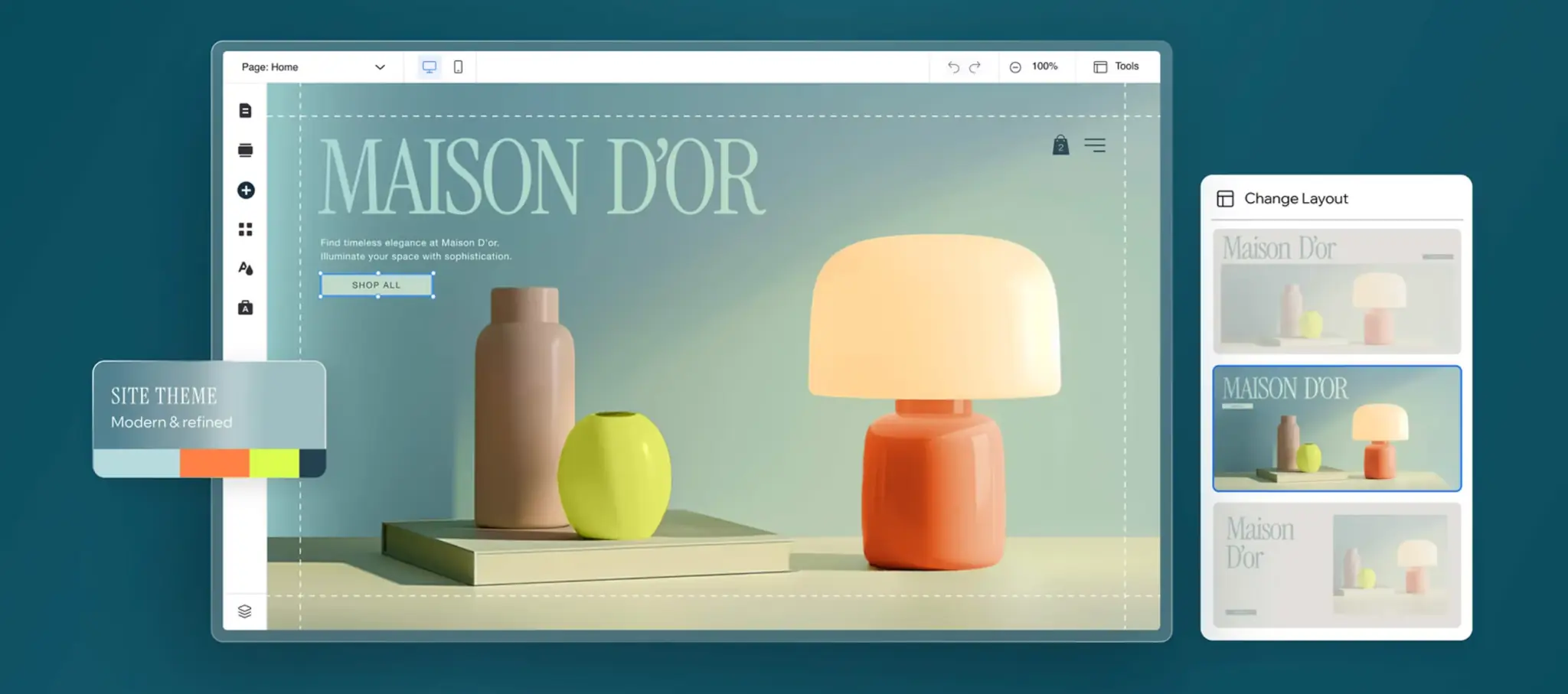
Vibe coding is the practice of building software by using natural language to “direct” an AI, rather than writing code manually. Unlike traditional programming (writing syntax) or traditional no-code (manually dragging blocks), vibe coding relies on the user providing the intent (the “vibe”) while the AI handles the execution (the code, database connections, and styling). It shifts the founder’s role from “bricklayer” to “Product Manager,” allowing non-technical users to deploy complex, functional applications simply by describing them.
Key takeaways (TL;DR)
- It is not “No-Code 2.0”: Traditional no-code tools (like Bubble) are manual utilities where you move pixels. Vibe coding tools (like Lovable or Base44) are generative agents that build for you.
- The “Vibe Loop”: The workflow has changed from Design → Code → Test to Prompt → Review → Reprompt.
- The Skill Gap: You no longer need to know Python or SQL. You do need to know how to write a clear Product Requirement Document (PRD).
- Speed to Market: We are seeing functional internal tools built in 20 minutes that used to take three weeks of development time.
- The Trap: AI mimics reasoning but lacks judgment. If you don’t understand your own business logic (e.g., who sees what data), the AI will build a broken or insecure app.
The difference between “coding” and “vibes”
To understand why this is different, you have to look at the workflow history.
In the old world (meaning, like, 2023), building an app was like being a camera operator. You had to manually handle the heavy equipment, adjust the lenses, physically cut the film, and tape it back together. If you didn’t know how the machine worked, you couldn’t make the movie. Even “no-code” tools require you to understand logic flows and database relationships.

Vibe coding turns you into the director
You sit in the chair. You don’t touch the camera. You don’t splice the film. Instead, you look at the crew (the AI) and say, “I want this scene to feel anxious, with low lighting and a sharp cut to black at the end.”
The AI handles the technical labor—the syntax, the database structure, the CSS styling, the API calls. You handle the vision. You provide the “vibe” (the intent), and the machine handles the execution.
The Landscape: “Code Gen” vs. “App Gen”
Before you dive in, it is critical to understand that not all AI coding tools are the same. Two distinct categories are emerging, and choosing the wrong one will lead to frustration.
-
Code generation tools (for developers)
- Examples: Cursor, GitHub Copilot, Windsurf.
- What they do: These live inside a code editor. They help programmers write code faster.
- Who they are for: People who already know what a “div” or a “function” is. If you don’t know how to run a terminal command, avoid these.

-
App generation tools (for founders)
- Examples: Lovable, Base44, Replit Agent.
- What they do: These live in a browser. You talk to them like a human. They build the entire app, host it, and launch it.
- Who they are for: You. The business owner with an idea but no coding skills.
How it actually works: Mastering the “Vibe Loop”
It sounds like magic, but strictly speaking, it’s just a new workflow. We call it the “Vibe Loop.”
It isn’t merely “lazy” development; it requires a structured approach to communication. If you just tell an AI “build me an app,” you will get garbage. Successful vibe coding requires you to think in frameworks.
Step 1: The setup (The PRD)
Before you type a single prompt, you need a vision. In the tech world, this is a Product Requirements Document (PRD). You need to define the goal.
- Logical thinking: What is the app for? (e.g., “A CRM for my dog walking business.”)
- Procedural thinking: How does it work for the user? (e.g., “When I add a new dog, the owner gets an automatic email.”)
- Permission thinking: Who can do what? (e.g., “Walkers can see the dog’s name, but only I can see the owner’s credit card info.”)
Step 2: The prompt (good vs. bad)
This is where most beginners fail. They treat the AI like a search engine. You need to treat it like a junior engineer.
- The bad prompt: “Make me a dashboard for my sales team.” (Result: A generic, useless screen with fake data and no functionality.)
- The “Vibe” Prompt: “Act as a Senior Product Manager. Build a Sales Dashboard for a B2B agency. I need three columns: ‘New Leads,’ ‘In Negotiation,’ and ‘Closed Won.’ When I drag a lead to ‘Closed Won,’ trigger a confetti animation and send a notification to the admin. Use a clean, dark-mode aesthetic with high contrast.” (Result: A functional, styled application with working logic.)
Step 3: The iteration
The AI spits out a version of the app. It won’t be perfect. You look at it and say, “The font is too small,” or “This button doesn’t go anywhere.” You give feedback (new vibes), and the AI rebuilds it instantly.
The tools leading the charge
We are seeing a massive surge in tools designed specifically for this workflow.
Lovable is one of the names you’ll hear often. They’ve made waves by proving that a tiny team can build massive value, focusing purely on user delight and simplicity. They allow teams to design and deploy custom software in hours, not months.
There are others in the space pushing boundaries, but the one we’ve been testing recently—and the one that seems to grasp the “business” side of this best—is Base44.
Why Base44 gets it
Base44 recently dropped a massive update that leans heavily into this “vibe coding” reality.
They realized that the old “no-code” model—where you dragged blocks around a canvas manually—was still too slow. It still required you to think like a programmer.
With their latest update, they integrated Google’s Gemini 3 model to handle the heavy lifting. Gemini 3 has a larger context window and sharper reasoning, which means it’s less likely to “hallucinate” (invent fake features) and more likely to build a working function on the first try.
A real-world example
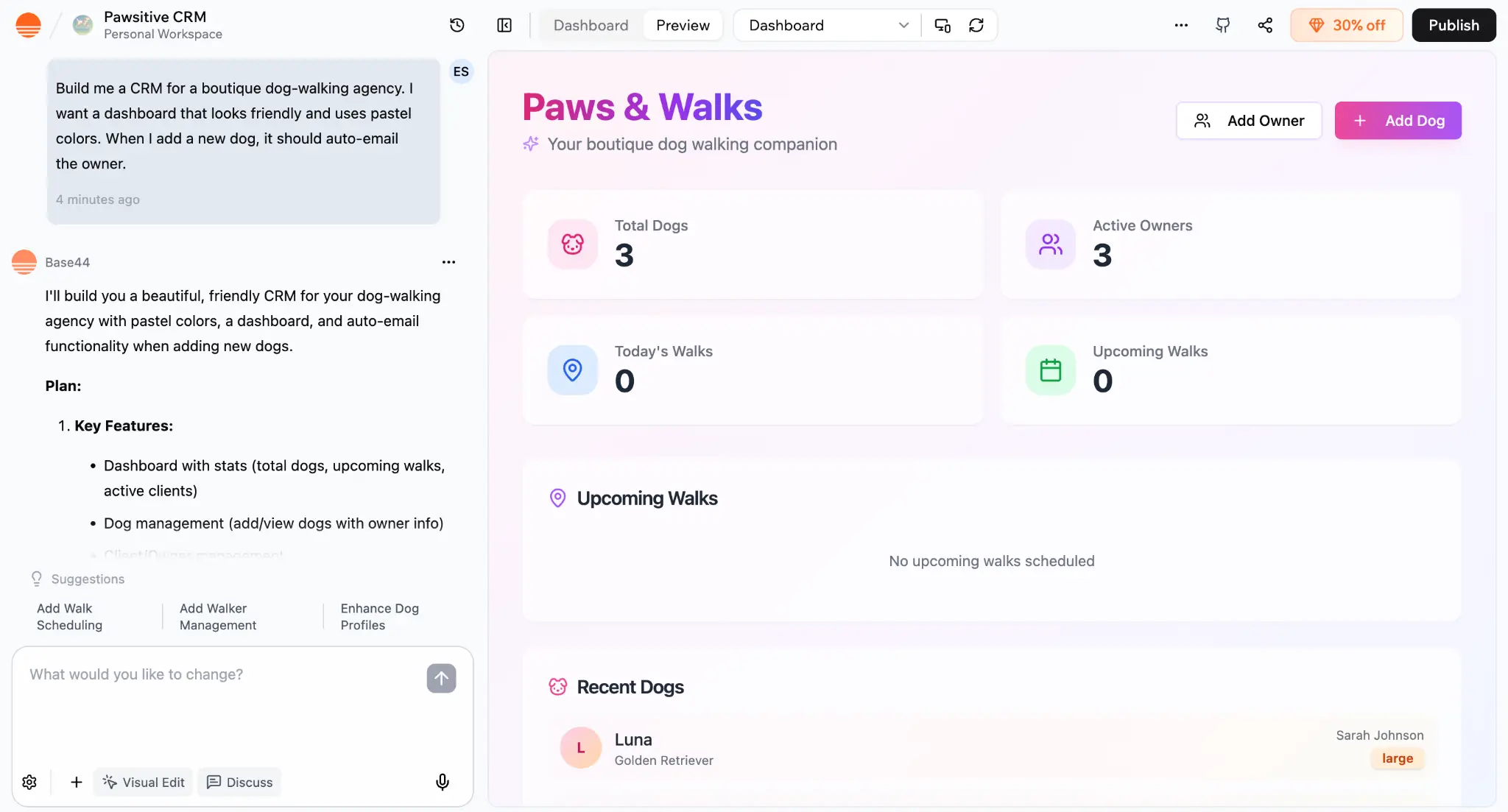
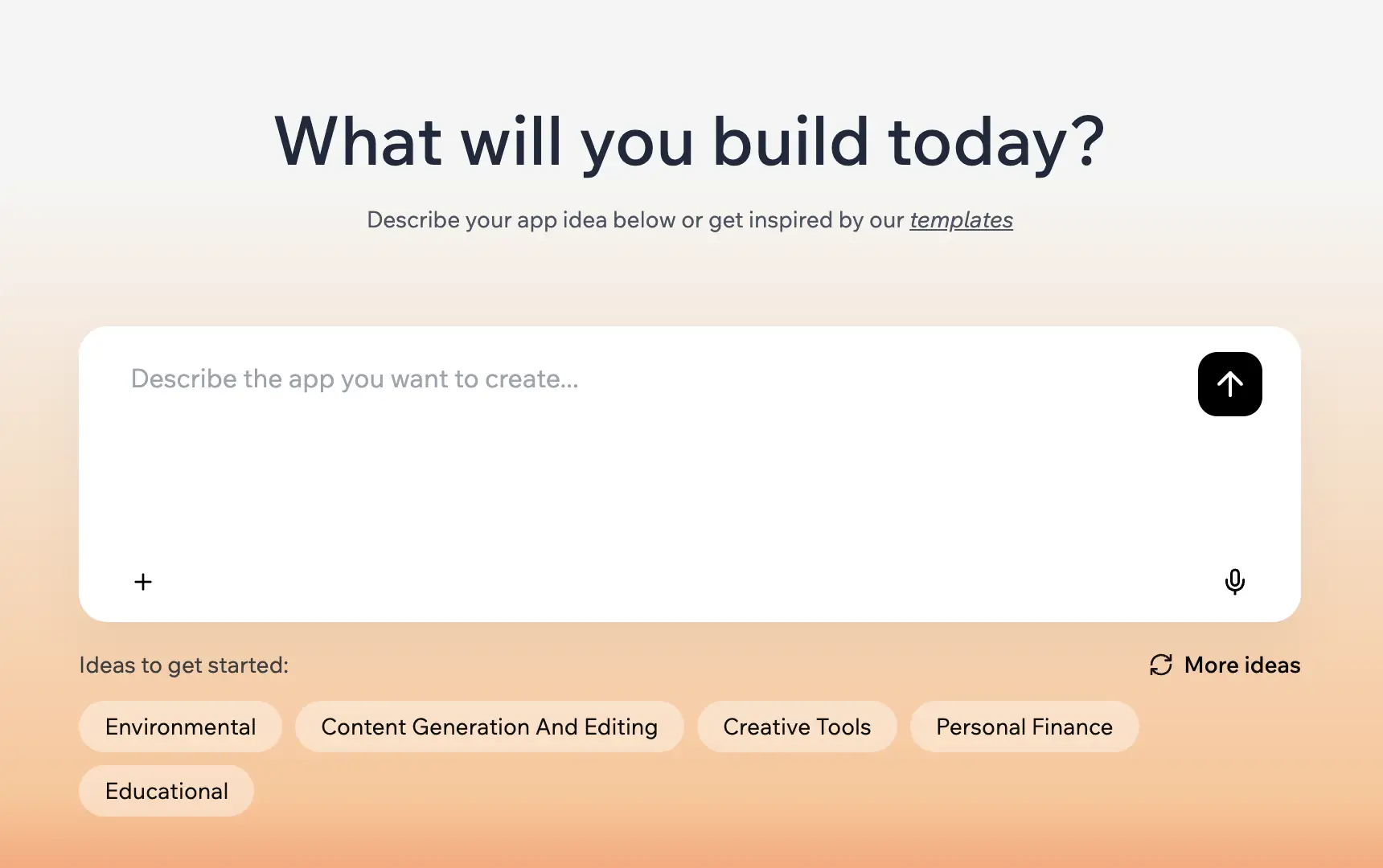
Here is what vibe coding looks like inside a tool like Base44.
The input (Your “vibe):
“Build me a CRM for a boutique dog-walking agency. I want a dashboard that looks friendly and uses pastel colors. When I add a new dog, it should auto-email the owner.”
The output (The code):
The AI writes the underlying code, structures the database to hold “Dog” and “Owner” records, applies the pastel design theme, and sets up the email trigger logic.
You didn’t drag a button. You didn’t write a line of SQL. You just described what you wanted.
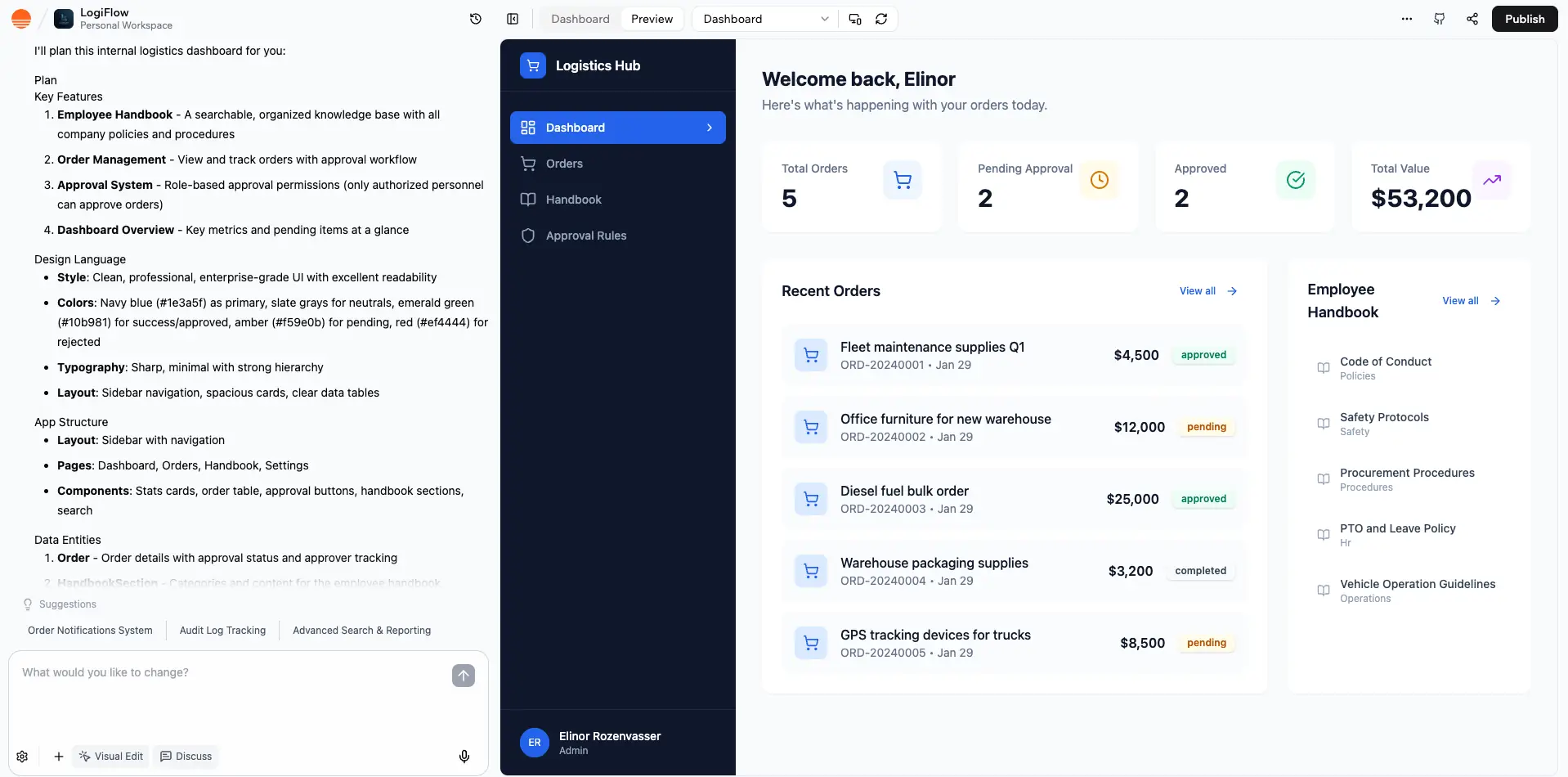
Base44 takes this a step further for businesses by adding Connectors. Usually, these AI apps are islands—they don’t talk to your other tools. But Base44 allows you to say, “When a deal is marked ‘Closed-Won’ in this app, update the Salesforce record and send a celebratory message to the Slack #wins channel”.
One click to authenticate, and the automation is live. No API keys, no headaches.
The risks (Read this before you fire your dev team)
If this sounds too good to be true, let’s ground it. Vibe coding is powerful, but it’s not foolproof.
1. It’s only as smart as you are
AI doesn’t reason; it mimics reasoning. If your instructions are vague, the software will be vague. If you don’t understand your own business logic—like who should have permission to see what data—the AI won’t fix that for you.
2. The “Vibe coding gone wrong” scenario
We’ve seen apps taken down because developers “gave into the vibes” too hard and forgot about security. Imagine an app where anyone can delete your customer database because you forgot to tell the AI to add password protection.
Tools like Base44 are mitigating this with features like a Security Dashboard, which lets you set permissions visually (e.g., “Interns can read data but cannot delete it”). But the responsibility is still yours.
3. You need an “Undo” button
AI works fast. Sometimes it destroys things fast, too. You need to treat this like real work.
- Version Control: In the developer world, we use “Git” to save versions of our code. In the no-code world, look for tools with a robust “Oops” button or a history mode. Base44, for example, added a single-click undo function because they know the pain of breaking a layout three hours into a build.
Visual Evidence: Old way vs. the vibe way
If you are trying to decide whether to learn to code or learn to “vibe,” consider the differences in requirements.
Traditional Coding
- Primary Action: Typing Syntax
- Role of Human: Bricklayer
- Time to MVP: Months
- Key Skill: Python/JS/SQL
- “Undo” Cost: High (Rewrite code)

No-Code (2015-2024)
- Primary Action: Dragging & Dropping
- Role of Human: Assembler
- Time to MVP: Weeks
- Key Skill: Logic & Design
- “Undo” Cost: Medium (Re-link blocks)
Vibe Coding (2025+)
- Primary Action: Speaking / Writing
- Role of Human: Director
- Time to MVP: Hours
- Key Skill: Communication & Empathy
- “Undo” Cost: Low (Re-prompt)
Bottom line: Don’t code, communicate.
For the last few years, no-code tools were mostly utilities. You built them to save time, or to make a fun prototype.
But with the rise of vibe coding, the ceiling has been blown off. The distinction between “real software” written by engineers and “vibe software” described by founders is evaporating. We are moving toward a future where a billion-dollar business might run entirely on “vibes”—where the tech stack is managed by AI agents, and the humans focus purely on strategy, empathy, and customer experience.
Your Next Step: You don’t need to learn to code. You need to learn to communicate. If you can describe your business clearly, you can now build the software to run it.
The camera is rolling. You’re in the director’s chair. Action.
Related Articles






Frequently asked questions (FAQ)
Q: What is the best Vibe Coding tool for beginners?
A: For pure visuals and consumer-facing apps, Lovable is currently the leader. For business tools that need complex data logic (like inventory or CRMs), Base44 is the better starting point due to its logic handling and Gemini 3 integration.
Q: Is Vibe Coding free?
A: Most tools offer a free tier to “direct” your first few apps, but because AI models (like Gemini 3 or GPT-4) cost money to run, you will usually pay a subscription for the “credits” used to generate the code.
Q: Can I export the code?
A: It depends on the platform. Some tools keep you locked in their ecosystem, while others allow you to export the React or Node.js code so you can hand it off to a real developer later. Always check this before you build!
Q: Will this replace real developers?
A: Not yet. It replaces the drudgery of development. We still need engineers for deep system architecture, security, and novel algorithms. But for standard business apps (CRMs, dashboards, portals)? The AI is already better, faster, and cheaper.