Best Accounting Software for Small Businesses in 2026

Compare different accounting software solutions, explore our in-depth reviews & informative articles, and choose the best solution for you. The best accounting software for small business makes handling money a breeze. When you compare our picks, you'll see the top choices that make finances simple and straightforward. Dive into our list and find the best tools to keep your business on track.
- Award-winning customer service
- Seamless integration & user-friendly
- Save up to $7,000 per year
- Streamline onboarding
- Global bank connectivity
- Effortless invoicing
- Unlimited custom invoices and quotes
- Smart invoicing with automated tracking
- Save an average of $2,100+ per year
- Accounting A to Z
- Account reconciliation & secured banking
- Inventory, sales & billable hours management
- Serves over 20K businesses
- Custom solutions by experts
- Collaborate with 100+ integrations
Finding the best micro business accounting software is the single most important step in moving from a “side hustle” to a scalable company. For a micro-business (typically 1–5 employees), you don’t need a complex enterprise system; you need a tool that automates the mundane so you can focus on growth.
The direct answer is that the best micro business accounting software is a platform like FreshBooks for service providers, QuickBooks for e-commerce, or Zoho Books for those on a tight budget, each providing automated bank feeds and real-time financial reporting to reduce manual entry by up to 90%.
By using these tools, you ensure your numbers are accurate, your taxes are painless, and your professional image remains polished.
Key Takeaways
- Top Professional Choice: Sage is the premier choice for micro-businesses that need robust, “accountant-approved” reporting and global scalability.
- Best for Solopreneurs: Zoho Books offers a robust free tier for businesses making under $50k/year, making it the top choice for micro-startups.
- Best for Service Providers: FreshBooks wins on invoicing and ease of use, specifically designed for those who bill for their time.
- Best for Scalability: QuickBooks is the industry standard; if you plan to grow to 10+ employees quickly, start here to avoid moving data later.
- Efficiency Fact: Automated bank feeds can reduce data entry errors by 40% and save the average owner 5+ hours a week.
How We Test
We don’t review accounting software from a corporate perspective. We test them the way a solo designer, a two-person agency, or a small coffee shop owner would actually use them. We evaluate each tool on setup to first invoice, bookkeeping simplicity, tax readiness, and whether the mobile app actually works in the field. Every product in this guide has been set up, configured, and used by people running small operations — not by a review team with enterprise budgets.
Why Is Basic Accounting Software Important for Micro Businesses?
Many owners believe they are “too small” for software. This is a myth that leads to failure. In a micro business, you don’t have a finance department. If you don’t use basic accounting software for small business, you are essentially flying a plane without a dashboard.
Software provides “Real-Time Visibility.” Instead of waiting for a bank statement at the end of the month, you can see your balance today. It also prevents “Tax Shock.” By categorizing your expenses throughout the year, the software calculates your tax bill in the background. This means no more panic on April 14th.
How to Choose Easy-to-Use Accounting Software for Small Business
When you are a team of one or two, you cannot afford a “learning curve.” You need easy-to-use accounting software for a small business that feels as intuitive as your favorite social media app.
The 4 Pillars of Micro-Business Accounting
- Automation: The software must connect to your bank and “guess” categories for your spending.
- Professional Invoicing: Your invoices should look like they came from a Fortune 500 company, with clear “Pay Now” buttons for credit cards.
- Mobile Receipt Capture: You should be able to snap a photo of a lunch receipt and have the software extract the data instantly.
- Accountant Access: Your tool should allow you to invite a pro for tax season with one click, rather than sending a messy folder of PDFs.
Top Accounting Software for Small and Micro Businesses
| Software | Best For | Starting Price | Key Strength |
| FreshBooks | Freelancers / Agencies | $7.60 /mo | Easiest custom invoicing |
| Xero | Tech-Savvy Owners | $20 /mo | Excellent AI-driven assistance |
| QuickBooks | Growing Small Teams | $17.50 /mo | Most integrations and features |
| Zoho Books | Micro-Business / Free | $0 /mo | Best free plan for startups |
| Sage | Professional Reliability | $10+ /mo | Robust reporting and scalability |
How to Choose: A Quick Decision Framework
- “I’m a solo freelancer who bills by the hour.” → FreshBooks. It’s the most intuitive tool for tracking and billing time.
- “I sell physical products and need inventory.” → QuickBooks Online. It’s the industry standard for stock management.
- “I have a business partner and we both need access.” → Xero. Unlimited users means no extra monthly fees for collaboration.
- “I make under $50k a year and want a pro tool for free.” → Zoho Books. Their “Forever Free” plan is the best value in 2026.
- “I need to track my stock but I only have $25 to spend.” → Sage. It offers inventory features at a fraction of the cost of competitors.
1. FreshBooks: The Invoicing Specialist


Features
General Features

Track Expenses
Tax Preparation
Time-Saving Automations
Add-Ons
Supported Devices
Pros & Cons
Pros
Cons

FreshBooks is the only accounting tool that doesn’t feel like it was built by a committee of accountants. It is designed for owners who bill for their time and expertise. The 2026 interface is remarkably clean, focusing on the “Client Lifecycle” — from sending a professional proposal to tracking hours and automatically generating the final invoice.
You can be up and running in under 20 minutes. For a solo operator, the ability to snap a photo of a receipt and have the AI instantly categorize it for your Schedule C is a massive time-saver.
- Real-Life Capability: The “Client Portal.” When you send an invoice, your client gets a private link where they can see all their past invoices and pay you instantly via credit card.
- Unique Strength: Its “Project-to-Profit” view. It doesn’t just tell you that you made $1,000; it tells you that after your expenses and time spent, you actually made $40 an hour on that specific client.
- Who it’s for: Designers, copywriters, plumbers, lawyers, and marketing consultants.
Where FreshBooks Actually Shines for Small Teams
FreshBooks shines in the “client experience.” When you send an invoice, it looks premium and is easy to pay. For a two-person creative agency, the project management features allow you both to log hours to the same project, and at the end of the month, you can generate a single summary invoice with one click. It removes the friction of “billing day” entirely.
Where FreshBooks Falls Short
The client cap on the entry-level plan is a real “gotcha”. If you’re a high-volume freelancer with 10 small clients, you’re forced into a higher-tier plan immediately. Also, your accountant might find it slightly less “ledger-heavy” than FreshBooks vs. QuickBooks comparisons often highlight for deep year-end auditing.
Case Study: Solo Freelance Designer
A solo graphic designer was spending 4 hours every month manually totaling hours from a spreadsheet. They switched to FreshBooks and used the desktop timer. By capturing “quick edits” they used to forget to bill, they found an extra $400 in revenue in their first month.
FreshBooks setup time: 20 minutes.
The owner’s take: “The timer stopped me from working for free. My clients love the professional invoices, and I love getting paid in 2 days instead of 2 weeks.”
2. Xero: The Innovation Engine
Features
General Features
Track Expenses
Tax Preparation
Time-Saving Automations
Add-Ons
Supported Devices
Pros & Cons
Pros
Cons
Xero is the most modern choice for 2026. Its biggest “win” for small businesses is unlimited users on every plan. Most other software charges you for every “seat,” but Xero lets you invite your partner, your assistant, and your accountant for no extra cost.
It also features AI-driven bank reconciliation that “learns” your categories to reconcile months of data in minutes.
- Real-Life Capability: “Beautiful Reconciliation.” Xero makes matching your bank transactions feel like a simple game of “Yes or No.” It learns your habits and begins to suggest the right category before you even click.
- Unique Strength: Unlimited users. Most software charges you for every person who logs in. Xero lets you invite your partner, your assistant, and your bookkeeper for one flat price.
- Who it’s for: Tech startups, digital agencies, and businesses with multiple stakeholders.
Where Xero Actually Shines for Small Teams
Xero is the ultimate tool for a 2-person partnership. Because every team member has their own login, you can set permissions so your assistant can enter bills but cannot see your total bank balance. This security allows you to delegate administrative tasks safely while staying in control of the finances.
Where Xero Falls Short
The Starter plan is very restrictive for the price. If you send just one invoice a day, you will hit the 20-invoice limit before the month is over, forcing you into the $50 tier. Additionally, if you prefer to solve problems over the phone, Xero’s lack of a support hotline can be a major pain point.
Case Study: 5-Person Marketing Agency
A 5-person agency needed everyone to track expenses without sharing a single login. They switched to Xero Standard. By giving each team member their own access, they eliminated delays in reconciling monthly credit card statements and saved $60/month in seat fees compared to QuickBooks.
Xero setup time: 1.5 hours.
3. QuickBooks Online: The All-In-One Powerhouse

Features
General Features
Track Expenses
Tax Preparation
Time-Saving Automations
Add-Ons
Supported Devices
Pros & Cons
Pros
Cons
QuickBooks is the industry giant for a reason. If your business is complex — you have inventory, sell across Shopify and Amazon, and need to track Sales Tax in multiple states — QuickBooks is the most powerful commerce engine you can buy.
The 2026 version has integrated “Intuit Assist,” an AI that can forecast your cash flow up to 90 days out based on your historical patterns. It’s the standard that almost every CPA already knows, which makes tax time much smoother.
- Real-Life Capability: The Ecosystem. Because it is the “standard,” it connects to everything. Whether you use a specific POS for your coffee shop or a niche shipping tool, QuickBooks likely has a “plug-and-play” connection for it.
- Unique Strength: The Mobile App. You can run your entire business from your phone. You can even use it to scan a receipt, and the AI will extract the data and file it for you.
- Who it’s for: Retail stores, e-commerce sellers, and any business that plans to grow into a large company.
Where QuickBooks Actually Shines for Small Teams
QuickBooks shines when you have “moving parts” like inventory and multiple sales channels. If you sell on Etsy and Shopify while managing a small office, the “Class Tracking” feature allows you to see which specific sales channel is the most profitable. For a 2-person team, it automates the reconciliation of hundreds of transactions, turning a weekend of bookkeeping into a 20-minute task.
Where QuickBooks Falls Short
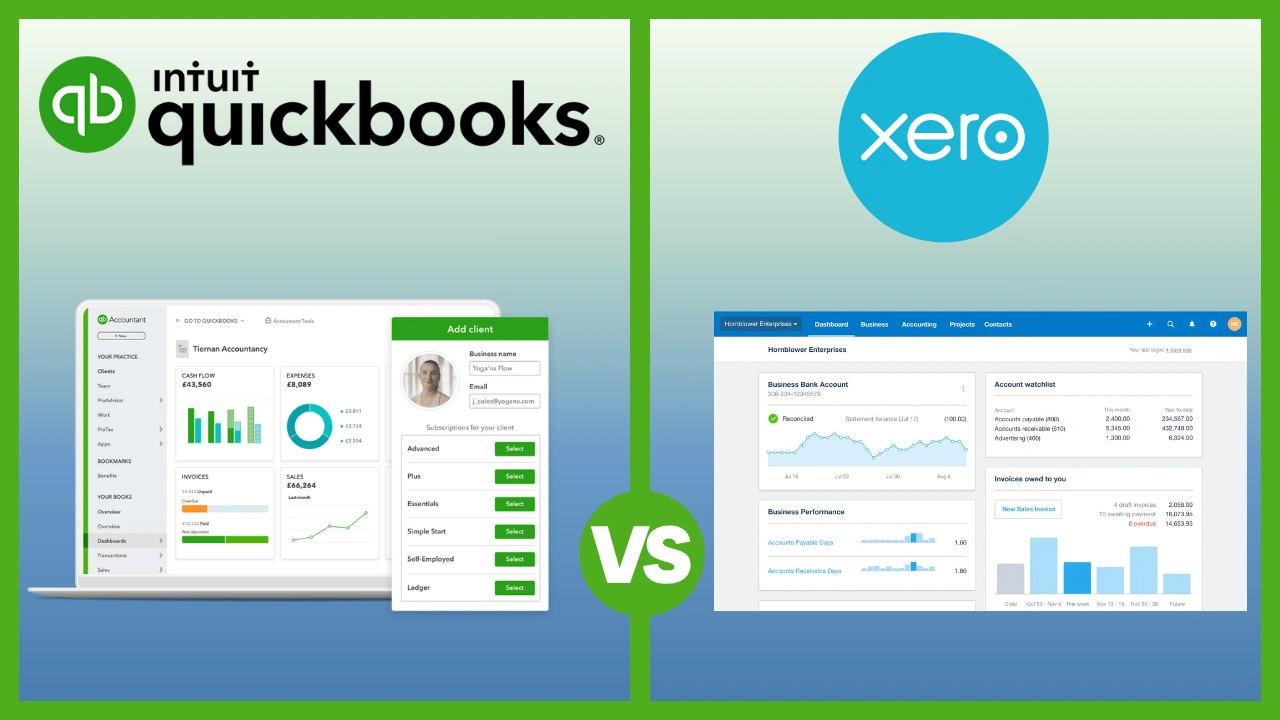
The cost of entry is the biggest hurdle. While some tools offer Free Accounting Software, QuickBooks requires a significant monthly subscription once promos end. If you find it too complex, you might prefer a direct QuickBooks vs. Xero comparison to see a cleaner UI alternative.
Case Study: 3-Person Online Bakery
A small bakery with 3 employees was manually tracking flour and sugar costs. They switched to QuickBooks Plus to use the inventory and bill tracking. By connecting their Shopify store, they reduced their weekly admin time from 10 hours to 3.
QuickBooks time: 2 hours.
4. Zoho Books: The Value Specialist
Features
General Features
Tax Preparation
Time-Saving Automations
Add-Ons
Supported Devices
Pros & Cons
Pros
Cons
Zoho Books is the hidden gem for micro-businesses. If you make less than $50,000 a year, it is completely free. Even their paid plans are highly competitive and offer high-end automation like “if-this-then-that” rules for your expenses.
- Real-Life Capability: “Workflow Rules.” You can tell the software: “If a client hasn’t paid in 5 days, automatically send them a polite email and CC me.” It acts like a virtual assistant.
- Unique Strength: Integration with the Zoho Suite. If you use Zoho for your emails or CRM, the data flows perfectly between them.
- Who it’s for: Small teams that want high-end automation on a budget.
Where Zoho Books Actually Shines for Small Teams
Zoho Books shines for the “efficient” owner. The client portal is a standout feature for micro businesses; it makes you look like a much larger company by giving clients a professional place to manage their own accounts. For a 2-person team, the workflow engine handles complex approval processes (e.g., an assistant enters an expense, owner approves it) effortlessly.
Where Zoho Books Falls Short
The biggest downside is the “Zoho island.” While it works perfectly with other Zoho tools, connecting it to a non-Zoho CRM or specialized inventory app can be frustrating. The interface is functional but can feel “data-heavy” compared to sleek designs like FreshBooks.
Case Study: Solo Photography Business
A solo wedding photographer with $45k turnover was tired of manual payment follow-ups. They chose the Zoho Books Free plan and set up an automated workflow: signing a contract triggers a deposit invoice automatically.
Zoho Books setup time: 1.5 hours.
5. Sage: The Accountant’s Choice
Features
General Features
Track Expenses
Tax Preparation
Time-Saving Automations
Add-Ons
Supported Devices
Pros & Cons
Pros
Cons
Sage is the veteran player that has modernized aggressively for 2026. While QuickBooks charges nearly $100 for inventory, Sage includes solid stock management in its $25 “Accounting” plan. This makes it the clear winner for a micro-manufacturer or a small shop owner who needs to track raw materials on a budget.
The new “Sage Copilot” acts as a 24/7 financial advisor, flagging anomalies in your spending and suggesting tax-saving maneuvers before the quarter ends.
- Real-Life Capability: Rock-solid Audit Trails. If you ever get audited by the tax authorities, Sage makes it easy to prove every single transaction. It is designed to be “unbreakable” from a financial logic perspective.
- Unique Strength: Multi-departmental tracking. If you run a small business with different locations or “departments,” Sage helps you see which one is making money and which one is losing it.
- Who it’s for: Established micro-businesses that want to be 100% compliant and professional.
Where Sage Actually Shines for Small Teams
Sage shines for the “hands-on” owner who sells physical products. If you run a small workshop or a local shop, having inventory management that actually works at a $25 price point is a huge win. The software helps you track who you owe money to and when, while the cash flow projection widget gives you a visual warning of shortfalls.
Where Sage Falls Short
If your business relies on a wide variety of third-party tools, Sage might feel restrictive. It lacks the massive app marketplace of Xero and does not integrate with as many external payroll options, forcing you to use Sage’s native tools which can be less flexible.
Case Study: 2-Person E-commerce Shop
A 2-person team selling handmade furniture needed to track wood and hardware costs. They switched to Sage Accounting ($25). By using the inventory tool, they identified that their shipping costs were eating 15% more margin than expected.
Sage setup time: 2 hours.
Conclusion
The best accounting software for your small or micro business isn’t the one with the most features; it’s the one that matches your business type, your budget, and your growth plan.
For the majority of solo service providers, FreshBooks is the right call for its simplicity and client-focused design. As you grow or if you sell products, QuickBooks or Xero provide the power you’ll eventually need to manage complex sales channels.
The most important thing is to move away from spreadsheets and start using a system that gives you real visibility into your profit. Stop waiting for the “perfect” system and pick the one that fits your current workflow.
FAQ
What is the best accounting software for a very small business?
FreshBooks and Zoho Books are the top recommendations. FreshBooks is the most user-friendly for solo operators who bill for time, while Zoho Books offers a completely free plan for businesses with annual revenue under $50,000.
How much does accounting software cost for a small business?
In 2026, expect to pay between $10 and $35 per month for a basic micro-business plan. Sage starts at $10, while premium leaders like QuickBooks and Xero start around $30/month. Payroll usually adds another $40/month plus $6 per employee.
Can I use accounting software on my phone?
Yes. All major providers in this guide offer robust mobile apps for iOS and Android. These apps allow you to capture receipts, send invoices on the fly, and even track business mileage automatically using GPS.
What is the best free accounting software?
Zoho Books currently offers the best free plan, providing a “Forever Free” plan that includes bank feeds and unlimited invoicing for businesses making under $50k/year. Wave is another popular free option specifically for invoicing.
How long does it take to set up micro business accounting software?
Basic setup usually takes 30 to 60 minutes. This includes connecting your bank account, customizing your invoice template, and inviting your accountant. Migrating historical data can add another 2-3 hours.
Can I switch accounting software later without losing data?
Yes, but it requires effort. All platforms allow you to export your data (invoices, expenses, contacts) as CSV files, but specific project structures and custom templates usually do not transfer and must be recreated.
Do I need an accountant if I use this software?
While the software automates bookkeeping, an accountant is still valuable for tax strategy and audits. Most of these tools offer a free “accountant seat” so your CPA can log in and pull reports themselves.