
Gemini Review 2026: Pros, Cons, and Pricing

Gemini AI AI Tools Plans & Pricing

Gemini AI Comparison
Expert Review
Pros

Cons

Gemini AI AI Tools's Offerings
The Google Gemini AI pricing makes the tool available for both private users and businesses, and different plans are available depending on the user’s needs and requirements.
Users can also choose a free plan. However, it’s not even close to what paid plans offer. With a free plan, users get access to the basic features, and it’s a great way to get acquainted with the tool and its basic capabilities. Education plans are also available, supporting personalized learning, educational resources, and study tools for students and educators.
A paid subscription opens up a variety of possibilities and gives users access to features not available on the free plan. Certain advanced features, such as Google AI Ultra, are only available to qualifying Google Workspace business and education customers.
Gemini Alternatives

Free
Pros
- Many features available in the free plan
- Integration with other Google apps
- Capable of writing in multiple languages for global reach
Cons
- Occasionally misinterprets the context or the nuances of the task
- Privacy concerns

Free
Pros
- User-friendly interface and AI-powered assistance
- Seamlessly integrates with Canva’s design tools
- Over a dozen different useful AI tools
Cons
- May require a subscription to access all its features
- AI-generated content might not always be perfectly accurate

Free
Pros
- Both AI writing tool and ChatBot provide high-quality content generation
- AI writing tool provides customization options
- Provides a wide range of templates for various content need
Cons
- Some advanced features require learning and practicing for new users
- Slow and glitchy UI and unresponsive at times
What is Gemini AI
Google Gemini is redefining what it means to have an AI assistant at your fingertips. As a next-generation AI, Gemini is designed to be both personal and proactive, helping users navigate daily life with greater ease and creativity. Whether you’re drafting a story, solving a tricky problem, or generating stunning images, Gemini excels at making complex tasks feel effortless.
One of Gemini’s standout features is its seamless integration with your favorite Google apps, including Google Search, Google Maps, and Gmail. This means you can plan trips, find the fastest path to your destination, or pull up relevant details from your inbox—all without leaving the Gemini interface. The AI assistant is available on iPhone and iPad, making it accessible wherever you go.
Gemini Live takes the experience even further, allowing users to brainstorm ideas, rehearse key moments, and simplify complex topics in real-time. Whether you’re preparing for a big presentation or just need to break down a challenging concept, Gemini is there to help. Its powerful image generation capabilities enable you to create stunning visuals that complement your creative writing or enhance your projects.
From planning your next adventure to tackling strategic planning at work, Gemini is a powerful tool that adapts to your needs. Its ability to streamline workflows, generate creative content, and provide actionable insights makes it an indispensable companion for anyone looking to make the most of their daily life.
Customer Support
Since the Gemini AI chatbot is Google’s product, its customer support system is very well thought out. One specific aspect of Gemini’s customer support system is that the number of options depends on the user’s subscription plan. Users with a free plan have the fewest customer support options, while Enterprise clients have the most options and get support faster.
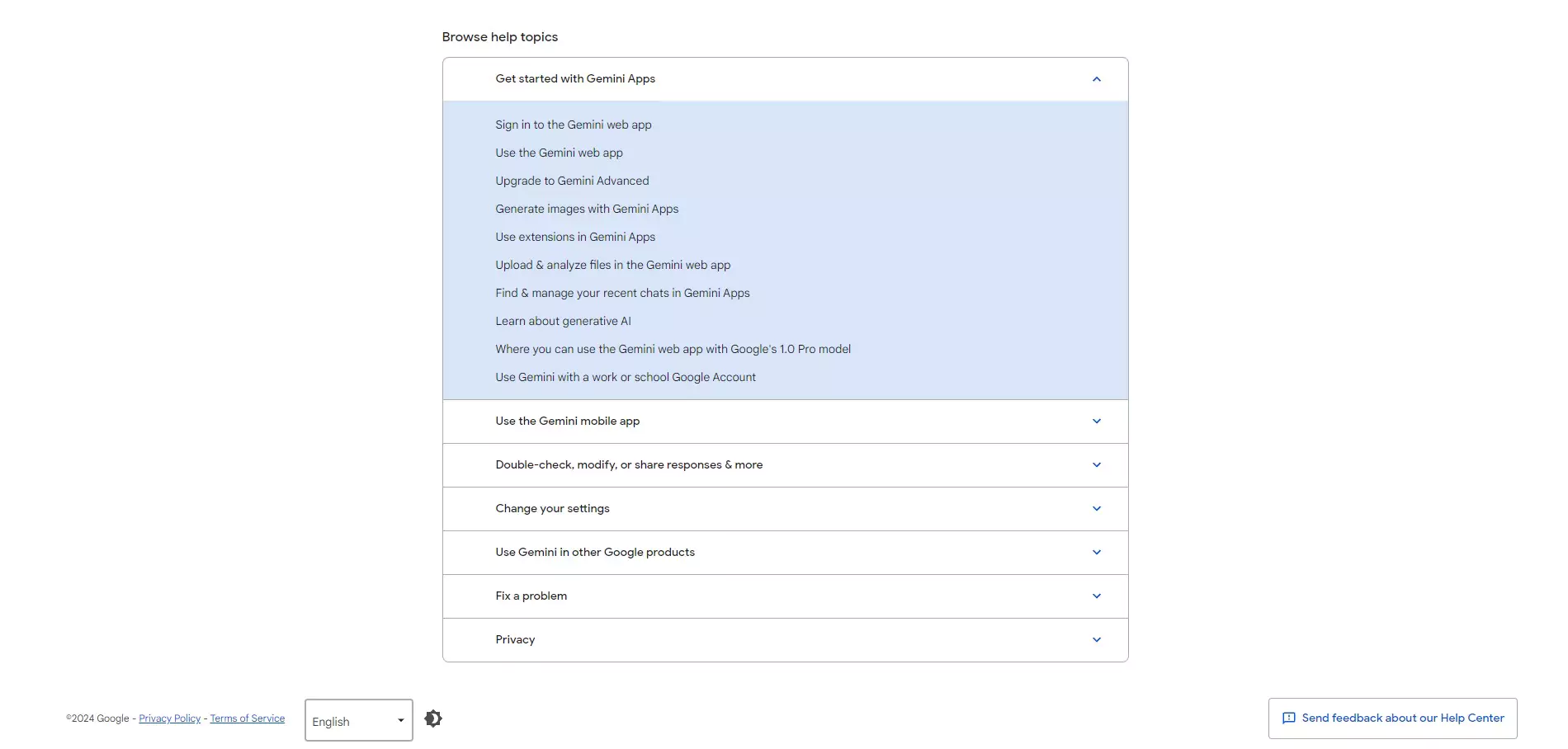
Even though a few customer support options are only available for enterprise clients, users can usually find answers within Google’s help center. Numerous blog posts, FAQs, and other resources provide a wide variety of information. This way, users get help in starting with Gemini, writing prompts, and incorporating the Gemini tool with other apps.
Features & Functionality
Writing Features
A great thing about Google Gemini is the fact that it’s not a single-function AI tool. It includes a few different features and functionalities that provide value to its users. Even with a number of features available at the moment, Google plans to upgrade Gemini with additional features and functionalities over time.
Content Writing
Here are some of the content writing features you’ll find:
- AI-driven content generation
- Semantic understanding
- Tone and style adaptation
- SEO enhancement tools
- Language translation
- Real-time collaboration
- Content personalization
- Multimodal content capabilities
- Automated summarization
- Plagiarism detection
AI-driven content generation
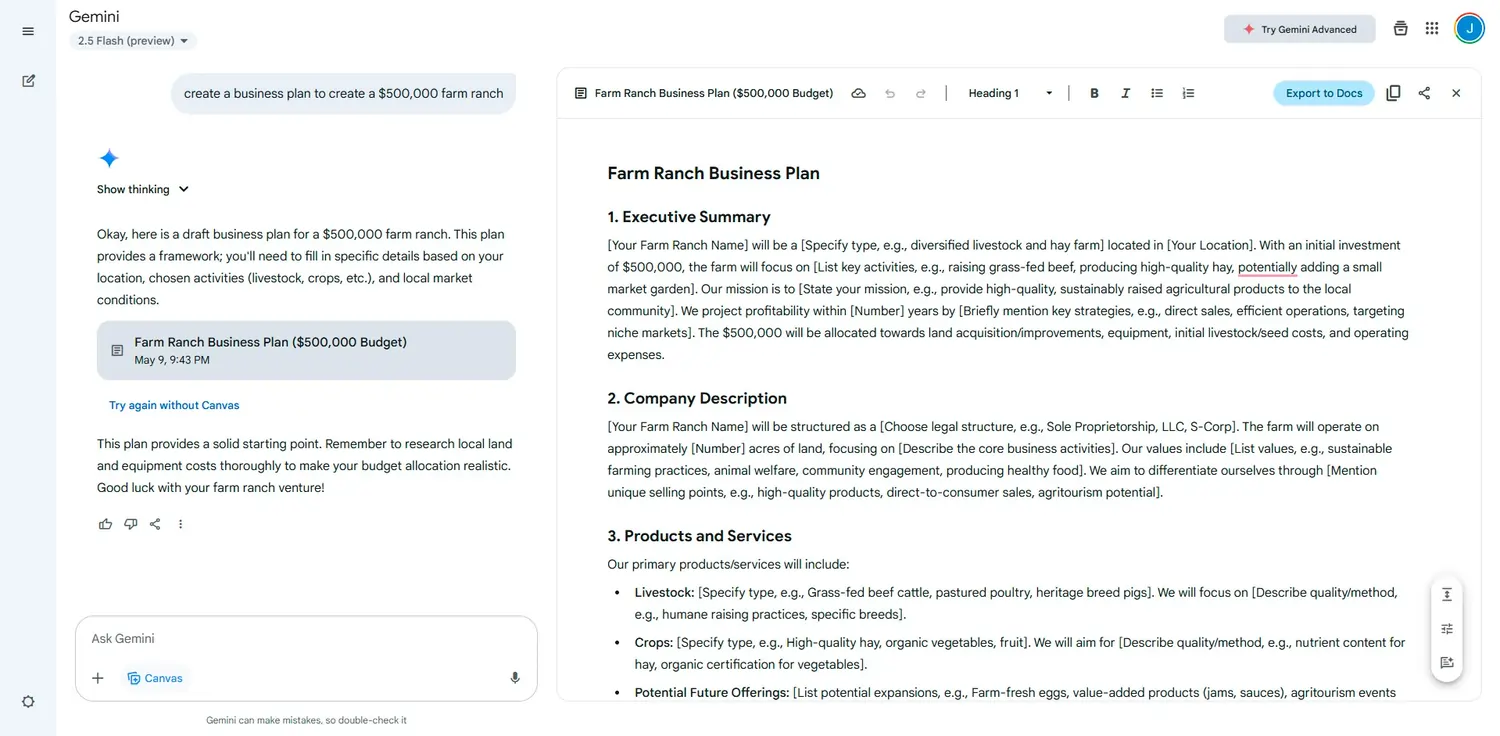
The Gemini AI tool is often used for content writing, whether blog posts, articles, social media posts, or anything in between. However, better results can be achieved when users have conversations with Gemini.
Aside from writing content from scratch, the Gemini AI tool can also be used as a writing assistant. This means that users can generate ideas, and content structures, or even evaluate already written content. This is particularly important for writers who want to cover all aspects and go in-depth about a certain topic.
Once the user types in a prompt, Gemini will return the result within seconds!
Users have also asked Gemini a variety of questions and prompts to evaluate its response quality and capabilities, testing how well it handles different topics and tasks.
Real-time collaboration
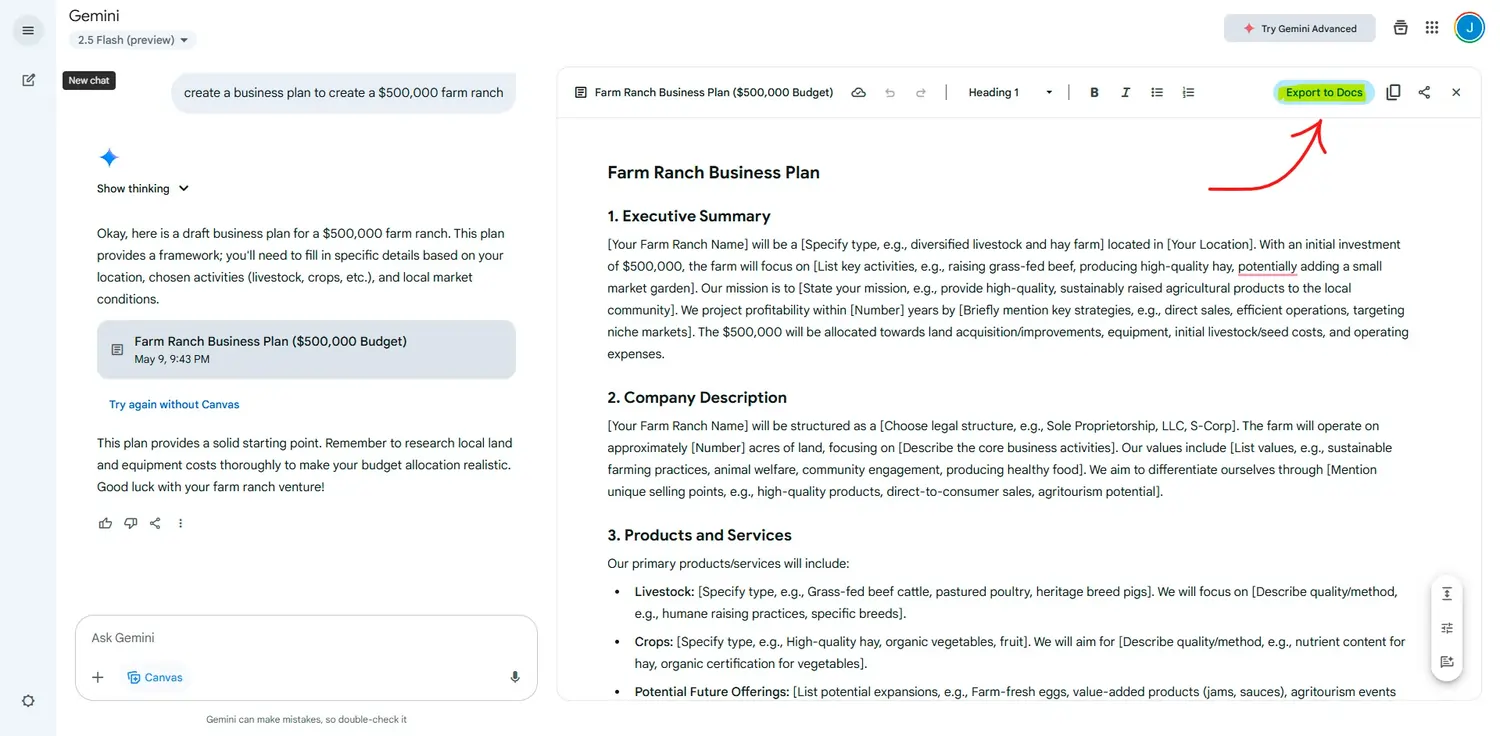
Although users can’t collaborate in real-time within the Gemini platform, they can collaborate within Google Docs, which Gemini can easily integrate into.
Tone and style adaptation
Giving specific instructions within prompts, the AI tool will return AI-generated content that follows these instructions. This feature provides huge value for brands with a built brand voice and who want to publish content that follows the same style and tone.
Language Translation
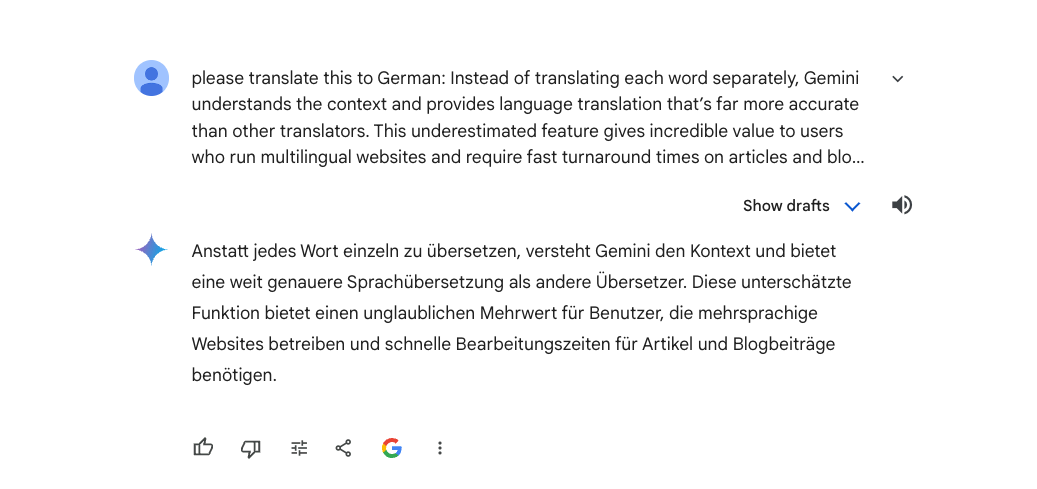
Instead of translating each word separately, Gemini understands the context and provides language translation that’s far more accurate than other translators. This underestimated feature gives incredible value to users who run multilingual websites and require fast turnaround times on articles and blog posts.
Automated summarization
Summarizing text gives users the possibility to understand complex and long blocks of text, and fast. This feature can also be used for generating new content, repurposing old content, and search engine optimization.
Multimodal Reasoning Within The Chatbot
Gemini AI supports a diverse array of formats including text, images, audio, video, and code.
Initially, AI chatbots could only process typed queries or tasks, but Gemini now accepts a wide range of inputs. This flexibility significantly broadens the ways users can interact with this AI-powered tool. Beyond just handling text, Gemini’s multimodal capabilities allow users to upload various media types for interaction, enhancing the tool’s utility. However, unlike some competitors that support uploading and analyzing multiple images in a single message, Gemini currently allows users to upload only one image per message, which can impact tasks requiring analysis of multiple images. It’s not just about improved content creation; Gemini can also analyze extensive media content, summarize detailed information, and perform numerous other functions.
Integration With Google Tools
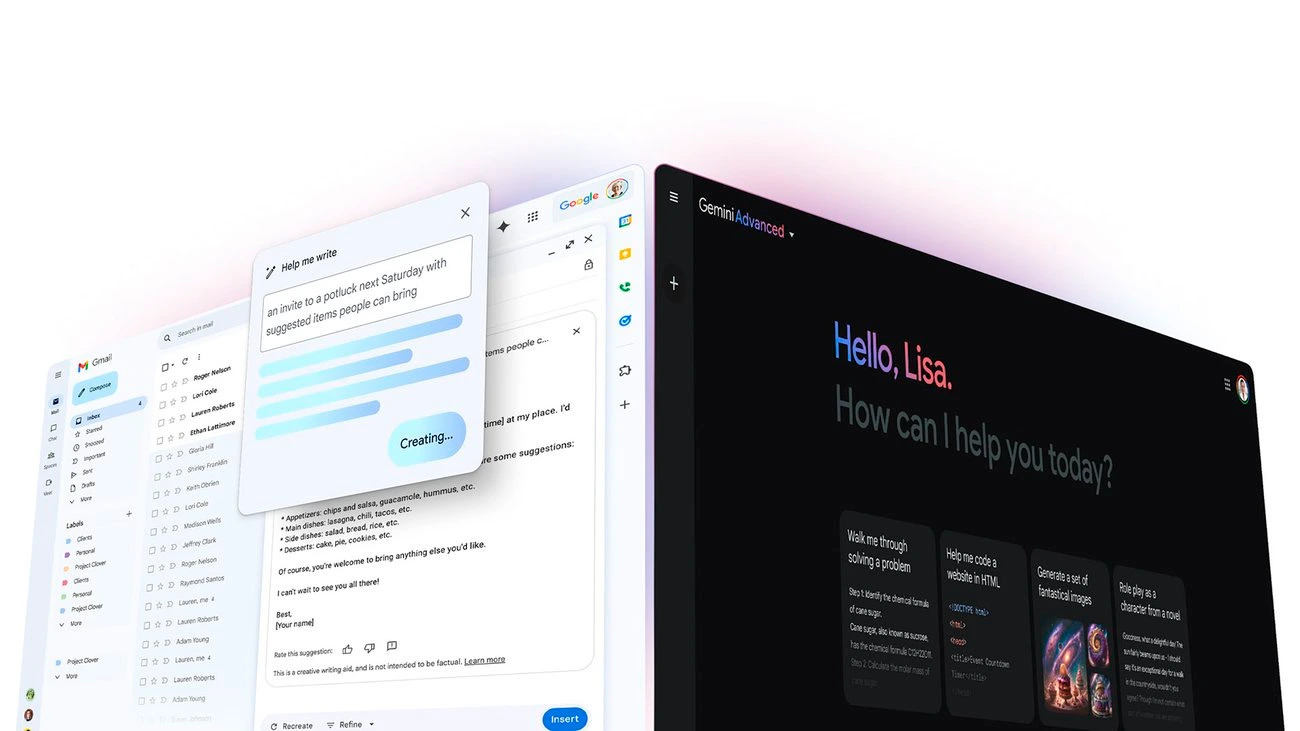
One of the key features of the Gemini AI tool is the fact that it can be easily integrated into a number of Google services, including Gmail, Docs, Sheets, Maps, and even YouTube. Gemini enhances a wide range of Google products, such as Gmail, Calendar, Docs, and Sheets, by adding AI-powered functionalities that streamline tasks and boost productivity.
Being able to use the Gemini tool within these services allows users to be significantly more productive and creative. Integration with different Google apps gives users the ability to retrieve very specific information and get recommendations based on specifics that the apps can’t do on their own. For example, users can get recommendations for restaurants within a specific distance that serve specific dishes and are rated with 4.5 stars or higher. Using the Google Maps app without Gemini wouldn’t give users such a specific result. Additionally, Gemini’s Google Search integration allows users to access real-time information and up-to-date knowledge directly within the platform, ensuring factual accuracy and current data.
There are countless other examples of how Gemini can help streamline different processes within Google services. This is probably one of the most underrated Gemini features, but it’s safe to say that it’ll show its true potential in the near future.
Video Editing Features
One of the most significant additions lately is Veo 3 / Veo 3.1 — a video generation model integrated into the Gemini ecosystem and accessible through Gemini Apps / API. This opens video creation to people who may not have video-editing or animation skills.
Important details:
- With Veo 3.1 you can create short, high-quality videos (8 seconds) from a plain text prompt or from an image + prompt. Gemini transforms your input into motion + visuals + native audio (ambient sounds, speech, etc).
- Videos can be 720p or 1080p depending on settings.
- Veo 3 supports both text-to-video and image-to-video workflows, giving flexibility: you can describe a scene or start from a photo.
- There is support for extension of previously generated videos, specifying first/last frames (for smooth transitions), and generating content in cinematic style.
- For developers or creative agencies — Veo 3 + Gemini API allows integrating these video-creation capabilities programmatically into workflows or tools.
For SMB use — you could, for example, generate short promo videos, social media clips, product teasers, animated ads — without needing a video team or expensive software.
Other tasks: video understanding, audio, multimodal workflows
Gemini 3 isn’t just about creating content. It can also understand and analyze media:
- If you feed it a video, it can process both visual and audio streams and generate descriptions of what is happening — useful for content summarization, accessibility (captions), indexing, metadata generation, etc.
- It can parse documents (PDFs), images, code, data charts — making it suitable for research, summarization, data extraction, and structured output.
All of this makes Gemini 3 a very powerful Swiss-army knife AI — one tool that can handle writing, media creation, coding, analysis, and content automation. Real-world examples include using Gemini’s multimodal capabilities to summarize meeting recordings, extract key data from complex documents, or generate interactive visuals to clarify difficult concepts.
Image Generating Features
Visual content generation (images)
While Gemini 3 itself handles reasoning and multimodal inputs, for image generation/editing the suite typically uses a dedicated model built on Gemini foundations: Nano Banana Pro. This model has become part of the Gemini ecosystem, offering strong AI-driven image creation and editing.
Key image features:
- Text-to-image generation, image editing, object fusion, background changes, style adjustments.
- “Subject consistency”: the same person/item or style can be retained across revisions or different prompts — helpful when you need consistent branding, recurring characters, or brand visuals.
- Combines “world knowledge” (context-aware edits) — you can make context-aware changes to images (e.g. change season, change lighting, background environment) in a realistic way.
- For branding or commercial visuals — you can produce polished images without hiring a graphic designer, reduce costs, speed up content creation.
Because of this, Gemini 3 + Nano Banana Pro becomes a powerful tool for small businesses needing regular visuals — for social media, marketing, ads, product mockups, etc.
AI Image Generation
You can also enhance your written content with customized images, which is great for the user experience as well as SEO results.
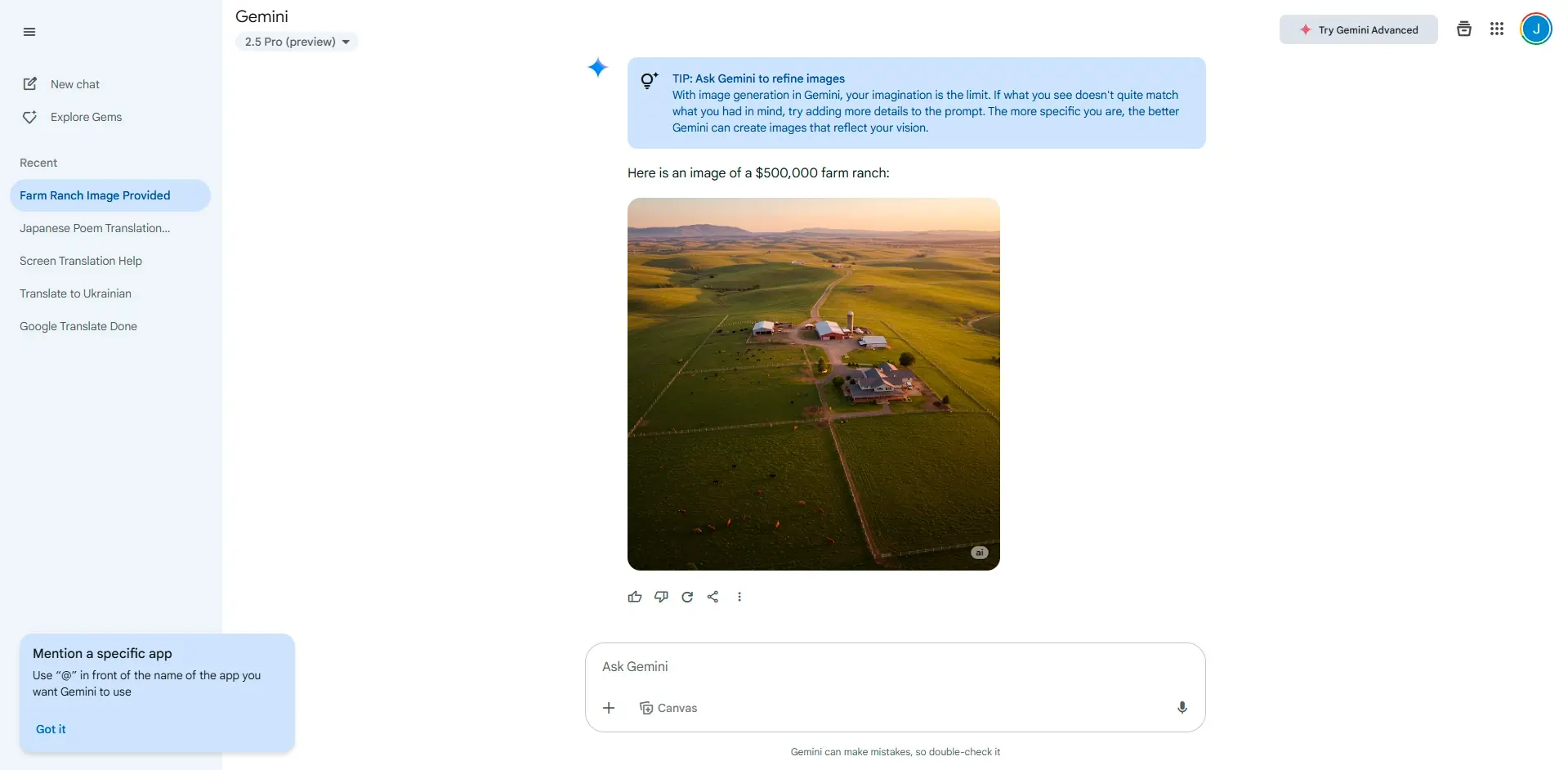
Here are some of the features and capabilities of Gemini’s AI image-generation tool:
Core Features
Gemini offers a variety of image generation features, including text-to-image conversion, customizable styles and themes, high-resolution outputs, and real-time modifications. Users can manipulate objects within images, create and edit scenes, emulate artistic styles, convert image formats, and process images in batches.
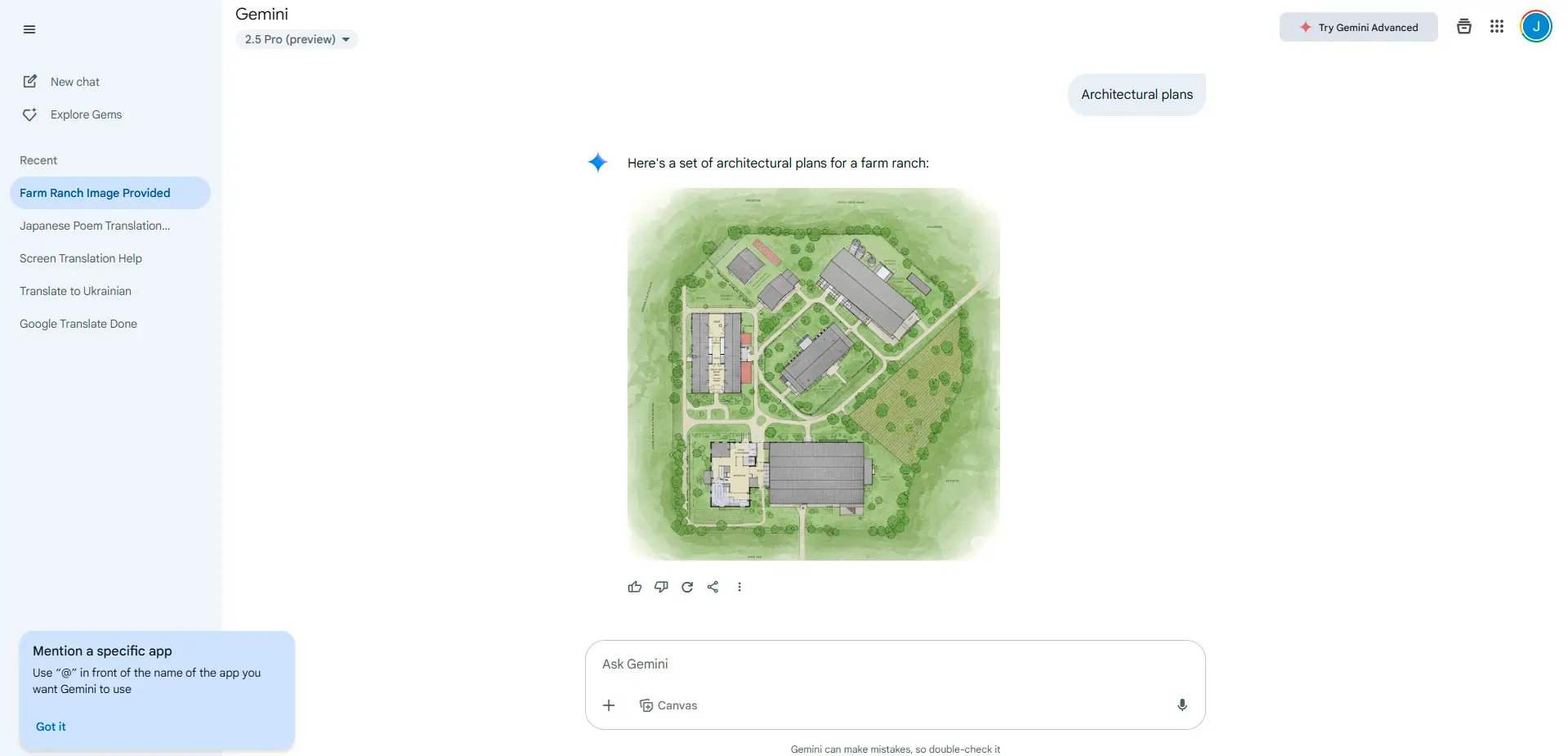
Seamless Integration
It integrates smoothly with various creative software suites, enhancing workflow efficiency.
Efficient and Realistic Image Creation
The AI image generation tool within Gemini allows users to input prompts and quickly generate accurate and realistic images, streamlining the content creation process.
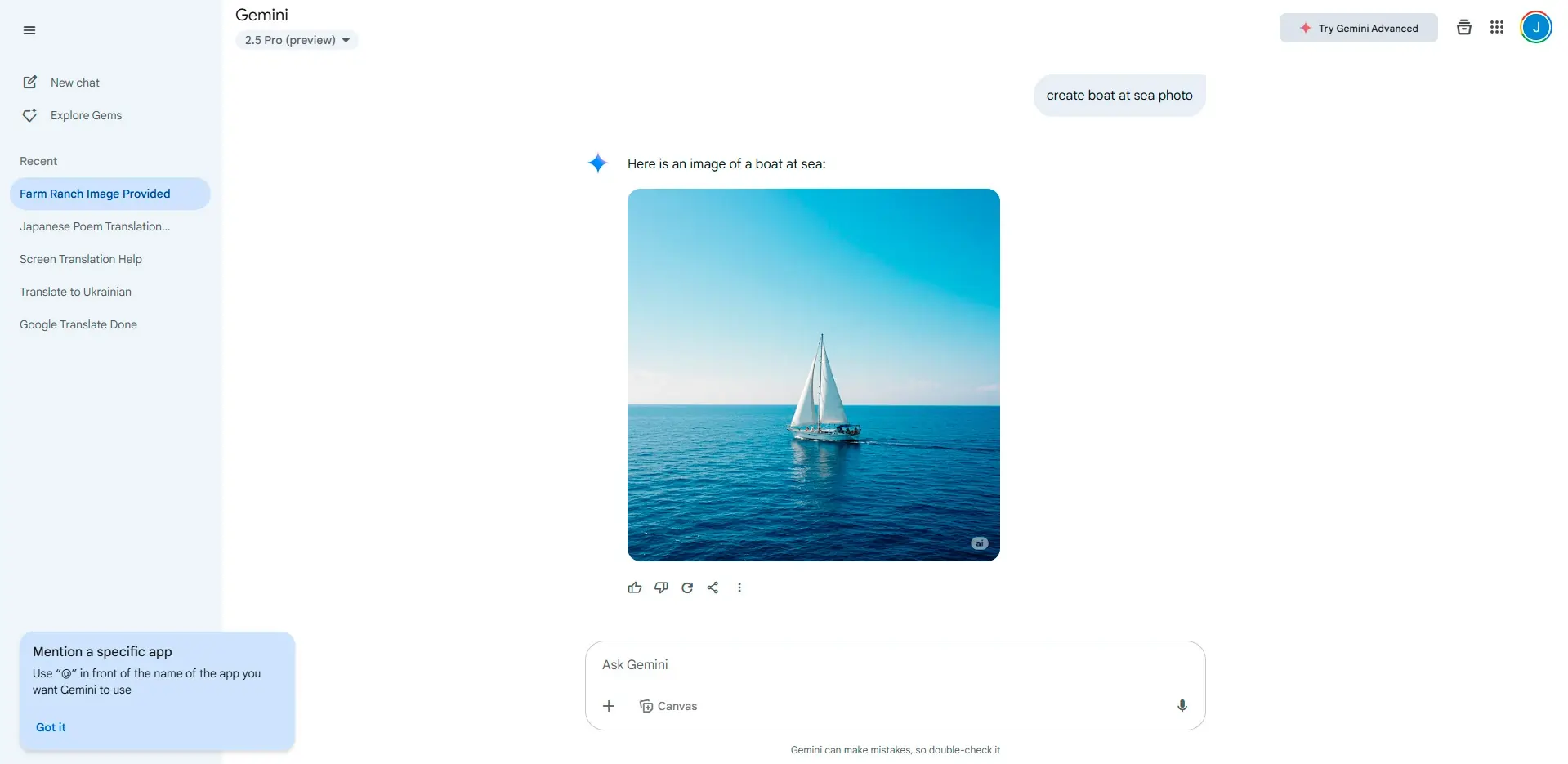
User-Controlled Customization
Detailed prompts let users specify the image’s format, style, and theme, with the tool providing results in seconds. After generation, images can be regenerated or downloaded based on user needs.
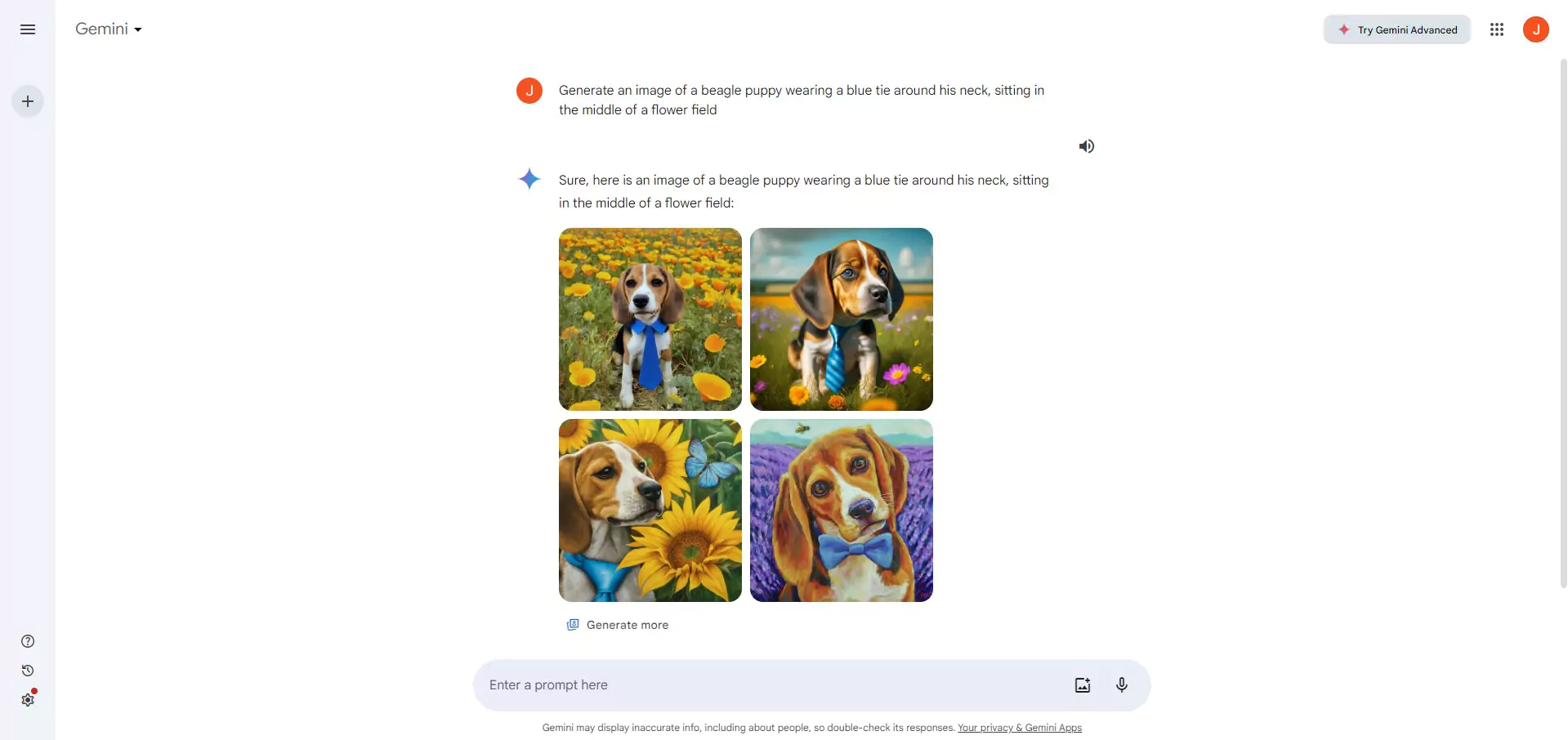
Available on
Accessible on multiple platforms for versatile use.
Performance:
Almost every aspect can put Gemini in the top five list of AI tools. Whether it’s content writing, AI code development, or any other Gemini feature, its performance is truly impressive.
Gemini is also recognized for its high code quality, ensuring accuracy and reliability in AI-generated code for development tasks.
Regarding the accuracy of the Gemini AI writing tool, it’s safe to say that it will return perfectly written content, no matter how complex the topic is. How well the AI tool will understand the user’s tasks depends solely on how clear and detailed the prompt is.
Even when the user “talks” with the AI chatbot, Gemini will keep returning content in the same style and tone of voice until specified differently. Keeping the same tone of voice and style is essential for creating longer content where a single prompt isn’t enough.
Benchmarks and measurable performance
One of the ways to appreciate Gemini 3’s power is by looking at benchmark results (as published by Google).
Here are some highlights:
| Benchmark / Task | Gemini 3 Pro performance/result |
| Multimodal reasoning (MMMU-Pro) | ~ 81.0% |
| Video understanding (Video-MMMU) | ~ 87.6% |
| Scientific knowledge (GPQA Diamond) | ~ 91.9% |
| Agentic coding / live code bench | Elo rating ~2,439 |
| Long-context document handling (up to 1M tokens) | Supported — significantly beyond typical LLM context windows |
Gemini consistently does a fantastic job across a wide range of benchmark tasks, delivering impressive results in both reasoning and content generation.
These results demonstrate that Gemini 3 isn’t just a “jack-of-all-trades but master of none”. In many tasks it matches or exceeds specialized models. For SMBs, this means you can rely on it for serious, production-ready outputs, not just experiments.
Ease Of Use:
Using the Gemini AI writing tool is very simple, even for users who have never used an AI chatbot. Creating an account can be done by simply connecting a Google account to the Gemini tool. By default, users get the free subscription plan, but upgrading doesn’t take more than a few minutes.
The Gemini app experience is designed to be intuitive, allowing users to easily access features, switch between plans, and integrate with other Google services.
Once the user has an account, a simple prompt in the browser is all it takes to start using the tool. For simple content writing or AI code development, users can type in prompts with no previous experience. However, for the best results, it’s recommended to check out some of the guides provided in the Google Gemini resources. This can significantly improve the outcome of the used prompts.
Uniqueness:
What is Gemini 3 – overview and technical base
- Gemini is a family of generative AI models developed by Google DeepMind, designed from the start as multimodal. That means unlike older LLMs that only understood text, Gemini can process and output across text, images, audio, video, and code.
- The version “3” (released November 18, 2025) represents a major advance over previous versions (Gemini 2.5, Gemini 2.0 etc.). As per Google, Gemini 3 sets a new bar for performance in reasoning, multimodal understanding, and execution of complex tasks.
- Under the hood, Gemini 3 Pro (the main release) is built on a transformer architecture capable of handling very large context windows — up to 1,000,000 tokens of input and up to ~64,000 tokens output. This allows it to handle very long documents, codebases, or multimodal content (text + images + code + more) in a single request.
- Beyond just static generation, Gemini 3 supports “agentic workflows” and advanced tool-calling: that means it can be used to automate workflows, run code, call APIs, and build complex outputs (webpages, interactive tools, prototypes) — not just static text or images. Gemini 3 also introduces an agent mode, enabling advanced multi-step task automation and integration with various apps and services.
- Training data: The model was trained on a wide mix of publicly available and proprietary data: text, images, audio, video, code. That gives it a broad base of general knowledge and media fluency.
In summary: Gemini 3 is not just a “better ChatGPT”. It is a unified multimodal AI — capable of reasoning, content creation, media generation, coding, and complex workflows.
What’s new in Gemini 3 (late 2025 updates)
Because the model is brand new, there are a few important updates and improvements compared to previous Gemini versions — these matter especially for businesses considering using it now.
- Official release of Gemini 3 Pro (and preview of “Deep Think” variant) on November 18, 2025. This replaces older versions like Gemini 2.5.
- Broad availability: Gemini 3 is accessible via multiple platforms: web (Gemini App), Google AI Studio, Vertex AI, CLI, even third-party IDEs and integrations (e.g. JetBrains, Replit, Cursor, etc.) — making it much easier to integrate into workflows.
- Video generation improvements: The video model in Gemini ecosystem has been upgraded to Veo 3.1, available to Google AI Pro or Ultra users. This brings higher-quality video, native audio, and broader flexibility (text-to-video, image-to-video, first/last-frame specification, extension of existing videos).
- For content generation workflows: improvements in reasoning, context window length, multimodal fusion, and tool support (e.g. code execution, structured output). This elevates Gemini 3 from just “creative toy” to “workhorse for serious tasks.”
Enabling Gemini through upgrades and integrations unlocks powerful new features and enhances user capabilities, providing a seamless and advanced experience.
These updates make Gemini 3 significantly more useful and accessible — particularly for businesses, creative work, and production workflows.
Strengths for small and mid-sized businesses
From the perspective of a small or mid-sized business owner (e.g. running a shop, a marketing agency, a creative agency, a content shop), Gemini 3 offers a number of practical advantages:
- Unified tool for content and media — Instead of juggling separate tools (text editor, image editor, video editor, design software, code editor), you get one system that handles all. Saves cost, time, and complexity.
- Speed and cost-efficiency — You can generate blog posts, social media visuals, short promo videos quickly without hiring dedicated designers or video editors. Useful for lean teams.
- Scalability — Because the model handles long-form content, batch media generation, structured outputs, and even code, you can scale content marketing, product listings, promos, etc. with limited human resources.
- Flexibility across media & content types — Need a promotional video? Or a product image? Or a technical spec sheet with diagrams? Or a landing page prototype? Gemini 3 + Nano Banana + Veo 3 covers all.
- Automation & workflow integration — With API, coding support, and tool calls, Gemini 3 can fit into your internal workflows, CMS systems, content pipelines. That’s huge for businesses aiming to streamline repetitive content tasks.
SMBs can also benefit from Gemini Advanced, which offers enhanced performance and additional features compared to standard plans.
In short: Gemini 3 lowers the barrier for producing professional-grade content (text, images, video, code) — making it accessible to smaller teams without big budgets.
Limitations and considerations
No tool is perfect. Here are some of the important limitations and caveats of Gemini 3 as of now:
- Video generation length: With Veo 3 / 3.1, video output is still limited — e.g. standard output is ~ 8 seconds. That limits its use for full-length video content.
- Access restrictions: To get video generation (Veo 3.1) you need a paid plan (Google AI Pro or Ultra). For many users, free tiers may not suffice.
- Quality vs professional human work: While images/videos/text are high quality, for high-stakes professional uses — e.g. exacting design requirements, legal/medical documents, or highly specialized creative work — results may still require human review or editing.
- Region / availability constraints: Video generation features may be region-limited depending on where you are; Google periodically rolls out new capabilities.
- Ethical / compliance / authenticity concerns: As with any generative AI, there are risks around copyright, deepfakes, misinformation, brand authenticity, etc. Businesses should be mindful when using AI-generated media publicly — especially in regulated sectors.
- Dependency and maintenance: Relying heavily on an external AI service means you depend on its uptime, pricing changes, API quotas, and policy shifts.
Some users have wanted Gemini to further improve its understanding of real-world logic and accuracy in generating images, videos, and diagrams, hoping for better alignment with real-world physics and context.
For an SMB, these limitations mean that while Gemini 3 can significantly boost capabilities, it’s best used as a productivity/augmentation tool — not necessarily a full replacement for all creative or professional roles.
Use cases and real-world applications
Here are a number of concrete ways SMBs, agencies, and creatives can benefit from Gemini 3 + Nano Banana + Veo:
- Content marketing and blogging: Use Gemini 3 to draft blog posts, marketing copy, product descriptions, long-form content — then polish and publish.
- Social media visuals: Use Nano Banana Pro to generate branded images, product photos, social media posts, infographics.
- Short promos / ads / video content: Use Veo 3.1 to create short promotional clips — for social, ads, announcements, or teasers — without video production cost.
- Product or design mockups: For e-commerce, use Gemini for image generation, mockups, design previews.
- Prototypes & small web apps: Use Gemini’s coding capabilities to generate simple web pages, prototypes, dashboards quickly — useful for MVPs or internal tools.
- Automated workflows: Use Gemini + API to build bots/agents that parse documents, summarize data, generate reports, produce content — automating repetitive tasks.
- Multimedia content for training, education, onboarding: Create combined text + image + video content (tutorials, explainers, training videos) with minimal resources.
- Multilingual marketing & global reach: Because Gemini supports multilingual content, you can produce materials in multiple languages — helpful for businesses targeting diverse audiences.
Gemini’s web search capabilities enable users to access the most recent information and data, making it particularly effective for content creation and research tasks that require up-to-date news and insights.
These use cases demonstrate how Gemini 3 can serve as a force multiplier — particularly for small teams that require high-quality output and variety.
How to access Gemini 3 — licensing, platforms, integration
If you want to start using Gemini 3, here’s how it works now:
- Gemini 3 Pro is available via multiple channels: the Gemini app, web interface; for developers via Gemini API, Google AI Studio, Vertex AI, Gemini CLI, and third-party IDE integrations (JetBrains, Replit, Cursor, etc.)
- For video generation (Veo 3.1) and media features, you need a paid plan: Google AI Pro or Google AI Ultra subscription.
- API pricing (for developers) — token-based billing: for text/code tasks: roughly $2 per 1M input tokens and $12 per 1M output tokens (for typical workloads), but multimodal tasks may vary.
- Because of the large context window, it’s especially useful when you deal with long-form content, large documents, or multimodal workflows.
Gemini Apps Activity allows users to monitor and manage app-specific data usage, providing options to enable or disable activity tracking for enhanced privacy control.
For a small or mid-sized business or a boutique agency — you could start with a paid plan and experiment with content workflows, media generation, prototypes, etc. The flexibility across media and integrations means you can gradually integrate Gemini 3 into your operations.
Comparison with Other AI Models
When it comes to AI models, Google Gemini sets itself apart with a suite of advanced features and flexible plans tailored to different user needs. The Google AI Ultra subscription, for example, offers early access to the newest AI innovations, including the lightning-fast Gemini 2.5 Flash model. This means users benefit from faster, more accurate results, whether they’re generating images, conducting deep research, or producing high-quality video clips.
Even the free version of Gemini impresses with its robust image generation and problem-solving capabilities, making it a strong contender among AI chatbots. However, upgrading to the paid version—available through the Google AI Pro plan—unlocks powerful tools like Deep Research and video generation with Veo 3.1, allowing users to create professional-grade video content and tackle complex tasks with ease.
Gemini’s integration with Google Workspace and Microsoft Designer is a game changer for productivity and strategic planning. Unlike many other AI models, Gemini can seamlessly analyze documents, generate interactive visuals, and support multiple programming languages, making it ideal for both creative and technical projects.
What truly distinguishes Gemini is its ability to handle complex topics, provide relevant details, and deliver stunning images and video clips—all while maintaining a user-friendly experience. With advanced models like Gemini 2.5 and 2.5 Flash, users gain early access to the fastest path for solving complex problems and achieving their goals. Whether you’re a free user exploring image generation or a business leveraging the Ultra plan for strategic planning, Gemini excels as a versatile, innovative, and reliable AI assistant.
Verdict:
The Gemini AI tool is one of the most versatile tools on the market, and it provides incredible value in real-world applications.
The thing about this tool powered by AI is that it can be used not only by individuals and entrepreneurs but also by large-scale enterprises. The pricing of all the subscription plans is very affordable, taking into consideration what the AI tool is able to provide.
Since it’s still in its early stages, some information should be taken with caution, as the previous AI tool from Google had issues providing its users with false information. On the other hand, the tool is constantly evolving, learning, and implementing new features. The faster users get a hold of the tool — the easier it will be in the long run to get acquainted with new features and possibilities.
This Google Gemini review provides a comprehensive look at the platform’s features, performance, and value for users.
Real-world challenges, risks and recommendations
Before jumping in, here are some of the real-world risks or pitfalls you should consider — and how to mitigate them:
- Quality vs control: AI outputs can be impressive — but they might need human review, especially for branding, legal, compliance, or high-stakes content. Always review and polish before public release.
- Over-reliance on AI workflows: While AI can speed up content/media generation — relying solely on it can lead to homogenized content, loss of unique creative voice — keep human creativity in the loop.
- Copyright, trademarks, authenticity: Generated images, videos or texts might unintentionally mirror existing content — best practice: treat as first draft, vet carefully, ensure no infringement.
- Data security & privacy: If you feed sensitive data (customer info, private docs) into AI — ensure compliance, privacy policies, and data governance are considered.
- API and subscription costs: Using AI heavily (many tokens, many media generations) can get costly. Monitor usage. Use efficient prompts; batch tasks; combine AI output with manual work.
- Regulation / ethics / disclosure: In some contexts (ads, marketing, media) you may need to disclose that content is AI-generated — and ensure transparency with customers.
Additionally, review the Gemini Apps Privacy Notice to understand how your data is handled when using Gemini apps, ensuring transparency and compliance.
For business owners: treat Gemini 3 as a powerful assistant — but not a magic bullet. Use it to boost capacity, not substitute all human work.
Google Gemini FAQ
Q: Can Gemini 3 replace my design / content / video team entirely?
A: Not entirely. Gemini 3 is a powerful assistant — it can handle a lot of tasks, but for high-end creative work, nuanced branding, long-form video production, or specialized content, human oversight remains necessary. Use it to streamline work, not replace all creative roles.
Q: What kind of videos can I make with Veo 3.1?
A: Short videos (about 8 seconds), either from a text prompt or from an image + prompt. The videos include visuals and native audio (sound effects, ambience, speech). They are ideal for promos, teasers, social clips, quick animated content.
Q: How much does it cost to use Gemini 3 (API / video)?
A: For text / code tasks via API: roughly $2 per 1M input tokens, $12 per 1M output tokens (standard text workloads). For multimodal / media / video tasks, pricing depends on usage (token + compute + video generation), and you need Google AI Pro or Ultra for media generation.
Q: Is there a limit to how much I can use video generation / image generation?
A: Yes. For media features like video generation (Veo 3.1) — there are quotas depending on your subscription tier (Pro vs Ultra). Free tiers may not have access to video, or they may have daily limits.
Q: What types of input can Gemini 3 accept?
A: Text, images, audio, video, PDFs, and code. You can feed combined inputs (e.g. image + text + PDF) — and Gemini will reason across them. That flexibility is part of what makes it powerful.
 Write a Review