
8 Best ChatGPT Alternatives: For Writing and More

Let’s be honest about ChatGPT: it’s a great tool, but for actual business writing, it is far from perfect. When I write articles or paragraphs with it, half the time it invents non-existent facts, pulls fake statistics, and dumps wordy, mechanical filler that forces me into hours of heavy editing. When you’re running a small business, you look for a ChatGPT alternative for two real reasons: editing fatigue from fixing bad drafts, and cost—because paying $20 to $69 a month for a tool that still requires you to act as a full-time editor makes zero financial sense.
So, what should you do? Start with Perplexity for free to handle live research so you never publish fake facts, use Claude as your primary long-form writer because Projects lock in your authentic voice without mechanical filler, and pair Google Gemini with Grammarly if you want the best zero-cost stack for fast drafting and error-free proofreading. But the right choice depends on whether you're tweaking microcopy, writing 2,000-word blog posts, or trying to rank on Google. Let me walk you through each tool the exact way I use and recommend them.
How We Test
We test these AI writing tools hands-on. Not as software reviewers sitting in a corporate office, but as micro-business operators who actually write, edit, and publish content every single day.
We took 15 leading ChatGPT alternatives through real, multi-week content workflows. We didn't just type basic test prompts into a chat window. We built active project workspaces, uploaded past client emails and brand guidelines, researched technical topics using live web data, drafted 2,000-word guides, and edited social media microcopy directly inside browser extensions.
Our filter is strictly built for small teams and solo founders. We specifically evaluated three core criteria:
- Fact Accuracy: Does the tool invent non-existent statistics or fake facts that require manual verification? (50%)
- Time-to-Publish: How many minutes of manual editing are required before the draft actually sounds human? (35%)
- True Out-of-Pocket Cost: Are there hidden seat floors, mandatory annual commitments, or restrictive usage caps? (15%)
If an AI writer requires you to hire a prompt engineer or pay an outside editor $50 an hour just to clean up its mechanical mess, it doesn't make this list. We only recommend tools that save you actual hours and protect your brand's reputation.
What is a ChatGPT alternative for writing?
A ChatGPT alternative for writing is any AI tool that drafts or edits text, and they split into two groups that cost very different amounts. General assistants like Claude, Gemini and Microsoft Copilot run $4.99 to $20 a month and do roughly what ChatGPT does. Dedicated writing tools like Jasper, Rytr, Anyword, Grammarly and Wordtune run $7.50 to $69, and what you are buying is the wrapper around the writing rather than better writing itself.
Picking the wrong group is the expensive mistake. A general assistant is better value if you write varied things and can prompt well. A dedicated tool only earns its price if you need the wrapper: a locked brand voice, a template a junior can follow, or a plagiarism check before you publish.
What Are The Best ChatGPT Alternatives for Creative and Technical Writing?
For creative writing (microcopy, headlines, social hooks), Wordtune ($9.99/month) is the standout choice for sentence-level rephrasing inside your browser. For technical writing, Claude and Gemini handle long documentation best, while Perplexity provides verified technical citations before drafting.
Which AI is better than ChatGPT for writing?
Claude is the strongest straight replacement for ChatGPT for long-form writing, and it costs $20 a month billed monthly. Anthropic advertises Pro at $17, but that figure requires the annual plan at $200 paid up front, verified on Anthropic's own pricing page on 3 September 2026. The free tier is a permanent plan rather than a trial, and it includes web search and file creation.
The mechanism that matters for writing is Projects, which keeps a style guide and your source documents attached to every chat in that project instead of making you re-paste them. If you are producing 2,000-word articles rather than social captions, that is the difference that shows up in the edit rather than in the demo.
What Claude does not do well is guarantee a specific language - Anthropic publishes 11 interface languages and does not publish a count of the languages Claude writes well in, so test it on your own copy before committing. Google states Gemini covers more than 70 languages, which is the safer choice if you publish outside English.
What is the best ChatGPT alternative for content creation?
For marketing content at volume, Jasper and Anyword are the two purpose-built options, and both cost more than every general assistant here. Jasper is $69 a month billed monthly and $59 on the annual plan. Anyword is $49 monthly and $39 annually. Neither has a free plan, so you cannot try either the way you can try Claude or Gemini.
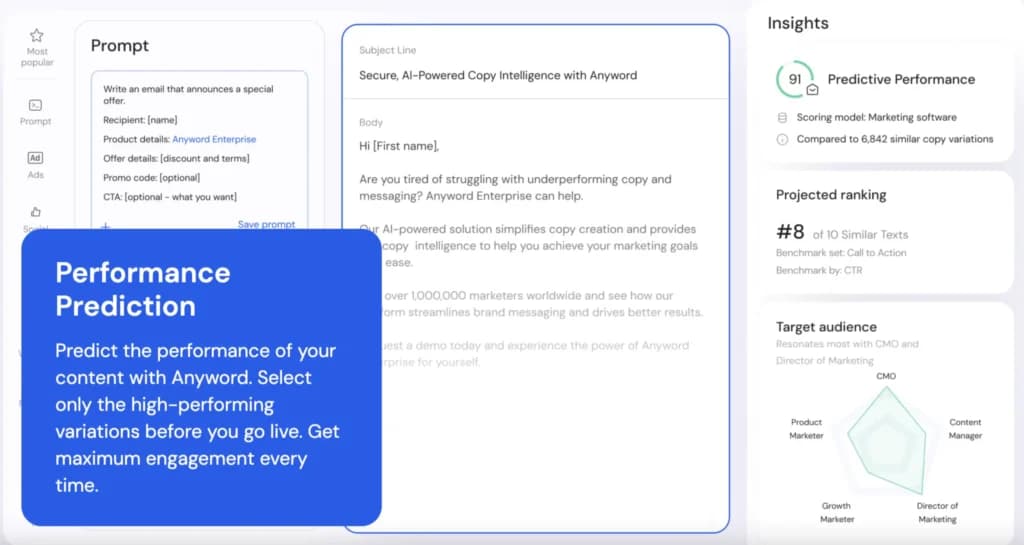
What you get for the money is narrow but real. Jasper's Pro plan includes 2 brand voices and 5 knowledge assets, which is the mechanism behind "on-brand at scale" when a team of non-writers is producing copy. Anyword predicts how a variation will perform before you publish it, and that is the one capability on this page that no general assistant offers at any price.
If you are one person writing your own marketing content, neither is worth it - buy Claude or Gemini and spend the difference on an editor.
Which AI Writing Tool is Better than ChatGPT for Long-Form Articles?
Claude ($20/month) is widely recognized as the best replacement for ChatGPT when writing long-form articles, guides, and newsletters. Anthropic's models write with a natural human cadence, and its Projects feature allows you to permanently attach brand rules and background files so drafts stay consistent without constant prompt engineering.
How Much do ChatGPT Alternatives Actually Cost Per Month?
ChatGPT alternatives range from $0 to $145/month. Free tiers like Gemini, Perplexity, and Claude cost nothing. Individual pro plans (Claude Pro, Perplexity Pro) run $20/month. Microcopy tools like Wordtune cost $9.99/mo, while team marketing tools like Copy.ai start at $29/seat/mo with a 5-seat minimum ($145/mo total outlay).
What is The Best Free AI Writing Tool Available?
The combination of Google Gemini (Free) and Grammarly (Free) offers the best overall zero-cost writing stack. Gemini turns raw thought dumps into formatted drafts across 70+ languages, while Grammarly instantly catches technical typos, spelling errors, and awkward phrasing. Claude and Perplexity also offer permanent free tiers for drafting and research.
Most of these competitors offer free plans with varying features and limitations. Free AI tools like ChatGPT have accessible, versatile options for generating conversational and written content.
Their free versions often provide enough features to suit basic needs, while premium versions unlock more advanced capabilities.
Tool | Best For | Standout Feature | Free Plan Limitations |
|---|---|---|---|
Grammarly | Writing enhancement | Real-time grammar and style correction | Basic corrections. More features in premium |
Rytr | Short-form content | Diverse use cases and multiple tones | 10,000 characters per month |
Copy.ai | Creative content generation | Automates drafts and ideas creation | Limited runs per day in the free version |
Anyword | Performance optimization | Predictive performance scoring | Limited word count |
Gemini AI | Personalized content | Context-aware content creation | Basic features. Premium offers more |
Microsoft Copilot | Code assistance | Generating code snippets and automating tasks | Available with a Microsoft 365 subscription. Limited usage in the free tier |
Jasper AI | Long-form content | Customizable, high-quality content | 7-day free trial with word limitation |
Wordtune | Text rewriting | Multiple rephrasing options | 20 sentences per day |
Top 8 AI Alternatives to ChatGPT
There is a range of other websites like ChatGPT that offer powerful tools for conversational and content generation needs, each with unique features and capabilities to suit diverse requirements. Let’s delve deeper into the top 8 AI platforms like ChatGPT:
Rytr
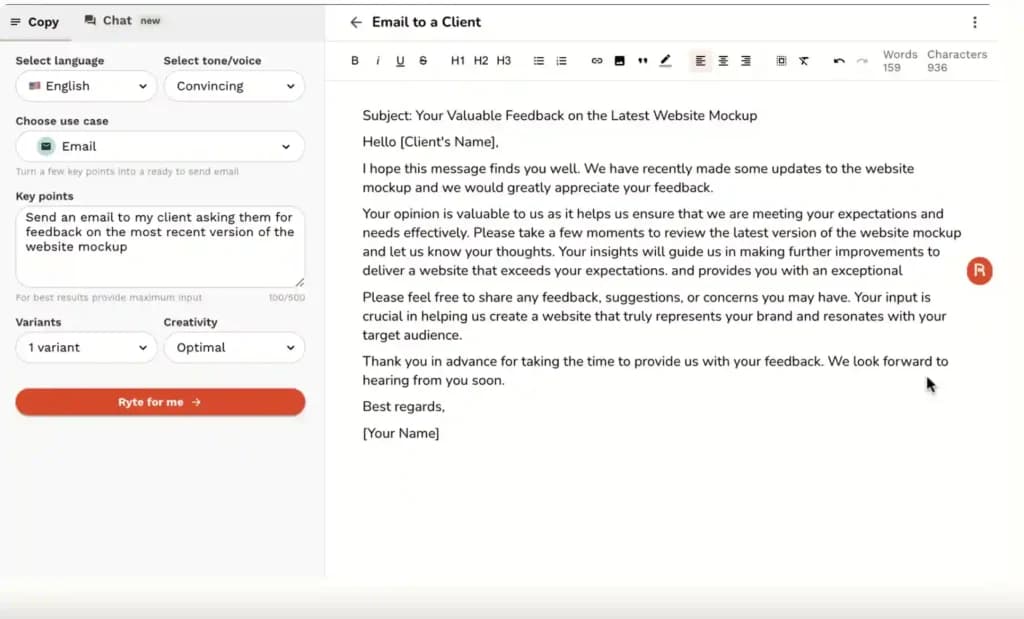
Rytr is an AI writing tool designed to generate a variety of content types, including emails, blog posts, ads, and social media updates. It features a user-friendly interface and supports multiple languages and tones, making it a versatile tool for content creators and marketers.
Rytr also offers an AI chatbot feature designed to answer writing queries and assist with content creation. This feature can be adapted for customer service interactions, making it easier to communicate and provide quick responses to customer inquiries.

Rytr is a Free AI Writer that offers users the ability to generate engaging content across 40+ use cases. It is an AI writing tool designed to enhance productivity with multilingual support, SEO… Read more
Rytr is a Free AI Writer that offers users the ability to generate engaging content across 40+ use cases. It is an AI writing tool designed to enhance productivity with multilingual support, SEO optimization features, and a rich-text editor. With an easy-to-use Chrome extension and a robust text editor, it stands out as a reliable writing assistant for businesses and individuals alike.
Learn more in our full Rytr review.
Pros & Cons
- An intuitive and user-friendly text editor
- Fast and accurate content generator
- Pick between tones of voice and creativity level
- Capable of providing top-quality content for different purposes
- No mobile app yet to use on the go
- The free version has limited content generation.
- It could have more collaborative features for teams
Features
- SEO Optimization
- Plagiarism Check
- Content Personalization
- Multilingual Support
- API Access
- Text Editing and Formatting
- Compliance and Security Measures
Pricing
$7.5
mo/
month
$24.16
mo/
month
Best for: Small businesses and content creators needing a cost-effective, versatile AI writing assistant.
Standout feature: Generates high-quality short-form content quickly and efficiently. It offers over 40 use cases and 20+ tones, allowing for highly customized content creation that aligns with specific business needs.
Free plan: Rytr offers a free plan that allows users to generate up to 10K characters per month, access 40+ use cases, and utilize a built-in plagiarism checker. This makes it an excellent starting point for small businesses and individuals exploring AI-assisted writing.
Features & functionality:
- Supports content generation in over 30 languages.
- Provides a built-in plagiarism checker to ensure originality.
- Includes an AI image generator for creating visual content.
- Offers a rich text editor with a variety of customization options for tone and style.
Pros: User-friendly, versatile, supports multiple languages, includes a plagiarism checker, and affordable pricing plans.
Cons: It may require editing and proofreading for accuracy and is less effective for highly technical or specialized writing tasks.
Ideal for: Small businesses and content creators looking to streamline their content production process with a cost-effective and versatile AI tool.
Rytr vs. ChatGPT for Writing:
Feature | Rytr | ChatGPT |
|---|---|---|
Primary Use Case | Specialized in content generation for marketing | General-purpose AI for various tasks |
Language Support | Over 30 languages | Multiple languages |
Ease of Use | Simple and user-friendly for content creators | Broad usability |
Customization | Custom templates and tones | Highly customizable |
Integration | API for content workflows | API for various platforms |
Output Quality | High-quality short-form content | High-quality text across various applications |
Advanced Features | AI writing assistants, grammar checks, SEO-optimized writing | AI writing assistants, grammar checks |
Performance | Reliable for content creation tasks | Reliable for content creation tasks |
Copy.ai
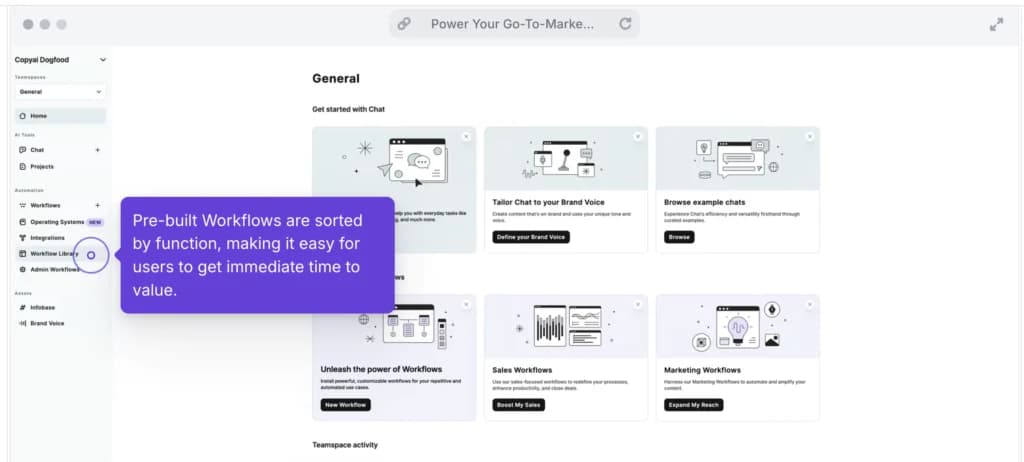
Copy.ai is a versatile AI writing tool designed to generate a wide range of content, from blog posts and social media captions to product descriptions and marketing copy. Built on top of OpenAI’s GPT-3, it offers a user-friendly interface and various templates to streamline the content creation process, making it particularly useful for small businesses and marketers.

Copy.ai is an AI writing tool designed to generate high-quality content for millions of users. This state-of-the-art artificial intelligence software provides content across various niches to… Read more
Copy.ai is an AI writing tool designed to generate high-quality content for millions of users. This state-of-the-art artificial intelligence software provides content across various niches to simplify the content creation process. The AI tool includes features like automated content generation, multilingual support, SEO optimization, plagiarism checks, and tailored templates for emails, social media, and e-commerce, all designed to enhance user productivity and creativity. With its advanced technology, users can now generate creative, relevant, and engaging content.
Learn more in our full Copy Ai review.
Pros & Cons
- Both AI writing tool and ChatBot provide high-quality content generation
- AI writing tool provides customization options
- Provides a wide range of templates for various content need
- Some advanced features require learning and practicing for new users
- Slow and glitchy UI and unresponsive at times
Features
- Grammar and Style Checks
- SEO Optimization
- Collaboration Features
- Content Personalization
- API Access
- Text Editing and Formatting
- Compliance and Security Measures
- Web
Pricing
$0
mo/
month
$49
mo/
month
$249
mo/
month
Best for: Small businesses and marketers looking to create diverse types of content with minimal effort efficiently.
Standout feature: Generates multiple content variations quickly, helping users find the best-performing copy for their needs. Its predictive performance analytics are especially beneficial for optimizing marketing content.
Free plan: Copy.ai offers a free version that includes access to over 90 copywriting tools but limits users to 2,000 words per month. To access unlimited words and additional features, users can opt for the Pro plan.
Features & functionality:
- Generates content for various formats, including blogs, ads, and social media posts.
- Provides customizable templates to tailor content to specific tones and styles.
- Integrates with tools like Google Docs through a Chrome extension for seamless content creation.
- Offers performance prediction to optimize content before publishing.
Pros: User-friendly interface, extensive template library, quick content generation.
Cons: Requires fact-checking to ensure accuracy, can produce awkward content, and long-form content generation can be inconsistent.
Ideal for: Small businesses and marketers who need to produce a large amount of content quickly and efficiently.
Copy.ai vs. ChatGPT:
Feature | Copy.ai | ChatGPT |
|---|---|---|
Primary Use Case | Specialized in content generation for marketing | General-purpose AI for various tasks |
Language Support | Supports over 25 languages | Multiple languages |
Ease of Use | User-friendly for marketers and content creators | Broad usability |
Customization | Limited customization options | Highly customizable |
Integration | API for content workflows | API for various platforms |
Output Quality | High-quality marketing content | High-quality text across various applications |
Advanced Features | AI writing assistants, grammar checks | Fine-tuning, conversational AI, code generation |
Performance | Reliable for marketing content creation | High performance with continuous updates |
Anyword
Anyword is an advanced AI writing platform designed to optimize content for marketing purposes. It excels in predictive performance analytics, which helps marketers create high-performing, on-brand content. This makes Anyword particularly effective for small businesses looking to enhance their marketing strategies with data-driven insights.

Anyword is a powerful AI writing tool designed to optimize content creation for businesses and marketers. It leverages advanced natural language processing to generate high-quality, engaging copy for… Read more
Anyword is a powerful AI writing tool designed to optimize content creation for businesses and marketers. It leverages advanced natural language processing to generate high-quality, engaging copy for ads, blogs, social media, and more. With Anyword, users can streamline their writing process, enhance creativity, and improve the performance of their marketing campaigns.
Learn more in our full Anyword review.
Pros & Cons
- Intuitive user interface with easy navigation.
- High-quality, contextually relevant content generation.
- Extensive customization options for tailored content.
- Fast and efficient performance with minimal delays.
- Phone support is available only for Enterprise plan users.
- Some advanced features may have a learning curve for beginners.
Features
- Grammar and Style Checks
- SEO Optimization
- Plagiarism Check
- Collaboration Features
- Content Personalization
- Multilingual Support
- API Access
- Text Editing and Formatting
- Compliance and Security Measures
- Background Noise Reduction
- Text-to-Video
- Pre-Built Templates
Pricing
$49
mo/
month
$99
mo/
month
$499
mo/
month
Best for: Small businesses seeking data-driven content optimization and marketing performance enhancement.
Standout feature: Predictive performance scoring, allowing businesses to forecast how well their content will perform before it goes live. This feature is invaluable for maximizing engagement and conversion rates across various marketing channels.
Free plan: Anyword offers a free trial that allows users to explore its features. After the trial period, a subscription is required to access the full range of advanced capabilities.
Features & functionality:
- Predictive performance scoring for content optimization.
- Advanced natural language processing to generate compelling, on-brand content.
- Integration with various marketing platforms and tools for seamless content creation.
- Customizable templates for different marketing needs, including ads, social media posts, and emails.
Pros: Detailed predictive analytics, versatile content generation, seamless integration with marketing platforms.
Cons: Subscription required for advanced features, which might be a higher cost for some businesses.
Ideal for: Small businesses aiming to leverage data-driven insights to optimize their marketing content and improve performance across various channels.
Anyword vs. ChatGPT:
Feature | Anyword | ChatGPT |
|---|---|---|
Primary Use Case | Specialized in data-driven content for marketing | General-purpose AI for various tasks |
Language Support | Supports over 30 languages | Multiple languages |
Ease of Use | User-friendly for marketers and content creators | Broad usability |
Customization | Customizable brand voice, tone, and audience | Highly customizable |
Integration | API for marketing workflows | API for various platforms |
Output Quality | High-quality, data-driven marketing content | High-quality text across various applications |
Advanced Features | Predictive performance scoring, blog wizard | Fine-tuning, conversational AI, code generation |
Performance | Reliable for marketing content creation | High performance with continuous updates |
Grammarly
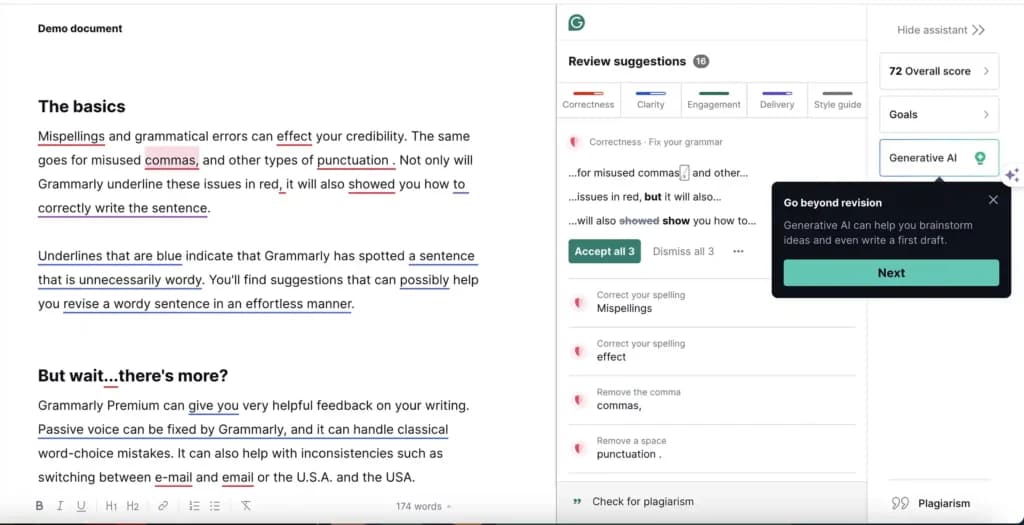
Grammarly is a comprehensive writing assistant designed to enhance grammar, punctuation, and style across various writing platforms. It integrates seamlessly with applications such as Gmail, Google Docs, Microsoft Word, and many others, making it a versatile tool for improving written communication.
Grammarly is an AI-powered writing assistant designed to help users enhance their writing quality. It offers advanced grammar and style checks, plagiarism detection, and context-specific suggestions.… Read more
Grammarly is an AI-powered writing assistant designed to help users enhance their writing quality. It offers advanced grammar and style checks, plagiarism detection, and context-specific suggestions. Ideal for professionals, students, and writers who want to optimize their content writing. Grammarly improves clarity, engagement, and correctness in various types of writing.
Learn more in our full Grammarly review.
Pros & Cons
- Intuitive user interface with easy navigation.
- High-quality, contextually relevant content generation.
- Extensive customization options for tailored content.
- Fast and efficient performance with minimal delays.
- Phone support is not available.
- Some advanced features may have a learning curve for beginners.
Features
- Grammar and Style Checks
- SEO Optimization
- Plagiarism Check
- Collaboration Features
- Content Personalization
- Multilingual Support
- API Access
- Web
- Windows
- macOS
- Android
- iOS
Pricing
$12
mo/
month
Best for: Small businesses seeking to enhance the quality and clarity of their written communication.
Standout feature: Provides detailed explanations for corrections and suggestions, helping users understand the reasoning behind each change. This feature is particularly beneficial for improving overall writing skills and ensuring consistency in tone and style.
Free plan: The free version includes basic grammar, spelling checks, and tone detection. The premium version offers more advanced features, such as plagiarism detection and vocabulary enhancement.
Features & functionality:
- Provides grammar, punctuation, and style checks.
- Offers tone and clarity suggestions to improve writing quality.
- Integrates with over 500K applications and platforms.
- Supports a wide range of writing styles, including business, academic, and casual.
Pros: Detailed feedback and explanations, integration with many platforms, and advanced features in the premium version.
Cons: Advanced features are locked behind a subscription, and it may occasionally miss context-specific nuances.
Ideal for: Small businesses looking to enhance their writing quality, maintain consistency in communication, and improve overall writing skills.
Grammarly vs. ChatGPT:
Feature | Grammarly | ChatGPT |
|---|---|---|
Primary Use Case | Writing assistant focused on grammar, style, and plagiarism checks | General-purpose AI for various tasks |
Language Support | English | Multiple languages |
Ease of Use | User-friendly interface with real-time suggestions | Broad usability |
Customization | Customizable tone, style, and integration with writing tools | Highly customizable via prompts |
Integration | Integrates with tools like Microsoft Word, Google Docs, etc. | API for various platforms |
Output Quality | High-quality, accurate grammar and style suggestions | High-quality text across various applications |
Advanced Features | Full-sentence rewrites, tone adjustments, plagiarism detection | Fine-tuning, conversational AI, code generation |
Performance | Real-time editing and feedback | High performance with continuous updates |
Gemini AI
Gemini AI by Google represents one of the most advanced AI models available today. It offers significant capabilities in multimodal data processing and real-time information analysis. It integrates seamlessly into Google products, making it highly versatile for various applications.
Gemini AI also enables businesses to create custom chatbots tailored to their specific needs. These bots enhance customer service by understanding industry-specific terminology and adopting a conversational tone that matches the brand's personality.
Google Gemini is Google's flagship multimodal AI assistant — it reasons and generates across text, images, video, audio, code and PDFs in one app. As of 2026 the consumer lineup runs on the Gemini… Read more
Google Gemini is Google's flagship multimodal AI assistant — it reasons and generates across text, images, video, audio, code and PDFs in one app. As of 2026 the consumer lineup runs on the Gemini 3.5 generation, framed by Google as "frontier intelligence with action": Gemini 3.5 Flash is Google's strongest agentic and coding model yet — leading coding and agentic benchmarks, with output roughly 4× faster than other frontier models and computer use built in, so you can build custom agents that see, reason and act across desktop, mobile and browser. Gemini 3.5 Pro is rolling out for the most advanced reasoning and long-context work (up to a 1M-token context window), with a Deep Think mode on the top tier. Image generation is handled by the Nano Banana 2 family (with Nano Banana 2 Lite as the fastest, most cost-efficient option) and video by Gemini Omni — a model that creates high-quality video from any input (image, audio, video, text), grounded in real-world knowledge and physics; the first model is Gemini Omni Flash. Gemini is free to start, with paid Google AI plans (Plus, Pro, Ultra) unlocking higher limits, Gemini Omni video, Deep Research and deep Google Workspace integration.
Learn more in our full Gemini AI review.
Pros & Cons
- Many features available in the free plan, strong value at $0
- Deepest integration with Google Workspace
- Capable of writing in multiple languages for global reach
- Clear, laddered pricing from $4.99 → $99.99
- Occasionally misinterprets the context or the nuances of the task
- Top features can be region-limited and roll out unevenly
- Data-privacy considerations when feeding sensitive business content into a consumer AI
Features
- Grammar and Style Checks
- SEO Optimization
- Plagiarism Check
- Collaboration Features
- Content Personalization
- Multilingual Support
- API Access
- Text Editing and Formatting
- Compliance and Security Measures
- Background Noise Reduction
- Green Screen
- Text-to-Video
- Object Tracking
- Pre-Built Templates
- Object Removal
- AI Filters and Effects
- Background Replacement
- Layer Support
- Text-to-Image Generation
- Face and Body Pose Synthesis
- Scene Composition
- Style Emulation
- Batch Generation
- Interactive Editing
- Web
- Android
- iOS
Pricing
$0
mo/
month
$4.99
mo/
month

Best for: Small businesses needing real-time data analysis and multimodal content generation.
Standout feature: Has multimodal capabilities, handling text, images, audio, and video inputs and outputs. This AI feature is particularly beneficial for creating diverse content formats and conducting real-time data analysis, which supports agile marketing strategies and timely decision-making.
Free plan: Google Gemini offers a two-month free trial that allows users to explore its features without any initial cost. Post-trial, the subscription fee provides access to advanced capabilities.
Features & functionality:
- Multimodal data processing across text, images, audio, and video.
- Real-time data analysis for up-to-date insights and trend identification.
- Integration with Google products like Gmail, Docs, and Pixel devices.
- Adaptable AI, suitable for a wide range of tasks, from content generation to code analysis.
Pros: Real-time information retrieval, versatile data processing, and seamless integration with Google services.
Cons: Still in development, which may lead to occasional inaccuracies and biases. Limited to English currently, with plans for broader language support.
Ideal for: Small businesses looking to leverage real-time data and create diverse, engaging content formats for their marketing and operational needs.
Gemini AI vs. ChatGPT:
Feature | Gemini AI | ChatGPT |
|---|---|---|
Primary Use Case | General-purpose AI with a focus on Google Workspace integration and data analysis capabilities | General-purpose AI for various tasks |
Language Support | Supports over 35 languages | Multiple languages |
Ease of Use | User-friendly interface, similar to ChatGPT | Broad usability |
Customization | Customizable through Google apps | Highly customizable |
Integration | Integrates with Google Workspace apps like Gmail, Docs, Sheets, and Slides | API for various platforms |
Output Quality | High-quality text, strong in data analysis and image understanding | High-quality text across various applications |
Advanced Features | Long context windows, multimodal capabilities, data analysis, image creation | Fine-tuning, conversational AI, code generation |
Performance | High performance with continuous updates and context window expansion | High performance with continuous updates |
Microsoft Copilot
Microsoft Copilot is a cutting-edge AI tool designed to enhance productivity across various Microsoft 365 applications such as Word, Excel, PowerPoint, Outlook, and Teams. It helps users by generating content, summarizing information, and automating repetitive tasks. This makes it particularly beneficial for businesses looking to streamline their workflows and improve efficiency.

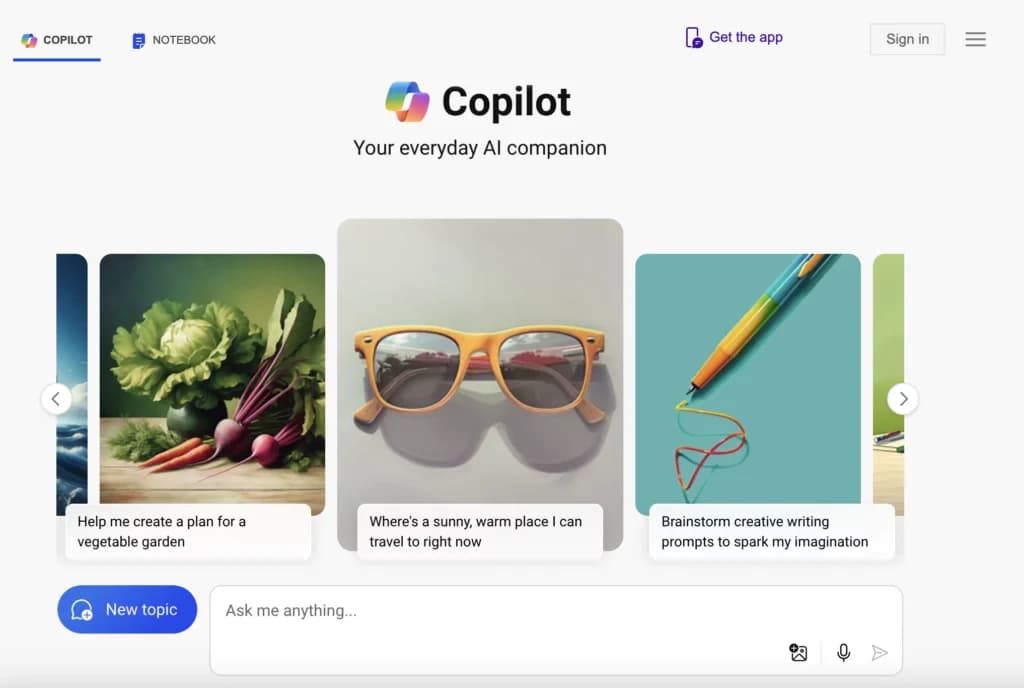
Microsoft Copilot is an advanced AI tool that enables individuals and organizations to optimize their workflows, thereby accomplishing more tasks efficiently in less time. Copilot AI's chatbot… Read more
Microsoft Copilot is an advanced AI tool that enables individuals and organizations to optimize their workflows, thereby accomplishing more tasks efficiently in less time. Copilot AI's chatbot functionality is deeply integrated into its system, capable of generating content and providing conversational interactions based on natural language processing. This AI tool supports authors by offering features like conversational search, summarization, and creative content generation, making it an effective assistant for a wide range of writing tasks.
Learn more in our full Copilot review.
Pros & Cons
- Enhances teamwork by streamlining communication Integration with other Microsoft Apps
- Enterprise-grade security against threats and breaches
- Consistent updates
- The depth of data analysis needed for Copilot to function optimally raises privacy issues
- Dependency on Microsoft 365 subscription for business users
Pricing
$0
mo/
month
$20
mo/
month
$30
mo/
month
Best for: Small businesses seeking enhanced productivity and automated task management.
Standout feature: Real-time assistance, including generating drafts, summarizing meetings, and creating data visualizations. This feature significantly reduces the time spent on routine tasks, allowing businesses to focus on more strategic activities.
Free plan: Microsoft Copilot's free tier offers limited functionality and requires a subscription for full access to its advanced features.
Features & functionality:
- Integrates seamlessly with Microsoft 365 apps like Word, Excel, PowerPoint, Outlook, and Teams.
- Provides intelligent assistance for drafting, editing, and summarizing content.
- Automates repetitive tasks and enhances data analysis capabilities.
- Supports secure and compliant data handling with enterprise-grade security features.
Pros: Enhances productivity, integrates with widely used Microsoft apps, automates tasks, and supports secure data management.
Cons: Full functionality requires a subscription, and advanced features are only available in premium plans.
Ideal for: Small businesses looking to improve productivity and streamline their workflows with an AI tool that integrates seamlessly with their existing Microsoft 365 environment.
Microsoft Copilot vs. ChatGPT:
Feature | Microsoft Copilot | ChatGPT |
|---|---|---|
Primary Use Case | Integration with Microsoft 365 apps, productivity enhancement | General-purpose AI for various tasks |
Language Support | Multiple languages | Multiple languages |
Ease of Use | User-friendly, integrated within Microsoft 365 | Broad usability |
Customization | Customizable through Copilot Studio | Highly customizable |
Integration | Deep integration with Microsoft 365 apps like Word, Excel, PowerPoint, Outlook, and Teams | API for various platforms |
Output Quality | High-quality text, strong in productivity and document creation | High-quality text across various applications |
Advanced Features | Document drafting, data analysis, email summarization, presentation creation | Fine-tuning, conversational AI, code generation |
Performance | High performance, priority access to GPT-4 models with Pro version | High performance with continuous updates |
Jasper
Jasper is a versatile AI writing tool designed to generate high-quality written content. It excels in marketing applications and offers a wide range of features that support content creation, optimization, and analysis, making it indispensable for marketers and content creators.
Jasper AI also provides advanced chatbot capabilities that can be used for customer service. It leverages its content generation strengths to deliver personalized and context-aware responses to customer queries, improving overall customer interaction and satisfaction.
Jasper's AI Writing Tool is designed specifically for marketing teams & SEOs. It revolutionizes content creation by leveraging advanced AI to swiftly produce high-quality, engaging content. It offers… Read more
Jasper's AI Writing Tool is designed specifically for marketing teams & SEOs. It revolutionizes content creation by leveraging advanced AI to swiftly produce high-quality, engaging content. It offers extensive language support and integrates seamlessly with numerous platforms for easy publishing. The platform’s main features are designed to scale content production and maintain a brand voice, featuring real-time grammar, style, and plagiarism checks. Ideal for marketers, bloggers, and businesses looking to scale their content efforts efficiently, Jasper's writing tool ensures consistency and quality in all communications, promoting better engagement and SEO performance.
Learn more in our full Jasper review.
Pros & Cons
- Scalability from solo team to large enterprise
- Comprehensive marketing collaboration features for large teams
- Extensive prompt engineering educational materials
- Many helpful templates to get you started
- Not the cheapest option for marketing AI applications
- Requires existing content inputs for optimal results
- Some key features not included in plans (cost extra)
Features
- Grammar and Style Checks
- SEO Optimization
- Plagiarism Check
- Collaboration Features
- Content Personalization
- Multilingual Support
- API Access
- Text Editing and Formatting
- Compliance and Security Measures
- Web
- Windows
- macOS
Pricing
$59
mo/
month
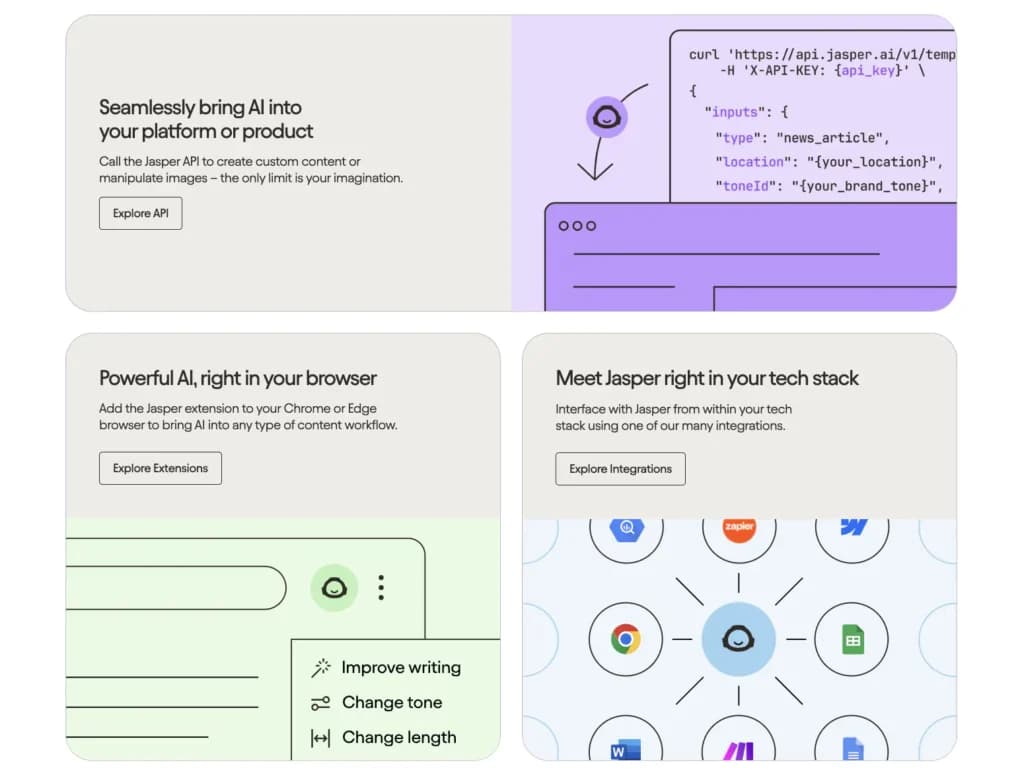
Best for: Marketing teams and content creators needing a comprehensive tool for generating and optimizing marketing materials.
Standout feature: Integrates with multiple AI models, including those from OpenAI, Google, and Anthropic. This interoperability ensures high-quality outputs tailored to specific use cases, enhancing the tool's versatility and reliability.
Free plan: Jasper does not offer a free plan but provides a 7-day free trial and a 5-day money-back guarantee. This allows users to explore its features before committing to a subscription.
Features & functionality:
- Advanced content generation using multiple AI models.
- Supports 50+ content templates for various marketing needs.
- Integration with third-party tools like Surfer SEO for optimized content.
- Customizable tone and style settings to match brand voice.
- Comprehensive security features, including SOC2 compliance and private workspaces.
Pros: High-quality content generation, extensive integrations, robust security measures, and versatile application for various content types.
Cons: Higher cost compared to some alternatives, no free plan.
Ideal for: Marketing teams and businesses looking to create and optimize content at scale and need high-quality, reliable AI-generated outputs.
Jasper vs. ChatGPT:
Feature | Jasper AI | ChatGPT |
|---|---|---|
Primary Use Case | AI-powered content creation for marketing | General-purpose AI for various tasks |
Language Support | Supports over 25 languages | Multiple languages |
Ease of Use | User-friendly, designed for marketers | Broad usability |
Customization | Customizable brand voice, tone, and templates | Highly customizable |
Integration | Integrates with tools like Google Docs, WordPress, HubSpot, etc. | API for various platforms |
Output Quality | High-quality, SEO-optimized marketing content | High-quality text across various applications |
Advanced Features | Content generation, Jasper Chat, SEO integrations | Fine-tuning, conversational AI, code generation |
Performance | High performance with advanced AI algorithms | High performance with continuous updates |
Wordtune
Wordtune is an AI writing assistant that enhances text through rewriting and rephrasing. It helps improve clarity, style, and readability, making it an effective tool for various writing tasks.

Wordtune is an AI-powered writing assistant that can write, rewrite, summarize, simplify, or enhance text with just a few clicks. The Wordtune tool is highly effective in various writing tasks,… Read more
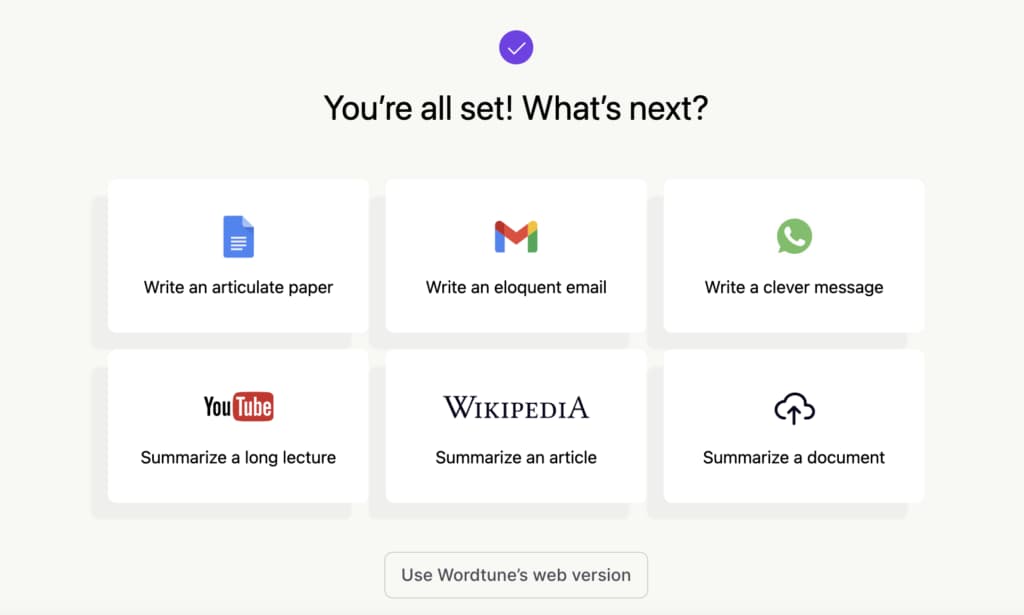
Wordtune is an AI-powered writing assistant that can write, rewrite, summarize, simplify, or enhance text with just a few clicks. The Wordtune tool is highly effective in various writing tasks, including proofreading and analyzing text for clarity and impact. The Wordtune website offers an online editor with functionalities such as basic spelling and grammar corrections, and a free version of the AI tool, enhancing the user experience directly in the browser. As a versatile productivity tool, it caters to students, writers, marketers, executives, and anyone who needs to improve their writing. Wordtune also integrates seamlessly with various platforms such as Google Docs, Gmail, and Microsoft Word, allowing users to streamline their workflow across different tools. Additionally, it supports multiple languages and provides enterprise-level security to ensure data protection, making it a valuable tool for professionals and students alike.
Learn more in our full Wordtune review.
Pros & Cons
- Free Version Available: Wordtune offers a limited free version, allowing users to test its features before committing to a paid plan.
- Effective for Writer’s Block: The tool is particularly useful for overcoming writer’s block, providing suggestions to help users get started or refine their writing.
- Helpful for Grammar and Spelling: The tool automatically corrects sentences and suggests better word choices, making it a valuable resource for users who may struggle with grammar or spelling.
- Chrome extension to extend functionality
- Limited Free Plan: The free version allows only 10 rewrites per day, which may feel restrictive, and the premium plan can be considered expensive for its scope.
- AI summary from PDF isn't up to par
- Over-reliance: Some users may rely too heavily on Wordtune, using it as a crutch instead of improving their own writing skills.
- No Premium Free Trial: Wordtune does not offer a free trial of its premium features, limiting users’ ability to fully evaluate the tool before purchase.
Features
- Grammar and Style Checks
- Content Personalization
- API Access
- Text Editing and Formatting
Pricing
$0
mo/
month
$6.99
mo/
month
$9.99
mo/
month
$7.99
mo/
month
Best for: Content creators, professionals, and students seeking to refine and enhance their writing.
Standout feature: Provides multiple alternative rewrites for sentences, allowing users to choose the best phrasing to convey their message effectively.
Free plan: Wordtune offers a free plan with basic features, including ten rewrites per day, three AI prompts, and three summaries daily. The premium plans unlock more advanced capabilities.
Features & functionality:
- Rewriting and rephrasing suggestions for clarity and improved style.
- Grammar and spelling corrections.
- Integration with platforms such as Google Docs, Gmail, Slack, and Microsoft Word.
- Customizable tone adjustments for different writing styles.
- Multilingual support, offering enhancements in 10 languages.
Pros: It provides insightful, context-aware writing enhancements, a user-friendly interface with easy-to-understand suggestions, and support for multiple languages while integrating with various platforms.
The cons: The free version limits the number of rewrites and prompts, occasional technical glitches may affect performance, and the subscription cost may be prohibitive for some users.
Ideal for: Individuals and teams looking to improve the quality and effectiveness of their written communication across different platforms.
Wordtune vs. ChatGPT:
Feature | Wordtune | ChatGPT |
|---|---|---|
Primary Use Case | Writing assistant focused on enhancing clarity, tone, and style | General-purpose AI for various tasks |
Language Support | Primarily English, with translation capabilities for several languages | Multiple languages |
Ease of Use | User-friendly with real-time suggestions | Broad usability |
Customization | Customizable tone adjustments (Casual, Formal) | Highly customizable via prompts |
Integration | Integrates with tools like Google Docs, Gmail, Slack, etc. | API for various platforms |
Output Quality | High-quality rephrasing and summarization | High-quality text across various applications |
Advanced Features | Sentence rephrasing, tone adjustments, summarization | Fine-tuning, conversational AI, code generation |
Performance | Real-time editing and feedback | High performance with continuous updates |
Do you need a dedicated AI writing tool if you already pay for ChatGPT?
Usually not. If you already pay $20 for ChatGPT or Claude Pro, adding a $69/month subscription like Jasper usually buys workflow templates rather than better raw writing. Unless you need specialized ad prediction or mandatory team locking, save your style guidelines in a Claude Project and keep the extra money.
Three situations where the dedicated tool genuinely earns the second subscription:
- A team where non-writers produce copy. Templates and a locked brand voice stop five people inventing five tones. Jasper Pro's 2 brand voices and 5 knowledge assets are the mechanism you are actually buying, and no amount of prompting replaces them across a team.
- Paid ad copy at volume. Anyword's performance prediction scores variations before they go live. At $49 monthly it only makes sense if it is replacing real testing spend rather than adding to it.
- Publishing where originality gets checked. Rytr includes a plagiarism checker on its free plan and Grammarly Pro adds plagiarism plus AI-text detection. A general assistant will not tell you your draft matches something already online.
Outside those three, save your style rules in a project or a custom instruction and keep the money.
Which ChatGPT alternatives should you avoid for writing?
Copy.ai and Microsoft Copilot - Copy.ai stopped being a writing tool after its Fullcast acquisition, and Copilot gets recommended on the strength of a mix-up. Fullcast announced the acquisition on 15 October 2025 and is folding Copy.ai into a revenue-operations platform, with its help center now redirecting to support.fullcast.com. The free 2,000-word copywriting plan most articles still describe does not exist, and entry pricing is $29 a month with a five-seat minimum.
Microsoft Copilot itself is a decent free assistant. A large amount of comparison content, including the earlier version of this article, describes it as generating code snippets and automating repetitive coding tasks. That is GitHub Copilot, a separately licensed product. Microsoft's own documentation attributes code generation to GitHub Copilot and describes Microsoft Copilot as a productivity assistant.
If someone recommends Microsoft Copilot to you for its coding ability, they have merged two products in their head. Use it for drafting inside Word and Outlook if you already pay for Microsoft 365, and ignore it otherwise.
Which ChatGPT alternative fits your kind of writing?
Match the tool to one job - Claude for long-form drafts, Rytr for cheap short-form volume, Grammarly for fixing writing you have already done. That is most of the decision. The table below is the full version, and the second column is the one that saves you money, because every tool here gets bought for a job it is bad at at least as often as for the job it is good at.
Tool | Best for | Do not buy it for |
|---|---|---|
Claude | Long-form drafting with source documents attached | Guaranteed quality in a specific non-English language |
Google Gemini | Cheapest paid tier, and writing in one of 70+ languages | Deep brand-voice control |
ChatGPT | Broad general use and the widest custom-GPT ecosystem | Predicting how copy will perform |
Grammarly | Fixing drafts in place, across 1 million+ apps and sites | Generating a draft from nothing |
Wordtune | Rephrasing single sentences until they read right | Anything outside English, since it writes in English only |
Rytr | Cheap short-form volume with a plagiarism check included | Long-form articles |
Jasper | Teams of non-writers needing locked templates and voice | A solo writer on a budget |
Anyword | Predicting ad and landing page performance before publishing | General writing at a low price |
Microsoft Copilot | Drafting inside Word, Outlook and Teams on an existing 365 plan | Writing code, which is GitHub Copilot |
Wordtune's limits are the easiest to misread on this table. It writes in English only, and the "10 languages" figure on its site refers to translation. Its free plan gives 3 AI summaries per month rather than per day, which several comparison articles report incorrectly.
How do you pick a ChatGPT alternative in ten minutes?
Test your own writing on Claude's and Gemini's free tiers first, because both are permanent free plans and your own copy beats any review score. Take something you actually have to produce this week rather than a test prompt. If either tool returns something you would edit rather than rewrite, stop there, and you now know whether the $20 or the $4.99 tier is the one to buy.
Only if both fail on the same specific thing should you look at the dedicated tools, and then buy the one that fixes that specific thing. Brand voice drifting across a team points to Jasper. Needing to know which ad variation will win points to Anyword. A plagiarism flag before publishing points to Rytr or Grammarly Pro.
The reason to work in that order is where the price jumps. Nothing in the $4.99 to $20 band asks you to commit to a year. Above $29 a month, every option on this page either wants an annual commitment or a five-seat minimum.
What else do buyers ask before switching from ChatGPT?
The questions below come up most often once someone has decided ChatGPT is not the right writing tool for them. Each answer reflects the vendor's live pricing or documentation as of 3 September 2026, and the ones about free plans and languages are where the widest misinformation sits, so they are worth reading even if you think you know the answer.
Is there an AI writing tool better than ChatGPT? For long-form writing, Claude at $20 a month is the usual answer, because Projects keeps your style guide and sources attached to every chat. For short-form volume at low cost, Rytr at $7.50 beats it. "Better" depends entirely on which of those two jobs you are doing.
What is the best free ChatGPT alternative for writing? Claude's free tier, then Google Gemini's. Both are permanent free plans rather than trials. Gemini's free tier gives a 32k context window with limits that refresh every five hours, and Claude publishes no numeric cap on its free plan.
Is Gemini only available in English? No. Google states the Gemini app works in more than 70 languages across 230+ countries and territories. A few individual features are English-only, such as Gemini Agent, but the writing itself is not English-restricted. This is one of the most common errors in older comparison articles.
Does Gemini only offer a two-month free trial? No. Gemini has a permanent free tier with published limits. The two-month offer is a promotion on the paid plans, currently 50% off the first two months for new subscribers.
Which ChatGPT alternative is best for creative writing? Claude and ChatGPT, and neither of the dedicated marketing tools here. Jasper, Anyword and Copy.ai are all built for marketing copy with a conversion goal, which is close to the opposite of creative writing.
Are there good ChatGPT alternatives for technical writing? Claude and Gemini both handle technical documentation, and Gemini's paid tiers carry a 1 million token context window, which matters across a large specification. Grammarly is the useful add-on rather than the drafting tool, since it checks finished text in whatever app you write in.
Does ChatGPT still use DALL-E for images? No. OpenAI has retired the DALL-E branding inside ChatGPT and the feature is now called ChatGPT Images. An article still describing DALL-E as a current ChatGPT feature predates that change.
Do any of these tools have a seat minimum? Copy.ai does, at 5 seats on its $29 Chat plan. Claude's Team plan has a 2-seat floor although Pro is a single seat, and ChatGPT Business starts at 2 users. Jasper Pro and Anyword Starter are both single seat.
Can I try these without a credit card? Rytr states "free forever, no CC required" outright. Claude, Gemini, ChatGPT, Microsoft Copilot, Grammarly and Wordtune all have free tiers you can start on. Jasper and Anyword require card details for their trials.
Which tool tells me whether my copy will perform? Anyword, and it is the only one here that does it. Its performance prediction scores variations before you publish so you can pick the strongest. It starts at $49 monthly or $39 on the annual plan, with no free plan.