
Lightspeed Retail POS Review For 2026
Lightspeed Retail POS Plans & Pricing

Lightspeed Retail Comparison
Expert Review
Pros

Cons

Lightspeed Retail POS's Offerings
I found that Lightspeed offers a comprehensive range of packages for businesses of all sizes, and there are different service offerings for retail and restaurants.
Lightspeed Retail POS offers three pricing tiers, all billed annually, with integrated payment solutions at a card-present transaction rate of 2.6% + 10¢.
Basic – $89/month: Includes Retail POS software, inventory tracking, supplier catalog access, basic e-commerce integration, 24/7 chat support, onboarding services, and flexible repayment terms.
Core – $149/month: Adds full Lightspeed e-commerce integration, in-store and online loyalty programs, advanced sales, staff, and inventory reports, accounting and marketing integrations, and a mobile POS scanner app.
Plus – $289/month: Expands with custom reporting, integrated forecasting, API access, workflows, custom user roles, and 24/7 phone support for premium assistance.
This tiered structure ensures businesses can scale their multi-location management, e-commerce integration, and customer relationship management (CRM) as they grow.
Customer Support
When I explored Lightspeed’s customer support, I found their commitment to assistance impressive. 24/7 support is available to all users, ensuring businesses can get help whenever they need it. This is particularly valuable for companies operating outside standard business hours.
Help Center & FAQ
Lightspeed provides a comprehensive Help Center filled with detailed articles and guides. I found these resources useful for troubleshooting and learning about different system features. The FAQ section covers common issues and step-by-step solutions, making it easy to resolve minor problems without contacting support.
Community Forums
Lightspeed’s Community Forums allow users to exchange insights and best practices. I found this helpful for learning real-world solutions from other businesses using the POS system for retail management, inventory tracking, and e-commerce integration.
Blog & Email Support
The Lightspeed blog is regularly updated with industry news, software deep dives, and business advice. For those who prefer written communication, email support is also available, providing another way to reach the support team when needed.
This multi-faceted support structure ensures businesses can access assistance through various channels, catering to different user preferences.
Features & Functionality
Best For
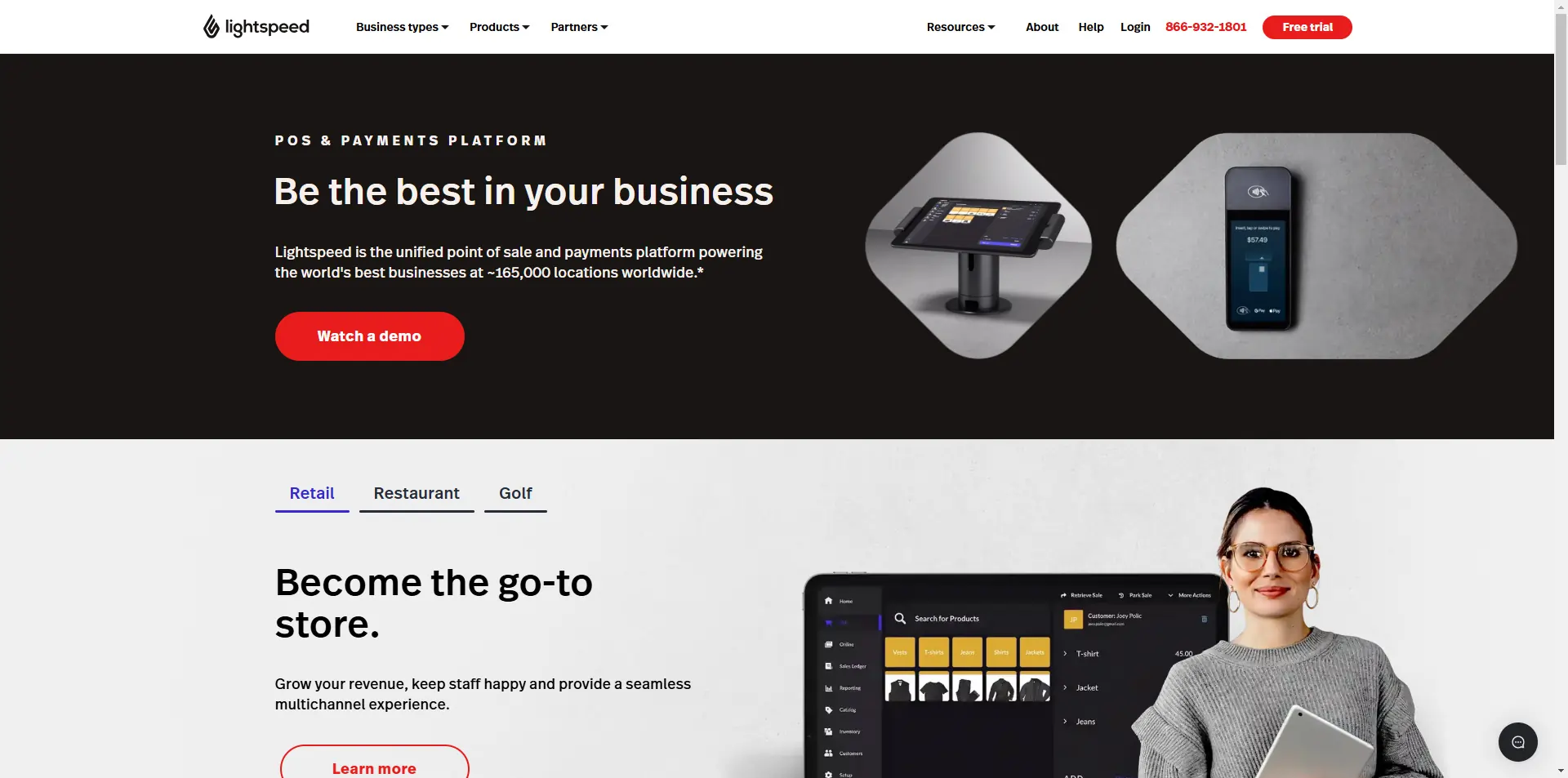
This POS is specifically tailored to the retail industry with features to boost sales and work flows.
General Features
A I checked out the different Lightspeed Retail
- Inventory Management
- Loyalty Program
- Mobile Compatibility
- Sale Analytics
- Online Ordering
- Reporting
- E-commerce Integration
- Split Checks
- Manage Tips
- Staff Scheduling
- Offline Payments
- Customer Profiles
- Multidevice Payments
- Gift Card Support
- Accounting Integration
- Tableside Ordering
- Floor Plan Management
- Customer-Facing Display
- Self-Service Kiosk
- Integrations & Add-Ons
Dashboard
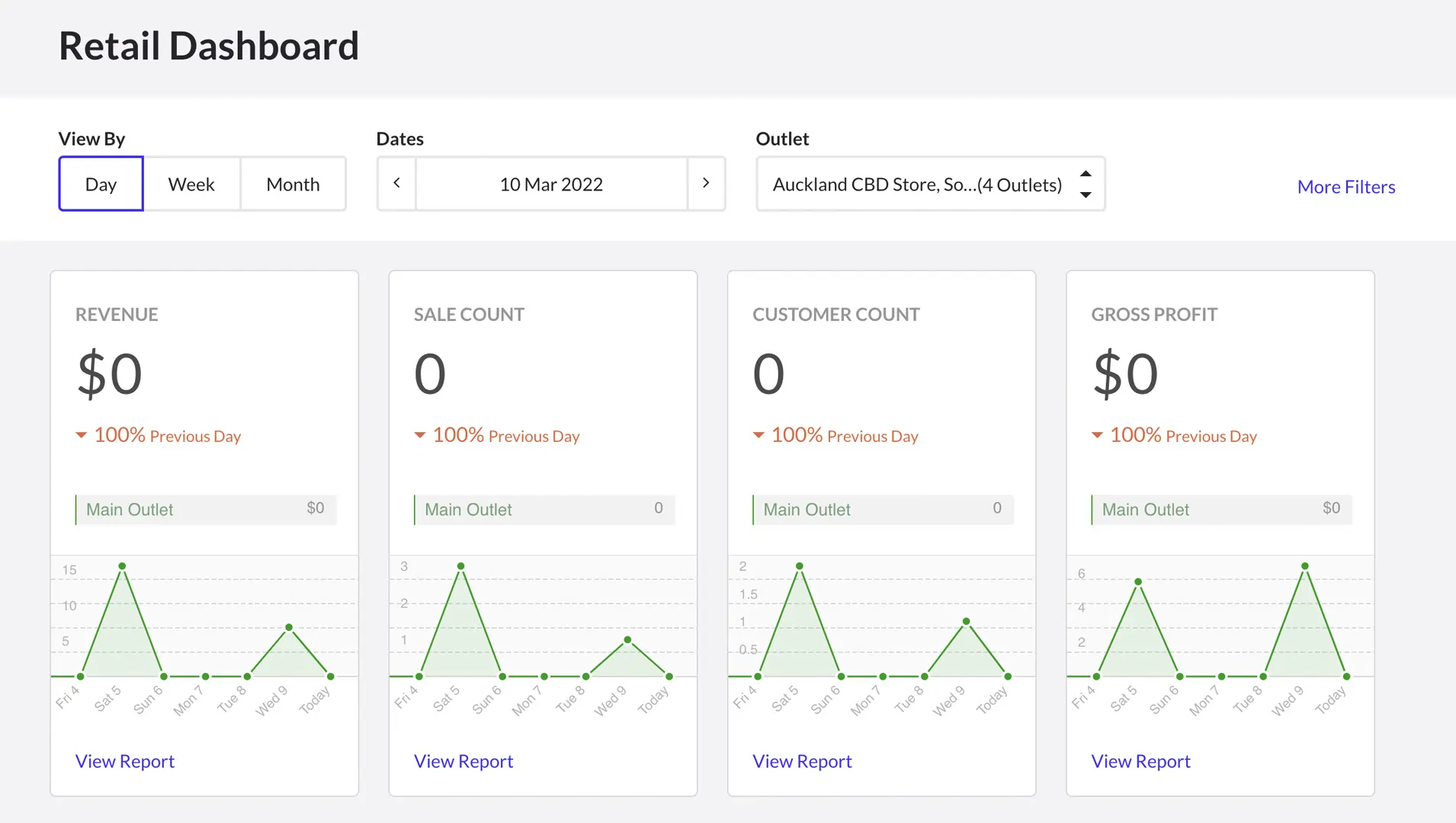
I tested the Lightspeed dashboard, which provides a clear, real-time overview of sales analytics, inventory levels, and customer activity. The interface is well-organized, allowing for quick access to key performance metrics. This feature helps businesses monitor financial health and make data-driven decisions efficiently.
Here’s what the dashboard looks like:
Inventory Management
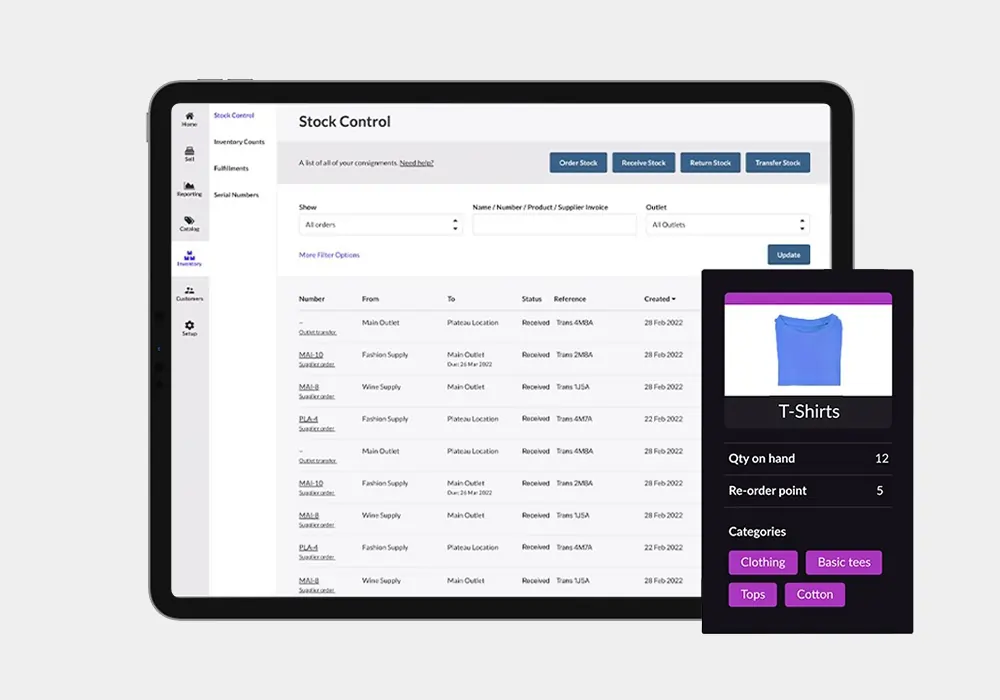
Lightspeed Retail POS provides powerful inventory management tools, allowing businesses to track stock levels, manage product variations, and automate reordering. The cloud-based POS system ensures real-time updates across multi-location management, preventing stock discrepancies. Businesses can streamline operations by integrating supplier catalogs, reducing manual data entry and improving stock accuracy for both in-store and selling online.
Loyalty Program
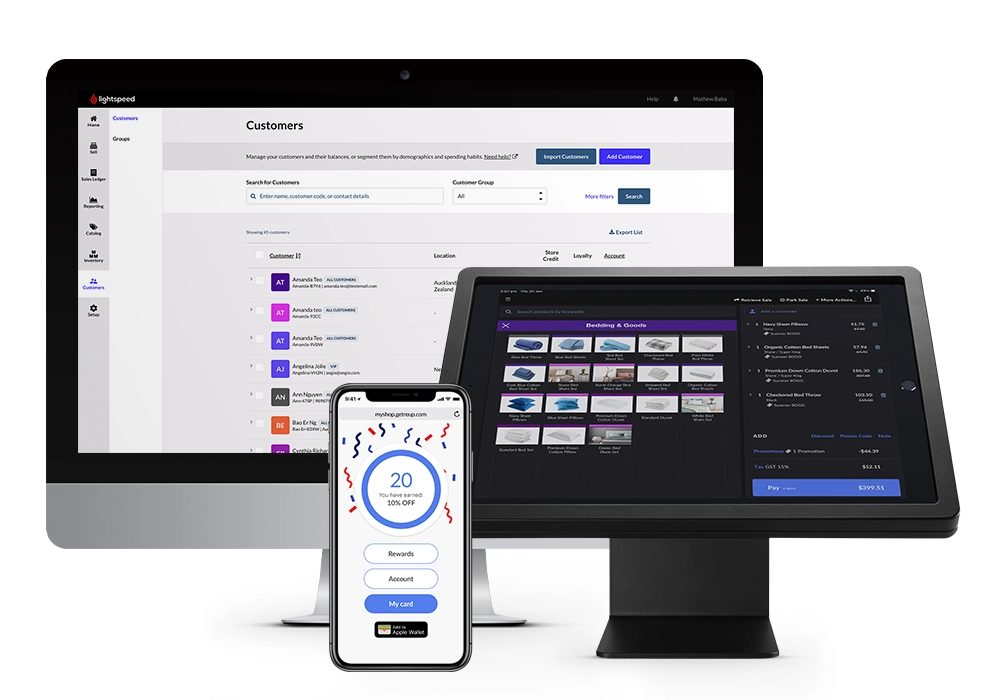
When I tested Lightspeed’s customer relationship management (CRM) features, I found that the Advanced and Pro packages include everything needed to run a built-in loyalty program. Businesses can offer discounts, point collection, and custom coupons, which apply seamlessly across both brick-and-mortar and online stores. This integration ensures a unified customer experience, making it easier to reward repeat shoppers across multiple sales channels.
Sales Analytics
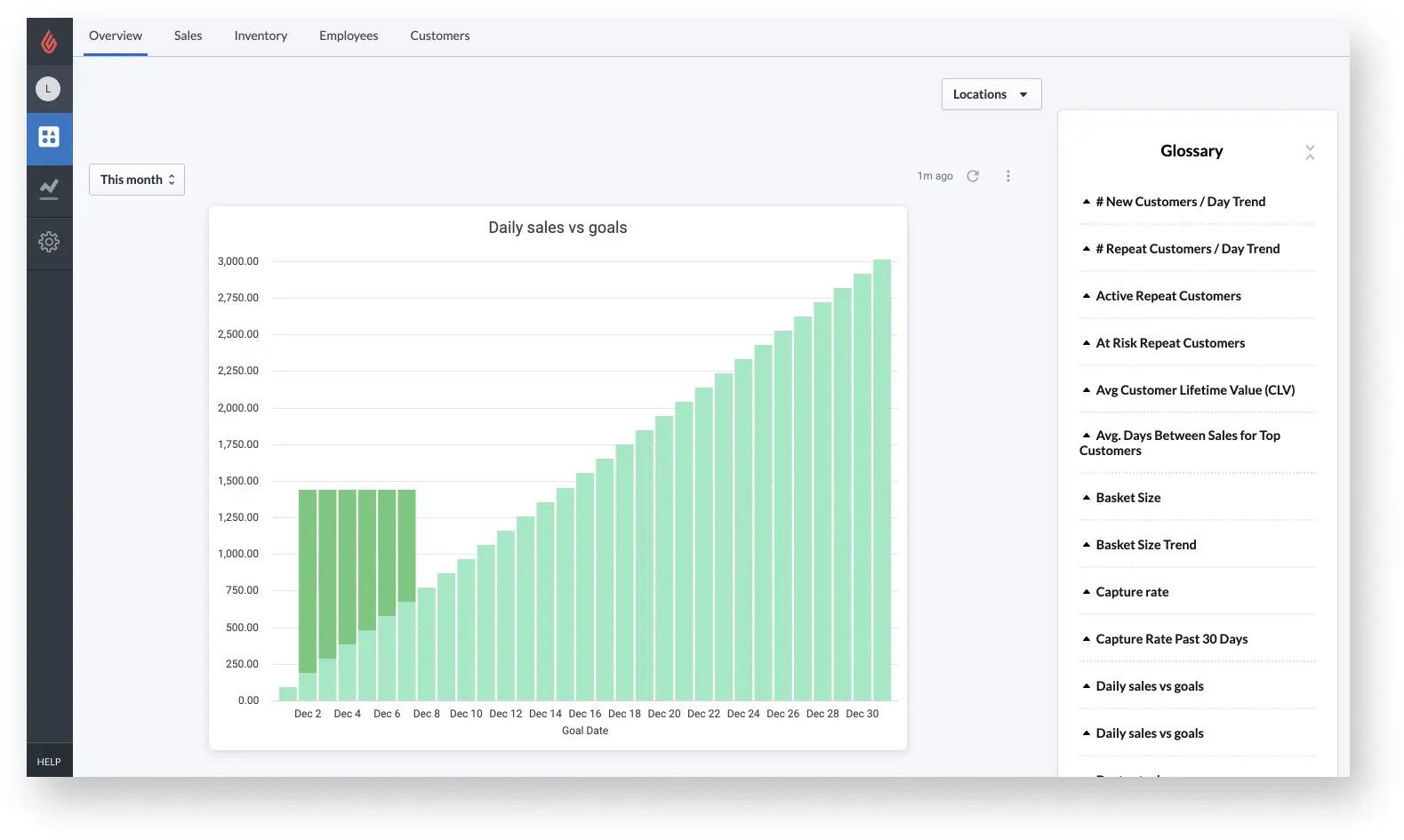
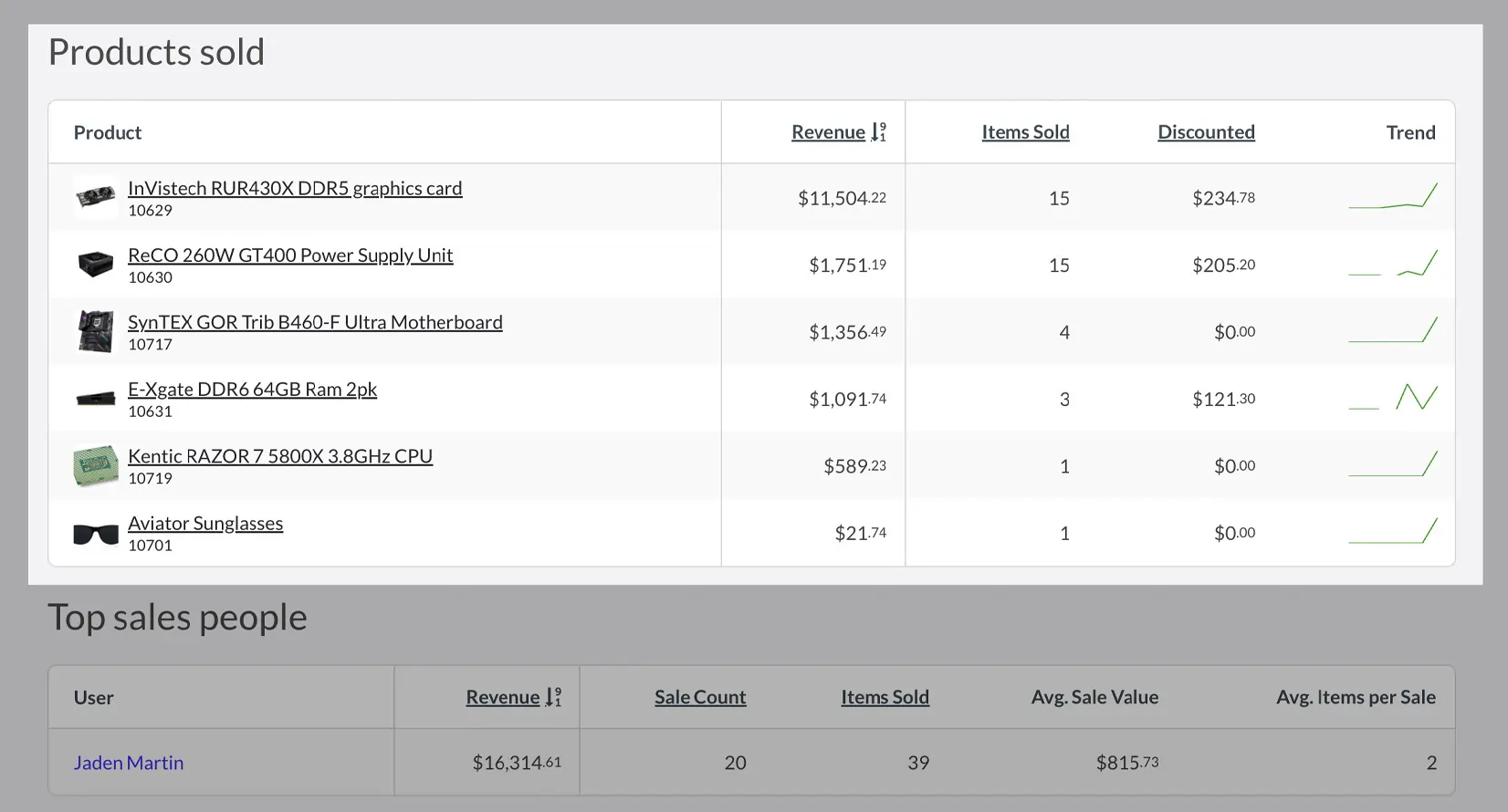
The sales analytics tools in Lightspeed provide valuable insights into business performance. I explored the Analytics module, included with the Pro package, and found it useful for tracking staff performance, product popularity, and customer purchasing patterns. These insights help businesses optimize inventory, improve sales strategies, and enhance retail management.
Online Ordering
Lightspeed’s online ordering feature integrates seamlessly with its POS system, allowing restaurants to manage takeout, delivery, and in-house digital orders efficiently. Customers can place orders directly from their devices, reducing wait times and enhancing convenience. Orders are sent directly to the Point of Sale system, streamlining operations and minimizing errors. The platform also supports customizable menus and payment options, giving businesses flexibility in how they handle selling online while maintaining a smooth ordering experience.
Reporting
Lightspeed’s reporting tools provide real-time insights into sales analytics, employee performance, and inventory tracking. The cloud-based POS system ensures that data is consistently updated across devices, allowing managers to access reports from anywhere. I found the advanced analytics useful for identifying trends, monitoring key performance metrics, and optimizing operations. Mobile reporting features also allow decision-makers to track business health on the go, improving efficiency for multi-location management and retail businesses.
E-commerce Integration
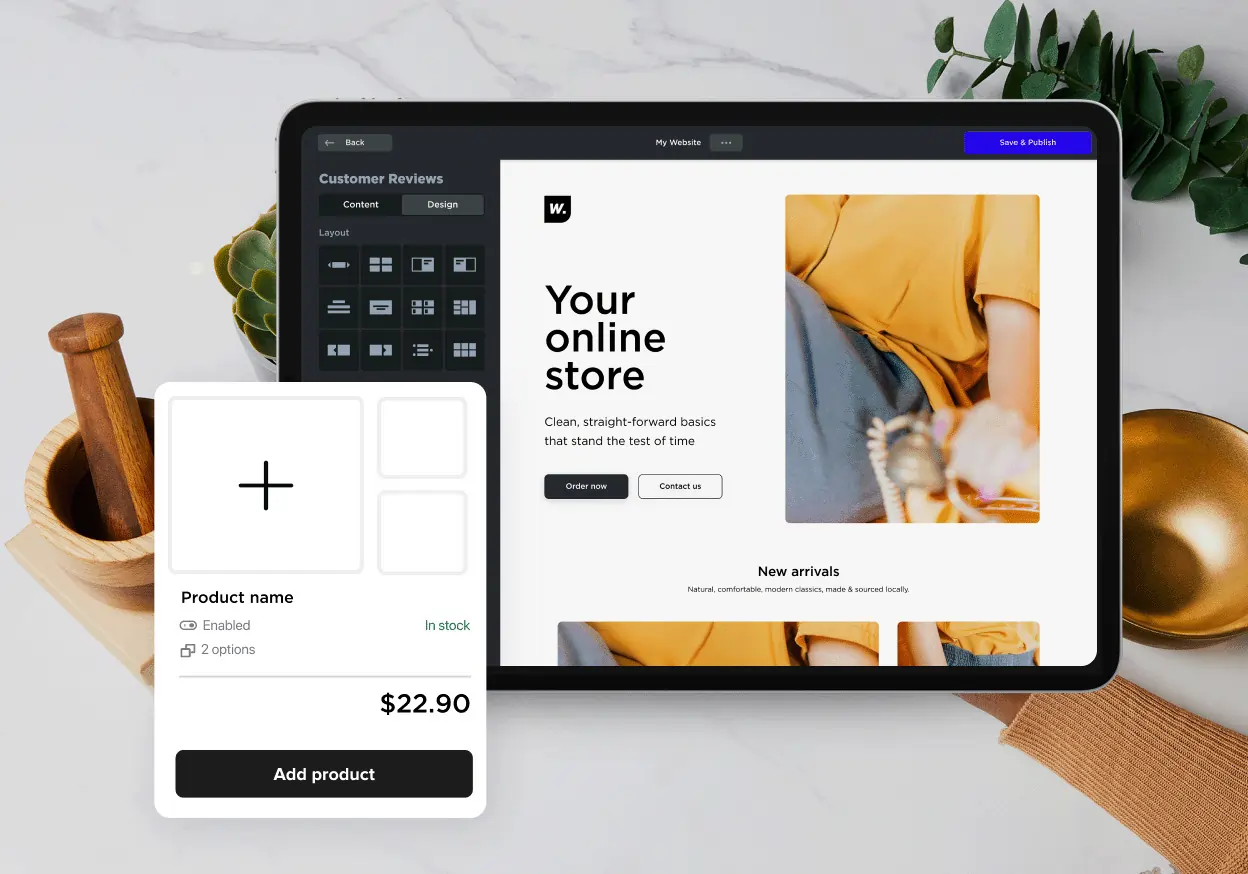
Selling online is seamless with Lightspeed’s e-commerce integration, which allows businesses to set up a fully functional online store alongside their Point of Sale system. The platform offers a variety of customizable website themes, some free and others available as paid add-ons. The system synchronizes inventory tracking across online and physical stores, ensuring stock accuracy and a consistent shopping experience.
Customer Profiles
Lightspeed’s Customer Profiles feature enables businesses to create detailed records for each patron, capturing essential information such as contact details, purchase history, and preferences. This functionality allows for personalized service, targeted marketing campaigns, and the development of loyalty programs. Profiles can be created manually, imported in bulk, or added during a sale, ensuring flexibility in how customer data is managed. By leveraging customer profiles, businesses can enhance customer retention and tailor their offerings to meet individual needs.
Gift Card Support
Lightspeed’s Gift Card Support integrates seamlessly with its POS system, allowing businesses to sell, redeem, and manage gift cards both in-store and online. Users can configure settings such as predefined amounts, custom images, and sales channels directly from the back office. The system also provides tools to track gift card balances, view transaction histories, and manage card statuses, ensuring a streamlined and efficient process for both staff and customers.
Floor Plan Management
Lightspeed’s Floor Plan Management feature allows restaurants to create a digital representation of their physical layout within the POS system. By customizing table arrangements and sections, staff can efficiently manage seating, track table statuses, and optimize service flow. This visual tool enhances operational efficiency by providing a clear overview of occupied and available tables, facilitating better decision-making during peak hours.
Planday Scheduling Features
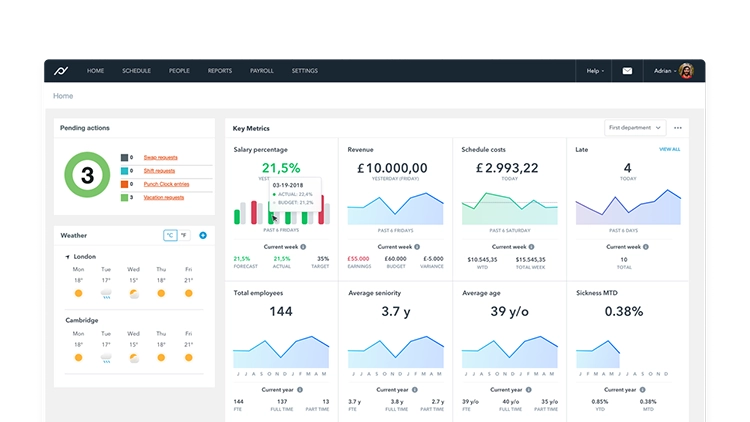
Lightspeed integrates with Planday, offering advanced staff scheduling features that help businesses optimize labor costs and workforce management. The system allows managers to create schedules based on sales analytics, track employee hours, and adjust shifts in real-time. With mobile access, staff can swap shifts or request time off, ensuring seamless communication and improved efficiency in retail management.
Customer-Facing Display
The Customer-Facing Display (CFD) in Lightspeed’s POS system enhances transparency and trust during transactions. By connecting a secondary device, such as an iPad, customers can view a detailed breakdown of their orders, including itemized lists, subtotals, taxes, and total amounts. This setup not only improves the checkout experience but also allows for branding opportunities, as businesses can display logos and customized backgrounds on the CFD.
Self-Service Kiosk
Integrating Self-Service Kiosks with Lightspeed’s POS system empowers customers to place orders independently, reducing wait times and labor costs. These kiosks are designed for quick-service environments, allowing patrons to browse the menu, customize orders, and complete transactions without staff assistance. The seamless integration ensures that orders are sent directly to the kitchen, streamlining operations and enhancing the overall customer experience.
Integrations & Add-Ons
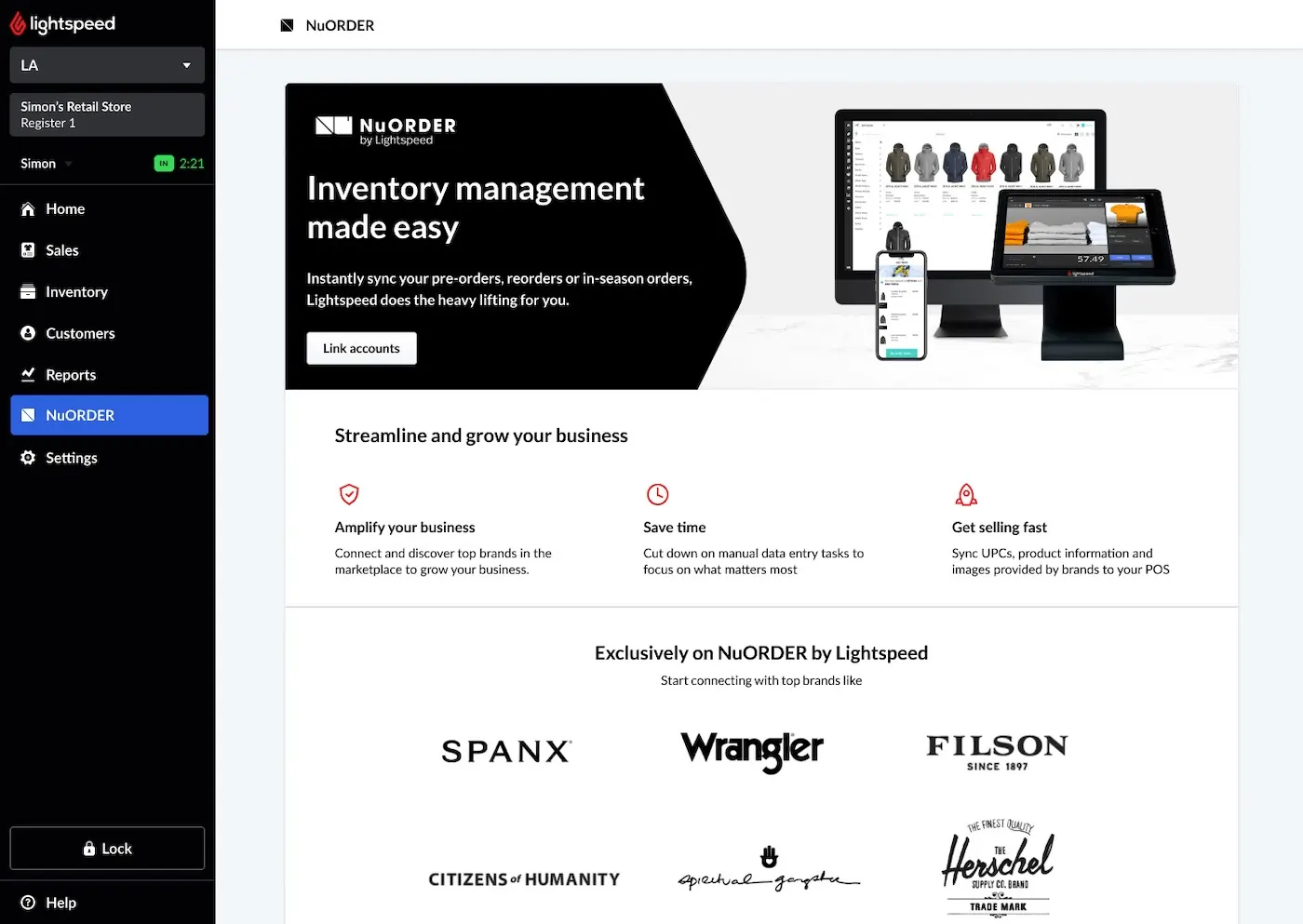
Lightspeed’s integrations are one of its strong points. I explored its large library of supported software, covering everything from integrated payment solutions to marketing and ERP systems. Notable integrations include AppCard and TapMango for loyalty programs, Mailchimp for email marketing, and various tools for rental and reservation management.
For restaurant businesses, Lightspeed supports online food ordering services, table booking, and kitchen management solutions. These integrations enhance operational efficiency, making the system adaptable for both multi-location management and specialized business needs.
Hardware & Software
Hardware Requirements
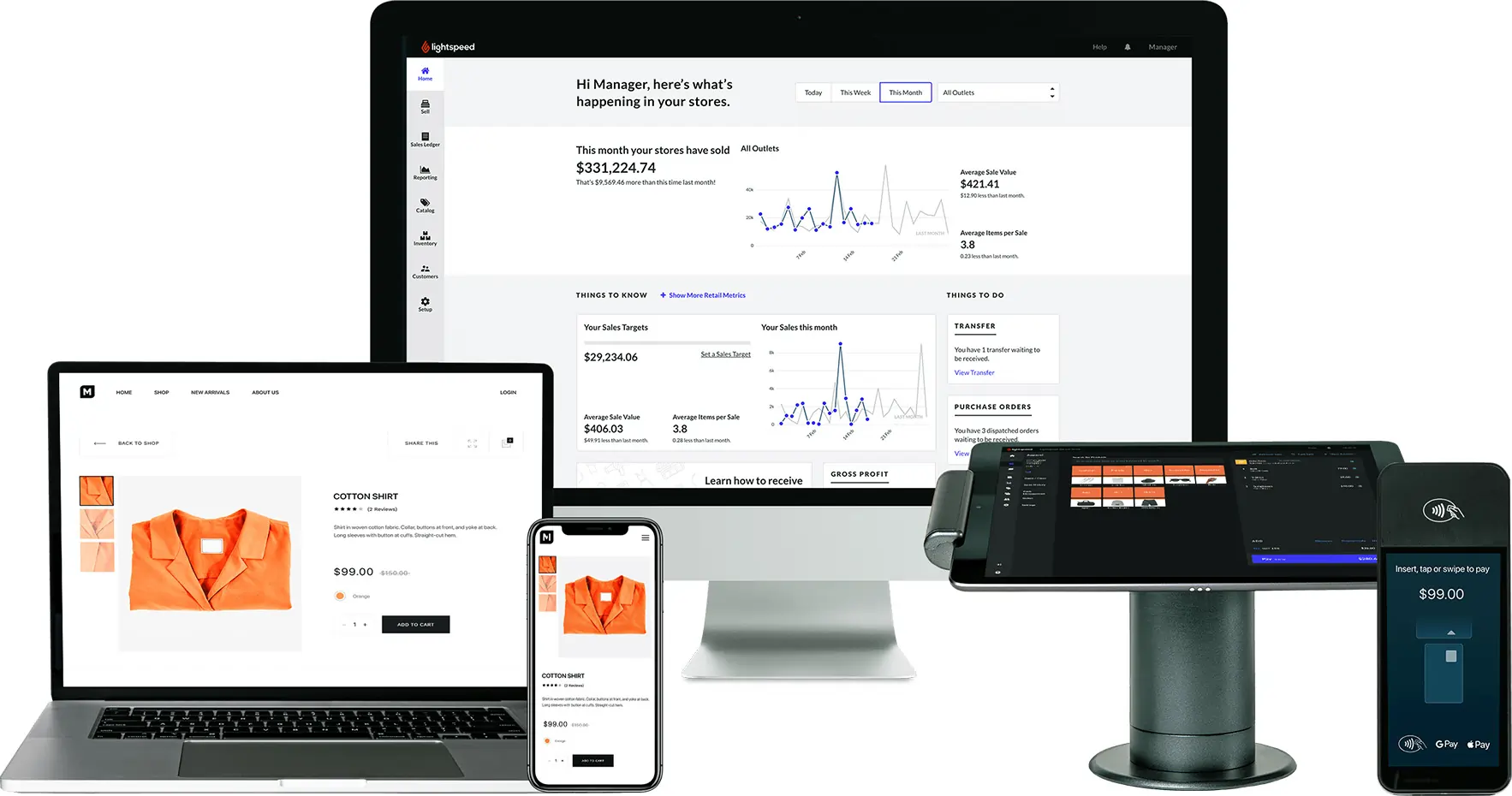
Lightspeed is incredibly flexible when it comes to hardware. For small retail businesses, Lightspeed suggests a package with one iPad-based register. This works out to $99/mo with annual up-front payment. It’s worth noting that Lightspeed is iPad-based. There is no support for Android tablets.
If you wish to build on this basic configuration, there’s everything from fixed, desktop-style setups, to custom server systems supporting multiple registers.
Lightspeed showcases a range of selected hardware, but there’s also a much bigger list of supported products from a range of manufacturers.
Extensive Hardware Integration
As well as working with its own registers, Lightspeed also hooks into a wide range of third-party point of sale hardware. Options range from a simple iPad-based setup, with the option of Bluetooth scanners and receipt printers, right up to fixed desktop hardware including cash drawers.
Lightspeed is particularly versatile for restaurants, with options that include kitchen order printers, and displays that face the customer so they can verify their orders.
Lightspeed POS is a versatile point-of-sale system that caters to various industries such as retail (including apparel, bike, books, electronics, health, home & garden, jewelry), restaurant, quick service, hotels, and golf retail. However, it does not support certain industries like food truck, pizzeria, catering, groceries, and services, including food & beverage. With its range of features and capabilities, Lightspeed POS is an excellent choice for businesses in industries it supports.
Software
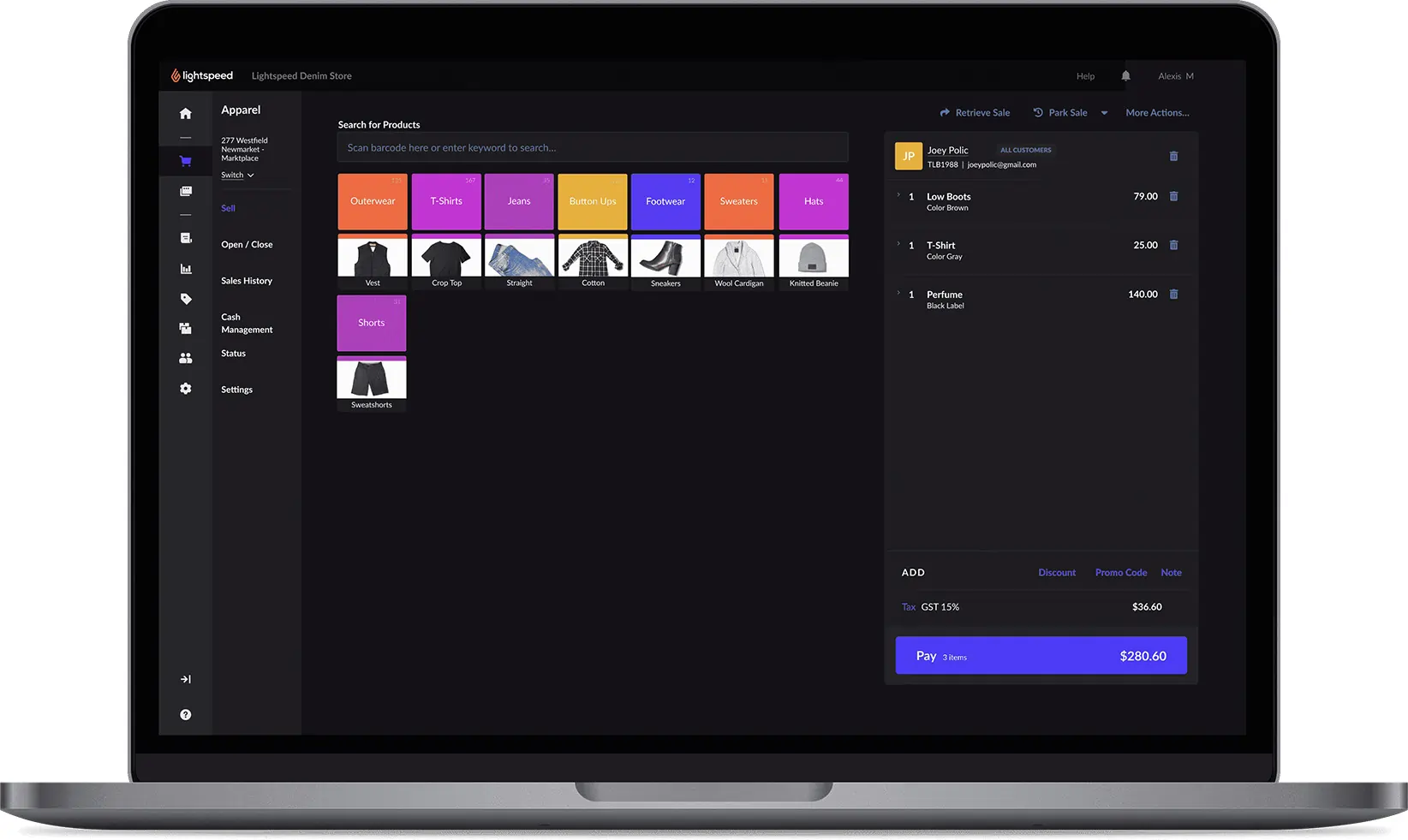
Pricing Options
Lightspeed offers its own payment processing service, as an alternative to hooking into third-party providers. Lightspeed takes a set rate of 2.6% on transactions, plus a fee of 10 cents for in-person payment or 30 cents for remote payment. Lightspeed Payments offer its users a fully integrated system (POS + Payments + hardware). However, this processer is available in the US and Canada only. Not located in these regions? Not a problem. You can still use a integrated payments solution with Lightspeed.
Performance:
When I tested Lightspeed Restaurant POS, I found that its cloud-based architecture ensures swift data processing and real-time synchronization across devices, which is crucial for maintaining seamless operations during peak hours. The system’s intuitive interface allows staff to navigate through tasks efficiently, reducing training time and minimizing errors. Additionally, the offline mode ensures that the POS system remains operational even during internet outages, preventing any disruption in service.
However, I did some research, and some users have reported occasional slowdowns when accessing certain features, so performance may vary depending on specific configurations and hardware setups.
Reliability
In my experience, Lightspeed Restaurant POS demonstrates a high level of reliability. The system’s robust infrastructure minimizes downtime, ensuring that all functionalities are available when needed. Regular updates and maintenance keep the software running smoothly, and the 24/7 customer support is readily available to address any issues that may arise, further enhancing the system’s dependability.
Scalability
I found that Lightspeed Restaurant POS is designed to scale with growing business needs. The system supports multi-location management, allowing businesses to oversee multiple outlets from a centralized platform. This scalability ensures that as a restaurant expands, the POS system can accommodate increased operational demands without compromising performance.
Overall, Lightspeed Restaurant POS delivers solid performance, balancing speed, reliability, and scalability to meet the diverse needs of the restaurant industry.
Ease Of Use:
When I tested Lightspeed’s Retail POS software, I found the setup process involved due to the wide range of configurations and add-ons. However, the system provides extensive resources to guide users through the process, including tutorials and 24/7 customer support. This ensures businesses can get up and running without major roadblocks.
Once configured, I found the Point of Sale system easy to navigate. The interface is intuitive, which helps staff quickly adapt to daily operations. Some POS systems can feel overwhelming, but Lightspeed strikes a balance between advanced features and usability.
One of the standout aspects is the high level of customization. I was able to adjust user permissions, limiting or expanding functionality based on staff roles. This is especially useful in retail management and multi-location management, where different team members require access to specific features. The ability to tailor the interface ensures smoother operations in fast-paced environments.
Uniqueness:
Verdict:
Lightspeed pulls off a tricky combination of providing something that’s user friendly and approachable but still highly scalable and easy to customize. It’s a solution that can truly grow with your business.
Where Lightspeed impresses most is in its support. Between the self-service resources and the huge list of support options, you’re certainly not going to feel lost with what to do next at any point.
Integration is strong too, making it easy to bolt Lightspeed on to innovative extras like loyalty schemes and booking systems. Alternatively, if you’re starting from scratch, you can use Lightspeed for everything – from POS to payments and even eCommerce.
Lightspeed’s pricing tiers do ramp up quite quickly, and it’s a shame things like loyalty support and analytics are saved for the more premium packages. However, this is a great overall POS package, which manages to serve everyone from startups to corporates with equal finesse.
FAQ
Q: What is Lightspeed Retail POS?
A: Lightspeed Retail is a cloud-based point-of-sale (POS) system specifically designed for retail businesses, ranging from small boutiques to multi-location stores. It offers robust features for inventory management (including variants, serialized items, purchase orders), sales processing, customer management (CRM), detailed reporting, e-commerce integration (Lightspeed eCom or others), and integrated payment processing (Lightspeed Payments).
Q: How much does Lightspeed Retail cost per month?
A: Lightspeed Retail is considered a premium system, generally more expensive than basic options. Pricing starts around $69-$119 per month for the basic “Lean” plan (billed annually), but costs increase significantly with higher tiers (“Standard”, “Advanced”) needed for more features, additional registers, locations, and integrated payment processing via Lightspeed Payments. Hardware costs are separate. Expect the total cost to be higher depending on your specific needs.
Q: What are the biggest complaints searched for about Lightspeed Retail?
A: Common complaints focus on aggressive sales tactics, high overall costs (especially with add-ons and potential price increases), long-term contracts (often 1-3 years) that are very difficult and expensive to cancel, mandatory use of Lightspeed Payments in many regions, and inconsistent customer support. Some users also report software bugs or a steeper learning curve than simpler systems.
Q: Do I have to use Lightspeed Payments with Lightspeed Retail?
A: Increasingly, yes, especially for new customers in North America. While Lightspeed Retail used to integrate with various third-party processors, they now heavily incentivize or require the use of their in-house Lightspeed Payments. Using an external processor (if allowed) typically results in significantly higher monthly software fees and may limit access to certain features or support.
Q: Is it hard to cancel a Lightspeed Retail contract? What are the fees?
A: Yes, based on user reports, canceling early is very difficult and costly. Contracts are often multi-year and may auto-renew. Early Termination Fees (ETFs) usually require paying out a substantial portion (or all) of the remaining contract value, potentially amounting to thousands of dollars. Scrutinize the contract terms carefully before signing.
Q: Does Lightspeed Retail work offline if the internet goes down?
A: Yes, Lightspeed Retail offers an offline mode. If your internet connection drops, you can typically continue processing sales and accepting certain card payments (queued for processing later). The data syncs when connectivity is restored. However, real-time features like checking inventory across locations or processing integrated gift cards might be unavailable offline.
Q: What kind of hardware does Lightspeed Retail run on? Can I use my own computer or iPad?
A: Lightspeed Retail is flexible. The main POS software can run on Apple iPads (via their app) or on desktop computers (Mac or PC) using a web browser (Chrome is often recommended). You can often use your own compatible devices. Peripherals like barcode scanners, receipt printers, cash drawers, and payment terminals need to be compatible models, often purchased through Lightspeed, especially terminals for Lightspeed Payments.
Q: How does Lightspeed Retail compare to Shopify POS or Square for Retail?
A:
-
vs. Shopify POS: Lightspeed Retail generally offers more advanced, granular inventory management and reporting features suitable for complex retail operations (e.g., serialized items, purchase order workflows). Shopify POS integrates seamlessly with the Shopify e-commerce platform and might be simpler for primarily online sellers expanding to physical retail. Both push integrated payments.
-
vs. Square for Retail: Lightspeed Retail has significantly deeper inventory control, vendor management, and reporting than Square’s free plan or even its paid tiers. Square is much cheaper to start, has simpler flat-rate pricing, and no long-term contracts, making it better for smaller or newer businesses. Lightspeed targets more established retailers needing robust features.
Q: How is Lightspeed Retail’s customer support?
A: User experiences are mixed. While Lightspeed offers 24/7 support (often tiered based on plan), common complaints include long wait times, difficulty reaching knowledgeable support reps for complex issues (especially software bugs or integration problems), being transferred multiple times, and inconsistent follow-up. Some users report positive experiences, but dissatisfaction with support is a recurring theme.
Q: Does Lightspeed Retail integrate well with e-commerce platforms like Shopify or its own Lightspeed eCom?
A: Yes, integration is a key feature. Lightspeed offers its own platform, Lightspeed eCom, designed for seamless integration. It also provides integrations for popular platforms like Shopify and BigCommerce, allowing retailers to manage inventory and sales across online and physical stores from one system. However, users sometimes report bugs or complexities in setting up and maintaining these integrations smoothly.
 Write a Review