
Best Retail POS System for Small Businesses
Most micro and small retail businesses (1–5 employees) need a POS that processes payments, tracks inventory, and shows what's selling, without monthly fees they can't justify yet. After hands-on testing, Square POS is the best starting point for most. Shopify POS wins for omnichannel. Clover has the best hardware. GoDaddy POS has the lowest fees. EPOS Now has the most integrations.
Last updated: October 2026

Free plan available
- Free setup & no hidden fees
- Create customer profiles in seconds
- Simple to use inventory management
- No monthly payment
- Next-business-day transfers
- Inexpensive long-term option
- Comprehensive inventory management
- Not great for all industries
- Some performance issues
Free plan available
- Free setup & no hidden fees
- Create customer profiles in seconds
- Simple to use inventory management
- No monthly payment
- Next-business-day transfers
- Inexpensive long-term option
- Comprehensive inventory management
- Not great for all industries
- Some performance issues

- Process digital wallets & popular payments
- Personalize marketing to boost loyalty
- Sync online & in-store sales effortlessly
- Seamlessly integrate your online and in-person store. Keep inventory, payments, and customers in sync.
- Rich customer profiles & integrated loyalty programs
- Very cost-effective service fee
- Integrated payments: Accept payments in store with low rates, quick payouts, and fully integrated Shopify hardware.
- Shopify plan (for ecommerce) is required for POS i.e. not suited for retail only merchants
- POS Lite is included with Shopify plan but additional upgrade to POS Pro plan is required for more advanced features
- Not suitable for certain industries such as restaurants or grocery stores/supermarkets
- Process digital wallets & popular payments
- Personalize marketing to boost loyalty
- Sync online & in-store sales effortlessly
- Seamlessly integrate your online and in-person store. Keep inventory, payments, and customers in sync.
- Rich customer profiles & integrated loyalty programs
- Very cost-effective service fee
- Integrated payments: Accept payments in store with low rates, quick payouts, and fully integrated Shopify hardware.
- Shopify plan (for ecommerce) is required for POS i.e. not suited for retail only merchants
- POS Lite is included with Shopify plan but additional upgrade to POS Pro plan is required for more advanced features
- Not suitable for certain industries such as restaurants or grocery stores/supermarkets

90-Days Free Trial
- Cloud-hosted & accessible from anywhere
- Accept payments & track inventory
- Offer gift cards to boost customer retention
- Attractive pricing 30-day trial at no cost
- Affordable hardware beginning at $49
- Feature-packed Ideal for businesses with an online presence
- Round-the-clock phone and email assistance.
- You can't apply for the POS online; it requires interaction with a sales representative
- Pricing information isn't clear-cut
- No complimentary plan available
90-Days Free Trial
- Cloud-hosted & accessible from anywhere
- Accept payments & track inventory
- Offer gift cards to boost customer retention
- Attractive pricing 30-day trial at no cost
- Affordable hardware beginning at $49
- Feature-packed Ideal for businesses with an online presence
- Round-the-clock phone and email assistance.
- You can't apply for the POS online; it requires interaction with a sales representative
- Pricing information isn't clear-cut
- No complimentary plan available

Free plan available
- Scalability for selling online & in-person
- Easy setup and 24/7 support
- Real-time inventory & fast payouts
- Accept payments from anywhere with instant syncing
- End-to-end encryption and stellar PCI compliance
- Track offline and online sales through the same dashboard
- GoDaddy devices connect with all existing hardware
- No free trials
Free plan available
- Scalability for selling online & in-person
- Easy setup and 24/7 support
- Real-time inventory & fast payouts
- Accept payments from anywhere with instant syncing
- End-to-end encryption and stellar PCI compliance
- Track offline and online sales through the same dashboard
- GoDaddy devices connect with all existing hardware
- No free trials

- 100+ app integrations for your business
- Business reporting available in real-time
- Award-winning software
- A diverse range of useful features
- Great and inexpensive hardware selection
- Good fit for all sizes of businesses
- Strong selection of integrations
- You must pay if you want personal support
- Not especially tailored to any industry
- Slow customer support
- 100+ app integrations for your business
- Business reporting available in real-time
- Award-winning software
- A diverse range of useful features
- Great and inexpensive hardware selection
- Good fit for all sizes of businesses
- Strong selection of integrations
- You must pay if you want personal support
- Not especially tailored to any industry
- Slow customer support
* Featured prices and terms can be updated. Free offers may include additional terms.
You need one system that handles payments, tracks inventory, and provides sales data, without requiring a tech team to run it. That's the core job of a retail POS, and most micro businesses (1–5 employees) overpay for features they'll never touch.
Which Retail POS Should You Choose?
- Square POS- Free to start. No contracts. You can take your first payment today with just your phone. Best for solo operators, pop-ups, and stores with fewer than 300 SKUs. Processing: 2.6% + $0.15 per tap/chip transaction.
- Shopify POS- Syncs your online store and physical store inventory automatically. If you already sell on Shopify or plan to sell online, this is the one. Starts at $39/month (Basic) with POS Lite included. POS Pro is $89/month per location.
- Clover POS- The best-looking, most professional hardware lineup of any POS. You pick the exact device setup your store needs. Great app marketplace to add features as you grow. Plans from ~$14.95/month.
- GoDaddy POS- The lowest in-person processing fees in this group (2.5%, or 2.3% on the Plus plan). Simple, plug-and-play hardware. Ideal if you already have a GoDaddy website or online store. Plus plan is $28.99/month.
- EPOS Now- Over 100 third-party integrations (QuickBooks, Xero, Mailchimp, Shopify, and more). Works on iPads, Android tablets, and Windows PCs. Built for businesses that need flexibility across retail and hospitality. Hardware bundles start around $349.
How Do We Test POS Systems for Small Teams?
We don't review POS systems from a spec sheet. We set up each platform the way a real 2–3 person retail store would - from scratch.
That means we import a product catalog of 150–300 SKUs, configure taxes, run test sales, process refunds and exchanges, and check how fast inventory updates across devices. We time the full setup. We train a second person and see how long it takes them to run a transaction on their own. We pull weekly reports and check whether the data is actually useful or just numbers on a screen.
We also calculate the real monthly cost - not just the subscription price you see on the website, but the total after processing fees, hardware, and the add-ons a micro retail store realistically needs.
If a 2-person team can't set up and start using the POS within one business day, that's a red flag for micro businesses. Every platform in this guide passed that test.
What is a retail POS system?
Think of a Retail Point of Sale (POS) as the brain of your shop. If a traditional cash register is like an old-fashioned landline phone that only makes calls, a modern POS is like a smartphone: it’s one device that handles your mail, photos, maps, and conversations all at once.
In the simplest terms, it is the place where your customer hands over their money in exchange for your products. But instead of just popping open a drawer and storing cash, it’s a smart system (usually a tablet or a small screen) that records exactly what happened during that sale and organizes your business for you.
What Can It Actually Do For You?
Imagine you have a tiny assistant sitting on your counter who never sleeps and has a perfect memory. That is what a POS does:
- Remembers Your Stock: Every time you sell a candle or a t-shirt, the POS automatically subtracts 1 from your total count. You’ll never have to guess how many are left in the back room.
- Calculates the Math: It adds up the prices, calculates the tax, and gives the exact change or processes a credit card tap instantly. No more manual calculators or mental math errors.
- Prints or Emails Receipts: It gives your customer a professional record of their purchase, which makes your small business look established and trustworthy.
- Shows You Your Progress: At the end of the day, you don't have to count paper slips. You just press a button, and it tells you, You made $500 today, and your best-selling item was the Blue Mug.
Do You Really Need It?
You might be thinking, "I only sell a few things a day, can't I just use a notebook?" You can, but a POS becomes necessary when you want to stop working for your business and start growing it.
You need a POS if:
- You’re tired of guessing: If you don't know exactly how much money you made last month without spending hours on paperwork.
- You want to accept more than just cash: Most customers today expect to tap their phone or card. A POS makes this safe and easy.
- You want to go home earlier: If you spend your evenings counting inventory or balancing your books, a POS does that work for you in seconds.
- The Bottom Line: A POS takes the messy parts of running a shop—the math, the counting, and the record-keeping - and consolidates them into a single, easy-to-use screen. It turns your shop from a hobby into a professional operation.
What is the best POS for retail?
Shopify POS is our top pick for retail because most modern shops sell both in-store and online. To run a retail store smoothly, you need real-time stock tracking with product options (like size and color), fast barcode scanning, purchase orders, and customer profiles for loyalty perks. Most importantly, your POS should automatically sync inventory across all locations so you never accidentally sell out-of-stock items.
The fit: Shopify POS, Square for Retail, or Lightspeed
- Shopify POS (Best overall for retail & online): Shopify is the best overall choice for retail shops. It seamlessly syncs your in-store sales, website inventory, and customer data in one place, making it easy to manage local pickups, returns, and web orders.
- Square for Retail (Best for small boutiques & pop-ups): Square offers a great $0/month budget option for simpler shops. Upgrading to Square for Retail Plus ($49/mo) adds key retail features like barcode label printing, vendor tracking, and inventory reports.
- Lightspeed Retail (Best for high-SKU & multi-location stores): If you manage thousands of products or multiple store locations, Lightspeed is built for heavy lifting. It handles deep stock tracking, automated vendor reorders, and detailed sales reports.
Skip: Food-service POS systems (like Toast) that lack retail barcode and stock tools. Skip basic payment readers that don't let you track inventory levels or product variations.
Which POS system is top-rated for medium-sized retailers?
Lightspeed Retail is our top-rated choice for medium-sized retailers. While small boutiques can get by on basic payment apps, a growing mid-sized store needs advanced multi-location inventory controls, automated purchase orders, vendor catalog integrations, and deep sales analytics. You need software built to manage thousands of SKUs and multiple store locations without slowing down checkout lines.
The fit: Lightspeed Retail, Shopify POS, or Clover
- The fit: Lightspeed Retail, Shopify POS, or Clover
- Lightspeed Retail (Best overall for medium & multi-store retail): Starting at $89/month, Lightspeed is purpose-built for growing retail stores. It excels at complex product matrix tracking (variants like size, color, and material), automated stock reordering, cross-store inventory transfers, and granular reporting across multiple locations.
- Shopify POS (Best for high-volume online & in-store retail): Starting at $39/month, Shopify POS keeps your website catalog, warehouse, and retail counters perfectly in sync. It provides unified customer profiles, centralized loyalty programs, and seamless cross-channel fulfillment.
- Clover Retail (Best for dedicated hardware & custom rates): Starting at $13/month, Clover offers robust touchscreen registers that fit busier store counters. It allows established mid-sized retailers to pair their hardware with custom payment processors, helping negotiate lower transaction fees as sales volumes rise.
Skip: Entry-level $0/month plans (like basic Square) that lack purchase orders, vendor catalog integrations, and multi-location stock transfers. Skip restaurant platforms (like Toast) that don't support retail barcode or inventory workflows.
Is Square POS Good for a Small Retail Store?
Best for: Solo operators, pop-ups, stores under 300 SKUs
Square is one of the most complete free business platforms for small businesses, covering POS, merchant services, accounting, online invoicing, payroll, bookkeeping, and ecommerce from a single… Read more
Square is one of the most complete free business platforms for small businesses, covering POS, merchant services, accounting, online invoicing, payroll, bookkeeping, and ecommerce from a single dashboard. It works especially well for micro businesses and SMBs that want to replace multiple subscriptions with one connected system — where sales, finances, inventory, and payroll all update automatically in the same place. For most small businesses, Square is worth it.
Learn more in our full Square review.
Pros & Cons
- No monthly payment
- Next-business-day transfers
- Inexpensive long-term option
- Comprehensive inventory management
- Not great for all industries
- Some performance issues
Features
- Inventory Management
- Loyalty Program
- Mobile Compatibility
- Online Ordering
- Reporting
- Split Checks
- Manage Tips
- Staff Scheduling
- Offline Payments
- Customer Profiles
- Multidevice Payments
- Gift Card Support
- Accounting Integration
- Tableside Ordering
- Floor Plan Management
- Customer-Facing Display
- Self-Service Kiosk
- Retail Store
- Coffee Shop
- Nightclub
- Quick Service
- Bars
- Restaurants
- Food Truck
- iOS
- Android
- Cloud-Based
- Free Trial
- Freemium
- Monthly subscription
- One-Time License
Pricing
$0
mo/
month
$49
mo/
month
$149
mo/
month
Screenshots
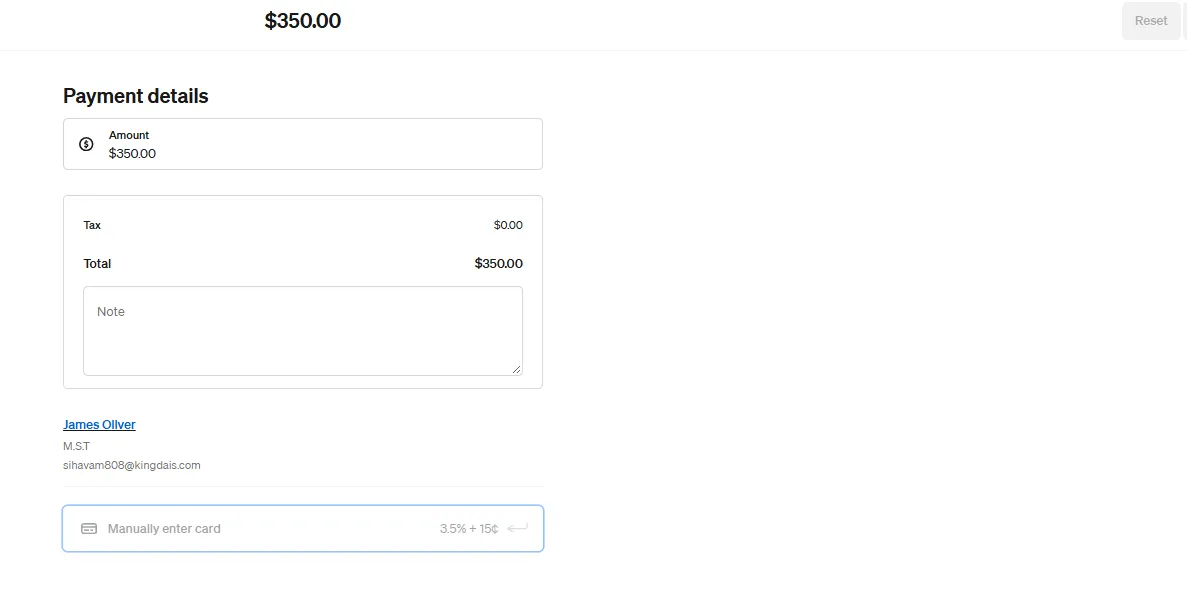
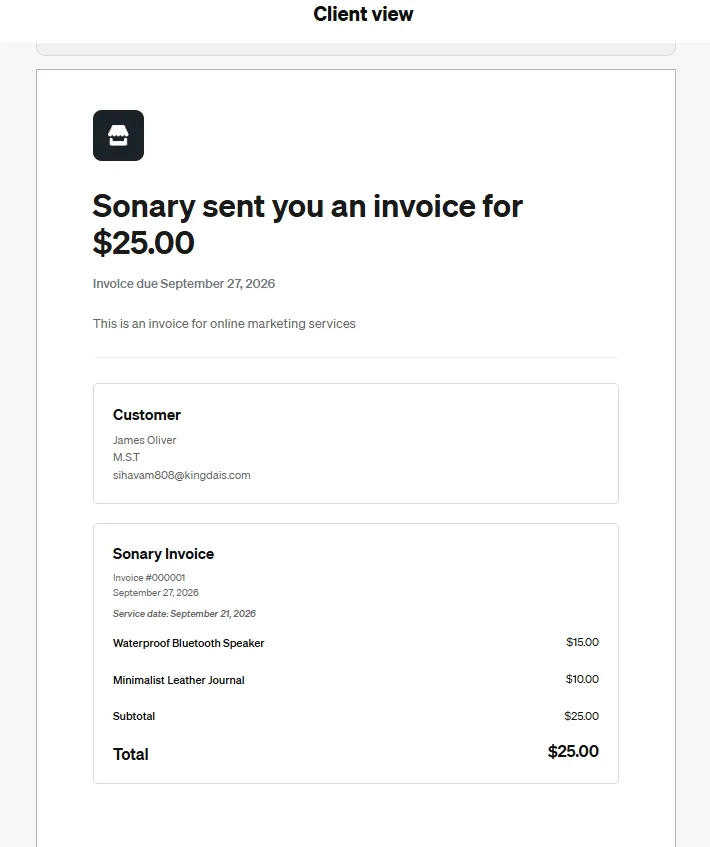
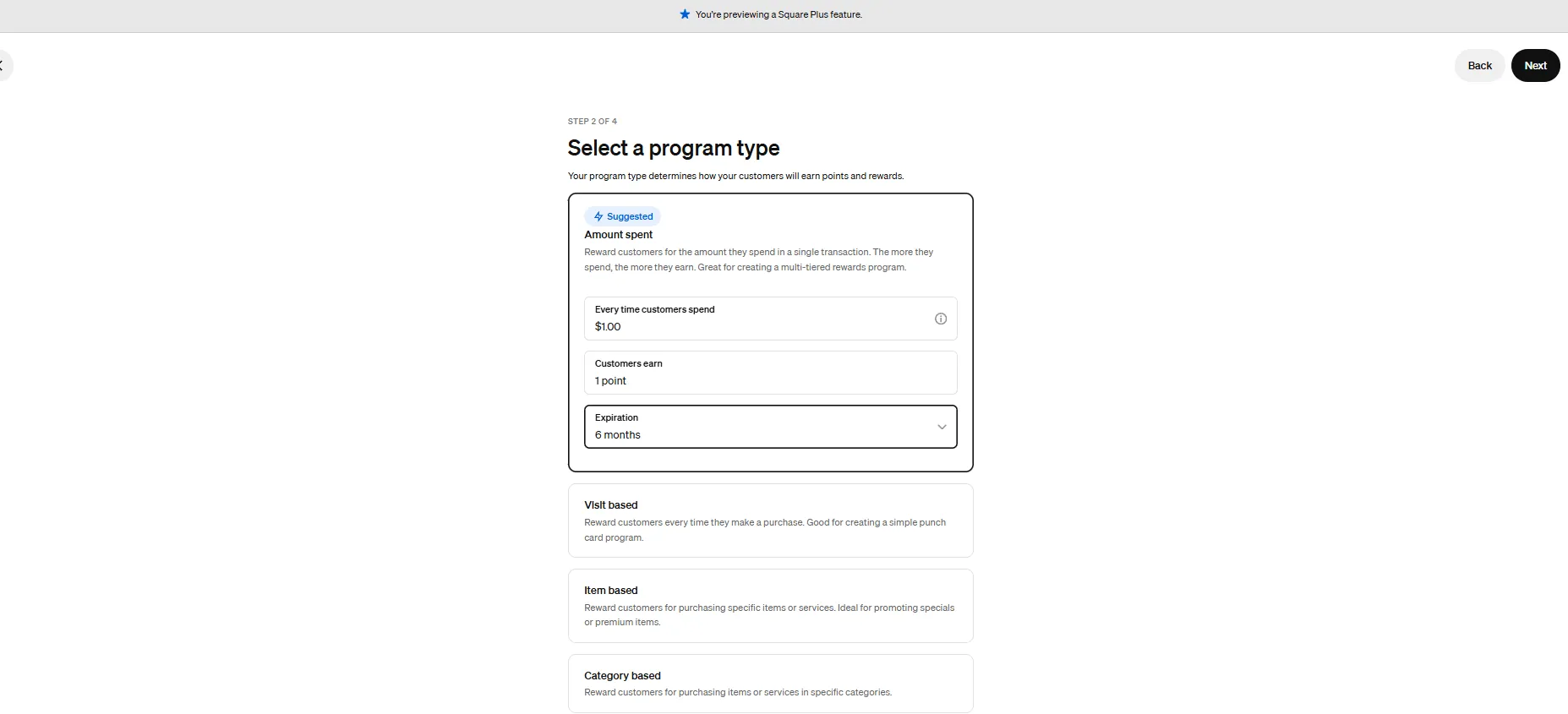
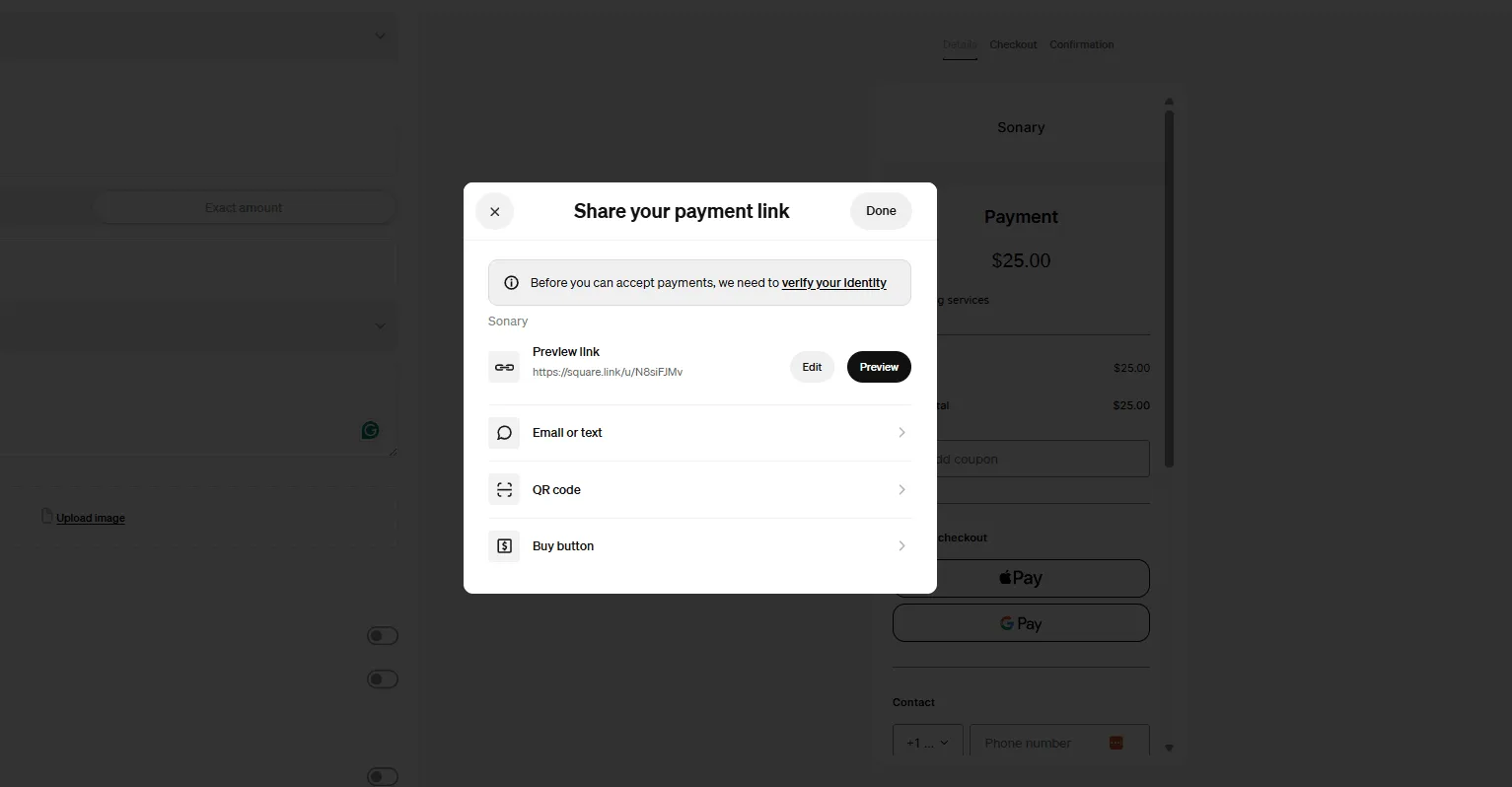
Square is the POS that makes the most sense for the widest range of small retail businesses. If you're a solo operator or running a store with 1–3 employees, a boutique, a gift shop, a pop-up, or a market stall - Square should be your default starting point.
Here's why: you can start with $0 in monthly software fees. Download the app, connect a card reader (the basic one is free for new sign-ups), and you're ready to accept payments. No contract. No annual commitment. If it's not the right fit, you walk away without losing anything.
That zero-risk entry point is a massive deal for micro businesses. You're not gambling $500 on hardware and a 12-month contract before you know if the system works for your workflow.
What's included free
- Payment processing (tap, chip, swipe)
- Basic inventory with barcode scanning and categories
- Digital receipts
- Refunds and exchanges
- Sales dashboard with an AI assistant (ask plain-language questions like, "What sold best last week?")
Where it falls short
- No vendor management, purchase orders, or COGS reporting on the free plan — need Plus ($49/month)
- Can't use a third-party processor — locked into Square's rates
- Processing fees add up at higher volumes: ~$405/month on $15,000 in card sales
Case study: 3-person gift shop
A downtown gift shop (owner + 2 part-time staff) switched from a cash register. Setup took one afternoon — 250 products imported via CSV, and both employees were trained the same day.
Result: Owner discovered 30% of revenue came from just 12 products. Reorganized the store display accordingly.
Monthly cost:$0 software + ~$350 processing fees on $13,000 card volume + $299 one-time Terminal purchase.
How much does Square POS actually cost?
Plan | Monthly Fee | In-Person Rate | Best For |
|---|---|---|---|
Free | $0 | 2.6% + $0.15 | Pop-ups, new stores, market sellers |
Plus | $49/location | 2.5% + $0.15 | Established retail, 1–3 locations |
Premium | $79/location | Custom | Higher volume ($250K+ annual sales) |
Is Shopify POS Worth It for a Small Retail Store?
Best for: Stores selling online + in-person
Shopify Inc., a Canadian multinational e-commerce company, delivers a powerful Point of Sale system with best-in-class POS software. Shopify POS combines marketing, inventory tracking, integrated… Read more
Shopify Inc., a Canadian multinational e-commerce company, delivers a powerful Point of Sale system with best-in-class POS software. Shopify POS combines marketing, inventory tracking, integrated payment solutions, and deep e-commerce integration, offering a unified platform for selling online and in-store. Its cloud-based POS systems cater to businesses of all sizes, from startups to enterprises with millions in annual revenue. With tools for retail management, sales analytics, and multi-location management, Shopify POS empowers businesses to streamline operations and improve customer engagement. Whether you’re just starting or scaling globally, the Shopify POS tool adapts seamlessly to your needs. In this Shopify POS review, I'll explore the features, performance, Shopify POS pricing, and more.
Learn more in our full Shopify review.
Pros & Cons
- Seamlessly integrate your online and in-person store. Keep inventory, payments, and customers in sync.
- Rich customer profiles & integrated loyalty programs
- Very cost-effective service fee
- Integrated payments: Accept payments in store with low rates, quick payouts, and fully integrated Shopify hardware.
- Shopify plan (for ecommerce) is required for POS i.e. not suited for retail only merchants
- POS Lite is included with Shopify plan but additional upgrade to POS Pro plan is required for more advanced features
- Not suitable for certain industries such as restaurants or grocery stores/supermarkets
Features
- Retail Store
- Inventory Management
- Loyalty Program
- Mobile Compatibility
- Online Ordering
- Reporting
- Split Checks
- Offline Payments
- Customer Profiles
- Multidevice Payments
- Gift Card Support
- Accounting Integration
- Tableside Ordering
- Customer-Facing Display
- Self-Service Kiosk
- iOS
- Android
- Cloud-Based
- Free Trial
- Monthly subscription
- Annual subscription
Pricing
$39
mo/
month
$105
mo/
month
$399
mo/
month
$2300
mo/
month
Shopify POS is the right choice when you sell (or plan to sell) both online and in a physical store. It's not just a POS - it's the in-store extension of Shopify's e-commerce platform. That means your online store and your physical register share the same product catalog, the same inventory counts, and the same customer profiles.
For a small team that can't afford to reconcile two separate systems manually - or deal with the headache of overselling a product because your online store didn't know your in-store staff just sold the last one - this automatic sync is the core reason to choose Shopify POS.
If you only sell in person and have zero plans to go online, Shopify POS is probably not the best fit. You'd be paying for e-commerce infrastructure you don't use. Square or Clover would be a better starting point.
Why small omnichannel teams choose it
- Real-time inventory sync— sell one in-store, online count updates instantly
- Unified customer profiles— see every customer's full purchase history (online + offline)
- Buy online, pick up in-store— built in, no extra tools
- Unlimited staff accounts on POS Pro with roles and permissions
Where it falls short
- Minimum $128/month before processing fees or hardware — expensive for a micro store
- 2% surcharge if you use a third-party processor instead of Shopify Payments
- iPad and accessories purchased separately
Case study: 2-person clothing boutique
An owner and 1 employee had a Shopify online store for a year before opening a physical shop. They added POS Pro, and their entire catalog appeared on the register app instantly.
Result: Eliminated overselling (previously, last units would sell online and in-store simultaneously). The email list grew 40% from in-store capture within 3 months.
Monthly cost:$128 (Basic + POS Pro) + ~$280 processing on $10,000 card volume = ~$408/month.
How much does Shopify POS cost per month?
Component | Cost | Notes |
|---|---|---|
Basic Shopify Plan | $39/month | Includes POS Lite |
POS Pro Add-On | $89/month per location | Needed for permanent retail |
In-Person Processing | 2.6% + $0.10 | Via Shopify Payments |
Retail Plan (alternative) | $89/month | Includes POS Pro, built for brick-and-mortar |
Is Clover POS Good for Small Businesses?
Best for: Boutiques, specialty shops, stores where checkout experience matters
Clover is a user-friendly point-of-sale (POS) system designed for small to medium businesses, offering a range of software and hardware tailored to different industries, from retail to restaurants.… Read more
Clover is a user-friendly point-of-sale (POS) system designed for small to medium businesses, offering a range of software and hardware tailored to different industries, from retail to restaurants. While not the most affordable, its diverse payment partners make it a reliable choice. Clover is owned by Fiserv (which acquired First Data in 2019), Clover POS delivers a comprehensive solution for payment processing, inventory management, and sales tracking.
Learn more in our full Clover review.
Pros & Cons
- Attractive pricing 30-day trial at no cost
- Affordable hardware beginning at $49
- Feature-packed Ideal for businesses with an online presence
- Round-the-clock phone and email assistance.
- You can't apply for the POS online; it requires interaction with a sales representative
- Pricing information isn't clear-cut
- No complimentary plan available
Features
- Inventory Management
- Loyalty Program
- Mobile Compatibility
- Online Ordering
- Reporting
- Split Checks
- Manage Tips
- Staff Scheduling
- Offline Payments
- Customer Profiles
- Multidevice Payments
- Gift Card Support
- Accounting Integration
- Tableside Ordering
- Floor Plan Management
- Customer-Facing Display
- Self-Service Kiosk
- Retail Store
- Coffee Shop
- Nightclub
- Quick Service
- Bars
- Restaurants
- Food Truck
- Android
- Cloud-Based
- Free Trial
- Monthly subscription
Pricing
$16
mo/
month
$59.95
mo/
month
$170
mo/
month
$145
mo/
month
$230
mo/
month
$205
mo/
month
Clover is the POS system that looks and feels the most like a professional retail register right out of the box. If the checkout experience matters to your brand - and for boutiques, specialty shops, and gift stores, it absolutely does - Clover gives you hardware options that no other provider in this guide can match.
You can start small with the Clover Go ($49, a mobile card reader) and scale up to a Clover Mini ($799, a compact countertop terminal) or a full Clover Station Duo ($1,799, a dual-screen register with a cash drawer and receipt printer). Each device is purpose-built, polished, and customer-facing. This isn't an iPad propped up on a stand - it's dedicated retail hardware.
App marketplace advantage
Start with basic POS. Add features only when you need them:
- Loyalty programs
- Gift card management
- Age verification
- Advanced analytics
You only pay for what you use — no bloated software bundles.
The warning about Clover POS
Clover devices are sold through third-party resellers. Some bundle hardware with 3–4 year processing contracts and early termination fees. Multiple users report difficulty canceling.
Safe route: Buy from Clover.com directly. Read every line of the contract. Never sign a multi-year processing commitment.
Case study: 4-person home décor store
The owner purchased a Station Duo (main register) and a Flex (floor sales). The Flex was the surprise win — the store manager carries it to check stock and ring up customers on the spot, cutting register lines.
Monthly cost:$69.95 (Advanced) + $20 (analytics app) + ~$460 processing on $20,000 volume = ~$550/month.
How much does Clover POS cost?
Plan | Monthly Fee | In-Person Rate | Notes |
|---|---|---|---|
Starter | ~$14.95/month | 2.6% + $0.10 | Basic POS features |
Standard | ~$49.95/month | 2.3% + $0.10 | Inventory +employee management |
Advanced | ~$69.95/month | 2.3% + $0.10 | Advanced reporting, loyalty |
Is GoDaddy POS Any Good for Retail?
Best for: GoDaddy website users, budget-conscious stores, market sellers
GoDaddy provides a wide range of internet services including hosting. With industry-leading load times, guaranteed 99.9% uptime and expert, 24/7 support, your site couldn’t ask for more.
Learn more in our full Godaddy review.
Pros & Cons
- Free SSL certificate when purchasing a hosting plan
- Free domain is also included with hosting plans
- Unlimited storage and unmetered bandwidth on most plans
- 1-click installation for 100+ applications
- More expensive than comparable web hosting services
- Many instances of the hosting service being slow
Features
- Website Builder
- Shared Hosting
- Reseller Hosting
- Dedicated Hosting
- VPS Hosting
- WordPress Hosting
- Linux Servers
- Windows servers
- Unmetered SSD storage
- Unlimited Transfers
- Email Access
- Control Panel
- Free SSL Certificate
- 1-Click App Installs
- Free Domain Registration
- PCI Compliance
- GIT
- SSH Access
- Site Statistics
- Log Files
- File Manager
- Custom Cron Jobs
- Raw Access Logs
- Script Library
- Customizable Error Pages
- Autoresponder
- Cron Jobs
- Spam Filters
- Hypertext Access
- Unlimited FTP Accounts
- Anonymous FTP
- Mailing lists
Pricing
$6.99
mo/
month
$9.99
mo/
month
$14.99
mo/
month
$21.99
mo/
month
GoDaddy POS is the option most people don't think about - and for micro businesses already in the GoDaddy ecosystem, that's a missed opportunity. If you registered your domain through GoDaddy, built your website there, or run a GoDaddy online store, their POS plugs into everything you already have. No new accounts, no new dashboards, no learning a whole new system.
The other reason to look at GoDaddy: processing fees. GoDaddy charges 2.5% per in-person transaction on the standard plan - one of the lowest flat rates in this group. And if you upgrade to the Plus plan ($28.99/month), that drops to 2.3% + $0.00 per transaction. That's notably cheaper than Square (2.6% + $0.15) and Shopify (2.6% + $0.10).
For a store doing $15,000/month in card sales, GoDaddy's Plus plan saves roughly $50–$70/month in processing fees compared to Square's free plan. Over a year, that adds up.
What GoDaddy does well
- Plug-and-play— unbox terminal, connect Wi-Fi, log in, sell
- Per-location pricing— add multiple terminals in one store with no extra software fee
- Online + in-store catalog sync if you have a GoDaddy online store
- AI assistant for sales data questions
- 1-on-1 onboarding included — a real person helps you set up
Where it falls short
- Limited third-party integrations compared to Clover or EPOS Now
- Limited customization for complex workflows
- Confusing pricing across different pages — confirm full cost before committing
- Requires the GoDaddy ecosystem for the best value
Case study: 2-person candle shop (online store + market stall)
The owner had a GoDaddy online store for 2 years, then opened a permanent market stall. Bought a Smart Terminal Flex ($275), logged in — 80 products synced automatically in under 30 minutes.
Monthly cost:$28.99 (Plus) + ~$184 processing at 2.3% on $8,000 volume = ~$213/month.
Why the processing fees matter
On $15,000/month in card sales:
POS | Rate | Monthly processing cost |
|---|---|---|
Square Free | 2.6% + $0.15 | ~$405 |
Shopify Basic | 2.6% + $0.10 | ~$400 |
GoDaddy Plus | 2.3% + $0.00 | ~$345 |
GoDaddy saves ~$60/month vs. Square at this volume. That's over $700/year.
How much does GoDaddy POS cost?
Component | Cost | Notes |
|---|---|---|
Standard POS (no subscription) | $0/month | 2.5% per in-person transaction |
Point of Sale Plus | $28.99/month | 2.3% + $0.00 per transaction |
Smart Terminal Flex | $275 | Handheld, built-in printer + scanner |
Smart Terminal Duo | $399 | Dual-screen countertop |
Smart Terminal Pro | $599 | 10-inch screen for large catalogs |
Card Reader | $79 | Mobile, for on-the-go selling |
Should I Use EPOS Now for My Retail Store?
Best for: Hybrid retail/food, integration-heavy businesses
Epos Now is a young and innovative point of sale system. Unlike its alternatives, it offers features and a level of usability appropriate for several niche businesses. The company has been focusing… Read more
Epos Now is a young and innovative point of sale system. Unlike its alternatives, it offers features and a level of usability appropriate for several niche businesses. The company has been focusing on its usability, and the result is a versatile system.
Learn more in our full Epos Now review.
Pros & Cons
- A diverse range of useful features
- Great and inexpensive hardware selection
- Good fit for all sizes of businesses
- Strong selection of integrations
- You must pay if you want personal support
- Not especially tailored to any industry
- Slow customer support
Features
- Inventory Management
- Loyalty Program
- Mobile Compatibility
- Online Ordering
- Reporting
- Split Checks
- Manage Tips
- Staff Scheduling
- Offline Payments
- Customer Profiles
- Multidevice Payments
- Gift Card Support
- Accounting Integration
- Tableside Ordering
- Floor Plan Management
- Customer-Facing Display
- Retail Store
- Coffee Shop
- Nightclub
- Quick Service
- Bars
- Restaurants
- Food Truck
- iOS
- Android
- Cloud-Based
- On-place Installation
- Windows
- Mac
- Monthly subscription
- Annual subscription
Pricing
$39
mo/
month
$99
mo/
month
$100
/month/
/month
EPOS Now is worth a serious look if two things describe your business: you need lots of integrations with other tools you already use, or you run a hybrid business that blends retail with food or hospitality (a bakery with a retail counter, a gift shop inside a café, a farm store with a food truck).
EPOS Now connects with over 100 third-party apps - QuickBooks, Xero, Sage, Mailchimp, Shopify, WooCommerce, BigCommerce, Loyalzoo, and many more. That's significantly more native integrations than Square, GoDaddy, or Clover offer. If your business depends on a specific accounting or marketing tool, EPOS Now probably connects to it.
The other major advantage is hardware flexibility. Unlike most POS providers that lock you into their own devices, EPOS Now works on iPads, Android tablets, Windows PCs, and their own proprietary terminals. If you already own compatible hardware, you may not need to buy anything new.
What EPOS Now does that others don't
- 100+ native integrations— QuickBooks, Xero, Sage, Mailchimp, Shopify, WooCommerce, BigCommerce, Uber Eats, DoorDash
- Any hardware— runs on iPad, Android tablet, Windows PC, or proprietary terminals
- Retail + food in one system— barcode inventory AND kitchen display, table management, online ordering
- Training mode— employees practice without processing real transactions
- AI pricing tool— suggests competitive price points based on market data
- Bring your own processor— switch payment providers freely
Where it falls short
- Opaque pricing— no public pricing, must contact sales
- Contracts— typically 1–5 years, hard to cancel early
- Steeper learning curve— interface is feature-rich but cluttered vs. Square
- No manual card entry— can't type in card numbers if customer doesn't have their card
- Some users report unexpected fees for add-ons and support
Case study: 3-person bakery with a retail shelf
A bakery (owner + baker + 1 front-of-house) sells pastries over the counter and packaged products (jams, honey, merchandise) from a retail shelf. EPOS Now handles both: pastry menu with modifiers + barcode-scanned retail products, one register.
QuickBooks integration saves ~2 hours/week on bookkeeping. Training mode got the new hire comfortable before their first shift.
Downside: Owner signed a 2-year contract and wished they'd negotiated shorter terms.
Monthly cost:~$50 software + ~$390 processing on $15,000 volume = ~$440/month.
How much does EPOS Now cost?
Component | Cost | Notes |
|---|---|---|
Complete Countertop POS Bundle | From ~$349 one-time | 15.6" touchscreen + receipt printer |
iPad POS Bundle | Lower entry point | Uses your own iPad |
Monthly Software | Quote-based | Contact EPOS Now for pricing |
EPOS Now Payments | 2.6% + $0.10 | Or use your own processor |
Third-Party Processor | Rates vary | EPOS Now allows any processor |
How Do These POS Systems Compare Side by Side?
Feature | Square | Shopify POS | Clover | GoDaddy POS | EPOS Now |
|---|---|---|---|---|---|
Best For | Solo operators, pop-ups, new stores | Online + in-store sellers | Professional storefront hardware | GoDaddy website users, low processing fees | Integration-heavy, hybrid retail/food |
Free Plan | Yes | No | No | Partial (no subscription, 2.5% fee) | No |
Monthly Cost | $0–$79 | $39–$128+ | $14.95–$69.95 | $0–$28.99 | Quote-based |
In-Person Fee | 2.6% + $0.15 | 2.6% + $0.10 | 2.3%–2.6% + $0.10 | 2.3%–2.5% | 2.6% + $0.10 |
Use Own Processor | No | Yes (with surcharge) | No | No | Yes (no surcharge) |
Hardware Options | Moderate | iPad-based | Excellent | Good (3 terminal options) | Excellent (any device) |
E-Commerce Sync | Basic (Square Online) | Best in class | Limited | Good (GoDaddy stores) | Good (Shopify, WooCommerce, BigCommerce) |
Integrations | Moderate | Large (via app store) | Large (app marketplace) | Limited | 100+ native integrations |
Contract Required | No | No | Varies by reseller | No (annual billing for best price) | Typically yes (1–5 years) |
Setup Time (tested) | Under 1 hour | 2–4 hours | 2–4 hours | Under 1 hour | Half to full day |
Training Mode | No | No | No | No | Yes |
Which POS System Should I Pick for My Small Business?
- Zero budget, zero risk →Square
- Online + in-store →Shopify POS (or GoDaddy POS if you're already on GoDaddy)
- Professional checkout experience →Clover
- Lowest processing fees →GoDaddy POS Plus (2.3%)
- Most integrations or hybrid retail/food →EPOS Now
Start with what your business needs today. Every platform here scales as you grow.
POS Systems We Tested But Don't Recommend for Micro Businesses
- Lightspeed Retail- Strong inventory tools, but plans start at $89/month before processing fees. That pricing makes sense when you're managing 1,000+ SKUs across multiple suppliers. For a 2-person shop with 200 products, you're paying for complexity you don't need. Square Plus at $49/month covers enough inventory management for most micro stores.
- Toast- Built for restaurants. Toast is testing retail features in beta, but it's not designed for a gift shop, boutique, or market stall. If you run a bakery with a retail counter, EPOS Now handles that hybrid better today.
- Helcim/ Zettle / SumUp- These are payment processors with basic POS features, not full retail POS systems. They work for accepting payments at a farmers market, but they lack the inventory tracking, reporting, and multi-device support that even a small permanent store needs.
What is the best offline payment solution for retail stores?
Square is a great option for offline payments because its built-in Offline Mode is included with its $0/month software. When the internet connection drops, you need a system that securely stores encrypted card transactions and automatically processes them once the signal returns. You also need local processing that keeps checkout lines moving without requiring manual workarounds during outages.
- Square (Best overall for offline processing): Starting at $0/month, Square lets you take offline card payments on phones, tablets, or dedicated registers for up to 24 hours. Transactions are stored safely on the device and auto-submit as soon as you reconnect to Wi-Fi or cellular data.
- Helcim (Best for higher-volume stores needing offline processing): Starting at $0/month, Helcim supports offline card processing and offers lower interchange-plus rates (averaging ~1.93% + 8¢ in-person), making it an ideal choice for busy retail stores processing over $5,000/month.
- Clover (Best for dedicated counter registers): Starting at $13/month, Clover's standalone touchscreen terminals (like Clover Flex or Mini) can store offline transactions up to preset dollar limits, ensuring your store counter keeps taking payments during broadband drops.
Skip: Cloud-only software that completely freezes when Wi-Fi disconnects, bringing sales to a halt. Skip taking high-value transactions while offline, as any card that declines after your internet comes back on will result in a loss for your store.
See also
- Retail is one branch of a wider category, and the best POS for small businesses hub shows where service and hospitality tills part ways.
- Deep SKU counts, variants and reorder points push you past a basic till, which is why we keep best POS with inventory management separate.
- Bottle shops carry ID prompts and case pricing that general retail tills skip, so best POS for liquor stores goes further than this page.
- Repeat purchase history and loyalty usually live outside the till, which is what CRM for retail covers.
Bottom Line
There's no single best retail POS for every small business. The right choice depends on where you are right now.
Start with what fits your business today. Every platform in this guide scales as you grow. The worst decision is paying for enterprise features when you're a 2-person team doing 30 transactions a day.