


SkyTab POS Review For 2026: Pros, Cons, and Pricing

SkyTab POS Plans & Pricing
SkyTab Comparison
Expert Review
Pros

Cons

SkyTab POS's Offerings
Initially launched in 2019, SkyTab POS has evolved significantly, adding new features and enhancements to meet the changing needs of restaurants and hospitality businesses. SkyTab POS is considered one of the best POS systems on the market, ranking as a close second behind Lightspeed POS. It is particularly popular among small to mid-sized restaurants due to its user-friendly design and efficient functionality. SkyTab POS is often compared favorably to competitors like Toast in terms of features and pricing. The system is also known for its effective customer support, which is praised by many users.
It also provides robust tools like real-time analytics, loyalty program integration, and marketing features to drive growth. Backed by 24/7/365 support and onsite installation by certified technicians, the SkyTab POS system ensures reliability and performance. With innovative features and a focus on service excellence, SkyTab is a game-changing POS tool for hospitality businesses. I’ll discuss SkyTab pricing, features, and performance in this SkyTab review.
Introduction to SkyTab POS System
The SkyTab POS system stands out as a comprehensive point of sale solution tailored specifically for the restaurant industry. Designed with restaurant owners and managers in mind, SkyTab brings together powerful hardware, intuitive software, and dedicated support to streamline every aspect of restaurant operations.
Its user-friendly interface makes it easy for staff to manage orders, track inventory, and engage with customers, while robust features like online ordering, inventory management, and loyalty programs help drive operational efficiency and enhance the overall customer experience.
Whether you run a small business or a bustling multi-location restaurant, the SkyTab POS system offers the flexibility and reliability needed to manage your business with confidence. By integrating various aspects of restaurant management into a single platform, SkyTab empowers you to focus on delivering exceptional service and growing your business in the competitive restaurant industry.
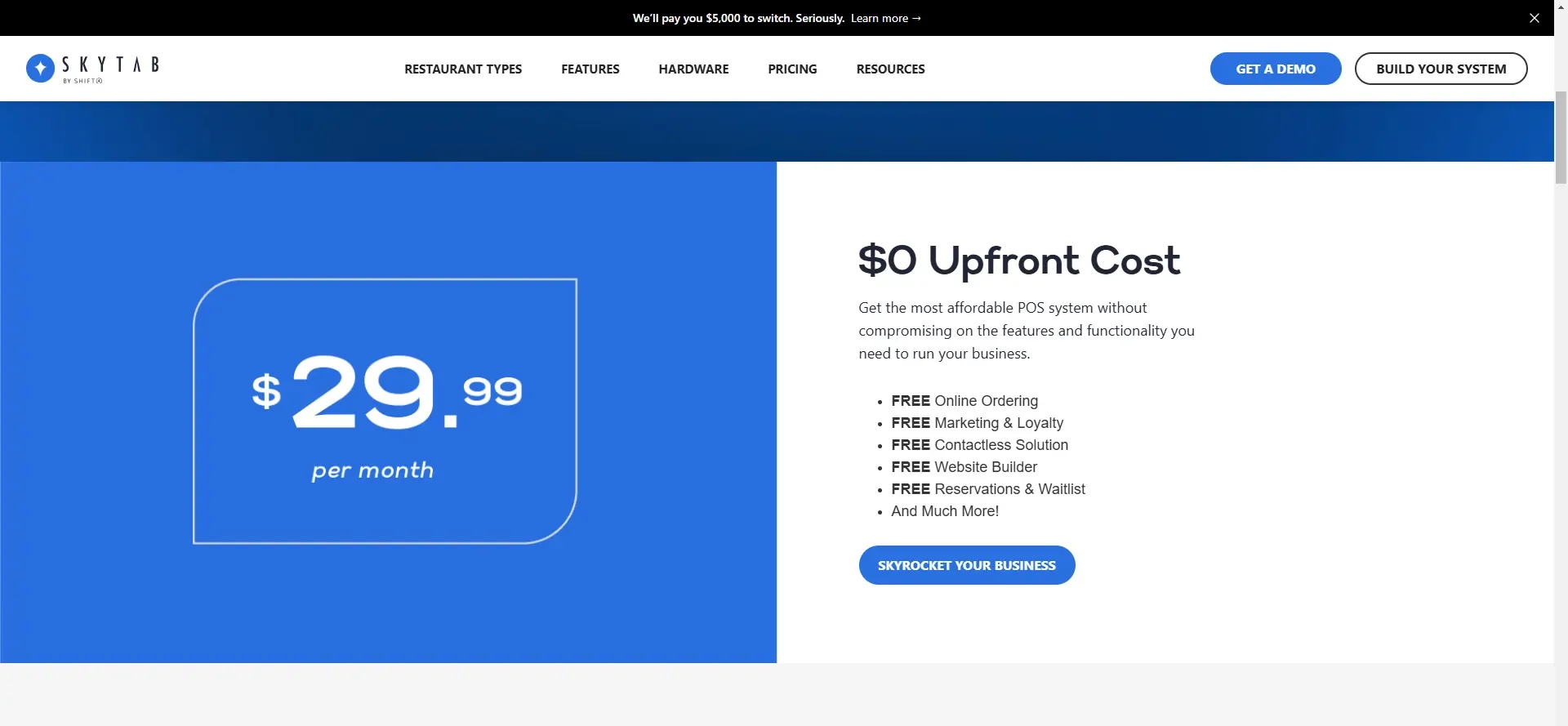
I checked out the website, and SkyTab advertises a single service price – $29.99 per month for each workstation with no up-front costs. This includes hardware, software, installation, training, support, and access to the “InCharge” mobile app for back-office reporting on the go.
Real-life pricing is rather more nuanced, and interested businesses are invited to contact the company for a demo and custom quote. Exact pricing will vary based on the hardware required, the number of workstations, and additional services or software integrations.
In addition, there are various options around payment processing fees, including an “Advantage Program” that can offset credit card processing costs.
Pricing and Plans
SkyTab POS system offers restaurant owners a straightforward and affordable pricing structure designed to fit businesses of all sizes. With a low monthly rate, you get access to the full suite of SkyTab POS software, all necessary hardware, and comprehensive support—without any upfront costs or long-term commitments.
This all-inclusive approach means you can equip your restaurant with a modern POS system while keeping expenses predictable and manageable. Regular software updates and enhancements are included in the monthly rate, ensuring your system remains current with the latest features and security improvements. For those interested in trying before committing, SkyTab provides a free trial and demo, giving you the opportunity to experience the system firsthand and determine if it’s the right fit for your restaurant. This flexible pricing model makes it easy for restaurant owners to adopt a powerful POS solution without financial risk.
Customer Support
SkyTab POS, supported by Shift4, provides customer support that ensures businesses can operate without interruptions, thanks to its 24/7/365 availability. SkyTab’s customer support is highly effective and praised by many users, with phone communication playing a crucial role as a support channel due to its quick response times and ability to resolve issues efficiently. When I reached out to their support team to address specific concerns, such as customizing the reporting features or troubleshooting a network connection issue, the response was immediate and highly effective. The representatives provided clear, step-by-step instructions tailored to the situation, reflecting their deep understanding of both the system and common business challenges.
Unlike many POS providers, SkyTab doesn’t charge additional fees for constant access to support. SkyTab utilizes local technicians for in-person installation, training, and emergency repairs, ensuring hands-on assistance when needed. This accessibility proved invaluable when testing operational scenarios during late hours, where many competitors might offer only limited assistance.
SkyTab also offers a live chat option on their website for quick questions. Phone support typically answers within a couple of minutes, while live chat responses are almost instantaneous. Email inquiries are usually addressed within 24 hours, and the quality of support is consistently high. There is an extensive knowledge base and FAQ section where users can find answers to common questions on their own. Help desk tickets often receive a response within a few hours, with thorough follow-ups. Customer reviews online indicate that SkyTab’s customer support is highly effective. The assurance that help is always a call away, no matter the time, removes the stress of unexpected disruptions, making SkyTab particularly appealing for restaurants and retail establishments with demanding schedules.
Features & Functionality
Best For
SkyTab offers tailored solutions for retail stores, coffee shops, nightclubs, quick service, bars, restaurants, and food trucks.
These features are designed to streamline operations, enhance customer experience, and provide comprehensive management tools for hospitality businesses.
- Mobile Ordering and Payment
- Kiosk Ordering
- Reservations & Waitlist Management
I’ll go into more detail:
Mobile Ordering and Payment
SkyTab’s mobile ordering and payment capabilities have transformed service efficiency. With SkyTab Mobile, servers can take orders and process payments from anywhere, reducing errors and speeding up service. The devices support Wi-Fi and 4G connectivity, ensuring reliable performance throughout the restaurant. Features like preset gratuity options and the ability to send e-receipts or print receipts using the built-in printer further enhance the dining experience.
Kiosk Ordering
The kiosk ordering feature allows customers to place orders directly at self-service kiosks. This reduces wait times during peak hours and frees up staff to provide more personalized service. The intuitive touchscreen interface guides customers through the ordering process, and orders are seamlessly integrated into the POS system and sent to the kitchen, ensuring accuracy and efficiency.
Reservations & Waitlist Management
SkyTab’s reservations and waitlist management tools streamline the process of handling bookings and walk-ins. The system allows for easy management of online reservations and walk-in customers, providing real-time updates to both guests and staff. Features include SMS text message alerts to notify guests when their table is ready, enhancing the overall guest experience and operational efficiency.
General Features
These features are designed to streamline operations, enhance customer experience, and provide comprehensive management tools for hospitality businesses.
- Refined Hardware and User Experience
- Reporting & Analytics
- Third-Party Integrations
- Website Builder
- Online Ordering
- Mobile Ordering
- QR Code Ordering & Payment
- Loyalty & Marketing Tools
- Labor Management
- InCharge Mobile App
- Inventory Management
- Table Management with
- Customizable Floor Plan
- Employee Timeclock and Scheduling
- Permissions by Job Function or Individual
- EMV Chip Card Acceptance
- Contactless NFC Payments
- Gift Card Integration
- Cloud-Based Back Office Access
- Customer Feedback and Survey Tools
- Onsite Installation by Certified Technicians
- 24/7/365 In-House Support
I’ll go into more detail:
Refined Hardware and User Experience
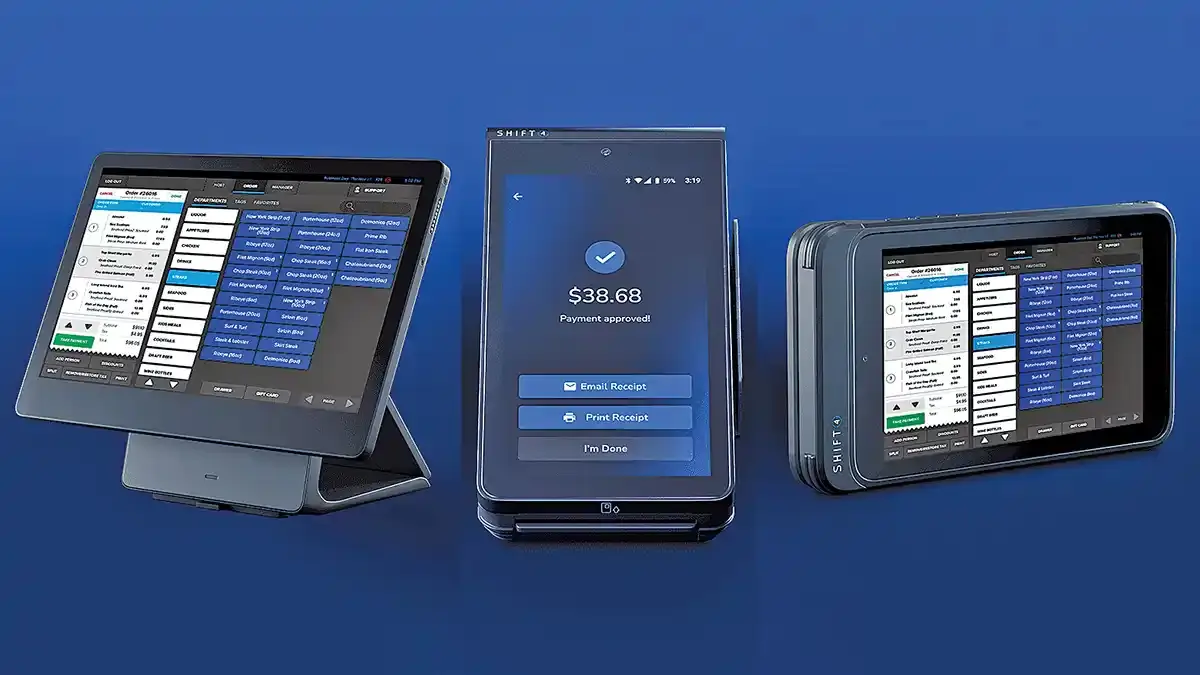
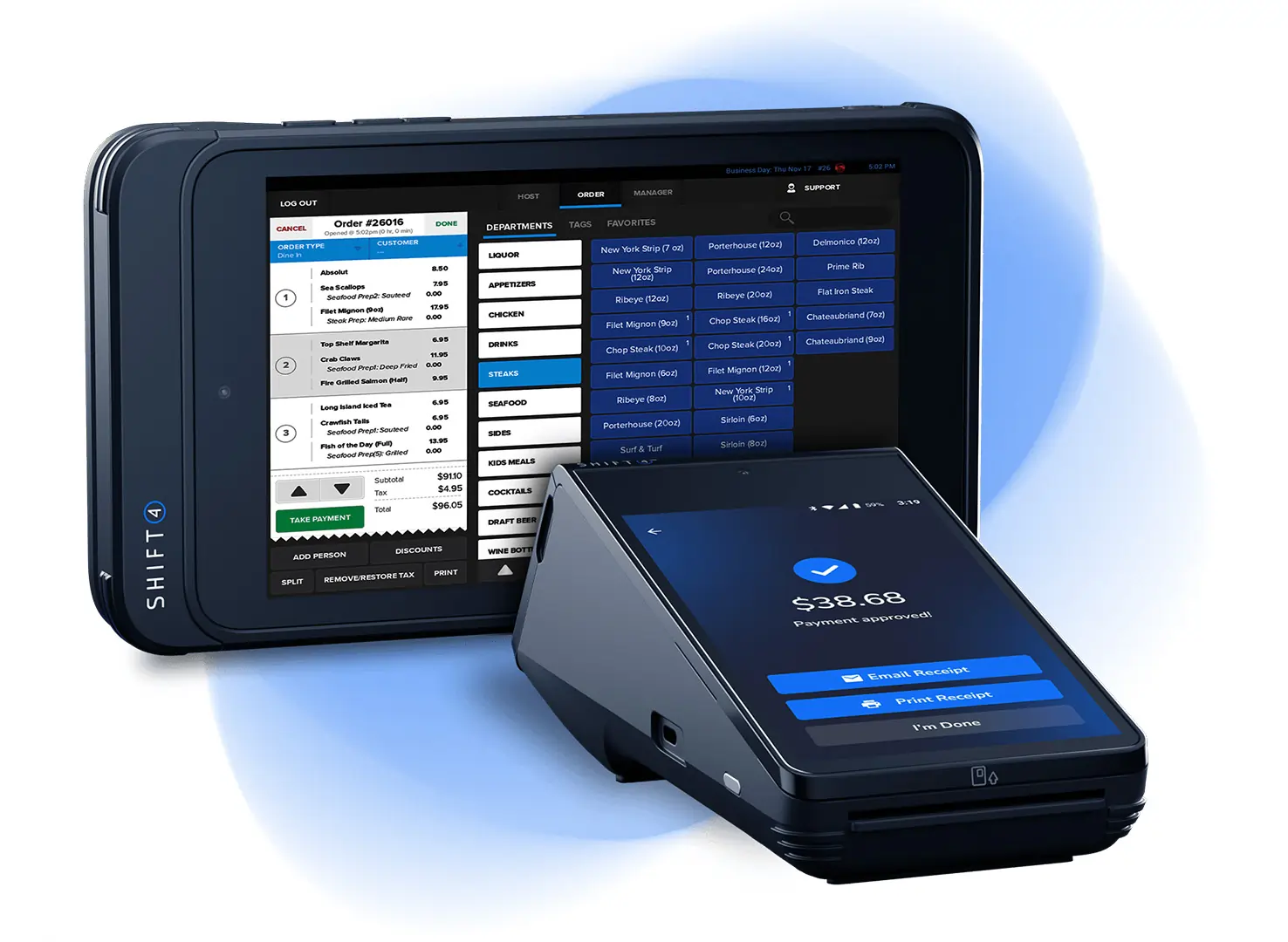
SkyTab’s bold blue, black and white user interface is refined and well designed. The provider also makes use of its own hardware, including mobile ordering / payment devices, an 8-inch POS tablet, full-sized POS terminals and kitchen display units.
SkyTab is favored by independent, mid-sized restaurants for its low entry costs and high-end hardware. Its hardware is specifically designed to withstand the unique challenges of demanding restaurant environments.
This is a starkly different approach to that taken by some other providers, who work with third-party hardware. SkyTab’s level of integration allows the company to keep tight control of the user experience, and gives it the confidence to offer a lifetime warranty with all hardware.
Reporting & Analytics
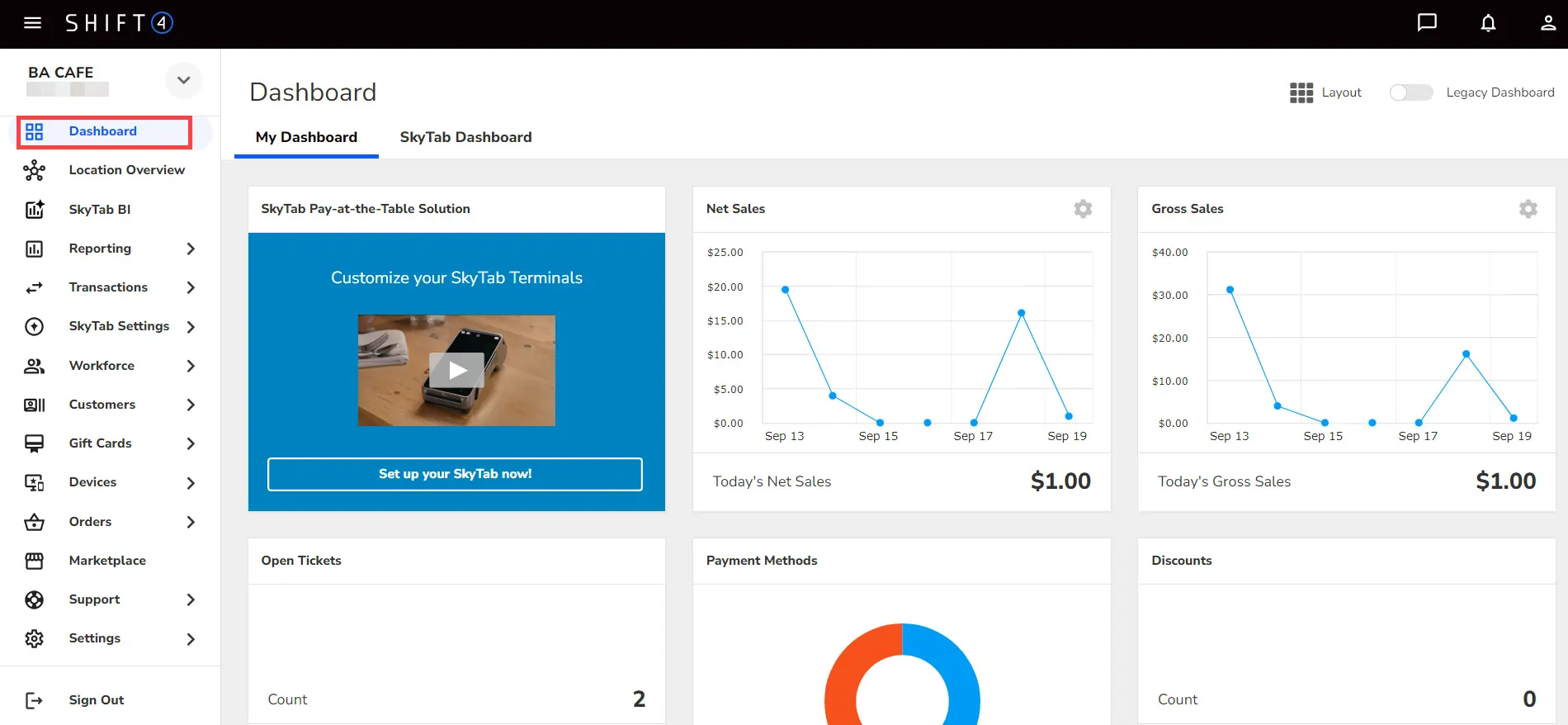
SkyTab’s reporting and analytics tools provide detailed insights into business performance. These tools enable restaurant owners to make data-driven decisions by leveraging real-time analytics and comprehensive reporting features. The cloud-based back office and InCharge mobile app offer real-time access to sales data, customer trends, and staff performance.
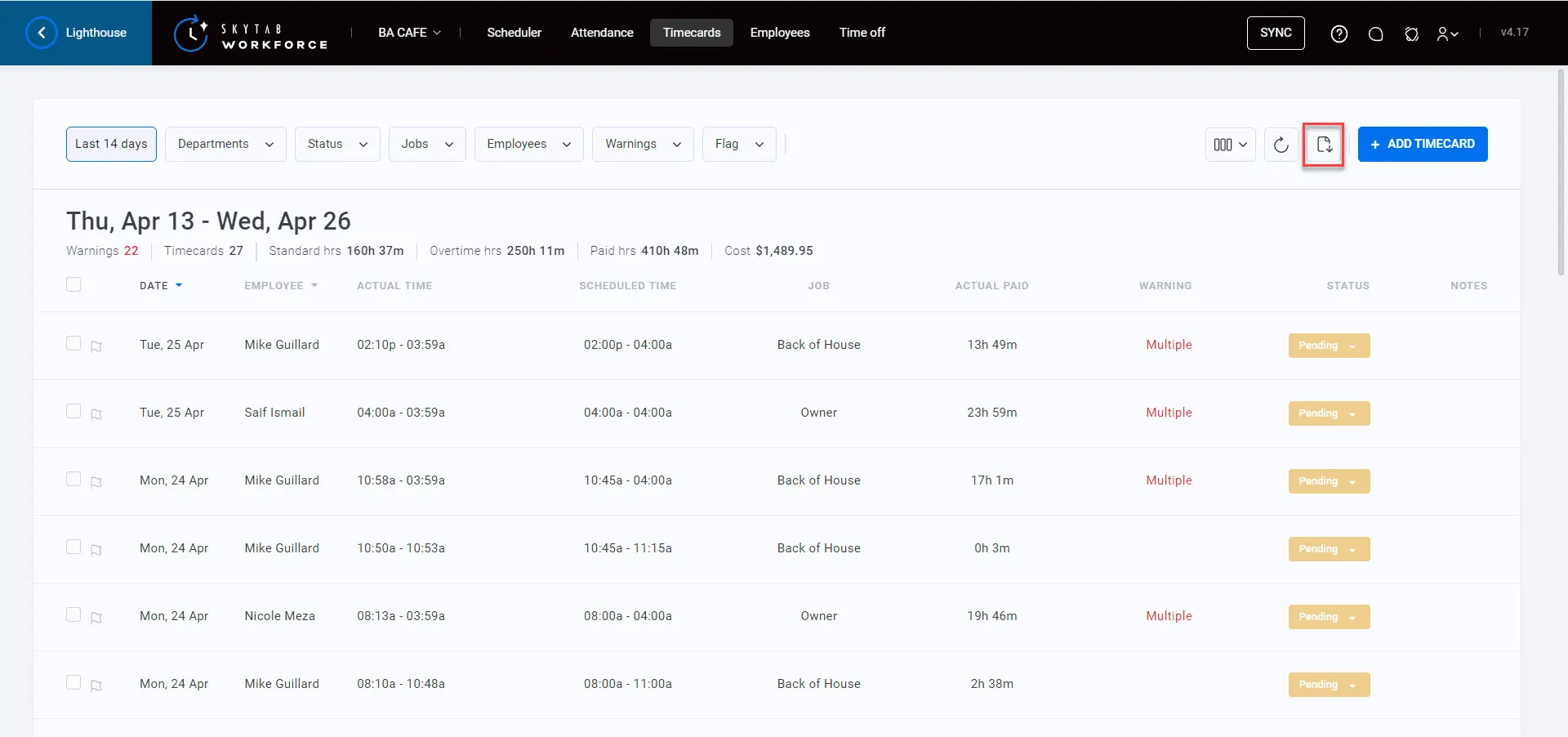
Lighthouse serves as a back-office command center, providing business owners with real-time control and management capabilities. The office command center can be accessed from anywhere, giving owners oversight beyond the point of sale. While reviewing the system, I used the customizable dashboards to identify top-selling items and peak business hours, which help inform staffing and inventory decisions. The ability to generate reports on labor costs and revenue trends make it easier to optimize operations and uncover growth opportunities.
Website Builder
The website builder included with SkyTab POS is an essential tool for restaurants needing a strong online presence. you can create a professional-looking website in minutes using the platform’s user-friendly templates, which require no coding skills. Integrated features like online ordering and menu management worked seamlessly, simplifying the process of accepting and managing orders directly through the POS system. This functionality helps attract new customers while aligning online operations with in-house workflows.
Online Ordering
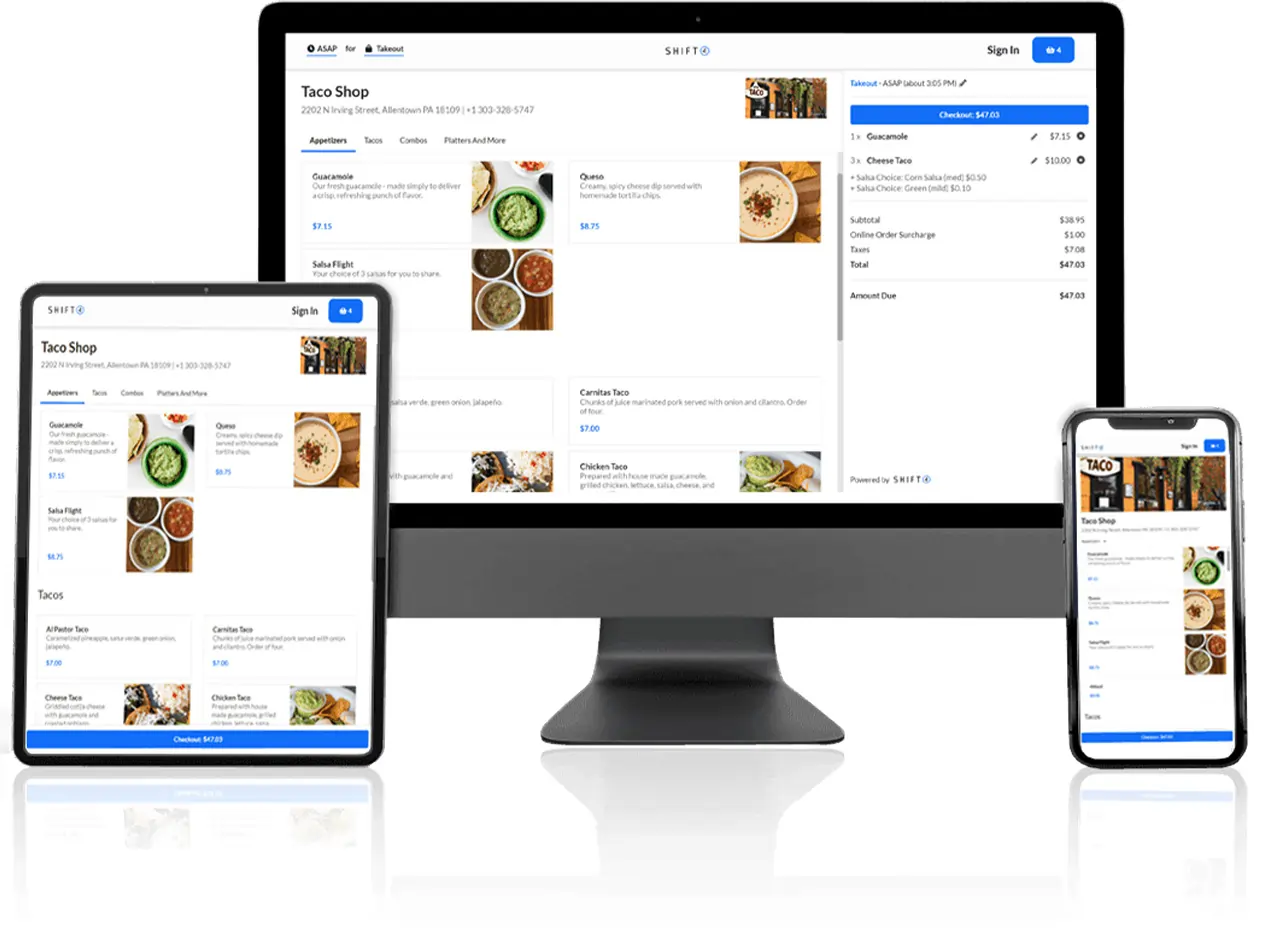
SkyTab’s online ordering system integrates smoothly into the POS, eliminating the need for separate devices or additional software. I managed orders from the website and third-party platforms like DoorDash and Uber Eats alongside dine-in and takeout. This integration made it easy to maintain accuracy, reduce delays, and improve overall efficiency. The commission-free online ordering feature is especially beneficial for maximizing revenue while maintaining full control of the customer experience.
Mobile Ordering
Tableside service (and payment) is possible with SkyTab, using a choice of two devices. There’s a compact SkyTab Mobile device, which includes 4G connectivity and an integral printer as well as SkyTab Glass, a tablet device.
SkyTab’s mobile devices improve the ordering process by enabling tableside ordering, which helps reduce mistakes and creates a more modern dining experience.
Loyalty & Marketing Tools
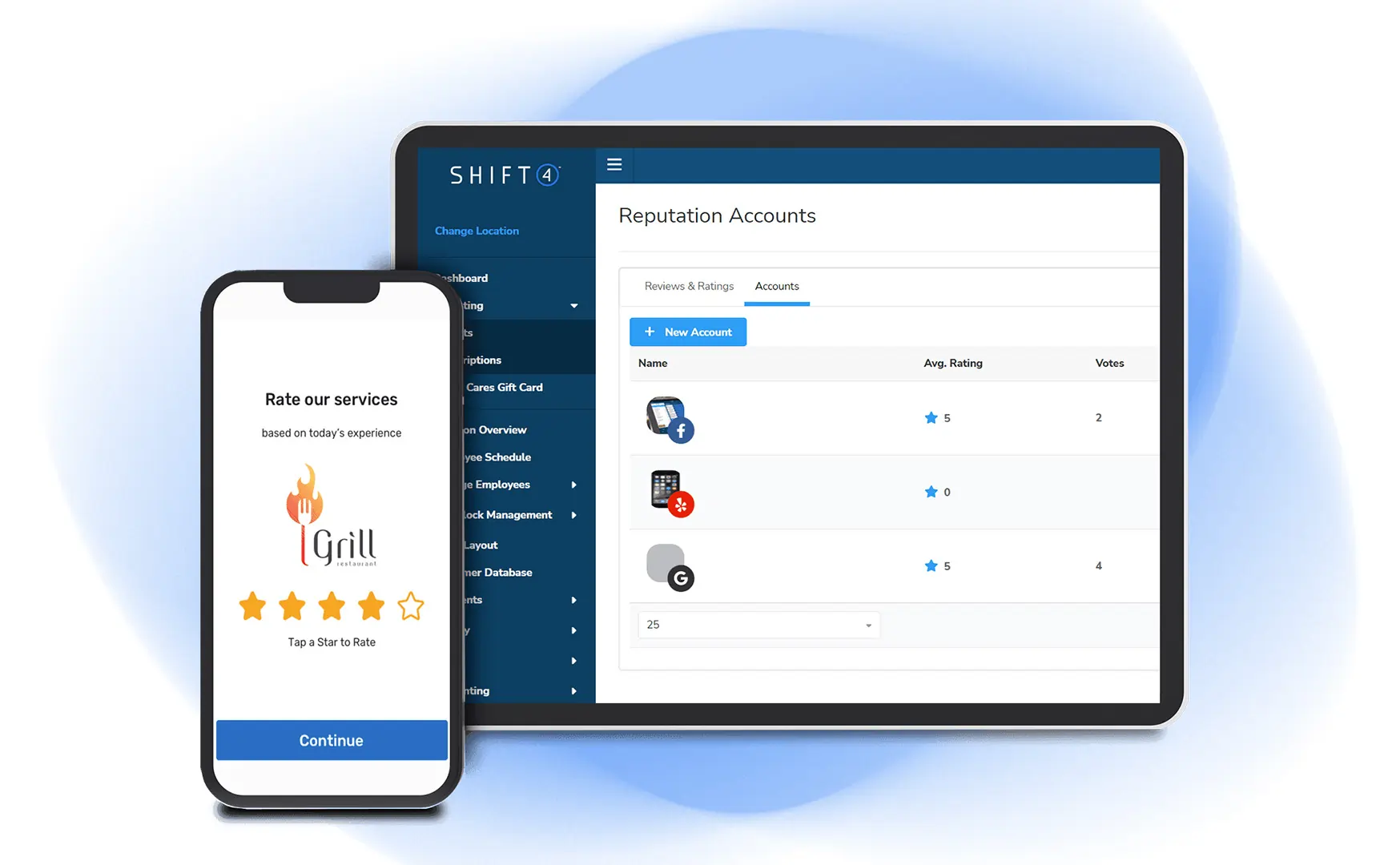
SkyTab POS software goes beyond the basics with its loyalty and marketing tools. I created loyalty programs, targeted promotions, and email campaigns directly from the system. These tools help you connect with customers and keep them coming back.
SkyTab offers a complete collection of customer loyalty features, including tiered points-based rewards that regulars can redeem via the POS system.
The email marketing functionality is built-in, complete with customer segmentation and support for tailored campaigns, which negates the need to pay separately for a third-party system. If you’re interested in exploring options, check out the best free CRM software & tools available.
Labor Management
Labor management with SkyTab POS is effortless. You can schedule shifts, track employee hours, and even manage payroll from the system. The clear overview of labor costs helps me stay within budget while ensuring the restaurant is always properly staffed.
This is all linked to a detailed reporting engine, which is also accessible in the cloud-based back office, Lighthouse, or from the InCharge Mobile App for iOS and Android.
QR Code Ordering & Payment
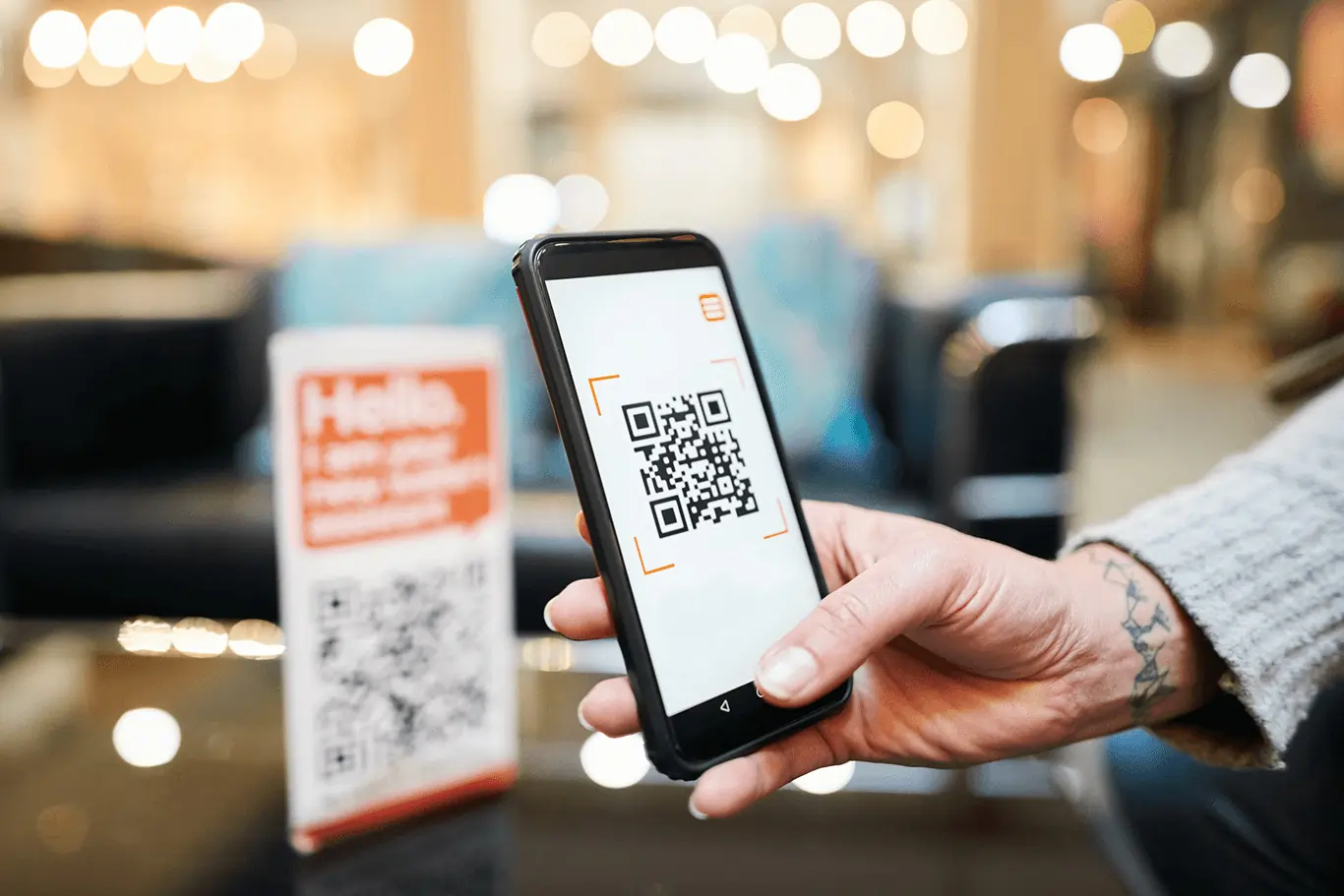
The QR code ordering and payment feature in SkyTab POS is designed to streamline the customer experience. Customers can scan a QR code directly at their table to view the menu, place orders, and pay without waiting for a server. This functionality proved invaluable during peak hours, reducing wait times and allowing staff to focus on other tasks.
Self-service ordering via QR codes has become increasingly popular in the food service industry, and this system integrates it seamlessly. For payments, QR codes printed on customer bills provide an efficient option to settle checks. Customers can use credit cards or opt for contactless payment options like Apple Pay or Google Pay, ensuring flexibility.
This feature not only enhances convenience for customers but also keeps service flowing efficiently during busy periods, making it an excellent tool for modernizing point-of-sale systems and improving operational speed.
Inventory Management
SkyTab’s inventory management tools provide a streamlined way to track and manage stock levels. SkyTab’s inventory management also integrates with back of house operations, helping to streamline kitchen workflow and inventory control. The system updates inventory automatically as orders are placed, eliminating the need for manual adjustments. When inventory levels run low, alerts notify staff, ensuring timely reordering. This feature is particularly effective in reducing waste and maintaining a steady flow in the kitchen. The ability to keep stock data synchronized across channels simplifies retail management, making it an indispensable part of the point-of-sale system.
Third-Party Integrations & Add-Ons
SkyTab POS integrates seamlessly with a wide range of third-party tools, enhancing its overall functionality. I used integrations with delivery platforms like DoorDash and Uber Eats, which allow online orders to flow directly into the system, saving time and improving accuracy. Accounting tools like Shogo and workforce management apps like 7Shifts worked effortlessly, reducing the need for manual data entry and improving operational efficiency.
Even though SkyTab includes built-in solutions for tasks like online ordering and email marketing, these integrations make it adaptable for businesses already using alternative systems. Options such as Mailchimp, BarVision, and other platforms ensure the POS software can fit into an existing ecosystem with ease, allowing businesses to tailor the system to their needs while maintaining flexibility.
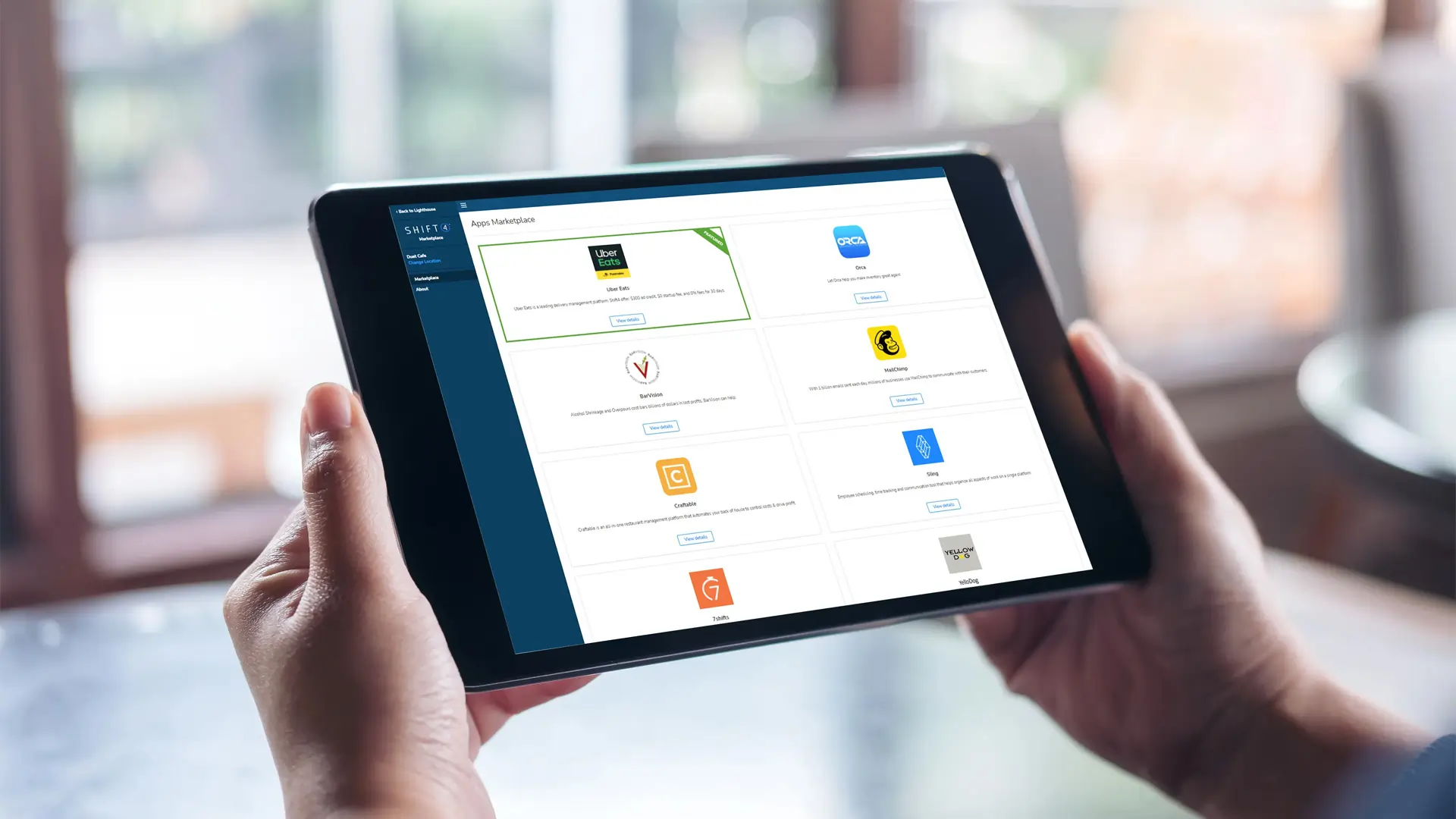
Table Management with Customizable Floor Plan
The customizable table management feature in SkyTab POS simplifies operations significantly. SkyTab’s customizable table management feature streamlines front of house operations, improving guest experience and service efficiency. While using it, I created a floor plan that mirrored the restaurant layout, making it easy for staff to monitor table availability and manage seating efficiently. During busy hours, the visual floor plan can help reduce customer wait times and keep operations organized. It’s a practical tool that improves workflow and maximizes seating capacity without added complexity.
EMV Chip Card Acceptance
SkyTab’s support for EMV chip card acceptance provides fast, secure payment processing. When testing this feature, transactions were smooth and met the latest payment security standards. Customers will appreciate the reassurance of secure chip-enabled transactions, and this feature ensures businesses comply with modern payment protocols, reducing risks of fraud.
Contactless NFC Payments
SkyTab’s contactless NFC payment functionality aligns with today’s consumer preferences for quick and secure transactions. I used this feature to process payments via tap-to-pay cards and mobile wallets like Apple Pay and Google Pay. The process was seamless and fast, eliminating delays at checkout and improving the overall payment experience.
Gift Card Integration
The gift card integration in SkyTab POS simplifies issuing, redeeming, and tracking gift cards. The system handles these tasks directly within the POS software, reducing staff effort and ensuring accuracy. Gift cards are an effective tool for boosting revenue and promoting customer loyalty, and SkyTab’s integration makes them easy to manage without needing additional tools.
Customer Feedback and Survey Tools
SkyTab POS includes customer feedback and survey tools, which offer real-time insights into customer satisfaction. I tested this feature by collecting feedback directly on the payment device after transactions. The system made it simple to gather data on service quality, allowing for immediate adjustments to enhance the guest experience. These tools are invaluable for maintaining high standards and staying competitive in the hospitality industry.
Security and Compliance
Security is a top priority for the SkyTab POS system, ensuring that every transaction is processed safely and in line with industry standards. With advanced encryption technology and secure payment processing, restaurant owners can rest assured that their customers’ sensitive data is protected at every step. The system is fully compliant with PCI-DSS and EMV requirements, helping your business avoid potential liabilities and maintain trust with your customers. By choosing the SkyTab POS system, you’re not only investing in a reliable point of sale solution but also in the security and integrity of your business operations. This commitment to security allows you to focus on running your restaurant, knowing that your transactions and customer information are safeguarded.
Scalability and Flexibility
The SkyTab POS system is built to grow alongside your business, offering the scalability and flexibility needed to support restaurants of any size. Whether you operate a single location or manage a chain of restaurants, SkyTab’s cloud-based architecture allows you to access and manage your POS system from anywhere, at any time. Real-time reporting on sales, inventory, and customer data makes it easy to oversee multiple locations and make informed decisions. The system’s ability to integrate with a wide range of third-party apps and services means you can customize your POS setup to match your unique business needs. As your restaurant expands, SkyTab adapts seamlessly, ensuring you always have the right tools to manage your operations efficiently.
Hardware & Software
SkyTab maintains full control of its hardware, offering it as part of its monthly subscription.
Available hardware options include traditional fixed POS terminals, the mobile devices mentioned above, a customer-facing display, and kitchen printers or digital displays for back-of-house efficiency. An interesting addition to this latter functionality is the ability to throttle orders during busy periods to maintain service levels.
Pricing Options
Flexible pricing plans to meet different business needs.
Performance:
I tested the SkyTab POS system and found its performance to be highly reliable and efficient. The cloud-based POS system provided real-time synchronization of inventory tracking and customer data, which helped ensure smooth retail management and prevented stock discrepancies. Its intuitive interface made processing transactions fast and straightforward, allowing staff to handle orders with minimal errors and enhancing customer satisfaction by reducing wait times.
The sales analytics tools were a highlight, offering detailed insights into sales trends, top-performing products, and staff performance. Using these features, I could make data-driven decisions to optimize operations and improve profitability. Additionally, the system’s multi-location management capabilities ensured consistent performance across multiple locations, making it particularly beneficial for expanding businesses.
While SkyTab includes most features out-of-the-box, I found that advanced e-commerce integration or additional customization options might require extra setup. However, its integrated payment solutions, mobile POS functionality, and seamless synchronization between online and offline sales channels make it a versatile tool for any business.
Overall, my experience with SkyTab POS demonstrated its reliability and flexibility, offering a comprehensive solution for businesses seeking to unify their operations and deliver consistent, high-quality customer experiences.
Ease Of Use:
Intuitive Interface
I found the SkyTab POS system and its interface remarkably intuitive. The layout is visually clear and easy to navigate, which significantly reduced training time for new staff. Even during busy shifts, the system’s design made managing orders and accessing functions straightforward, streamlining operations without confusion. Its simplicity enhances workflow efficiency, ensuring that staff can focus on customer service rather than troubleshooting the system.
Mobile POS Functionality
SkyTab’s mobile POS feature stood out during testing. Using handheld devices, I was able to take orders and process payments directly at the table. This capability not only sped up service but also minimized errors, as changes could be made in real time without going back to a central terminal. The touch-responsive interface and easy-to-use menu navigation ensured smooth operation, even during peak business hours.
Cloud-Based Back-Office System
The cloud-based POS system proved invaluable for management. I accessed real-time reports and analytics from both on-site and remote locations, allowing me to monitor sales, inventory, and employee performance effortlessly. The dashboards are clean and easy to interpret, saving time and enabling quick, data-driven decisions to improve operations.
Comprehensive Features
SkyTab POS integrates critical tools like inventory tracking, loyalty programs, and online ordering into a cohesive platform. When I tried out these features, they worked seamlessly together, enhancing Customer Relationship Management (CRM) and overall workflow efficiency. The ability to manage multiple functions from one system simplified daily operations and helped maintain consistency across tasks.
Uniqueness:
One thing that sets the SkyTab POS system apart is its focus on features specifically designed for the hospitality industry. For instance, the SkyTab Mobile device is a standout feature—it allows my servers to take orders tableside and process payments directly, which not only speeds up service but also improves the overall customer experience. It even supports splitting checks and offering digital receipts on the spot.
Another unique aspect is the out-of-the-box integration for online delivery and contact-free ordering. My customers can order via QR codes, enabling self-service options that are especially valuable in today’s environment. Plus, SkyTab goes beyond basic functionality with its marketing and loyalty tools, allowing restaurants to create targeted promotions and rewards programs that help build repeat business.
The comprehensive support infrastructure is also noteworthy. Few POS systems include 24/7/365 support for all customers without tier-based restrictions, and SkyTab even offers onsite installation by certified technicians—a rare and valuable feature. All of this makes SkyTab a tailored, modern solution for the unique challenges of food service businesses.
Verdict:
Choosing the Right POS
Selecting the right POS system is a crucial decision for any restaurant owner, and the SkyTab POS system makes that choice easier with its blend of user-friendly design, robust features, and reliable support. When evaluating POS options, consider factors such as ease of use, scalability, security, pricing, and the quality of customer support.
SkyTab excels in each of these areas, making it a strong contender for restaurants seeking a comprehensive solution. Its intuitive interface reduces training time for staff, while its flexible architecture supports growth and adaptation as your business evolves. With SkyTab, restaurant owners can focus on delivering outstanding service and building customer loyalty, confident that their POS system will support them every step of the way in the fast-paced restaurant industry.
FAQ
Q: What is SkyTab POS?
A: SkyTab POS is a cloud-based point-of-sale system developed and offered primarily by Shift4 Payments. It’s designed for restaurants, bars, and similar hospitality businesses, featuring hardware (like touchscreen terminals and handheld devices) and software for order taking, payment processing, table management, online ordering, reporting, and integration with other Shift4 services.
Q: How much does SkyTab POS cost?
A: SkyTab pricing is typically quote-based and often bundled with Shift4’s payment processing services. They frequently advertise “free” POS hardware/software offers, but these usually require signing a long-term payment processing contract with Shift4, where costs are recouped through processing fees. There might be monthly software fees depending on the specific package, plus costs for add-on modules or extra hardware.
Q: What are the most common complaints about SkyTab POS?
A: Common complaints often mirror those associated with Shift4/Harbortouch (its predecessor). These include aggressive or misleading sales tactics promising “free” systems tied to lengthy contracts, very difficult and expensive contract cancellation (high ETFs), lack of transparency in payment processing rates (potential hidden fees, rate increases), issues with hardware leasing agreements, and frustrating customer support experiences.
Q: Do I have to use Shift4 Payments with SkyTab POS?
A: Yes, almost certainly. SkyTab is Shift4’s proprietary POS system. The entire business model revolves around bundling the POS with their mandatory payment processing services. You will not be able to use a separate, third-party merchant account provider with the SkyTab system.
Q: Does SkyTab POS require long-term contracts? Can I cancel?
A: Yes, SkyTab POS offers obtained through Shift4 typically involve long-term contracts (often 3-5 years) primarily for the mandatory payment processing agreement, and potentially for hardware leases. These contracts are widely reported as being extremely difficult and costly to terminate early, often requiring full payout of the remaining term.
Q: Does SkyTab POS work offline if the internet goes down?
A: SkyTab POS generally includes an offline mode. This allows the system to continue taking orders and queuing credit card transactions locally if the internet connection is lost. The transactions are then processed automatically once connectivity is restored. However, the reliability and specific limitations of the offline mode should be verified.
Q: What kind of hardware does SkyTab use? Is it proprietary?
A: SkyTab uses proprietary hardware, including various touchscreen terminals (like the SkyTab Glass) and handheld mobile devices. You generally cannot use your own tablets (like iPads or standard Android tablets) to run the SkyTab software; you must use the specific hardware provided by Shift4, often as part of a lease or bundled agreement.
Q: How is SkyTab / Shift4 customer support?
A: Reviews are very mixed, with a significant volume of negative feedback historically associated with Shift4/Harbortouch support. Common complaints include long wait times, difficulty reaching knowledgeable support staff, unresolved technical issues, poor communication regarding billing or contract matters, and feeling passed between different departments. While improvements may occur, support challenges are a frequently cited concern.
Q: How does SkyTab POS compare to systems like Toast or Clover?
A: SkyTab positions itself against competitors like Toast and Clover, often emphasizing potentially lower advertised upfront costs (via the “free” POS model). However, all three often involve long-term contracts and mandatory integrated payments. Toast uses proprietary Android hardware, Clover uses proprietary hardware often sold by various resellers, and SkyTab uses Shift4’s proprietary hardware. Feature sets are geared towards restaurants, but the primary differences often lie in the specifics of the contract terms, actual long-term costs (including processing rates), and customer support experiences.
Q: Are there “hidden fees” with SkyTab POS or Shift4 Payments?
A: Users frequently report encountering unexpected fees. While the POS might be advertised as “free,” costs can appear in the form of non-cancelable hardware leases, higher-than-expected payment processing rates (especially non-qualified rates), PCI compliance fees, statement fees, batch fees, and extremely high early termination fees. Scrutinizing the full merchant agreement and hardware lease terms is critical.
 Write a Review