
Best Free Inventory Management Software for 2026
Free inventory management software helps your business keep track of what you’re selling, what’s in stock, and what needs to be ordered with no monthly fee. It’s a simple way to stay organized and avoid running out of products or over-ordering. Some tools are free to use long-term, while others offer a free trial so you can test everything before you pay.
Last updated: September 2026
Free plan available
- Easily manage orders, shipping & returns
- Accurate stock tracking: Barcode & RFID
- Support for multiple currencies & taxes
- Able to duplicate products
- Affordable business plans
- Complete features for warehousing
- Easy to use features
- Plans suit big companies
Free plan available
- Easily manage orders, shipping & returns
- Accurate stock tracking: Barcode & RFID
- Support for multiple currencies & taxes
- Able to duplicate products
- Affordable business plans
- Complete features for warehousing
- Easy to use features
- Plans suit big companies

Free plan available
- Over 300 million sites were built on Wix
- 90K+ Sites created daily
- Website creation as natural as thinking
- Wix-powered websites are fast
- Has intuitive drag-and-drop design features
- Digital marketing integrations are super easy
- Massive reservoir of support materials
- One paid plan (except Enterprise) for only one site.
- Wix branding on Free plan
- Cannot use a custom domain on Free plan
Free plan available
- Over 300 million sites were built on Wix
- 90K+ Sites created daily
- Website creation as natural as thinking
- Wix-powered websites are fast
- Has intuitive drag-and-drop design features
- Digital marketing integrations are super easy
- Massive reservoir of support materials
- One paid plan (except Enterprise) for only one site.
- Wix branding on Free plan
- Cannot use a custom domain on Free plan

3-Days Free Trial
- Trusted by millions of businesses globally
- Drag-and-drop store creator
- Create your online store in minutes
- Large suite of marketing tools to grow your website
- You’re able to sell online, offline, and through multiple marketplaces
- It has a built-in payment processor
- Supports unlimited products on every plan
- It charges you for third party payment processors
- The basic plan doesn’t have access to pro reports
3-Days Free Trial
- Trusted by millions of businesses globally
- Drag-and-drop store creator
- Create your online store in minutes
- Large suite of marketing tools to grow your website
- You’re able to sell online, offline, and through multiple marketplaces
- It has a built-in payment processor
- Supports unlimited products on every plan
- It charges you for third party payment processors
- The basic plan doesn’t have access to pro reports

14-Days Free Trial
- Comprehensive reports & forecasting tools
- Shipping software & pre-negotiated rates
- Track stock in real-time to boost sales
- Time-saving software
- Effective features and functionality
- Multi-channel feature
- Good order management tools
- Inflexible features
14-Days Free Trial
- Comprehensive reports & forecasting tools
- Shipping software & pre-negotiated rates
- Track stock in real-time to boost sales
- Time-saving software
- Effective features and functionality
- Multi-channel feature
- Good order management tools
- Inflexible features
30-Days Free Trial
- Quick data entry with integration tools
- Migrate product catalogs across platforms
- Track sales across multiple platforms
- User friendly
- Complete retail integrations
- Automated system
- Synchronisation of all data
- Focuses on small or retail businesses
30-Days Free Trial
- Quick data entry with integration tools
- Migrate product catalogs across platforms
- Track sales across multiple platforms
- User friendly
- Complete retail integrations
- Automated system
- Synchronisation of all data
- Focuses on small or retail businesses

Free plan available
- Manage your inventory in bulk
- Real-time tracking & item categorization
- Automate stock alerts to avoid running out
- Free to use with any Square account
- Easy to deploy and use
- Few warehousing features
- Zero manufacturing features
- Not suited to large businesses
- No invoicing features
Free plan available
- Manage your inventory in bulk
- Real-time tracking & item categorization
- Automate stock alerts to avoid running out
- Free to use with any Square account
- Easy to deploy and use
- Few warehousing features
- Zero manufacturing features
- Not suited to large businesses
- No invoicing features
* Featured prices and terms can be updated. Free offers may include additional terms.
DISCLAIMER: The “free inventory management software” options are recommendations designed to get you off the ground. While these programs are indeed “free” on the most basic levels or for limited times, it’s important to note that once the free trial period concludes, you will be required to pay for continued use. Additionally, if you use “Freemium” point-of-sale solutions, you must pay for more advanced features and functionality.

You don’t need to drop loads of money or use a complicated system to stay on top of your inventory. Today, there are free tools that do a great job of tracking what you have, what’s selling, and what needs restocking with no monthly payments.
Some are entirely free to use long-term, while others give you a trial of the full version so you can test everything before deciding if it’s worth upgrading.
Fully free versions usually come with some limits, like fewer features, one user, or a single location. But if you’re running a small business or selling online, a free inventory system can take you pretty far.
Most free inventory management software cover the basics:
- Live stock tracking
- Alerts when you’re running low
- Tools to manage orders and deliveries
- Reports to show what’s moving
Here are a few of our favorite free options for 2025 that help you stay organized without spending more than you have to.
Best free inventory management software in2026
⭐Zoho Inventory: Best for growing businesses with online sales
⭐SquareUp: Best for retailers already using Square POS
⭐SKU IQ: Best for syncing inventory across online and in-store platforms
⭐Veeqo: Best for shipping and inventory in one system
⭐Ordoro: Best for inventory automation
⭐Freshservice: Best for IT and asset inventory tracking
Quick comparison
Zoho Inventory | SquareUp | SKU IQ | Veeqo | Ordoro | Freshservice | |
|---|---|---|---|---|---|---|
Standout feature | Order tracking for small businesses | Syncs sales and inventory with Square POS | Connects inventory in real-time | Shipping and inventory in one place | Automated inventory and fulfillment tasks | IT asset and internal inventory tracking |
Free trial/forever free plan? | ✅ Free plan available | ✅ Free plan available (via Square POS) | Free 14-day trial | ✅ Free plan available (with limits) | Free 15-day trial | ✅ Free plan available (limited features) |
Integrates with | Shopify, Amazon, eBay, Etsy, QuickBooks | Square POS, online store tools | Shopify, Square, Wix, Lightspeed, BigCommerce | Amazon, eBay, Shopify, shipping carriers | USPS, Shopify, BigCommerce, Amazon | Freshworks tools, CMDB, cloud apps |
Best for | Growing businesses with online sales | Retailers using Square POS | Sellers managing both online and in-store inventory | Online sellers with shipping-heavy workflows | E-commerce brands | IT teams |
Our top picks
If you’re looking to manage stock without paying for a full software plan, these tools are a great place to start. Some include forever-free versions with the essentials, while others let you try everything through a limited-time trial. Take a look at our top picks:
Zoho Inventory: Best for online sellers
- Increase sales with multichannel software
- In-depth analytics to track success
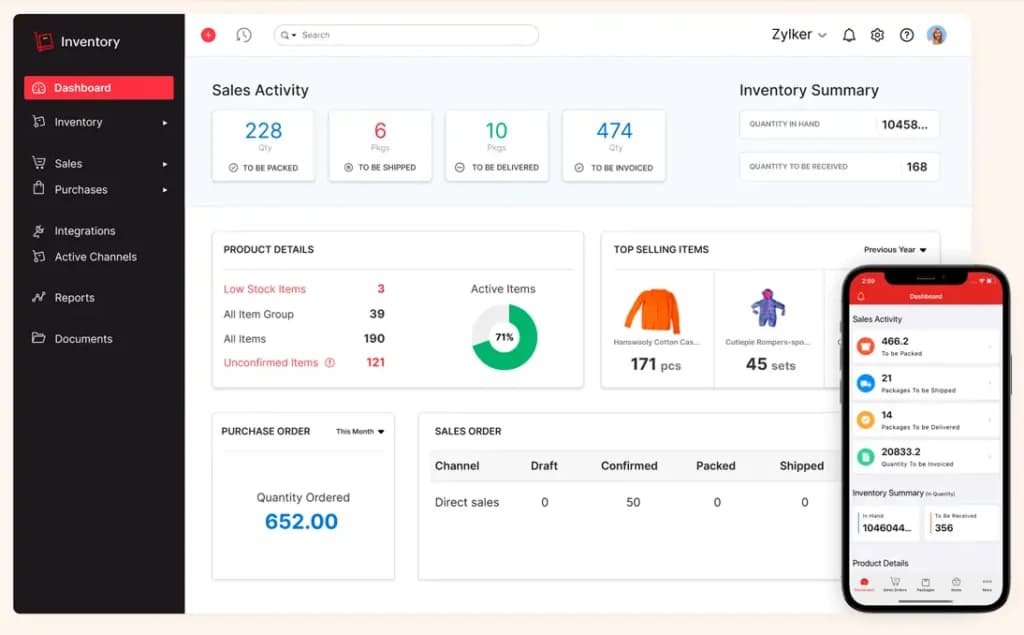
Zoho’s free plan is a great option if you sell on places like Shopify, Amazon, or Etsy and just need something to help you keep track of what’s coming in and going out. You can manage up to 50 orders a month, which is usually enough for smaller operations. It covers the basics of stock levels, orders, and shipping, and even lets you connect to other tools like QuickBooks or eBay. If you ever outgrow the free version, it’s easy to upgrade, but for many small online sellers, the free plan does the job.
Free plan details
Zoho Inventory’s free plan includes stock tracking, order management, shipping updates, and basic reporting. It’s limited to 50 monthly orders, one warehouse, and two users, which is usually enough for early-stage businesses or part-time sellers.
Free trial available?
Yes, Zoho also offers a 14-day free trial of its higher-tier plans if you want to explore more advanced features like automation, serial number tracking, or multi-warehouse support.
Key Features
- Tracks stock levels across a single warehouse
- Manages up to 50 orders per month
- Handles sales and purchase orders with built-in templates
- Connects to Shopify, Amazon, eBay, and Etsy
- Generates basic inventory and sales reports
- Syncs with QuickBooks, Zoho Books, and shipping carriers
- Provides real-time shipping updates and label creation
Pros and cons
Pros
- Forever-free plan available with core features
- Supports multi-channel sales on major platforms
- Easy to integrate with accounting and shipping tools
- Clean, beginner-friendly interface
- Scales well with upgrade options
Cons
- Capped at 50 orders per month on the free plan
- Limited to one warehouse and two users
- Some features (like automation or batch tracking) require a paid plan
Who it's for
Zoho Inventory’s free plan is a good place to start if you're a small online seller who needs to manage stock across a few channels. If you’re fulfilling a manageable number of orders each month and want something that plays nicely with platforms like Shopify or Amazon, the free plan could be enough for you.
SquareUp: Best for retailers who use Square POS

- Free setup & no hidden fees
- Create customer profiles in seconds
If you’re already using Square to process payments, the built-in inventory tools are a no-brainer. The free POS plan includes basic inventory tracking at no extra cost, so you can keep tabs on what’s in stock while you ring up sales from a single dashboard.
It’s not designed for complex inventory needs, but rather for small shops, market vendors, or anyone selling in-person with Square. Everything works together with no extra setups or monthly fees.
Free plan details
Square’s free POS plan includes built-in inventory tracking at no added cost, so you can manage products, set stock levels, and get low-stock alerts all from the same system you use to take payments. It’s basic but works well for businesses with simple inventory needs. No limits on the number of items or transactions, and no separate subscription required.
Free trial available?
There's no free trial available for inventory alone; Square’s core POS (which includes inventory features) is entirely free to use. However, if you upgrade to Square for Retail or other paid tools, you may get a separate trial of those advanced features.
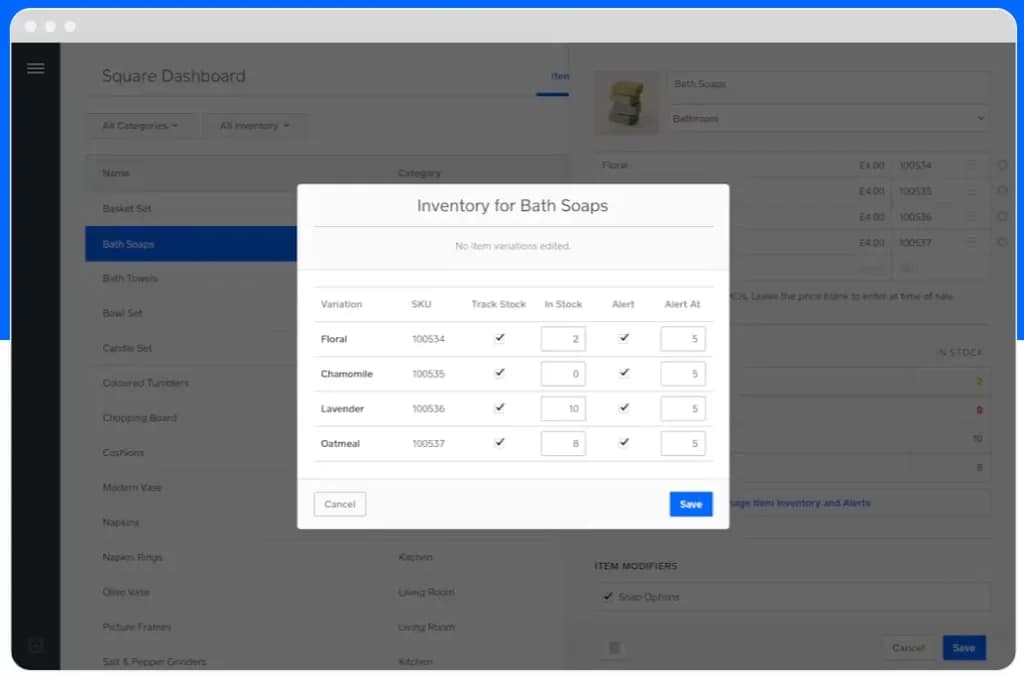
Key Features
- Tracks inventory across all active locations
- Syncs stock automatically after each sale
- Sends low-stock alerts to help avoid sellouts
- Lets you upload and manage items in bulk
- Works great with Square POS and online store
- Provides simple reporting on item sales and stock levels
Pros and cons
Pros
- Included for free with Square POS
- No item or transaction limits
- Easy to use, especially for in-person sellers
- Works across both online and offline sales
- No extra setup
Cons
- Limited features
- No multi-warehouse support
- For advanced inventory tools, you'll need to upgrade to Square for Retail
Who it's for
SquareUp is a great fit for small retailers, pop-up shops, or service providers who already use Square to take payments. If you need simple inventory tracking without extra software or costs, it covers the basics and keeps everything in one place.
SKU IQ: Best for syncing online and in-store inventory
- Quick data entry with integration tools
- Migrate product catalogs across platforms
SKU IQ is built for businesses that sell both online and in person, and want inventory to stay in sync between the two. The free trial gives you full access for 14 days, so you can test how it connects your POS system to platforms like Shopify, Wix, or BigCommerce. The platform pulls inventory data from your POS and pushes updates to your online store automatically, which is a huge time saver for managing your inventory efficiently.
Free plan details
SKU IQ doesn’t offer a forever-free plan, but you can try the full platform free for 14 days. During the trial, you get access to real-time syncing between your POS and online store, product mapping, and automatic inventory updates. After the trial ends, you'll need to upgrade to keep using the service.
Free trial available?
Yes, SKU IQ offers a 14-day free trial with full access to all features. No credit card required to get started.
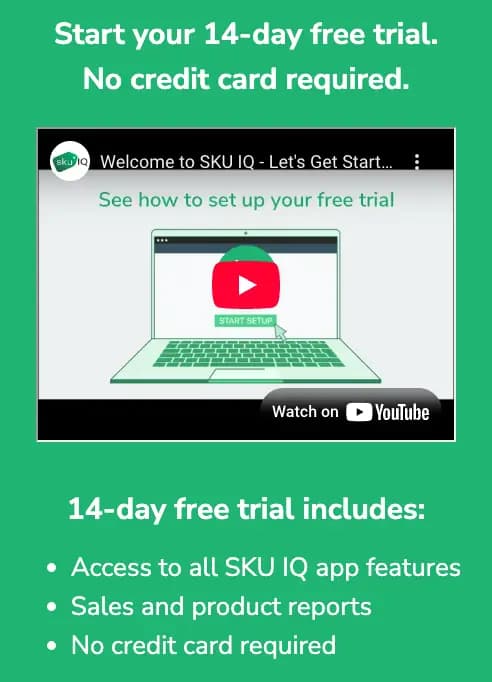
Key Features (for the free trial)
- Syncs inventory in real time between POS and ecommerce platforms
- Connects with Shopify, Wix, BigCommerce, Lightspeed, and more
- Links existing products across systems without duplication
- Automatically updates stock when items sell online or in-store
- Tracks product status and inventory changes in a single dashboard
- Provides activity logs and basic reporting during the trial period
Pros and cons
Pros
- Syncs online and in-store inventory in real time
- Works with major ecommerce and POS platforms
- No credit card needed for the free trial
- Saves time by automating manual inventory updates
Cons
- No forever-free plan
- Requires setup to connect platforms
- Paid subscription is a must after 14 days if you want to keep using the software
Who it's for
SKU IQ works well for small businesses that sell both online and in-store and need their inventory to stay in sync. If you’re tired of updating stock in two places, like your Shopify store and your POS system, this tool makes life easier by keeping everything connected automatically.
Veeqo: Best for shipping-focused online sellers
- Comprehensive reports & forecasting tools
- Shipping software & pre-negotiated rates
Veeqo is designed for e-commerce businesses that need to manage both inventory and shipping from one platform. It’s now part of Amazon, and while it does a forever-free plan, it's best for sellers who ship a lot of orders across channels like Shopify, Amazon, or eBay.
The free version gives you unlimited users, shipping labels, and integrations, which means you’ll be able to manage stock across warehouses, print shipping labels, and track orders in real time. Some advanced tools like forecasting or automation rules are limited to paid plans, but most core features are included.
Free plan details
Veeqo’s free plan includes inventory management, shipping tools, and multi-channel syncing, and it won't cap you out on the number of users or orders you have.
Free trial available?
No, Veeqo does not offer a trial for its paid plans, but the forever-free plan includes most core features, and paid upgrades are available if you need more advanced automation or forecasting.
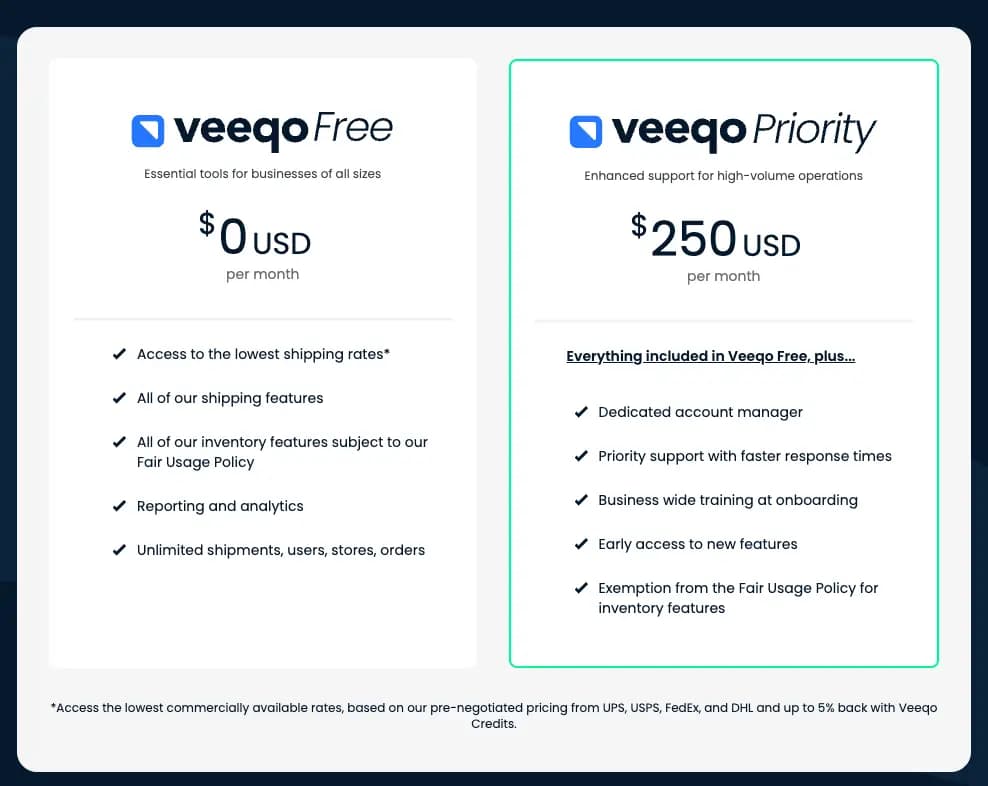
Key Features
- Manages inventory across Amazon, eBay, Shopify, and more
- Syncs stock levels in real time
- Prints unlimited shipping labels
- Tracks orders from multiple storefronts in one dashboard
- Supports multiple warehouses and bulk order processing
- Allows you to add unlimited users with role-based access
Pros and cons
Pros
- Forever-free plan with no user or order limits
- Built-in shipping label printing with discounted rates
- Syncs inventory across major ecommerce platforms
- Combines shipping and stock management in one place
Cons
- No free trial for paid features
- Not designed for in-person or retail-only businesses
Who it's for
Veeqo is best for e-commerce businesses that handle a high volume of orders and want to manage inventory and shipping in one place. If you're selling on platforms like Amazon, Shopify, or eBay and shipping is a big part of your day-to-day, the free plan definitely does the job.
Ordoro: Best for inventory and fulfillment automation

- Easy dropshipping workflows & management
- Automate order routing, splitting & tagging
Ordoro helps e-commerce businesses save time by automating repetitive inventory and shipping tasks. While it doesn’t offer a forever-free plan, it comes with a 15-day free trial that gives you full access to its most powerful features, including automated order routing, shipping label generation, and inventory syncing.
The free version gives you unlimited users, shipping labels, and integrations, which means you’ll be able to manage stock across warehouses, print shipping labels, and track orders in real time. Some advanced tools like forecasting or automation rules are limited to paid plans, but most core features are included.
Free plan details
Ordoro doesn’t have a free plan, but its 15-day trial gives you full access to inventory tracking, shipping integrations, automation tools, and supplier management features. No credit card is needed for the trial.
Free trial available?
Yes, Ordoro offers a full-featured 15-day free trial. You’ll get to test inventory syncing, automation rules, shipping tools, and multi-channel support with no commitment.
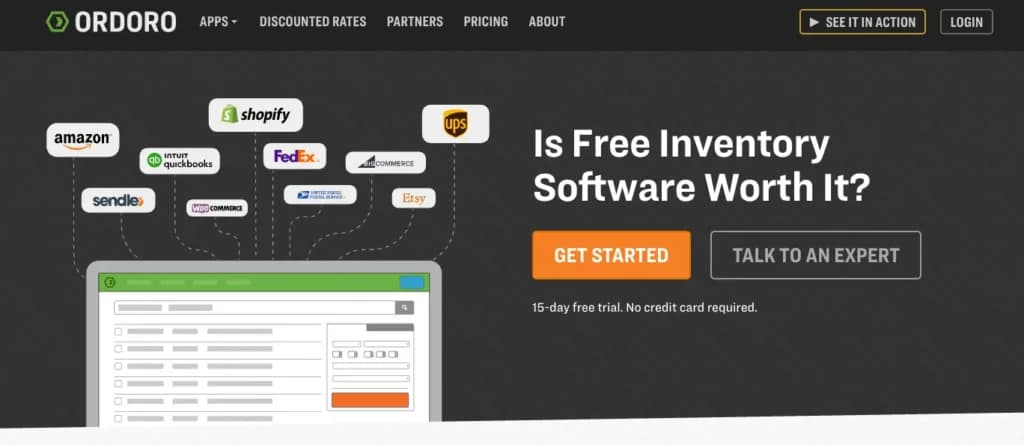
Key Features (for the free trial)
- Syncs inventory across Amazon, Shopify, BigCommerce, and more
- Automates dropshipping, order routing, and supplier assignment
- Generates shipping labels with built-in carrier discounts
- Tracks products across multiple warehouses or locations
- Offers kitting and bundling support for grouped SKUs
- Gives you access to analytics and performance reports during the trial
Pros and cons
Pros
- Full-featured 15-day free trial
- Strong automation tools for fulfillment and inventory
- Built-in shipping discounts
- No credit card required to start
Cons
- No forever-free version
- Paid subscription required after trial
- More complex setup than lightweight tools
Who it's for
Ordoro is ideal for ecommerce brands that want to automate shipping and inventory workflows across multiple channels. If you’re tired of manual order routing and stock updates — and want to see how much time you can save — the free trial is a great place to start.
If you're an e-commerce brand that wants to automate your shipping and inventory workflows across multiple channels, then Ordoro is 100% the choice for your business. With Ordoro, you can say goodbye to manual order routing and stock updates and save tons of time managing your inventory.
Freshservice: Best for IT and internal inventory tracking

- 21-day free trial - no credit card required
- An award-winning software
Freshservice is a niche inventory management software built less for retail or e-commerce, and more for teams that need to keep track of internal assets like laptops, servers, and office equipment.
It focuses on helping businesses stay on top of what hardware is assigned to who, where things are located, and when equipment needs replacing or servicing. It's clean, cloud-based, and integrates with other Freshworks tools if you want to expand later.
Free plan details
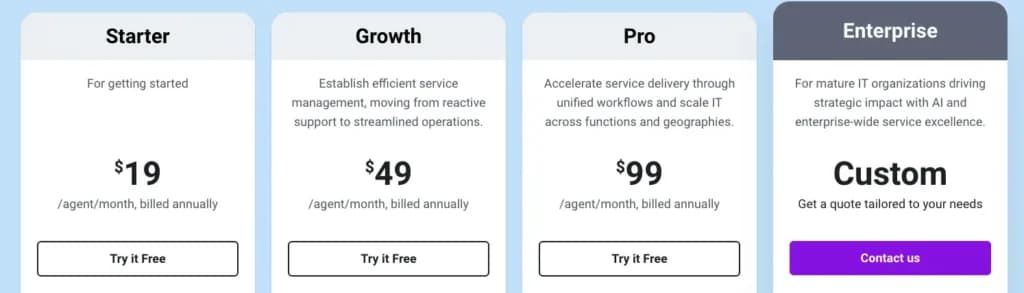
Freshservice’s free plan includes basic inventory tracking, asset management, and ticketing features. It’s limited in automation and reporting, but works well for simple internal use cases like IT equipment tracking and asset logging.
Free trial available?
Yes, Freshservice offers a forever-free plan, and you can also request a trial of higher-tier plans if you want to test automation, reporting, or CMDB tools.
Key Features
- Tracks IT assets and internal equipment
- Maintains records of ownership, location, and condition
- Supports ticketing and issue tracking for equipment
- Allows linking assets to users or service requests
- Cloud-based dashboard for quick inventory lookups
- Integrates with other Freshworks tools
Pros and cons
Pros
- Forever-free plan is enough for small teams
- Built-in ticketing and basic workflows
- Scales with paid options if there's a need to grow
Cons
- Not suited for retail or product inventory
- Free plan lacks automation and advanced reporting
- Limited to internal asset use cases
Who it's for
Freshservice is best for IT teams or office managers who need to track devices and internal assets, not products for sale. If you’re managing laptops, hardware, or tech across teams, the free plan covers the basics without needing a full IT system.

What's better: A forever-free plan or free trial?
Both can help you avoid monthly costs, but they serve slightly different purposes.
Forever-free inventory software
A forever-free plan gives you basic features that work long term for your business. You’ll likely get simple stock tracking and order management, but not much else, which may be just fine for now.
Free trial
A free trial gives you access to everything, but only for a limited time. You can test premium features, try out integrations, and see how the system fits into your workflow before making a decision.
What to keep in mind:
- Free trials offer full feature access, but only temporarily
- You'll need to decide quickly (typically within 14 days) if it’s worth the cost
- Setup time can cut into your trial window
- It's a great choice for businesses planning to grow or sell across channels
Which is right for your business?
If you just need a basic way to stay on top of your stock, a forever-free plan will likely cover it. But if you're comparing platforms or want to test more advanced tools, a free trial lets you see the full picture before committing.
See also
- Free tiers cap the thing you will hit first, and the best inventory management software roundup shows which limits start to bite as you grow.
- Item ceilings, single user logins and missing purchase orders are the usual caps, and the paid plans ranked in best inventory management tools for small business lift them.
- Selling on a storefront and a marketplace needs stock synced both ways, handled by ecommerce inventory management software.
- Counter sales can carry basic stock counts without a separate tool, which is what best free POS systems compares.
The bottom line
Free inventory management tools can work surprisingly well, but you need to know what you’re getting. You won’t pay a subscription, but you might hit usage limits, lose access to support, or need to do more manual work.
Pick a system that fits your business's current needs and allows it to grow later. Compare your options, try a few, and choose the one that makes it easiest to manage your stock.
FAQ
Q: Is free inventory software really free?
A: Yes, many providers offer forever-free plans with no monthly fees. Remember there may be usage limits (like order caps or fewer users). Some tools offer free trials instead, which let you test everything before committing to a paid plan.
Q: What features do free inventory tools usually include?
A: Most free versions cover the basics: stock tracking, low inventory alerts, order management, and simple reports. Some also include ecommerce and shipping integrations, but advanced features like automation or analytics may be locked behind paid plans.
Q: What’s the catch with free inventory software?
A: You might run into limits on how much you can do, like capped orders, fewer users, or no automation. Some platforms also charge more for support, or require their hardware or services for certain features.
Q: Who should use free inventory software?
A: It’s a great fit for small online sellers, early-stage businesses, pop-ups, or anyone who needs basic tracking without the cost. It also works well for IT teams managing internal assets or solo entrepreneurs testing new platforms.
Q: What’s the difference between a free plan and a free trial?
A: A free plan gives you limited features for as long as you need. A free trial gives you full access, but only for a set time (usually 14 or 15 days). After that, you’ll need to subscribe to keep using it.
Q: Can I upgrade later if I need more features?
A: Definitely. Most platforms let you move to a paid plan when you're ready, and your data, settings, and integrations typically carry over.