GoToMeeting vs Zoom: Which video conferencing software is better in 2026?


Choosing your video conferencing software is no longer just a decision for the IT department—it’s a core business choice that dictates how your team collaborates, how you connect with clients, and how you present your brand to the world. A reliable, high-quality platform is non-negotiable.
For decades, GoToMeeting (now part of the GoTo Connect suite) was the corporate standard, known for its reliability and professional-grade features. Then Zoom entered the market and redefined user-friendliness, becoming a household name and the default verb for video calling (“Let’s Zoom”).
This GoToMeeting vs Zoom comparison is a classic battle of the established corporate professional vs. the disruptive market leader.
GoToMeeting is a “professional-first” solution. It’s part of a broader, business-centric IT management and communications suite (GoTo Connect). It prioritizes security, reliability, and high-quality audio, making it a favorite for formal, high-stakes corporate and enterprise meetings.
Zoom is a “user-first” platform. Its core philosophy is to be the easiest, fastest, and most accessible tool on the market. It prioritizes a frictionless user experience, which led to its explosive growth. It has since evolved from a simple meeting app into a full-fledged “Workplace” platform, integrating chat, phone, and whiteboards.
This definitive, data-driven comparison will break down every key feature, the critical pricing differences, and the real-world scenarios to help you decide which is the right choice for your business.
Key points (quick summary)
Here’s the high-level breakdown of GoToMeeting vs Zoom.
- GoToMeeting is best for… Businesses that prioritize professional, high-security features, and top-tier audio quality. It’s a strong, reliable choice for formal presentations and businesses already in the GoTo ecosystem.
- Zoom is stronger in… Ease of use, user-friendliness, and its free plan. Its “AI Companion” is also more robust and included for free on paid plans, making it a better value for most SMBs.
- The main difference in pricing is… The free plan. Zoom’s free plan is incredibly generous, allowing 100 participants for 40-minute meetings. GoToMeeting’s free plan is very limited, for only 3 participants and 40-minute meetings.
- The key feature that separates them is… The AI offering. Zoom’s AI Companion (meeting summaries, next steps, chat drafting) is included at no extra cost with all paid plans. GoToMeeting’s AI features are powerful but are typically reserved for higher-tier, more expensive plans.
- The ideal audience for GoToMeeting is… The corporate or enterprise user who needs a locked-down, reliable, and professional tool for formal, external meetings.
- The ideal audience for Zoom is… Nearly everyone—from freelancers to large enterprises. Its blend of simplicity, a generous free plan, and powerful, accessible AI makes it the default choice for most small businesses.
Head-to-head comparison (detailed breakdown)
We’ll now dive deep into the specific features to compare GoToMeeting and Zoom side-by-side.
Market position & ideal use cases
- GoToMeeting: Is the reliable, “legacy” choice for professionals. It’s part of the broader GoTo Connect suite, which includes VoIP phone systems (GoTo’s “Zoom Phone” competitor) and IT support tools. Its ideal user is a mid-sized business, law firm, or financial institution that values security and call quality above all else.
- Zoom: Is the market-dominant, user-friendly choice. It’s a “platform” for communication, now called Zoom Workplace. It’s built for everyone, from a freelancer on the free plan to a global corporation. Its ideal user is any business that needs a simple, reliable tool that “just works” and that all participants (internal and external) are already comfortable using.
Hardware & device options (Conference Rooms)
Both platforms offer dedicated hardware solutions for physical conference rooms.
- GoToMeeting (GoToRoom): Offers an all-in-one hardware solution called GoToRoom, often in partnership with Poly or Logitech. This system turns any conference room into a one-touch-join GoToMeeting space. It’s a professional-grade, all-inclusive package.
- Zoom (Zoom Rooms): This is the industry standard. Zoom Rooms is a software-based system that works with a vast ecosystem of third-party hardware from partners like Poly, Logitech, HP, and Neat. This gives you more flexibility to choose the cameras, microphones, and displays that fit your specific room and budget.
Core features & capabilities
- Meeting capacity:
- GoToMeeting: The Professional plan starts at 150 participants. The Business plan allows 250 participants.
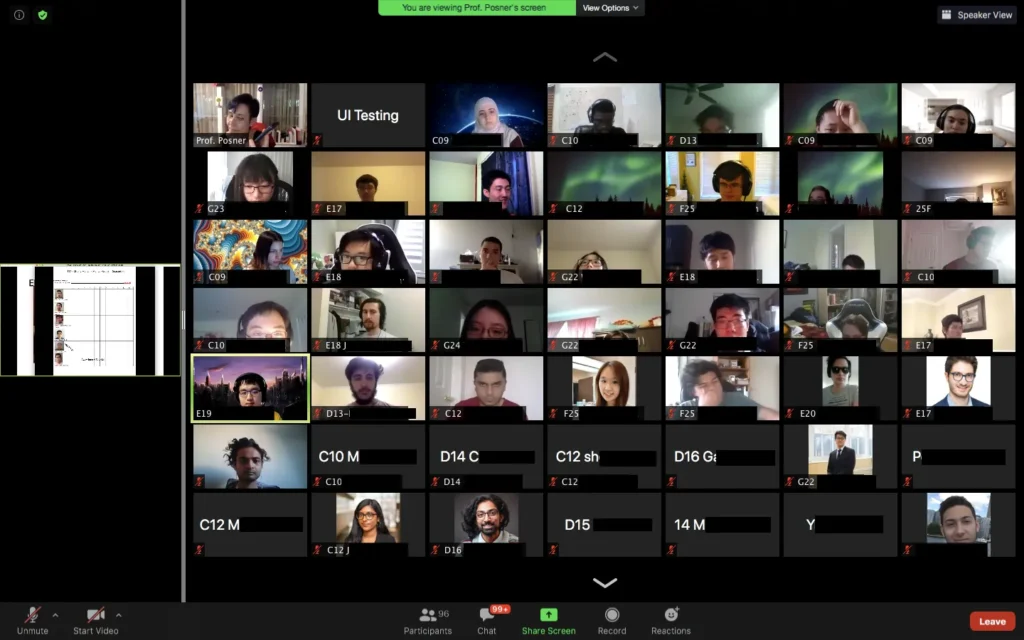
- Zoom: The Free plan allows 100 participants. The Pro plan also allows 100 participants (but for a 30-hour duration). You must move to the Business plan for 300 participants.
- Meeting duration:
- GoToMeeting: The Free plan is limited to 40 minutes. Paid plans have unlimited meeting duration.
- Zoom: The Free plan is limited to 40 minutes for group meetings. The Pro plan and higher allow meetings up to 30 hours.
- Cloud recording:
- GoToMeeting: This is a major strength. The Business plan offers unlimited cloud recording and storage, which is a significant value.
- Zoom: The Pro plan includes 5 GB of cloud storage per license. The Business plan includes 10 GB. Unlimited storage is a much more expensive add-on.
AI, automation & smart features
This is the most critical differentiator in 2025.
- GoToMeeting (GoTo AI):
- What it is: A powerful AI assistant integrated into the platform.
- Key Features: It focuses on in-meeting and post-meeting productivity.
- AI Meeting Summaries: Automatically generates a summary of the meeting, key topics, and action items.
- AI Transcriptions: Provides a full, searchable transcription of the meeting.
- Pricing: This is the key. These powerful AI features are typically only included in the highest-tier Business plan.
- Zoom (AI Companion):
- What it is: An incredibly robust AI assistant that is integrated across the entire Zoom platform (Meetings, Chat, Whiteboard, Mail).
- Key Features: It’s designed to be a true “companion” for your workday.
- In-Meeting: Can provide real-time, in-meeting summaries as you work (“catch me up”).
- Post-Meeting: Delivers a full summary, chapters, and next steps to all participants.
- Zoom Chat: Can help you draft professional messages, summarize long threads, and find information.
- Zoom Whiteboard: Can generate new ideas and templates from a simple text prompt.
- Pricing: This is Zoom’s killer feature. AI Companion is included at no additional cost with all paid plans (starting from the $13.33/mo Pro plan).
Verdict: While both have strong AI, Zoom’s AI Companion is far more comprehensive and significantly more accessible, as it’s included for free on all paid plans. GoToMeeting’s AI is an enterprise-level feature.
Pricing & fee comparison
The free plan is the most important difference, but the paid plans are also structured differently.
(Pricing based on public US data for annual billing as of late 2025. Monthly billing costs more.)
| Plan | GoToMeeting | Price (per user/month) | Key Features & Limitations |
|
Free |
GoToMeeting Free |
$0 |
Limited to 3 participants. 40-minute meeting limit. |
|
Paid 1 |
Professional |
~$12 |
Up to 150 participants. Unlimited meeting length. |
|
Paid 2 |
Business |
~$16 |
Up to 250 participants. Includes AI features & unlimited cloud recording. |
| Plan | Zoom Workplace | Price (per user/month) | Key Features & Limitations |
|
Free |
Basic |
$0 |
Up to 100 participants. 40-minute limit on group meetings. |
|
Paid 1 |
Pro |
~$13.33 |
Up to 100 participants. 30-hour meeting limit. Includes AI Companion & 5 GB cloud storage. |
|
Paid 2 |
Business |
~$18.32 |
Up to 300 participants. Includes AI Companion & 10 GB cloud storage. |
Pricing summary:
- Free plan: Zoom is the undisputed champion. A 100-participant limit beats GoToMeeting’s 3-participant limit every time.
- Paid plans: The plans are similarly priced, but Zoom provides more value. For just ~$13/mo, Zoom’s Pro plan includes its powerful AI Companion. To get AI on GoToMeeting, you must buy the more expensive Business plan. Furthermore, GoToMeeting’s Business plan’s main perk is unlimited recording, which competes with Zoom’s more useful AI features.
Support, reliability & customer experience
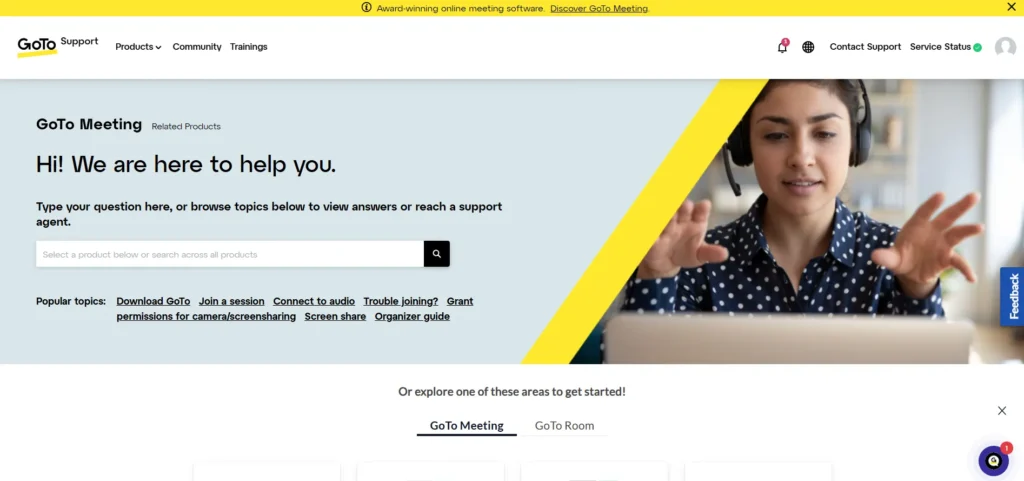
- GoToMeeting: Is well-known for its professional, 24/7 customer support via phone, email, and live chat. As a corporate-focused tool, it has a strong reputation for reliability and high-quality audio.
- Zoom: Offers 24/7 chat and email support for its paid plans, with phone support available on Business plans and higher. Its massive popularity is a testament to its reliability, though it faced significant security scrutiny in the past and has since implemented robust security features like end-to-end encryption.
Integrations & connected tools
- GoToMeeting: Has a solid marketplace with key integrations for business, including Slack, Microsoft Teams, Salesforce, and calendar integrations.
- Zoom: Has a massive App Marketplace with over 2,000+ integrations. It connects to virtually every SaaS tool, from project management (like Asana and ClickUp) to CRMs (like HubSpot and Salesforce) and marketing tools. It is the clear winner in ecosystem and flexibility.
Real-world scenarios / use case analysis
Example 1: The solo consultant
- Needs: A professional, reliable way to meet with clients one-on-one for an hour or two at a time, plus a way to send summaries.
- Recommendation: Zoom Pro
- Reason: The Zoom Pro plan is perfect. It’s low-cost, removes the 40-minute limit, and the included AI Companion can automatically generate a meeting summary and next steps to send to the client, making the consultant look incredibly professional with zero extra work.
Example 2: The small non-profit or community group
- Needs: A free or very low-cost way to host monthly all-hands meetings for 50-70 volunteers.
- Recommendation: Zoom Free
- Reason: GoToMeeting’s free plan is not an option due to its 3-participant limit. Zoom’s free plan allows 100 participants. The 40-minute time limit is a restriction, but for a budget-conscious group, it’s the only viable choice.
Example 3: The 100-person law firm
- Needs: A high-security, ultra-reliable platform for confidential client meetings, depositions, and internal partner meetings, with unlimited recording for legal records.
- Recommendation: GoToMeeting Business
- Reason: This is GoToMeeting’s sweet spot. The unlimited cloud recording is a killer feature for a law firm that must keep a record of everything. The platform’s reputation for high-security, encrypted communication and professional audio quality makes it a more suitable choice for this high-stakes environment.
Final verdict & recommendation table
| Factor | Best Choice | Reason |
|
Ease of use (for beginners) |
Zoom |
Unmatched. Its interface is the global standard for simplicity. |
|
Free plan value |
Zoom |
The 100-participant limit makes it the only viable free option. GoToMeeting’s 3-participant limit isn’t functional. |
|
AI capabilities |
Zoom |
The AI Companion is included for free on all paid plans, offering massive value (summaries, next steps, chat). |
|
Cloud recording |
GoToMeeting |
The Business plan’s unlimited cloud recording is a standout feature for businesses that need to archive everything. |
|
Hardware & integrations |
Zoom |
Zoom Rooms is more flexible, and the Zoom App Marketplace is vastly larger, connecting to all your other tools. |
|
Best for small businesses |
Zoom |
The combination of a great free plan, an affordable Pro plan, and free AI makes it the best value. |
|
Best for enterprise security |
GoToMeeting |
A strong, long-standing reputation for professional, high-security, and reliable corporate communication. |
FAQ: GoToMeeting vs Zoom
How is GoToMeeting different from Zoom?
The main difference is their focus and free plan. Zoom is a “user-first” platform focused on simplicity and a generous free plan (100 users, 40 min). GoToMeeting is a “corporate-first” platform focused on professional features and security, with a very limited free plan (3 users, 40 min). Zoom also includes its powerful AI Companion for free on all paid plans, while GoToMeeting’s AI is a premium feature.
Which is cheaper, GoToMeeting or Zoom?
Zoom’s free plan is infinitely more valuable. For paid plans, the entry-level tiers are similarly priced (around $12-$14/user/mo), but Zoom provides more value by including its AI Companion for free, which GoToMeeting charges extra for.
How to migrate from GoToMeeting to Zoom?
Migration is straightforward as they are separate services. The main task is migrating scheduled meetings.
- Set up your Zoom account and integrate it with your calendar (Google or Outlook).
- Go to your GoToMeeting calendar and delete all future, recurring GoToMeeting-linked meetings.
- Reschedule these meetings in your calendar and add a Zoom meeting link instead.
- If you have cloud recordings, you must manually download them from GoToMeeting and upload them to Zoom’s cloud storage (or another drive).
Can I import data from Zoom to GoToMeeting?
This is the same manual process. You would need to download your cloud recordings from Zoom and upload them to GoToMeeting’s cloud. For your schedule, you would have to delete your future Zoom meetings from your calendar and replace them with GoToMeeting links.
Does GoToMeeting have breakout rooms?
Yes, GoToMeeting has breakout room functionality, similar to Zoom. This allows a host to split the main meeting into smaller, separate sessions for group discussions.
Is GoToMeeting more secure than Zoom?
GoToMeeting has long been a trusted, high-security choice for enterprises. However, following its security challenges in 2020, Zoom has invested heavily in security and now offers robust features like end-to-end encryption (E2EE), advanced user authentication, and granular host controls, making it comparable to GoToMeeting for most business security needs.
What is Zoom AI Companion?
Zoom AI Companion is a powerful generative AI assistant that is included at no extra cost with all paid Zoom accounts. It can summarize meetings in real-time (“Catch me up”), create full post-meeting summaries with action items, help you draft replies in Zoom Chat, and generate ideas on a Zoom Whiteboard. It is one of Zoom’s biggest advantages.