HubSpot Breeze AI review: Is it actually worth it for a 1-4 person business?



If you’re running a business with 1-4 people and still manually typing out follow-up emails, digging through old notes to prep for a call, or writing your newsletters from scratch, you are losing massive amounts of time that should be spent on growth. So, is HubSpot’s new built-in AI engine, Breeze, actually the answer to this? Yes. It might not run your entire company for you, but it will absolutely transform your workweek.
I’ve spent the last few days hands-on testing HubSpot Breeze to see if it makes sense for a micro-business to use. Unlike separate AI tools like ChatGPT, Breeze lives directly inside your CRM, marketing, and customer service screens to handle the grunt work for you.
I’m going to break down exactly what this AI does in your day-to-day workflow. Here is a look at how to actually use HubSpot Breeze, including the exact conversational prompts that will save you and your team hours every week.
Key Points:
- Sales Hub: An AI Assistant that lives on your screen to summarize messy meeting notes, draft personalized follow-up emails, and tell you which leads to prioritize today.
- Marketing Hub: Features a “Content Remix” tool that instantly turns one blog post into a week’s worth of emails and social media posts. It also rewrites your copy to sound more human.
- Service Hub: Instantly summarizes long, confusing email chains from frustrated customers. You can even set up a Customer Agent to answer repetitive support questions on your website while you sleep.
- Smart CRM: Automatically searches the web to fill in missing contact details (like company size or website) so you can skip the manual research.
Hubspot Breeze, the AI agent for every task
HubSpot Breeze is a collection of artificial intelligence tools built directly into the HubSpot platform. It is completely integrated—not a separate app you have to download, or some complicated add-on you need to figure out how to connect. It just lives right inside the CRM you’re already using.
Breeze is broken down into three main “pillars”:
- Breeze Assistant: (Formerly called Breeze Copilot). This is your everyday virtual sidekick that lives in a chat window inside HubSpot. You can ask it to draft emails, summarize records, or prep you for meetings.
- Breeze Agents: These are autonomous digital workers. Instead of just answering questions, they handle entire workflows in the background—like the Customer Agent answering support tickets 24/7, or the Prospecting Agent researching companies for you.
- Breeze Intelligence: This is the data engine. It automatically searches the web to fill in missing information on your contacts (like company size or industry) so you don’t have to Google it.
Here is what these tools actually look like in practice across HubSpot’s core Hubs.
1. The Smart CRM & Sales Hub: Your daily assistant
The Breeze AI Assistant lives right in the corner of your screen, so you never have to stop what you’re doing to hunt for information. Instead of making you dig through a dozen different menus to figure out what’s going on, it handles the heavy lifting in three specific ways:
- Insights: It reads your notes and tells you exactly what happened on your last call or who you should follow up with today.
- Actions: It instantly drafts your emails, creates your tasks, or updates a contact record for you with one click.
- Ideation: It helps you brainstorm the perfect icebreaker or tailor a pitch for a new lead based on their specific company.
Because let’s face it: when you open your CRM in the morning, your biggest problem is figuring out what to actually do first. When you’re the owner, the salesperson, and the account manager all at once, you have dozens of contacts, past-due tasks, and scattered meeting notes fighting for your attention. Instead of losing your momentum by clicking through five different tabs to remember where you left off, you just ask the AI to point you in the right direction.
Use case: The cold outreach draft (2-person consultancy)
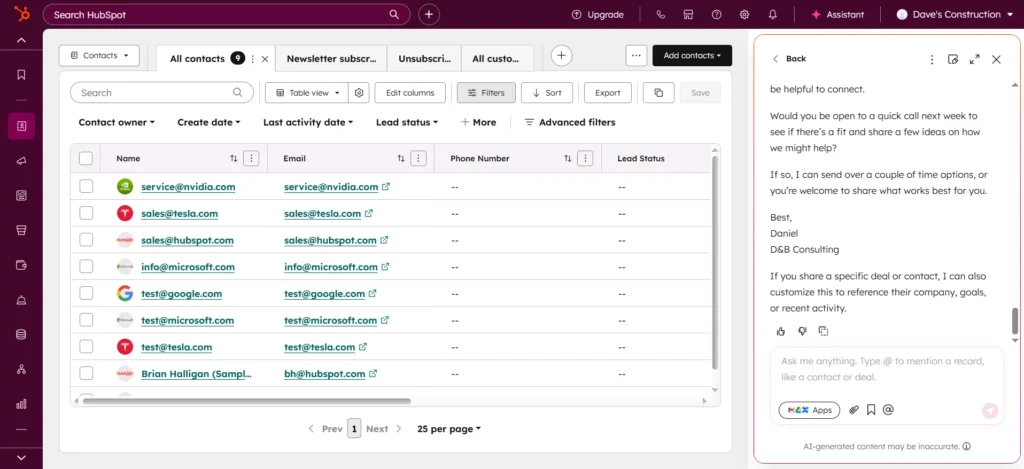
Imagine you run a small consulting firm (like D&B Consulting) and a new lead from a major company lands in your system. You want to introduce yourself, but you’re staring at a blank email window. Instead of writing it from scratch, you open the Assistant chat:
You: “Draft an intro email to this company.”
Breeze Assistant: “Here’s a concise intro email you can use… ‘Hi {{first name}}, I hope you’re doing well. I’m Daniel from D&B Consulting and I’m reaching out because I believe we may be able to add meaningful value… Would you be open to a quick call next week?'”
It immediately writes a solid draft. You tweak one sentence, hit send, and move on. What usually takes 10 minutes of overthinking took about 10 seconds.
Use case: The post-meeting debrief
You just got off a 45-minute discovery call. You jotted down a bunch of messy notes about their budget and questions, but you need to translate that into a clean summary for your business partner.
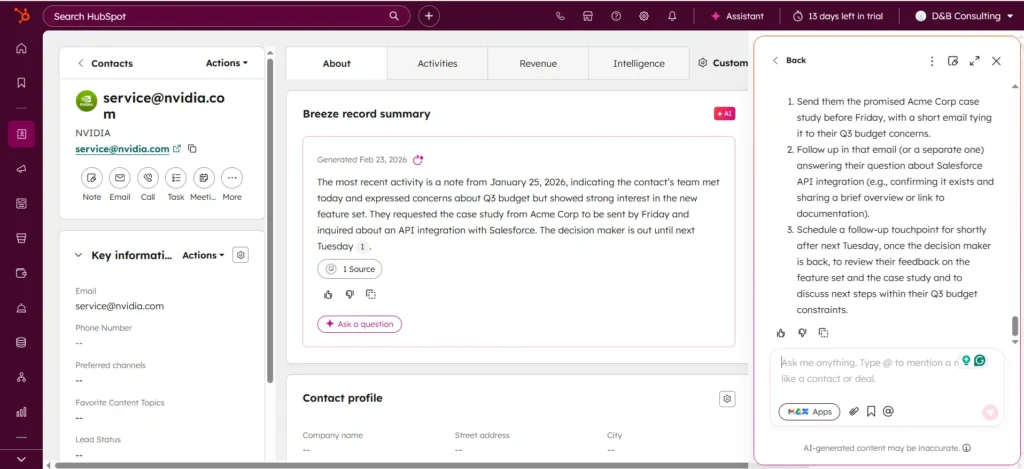
You: “Summarize the last note with contact from this company and list the next steps.”
Breeze Assistant: “Summary of last note: Met with the NVIDIA team. They are concerned about Q3 budget. They like the new feature set. They asked whether you have an API integration with Salesforce. The decision maker is out until next Tuesday.”
Instead of reading a wall of text, your partner can instantly see the exact roadblocks and what needs to happen next.
2. The Marketing Hub: The content remix agent
With just one or two paragraphs of text, you can now build out a full 360-degree spread of assets for your marketing activity. We’re talking about instantly generating everything from website pop-up ideas and email marketing subject lines to full newsletters and social media campaigns.
This is a massive relief because marketing a micro-business is exhausting. You usually have to be the writer, the editor, and the social media manager all at once. The AI tools in the Marketing Hub stop you from staring at a blank page, letting you stretch one quick idea across every channel without having to write it all from scratch.
Use case: The 3-person local boutique
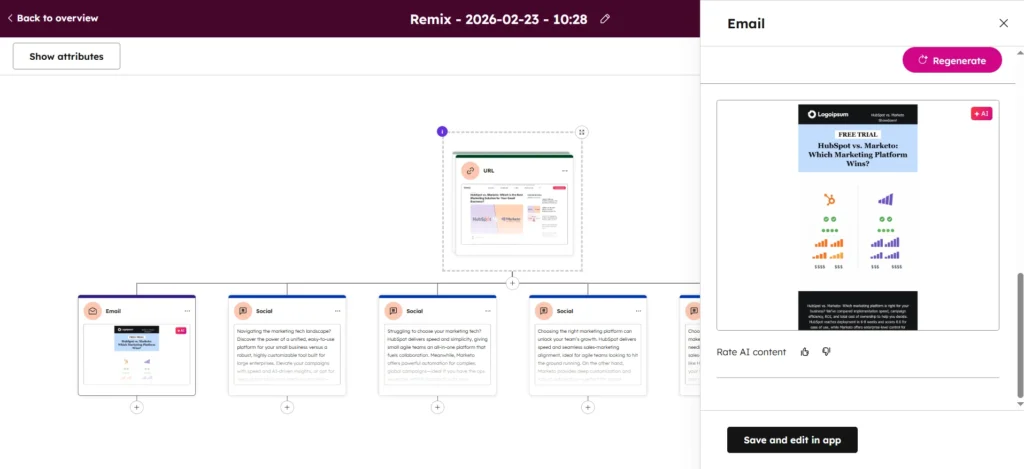
Let’s say you run a small retail shop. You just wrote a quick, 3-paragraph blog post about an upcoming Spring Clearance sale. You don’t have time to write a beautifully crafted email newsletter and five different social media posts from scratch to promote it. You can use the Content Remix feature to do it automatically.
You (Using Content Remix): Select your existing blog post, and click “Remix content.” Choose to generate a promotional email and three social media posts.
It spits out the drafts instantly. If the email sounds a little too stiff or robotic, you just highlight the text, click the Breeze sparkle icon, and hit “Rewrite” or “Apply brand voice”. It rewrites it instantly to sound more like a human and matches your specific brand style.
3. The Service Hub: Instant answers & ticket deflection
The Customer Agent uses your existing content and contextual data to act as a 24/7 AI help representative, handling live customer support inquiries automatically in a natural, conversational tone.
This is a massive relief if you handle customer support alongside your actual job, because you know exactly how exhausting and repetitive it gets. You usually end up typing the exact same answers to the exact same questions every single week, or wasting 10 minutes trying to piece together a customer’s history from a massive email chain just to figure out what they need.
Use Case: The solo e-Commerce seller
You run an online store by yourself. A customer submits a support ticket, and you see they’ve emailed you three other times in the past month about a shipping delay. You don’t have time to read through all those old emails before replying.
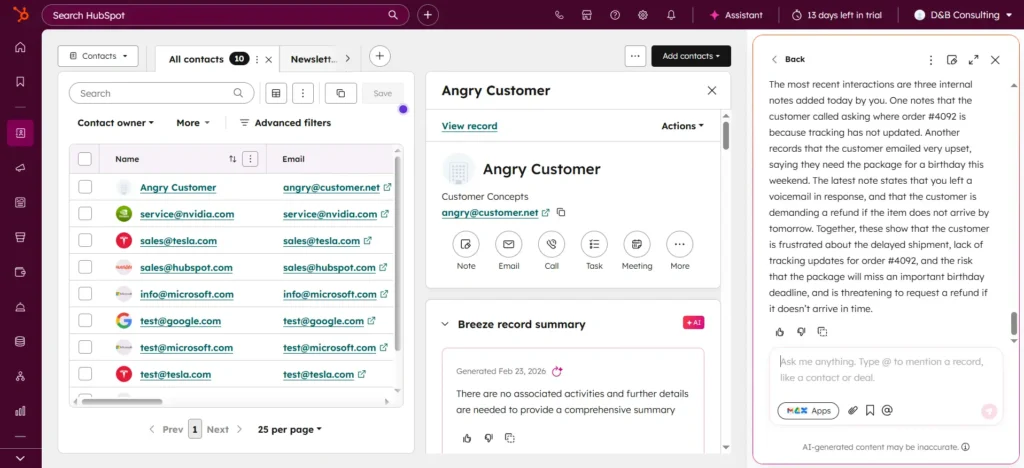
You: “Summarize our conversation about this order.”
Breeze Assistant: “This customer has reached out three times regarding order #4092. They are frustrated because the tracking link hasn’t updated in four days and they need the item for a birthday this weekend.”
Now, when you reply to them, you have the full context without doing the reading. Even better, if you set up the Customer Agent on your website, it can automatically answer those “Where is my order?” or “How do I reset my password?” questions while you sleep.
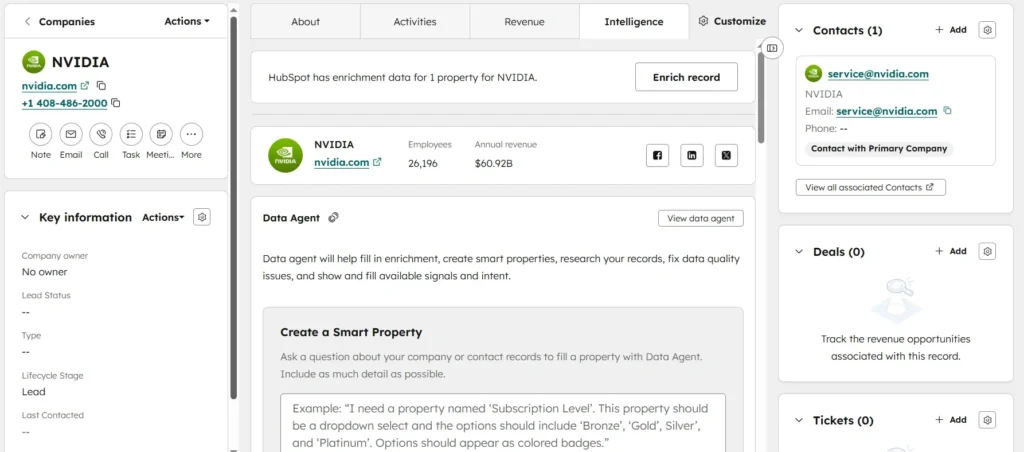
4. The hidden magic: Breeze Intelligence (data entry)
You can now add “missing” information to any record in one click. Breeze automatically searches its massive database of over 200 million buyer and company profiles to fill in the blanks, instantly enriching your CRM with data like company revenue, employee count, and social media profiles.
This is arguably the most underrated feature for a 1-4-person team, because incomplete data is a massive headache. When a new lead emails you, you usually have to spend five minutes playing private investigator—looking up their company size and industry on LinkedIn just so you know how to talk to them.
With the Data Enrichment feature, the second a work email hits the CRM, you skip the manual research phase entirely. From my experience, I’ll be honest: it doesn’t always work 100% flawlessly. It won’t always find info, or you might occasionally find a data point that’s slightly out of date, but for what it is, it’s incredibly helpful. It gets you 90% of the way there instantly, which is far better than starting from zero.
The verdict: Is it worth it for a micro-business?
If you are a solo founder or a team of fewer than 5 people, time is your most valuable asset. You don’t need AI to completely run your business for you—you just need it to do the grunt work.
HubSpot Breeze gets it right because it lives exactly where you are already working. It writes your emails inside the email editor. It summarizes your notes inside the CRM. It enriches your contacts right on the contact page. It stops you from doing the robotic admin work, so you can get back to actually talking to your customers and running your business.
Frequently Asked Questions
To help you understand exactly what you are getting into, here are the most common questions small business owners are actively asking about HubSpot’s AI tools:
Q. What is the difference between Breeze Assistants and Breeze Agents?
A. Breeze Assistant works with you as a day-to-day partner, helping with tasks like drafting emails or summarizing notes while you work. Breeze Agents work for you by automating specific workflows entirely in the background, like the Prospecting Agent monitoring buying intent or the Customer Agent answering support tickets.
Q. Why use Breeze AI instead of a generic AI tool like ChatGPT?
A. Unlike generic tools, Breeze AI is natively integrated with your HubSpot CRM. This gives it crucial business context about your specific customers, deals, and internal processes. It eliminates the need to constantly copy and paste information between disconnected platforms.
Q. Will free customers be able to use Breeze Intelligence?
A. Breeze Intelligence is a paid add-on, meaning you need a paid subscription (Starter or higher) to purchase the required “Credits” to enrich your contacts. However, free users can opt into data sharing to receive limited access to the buyer intent feature and view the Intelligence Tab on records.
Q. Do HubSpot AI service providers use my data to train their models?
A. No. HubSpot does not permit the third-party AI service providers they engage (like OpenAI or Google) to use your business data for model training. They also have commitments to minimize data retention to keep your CRM data secure.