
Best CRM Software for Small Businesses in 2026
Running a 2-person business shouldn't require a 20-person tech stack. Most CRM tools are built for enterprise sales teams — not for a founder who also handles support, marketing, and billing. Here are the CRM platforms that actually work when your team is 1 to 5 people.
Last updated: November 2026

Free plan available
- Unified platform for sales and marketing
- Track customer interactions in real time
- Customizable dashboards and reports
- Intuitive design
- Free version available
- Reliable customer support
- Numerous workflow templates
- Automation is unavailable for free plan
Free plan available
- Unified platform for sales and marketing
- Track customer interactions in real time
- Customizable dashboards and reports
- Intuitive design
- Free version available
- Reliable customer support
- Numerous workflow templates
- Automation is unavailable for free plan
14-Days Free Trial
- Sync emails to track client interactions
- Import leads with integrations
- No-code automation
- Intuitive design
- Responsive customer service
- Numerous templates
- Cross-team collaboration tools
- Limited features on free version
14-Days Free Trial
- Sync emails to track client interactions
- Import leads with integrations
- No-code automation
- Intuitive design
- Responsive customer service
- Numerous templates
- Cross-team collaboration tools
- Limited features on free version
14-Days Free Trial
- Mobile app means you never miss a sale
- 300+ integrations enhance functionality
- Automate your entire sales process
- User-friendly design
- Easy setup process
- Friendly customer support
- Efficient management tools
- No free version
14-Days Free Trial
- Mobile app means you never miss a sale
- 300+ integrations enhance functionality
- Automate your entire sales process
- User-friendly design
- Easy setup process
- Friendly customer support
- Efficient management tools
- No free version
Free plan available
- Increase sales with multichannel software
- In-depth analytics to track success
- Premium customer support
- Easy setup
- Customizable capabilities
- Reliable customer support
- Different resource materials
- Billed per user
- Limited third-party integrations
Free plan available
- Increase sales with multichannel software
- In-depth analytics to track success
- Premium customer support
- Easy setup
- Customizable capabilities
- Reliable customer support
- Different resource materials
- Billed per user
- Limited third-party integrations

Free plan available
- One place for company-wide collaboration
- Real-time reporting
- 24/7 support
- Impressive interface
- Free version and trial
- Customizable features
- Prebuilt templates
- Billed per user
- Slow loading speed
Free plan available
- One place for company-wide collaboration
- Real-time reporting
- 24/7 support
- Impressive interface
- Free version and trial
- Customizable features
- Prebuilt templates
- Billed per user
- Slow loading speed

- Built-in contractor payroll simplicity
- Smart financial tools for solopreneurs
- All-in-one platform for business flow
- Integrated contractor payments
- Intuitive setup and use
- Reliable and smooth performance
- Ideal for freelancers and solopreneurs
- No W-2 or full payroll support
- No 24/7 or phone-based support
- Minimal automation features
- Built-in contractor payroll simplicity
- Smart financial tools for solopreneurs
- All-in-one platform for business flow
- Integrated contractor payments
- Intuitive setup and use
- Reliable and smooth performance
- Ideal for freelancers and solopreneurs
- No W-2 or full payroll support
- No 24/7 or phone-based support
- Minimal automation features

Free plan available
- Automate workflows with Notion AI
- Unlimited storage for all users
- Reuse workflows with custom templates
- Highly customizable workspace
- Custom templates for reusable workflows
- Effective integration with third-party apps
- Unlimited storage including free tier
- Limited built-in automation
- Lacks dependencies and time tracking
Free plan available
- Automate workflows with Notion AI
- Unlimited storage for all users
- Reuse workflows with custom templates
- Highly customizable workspace
- Custom templates for reusable workflows
- Effective integration with third-party apps
- Unlimited storage including free tier
- Limited built-in automation
- Lacks dependencies and time tracking

Free plan available
- Automatically sets up the backend for you
- Build your CRM with words. No coding needed
- Launch your CRM app directly to App Store
- Anyone can build real software-no dev skills needed
- Clean, responsive design by default
- Element-based editing is intuitive
- Includes backend, database, APIs, hosting
- Not a full enterprise-grade solution (yet)
- AI can lose context during complex edits
- Some integration limits on lower plans
- Still maturing advanced logic handling
Free plan available
- Automatically sets up the backend for you
- Build your CRM with words. No coding needed
- Launch your CRM app directly to App Store
- Anyone can build real software-no dev skills needed
- Clean, responsive design by default
- Element-based editing is intuitive
- Includes backend, database, APIs, hosting
- Not a full enterprise-grade solution (yet)
- AI can lose context during complex edits
- Some integration limits on lower plans
- Still maturing advanced logic handling
* Featured prices and terms can be updated. Free offers may include additional terms.
What is the best CRM for a small business in 2026?
For a team of 1 to 5 people, HubSpot is the best free CRM, and Pipedrive at $14 per user per month is the best paid one. That covers most small businesses, and the rest of this page is about the cases where it does not. If you bill clients directly, HoneyBook at $29 per month replaces your CRM, your contracts and your invoicing in one tool. If you already run your work in monday.com, ClickUp or Notion, adding a separate CRM is usually the wrong move - use what you have. We tested all eight hands-on, on free plans and free trials, and the total cost for a team of five ranges from $0 to $50 per month.
That is the short version. Which one is right for you comes down to two things: the tools you already pay for, and how much setup work you are willing to do before the CRM earns its keep. Both matter more than the feature lists. Below, each tool gets the same four questions: what it costs at five users, what it does well, where it breaks down, and who should skip it.
Which CRM fits your business?
Pick a CRM by what you already pay for, not by feature count, because the cheapest right answer is usually a tool you own. The table below maps each CRM to the business it actually fits, at the price you would pay for a team of five. Read "Best for" as the situation where this tool is the first choice rather than a workable option - most of these will run any small business, but only one of them is the cheapest right answer for yours.
Product | Best For | Why Micro Businesses Love It |
|---|---|---|
HubSpot CRM | Solo founders needing a free start | Free for 2 users. Pipeline + email tracking, no setup required |
Pipedrive | Sales-driven teams of 2–5 | Clean pipeline, zero noise. From $14/user/month |
Zoho CRM | Budget-conscious teams needing automation | Free up to 3 users. Most features per dollar on this list |
Monday CRM | Teams already using Monday.com | One platform for sales + delivery. No tool switching |
ClickUp | Teams needing CRM + task management | Free plan. 3 people pay $21/month total for everything |
HoneyBook | Solo service businesses | Proposals, contracts, invoicing and scheduling in one link |
Notion CRM | Freelancers with a simple client list | $0 extra if you already use Notion |
Base44 | Teams no off-the-shelf CRM fits | Build your exact CRM with AI. From $16/month, no code |
Prices are entry-tier and billed annually, where an annual discount exists. Where a tool has a seat minimum, the figure shown is the real floor, not the per-seat rate.
All prices checked against each vendor's public pricing page on 2 September 2026. We re-verify quarterly and date every change.
See also
- Free CRMs are real for small teams - we show the user and record limits on each free CRM so you know when the bill starts.
- Recruiting pipelines look like sales pipelines. The CRM for HR teams list shows which CRMs bend to that without a plugin.
- Retail CRM is loyalty and repeat purchase, tied to the POS. See CRM for retail.
- Agents need lead routing, drip follow-up and listing tracking. The best CRM for real estate list is ranked on those, not on enterprise features.
How did we test these CRMs?
Every platform on this list was tested hands-on - either through its free plan or a free trial. No demos, no vendor walkthroughs, no secondhand impressions. We signed up the same way you would, with a real business account, and worked inside each tool as solo operators and small teams of up to five people.
That means adding real contacts, building live pipelines, running actual automation workflows, and pushing each tool until we hit its limits - because that's exactly where small business owners get surprised.
We specifically tested free plans and free trials to understand what you actually get before spending a dollar, and what forces you to upgrade. For micro businesses and small teams, that gap between "free" and "useful" matters more than any feature comparison chart.
We paid attention to:
- What works out of the box on the free plan or trial - with zero configuration
- How long it takes to go from sign-up to a pipeline you'd actually use daily
- Where each tool breaks down for a 1–5 person team specifically
- What the real cost looks like once you outgrow the free tier
How do you choose the right CRM for your business?
The right CRM depends less on features than on where your business is losing time and money right now. If deals go cold because nobody followed up, buy follow-up automation and ignore everything else. If you are retyping the same client details on invoices, buy a tool with built-in billing. If your problem is that two people cannot see the same pipeline, almost any CRM here fixes it, and you should pick the one based on price. Diagnose the leak first, then match the tool to it. Buying on feature count is how small teams end up paying for software they log into twice.
- If leads are falling through the cracks and you have no system at all, start with HubSpot free. If your entire business is about closing deals and you hate complexity - go with Pipedrive.
- If you need the most features for the least money and you're willing to invest a few hours in setup, Zoho CRM Standard is the best value.
- If you're already deep in the Monday.com ecosystem, Monday CRM Standard keeps everything in one place.
- If you already use ClickUp for operations and want to add a CRM layer cheaply, ClickUp Unlimited at $7/user/month is hard to beat.
- If you're a solo service professional who needs contracts, invoicing, and scheduling in one place, HoneyBook was built specifically for you.
- If you're already in Notion and have a simple client roster, Notion CRM templates save the hassle entirely.
Not sure which category you fall into? Browse all categories on Sonary- it's filtered specifically for small businesses, with ratings, pricing, and feature breakdowns side by side.
The biggest mistake small business owners make with CRM software is over-engineering their choice. You don't need the most powerful tool. You need the tool you'll actually open every morning.
Is HubSpot's free CRM actually free for a small team?
Yes - free with no time limit for up to 2 users and 1,000 contacts. Email sequences, custom reporting and automation all sit behind Sales Hub Starter at $20 per seat per month, and the jump from Starter to Pro is steep. Most 1 to 5 person teams never hit that wall in year one. If you do hit it, you are usually big enough that the bill is no longer the problem.
HubSpot CRM is your go-to solution for managing sales and customer relationships with precision and ease. Offering a real-time view of your sales activity, HubSpot provides explicit, actionable… Read more
HubSpot CRM is your go-to solution for managing sales and customer relationships with precision and ease. Offering a real-time view of your sales activity, HubSpot provides explicit, actionable reports that give you deep insights into your team's performance. Track deal progress, monitor leads, and pinpoint areas for growth, all within an intuitive platform. With HubSpot CRM, you gain the tools to optimize your sales strategy, enhance collaboration, and drive business success like never before. This Hubspot CRM review will look at pricing, features, and performance of the CRM tool.
Learn more in our full Hubspot review.
Pros & Cons
- Intuitive design
- Free version available
- Reliable customer support
- Numerous workflow templates
- Automation is unavailable for free plan
Features
- Dashboards
- Reporting
- Marketing Analytics
- Pipeline Management
- Call Management
- Account Management
- Collaborative Data
- Mobile App
- Integrations
- Sales AI
- Sales Opportunity
- Quote Management
- Lead Chatbot
- Email Sync
- Email Tracking
- Email Templates
- Schedule Emails
- Customer Contact Management
- Lead Scoring
- Automated Reports
- Marketing Automation
- Sales Pipeline Automation
- Sales Forecasting Automation
- Automated Emails
Pricing
$0
mo/
month
$7
mo/
month
$90
mo/
month
$150
mo/
month
Screenshots
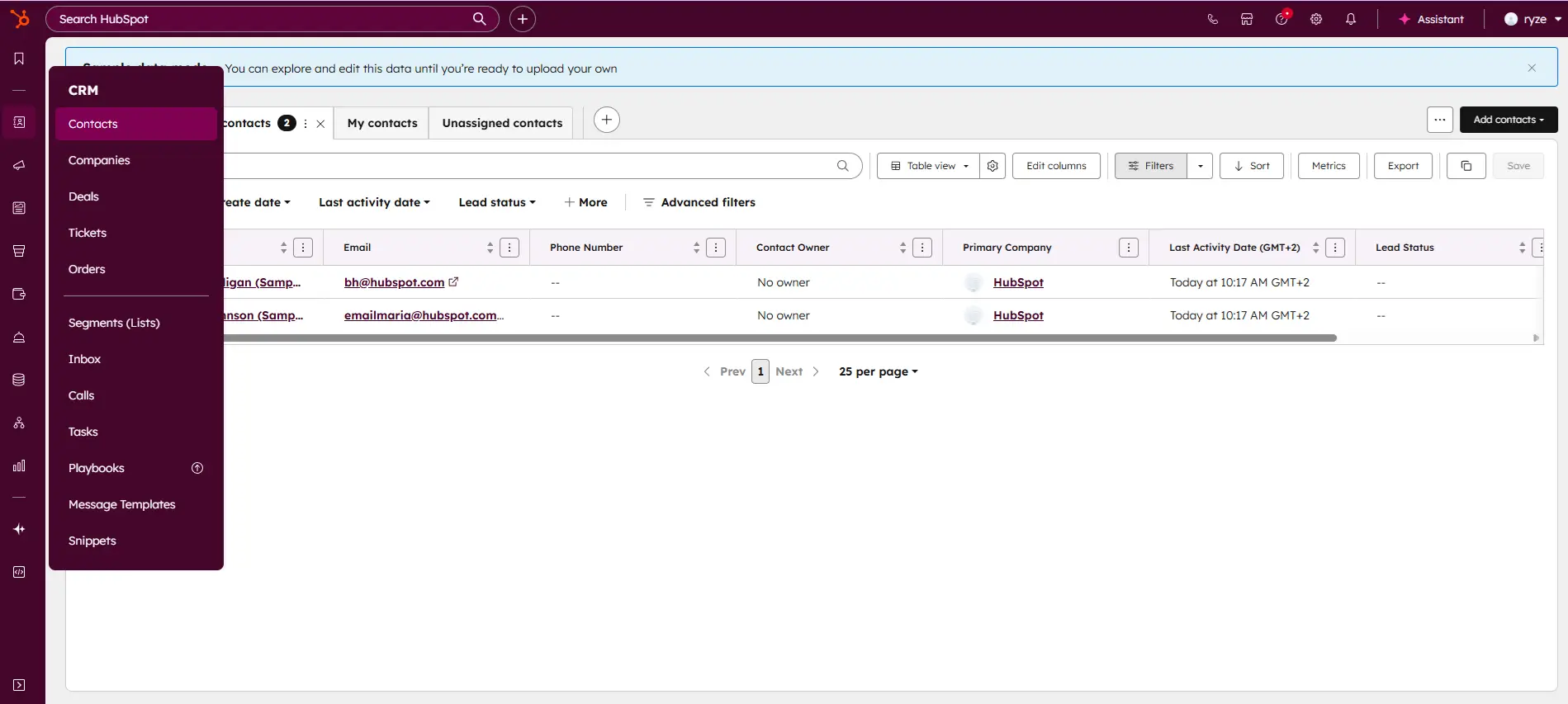
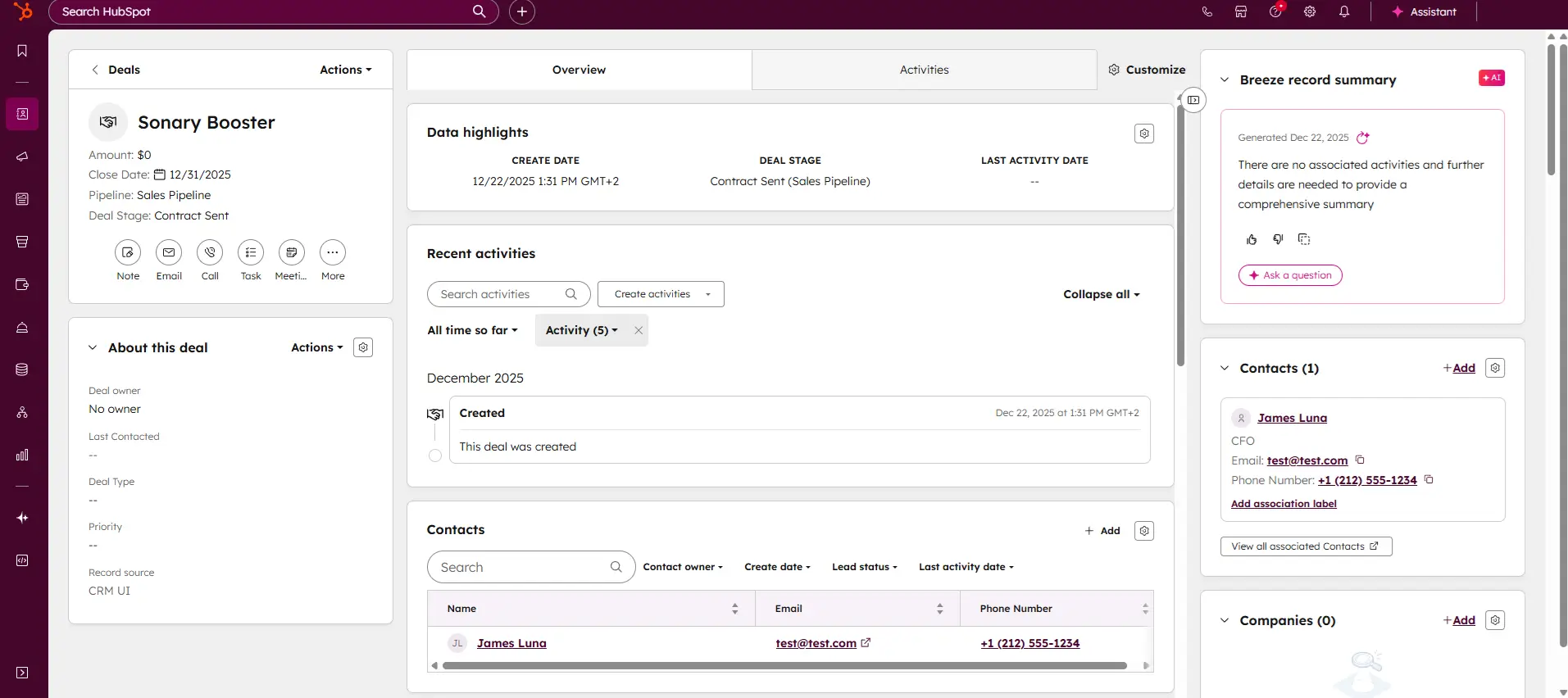
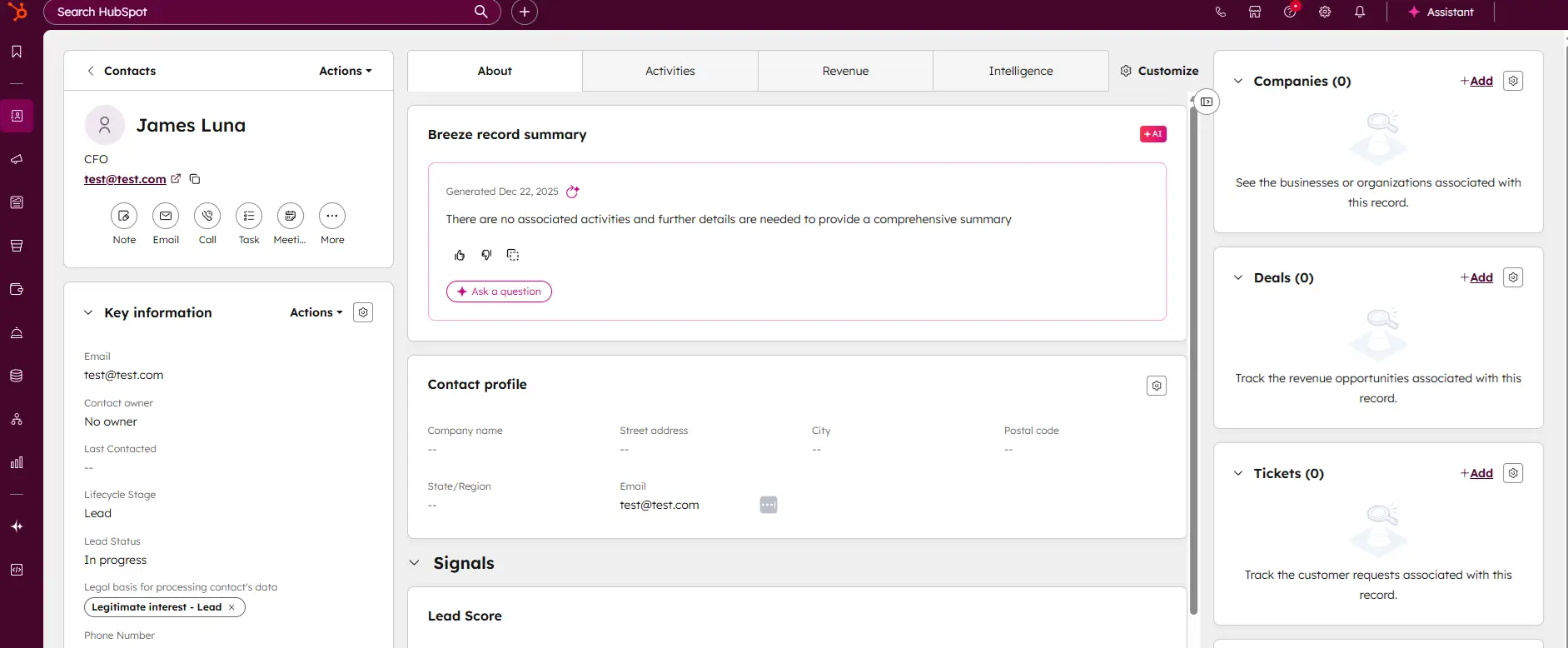
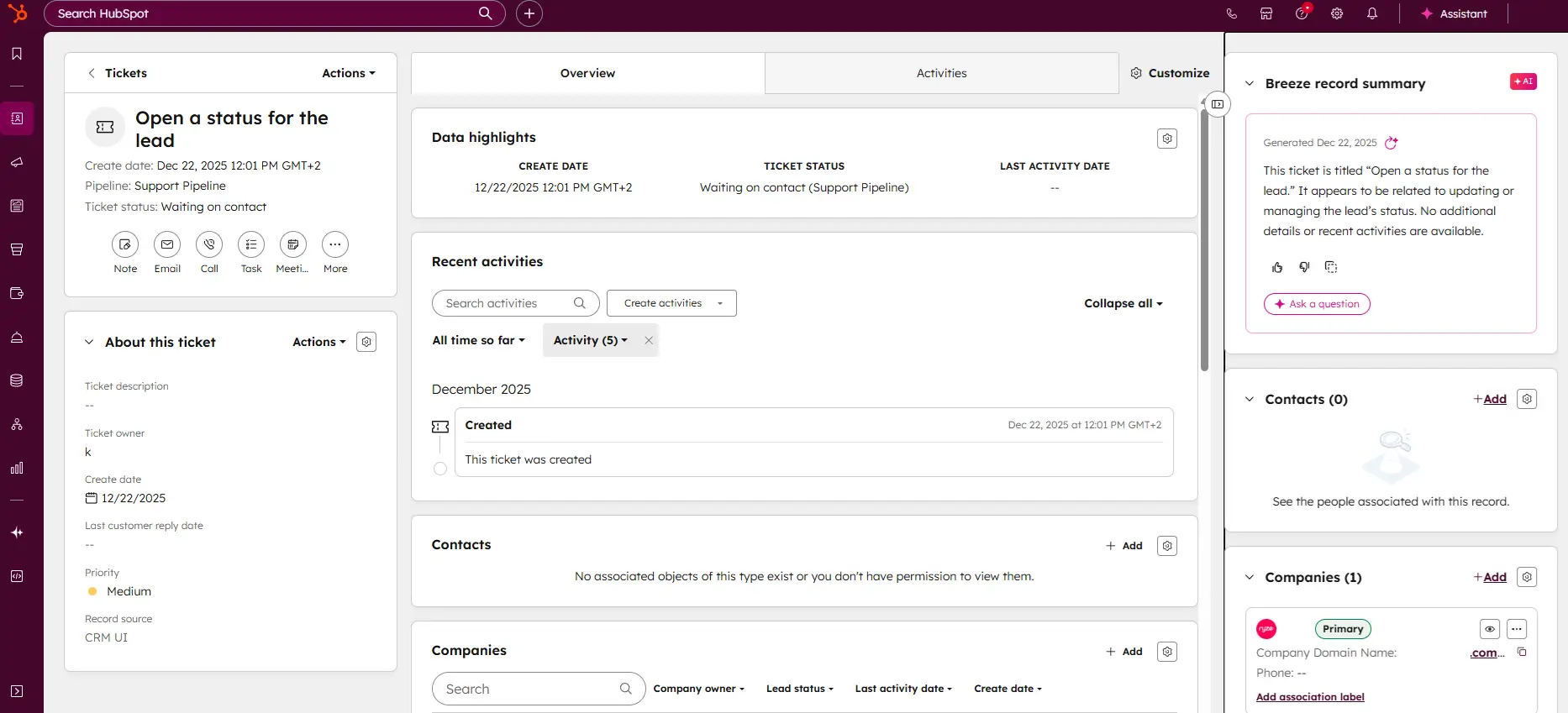
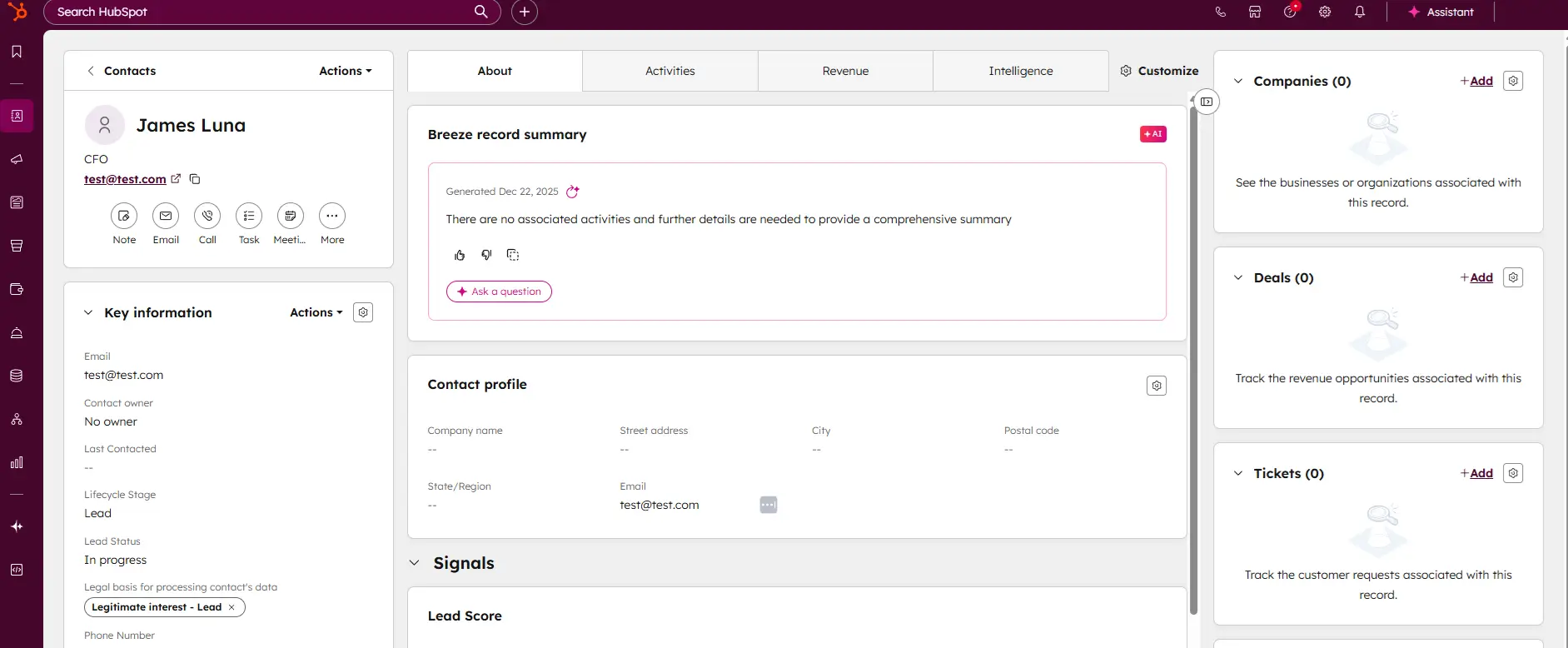
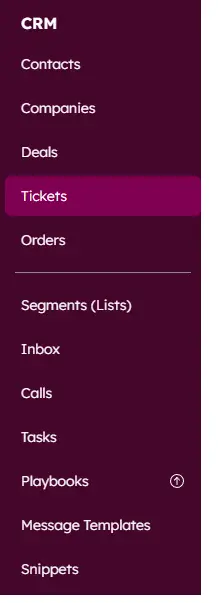
HubSpot's free CRM is the most well-known starting point for small businesses, and the reputation is earned. The free tier is genuinely free - not a 14-day trial. You get up to 2 users, up to 1,000 contacts, a live deal pipeline, email tracking, and a built-in meetings scheduler. For a solo founder or a two-person team just getting structured, this is a solid starting point. Note: HubSpot reduced their free contact limit from 1 million to 1,000 for all new accounts in September 2024 - older guides that still claim 1 million are out of date.
What makes HubSpot work for small businesses is that it doesn't feel like you are using a stripped-down version of something bigger. The interface is clean, the pipeline is visual, and the contact records automatically pull in data from emails and website visits without you doing anything manually. When you send an email to a lead through HubSpot, you see exactly when they opened it, how many times, and what link they clicked - that kind of visibility used to cost real money.
The honest limitation is that HubSpot's free tier will eventually feel tight. Once you want sequences, A/B testing, or advanced reporting, you hit a paid tier fast. The jump from free to Sales Hub Starter ($20/seat/month) is manageable, but the jump to Sales Hub Professional ($100/seat/month) is a real business decision - not an impulse upgrade.
Free plan and Sales Hub Starter at $20 per seat per month, both verified on HubSpot's own pricing page on 2 September 2026.
Where HubSpot really shines: the all-in-one ecosystem
HubSpot is not just a CRM. It has a free CMS, a marketing tool, a service desk, and a sales hub - all connected. For a small business where one person handles sales, sends newsletters, and manages customer complaints, this integration is a genuine time-saver. You don't need to sync contacts between five tools because everything lives in one place. If you're using HubSpot for email outreach, also check our best email marketing software guide - some standalone tools offer stronger campaign features than HubSpot's free tier.
The AI tools HubSpot has added are also worth noting. You can generate email drafts, call scripts, and follow-up suggestions from inside the contact record. For someone running outreach alone, this removes the blank-page problem.
Case study: A 3-person marketing agency
A boutique content marketing agency with three employees - one account manager, one writer, one founder handling sales - switched to HubSpot after losing track of leads in a shared Google Sheet. Within a week, they had a working pipeline with five deal stages, automated follow-up reminders, and email open tracking live. The founder stopped missing callbacks because HubSpot sent a Slack notification every time a proposal was opened. They stayed on the free tier for 14 months before upgrading to Starter when they needed email sequences for cold outreach. Total cost in year one: $0.
Is Pipedrive worth $14 per user if all you need is a pipeline?
Yes, for sales teams of roughly 5 to 25 reps who need pipeline visibility and nothing else. Pipedrive does one job and does not pretend otherwise - no marketing hub, no service desk, no CMS. Pipedrive plans (per seat/month, billed annually): Lite $14, Growth $39, Premium $59, Ultimate $79; no free plan; 14-day trial. Replacement: 'The Lite plan is $14 per user per month (billed annually). Full email sync and automations start on Growth at $39 per user per month, which is the tier most teams actually end up on.
Pipedrive CRM is worth $14/user/month for sales teams of 5 to 25 reps that need pipeline visibility without the complexity of HubSpot Pro or Salesforce. If you have fewer than 5 reps, HubSpot Free… Read more
Pipedrive CRM is worth $14/user/month for sales teams of 5 to 25 reps that need pipeline visibility without the complexity of HubSpot Pro or Salesforce. If you have fewer than 5 reps, HubSpot Free covers you; if you have more than 25, you outgrow Pipedrive's reporting and need HubSpot Professional or Salesforce. The catch: Pipedrive has no free tier and the 14-day trial is the only way to test it, so plan an evaluation week and import a real subset of your data before committing to annual billing
Learn more in our full Pipedrive review.
Pros & Cons
- User-friendly design
- Easy setup process
- Friendly customer support
- Efficient management tools
- No free version
Features
- Dashboards
- Reporting
- Marketing Analytics
- Pipeline Management
- Call Management
- Account Management
- Collaborative Data
- Mobile App
- Integrations
- Sales AI
- Customer Contact Management
- Sales Opportunity
- Quote Management
- Lead Chatbot
- Lead Scoring
- Email Sync
- Email Tracking
- Email Templates
- Schedule Emails
- Automated Reports
- Marketing Automation
- Sales Pipeline Automation
- Sales Forecasting Automation
- Automated Emails
Pricing
$14
mo/
month
$39
mo/
month
$59
mo/
month
$79
mo/
month
Pipedrive was built by salespeople who were frustrated with CRMs designed by engineers. You feel that immediately when you log in. There is no dashboard filled with widgets you don't understand. There is a pipeline. Your deals are cards. You drag them forward. That's it.
For small businesses where closing deals is the primary daily activity - consultants, agencies, B2B service providers, real estate teams - Pipedrive removes every distraction and keeps focus on what moves money. Every morning you open it, you see exactly what needs attention: which deals haven't been touched in three days, which proposals are expiring, which calls are overdue.
Pipedrive's automation is genuinely useful at the small business level. You can set it up so that when a deal moves to "Proposal Sent," it automatically creates a follow-up task for five days later. When a deal is marked "Won," it emails the client a thank-you note. These are the things that fall through the cracks in a small team, and Pipedrive handles them quietly in the background.
The Essential plan starts at $14/user/month. The Advanced plan at $29/user/month is where email automation lives - for most small teams, that's the plan you'll actually want.
Essential at $14 per user per month and Advanced at $29, verified on Pipedrive's pricing page on 2 September 2026.
Where Pipedrive falls short
Pipedrive is a sales tool, not a full client management platform. Once a deal is won, it doesn't offer much for managing the ongoing relationship or delivering the service. There's no helpdesk, no invoicing, and no native project management. For a small business that needs to manage both acquiring and delivering to clients, you'll need a second tool alongside it. See our CRM integrations guide for the best ways to connect Pipedrive with the tools you already use.
Case study: A 2-person sales consultancy
Two partners running a B2B sales consultancy were tracking their own pipelines in separate spreadsheets and constantly stepping on each other's toes. After one afternoon setting up Pipedrive, they had a shared pipeline, deal ownership assigned clearly, and automated follow-up tasks running. In the first 90 days, they recovered two deals that had gone cold - re-engaged directly by Pipedrive's inactivity alerts. At $28/month for two users on the Lite plan, it paid for itself in the first week.
Does Zoho give you enterprise features on a micro-business budget?
Zoho CRM is a single repository that helps businesses gain more leads, build excellent customer relationships, and have efficient business processes that help you save time and cost. With the precise… Read more
Zoho CRM is a single repository that helps businesses gain more leads, build excellent customer relationships, and have efficient business processes that help you save time and cost. With the precise data generated on Zoho CRM, organizations can make impactful decisions to boost sales.
Learn more in our full Zoho review.
Pros & Cons
- Easy setup
- Customizable capabilities
- Reliable customer support
- Different resource materials
- Billed per user
- Limited third-party integrations
Features
- Dashboards
- Reporting
- Marketing Analytics
- Pipeline Management
- Call Management
- Account Management
- Collaborative Data
- Mobile App
- Integrations
- Sales AI
- Sales Opportunity
- Quote Management
- Email Sync
- Schedule Emails
- Customer Contact Management
- Lead Chatbot
- Lead Scoring
- Automated Reports
- Marketing Automation
- Sales Pipeline Automation
- Sales Forecasting Automation
- Automated Emails
Pricing
$0
mo/
month
$14
/mo/user/
/mo/user
$23
/mo/user/
/mo/user
$40
/mo/user/
/mo/user
$52
/mo/user/
/mo/user
Zoho CRM is the underrated option that most people skip because HubSpot gets all the press. That's a mistake. For a micro business that needs automation, lead scoring, multi-channel communication, and workflow rules - and needs all of that at under $20 per user per month - Zoho delivers more than anything else in its price range.
The free tier supports up to three users, which means a solo founder or a two-person team can use a fully capable CRM at no cost. Unlike HubSpot's free plan, Zoho's free tier also includes basic workflow automation, which means you can start automating repetitive tasks without paying anything.
Zoho's real strength is breadth. You can manage leads, run email campaigns, set up automated follow-up sequences, track website visitor behavior, and get AI-powered lead scoring - all inside one subscription. Zoho also connects natively with Zoho Books (invoicing), Zoho Desk (support), and Zoho Campaigns (email marketing). If your business grows, you stay in the same ecosystem without paying for five separate tools.
The learning curve is real - but it's worth it
Zoho CRM is not as immediately intuitive as Pipedrive or HubSpot. The interface is denser, the settings are deeper, and you'll spend a couple of days getting it configured the way you want. For a solo founder who is already stretched thin, that's a real barrier. But once it's set up, it runs itself.
Zoho also has Zia - their built-in AI assistant - which can predict the best time to contact a lead, flag deals at risk of going cold, and suggest automation rules based on how you're working. For a small team where nobody has time to analyze CRM data, Zia does a lot of that work automatically.
Standard at $14 per user per month, verified on Zoho's CRM pricing page on 2 September 2026.
Case study: A 4-person e-Commerce business
A small e-commerce brand with four employees - a founder, a customer service rep, a marketing person, and a part-time fulfillment coordinator - used Zoho CRM to manage both B2B wholesale leads and high-value retail customer relationships. They used workflow automation to automatically assign incoming wholesale inquiries to the founder, send a templated intro email within five minutes of form submission, and create a follow-up task for day three. Their average response time dropped from 11 hours to under 10 minutes. They run on the Standard plan at $14/user/month - $56/month for the full team.
Is monday CRM worth it if you do not already use monday.com?
No, monday CRM is the wrong choice for a solo operator or a two-person team. The three-seat minimum means the cheapest you can pay is $36 per month whether you use three seats or one. The Basic plan is $12 per seat per month, but email sync, task management and automations only appear on Standard at $17 per seat, with a $51 per month floor. If monday.com is already where your team works, that changes the answer completely - the CRM inherits boards, automations and permissions you have already built.
If you’re looking for a CRM that you’ll actually want to use, you’re in the right place. monday CRM is a no-code, fully customizable CRM that empowers business owners, sales teams, and RevOps to… Read more
If you’re looking for a CRM that you’ll actually want to use, you’re in the right place. monday CRM is a no-code, fully customizable CRM that empowers business owners, sales teams, and RevOps to automate and manage the entire sales cycle from pre- to post-sales. From capturing leads to managing your deals pipeline to gathering and analyzing real-time data, seamlessly connect all of the pieces so you can spend more time on the most important work – selling. In this monday CRM review, I'll delve into pricing, features, performance and more, of this CRM software.
Learn more in our full Monday review.
Pros & Cons
- Intuitive design
- Responsive customer service
- Numerous templates
- Cross-team collaboration tools
- Limited features on free version
Features
- Dashboards
- Reporting
- Marketing Analytics
- Pipeline Management
- Account Management
- Collaborative Data
- Mobile App
- Integrations
- Sales AI
- Customer Contact Management
- Sales Opportunity
- Quote Management
- Lead Scoring
- Email Sync
- Email Templates
- Automated Reports
- Sales Pipeline Automation
- Sales Forecasting Automation
Pricing
$12
mo/
month
$17
mo/
month
$28
mo/
month
Screenshots
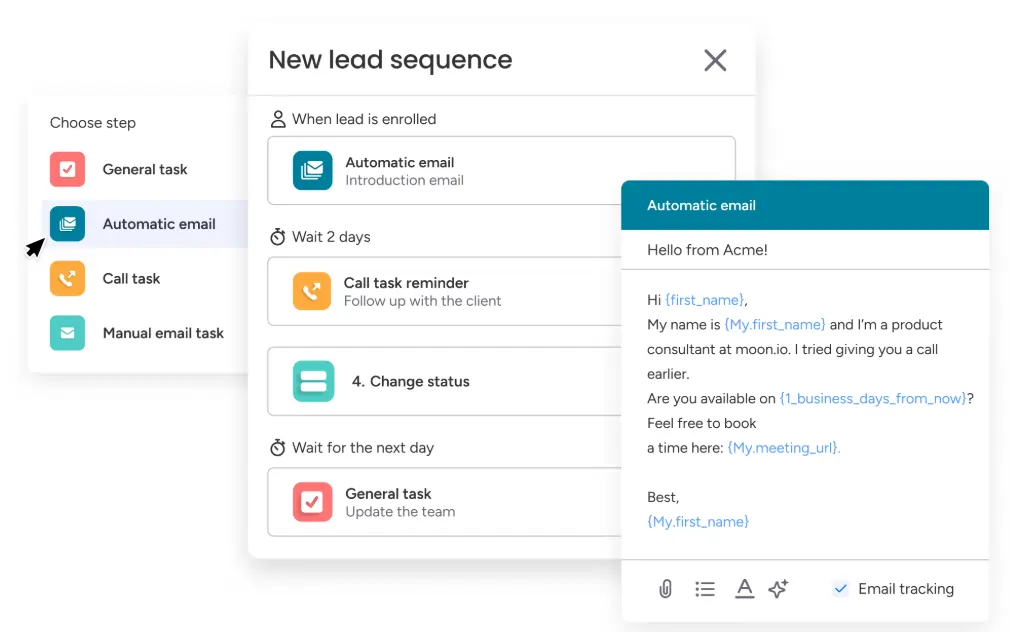
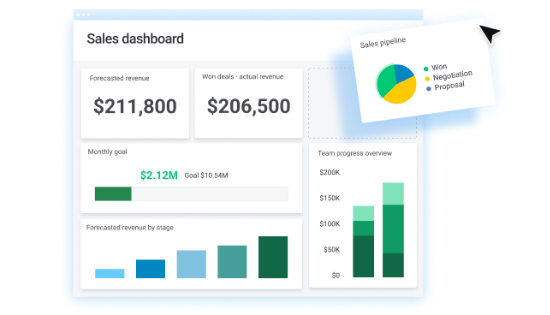
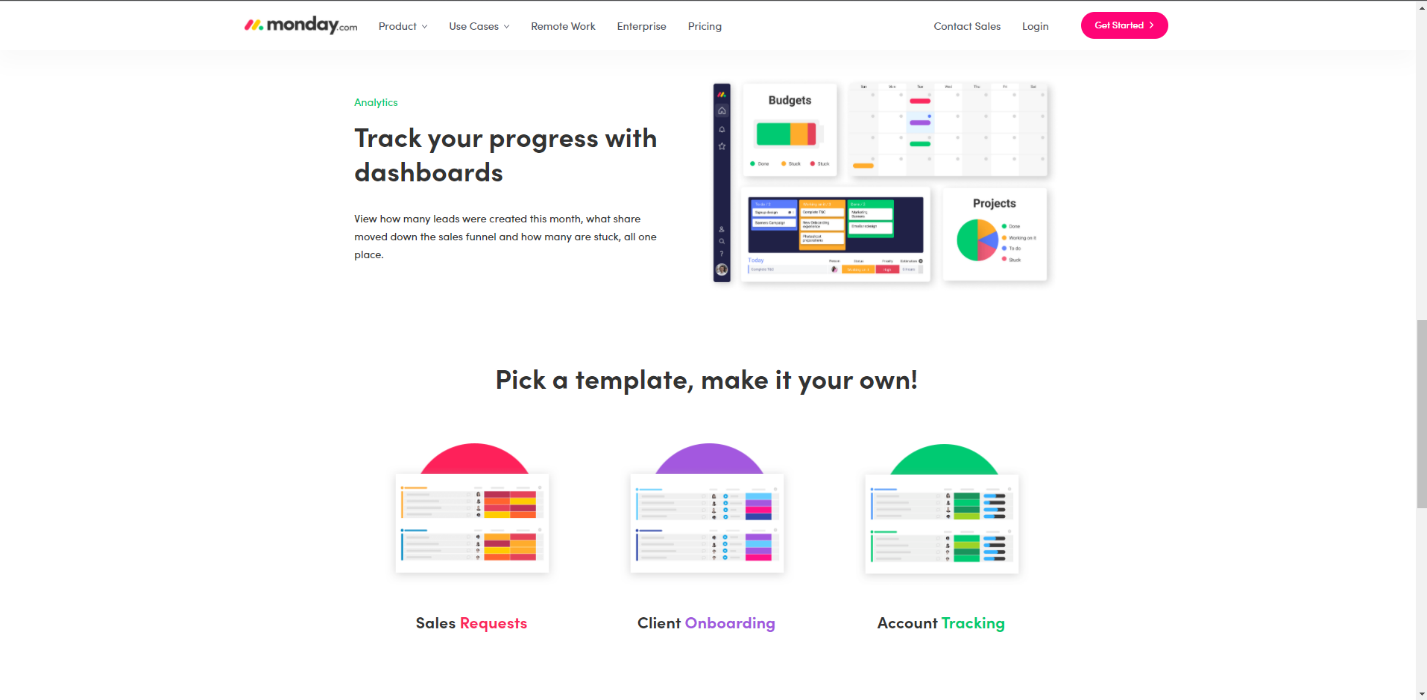
Monday CRM makes the most sense for one specific type of business: a small team that already uses Monday.com for project management, client delivery, or internal operations and doesn't want to add another tool to the stack. If that's you, the pitch is real. Your sales pipeline, client tasks, and delivery workflows all live on the same visual boards you're already opening every day.
The platform's visual interface is genuinely strong. You can see your entire pipeline as a board with color-coded deal stages, assign contacts to team members, log calls and emails, and build custom automations - all without leaving the Monday.com ecosystem. The AI tools built into Monday CRM are also noteworthy: they can auto-enrich contact data, summarize deal histories, draft follow-up emails, and suggest next steps inside a contact record.
The honest problem is the pricing architecture. Monday CRM has a 3-seat minimum on every paid plan, which means a solo founder or a 2-person team is forced to pay for seats they don't use. The Basic plan starts at $12/seat/month - but with the 3-seat minimum, you're paying at least $36/month before you get email sync, task management, or automations. The Standard plan ($17/seat/month, minimum $51/month) is where most usable CRM features start. And importantly, Monday CRM does not have a permanent free CRM plan- only a 14-day free trial on the Pro tier.
For a team of 3–5 that is already in the Monday ecosystem, this pricing can be justified. For a solo operator or a 2-person team starting fresh, it's expensive for what you get - HubSpot free or Pipedrive Essential will cost less and do more for a pure CRM need.
Basic at $12 per seat and Standard at $17 per seat, with the 3-seat minimum confirmed in checkout on 2 September 2026.
Where monday CRM really wins
Monday CRM earns its place when the work doesn't stop at the deal closing. If your team uses Monday.com boards to manage client onboarding, project delivery, and internal tasks, having your deals, contacts, and projects on the same platform means you never lose context when a prospect becomes a client. That handoff - from pipeline to project - is seamless in a way no other tool on this list matches.
Case study: A 5-person creative agency
A five-person creative agency was already using Monday.com for campaign project management when they added Monday CRM for their sales pipeline. The key win: when a deal moved to "Won," they built an automation that automatically created a client project board from a template, assigned team members, and sent the client a welcome email - all in one click. No copying information between tools. No missed handoffs. At $85/month for five users on the Standard plan, they replaced both their old CRM (Pipedrive at $145/month for five) and saved hours of weekly admin time.
Can ClickUp replace a real CRM for under $10 per user?
For a micro team watching every dollar, yes - the Unlimited plan is $7 per user per month billed annually, which puts a three-person team at $21 per month total. That is less than most CRMs charge for one seat. What you give up is the learning curve: ClickUp is a project tool wearing a CRM costume, and you build the pipeline yourself out of custom fields and views. Budget a weekend for setup. If nobody on the team enjoys configuring software, pick something else.
ClickUp CRM software helps you build customer relationships using data visualization, tracking, and communication tools to improve efficiency. It helps you save time by eliminating silos and… Read more
ClickUp CRM software helps you build customer relationships using data visualization, tracking, and communication tools to improve efficiency. It helps you save time by eliminating silos and automating your pipeline to onboard customers faster. ClickUp helps you build the ideal customer database.
Learn more in our full Clickup review.
Pros & Cons
- Impressive interface
- Free version and trial
- Customizable features
- Prebuilt templates
- Billed per user
- Slow loading speed
Features
- Dashboards
- Reporting
- Marketing Analytics
- Pipeline Management
- Account Management
- Collaborative Data
- Mobile App
- Integrations
- Sales AI
- Email Sync
- Customer Contact Management
- Sales Opportunity
- Automated Reports
- Sales Pipeline Automation
- Sales Forecasting Automation
Pricing
$0
mo/
month
$7
/mo/user/
/mo/user
$12
/mo/user/
/mo/user
ClickUp is not a traditional CRM, just like Notion isn't. But unlike Notion, ClickUp has a proper CRM template with deal pipelines, contact management, automation, and communication tools built in - and it sits inside the same workspace you might already be using for task and project management. Read our full ClickUp CRM review for a detailed breakdown of features and limitations.
The Free Forever plan is genuinely unlimited in terms of users and tasks, which makes ClickUp the most accessible option on this list for a solo founder or micro team watching every dollar. The Unlimited plan at $7/user/month (billed annually) opens up unlimited storage, dashboards, integrations, and most of the features a small team needs to run a working pipeline. For a 3-person team, that's $21/month - less than most CRMs charge for a single user.
What makes ClickUp work as a CRM is the flexibility. You can build a contact database, create a Kanban pipeline for deals, track client communication history, set automated task reminders, and connect it to email via native integration - all from within the same workspace where you run your operations. You're not managing two separate tools.
The trade-off is that ClickUp is not purpose-built for CRM. It doesn't have native email tracking, built-in phone calling, or smart lead scoring. If your primary daily activity is sales prospecting and pipeline management, Pipedrive will feel faster. ClickUp shines when sales is one part of a broader operation and you need everything in one place without paying for two separate SaaS platforms.
Unlimited at $7 per user per month billed annually, verified on ClickUp's pricing page on 2 September 2026.
ClickUp's real limitation: the learning curve
ClickUp is powerful, but it is not simple. First-time users routinely report feeling overwhelmed by the number of views, settings, and customization options. The recommended approach is to start with ClickUp's official CRM template - it gives you a pre-built structure with contact records, deal stages, and pipeline views already configured. Build from there rather than starting from scratch, and the tool becomes much more manageable. ClickUp University (free) is also worth spending a few hours in before you roll it out to a team.
Case study: A 3-person consulting firm
A three-person management consulting firm used ClickUp as both their project management tool and their CRM. Contacts were managed in a database list, deals were tracked on a Kanban board with five stages, and each deal card linked directly to the project folder where all client work lived. When a deal was marked "Won," an automation created a new project folder from a template and notified the delivery lead. Total tool cost: $21/month for three users on the Unlimited plan. They replaced both their old CRM ($45/month) and their separate project management tool ($30/month) - saving $54/month by consolidating.
Is HoneyBook worth $29 a month for a freelancer?
HoneyBook is worth $29 per month for any freelancer who sends proposals, contracts and invoices as part of winning the work.
HoneyBook is best known as a sleek, all-in-one clientflow platform built for independent professionals and service-based small businesses. From first inquiry to final payment, the platform… Read more
HoneyBook is best known as a sleek, all-in-one clientflow platform built for independent professionals and service-based small businesses. From first inquiry to final payment, the platform centralizes everything, proposals, contracts, scheduling, invoicing, and communication, into one cohesive workflow. It’s designed to cut down on back-and-forth and let business owners focus less on admin.
Learn more in our full Honeybook review.
Pros & Cons
- Integrated contractor payments
- Intuitive setup and use
- Reliable and smooth performance
- Ideal for freelancers and solopreneurs
- No W-2 or full payroll support
- No 24/7 or phone-based support
- Minimal automation features
Features
- Generation of pay stubs and reports
- Mobile App For Employees
- Direct Deposit for Employee Paychecks
- Form 1099-MISC
- Accounting Software
- Direct Deposit
Pricing
$29
/month/
/month
$49
/month/
/month
$109
/month/
/month
HoneyBook is built for one person in mind: the solo service professional - the photographer, the event planner, the consultant, the designer, the coach - who is tired of using five different tools for proposals, contracts, invoicing, scheduling, and client communication. HoneyBook replaces all of them in a single platform. Read our full HoneyBook review for a complete look at features, pricing, and real user feedback.
When a potential client reaches out through your website, HoneyBook captures the inquiry, sends an automatic response, and guides you through converting them with a branded proposal that includes the contract, invoice, and payment collection in one document. The client opens it, reads the scope, signs the contract, and pays the deposit - all in the same flow, from any device. For a service business, that's the entire sales and onboarding process handled in one step.
HoneyBook's automation is particularly strong for solo operators. You can build workflows where a new inquiry triggers a welcome email, a follow-up message after 48 hours if there's no response, and a task reminder for yourself to make a personal call on day five - all without touching it after initial setup. For someone running a business alone, this automation is effectively a virtual assistant.
Pricing starts at $29/month (billed annually) for the Starter plan - one user, unlimited clients and projects, invoices, contracts, and proposals included. The Essentials plan at $49/month (annually) adds scheduling, automations, and QuickBooks integration. Note that HoneyBook significantly raised prices in early 2025, so check current pricing before committing.
Starter at $29 per month billed annually, plus 2.9% and $0.25 per card payment, verified on HoneyBook's pricing and payments pages on 2 September 2026.
Where HoneyBook falls short
HoneyBook is purpose-built for service-based businesses. If you sell physical products, run an e-commerce store, or need a traditional sales pipeline with multiple reps, HoneyBook is the wrong tool entirely. It has no inventory management, no multi-rep pipeline view, and its reporting is basic. It also charges transaction fees on payments processed through the platform (2.9% + $0.25 per card payment), which adds up if you're processing high volumes.
Case study: A solo event photographer
A solo event photographer was managing client inquiries in email, contracts in Docusign, invoices in PayPal, and calendar bookings in Calendly - four tools, four monthly fees, and constant context switching. After switching to HoneyBook, every new inquiry from the website automatically populated a contact record. She sent proposals with the contract and payment request in one link. Clients signed and paid in minutes. She dropped three separate tools and saved $55/month. Her client onboarding time went from about 45 minutes of back-and-forth to under 10 minutes per booking.
Can a Notion template work as a real CRM?
A Notion template works as a real CRM only if your business already runs inside Notion, because it is a database you build rather than a tool you buy.
With over 35 million active users, Notion is a powerful player among project management software. Starting as a note-taking app, it now combines the functionality of databases, workspaces, Kanban… Read more
With over 35 million active users, Notion is a powerful player among project management software. Starting as a note-taking app, it now combines the functionality of databases, workspaces, Kanban boards, and more for an all-in-one platform for project management. Its versatility and flexibility allow you to build a system that exactly suits your needs. Notion also provides unlimited storage, which makes it one of the best project management solutions on the market. Teams benefit from real-time collaboration, workflow automation, and seamless integrations, streamlining productivity. In this Notion review, I'll discuss features, performance, customer service, and Notion pricing.
Learn more in our full Notion review.
Pros & Cons
- Highly customizable workspace
- Custom templates for reusable workflows
- Effective integration with third-party apps
- Unlimited storage including free tier
- Limited built-in automation
- Lacks dependencies and time tracking
Features
- File Sharing
- Document collaboration
- User Access and Permissions
- Mobile App
- Search
- Multi-language support
- Customization
- Storage Included
- Notifications
- Comments on Tasks
- Discussion
- Task Creation and Assignment
- Due Dates
- To-Do Lists
- Calendar
Pricing
$0
/mo / seat/
/mo / seat
$10
/mo /seat/
/mo /seat
$15
/mo /seat/
/mo /seat
But if you are already using Notion for your business - managing projects, writing SOPs, storing client documents - building a lightweight CRM inside it is faster and cheaper than onboarding to a new platform entirely.
Using a Notion CRM template (many are free or under $50 as a one-time purchase), you can manage a contact database, track deal stages with a Kanban view, log meeting notes, and link client records to project pages - all inside the tool you're already in every day. For a freelancer or two-person business with a relatively small number of active clients, this is often genuinely enough.
The hard limit is that Notion has no native automation, no email tracking, no lead scoring, and no built-in communication tools. The moment you need automated follow-ups or want to see who opened your proposal email, Notion runs out of road.
Free template plus a Notion plan at $10 to $15 per month, verified on Notion's pricing page on 2 September 2026.
When Notion CRM makes sense
Notion CRM makes sense when relationship management matters more than pipeline management. If you're a freelance designer tracking five active clients, a consultant managing ongoing retainer relationships, or a small agency where all clients come through referrals, you don't need a sales-optimized CRM. You need a clean, organized place to keep client information, project context, and communication history. Notion handles that beautifully at effectively zero extra cost if you're already a subscriber ($10–$15/month).
Case study: A 2-person design studio
Two designers running a brand studio built their entire client management system in Notion. Each client gets a linked page with their brand brief, revision history, project timeline, and contact details. The "CRM" is a database filtered by status: Prospect, Active, Completed, and Recurring. They reference it in every client call because all context is in one place. Total cost for the CRM component: $0 on top of their existing Notion subscription.
Should you build your own CRM with AI instead of buying one?
Base44 - build a custom CRM in under 10 minutes with one prompt
Build your own CRM only after an off-the-shelf tool has already failed you, and expect to spend $16 per month rather than nothing.
Base44 is an AI-powered no-code platform that lets users build fully functional, custom CRM systems in minutes using natural language descriptions. The platform can generate anything from dynamic… Read more
Base44 is an AI-powered no-code platform that lets users build fully functional, custom CRM systems in minutes using natural language descriptions. The platform can generate anything from dynamic sales pipelines and automated lead tracking tools to centralized customer portals and back-office dashboards—all just by describing your business requirements in plain English.
Learn more in our full Base44 review.
Pros & Cons
- Anyone can build real software-no dev skills needed
- Clean, responsive design by default
- Element-based editing is intuitive
- Includes backend, database, APIs, hosting
- Not a full enterprise-grade solution (yet)
- AI can lose context during complex edits
- Some integration limits on lower plans
- Still maturing advanced logic handling
Features
- Reporting
- Integrations
- Email Sync
- Schedule Emails
- Sales AI
- Dashboards
- Pipeline Management
Pricing
$0
mo/
month
$20
mo/
month
$50
mo/
month
$100
mo/
month
$200
mo/
month
Screenshots
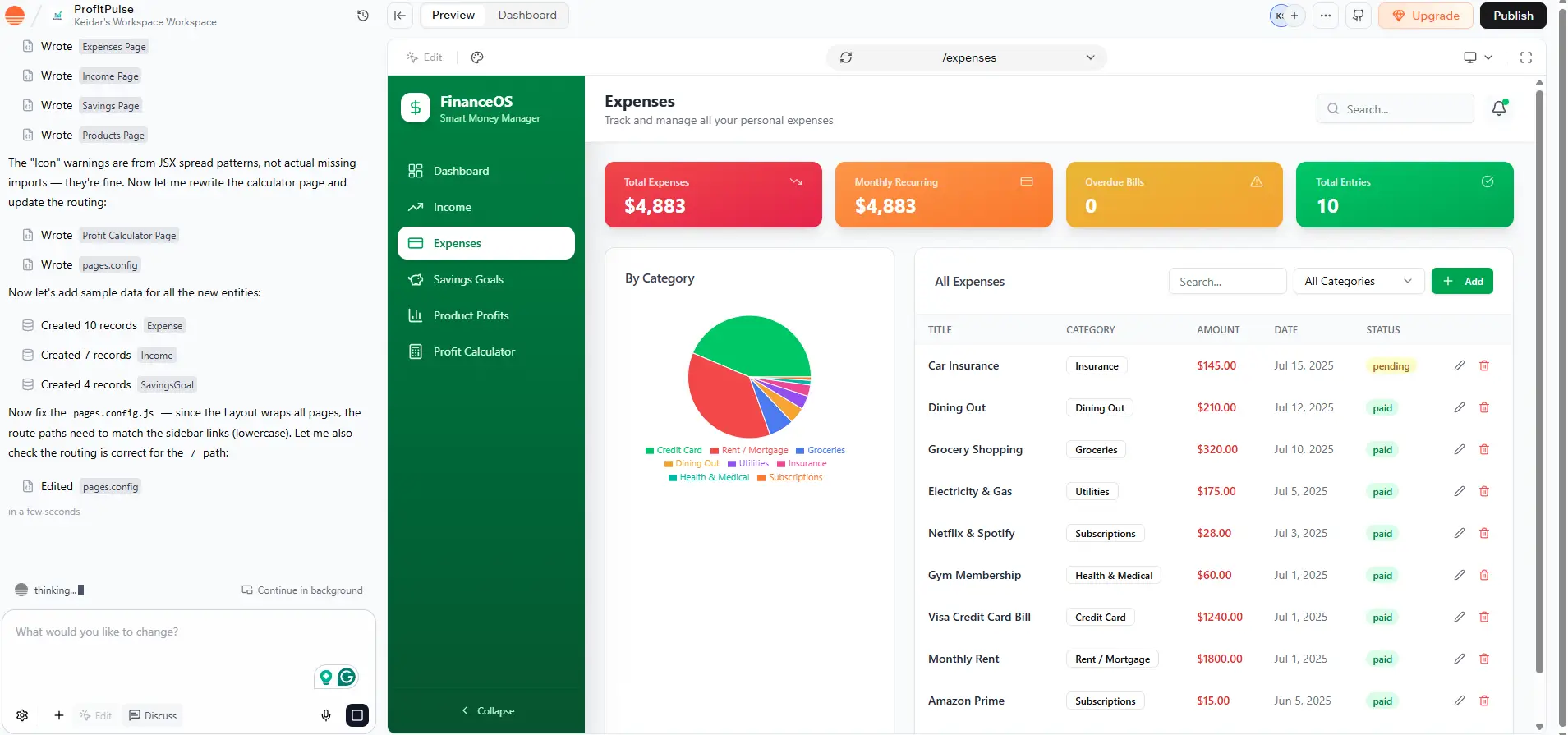
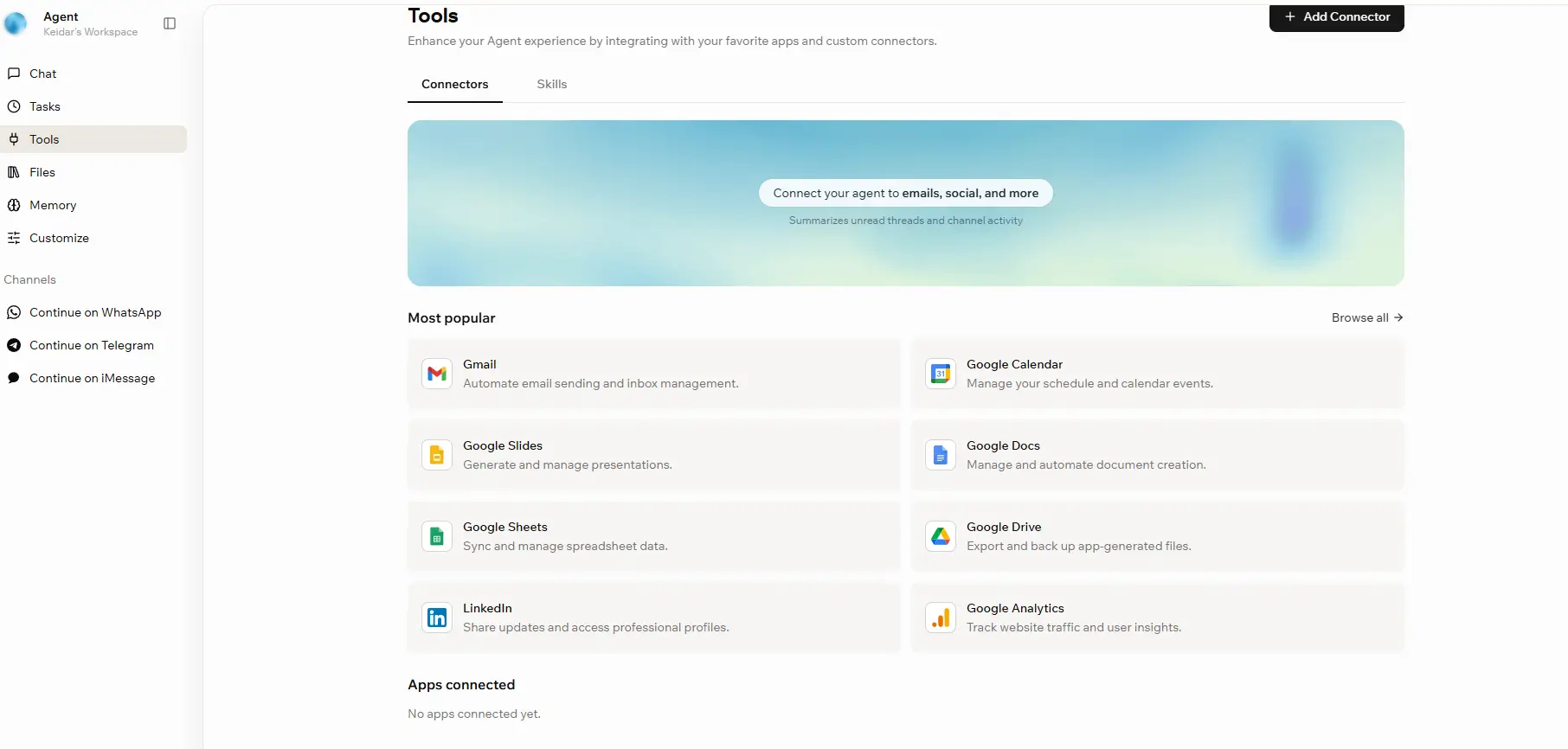
Every platform on this list is an off-the-shelf tool. You adapt your process to fit how it works. But for some micro businesses - a 2-person team with a very specific workflow, a niche service business, or a founder who has tried three CRMs and found none of them fit - there is a third option: build your own.
This used to mean hiring a developer and spending $5,000–$15,000 on a custom tool. In 2026, it doesn't.
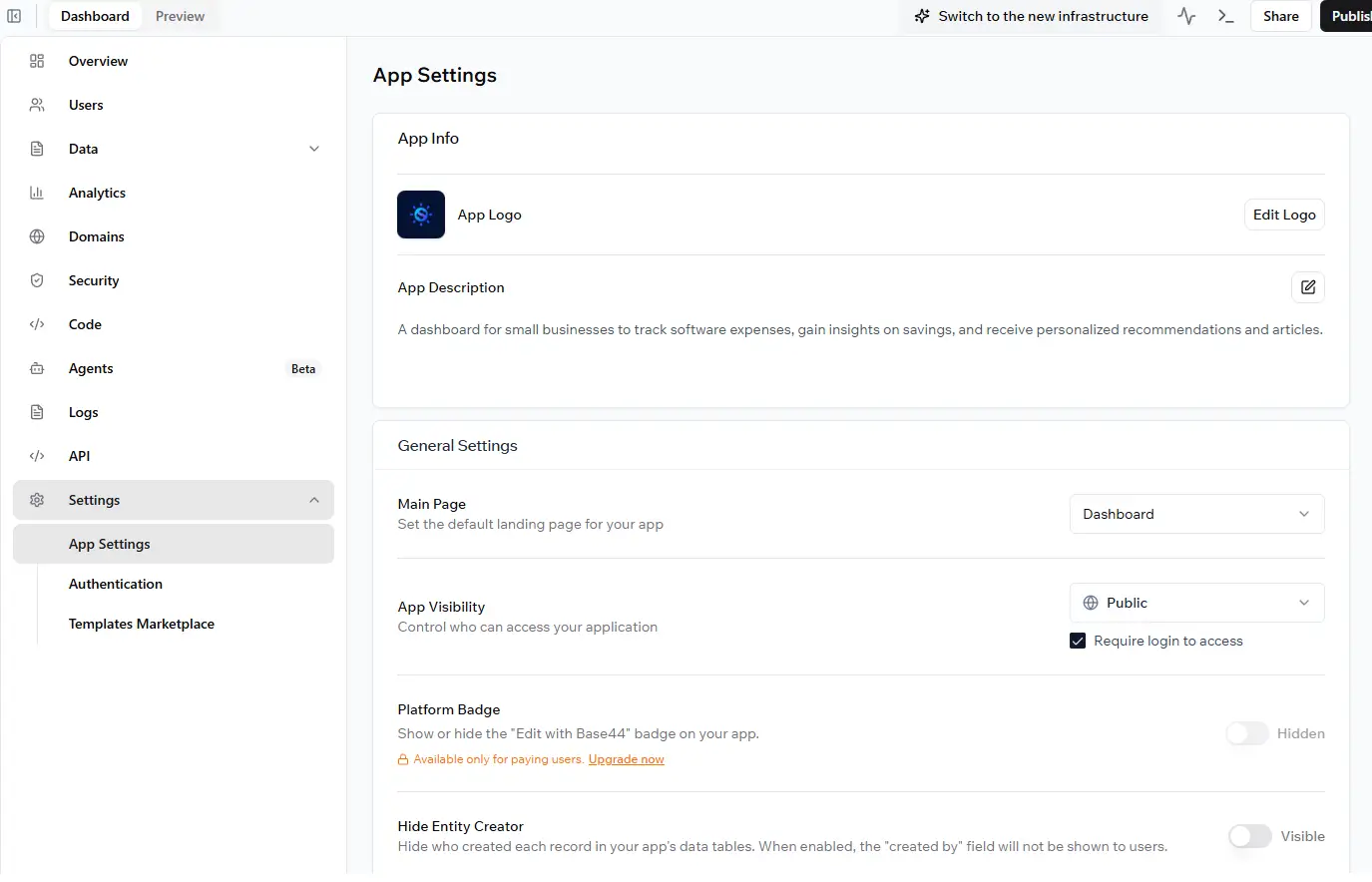
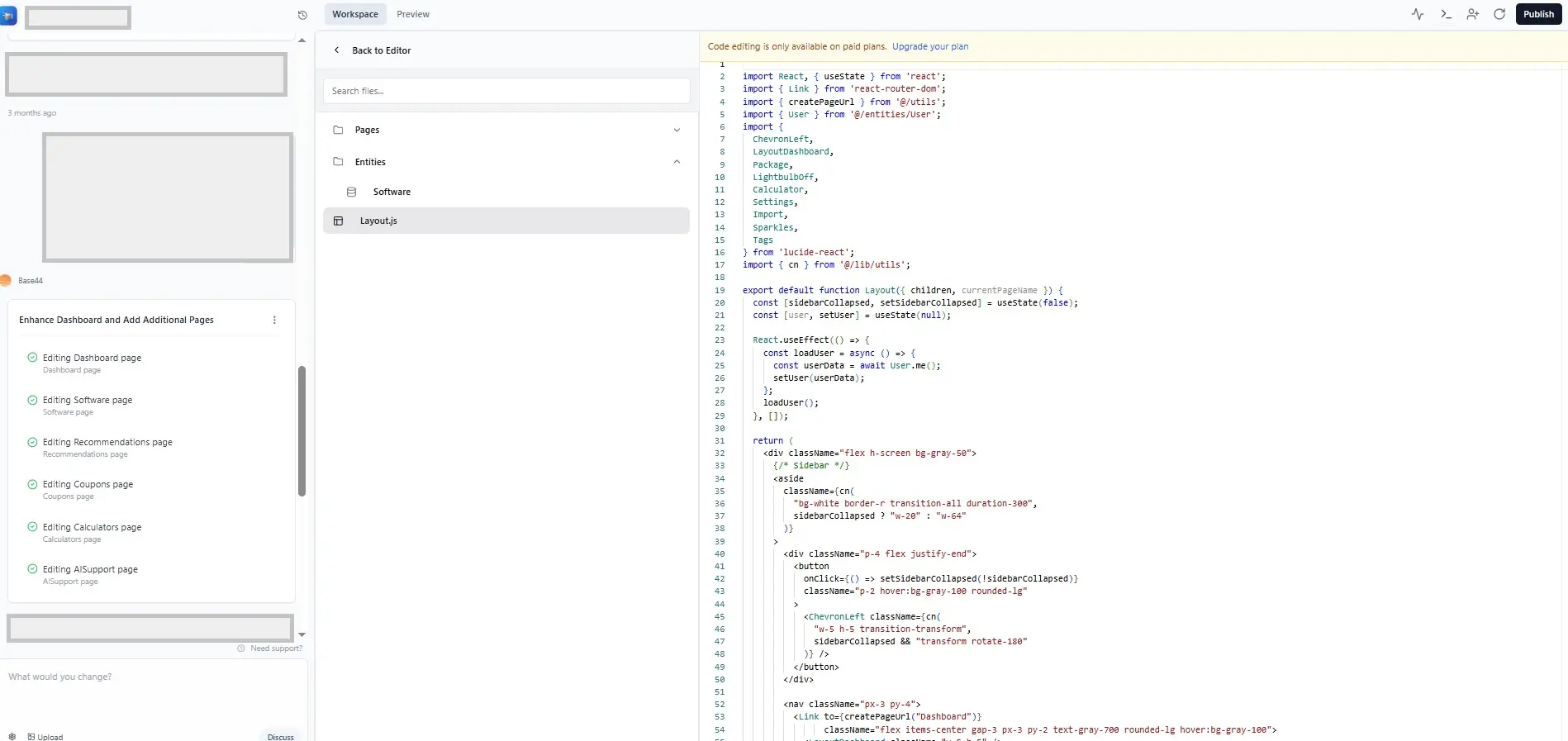
Base44 is an AI-powered no-code app builder that turns a plain English description into a fully functional web application - complete with a database, user authentication, and hosting included. No developers. No setup. No infrastructure to manage. You type what you need, and the AI builds it.
Base44 was acquired by Wix in mid-2025 for a reported $80 million - which tells you everything about where the product is heading. It's now backed by one of the biggest names in small business web infrastructure, which means faster development, better reliability, and tighter integrations with other Wix tools down the road.
For a small or micro business that needs a CRM, the pitch is simple: describe exactly the tool your business needs, and Base44 builds it. A 12-field contact database with a deal pipeline, three linked tables for clients, leads, and follow-ups, and automated email reminders when a deal hasn't moved in five days - you can prompt all of that into existence in a single conversation. Reviewers have consistently built functional CRMs in 5–10 minutes from scratch without reading any documentation.
What makes this interesting for micro businesses specifically is the customization. Every off-the-shelf CRM is built around a generic sales process. Base44 builds around yours. If your pipeline has four stages that no CRM template matches, or if you need to track fields that no standard CRM offers, Base44 lets you build exactly that - not a workaround inside someone else's product.
Starter at $16 per month for 100 message credits, verified on Base44's pricing page on 2 September 2026.
What Base44 actually costs
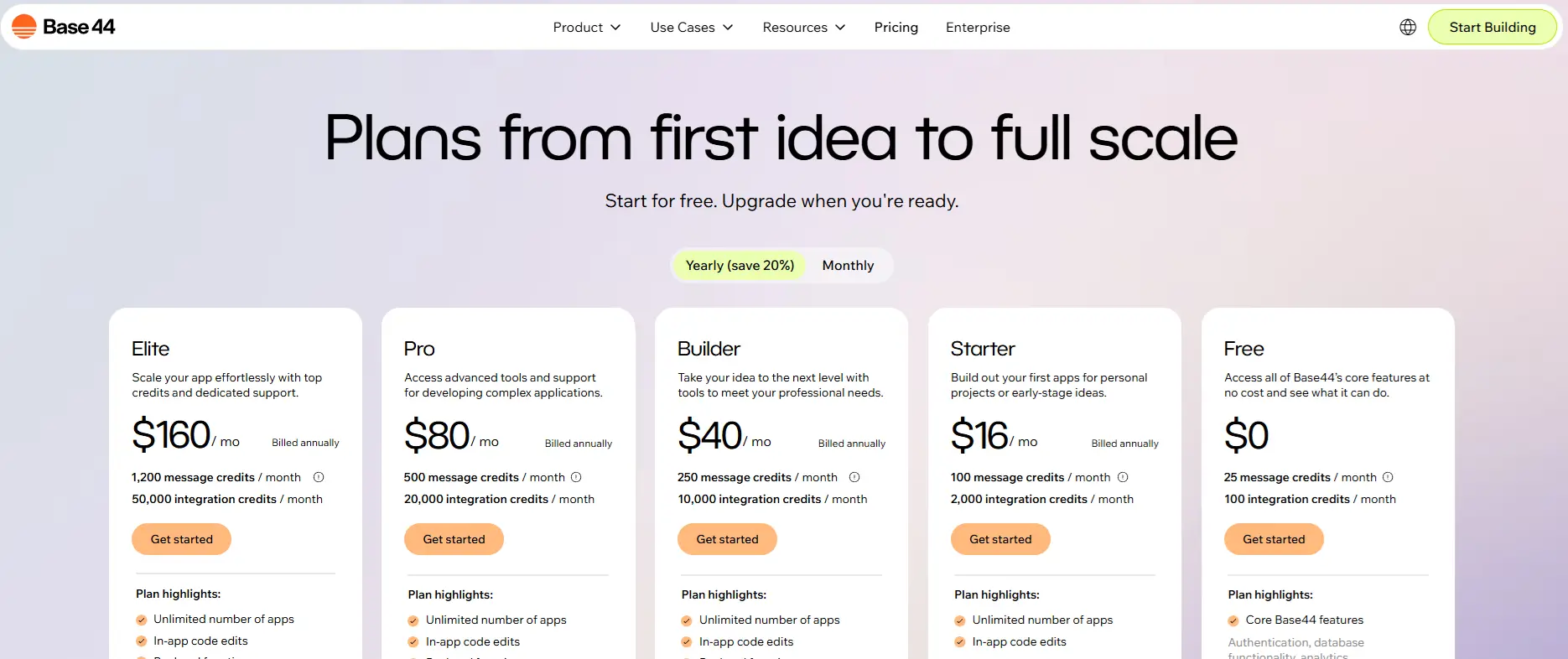
The free plan gives you 25 message credits per month with a daily cap of 5 messages - enough to test the platform and build a simple prototype, but not enough for serious iteration. For a working CRM you'll actually use daily, you'll need a paid plan.
The Starter plan at $16/month (billed annually) unlocks 100 message credits and unlimited apps, which is enough to build and refine a solid lightweight CRM. The Builder plan at $40/month adds a custom domain - essential if you want a client-facing tool that doesn't show "base44.com" in the URL.
For a micro business building an internal CRM for the team's own use, the Starter plan at $16/month is enough. That's cheaper than every CRM on this list except HubSpot and Zoho free.
The honest limitations
Base44 is not a replacement for HubSpot or Pipedrive if you need native email tracking, a built-in dialer, or deep third-party integrations out of the box. What it builds is a functional, customizable internal tool - powerful for data management, pipelines, and workflows, but you'll need to connect external services manually for things like email sync or two-way calendar integration.
The credit system also catches people off guard. There's no way to buy extra credits without upgrading to the next plan tier. If you hit your monthly limit mid-project, you wait until the next billing cycle or upgrade immediately. For a micro business building a simple CRM they won't change weekly, this isn't an issue. For a team in active development mode, it can be frustrating.
Vendor lock-in is also worth knowing about upfront. You can export your frontend code to GitHub on the Builder plan and above, but your backend and database stay on Base44's infrastructure. If you ever want to migrate, expect to rebuild the backend elsewhere.
Case study: A 2-person recruitment agency
Two recruiters running an independent recruitment agency needed to track candidates, clients, and job roles in a way that linked all three - something no standard CRM handled cleanly without expensive customization. They built a custom CRM on Base44 in one afternoon using a series of prompts: a candidate database, a client database, a job board, and a pipeline view that showed which candidates were matched to which roles. The entire build cost them $40/month on the Builder plan - and they got a tool tailored to exactly how they work, rather than adapting their process to fit someone else's software.
What is the best CRM software for small business?
For a team of 1 to 5 people, HubSpot is the best free CRM, Pipedrive is the best paid CRM at $14 per user per month, and HoneyBook is the best choice if you send proposals and invoices to clients directly. If no off-the-shelf CRM fits how you work, a custom CRM built with Base44 or Notion gives you the most flexibility.
Match the CRM to How Your Business Sells
A business with a sales pipeline (leads, quotes, deals) needs deal stages and follow-up reminders. A service business that books and bills clients needs proposals, contracts and invoicing in the same tool. A business with an unusual process needs a CRM you can shape yourself.
Standout Capabilities of Recommended Products
- HubSpot: A free CRM that covers contacts, deals and email with no time limit. Limitation: the free user and contact caps run out quickly as a team grows.
- Pipedrive: A visual sales pipeline with an AI sales assistant, mobile app and 300+ integrations, from $14 per user per month. Limitation: no free plan, only a 14-day trial.
- HoneyBook: Proposals, contracts, scheduling and invoicing in one client workflow, from $29 per month. Limitation: card payments carry a 2.9% + $0.25 fee per transaction.
When You Need a Custom CRM
- Base44: Builds a custom CRM from plain-English prompts, with the database, hosting and backend set up automatically, starting free. Limitation: the AI can lose context on complex edits, and it is not yet enterprise-grade.
- Notion: Free databases with table, kanban and timeline views that you can shape into a simple client tracker. Limitation: very little built-in automation, so it suits a simple client list, not an active sales pipeline.
Skip: Building a custom CRM if a standard one already covers most of your process. Every custom field and workflow is something you have to maintain yourself.
Do I need CRM software?
You need a CRM the moment a second person needs to see your customer list, or the first time a deal slips because nobody followed up. Until then, a spreadsheet works. After that, it starts costing you sales.
Should You Buy a CRM? Three Signs It Is Time
- Follow-ups depend on someone's memory or a sticky note.
- Customer history is split between inboxes, WhatsApp chats and a spreadsheet only one person updates.
- You cannot answer "how many deals are open and what are they worth" in under a minute.
If any of these sound familiar, start with a free CRM. You do not have to buy anything to find out whether it helps.
Are CRM Systems Easy to Learn?
Small business CRMs are built to be learned in a day. You import your contacts from a spreadsheet, set up your deal stages (like New lead, Quote sent, Won) and connect your email. The hard part is not the software - it is getting everyone on the team to log their calls and deals consistently. Pick the simplest tool that covers your needs, because a CRM nobody updates is worse than a spreadsheet.
Are CRM and ERP the Same?
No. A CRM manages everything that happens before and around a sale: contacts, deals, emails, follow-ups and customer support. An ERP manages the back office: inventory, purchasing, accounting and production. A service business or a sales team needs a CRM. A business that manufactures, stocks inventory or runs complex supply chains eventually needs an ERP too, and the two are often connected.
Which CRM Software Is Free?
- HubSpot: Free forever for up to 2 users and 1,000 contacts, with no time limit.
- Zoho CRM: Free for up to 3 users, and it even includes basic workflow automation.
- ClickUp and Notion: Free plans you can shape into a simple CRM if you already use them for projects.
Is CRM Software Expensive?
Not for a small business. Most small teams pay $0 to $50 a month in total for 5 users. Paid plans usually run $7 to $40 per user per month, and the price climbs when you need automation, advanced reporting or AI features. Watch for seat minimums - monday CRM starts at 3 seats, so a solo user still pays for three.
What CRM Software Is Most Popular, and Where Do You Buy It?
HubSpot is the most popular CRM for small businesses, with Pipedrive, Zoho CRM and monday CRM as the other common choices. You buy CRM software directly from the vendor's website as a monthly or annual subscription - there is no box to buy and nothing to install. Start with the free plan or free trial, then upgrade inside the same account.
Skip: Buying an annual plan before your team has used the free version for at least two weeks of real work. The trial shows you whether people will actually use it.
What's the most affordable CRM that automatically tracks emails and meetings?
HubSpot's free plan is the most affordable - it connects to Gmail and Outlook, logs your emails and tracks when they are opened, for $0. For a sales team that wants every email and meeting logged without lifting a finger, Pipedrive's Growth plan is the strongest paid option at $39 per seat.
What "Self-Updating" Really Means
A self-updating CRM fills itself in from your inbox and calendar. When you email a client from Gmail, the email appears on their contact record. When a client books a meeting through your scheduling link, it lands in your Google Calendar and on the deal. You stop copying information by hand, which is the main reason CRMs fall out of date.
Standout Capabilities of Recommended Products
- HubSpot: Connects to Gmail and Outlook on the free plan, with two-way email sync, open tracking, email templates and one meeting scheduling link. Limitation: the free plan allows just 1 meeting link - Starter raises it to 1,000.
- Pipedrive: Full email sync with tracking, a meeting scheduler and a contacts timeline on the Growth plan, at $39 per seat billed annually. Limitation: the $14 Lite plan does not include full email sync.
- monday CRM: Every email, call, meeting and note for each contact in one timeline on the Standard plan, at $17 per seat. Limitation: 3-seat minimum, so a solo user pays for three seats.
Skip: A CRM that only "integrates" with Gmail through a manual button. If someone has to click to log each email, it will not stay updated.
What is the best CRM for startups that handles data entry automatically?
HubSpot is the best fit for most startups - the free plan logs emails from Gmail or Outlook automatically and fills in company details from a contact's email domain, so your records build themselves. Pipedrive is the pick when your startup lives on outbound sales and needs every email tracked.
Where Automatic Data Entry Comes From
Three things remove manual work: email sync (every email to and from a contact is saved to their record), meeting scheduling links (booked meetings appear on the right deal automatically), and data enrichment (the CRM fills in company size, industry and website from an email address). AI assistants now add a fourth - summarizing calls and suggesting next steps.
Standout Capabilities of Recommended Products
- HubSpot: Free email logging and company enrichment, so a new contact arrives with company details already filled in. Limitation: the free plan's 1,000-contact limit fills up fast for a startup doing outbound.
- Pipedrive: Email sync with tracking and an AI sales assistant that suggests the next action on each deal. Limitation: full email sync starts on the $39 Growth plan.
- monday CRM: AI tools for deals and emails, and a timeline that collects every interaction automatically. Limitation: the timeline features start on the Standard plan.
Skip: Importing every contact you have ever met on day one. Start with active deals and current customers, so the CRM shows what matters from the first week.
What features should sales pipeline software with customer support integration have?
Look for one customer record that shows both the sales history and every support ticket, so sales knows about open problems before they call and support knows what the customer bought.
The Features That Matter
- Visual pipeline: Every deal as a card you drag between stages, with the value and next step visible.
- Shared customer record: Deals, emails, calls and support tickets on the same contact page.
- Automatic handoffs: When a deal is won, the CRM creates an onboarding task or support record without anyone retyping details.
- Support alerts for sales: A flag on the deal when the customer has an open complaint, before anyone pitches an upgrade.
- Reporting across both: Revenue by customer alongside support volume, so you can spot accounts at risk.
- Integrations: A direct connection to your help desk tool if support runs outside the CRM.
Standout Capabilities of Recommended Products
- HubSpot: Sales pipeline and help desk on one platform, with deals and tickets on the same customer record. Limitation: advanced support automation needs paid plans.
- Zoho CRM: Connects to Zoho's own help desk and other Zoho apps, a good fit for businesses already using the Zoho suite. Limitation: limited third-party integrations outside the Zoho ecosystem.
- Pipedrive: A visual pipeline built around deals, with 300+ integrations to connect your existing support tool. Limitation: support is connected through integrations, not built in.
Skip: Running sales and support in two tools with no connection. Your sales team will eventually call a customer who is in the middle of an unresolved complaint.
How to evaluate CRM software based on pricing, scalability and customer support?
Score each CRM on five checks before you commit. Follow them in this order, because the first two rule out most options.
Step 1: Price your real team, on the plan you need
Find the plan tier that has the features you need - usually automation and email sync - and multiply by your number of users. Check for seat minimums and whether the advertised price is annual or monthly.
Step 2: Check the limits on users, contacts and automation
Free and entry plans cap users (HubSpot free: 2, Zoho free: 3), contacts (HubSpot free: 1,000) or automations (monday Standard: 250 a month). Estimate where you will be in a year and check you will not hit a wall.
Step 3: Test it with your actual sales process
During the free trial, add 20 real contacts, set up your real deal stages and connect your email. Ask one salesperson to use it for a week.
Step 4: Check the upgrade path
Confirm you can move to a higher plan in the same account without migrating data. That is what makes a CRM scalable for a small business.
Step 5: Test support before you need it
Send a question to support during the trial and see how fast you get a useful answer, and through which channel. Some tools offer no phone or 24/7 support - HoneyBook, for example.
Top Features for Small Sales Teams and Marketing Automation
The features worth paying for on a small team: a visual pipeline, automatic email sync, follow-up reminders, a mobile app and simple sales reports. For marketing automation, look for email campaigns, lead capture forms and automated nurturing emails that run without manual sends.
- HubSpot: The strongest marketing automation for a small business, because sales and marketing tools sit on the same platform as the CRM. Limitation: marketing automation beyond basic forms and emails is on paid plans.
- Pipedrive: The best sales team features - visual pipeline, AI assistant and nurturing sequences on the Growth plan. Limitation: email marketing campaigns are a paid add-on, not part of the core CRM.
- Zoho CRM: The most automation for the price, with workflow automation on the free plan and AI insights on higher plans. Limitation: it scores lowest on ease of use in our testing (3.5 out of 5), so expect a longer setup.
Skip: Comparing CRMs on feature lists alone. A CRM with fewer features that your team uses daily beats a complete one they ignore.
Do you actually need a CRM, or will a spreadsheet do?
A spreadsheet works until two things happen: someone else needs to see it, or you need it to remind you about something. Both usually arrive in the same month. A spreadsheet holds contact records fine. What it cannot do is tell you that a deal has gone quiet for eleven days, send the follow-up itself, or show a second person what was already said to that client. That is the whole difference, and it is why the tools below cost money. If you are a solo operator with under 20 active clients and no follow-up problem, stay on the spreadsheet.
Most small business owners think CRM software is for big sales teams with quotas and dashboards. It's not. The smaller your team, the more a CRM does for you - because there's no one else to catch what falls through the cracks. If you're new to the concept, our complete CRM guide for small businesses covers what CRM actually is and how to choose the right model for your business.
Here's what actually changes when a 1–to 5-person business moves from a spreadsheet or inbox to a real CRM:
How much should a small business actually pay for a CRM?
Between $0 and $50 per month for a team of 1 to 5, and you should start at the bottom of that range. A free plan is not a trial here - HubSpot's free tier runs a real pipeline indefinitely, and plenty of small teams never leave it. The paid tiers worth considering start at $7 per user per month (ClickUp Unlimited, billed annually) and top out around $39-$40 per user per month (Pipedrive Growth $39, Zoho Enterprise $40). Above that, you are paying for agency and enterprise features. If a quote comes in over $50 per month for five people, ask what specifically you are getting for it.
Is there a good CRM with no monthly fee?
Yes - HubSpot, Zoho and a Notion template all run a CRM at no monthly cost, and only HubSpot works long term. Its free plan gives you up to 2 users and 1,000 contacts, no time limit, and no card required. A Notion template costs nothing extra if you already pay for Notion at $10 to $15 per month, and many templates are free or a one-time purchase under $50. Zoho's free tier exists but caps at three users. What none of the free plans give you is email automation - the moment you need the software to send the follow-up rather than remind you to, you are on a paid tier.
Which CRM has invoicing and billing built in?
HoneyBook has built-in invoicing and billing, but it is not suitable for a service business that bills clients directly. Contracts, proposals, invoices and payments sit in the same tool as the client record, starting at $29 per month billed annually on the Starter plan. Watch the transaction fees: 2.9% plus $0.25 per card payment, which matters once you are processing real volume. Zoho connects to Zoho Books, and Pipedrive integrates with QuickBooks, but both mean two subscriptions and a sync to maintain. If invoicing is the reason you are shopping for a CRM at all, start with HoneyBook rather than bolting billing onto something else.
Which CRM follows up with customers automatically?
Pipedrive on the Growth plan at $39 per user per month (billed annually). Its inactivity alerts flag deals that have gone quiet, and email sequences send the follow-up without you touching it. HubSpot does the same but only once you reach Sales Hub Starter at $20 per seat. Zoho's workflow rules go further and cost less, at the price of a longer setup. Free plans do not do this. Every free tier here will remind you to follow up, and none of them will do it for you.
What is the simplest CRM to actually learn?
Pipedrive is the simplest CRM here to learn, and the reason is that it refuses to do most things. A tool with fewer features has fewer decisions to make during setup, and setup is the part that actually stops small teams from adopting a CRM. HubSpot is close behind and its free plan removes the budget decision as well. The two to avoid if simplicity is the priority are ClickUp and Zoho - both are more capable and both expect you to configure them first. Give yourself an afternoon with Pipedrive or a weekend with Zoho. Pick based on which of those you actually have.
Which one should you start with this week?
Start on HubSpot's free plan this week unless one of the three things below is true about your business. If you bill clients directly, start with HoneyBook. If your whole business already runs inside monday.com, ClickUp, or Notion, use the CRM you are already paying for. If you need pipeline discipline for a team of 5 to 25 reps and nothing else, go straight to Pipedrive at $14 per user per month and skip the free-plan detour. Whichever you pick, put your last 30 deals in it before you decide anything - a CRM with three test records in it tells you nothing.
Start with the free tier of whichever fits your model, use it for 30 real days with real contacts, and upgrade only when you hit a specific wall. If you need more help deciding, our best software for small businesses guide covers every major tool category - not just CRM.