
Best Marketing Tools
Marketing tools are designed to support automation, data analysis, content creation, and personalized customer engagement. AI-powered features offer predictive insights, allowing you to stay ahead of customer needs. With the right combination of marketing tools, you can optimize workflows, enhance performance, and unlock exciting new opportunities for growth.
Last updated: September 2026
Choosing the right marketing tools can transform your campaigns, making them more efficient and impactful. With so many great options available, finding the right tools that match your goals can help streamline processes, boost engagement, and deliver exceptional results.
For small teams, user-friendly tools simplify tasks like social media scheduling, email marketing, and content creation, making them easy to manage. Larger teams can benefit from more robust tools that offer deeper insights and scalability, perfect for handling complex, multi-channel campaigns.
Why You Can Trust the Expertise of Sonary
At Sonary, we are committed to providing accurate and trustworthy information to help you make informed decisions. Our research process is meticulous, transparent, and guided by a dedication to maintaining the highest standards of integrity, ensuring accurate, real-world insights.
Read more Unlike many other review platforms, we conduct in-depth evaluations of the software and services we feature. Our expert team tests and actively uses the tools we review to understand their features, performance, and value comprehensively. Our assessments are based on real-world use, giving you insights beyond surface-level descriptions. Our research methodology includes analyzing key consumer factors such as pricing, functionality, device usability, scalability, customer support quality, and unique industry-specific features. This hands-on approach and dedication to transparency mean you can trust Sonary to deliver regular, up-to-date content and recommendations that are well-researched and genuinely helpful for your business needs.
Best AI Tools for Marketing and Content Creation
1. Grammarly

Grammarly is an AI-powered tool that helps users compose bold, clear, and mistake-free writing. It also offers a plagiarism checker that searches billions of web pages and documents to find matching… Read more
Grammarly is an AI-powered tool that helps users compose bold, clear, and mistake-free writing. It also offers a plagiarism checker that searches billions of web pages and documents to find matching text.
Learn more in our full Grammarly review.
Pros & Cons
- Offers rewriting suggestions that can help decrease plagiarism percentage
- Mostly accurate in finding plagiarized sources
- Catches even common phrases
- Plagiarism checker is not available in the free plan
- Plagiarized sources do not match in some cases
- Not reliable for edited or paraphrased texts
Features
- Plagiarism Check
- Style Editor
- Citation Finder
- Content Scan
- Text Similarity Detection
- Reporting/Analytics
- Multiple File Format Support
- Spell Checker
- Grammar Check
- Tone Check
- Sentence Formatting
- Vocabulary Recommendations
- Sentence Rephrasing
- Dictionary
- Standalone Application
- Plugin
- Browser Application
- Desktop Application
- Internet Content
- Academic Databases
Pricing
$0
mo/
month
- Introduction: Grammarly is an AI-powered tool designed to ensure content is clear, engaging, and error-free. Its advanced AI identifies grammar issues, suggests style improvements, and adjusts tone, helping brands communicate effectively.
- Benefits for Marketing: Grammarly enhances the quality of all written communications, from blog posts to social media and email campaigns. By offering tone suggestions, it ensures messages align with brand voice and appeal to the target audience.
- Use Cases: Grammarly is ideal for improving blog content, social media captions, newsletters, and customer support emails, making it a staple for online marketing software.
2. ChatGPT

ChatGPT, developed by OpenAI, is one of the most sophisticated AI-powered conversational models available today. Designed as a versatile AI assistant, ChatGPT excels in a range of applications, from… Read more
ChatGPT, developed by OpenAI, is one of the most sophisticated AI-powered conversational models available today. Designed as a versatile AI assistant, ChatGPT excels in a range of applications, from casual conversations to professional writing, content creation, coding, and beyond. It is built on the GPT-4 architecture (for the premium version) and combines natural language understanding with generative capabilities, making it a robust tool for individuals, businesses, and developers.
Learn more in our full Chatgpt review.
Pros & Cons
- Extensive free service
- High reading grade
- Provides accurate grammar and syntax corrections.
- Easy to navigate and use.
- Text generation can have factual inaccuracies
- Slower than some alternatives
- Limited image generation capacity
Features
- Grammar and Style Checks
- SEO Optimization
- Plagiarism Check
- Collaboration Features
- Content Personalization
- Multilingual Support
- API Access
- Text Editing and Formatting
- Compliance and Security Measures
- Web
- Windows
- macOS
- Android
- iOS
Pricing
$0
mo/
month
$20
mo/
month
$200
mo/
month
$25
/mo or per user/
/mo or per user
- Introduction: ChatGPT by OpenAI is a powerful conversational AI that assists with content generation, customer interactions, and brainstorming. It can craft everything from blog ideas to entire articles, saving marketers time on content creation.
- Benefits for Marketing: Automates customer interactions, generates new content ideas, and provides instant answers, freeing up time for higher-level tasks. ChatGPT is versatile, capable of engaging customers, crafting ad copy, and providing product descriptions.
- Use Cases: Useful for generating social media posts, blog outlines, product descriptions, and customer responses, making it a robust internet marketing software tool for content and customer support.
3. Jasper
Jasper's AI Writing Tool is designed specifically for marketing teams & SEOs. It revolutionizes content creation by leveraging advanced AI to swiftly produce high-quality, engaging content. It offers… Read more
Jasper's AI Writing Tool is designed specifically for marketing teams & SEOs. It revolutionizes content creation by leveraging advanced AI to swiftly produce high-quality, engaging content. It offers extensive language support and integrates seamlessly with numerous platforms for easy publishing. The platform’s main features are designed to scale content production and maintain a brand voice, featuring real-time grammar, style, and plagiarism checks. Ideal for marketers, bloggers, and businesses looking to scale their content efforts efficiently, Jasper's writing tool ensures consistency and quality in all communications, promoting better engagement and SEO performance.
Learn more in our full Jasper review.
Pros & Cons
- Scalability from solo team to large enterprise
- Comprehensive marketing collaboration features for large teams
- Extensive prompt engineering educational materials
- Many helpful templates to get you started
- Not the cheapest option for marketing AI applications
- Requires existing content inputs for optimal results
- Some key features not included in plans (cost extra)
Features
- Grammar and Style Checks
- SEO Optimization
- Plagiarism Check
- Collaboration Features
- Content Personalization
- Multilingual Support
- API Access
- Text Editing and Formatting
- Compliance and Security Measures
- Web
- Windows
- macOS
Pricing
$59
mo/
month
- Introduction: Jasper is an AI-driven content generator that specializes in creating persuasive marketing content, from social media posts to long-form articles. Its templates guide users through various content formats for quick, high-quality results.
- Benefits for Marketing: Enables businesses to scale content production and optimize for SEO, helping them create compelling blog articles, product descriptions, and email campaigns with consistent tone and style.
- Use Cases: Perfect for content creation in ad copywriting, email marketing, and eCommerce product descriptions, making Jasper a preferred tool in the digital marketing software toolkit.
Best Design Tools for Digital Marketing
1. Canva

Canva is a user-friendly graphic design platform that empowers individuals to create a wide array of visual content, including graphics, presentations, headers, documents, invitations, posters, and… Read more
Canva is a user-friendly graphic design platform that empowers individuals to create a wide array of visual content, including graphics, presentations, headers, documents, invitations, posters, and resumes. This all-in-one graphic design tool features a video and graphic maker, photo editor, and logo creator, making it accessible for both beginners and professionals. With its intuitive interface and extensive template library, Canva simplifies the design process, enabling users to produce stunning visuals with ease. In this Canva review, I'll discuss, graphic design features, performance, Canva pricing, and more.
Learn more in our full Canva review.
Pros & Cons
- AI tools for creating and editing designs
- 1M+ free templates
- Easy to share option
- Automatic save
- Best features aren't available for free
- No phone, live chat, email or community support
- Its online version has more templates and design elements
Features
- API
- Templates
- Image Database
- Collaboration Tools
- Content Import/Export
- Content Management
- Edits Vector & Raster Graphics
- Pro-Level Typography
- Print Management
- Publishing / Sharing
- Multi-Channel Marketing
- Multi-Language
- Multiple Format Support
- Social Promotion
- Animation
- Document Storage
- Access Controls/Permissions
- Search/Filter
- Photo Editing
- Video Editing
- Rich Text Editor
- WYSIWYG Editor
- Drag & Drop
Pricing
$0
mo/
month
$15
mo/
month
$21
mo/
month
- Introduction: Canva is an easy-to-use design platform offering templates, images, and graphics for creating professional visual content. It enables users to craft engaging visuals without prior design experience.
- Benefits for Marketing: Canva’s templates help marketers quickly produce high-quality graphics for various digital channels, maintaining brand consistency and engagement.
- Use Cases: Canva is ideal for creating social media posts, email headers, infographics, and presentation slides, solidifying its place among the best marketing tools for visual content.
2. Figma
Figma is a browser-based design platform built for collaboration. It combines vector design, prototyping, feedback, and developer handoff into one shared workspace. Instead of juggling multiple… Read more
Figma is a browser-based design platform built for collaboration. It combines vector design, prototyping, feedback, and developer handoff into one shared workspace. Instead of juggling multiple tools, small businesses can design websites, mobile apps, and marketing visuals in one place. With flexible pricing and smart seat types, Figma gives SMBs the same professional design power that large teams enjoy.
Learn more in our full Figma review.
Pros & Cons
- Real-time co-editing improves teamwork and eliminates file chaos.
- Smart layout and prototyping tools reduce repetitive work.
- Flexible pricing suits both small teams and larger organizations.
- No native CMYK support, which limits print design workflows.
- Lacks advanced photo editing capabilities.
- Requires careful seat management to avoid paying for unused licenses.
Features
- API
- Image Database
- Collaboration Tools
- Content Import/Export
- Content Management
- Edits Vector & Raster Graphics
- Touch Interface Support
- Pro-Level Typography
- Print Management
- Publishing / Sharing
- Multi-Channel Marketing
- Multi-Language
- Multiple Format Support
- Engagement Analytics
- Animation
- Document Storage
- Access Controls/Permissions
- Freelancer Screening & Profiles
- Search/Filter
- Photo Editing
- Offline Editing
- Rich Text Editor
- WYSIWYG Editor
- Drag & Drop
Pricing
$0
mo/
month
$16
mo/
month
- Introduction: Figma is a collaborative design tool widely used for UI/UX design. It allows multiple users to work on projects in real time.
- Benefits for Marketing: It supports collaboration between teams, which is especially useful for creating website and app prototypes and ensuring design elements are cohesive and user-friendly.
- Use Cases: Figma is valuable for creating web layouts, app interfaces, and landing pages, making it indispensable for brands focused on user experience and design consistency.
3. Adobe Photoshop

In the realm of design, Adobe Photoshop remains an essential tool for professionals, blending traditional design functionalities with cutting-edge AI enhancements. The introduction of AI-driven tools… Read more
In the realm of design, Adobe Photoshop remains an essential tool for professionals, blending traditional design functionalities with cutting-edge AI enhancements. The introduction of AI-driven tools like the improved Font browser helps designers manage and explore over 25,000 Adobe fonts with ease, enriching the creative process and ensuring a seamless workflow across devices and platforms. Adobe Photoshop, a leader in digital editing for over 30 years, offers powerful tools to support creatives across industries in produce detailed and complex designs effortlessly.
Learn more in our full Adobe Photoshop review.
Pros & Cons
- Can deeply customize almost every aspect of the design process
- Supports multiple file formats — essential for cross-platform design work.
- Tools for mobile and web design
- Adobe Suite integration for easy workflow
- Requires a powerful computer as it runs many processes
- Steep learning curve due to many features
- No option for a perpetual license
Features
- API
- Templates
- Image Database
- Collaboration Tools
- Content Import/Export
- Edits Vector & Raster Graphics
- Touch Interface Support
- Pro-Level Typography
- Print Management
- Publishing / Sharing
- Multi-Language
- Multiple Format Support
- Animation
- Document Storage
- Search/Filter
- Photo Editing
- Video Editing
- Offline Editing
- Drag & Drop
Pricing
$14.98
mo/
month
$22.99
mo/
month
$37.99
mo/
month
$59.99
mo/
month
- Introduction: Adobe Photoshop is the industry standard for image creation and editing, offering extensive features for high-quality visual content.
- Benefits for Marketing: Enables advanced photo editing, essential for creating standout visuals in ads, websites, and social media.
- Use Cases: Adobe Photoshop is frequently used for product photography, digital artwork, and brand visuals. It provides brands with powerful tools to enhance their digital presence.
4. Pixlr

Pixlr is a versatile online AI-powered photo editing suite. Photo Editor is its primary tool and offers a wide array of features for both beginners and experienced users. It provides capabilities… Read more
Pixlr is a versatile online AI-powered photo editing suite. Photo Editor is its primary tool and offers a wide array of features for both beginners and experienced users. It provides capabilities for image generation, background and object removal, collage creation, and more. Users can customize images with various editing tools such as cropping, adjusting hues, and applying filters. You can also try Express, Batch Editor, Remove BG, and Designer. For those looking to animate their designs, Pixlr includes animation presets and a timeline editor. The tool is free, but premium subscriptions unlock advanced features, unlimited use, and ad removal. The AI-powered photo editing tool streamlines content creation, enhancing your business’s marketing and design efforts without requiring extensive graphic design skills or resources.
Learn more in our full Pixlr review.
Pros & Cons
- Intuitive interface and a minimal learning curve
- Powerful and fast AI functions
- Multiple tools to maximize value for money
- Cross-platform support for editing on the go
- AI image generation instructions need to be precise
- You only get limited credits for free
- No live chat support
Features
- Text-to-Video
- Object Tracking
- Pre-Built Templates
Pricing
$1.49
mo/
month
$6.49
mo/
month
$11.99
mo/
month
- Introduction: Pixlr is a web-based AI photo editing tool that provides a wide range of features for editing and enhancing images, making it ideal for digital marketers who need to create and adjust visuals quickly and efficiently.
- Benefits for Marketing: Pixlr is a cost-effective solution for marketers looking to create visually appealing social media posts, banners, and ad creatives without the need for advanced design skills or expensive software. It allows for fast edits, filters, and adjustments, making it easy to enhance the quality of images for digital marketing campaigns.
- Use Cases: Pixlr is commonly used for editing images for social media, websites, and email marketing campaigns. It provides marketers with a flexible tool to create attention-grabbing visuals on the fly.
SEO Marketing Tools for Improved Search Visibility
1. Semrush

Semrush is a top-of-the-line, all-in-one SEO & content management toolkit. This comprehensive suite helps businesses of all sizes improve their online presence through data-driven insights. From… Read more
Semrush is a top-of-the-line, all-in-one SEO & content management toolkit. This comprehensive suite helps businesses of all sizes improve their online presence through data-driven insights. From comprehensive keyword research to an impressive array of marketing tools, users get everything they need from this SEO tool and much more.
Learn more in our full Semrush review.
Pros & Cons
- Comprehensive Toolset
- Detailed Competitive Analysis
- User-Friendly Interface
- Extensive Database
- Comparatively Expensive
- Limited Website Crawling
- Additional Add-Ons Cost
Features
- Organic Competitors
- SEO PDF Report
- Competitor Analysis
- Graphs and Widgets
- Email Notifications
- API Integration
- Looker Studio Integration
- Traffic Analysis
- Social Media Analytics
- XML Sitemap
- Snippet Preview
- Redirect Manager
- Keyword Research
- Backlinks Analysis
- Content Analysis
- Site Audit
Pricing
$117.33
mo/
month
$208.33
mo/
month
$416.66
mo/
month
- Introduction: Semrush is a comprehensive SEO tool known for its extensive keyword research, competitive analysis, and content optimization features. It helps marketers track keyword performance and identify content opportunities.
- Benefits for Marketing: Provides keyword insights, tracks competitors, and monitors search engine rankings, making it easier to build data-driven content strategies.
- Use Cases: Commonly used for researching keywords, auditing websites, and analyzing backlinks, making Semrush a core part of the tools of digital marketing for SEO.
2. Ahrefs

If you are a small business owner, being found on Google is often the difference between a busy month and a quiet one. Ahrefs has long been the "gold standard" for SEO pros. In 2026, it has grown… Read more
If you are a small business owner, being found on Google is often the difference between a busy month and a quiet one. Ahrefs has long been the "gold standard" for SEO pros. In 2026, it has grown into a massive platform that even helps you track how AI tools like ChatGPT and Perplexity talk about your brand.
Learn more in our full Ahrefs review.
Pros & Cons
- Excellent backlink and off-page SEO tracking
- Reliable domain rating metric
- Comprehensive SEO reports
- Looker Studio (Google Data Studio) integration for advanced reporting
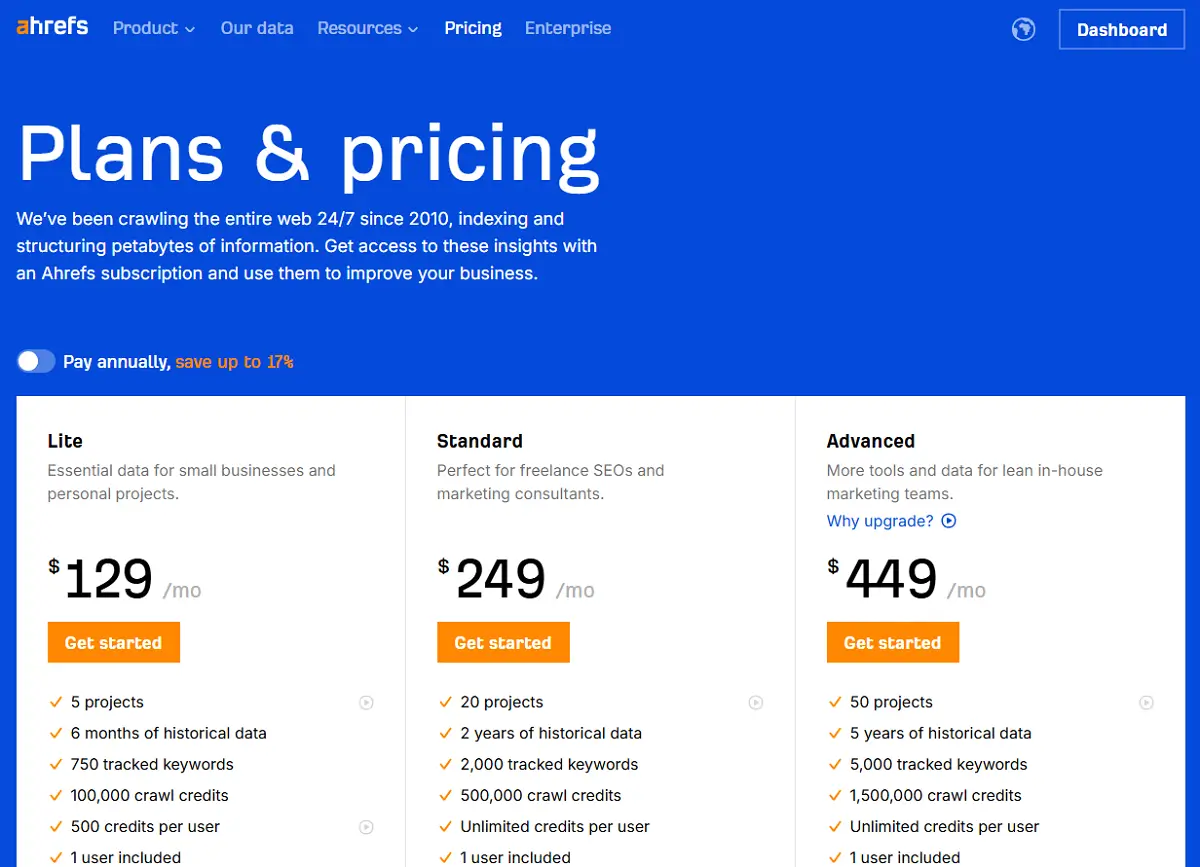
- Starter and Lite plans have strict limits
- Looker Studio integration is only available in Advanced+ plans
- Some learning curve for beginners
Features
- Organic Competitors
- SEO PDF Report
- Competitor Analysis
- Graphs and Widgets
- Email Notifications
- API Integration
- Looker Studio Integration
- Traffic Analysis
- Schema Controls
- Meta Tags Management
- XML Sitemap
- Snippet Preview
- Keyword Research
- Backlinks Analysis
- Content Analysis
- Site Audit
Pricing
$29
mo/
month
$108
mo/
month
$208
mo/
month
$374
mo/
month
$1499
mo/
month
Screenshots
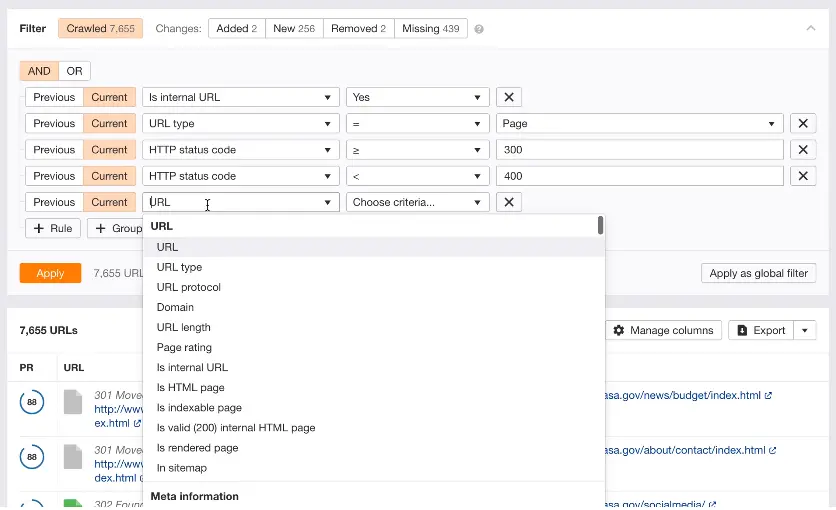
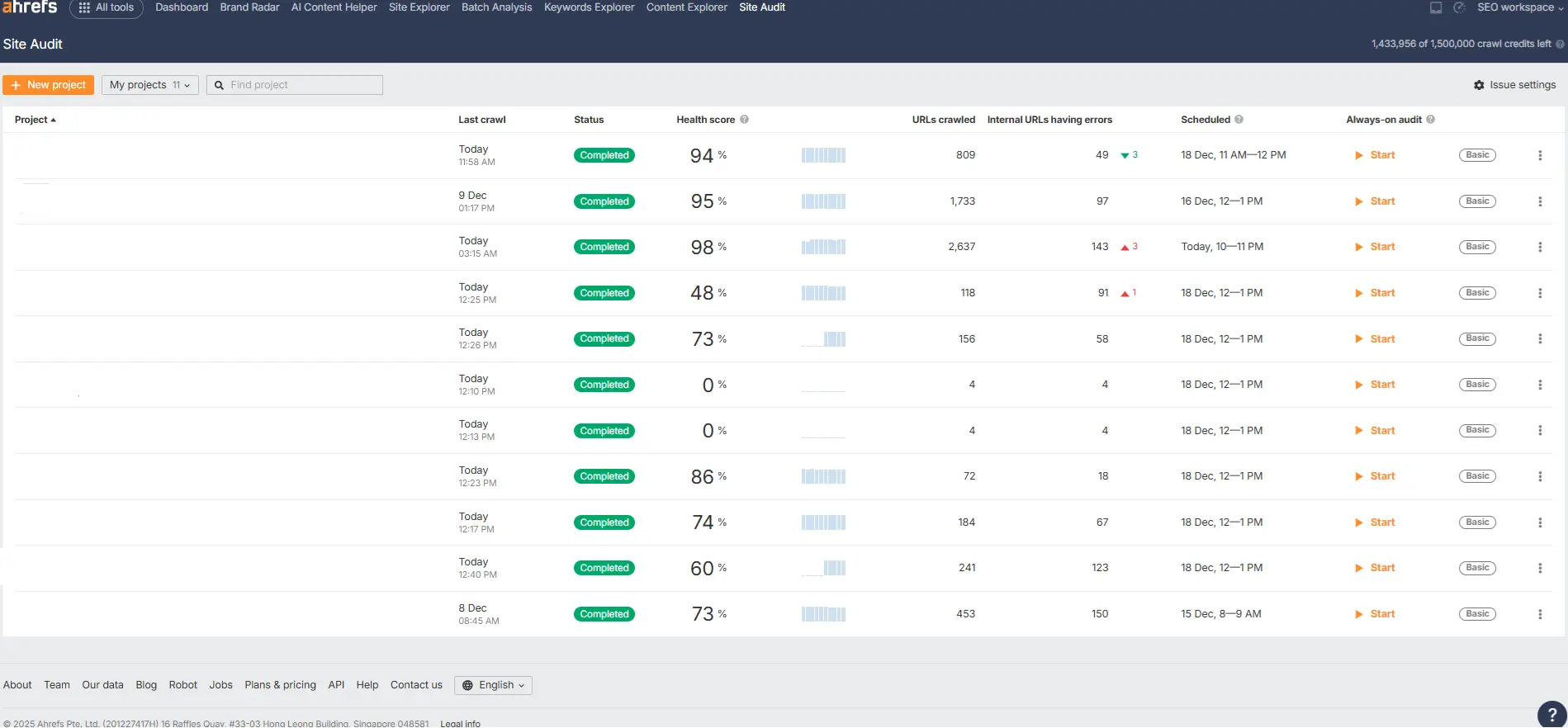
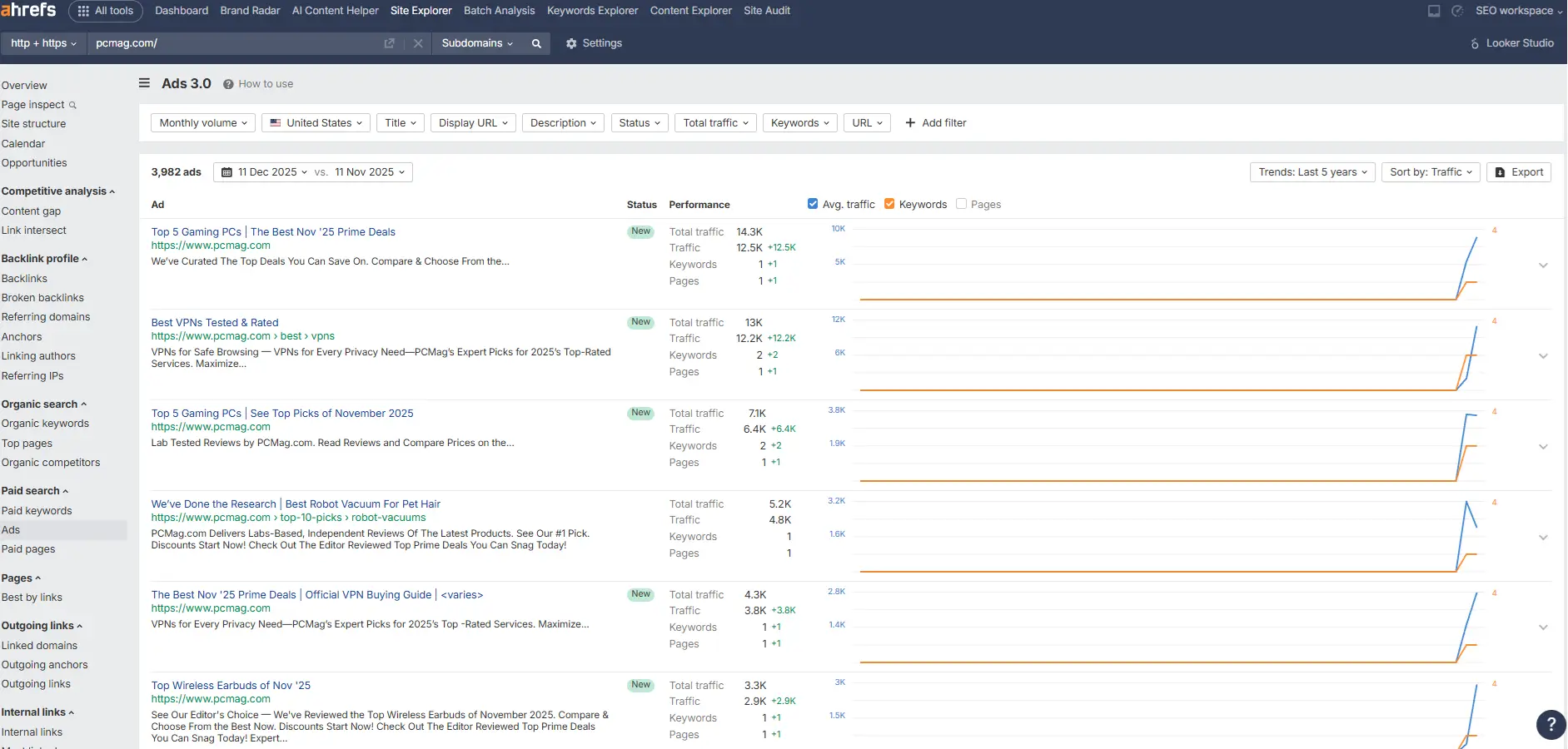
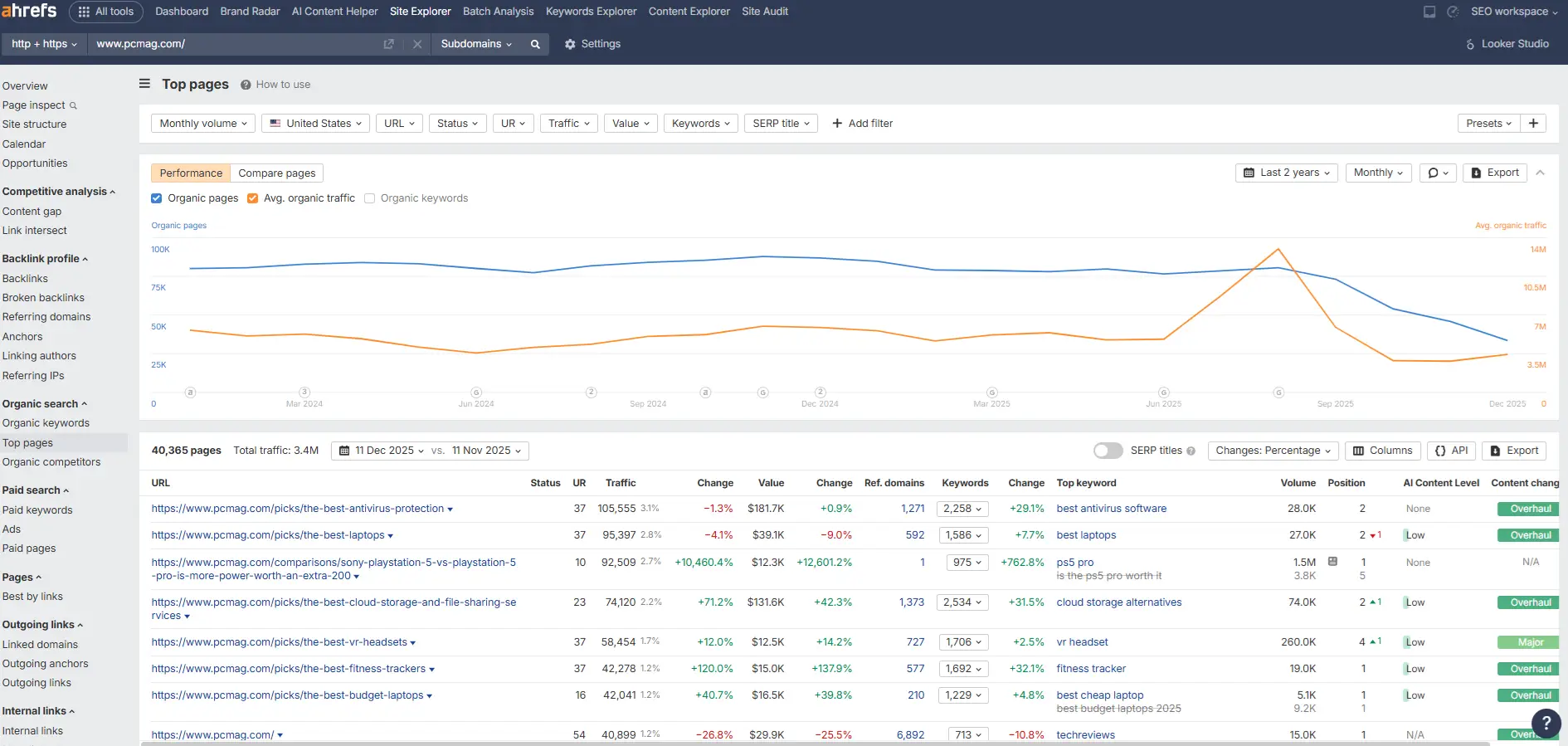
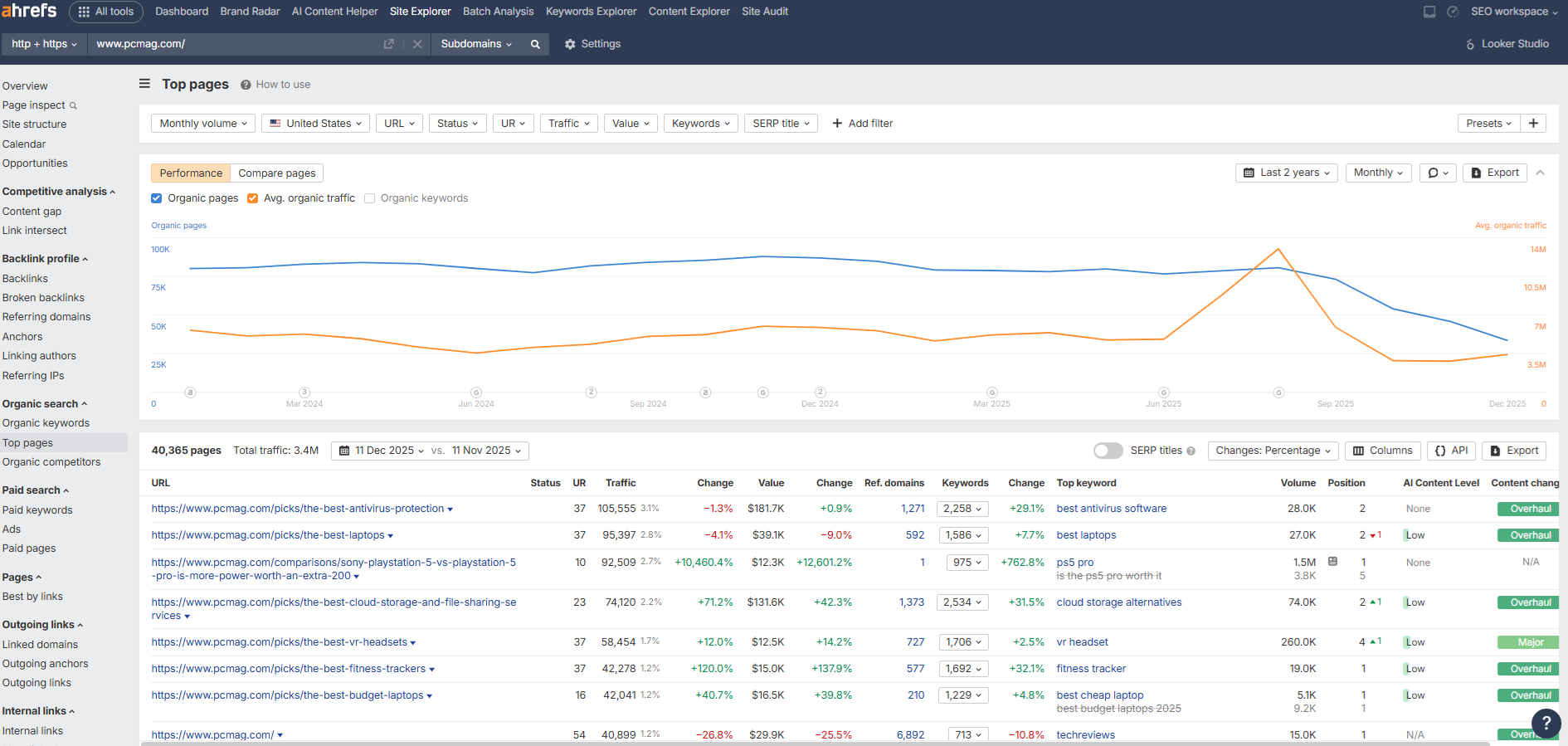
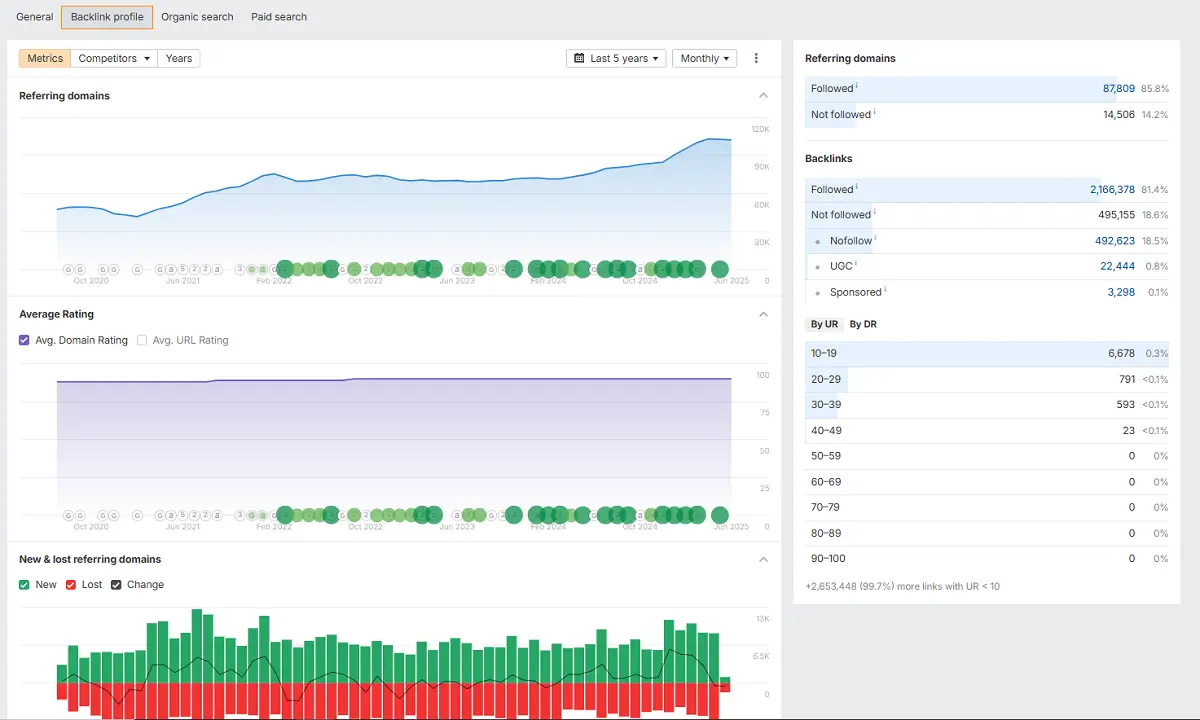
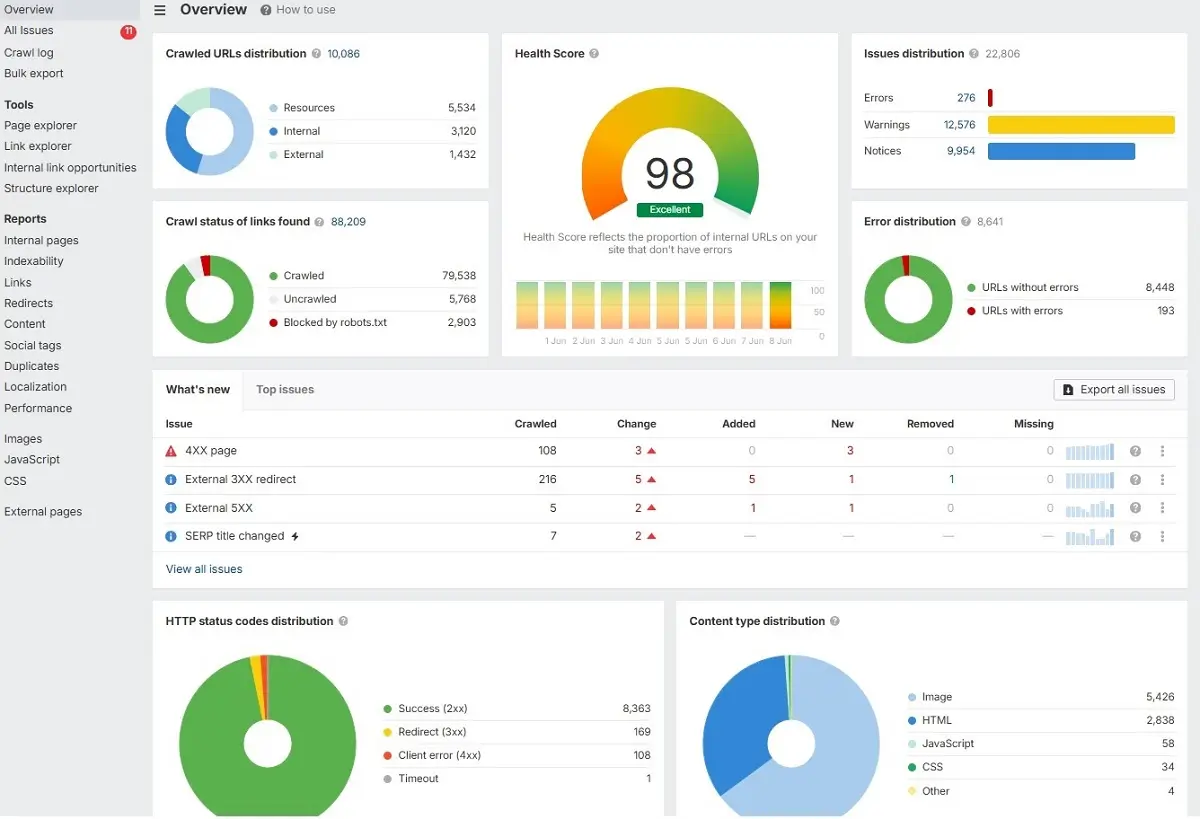
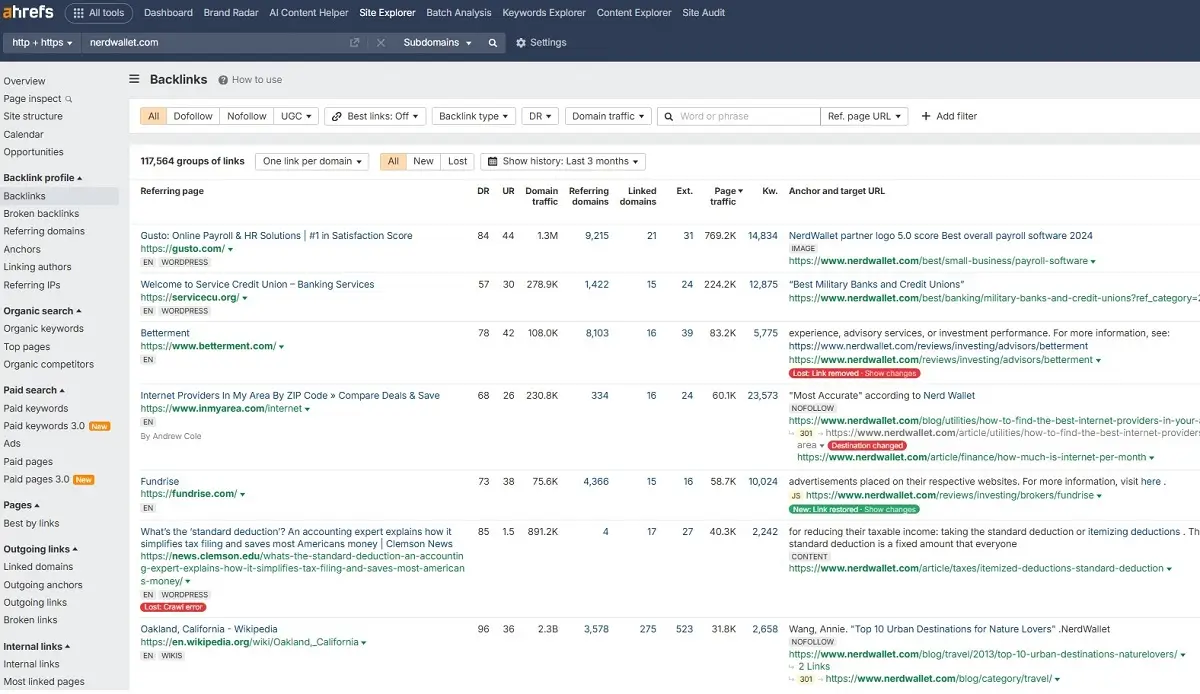
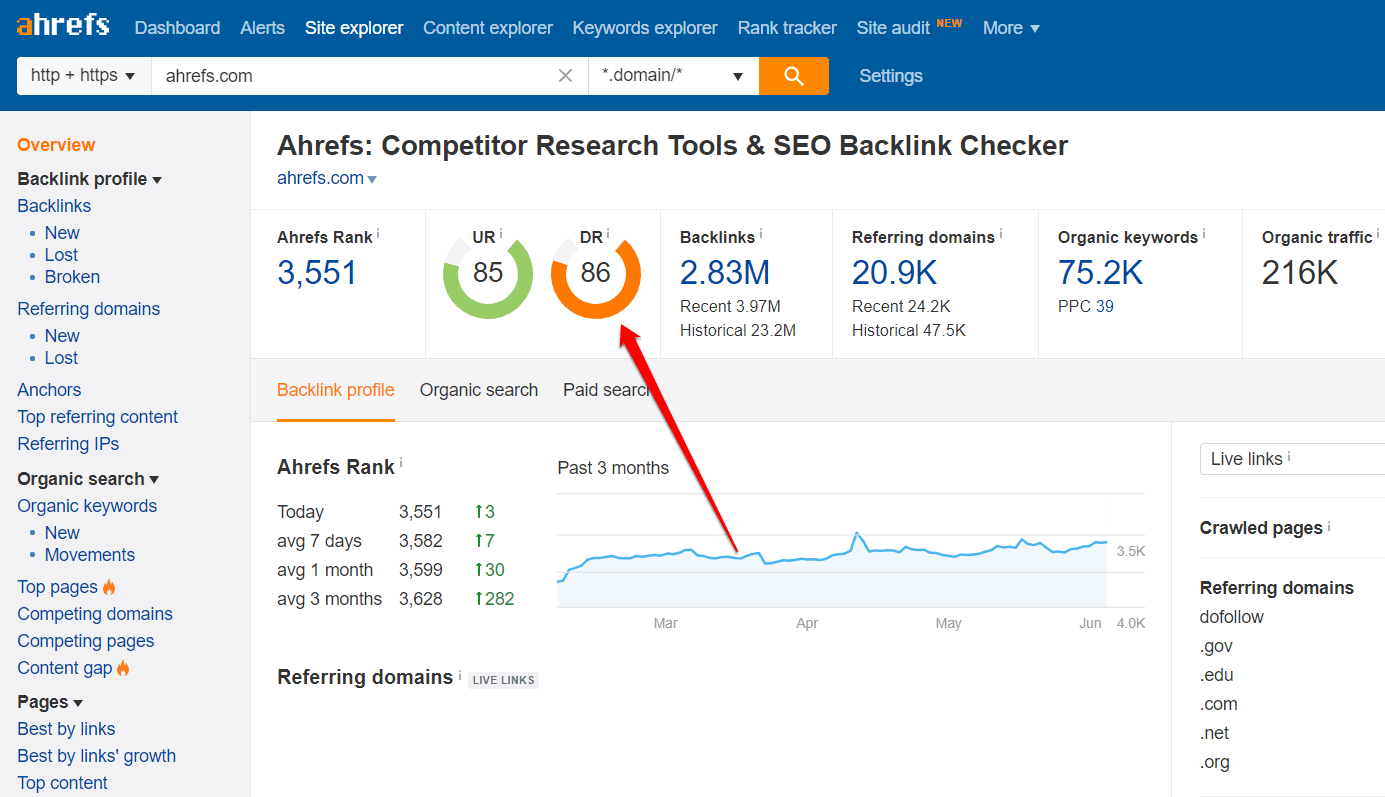
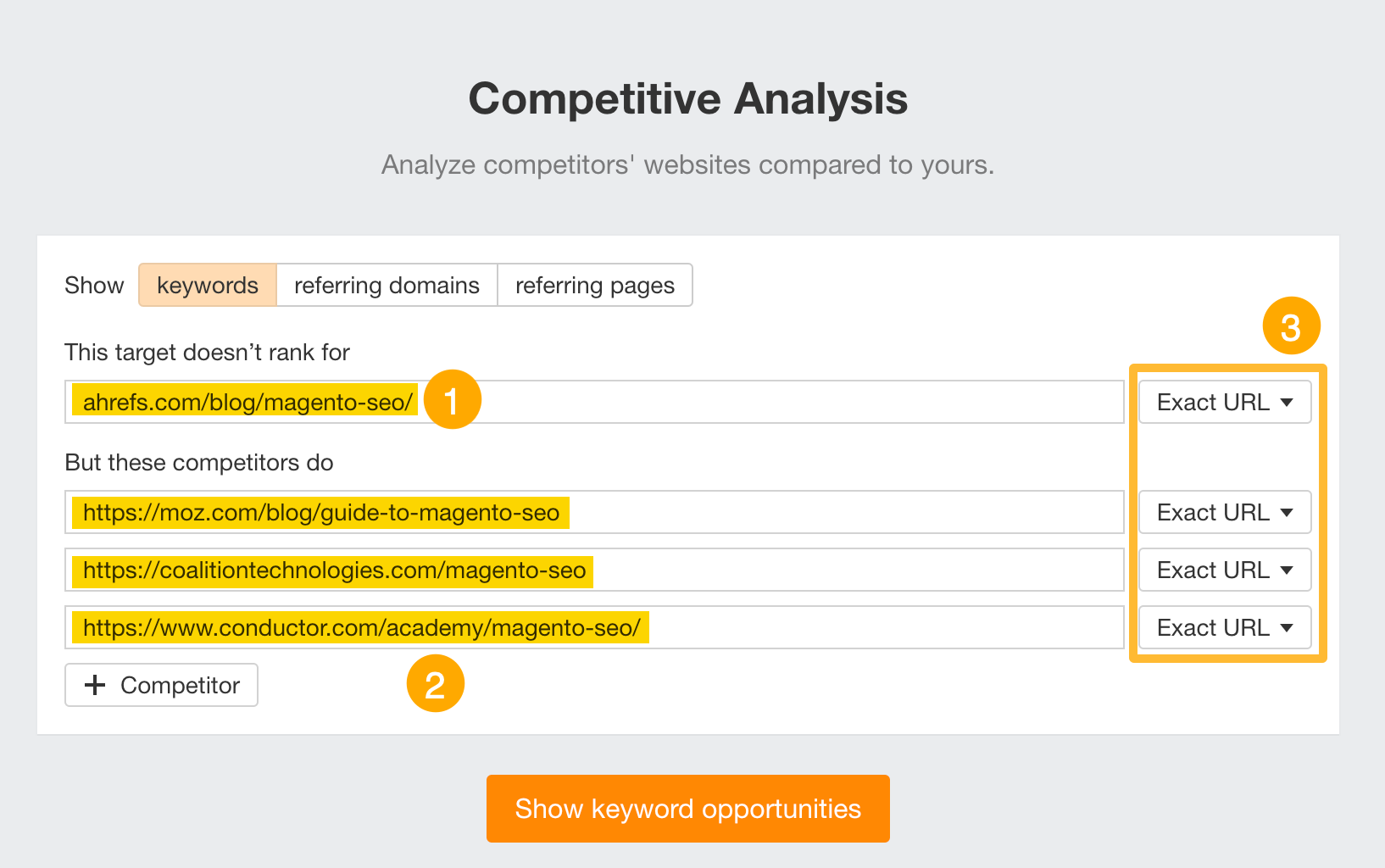
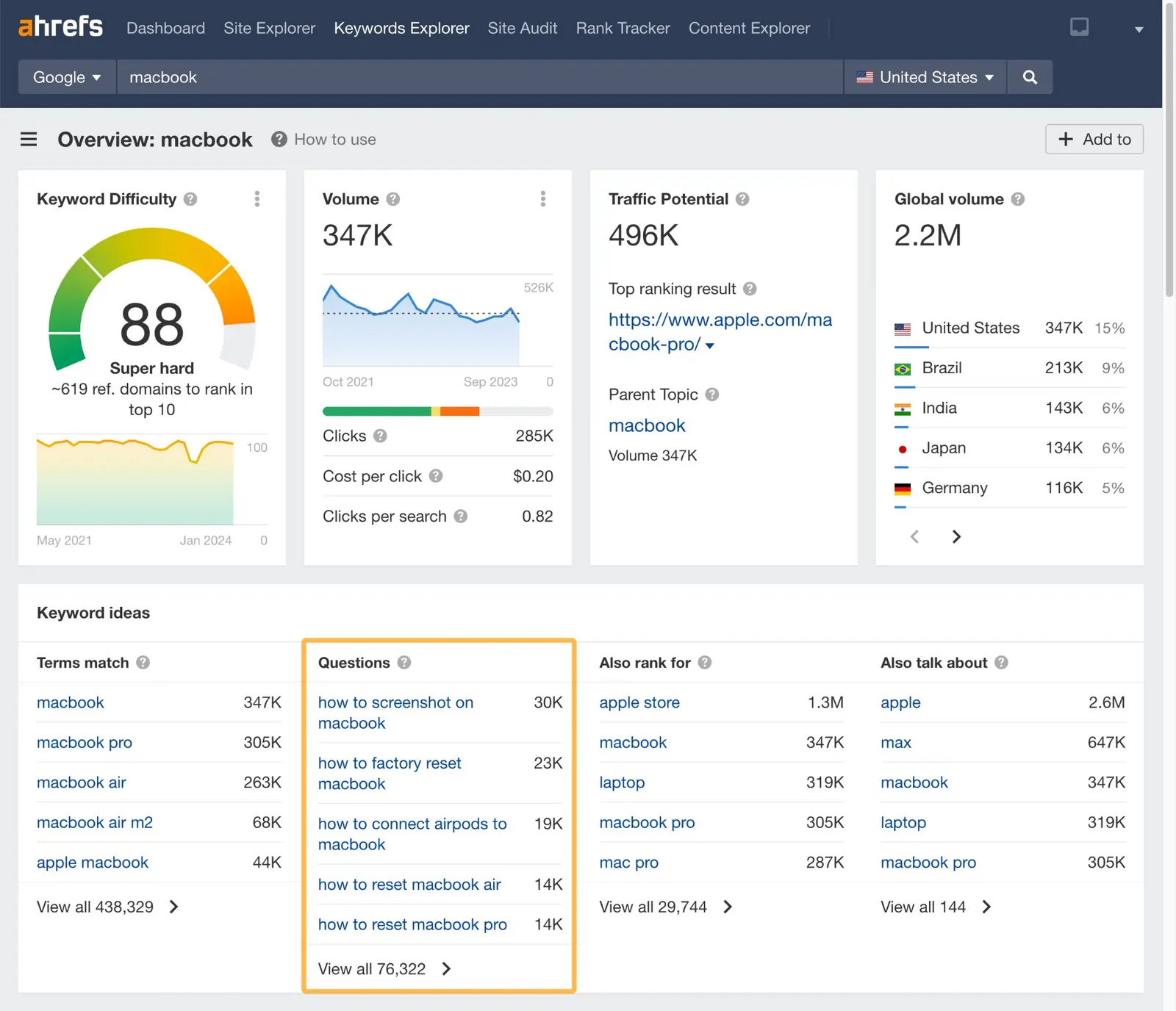
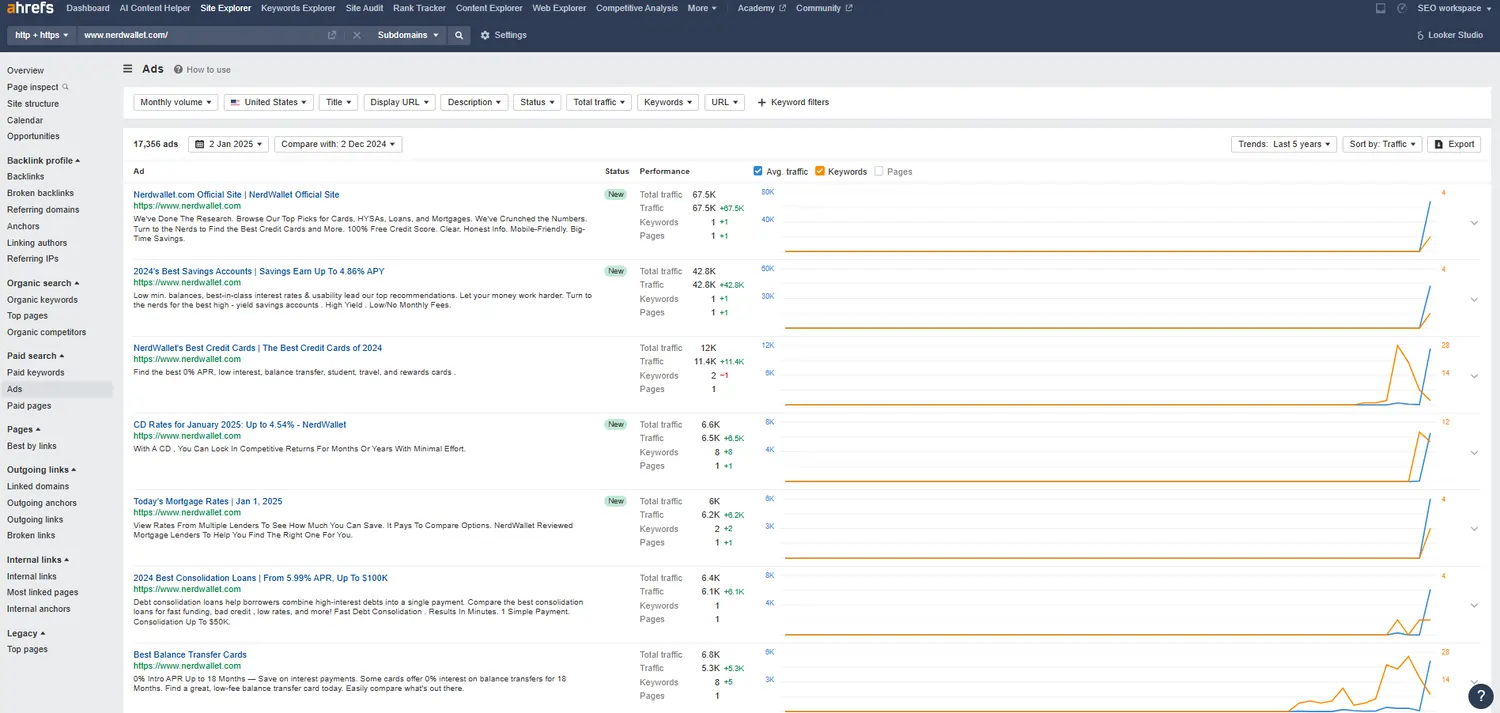
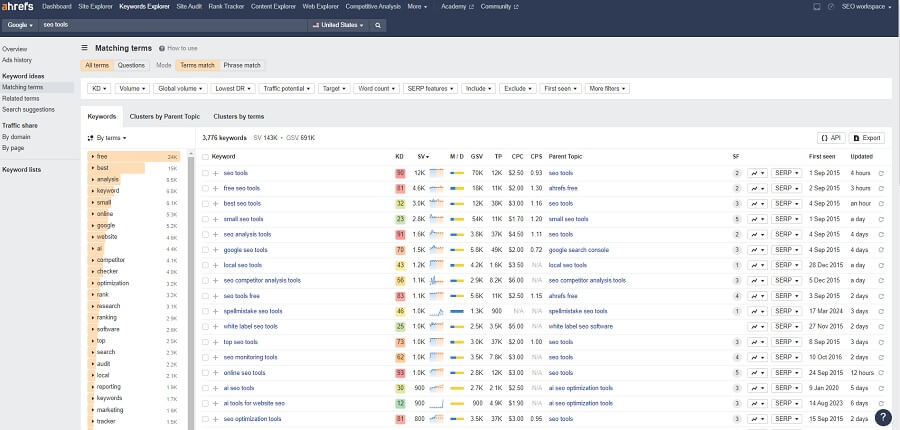
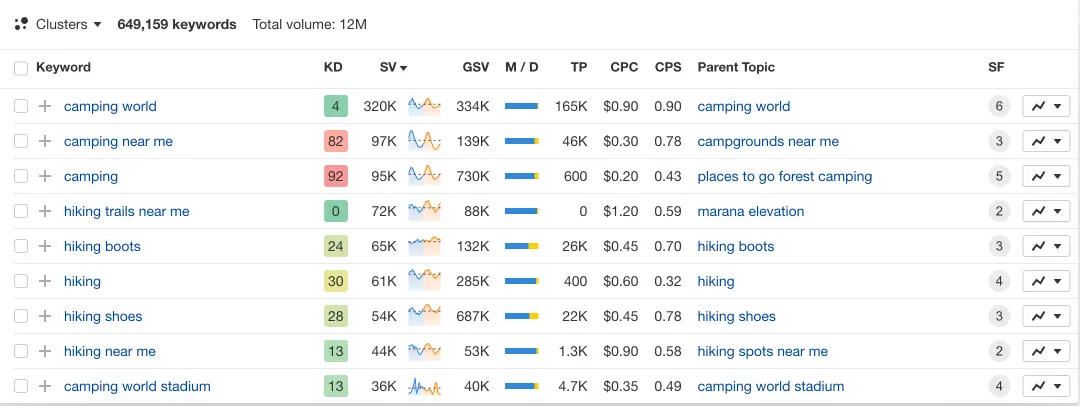
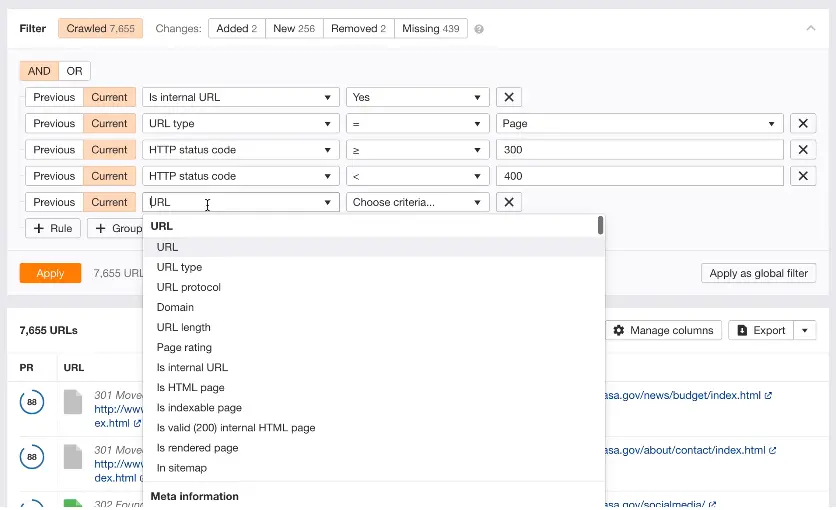
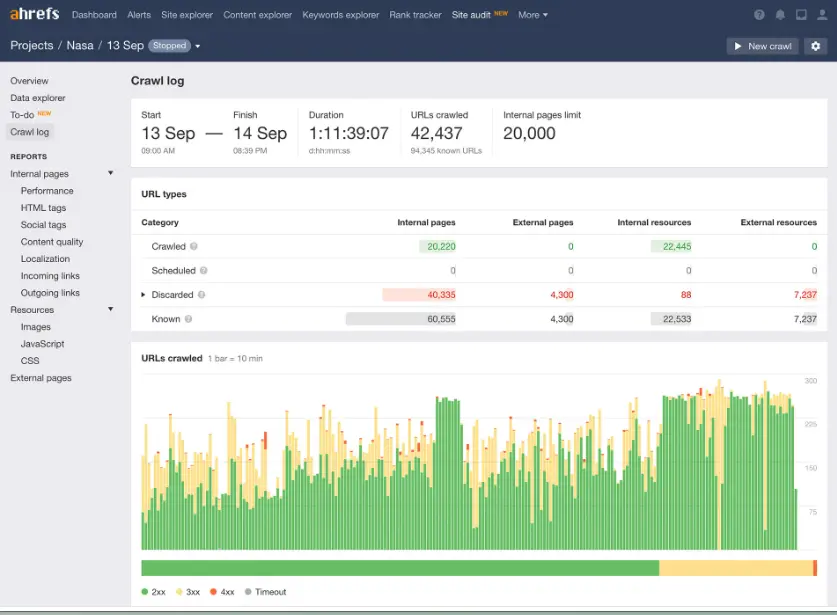
- Introduction: Ahrefs offers an advanced suite of SEO features, including site audits, keyword research, and backlink analysis. Its Site Explorer feature provides detailed data on organic traffic and keywords, giving marketers insight into competitor strategies.
- Benefits for Marketing: By identifying top-ranking keywords and backlink opportunities, Ahrefs empowers brands to enhance their visibility and reach new audiences through targeted SEO.
- Use Cases: Ideal for link-building, competitor analysis, and optimizing web content for search engines, Ahrefs is an essential online marketing software for SEO specialists.
3. Surfer SEO

SurferSEO is a comprehensive suite of SEO tools designed to enhance content strategy and search engine results page (SERP) standings. It offers a range of features, including a Content Editor,… Read more
SurferSEO is a comprehensive suite of SEO tools designed to enhance content strategy and search engine results page (SERP) standings. It offers a range of features, including a Content Editor, AI-driven keyword research, and insights based on Natural Language Processing (NLP) models, aimed at helping digital marketers, SEO experts, and content creators optimize their content for better search engine rankings.
Learn more in our full SurferSEO review.
Pros & Cons
- Excellent Content Editor
- Range of pricing plans
- SEO Optimization & Data-Driven Decisions
- Overwhelming Data
- Basic Keyword Tool
Features
- Competitor Analysis
- API Integration
- Keyword Research
- Content Analysis
- Site Audit
Pricing
$82
mo/
month
$99
mo/
month
$182
mo/
month
$299
mo/
month
- Introduction: Surfer SEO combines competitive analysis and real-time SEO data to help marketers create optimized content. It analyzes page content against SERP data, ensuring alignment with Google’s ranking factors.
- Benefits for Marketing: Provides on-page optimization recommendations, such as keyword density, structure, and readability, which increase content relevance and ranking potential.
- Use Cases: Used for blog optimization and web content alignment with SEO standards, making Surfer SEO invaluable for content creators focused on search performance.
Best Email Marketing Tools for Audience Engagement
1. Constant Contact

Constant Contact is designed to help small and growing businesses grow their email list. Supercharged with 200+ responsive email design templates, seamless automations, and A/B testing tools, over… Read more
Constant Contact is designed to help small and growing businesses grow their email list. Supercharged with 200+ responsive email design templates, seamless automations, and A/B testing tools, over 600,000 marketers and small business owners use this tool to increase customer engagement and sales.
Learn more in our full Constant Contact review.
Pros & Cons
- High deliverability rate
- Users can receive payments via email
- Easy integration for social media marketing
- Outstanding customer support
- Account cancellation is difficult
- Relatively high-priced tiers
Features
- Image Library
- Multiple Users
- Gmail Import
- Sign-Up Forms
- Google Analytics
- Email Lists
- Segmenting
- A/B Testing
- Social Media Marketing
- Surveys
- Bounce Management
- Tracking Analytics
- Automated Email Responses
- Email Templates
- Building Personalized Emails
- Email & Mobile Preview
- Flexible Design
- Storage for Data & Images
- Newsletter Templates
- Integrations
- Introduction: Constant Contact is an all-in-one email marketing tool offering templates, automation, and analytics for targeted email campaigns.
- Benefits for Marketing: Enhances customer engagement through personalized emails and automated follow-ups, helping to foster customer loyalty.
- Use Cases: Ideal for small businesses running newsletters, promotions, and event invitations, supporting ongoing customer communication.
2. Brevo (formerly Sendinblue)
Brevo (formerly Sendinblue) is an all-in-one digital marketing software designed to empower businesses with tools like email marketing, SMS campaigns, marketing automation, and CRM functionalities.… Read more
Brevo (formerly Sendinblue) is an all-in-one digital marketing software designed to empower businesses with tools like email marketing, SMS campaigns, marketing automation, and CRM functionalities. Its intuitive drag-and-drop editor and over 60 customizable templates simplify campaign creation, saving time and resources. Brevo also provides survey functionalities that can be used for customer feedback and adapted for employee feedback collection. With its affordability and scalability, Brevo delivers significant value to businesses of all sizes, enhancing customer engagement while supporting internal communication and growth strategies. In this Brevo review, I'll look at the features, performance, customer service, and the Brevo pricing plans.
Learn more in our full Sendinblue review.
Pros & Cons
- Intuitive user interface
- Simple drag-and-drop editor
- Easy integrations
- Wealth of resource materials
- Brevo branding on free plan
- Limited tools on free plan
Features
- Image Library
- Multiple Users
- Sign-Up Forms
- Google Analytics
- Email Lists
- Segmenting
- A/B Testing
- Social Media Marketing
- Surveys
- Bounce Management
- Tracking Analytics
- Automated Email Responses
- Email Templates
- Building Personalized Emails
- Email & Mobile Preview
- Flexible Design
- Storage for Data & Images
- Newsletter Templates
- Integrations
Pricing
$0
mo/
month
$8.08
/mo*/
/mo*
$16.17
/mo*/
/mo*
- Introduction: Brevo combines email and SMS marketing, making it a versatile tool for multichannel campaigns. Its automation features help businesses reach customers with relevant messaging.
- Benefits for Marketing: Brevo’s advanced segmentation allows for highly personalized email content, increasing engagement rates.
- Use Cases: Useful for transactional emails, retargeting campaigns, and customer follow-ups, integrating seamlessly with other digital marketing tools.
Best Social Media Marketing Tools for Digital Engagement
1. Canva
Canva is a user-friendly graphic design platform that empowers individuals to create a wide array of visual content, including graphics, presentations, headers, documents, invitations, posters, and… Read more
Canva is a user-friendly graphic design platform that empowers individuals to create a wide array of visual content, including graphics, presentations, headers, documents, invitations, posters, and resumes. This all-in-one graphic design tool features a video and graphic maker, photo editor, and logo creator, making it accessible for both beginners and professionals. With its intuitive interface and extensive template library, Canva simplifies the design process, enabling users to produce stunning visuals with ease. In this Canva review, I'll discuss, graphic design features, performance, Canva pricing, and more.
Learn more in our full Canva review.
Pros & Cons
- AI tools for creating and editing designs
- 1M+ free templates
- Easy to share option
- Automatic save
- Best features aren't available for free
- No phone, live chat, email or community support
- Its online version has more templates and design elements
Features
- API
- Templates
- Image Database
- Collaboration Tools
- Content Import/Export
- Content Management
- Edits Vector & Raster Graphics
- Pro-Level Typography
- Print Management
- Publishing / Sharing
- Multi-Channel Marketing
- Multi-Language
- Multiple Format Support
- Social Promotion
- Animation
- Document Storage
- Access Controls/Permissions
- Search/Filter
- Photo Editing
- Video Editing
- Rich Text Editor
- WYSIWYG Editor
- Drag & Drop
Pricing
$0
mo/
month
$15
mo/
month
$21
mo/
month
- Introduction: Canva is a graphic design platform that enables users to create professional visuals for social media, marketing, and more without any design experience.
- Benefits for Marketing: Canva makes it easy for marketers to create visually appealing social media posts, ads, and presentations using customizable templates and design tools.
- Use Cases: It’s widely used for creating social media graphics, banners, and branded content, making it a go-to tool for enhancing visual marketing strategies.
2. Wordtune

Wordtune is an AI-powered writing assistant that can write, rewrite, summarize, simplify, or enhance text with just a few clicks. The Wordtune tool is highly effective in various writing tasks,… Read more
Wordtune is an AI-powered writing assistant that can write, rewrite, summarize, simplify, or enhance text with just a few clicks. The Wordtune tool is highly effective in various writing tasks, including proofreading and analyzing text for clarity and impact. The Wordtune website offers an online editor with functionalities such as basic spelling and grammar corrections, and a free version of the AI tool, enhancing the user experience directly in the browser. As a versatile productivity tool, it caters to students, writers, marketers, executives, and anyone who needs to improve their writing. Wordtune also integrates seamlessly with various platforms such as Google Docs, Gmail, and Microsoft Word, allowing users to streamline their workflow across different tools. Additionally, it supports multiple languages and provides enterprise-level security to ensure data protection, making it a valuable tool for professionals and students alike.
Learn more in our full Wordtune review.
Pros & Cons
- Free Version Available: Wordtune offers a limited free version, allowing users to test its features before committing to a paid plan.
- Effective for Writer’s Block: The tool is particularly useful for overcoming writer’s block, providing suggestions to help users get started or refine their writing.
- Helpful for Grammar and Spelling: The tool automatically corrects sentences and suggests better word choices, making it a valuable resource for users who may struggle with grammar or spelling.
- Chrome extension to extend functionality
- Limited Free Plan: The free version allows only 10 rewrites per day, which may feel restrictive, and the premium plan can be considered expensive for its scope.
- AI summary from PDF isn't up to par
- Over-reliance: Some users may rely too heavily on Wordtune, using it as a crutch instead of improving their own writing skills.
- No Premium Free Trial: Wordtune does not offer a free trial of its premium features, limiting users’ ability to fully evaluate the tool before purchase.
Features
- Grammar and Style Checks
- Content Personalization
- API Access
- Text Editing and Formatting
Pricing
$0
mo/
month
$6.99
mo/
month
$9.99
mo/
month
$7.99
mo/
month
- Introduction: Wordtune is a writing assistant that helps users refine their social media copy by improving clarity, tone, and engagement.
- Benefits for Marketing: It enables marketers to craft compelling social media posts by suggesting alternatives, improving tone, and enhancing readability.
- Use Cases: Wordtune is commonly used to rewrite social media captions, improve engagement rates, and ensure messaging aligns with brand voice.
3. CapCut

CapCut has earned a reputation as the leading AI video editor on the market. With a wide range of functions, a simple user interface, and affordable pricing, it’s no wonder millions of users choose… Read more
CapCut has earned a reputation as the leading AI video editor on the market. With a wide range of functions, a simple user interface, and affordable pricing, it’s no wonder millions of users choose this video editor for their content creation needs. Learning all the tricks and features might take some time, not because they’re complicated to use but because there are so many things you can do with the CapCut tool. This CapCut video editor review will include everything there is to know including CapCut pricing, its features, customer support, and much more.
Learn more in our full CapCut review.
Pros & Cons
- Powerful free plan
- Affordable Pro plan
- Very easy to use
- Integrated music library
- Lack of customer support
- Limited frame rate
Features
- Image Editing Capabilities
- Video Editing Capabilities
- JPG
- MP4
- PNG
- Free Trial
- Monthly subscription
- Annual subscription
- iOS
- Android
- Windows
- macOS
- Web
- Filters and Effects
- Layer Support
- Color Correction
- Audio Editing Tools
- Direct Social Media Sharing
- Cloud Storage Integration
Pricing
$0
mo/
month
$19.99
mo/
month
$25.99
mo/
month
- Introduction: CapCut is a video editing app that enables users to create and edit engaging videos for social media platforms quickly and easily.
- Benefits for Marketing: It allows marketers to create professional-quality social media videos, incorporating text, effects, and music to boost engagement.
- Use Cases: CapCut is ideal for creating promotional videos, short clips for Instagram, TikTok, and YouTube, and editing social media content to captivate audiences.
Best Analytics and Tracking Tools
1. Google Analytics
- Introduction: Google Analytics is a powerful free tool that provides insights into website traffic, user behavior, and conversion rates.
- Benefits for Marketing: Helps businesses understand which channels drive traffic, track goals, and improve site usability.
- Use Cases: Used to monitor user acquisition, engagement, and eCommerce performance, making it essential for data-driven decision-making.
2. Hotjar
- Introduction: Hotjar visualizes user interactions through heatmaps, session recordings, and conversion funnels.
- Benefits for Marketing: Provides deep insights into user behavior on your website, allowing for UX improvements and conversion rate optimization.
- Use Cases: Primarily used for website audits and conversion tracking, helping brands optimize their sites for better customer experience.
3. Mixpanel
- Introduction: Mixpanel is a product analytics platform that helps businesses track user behavior, optimize engagement, and improve retention.
- Benefits for Marketing: It provides insights into feature usage, conversion rates, and user drop-offs, enabling marketers to make data-driven decisions and enhance customer retention.
- Use Cases: Mixpanel tracks user flows, analyzes customer retention, and monitors product feature performance, making it essential for optimizing user engagement and conversions.
Related Articles


Additional Digital Marketing Tools You Might Find Useful
Best Content Management Systems (CMS)
1. WordPress

The WordPress website builder is an intuitive website builder with a seamless interactive interface. Globally trusted with over 455 million websites, its customization flexibility gives users the… Read more
The WordPress website builder is an intuitive website builder with a seamless interactive interface. Globally trusted with over 455 million websites, its customization flexibility gives users the creative freedom to design an irresistible website for their businesses.
Learn more in our full WordPress review.
Pros & Cons
- SEO optimization is outstanding
- Integrates with any app in existence
- Blog integration and management
- Very easy to customize
- You need coding knowledge to troubleshoot some technical issues
- No phone support
Features
- 100+ Templates
- Add HTML code
- Blog Templates
- Portfolio
- Drag & Drop Editor
- Multi-lingual website
- Fully customized
- Mobile-friendly
- SEO Tools
- Social Media Integration
- Widgets + Apps
- Monetization
- Visitor statistics
- Free custom domain
- Unlimited Space
- Unmetered Bandwidth
- Free Stock Photos
- Video Plug-Ins
- Audio Plug-Ins
- Blogging
- Online Stores
- Automatic Website Building
Pricing
$4
mo/
month
$8
mo/
month
$25
mo/
month
$45
mo/
month
$25000
yr/
year
- Introduction: WordPress is one of the most widely used content management systems, ideal for blogs, websites, and eCommerce.
- Benefits for Marketing: WordPress’s SEO-friendly architecture and extensive plugin ecosystem make it easy for marketers to optimize content, manage campaigns, and analyze performance.
- Use Cases: Ideal for companies with blogs, news sections, or eCommerce components that need a scalable and customizable platform to manage content efficiently.
2. HubSpot CMS

HubSpot CRM is your go-to solution for managing sales and customer relationships with precision and ease. Offering a real-time view of your sales activity, HubSpot provides explicit, actionable… Read more
HubSpot CRM is your go-to solution for managing sales and customer relationships with precision and ease. Offering a real-time view of your sales activity, HubSpot provides explicit, actionable reports that give you deep insights into your team's performance. Track deal progress, monitor leads, and pinpoint areas for growth, all within an intuitive platform. With HubSpot CRM, you gain the tools to optimize your sales strategy, enhance collaboration, and drive business success like never before. This Hubspot CRM review will look at pricing, features, and performance of the CRM tool.
Learn more in our full Hubspot review.
Pros & Cons
- Intuitive design
- Free version available
- Reliable customer support
- Numerous workflow templates
- Automation is unavailable for free plan
Features
- Dashboards
- Reporting
- Marketing Analytics
- Pipeline Management
- Call Management
- Account Management
- Collaborative Data
- Mobile App
- Integrations
- Sales AI
- Sales Opportunity
- Quote Management
- Lead Chatbot
- Email Sync
- Email Tracking
- Email Templates
- Schedule Emails
- Customer Contact Management
- Lead Scoring
- Automated Reports
- Marketing Automation
- Sales Pipeline Automation
- Sales Forecasting Automation
- Automated Emails
Pricing
$0
mo/
month
$7
mo/
month
$90
mo/
month
$150
mo/
month
Screenshots
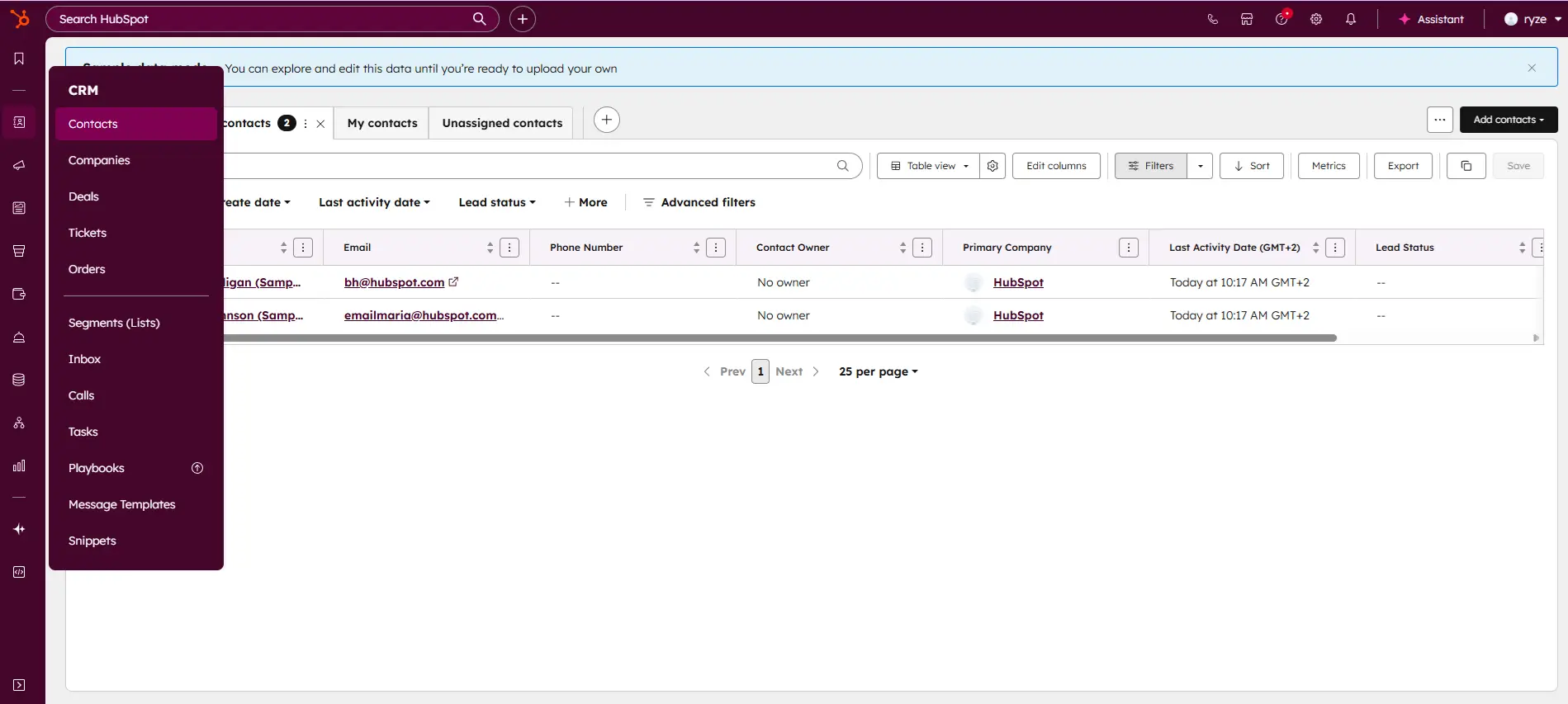
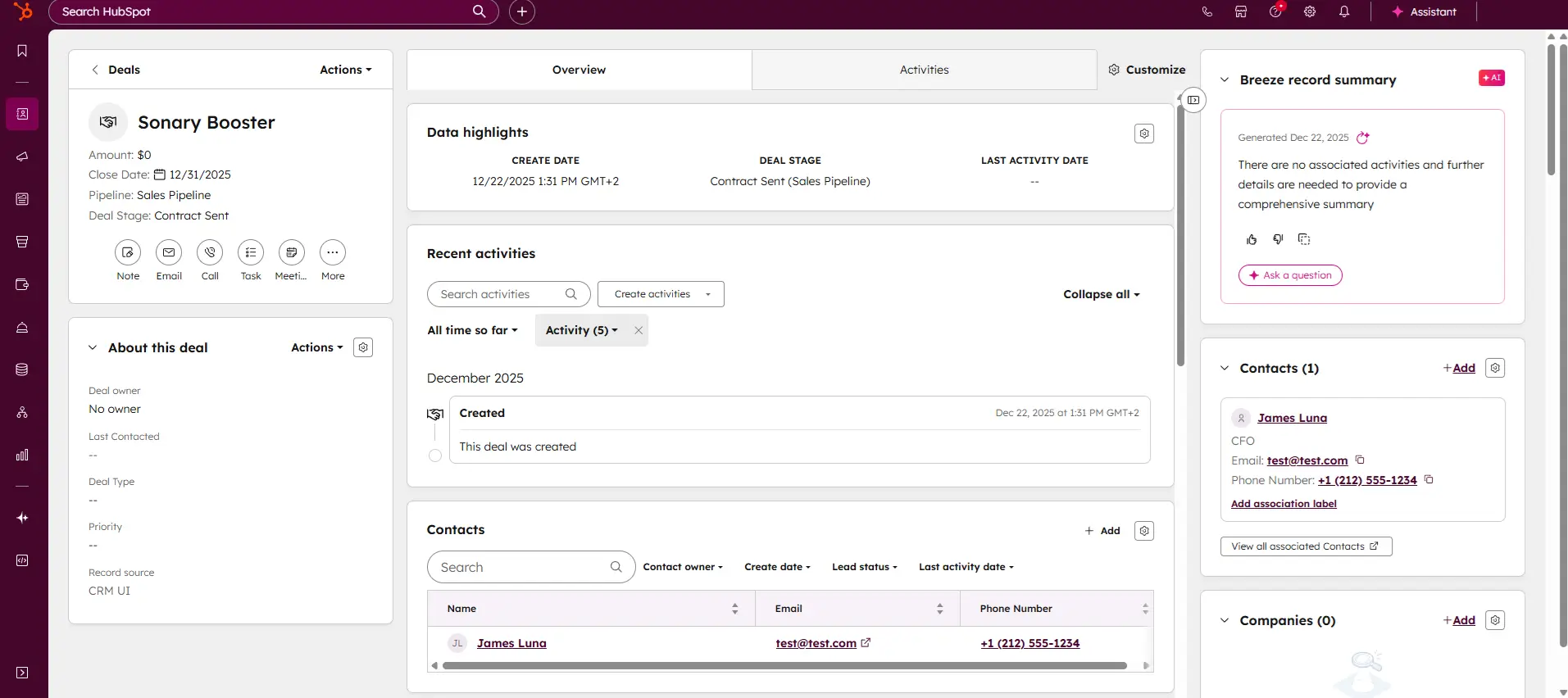
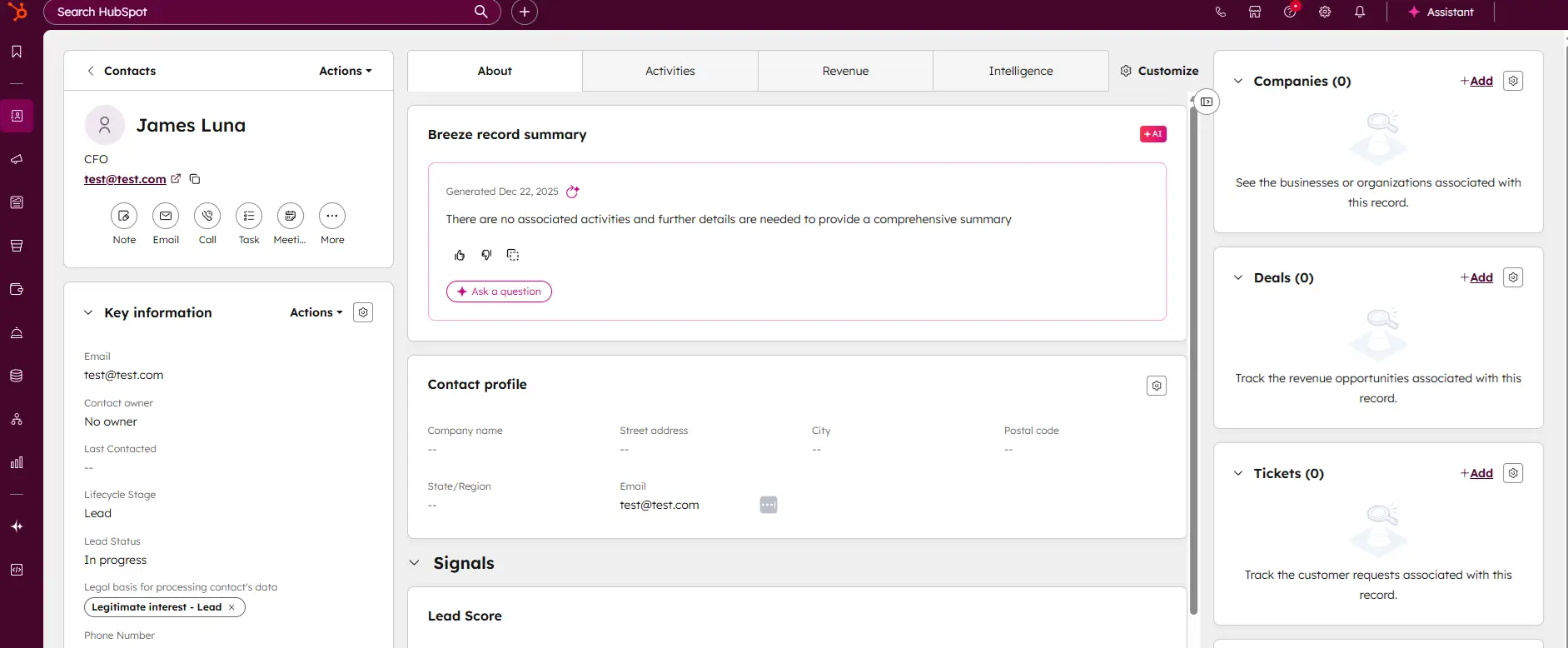
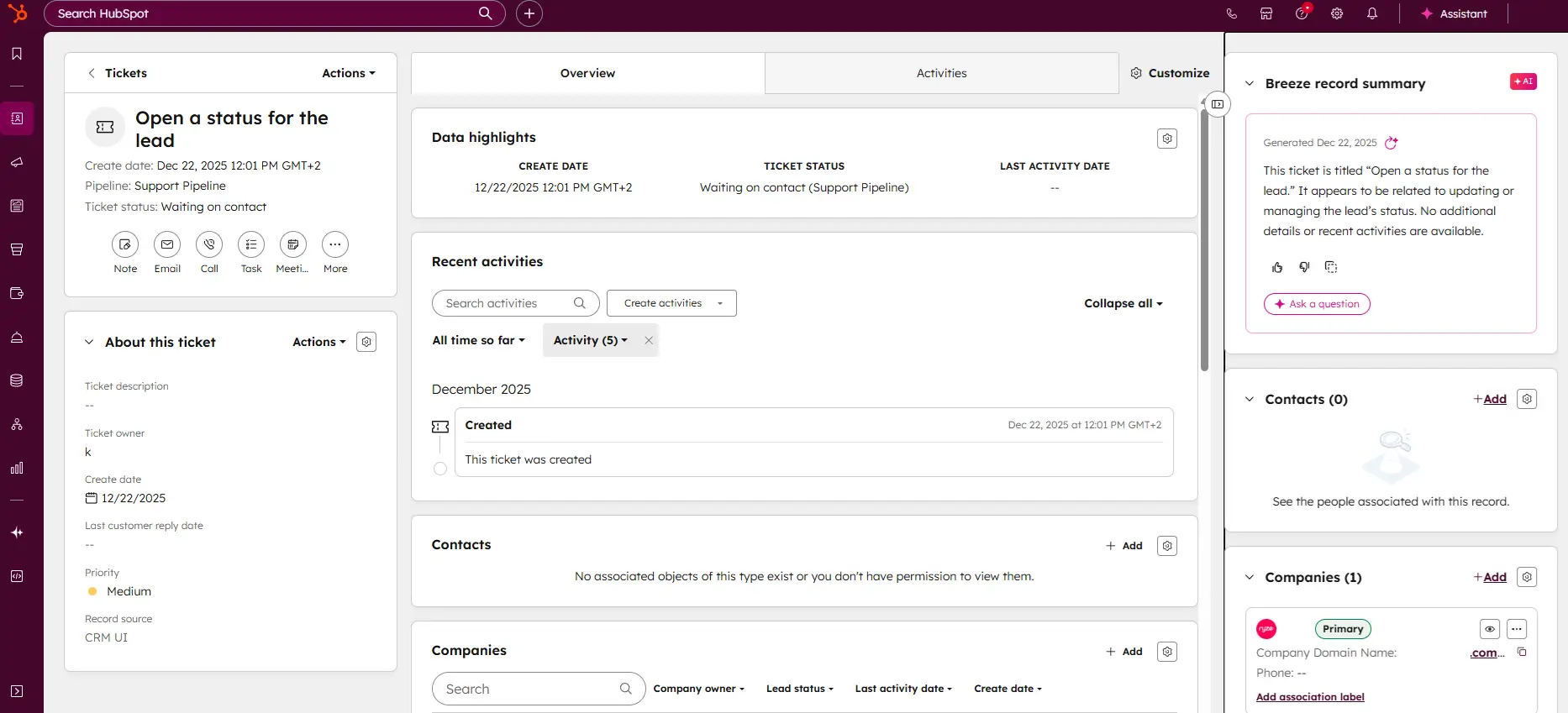
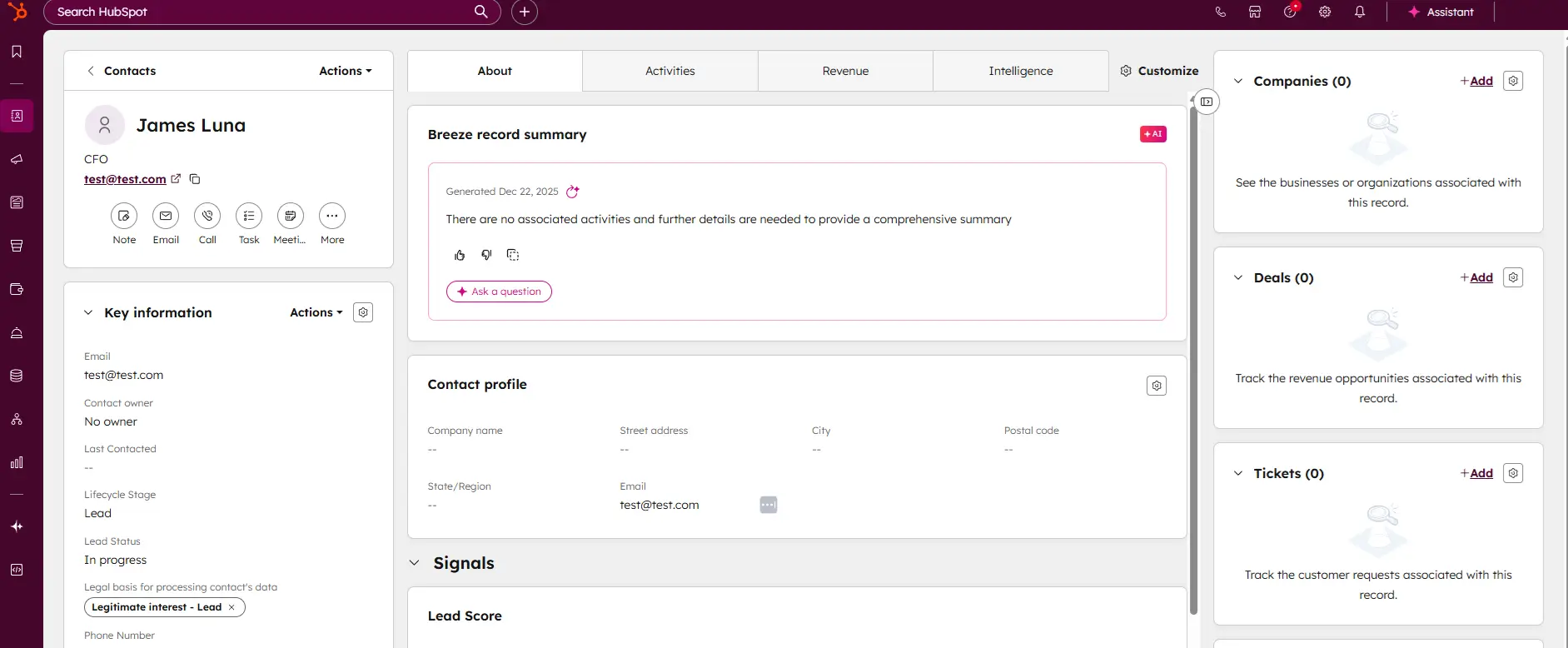
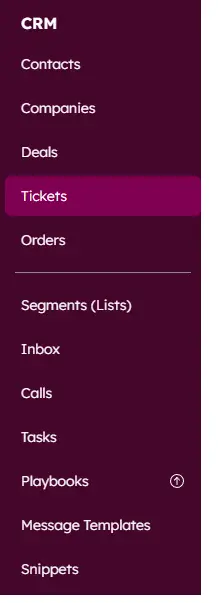
- Introduction: HubSpot CMS is an all-in-one platform that integrates with HubSpot’s CRM, enabling marketers to create, manage, and optimize content for lead generation and nurturing.
- Benefits for Marketing: HubSpot CMS allows for personalized content, SEO optimization, and A/B testing within one platform, streamlining content creation and marketing automation.
- Use Cases: Particularly valuable for inbound marketing, landing pages, and content that supports lead generation, making it a robust digital marketing software choice for content-driven brands.
3. Wix

Wix is a versatile website builder that empowers users to create stunning, professional websites without requiring advanced technical skills. Known for its intuitive drag-and-drop editor, Wix offers… Read more
Wix is a versatile website builder that empowers users to create stunning, professional websites without requiring advanced technical skills. Known for its intuitive drag-and-drop editor, Wix offers hundreds of customizable templates, robust e-commerce capabilities, and built-in SEO tools to optimize site performance. Whether you're a small business owner, blogger, or creative professional, Wix provides an all-in-one solution to design, manage, and grow your online presence. With features like mobile optimization, app integrations, and reliable hosting, Wix ensures your website is both functional and visually impressive, making it a top choice for users of all experience levels.
Learn more in our full Wix review.
Pros & Cons
- Wix-powered websites are fast
- Has intuitive drag-and-drop design features
- Digital marketing integrations are super easy
- Massive reservoir of support materials
- One paid plan (except Enterprise) for only one site.
- Wix branding on Free plan
- Cannot use a custom domain on Free plan
Features
- 100+ Templates
- Add HTML code
- Blog Templates
- Portfolio
- Drag & Drop Editor
- Multi-lingual website
- Fully customized
- SEO Tools
- Social Media Integration
- Widgets + Apps
- Newsletter tool
- Monetization
- Visitor statistics
- Multiple Sites
- Free Stock Photos
- Free custom domain
- Unlimited Space
- Unmetered Bandwidth
- Video Plug-Ins
- Blogging
- Online Stores
- Automatic Website Building
- Mobile-friendly
Pricing
$0
mo/
month
$17
mo/
month
$29
mo/
month
$39
mo/
month
$159
mo/
month
- Introduction: Wix is a popular cloud-based website builder and content management system (CMS) that allows users to create stunning websites without the need for coding or advanced technical skills.
- Benefits for Marketing: Wix provides marketers with an easy-to-use platform for building and managing websites, with built-in SEO tools, customizable templates, and a wide range of marketing integrations to boost online visibility and conversions.
- Use Cases: Wix is used to create and manage websites for businesses, blogs, portfolios, and eCommerce, making it an excellent choice for marketers who want full control over their web presence without the complexity of traditional CMS platforms.
Best Influencer and Affiliate Marketing Platforms
1. Popular Pays

Popular Pays is an AI-based advertising solution that connects brands with influencers who create top performing content for the brand. With its reporting & analytics tool, brands can track… Read more
Popular Pays is an AI-based advertising solution that connects brands with influencers who create top performing content for the brand. With its reporting & analytics tool, brands can track performance. Pop Pays boasts tens of millions of downloads as it is one of the most advanced apps for creating high-performing content for brands.
Learn more in our full Popular Pays review.
Pros & Cons
- Integrations with TikTok, Facebook, Pinterest and Instagram.
- The platform makes influencer collaboration easy.
- Tracking and evaluating performance using the analytics tool.
- User interface is easy to navigate.
- Limited creators in the basic plan.
- Live support isn't always available.
- Third-party fees add costs to campaigns
Features
- Image Editing Capabilities
- Video Editing Capabilities
- JPG
- MP4
- PNG
- TIF
- RAW
- Monthly subscription
- iOS
- Android
- Windows
- macOS
- Web
- Filters and Effects
- Color Correction
- Introduction: Popular Pays is an influencer marketing platform that connects brands with content creators to launch and manage influencer campaigns across various social media platforms.
- Benefits for Marketing: The platform simplifies influencer discovery, campaign management, and content collaboration, allowing marketers to run effective influencer campaigns at scale. It offers detailed analytics, making it easy to track engagement, reach, and ROI.
- Use Cases: Popular Pays is commonly used by brands to find and collaborate with influencers, launch campaigns, and gain real-time insights into campaign performance, making it a valuable tool for increasing brand visibility and engagement.
2. Impact
Impact is an all-around partnership management network founded in 2008 in California. It goes beyond a traditional affiliate marketing platform since it helps businesses transform and improve all… Read more
Impact is an all-around partnership management network founded in 2008 in California. It goes beyond a traditional affiliate marketing platform since it helps businesses transform and improve all partnership types. Although it can help companies of all sizes, freelancers, and influencers, Impact primarily targets premium clients. Check out detailed information about the platform in our review below!
Learn more in our full Impact review.
Pros & Cons
- Simple installation and interface
- A vast database for finding potential affiliates
- Easy to manage partner communication
- Comprehensive tracking tools and extensive performance reports
- Better customer support for registered users
- Some package prices are only available upon request
- No free services
Features
- Dashboards
- Reporting
- Marketing Analytics
- Account Management
- Collaborative Data
- Mobile App
- Integrations
Pricing
$30
mo/
month
- Introduction: Impact is an affiliate and partnership marketing platform designed to help brands manage, track, and grow affiliate programs while optimizing relationships with influencers, affiliates, and other partners.
- Benefits for Marketing: Impact allows marketers to scale their affiliate and influencer programs by providing advanced tracking, commission structures, and real-time reporting. It helps brands maximize ROI by optimizing partner relationships and ensuring transparent payment models.
- Use Cases: Businesses use Impact to manage affiliate partnerships, track performance, and scale their affiliate marketing efforts, making it essential for brands looking to grow through affiliate relationships and partnerships.
3. CJ Affiliate (Commission Junction)

CJ Affiliate, formerly known as Commission Junction, is a leading affiliate marketing platform known for its robust network and comprehensive suite of tools designed for both advertisers and… Read more
CJ Affiliate, formerly known as Commission Junction, is a leading affiliate marketing platform known for its robust network and comprehensive suite of tools designed for both advertisers and publishers. It is best suited for medium-sized businesses and freelancers looking to expand their affiliate marketing efforts.
Learn more in our full CJ review.
Pros & Cons
- Extensive network of publishers.
- Robust reporting and analytics tools.
- Customizable tracking solutions.
- User-friendly interface.
- Pricing details not transparent.
- No free trial period.
- Potentially high commission rates.
Features
- Dashboards
- Reporting
- Marketing Analytics
- Account Management
- Collaborative Data
- Integrations
- Introduction: CJ Affiliate (formerly Commission Junction) is one of the world’s largest affiliate marketing platforms, helping brands connect with publishers and manage affiliate programs to drive conversions and sales.
- Benefits for Marketing: CJ Affiliate offers a vast network of publishers, advanced tracking, and comprehensive analytics, making it easier for marketers to manage and optimize their affiliate campaigns. The platform's tools allow for precise tracking of affiliate performance and help ensure transparent and efficient payment processes.
- Use Cases: CJ is used by businesses to build and manage large-scale affiliate programs, providing tools to track affiliate referrals, manage partnerships, and grow revenue through affiliate marketing.
Best Project Management and Collaboration Tools
1. Asana

Asana is a project management platform designed for team clarity and collaboration. It helps teams manage projects and tasks, specify deadlines, and communicate directly within the platform. It also… Read more
Asana is a project management platform designed for team clarity and collaboration. It helps teams manage projects and tasks, specify deadlines, and communicate directly within the platform. It also includes reporting tools, file attachments, calendars, and setting and tracking company-wide goals.
Learn more in our full Asana review.
Pros & Cons
- Multiple views for projects and tasks
- Easy for non-technical users to get started with the platform
- Track the workload of individual contributors in real-time
- Forms with conditional logic for data submission
- Doesn’t have built-in budget tracking
- Because of its expansiveness, it’s not suitable for a single project
Features
- File Sharing
- User Access and Permissions
- Mobile App
- Search
- Multi-language support
- Risk Analysis
- Reporting and Dashboards
- Customization
- Storage Included
- Integrated Chat
- Notifications
- Comments on Tasks
- Discussion
- Task Creation and Assignment
- Due Dates
- Task Prioritization
- To-Do Lists
- Calendar
- Gantt Chart / Project Map
- Resource Management
- Reporting
Pricing
$0
mo/
month
$10.99
/mo /user/
/mo /user
$24.99
/mo /user/
/mo /user
- Introduction: Asana is a project management tool that helps marketing teams organize tasks, set deadlines, and collaborate in real-time, making it easier to manage complex campaigns.
- Benefits for Marketing: Increases productivity and visibility over projects by allowing team members to assign tasks, set priorities, and track deadlines.
- Use Cases: Essential for managing social media content calendars, digital ad campaigns, and cross-functional projects that require input from multiple stakeholders.
2. ClickUp

Imagine a workspace where every project detail aligns seamlessly, teams collaborate effortlessly, and productivity soars—welcome to ClickUp. This all-in-one project management platform offers… Read more
Imagine a workspace where every project detail aligns seamlessly, teams collaborate effortlessly, and productivity soars—welcome to ClickUp. This all-in-one project management platform offers customizable workflows, enabling you to tailor processes to your team's unique needs. Assign tasks with precision, visualize projects from inception to completion, and maintain clear communication through integrated document sharing, comments, and real-time notifications. With a vast library of project templates and integrations, ClickUp adapts to businesses of all sizes, ensuring tasks are executed efficiently and effectively. In this ClickUp review, I'll discuss features, performance, customer service, and ClickUp pricing.
Learn more in our full Clickup review.
Pros & Cons
- Over a dozen project views
- Built-in document editor that can be used to collaborate in real-time
- Dedicated chat interface to aid team collaboration
- Workload and time log tracking
- Can be difficult to master because of how expansive the platform is
- When using the Everything view, it can be difficult to understand who owns what.
Features
- File Sharing
- Document collaboration
- User Access and Permissions
- Mobile App
- Search
- Multi-language support
- Risk Analysis
- Reporting and Dashboards
- Customization
- Storage Included
- Integrated Chat
- Notifications
- Comments on Tasks
- Discussion
- Task Creation and Assignment
- Due Dates
- Task Prioritization
- To-Do Lists
- Calendar
- Gantt Chart / Project Map
- Resource Management
- Reporting
Pricing
$0
mo/
month
$7
mo/
month
$12
mo/
month
- Introduction: ClickUp is a comprehensive project management and collaboration tool designed to help teams plan, track, and manage projects more efficiently. It offers a flexible and customizable platform where teams can manage tasks, goals, and documents in one place.
- Benefits for Marketing: ClickUp provides marketers with tools to effectively manage content calendars, campaigns, and team collaboration. Its customizable views (such as list, board, and calendar) allow marketers to visualize workflows and deadlines in a way that suits their team.
- Use Cases: ClickUp is widely used to manage complex marketing projects, create content workflows, and collaborate with teams. It helps streamline communication, track progress, and ensure that teams meet deadlines.
3. monday.com

Visualize your projects' progress and make informed decisions with monday.com's project management software. Trusted by over 200,000 customers worldwide, monday.com offers a flexible platform… Read more
Visualize your projects' progress and make informed decisions with monday.com's project management software. Trusted by over 200,000 customers worldwide, monday.com offers a flexible platform adaptable to various workflows, including project management, CRM, software development, and human resources. Its intuitive interface and customizable features streamline collaboration, enhance efficiency, and provide real-time insights into project stages. In this monday.com project management review, I'll discuss features, performance, customer service, and monday.com pricing.
Learn more in our full Monday review.
Pros & Cons
- This project management software is easy to navigate
- The site uses reliable and user-friendly tools
- The organization of the platform is effective
- The help and support area needs to offer more options
- The help and support area should have more extensive testimonials and videos
- There is no multilingual support
Features
- File Sharing
- Document collaboration
- User Access and Permissions
- Mobile App
- Multi-language support
- Reporting and Dashboards
- Customization
- Storage Included
- Integrated Chat
- Notifications
- Comments on Tasks
- Discussion
- Task Creation and Assignment
- Due Dates
- Task Prioritization
- To-Do Lists
- Calendar
- Gantt Chart / Project Map
- Baselining / KPIs
- Project Budgeting
- Resource Management
- Reporting
- Forecasting
- Marketing Analytics
Pricing
$9
/mo /user/
/mo /user
$12
/mo /user/
/mo /user
$19
/mo /user/
/mo /user
Screenshots
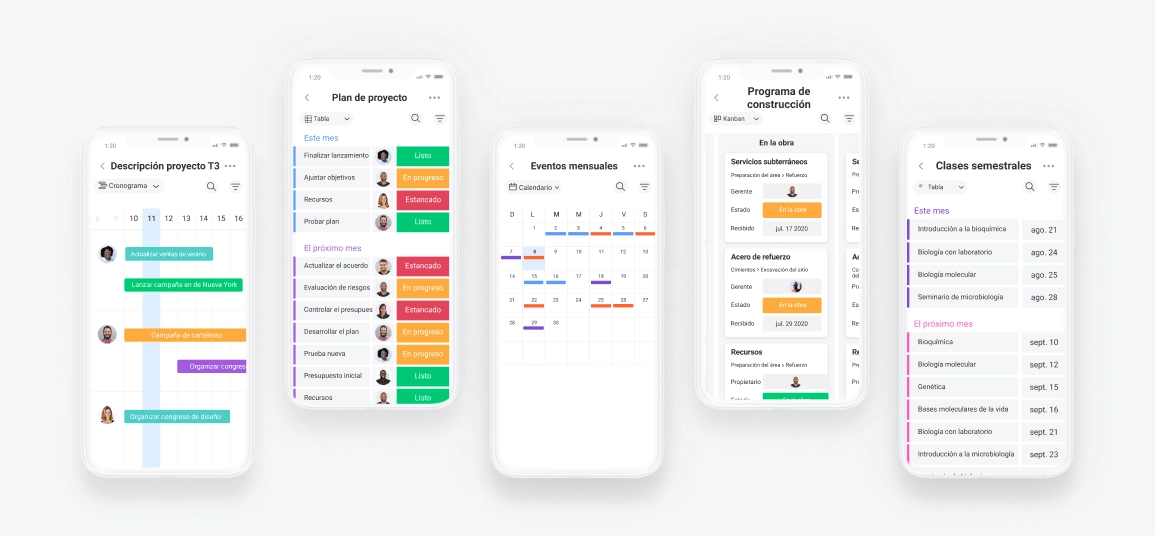
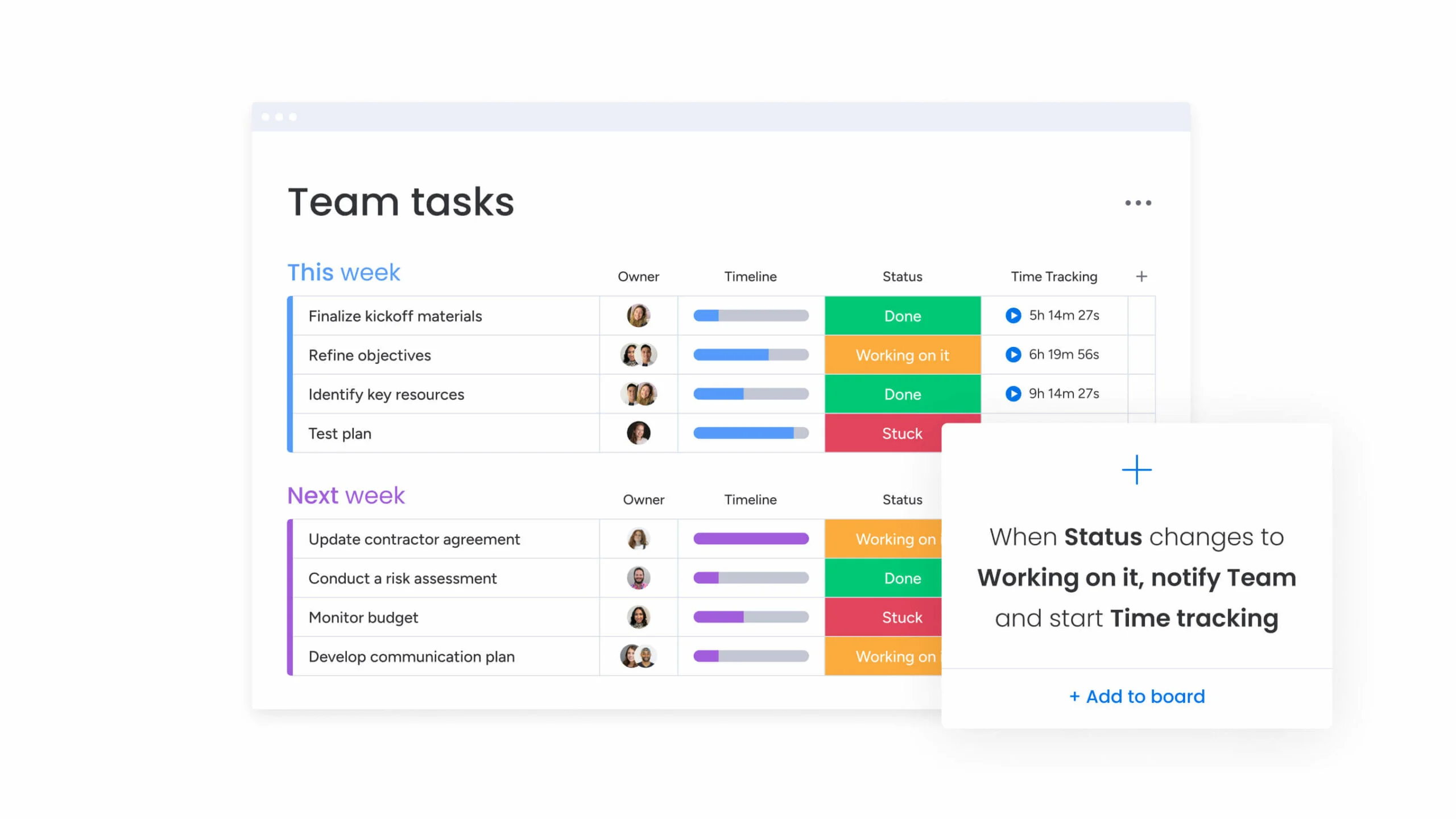
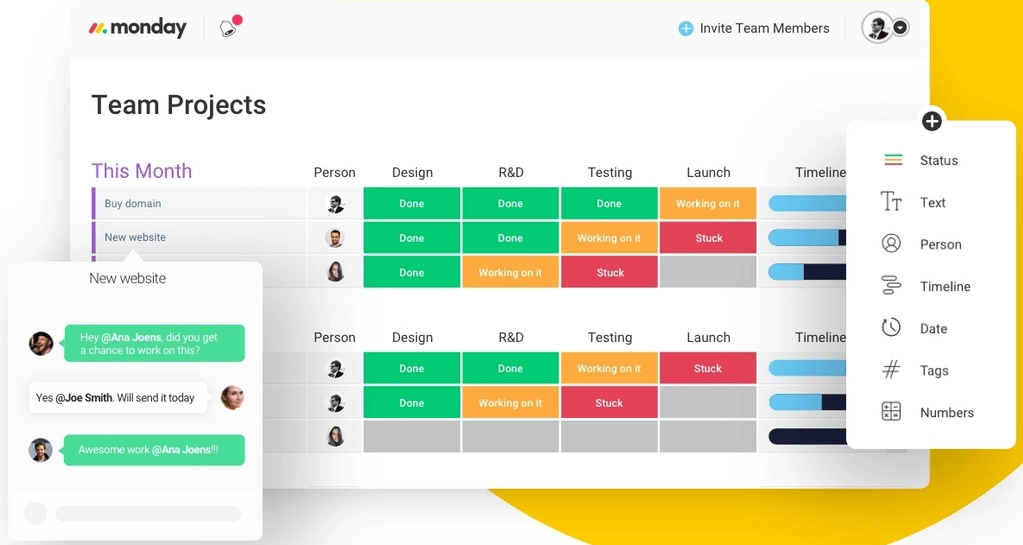
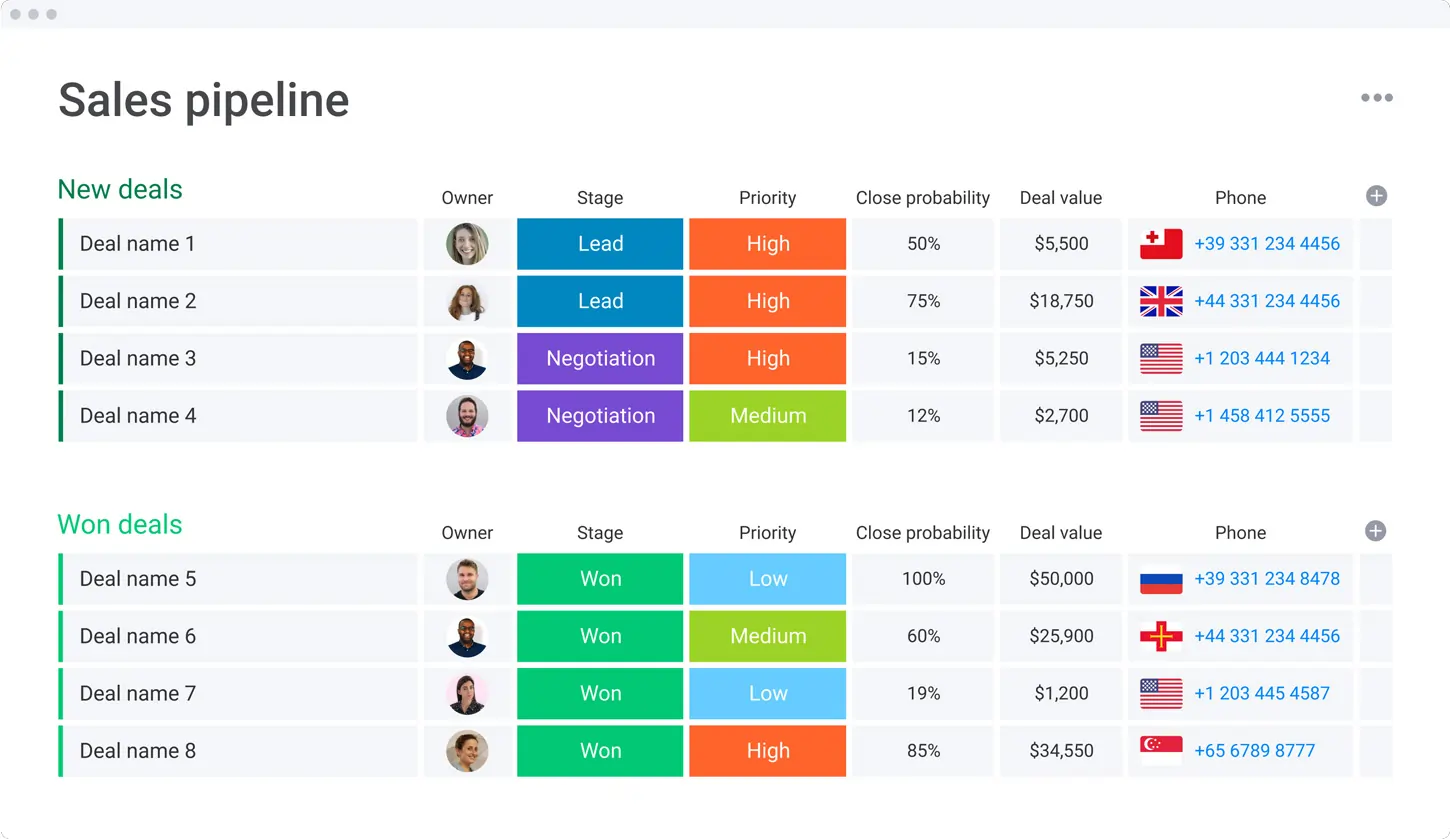
- Introduction: monday.com is a versatile project management and collaboration tool that helps teams organize, track, and complete tasks in a visually appealing and intuitive interface. It supports a wide range of workflows, from marketing campaigns to product launches.
- Benefits for Marketing: Monday.com allows marketers to plan, execute, and track their campaigns while collaborating in real time with their teams. Its automation capabilities save time on repetitive tasks, and its reporting features provide insight into project performance.
- Use Cases: monday.com is used for marketing project management, campaign tracking, and cross-departmental collaboration. Teams can easily assign tasks, set deadlines, and monitor progress, making it a go-to solution for managing multiple projects simultaneously.
Reputation Management and Review Platforms
1. Trustpilot
- Introduction: Trustpilot is a review platform that allows businesses to collect, manage, and showcase customer reviews, enhancing trust and credibility.
- Benefits for Marketing: Displays genuine customer feedback, which can increase consumer confidence, impact purchase decisions, and provide insights into product and service improvements.
- Use Cases: Trustpilot is valuable for eCommerce and service-based companies. Businesses use it to build social proof, improve SEO with user-generated content, and address customer feedback.
2. Yelp for Business
- Introduction: Yelp for Business helps companies manage their profiles, respond to reviews, and gain insights into customer satisfaction, especially useful for local businesses.
- Benefits for Marketing: Encourages user-generated content and increases visibility in local searches, building a trusted reputation with the help of positive customer experiences.
- Use Cases: Essential for local businesses looking to enhance their visibility, respond to reviews, and improve customer loyalty through community engagement.
3. Birdeye
- Introduction: Birdeye is a reputation management tool that allows businesses to monitor online reviews, manage customer feedback, and engage with customers.
- Benefits for Marketing: Provides actionable insights into customer sentiment, enabling companies to improve service quality and enhance brand perception.
- Use Cases: Often used for gathering customer reviews across multiple platforms, making it particularly valuable for multi-location businesses and enterprises with a customer-centric approach.
How to Find the Best Tool for Digital Marketing
The right digital marketing tool is essential for improving efficiency and achieving your goals. To make the best choice, start by identifying the key areas of your strategy—whether it’s content creation, social media management, email marketing, or analytics. For example, tools like Canva are ideal for design, while Google Analytics provides deep insights into campaign performance.
Next, consider ease of use and integration. Choose tools that integrate seamlessly with your existing software and are easy for your team to navigate. Platforms like monday.com and ClickUp offer intuitive interfaces and enhance collaboration.
Finally, evaluate pricing and scalability. Free versions may suit small businesses, but consider upgrading to paid plans that offer advanced features as your needs grow. By aligning your tool choice with your strategy, usability needs, and budget, you can select the best tool to optimize your digital marketing efforts.
Related Tools
♻️Lifetime Value (LTV) Calculator
💰Return on Investment (ROI) Calculator
Visual Marketing (Images and Videos)
Visual content is pivotal in capturing the audience's attention and conveying messages effectively. Visual marketing, which encompasses the use of images, videos, infographics, and other multimedia elements, has become a cornerstone of successful marketing strategies. This approach not only enhances engagement but also aids in better information retention, making it easier for businesses to connect with their target audience.
Benefits of Visual Marketing
- Enhanced Engagement: Visual content is more likely to grab attention compared to text. Images and videos can quickly convey emotions, stories, and complex ideas, encouraging users to engage more deeply with the content.
- Improved Retention: Studies show that people remember visual information more effectively than text. By integrating compelling visuals, businesses can ensure their messages are seen and remembered.
- Broader Reach: Videos and images are highly shareable across social media platforms, increasing the potential for content to go viral. This can significantly broaden a brand’s reach and visibility.
- Boosted Conversion Rates: High-quality visuals can influence purchasing decisions by showcasing products or services in a more appealing and relatable manner. Videos, in particular, can provide in-depth demonstrations, helping potential customers better understand offerings.
Essential Visual Marketing Tools
- Image Editing Software: Tools that allow businesses to create, edit, and enhance images to ensure that visuals are polished and professional.
- Video Creation Platforms: These tools simplify creating engaging videos, whether through templates, animation, or user-friendly editing features.
- Infographic Generators: Infographics combine visuals and data, making complex information easy to digest. These tools help create visually appealing and informative content.
- Social Media Scheduling Tools: To maximize the impact of visual marketing, it's essential to schedule posts strategically for optimal audience engagement. Scheduling tools ensure consistent and timely content distribution.
Implementing Visual Marketing
To leverage visual marketing effectively, businesses should create content that aligns with their brand identity and resonates with their target audience. Consistency in visual style, tone, and messaging helps establish a strong brand presence. Additionally, tracking visual content performance through analytics tools can provide insights into what resonates with the audience, enabling continuous refinement of strategies.
By incorporating visual marketing into their overall strategy, businesses can enhance their storytelling, connect with their audience on a deeper level, and achieve greater marketing success.
Conversion Optimization (CRO)
Conversion optimization focuses on turning website visitors into customers by refining elements like design, content, and user experience. Clear call-to-actions (CTAs), user-friendly design, and compelling content are essential for guiding visitors toward desired actions. Simplifying forms and using social proof, such as testimonials and trust badges, can further boost conversions.
A/B testing helps identify what resonates best with users, while personalization enhances engagement by tailoring the experience to individual preferences. Analytics tools and heatmaps provide insights into user behavior, enabling continuous improvements. By adopting a data-driven approach, businesses can maximize their conversion rates and drive better results from their marketing efforts.
Pay-Per-Click (PPC) Advertising Tools
Pay-Per-Click (PPC) advertising tools are essential to a comprehensive marketing strategy, helping businesses drive targeted traffic and increase conversions. These tools streamline the process of managing PPC campaigns by providing advanced keyword research, which is critical for selecting the right terms to target. They also offer audience segmentation features, ensuring ads are shown to the most relevant users.
With PPC tools, businesses can monitor key performance metrics such as click-through rates, cost-per-click, and conversion rates, allowing for data-driven optimizations. Features like automated bidding, ad copy testing, and budget management help maximize the efficiency and effectiveness of campaigns. By integrating these tools into their marketing efforts, businesses can better control their ad spend, target the right keywords, and achieve higher returns on investment.
Keyword Research & SEO Tools
Keyword research is a cornerstone of any digital marketing strategy, and the right tools can make all the difference in uncovering high-value opportunities. The best digital marketing tools for keyword research help businesses identify the most relevant and profitable keywords to target, driving more organic traffic and improving search engine rankings.
These tools provide valuable insights into search volume, keyword difficulty, and competition, enabling marketers to prioritize terms with the greatest success potential. They also help uncover long-tail keywords that are often less competitive but highly targeted, perfect for reaching niche audiences. Many keyword research tools integrate with broader SEO functionalities, such as on-page optimization tips, content gap analysis, and performance tracking.
These tools allow businesses to refine their content strategies, ensure their website ranks for the right search queries, and stay ahead in the competitive digital landscape. Whether it's for blog posts, landing pages, or ad campaigns, effective keyword research tools are essential for maximizing the impact of digital marketing efforts.
Webinar and Video Marketing Tools
Webinar and video marketing tools are essential for businesses looking to engage their audience through dynamic and interactive content. These tools facilitate creating, hosting, and promoting webinars and videos, making it easier to connect with potential customers, nurture leads, and build brand authority.
Webinar Tools provide features such as live streaming, screen sharing, audience interaction through Q&A and polls, and automated recording for future use. These functionalities help businesses deliver professional and engaging presentations for product demos, training sessions, or industry insights. They also offer analytics to track attendance, engagement, and conversion rates, allowing marketers to measure the effectiveness of their webinars.
Video Marketing Tools enable businesses to create high-quality videos, optimize them for different platforms, and track performance. These tools often include video editing, templates, hosting, and distribution capabilities. With highly shareable video content, these tools also help maximize reach and engagement across social media, websites, and email campaigns.
By leveraging webinar and video marketing tools, businesses can effectively communicate complex ideas, foster stronger relationships with their audience, and drive higher engagement and conversion rates. These tools are invaluable for modern marketing strategies, helping brands stand out in a crowded digital landscape.
See also
- Promotion sits next to production, and both sides are indexed under best creative software for small teams so you can see the whole spend at once.
- A team of one needs email, social and landing pages inside a single seat, which narrows the field to best marketing tools for small businesses.
- Paid ads, analytics and SEO get compared channel by channel in best digital marketing tools rather than lumped into one suite.
- Publishing calendars and a shared reply inbox come from best social media management tools, not from a general marketing platform.
- Campaigns generate replies, and those replies need a contact record with follow up dates, which is what best no cost CRM software gives you.
Conclusion: Elevating Your Marketing with the Right Tools
The best marketing tools can streamline processes, enhance engagement, and boost productivity, ultimately driving your business’s success. By carefully selecting online marketing software that aligns with your goals, you create a robust infrastructure that supports your marketing efforts at every stage. From SEO tools for increased visibility to analytics and tracking for data insights, building a comprehensive toolkit empowers your team to execute high-impact marketing strategies, ensuring sustained growth in the ever-evolving digital landscape.