
Best HR software for remote teams in 2026
For founders, ops leads, and HR managers running remote-first and distributed teams of 2–50
Last updated: September 2026

- Award-winning payroll & HR Software
- Run payroll in a few clicks
- Payroll on Autopilot®
- Accurate tax calculations & free tax filings
- Easy integrations
- Easy to use interface with simple time tracking
- Customized onboarding tools
- No mobile app
- No annual plan, lifetime plan or money back guarantee
- Fairly limited performance appraisal features
- No option to e-sign custom documents in core plan
- Award-winning payroll & HR Software
- Run payroll in a few clicks
- Payroll on Autopilot®
- Accurate tax calculations & free tax filings
- Easy integrations
- Easy to use interface with simple time tracking
- Customized onboarding tools
- No mobile app
- No annual plan, lifetime plan or money back guarantee
- Fairly limited performance appraisal features
- No option to e-sign custom documents in core plan

- All-in-one payroll software
- Over 130+ seamless app integrations
- 24/7 Award-winning support
- User-friendly interface
- Extensive reporting and analytics
- Wide-range of learning and support resources
- Payroll is an Add-on
- All-in-one payroll software
- Over 130+ seamless app integrations
- 24/7 Award-winning support
- User-friendly interface
- Extensive reporting and analytics
- Wide-range of learning and support resources
- Payroll is an Add-on

- Built for all businesses small to large
- Automate tax registration
- Hire and onboard remote employees
- All-in-one HR solution
- User friendly, easy processes
- Great for small-midsize businesses
- Technical issues
- Poor report generating & customizing
- Built for all businesses small to large
- Automate tax registration
- Hire and onboard remote employees
- All-in-one HR solution
- User friendly, easy processes
- Great for small-midsize businesses
- Technical issues
- Poor report generating & customizing

- Streamlined onboarding process
- Integrations with leading HR tools
- Cost saving features
- Supports many payment methods and currencies
- Easy to use for remote workers
- 24/7 live chat
- Automated workflows
- No free trial
- No mobile app
- High-cost per-worker
- No built-in time tracking tools.
- Streamlined onboarding process
- Integrations with leading HR tools
- Cost saving features
- Supports many payment methods and currencies
- Easy to use for remote workers
- 24/7 live chat
- Automated workflows
- No free trial
- No mobile app
- High-cost per-worker
- No built-in time tracking tools.

- Advanced analytics to track KPIs & impact
- Automates onboarding, payroll & reporting
- Designed to support fast-growing companies
- User-friendly interface
- Includes all the necessary features for an HRIS
- Strong focus on employee engagement
- Customizable global HR platform
- Pricing may be higher than some competitors
- Limited customization options for certain features
- Recruitment module isn’t included
- Advanced analytics to track KPIs & impact
- Automates onboarding, payroll & reporting
- Designed to support fast-growing companies
- User-friendly interface
- Includes all the necessary features for an HRIS
- Strong focus on employee engagement
- Customizable global HR platform
- Pricing may be higher than some competitors
- Limited customization options for certain features
- Recruitment module isn’t included
* Featured prices and terms can be updated. Free offers may include additional terms.
The best HR software for remote teams in is Deel2026, which pays international contractors and employees and hires people abroad without your own legal entity. If your team is US-based W-2 staff, Gusto is simpler and cheaper; if you want HR, IT, and payroll for a distributed team in one system, pick Rippling. The catch: Deel’s employer-of-record hiring runs about $599 per employee per month, so it’s for full-time global hires , contractors cost far less.
Which HR software for remote teams fits your company?
Each line is the real question a founder or HR lead in that spot is asking. Jump to the section that sounds like your team.
- You hire international contractors or employees→ Deel, global payroll and employer-of-record hiring in 150+ countries.
- Your remote team is US-based W-2 staff→ Gusto, the simplest remote payroll, benefits, and HR for US companies.
- You want HR, IT, and payroll in one system→ Rippling , remote employee management plus device and app provisioning.
- You’re scaling and need onboarding + employee records→ BambooHR, a cloud-based HRIS built for structured remote onboarding.
- You want engagement, performance, and culture→ HiBob, an online HR platform that remote employees actually log into.
- You mainly need to track remote time or productivity→ Time and attendance in Rippling or Deel, or a dedicated monitoring tool (see the honest section).
Best HR software for remote teams by situation: at a glance
Remote HR software is not one-size-fits-all; the right pick depends on where your people are and what you’re trying to run. Find the row that matches your team, then read that section below for the why and the cost.
If this is your team | Best HR software | Why this one |
|---|---|---|
Hiring contractors or employees abroad | Deel | Global payroll + employer of record, no foreign entity needed |
US-based W-2 remote staff | Gusto | Simplest remote payroll, benefits, and tax filing |
Distributed team wanting HR + IT + payroll | Rippling | Provide laptops and apps alongside HR and payroll |
Scaling and formalizing HR | BambooHR | Cloud HRIS with structured onboarding and records |
Building engagement and performance | HiBob | Modern portal employees actually use, remote-first |
What capabilities does a remote team actually need from HR software (and why)?
A distributed team has needs that an in-office HR tool never has to solve, paying people in other countries, onboarding without a desk to sit at, and staying compliant across state and national borders. These are the capabilities that determine whether an online HR software fits a remote company: global compliance, asynchronous work, and time zones. The table right after shows which of the five systems delivers each.
- Global payroll and contractor payments. Remote teams pay people in different countries and currencies; the system must run compliant payroll and pay contractors without a pile of wire transfers.
- Employer of record (hire abroad, no entity). An EOR legally employs your worker in their country, so you can hire globally without opening a foreign subsidiary, the single biggest advantage for remote hiring.
- Multi-state and multi-country compliance. Remote staff triggers tax registration and labor law in every state or country they live in; the tool should handle filings and local rules, not leave you exposed.
- Remote onboarding. New hires you never meet need digital offer letters, e-signatures, and day-one app and equipment access; onboarding has to work entirely online.
- Cloud-based HRIS (single employee record). One source of truth for every employee, reachable from anywhere, so records don’t live in a filing cabinet that no remote worker can open.
- Time, attendance, and PTO across time zones. Tracking hours and leave for people spread across zones keeps payroll accurate and prevents burnout from going unnoticed.
- Asynchronous self-service and approvals. Across time zones, there’s no shared 9-to-5, so employees must update details, request PTO, and finish onboarding on their own schedule, and approvals should route automatically, not wait on a live meeting.
- Benefits administration. Health, retirement, and global stipends have to be enrolled and managed remotely, often across different countries’ systems.
- Device and app provisioning (IT). Remote employees need a laptop shipped, apps granted on day one, and access revoked instantly when they leave. HR and IT are one workflow when there’s no office.
- Engagement and performance. People who never share a room drift without deliberate check-ins, reviews, and surveys, so a remote HR tool should make culture measurable.
Which remote HR software has each capability?
Read across the row for the capability you need. Each cell reflects how the system delivers it, based on Sonary’s hands-on testing and the vendors’ current feature sets.
Capability remote teams need | Deel | Rippling | Gusto | BambooHR | HiBob |
|---|---|---|---|---|---|
Global payroll & contractor payments | Best | Yes | OK | No | Limited |
Employer of record (hire abroad, no entity) | Best | Yes | No | No | No |
Multi-state / multi-country compliance | Best | Best | Yes | OK | OK |
Remote onboarding (digital, e-sign) | Yes | Best | Yes | Best | Yes |
Cloud HRIS / single employee record | Yes | Best | OK | Best | Best |
Time, attendance & PTO across zones | Yes | Best | Yes | Yes | Yes |
Async self-service & approvals (no live meeting) | Yes | Yes | Yes | Best | Best |
Benefits administration | Yes | Yes | Best | OK | OK |
Device & app provisioning (IT) | Limited | Best | No | No | No |
Engagement & performance | Limited | OK | Limited | Yes | Best |
Best = purpose-built and proven in testing. Yes = does it well. OK = works, but it's not its strength. Limited/No = weak or unavailable. As of July 2026.
The takeaway: Deel owns global hiring and payroll, Rippling owns the HR-plus-IT stack for distributed teams, Gusto owns simple US payroll and benefits, and BambooHR and HiBob own the employee-record and engagement layer. Most remote companies end up leading with one and integrating a second.
How much does HR software for remote teams cost?
Remote HR software is priced three different ways, and mixing them up is where budgets go wrong: per employee per month (BambooHR, HiBob, Rippling), per contractor (Deel), and a flat base plus per-person (Gusto). The one line that dwarfs the rest is employer-of-record hiring, paying a vendor to legally employ someone abroad. Pricing below reflects Sonary’s current HR listings,
Platform | Starting price | What it means for a remote team |
|---|---|---|
Deel | Contractors from $49/contractor/mo; EOR from $599/employee/mo | Deel HR (the HRIS) is free for up to 200 employees; you pay for contractor payments and, if you hire full-time abroad, EOR |
Rippling | $8/user/mo per module + ~$35–$40/mo base; ~$20–$38/user all-in | Cost climbs as you add HR, IT (device management), and payroll modules, but it replaces several tools |
Gusto | $49/mo + $6/person (Simple); $80/mo + $12/person full HR | Best value for a US W-2 team; contractor-only plan is $35/mo + $6/contractor |
BambooHR | ~$10/employee/mo Core, $17 Pro; ~$250/mo min under 25 staff | Per-employee HRIS pricing; payroll and performance are paid add-ons |
HiBob | Custom quote, ~$8–$20/employee/mo | Per-employee, sold by quote; priced for engagement and performance depth |
Do the math on your mix, not the headline. A 10-person US team on Gusto runs roughly $140/month; the same team on Rippling all-in might be $250–$400. But hire one full-time employee in Portugal through an EOR and that single seat adds ~$599/month, more than your whole domestic HR bill. Match the tool to how many people you employ abroad versus at home.
Sources: Sonary’s current HR software listings and vendor pricing pages for Deel, Rippling, Gusto, BambooHR, and HiBob.
How did we test these remote HR platforms?
Sonary tests HR software hands-on with real teams of 2–50 people. For this guide, we set up each of the five platforms and put them through the jobs a distributed company actually does.
- Onboarded a remote hire end-to-end, offer letter, e-signature, and day-one access, with no office to walk them into.
- Ran a payroll or contractor payment including a cross-border contractor, to see how currencies, taxes, and filings are handled.
- Checked global hiring for employer-of-record coverage and how clearly compliance across states and countries is managed.
- Tested time, PTO, and self-service across time zones, plus how easily an employee updates their own details.
- Looked at the IT and engagement edges device provisioning on one side, surveys and performance reviews on the other.
One honest limit: our testing covered setup, core workflows, and everyday use with small teams, not a multi-year deployment across hundreds of employees in dozens of countries. We can speak to how each tool works day-to-day; enterprise-scale global compliance is best confirmed with the vendor for your specific countries.
See Sonary’s full rating methodology for how scores are assigned.
What’s the best HR software for hiring remote workers abroad?
Deel is the best HR software for remote teams that hire international contractors or employees.
In recent years, Deel has become the leading payroll software for managing remote teams. It has a wide variety of features and functionalities, such as contractor management, on-demand pay, contract… Read more
In recent years, Deel has become the leading payroll software for managing remote teams. It has a wide variety of features and functionalities, such as contractor management, on-demand pay, contract generation, time-off management, and more. The online payment software allows you to manage international payments and salaries to streamline processes and create a simple experience for businesses working with global teams worldwide. In this Deel review, you'll find everything there is to know about this payroll service, from its plans and pricing to customer support and features you can expect.
Learn more in our full Deel review.
Pros & Cons
- Easy to use
- Informative customer support
- Huge variety of features
- A variety of plans for every business need
- Expensive plans
- Short demo length
- Lack of mobile app
Features
- 401k Tracking
- FMLA Tracking
- Generation of pay stubs and reports
- Multi-Country
- Multi-State
- Mobile App For Employees
- Calculate and pay employee salaries
- Compliance with state and federal tax laws
- Direct Deposit for Employee Paychecks
- Tracking of employee hours and overtime
- Update real-time employee information
- Employee Attendance Tracking
- Employee self-service update anytime
- Vacation/Sick Leave Tracking
- Benefits Management
- Employee profile management
- Organizational Chart
- Automatic Tax Payment
- Form 1099-MISC
- Form 1095-B
- Form 1094-B
- Form 1095-C
- Form 1094-C
- Form 940 (Annual federal taxes)
- Form 941 (Quarterly federal taxes)
- Form 944 (Annual federal taxes)
- Form 945 (Non-Payroll Payments-e.g. Pension & Annuities)
- Form W-2 ( Tax filing included)
- Form W-3
- Form W-4
- Tax Compliance
- Time and Attendance Tracking
- HR & Benefits Systems
- Accounting Software
- Direct Deposit
- Tax filing and compliance
Pricing
$29
mo/
month
$49
mo/
month
$599
mo/
month
Why it fits
Deel is the go-to remote HR software for anyone with people outside their home country. It pays contractors in 150+ countries, and its employer-of-record service legally employs full-time staff abroad so you can hire in, say, Portugal or the Philippines without opening a legal entity there. Compliance, local contracts, and tax paperwork are handled for you, which is the whole reason global hiring is feasible for a small company.
What we found testing it
In our testing: Deel made hiring a cross-border contractor genuinely fast, a compliant local contract was generated and signed in minutes, with payment handled in the contractor’s currency. The number to plan around: EOR employment runs about $599 per employee per month, so it pays off for a full-time hire you can’t reach any other way, not for someone you could engage as a contractor.
What does it cost?
- Contractor management: from $49 per contractor per month.
- Employer of record: from $599 per employee per month for full-time international staff.
- HRIS: Deel HR is free for up to 200 employees, so you can run records even before you pay for payroll.
When to pick something else
If everyone you employ is a US W-2 worker, Deel is more machine than you need; Gusto is simpler and cheaper. And Deel’s engagement and performance tooling is lighter than HiBob’s if culture is your focus.
What’s the best HR software for a US-based remote team?
Gusto is the best remote HR software for a US company paying W-2 employees.
Gusto is a cloud-based HR, payroll, and benefits platform designed for small and medium-sized businesses. It simplifies payroll processing with automated tax filings, direct deposits, and benefits… Read more
Gusto is a cloud-based HR, payroll, and benefits platform designed for small and medium-sized businesses. It simplifies payroll processing with automated tax filings, direct deposits, and benefits administration, ensuring compliance with labor laws. With features like employee self-service, time tracking, and onboarding tools, Gusto streamlines HR tasks and enhances workforce management. Businesses benefit from reduced administrative burdens, improved accuracy, and seamless integration with accounting software. The platform also offers health benefits and retirement plans, making it a comprehensive solution for business owners. In this Gusto payroll processing review, I'll discuss features, performance, customer service, and Gusto pricing.
Learn more in our full Gusto review.
Pros & Cons
- Exceptional value: payroll + HR + benefits from $49/mo
- Unlimited payroll runs at no extra cost
- Automated tax calculations, filings, and payments
- Employee self-service portal reduces HR admin significantly
- No dedicated admin mobile app, payroll requires desktop
- No annual plan or money-back guarantee
- E-sign for custom documents not available on Simple plan
- Global EOR covers ~13 countries
Features
- 401k Tracking
- FMLA Tracking
- Generation of pay stubs and reports
- Multi-Country
- Multi-State
- Mobile App For Employees
- Calculate and pay employee salaries
- Compliance with state and federal tax laws
- Direct Deposit for Employee Paychecks
- Tracking of employee hours and overtime
- Update real-time employee information
- Employee Attendance Tracking
- Employee self-service update anytime
- Vacation/Sick Leave Tracking
- Benefits Management
- Employee profile management
- Organizational Chart
- Automatic Tax Payment
- Form 1099-MISC
- Form 1095-B
- Form 1094-B
- Form 1095-C
- Form 1094-C
- Form 940 (Annual federal taxes)
- Form 941 (Quarterly federal taxes)
- Form 944 (Annual federal taxes)
- Form 945 (Non-Payroll Payments-e.g. Pension & Annuities)
- Form W-2 ( Tax filing included)
- Form W-3
- Form W-4
- Tax Compliance
- Time and Attendance Tracking
- HR & Benefits Systems
- Accounting Software
- Direct Deposit
- Tax filing and compliance
Pricing
$49
mo/
month
$80
mo/
month
$180
mo/
month
Why it fits
For a distributed US team, Gusto does the unglamorous core beautifully: automated payroll, tax filing in every state your people live in, benefits, and clean digital onboarding. Employees self-serve their pay stubs and PTO from anywhere. It’s the shortest path from “I need to pay my remote team” to “payroll run and taxes filed.”
What we found testing it
In our testing: Gusto was the simplest to set up of the group, payroll on a bi-weekly schedule, digital onboarding for every hire, and multi-state tax handling that a small team would otherwise pay an accountant to manage. It also pays international contractors, though it isn’t an employer of record for full-time staff abroad.
What does it cost?
- Simple plan:$49/month + $6 per person, automated payroll and filing.
- Full HR + payroll: from $80/month + $12 per person for onboarding, PTO, and more.
- Contractor-only:$35/month + $6 per contractor if you have no W-2 staff yet.
When to pick something else
The moment you hire a full-time employee abroad, Gusto can’t be their employer of record; that’s Deel or Rippling. And if you want device provisioning or deep performance tools, look at Rippling or HiBob.
What’s the best remote employee management software for HR plus IT?
Rippling is the best remote employee management software when HR, IT, and payroll should live in one system.
Rippling is an all-in-one employee management software that links human resources and IT management, all under one roof. It’s a cloud-based unified platform that helps manage employee data, payroll,… Read more
Rippling is an all-in-one employee management software that links human resources and IT management, all under one roof. It’s a cloud-based unified platform that helps manage employee data, payroll, benefits, devices, apps, and more. The software takes some training to get started. From device and app management to payroll, talent management, benefits, and employee management, it does an excellent job of offering functionality that's the best of both worlds. With Rippling you can manage and automate every part of the employee lifecycle in a single system.
Learn more in our full Rippling review.
Pros & Cons
- All-in-one HR solution
- User friendly, easy processes
- Great for small-midsize businesses
- Technical issues
- Poor report generating & customizing
Features
- 360 Degree Feedback
- Applicant Tracking
- Benefits Management
- Compensation Management
- Employee Database
- Employee Profiles
- Onboarding
- Payroll Management
- Performance Management
- Recruitment Management
- Self Service Portal
- Time & Attendance Management
- Time Off Management
- Calendar Management
- Employee Scheduling
- FMLA Tracking
- Overtime Calculation
- Reporting/Analytics
- Time tracking
- Assessments
- Background Screening
- Candidate Tracking
- Interview Scheduling
- Job Posting
- Resume Search
- Workflow Management
- Tax Calculation
- Tax Filing
- Live Online
- Webinars
- Documentation
- Monthly Payment
- Annual subscription
- Android
- Mac
- Chromebook
- Cloud, SaaS, Web-Based
- iPad
- iPhone
- Linux
- On-Premise - Linux
- On-Premise - Windows
- Windows
Pricing
$8
+$8/user/
+$8/user
Why it fits
Rippling’s edge for distributed teams is that it treats hiring and IT as one workflow. Onboard an employee, and it can ship a configured laptop, grant the right app logins, and start payroll from the same screen , then revoke everything the day they leave. For a tech-forward remote company juggling a stack of tools and international staff, that single control panel is the draw.
What we found testing it
In our testing: Rippling was the deepest system we set up, the HRIS is strong, and the device-and-app provisioning is something no other tool here matches. The trade-off is cost and complexity: you start around $8/user/month per module on top of a ~$35–$40/month base fee, and a real all-in-one setup with HR, IT, and payroll lands closer to $20–$38/user/month, with more to configure.
What does it cost?
- Base HR platform: from about $8 per user per month.
- All-in-one: typically $20–$38 per user per month once IT and payroll modules are added, on top of a ~$35–$40/month base platform fee.
When to pick something else
For a small US team that just needs payroll, Rippling is a more expensive platform (and cost) than you need; Gusto wins. For global EOR breadth, Deel is the specialist.
What’s the best cloud HRIS for a scaling remote team?
BambooHR is the best cloud-based HRIS for a remote team that’s scaling and formalizing HR.
BambooHR is a powerful HR software solution tailored to simplify operations for businesses of all sizes. It features an employee feedback tool that supports 360-degree reviews, enabling… Read more
BambooHR is a powerful HR software solution tailored to simplify operations for businesses of all sizes. It features an employee feedback tool that supports 360-degree reviews, enabling self-assessments, peer evaluations, and manager insights for a comprehensive understanding of performance. BambooHR Payroll streamlines payroll management with features like automated tax filings, direct deposit, and time-off tracking, ensuring accurate and efficient compensation processes. With these tools, BambooHR not only enhances employee engagement but also empowers HR teams to drive organizational success. In this BambooHR review i'll examine the features, performance, customer support and BambooHR pricing tiers.
Learn more in our full Bamboohr review.
Pros & Cons
- User-friendly interface
- Extensive reporting and analytics
- Wide-range of learning and support resources
- Payroll is an Add-on
Features
- 360 Degree Feedback
- Applicant Tracking
- Benefits Management
- Compensation Management
- Employee Database
- Employee Profiles
- Onboarding
- Performance Management
- Recruitment Management
- Time Off Management
- Calendar Management
- FMLA Tracking
- Reporting/Analytics
- Time tracking
- Candidate Tracking
- Interview Scheduling
- Job Posting
- Resume Search
- Workflow Management
- Auto Tax Payment
- Tax Calculation
- Tax Filing
- Documentation
- Monthly Payment
- Annual subscription
- Mac
- Chromebook
- Windows
Pricing
$19
/mo /employee/
/mo /employee
$49.95
/mo /employee/
/mo /employee
Why it fits
When a remote company grows past a dozen people, ad-hoc spreadsheets break. BambooHR gives you one clean employee record system, structured onboarding workflows, PTO tracking, and reporting that scales to 50+ people, the backbone a growing distributed team needs before it adds performance and payroll modules on top.
What we found testing it
In our testing: BambooHR’s onboarding and employee-record experience was the most polished of the group for a scaling team, easy to build repeatable workflows, and keep a single source of truth. Payroll and performance are add-on modules rather than the core, so budget for those if you need them.
What does it cost?
- HRIS: about $10/employee/month for Core and $17 for Pro; teams under 25 employees pay a flat minimum of around $250/month.
- Add-ons: payroll and performance are separate paid modules.
When to pick something else
BambooHR isn’t built for global payroll or employer-of-record hiring; pair it with Deel for that. And a tiny US team may not need a dedicated HRIS yet; Gusto covers the basics for less.
What’s the best HR software for remote engagement and culture?
HiBob is the best online HR software for building engagement and performance on a remote team.
HiBob is a leading global HR management software that is changing how businesses manage their workforce. Designed with a focus on employee experience and engagement, HiBob provides features… Read more
HiBob is a leading global HR management software that is changing how businesses manage their workforce. Designed with a focus on employee experience and engagement, HiBob provides features supporting talent management such as employee feedback, payroll reporting and time management, and a manager dashboard for tracking employee performance. Let's explore the HR software's features, pricing, performance, and more in this HiBob review.
Learn more in our full HiBob review.
Pros & Cons
- User-friendly interface
- Includes all the necessary features for an HRIS
- Strong focus on employee engagement
- Customizable global HR platform
- Pricing may be higher than some competitors
- Limited customization options for certain features
- Recruitment module isn’t included
Features
- 360 Degree Feedback
- Applicant Tracking
- Benefits Management
- Compensation Management
- Employee Database
- Employee Profiles
- Onboarding
- Payroll Management
- Performance Management
- Recruitment Management
- Self Service Portal
- Time & Attendance Management
- Time Off Management
- Calendar Management
- Employee Scheduling
- FMLA Tracking
- Overtime Calculation
- Reporting/Analytics
- Time tracking
- Interview Scheduling
- Job Posting
- Workflow Management
- Auto Tax Payment
- Tax Calculation
- Live Online
- Webinars
- Documentation
- Android
- Mac
- Chromebook
- Cloud, SaaS, Web-Based
- iPad
- iPhone
- Linux
- On-Premise - Linux
- On-Premise - Windows
- Windows
Why it fits
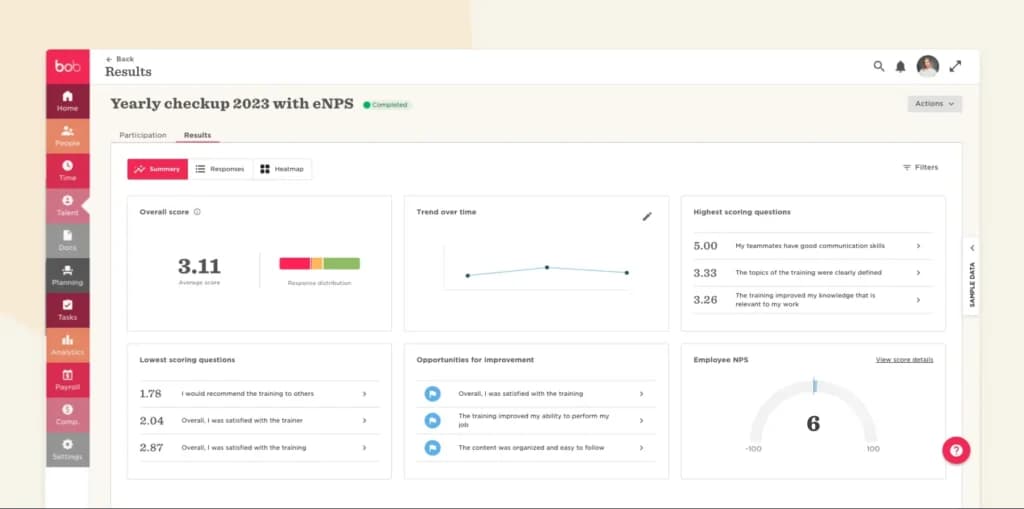
HiBob (“Bob”) is designed to be a place remote employees actually want to log in, a modern portal with clubs, shout-outs, surveys, and performance reviews that make culture visible when nobody shares an office. For creative, tech, and professional-services teams building engagement practices from the start, that employee-facing polish is the differentiator.
What we found testing it
In our testing: HiBob had the strongest employee-facing experience and engagement tooling of the five, surveys, performance cycles, and a portal that feels built for people, not just admins. It’s sold by custom quote and priced above the basic HRIS options, so it fits teams that will actually use the engagement layer.
What does it cost?
- Platform: custom quote, typically $8–$20 per employee per month, depending on modules and team size.
When to pick something else
If you mainly need payroll or global hiring, HiBob isn’t the core tool; Gusto, Deel, or Rippling are. HiBob shines once headcount and culture are the priority, usually past 20 people.
How do you onboard and pay a remote hire in another country?
Hiring across a border sounds daunting, but the workflow is repeatable. Here’s the path that worked for us with Deel or Rippling.
- Decide contractor or employee first. A contractor is faster and cheaper; a full-time employee abroad needs an employer of record. This choice drives everything else.
- For an employee, use an EOR. Deel or Rippling legally employs them in their country, so you skip opening a foreign entity.
- Generate a compliant local contract. Let the platform produce the country-correct agreement and collect an e-signature; don’t reuse your US template.
- Provision device and app access. Ship a configured laptop and grant day-one logins (Rippling does this natively); set a revoke date in your head from day one.
- Set up local payroll and currency. Confirm pay frequency, currency, and any statutory benefits the platform enrolls automatically.
- Register where you must, and file. For US multi-state staff, register in their state; let the tool handle filings so you stay compliant.
- Schedule first payroll and PTO. Run a test payroll before the real one, and set the PTO policy for their location so time off is tracked correctly.
What’s the actual difference between Deel and Rippling for a remote team?
Both hire and pay people globally, but they approach it from opposite directions: Deel is a global payroll and EOR specialist, while Rippling is an all-in-one HR-plus-IT platform. The deciding question: is your hard problem hiring across borders, or running HR, devices, and payroll for a distributed team in one place?
What matters | Deel | Rippling |
|---|---|---|
Core strength | Global payroll + EOR | HR + IT + payroll in one |
Hire abroad with no entity (EOR) | Best, 150+ countries | Yes |
Contractor payments | Best | Yes |
Device & app provisioning (IT) | Limited | Best |
US W-2 payroll | Yes | Yes |
Starting price | $49/contractor; EOR $599/employee | ~$8/user, $15–$35 all-in |
Best for | International hiring first | One system for a distributed stack |
Which remote HR software is right for you?
Deel
- Handles payroll, taxes, & employee benefits
- Pay your global team quickly & easily
In testing: generated a compliant cross-border contract and paid a contractor in local currency in minutes; EOR opens hiring in 150+ countries.
Skip it if your whole team is US W-2 staff; you’re paying for global muscle you won’t use.
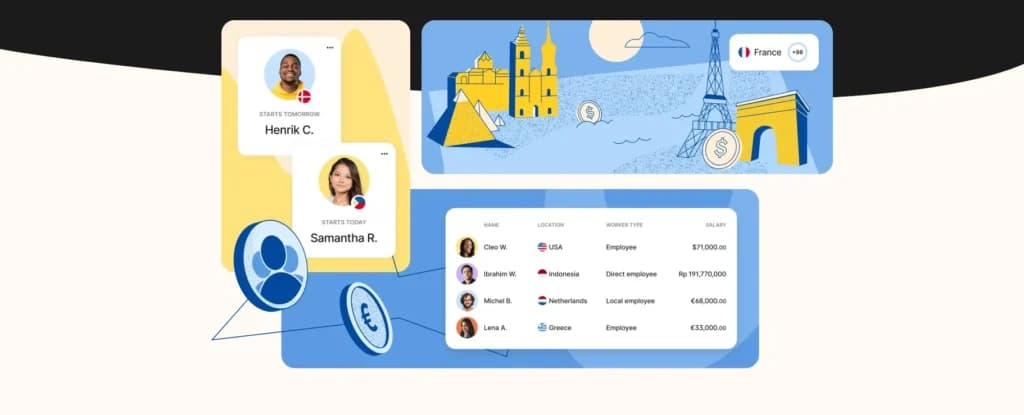
Choose it if you hire international contractors or employees and want to skip setting up foreign entities.
Rippling
- Built for all businesses small to large
- Automate tax registration
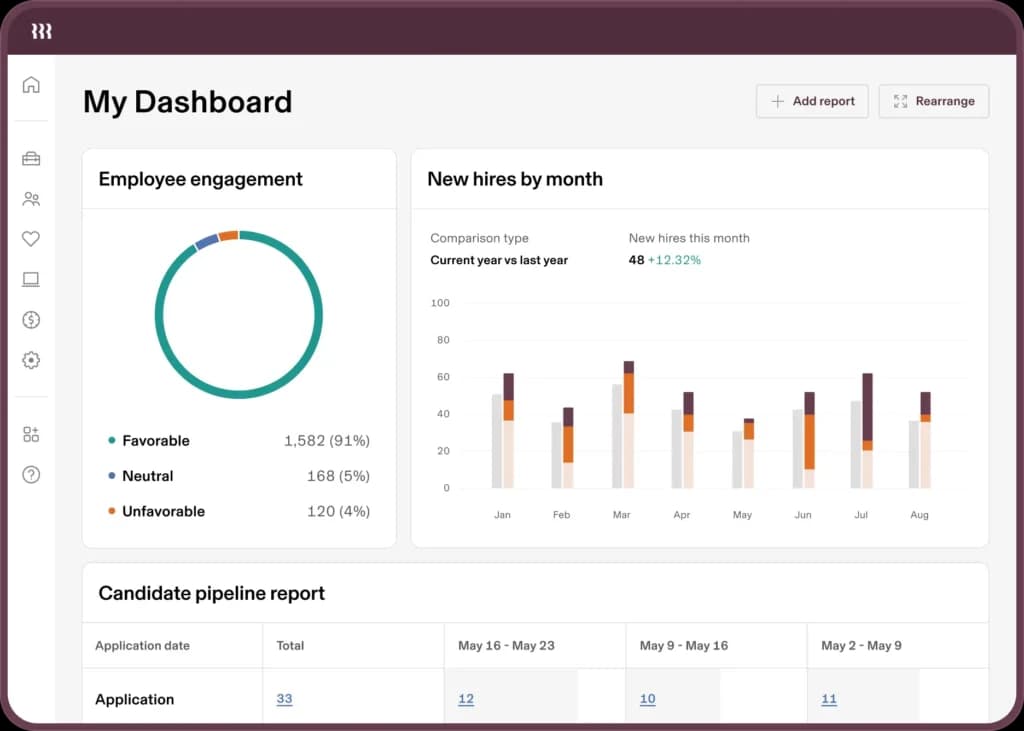
In testing: the deepest platform we set up, HR, payroll, and device/app provisioning in one control panel, with real global reach.
Skip it if you’re a small US team that just needs payroll, or you want a simple tool with little to configure.
Choose it if you run a distributed, tech-forward team and want HR, IT, and payroll unified instead of stitched together.
Read the full Rippling review →
Gusto
- Hire, pay and grow like a pro
- Run automated payroll in 5 minutes flat
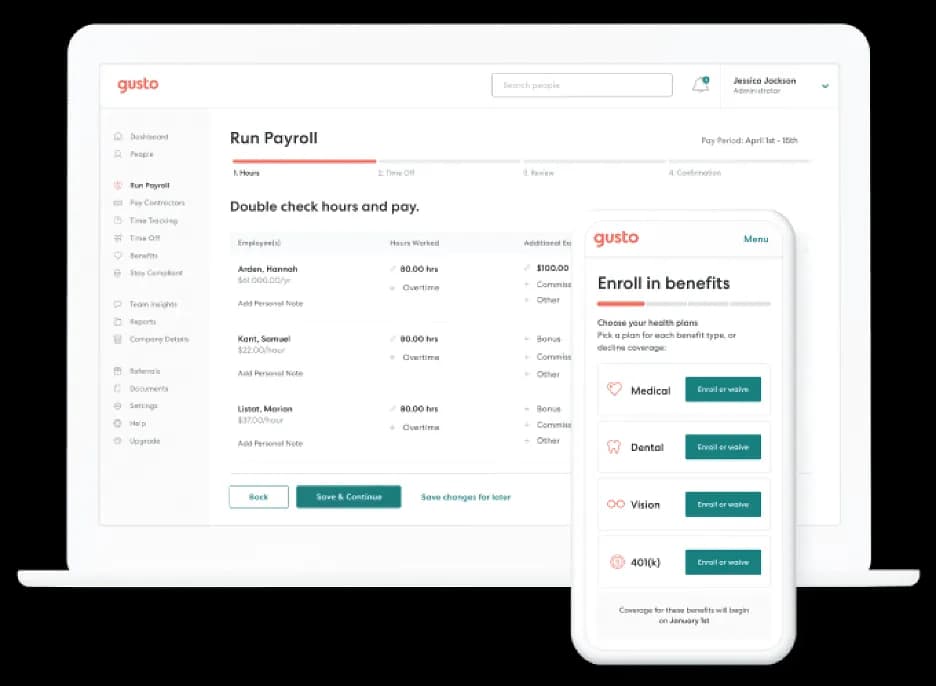
In testing: the simplest to set up , automated multi-state payroll, tax filing, and clean digital onboarding for a US remote team.
Skip it if you employ full-time staff abroad (Gusto isn’t an EOR) or need device management and deep performance tools.
Choose it if your remote team is US-based W-2 employees and you want payroll and benefits done right at the lowest cost.
BambooHR
- All-in-one payroll software
- Over 130+ seamless app integrations
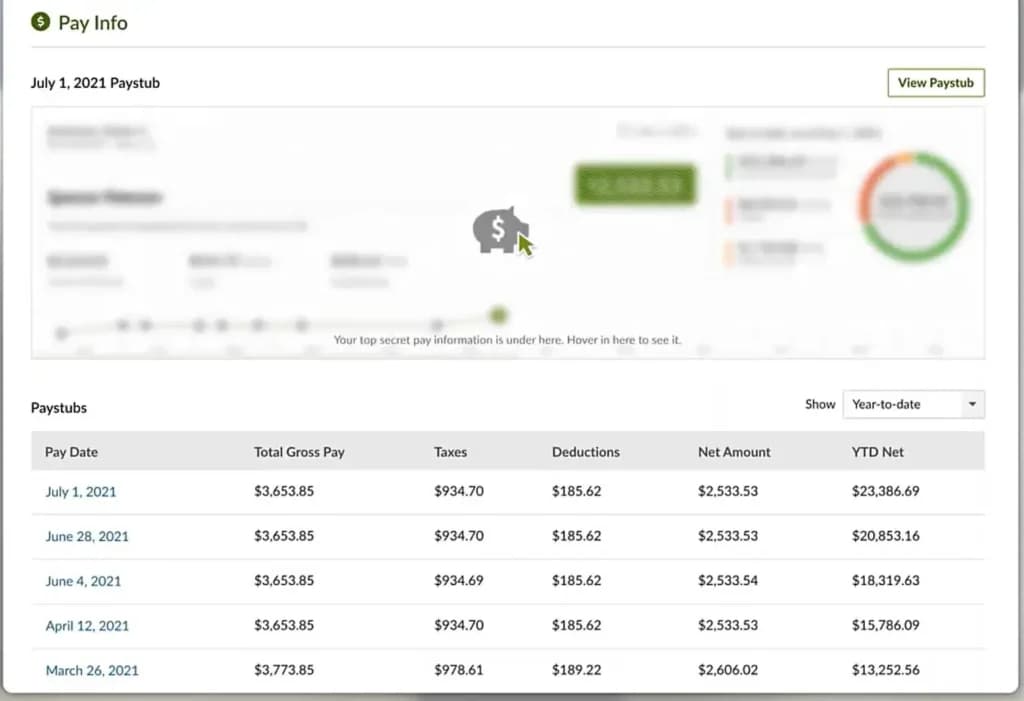
In testing: the most polished onboarding and employee-record experience for a scaling team, with one clean source of truth.
Skip it if you need native global payroll or EOR, or if you’re still tiny and Gusto’s basics are enough.
Choose it if you’re growing past a dozen people and want a real cloud HRIS with structured onboarding and reporting.
Read the full BambooHR review →
HiBob
- Advanced analytics to track KPIs & impact
- Automates onboarding, payroll & reporting
In testing: the strongest employee-facing portal and engagement tooling, surveys, performance cycles, and culture features that remote teams use.
Skip it if you mainly need payroll or global hiring, or you’re under ~20 people and won’t use the engagement layer.
Choose it if headcount and culture are priorities and you want remote employees to actively engage with HR.
Do you need an all-in-one HR platform or best-of-breed point tools?
This is the real architecture decision for a remote company, and it’s worth making on purpose.
An all-in-one like Rippling puts HR, payroll, IT, and benefits under one login , fewer integrations to babysit, one source of truth, but a higher per-user cost and more lock-in. The point-tools route, say Gusto for US payroll, BambooHR for the HRIS, and Deel for global hires, lets you pick the best product for each job and often costs less, at the price of wiring them together and reconciling data. The honest rule: under about 20 people, best-of-breed point tools are usually cheaper and perfectly manageable; past that, or if you’re hiring globally and juggling devices, the all-in-one’s single control panel starts to pay for itself. Decide by how much integration pain you’re willing to own, not by the longest feature list.
Do you actually need remote employee monitoring software?
Usually, less than you think, and the HR platforms here are not surveillance tools, which is worth being clear about.
“Remote employee monitoring software” covers two very different things. One is time and attendance, clocking hours, tracking PTO, confirming who worked when, which Rippling, Deel, Gusto, and BambooHR all do as part of HR. The other is active surveillance, screenshots, keystroke logging, and app-usage tracking, which is a separate category from dedicated tools like Time Doctor, Hubstaff, or ActivTrak, not something a general HRIS does. Before you buy surveillance software, know the trade-off: studies and many operators find it erodes trust and hurts retention on remote teams, and in several regions, it carries legal notice requirements. For most distributed teams, managing by clear outcomes and using your HR tool’s built-in time tracking beats watching screens. If you genuinely need activity monitoring for compliance-heavy or hourly-billing work, treat it as a bolt-on to your HR stack and tell your team exactly what’s tracked and why.
What is HR software for remote teams, exactly?
HR software for remote teams is a cloud system that hires, pays, and manages employees you never see in person. It replaces the spreadsheets and paper files that an office relied on with one online record that every worker and manager can access from anywhere.
A few terms get used loosely, so here’s the plain-English version:
- HRIS(human resource information system), the core record of who works for you: profiles, PTO, documents, org chart.
- HRMS / HCM, an HRIS plus payroll, benefits, and talent tools; the terms overlap, and vendors use them interchangeably.
- Payroll, calculating pay, and filing taxes; some HR tools include it, others integrate a payroll product.
- EOR(employer of record), a company that legally employs your worker in their country so you can hire abroad without a local entity.
- PEO(professional employer organization), a co-employer that runs US payroll, benefits, and compliance with you, usually for domestic staff.
- ATS(applicant tracking system), the recruiting side: job posts, applications, and hiring pipelines.
For a remote SMB, the honest goal isn’t to buy every letter above; it’s to cover payroll, a single employee record, onboarding, and compliance for wherever your people actually live.
How do you choose HR software for a remote team?
Work through these six steps in order; most bad HR-software purchases skip step 1 or step 4.
- Map where your people are. List every state and country you employ in today and plan to in the next year. This single list decides more than any feature comparison.
- Decide employee vs. contractor vs. EOR for each. Classification drives which tool you need and your legal risk, see the next section.
- Write your must-have capabilities. Use the capabilities list above; separate must-haves (payroll, compliance) from nice-to-haves (engagement, kiosks).
- Check compliance coverage for your exact locations. A tool that supports 150 countries is useless if it’s weak in the two you hire in. Confirm your states and countries specifically.
- Price it on your real mix. Model domestic staff, contractors, and any EOR seats together; the EOR line usually dominates the total.
- Plan integrations and run a trial. Confirm it connects to your accounting and comms tools, then trial it with one real onboarding before you commit.
Contractor, employee, or EOR? Getting worker classification right
This is the single biggest legal risk for a remote SMB, and the choice shapes which software you need.
Treating someone who works like an employee as a “contractor” to save money is misclassification, and it carries back taxes, penalties, and back pay in the US and most countries. Here’s the simple decision:
- Contractor (1099 / freelancer). They control how and when they work, use their own tools, and serve other clients. Cheapest to engage, pay through Deel or Gusto’s contractor plan. Wrong for someone doing core, full-time, directed work.
- Employee (W-2 in the US). You direct their work and hours. Needs real payroll and tax filing in their state, Gusto or Rippling.
- International employee (EOR). A full-time hire in another country. Use an employer of record (Deel or Rippling) so a local entity employs them lawfully, at about $599/employee/month, but it avoids the cost and months of opening your own entity.
Rule of thumb: if you’d be upset that a “contractor” took another client or set their own hours, they’re probably an employee, classify them that way, and pick software that handles it.
Which HR software fits your team size and stage?
The right pick shifts as you grow. Match your headcount and where your people are to the stage below.
Stage | Best starting point | Why, and what to add |
|---|---|---|
Solo + a few contractors | Deel (contractors) or Gusto contractor plan | Pay 1099s and global contractors cleanly; no full HRIS needed yet |
2–5 US employees | Gusto | Automated payroll, multi-state filing, and onboarding for the least money |
2–5 with people abroad | Deel | EOR and global payroll matter more than a deep HRIS at this size |
6–20, formalizing HR | BambooHR (+ Gusto or Deel) | Add a real HRIS for records and onboarding; keep payroll where it fits |
6–20, tech-forward + global | Rippling | One system for HR, IT, and payroll pays off as the stack grows |
21–50, culture matters | HiBob (+ payroll/EOR) | Engagement and performance become retention levers at this scale |
How do you roll out or switch HR software without chaos?
Changing HR systems touches everyone’s pay, so plan it like a payroll project, not a software install.
- Export and clean your data first. Pull employee records, pay history, PTO balances, and documents; fix errors before they migrate.
- Pick a low-stakes window. Move at the start of a pay cycle or quarter, never the week of a payroll run or year-end.
- Run parallel for one cycle. Process one payroll in both the old and new systems and reconcile to the penny before you cut over.
- Tell employees what changes. Show them the new self-service portal and how to find pay stubs and request time off , most switch anxiety is just uncertainty.
- Keep the old system read-only for a year. Tax records, prior filings, and audits still need it, so don’t cancel immediately.
What should your remote HR software integrate with?
On a distributed team, HR is the hub that the rest of your stack plugs into. Confirm these connections before you buy, because async work breaks when data is re-keyed by hand.
- Accounting. Payroll should sync to QuickBooks or Xero so wages and taxes post automatically to your books.
- Identity and SSO. Single sign-on (Google, Okta, Microsoft), so onboarding grants access and offboarding revokes it in one step. Rippling leads here.
- Team communication. Slack or Microsoft Teams for PTO alerts, approvals, and shout-outs where remote people already are.
- Recruiting (ATS). A pipeline that hands a hired candidate straight into onboarding, so nothing is retyped.
- Expenses and benefits. Expense reimbursement and benefits carriers that flow back into payroll without a spreadsheet.
If a tool can’t connect to your accounting and your comms app, expect manual work every pay cycle, a real cost on a lean team.
Security, data privacy, and compliance you can’t skip
HR software holds your most sensitive data, including salaries, IDs, and bank details, for people across jurisdictions. For a remote SMB, check these before you trust a vendor with it.
- SOC 2 (or ISO 27001). Independent proof that the vendor secures data properly; ask for the report, don’t just take the badge.
- GDPR and data residency. If you employ anyone in the EU or UK, their data has rules about where it’s stored and how it’s handled; confirm the vendor complies.
- US state privacy laws. California and a growing list of states set employee-data rules; a compliant HRIS keeps you on the right side of them.
- Role-based access. Not everyone should see salaries or SSNs; permissions matter more when the team is remote, and you can’t lock a filing cabinet.
- Monitoring notice laws. If you use any activity tracking, several states and countries legally require you to tell employees and get consent in writing.
Common mistakes SMBs make with remote HR software
These are the errors we see most often when a small, distributed team buys HR software; each one is avoidable.
- Misclassifying employees as contractors to dodge payroll is the fastest way to owe back taxes and penalties.
- Ignoring multi-state tax nexus, one remote hire in a new state can create filing obligations you didn’t register for.
- Buying an all-in-one you won’t use, paying per-user for IT and performance modules that a five-person team never touches.
- Checking country count, not country depth, “180 countries” means nothing if support is thin in the two where you actually hire.
- Underestimating the EOR line, one international employee can cost more than your entire domestic HR bill; budget for it.
- Adding surveillance that erodes trust, screen monitoring often costs you more in retention than it saves in oversight.
HR software glossary for remote teams
The terms that come up most when comparing remote HR software, in plain language.
Term | What it means |
|---|---|
HRIS | Human resource information system, the core employee record and HR database. |
HRMS / HCM | HRIS plus payroll, benefits, and talent tools; terms are used interchangeably. |
EOR | Employer of record legally employs your worker abroad, so you skip a foreign entity. |
PEO | Professional employer organization, a US co-employer for payroll, benefits, and compliance. |
ATS | An applicant tracking system is the recruiting and hiring-pipeline side of HR. |
W-2 / 1099 | US tax forms: W-2 is an employee, 1099 is a contractor, the classification that drives risk. |
Tax nexus | A tax obligation triggered in a state or country because you employ someone there. |
Misclassification | Treating an employee as a contractor carries back taxes, penalties, and back pay. |
Dunning | Automatic retry of a failed payment, relevant for contractor and subscription billing. |
Data residency | Rules on which country your employees’ data must be stored in (key for GDPR). |
What’s changing in remote HR software in 2026?
Three shifts worth watching as you choose, so you buy something that still fits next year.
- AI in onboarding and support. Most platforms now answer employee questions and draft onboarding tasks with AI; useful, but verify it before trusting it with pay or compliance.
- Global hiring going mainstream. EOR pricing is easing, and as more small companies hire abroad, the feature has moved from enterprise-only to the norm for SMBs.
- Compliance automation. Tools increasingly track state and country rule changes for you, which matters most for the smallest teams without an HR department.
How does your HR software choice affect remote hiring and retention?
Your HR stack is the first and most repeated experience an employee has with your company, and on a remote team, it’s most of the relationship.
A remote hire never gets a tour or a desk buddy; their first impression is the offer letter, the onboarding flow, and whether the first paycheck lands correctly and on time. A clean, fast onboarding says “this company has its act together”; a broken first payroll or a week of missing app access says the opposite, and remote workers who feel that way quietly start job hunting. The right software also widens who you can hire: with an employer of record, you can recruit the best person in another country instead of the best person within commuting distance, which is the whole competitive advantage of being remote. And engagement tooling, surveys, recognition, and real performance conversations are how you keep people who never bump into you at the coffee machine. Treat HR software as a retention lever, not just a payroll cost: reliable pay, human onboarding, and visible growth are what keep a distributed team together.
What do founders actually ask before picking remote HR software?
What’s the best HR software for remote teams in 2026?
Deel for teams hiring internationally, Gusto for US-based W-2 remote staff, Rippling for a distributed team that wants HR plus IT plus payroll in one, BambooHR for a scaling cloud HRIS, and HiBob for engagement and performance. The best HR software for managing remote teams depends on whether your hard problem is global hiring, US payroll, or culture.
What is the best HR software for managing remote teams day to day?
For everyday management, onboarding, time off, records, and reviews, Rippling and BambooHR lead because they centralize the entire employee lifecycle, with HiBob strongest in engagement. If day-to-day means paying international people, Deel is the manager’s tool.
What is a cloud-based HRIS, and does a remote team need one?
A cloud-based HRIS is an online human resource information system that stores every employee record in one place, you can reach from anywhere. Remote teams need one because there’s no office filing cabinet; BambooHR, Rippling, and HiBob are the strongest cloud HRIS options here.
What’s the difference between online HR software, an HRMS, and an HRIS?
They overlap: an HRIS centers on employee records and core HR, an HRMS (or HCM) adds payroll, benefits, and talent tools, and “online HR software” just means it’s cloud-based. For a remote team, focus on the jobs you need done, not the acronym.
Can I hire an employee in another country without opening a legal entity?
Yes, that’s what an employer of record (EOR) does. Deel and Rippling legally employ the person in their country on your behalf, handling local contracts, payroll, and compliance. Expect roughly $599/employee/month for full EOR.
Does remote HR software include remote recruiting software?
Partly. Rippling and BambooHR include applicant tracking (ATS) and hiring workflows, and Deel has global hiring tools; if recruiting is your main need, confirm the ATS depth or integrate a dedicated recruiting tool.
Do these platforms include remote employee monitoring software?
They include time and attendance, clocking hours, and PTO tracking, but not active surveillance, such as screenshots or keystroke logging. That’s a separate category (Time Doctor, Hubstaff, ActivTrak). For most remote teams, managing by outcomes beats screen monitoring, which can hurt trust and raise legal compliance risks.
Does remote HR software handle payroll across multiple US states?
Yes. Gusto and Rippling register for and file payroll taxes in every state where your remote employees live, which is essential once your team is spread across state lines.
How much does HR software for remote teams cost?
US payroll tools like Gusto start around $49/month + $6/person; per-employee HRIS platforms run roughly $10–$25/employee/month (BambooHR Core $10, Pro $17; HiBob ~$8–$20); Rippling is ~$8/user per module plus a base fee; and employer-of-record hiring adds about $599 per international employee per month.
Can HR software support asynchronous work across time zones?
Yes, it’s a core reason to use it on a remote team. Self-service portals let employees update details, request PTO, and complete onboarding on their own schedule, and approval workflows route automatically instead of waiting on a live meeting. BambooHR and HiBob have the most polished self-service; Rippling automates the widest set of workflows.
Where can you go deeper?
- Best All-in-One HR Software for Small Business (hub), the full hands-on HR comparison across team sizes.
- Deel review and Rippling review, the two global/distributed leaders, in depth.
- Gusto review, BambooHR review, and HiBob review, hands-on scores, and pricing.
- How to do payroll yourself: a primer before you hand payroll to software.
- How We Rate, Sonary’s testing and scoring methodology.
What’s the bottom line on the best HR software for remote teams?
There’s no single winner among HR software for remote teams; there’s the one that fits where your people are. If you hire across borders, Deel is the best HR software for remote teams because employer-of-record hiring and global payroll are its very reason for being. US-only W-2 team? Gusto is simpler and cheaper. Want HR, IT, and payroll in one control panel for a distributed company? Rippling. Scaling and formalizing records? BambooHR. Building engagement and culture? HiBob. Match the platform to your mix of domestic and global staff, decide all-in-one versus point tools on purpose, and skip surveillance software you don’t need.
Who wrote and reviewed this article?
Written by Elinor Rozenvasser
Elinor Rozenvasser writes about business software the way people actually use it, with curiosity and an eye for what works. She holds a degree in Communications and Business from Reichman University and has authored Sonary’s HR comparisons, including Gusto vs. Rippling, Rippling vs. Deel, and Gusto vs. ADP. If a tool promises to “streamline your workflow,” she’s the one asking: how, exactly?
Elinor’s author page · LinkedIn
See also
- Remote tooling still handles records, contracts and approvals, so compare general best HR software options alongside the remote-first ones.
- Staff spread across countries mean different statutory holidays and notice rules, which best PTO tracking software is built to encode.
- Hourly remote staff still need auditable clock-in with a geolocation or IP stamp, and that is where best clock-in software for hourly staff comes in.
- Nobody hands a remote hire a paper folder, so an e-signature driven flow from best employee onboarding software matters more than it would in an office.
- One to ones and reviews happen on camera when nobody shares a room, so best video conferencing software belongs in this stack too.