



Hootsuite Review 2026

Hootsuite Social Media Management Plans & Pricing
Hootsuite Comparison
Expert Review
Pros

Cons

Hootsuite Social Media Management's Offerings
Hootsuite’s pricing is where it loses its appeal for small businesses. The pricing is complex and aimed at larger teams and agencies.
Let’s walk through the main plans to help you find the right one.
A Walkthrough of the Plans: Which One is for You?
1. The Entry Point: Professional Plan
- Price: $99 per user, per month
- Best For: A solo social media manager or a very small agency.
- What you get: This is the new “basic” plan. You get:
- 1 user
- 10 social accounts
- Unlimited post scheduling
- Post analytics
2. For Growing Teams: Team Plan
- Price: $249 per month
- Best For: Small teams and agencies that need to collaborate.
- Why you’d upgrade: This plan’s main feature is collaboration. You get:
- 3 users
- 20 social accounts
- Team assignments and content approval workflows
- A shared asset library
3. For Large Companies: Enterprise Plan
- Price: Custom Pricing (starts at many thousands per year)
- Best For: Large organizations and agencies managing many clients.
- Why you’d upgrade: This plan is fully custom. You get:
-
- 5+ users and 50+ social accounts
- Advanced social listening and employee advocacy tools
- Premium support
Is Hootsuite Worth It? For most small businesses and solopreneurs, no, it is not good value.
The Professional Plan at $99/month is simply too expensive for what it offers. You can get 90% of the same scheduling and analytics features from a competitor like Buffer for a fraction of the price.
Hootsuite’s pricing model makes it clear they are focused on larger customers. The value is only there if you are a multi-person team or agency that desperately needs the advanced “Streams” monitoring and team approval features.
Customer Support
Hootsuite offers a multi-tiered support system that varies significantly depending on which plan you’re on. While there are solid resources available across the board, direct human support is mostly gated behind higher-tier subscriptions.
Knowledge base and help center
All users get access to Hootsuite’s searchable Help Center, which includes detailed articles, platform walkthroughs, and FAQs. It’s comprehensive and up to date, and I found it useful for solving basic issues like account connections or publishing errors. That said, it’s better for how-to guidance than for troubleshooting bugs or glitches.
Hootsuite Academy
Hootsuite’s training and certification hub is open to all users and includes self-paced courses on platform use, social media strategy, and team workflows. I took the platform basics and social marketing certification tracks—they’re well-produced and genuinely useful for onboarding new team members or brushing up on skills.
Email and ticket support
Direct support via email or ticket submission is included for Team plans and higher. Response times vary, but in my case I received answers within 24 hours. The quality of responses was good—clear, helpful, and personalized. Professional plan users do not have guaranteed access to 1:1 support unless they upgrade.
Priority support and onboarding
Business and Enterprise customers get access to faster response times, onboarding services, and a dedicated Customer Success Manager (CSM). This is especially helpful for large teams managing many users, assets, or integrations. I didn’t test this level of service personally, but user reviews suggest that it’s a clear step up in speed and depth.
Community and forums
Hootsuite doesn’t maintain a very active user forum, and there’s no central Slack or Discord community. You’re mostly on your own unless you’re on a higher plan or taking part in Hootsuite Academy discussions.
Features & Functionality
General Features
| Feature | Status | Description |
|
Multi-platform post scheduling |
✅ |
Schedule and automatically publish posts across multiple social media platforms from one dashboard. |
|
Visual content calendar |
✅ |
View, drag, and edit all scheduled posts on a visual calendar for easy planning. |
|
Bulk post upload |
✅ |
Upload a CSV file to schedule hundreds of posts at once, saving time on repetitive tasks. |
|
Unified inbox for DMs/comments |
✅ |
Consolidates direct messages and comments from all connected networks into a single inbox for faster response. |
|
Comment & DM assignment |
✅ |
Assign incoming messages or comments to specific team members for follow-up and accountability. |
|
Team roles & approval workflows |
✅ |
Set user roles and create approval steps so content is reviewed before publishing. |
|
Analytics dashboard |
✅ |
Provides built-in performance metrics like engagement, reach, and follower growth across channels. |
|
Custom reports |
❌ |
Hootsuite does not offer fully custom, build-from-scratch reports; only predefined report templates are available. |
|
Paid and organic content management |
✅ |
Manage and boost both paid and organic posts within the same platform. |
|
Campaign performance tracking |
✅ |
Track the success of social campaigns by measuring engagement, clicks, and conversions. |
|
Hashtag & keyword monitoring |
❌ |
Dedicated hashtag or keyword-specific tracking is limited and not fully supported as a standalone feature. |
|
Social listening |
❌ |
Advanced sentiment analysis and deep listening features are not natively built into Hootsuite (require third-party apps). |
|
Mobile app |
✅ |
Create, schedule, and monitor posts on the go via iOS or Android devices. |
|
Third-party integrations |
✅ |
Connects with tools like Canva, Google Drive, and CRM apps through the Hootsuite App Directory. |
|
Content library/asset management |
✅ |
Stores approved images, videos, and copy for easy reuse across campaigns. |
|
AI-assisted post writing |
⚠️ |
Offers basic AI caption generation and rewriting, but functionality is still limited and evolving. |
|
Role-based permissions |
✅ |
Control user access and actions with customizable permission levels for different roles. |
|
Collaboration tools (drafts, notes, edits) |
✅ |
Enable teams to draft posts, leave internal notes, and make edits before scheduling. |
|
Training & certifications |
✅ |
Provides Hootsuite Academy courses and certifications for social media skills and strategy. |
|
Security & compliance controls |
❌ |
Does not include advanced compliance tools like audit trails or automated legal policy enforcement. |
Multi-platform post scheduling
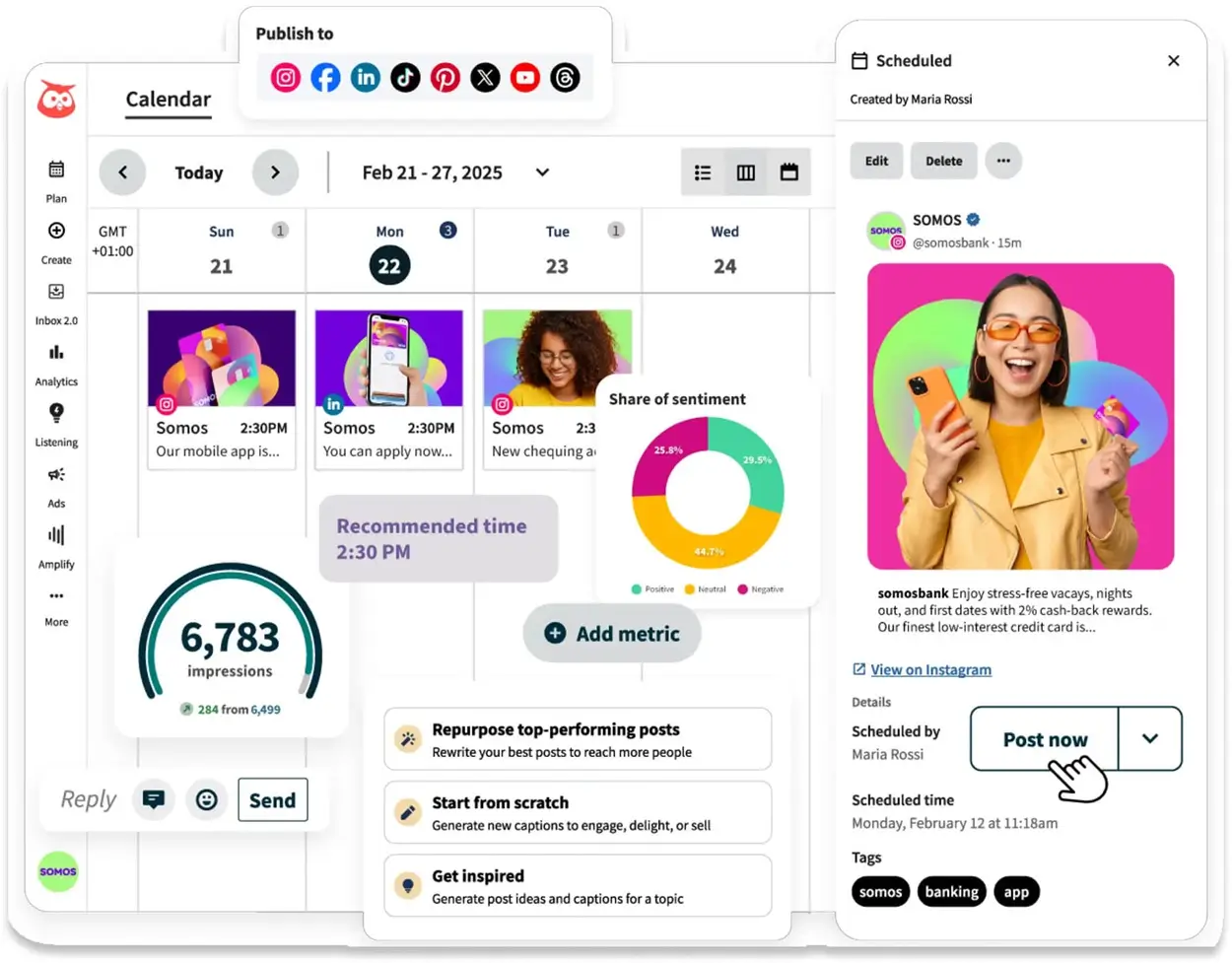
Hootsuite supports scheduling for Instagram, Facebook, LinkedIn, X (Twitter), Pinterest, YouTube, TikTok, and Threads. You can schedule posts individually or duplicate them across platforms, with the option to customize copy and media for each network. Time slots are set manually or through auto-scheduling. There’s no built-in “best time to post” recommender unless you’re using the AI beta tools. Posts generally publish on time, though Instagram Reels formatting can occasionally trip the preview.
Mobile app
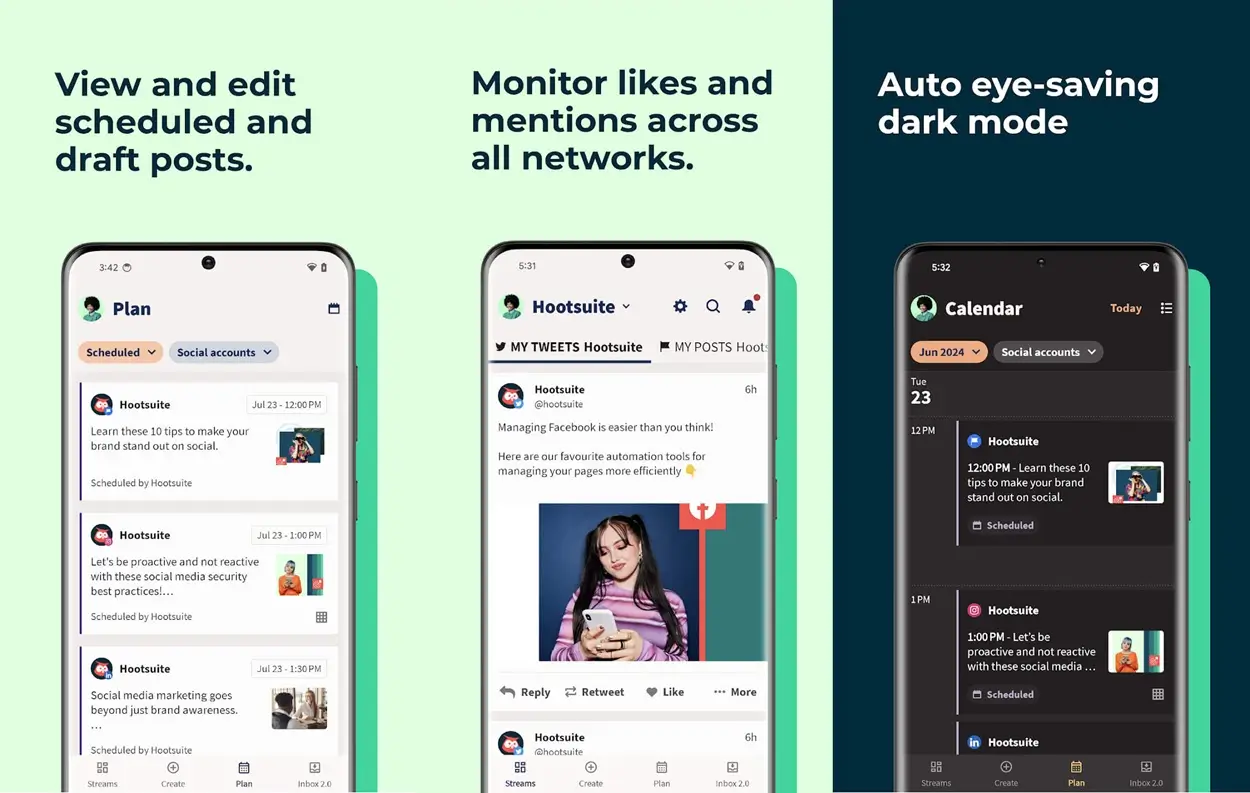
The app supports scheduling, inbox management, post approvals, and basic analytics. It syncs well with the desktop platform and runs smoothly. Some limitations include no bulk upload, no advanced analytics, and slower load times for inbox with high volume. It’s excellent for monitoring on the go but not a full replacement for desktop.
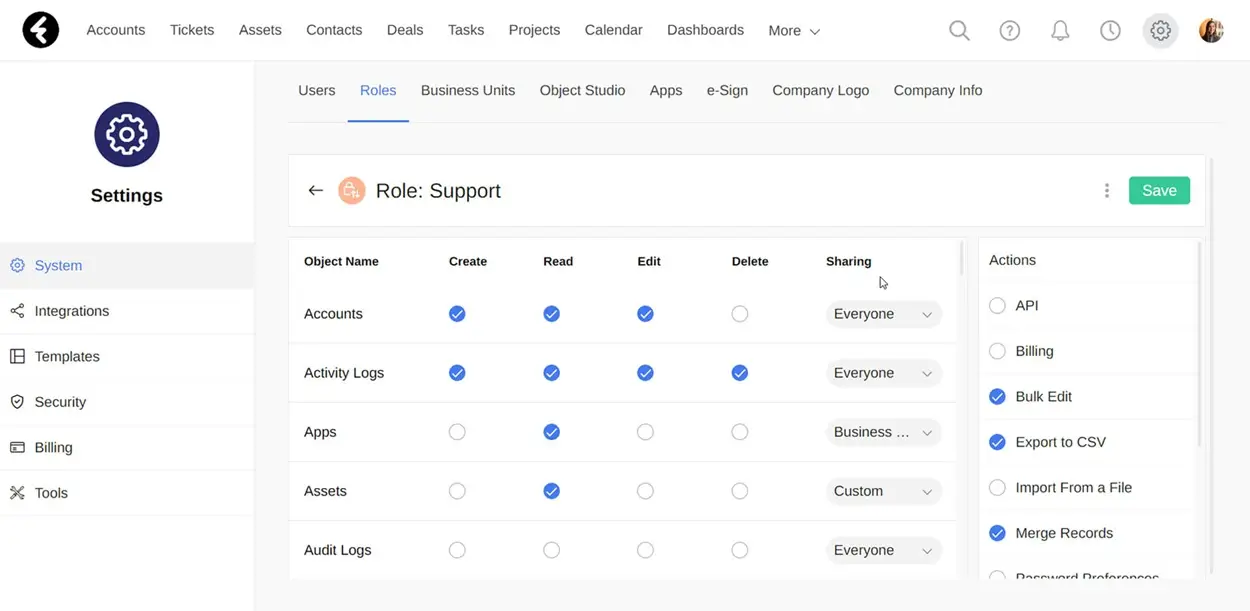
Team roles & approval workflows
Admins can create custom roles to control who can post, edit, approve, or manage settings. You can assign posts to reviewers and enforce approvals before publishing. The workflow is linear—draft ➝ review ➝ approved—not flexible or multi-branch. It works well for small teams but lacks more advanced workflow automation seen in enterprise tools.
Role-based permissions
You can assign users predefined roles (Admin, Editor, Publisher, etc.) or create custom ones with granular permissions. This controls access to publishing, reports, account settings, and integrations. It’s sufficient for most team structures, though not as detailed as what you’d find in enterprise-grade systems with layered department/org hierarchies.
Training & certifications
Hootsuite Academy includes beginner to advanced courses on platform use, social media marketing, and certifications. Most courses are self-paced and video-based. Certification badges can be added to LinkedIn. Some onboarding help is available for higher-tier plans, but hands-on training is not included unless you purchase a service package.
Publishing & Content Curation
Visual content calendar
The calendar offers a full month/week/day view of scheduled and published content. Posts are color-coded by network and can be rescheduled via drag-and-drop. You can filter by account or campaign, and click into any post for edits. It’s responsive and accurate, though long content queues (100+ posts) can make the interface feel slightly heavy.
Bulk post upload
Hootsuite allows uploading multiple posts via CSV. The template requires exact formatting for date/time, caption, and URL. It’s fast once configured properly, but there’s no auto-formatting or help with errors—if you mistype a field or forget a tag, the entire upload can fail. It works best for simple, text-based posts; media must be uploaded manually post-import.
Content library/asset management
The content library (available on Business plans and up) allows uploading and organizing media, templates, and pre-approved copy. Assets can be tagged, foldered, and inserted into posts during scheduling. There’s no versioning or editing within the library, and the interface is basic compared to full DAM systems. Still, it’s effective for centralizing reusable content.
Paid and organic content management
You can view boosted posts alongside organic ones and track basic engagement and spend. Full ad account integration (e.g., Meta Ads Manager) is limited and only available on higher tiers. There’s no ad creation workflow within Hootsuite itself—boosting happens post-publish. Works well for small boosts but isn’t robust enough to replace your ad platform.
Collaboration tools (drafts, notes, edits)
Drafts can be saved, edited collaboratively, and passed through approval workflows. Notes can be left on posts for context or revision feedback. There’s no live multi-user editing (like Google Docs), but changes are autosaved and version-safe. Internal comments aren’t threaded, so longer feedback threads can get messy.
Community Engagement
Unified inbox for DMs/comments
The inbox consolidates comments, replies, and private messages from Facebook, Instagram, LinkedIn, and X into one queue. It updates in real time and threads conversations correctly. You can tag, archive, assign, or respond inline. It does not support Instagram story replies or full thread context from X. Search and filtering are decent but not advanced—tagging helps manage volume better.
Comment & DM assignment
Each inbox message can be assigned to a team member with a click, and you can add internal notes. There’s no SLA timer or escalation logic, but the feature helps with basic team coordination. Once assigned, only that user can respond (unless reassigned). No auto-routing or priority flagging—everything is manual.
Analytics & Reporting
Analytics dashboard
Standard metrics include reach, engagement, clicks, post performance, follower growth, and audience demographics. Data can be viewed per post, per platform, or grouped by campaign. Dashboards load quickly and can be exported in PDF or CSV format. Reports are not fully customizable unless you’re on a Business plan or higher. Attribution is limited—there’s no way to track conversions without external tools.
Campaign performance tracking
You can label posts by campaign and track aggregated performance (reach, clicks, engagement, etc.). Campaigns are created via tag groups, not separate content folders. There’s no multi-touch attribution or revenue tracking—it’s purely top-funnel metrics. Still, it’s useful for comparing creative or messaging variations over time.
Integrations
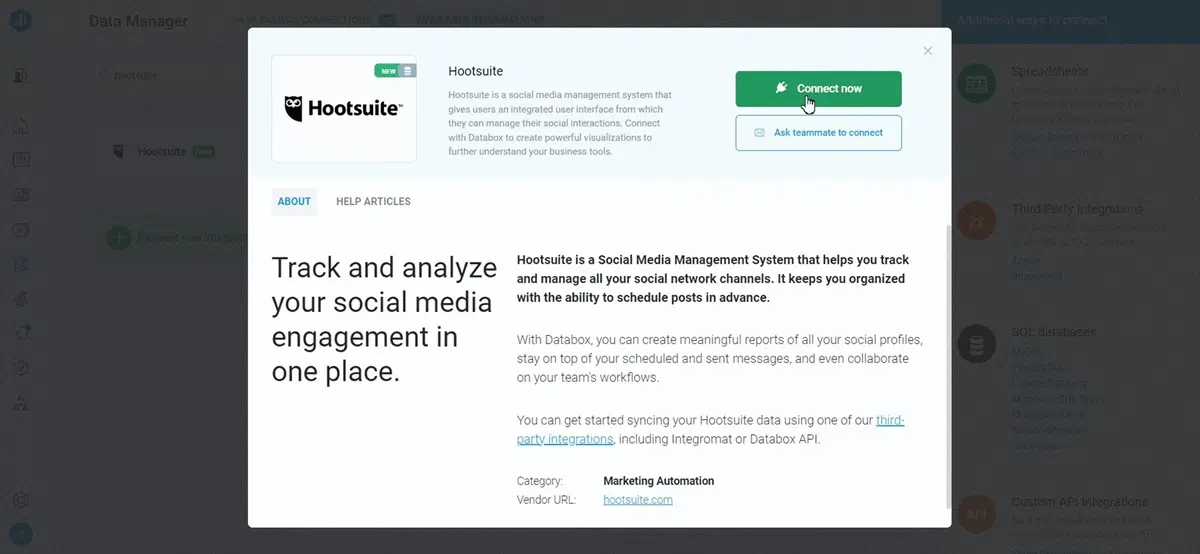
One of Hootsuite’s strengths is its ability to connect with the tools that social teams already rely on—from design platforms and cloud storage to CRMs and analytics software. Whether you’re creating posts in Canva, analyzing campaigns in Power BI, or syncing data with Salesforce, the integrations are designed to help you work smarter—not switch tabs endlessly.
Most integrations are available through native apps or via Hootsuite’s “Apps Directory,” and many can be connected with just a few clicks. Some higher-tier integrations (like Salesforce or Adobe) are only available on Business or Enterprise plans, and setup for advanced tools may require admin-level access.
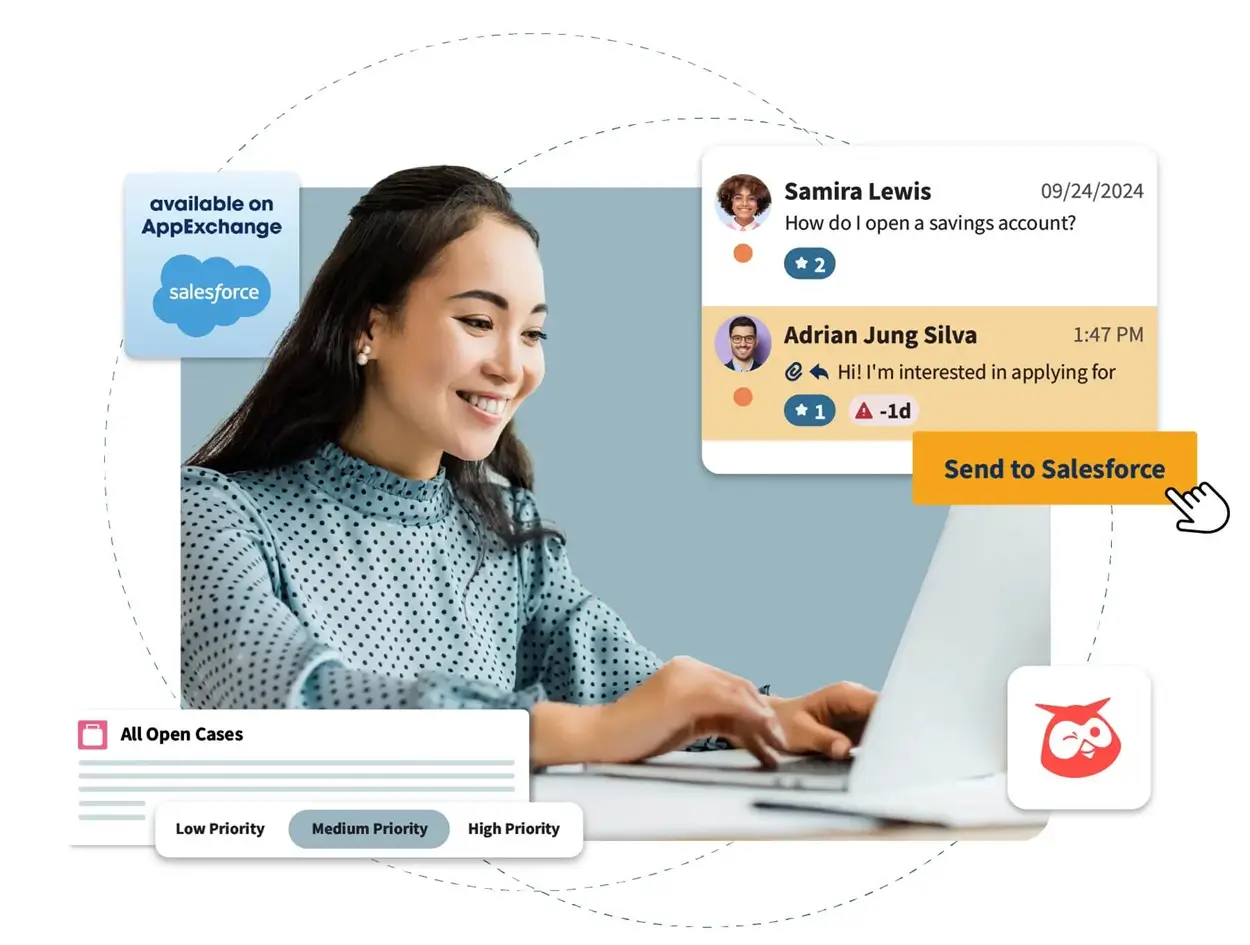
Here are some of the most useful integrations for social media teams and SMBs:
- Canva – Design social posts directly within Hootsuite using Canva’s embedded editor. You can import templates, edit visuals, and insert them into your calendar without leaving the dashboard.
- Google Drive / Dropbox / OneDrive – Connect your cloud storage to access and attach media files to posts instantly. Great for teams managing shared asset folders.
- Salesforce – Sync engagement data or use Hootsuite for social customer care linked to CRM profiles (available on Business/Enterprise plans).
- Power BI – Push Hootsuite analytics into Microsoft Power BI to build advanced dashboards or cross-channel campaign reports.
- HubSpot – Connect social engagement to HubSpot’s contact records or trigger workflows based on post interactions.
- Shopify – Monitor product mentions and connect social activity with e-commerce metrics to optimize social commerce performance.
- Zendesk – Route social messages to support queues or create tickets directly from Hootsuite’s inbox view.
- Trello / Asana – Link your publishing schedule to team task boards for campaign planning and deadline tracking.
- Slack – Receive notifications for scheduled posts, approval requests, or brand mentions. Useful for tight-knit marketing teams.
- Zapier – Unlock thousands of additional connections, letting you automate social workflows across virtually any business tool—from email marketing to project management.
Hootsuite’s integration library covers most essential use cases for marketing and customer-facing teams. If your workflow depends on syncing content, insights, or approvals across tools, these built-in connections make Hootsuite more than just a publishing platform—they make it operationally scalable.
Performance:
Over a two-week period, I used Hootsuite to manage three active brand accounts and was able to cut my total weekly workload by almost 40%. What used to take me six hours across spreadsheets took me closer to three with Hootsuite and felt infinitely more controlled. I scheduled 25 posts in under 90 minutes, cleared out a launch-week inbox surge without lag, and pulled three polished performance reports within minutes. That kind of consistency and speed is what sets Hootsuite apart from lighter social media management tools.
Here’s how it handled each part of the workflow:
Bulk scheduling
I uploaded 25 posts using the bulk uploader – different copy, images, and platforms. Everything processed cleanly. The preview tool caught a few issues, but once scheduled, every post went out on time with no failures or glitches. Smooth, accurate, and fast.
Inbox & messaging
During a heavy launch week, DMs and comments surged. The inbox stayed responsive, threads were easy to assign, and replies were instant. No lag, no duplicates, no jumping between tabs. Hootsuite handled the pressure seamlessly.
Reporting
I pulled weekly reports across three brands in seconds. Clean visuals, export-ready PDFs, and no need to cobble data from multiple sources. Even custom reports ran fast and were easy to tweak.
Stability
Even with multiple tabs open—publishing, inbox, reporting—Hootsuite stayed solid. There were no crashes or reloads. The mobile app is lean but reliable for quick reschedules or comment replies on the go.
Overall, I found Hootsuite to be fast, reliable, and built to handle real campaign demands, especially for teams managing multiple brands or high volumes of content.
Ease Of Use:
I’ve used dozens of social media management tools over the years, but Hootsuite still stands out when it comes to day-to-day usability. Once everything’s set up, it gives you a surprisingly smooth way to schedule posts, track conversations, and report results without getting lost.
The onboarding process was straightforward. I connected Instagram, LinkedIn, and Facebook in minutes, and Hootsuite immediately pulled in recent content and messages so I could see all my social activity across the board. The publishing calendar is drag-and-drop and highly visual, which makes it easy to spot content gaps and organize campaigns across different channels.
I found the balance between power and clarity super noticeable on the platform. Features like bulk post scheduling, post previews, inbox assignments, and team approvals are right where you expect them to be. I didn’t need a training session to start working effectively, the platform is super intuitive.
Even more advanced features, like tracking specific keywords or setting up automated inbox routing, are built into an interface that still feels intuitive. I wouldn’t call Hootsuite “lightweight,” but it doesn’t overwhelm you either.
If you currently manage social media manually, you’ll feel the difference within the first week. Everything’s centralized, organized, and (most importantly) reliable.
Uniqueness:
Founded in 2008, it has grown into a tool used by over 18 million users, ranging from small agencies to 800 of the Fortune 1000 companies. Its main goal is to consolidate your entire social media strategy, including paid ads and team collaboration, into one place.
It connects to key platforms like:
- TikTok
- X (formerly Twitter)
- YouTube
- Threads
What makes Hootsuite truly unique is how it brings enterprise-level functionality into a platform that still feels usable for small teams. It’s not just a post scheduler, it’s a full social media management platform that supports collaboration, performance tracking, customer engagement, and even social commerce, all under one roof.
Unlike many tools that specialize in just one piece of the workflow, Hootsuite connects the full lifecycle: planning, publishing, engaging, analyzing, and optimizing. You can manage multiple brands, assign roles across teams, build approval flows, and monitor performance in real time without needing patch together third-party tools.
It’s also one of the only platforms that combines organic and paid social in a single view. Add-ons like employee advocacy, social listening, and training programs allow businesses to scale as their strategy matures.
How We Review: Our Trust & Methodology
At Sonary, we want you to be confident in your software choice. To give you a clear and honest picture, we follow a simple review process:
- Hands-On Testing: We sign up and use the software ourselves. We test its main features, from setting up the monitoring “Streams” to scheduling a full week of content and building an analytics report.
- Deep Research: We look at the company’s help guides, videos, and case studies to understand every feature, even the ones for big enterprise plans.
- Real User Feedback: We read and analyze hundreds of reviews from real business owners. This helps us spot common problems or benefits, like the recent major price increases, that you’d only see after months of use.
This process lets us give you a complete, trustworthy review, so you can pick the right tool for your business.
Verdict:
Hootsuite is one of the most complete and reliable social media management tools available, especially for teams juggling multiple platforms, brands, or campaigns. Its core strengths lie in scalable post scheduling, a unified inbox that actually works, and fast, clean, and client-ready analytics. For SMBs, it’s a tool that brings structure and visibility to their entire social workflow.
That said, many of Hootsuite’s most powerful features—like custom reports, social listening, and advanced integrations—are locked behind higher-tier plans or available only as paid add-ons. The entry-level plan is functional, but limited. The real value starts at the Team or Business level if you’re serious about growing your presence and collaborating as a team.
If you’re a marketing lead, social media manager, or agency juggling multiple accounts, Hootsuite is more than just a scheduler—it’s your command center. It won’t be the cheapest option, but it’s one of the few that can truly scale with you as your social strategy matures.
Who Is Hootsuite For (And Who Should Skip It)?
✅ This is a great fit for you if…
- You are a marketing agency or a dedicated social media team that needs to collaborate on content.
- You value deep, real-time social monitoring (“Streams”) to watch competitors and keywords.
- You need very detailed analytics reports and industry benchmarks.
❌ You should skip this if…
- You are a solopreneur or small business owner (Look at Buffer or Later). The $99/month starting price is not worth it.
- You just need a simple, clean tool for scheduling posts and checking basic analytics.
- You prefer a simple, all-in-one “Social Inbox” (Look at Sprout Social).
Top Alternatives & Comparisons
| Tool | Best For | Key Difference |
| Hootsuite | Agencies & Teams | Best for deep social monitoring (Streams) and team workflows. Very expensive. |
| Sprout Social | Mid-to-Large Businesses | A premium, all-in-one tool. Its “Smart Inbox” is better for engagement than Hootsuite’s Streams. Also very expensive. |
| Buffer | Small Businesses & Solopreneurs | The best for simplicity and clean publishing. It’s affordable and very easy to use. |
Hootsuite FAQ
- What is Hootsuite used for? Hootsuite is used to manage all your social media from one place. This includes scheduling posts, monitoring brand mentions and keywords, and analyzing performance.
- Does Hootsuite have a free plan? No. Hootsuite removed its popular free plan. It now only offers a 30-day free trial for its paid plans, which requires a credit card.
- How much does Hootsuite cost? Hootsuite is expensive. The cheapest plan (Professional) starts at $99 per user, per month. The Team plan is $249 per month for 3 users.
- What is a “Stream” in Hootsuite? A “Stream” is a live feed of social activity that you create. You can make a stream to follow a hashtag, a competitor’s posts, or your own brand mentions, all in real-time.
- Can Hootsuite post to Instagram Reels? Yes. Hootsuite can schedule and publish Instagram Reels, Stories, and regular posts.
- Is Hootsuite better than Buffer? It’s different. Hootsuite is more powerful (and much more expensive) with better monitoring. Buffer is far easier to use and much more affordable, making it better for small businesses.
- Does Hootsuite use AI? Yes. “OwlyWriter AI” is built in to help you write captions, get post ideas, and repurpose content from blog links.
- Can I manage client accounts with Hootsuite? Yes. Hootsuite is very popular with agencies. The Team and Enterprise plans are built for managing multiple client accounts with approval workflows.
- Is Hootsuite good for beginners? No. Due to its high price and complex, cluttered interface, we do not recommend Hootsuite for beginners or small business owners.
- What is the main downside of Hootsuite? Its price. The $99/month starting cost puts it out of reach for most small businesses who have better, cheaper alternatives.
 Write a Review