How to switch a Shopify online shop to Wix e-commerce: The in-depth migration strategy


Switching your digital storefront is a significant business pivot. When you decide to switch a Shopify online shop to Wix e-commerce, you are moving from a dedicated “sales machine” to a platform that prioritizes creative freedom and integrated business management. Far from a simple “flick of a switch,” this transition is a data-heavy operation that requires precise execution to avoid losing years of SEO progress and customer trust.
To successfully switch from Shopify to Wix, you must choose between an automated migration using the Wix Product Importer, a third-party service like Cart2Cart for historical data, or a manual CSV mapping process for total control. While the technical steps involve data transfer, the true challenge lies in implementing 301 redirects to protect your search rankings and re-establishing your business automations within the Wix ecosystem.
It’s not easy, but it could be worth it if you find yourself spending more time fighting Shopify’s liquid code than building your brand, or if your business model has shifted toward a content-heavy, service-oriented approach that requires Wix’s superior drag-and-drop flexibility.
Key takeaways (The migration blueprint)
- Strategic choice: Manual migration offers the most control but the highest risk of human error; automated tools are faster but often carry a service fee.
- Schema hurdles: Shopify and Wix use fundamentally different data structures (e.g., “Body HTML” vs. “Description”), requiring manual mapping.
- SEO preservation: Without a 1:1 redirect map of your URLs, your organic traffic will likely drop by 50% or more within weeks of the switch.
- Hybrid option: You can keep Shopify’s checkout engine while using Wix’s design by embedding the Shopify Buy Button.
- The “why” factor: Wix is ideal for SMBs that prioritize unique visual branding and unified marketing tools over high-volume, multi-channel scaling.
When is it actually worth it to switch?
Shopify is the “Apple” of e-commerce — it’s polished, powerful, and closed. Wix is the creative studio. You should consider making the switch in these specific scenarios:
- Design frustration: If you are paying developers $100+/hour to make simple layout changes in Shopify, the switch to Wix’s drag-and-drop editor will save you thousands in the long run.
- Unified business management: If you want your booking system, blog, email marketing, and CRM all under one roof without a dozen monthly app subscriptions, Wix is the superior choice for SMBs.
- Content-first strategy: If your shop is part of a larger brand—such as a photographer selling presets or a consultant selling courses—Wix handles the “non-ecommerce” parts of your site far better than Shopify.
Method 1: The Wix Product Importer (The ‘one-click’ Solution)
This is the most direct software option provided by Wix to pull data specifically from Shopify.
- How it works: You install the “Product Importer” app from the Wix App Market, enter your Shopify URL, and the app “scrapes” your public catalog to recreate it in Wix.
- The downside: This method often fails to pull “hidden” data, such as SEO meta-titles, specific alt-text for images, or complex product variants (e.g., a shirt with 15 different color/size combinations).
The solution: Only use this for small catalogs (under 50 products). After the import, you must manually audit every product page to ensure the “Alt-Text” and “SEO Settings” were carried over. If they weren’t, you will need to re-enter them to maintain your rankings.
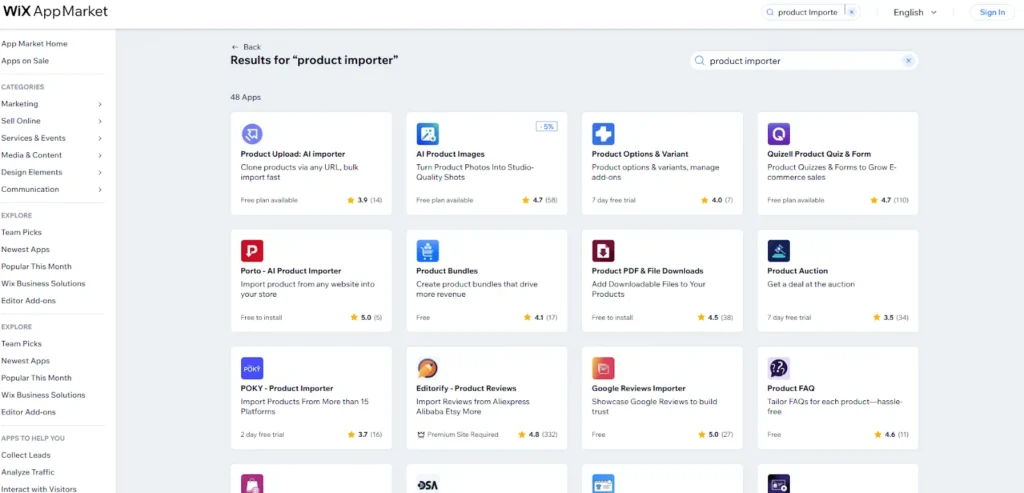
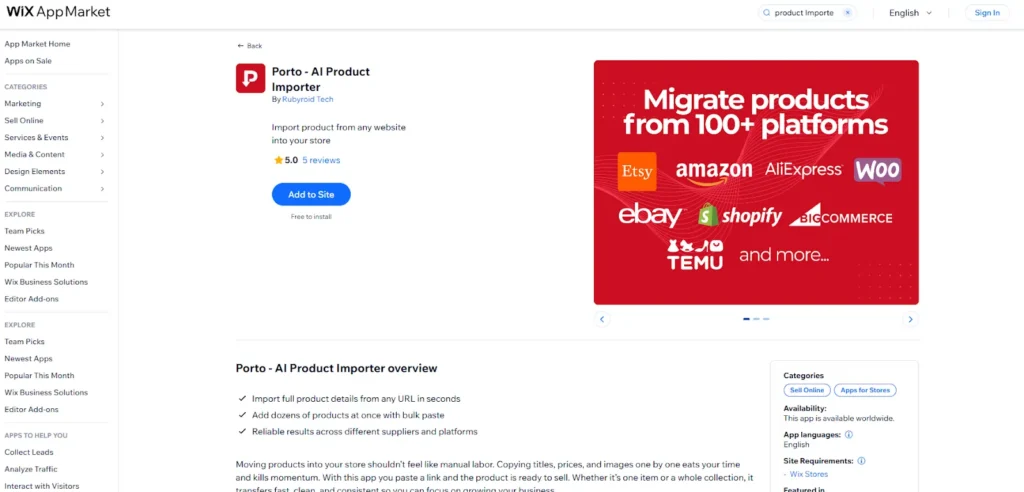
Most highly rated: Porto – AI Product Importer
This app is a strong candidate because it currently holds a 5.0-star rating.
- Best for: Users looking for a highly reliable, AI-driven tool.
- Core feature: It is designed to import products from any website into your Wix store.
- Pricing: Listed as “Free to install”.
Method 2: Manual CSV export/import (The expert’s choice)
For those who want to ensure every piece of data is exactly where it needs to be, the manual route is the most reliable, albeit the most tedious.
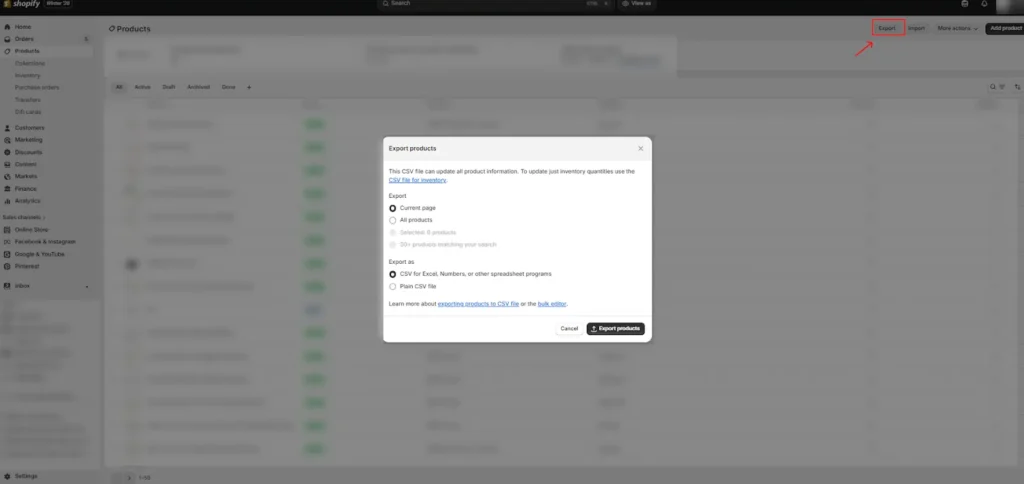
- How it works: You export your Products and Customers from Shopify as CSV files and then upload them into Wix using Wix’s specific CSV templates.
- The downside: The “schema mismatch”: Shopify labels a product description as Body (HTML), while Wix labels it as Description. If you upload the Shopify file directly, Wix will simply leave your descriptions blank.
- The solution: Split-screen mapping. Open the Shopify export and the Wix template side-by-side. You must copy the data from Shopify’s columns into the corresponding Wix columns. Pro tip: Use a “Find and Replace” tool in Excel to clean up HTML tags if you want your text to look clean in the new editor.
Method 3: Third-party migration apps (The ‘hands-off’ approach)
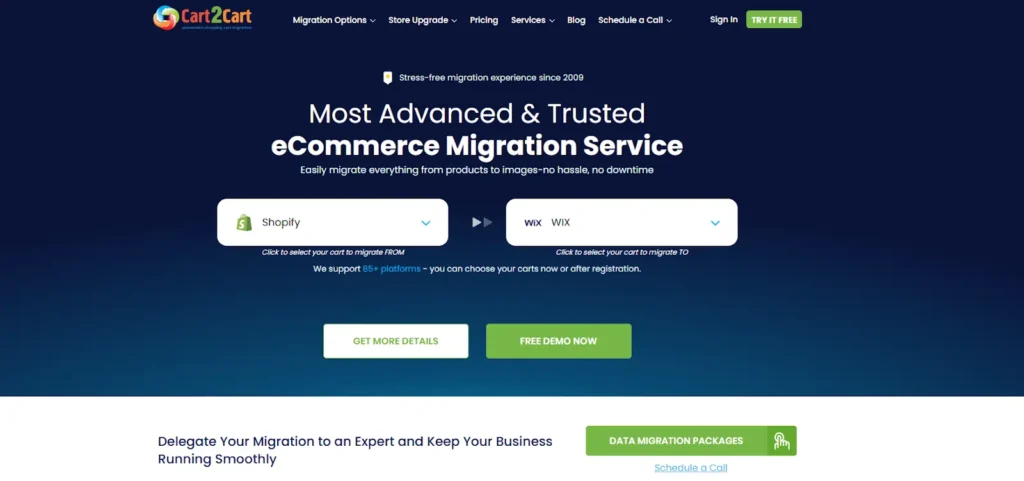
Services like Cart2Cart or Migration Pro are designed to handle the heavy lifting that native tools can’t.
- How it works: These services use API access to move your entire store history—including past orders and customer passwords (in some cases)—directly from one backend to the other.
- The downside: Cost and complexity. These services can cost anywhere from $100 to $500 depending on the size of your store. Additionally, if your Shopify store has a highly customized database, the “automated” tool might still miss certain fields.
- The solution: The “demo migration.” Always run the free “Demo” offered by these services. It will move 10-20 products for free. Check these products in the Wix backend; if the data is clean, then pay for the full migration.
Technical comparison: Why the switch changes your business
|
Feature |
Shopify reality |
Wix e-commerce reality |
|
Design control |
Structured (hard to break, hard to change) |
Free-form (easy to change, easy to break) |
|
SEO management |
Automated and rigid |
Manual and highly granular |
|
Monthly cost |
~$39 + high app fees |
~$29 + most tools built-in |
|
Scalability |
Built for 1 million+ products |
Best for under 1,000 products |
Automations and triggers: Syncing the logic
One often-overlooked pain point of switching is losing your “business logic”—the automated emails and workflows you spent months setting up.
The problem: Breaking the chain
In Shopify, you might have an automation: When a customer buys X, send them Email Y. When you move to Wix, these “Zaps” or flows stop working.
The solution: Wix automations & Zapier
Wix has a powerful internal automation engine. You must rebuild your triggers (e.g., “Abandoned Cart,” “New Member Signup”) within the Wix dashboard. If you have external tools that don’t natively connect to Wix, use Zapier as the “middleman.”
- Wix trigger: Store order placed.
- Zapier action: Create a new row in your Google Sheets or update your external CRM.
For more on managing these customer relationships, see the Sonary guide on how CRM systems improve sales.
The Ultimate SEO risk: 301 redirects
If you ignore this section, your migration will fail. Shopify and Wix use different URL structures.
- Shopify: site.com/products/blue-widget
- Wix: site.com/product-page/blue-widget
The problem: Google has indexed your Shopify links. If a customer clicks an old link and hits a “404 Page Not Found” on your new Wix site, Google will penalize your ranking.
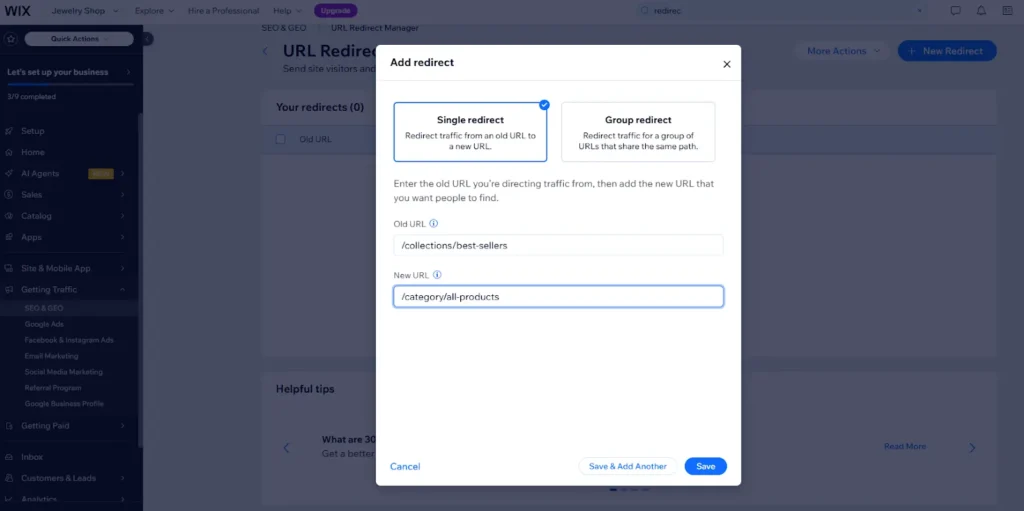
The solution: Use the Wix URL Redirect Manager. You must create a “Mapping Spreadsheet” where every old Shopify URL is pointed to its new Wix equivalent. Upload this to Wix before you go live. This tells Google: “The page has moved permanently; pass the ranking power to the new link.”
Conclusion: Is the switch right for you?
Transitioning your business is a high-effort task. It is not easy, but it could be worth it if you are a small business owner who wants to reclaim control over your site’s visual identity and reduce the complexity of managing multiple apps.
By following this in-depth guide on how to switch a Shopify online shop to Wix e-commerce, you can mitigate the risks of data loss and SEO drops. Start with a small “Demo Migration,” verify your CSV mapping, and never—ever—forget your 301 redirects.
FAQ: Deep-dive questions from real users
Q: Can I keep my Shopify checkout but use the Wix design?
A: Yes. This is called a “Hybrid Approach.” You embed the Shopify Buy Button on your Wix pages. The customer sees your beautiful Wix site, but the transaction happens through Shopify’s secure checkout.
Q: Will I lose my customer’s order history?
A: If you use the manual CSV method, you will only move contact info, not order history. To keep your full history (who bought what and when), you must use a paid service like Cart2Cart.
Q: Does Wix handle high traffic as well as Shopify?
A: Shopify is generally more robust for massive viral traffic spikes (e.g., a Super Bowl ad). However, for 99% of SMBs, Wix’s cloud hosting is more than sufficient for daily operations.
Q: Do I have to pay for both platforms during the move?
A: Yes, expect a 14-day “overlap” period where you pay for both. You need the Shopify store live to export data and the Wix store live to build the new site.
Q: Can I export my blog posts from Shopify?
A: Not easily. Shopify doesn’t include blogs in its standard product export. You will likely need to copy-paste these manually or use a specialized migration tool to avoid losing your content SEO.