

monday.com vs Asana: Which Project Management Software Wins for Your Small Business?
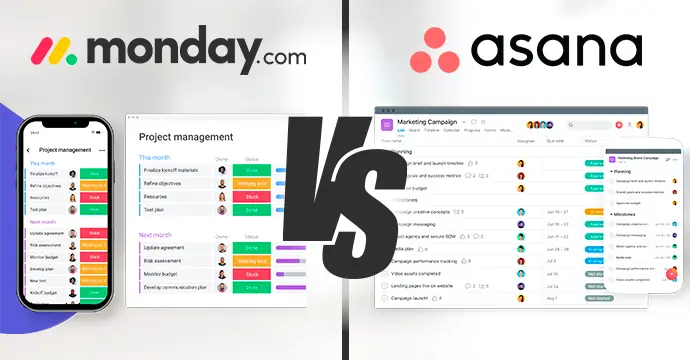


Choosing between monday.com vs Asana often determines how effectively a small team can scale without losing track of critical deadlines. For micro businesses that need a visual, intuitive way to track daily tasks, monday.com is the best choice, whereas Asana is the superior tool for R&D teams managing five or more complex projects simultaneously due to its advanced reporting. Both platforms offer free tiers for up to two users, but their approach to subtasks and data visualization creates a significant difference in daily operations.
In this guide, we will explore the technical depth, pricing structures, and real-world performance of these tools to help you decide where to invest your team’s time.
Key takeaways
- Visual Mastery: monday.com uses a color-coded “pulse” system that allows managers to assess project health at a glance.
- Reporting Power: Asana excels at “Universal Reporting,” making it the preferred choice for technical teams overseeing complex, multi-project roadmaps.
- Free Tier Reality: Both platforms are free for up to 2 users, providing a low-risk entry point for micro businesses and solo founders.
- The Subtask Gap: Real-world usage reveals that monday.com has a weakness in subtask notifications, which can lead to missed updates if stakeholders are not manually tagged.


Basic
Pros
- This project management software is easy to navigate
- The site uses reliable and user-friendly tools
- The organization of the platform is effective
Cons
- The help and support area needs to offer more options
- The help and support area should have more extensive testimonials and videos

Personal
Pros
- Multiple views for projects and tasks
- Easy for non-technical users to get started with the platform
- Track the workload of individual contributors in real-time
Cons
- Doesn’t have built-in budget tracking
- Because of its expansiveness, it’s not suitable for a single project
Asana vs. monday.com — Simple Comparison Table
| Feature | Asana | monday.com |
| Ease of Use | Clean interface, some learning curve | Very intuitive and beginner-friendly |
| Project Views | List, Board, Calendar, Timeline | Kanban, Timeline, Calendar, Gantt, Workload |
| Task Management | Subtasks, dependencies, milestones | Task groups, subitems, flexible columns |
| Automation | Unlimited custom rules (on paid plans) | Easy automation builder, limited monthly actions based on plan |
| Collaboration Tools | Task comments, file sharing, project inbox | Team updates, file sharing, whiteboard, collaborative docs |
| Integrations | 200+ integrations (available on free plan) | 200+ integrations (paid plans only, starts from Standard plan) |
| Free Options | ✅ Up to 10 users, limited features, integrations available | ✅ Up to 2 users, limited features, no integrations or automation |
| Mobile App | ✅ Yes, full functionality | ✅ Yes, full functionality |
| Paid Plans Start At | ~$10.99/user/month | ~$9/user/month |
| Best For | Structured projects, integration-heavy teams | Visual workflows, fast onboarding, team collaboration |
| Support | Email & knowledge base (no live or 24/7 support) |
24/7 email support, live support on higher plans |
The fundamental difference between Asana and monday
While they share a similar goal, the difference between Asana and monday is found in their structural philosophy.
Monday.com is built on the concept of high-level visual scanning. It uses a “board” and “group” system where the status of a project is communicated through vibrant colors. This is designed for the human brain to process information quickly. If a manager sees a sea of green, the project is healthy. If there is a flash of red, they know exactly where to intervene.
Asana, by contrast, is a more structured, list-oriented platform. It was designed to handle the intricacies of technical project management. While it has added colorful templates over the years, its strength remains in its ability to handle dependencies and milestones. In the Asana vs monday debate, Asana is often seen as the more “disciplined” tool, requiring more setup but providing a more rigid framework that prevents tasks from getting lost in a large volume of data.
Personal verdict: My experience with monday.com vs Asana
Experience is the best teacher when it comes to software that you use for eight hours a day. I have used both platforms extensively to manage cross-departmental tasks and technical R&D cycles.
Why I use monday.com for daily tasks
In my experience, monday.com is a great, simple tool to manage projects. The ability to drag and drop elements and add more groups and boards to manage different projects within the same tool is amazing. For my daily tasks, I mark specific boards as favorites for quick access.
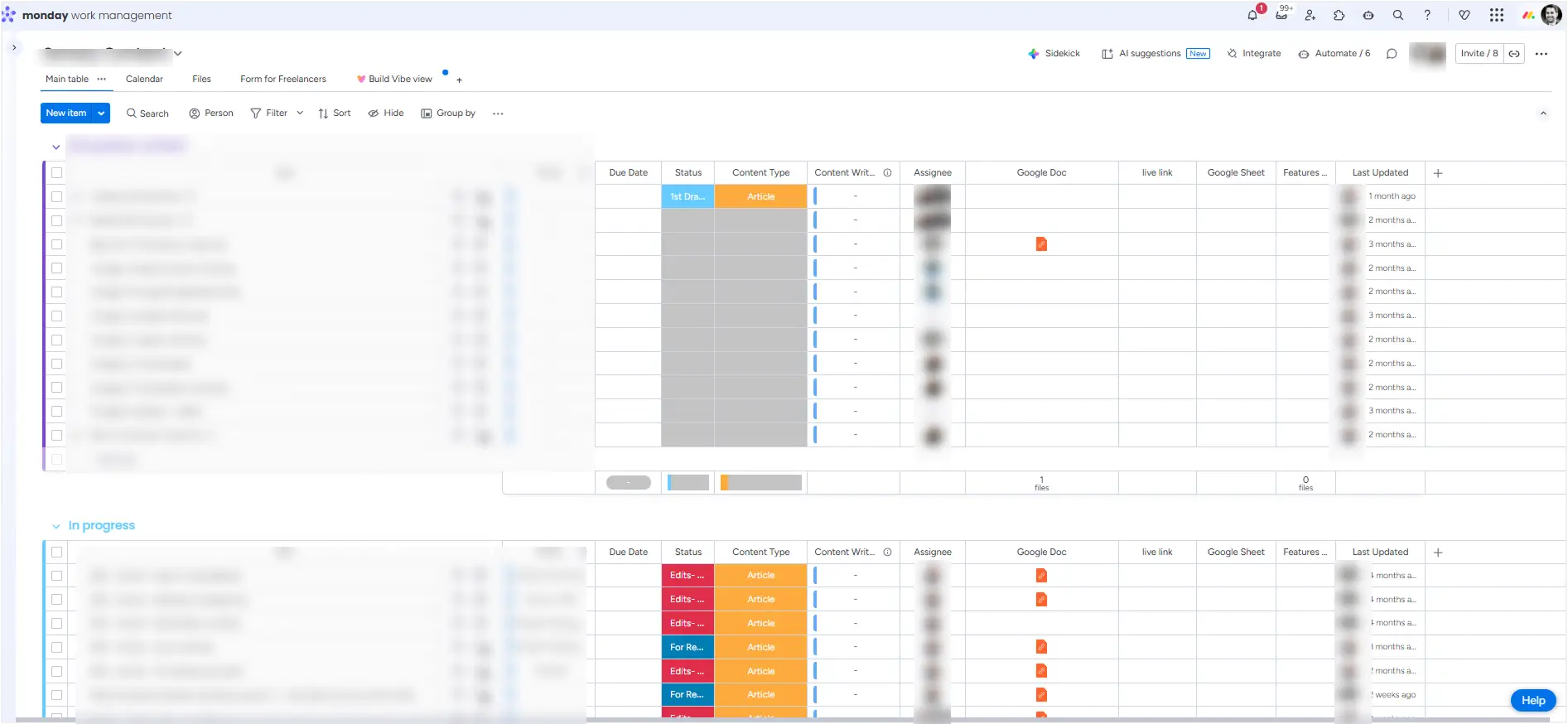
The flexibility to manage each column as needed—adding dates, statuses, assignees, links, or documents—allows me to build a dashboard that fits my exact mental model of the work. For a manager, the overview of “colors” is powerful. In one short scan, you get a clear point of view on what needs handling first.
The subtask notification gap in monday.com
However, no tool is perfect. A major downside of monday.com is how it handles subtasks. Currently, managing subtasks is difficult if you have a group of stakeholders. If someone does not explicitly tag you on a subtask, you will not see the changes or updates inside it. You only see the main task changes. This “notification gap” can lead to missed details if your team relies heavily on granular subtasks without a culture of constant tagging.
Why Asana wins for R&D and 5+ projects
When the project load increases, the conversation around monday.com versus Asana shifts. Asana is a powerful tool with a lot of features and customization options for bigger teams, and for the R&D team, especially.
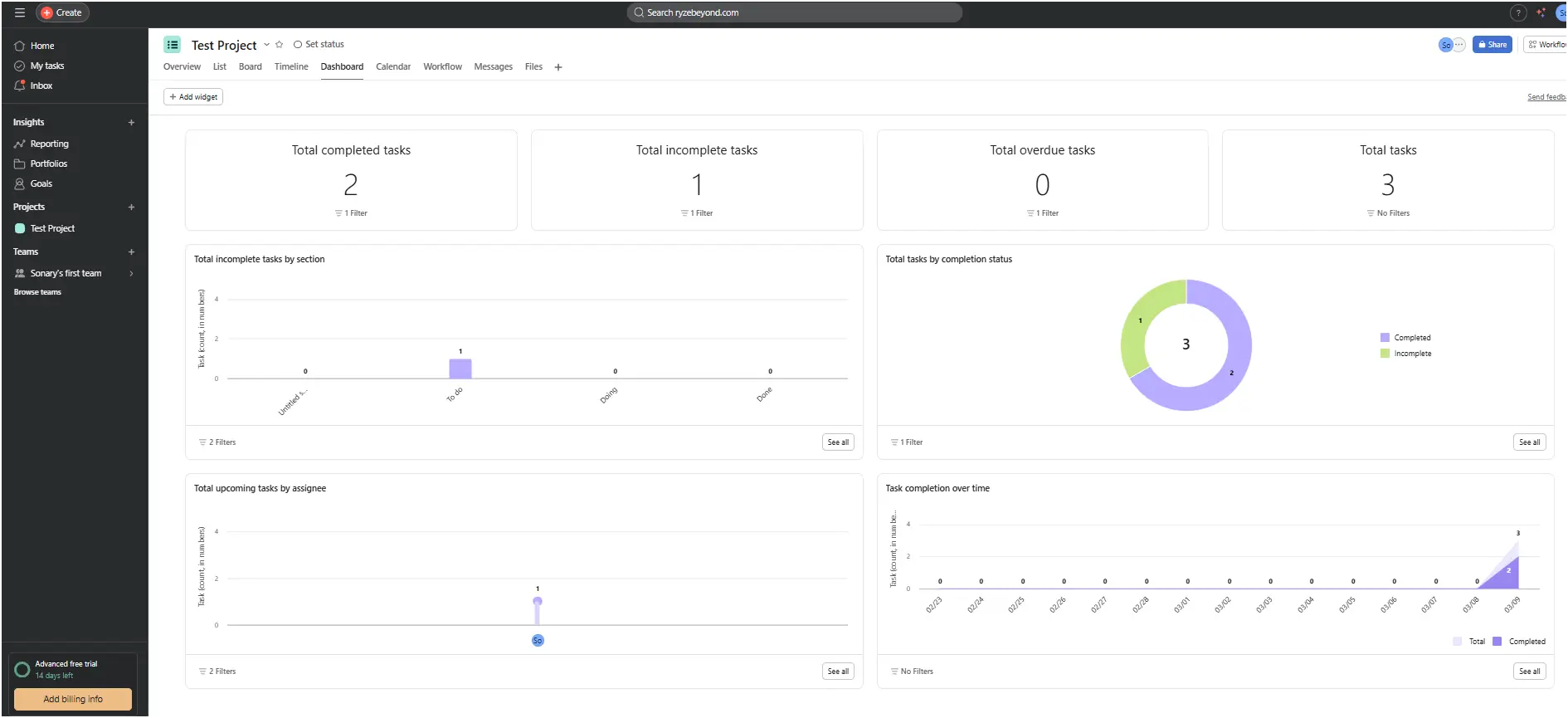
The overview reporting options in Asana are superior for high-volume management. It helps me see everything I need in one place. The reporting includes all projects in the same dashboard, and on each project, you can see data relevant specifically to that project. This helps me identify exactly where I am falling behind on deadlines or find tasks that no one has assigned yet. If you need to manage more than 5 projects at once, the ability to control them all within Asana is impressive and helps the team make the right decisions.
Feature comparison: Which tool has more features?
When looking at which tool has more features, Asana generally leads in terms of “deep” project management capabilities (like dependencies and portfolio tracking), while monday.com leads in “broad” customization (like the variety of column types and CRM-style flexibility).
| Feature | monday.com | Asana |
| Free Tier | Up to 2 users | Up to 2 users |
| Primary View | Colorful Boards/Pulses | Structured Lists/Boards |
| Subtask Handling | Visual but notifications are manual | Advanced with dependencies |
| Automation | Status & Assignee Rules | AI-assisted & Multi-step Rules |
| Reporting | Visual Dashboards | Universal Project Reporting |
| Gantt Charts | Available on Pro plans | Known as “Timeline” |
| Collaborative Tools | Whiteboards & Embedded Docs | Team Pages & Private Inbox |
| Integration Support | 200+ (Paid tiers) | 200+ (Available on Free) |
Conclusion on Features: If you require a tool that functions as a “Swiss Army Knife” for various business departments, monday.com is the more feature-rich option for general use. However, if your “feature” requirement is specific to technical project oversight and cross-project data analysis, Asana is the more robust platform.
Pricing breakdown: How much is monday, and how much is Asana?
For a small business, the bottom line is often the deciding factor. Understanding how much is monday compared to how much is Asana requires looking at the “per seat” cost and the minimum user requirements.
How much is monday?
- Free Plan: $0 for up to 2 users. This is a great starting point for solo founders or partners to manage daily tasks.
- Basic Plan: Approximately $9 per seat per month (billed annually).
- Standard Plan: Approximately $12 per seat per month. This is the most popular plan as it includes the “Timeline” view and automations.
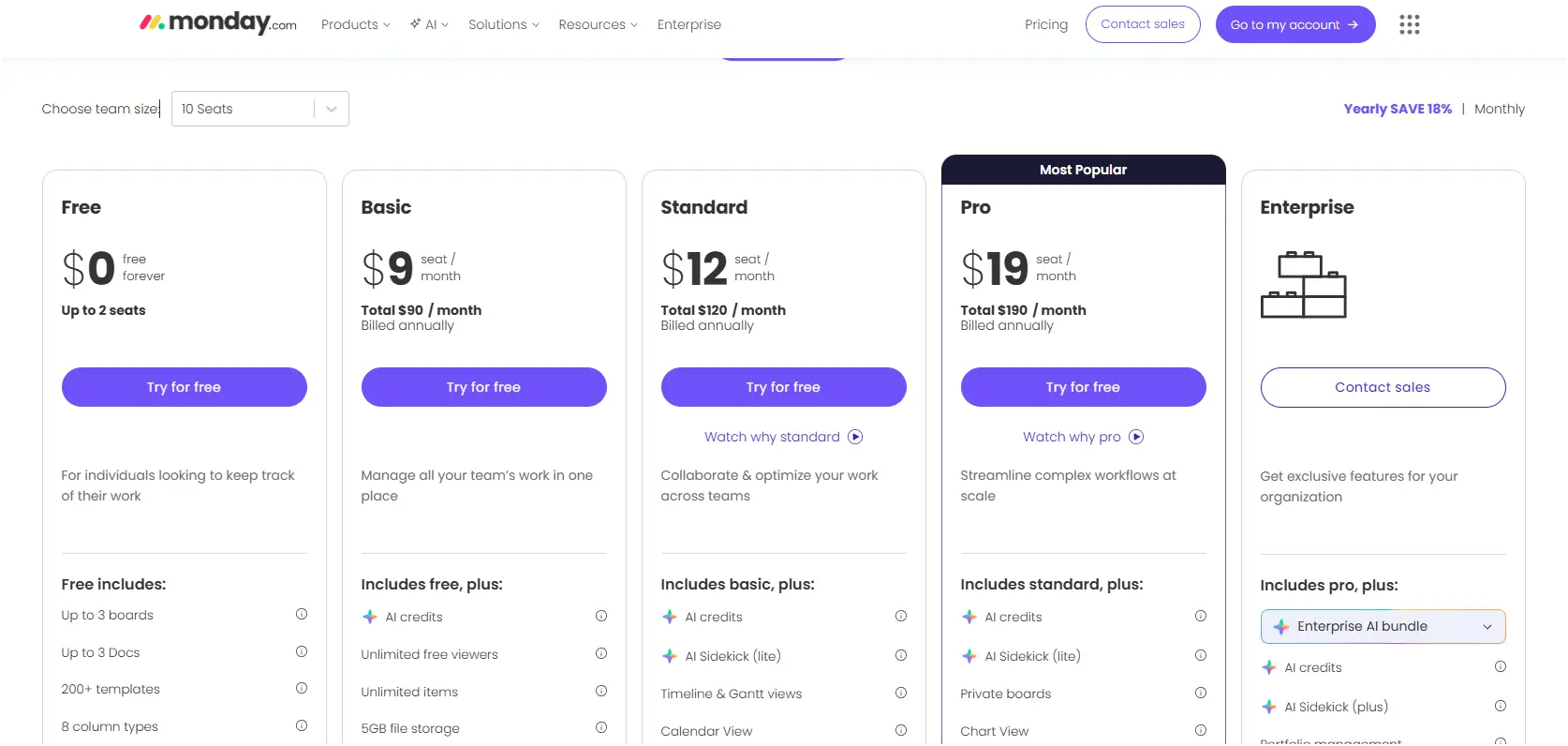
Important Note: monday.com requires a minimum of three seats for its paid plans. This means even if you only have two users, you will pay for three if you want the paid features.
How much is Asana?
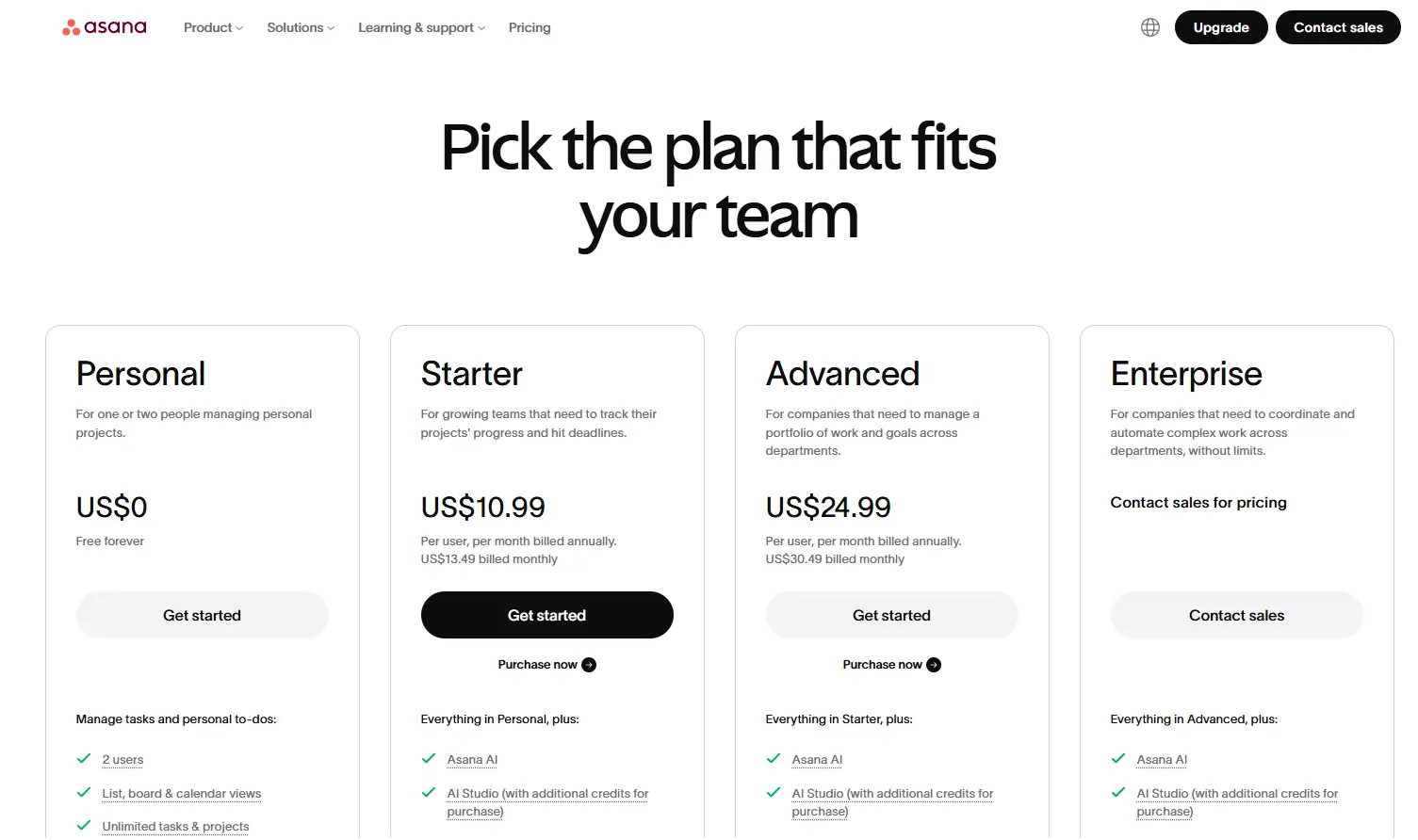
- Free Plan: $0 for up to 2 users. Like monday, this is perfect for micro businesses.
- Starter Plan: Approximately $10.99 per user per month (billed annually).
- Advanced Plan: Approximately $24.99 per user per month. This plan is necessary for the advanced reporting and workload features mentioned earlier.
For a more detailed look at value for money, you can read our full monday.com review or check our guide on project management software to compare these costs against other market competitors.
Alternatives to Asana & monday.com
Asana and monday.com are arguably the most common project management tools in the world. Unlike most project management tools, they offer more advanced functionality, making them stand out. But if you feel neither of them suits you, there are other solid options you could explore:
- Smartsheet: A versatile platform that combines the simplicity of a spreadsheet with the power of a database. Perfect for task management and collaboration.
- ClickUp: A comprehensive project management tool with extensive integration features.
- Notion: A flexible workspace that allows you to create and manage tasks, notes, and documents all in one place.
- Trello: A user-friendly tool popular for its intuitive Kanban board approach. Great for visualizing tasks in a simple, card-based format.
- Wrike: A robust project management platform with advanced features like time tracking, real-time collaboration, and detailed reporting. Suitable for large teams and complex projects.
Summary: Making the right choice for your team
The choice between monday.com vs Asana comes down to the nature of your work and the size of your project portfolio.
- Choose monday.com if: You have a small team, you value visual simplicity, and you want to be able to scan your entire day’s work in a few seconds. It is the easier tool to set up and manage daily tasks without a steep learning curve.
- Choose Asana if: You are an R&D team or a manager who needs an overview of more than 5 projects at the same time. The ability to see all projects in one place and identify exactly where you are falling behind makes it worth the slightly higher complexity.
Both tools are powerful and offer free versions to get you started. The best way to decide is to pick one project, set it up in both, and see which interface helps your team make the right decisions faster.
FAQ
Q: What is monday.com used for, specifically in small teams?
A: It is used to centralize tasks, manage sales pipelines, and create visual dashboards that show project status through color-coded indicators.
Q: Is there a big difference between Asana and monday for free users?
A: Both offer a free tier for up to 2 users. The main difference is that Asana allows more integrations on its free tier, while monday offers more visual templates.
Q: How much is Asana for a team of five?
A: For five users on the Starter plan, you would look at approximately $54.95 per month when billed annually.
Q: How much is monday for a team of five?
A: For five users on the Standard plan, you would look at approximately $60 per month when billed annually.
Q: Which tool is better for R&D?
A: Asana is typically better for R&D due to its superior reporting, dependency tracking, and multi-project overviews.
Q: Can I manage subtasks in monday.com?
A: Yes, but be aware that notifications on subtasks are limited unless you specifically tag team members in the subitem.
Q: Do both tools have automation rules?
A: Yes, both allow you to create “if this, then that” rules to move tasks and notify users based on status changes.
Q: Can I mark favorites in monday.com?
A: Yes, you can mark any board as a favorite for quick access from the sidebar, which is great for managing day-to-day tasks.
Q: Does Asana offer a Gantt chart view?
A: Yes, Asana calls this the “Timeline” view, and it is available on their paid plans.
Q: Which tool is more intuitive for non-technical users?
A: monday.com is generally considered more intuitive because of its drag-and-drop interface and spreadsheet-like feel.
Q: Can I see overdue tasks across all projects in Asana?
A: Yes, Asana’s reporting features allow you to see overdue or unassigned tasks across your entire project portfolio in one view.
Q: Do I need a credit card to try these tools?
A: No, both offer free trials and free tiers that do not require a credit card to sign up.




