

Shopify vs WooCommerce: Which e-commerce platform is better for small businesses in 2026?


Choosing your e-commerce platform could be the single most crucial decision you’ll make for your online business. It’s the foundation for your store, the engine for your sales, and the control center for your operations. Get it right, and you have a scalable, efficient business. Get it wrong, and you’re facing a future of technical headaches, high fees, and migration nightmares.
For nearly all small-to-medium business (SMB) owners, this choice comes down to a head-to-head battle between the two biggest names in the industry: Shopify vs WooCommerce.
The debate is a classic one, and the core difference is simple: SaaS vs. open source.
Shopify is a hosted, all-in-one “software as a service” (SaaS). You pay one monthly fee, and Shopify provides the software, hosting, security, and support. It’s like renting a high-end storefront in a secure, managed mall. It’s built for simplicity and speed to market.
WooCommerce is a free, open-source plugin that turns any WordPress website into a powerful e-commerce store. It’s “self-hosted,” meaning you get the software for free, but you are 100% responsible for buying your own hosting, security, and managing all technical maintenance. It’s like owning the building and the land, giving you total control and endless customization.
This definitive, data-driven comparison breaks down every key feature, the true costs, and the ideal user for each platform, helping you make the right choice for your business.
Key points (quick summary)c
For readers who need a fast answer, here’s the high-level breakdown of Shopify vs WooCommerce.
- Shopify is best for… Beginners, dropshippers, and merchants who want an all-in-one, “it just works” solution with 24/7 support.
- WooCommerce is stronger in… Total customization, SEO, and 100% data ownership. It’s the clear choice for content-heavy stores (like bloggers) and anyone with specific, custom feature needs.
- The main difference in pricing is… Predictability vs. variability. Shopify has fixed monthly plans (e.g., $39/mo) and set transaction fees. WooCommerce software is free, but you pay variable costs for hosting, a domain, and premium plugins.
- The key feature that separates them is… Ease of use. Shopify can be set up in a single afternoon with no technical skill. WooCommerce has a steeper learning curve and requires you to manage your own hosting, security, and updates.
- The ideal audience for Shopify is… The merchant who wants to focus 100% on marketing and selling products, not on managing technology.
- The ideal audience for WooCommerce is… The tech-savvy owner, WordPress user, or brand that demands full control over their store’s design, functionality, and data, and is willing to handle the technical responsibility.


Starter
Pros
- Large suite of marketing tools to grow your website
- You’re able to sell online, offline, and through multiple marketplaces
- It has a built-in payment processor
Cons
- It charges you for third party payment processors
- The basic plan doesn’t have access to pro reports

Free
Pros
- Excellent customization and extensions library
- Integrations with all essential payment options
- Fully scalable from startup phase onward
Cons
- Greater functionality leads to more complexity
- Over-reliance on extensions
Head-to-head comparison (detailed breakdown)
We’ll now dive deep into the specific features to compare Shopify and WooCommerce side-by-side.
Market position & ideal use cases
- Shopify is the “Apple” of e-commerce. It’s a polished, closed-ecosystem product that offers a seamless, user-friendly experience. It is built for merchants of all sizes, from first-time dropshippers to enterprise giants like Allbirds and Glossier (who use Shopify Plus). Its ideal user wants to launch fast and scale without worrying about the underlying tech.
- WooCommerce is the “Android” or “Linux” of e-commerce. It’s an open, flexible, and powerful plugin for WordPress, the world’s most popular content management system (CMS). Its ideal user is already on WordPress (e.g., a blogger adding a store) or is a business that needs to build a highly custom, content-rich shopping experience. (See our full WordPress Website Builder Review for more on the core platform).
Hardware & device options (Shopify POS vs WooCommerce)
This is a critical, asymmetrical comparison for any business with a physical retail presence.
- Shopify: Offers Shopify POS, a native, world-class Point of Sale system. It’s fully integrated, meaning your online store inventory and your physical store inventory are the same, in real-time. Shopify sells its own branded card readers and hardware, making it a seamless, all-in-one solution for omnichannel (online + in-person) retail.
- WooCommerce does not have its own native hardware. To run a physical store, you must rely on third-party POS plugins (like WooPOS or Oliver POS). These can be powerful, but they require integration, setup, and separate accounts, making it a more complex and fragmented solution.
Core features & capabilities
- Shopify includes hosting, security (SSL certificate), and a global content delivery network (CDN) for fast load times in all its plans. Key features like abandoned cart recovery, gift cards, and discount codes are also built-in.
- WooCommerce is just a plugin. You must source and pay for your own web hosting services, SSL certificate, and security. The core plugin is robust for products, carts, and checkout, but nearly all advanced features (like subscriptions, bookings, or complex shipping rules) require installing paid extensions.
Reporting, analytics & insights
- Shopify: Provides good, easy-to-understand reports on its Basic plan. To get advanced, customizable sales and customer reports, you often must upgrade to the Shopify ($105/mo) or Advanced ($399/mo) plans.
- WooCommerce: Includes basic reporting out of the box. Its true power comes from its unlimited, free integration with Google Analytics 4 (GA4) and other powerful analytics plugins. This gives you the potential for far more granular, uncapped data tracking—but it requires manual setup and configuration.
Integrations & connected tools (Apps vs Plugins)
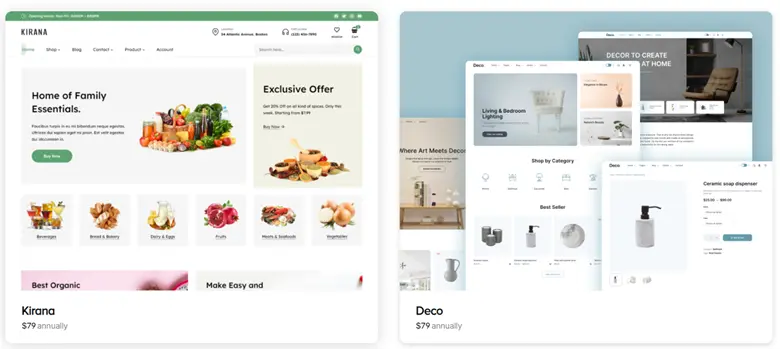
- Shopify App Store: Features over 13,000+ apps. These apps are vetted by Shopify for quality and security. The downside is that most of the best apps have a recurring monthly fee. If you need email marketing, for example, you can integrate easily with the best free email marketing software like Mailchimp or Klaviyo.
- WooCommerce Extensions & WordPress Plugins: Features over 59,000+ WordPress plugins. This massive library is its greatest strength, offering endless functionality. Many are free or have a one-time purchase price, which can be more cost-effective long-term. The risk: You are responsible for vetting plugin quality, security, and compatibility to ensure they don’t crash your site.
AI, automation & smart features
This is a new and critical battleground in 2026.
- Shopify: Has invested heavily in Shopify Magic, a suite of AI tools built directly into the admin. This is available for free on all plans. Key features include:
- AI Product Descriptions: Instantly generates compelling product copy from a few keywords.
- Shopify Sidekick: A conversational AI assistant in your admin that can answer questions (“How are my sales today?”) and perform tasks (“Put all t-shirts on sale for 10% off”).
- AI-generated emails, blog posts, and image editing.
- WooCommerce: Has no native AI built into the core plugin. Its AI capabilities come from the broader WordPress ecosystem. This means installing third-party AI plugins like Jetpack AI or various AI writing assistants. These tools can be just as powerful, but they are fragmented and not integrated into a single “magic” assistant.
Pricing & payment processing
This is the most complex part of the Shopify vs WooCommerce debate. One has a predictable cost; the other has a variable cost.
| Feature | Shopify (SaaS) | WooCommerce (Self-Hosted) |
| Monthly Software Fee |
Basic: ~$39/mo Shopify: ~$105/mo Advanced: ~$399/mo |
Free (Open source software) |
| Hosting Costs | Included ($0) |
$10 – $50/mo (Standard) $30 – $150/mo (Managed) |
| Transaction Fees |
0% (if using Shopify Payments) 0.6% – 2.0% (if using 3rd party gateways like PayPal) |
0% (WooCommerce charges $0) You only pay your gateway fees (e.g., Stripe/PayPal) |
| Credit Card Rates | 2.9% + 30¢ (Basic online rate) | 2.9% + 30¢ (Standard Stripe/PayPal rate) |
| Hidden Costs | Paid Apps ($10-$100/mo) |
Paid Plugins ($50-$200/year) Premium Theme ($50 one-time) |
- Shopify:
- Monthly plans: Fixed tiers. As of 2025, plans are Basic ($39/mo), Shopify ($105/mo), and Advanced ($399/mo).
- Payment Processing: This is the key.
- If you use Shopify Payments (their built-in processor), you pay a standard credit card rate (e.g., 2.9% + 30¢ on Basic) and $0 in extra transaction fees.
- If you use a third-party gateway like PayPal or Stripe, Shopify charges an additional transaction fee (2.0% on Basic, 1.0% on Shopify, 0.6% on Advanced) on top of what PayPal or Stripe charges you. This can make it very expensive.
- WooCommerce:
- Monthly plans: The software is free.
- Variable Costs (The real price):
- Web Hosting: Required. A good, fast WooCommerce host starts at $10 – $50/month.
- Domain Name: ~$15/year.
- SSL Certificate: Often included for free with hosting, but can cost ~$10 – $100/year.
- Premium Theme: Optional, but recommended. ~$59 – $100 (one-time fee).
- Paid Extensions: Likely needed for key features. ~$50 – $300+ (often annual fees).
- Payment Processing:
- You only pay the fee from your chosen gateway (e.g., Stripe, PayPal, Authorize.net).
- WooCommerce never charges an additional transaction fee.
Verdict: Shopify is more predictable but can be more expensive if you don’t use Shopify Payments. WooCommerce has a lower floor cost but can become more (or less) expensive depending on your hosting and plugin needs.
Support, reliability & customer experience
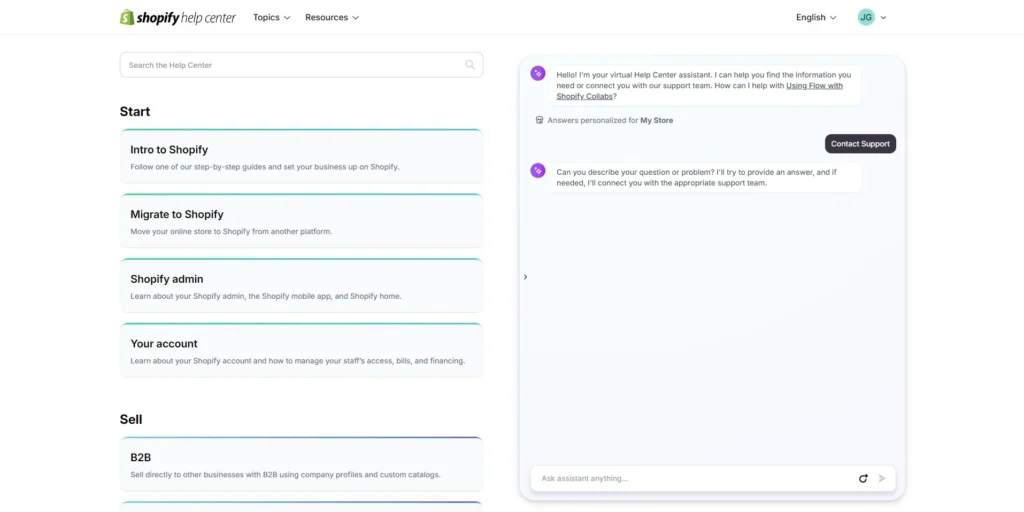
- Shopify wins this category easily. It includes 24/7/365 expert support via phone, email, and live chat on all plans. Because it’s a hosted platform, Shopify also handles all security, updates, and uptime for you. It’s a true “peace of mind” solution.
- WooCommerce does not have an official, centralized support team. You are responsible for everything. When your site breaks, you must:
- Consult community forums (WordPress.org).
- Read documentation.
- Contact your hosting provider (who will only help with server issues).
- Contact a plugin developer (who will only help with their plugin).
- Hire a WordPress/WooCommerce developer (which can be expensive).
Scalability & growth potential
- Shopify scales effortlessly. When your store grows, you simply upgrade your plan. This handles traffic spikes without you lifting a finger. For massive, high-volume businesses, there is Shopify Plus, an enterprise-level solution used by major global brands.
- WooCommerce is infinitely scalable, but that scalability is 100% on you. As your traffic grows, you must upgrade your hosting plan (from shared to a VPS or dedicated server), which costs more. It requires a dedicated technical team or a high-end managed hosting provider to handle enterprise-level traffic.
Real-world scenarios / use case analysis
Example 1: The first-time entrepreneur & dropshipper
- Needs: The fastest, easiest, and most reliable way to launch a store and start testing products with zero technical overhead.
- Recommendation: Shopify Basic
- Reason: Speed and simplicity. A new user can build a beautiful, secure, and fully functional store in a single day. The 24/7 support is a critical safety net, and the Shopify App Store has deep integrations with all major dropshipping apps.
Example 2: The established blogger or content creator
- Needs: To sell products (e.g., e-books, merch, courses) from their existing, high-traffic WordPress blog.
- Recommendation: WooCommerce
- Reason: They are already on WordPress. Adding the free WooCommerce plugin is a natural, low-cost extension of their existing site and brand. It keeps their world-class blog (SEO) and their store on the same domain and platform, which is a massive marketing advantage.
Example 3: The local boutique with a physical store
- Needs: An e-commerce site that seamlessly syncs inventory with their in-store cash register and card reader.
- Recommendation: Shopify
- Reason: Shopify POS. The native, all-in-one hardware and software solution for omnichannel retail is a killer feature. A single system manages both online and in-person sales, inventory, and customer data. Replicating this on WooCommerce is possible but far more complex.
Final verdict & recommendation table
| Factor | Best choice | Reason |
|
Ease of use (for beginners) |
Shopify |
Unmatched. You can build a store in a day with zero technical knowledge. |
|
Customization & control |
WooCommerce |
Total, 100% control over design, features, and code. You own your data and platform. |
|
Pricing (predictability) |
Shopify |
Fixed monthly costs. You know exactly what you’ll pay (if you use Shopify Payments). |
|
Pricing (lowest potential cost) |
WooCommerce |
The free software and lack of transaction fees mean a tech-savvy user can run a store very cheaply. |
|
Best for content & SEO |
WooCommerce |
It’s built on WordPress, the world’s best blogging and SEO platform. You get granular control. |
|
Best for in-person retail |
Shopify |
Shopify POS is a seamless, native, all-in-one hardware/software solution. |
|
Customer support |
Shopify |
24/7/365 expert support via phone, chat, and email is included. This is invaluable. |
FAQ: Shopify vs WooCommerce
Which is cheaper, Shopify or WooCommerce?
It depends. WooCommerce can be cheaper because the software is free and you’ll never pay extra transaction fees, but you must pay for hosting (starting ~$10/mo) and premium plugins. Shopify has a fixed monthly fee (starting at $39/mo) and is predictable, but it charges extra transaction fees (up to 2%) if you don’t use their Shopify Payments process. For most beginners, Shopify’s total cost is more predictable.
How is Shopify different from WooCommerce?
The main difference is hosted vs. self-hosted.
- Shopify is a hosted service. They take care of all the technology (hosting, security, updates, support) for one monthly fee. It’s an all-in-one rental.
- WooCommerce is self-hosted software. You get the plugin for free, but you are 100% responsible for buying and managing your own hosting, security, and maintenance. It’s a “do-it-yourself” platform you own.
Which is better for SEO?
WooCommerce is generally considered better for SEO. Because it’s built on WordPress (the best CMS for content), you have access to powerful SEO plugins like Yoast or Rank Math, giving you granular control over your sitemap, schema, URL structure, and content. Shopify’s SEO is very good but less customizable.
How to migrate from WooCommerce to Shopify?
This is a common migration. Shopify offers an official “Import store” app that can import your products, customers, and orders from WooCommerce. There are also many paid, third-party migration services (like LitExtension) that can automate the entire process for you.
How to migrate from Shopify to WooCommerce?
This is more technical. You must first set up a new WordPress site and hosting. Then, you typically export your Shopify products, customers, and orders as CSV files. You then use a WordPress import plugin (like WP All Import) to upload and map this data into your new WooCommerce store. Many business owners hire a developer for this to ensure data integrity.
Which is better for beginners?
Shopify, by a very large margin. Its all-in-one platform, intuitive builder, and 24/7 customer support are specifically designed for users with no technical experience. WooCommerce requires you to manage hosting, security, and updates, which can be overwhelming for a beginner.
Do I need to pay for transaction fees on WooCommerce?
No. WooCommerce never charges you a transaction fee. You will only pay the standard processing fee from your payment gateway (e.g., ~2.9% + 30¢ from Stripe or PayPal).
Can I use Shopify with WordPress?
Yes, but not as a fully integrated store. You can use the Shopify “Buy Button” plan. This allows you to embed Shopify products and a shopping cart onto your existing WordPress blog posts or pages. It’s a good hybrid solution for bloggers who don’t want to manage a full WooCommerce store.




