HubSpot CRM vs Zoho: Which is better for your small business in 2026?


HubSpot is a unified revenue engine that prioritizes team adoption, speed-to-market, and “agentic” AI, making it the gold standard for organizations that value time and ease of use. Zoho is a highly customizable, modular platform that offers massive enterprise power at a budget price, provided you have the technical patience to build and maintain it.
Choose HubSpot to eliminate technical friction and unify your teams; choose Zoho to build a bespoke, low-cost “operating system” if you have a dedicated admin.
Key points:
- Unified vs. integrated: HubSpot is built on one single database (no sync lag); Zoho is a collection of 45+ apps that are “integrated” together (often resulting in 12-hour sync lags).
- Adoption vs. price: HubSpot is the “Apple” of CRMs – employees love using it, leading to cleaner data. Zoho is the “Android”—it’s more affordable and flexible, but the interface can be cluttered and overwhelming.
- AI philosophy: HubSpot’s Breeze AI focuses on “Execution” (doing your work for you); Zoho’s Zia AI focuses on “Guidance” (providing insights and predictions).
- The ‘Tech Tax’: HubSpot charges a premium to keep things simple; Zoho charges a lower licensing fee but requires a “Technical Tax” in the form of a full-time administrator or developer.
- Growth path: HubSpot is designed to help you market your way to growth; Zoho is designed to help you operate your way to scale.


Free
Pros
- Intuitive design
- Free version available
- Reliable customer support
Cons
- Automation is unavailable for free plan
Free
Pros
- Easy setup
- Customizable capabilities
- Reliable customer support
Cons
- Billed per user
- Limited third-party integrations
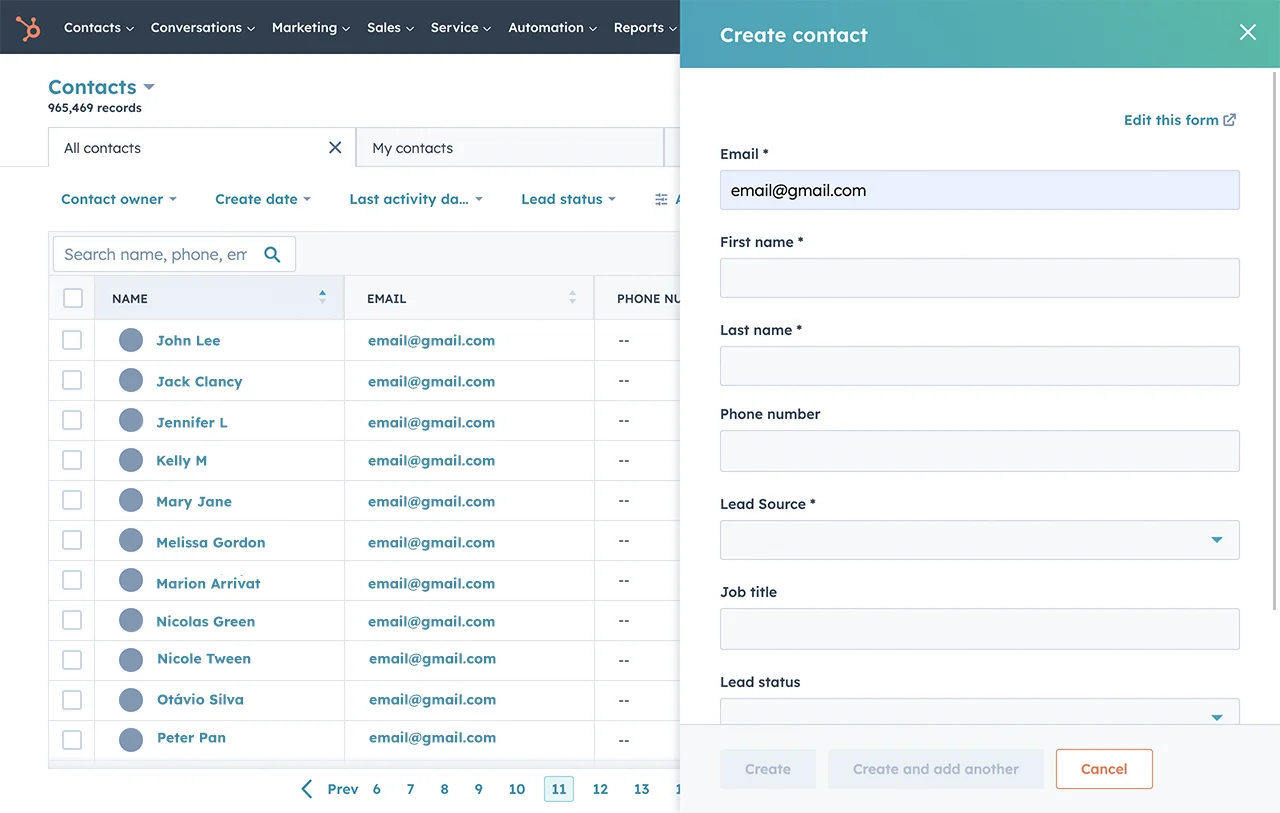
Product deep dive: HubSpot Smart CRM
The Frictionless Growth Accelerator
HubSpot has evolved from a simple marketing tool into a “Smart CRM.” Its core philosophy is adoptability. In my experience, the biggest CRM killer isn’t a missing feature; it’s a salesperson who refuses to log their data because the software is too “clunky.” HubSpot solves this by being genuinely enjoyable to use.
By 2026, HubSpot’s integration of Breeze AI has moved the platform beyond manual data entry. It now features “Agents” that prospect for you, summarize your emails, and even clean your data automatically. Because the Sales, Marketing, and Service Hubs share the same code base, there is zero latency. If a marketing lead clicks an ad, your sales rep sees it instantly on the timeline.
Benefits:
- World-class UI: The interface is clean, fast, and modern, reducing training time from months to days.
- Breeze Intelligence: Native data enrichment automatically finds company revenue, LinkedIn profiles, and technographics without a third-party tool.
- Unified reporting: Creating a report that shows “Revenue by Marketing Campaign” is a 3-click process.
Limitations:
- The success tax: As your “marketing contacts” grow, your bill can spiral into the tens of thousands per month.
- Rigid data structures: If your business requires a wildly non-standard database, HubSpot’s “Hub” structure can sometimes feel like a straitjacket.
- High enterprise barrier: Enterprise tiers often require a 10-seat minimum, which is a steep entry price for small but complex teams.
Use cases:
- High-growth B2B SaaS companies that need to align Sales and Marketing.
- Companies that value speed and “ready-to-go” marketing automation.
- Teams without a dedicated IT department that need a system that just works.
Product deep dive: Zoho CRM
The Industrial Lego Set
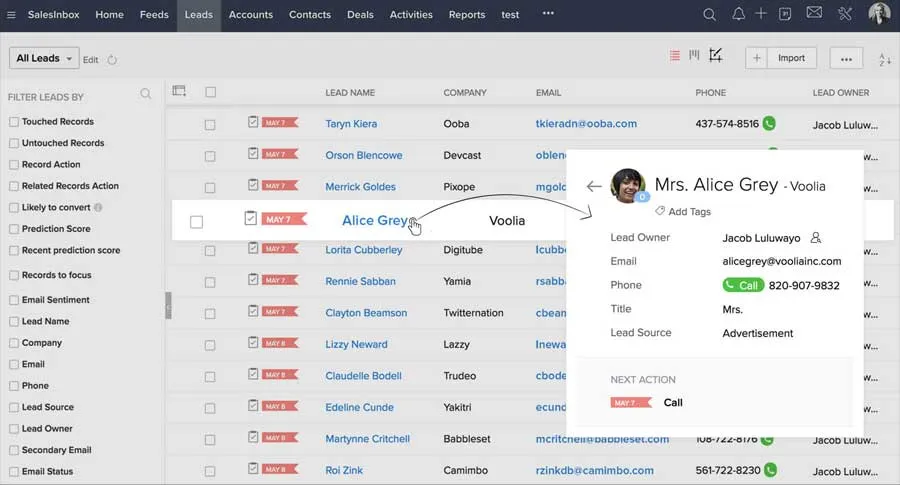
Truth bomb: I have a love-hate relationship with Zoho CRM. I often tell my clients that Zoho feels like buying a massive, discounted mansion that requires you to do your own plumbing. It is incredibly talented and versatile, but occasionally disorganized and stubborn.
The “Love” comes from the Canvas feature. Unlike the rigid rows of HubSpot, Canvas lets you design your CRM to look like anything – a real estate listing, a sleek business card, or a simplified dashboard for a field sales rep. The “Hate” comes from information overload. When you log in, you are greeted with modules, settings, and legacy relics like “Skype ID” fields that make the platform feel a bit “dusty” in the corners.
Benefits:
- Unbeatable value: Zoho One ($37-$45/user) gives you 45+ apps, including CRM, Books, Projects, and Desk, for the price of one HubSpot seat.
- Deep customization: You can build almost anything with “Deluge” (Zoho’s scripting language) if you have the developer skills.
- Mobile excellence: The Zoho mobile app is a hidden gem, featuring a “Caller ID” overlay that shows a lead’s deal value while your phone is ringing.
Limitations:
- The “campaigns” trap: A major “gotcha”—the tab called “Campaigns” in the CRM is just for reporting. To actually send an email, you have to use a totally separate app (Zoho Campaigns).
- Sluggish data: I’ve seen Gmail syncs take up to 12 hours to process, which feels like a lifetime compared to HubSpot’s instant magic.
- Reporting walls: If you try to connect more than three layers of data (e.g., Deal -> Quote -> Product), the system often says “no,” forcing you to use manual workarounds.
Use cases:
- Budget-conscious businesses that need advanced features like CPQ or Inventory management.
- Companies that want a custom-built Operating System rather than an out-of-the-box product.
- Teams with a dedicated In-House Admin who enjoys tinkering and configuring.
The expert’s strategic analysis
1. ‘Information overload’ vs. ‘creative freedom’
In HubSpot, you are guided through a sleek, predefined path. It’s comforting. In Zoho, you have total “Creative Freedom,” but that freedom leads to “Navigation Fatigue.” Zoho has modules on the left, settings on the top, and sticky notes at the bottom. It feels like navigating a massive database rather than a modern app. However, the moment you use Canvas to design a custom view, you feel a sense of artistic joy that HubSpot simply doesn’t offer.
2. The AI battle: Execution (Breeze) vs. prediction (Zia)
In 2026, the winner is clear based on what you want the AI to do.
- HubSpot Breeze is an executor. It doesn’t just tell you a lead is good; its “Prospecting Agent” will actually write the outreach and put it in your drafts.
- Zoho Zia is a predictor. It’s brilliant at telling you when to call a lead (Best Time to Contact) and spotting “anomalies” in your sales data. But Zia doesn’t “do” the work for you; it just tells you what you should probably do.
3. The ‘legacy baggage’ factor
One thing you’ll notice in Zoho is that it carries around Skype ID as a default field. It feels like legacy baggage from 2012. HubSpot, by contrast, feels like it was designed this morning. This isn’t just about aesthetics; it’s about mental load. Every unnecessary field in Zoho is one more thing for your sales rep to ignore, which eventually leads to them ignoring the entire CRM.
4. Implementation difficulty
- HubSpot: You can be up and running in a weekend. Most features are “toggle and play.”
- Zoho: Do not be fooled by the price. Zoho is hard to implement correctly. There are nine different sections for settings alone. Without an admin to manage permissions and profiles, your Zoho instance will become a digital junk drawer within six months.
Feature comparison
| Feature | HubSpot Smart CRM | Zoho CRM |
|
User interface |
Sleek, modern, and “Apple-like.” |
Functional but cluttered; Modular. |
|
Customization |
Moderate (Structured). |
Extreme: Canvas & Deluge Scripting. |
|
AI agentic power |
High: Agents perform tasks autonomously. |
Moderate: AI provides insights & predictions. |
|
Marketing tools |
Fully built-in; Industry-leading. |
Modular; Requires separate Zoho Campaigns. |
|
Reporting depth |
Great for 90% of business owners. |
Winner: SQL-level depth for data nerds. |
|
Mobile experience |
Simple and fast. |
Winner: High-end (Caller ID, Maps integration). |
|
Onboarding cost |
$3,000 – $15,000 (Mandatory for Ent). |
$0 (But DIY is a high risk). |
|
Data enrichment |
Built-in: Automatic profile finding. |
Requires 3rd-party (ZoomInfo/Clearbit). |
|
Salesforce sync |
Excellent; fast but “Chatty” (API heavy). |
Robust but can be sluggish/laggy. |
|
Support quality |
24/7 Human; High satisfaction. |
Can feel like “talking to a wall” (Copy-paste). |
Pricing comparison: ‘Success tax’ vs. ‘technical tax’
HubSpot: You pay for scale
HubSpot’s pricing model is built on usage.
- Starter: ~$15-20/user. Great for tiny teams.
- Professional: ~$450-$1,200/mo. This is where automation begins.
- Enterprise: ~$3,600+/mo. Mandatory for custom objects and advanced security.
- Key takeaway: HubSpot is affordable to start, but as you succeed and add more contacts, your bill becomes a major line item in your budget.
Zoho: You pay for capability
Zoho’s pricing model is built on seats.
- Standard/Professional: ~$14-$23/user.
- Enterprise/Ultimate: ~$40-$52/user. This gives you Zia and Canvas.
- Key takeaway: Zoho is incredibly cheap for the power you get, but you will spend that “saved” money on hiring a developer to fix the things you break.
Customization: ‘The guardrails’ vs. ‘The blank canvas’
In the world of CRM, customization is either your greatest weapon or your fastest path to a “broken” system. As someone who has built bespoke environments in both, I see a fundamental split in philosophy: HubSpot prioritizes Consistency and Adoption, while Zoho prioritizes Modularity and Creative Freedom.
HubSpot: Customization with guardrails
HubSpot’s approach is about “Structured Personalization.” It doesn’t want you to break the system; it wants you to make the system faster for your reps.
- The user experience: You can customize record sidebars, create conditional logic (e.g., “If the deal is over $10k, show the ‘Discount Approval’ field”), and even tailor the layout for different teams.
- The ‘Secret Sauce’: The beauty of HubSpot is that even when customized, it still feels like HubSpot. You can add “Custom Objects” at the Enterprise level to track things like “Properties” or “Subscriptions,” but the reporting and automation for those objects work exactly like standard ones.
- The limitation: You’re a “renter” here. You can’t change the fundamental “look” of the app. You can’t turn a contact record into a visual business card or a real estate brochure.
Zoho: The ‘Blank Canvas’ builder
Zoho is for the “Builder” who refuses to be told “no.” It is essentially a no-code app builder masquerading as a CRM.
- Canvas builder: This is the feature that makes my developer brain tingle. Unlike any other CRM at this price point, Zoho lets you redesign the entire screen from scratch. You can drag images, custom buttons, and decorative elements to create a view that doesn’t even look like a CRM. For a real estate firm, a record can look like a listing; for a medical office, it can look like a patient chart.
- Custom modules at scale: Unlike HubSpot, which locks “Custom Objects” behind a massive Enterprise paywall, Zoho lets you build custom modules (like “Assets” or “Deliveries”) much earlier in their pricing tiers.
- The ‘Hard Wall’: The downside of this freedom is the “Disjointed” feeling. Because you can change everything, it’s easy to build a system so complex that your team gets lost in the nested menus. You also have to deal with legacy baggage—like that “Skype ID” field that still haunts the default layouts in 2026.
The expert verdict: Which customization wins?
| Strategy | Choose HubSpot if… | Choose Zoho if… |
|
Philosophy |
You want “Efficiency within a Framework.” |
You want “Infinite Modularity.” |
|
Maintenance |
You want the system to be unbreakable. |
You have a developer who can fix what you break. |
|
Rep adoption |
You need a UI that stays clean and focused. |
You need a UI that matches a very specific industry. |
|
Logic |
You rely on visual, if/then workflows. |
You need “Deluge” scripts to perform complex math. |
The ‘Real World’ tradeoff: HubSpot’s customization is about preventing mistakes. It keeps your data clean so your reporting stays accurate. Zoho’s customization is about flexibility. It lets the software mold to your business, but it requires you to be the “plumber” and “electrician” of your own data.
If you are a “Builder” who loves Legos, you will find Zoho’s Canvas to be a rare joy. If you are a “Renter” who just wants the lights to turn on when you flip the switch, HubSpot’s guardrails are your best friend.
Decision framework
“What kind of marketing operation do you actually run today?”
If you are a High-Velocity “Inbound” shop that needs to turn a website visit into a lead in 60 seconds, HubSpot is your only choice. If you are a Complex Operations shop that needs to link sales to inventory, shipping, and accounting in one “Operating System,” Zoho is the better fit.
So what should you pick?
Choose HubSpot if:
- You want your team to love using the software (high adoption).
- You value Speed to Lead and integrated marketing automation.
- You have the budget to pay for a premium, frictionless experience.
- You want AI Agents to handle prospecting and data cleanup for you.
Choose Zoho CRM if:
- You are budget-conscious but need deep “Enterprise” power.
- You want the artistic freedom to design your own UI (Canvas).
- You have a technical person on staff who loves to tinker.
- You are already using the Zoho ecosystem (Books, Desk, Projects).
Reporting & analytics: The ‘deep dive’ vs. ‘The snapshot’
In 2026, data isn’t just about looking backward; it’s about predicting where the next dollar is coming from. Having spent thousands of hours building dashboards in both, I can tell you that the reporting vibe is where these two tools live on different planets.
HubSpot: The visual storyteller
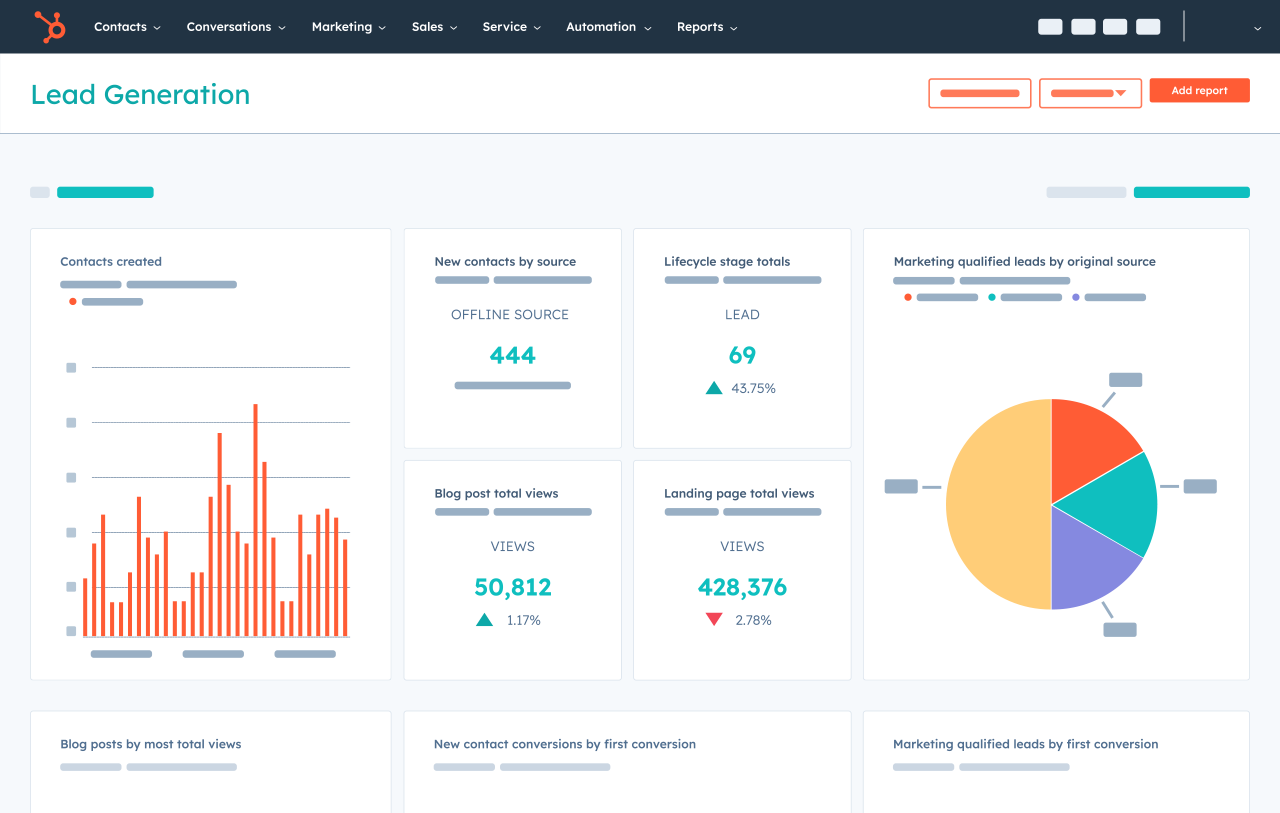
HubSpot’s reporting is designed for the Executive and the Sales Manager. It prioritizes visual clarity.
- Custom report builder: It uses a drag-and-drop interface that allows you to join different types of data (like Deals + Marketing Emails + Web Visits) without knowing a single line of code.
- Attribution reporting: This is HubSpot’s crown jewel. It can tell you, “This specific blog post from six months ago eventually led to this $50,000 deal.” It makes sense of the “messy” buyer journey.
- The “Wait” factor: Everything is instant. You don’t have to wait for a “data refresh” or a batch update; the second a rep moves a deal, your dashboard updates.
Zoho: The data scientist’s playground
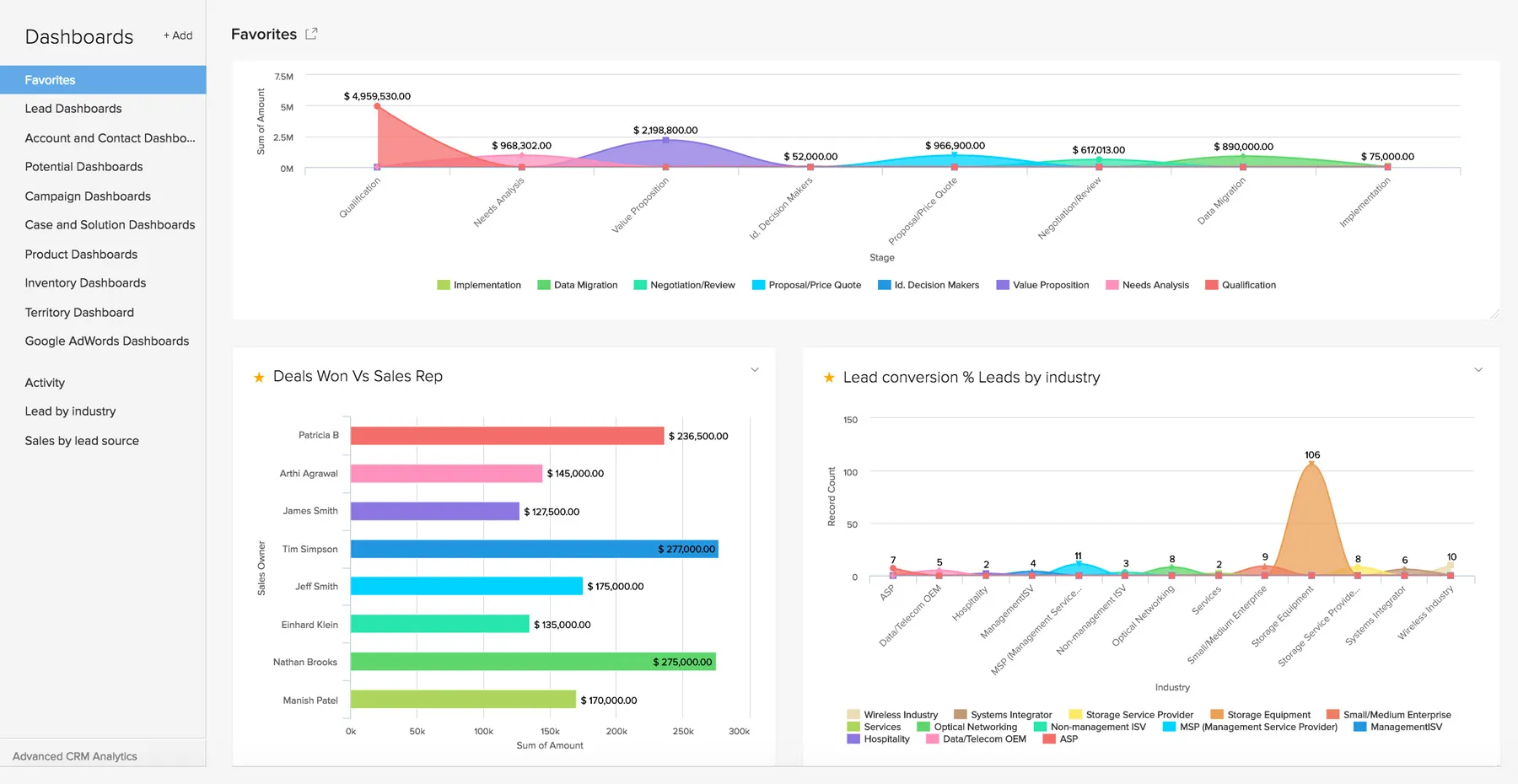
Zoho’s reporting is built for the Data Nerd and the Operations Architect. It follows a database-first logic.
- Zoho analytics: While HubSpot has a “Report Builder,” Zoho has a full-blown Business Intelligence (BI) engine. If you want to use SQL queries to find highly specific trends, Zoho lets you go deeper than HubSpot ever will.
- Advanced multi-object joins: You can connect more data tables in Zoho (e.g., Leads -> Deals -> Invoices -> Products -> Projects) to see the entire lifecycle of a customer, but it is technically demanding.
- The “lag” factor: Because Zoho is a collection of apps, its advanced analytics often require a “sync” from the CRM to the Analytics app. In 2026, you might still find yourself waiting for data to populate if you are doing complex cross-app reporting.
Which one makes more sense for you?
| If you want… | Then HubSpot makes more sense. |
|
Simplicity |
You need to see “How are we doing today?” in 5 seconds. |
|
Marketing Attribution |
You want to prove that your SEO and Social Media are actually making money. |
|
Team Alignment |
You want your sales reps to look at their own simple dashboards without getting confused. |
| If you want… | Then Zoho makes more sense. |
|
Complex Operations |
You need to report on things outside of sales, like inventory levels or project hours. |
|
Custom Logic |
You have a “weird” business model that standard CRM reports can’t handle. |
|
Low-Cost Depth |
You want the power of a tool like Tableau or PowerBI but don’t want to pay for a separate license. |
The migration pain: Moving from Zoho to HubSpot
As an expert who has moved companies off Zoho and onto HubSpot, here is the reality of the migration:
- The terminology shock: You have to stop thinking in “Modules” and start thinking in “Objects.”
- The workflow rebuild: Your Zoho “Blueprints” (which are rigid) must be reimagined as HubSpot “Workflows” (which are visual).
- The History trap: Zoho handles email history differently. If you don’t use a specialized tool like Import2, you will lose your entire “timeline” of activity when you move.
- The ‘Sync’ relief: The moment my clients move to HubSpot, the biggest feeling is Relief. No more “Did the email sync?” questions. It just works.
FAQ
Is HubSpot really better for Marketing?
Yes. There is no contest. HubSpot was a marketing tool that added a CRM; Zoho was a CRM that added a marketing tool. HubSpot’s marketing engine is five years ahead of Zoho Campaigns in terms of ease of use and AI content creation.
Can I use Zoho as a “Cheap Salesforce”?
Yes. That is its best use case. If you want the power of Salesforce but only have a $50/user budget, Zoho is the closest you will get.
Does HubSpot’s support justify the cost?
In my experience, yes. If you hit a wall in Zoho, you might wait 48 hours for a copy-pasted reply. If you hit a wall in HubSpot, you can have a human on the phone in 2 minutes who will help you solve the problem.
Which tool is better for 2026?
HubSpot is winning the AI race (Breeze). If you want to use AI Agents to grow your business, HubSpot is the future. If you want to use AI Data Analysis to refine a massive existing operation, Zoho’s Zia is still a strong contender.