Best E-Commerce for Small Businesses in 2026

So you're looking for the best e-commerce platform for your small business. Maybe you're a team of two, maybe five, maybe it's just you doing absolutely everything. I get it. I've been in that exact spot - trying to figure out which platform actually makes sense when you don't have a developer on speed dial, a designer on retainer, or a marketing team in the next room.
- Dropshipping-friendly
- Social Media & Amazon selling integration
- 100+ designer-made templates
- Trusted by millions of businesses globally
- Drag-and-drop store creator
- Create your online store in minutes
- Start free with unlimited product listings
- Built-in SEO tools and Google integrations
- Advanced features: Abandoned cart recovery
- 240+ design templates
- Drag & drop product merchandising
- Built-in SEO tools to boost visibility
- Vast ecosystem of extensions
- Enables limitless customization
- Integrates with any WordPress site
So, What’s the Best E-Commerce Platform for Small Businesses?
Honestly? It depends on what kind of business you’re running. But if I had to pick one platform for a small team that needs to do everything – design, sell, market, manage – without hiring anyone extra, I’d go with Wix. And if your business is purely about selling products and you want the most powerful commerce engine out there, Shopify is the move.
But that’s the short version. The real answer takes a bit more context, because every business is different. So let me walk you through each platform the way I’d explain it to a friend over coffee.
Key Takeaways
- Wix is the top choice for total design freedom and rapid AI-assisted site launches.
- Shopify remains the gold standard for businesses planning to scale quickly and utilize deep dropshipping integrations.
- 90% of marketers now use AI tools to generate product descriptions and marketing assets directly within these platforms.
- Squarespace leads for aesthetic-heavy brands and service-based micro-businesses.
- ROI Focus: Small businesses utilizing integrated SEO and blog tools see a 23% higher return on investment than those without.
How We Test E-Commerce Platforms
We test these platforms hands-on. Not as a reviewer. As a micro business owner.
We’ve gone through more than 10 different e-commerce platforms and used each one the way you would – as one person doing everything. That means signing up, building a real store from scratch, adding products, editing them, removing them, testing how smooth (or painful) the whole product management experience actually feels on a Tuesday night when you’re tired and just need it to work.
We test the full funnel. Not just “does the homepage look nice,” but the entire journey: Can a customer land on your site, find a product, add it to cart, check out, and pay – without friction? We look at payment processing setup, how easy it is to connect Stripe or PayPal, what the checkout experience feels like on mobile, and whether the order management on the backend makes sense or makes you want to throw your laptop out the window.
We specifically focus on drag-and-drop platforms that don’t require a developer, a designer, or any extra hands to build and manage. If a platform needs you to hire someone just to change a banner image or update a product price, it’s not making this list. The whole point is that you – as a small team or even a solo founder – should be able to run the entire thing yourself.
After testing all of them, we picked the platforms that are the best fit for micro and small teams. Not the ones with the longest feature lists. The ones that actually make your life easier when you’re wearing every hat in the business.
Top Small Business E-commerce Platforms at a Glance
| Feature | Wix eCommerce | Shopify | Squarespace |
| Best For | Total Design Control | Scalability & Sales | High-End Aesthetics |
| AI Builder | Yes (Prompt-based) | Yes (Shopify Magic) | Yes (Blueprint AI) |
| Transaction Fees | 0% (on paid plans) | 0% (with Shopify Payments) | 3% (on Business plan) |
| App Market | 100+ Integrations | 8,000+ Apps | Select 3rd Party Apps |
| Team Size | 1-3 Employees | 1-10+ Employees | 1-5 Employees |
Wix E-Commerce – My Go-To for Small Teams
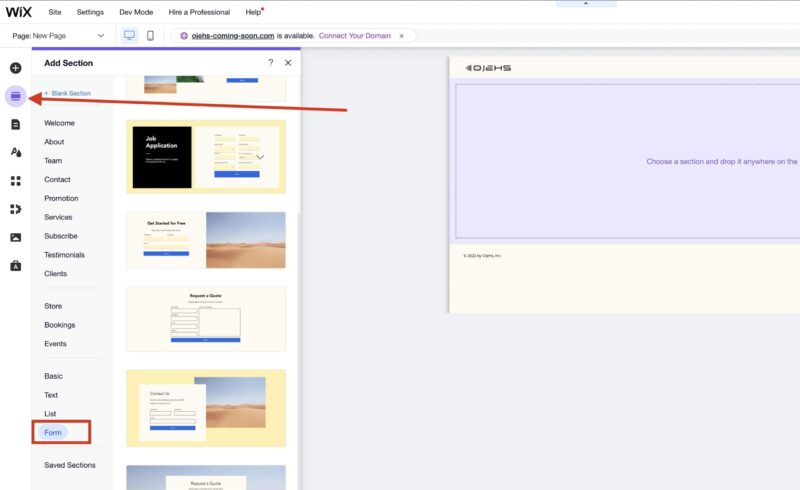
Here’s the thing about running a small business: you’re not just the owner. You’re the designer, the developer, the copywriter, the customer support rep, and sometimes the person packing boxes at midnight. You need a platform that respects that reality.
That’s why I keep coming back to Wix for small and micro businesses.
Wix lets you build your entire e-commerce site with a drag-and-drop editor. No code. No weird workarounds. You literally move things around the page, and what you see is what your customers see. You can optimize the desktop and mobile versions separately, which is huge because most platforms just give you one layout and hope it looks okay on a phone. With Wix, you actually control how your site looks everywhere.
But here’s where it really gets interesting for small teams – the AI website builder. You can build an entire site with one prompt. Seriously. Wix asks you a few questions about your business (what you sell, what your goals are, what style you like), and then it generates a full website with demo products, pages, navigation, the whole thing. From there, you just swap in your real products, tweak the design, and you’re live.
They recently launched something called Wix Harmony with an AI agent called Aria. You can literally tell Aria “change my color palette to something warmer” or “add a testimonials section” or “redesign my homepage” – and it just does it. It understands your whole site, so changes in one area don’t break something in another. That’s the kind of thing that used to require hiring a developer.
On top of all that, Wix has AI tools for writing product descriptions, generating images, creating blog posts, and even an SEO assistant that tells you what to fix. The integrations are massive too – over 100 third-party platforms, from Mailchimp to payment providers to social media channels.


Features
General Features

Design
Multimedia Automations
Marketing
Hosting
Pros & Cons
Pros
Cons

Rating
- Wix E-commerce Overall: 4.7
- Features: 5/5
- Price: 4.5/5
- Ease of use: 4.5/5
- Support: 5/5
- Performance: 4.5/5
- User reviews: 4.6/5
Pricing? Plans start around $17/month for e-commerce (billed annually). That’s less than what most people spend on coffee in a week.
Who Should Pick Wix
If you’re a small team – maybe 1 to 5 people – and the person running the website is also the person running the business, Wix is built for you. It’s especially great if design matters to you but you’re not a designer, if you want to blog for SEO but you’re not a writer, and if you want to get to market fast without cutting corners on quality.
Real Talk: When Wix Might Not Be the One
If you’re building a massive product catalog with thousands of SKUs and need advanced inventory management across multiple warehouses, Wix might start to feel tight. But for the vast majority of small businesses? It does more than enough.
A Real-World Example
Picture a small skincare brand. Three people: the founder who does everything digital, a part-time content person, and someone handling fulfillment. The founder uses Wix’s AI builder, gets a full site up in under an hour, swaps in real product photos, uses the AI text tools to write product descriptions, and sets up a blog for SEO content. The content person writes weekly skincare articles using Wix’s blogging tools. The fulfillment person manages orders from the dashboard.
No developer. No designer. No agency. Three people, one platform, fully running.
Shopify – The Best Choice When Selling Is the Whole Business
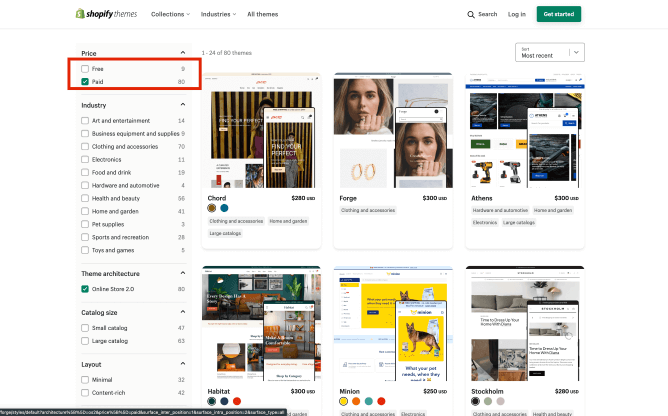
If Wix is the best all-rounder for small teams, Shopify is the best pure e-commerce platform. Period. And here’s the difference: Wix is a website builder that does e-commerce really well. Shopify is an e-commerce platform that also builds websites. If your entire business revolves around selling products – physical, digital, subscriptions, whatever – Shopify is designed for exactly that.
From the moment you log into Shopify, everything is about commerce. Your products, your orders, your customers, your sales channels. It’s not trying to be a portfolio site or a blog platform. It’s a selling machine.
Shopify also has its own AI store builder now. You type in a description of your business, and it generates three fully designed store layouts with products, images, descriptions, and SEO content already in place. Then there’s Shopify Magic – their built-in AI that writes product descriptions, email subject lines, chat replies, and blog posts. It even has AI image editing so you can clean up product photos without Photoshop.
But the real power of Shopify for small businesses is the app store. There are thousands of apps that extend your store – email marketing, reviews, upsells, subscriptions, print-on-demand, dropshipping, loyalty programs. You can build a seriously sophisticated store without touching code. Just pick the apps you need and plug them in.
The flip side? Those apps cost money. A store with 5-10 paid apps can easily add $100-300/month on top of your subscription. That’s something to budget for.

Features
General Features
Design
Multimedia Automations
Marketing
Hosting
Pros & Cons
Pros
Cons
Rating
- Shopify E-commerce Overall: 4.5
- Features: 4.5/5
- Price: 4/5
- Ease of use: 4.5/5
- Support: 5/5
- Performance: 4.5/5
- User reviews: 4.5/5
Pricing? The Basic plan is $39/month ($29 if you pay annually). That includes everything you need to run a real store. There’s also a Starter plan at $5/month if you just want to sell through social media without a full website.
Who Should Pick Shopify
If selling products is your core business and you want to grow – selling on your website, Instagram, Facebook, TikTok, Amazon, and maybe even in-person with a POS system – Shopify gives you all of that in one place. It’s also the go-to for dropshipping and print-on-demand businesses.
Real Talk: When Shopify Might Not Be the One
If your business is more content-driven (a blog, a portfolio, a service business) with a small shop on the side, Shopify can feel like overkill. The blogging tools are pretty basic compared to Wix or WordPress. And the design editor, while improved, isn’t as free-form as a true drag-and-drop builder. You’re working within the theme’s structure more than creating from scratch.
A Real-World Example
Think about a husband-and-wife team making handmade jewelry. He makes the pieces, she runs the business side. She sets up Shopify Basic, uses the AI builder to get a storefront running in 20 minutes, and lets Shopify Magic write the product descriptions. She installs a free reviews app, connects Instagram Shopping, and turns on abandoned cart emails – which saves 3 sales in the first month alone.
As business picks up around the holidays, they upgrade to the Grow plan for gift card support and better reporting. Their total monthly cost: about $79 for the plan plus $30 in apps. Two people, growing steadily, no outside help needed.
Squarespace – When Your Brand Needs to Look Like a Million Bucks
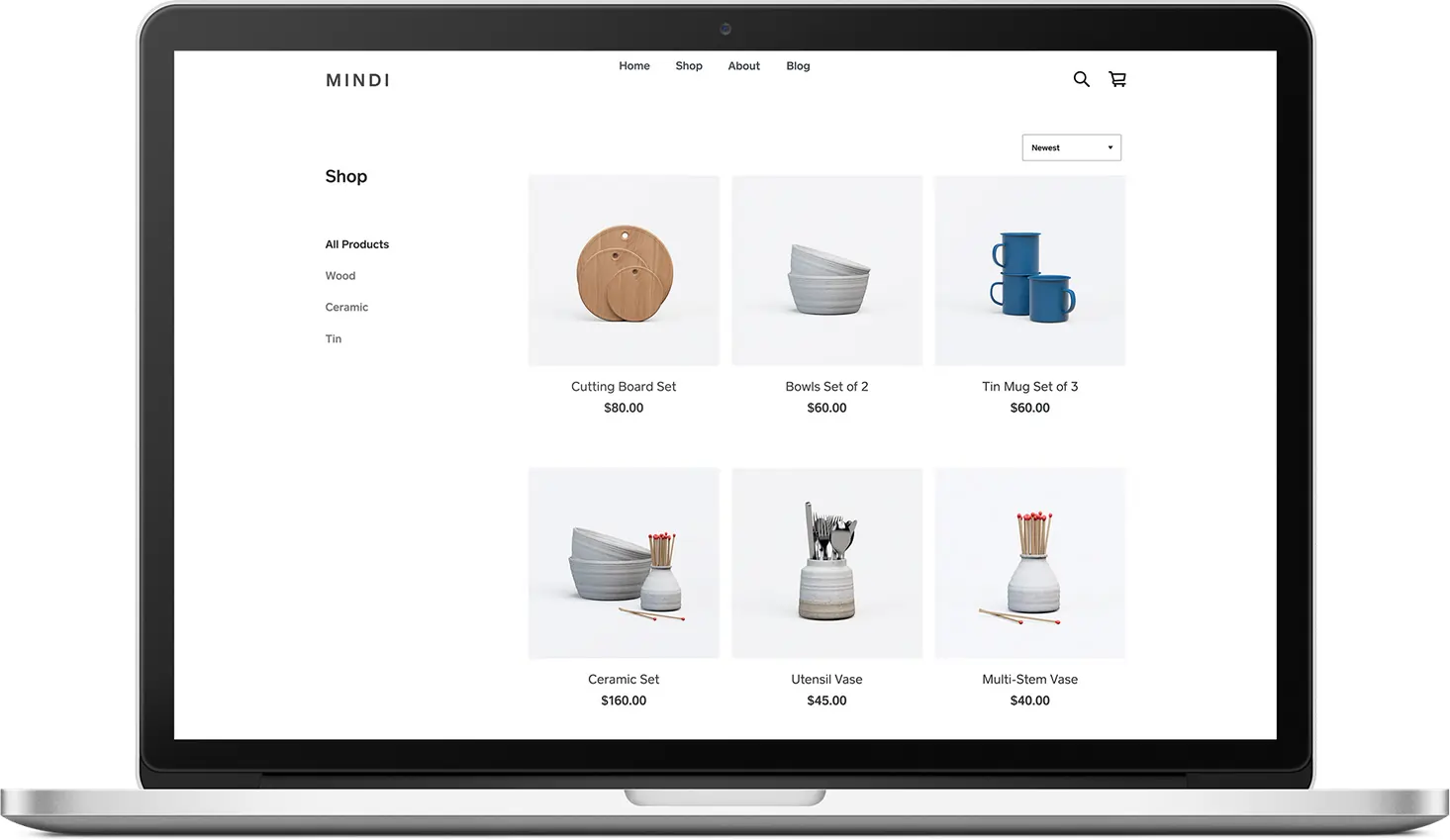
You know those websites where you land on the homepage and immediately think “wow, this brand is legit”? Half the time, that’s Squarespace. And the beautiful thing is, it probably cost the owner $23 a month.
Squarespace has always been the design-first platform. The templates are gorgeous, and the editing experience keeps everything visually consistent – which means it’s actually hard to make an ugly site, even if you’re not a designer. For small businesses where brand aesthetics matter – independent fashion brands, artisan food producers, wellness companies, photographers, creative studios – Squarespace makes you look way more established than you might actually be. And honestly, that’s a superpower.
They recently updated their pricing. The big deal for small businesses? You can now sell unlimited products even on the cheapest plan ($16/month). But the sweet spot is the Core plan at $23/month – zero store transaction fees, unlimited contributors, advanced analytics, and custom code support. That’s actually cheaper than Shopify or Wix for basic e-commerce.
Squarespace also has a Blueprint AI tool that helps you set up your site by asking about your preferences, layout needs, and content. It’s not as advanced as Wix’s Harmony or Shopify’s Magic, but it gets you a solid starting point.

Features
General Features
Design
Multimedia Automations
Marketing
Hosting
Pros & Cons
Pros
Cons
Rating
- Square Online E-commerce Overall: 4.3
- Features: 4.5/5
- Price: 4.5/5
- Ease of use: 4.5/5
- Support: 4/5
- Performance: 5/5
- User reviews: 4/5
Who Should Pick Squarespace
If you’re a visual brand and the way your site looks is just as important as what it sells, Squarespace is your platform. Creatives, artists, makers, and lifestyle brands thrive here. It’s also great for service businesses that want a beautiful online presence with a small shop attached.
Real Talk: When Squarespace Might Not Be the One
The app ecosystem is limited compared to Shopify. If you need advanced inventory, multi-channel selling across Amazon and TikTok, or heavy customization beyond what the templates offer, Squarespace will feel restrictive. It’s intentionally simple – which is a strength for most small businesses, but a limitation if your needs are complex.
A Real-World Example
Two friends start an artisan candle business. One handles production, the other handles the brand. The brand person picks Squarespace because the site needs to feel premium – they’re selling a high-end product at a high-end price. She picks a template, customizes it over a weekend, adds brand photography, and writes product descriptions. The site looks like it was designed by a professional studio.
They connect Mailchimp for email, Instagram for social, and use Squarespace’s SEO tools to rank for “hand-poured soy candles.” Within six months, organic Google traffic becomes their number-one sales source. Total cost: $23/month for the platform, $13/month for Mailchimp. That’s $36/month for a business that looks like it has a real marketing department.
Use our Free Website Worth Calculator
BigCommerce – The One Most People Don’t Think About (But Should)
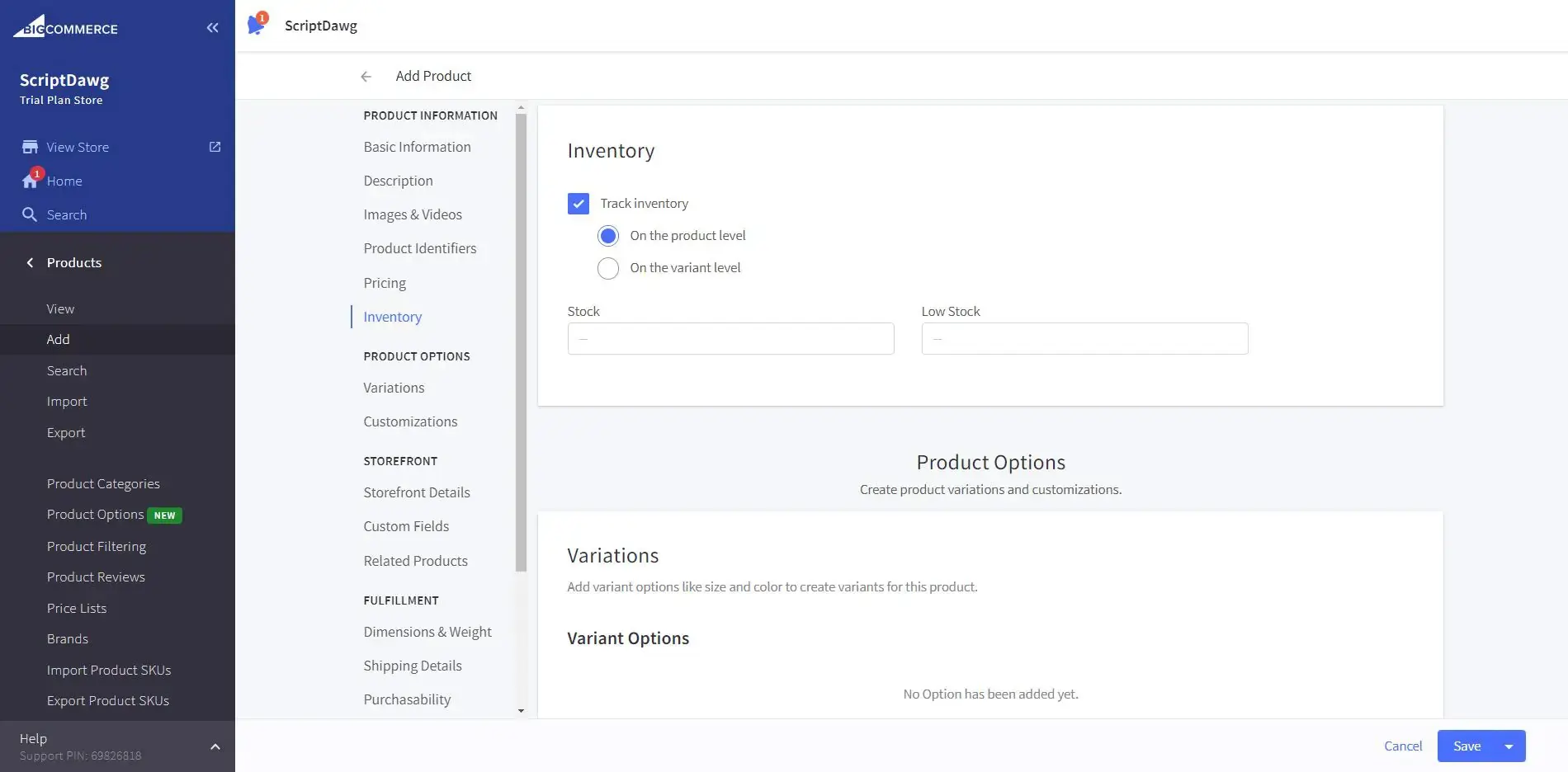
BigCommerce is the platform I recommend when someone tells me “I have a lot of products and I’m tired of paying for apps.” Because here’s the thing – a lot of features that Shopify charges extra for through apps, BigCommerce includes out of the box. Product variants, advanced search filtering, multi-currency support, customer groups for wholesale pricing, no transaction fees on any plan. All built in.
For small businesses with bigger catalogs – a specialty food store with 500 products, a parts supplier with complex options, a B2B business that needs different pricing for different customers – BigCommerce can save real money every month by not needing a stack of paid apps.

Features
General Features
Design
Multimedia Automations
Marketing
Hosting
Pros & Cons
Pros
Cons
Rating
- BigCommerce E-commerce Overall: 4.2
- Features: 4.5/5
- Price: 4/5
- Ease of use: 3.5/5
- Support: 5/5
- Performance: 4.5/5
- User reviews: 4/5
Pricing? Standard starts at $29/month with no transaction fees and unlimited products.
Who Should Pick BigCommerce
Product-heavy businesses. B2B sellers. Anyone who looks at Shopify’s app costs and thinks “there has to be a better way.” If you need robust commerce features without the app dependency, BigCommerce is worth a serious look.
Real Talk: When BigCommerce Might Not Be the One
It has a steeper learning curve. The design templates are more functional than beautiful. If you’re a solo founder who wants to get a gorgeous site up in an afternoon, BigCommerce will feel heavy compared to Wix or Squarespace.
A Real-World Example
A family-run spice company with 400+ products. Four people: the owner, his wife on customer service, and two part-time fulfillment workers. They chose BigCommerce because it natively supports product variants (different sizes of the same spice), faceted search (filter by type, region, heat level), and wholesale customer groups – all without paid apps.
They connected it to their Amazon and eBay stores for automatic inventory sync. Total platform cost: $29/month. Running the same setup on Shopify with apps would easily cost $150-200/month more.
WooCommerce – For the WordPress People
If your business already runs on WordPress – maybe you have a blog with real traffic, or a content-driven site – adding WooCommerce is a no-brainer. It’s a free plugin that turns your existing WordPress site into an e-commerce store.
The catch? You’re responsible for everything. Hosting, security, updates, backups, troubleshooting. There’s no support team to call at 2 AM. You need someone on your team who’s at least comfortable with WordPress.

Features
General Features
Design
Multimedia Automations
Marketing
Pros & Cons
Pros
Cons
Rating
- WooCommerce E-commerce Overall: 4.6
- Features: 4.5/5
- Price: 5/5
- Ease of use: 4.5/5
- Support: 4/5
- Performance: 5/5
- User reviews: N/A
Cost? Realistically $10-50/month for hosting and essential plugins. WooCommerce itself is free.
Who Should Pick WooCommerce
WordPress users. Content-first businesses. Anyone who wants complete control and full ownership of their data. Budget-conscious teams that are willing to invest time instead of money.
Real Talk: When WooCommerce Might Not Be the One
If nobody on your team knows WordPress, don’t start here. The “free” price tag can end up costing you more in time (and frustration) than a managed platform would cost in money.
A Real-World Example
A small independent publisher with a WordPress blog that already gets thousands of visitors from search. They add WooCommerce in a weekend, install a free theme, set up PayPal and Stripe, and start selling books directly to the audience they already have. Total cost: $25/month for hosting. That’s it.
Conclusion
An online store is a powerful way to grow your brand or launch it from scratch. Many tools will help you succeed such as e-commerce website builders, advertising platforms, and social media platforms. They’re only as effective as you make them. The first step is understanding how to use them properly to reach your goals. If you’re looking for the right e-commerce website builder then be sure to check out our helpful reviews so you can quickly shortlist the best candidates based on your situation.
Here’s how I think about it when someone asks me “which platform should I use?”:
Pick Wix if you’re a small team that does everything and you want one platform that handles design, content, marketing, and selling – with AI tools that actually save you hours of work.
Pick Shopify if selling is your whole business and you want the most powerful commerce ecosystem with room to grow into multiple sales channels.
Pick Squarespace if your brand’s visual identity is everything and you want a site that looks like you spent thousands on design – for $23/month.
Pick BigCommerce if you have a big catalog, complex products, or B2B needs, and you don’t want to pay for apps to get features that should already be there.
Pick WooCommerce if you already live in WordPress, you’re comfortable managing your own tech, and you want total control.
No platform is perfect. But the right one for your small business is the one that lets your tiny team get big things done without losing your mind – or your budget.
FAQs
Q: Is there a truly free e-commerce platform for small business?
A: Wix and Square Online offer free plans, but they typically include platform branding and do not allow you to use a custom domain. For professional sales, a paid plan is required.
Q: Which platform is best for dropshipping in 2026?
A: Shopify is widely considered the leader for dropshipping due to its deep integration with thousands of suppliers and automated order fulfillment apps.
Q: Do I need to know how to code to use these platforms?
A: No. Wix, Shopify, and Squarespace are all “no-code” platforms that use drag-and-drop editors and AI builders.
Q: Which e-commerce platform has the best SEO?
A: Shopify and Wix both offer robust SEO tools. Wix is often praised for its “SEO Wiz” for beginners, while Shopify handles technical SEO (like sitemaps) automatically.
Q: Can I switch platforms later if I grow too big?
A: Yes, but it can be complex. Shopify is often the “end-game” platform for many growing businesses because of its limitless scalability.
Q: What are transaction fees?
A: These are cuts the platform takes from your sales. Shopify waives these if you use Shopify Payments, while Wix offers 0% transaction fees on paid plans.
Q: Can I sell digital products on these platforms?
A: Yes. All three major platforms support digital downloads, subscriptions, and memberships.
Q: Is AI actually useful for building an e-commerce site?
A: Yes. 94% of marketers plan to use AI for content in 2026. It significantly reduces the time spent on copywriting and layout design.
Q: How much should a small business spend on an e-commerce platform?
A: Most small businesses start with a plan between $20 and $40 per month. Costs increase as you add specialized apps or higher-tier features.
Q: Which platform is best for mobile shoppers?
A: All top platforms now offer fully responsive templates, but Shopify is highly rated for its checkout experience on mobile devices.