
Best Scheduling Software for 2026
Effective time management and resource allocation are critical for success. Scheduling software has become an indispensable tool for organizations and individuals alike, streamlining the process of planning, organizing, and managing appointments, tasks, and resources. This article delves into the benefits, uses, and key features of scheduling software, providing insights to help you select the best solution for your needs.
Last updated: September 2026
Free plan available
- Automate entire appointment booking process
- Boost productivity with popular integrations
- Trusted by over 20 million professionals
- Offers a free plan with many features
- Tremendous customer support with endless resources
- Automate meeting scheduling to save time
- Extremely intuitive user experience
- No email reminders through the Free plan
Free plan available
- Automate entire appointment booking process
- Boost productivity with popular integrations
- Trusted by over 20 million professionals
- Offers a free plan with many features
- Tremendous customer support with endless resources
- Automate meeting scheduling to save time
- Extremely intuitive user experience
- No email reminders through the Free plan
Free plan available
- Customized booking page shows availability
- Time zone presets & scheduling intervals
- Syncs with Google, Outlook, and Zoho Calendars
- Offers a 15-day free trial for paid plans
- Seamless booking payments management
- The mobile app is very intuitive
- Streamlines the booking process for customers
- Not many features are available in the free plan
- Limited customization options for appointment lengths
Free plan available
- Customized booking page shows availability
- Time zone presets & scheduling intervals
- Syncs with Google, Outlook, and Zoho Calendars
- Offers a 15-day free trial for paid plans
- Seamless booking payments management
- The mobile app is very intuitive
- Streamlines the booking process for customers
- Not many features are available in the free plan
- Limited customization options for appointment lengths

14-Days Free Trial
- Manage appointments and clients in one place
- Intuitive interface and easy to use
- Integrates easily with popular tools
- Convenient online booking options
- Continuously adding new features
- Accommodates businesses of all sizes
- User-friendly interface
- Potential risk of scheduling conflicts
- Requires stable internet connection
14-Days Free Trial
- Manage appointments and clients in one place
- Intuitive interface and easy to use
- Integrates easily with popular tools
- Convenient online booking options
- Continuously adding new features
- Accommodates businesses of all sizes
- User-friendly interface
- Potential risk of scheduling conflicts
- Requires stable internet connection

Free plan available
- All-in-one POS for booking & payments
- Client profiles & team management tools
- 24/7 support with multiple contact options
- Easy to use and set up
- Comprehensive and attractive customization options
- Excellent customer support
- Flexible pricing plans
- Payment processing fees can add up for larger transaction volumes.
- Advanced features like team management require higher-tier plans.
Free plan available
- All-in-one POS for booking & payments
- Client profiles & team management tools
- 24/7 support with multiple contact options
- Easy to use and set up
- Comprehensive and attractive customization options
- Excellent customer support
- Flexible pricing plans
- Payment processing fees can add up for larger transaction volumes.
- Advanced features like team management require higher-tier plans.

Free plan available
- User-friendly and quick setup
- Automatic reminders to staff and clients
- Accept online payments and deposits
- Easy to use and set up
- Comprehensive and attractive customization options
- Excellent customer support
- Flexible pricing plans
- Phone support unavailable
- Limited options on the Free and Basic plans
Free plan available
- User-friendly and quick setup
- Automatic reminders to staff and clients
- Accept online payments and deposits
- Easy to use and set up
- Comprehensive and attractive customization options
- Excellent customer support
- Flexible pricing plans
- Phone support unavailable
- Limited options on the Free and Basic plans

Free plan available
- Access your calendar from any device
- 24/7 automated online booking & reminders
- Syncs with Google, Office, and Apple
- Feature-rich free version available
- Integrates easily with 3rd party software
- Affordable premium plans compared to competitors
- User-friendly interface for users of all levels
- Occasional sync issues
- Limited reporting and analytics
Free plan available
- Access your calendar from any device
- 24/7 automated online booking & reminders
- Syncs with Google, Office, and Apple
- Feature-rich free version available
- Integrates easily with 3rd party software
- Affordable premium plans compared to competitors
- User-friendly interface for users of all levels
- Occasional sync issues
- Limited reporting and analytics

Free plan available
- Built-in fact-checking and citation tools
- Boost your writing skills & efficiency
- Formal, casual, humorous, or informative
- Many features available in the free plan, strong value at $0
- Deepest integration with Google Workspace
- Capable of writing in multiple languages for global reach
- Clear, laddered pricing from $4.99 → $99.99
- Occasionally misinterprets the context or the nuances of the task
- Top features can be region-limited and roll out unevenly
- Data-privacy considerations when feeding sensitive business content into a consumer AI
Free plan available
- Built-in fact-checking and citation tools
- Boost your writing skills & efficiency
- Formal, casual, humorous, or informative
- Many features available in the free plan, strong value at $0
- Deepest integration with Google Workspace
- Capable of writing in multiple languages for global reach
- Clear, laddered pricing from $4.99 → $99.99
- Occasionally misinterprets the context or the nuances of the task
- Top features can be region-limited and roll out unevenly
- Data-privacy considerations when feeding sensitive business content into a consumer AI

14-Days Free Trial
- Sync across all your devices instantly
- Integrates with Google Workspace
- Customizable booking options
- A variety of event management options
- Accessible from any device
- Customizable reminders and email notifications
- Use multiple calendars with one account
- Available only online
- Limited customer support
14-Days Free Trial
- Sync across all your devices instantly
- Integrates with Google Workspace
- Customizable booking options
- A variety of event management options
- Accessible from any device
- Customizable reminders and email notifications
- Use multiple calendars with one account
- Available only online
- Limited customer support

Free plan available
- Comprehensive automation without coding
- Integrates with various calendar apps
- Multiple view options for project tracking
- Highly customizable
- Intuitive interface
- High level of automation
- Deep integration with 200+ apps and services
- Technical expertise required for automation and integration
- Limited features on the free plan and lower tier
Free plan available
- Comprehensive automation without coding
- Integrates with various calendar apps
- Multiple view options for project tracking
- Highly customizable
- Intuitive interface
- High level of automation
- Deep integration with 200+ apps and services
- Technical expertise required for automation and integration
- Limited features on the free plan and lower tier

Free plan available
- Multi-channel appointment management
- Integrates with popular business tools
- Easily manage rooms & equipment
- Straightforward and user-friendly interface.
- Comprehensive free plan with essential features.
- Easy integration with popular third-party tools.
- Automated reminders reduce no-shows and last-minute cancellations.
- Limited payment processing options compared to other platforms.
- No phone support is available.
Free plan available
- Multi-channel appointment management
- Integrates with popular business tools
- Easily manage rooms & equipment
- Straightforward and user-friendly interface.
- Comprehensive free plan with essential features.
- Easy integration with popular third-party tools.
- Automated reminders reduce no-shows and last-minute cancellations.
- Limited payment processing options compared to other platforms.
- No phone support is available.
- Seamless Microsoft 365 app integrations
- Robust business management & reporting
- Easy-to-use, customizable dashboards
- Integration with Microsoft Ecosystem
- Comprehensive feature set
- Customizable dashboards
- User-friendly interface
- Cost (may be considered high for small business)
- Initial setup complexity
- Limited built-in payroll
- Seamless Microsoft 365 app integrations
- Robust business management & reporting
- Easy-to-use, customizable dashboards
- Integration with Microsoft Ecosystem
- Comprehensive feature set
- Customizable dashboards
- User-friendly interface
- Cost (may be considered high for small business)
- Initial setup complexity
- Limited built-in payroll

14-Days Free Trial
- Share employee schedules with teams
- Schedule-building templates available
- Equal shift distribution tools
- Free plan for small businesses
- Abundance of features, such as clock in and out, push notifications, employee schedules, etc
- Responsive customer support
- User-friendly mobile app is available
- Expensive pricing
- Occasional delay in notifications
14-Days Free Trial
- Share employee schedules with teams
- Schedule-building templates available
- Equal shift distribution tools
- Free plan for small businesses
- Abundance of features, such as clock in and out, push notifications, employee schedules, etc
- Responsive customer support
- User-friendly mobile app is available
- Expensive pricing
- Occasional delay in notifications
Free plan available
- Automate your entire schedule in one place
- In-depth analytics provide valuable insights
- Tailored solutions for various industries
- Pay-on-the-go option
- Customize and embed booking forms in a variety of ways
- Intuitive analytics center
- Easy to use
- Not many marketing capabilities
- Appointy branding appears unless you get the Enterprise Plan
Free plan available
- Automate your entire schedule in one place
- In-depth analytics provide valuable insights
- Tailored solutions for various industries
- Pay-on-the-go option
- Customize and embed booking forms in a variety of ways
- Intuitive analytics center
- Easy to use
- Not many marketing capabilities
- Appointy branding appears unless you get the Enterprise Plan
Free plan available
- Mobile-friendly access for on-go scheduling
- Automated reminders to reduce missed meetings
- Customization for personalized scheduling
- Accommodates businesses of all sizes
- Integrates easily with other apps
- Variety of automation features
- Convenient online booking options
- Limited customization
- Plans can be expensive
Free plan available
- Mobile-friendly access for on-go scheduling
- Automated reminders to reduce missed meetings
- Customization for personalized scheduling
- Accommodates businesses of all sizes
- Integrates easily with other apps
- Variety of automation features
- Convenient online booking options
- Limited customization
- Plans can be expensive

Free plan available
- In-depth templates for quick scheduling
- Real-time notification support
- Employee availability management
- Simple drag-and-drop scheduling.
- Real-time notifications
- Reusable schedule templates
- Easy payment integration
- Simple drag-and-drop scheduling. Customer support delays
- No sync with external calendar
Free plan available
- In-depth templates for quick scheduling
- Real-time notification support
- Employee availability management
- Simple drag-and-drop scheduling.
- Real-time notifications
- Reusable schedule templates
- Easy payment integration
- Simple drag-and-drop scheduling. Customer support delays
- No sync with external calendar

7-Days Free Trial
- Flexible payment management
- Embed your appointments on your website
- Advanced scheduling features
- Real-time availability sync
- Highly customizable booking pages
- Easy third party integrations
- Flexible payment management
- Limited customer support
7-Days Free Trial
- Flexible payment management
- Embed your appointments on your website
- Advanced scheduling features
- Real-time availability sync
- Highly customizable booking pages
- Easy third party integrations
- Flexible payment management
- Limited customer support

- Microsoft 365 suite integration
- Instant notifications for appointments and follow-ups
- Calendar integration across apps and devices
- Smooth Microsoft 365 Integration
- Cost-Effective for Existing Microsoft Users
- Multi-Location Support
- Customizable Booking Page
- No payment integration
- No Mobile App
- Dependency on Microsoft 365
- Limited third party integration
- Microsoft 365 suite integration
- Instant notifications for appointments and follow-ups
- Calendar integration across apps and devices
- Smooth Microsoft 365 Integration
- Cost-Effective for Existing Microsoft Users
- Multi-Location Support
- Customizable Booking Page
- No payment integration
- No Mobile App
- Dependency on Microsoft 365
- Limited third party integration
* Featured prices and terms can be updated. Free offers may include additional terms.
TL;DR - What You Need to Know
- Calendly is the fastest way to get a professional booking link live - no learning curve, works immediately.
- Square Appointments is the only free option that combines scheduling + POS + payments in one place - ideal for salons, trainers, and service providers. The Plus plan ($29/month) has no staff cap.
- Acuity Scheduling gives small teams the most control: intake forms, packages, subscriptions, and branded booking pages.
- SimplyBook.me beats everyone on free-plan features and is purpose-built for service businesses.
- HubSpot Meetings is the best pick if you're already doing sales or client outreach - it connects scheduling directly to your CRM pipeline for free.
How We Test
We don't just read documentation. We tested each platform hands-on as solo operators and with small teams of up to five people- the way a real small business actually uses these tools.
That means we set up live booking pages, tested the client-facing experience on mobile and desktop, ran into the actual friction points, and pushed the limits of free plans before upgrading. We paid for trials ourselves, checked real customer support response times, and ran through onboarding as if we had zero technical background.
When we say a platform is easy or frustrating, we mean it from experience - not from a feature checklist.
The Best Scheduling Software for Small Business
Calendly - Best for Professionals Who Just Need a Booking Link That Works
Trusted by over 100,000 companies, Calendly enables businesses to efficiently book meetings and achieve team goals faster while boosting website bookings and customer engagement. Features include… Read more
Trusted by over 100,000 companies, Calendly enables businesses to efficiently book meetings and achieve team goals faster while boosting website bookings and customer engagement. Features include automatic reminders, meeting tools, and custom event invites. This Calendly review will explore the pricing plans, features, customer service, and performance of the Calendly scheduling tool.
Learn more in our full Calendly review.
Pros & Cons
- Offers a free plan with many features
- Tremendous customer support with endless resources
- Automate meeting scheduling to save time
- Extremely intuitive user experience
- No email reminders through the Free plan
Features
- Online Scheduling
- Calendar Synchronization
- Automated Reminders
- Customization Options
- Multi-platform Access
- Payment Integration
- Resource Management
- Appointment Scheduling Pages
- Analytics and Reporting
- Team Collaboration
- Third-party Integrations
- Mac
- Windows
- Linux
- Android
- iPhone
- iPad
Pricing
$0
mo/
month
$10
mo/
month
$16
mo/
month
$15
yr/
year
If you've ever gone back and forth five times over email trying to nail down a meeting time, Calendly exists to put an end to that. You share your link, the client picks a time that works for both of you, and it's done. No account needed on their end. No phone tag.
For small business owners - consultants, coaches, freelancers, agencies - Calendly is the one tool that pays off within the first week. Setup takes about 10 minutes: connect your Google or Outlook calendar, set your availability, and copy your link. That's it.
Where Calendly Shines for Small Teams
The free plan covers one event type and one calendar connection, which honestly handles most solo-operator use cases. If you upgrade to Standard ($10/month billed annually, $12/month monthly), you unlock unlimited event types - critical if you offer consultations, strategy calls, and check-in calls that need different durations and buffer times. Payment collection via Stripe or PayPal is also available on Standard.
What makes Calendly genuinely useful for a team of 2–5 is round-robin scheduling - but this requires the Teams plan ($16/month per user billed annually). You set it up once, and Calendly automatically routes incoming bookings to whoever is available next. No manual coordination, no which of us is handling this one? - the system figures it out.
Calendly also connects with Zoom, Google Meet, HubSpot, Salesforce, Stripe, and 100+ other tools. If you're sending a proposal and want to attach a booking link directly, that's a real workflow - not a workaround.
Tested: Booking Flow, Integrations & Free Plan
Booking flow: From the client side, Calendly is the smoothest experience in this category. They click your link, see a clean calendar with your available slots, pick a time, enter their name and email, and they're done. No account creation, no app download, no friction. On mobile, it's just as clean as desktop - we tested it on iOS and Android across multiple booking types. Confirmation emails land instantly and include a one-click reschedule link, which reduces back-and-forth when clients need to move things.
On the business side, managing bookings is equally straightforward. New bookings appear in your connected calendar in real time, and the Calendly dashboard provides a simple view of upcoming meetings. What's missing: there's no native CRM-style client view. You don't see a history of every time a client has booked with you - that requires connecting to an external CRM.
Integrations: We tested Calendly's connections with Zoom (auto-generates a unique meeting link per booking - works perfectly), Google Calendar (bidirectional sync, no conflicts), HubSpot (contact auto-creation on booking - worked cleanly in our test), and Stripe (payment collection on booking - requires the $16/month plan). Zapier and Make open up hundreds of additional automation options. The integration library is genuinely broad, and the native connections are reliable - we didn't encounter sync failures during testing.
Free plan reality check: The free plan gives you one active event type and connects one calendar. That's genuinely enough for a solo operator who needs one type of booking (say, a 30-minute consultation). The moment you need a second event type, you hit the wall. Automated reminders and intake questions are locked to paid plans. Payment collection via Stripe or PayPal unlocks on the Standard plan ($10/month annual). Round-robin team routing requires the Teams plan ($16/month annual). Free is a useful starting point, but for real business use, most people will upgrade within the first month.
What Calendly Doesn't Do Well
Calendly is not appointment management software for service businesses. There's no client history, no intake forms on the free plan. Payment collection via Stripe or PayPal requires the Standard plan ($10/month billed annually, $12/month billed monthly). If you run a salon, a fitness studio, or a medical practice, you'll outgrow it fast. It's a scheduling layer, not a business management tool.
Case Study: Two-Person Marketing Consultancy
Business: Brand strategy duo, 2 partners, remote-first, 15–20 client accounts. Problem: Wasting 30–45 minutes a week per person on scheduling back-and-forth. Solution: Calendly Standard plan at $10/month per user
They set up three event types - 30-min discovery call, 60-min strategy session, and 15-min check-in - each with automatic Zoom links and a pre-meeting questionnaire. They added Calendly links to their email signatures and proposal footer.
Result: They stopped thinking about scheduling entirely. Clients book directly, both partners see it on their shared team calendar, and the Zoom link is already in the invite. The time saved paid for the tool by week one.
Read our full Calendly review for a detailed breakdown of features, plan limits, and how it compares to alternatives.
Square Appointments - Best Free All-in-One for Service Businesses
Square Appointments is a powerful scheduling tool tailored for businesses offering appointment-based services. Designed with small to medium-sized businesses in mind, it integrates seamlessly with… Read more
Square Appointments is a powerful scheduling tool tailored for businesses offering appointment-based services. Designed with small to medium-sized businesses in mind, it integrates seamlessly with Square’s payments platform, making it a convenient choice for managing appointments, processing payments, and handling customer communications. In this Square Appointments review, I’ll cover the pros and cons, pricing, features, and performance of this scheduling tool.
Learn more in our full Square Appointments review.
Pros & Cons
- Easy to use and set up
- Comprehensive and attractive customization options
- Excellent customer support
- Flexible pricing plans
- Payment processing fees can add up for larger transaction volumes.
- Advanced features like team management require higher-tier plans.
Features
- Online Scheduling
- Calendar Synchronization
- Automated Reminders
- Customization Options
- Multi-platform Access
- Payment Integration
- Appointment Scheduling Pages
- Analytics and Reporting
- Third-party Integrations
- Payment Processing
- Mac
- Windows
- Android
- iPhone
- iPad
Pricing
$0
mo/
month
$29
mo/
month
$69
mo/
month
Square Appointments is the scheduling tool built for businesses where the appointment is the transaction - haircuts, personal training, massage therapy, nail salons, dog grooming. It's free for solo operators at one location, and $29/month (Plus plan) for multi-staff teams - with no employee cap on that plan, making it genuinely scalable.
What makes Square different is that scheduling and payment aren't two separate systems bolted together. When a client books, they can pay a deposit or full amount upfront. When they arrive, you check them out through the same Square POS. Everything - booking history, payment history, client notes - lives in one place.
The Booking Experience Is Actually Good
Clients get a clean, mobile-optimized booking page. They choose a service, pick a staff member (or no preference), select a time, and pay if required. They get an SMS or email confirmation automatically. You can embed the booking widget directly on your website or link to it from Instagram.
For a business where walk-ins and appointments mix - like a barbershop that takes both - Square handles that too. Staff can see both on the same calendar view and block time manually when needed.
Tested: Booking Flow, Integrations & Free Plan
Booking flow: The client-side experience is polished and fast. We tested it as a first-time customer booking a haircut: chose a service, selected a staff member, picked a time slot, entered contact details, and got an SMS confirmation within seconds. The mobile experience is especially strong - Square's booking page is clearly optimized for clients booking from their phone. Adding a deposit requirement took one toggle in the settings; the next test booking prompted a Stripe payment before confirming the slot.
On the business side, the staff calendar view is intuitive - you can see all staff on one screen or filter by individual. Walk-in appointments can be manually blocked into the calendar by any staff member in seconds. The main friction we hit: initial setup is involved. Configuring every service with its duration, pricing, and staff assignment takes time, especially for a team where each person does slightly different things. Expect 1–2 hours of setup before you're live.
Integrations: Square Appointments lives within the Square ecosystem, which is both its strength and its limitation. It connects natively to Square POS, Square Payroll, Square Marketing, and Square Loyalty - if you're running your business on Square tools, the integration is seamless. Outside the Square ecosystem, options are thinner. There's no native Zoom or Google Meet link generation, no direct CRM sync to HubSpot or Salesforce, and the Zapier connection is available but requires additional configuration. If your business runs on Square end to end, this is perfect. If you use a mix of external tools, expect some gaps.
Free plan reality check: The free plan is genuinely free for solo operators - not a stripped-down trial. You get online booking, a booking page, a calendar, automated reminders, and payment processing with no monthly fee (Square takes a transaction percentage on payments). The catch: it's limited to one staff member and one location. The moment you hire even a part-time second person and need their bookings managed separately, you're at $29/month. That's a significant jump from $0, though the $29 value for a team of up to 5 is fair.
Where It Gets Complicated
Square Appointments is powerful, but the backend takes longer to set up than something like Calendly. You need to configure each service (name, duration, price, and which staff members can provide it), set individual staff schedules, and connect payment processing. For a team of three or four people with different services, that's an hour or two of setup - but you do it once.
The free plan is genuinely useful, but it's limited to one location and one staff member. The Plus plan at $29/month removes those limits - unlimited staff, multi-location support, and advanced reporting. There's also a Premium plan at $69/month for larger operations. The jump from free to Plus is significant in dollar terms, but the value for a growing team is fair.
Case Study: Three-Person Barbershop
Business: 3 barbers, street-level barbershop, mixed walk-in and appointment model. Problem: Phone-based booking created gaps in schedules and double-bookings during busy periods. Solution: Square Appointments Plus at $29/month
Each barber got their own calendar. Clients could book online and request a specific barber or let the system assign whoever had the next opening. Deposits were enabled to reduce no-shows.
After 60 days: No-shows dropped by around 40%. The front-of-house phone volume dropped significantly. Revenue from prepaid deposits improved cash flow between slow periods. They also started seeing repeat booking patterns in the analytics - which months were slow, which services were most popular - and used that to plan promotions.
Read our full Square Appointments review, including hands-on testing of the POS integration and team scheduling features.
Acuity Scheduling - Best for Small Teams That Need Full Control

The Squarespace drag-and-drop editor allows users to create stunning websites. Be it a simple portfolio or an online store, the website builder has over 100 modern templates and integrates with… Read more
The Squarespace drag-and-drop editor allows users to create stunning websites. Be it a simple portfolio or an online store, the website builder has over 100 modern templates and integrates with 5,000+ apps. Squarespace lets users can begin their website building with customizable web page sections.
Learn more in our full Squarespace review.
Pros & Cons
- You can create up to 1,000 pages
- In-built SEO tools
- Free SSL certificates
- Rich library of user learning materials
- You can not publish your professional website on the free trial mode
- No free plan, only free trail period
- Has a bit of a learning curve
Features
- 100+ Templates
- Add HTML code
- Blog Templates
- Drag & Drop Editor
- Multi-lingual website
- Fully customized
- Mobile-friendly
- SEO Tools
- Social Media Integration
- Widgets + Apps
- Newsletter tool
- Visitor statistics
- Free custom domain
- Unlimited Space
- Unmetered Bandwidth
- Free Stock Photos
- Video Plug-Ins
- Audio Plug-Ins
- Blogging
- Online Stores
- Automatic Website Building
Pricing
$16
mo/
month
$23
mo/
month
$39
mo/
month
$99
mo/
month
Acuity (owned by Squarespace) is what you use when Calendly feels too simple, and Square feels too retail-focused. It's built for service businesses that need intake forms, packages, gift certificates, subscriptions, class scheduling, and a booking page that actually looks like their brand.
The learning curve is real - Acuity has more configuration options than most competitors. But once it's set up, it runs like a proper client operations system, not just a calendar link.
What Sets Acuity Apart
Intake forms are the biggest differentiator. Before a client books, you can ask them exactly what you need to know - health history for a trainer, project brief for a consultant, style preferences for a designer. That information sits on the appointment so you're fully prepped before the session starts. No can you remind me what you're looking for? emails.
Acuity also handles packages and subscriptions natively. A personal trainer can sell a 10-session package. A therapist can offer monthly retainer scheduling. A tutor can set up recurring weekly sessions. These aren't workarounds - they're built into the product.
For small teams, the Growing plan ($27/month billed annually, $34/month for up to 6 staff) is where Acuity becomes a real team tool. Each staff member gets their own calendar. Clients can book with a specific person or any available provider. You can set different availability for each person. Note: SMS reminders are only available from the Growing plan up - the entry-level Emerging plan sends email reminders only.
Tested: Booking Flow, Integrations & Free Plan
Booking flow: Acuity's client-side booking is more structured than Calendly but still clean. We ran through it as a new client booking a personal training session: selected a session type, answered an intake form (7 questions about fitness goals and health history), picked a time, and paid for a 5-session package upfront - all in one flow. That's a level of depth no other platform in this category can match at the same price point. The confirmation email included the intake answers, the payment receipt, and a calendar invite.
One thing we noticed: for clients who just want to pick a time quickly, the additional form steps can feel like friction. For businesses where the intake genuinely matters (health, legal, therapy, coaching), it's a feature. For simple scheduling, it's overhead.
Integrations: Acuity connects with Zoom and Google Meet (auto-generated links per booking), Google Calendar, Outlook, Stripe, PayPal, Square (for payments), Mailchimp, and Zapier. We tested the Zoom integration specifically - it worked cleanly, generating a unique link for each appointment. The Mailchimp connection lets you automatically add clients to an email list at the time of booking, which is genuinely useful for small businesses building a client list. Zapier opens automation to almost anything else. The native integration list isn't as long as Calendly's, but the most important connections are there and they work reliably.
Free plan reality check: Acuity doesn't have a free plan - only a 7-day free trial (no credit card required). The entry-level Emerging plan is $16/month billed annually ($20/month monthly) for one staff member. This is the honest limitation: if budget is tight, Acuity isn't your starting point. But the Emerging plan includes intake forms, payment collection, packages, and branded booking pages at $16/month - features that would cost significantly more on competitors. SMS reminders are locked to the Growing plan ($27/month annual, $34/month monthly).
The Brand Customization Is Legitimately Good
You can upload your logo, set brand colors, customize confirmation emails, and build a booking page that looks like part of your website rather than a third-party tool. For small businesses trying to look polished and professional, this matters.
Case Study: Four-Person Wellness Studio
Business: Yoga and wellness studio - 1 owner, 3 instructors, private sessions + group classes. Problem: Managing private bookings and class sign-ups across different instructors manually. Solution: Acuity Growing plan at $23/month
They set up private sessions for each instructor with their specific availability, plus group classes with a set capacity (capped at 8 students per class). Clients could book either type through one booking page. They added a health intake form that every new client completed at their first booking.
The owner reduced admin time by roughly 5 hours per week. Gift certificates for studio sessions became a real revenue stream after Acuity made them easy to purchase and redeem. Instructors started their days with full context on each client - no last-minute scrambling.
Read our full Acuity Scheduling review for a complete look at intake forms, packages, and how its pricing tiers compare.
If you're also evaluating payment collection options, our guide to choosing the right payment processor covers what to look for before connecting Stripe or Square to your booking flow.
SimplyBook.me - Best Free Plan in the Category
SimplyBook.me is a comprehensive scheduling tool that enables businesses of all sizes streamline appointment management and enhance productivity. With features like online booking, calendar… Read more
SimplyBook.me is a comprehensive scheduling tool that enables businesses of all sizes streamline appointment management and enhance productivity. With features like online booking, calendar synchronization, customizable templates, and integrations with popular tools, it provides a flexible and user-friendly solution. In this SimplyBook.me review, I'll explore its features, pricing, pros and cons, and customer support, showing why it’s a top choice for businesses aiming to simplify scheduling and improve customer satisfaction.
Learn more in our full SimplyBook.me review.
Pros & Cons
- Easy to use and set up
- Comprehensive and attractive customization options
- Excellent customer support
- Flexible pricing plans
- Phone support unavailable
- Limited options on the Free and Basic plans
Features
- Online Scheduling
- Calendar Synchronization
- Automated Reminders
- Customization Options
- Multi-platform Access
- Payment Integration
- Appointment Scheduling Pages
- Analytics and Reporting
- Third-party Integrations
- Payment Processing
- Mac
- Windows
- Linux
- Android
- iPhone
- iPad
Pricing
$0
mo/
month
$8.25
mo/
month
$24.9
mo/
month
$49.9
mo/
month
If you're a small business watching every dollar and not ready to commit to a paid plan, SimplyBook.me has the most generous free tier of any scheduling platform we tested. The free plan gives you 50 bookings per month, a public booking page, and access to a selection of custom features - what SimplyBook.me calls its modular add-ons.
That last point is what sets it apart. Most free plans strip features to the point of uselessness. SimplyBook.me's free plan is actually a functional tool.
The Custom Feature System
SimplyBook.me doesn't bundle features into pricing tiers the way most competitors do. Instead, it has a library of 70+ custom features - intake forms, recurring appointments, packages, deposits, coupons, memberships, and more - and depending on your plan, you can enable a certain number of them simultaneously.
The free plan allows 1 custom feature. The Basic paid plan allows 3. Standard allows 8. This is actually smart design for small businesses: you pay for the complexity you actually need, not a bundle that includes features you'll never touch.
For a solo massage therapist who needs bookings + a deposit requirement, the free plan covers that one use case. The moment you need both a deposit and an intake form, you need at least the Basic paid plan.
Tested: Booking Flow, Integrations & Free Plan
Booking flow: We tested SimplyBook.me's booking page as a client booking a massage appointment. The experience works, but feels a step behind Calendly and Square in terms of visual polish. The flow is: choose a service → choose a provider → choose a date and time → fill in contact details → confirm. With an intake form custom feature enabled, the form appears before the final confirmation. It's functional and clear, but the design feels more utilitarian than premium - something to keep in mind if brand presentation matters to you.
On mobile, the booking page is responsive but can feel slightly clunky on smaller screens. Nothing that blocks a booking from completing, but worth noting for businesses where most clients are booking from a phone.
What impressed us: the speed of setup. We went from account creation to a live booking page in under 45 minutes, including configuring a service, setting availability, enabling a Stripe deposit (the 1 custom feature on the free plan), and adding an Instagram booking button. For a free plan, that's remarkable - though it means you need to choose your one custom feature carefully.
Integrations: On the free plan, integration options are limited by the custom features you activate. We tested Stripe for payments (worked well, deposits collected cleanly at booking), Google Analytics (tracking pixel added in minutes), and the Instagram booking button (functional, though setup requires manually adding a URL to your Instagram profile). The Zapier integration requires a paid plan. Google Calendar sync is available on paid plans. For a free-plan user, the available integrations cover the basics - payment and confirmation - but you won't be building complex automations until you upgrade.
Free plan reality check: The free plan gives you 50 bookings per month, 1 staff member, a public booking page, and 1 custom feature- enough to run a real business at low volume, but the single custom feature is a real constraint. You'll need to pick between taking a deposit, adding an intake form, or enabling Instagram booking - you can't combine them on the free tier. The Basic plan at around $9.90/month (€9.90/month billed monthly; slightly less annually) unlocks 100 bookings, 5 providers, and 3 custom features. Most growing service businesses hit the 50-booking cap or the feature limit within a month or two.
Where SimplyBook.me Struggles
The interface feels older than competitors like Calendly or Square. Setup isn't as intuitive - you'll want to spend time reading their help docs. Customer support response times can be slower on free and lower-tier plans. And the 50-booking monthly cap will stop being enough the moment your business picks up any real momentum.
Case Study: Solo Esthetician Scaling to Two Employees
Business: Solo esthetician, recently hired 1 part-time assistant. Problem: No budget for scheduling software; was using a paper appointment book and group texts. Solution: SimplyBook.me free plan
She activated 3 custom features: online payment (Stripe deposit), intake form for skin consultation, and an Instagram booking button. Her booking page went live in under two hours.
Within 30 days, she hit the 50-booking cap and upgraded to the $9.90/month Basic plan. When she brought on a second employee, she added their schedule. She estimates she saved 4–6 hours per month previously spent on booking coordination, and no-shows dropped because clients had paid a deposit upfront.
Read our full SimplyBook.me review for a detailed walkthrough of the custom feature system and how the free plan holds up in real use.
HubSpot Meetings - Best Free Option for Sales-Driven Small Businesses

HubSpot CRM is your go-to solution for managing sales and customer relationships with precision and ease. Offering a real-time view of your sales activity, HubSpot provides explicit, actionable… Read more
HubSpot CRM is your go-to solution for managing sales and customer relationships with precision and ease. Offering a real-time view of your sales activity, HubSpot provides explicit, actionable reports that give you deep insights into your team's performance. Track deal progress, monitor leads, and pinpoint areas for growth, all within an intuitive platform. With HubSpot CRM, you gain the tools to optimize your sales strategy, enhance collaboration, and drive business success like never before. This Hubspot CRM review will look at pricing, features, and performance of the CRM tool.
Learn more in our full Hubspot review.
Pros & Cons
- Intuitive design
- Free version available
- Reliable customer support
- Numerous workflow templates
- Automation is unavailable for free plan
Features
- Dashboards
- Reporting
- Marketing Analytics
- Pipeline Management
- Call Management
- Account Management
- Collaborative Data
- Mobile App
- Integrations
- Sales AI
- Sales Opportunity
- Quote Management
- Lead Chatbot
- Email Sync
- Email Tracking
- Email Templates
- Schedule Emails
- Customer Contact Management
- Lead Scoring
- Automated Reports
- Marketing Automation
- Sales Pipeline Automation
- Sales Forecasting Automation
- Automated Emails
Pricing
$0
mo/
month
$7
mo/
month
$90
mo/
month
$150
mo/
month
Screenshots
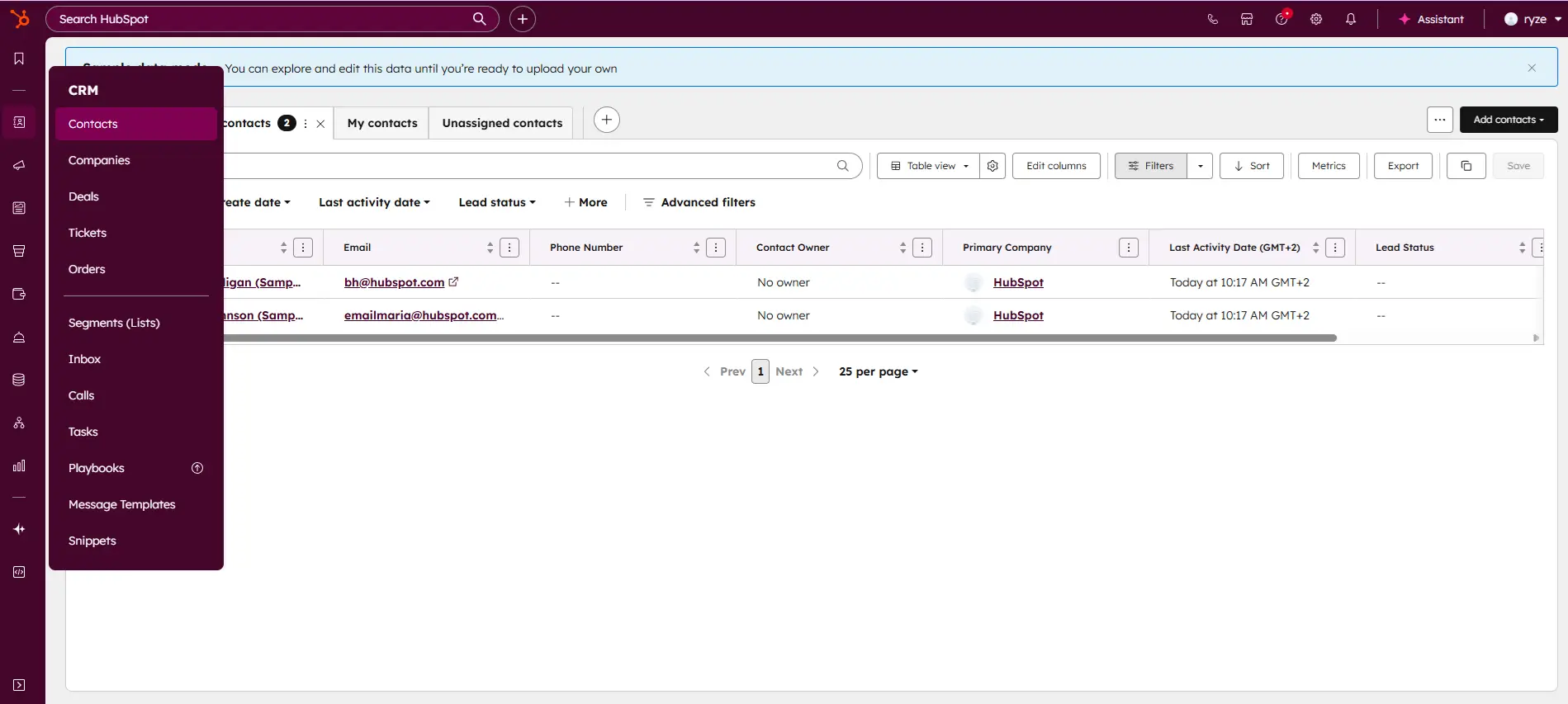
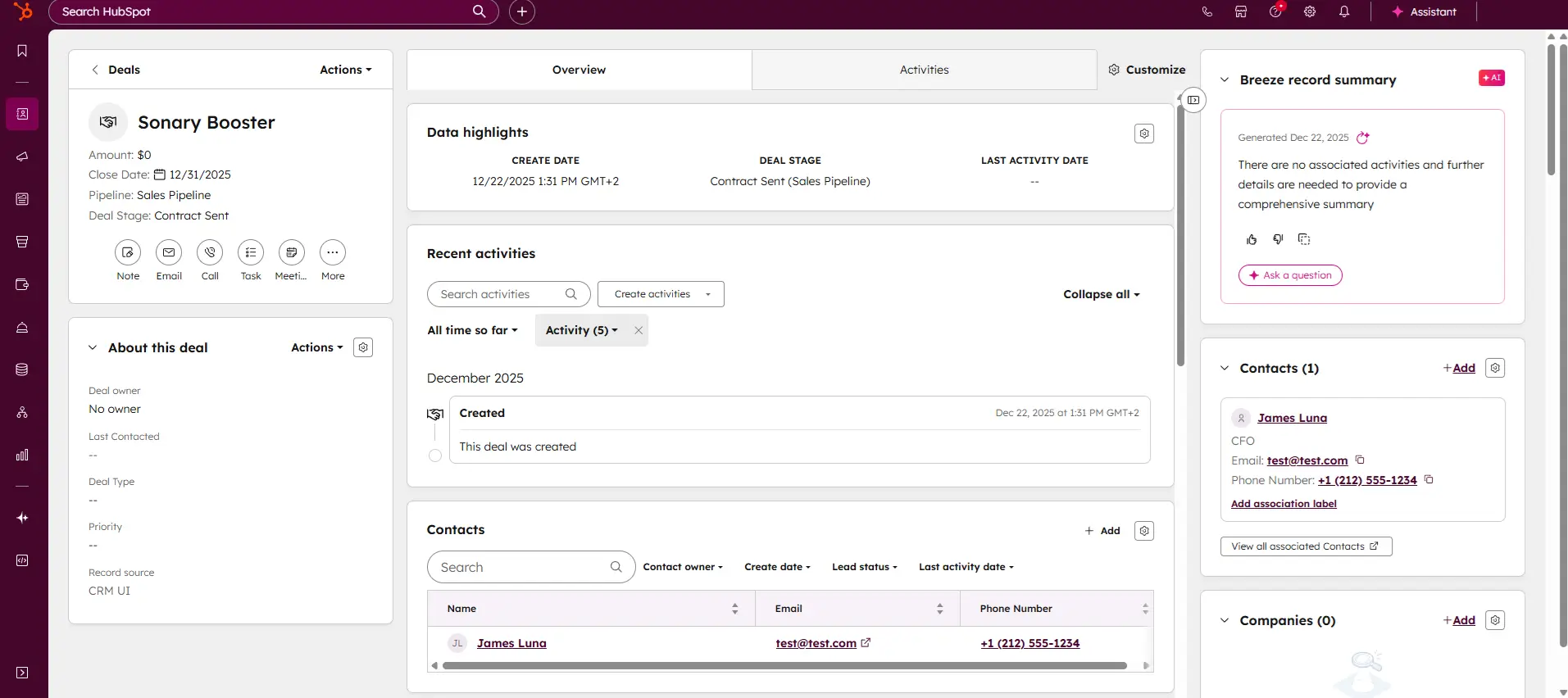
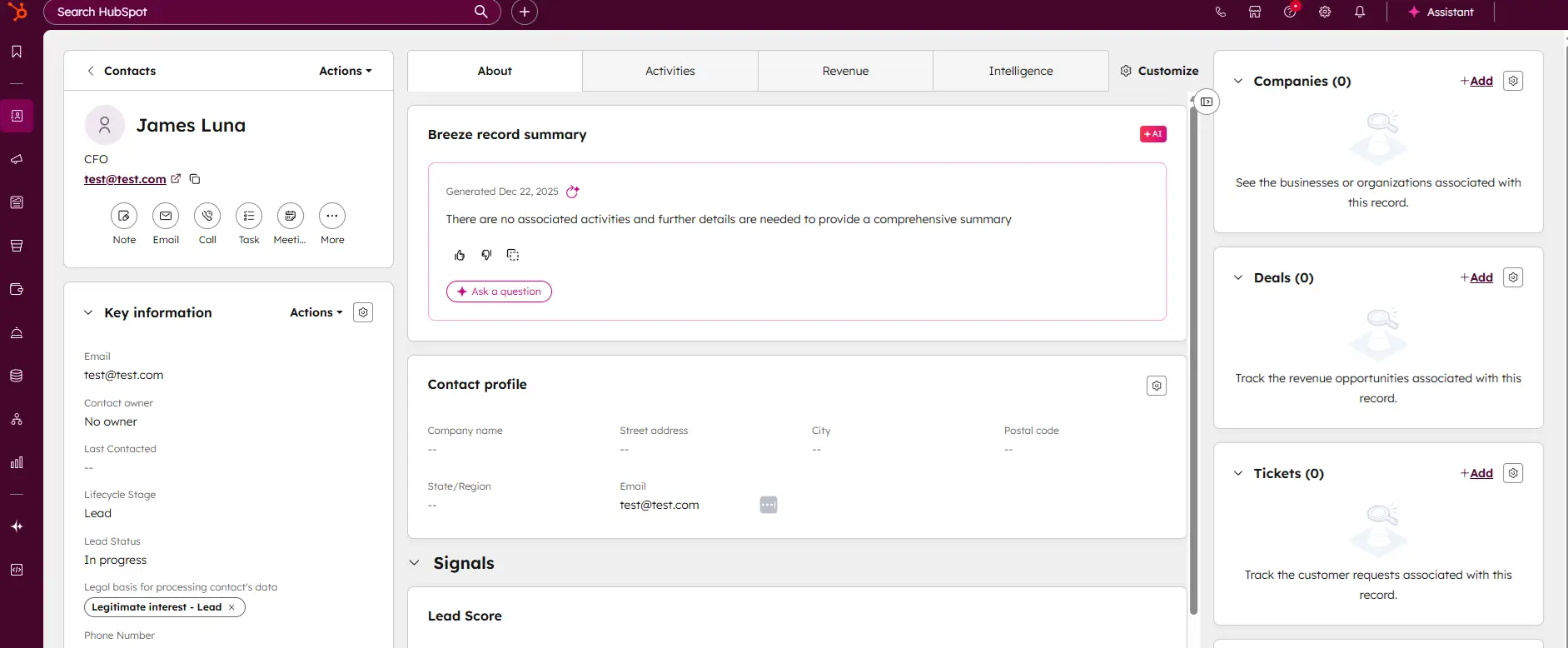
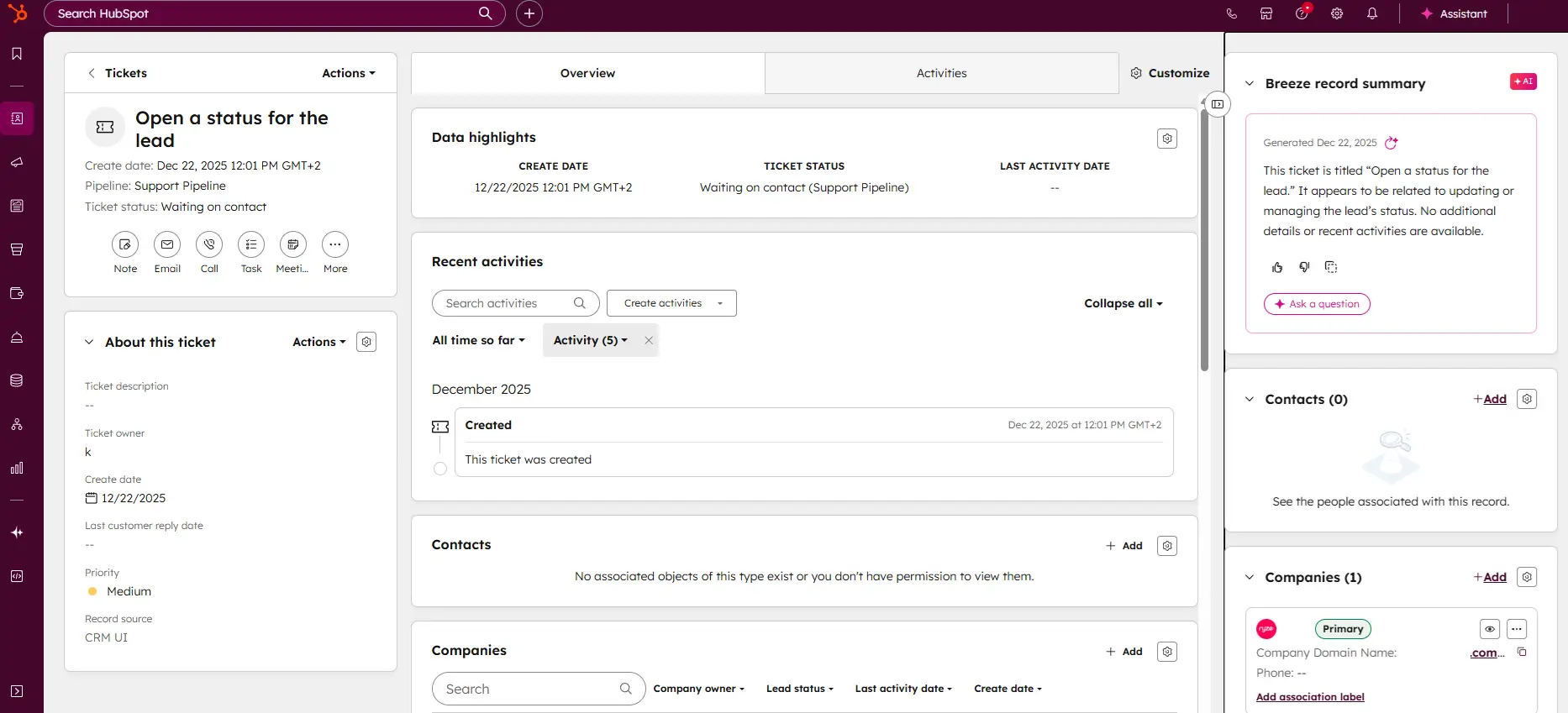
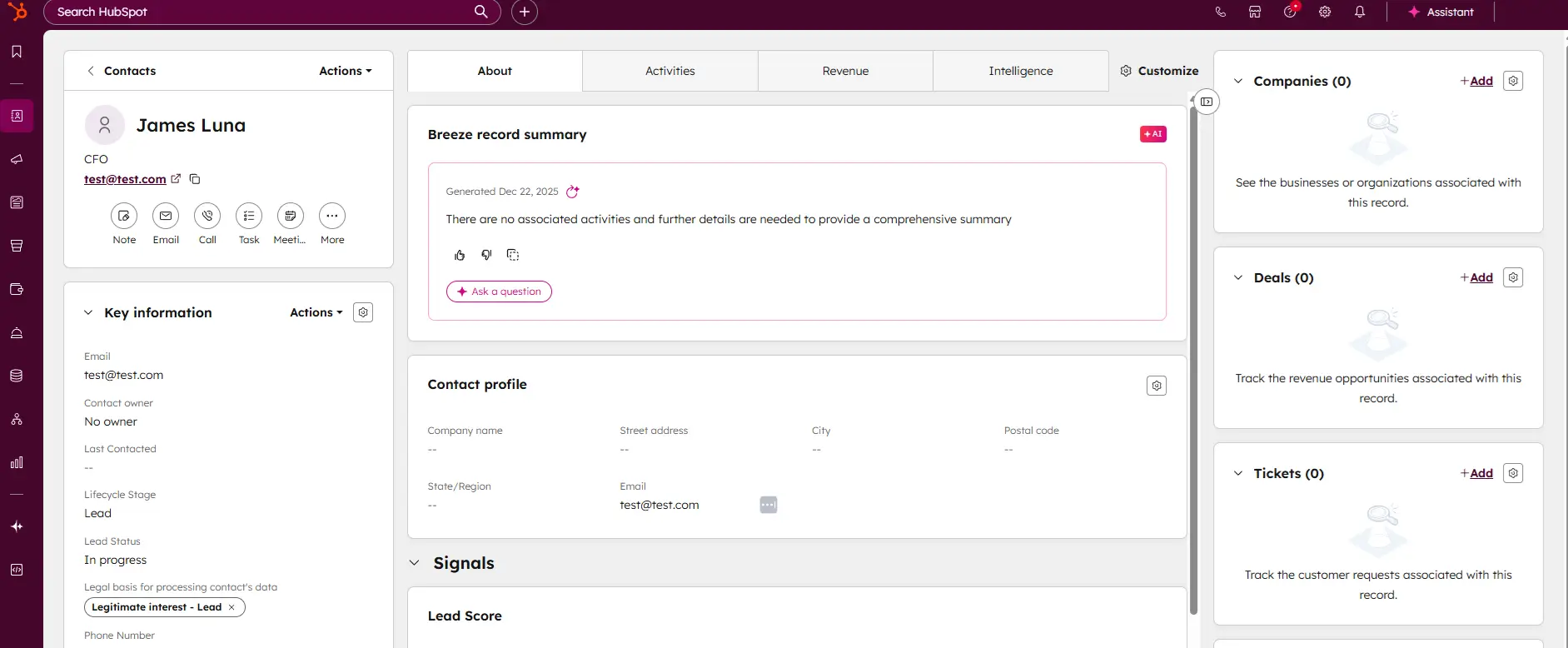
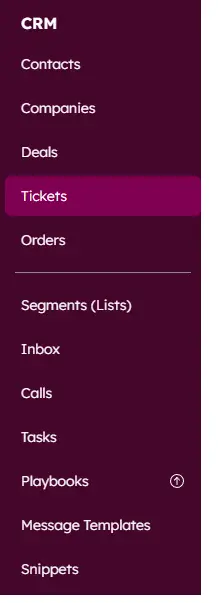
Most scheduling tools are built for service businesses. HubSpot Meetings is built for businesses where scheduling is part of a sales or client acquisition process - agencies, SaaS companies, B2B consultants, and coaches who do discovery calls before onboarding clients.
The free version is genuinely good: personal meeting links, group scheduling, and automatic sync to HubSpot's free CRM. Every time someone books a meeting, their contact details are automatically added to your CRM - no manual entry.
Why This Matters for Small Teams
For a team of 2–4 people doing any kind of outbound or inbound sales, HubSpot Meetings eliminates a real pain point: keeping track of who you've spoken to, what stage they're at, and when you're meeting next. All of that lives in HubSpot and updates automatically when a booking is made or a meeting completes.
You can embed your meeting link in email sequences, proposals, LinkedIn messages, or your website. Each team member gets their own link. Round-robin routing - where leads are automatically distributed to the next available rep - requires the Sales Hub Professional plan ($90/month per user billed annually), not the free or Starter tier. For most small teams of 2–5, individual meeting links on the free plan cover the core need.
Tested: Booking Flow, Integrations & Free Plan
Booking flow: HubSpot Meetings' booking page is clean and professional. We tested it as a prospect clicking a meeting link in a sales email: landed on a branded page, selected a 30-minute slot, entered name, email, and company, and confirmed. The meeting appeared in both Google Calendar and HubSpot CRM simultaneously - the contact was created automatically with the company field populated. That auto-creation in CRM is what separates HubSpot Meetings from every other tool on this list. No other platform does it natively on a free plan.
What the flow lacks: depth in service or appointment management. There's one booking type, one duration, and no intake forms beyond the basic contact fields. It's a meeting link, not an appointment system - and it's designed that way intentionally.
Integrations: HubSpot Meetings is natively built into the HubSpot platform, so the CRM integration isn't a third-party sync - it's the same system. We tested Google Calendar (bidirectional sync, instant), Zoom (meeting link auto-generated on booking), and Gmail (meeting links embedded in email sequences). All worked without any additional setup beyond connecting accounts. If you're using HubSpot for email outreach, the Meetings tool integrates seamlessly. Outside HubSpot, the standalone integrations are more limited - there's no native Stripe for payments, no intake forms, no Mailchimp list building at booking.
Free plan reality check: HubSpot Meetings is free with HubSpot's free CRM tier (limited to 2 users), and the free plan is genuinely useful: personal meeting links, Google Calendar sync, and CRM contact creation. Round-robin team routing requires the Sales Hub Professional plan at $90/month per user, which is well outside the budget of most small businesses. The HubSpot Starter plan ($15/month per user) removes HubSpot branding and adds basic automation, but still doesn't unlock round-robin scheduling. For a sales-focused small team using HubSpot's free CRM already, individual meeting links are the practical free use case.
The Honest Limitation
HubSpot Meetings is a CRM tool first. If you're running a service business where scheduling is about operations (not sales), you'll find it limited. It doesn't handle intake forms, payments, classes, or resource management. It's a meeting booking layer on top of a CRM, which is exactly what it's meant to be.
Case Study: Three-Person Agency
Business: 2 account managers + 1 founder, digital marketing agency, 20+ active clients. Problem: Losing track of where prospects were in the pipeline; manually logging meetings. Solution: HubSpot Free CRM + Meetings
Every prospect and client now has a deal stage in HubSpot. The team's meeting links are embedded in every proposal email. When a prospect books, they are automatically added to the CRM as a contact. When the meeting ends, the team logs notes directly on the contact record.
Result: The founder eliminated two weekly status check-in meetings internally because the CRM showed everyone where every prospect stood. New business conversion improved because follow-up timing became systematic rather than ad hoc.
Read our full HubSpot CRM review to understand how the Meetings tool fits into HubSpot's broader sales pipeline.
If you're comparing CRM options for your small team, our CRM software category covers the top tools with side-by-side pricing.
Zoho Bookings - Best for Businesses Already in the Zoho Ecosystem
Zoho Bookings offers a scheduling tool that simplifies meeting management, removing back-and-forth communication and reducing repetitive tasks. Customers can self-schedule, requiring no manual effort… Read more
Zoho Bookings offers a scheduling tool that simplifies meeting management, removing back-and-forth communication and reducing repetitive tasks. Customers can self-schedule, requiring no manual effort from you. Key features include automatic reminders, advanced analytics, and seamless payment collection. In this Xoho Bookings review, I'll discuss the features, pricing, customer service, business benefits, and more.
Learn more in our full Zoho Bookings review.
Pros & Cons
- Offers a 15-day free trial for paid plans
- Seamless booking payments management
- The mobile app is very intuitive
- Streamlines the booking process for customers
- Not many features are available in the free plan
- Limited customization options for appointment lengths
Features
- Online Scheduling
- Calendar Synchronization
- Automated Reminders
- Customization Options
- Multi-platform Access
- Payment Integration
- Resource Management
- Appointment Scheduling Pages
- Analytics and Reporting
- Team Collaboration
- Third-party Integrations
- Payment Processing
- Mac
- Windows
- Linux
- Android
- iPhone
- iPad
Pricing
$0
mo/
month
$6
/mo + $6 per user/
/mo + $6 per user
$9
/mo + $9 per user/
/mo + $9 per user
If you're using Zoho CRM, Zoho Mail, or other Zoho tools, Zoho Bookings is a natural fit. It connects natively to the rest of the Zoho suite without any API gymnastics. For everyone else, there are likely better options.
The free plan supports one staff member and one service type. Paid plans start at $6/month per staff member - competitive for a team of 3–5. The interface is clean, setup is straightforward, and time zone management is notably good (useful if you work with clients across regions).
Tested: Booking Flow, Integrations & Free Plan
Booking flow: We tested Zoho Bookings as a client scheduling a consulting call across time zones. The time zone detection worked correctly without manual adjustment, and the confirmation showed the meeting time in the client's local zone - one of the better implementations we saw across the tools we tested. The page design is minimal and functional, not the most visually compelling. On mobile, it's clean enough to complete a booking without friction.
Integrations: Zoho Bookings integrates natively with Zoho CRM (contact records are created automatically on bookings), Zoho Meeting, Google Calendar, Outlook, and Zoho Mail for confirmation emails. We tested the Zoho CRM sync - it worked exactly as expected, populating the contact record with booking details instantly. Outside the Zoho ecosystem, there's a Zapier connection on paid plans. If your stack is Zoho-heavy, the experience is seamless. If you're on Google Workspace or HubSpot, you'll feel the friction.
Free plan reality check: The free plan covers one staff member and one service type with unlimited bookings - no monthly cap, which puts it ahead of SimplyBook.me on that dimension. The single-service limitation is the real constraint. For a business that offers strictly one service and has one staff member, it's genuinely functional. Everyone else will need the $6/month per-staff Basic plan fairly quickly.
Read our full Zoho Bookings review for a detailed look at how it integrates with the broader Zoho suite.
Setmore - Best Simple Free Option for Multi-Staff Scheduling
Setmore scheduling software is a scheduling tool that allows businesses to manage their appointments online. As a meeting scheduler and calendar scheduler, Setmore allows you to easily create and… Read more
Setmore scheduling software is a scheduling tool that allows businesses to manage their appointments online. As a meeting scheduler and calendar scheduler, Setmore allows you to easily create and manage appointments, sync your calendar across devices, and send automated reminders to clients. Customers can book appointments online 24/7, which can help businesses save time and improve efficiency. Setmore also integrates with other popular software programs, such as Google Calendar, which can help businesses keep their schedules organized. This Setmore review will explore the pricing plans, features, customer support, and performance of the scheduling software.
Learn more in our full Setmore review.
Pros & Cons
- Feature-rich free version available
- Integrates easily with 3rd party software
- Affordable premium plans compared to competitors
- User-friendly interface for users of all levels
- Occasional sync issues
- Limited reporting and analytics
Features
- Online Scheduling
- Calendar Synchronization
- Automated Reminders
- Customization Options
- Multi-platform Access
- Payment Integration
- Resource Management
- Appointment Scheduling Pages
- Analytics and Reporting
- Team Collaboration
- Third-party Integrations
- Payment Processing
- Payroll Processing
- Mac
- Windows
- Linux
- Android
- iPhone
- iPad
Pricing
$0
mo/
month
$5
/mo per user/
/mo per user
$5
/mo per user/
/mo per user
Setmore's free plan supports up to 4 staff calendars, making it one of the few genuinely usable free tools for a small team. You get unlimited appointments, a booking page, automated email reminders, and basic integrations - all at no cost.
The tradeoff: Setmore's interface shows its age, customization options are limited, and the mobile app has mixed reviews. But for a small team that just needs a functional shared calendar with online booking and doesn't want to pay yet, Setmore gets the job done.
Tested: Booking Flow, Integrations & Free Plan
Booking flow: Setmore's booking page is straightforward - select a service, choose a staff member, pick a time, enter contact details, done. The client experience is functional rather than polished. Confirmation emails arrive reliably. On mobile, the flow works, though the page design feels dated compared to Square or Calendly. One genuine strength: the staff selection step is clear and prominent. For a small team where clients have preferences about who they book with, the interface makes that easy without confusion.
Integrations: The free plan includes Stripe and Square for payments, Zoom for meeting links, and social booking buttons for Facebook and Instagram. We tested the Zoom integration - it generates a unique link per booking, same as Calendly. There's no native CRM integration, no Mailchimp sync, and no Google Analytics tracking on the free plan. Zapier is paid-plan only.
Free plan reality check: Setmore's free plan is the most practical multi-staff free option in the category. Four staff calendars, unlimited bookings, email reminders, and a public booking page - no caps. The catch: SMS reminders, which reduce no-shows more effectively than email alone, require the Pro plan at $5/month per user. If no-shows are a real issue, that upgrade pays for itself fast. For a team just getting started that needs basic multi-staff online booking for free, Setmore does what it promises.
Read our full Setmore review for a complete feature and pricing breakdown.
How to Choose the Right Scheduling Software for Your Small Business
The honest answer is that the best tool depends on what your business actually does.
- You run appointments + take payment at booking→Square Appointments or Acuity Scheduling
- You schedule calls and meetings for a sales or consulting workflow→Calendly or HubSpot Meetings
- You need advanced intake forms, packages, and subscriptions→Acuity Scheduling
- You're on a tight budget and run a service business→SimplyBook.me free plan
- You already use Zoho tools→Zoho Bookings
- You need multi-staff scheduling for free→Setmore
One thing worth saying directly: most small businesses should start on a free plan and upgrade only when the limitations actually prevent you from doing what you need to do. Every tool on this list, except Acuity, offers a free tier worth testing - Acuity gives you a 7-day trial instead. Either way, don't pay before you've tested with real clients.
For a side-by-side comparison of what each free plan includes, see our free scheduling software guide.
Pricing Comparison - What You Actually Pay
Platform | Free Plan | Paid Starts At | Notes |
|---|---|---|---|
Calendly | 1 event type, 1 calendar | $10/mo (annual) · $12/mo (monthly) | Payments on Standard; round-robin needs Teams at $16/mo annual |
Square Appointments | 1 location, 1 staff | $29/mo (Plus - unlimited staff) | Premium at $69/mo; no per-staff fee |
Acuity Scheduling | No free plan | $16/mo (annual) · $20/mo (monthly) | SMS reminders require a growing plan ($27/mo annual) |
SimplyBook.me | 50 bookings/mo, 1 custom feature | ~$9.90/mo (Basic, monthly) | 3 custom features on Basic; 70+ features total |
HubSpot Meetings | Personal links, CRM sync (2 users) | $15/mo per seat (Starter) | Round-robin needs a professional at $90/mo per user |
Zoho Bookings | 1 staff member | $6/mo per user (annual) | Premium at $9/mo per user (annual) |
Setmore | 4 staff calendars, unlimited bookings | $5/mo per user (annual) · $12/mo (monthly) | SMS reminders require the Pro plan |
All prices in USD. Annual billing rates are shown where both options exist.
What Is the Most Widely Used Scheduling System?
Calendly is the most widely used scheduling tool globally, with over 20 million users across businesses of every size. Among small businesses specifically, Google Calendar (often paired with a booking tool) is the most common baseline - because most people already have it. But most used and most useful for your business aren't the same thing.
In terms of dedicated appointment scheduling - where clients book specific services with specific staff - Square Appointments leads for retail service businesses (salons, spas, fitness). Calendly leads for professional and remote services (consultants, coaches, agencies). Acuity Scheduling is the most common choice for businesses that have outgrown the basics and need intake forms, packages, and subscriptions.
Why Market Share Doesn't Pick Your Tool
The most common scheduling system in your industry may not be the right one for your specific workflow. A barbershop and a business coach have completely different needs: the barbershop needs walk-in management and POS integration, while the coach needs a clean link to share in an email. Both are scheduling software. The right question isn't which is most popular - it's which one fits the way your clients actually book.
Google Calendar vs. Calendly - What's Actually Free and Which Is Better?
This is one of the most searched questions in the scheduling space, and the confusion makes sense because Google Calendly isn't a product - it's people conflating two separate tools.
Google Calendar is a free calendar app included in every personal Google account. As of 2025, Google added an Appointment Scheduling feature that lets you publish a booking page directly from Google Calendar. One booking page is free on any personal Google account, including the free tier. Multiple booking pages, payment collection via Stripe, automated email reminders, and email verification require a Google Workspace paid plan - specifically Business Standard at $14/user/month (annual) or $16.80/user/month (monthly). The entry-level Business Starter plan ($7/user/month annual) still only gives you one booking page. See our Google Calendar scheduling review for a full breakdown of what each Workspace tier includes.
Calendly is a standalone scheduling platform that connects to your Google Calendar - it reads your availability and blocks time when someone books. Calendly is free for one event type, $10/month (annual) for unlimited event types with more advanced features.
Is Google Calendar's Booking Feature Enough?
For the simplest use case - a single person, one type of meeting, existing Google Workspace users - yes, Google Calendar's built-in booking is enough. Setup takes five minutes and you never leave the Google ecosystem.
The moment you need any of the following, Calendly pulls ahead: multiple event types, automated follow-up messages, intake questions, round-robin team scheduling, integration with Zoom or HubSpot, or payment collection at booking. Google Calendar's booking feature is functional but deliberately basic - it's not trying to compete with Calendly on features.
Which Is Better for Small Businesses?
For a freelancer or consultant who needs one booking link and already has a personal Google account: Google Calendar's free booking page is fine. For anyone who runs multiple service types, works in a team, or wants payment collection and email reminders: Calendly is the better tool- and at $10/month (annual) it's cheaper than upgrading to Google Workspace Business Standard purely for booking features.
What Are the Three Types of Scheduling?
Understanding the three core scheduling models helps you pick the right software, since different tools are optimized for different types.
1. Appointment-Based Scheduling
One client books one time slot with one provider. A dental visit, a haircut, a personal training session, a consulting call. The client chooses a specific time from your available slots. This is what most people picture when they think of scheduling software - and it's what Calendly, Acuity, SimplyBook.me, and Square Appointments are all built around.
2. Class or Group Scheduling
Multiple clients book the same time slot - a yoga class, a group workshop, a webinar, a tour. The slot has a capacity limit, and booking closes when it's full. Not every tool handles this - Acuity and SimplyBook.me do it well; Calendly doesn't support it natively.
3. Resource or Shift Scheduling
This is the internal operations side: scheduling staff shifts, assigning employees to time slots, and managing who covers what hours. This is what tools like Homebase are built for - it's not about client booking but about workforce management. Most client-facing scheduling tools don't overlap with this unless you're looking at something like Square Appointments, which handles both staff assignment and client booking from one system.
Most small businesses need Type 1. If you offer group sessions, you need a tool that supports Type 2. If you're managing employee shifts on top of client bookings, you likely need two separate tools.
What Is Like Calendly but Free?
Calendly's free plan works well for one event type - but if you need more and don't want to pay, here are the closest alternatives that are genuinely free. For a full list rated by our team, see our best free scheduling software guide.
- Google Calendar Appointment Scheduling is the most direct Calendly equivalent at no cost. It's inside your existing Google account, publishes a booking page, and syncs with your calendar. Limit: one booking page type on the free tier. See our Google Calendar review for the full feature breakdown.
- HubSpot Meetings gives you a personal booking link, unlimited meetings, and CRM contact creation at the time of booking - all free. The difference from Calendly: it's built for sales meetings, not service appointments. No payments, no intake forms, no class scheduling.
- Setmore is free for up to 4 staff calendars with unlimited bookings. More capable than Calendly's free plan for teams, but the client-facing design is noticeably less polished. SMS reminders cost extra. Read the Setmore review.
- Tidycal(not covered in our full reviews) is a one-time-purchase alternative to Calendly that some small business owners use as a permanent free or near-free option - worth checking if cost is the driving factor.
The honest answer: if you need what Calendly offers at $10/month and want to avoid that cost entirely, you'll make trade-offs in polish, features, or both. The free tools are real - they're just not quite as refined.
How to Automate Appointment Scheduling
Automation is where scheduling software creates the most time savings - and most small businesses only use a fraction of what's available. Here's what's actually worth setting up:
1. Automated Reminders (Do This First)
Every platform on this list can send automated email reminders before an appointment. SMS reminders, which have much higher open rates, are available on paid plans in most tools. Set a reminder 24 hours before, and optionally a second one at 2 hours. This single automation typically cuts no-shows by 30–50% on its own. It takes about 5 minutes to configure and runs indefinitely.
2. Automated Booking Confirmation + Pre-Session Info
As soon as someone books, send them exactly what they need to arrive prepared: what to bring, where to park, a Zoom link, a form to fill out. Calendly, Acuity, and HubSpot all support custom confirmation emails and automated follow-ups. Writing a single good confirmation email once eliminates dozens of what do I need to bring? messages per month.
3. Round-Robin and Team Routing
If you have 2–5 staff members, round-robin scheduling means you never manually decide who handles the next incoming booking. The tool automatically rotates through available team members. For Calendly, this requires the Teams plan ($16/month per user annually). For HubSpot Meetings, it requires Sales Hub Professional ($90/month per user annually) - a high cost. For smaller teams on tighter budgets, Acuity's Growing plan ($27/month annual) handles multi-staff routing at a much lower price point.
4. CRM and Pipeline Automation
If you use HubSpot, Salesforce, or any CRM: connect your scheduling tool so that every new booking creates or updates a contact record automatically. Combined with deal stage automation, this means a booked discovery call can automatically move a lead from contacted to meeting scheduled in your pipeline - zero manual entry. Our HubSpot CRM review covers how it works end-to-end, including what's available on the free plan vs. the paid plan. If you're comparing HubSpot to Salesforce for your team, our HubSpot vs. Salesforce breakdown covers the scheduling, pipeline, and cost differences.
5. Zapier and Make for Everything Else
When two tools don't connect natively, Zapier or Make can bridge them. Common small business automations: new booking → Slack notification to your team; new booking → add client to a Mailchimp email list; canceled booking → create a follow-up task in Asana. Most of these take 10 minutes to set up and save hours per month.
Are Free Scheduling Apps Good Enough for Small Businesses?
For most small businesses at the start, yes, genuinely. But it depends on what you mean by good enough.
If good enough means clients can book online without calling you, you get confirmation emails, and no-shows go down, the free plans from Calendly and SimplyBook.me, HubSpot, Setmore, and Square Appointments all clear that bar. You don't need to spend money to solve the basic problem.
Where free plans consistently fall short for growing businesses:
SMS reminders are locked behind paid plans on almost every platform. Email reminders are included free, but have lower open rates. If no-shows are costing you real revenue, SMS reminders alone often justify the cost of upgrading.
Multiple event types or services- Calendly's free plan gives you one. SimplyBook.me's free plan limits how many custom features you can activate. Once your business offers more than one type of appointment, free plans get constraining fast.
Payment collection at booking is either unavailable on free plans or limited. If deposits reduce your no-shows and improve cash flow - which they consistently do - that feature alone pays for a paid plan.
Team scheduling is where free plans struggle most. Most free plans are designed for solo operators. The moment you have 2–3 staff members who each need their own calendar and availability settings, you'll either upgrade or work around limitations that cost more in time than the subscription would.
Start free. Upgrade when a specific limitation is costing you time or money. That's the right sequence. For a side-by-side comparison of what each free plan actually includes, our best free scheduling software guide breaks down the real limits of each tool's free tier. And if you're building your full small business software stack - not just scheduling but CRM, invoicing, and email too - our complete software guide for small teams covers what actually works together.
Best Scheduling Apps for Mobile - What Actually Works Well on a Phone
Mobile matters twice: clients booking from their phones, and you managing your schedule from yours. Most scheduling tools claim mobile support; the quality varies significantly.
- Best client-side mobile experience: Square Appointments and Calendly both have genuinely fast, clean mobile booking pages. Clients tap through the booking flow in under a minute on a phone without pinching, zooming, or fighting a desktop layout crammed onto a small screen. We tested both on iOS and Android - no issues.
- Best owner-side mobile app: Square has the strongest native mobile app for managing your schedule on the go - you can view the day's appointments, check in clients, process payments, and block time, all from your phone. Calendly's mobile app is clean for checking upcoming meetings, but lighter on management features.
- SimplyBook.me and Acuity have functional mobile apps, but they're more suited for checking schedules than actively managing them. Full configuration still happens more naturally on a desktop.
- Setmore's mobile app has consistently mixed reviews - it works for viewing your calendar and adding manual appointments, but users report occasional sync issues that make it less reliable as your primary interface.
What to Look for in a Scheduling App on Mobile
The client-facing booking page matters more than the owner app for most small businesses. Before committing to any tool, open your booking page on your own phone, go through the full booking process, and ask yourself: would my least tech-savvy client complete this? If the answer is no, the tool isn't the right fit regardless of how good the desktop dashboard looks.
For businesses where scheduling is specifically about coordinating meetings - not service appointments - our best scheduling tools for meetings cover the top options built for that workflow.
Can ChatGPT (or AI) Create Scheduling Software?
Short answer: it can build a basic prototype, but it shouldn't replace dedicated scheduling tools for a real business.
ChatGPT and other AI coding tools (Claude, GitHub Copilot) can generate functional scheduling code - a simple booking form, a calendar availability checker, a database-backed appointment system. For a developer who wants to embed custom scheduling logic into their own product, AI tools genuinely accelerate that work.
For a small business owner without a developer on staff, this isn't a realistic path. Building even a basic custom scheduling tool requires hosting, a database, email integration, payment processing, and ongoing maintenance. The tools reviewed on this page cost $0–$30/month and handle all of that out of the box. There's no practical reason for a 2–5 person business to build custom scheduling software when SimplyBook.Calendly, Square Appointments, and I exist.
Where AI Does Add Value to Scheduling
The more relevant question for small businesses is how AI is improving the scheduling tools they already use. Calendly and HubSpot are both adding AI features - smart scheduling suggestions, automatic meeting prep, and follow-up drafting. These are meaningful improvements to existing workflows, not a reason to build something from scratch.
If you're a developer or technical founder building a product with scheduling as a feature, AI tools are genuinely useful for prototyping. For everyone else: pick a tool from this list, set it up in an afternoon, and spend your energy on the business.
Conclusion
The scheduling software market in 2026 has no shortage of options - but for small businesses, the decision comes down to one question: is scheduling a sales tool or an operations tool for you?
If it's sales - you're booking calls, demos, consultations before someone becomes a client - Calendly and HubSpot Meetings are hard to beat on simplicity and CRM integration.
If it's operations - you're managing a service business where the appointment is the product - Square Appointments, Acuity, and SimplyBook.me are the category leaders.
Don't overthink the decision. Start on a free plan where available (Acuity offers a 7-day trial instead), run it for 30 days with real clients, and upgrade only when a specific limitation is costing you time or money. The best scheduling software is the one your clients actually use to book.
If scheduling is just one piece of the puzzle and you're building out the rest of your small business stack - CRM, invoicing, payments, email marketing - our complete software guide for small teams in 2026 covers what works together and what's worth skipping.
FAQ
What is the best free scheduling software for small businesses?
SimplyBook.me and Setmore are the most capable free options for service businesses. SimplyBook.me gives you 50 bookings/month and 1 custom feature on the free plan - enough for basic online booking, but you can only activate one add-on (payment deposit, intake form, or Instagram button - not all three at once). Setmore is better for multi-staff teams: 4 staff calendars, unlimited bookings, no monthly cap. Calendly's free plan is the cleanest experience, but it limits you to one event type. For a full breakdown of every free tier, see our best free scheduling software guide.
Does scheduling software reduce no-shows?
Yes - consistently. Automated SMS and email reminders cut no-shows by 30–50% for most small businesses that make the switch from manual booking. Requiring a deposit at booking reduces them further, because clients who've paid are significantly less likely to ghost.
Can I take payments through scheduling software?
Yes. Square Appointments, Acuity, and SimplyBook.me support full payment or deposit collection at booking. Calendly supports Stripe and PayPal on the Standard plan ($10/month billed annually). HubSpot Meetings doesn't handle payments natively. Before choosing which payment method to connect, our guide to choosing a payment processor covers what to check on fees, PCI compliance, and integration depth.
What's the difference between Calendly and Acuity Scheduling?
Calendly is built for fast meeting scheduling - calls, demos, consultations. Acuity is built for full appointment management - intake forms, packages, subscriptions, staff calendars, and branded pages. Use Calendly to book meetings. Use Acuity if appointments are your actual product. For a full list of alternatives to both, see the Calendly alternatives page and Acuity alternatives page on Sonary.
Do I need scheduling software with only 1–2 employees? Yes. Even a solo operator saves meaningful time by eliminating back-and-forth booking, manual reminders, and no-show management. Free plans from Calendly, SimplyBook.me, and Setmore mean there's no cost barrier to getting started.
Which scheduling software is best for salons and beauty businesses?
Square Appointments is the most complete option - it combines scheduling, staff management, and POS payments in one system. Acuity and SimplyBook.me are strong alternatives with more customization options for booking pages. All three support online booking, automated reminders, and client history.
Is scheduling software HIPAA-compliant?
Some platforms offer HIPAA-compliant plans for healthcare providers. Acuity Scheduling supports HIPAA compliance on the Powerhouse plan ($49/month annual) and above. SimplyBook.me also offers a HIPAA custom feature on paid plans. If you handle protected health information, verify compliance directly with the vendor before using any platform with client health data.