
Best Free Appointment Scheduling Software in 2026
Running a small business means you're the boss, the marketer, the support team - and somehow also the person manually texting clients to confirm their Tuesday slot. That's where scheduling software pays for itself fast. Below are the best tools we actually tested for teams of 1–5 people. If you want to compare the full market, see this guide with ratings and pricing across 15+ platforms.
Last updated: September 2026

Free plan available
- Automate entire appointment booking process
- Boost productivity with popular integrations
- Trusted by over 20 million professionals
- Offers a free plan with many features
- Tremendous customer support with endless resources
- Automate meeting scheduling to save time
- Extremely intuitive user experience
- No email reminders through the Free plan
Free plan available
- Automate entire appointment booking process
- Boost productivity with popular integrations
- Trusted by over 20 million professionals
- Offers a free plan with many features
- Tremendous customer support with endless resources
- Automate meeting scheduling to save time
- Extremely intuitive user experience
- No email reminders through the Free plan
Free plan available
- Customized booking page shows availability
- Time zone presets & scheduling intervals
- Syncs with Google, Outlook, and Zoho Calendars
- Offers a 15-day free trial for paid plans
- Seamless booking payments management
- The mobile app is very intuitive
- Streamlines the booking process for customers
- Not many features are available in the free plan
- Limited customization options for appointment lengths
Free plan available
- Customized booking page shows availability
- Time zone presets & scheduling intervals
- Syncs with Google, Outlook, and Zoho Calendars
- Offers a 15-day free trial for paid plans
- Seamless booking payments management
- The mobile app is very intuitive
- Streamlines the booking process for customers
- Not many features are available in the free plan
- Limited customization options for appointment lengths

14-Days Free Trial
- Manage appointments and clients in one place
- Intuitive interface and easy to use
- Integrates easily with popular tools
- Convenient online booking options
- Continuously adding new features
- Accommodates businesses of all sizes
- User-friendly interface
- Potential risk of scheduling conflicts
- Requires stable internet connection
14-Days Free Trial
- Manage appointments and clients in one place
- Intuitive interface and easy to use
- Integrates easily with popular tools
- Convenient online booking options
- Continuously adding new features
- Accommodates businesses of all sizes
- User-friendly interface
- Potential risk of scheduling conflicts
- Requires stable internet connection

Free plan available
- All-in-one POS for booking & payments
- Client profiles & team management tools
- 24/7 support with multiple contact options
- Easy to use and set up
- Comprehensive and attractive customization options
- Excellent customer support
- Flexible pricing plans
- Payment processing fees can add up for larger transaction volumes.
- Advanced features like team management require higher-tier plans.
Free plan available
- All-in-one POS for booking & payments
- Client profiles & team management tools
- 24/7 support with multiple contact options
- Easy to use and set up
- Comprehensive and attractive customization options
- Excellent customer support
- Flexible pricing plans
- Payment processing fees can add up for larger transaction volumes.
- Advanced features like team management require higher-tier plans.

Free plan available
- User-friendly and quick setup
- Automatic reminders to staff and clients
- Accept online payments and deposits
- Easy to use and set up
- Comprehensive and attractive customization options
- Excellent customer support
- Flexible pricing plans
- Phone support unavailable
- Limited options on the Free and Basic plans
Free plan available
- User-friendly and quick setup
- Automatic reminders to staff and clients
- Accept online payments and deposits
- Easy to use and set up
- Comprehensive and attractive customization options
- Excellent customer support
- Flexible pricing plans
- Phone support unavailable
- Limited options on the Free and Basic plans

Free plan available
- Access your calendar from any device
- 24/7 automated online booking & reminders
- Syncs with Google, Office, and Apple
- Feature-rich free version available
- Integrates easily with 3rd party software
- Affordable premium plans compared to competitors
- User-friendly interface for users of all levels
- Occasional sync issues
- Limited reporting and analytics
Free plan available
- Access your calendar from any device
- 24/7 automated online booking & reminders
- Syncs with Google, Office, and Apple
- Feature-rich free version available
- Integrates easily with 3rd party software
- Affordable premium plans compared to competitors
- User-friendly interface for users of all levels
- Occasional sync issues
- Limited reporting and analytics

Free plan available
- Built-in fact-checking and citation tools
- Boost your writing skills & efficiency
- Formal, casual, humorous, or informative
- Many features available in the free plan, strong value at $0
- Deepest integration with Google Workspace
- Capable of writing in multiple languages for global reach
- Clear, laddered pricing from $4.99 → $99.99
- Occasionally misinterprets the context or the nuances of the task
- Top features can be region-limited and roll out unevenly
- Data-privacy considerations when feeding sensitive business content into a consumer AI
Free plan available
- Built-in fact-checking and citation tools
- Boost your writing skills & efficiency
- Formal, casual, humorous, or informative
- Many features available in the free plan, strong value at $0
- Deepest integration with Google Workspace
- Capable of writing in multiple languages for global reach
- Clear, laddered pricing from $4.99 → $99.99
- Occasionally misinterprets the context or the nuances of the task
- Top features can be region-limited and roll out unevenly
- Data-privacy considerations when feeding sensitive business content into a consumer AI

14-Days Free Trial
- Sync across all your devices instantly
- Integrates with Google Workspace
- Customizable booking options
- A variety of event management options
- Accessible from any device
- Customizable reminders and email notifications
- Use multiple calendars with one account
- Available only online
- Limited customer support
14-Days Free Trial
- Sync across all your devices instantly
- Integrates with Google Workspace
- Customizable booking options
- A variety of event management options
- Accessible from any device
- Customizable reminders and email notifications
- Use multiple calendars with one account
- Available only online
- Limited customer support

Free plan available
- Comprehensive automation without coding
- Integrates with various calendar apps
- Multiple view options for project tracking
- Highly customizable
- Intuitive interface
- High level of automation
- Deep integration with 200+ apps and services
- Technical expertise required for automation and integration
- Limited features on the free plan and lower tier
Free plan available
- Comprehensive automation without coding
- Integrates with various calendar apps
- Multiple view options for project tracking
- Highly customizable
- Intuitive interface
- High level of automation
- Deep integration with 200+ apps and services
- Technical expertise required for automation and integration
- Limited features on the free plan and lower tier

Free plan available
- Multi-channel appointment management
- Integrates with popular business tools
- Easily manage rooms & equipment
- Straightforward and user-friendly interface.
- Comprehensive free plan with essential features.
- Easy integration with popular third-party tools.
- Automated reminders reduce no-shows and last-minute cancellations.
- Limited payment processing options compared to other platforms.
- No phone support is available.
Free plan available
- Multi-channel appointment management
- Integrates with popular business tools
- Easily manage rooms & equipment
- Straightforward and user-friendly interface.
- Comprehensive free plan with essential features.
- Easy integration with popular third-party tools.
- Automated reminders reduce no-shows and last-minute cancellations.
- Limited payment processing options compared to other platforms.
- No phone support is available.

14-Days Free Trial
- Share employee schedules with teams
- Schedule-building templates available
- Equal shift distribution tools
- Free plan for small businesses
- Abundance of features, such as clock in and out, push notifications, employee schedules, etc
- Responsive customer support
- User-friendly mobile app is available
- Expensive pricing
- Occasional delay in notifications
14-Days Free Trial
- Share employee schedules with teams
- Schedule-building templates available
- Equal shift distribution tools
- Free plan for small businesses
- Abundance of features, such as clock in and out, push notifications, employee schedules, etc
- Responsive customer support
- User-friendly mobile app is available
- Expensive pricing
- Occasional delay in notifications

Free plan available
- Automate your entire schedule in one place
- In-depth analytics provide valuable insights
- Tailored solutions for various industries
- Pay-on-the-go option
- Customize and embed booking forms in a variety of ways
- Intuitive analytics center
- Easy to use
- Not many marketing capabilities
- Appointy branding appears unless you get the Enterprise Plan
Free plan available
- Automate your entire schedule in one place
- In-depth analytics provide valuable insights
- Tailored solutions for various industries
- Pay-on-the-go option
- Customize and embed booking forms in a variety of ways
- Intuitive analytics center
- Easy to use
- Not many marketing capabilities
- Appointy branding appears unless you get the Enterprise Plan

Free plan available
- Mobile-friendly access for on-go scheduling
- Automated reminders to reduce missed meetings
- Customization for personalized scheduling
- Accommodates businesses of all sizes
- Integrates easily with other apps
- Variety of automation features
- Convenient online booking options
- Limited customization
- Plans can be expensive
Free plan available
- Mobile-friendly access for on-go scheduling
- Automated reminders to reduce missed meetings
- Customization for personalized scheduling
- Accommodates businesses of all sizes
- Integrates easily with other apps
- Variety of automation features
- Convenient online booking options
- Limited customization
- Plans can be expensive

Free plan available
- In-depth templates for quick scheduling
- Real-time notification support
- Employee availability management
- Simple drag-and-drop scheduling.
- Real-time notifications
- Reusable schedule templates
- Easy payment integration
- Simple drag-and-drop scheduling. Customer support delays
- No sync with external calendar
Free plan available
- In-depth templates for quick scheduling
- Real-time notification support
- Employee availability management
- Simple drag-and-drop scheduling.
- Real-time notifications
- Reusable schedule templates
- Easy payment integration
- Simple drag-and-drop scheduling. Customer support delays
- No sync with external calendar

7-Days Free Trial
- Flexible payment management
- Embed your appointments on your website
- Advanced scheduling features
- Real-time availability sync
- Highly customizable booking pages
- Easy third party integrations
- Flexible payment management
- Limited customer support
7-Days Free Trial
- Flexible payment management
- Embed your appointments on your website
- Advanced scheduling features
- Real-time availability sync
- Highly customizable booking pages
- Easy third party integrations
- Flexible payment management
- Limited customer support
* Featured prices and terms can be updated. Free offers may include additional terms.
Running a small business means keeping track of a lot: client calls, team meetings, interviews, and appointments. And let’s be honest, doing it all manually can get messy fast. The good news? You don’t need to spend a dime to get organized. Some excellent free scheduling tools can help you stay on top of everything, save time, and make life easier for you and your clients.
This guide covers the best options for free digital planners, meeting room booking tools, and automatic schedule generators online.
1. Calendly
Best for: Client meetings, sales calls, and interview scheduling
Calendly is one of the most widely used free scheduling tools, trusted by more than 20 million users globally. It simplifies the scheduling process by letting others book time with you directly. Founded in 2013, Calendly has become a go-to solution for businesses of all sizes, especially those that rely on calls and appointments to drive revenue.
Why it stands out: You just set your availability and share a booking link. Calendly handles everything else, from syncing calendars to sending reminders. It's beneficial for freelancers, consultants, and recruiters.
Free features:
- One active event type (like a 30-minute meeting)
- Integration with Google Calendar, Outlook, and Zoom
- Automatic time zone detection
- Shareable scheduling link
- Email reminders and confirmations
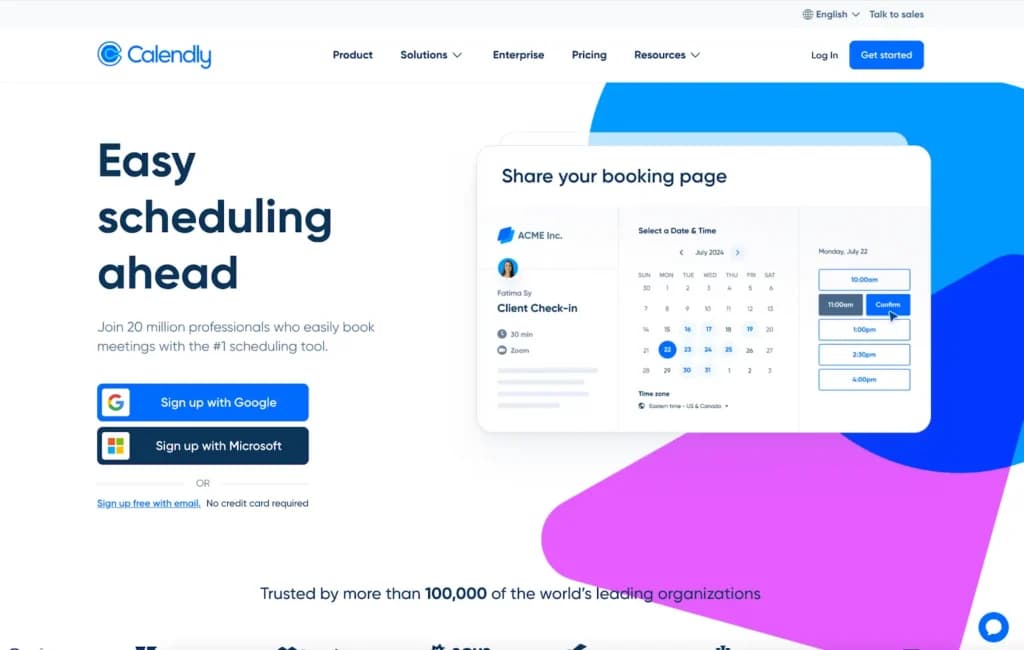
is ideal as a free interview scheduling tool and a call schedule solution for solo professionals and small teams.
2. Zoho Bookings
Best for: Service providers who use Zoho or want easy integrations
Zoho Booking is a well-established global SaaS provider serving over 90 million users worldwide. Zoho Bookings integrates smoothly with other Zoho tools like CRM, making it a strong choice for service businesses that rely on customer data and automation.
Why it stands out: This tool is perfect if you're already using Zoho’s ecosystem or need a scheduler that works well with email and CRM tools.
Free features:
- 1 staff member and 1 calendar
- Website booking widget
- Sync with Google and Outlook calendars
- Email and SMS notifications
- Integration with Zoom and Google Meet
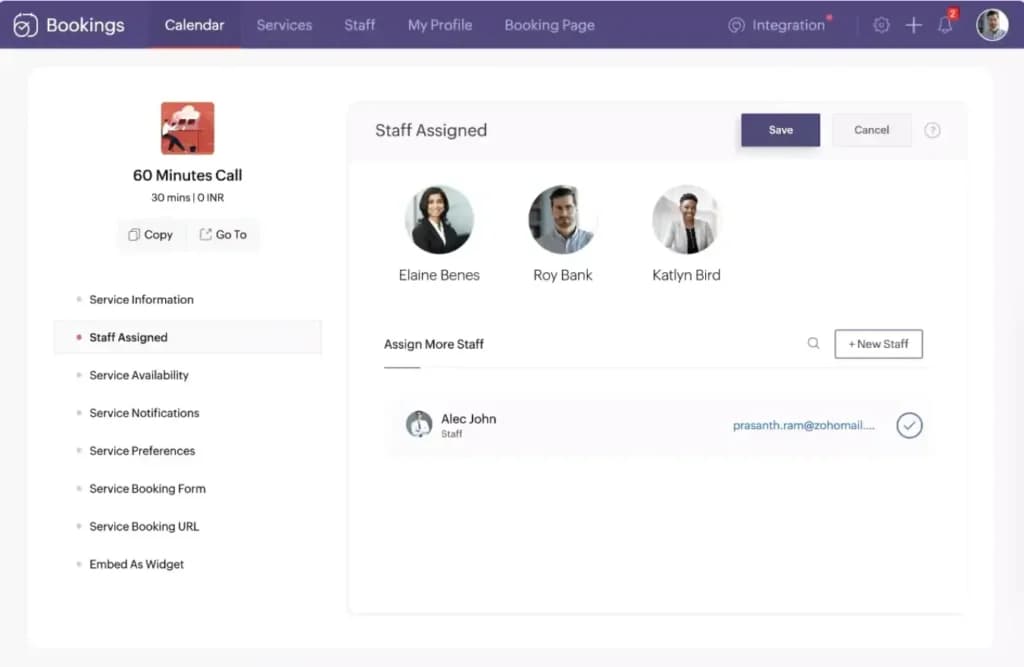
Zoho Bookings also works as a free digital planner, especially useful for small teams and solo consultants.
3. Square Appointments
Best for: Salons, wellness professionals, and solo retailers
Square serves millions of small businesses and is one of the most trusted names in payment technology. Square Appointments brings that trust into the world of scheduling.
Why it stands out: You can manage your bookings and take payments in one place. Ideal for hair stylists, massage therapists, and independent retailers.
Free features (for individuals):
- Online booking site
- Built-in payment processing
- Appointment reminders via text and email
- Cancellation and no-show protection
- Google Calendar sync
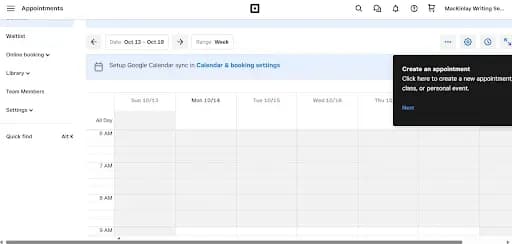
Square Appointments functions as both a free calendar and a payment-ready scheduling platform.
4. SimplyBook.me
Best for: Small service businesses that are growing
SimplyBook.me is used by over 50,000 businesses globally. It focuses on flexibility and customization, which makes it great for niche industries.
Why it stands out: It offers industry-specific features for healthcare, fitness, and education, helping you tailor the booking process to fit your business model.
Free features:
- 50 bookings per month
- One premium feature (e.g., payments or forms)
- Website or widget for scheduling
- Integration with Google Calendar and Zoom
- Mobile client access
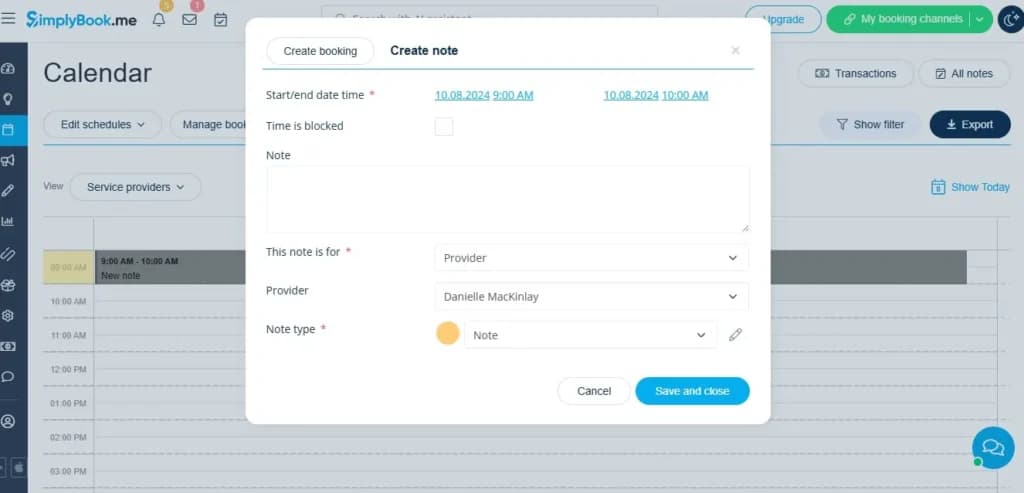
This is a highly customizable free appointment scheduling software for businesses on the rise.
5. Setmore
Best for: Teams managing multiple calendars
Setmore is trusted by thousands of teams around the world for coordinating bookings across departments. It’s simple, fast, and cloud-based.
Why it stands out: If your team needs to coordinate internal and external meetings, Setmore offers a great combination of accessibility and organization.
Free features:
- Up to 4 users
- Team calendar with public booking page
- Accept payments via Square
- Email and SMS reminders
- Built-in video calling (Zoom or Teleport)
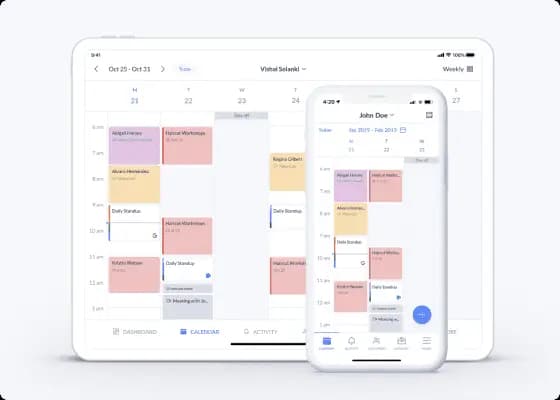
It works well as a free meeting room booking software for offices, startups, or service teams.
6. Monday.com
Best for: Organizing projects and scheduling tasks
Monday.com powers over 180,000 customers worldwide and is known for its highly visual work management tools. While not a typical scheduler, it excels at helping teams plan, track, and execute tasks in one place.
Why it stands out: Its calendar and timeline views make it a powerful free digital planner for small teams managing multiple deadlines.
Free features:
- Calendar and timeline views
- Ready-to-use project templates
- Integrations with Outlook and Google Calendar
- Task assignments and automation
- Two user seats on the free plan
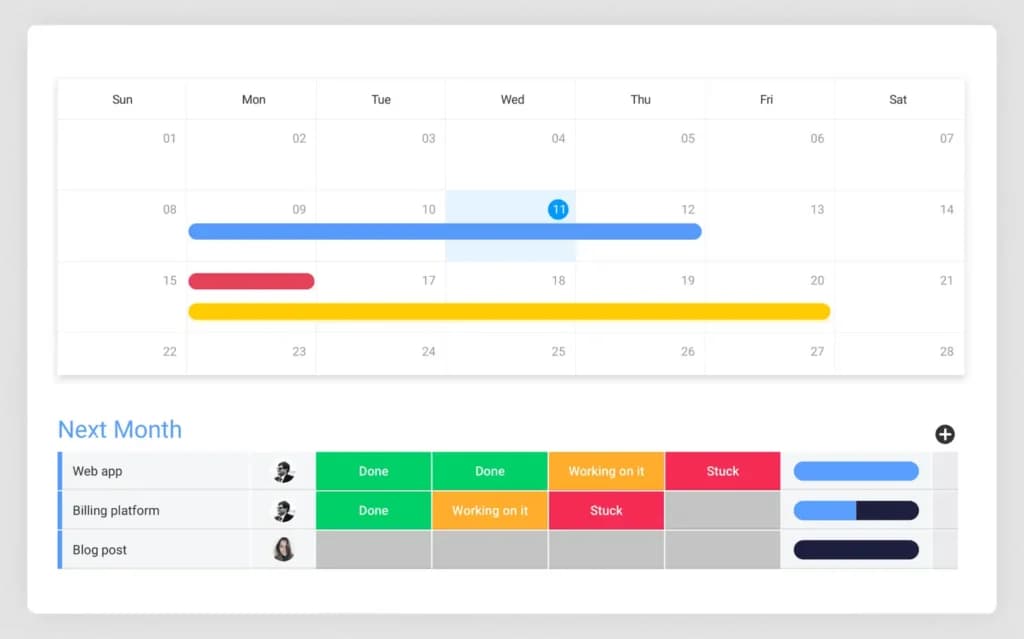
If you're balancing projects and resources, this is a great place to start.
7. Picktime
Best for: Scheduling across locations or services
Picktime is used in more than 100 countries and is built for simplicity. It supports bookings for both people and resources, like rooms or equipment.
Why it stands out: It’s a strong option for managing services across multiple locations or departments.
Free features:
- Unlimited bookings
- Up to 3 team members
- Multi-location support
- Recurring bookings
- Customer records and email reminders
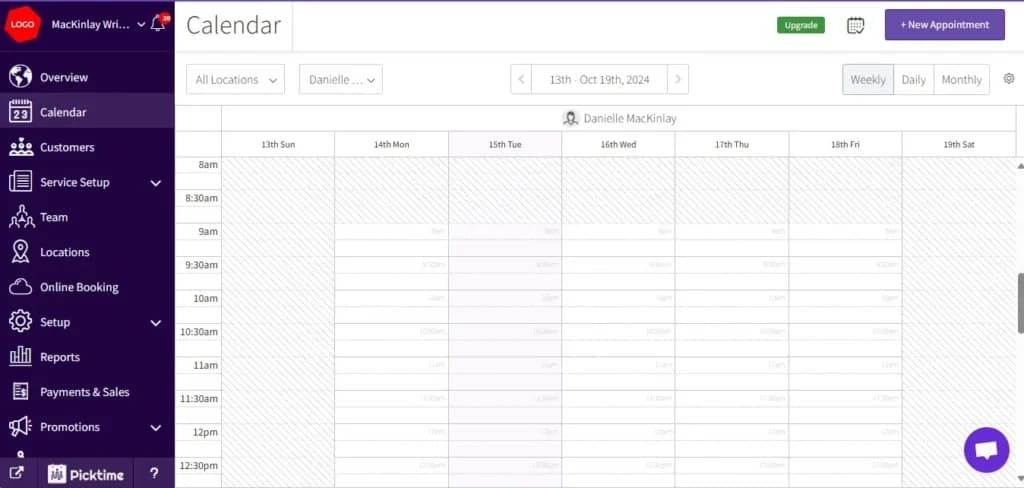
Great for anyone looking for a free automatic schedule generator online with flexibility.
8. Appointy
Best for: Local service businesses
Appointy supports over 200,000 businesses across different industries. It is known for combining appointment scheduling with local business tools.
Why it stands out: Appointy lets customers book via your website, social media, or mobile, making it ideal for visibility and convenience.
Free features:
- 1 user and 5 services
- Facebook, Instagram, and website booking
- Google Meet integration
- Basic analytics dashboard
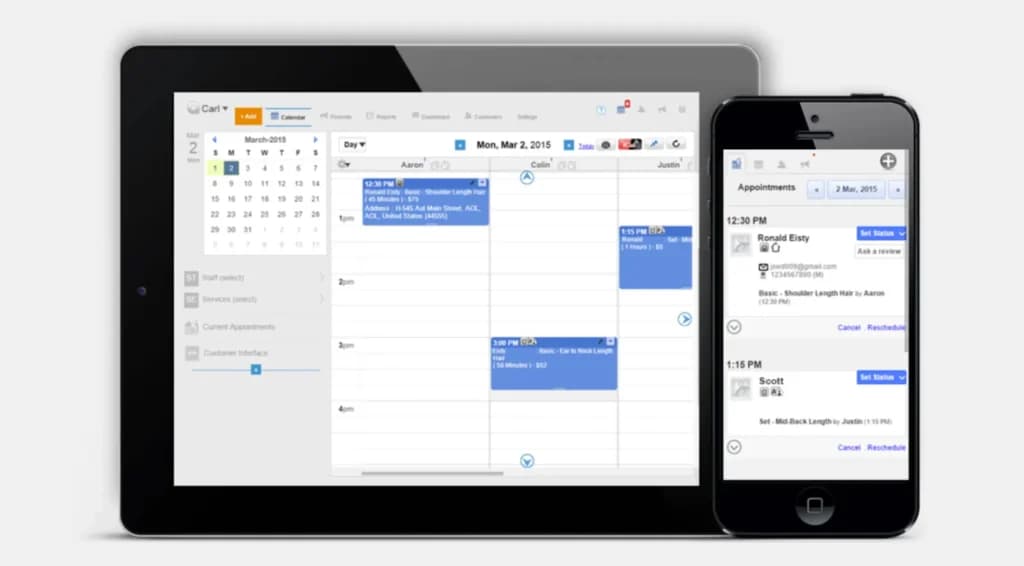
Appointy serves well as both service scheduling software and an easy-to-use free calendar.
9. Homebase
Best for: Hourly employee scheduling
Homebase is trusted by over 100,000 businesses, especially in retail, hospitality, and food service. It focuses on workforce management for hourly employees.
Why it stands out: You can plan shifts, track hours, and manage labor costs in one platform.
Free features (1 location, 20 employees):
- Drag-and-drop schedule builder
- Digital time clock
- Timesheets and payroll integration
- Employee shift reminders
- Mobile app for staff

It is one of the best free digital planner tools for shift-based teams.
10. HubSpot Meetings Tool
Best for: Sales and marketing teams using HubSpot CRM
HubSpot is a global leader in inbound marketing and CRM, used by over 177,000 customers. Its meeting tool integrates seamlessly with its platform.
Why it stands out: It aligns your calendar with your CRM, letting prospects and leads book time with your team directly.
Free features:
- Personal and team booking links
- Round-robin scheduling for teams
- CRM data integration
- Sync with Google and Outlook calendars
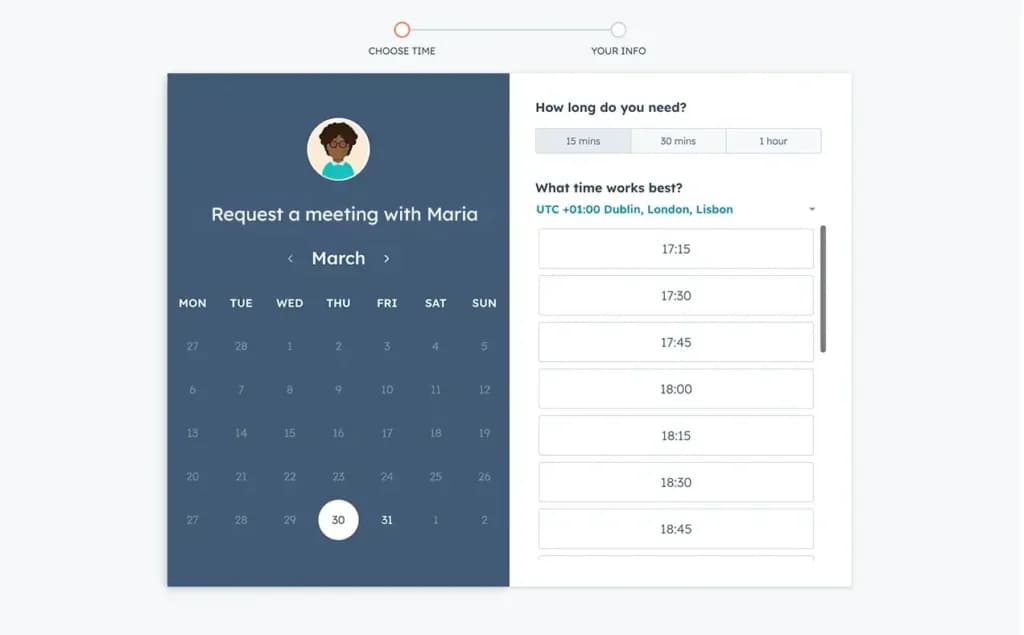
A great call schedule tool and a strong free interview scheduling tool for sales teams.
11. Google Calendar
Best for: Everyday scheduling for individuals and teams
Google Calendar is used by billions worldwide. It’s one of the most reliable and accessible scheduling tools on the market.
Why it stands out: It integrates with Gmail, Drive, Zoom, and dozens of other tools, making it highly flexible.
Free features:
- Unlimited events
- Calendar sharing
- Event color coding and reminders
- Recurring events
- Mobile and desktop apps
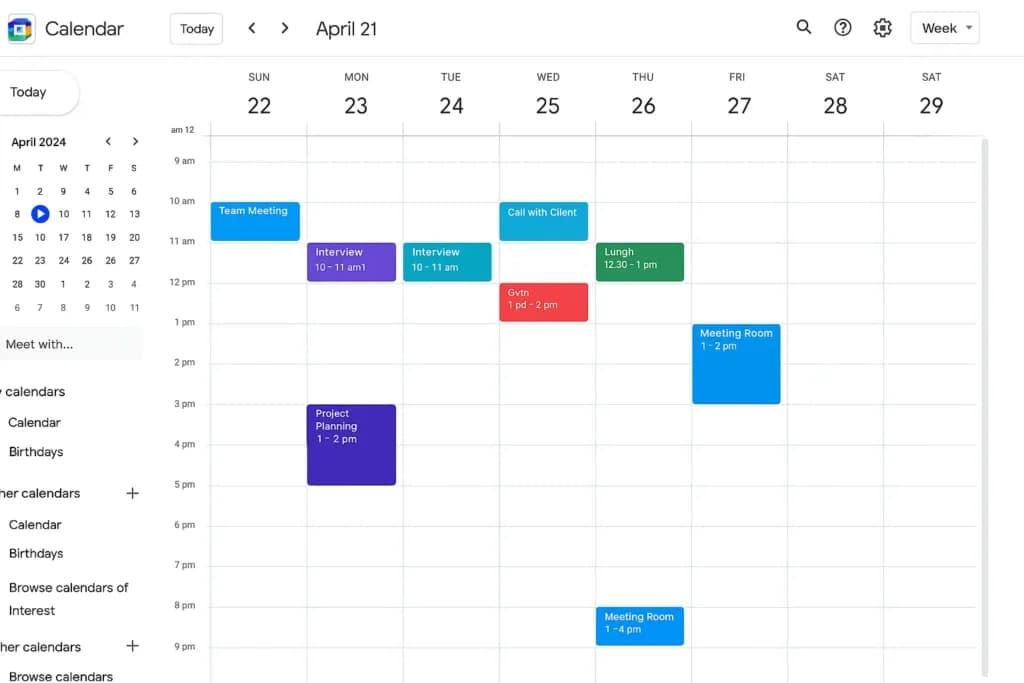
A top choice for a free calendar with easy sharing and broad compatibility.
12. Microsoft Outlook Calendar
Best for: Microsoft 365 business users
Outlook Calendar is part of the Microsoft 365 suite, which is used by over one million companies worldwide. It brings email and scheduling together in one place.
Why it stands out: If your organization already uses Microsoft Teams, OneDrive, or Word, Outlook Calendar is a perfect fit.
Free features:
- Integrated email and calendar
- Shared calendars and team booking
- Task and appointment management
- Works across web, desktop, and mobile
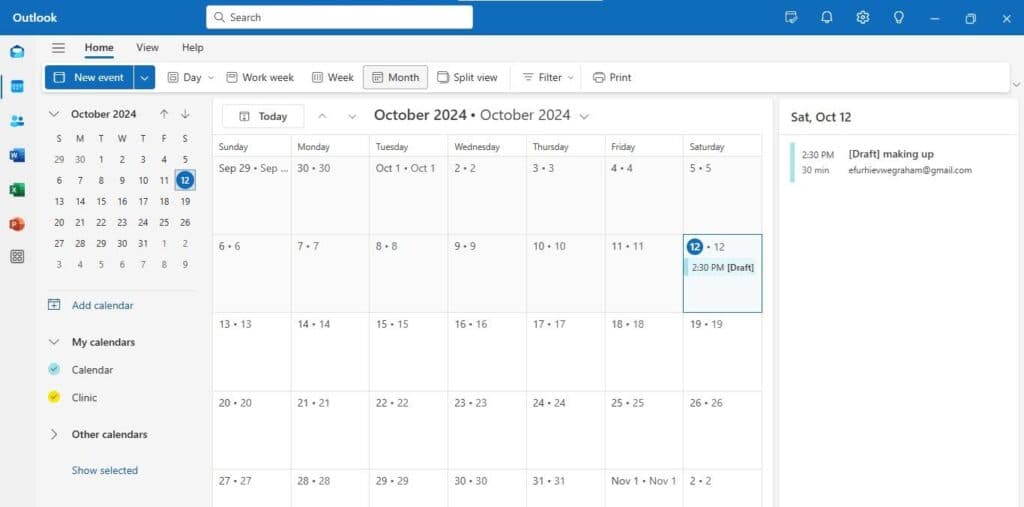
An excellent free digital planner for teams already invested in Microsoft’s ecosystem.
See also
- No-cost booking pages cap event types, calendars or reminders, so compare paid tiers in the best booking software comparison before you outgrow them.
- Internal calls with several attendees are a round robin problem, solved by best meeting schedulers rather than a public booking page.
- Appointment businesses taking payment at the chair need booking built into the till, and that is what best POS for a hair salon ranks on.
- Taking a deposit at the moment of booking needs a processor behind the form, compared in best payment gateway for small business.
Summary: Which Free Scheduling Tool Is Best for You?
Use Case | Best Tool(s) |
|---|---|
Client meetings | Calendly, HubSpot |
Shift scheduling | Homebase |
Salon or wellness bookings | Square Appointments, Setmore |
Service provider scheduling | Zoho Bookings, Appointy |
Project planning | Monday.com |
Shared team calendar | Picktime, Google Calendar |
Sales or interviews | HubSpot, Calendly |
Frequently Asked Questions (FAQ)
What is the best free scheduling app?
Calendly is one of the best tools for professionals. For teams, Homebase and Setmore are strong options.
Does Google have a free scheduling tool?
Yes, Google Calendar is free and integrates easily with apps like Zoom and Gmail.
What is the best free daily planner?
Monday.com is great for project-based planning. Google Calendar works well for everyday use.
Does Google have a project scheduling tool?
Not directly, but you can use Google Calendar and Sheets for simple scheduling. For more robust features, consider Monday.com.
What is the most popular scheduling software?
Google Calendar is the most widely used. Calendly, Outlook, and Square Appointments are also highly popular.
Which is better, Calendly or Google Calendar?
Calendly is better for letting others book time with you. Google Calendar is best for managing your schedule.
What is the best free shared calendar app?
Google Calendar and Picktime are great for shared scheduling. Setmore also offers shared team features.
Is Google Calendar totally free?
Yes, it is free for anyone with a Google account and offers a wide range of features at no cost.
Is there a better calendar than Google?
It depends on your needs. HubSpot is better for CRM features, Monday.com is stronger for task planning, and Google Calendar is the most universal and user-friendly option.
Final Thoughts
If you're looking for the best free scheduling software in 2025, you have a lot of high-quality choices. From simple personal planners to feature-rich business platforms, these tools can help you stay on track, boost productivity, and create a better experience for your team and your clients.
Start with something easy like Calendly or Google Calendar, and upgrade to more advanced solutions like Monday.com, Homebase, or Zoho Bookings as your needs grow.
Scheduling doesn’t need to be a hassle. The right tool can turn your calendar into a productivity engine.