Best CRM Software for Small and Micro Businesses in 2026

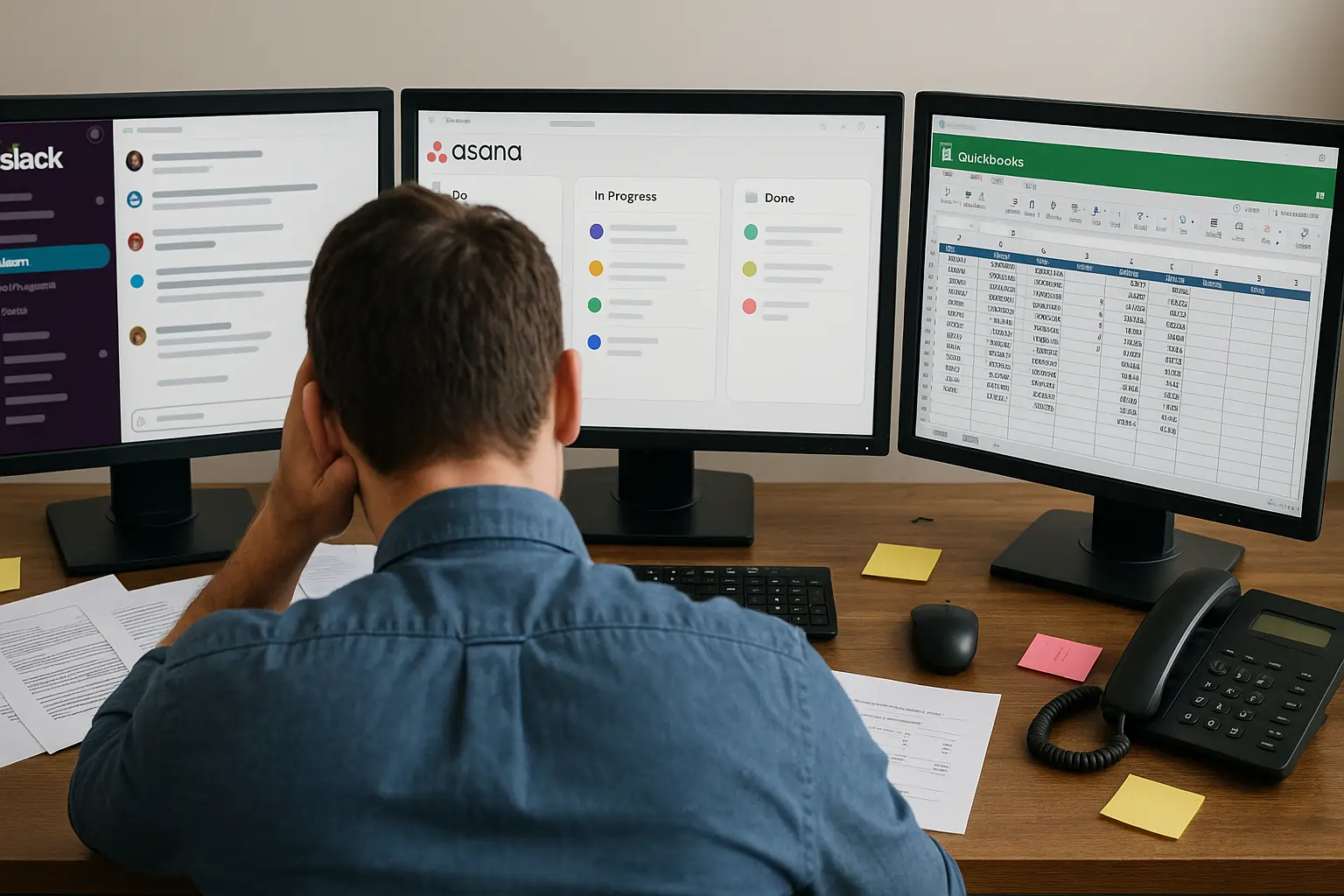
Running a 2-person business shouldn't require a 20-person tech stack. Most CRM tools are built for enterprise sales teams — not for a founder who also handles support, marketing, and billing. Here are the CRM platforms that actually work when your team is 1 to 5 people.
- Unified platform for sales and marketing
- Track customer interactions in real time
- Customizable dashboards and reports
- Sync emails to track client interactions
- Import leads with integrations
- No-code automation
- Mobile app means you never miss a sale
- 300+ integrations enhance functionality
- Automate your entire sales process
- Increase sales with multichannel software
- In-depth analytics to track success
- Premium customer support
- One place for company-wide collaboration
- Real-time reporting
- 24/7 support
- Simple payments, contracts, and tasks
- Track progress with smart dashboards
- Smooth integrations: Quickbooks and more
TL;DR
- HubSpot CRM is the best free starting point – up to 2 users and 1,000 contacts free, with a live pipeline and email tracking. No time limit, no credit card.
- Monday CRM is ideal if you already use Monday.com for project management and want your sales pipeline in the same visual workspace
- Pipedrive is the go-to for small teams that are purely sales-driven and need a clean pipeline view with zero noise
- Zoho CRM gives you the most features per dollar – the best value pick for micro businesses that need automation without enterprise pricing
- ClickUp is the cheapest all-in-one option for micro businesses that want task management and basic CRM in one place without paying twice
- HoneyBook is the best CRM for freelancers and solo service businesses that need contracts, invoices, and scheduling in a single platform
- Notion CRM (template-based) is the most flexible zero-cost option if you’re already in Notion and don’t need automation
- Build your own with Base44 – if no off-the-shelf CRM fits how you work, Base44 lets you build a fully custom CRM with a single AI prompt, no code required, from $16/month
Not ready to pay yet? See our guide to the best free CRM software for options that cost nothing to start.
CRM Comparison Table: Which Tool Fits Your Business?
| Product | Best For | Why Micro Businesses Love It |
| HubSpot CRM | Solo founders needing a free start | Free for 2 users. Pipeline + email tracking, no setup required |
| Pipedrive | Sales-driven teams of 2–5 | Clean pipeline, zero noise. From $14/user/month |
| Zoho CRM | Budget-conscious teams needing automation | Free up to 3 users. Most features per dollar on this list |
| Monday CRM | Teams already using Monday.com | One platform for sales + delivery. No tool switching |
| ClickUp | Teams needing CRM + task management | Free plan. 3 people pay $21/month total for everything |
| HoneyBook | Solo service businesses | Proposals, contracts, invoicing and scheduling in one link |
| Notion CRM | Freelancers with a simple client list | $0 extra if you already use Notion |
| Base44 | Teams no off-the-shelf CRM fits | Build your exact CRM with AI. From $16/month, no code |
How We Tested These CRMs
Every platform on this list was tested hands-on – either through its free plan or a free trial. No demos, no vendor walkthroughs, no secondhand impressions. We signed up the same way you would, with a real business account, and worked inside each tool as solo operators and small teams of up to five people.
That means adding real contacts, building live pipelines, running actual automation workflows, and pushing each tool until we hit its limits – because that’s exactly where small business owners get surprised.
We specifically tested free plans and free trials to understand what you actually get before spending a dollar, and what forces you to upgrade. For micro businesses and small teams, that gap between “free” and “useful” matters more than any feature comparison chart.
We paid attention to:
- What works out of the box on the free plan or trial – with zero configuration
- How long it takes to go from sign-up to a pipeline you’d actually use daily
- Where each tool breaks down for a 1–5 person team specifically
- What the real cost looks like once you outgrow the free tier
HubSpot CRM – Best Free CRM for Small Teams That Plan to Grow


Features
General Features

Sales
Automation
Pros & Cons
Pros
Cons

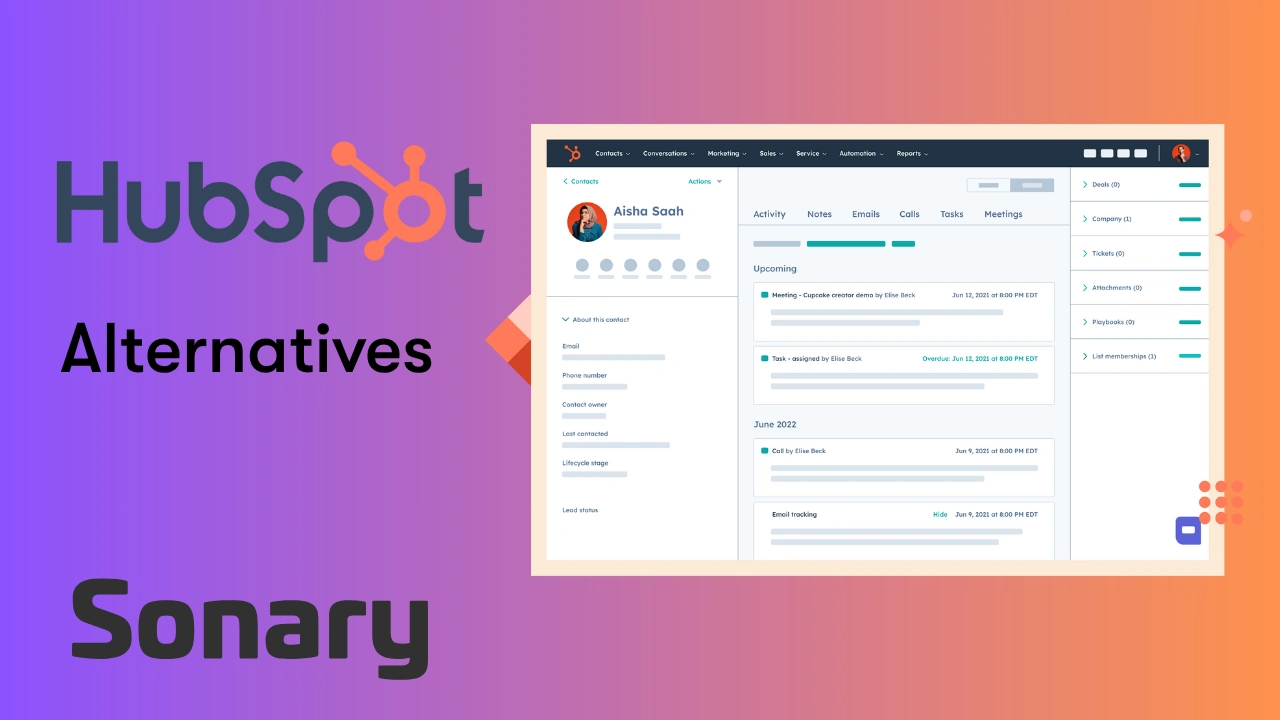
HubSpot’s free CRM is the most well-known starting point for small businesses, and the reputation is earned. The free tier is genuinely free – not a 14-day trial. You get up to 2 users, up to 1,000 contacts, a live deal pipeline, email tracking, and a built-in meetings scheduler. For a solo founder or a two-person team just getting structured, this is a solid starting point. Note: HubSpot reduced their free contact limit from 1 million to 1,000 for all new accounts in September 2024 – older guides that still claim 1 million are out of date.
What makes HubSpot work for small businesses is that it doesn’t feel like you are using a stripped-down version of something bigger. The interface is clean, the pipeline is visual, and the contact records automatically pull in data from emails and website visits without you doing anything manually. When you send an email to a lead through HubSpot, you see exactly when they opened it, how many times, and what link they clicked – that kind of visibility used to cost real money.
The honest limitation is that HubSpot’s free tier will eventually feel tight. Once you want sequences, A/B testing, or advanced reporting, you hit a paid tier fast. The jump from free to Sales Hub Starter ($20/seat/month) is manageable, but the jump to Sales Hub Professional ($100/seat/month) is a real business decision – not an impulse upgrade.
Where HubSpot Really Shines: The All-in-One Ecosystem
HubSpot is not just a CRM. It has a free CMS, a marketing tool, a service desk, and a sales hub – all connected. For a small business where one person handles sales, sends newsletters, and manages customer complaints, this integration is a genuine time-saver. You don’t need to sync contacts between five tools because everything lives in one place. If you’re using HubSpot for email outreach, also check our best email marketing software guide – some standalone tools offer stronger campaign features than HubSpot’s free tier.
The AI tools HubSpot has added are also worth noting. You can generate email drafts, call scripts, and follow-up suggestions from inside the contact record. For someone running outreach alone, this removes the blank-page problem.
Case Study: A 3-Person Marketing Agency
A boutique content marketing agency with three employees – one account manager, one writer, one founder handling sales – switched to HubSpot after losing track of leads in a shared Google Sheet. Within a week, they had a working pipeline with five deal stages, automated follow-up reminders, and email open tracking live. The founder stopped missing callbacks because HubSpot sent a Slack notification every time a proposal was opened. They stayed on the free tier for 14 months before upgrading to Starter when they needed email sequences for cold outreach. Total cost in year one: $0.
Related Articles
Pipedrive – Best CRM for Small Teams Focused Purely on Sales
Features
General Features
Sales
Automation
Pros & Cons
Pros
Cons
Pipedrive was built by salespeople who were frustrated with CRMs designed by engineers. You feel that immediately when you log in. There is no dashboard filled with widgets you don’t understand. There is a pipeline. Your deals are cards. You drag them forward. That’s it.
For small businesses where closing deals is the primary daily activity – consultants, agencies, B2B service providers, real estate teams – Pipedrive removes every distraction and keeps focus on what moves money. Every morning you open it, you see exactly what needs attention: which deals haven’t been touched in three days, which proposals are expiring, which calls are overdue.
Pipedrive’s automation is genuinely useful at the small business level. You can set it up so that when a deal moves to “Proposal Sent,” it automatically creates a follow-up task for five days later. When a deal is marked “Won,” it emails the client a thank-you note. These are the things that fall through the cracks in a small team, and Pipedrive handles them quietly in the background.
The Essential plan starts at $14/user/month. The Advanced plan at $29/user/month is where email automation lives – for most small teams, that’s the plan you’ll actually want.
Where Pipedrive Falls Short
Pipedrive is a sales tool, not a full client management platform. Once a deal is won, it doesn’t offer much for managing the ongoing relationship or delivering the service. There’s no helpdesk, no invoicing, and no native project management. For a small business that needs to manage both acquiring and delivering to clients, you’ll need a second tool alongside it. See our CRM integrations guide for the best ways to connect Pipedrive with the tools you already use.
Case Study: A 2-Person Sales Consultancy
Two partners running a B2B sales consultancy were tracking their own pipelines in separate spreadsheets and constantly stepping on each other’s toes. After one afternoon setting up Pipedrive, they had a shared pipeline, deal ownership assigned clearly, and automated follow-up tasks running. In the first 90 days, they recovered two deals that had gone cold – re-engaged directly by Pipedrive’s inactivity alerts. At $28/month for two users on the Lite plan, it paid for itself in the first week.
Zoho CRM – Best Value CRM for Micro Businesses That Need Real Power
Features
General Features
Sales
Automation
Pros & Cons
Pros
Cons
Zoho CRM is the underrated option that most people skip because HubSpot gets all the press. That’s a mistake. For a micro business that needs automation, lead scoring, multi-channel communication, and workflow rules – and needs all of that at under $20 per user per month – Zoho delivers more than anything else in its price range.
The free tier supports up to three users, which means a solo founder or a two-person team can use a fully capable CRM at no cost. Unlike HubSpot’s free plan, Zoho’s free tier also includes basic workflow automation, which means you can start automating repetitive tasks without paying anything.
Zoho’s real strength is breadth. You can manage leads, run email campaigns, set up automated follow-up sequences, track website visitor behavior, and get AI-powered lead scoring – all inside one subscription. Zoho also connects natively with Zoho Books (invoicing), Zoho Desk (support), and Zoho Campaigns (email marketing). If your business grows, you stay in the same ecosystem without paying for five separate tools.
The Learning Curve Is Real – But It’s Worth It
Zoho CRM is not as immediately intuitive as Pipedrive or HubSpot. The interface is denser, the settings are deeper, and you’ll spend a couple of days getting it configured the way you want. For a solo founder who is already stretched thin, that’s a real barrier. But once it’s set up, it runs itself.
Zoho also has Zia – their built-in AI assistant – which can predict the best time to contact a lead, flag deals at risk of going cold, and suggest automation rules based on how you’re working. For a small team where nobody has time to analyze CRM data, Zia does a lot of that work automatically.
Case Study: A 4-Person E-Commerce Business
A small e-commerce brand with four employees – a founder, a customer service rep, a marketing person, and a part-time fulfillment coordinator – used Zoho CRM to manage both B2B wholesale leads and high-value retail customer relationships. They used workflow automation to automatically assign incoming wholesale inquiries to the founder, send a templated intro email within five minutes of form submission, and create a follow-up task for day three. Their average response time dropped from 11 hours to under 10 minutes. They run on the Standard plan at $14/user/month – $56/month for the full team.
Monday CRM – Best for Teams Already Living in Monday.com
Features
General Features
Sales
Automation
Pros & Cons
Pros
Cons
Monday CRM makes the most sense for one specific type of business: a small team that already uses Monday.com for project management, client delivery, or internal operations and doesn’t want to add another tool to the stack. If that’s you, the pitch is real. Your sales pipeline, client tasks, and delivery workflows all live on the same visual boards you’re already opening every day.
The platform’s visual interface is genuinely strong. You can see your entire pipeline as a board with color-coded deal stages, assign contacts to team members, log calls and emails, and build custom automations – all without leaving the Monday.com ecosystem. The AI tools built into Monday CRM are also noteworthy: they can auto-enrich contact data, summarize deal histories, draft follow-up emails, and suggest next steps inside a contact record.
The honest problem is the pricing architecture. Monday CRM has a 3-seat minimum on every paid plan, which means a solo founder or a 2-person team is forced to pay for seats they don’t use. The Basic plan starts at $12/seat/month – but with the 3-seat minimum, you’re paying at least $36/month before you get email sync, task management, or automations. The Standard plan ($17/seat/month, minimum $51/month) is where most usable CRM features start. And importantly, Monday CRM does not have a permanent free CRM plan – only a 14-day free trial on the Pro tier.
For a team of 3–5 that is already in the Monday ecosystem, this pricing can be justified. For a solo operator or a 2-person team starting fresh, it’s expensive for what you get – HubSpot free or Pipedrive Essential will cost less and do more for a pure CRM need.
Where Monday CRM Really Wins
Monday CRM earns its place when the work doesn’t stop at the deal closing. If your team uses Monday.com boards to manage client onboarding, project delivery, and internal tasks, having your deals, contacts, and projects on the same platform means you never lose context when a prospect becomes a client. That handoff – from pipeline to project – is seamless in a way no other tool on this list matches.
Case Study: A 5-Person Creative Agency
A five-person creative agency was already using Monday.com for campaign project management when they added Monday CRM for their sales pipeline. The key win: when a deal moved to “Won,” they built an automation that automatically created a client project board from a template, assigned team members, and sent the client a welcome email – all in one click. No copying information between tools. No missed handoffs. At $85/month for five users on the Standard plan, they replaced both their old CRM (Pipedrive at $145/month for five) and saved hours of weekly admin time.
ClickUp – Best Budget CRM for Micro Businesses Already Using ClickUp

Features
General Features
Sales
Automation
Pros & Cons
Pros
Cons
ClickUp is not a traditional CRM, just like Notion isn’t. But unlike Notion, ClickUp has a proper CRM template with deal pipelines, contact management, automation, and communication tools built in – and it sits inside the same workspace you might already be using for task and project management. Read our full ClickUp CRM review for a detailed breakdown of features and limitations.
The Free Forever plan is genuinely unlimited in terms of users and tasks, which makes ClickUp the most accessible option on this list for a solo founder or micro team watching every dollar. The Unlimited plan at $7/user/month (billed annually) opens up unlimited storage, dashboards, integrations, and most of the features a small team needs to run a working pipeline. For a 3-person team, that’s $21/month – less than most CRMs charge for a single user.
What makes ClickUp work as a CRM is the flexibility. You can build a contact database, create a Kanban pipeline for deals, track client communication history, set automated task reminders, and connect it to email via native integration – all from within the same workspace where you run your operations. You’re not managing two separate tools.
The trade-off is that ClickUp is not purpose-built for CRM. It doesn’t have native email tracking, built-in phone calling, or smart lead scoring. If your primary daily activity is sales prospecting and pipeline management, Pipedrive will feel faster. ClickUp shines when sales is one part of a broader operation and you need everything in one place without paying for two separate SaaS platforms.
ClickUp’s Real Limitation: The Learning Curve
ClickUp is powerful, but it is not simple. First-time users routinely report feeling overwhelmed by the number of views, settings, and customization options. The recommended approach is to start with ClickUp’s official CRM template – it gives you a pre-built structure with contact records, deal stages, and pipeline views already configured. Build from there rather than starting from scratch, and the tool becomes much more manageable. ClickUp University (free) is also worth spending a few hours in before you roll it out to a team.
Case Study: A 3-Person Consulting Firm
A three-person management consulting firm used ClickUp as both their project management tool and their CRM. Contacts were managed in a database list, deals were tracked on a Kanban board with five stages, and each deal card linked directly to the project folder where all client work lived. When a deal was marked “Won,” an automation created a new project folder from a template and notified the delivery lead. Total tool cost: $21/month for three users on the Unlimited plan. They replaced both their old CRM ($45/month) and their separate project management tool ($30/month) – saving $54/month by consolidating.
HoneyBook – Best CRM for Freelancers and Solo Service Businesses

Features
General Features
Sales
Automation
Pros & Cons
Pros
Cons
HoneyBook is built for one person in mind: the solo service professional – the photographer, the event planner, the consultant, the designer, the coach – who is tired of using five different tools for proposals, contracts, invoicing, scheduling, and client communication. HoneyBook replaces all of them in a single platform. Read our full HoneyBook review for a complete look at features, pricing, and real user feedback.
When a potential client reaches out through your website, HoneyBook captures the inquiry, sends an automatic response, and guides you through converting them with a branded proposal that includes the contract, invoice, and payment collection in one document. The client opens it, reads the scope, signs the contract, and pays the deposit – all in the same flow, from any device. For a service business, that’s the entire sales and onboarding process handled in one step.
HoneyBook’s automation is particularly strong for solo operators. You can build workflows where a new inquiry triggers a welcome email, a follow-up message after 48 hours if there’s no response, and a task reminder for yourself to make a personal call on day five – all without touching it after initial setup. For someone running a business alone, this automation is effectively a virtual assistant.
Pricing starts at $29/month (billed annually) for the Starter plan – one user, unlimited clients and projects, invoices, contracts, and proposals included. The Essentials plan at $49/month (annually) adds scheduling, automations, and QuickBooks integration. Note that HoneyBook significantly raised prices in early 2025, so check current pricing before committing.
Where HoneyBook Falls Short
HoneyBook is purpose-built for service-based businesses. If you sell physical products, run an e-commerce store, or need a traditional sales pipeline with multiple reps, HoneyBook is the wrong tool entirely. It has no inventory management, no multi-rep pipeline view, and its reporting is basic. It also charges transaction fees on payments processed through the platform (2.9% + $0.25 per card payment), which adds up if you’re processing high volumes.
Case Study: A Solo Event Photographer
A solo event photographer was managing client inquiries in email, contracts in Docusign, invoices in PayPal, and calendar bookings in Calendly – four tools, four monthly fees, and constant context switching. After switching to HoneyBook, every new inquiry from the website automatically populated a contact record. She sent proposals with the contract and payment request in one link. Clients signed and paid in minutes. She dropped three separate tools and saved $55/month. Her client onboarding time went from about 45 minutes of back-and-forth to under 10 minutes per booking.
Notion CRM (Template-Based) – Best for Micro Businesses Already Living in Notion

Features
General Features
Communication
Productivity
Pros & Cons
Pros
Cons
Notion is not a CRM. But if you are already using Notion for your business – managing projects, writing SOPs, storing client documents – building a lightweight CRM inside it is faster and cheaper than onboarding to a new platform entirely.
Using a Notion CRM template (many are free or under $50 as a one-time purchase), you can manage a contact database, track deal stages with a Kanban view, log meeting notes, and link client records to project pages – all inside the tool you’re already in every day. For a freelancer or two-person business with a relatively small number of active clients, this is often genuinely enough.
The hard limit is that Notion has no native automation, no email tracking, no lead scoring, and no built-in communication tools. The moment you need automated follow-ups or want to see who opened your proposal email, Notion runs out of road.
When Notion CRM Makes Sense
Notion CRM makes sense when relationship management matters more than pipeline management. If you’re a freelance designer tracking five active clients, a consultant managing ongoing retainer relationships, or a small agency where all clients come through referrals, you don’t need a sales-optimized CRM. You need a clean, organized place to keep client information, project context, and communication history. Notion handles that beautifully at effectively zero extra cost if you’re already a subscriber ($10–$15/month).
Case Study: A 2-Person Design Studio
Two designers running a brand studio built their entire client management system in Notion. Each client gets a linked page with their brand brief, revision history, project timeline, and contact details. The “CRM” is a database filtered by status: Prospect, Active, Completed, and Recurring. They reference it in every client call because all context is in one place. Total cost for the CRM component: $0 on top of their existing Notion subscription.
Build Your Own Lightweight CRM With AI – No Code Required
Every platform on this list is an off-the-shelf tool. You adapt your process to fit how it works. But for some micro businesses – a 2-person team with a very specific workflow, a niche service business, or a founder who has tried three CRMs and found none of them fit – there is a third option: build your own.
This used to mean hiring a developer and spending $5,000–$15,000 on a custom tool. In 2026, it doesn’t.
Base44 – Build a Custom CRM in Under 10 Minutes With One Prompt

Features
Writing Features
Available on
Pros & Cons
Pros
Cons
Base44 is an AI-powered no-code app builder that turns a plain English description into a fully functional web application – complete with a database, user authentication, and hosting included. No developers. No setup. No infrastructure to manage. You type what you need, and the AI builds it.
Base44 was acquired by Wix in mid-2025 for a reported $80 million – which tells you everything about where the product is heading. It’s now backed by one of the biggest names in small business web infrastructure, which means faster development, better reliability, and tighter integrations with other Wix tools down the road.
For a small or micro business that needs a CRM, the pitch is simple: describe exactly the tool your business needs, and Base44 builds it. A 12-field contact database with a deal pipeline, three linked tables for clients, leads, and follow-ups, and automated email reminders when a deal hasn’t moved in five days – you can prompt all of that into existence in a single conversation. Reviewers have consistently built functional CRMs in 5–10 minutes from scratch without reading any documentation.
What makes this interesting for micro businesses specifically is the customization. Every off-the-shelf CRM is built around a generic sales process. Base44 builds around yours. If your pipeline has four stages that no CRM template matches, or if you need to track fields that no standard CRM offers, Base44 lets you build exactly that – not a workaround inside someone else’s product.
What Base44 Actually Costs
The free plan gives you 25 message credits per month with a daily cap of 5 messages – enough to test the platform and build a simple prototype, but not enough for serious iteration. For a working CRM you’ll actually use daily, you’ll need a paid plan.
The Starter plan at $16/month (billed annually) unlocks 100 message credits and unlimited apps, which is enough to build and refine a solid lightweight CRM. The Builder plan at $40/month adds a custom domain – essential if you want a client-facing tool that doesn’t show “base44.com” in the URL.
For a micro business building an internal CRM for the team’s own use, the Starter plan at $16/month is enough. That’s cheaper than every CRM on this list except HubSpot and Zoho free.
The Honest Limitations
Base44 is not a replacement for HubSpot or Pipedrive if you need native email tracking, a built-in dialer, or deep third-party integrations out of the box. What it builds is a functional, customizable internal tool – powerful for data management, pipelines, and workflows, but you’ll need to connect external services manually for things like email sync or two-way calendar integration.
The credit system also catches people off guard. There’s no way to buy extra credits without upgrading to the next plan tier. If you hit your monthly limit mid-project, you wait until the next billing cycle or upgrade immediately. For a micro business building a simple CRM they won’t change weekly, this isn’t an issue. For a team in active development mode, it can be frustrating.
Vendor lock-in is also worth knowing about upfront. You can export your frontend code to GitHub on the Builder plan and above, but your backend and database stay on Base44’s infrastructure. If you ever want to migrate, expect to rebuild the backend elsewhere.
Case Study: A 2-Person Recruitment Agency
Two recruiters running an independent recruitment agency needed to track candidates, clients, and job roles in a way that linked all three – something no standard CRM handled cleanly without expensive customization. They built a custom CRM on Base44 in one afternoon using a series of prompts: a candidate database, a client database, a job board, and a pipeline view that showed which candidates were matched to which roles. The entire build cost them $40/month on the Builder plan – and they got a tool tailored to exactly how they work, rather than adapting their process to fit someone else’s software.
How to Choose the Right CRM for Your Small Business
The right CRM depends less on features and more on where your business loses time and money right now.
- If leads are falling through the cracks and you have no system at all, start with HubSpot free. If your entire business is about closing deals and you hate complexity – go with Pipedrive.
- If you need the most features for the least money and you’re willing to invest a few hours in setup, Zoho CRM Standard is the best value.
- If you’re already deep in the Monday.com ecosystem, Monday CRM Standard keeps everything in one place.
- If you already use ClickUp for operations and want to add a CRM layer cheaply, ClickUp Unlimited at $7/user/month is hard to beat.
- If you’re a solo service professional who needs contracts, invoicing, and scheduling in one place, HoneyBook was built specifically for you.
- If you’re already in Notion and have a simple client roster, Notion CRM templates save the hassle entirely.
Not sure which category you fall into? Browse all categories on Sonary – it’s filtered specifically for small businesses, with ratings, pricing, and feature breakdowns side by side.
The biggest mistake small business owners make with CRM software is over-engineering their choice. You don’t need the most powerful tool. You need the tool you’ll actually open every morning.
Why Micro and Small Businesses Actually Need a CRM
Most small business owners think CRM software is for big sales teams with quotas and dashboards. It’s not. The smaller your team, the more a CRM does for you – because there’s no one else to catch what falls through the cracks. If you’re new to the concept, our complete CRM guide for small businesses covers what CRM actually is and how to choose the right model for your business.
Here’s what actually changes when a 1–5 person business moves from a spreadsheet or inbox to a real CRM:
You Stop Losing Leads You Already Paid For
Every lead you generate costs you something – ad spend, time, a referral, a networking event. Without a system, leads go cold because a follow-up email got buried, a callback reminder didn’t exist, or you simply forgot. A CRM logs every contact automatically and tells you exactly which ones need attention today. For a micro business where every lead matters, that alone justifies the tool.
One Person Can Do the Work of Three
When you’re the founder, the salesperson, and the account manager simultaneously, you need tools that work while you’re not looking. CRM automation handles the repetitive parts – follow-up emails, task reminders, deal stage updates, welcome sequences – so you can focus on the work that actually requires a human. Small businesses that use CRM automation typically respond to leads faster and close more consistently, not because they work more hours, but because nothing gets forgotten.
You Know Exactly Where Your Revenue Is Coming From
Most small businesses have no real visibility into their pipeline. They know roughly how much they invoiced last month, but they can’t tell you how many active deals are in progress, which ones are at risk, or what their close rate is. A CRM gives you that picture in real time – and once you can see it, you can manage it. You start noticing which lead sources convert best, how long your average sales cycle is, and where deals typically die.
Your Client Relationships Get Better, Not Just Your Sales
A CRM isn’t only for chasing new business. It’s also a memory system for existing clients. Every call logged, every email sent, every preference noted – it’s all in the contact record. When a client calls six months later with a question, you have the full history in front of you in seconds. For a small team competing against larger companies, that kind of attentive service is a real competitive advantage.
You’re Ready to Grow Without Rebuilding Everything
The businesses that struggle most when they grow are the ones that ran on tribal knowledge and informal systems. A CRM means your processes, contacts, and pipeline history are documented and transferable from day one – so when you do hire, onboarding takes days instead of months. If you’re also evaluating other tools to run your business, see our best software guide for small businesses for a full picture.
Conclusion
The best CRM for your small or micro business is the one that fits how you actually work – not how a VP of Sales at a 200-person company works. HubSpot and Zoho are the strongest all-rounders. Pipedrive wins on simplicity for sales-first teams. Monday CRM wins when your sales and delivery teams operate in the same platform. ClickUp wins on cost efficiency when you need CRM and operations in one tool. HoneyBook wins for solo service professionals who need the full client lifecycle managed in one place. Notion wins on zero-friction adoption for very simple client rosters.
Start with the free tier of whichever fits your model, use it for 30 real days with real contacts, and upgrade only when you hit a specific wall. If you need more help deciding, our best software for small businesses guide covers every major tool category – not just CRM.
FAQ
What is the best free CRM for small businesses?
HubSpot. Up to 2 users and 1,000 contacts, live pipeline, and email tracking – all free with no time limit. See our full free CRM comparison for more zero-cost options.
What CRM is best for a 1-person business?
Service businesses (photographers, coaches, consultants): HoneyBook – it handles proposals, contracts, invoicing, and scheduling in one place. Sales-focused solo operators: HubSpot free or Pipedrive Essential.
Does Monday CRM have a free plan?
No. It’s a 14-day free trial only, and every paid plan has a 3-seat minimum. The cheapest you can pay is $36/month – even if you’re a team of one.
Is ClickUp a real CRM or just a project management tool?
It’s a project management tool with a solid CRM template built in. Not as polished as Pipedrive or HubSpot for pure sales, but if you already use ClickUp for operations, it removes the need to pay for a separate CRM. Read our full ClickUp CRM review for details.
What is the difference between a CRM and a spreadsheet?
A spreadsheet is static. A CRM tracks email opens, logs calls, sends follow-up reminders, and alerts you when a deal goes cold – automatically. A spreadsheet only does what you manually update it to do.
How much should a small business pay for a CRM?
Between $0 and $50/month for a team of 1–5. Start on a free plan. Upgrade only when you hit a specific feature wall – not before.
What CRM works best with Gmail?
HubSpot. It’s a free Chrome extension that tracks opens, inserts templates, and logs emails to contact records without leaving your inbox. For a full breakdown of CRM + Gmail options, see our CRM integrations guide.
Is Zoho CRM good for beginners?
It has a learning curve. Budget a few hours upfront to configure it properly. Once set up, it runs well – the effort is front-loaded, not ongoing.
Is HoneyBook worth the price after the 2025 price increase?
Only if it replaces multiple tools. If you’re already paying for scheduling, e-signatures, and invoicing separately, $29/month likely saves you money. If you just need a contact list, it’s overkill. Read our full HoneyBook review to see the complete feature breakdown before you decide.
What other tools do small businesses need alongside a CRM?
Most small businesses also need email marketing, a project management tool, and accounting software. See our best marketing tools for small businesses guide and the broader small business software buyer’s guide for recommendations in each category.