
Best CRM for Real Estate in 2026
Real estate isn't a desk job. It’s a high-speed balancing act of open houses, client calls, and endless paperwork. If you are juggling leads in spreadsheets while trying to cross-reference listings, you are losing money. The solution is a robust real estate CRM with MLS integration
Last updated: September 2026
You're showing a property at 2 pm, fielding three texts from active buyers, a Zillow lead just came in, and your last follow-up call from Tuesday is sitting unanswered in your notes app. This is the daily reality of running a small real estate operation.
The right CRM for real estate changes all of this. It becomes the one place where every lead, every client conversation, and every follow-up task lives - so nothing falls through the cracks.
Whether you're a solo agent looking for real estate client management software that handles everything in one place, a small team that needs a shared pipeline, or a boutique brokerage managing multiple tools that don't talk to each other, this guide covers the best real estate CRM options for businesses of one to five people.
TL;DR - Best Real Estate CRM Software at a Glance
- Freshsales- Best real estate CRM for converting internet leads fast. AI tells you who to call first. Built-in dialer included.
- Pipedrive- Best real estate agent CRM for visual pipeline management. See every deal, every stage, at a glance.
- HoneyBook- Best CRM for real estate agents managing the full client lifecycle - contracts, communication, and invoices in one place.
- Copper- Best real estate CRM for Gmail users. Logs every email and meeting automatically - no manual data entry ever.
- monday CRM- Best CRM for real estate business teams that have tried other tools and found them too rigid.
- Zoho CRM- Best real estate CRM software at the lowest price. Enterprise-level features for small team budgets.
- Odoo CRM- Best CRM software for property management and small brokerages running too many disconnected tools.
- HubSpot- Best free CRM for real estate agents just getting started. Unlimited contacts, $0 forever.
Which real estate CRMs actually integrate with the MLS?
None of the CRMs on this list has native MLS integration, and that is worth knowing before you shop on price alone. MLS feeds are licensed per board, so general-purpose CRMs almost never carry them - Pipedrive, Copper, monday, Zoho, HubSpot, and Odoo all state plainly that they do not. You have three options: a real-estate-native CRM that licenses the feed for you, a Zapier or API bridge between your MLS portal and a general CRM, or manual entry. The first costs more per month. The second costs setup time. The third cost deals.
Real estate-specific CRMs (like Follow Up Boss or LionDesk) have native integrations with Zillow, Realtor.com, and MLS feeds.
Route | What it costs | Who it fits |
|---|---|---|
Real-estate-native CRM (Follow Up Boss, LionDesk, Wise Agent) | Higher monthly, feed included | Agents whose lead flow comes from portals |
General CRM plus Zapier bridge | Lower monthly setup time | Agents are already committed to a general CRM |
Manual entry | $0 and your evenings | Nobody, past about 20 active clients |
How We Evaluated These Real Estate CRM Platforms
We personally tested all eight platforms here, setting each one up from scratch as a solo agent would. Every tool then ran the same job: log an inbound lead, send a follow-up, and move the deal to under contract. Testing ran on free plans and free trials, not vendor demos. Every price was checked in the provider's own checkout rather than copied from a comparison table, which is how we found that the plan most agents actually need is rarely the headline tier.
That means actually building buyer and seller pipelines, configuring follow-up sequences, importing contact databases, testing the mobile app in the field, and measuring how long it takes to go from zero to a working system.
What we did not do was run live transactions through each platform for months. Our evaluation covers setup experience, feature capabilities, and real estate workflow fit - not long-term production data. Where we describe agent scenarios, those reflect documented patterns from the real estate industry, not our own closed transactions.
All pricing was verified in September 2026. CRM pricing changes frequently - always confirm current rates directly with the provider before purchasing.
Before You Start: Which CRM Is Right for You?
Three questions decide which CRM fits, and for most real estate agents none of them is about features. Where do your leads come from - portals you pay for, or your own network and referrals? How many people need to see the same pipeline? And does the deal stay with you after it goes under contract, or does an admin take over? Answer those and the shortlist below drops to two tools.
Question 1 - Are you working internet leads from Zillow, Realtor.com, or Facebook?
If so, and you have no technical background, you may also want to consider dedicated real estate CRMs like Follow Up Boss or Linnworks. They connect to Zillow natively and are operational in a day. The platforms in this article require a Zapier setup, but offer more flexibility and lower cost in return.
Question 2 - What is your biggest daily problem?
My biggest problem is… | Best fit |
|---|---|
Internet leads going cold before I call them | Freshsales |
I can't see where all my deals stand | Pipedrive |
Client documents and messages are scattered everywhere | HoneyBook |
I never update the CRM because it takes too long | Copper |
Every CRM I've tried has the wrong structure | monday CRM |
I need serious features but can't afford $50+/user | Zoho CRM |
I'm paying for 5+ tools that don't talk to each other | Odoo CRM |
I'm just getting started and not ready to pay | HubSpot |
Question 3 - How big is your team?
Team size | Avoid | Consider |
|---|---|---|
Solo agent | Per-user pricing that scales against you | HoneyBook (flat rate), HubSpot (free), Copper |
2–3 agents | Steep setup curves if you're non-technical | Freshsales, Pipedrive, monday CRM |
4–5 people + operations | Single-purpose tools that don't talk to each other | Zoho CRM, Odoo CRM, monday CRM |
Is Freshsales the best CRM for converting portal leads?
Freshsales is the best CRM here for agents buying internet leads, and the plan that delivers that is Pro at $39 per user per month, not the $9 headline. Lead scoring and automated sequences are the two features that actually shorten response time, and both sit on Pro or above. The built-in dialer comes on every paid plan, which no other tool here includes at any price. What it will not do is manage the deal once it goes under contract, so budget for a separate transaction tool.

Freshservice is a cloud-based service desk and IT service management (ITSM) solution that currently serves more than 40000 SMB, mid-market, and enterprise customers worldwide.
Learn more in our full Freshservice review.
Pros & Cons
- Ease of automation and workflow creations
- Easy to set up and maintain
- Optional PPM features for small-scaled projects
- Support is a little slow to resolve issues & there is a language barrier
- Out-of-the-box integrations are limited
- Unable to add form fields across multiple forms or submission types
- MFA management of users restricted to manage by the owner
Features
- Asset Discovery and Management
- Configuration Management
- Incident and Problem Management
- Self-Service Support Desk
- Knowledge Management
- Request Management
- Metrics & Analytics
- BI & Reporting
- Multi-Cloud Support
- Major Incident Management
- Single-Pane Agent View
- AI-Powered Insight
- Omni-Channel Notifications
- Visual Task Boards
- Guided Setup
- Contextual Knowledge
- Automated Notifications
- Remediation Plans
- Real-Time Analytics
- Multimodal Change
- Change Success Score
- Change Approval Policies
- Built-In Risk Assessment and Calculation
- Chatbot-Embedded Portals
- Service Catalog Builder
- Embedded Experiences
- Graphical Workflow
- Quick & Easy Approvals
- Report Designer
- Report Administration
- Natural Language Query
- Dashboards
Pricing
$19
/mo /agent/
/mo /agent
$49
/mo /agent/
/mo /agent
$89
/mo /agent/
/mo /agent
What it is in plain language: Freshsales is a sales CRM (customer relationship management tool) built to help you respond to new leads faster, prioritize who to call, and follow up automatically - even when you're between showings.
If you're paying for Zillow Premier Agent or Realtor.com leads and converting fewer deals than the math should support, the problem is almost never the leads. It's response time. Freshsales is built around fixing that.
Who This Is For
Buyer's agents and small teams working paid lead sources who know their contact rate is lower than it should be.
The 3 Real Estate Pain Points It Solves
1. Slow lead response → SOLVED
The average real estate agent responds to an internet lead in over two hours. Research shows a lead contacted within five minutes is far more likely to convert than one contacted after 30 minutes. When a new lead arrives in Freshsales:
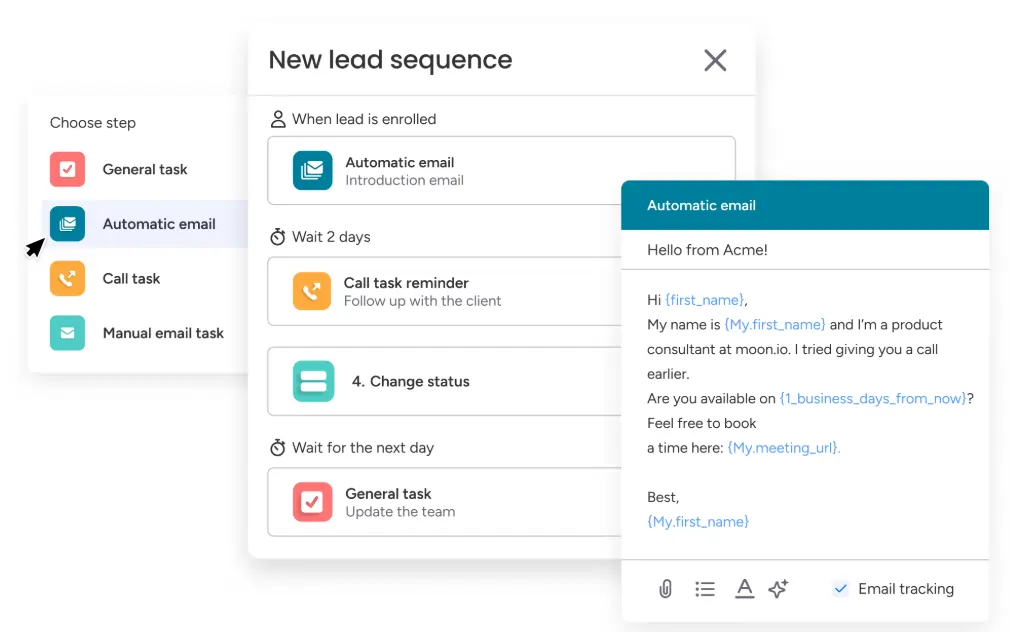
- An automated introductory email fires within seconds
- A push notification hits your phone immediately
- A call task is created and assigned automatically
By the time a competing agent opens their laptop, you've already made contact.
2. Not knowing who to call first → SOLVED
Freshsales has an AI engine called Freddy AI that analyzes how each lead is behaving - how many times they opened your email, whether they revisited your website, how they filled out your form - and assigns a score from one to five stars. Call the five-star leads first. Put the one-star leads in a long-term drip. Simple.
3. Inconsistent follow-up → SOLVED
Most leads need five to eight touchpoints before they're ready to act. Most agents make two. Freshsales lets you build a follow-up cadence once:
- Day 1: call
- Day 2: email
- Day 4: text
- Day 7: email
- Day 10: call
Then it runs automatically for every new lead. You set it up once. It works forever.
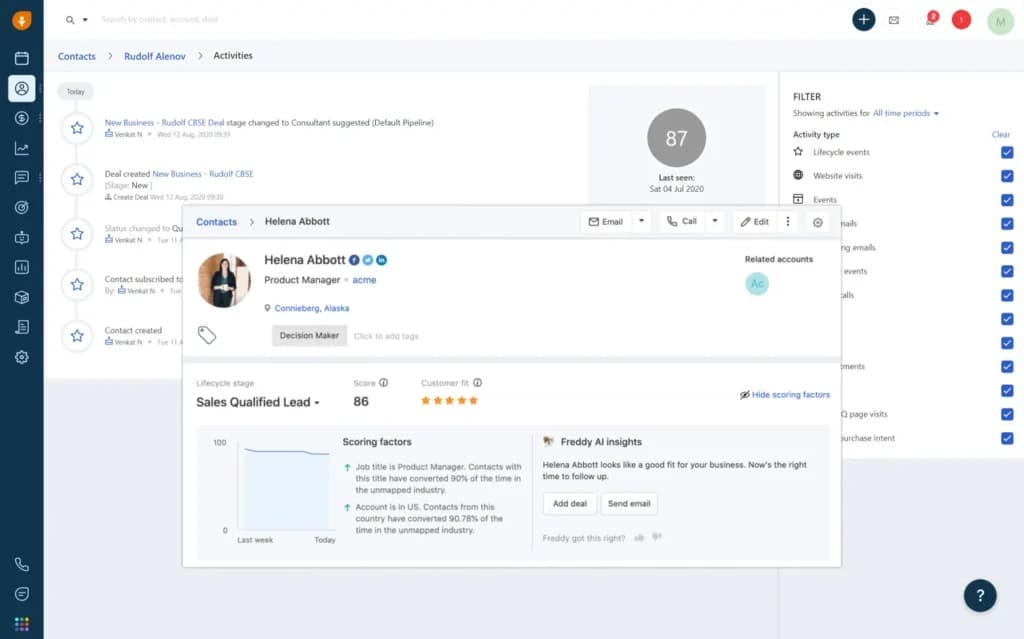
Built-in Dialer - Available on All Paid Plans
The built-in dialer lets you call a lead directly from inside the CRM. When the call ends, it's automatically recorded, transcribed, and logged to the contact record. No switching apps. No manual notes.
This is available from the Growth plan upward - not just on the most expensive tier. The free plan also includes basic calling features.
Mobile App
The Freshsales mobile app is one of the strongest on this list for real estate field use:
- Lead records, AI scores, call logging, and notes are all on the home screen
- Push notifications for new leads open directly to the lead record
- Works reliably on most data connections
One caveat: call quality depends on your signal. Many agents use the mobile app for everything except calls, which they make through their regular phone and quickly log in under 30 seconds.
Field verdict: Excellent.
What Freshsales Doesn't Do
It is not a transaction management tool. Once a deal goes under contract, inspection deadlines and closing coordination are not handled natively. You'll need a separate tool for that.
How Freshsales Compares
vs. HubSpot: HubSpot's free tier has no AI lead scoring and no built-in dialer. Fine for low volume. When you're managing 20+ new leads per week, the gap becomes significant. →Read the full Freshsales CRM review on Sonary
vs. Pipedrive: Pipedrive is better for visually managing an existing pipeline. Freshsales is better for converting leads at the top of the funnel. →Read the full Pipedrive CRM review on Sonary
What It Costs(verified September 2026)
Plan | Price | Key features for real estate |
|---|---|---|
Free | $0 (up to 3 users) | Basic pipeline, email, calling |
Growth | $9/user/month | Lead scoring, workflows, integrations |
Pro | $39/user/month | AI scoring (Freddy), sequences, multiple pipelines |
Enterprise | $59/user/month | Custom modules, advanced permissions |
Most real estate teams need the Pro plan to get full AI scoring and automated sequences.
Is Pipedrive worth $14 per user for a real estate pipeline?
Pipedrive is worth $14 per user per month for a real estate team of two to five who need every deal visible on one board. It does pipeline management better than anything else here and does not pretend to do more, with no SMS, no MLS and no transaction management. Email sync and the automation builder sit on Growth at $24 per user, which is where most teams actually land. Per-user pricing is the catch: three agents on Growth is $72 a month before anyone sends a text.

Pipedrive CRM is worth $14/user/month for sales teams of 5 to 25 reps that need pipeline visibility without the complexity of HubSpot Pro or Salesforce. If you have fewer than 5 reps, HubSpot Free… Read more
Pipedrive CRM is worth $14/user/month for sales teams of 5 to 25 reps that need pipeline visibility without the complexity of HubSpot Pro or Salesforce. If you have fewer than 5 reps, HubSpot Free covers you; if you have more than 25, you outgrow Pipedrive's reporting and need HubSpot Professional or Salesforce. The catch: Pipedrive has no free tier and the 14-day trial is the only way to test it, so plan an evaluation week and import a real subset of your data before committing to annual billing
Learn more in our full Pipedrive review.
Pros & Cons
- User-friendly design
- Easy setup process
- Friendly customer support
- Efficient management tools
- No free version
Features
- Dashboards
- Reporting
- Marketing Analytics
- Pipeline Management
- Call Management
- Account Management
- Collaborative Data
- Mobile App
- Integrations
- Sales AI
- Customer Contact Management
- Sales Opportunity
- Quote Management
- Lead Chatbot
- Lead Scoring
- Email Sync
- Email Tracking
- Email Templates
- Schedule Emails
- Automated Reports
- Marketing Automation
- Sales Pipeline Automation
- Sales Forecasting Automation
- Automated Emails
Pricing
$14
mo/
month
$39
mo/
month
$59
mo/
month
$79
mo/
month
What it is in plain language: Pipedrive is a CRM built around a visual deal board - like a digital whiteboard showing every active client, what stage they're at, and what needs to happen next. It was built by salespeople who were tired of CRMs that felt like database software.
Every real estate agent already has a mental pipeline. Pipedrive makes that mental model visible, shared, and actionable.
Who This Is For
Teams of two to five agents who need shared pipeline visibility. Also great for solo agents who think visually and want to see their entire business status in one screen.
The 3 Real Estate Pain Points It Solves
1. No one knows where every deal stands → SOLVED
Pipedrive's shared pipeline board shows every active deal across your whole team:
- Client name and estimated commission
- Current stage
- Assigned agent
- Days since last activity
A team lead can review everything in under three minutes without asking a single person.
2. Deals going cold without anyone noticing → SOLVED
When a deal hasn't had any activity in too long, the card turns red. You don't need to audit your pipeline to spot problems - Pipedrive flags them automatically. This is the feature agents mention most after switching. Deals stop quietly dying.
3. Not knowing where business stalls → SOLVED
Pipedrive shows you exactly which pipeline stage has the highest drop-off rate. If buyers keep going quiet after the "Showing Scheduled" stage, you can see that pattern and act on it. That kind of data is invisible when your pipeline lives in a spreadsheet.
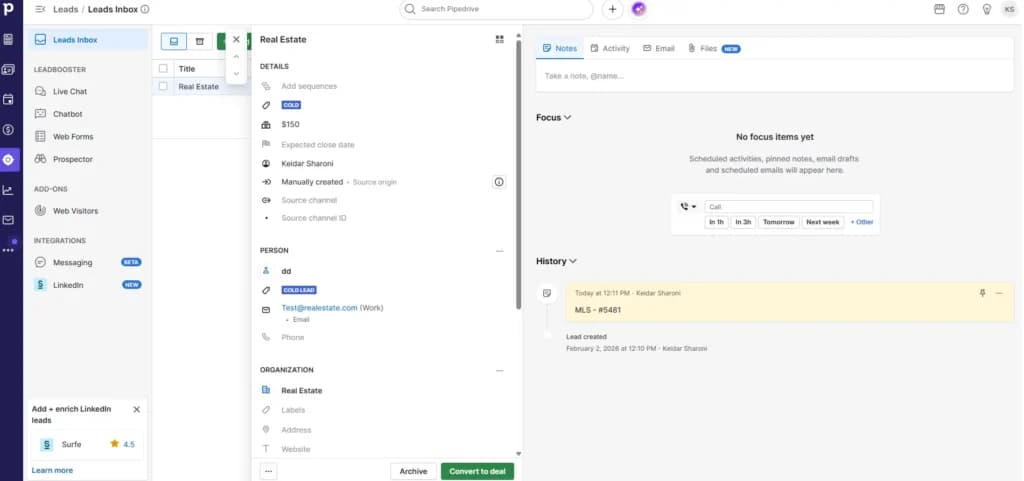
Building a Real Estate Pipeline in Pipedrive
You set the stage names yourself to match how you actually work. Common setups:
Buyer pipeline: New Inquiry → Pre-Approval Confirmed → Active Search → Showing Scheduled → Offer Submitted → Under Contract → Closed
Listing pipeline: New Prospect → CMA Delivered → Listing Presentation → Listing Live → Under Contract → Closed
You can run both simultaneously in separate boards.
Mobile App
Pipedrive works well in the field for the core daily actions:
- Pulling up a contact record before a showing
- Moving a deal stage after a signed offer
- Logging a call note from your car
- Checking what's overdue for the day
The full visual board works better on desktop, but mobile covers what you need on the go.
Field verdict: Very good.
What Pipedrive Doesn't Do
No built-in SMS texting. No MLS integration. No transaction management. Per-user pricing adds up for growing teams - worth factoring in at three or more agents.
How Pipedrive Compares
vs. Freshsales: Freshsales wins for lead conversion speed. Pipedrive wins for pipeline management and team visibility. Different tools for different problems.
vs. monday CRM: Pipedrive works out of the box for sales teams. monday CRM requires more configuration but is more flexible for non-standard workflows. →Pipedrive vs monday CRM - full comparison on Sonary
What It Costs(verified September 2026, plans rebranded November 2025)
Plan | Price | Key features |
Lite | $14/user/month | Core pipeline, deals, mobile app |
Growth | $24/user/month | Email sync, automation builder |
Premium | $49/user/month | AI features, forecasting, custom reporting |
Ultimate | $69/user/month | Full access, dedicated support |
Read the full Pipedrive CRM review on Sonary
See how Pipedrive stacks up:
Should a real estate agent use HoneyBook instead of a CRM?
HoneyBook is worth $29 per month for a solo agent who handles the lead, the contract, the signature and the invoice personally. It works at that price because it is flat-rate rather than per user, so a team of five pays the same $29 as one person, and it is the only tool here where that is true. Billing monthly instead of annually costs $39. Where it breaks is volume - past roughly 20 new internet leads a week you need scoring and call sequences, and HoneyBook has neither.

HoneyBook is best known as a sleek, all-in-one clientflow platform built for independent professionals and service-based small businesses. From first inquiry to final payment, the platform… Read more
HoneyBook is best known as a sleek, all-in-one clientflow platform built for independent professionals and service-based small businesses. From first inquiry to final payment, the platform centralizes everything, proposals, contracts, scheduling, invoicing, and communication, into one cohesive workflow. It’s designed to cut down on back-and-forth and let business owners focus less on admin.
Learn more in our full Honeybook review.
Pros & Cons
- Integrated contractor payments
- Intuitive setup and use
- Reliable and smooth performance
- Ideal for freelancers and solopreneurs
- No W-2 or full payroll support
- No 24/7 or phone-based support
- Minimal automation features
Features
- Generation of pay stubs and reports
- Mobile App For Employees
- Direct Deposit for Employee Paychecks
- Form 1099-MISC
- Accounting Software
- Direct Deposit
Pricing
$29
/month/
/month
$49
/month/
/month
$109
/month/
/month
What it is in plain language: HoneyBook is a client management platform built for independent service professionals. Unlike most CRMs that focus on the sales pipeline, HoneyBook covers everything after the lead becomes a client - contracts, signatures, communication, invoices - all in one place.
For a solo agent or small team, this is the difference between managing five different tools and managing one.
Who This Is For
Solo agents and micro teams of two to three people where the same person managing the lead is also handling the contract, the communication, the e-signatures, and the commission invoice. If you've ever sent a DocuSign link, then a separate email summarizing the contract, then a text to confirm they signed - HoneyBook collapses all of that into a single interaction.
The 3 Real Estate Pain Points It Solves
1. Client communication scattered across email, text, and phone → SOLVED
Every client gets their own portal - a private, branded page where all communication, documents, signatures, and status updates live. Instead of searching through email threads at 9pm to find a contract, your client logs into their portal and sees everything in one place.
2. Looking disorganized compared to larger teams → SOLVED
HoneyBook automates your client onboarding. The moment a new client signs on, they automatically receive a welcome email, a portal invitation, and a timeline of next steps - without you doing anything manually. A solo agent can deliver an experience that feels like a full team.
3. Paying separately for CRM + DocuSign + invoicing → SOLVED
HoneyBook replaces all three at a flat monthly rate. Contracts, e-signatures, invoices, and client communication are all native - no integrations to maintain, no exporting between tools.
The Client Portal in Practice
When a buyer or seller becomes your client, you send them one link. From that point, their portal contains:
- Their signed representation agreement
- The showing schedule or listing timeline
- Key documents and deadlines
- A messaging thread (fully logged)
- Any files you upload
For clients going through the stress of buying or selling, this level of organization is genuinely memorable. It's the feature most agents mention when referrals come back and say "my friend told me you were incredibly organized."
Mobile App
Works well in the field for:
- Sending a client a quick message
- Checking what documents are still outstanding
- Sending a contract for signature from a property
Push notifications for signatures and messages are reliable. When a client signs at 11pm, you know immediately.
The limitation: HoneyBook doesn't have a visual pipeline overview on mobile. It's great for managing individual clients, not for reviewing your whole business at a glance.
Field verdict: Excellent for client communication. Limited for pipeline overview.
What HoneyBook Doesn't Do
Not designed for high-volume lead management. If you're handling 20+ new internet leads per week and need AI scoring and automated call sequences, HoneyBook is not the right fit for that part of your workflow.
What It Costs(verified September 2026 - prices updated February 2025)
Plan | Price (annual) | Price (monthly) | Key features |
|---|---|---|---|
Starter | $29/month | $39/month | Client management, contracts, invoices, payments |
Essentials | $49/month | $59/month | Adds automations, team members, branded portal |
Premium | $109/month | $129/month | Unlimited team, multiple brands, priority support |
All plans are flat-rate- not per-user. A team of five pays the same as a solo agent on the same plan.
Read the full HoneyBook CRM review on Sonary
Is Copper the right CRM if you run your business in Gmail?
Copper is the right CRM for a real estate agent whose entire business already lives inside Google Workspace, and the wrong one otherwise. It sits in the Gmail sidebar, so client history appears next to the email rather than in a separate tab, which is the single thing that makes agents actually log activity. It starts at $23 per user per month. If you use Outlook, stop reading here - Copper requires Google Workspace and there is no workaround.

As a CRM tool, Copper provides a simple and intuitive interface that helps you manage leads, update deals, track previous interactions, and create seamless workflows. It easily integrates with your… Read more
As a CRM tool, Copper provides a simple and intuitive interface that helps you manage leads, update deals, track previous interactions, and create seamless workflows. It easily integrates with your daily tools, allowing you to build on existing data instead of relying on new ones.
Learn more in our full Copper review.
Pros & Cons
- Google chrome extension
- User-friendly interface
- Diverse support options
- Explicit product tours
- Inflexible tool
- Confusing email tracking
Features
- Dashboards
- Reporting
- Marketing Analytics
- Pipeline Management
- Account Management
- Collaborative Data
- Mobile App
- Integrations
- Sales AI
- Customer Contact Management
- Sales Opportunity
- Lead Scoring
- Email Sync
- Email Tracking
- Schedule Emails
- Automated Reports
- Sales Pipeline Automation
Pricing
$23
/mo/user/
/mo/user
$59
/mo/user/
/mo/user
$99
/mo/user/
/mo/user
What it is in plain language: Copper is a CRM that lives inside Gmail. Every email, calendar appointment, and Google Meet call you have with a client is automatically logged to their contact record - without you doing anything. If you're a solo agent or a small team that runs everything through Google, Copper is often the first CRM people actually keep using.
Who This Is For
Agents whose entire business runs through Gmail and Google Calendar. If your inbox is your client manager and your calendar is your showing schedule, Copper turns both into a proper CRM with zero extra work.
The 3 Real Estate Pain Points It Solves
1. The CRM data is always out of date → SOLVED
Copper's Gmail integration logs every email, every meeting, and every Google Meet call automatically. When you open a contact record, you see a complete relationship history - without having manually entered a single item. For agents who've tried other CRMs and stopped using them after a few weeks because the data entry felt like a second job, this is structurally different.
2. Forgetting to follow up with past clients → PARTIALLY SOLVED
Copper surfaces contacts you haven't been in touch with recently and prompts re-engagement. Past clients are your highest-value segment - they refer, and they transact again. Copper keeps that database warm without relying on your memory.
The limitation: Copper reminds you to follow up but doesn't automate the follow-up for you. For fully automated sequences, Freshsales or Zoho CRM go further.
3. Context lost between team members → SOLVED
When a buyer works with two different agents at different times, the second agent opens Copper and reads the full relationship history - every email, every call, every note. They pick up the relationship exactly where it left off.
The Gmail Sidebar
The most important thing to understand about Copper is how it integrates with Gmail. When you open an email, a Copper sidebar appears on the right side showing the contact's full CRM record - pipeline stage, all previous emails, notes, next follow-up - without opening a second tab.
You're reading the email and seeing the entire relationship history at the same time. When a buyer you haven't heard from in three months emails you, you already know everything before you type a word.
Mobile App
Copper works well on mobile for:
- Viewing contact records
- Adding notes after a showing
- Checking pipeline stage
- Logging calls manually
The Gmail sidebar - Copper's best feature - is desktop-only. On mobile, you're working in the Copper app itself, not inside Gmail. Still functional, but not the same experience.
Field verdict: Good. Best experience is on desktop inside Gmail.
What Copper Doesn't Do
Requires Google Workspace. If you use Outlook, this is not your tool. No built-in SMS. No MLS integration. No transaction management.
What It Costs(verified September 2026)
Plan | Price (annual) | Best for |
|---|---|---|
Starter | $9/user/month | Solopreneurs, basic contact management |
Basic | $23/user/month | Small teams, multiple pipelines |
Professional | $59/user/month | Automation, bulk email, advanced reporting |
Business | $99/user/month | Unlimited contacts, custom analytics |
Read the full Copper CRM review on Sonary
Is monday CRM worth it for a growing real estate team?
monday CRM is worth $12 per seat for a real estate team whose workflow does not fit a standard pipeline, and for nobody else. Residential and commercial deals on one board, a different pipeline per market, client work and internal tasks in the same tool - that flexibility is the entire reason to pick it. Automations appear on Standard at $17 per seat. Budget two to four days for setup, because you are building the workflow from scratch rather than switching one on.

If you’re looking for a CRM that you’ll actually want to use, you’re in the right place. monday CRM is a no-code, fully customizable CRM that empowers business owners, sales teams, and RevOps to… Read more
If you’re looking for a CRM that you’ll actually want to use, you’re in the right place. monday CRM is a no-code, fully customizable CRM that empowers business owners, sales teams, and RevOps to automate and manage the entire sales cycle from pre- to post-sales. From capturing leads to managing your deals pipeline to gathering and analyzing real-time data, seamlessly connect all of the pieces so you can spend more time on the most important work – selling. In this monday CRM review, I'll delve into pricing, features, performance and more, of this CRM software.
Learn more in our full Monday review.
Pros & Cons
- Intuitive design
- Responsive customer service
- Numerous templates
- Cross-team collaboration tools
- Limited features on free version
Features
- Dashboards
- Reporting
- Marketing Analytics
- Pipeline Management
- Account Management
- Collaborative Data
- Mobile App
- Integrations
- Sales AI
- Customer Contact Management
- Sales Opportunity
- Quote Management
- Lead Scoring
- Email Sync
- Email Templates
- Automated Reports
- Sales Pipeline Automation
- Sales Forecasting Automation
Pricing
$12
mo/
month
$17
mo/
month
$28
mo/
month
Screenshots
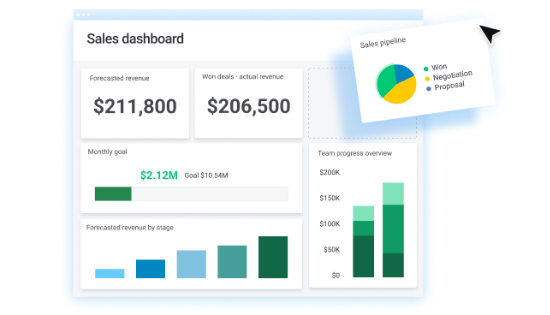
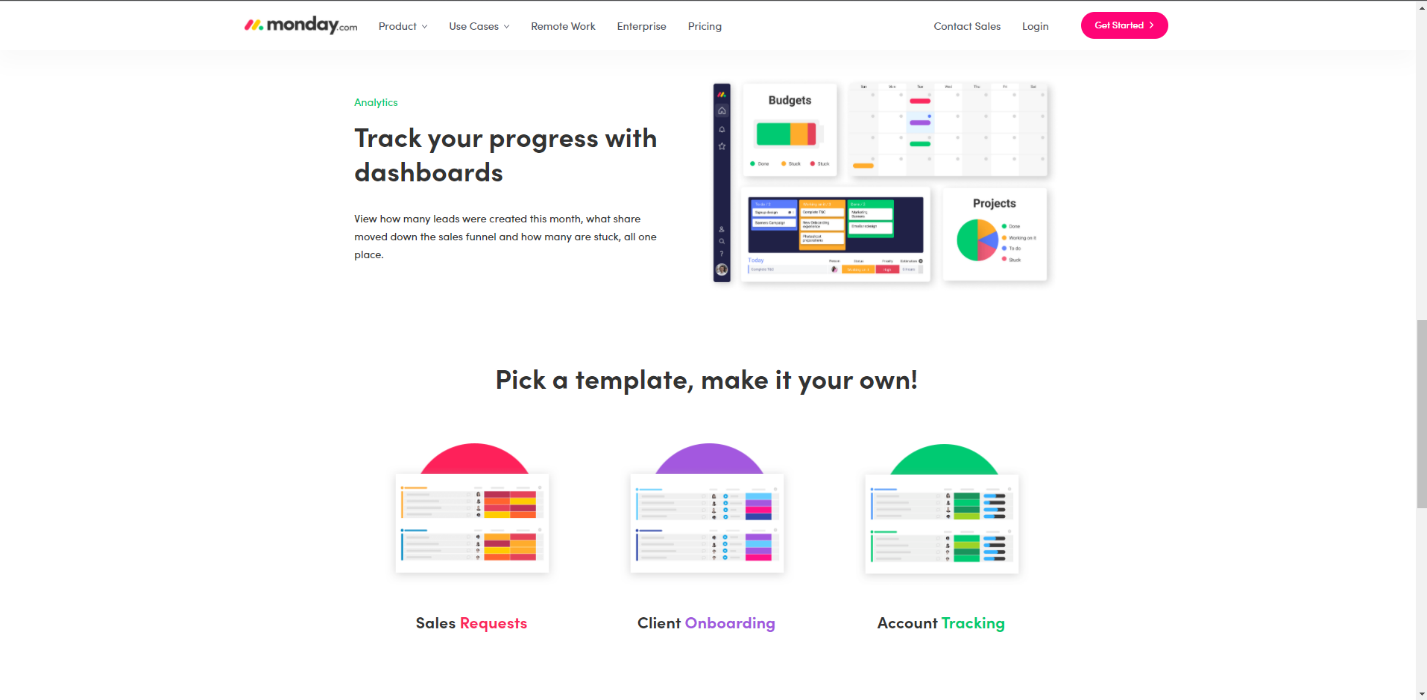
What it is in plain language: monday CRM is a fully customizable CRM built on the same platform as monday.com's project management tool. There are no pre-set pipeline stages, no assumed workflow, and no locked-in structure. You build it to match exactly how your business operates.
This is the CRM for agents who have tried three other platforms and abandoned all of them because none of them matched how the business actually works.
Who This Is For
Teams of two to five with a non-standard workflow - agents working both residential and commercial, teams operating across multiple markets with different pipelines per market, or operations where the same tool needs to run both the client pipeline and internal task management.
The 3 Real Estate Pain Points It Solves
1. No CRM fits how our team actually works → SOLVED
Every pipeline stage, every data field, every automation rule is built by you. Working residential and commercial? Build two separate boards with entirely different configurations. Operating in three markets? Build one board per market. Nothing is locked.
2. Transaction management lives in a separate tool → PARTIALLY SOLVED
You can build a transaction tracking board inside monday CRM - with columns for inspection deadlines, appraisal dates, attorney review periods, and closing dates. It's not a purpose-built transaction management tool, but for small teams that don't want another subscription, it covers the essentials when configured correctly.
3. Team task management disconnected from the client pipeline → SOLVED
Because monday CRM is built on monday.com's platform, you can run your client pipeline and your team's internal operations in the same tool. Marketing deadlines, open house logistics, team tasks - all on the same dashboard as your deals.
Custom Columns That Matter for Real Estate
Here's what a deal board typically looks like when configured for real estate:
Column | What it shows |
|---|---|
Status | Pipeline stage (dropdown) |
Pre-approval | Yes/No field |
Lead source | Zillow, referral, website, etc. |
Contract expiry | Date (auto-highlights when close) |
Estimated commission | Revenue at a glance |
Assigned agent | Who owns the deal |
Days since activity | Calculated automatically |
All of this is visible in the board view - no clicking into individual records required.
Mobile App
Works well for updates and status checks:
- Updating deal stages
- Logging call notes
- Setting follow-up tasks
- Automation rules fire whether you update from desktop or mobile
Complex boards with many columns can feel cramped on a phone screen. Most agents update the three or four most critical fields from mobile and do detailed data work from desktop.
Field verdict: Good for updates. Complex boards are better on a desktop.
What monday CRM Doesn't Do
No built-in phone dialer. No SMS texting. No MLS integration. Setup takes two to four days to do properly - this is not a plug-and-play system. You're building your workflow from scratch.
What It Costs(verified September 2026)
Plan | Price | Key features |
|---|---|---|
Basic | $12/user/month | Boards, deals, unlimited contacts |
Standard | $17/user/month | Timelines, calendar, automations |
Pro | $28/user/month | Private boards, advanced reporting |
Read the full monday CRM review on Sonary
How it compares: Pipedrive vs monday CRM
Is Zoho the cheapest CRM a real estate agent can actually use?
Zoho is the cheapest capable CRM here, at $14 per user per month, and the price you pay for that is setup time. It carries workflow rules, lead scoring and multi-channel messaging that cost double elsewhere. The interface is the most complex on this list, and a first-time CRM user will find it overwhelming for the first week. Budget a weekend. If nobody on your team enjoys configuring software, pay more for Pipedrive and move on.

Zoho CRM is a single repository that helps businesses gain more leads, build excellent customer relationships, and have efficient business processes that help you save time and cost. With the precise… Read more
Zoho CRM is a single repository that helps businesses gain more leads, build excellent customer relationships, and have efficient business processes that help you save time and cost. With the precise data generated on Zoho CRM, organizations can make impactful decisions to boost sales.
Learn more in our full Zoho review.
Pros & Cons
- Easy setup
- Customizable capabilities
- Reliable customer support
- Different resource materials
- Billed per user
- Limited third-party integrations
Features
- Dashboards
- Reporting
- Marketing Analytics
- Pipeline Management
- Call Management
- Account Management
- Collaborative Data
- Mobile App
- Integrations
- Sales AI
- Sales Opportunity
- Quote Management
- Email Sync
- Schedule Emails
- Customer Contact Management
- Lead Chatbot
- Lead Scoring
- Automated Reports
- Marketing Automation
- Sales Pipeline Automation
- Sales Forecasting Automation
- Automated Emails
Pricing
$0
mo/
month
$14
/mo/user/
/mo/user
$23
/mo/user/
/mo/user
$40
/mo/user/
/mo/user
$52
/mo/user/
/mo/user
What it is in plain language: Zoho CRM is a full-featured CRM with AI, automation, built-in calling, and advanced reporting - at a fraction of what HubSpot or Salesforce charge for the same capabilities. For a small real estate team that refuses to compromise on features but has real budget limits, this is the most complete package per dollar on this list.
Who This Is For
Teams of three to five that have outgrown basic CRM tools and want sophisticated automation and AI - but can't justify $50–$90/user/month to get there. Also the right fit for teams wanting to consolidate their CRM, email marketing, and invoicing into a single ecosystem (Zoho has tools for all of it).
The 3 Real Estate Pain Points It Solves
1. No visibility into which deals will actually close → SOLVED
Zoho's AI assistant - called Zia - analyzes your historical deal data and assigns a close probability to every active deal in your pipeline. Updated in real time. A deal sitting at 72% probability gets different attention than one at 28%. For a small team trying to plan monthly commission income, this turns guesswork into data.
2. Complex follow-up sequences requiring technical skill → SOLVED
Zoho's workflow automation is no-code. You build multi-step sequences using dropdown menus - send an email, wait 48 hours, check if they replied, branch into two paths based on the answer. No coding, no Zapier, no developer needed.
3. Paying separately for CRM + email marketing + e-signatures → SOLVED
Zoho has its own ecosystem: Zoho Campaigns (email marketing), Zoho Sign (e-signatures), Zoho Bookings (scheduling), Zoho Books (accounting). Combined, these are often cheaper than paying for each tool individually. For a team consolidating their tech stack, Zoho's ecosystem is one of the most cost-effective options available.
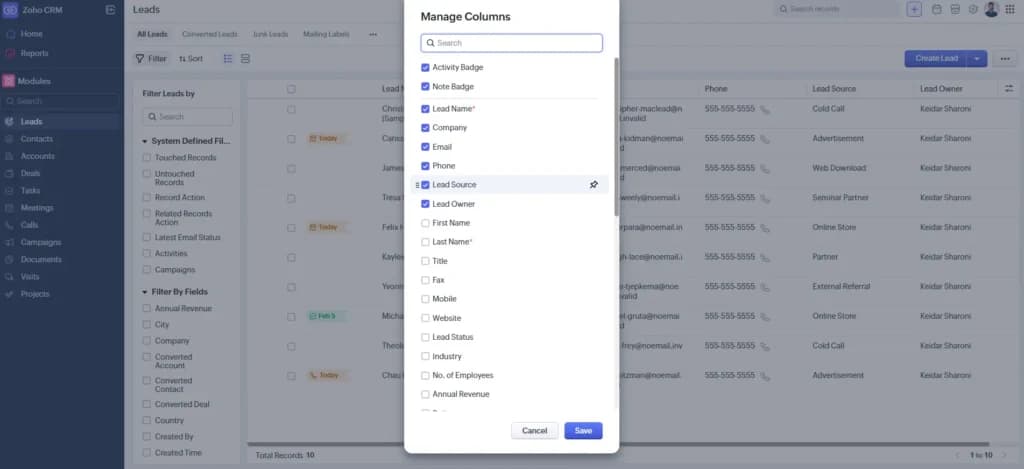
Zia AI - What It Actually Does in Practice
Zia doesn't just score deals. It also:
- Predicts the best time to contact each lead based on when they've historically responded
- Surfaces re-engaged leads- contacts that went quiet and have started opening emails again
- Flags stalled deals- identifies deals stuck longer than your typical close timeline
For a solo agent or small team without a dedicated analyst, Zia functions as a low-cost intelligence layer on top of the data you're already generating.
Mobile App
Zoho CRM has the deepest mobile feature set on this list - including AI features (Zia) available on mobile, which most competitors limit to desktop. Call logging takes under 45 seconds. Push notifications for workflow triggers work reliably.
The trade-off: Zoho has a steeper learning curve than most platforms here. Expect two to three weeks before the mobile app feels natural.
Field verdict: Best mobile feature depth on the list - but takes time to learn.
What Zoho CRM Doesn't Do
Most complex interface on this list. First-time CRM users will find it overwhelming. No native MLS integration. No video texting. No transaction management. Support on lower tiers is slower than premium-priced competitors.
What It Costs(verified September 2026)
Plan | Price | Key features |
|---|---|---|
Free | $0 (up to 3 users) | Basic CRM, pipeline, contacts |
Standard | $14/user/month | Email templates, workflows, scoring |
Professional | $23/user/month | Multiple pipelines, AI, call logging |
Enterprise | $40/user/month | Full AI (Zia), advanced analytics |
A team of four on Professional: $92/month total.
Read the full Zoho CRM review on Sonary
How it compares: Pipedrive vs Zoho
Is HubSpot's free CRM enough for a new real estate agent?
Yes, HubSpot's free CRM is enough for a new agent's first year, and the ceiling you eventually hit is automation rather than contacts. The free tier gives unlimited contacts and unlimited users at $0, with email open tracking that tells you which of your listing follow-ups got read. What it will not do free is send sequences for you, and it has no MLS integration at any tier. When you are chasing more leads than you can remember, that is the moment to pay - not before.

HubSpot CRM is your go-to solution for managing sales and customer relationships with precision and ease. Offering a real-time view of your sales activity, HubSpot provides explicit, actionable… Read more
HubSpot CRM is your go-to solution for managing sales and customer relationships with precision and ease. Offering a real-time view of your sales activity, HubSpot provides explicit, actionable reports that give you deep insights into your team's performance. Track deal progress, monitor leads, and pinpoint areas for growth, all within an intuitive platform. With HubSpot CRM, you gain the tools to optimize your sales strategy, enhance collaboration, and drive business success like never before. This Hubspot CRM review will look at pricing, features, and performance of the CRM tool.
Learn more in our full Hubspot review.
Pros & Cons
- Intuitive design
- Free version available
- Reliable customer support
- Numerous workflow templates
- Automation is unavailable for free plan
Features
- Dashboards
- Reporting
- Marketing Analytics
- Pipeline Management
- Call Management
- Account Management
- Collaborative Data
- Mobile App
- Integrations
- Sales AI
- Sales Opportunity
- Quote Management
- Lead Chatbot
- Email Sync
- Email Tracking
- Email Templates
- Schedule Emails
- Customer Contact Management
- Lead Scoring
- Automated Reports
- Marketing Automation
- Sales Pipeline Automation
- Sales Forecasting Automation
- Automated Emails
Pricing
$0
mo/
month
$7
mo/
month
$90
mo/
month
$150
mo/
month
Screenshots
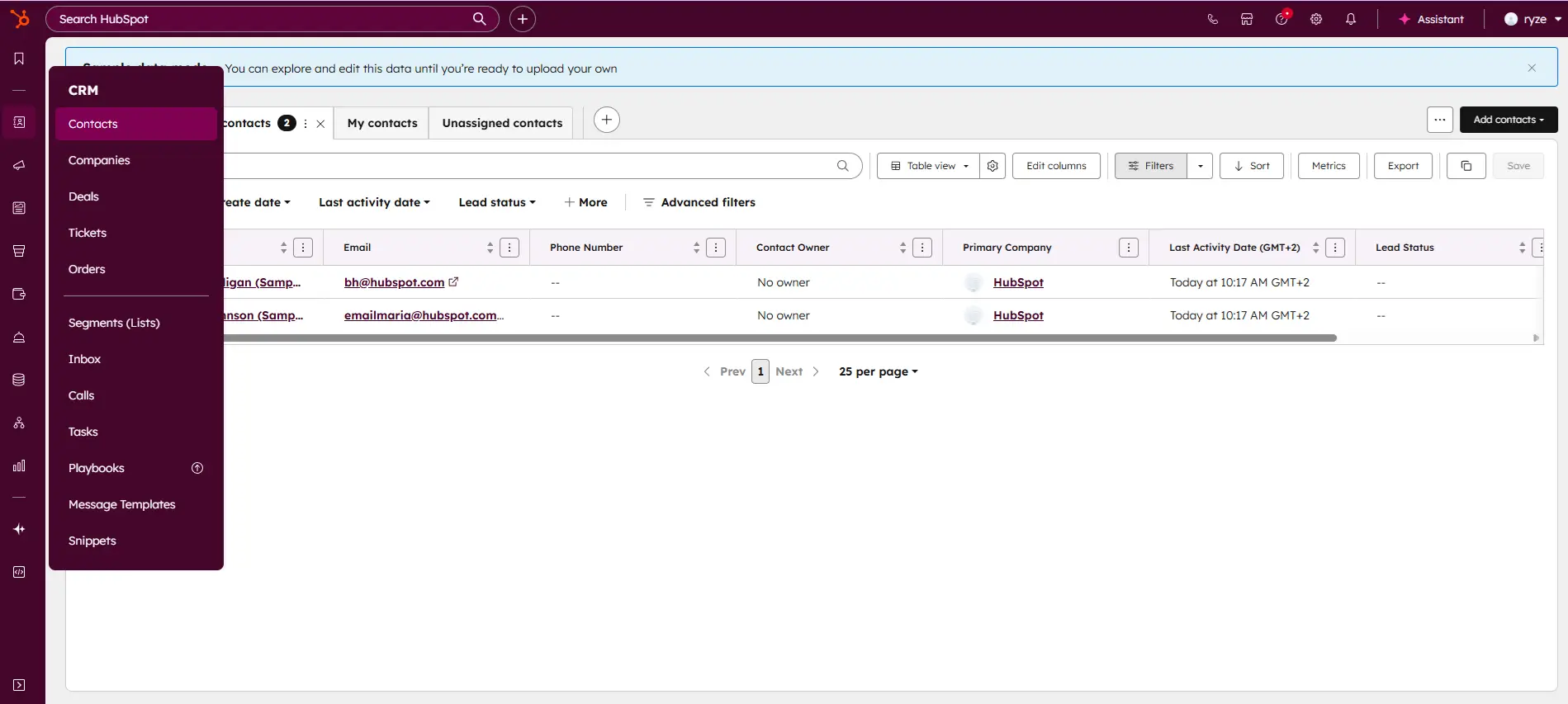
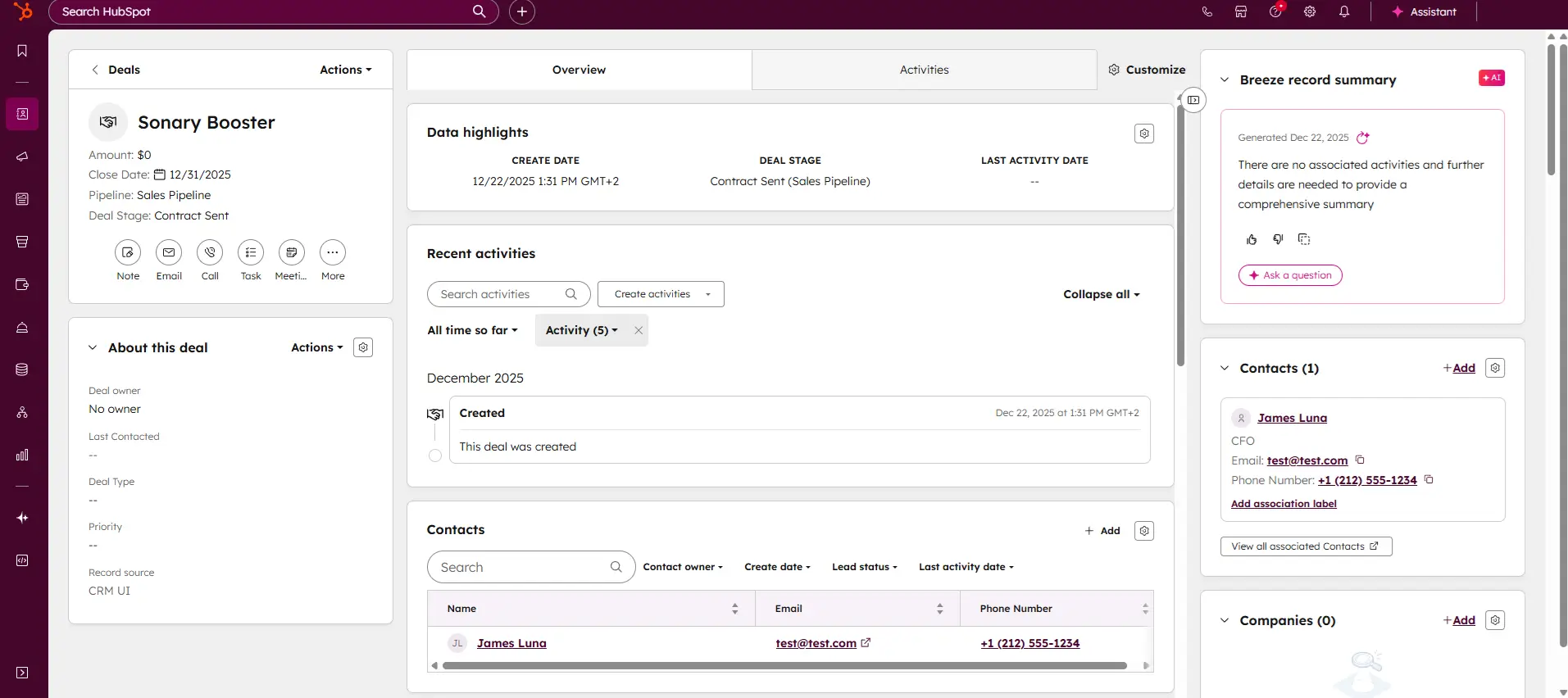
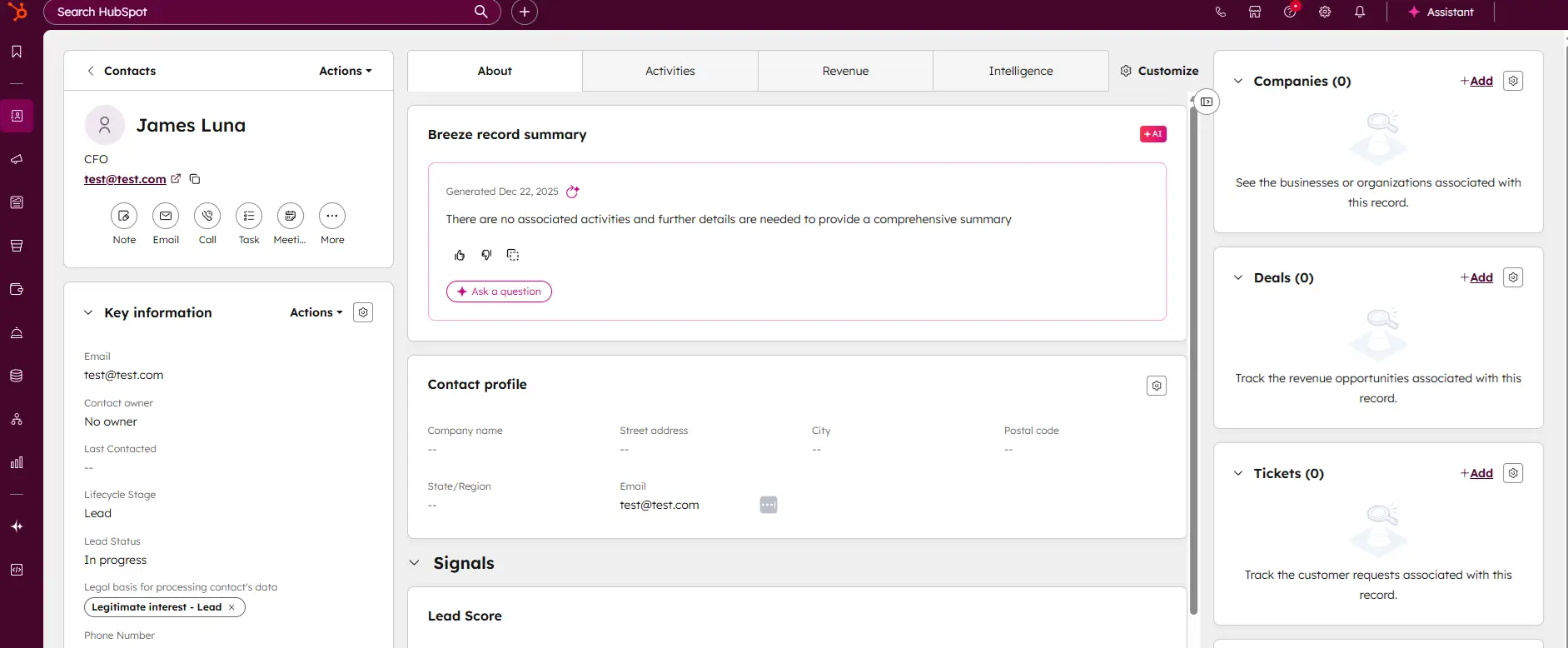
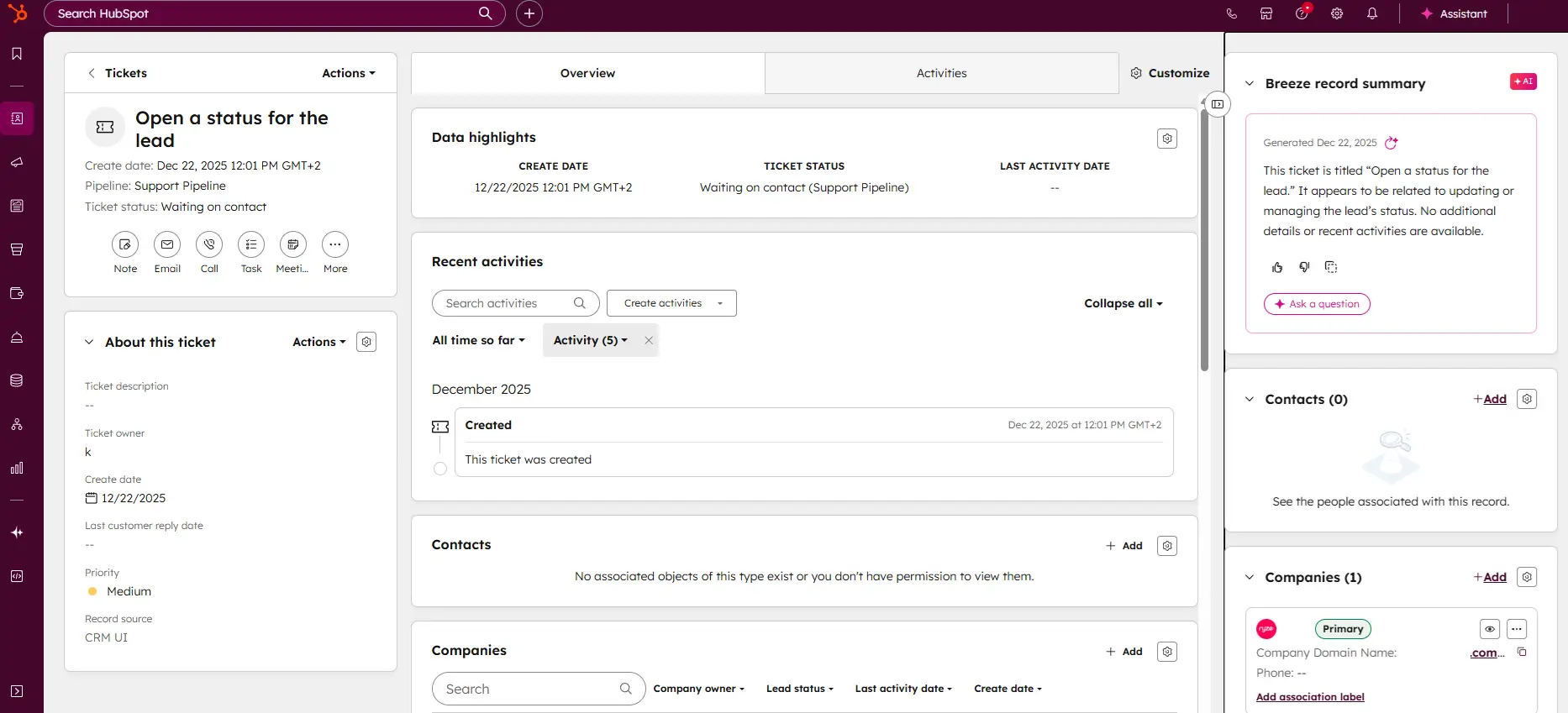
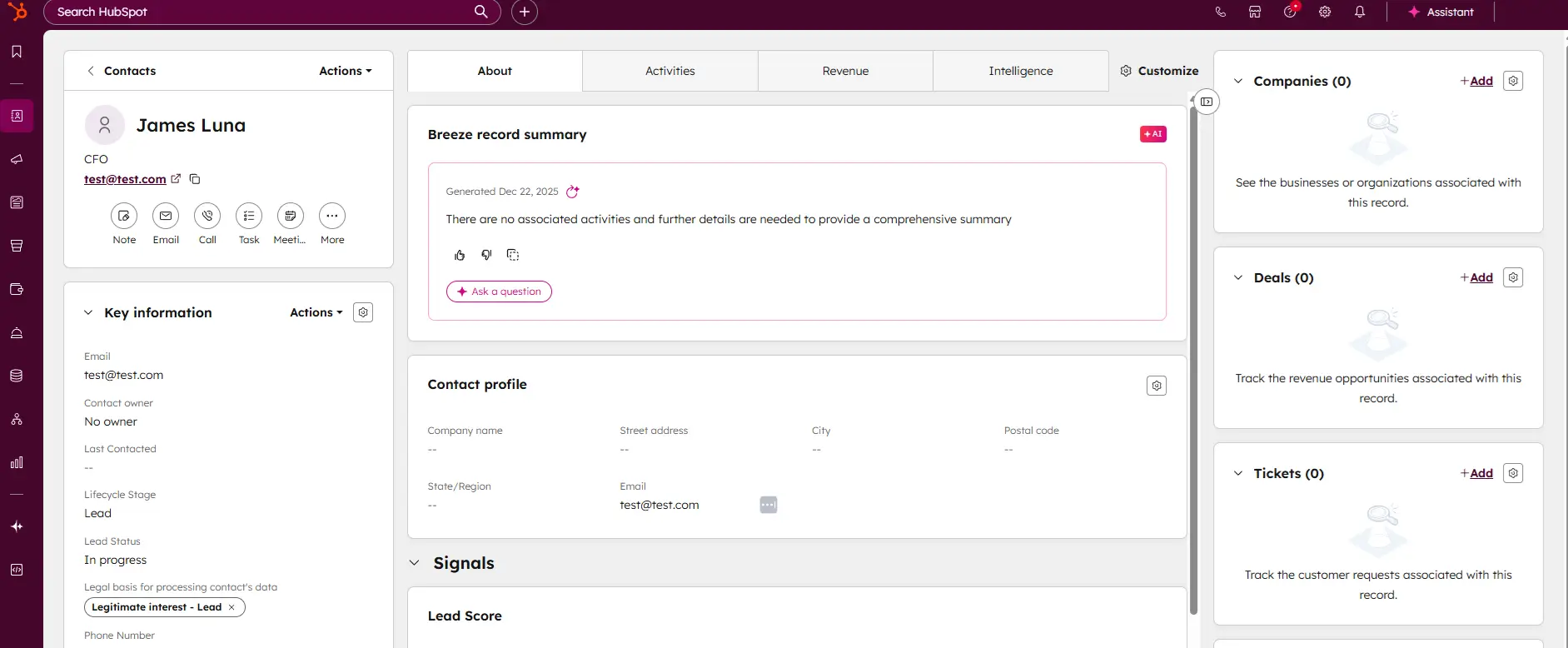
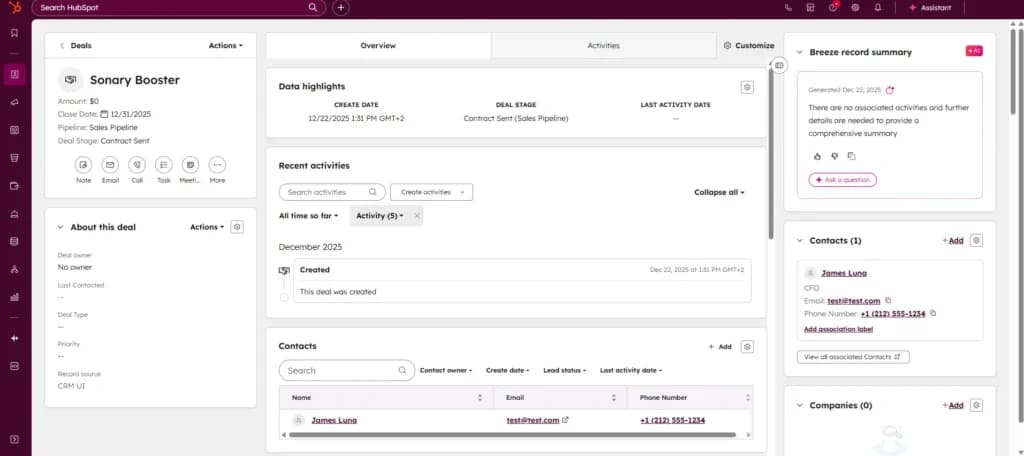
What it is in plain language: HubSpot CRM offers a genuinely free plan - not a 14-day trial, not a five-contact limit - with unlimited contacts, a visual pipeline, email tracking, and a meeting scheduler, forever. For agents who aren't ready to pay for a CRM yet, this is the best starting point available.
Who This Is For
New agents building their first contact database. Teams that want to consolidate into a shared CRM before deciding what to pay for. Anyone currently managing client relationships out of an inbox who wants a first step without a financial commitment.
The 3 Real Estate Pain Points It Solves
1. No visibility into whether leads are interested → SOLVED
HubSpot's email tracking is available on the free plan. When a lead opens your follow-up email four times in two hours without replying, you get a push notification on your phone. That's your signal to call right now - while you're still in their head. Most agents who discover email tracking say it's the first time they understood what "timing a call right" actually means.
2. Scheduling showings through back-and-forth emails → SOLVED
HubSpot's meeting scheduler lets you share a link. Clients pick a time from your available slots. The appointment is added to both calendars automatically. Across 50–60 scheduling interactions per year, this saves hours and eliminates double-bookings.
3. No budget for a CRM in year one → SOLVED
The free plan covers everything a new agent needs to build the CRM habit: import contacts, set up a pipeline, track email engagement, schedule meetings, log activity. You grow into it. When you're ready to pay, the upgrade is seamless - all your data stays intact.
Email Open Tracking in Real Life
This feature alone changes how most agents approach follow-up.
When you can see that a buyer lead opened your neighborhood guide email six times over two days - without replying - you stop interpreting silence as disinterest. They're reading. They're thinking. A phone call at that moment converts at a dramatically higher rate than one made three days later on a routine follow-up schedule.
The same logic applies to seller prospects. A homeowner opening your CMA email four times is doing the math on selling. Call them while they're calculating.
Mobile App
The HubSpot mobile app has the cleanest, most intuitive interface on this list for first-time CRM users:
- Email open notifications arrive fast
- Meeting scheduler link works directly from mobile
- All key actions available from the main screen
No learning curve. Works from day one.
The limitation: no automated sequences on the free plan. You can send individual emails but can't build multi-step automated follow-up without upgrading.
Field verdict: Excellent. Best mobile UX on this list for beginners.
What HubSpot Doesn't Do (for free)
No automated sequences on the free tier. No MLS integration. No video texting. No transaction management. Per-user pricing on paid tiers adds up fast - three users on Professional is $270/month, which makes it one of the more expensive options at team scale.
What It Costs(verified September 2026)
Plan | Price | Key features |
|---|---|---|
Free | $0 | Unlimited contacts, pipeline, email tracking, scheduler |
Starter | $15/user/month | Automated sequences, removes HubSpot branding |
Professional | $90/user/month | Advanced automation and reporting |
Read the full HubSpot CRM review on Sonary
How it compares:
- HubSpot vs Pipedrive
- 6 HubSpot alternatives for SMBs
- HubSpot Breeze AI - worth it for 1–4 person businesses?
Can Odoo replace the five tools a small brokerage is paying for?
Odoo makes sense for a small brokerage already paying for four or more separate tools, and the honest price is not the free plan. One App Free gives you CRM for unlimited users, which sounds unbeatable until you need accounting and e-signatures in the same system, and that is Standard at roughly $31 per user per month. Then there is professional implementation at $2,000 to $5,000 one time, which most comparisons leave out entirely. Expect one to two weeks before anyone is productive.

Odoo CRM is a powerful tool that helps you track leads, gain precise forecasts and manage customers on a single platform. It provides insights that influence business decisions with custom dashboards… Read more
Odoo CRM is a powerful tool that helps you track leads, gain precise forecasts and manage customers on a single platform. It provides insights that influence business decisions with custom dashboards that give a full picture of your business. This software makes data accessible to all.
Learn more in our full Odoo review.
Pros & Cons
- Access to numerous apps
- Free version and trial
- Customizable features
- Easy setup
- Limited third-party integrations
Features
- Dashboards
- Reporting
- Marketing Analytics
- Pipeline Management
- Call Management
- Account Management
- Collaborative Data
- Mobile App
- Integrations
- Sales AI
- Customer Contact Management
- Sales Opportunity
- Quote Management
- Lead Chatbot
- Lead Scoring
- Email Sync
- Email Templates
- Schedule Emails
- Automated Reports
- Marketing Automation
- Sales Pipeline Automation
Pricing
$0
mo/
month
$13.5
mo/
month
$20.4
mo/
month
What it is in plain language: Odoo is not just a CRM. It's a full business management system - CRM, accounting, invoicing, e-signatures, project management, and more - all built natively into one platform. The CRM module alone is free forever. The value comes when you replace your entire tool stack with one system.
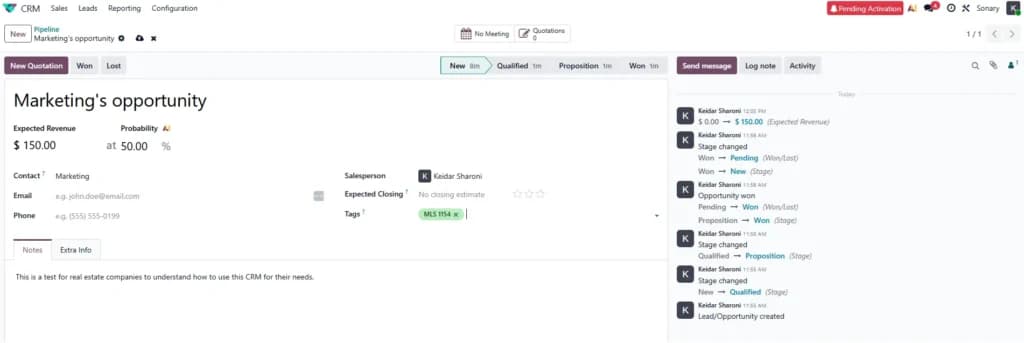
For agents and brokers who need CRM software for property management alongside their sales pipeline - managing vendors, expenses, and rental portfolios in the same system as buyers and sellers - Odoo is the only platform on this list that handles both without third-party integrations.
Who This Is For
Small brokerages and property management operations of two to five people currently paying for four or more separate tools that require manual syncing. If the managing broker is spending hours per week keeping data consistent across systems, Odoo is the operational upgrade that fixes that.
This is not the right real estate agent CRM for a solo buyer's agent focused on lead conversion. That agent needs Freshsales or HubSpot. Odoo is for the operation where the tool stack itself has become the management problem.
The 3 Real Estate Pain Points It Solves
1. Too many tools, data living in too many places → SOLVED
In Odoo, when a deal moves to closed in the CRM:
- Commission invoice generates automatically
- Accounting entry is created without manual input
- Signed closing documents attach to the client record via Odoo Sign
No exporting to QuickBooks. No emailing a DocuSign link separately. No updating three systems for one event. It all happens in one platform because it's all the same system.
2. Commission tracking is a spreadsheet → SOLVED
Odoo's commission tracking is native - tied directly to the CRM pipeline and accounting module. When a deal closes, commission splits calculate automatically based on rules you set once:
- Flat fee or percentage of sale price
- Split between agents
- Tiered by volume
Replaces manual spreadsheet tracking entirely.
3. Vendor and expense management has no home → PARTIALLY SOLVED
For property management operations, vendor contacts, purchase orders, and expense tracking can live in the same system as your client pipeline. This requires configuration - it's not ready out of the box - but it makes Odoo the most complete option for mixed sales and property management operations.
The One App Free Plan - What It Means
Odoo lets you use a single application - including CRM - with unlimited users at zero cost. This is genuinely free, not a trial.
The moment you want to add accounting, e-signatures, or invoicing, you move to the Standard plan. For a team of three, that's roughly $93/month for the full suite - often less than what they were paying across multiple tools separately.
The Implementation Cost Nobody Mentions
Getting Odoo properly configured for a real estate business typically costs between $2,000–$5,000 in professional services - configuration, data migration, and training. This is not a software cost. It's the cost of setup.
If you have in-house technical capability, you can self-implement using Odoo's documentation and community. But for a small brokerage without technical resources, budget for this upfront. It's recoverable - typically within six to twelve months if you're replacing $200–$300/month in other tools - but it changes the first-year cost picture significantly.
Mobile App
The native iOS and Android app is included on paid plans (Standard and Custom). The free Community Edition uses a mobile browser - not optimized for field use.
On paid plans the mobile app covers pipeline management, deal updates, call logging, and activity queues. It works, but it was built to give desktop users mobile access - not designed for field agents specifically. Actions that are one tap in Freshsales are two or three taps in Odoo.
Field verdict: Adequate for office management tasks. Not built for agents living on their phones.
What Odoo Doesn't Do
No native MLS or Zillow integration. No built-in SMS or video texting. No pre-built real estate templates - you configure everything from scratch. Steepest learning curve on this list - expect one to two weeks to become fully operational. Real user reviews consistently flag setup complexity as the primary challenge.
What It Costs(verified September 2026)
Plan | Price | Notes |
|---|---|---|
One App Free | $0 (unlimited users) | CRM only |
Standard | ~$31/user/month (annual) | Full suite - CRM, accounting, e-signatures, invoicing |
Custom | ~$47/user/month | Multi-company, on-premise, external API |
Implementation | $2,000–$5,000 (one time) | Professional setup - skip if technically capable |
Read the full Odoo CRM review on Sonary
What This Looks Like in Practice
A four-person boutique brokerage was running their business across six tools:
Tool | Monthly cost |
|---|---|
CRM | $99 |
QuickBooks | $60 |
DocuSign | $50 |
Invoicing tool | $30 |
Asana (transactions) | $24 |
Commission spreadsheet | $0 |
Total | $263/month |
Plus roughly six hours per week of manual data syncing between them.
After migrating to Odoo Standard:
- Monthly cost:~$124 (4 users)
- Monthly saving:$139
- Manual syncing: Eliminated entirely
- Implementation cost recovered: Within eight months
When a deal closed, the commission was calculated automatically, the invoice was generated in one click, and the documents were already in the client record. The managing broker described it as going from "running four separate businesses that happen to share a name" to "running one business."
Full Platform Comparison - Best Real Estate CRM Software (2026)
Every price below is the entry tier, and the entry tier is rarely the one you end up on. Read Real cost as what a three-agent team actually pays per month on the cheapest plan that still does the job the column describes. Where a tool is flat-rate rather than per-seat we say so, because that single difference changes the ranking completely once you pass two people.
Platform | Best For | Entry Price | Free Tier |
|---|---|---|---|
Freshsales | Lead conversion | Free / $9/user/mo | Yes |
Pipedrive | Visual pipeline | $14/user/mo | No (14-day trial) |
HoneyBook | Full client lifecycle | $29/mo flat | No (7-day trial) |
Copper | Gmail agents | $9/user/mo | No (14-day trial) |
monday CRM | Custom workflows | $12/user/mo | Yes (2 seats) |
Zoho CRM | Budget + automation | Free / $14/user/mo | Yes |
Odoo CRM | Property mgmt + full suite | Free (1 app) / $31/user/mo | Yes (1 app) |
HubSpot | Getting started | Free / $15/user/mo | Yes |
What is the best CRM for realtors?
For most realtors the answer is Freshsales if your leads come off portals, and Pipedrive at $14 per user per month if they come from your own network. Both cost less than one month of a portal lead package. The reason so many realtors abandon a CRM is not the software - it is picking one built for enterprise sales teams and then never logging a call in it. Pick on where your leads arrive, not on feature count.
Which real estate CRM comes with a built-in website or IDX?
None of the eight here, and that is the main reason agents end up paying for two systems. The merge dropped the middle. A CRM stores and works with your contacts. An IDX website publishes searchable listings and captures the enquiry. Platforms that do both are a separate category, and they are priced accordingly. If your leads come from your own site, buy the website first and connect a CRM to it. If they come from Zillow or Realtor.com, the CRM matters more than the website.
What does a real estate CRM connect to?
The connections that matter to an agent are your email, your calendar, your dialer, and your e-signature tool, in that order. Every CRM on this list syncs Gmail and Outlook two-way. Freshsales includes a dialer on all paid plans, whereas the others charge extra for it or do not offer it. DocuSign and Dotloop connect through Zapier on most of these rather than natively. MLS and Zillow feeds do not connect to any of them, which is covered above.
How long does it take to set up each CRM?
Setup runs from about an hour to two weeks, and the spread matters more than the price difference between these tools. HubSpot and Pipedrive are usable the same afternoon. Zoho and monday need a weekend because you are configuring pipelines rather than switching them on. Odoo is one to two weeks and most brokerages pay for professional implementation instead. A CRM nobody finished setting up is the most expensive one on this list.
Platform | Time to operational |
|---|---|
HubSpot | 2–3 hours |
HoneyBook | 2–3 hours |
Copper | 1 hour install + 2–3 days to explore |
Pipedrive | 1 day with integrations |
Freshsales | 1–2 days (sequences + Zapier) |
monday CRM | 2–4 days (build from scratch) |
Zoho CRM | 1–2 weeks |
Odoo CRM | 2+ weeks, or hire an implementation partner |
What to Look for in a Real Estate CRM
Lead response speed is the only feature that reliably changes a real estate agent's income, and everything else is preference. A lead contacted in minutes converts at a far higher rate than one contacted an hour later, so any tool that gets a follow-up out faster beats a tool with a longer feature list. After that, the questions are whether pricing is flat or per seat, and whether you will actually open the thing on your phone between showings.
Lead response speed is the most important feature
Research consistently shows that responding to a lead within five minutes produces dramatically higher contact rates than responding after 30 minutes. Before comparing any other feature, ask: does this CRM make it faster to respond to a new lead?
- Freshsales- built-in dialer, AI scoring, automated first response
- HubSpot- email open notifications tell you exactly when to call
- Copper- you're looking at the lead record the moment their email arrives in Gmail
Flat rate vs. per-user pricing
This matters more than it looks at signup. A flat-rate tool like HoneyBook costs the same whether you have one agent or five. A per-user tool like HubSpot Professional at $90/user/month costs $450/month for five users. Run the math for your likely team size in 12 months, not just today.
The CRM you'll actually use every day
The most powerful real estate CRM on this list is worthless if it stays closed. Ask: where do I already spend my work time?
- Gmail all day → Copper
- Building my own process → monday CRM
- Managing clients, not just leads → HoneyBook
- Just starting out → HubSpot free
Mobile app quality
Real estate is a mobile profession. Every platform here was tested on mobile. Best overall: Freshsales and HubSpot. Best for client management: HoneyBook. Best feature depth (once learned): Zoho CRM.
See also
- Property fields aside, the core evaluation does not change, so read best CRM software for pipeline structure and pricing basics.
- A solo agent with a modest database can often stay on best free CRM options until listing volume forces an upgrade.
- Commission splits and per property books are not a CRM job, they belong in best real estate accounting software.
- Viewings and buyer calls fill an agent's day, and a booking link from best meeting scheduler for small business removes the back and forth.
Conclusion
Most agents who try a CRM and abandon it don't quit because the software was bad. They quit because the CRM's workflow didn't match their actual day. A CRM built around a software sales team's process, with deal stages like "Demo Scheduled" and "Proposal Sent", doesn't map to how a buyer's agent thinks about their pipeline. So the agent uses it for two weeks, falls behind on manual data entry, and goes back to their inbox. The tool wasn't wrong. The fit was wrong.
The right CRM for real estate isn't the one with the longest feature list - it's the one that solves your specific daily problem and has a mobile app you'll actually open between showings.
A real estate agent who spends 60% of their day in the field needs a CRM whose mobile app they'll actually open from a parking lot, not one that looks impressive during a 40-minute desktop demo. A simpler tool used consistently outperforms a powerful tool used occasionally every time.
Don't overthink the platform choice. Match it to your real daily problem, make sure the mobile experience works for how you actually live, and build the habit. The habit is the asset, not the software.