Best Software for Graphic Design in 2026

Every business, brand, and creator relies on visuals. Whether you're a small business owner designing marketing assets, a freelancer producing client work, or an in-house designer building a brand system, you need design tools that deliver. But too many options, confusing pricing tiers, steep learning curves and rapid feature changes make choosing the right graphic design software overwhelming.
- Smart object integration for scalability
- Impactful blending modes and layer styles
- Vast plugin integrations to boost workflow
- Built for easy team collaboration
- Internal content scheduler and publisher
- 1000+ professional templates
- Clean interface and simple learning curve
- Full suite for UI, UX, and marketing design

- Budget designs available
- Robust search and filter feature
- Fair pricing with refund option

- Limitless file download options
- Unique pen tool for customization
- Customizable templates for diverse projects

- Unified design suite for publishing & printing
- Seamless app integration
- Limitless file export options
- Extensive content libraries
- Team collaboration and brand alignment
- High volume of ad variations
I’ve broken down what truly matters when evaluating graphic design software & tools, and how you can select the right platform for your needs. In this guide you’ll discover:
- What defines “design software” and “design tools” today
- Key feature sets and workflow capabilities to evaluate
- Pain points faced by small businesses, beginners and pro designers
- How free online design tools and affordable software are changing the game
- The major technology and design-trend shifts in 2025
- A systematic framework for choosing your design system
- And finally, once you decide your criteria, how to pick between the top platforms (coming next)
Key Takeaways
- Visual impact matters: Content with relevant images gets 94% more views, making design software a non-negotiable asset for SMBs.
- AI is standard: In 2025, top tools like Adobe and Canva have fully integrated generative AI (Firefly and Magic Studio) to speed up workflows.
- Subscription vs. Perpetual: While Adobe dominates with subscriptions, Affinity has disrupted the market in 2025 by offering core professional tools for free.
- Collaboration is key: Cloud-based tools like Figma and Canva Teams are essential for businesses where multiple stakeholders review designs.
Why You Can Trust the Expertise of Sonary
At Sonary, we are committed to providing accurate and trustworthy information to help you make informed decisions. Our research process is meticulous, transparent, and guided by a dedication to maintaining the highest standards of integrity.
Unlike many other review platforms, we conduct in-depth evaluations of the software and services we feature. Our expert team tests and actively uses the tools we review to understand their features, performance, and value comprehensively. Our assessments are based on real-world use, giving you insights beyond surface-level descriptions.
Our research methodology includes analyzing key consumer factors such as pricing, functionality, device usability, scalability, customer support quality, and unique industry-specific features.
This hands-on approach and dedication to transparency mean you can trust Sonary to deliver regular, up-to-date content and recommendations that are well-researched and genuinely helpful for your business needs.
What Is Graphic Design Software?
Graphic design software allows users to create visual content for both digital and print media. It ranges from complex vector-based tools for logo creation to raster-based editors for photo manipulation. A design tool is a versatile software solution that enables users to create, edit, and customize visual content for various purposes. Software like GIMP or Canva is often referred to as a graphic design tool, offering extensive features for both professionals and non-professionals.
Core capabilities of modern design systems
- Vector design: scalable illustrations, logos, icons, typography systems
- Raster or pixel editing: photo retouching, compositing, background removal
- Layout & publishing: layout tools for multi-page documents, print-ready files, marketing collateral
- Brand identity management: color palettes, typography, templates, brand kits
- AI-powered design assistants: automatic layout suggestions, generative imagery, smart resizing
- Collaboration & cloud workflows: real-time editing, version control, team access, asset libraries
- Export and interoperability: support for standard file formats (SVG, PSD, PDF, AI, JPG/PNG) and print vs web output
- Typography tools: access to a wide range of fonts, including resources like Adobe Fonts, for professional typography
Common use cases include:
- Branding: Logos, business cards, and style guides.
- Marketing: Social media posts, flyers, and email headers.
- Web Design: UI mockups, landing page layouts, and icon sets.
- Product: Packaging design and merchandise.
- Asset libraries: Access to a template library is a key feature for streamlining content creation.
Best Graphic Design Software & Tools for 2026
1. Adobe Photoshop / Adobe Express – Best all-in-one professional suite


Features
General Features

Advanced Features
Editing Features
Pros & Cons
Pros
Cons

Best for: Professionals, agencies, photographers, and small business branding
Category: Advanced photo editing, AI-assisted design
Overview:
Photoshop continues to be the global benchmark in creative software. Now integrated with Adobe Express, the platform offers a powerful combination of advanced editing and simplified template-based design—all powered by Adobe Firefly AI.
Key features:
-
Firefly AI for text-to-image and content generation
-
Photoshop for precision editing, compositing, and retouching
-
Adobe Express for templates, branding, and social media content
-
Access to Adobe Stock and cloud libraries
-
Cross-device sync and collaboration
Why it’s great:
You get the best of both worlds: professional depth (Photoshop) and quick design accessibility (Express). It’s ideal for small businesses that want to maintain professional visuals without hiring a full-time designer.
Limitations:
Subscription pricing can be expensive for solo users.
Best keywords: adobe graphic design software, photoshop alternatives, adobe express free design tool, AI graphic design software, professional design software.
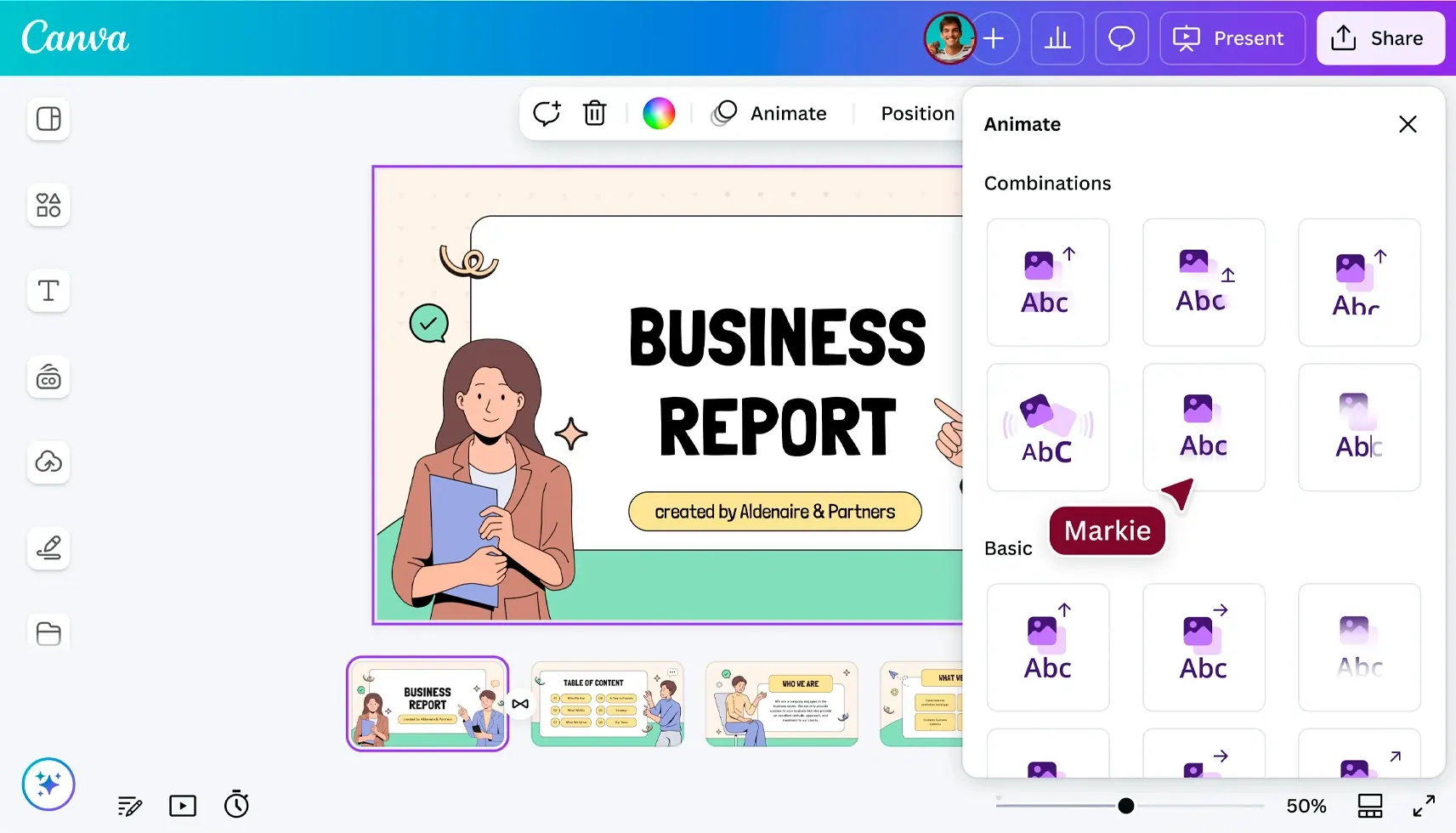
2. Canva – Best free graphic design software for small businesses

Features
General Features
Advanced Features
Editing Features
Pros & Cons
Pros
Cons
Best for: Entrepreneurs, marketers, beginners
Category: Cloud-based free design platform
Overview:
Canva redefined what “easy design” means. It’s intuitive, fast, and packed with templates, AI features, and team tools. Small businesses use it for everything from Instagram posts to presentations and invoices.
Key features:
-
600,000+ ready templates for all formats
-
AI-powered tools: Magic Design, Magic Write, Background Remover
-
Brand kit management for colors and fonts
-
Collaboration and shared asset libraries
-
Free plan with robust features; Pro adds stock assets and automation
Why it’s great:
No steep learning curve. Anyone can create polished visuals in minutes.
Limitations:
Limited control over advanced typography and exports compared to pro tools.
Best keywords: free graphic design software, best free design tools, affordable design software, graphic design tools for beginners, free online design platform.
3. Figma – Best for UI/UX and collaborative design
Features
General Features
Advanced Features
Editing Features
Pros & Cons
Pros
Cons
Best for: Product teams, startups, freelancers, design agencies
Category: Collaborative cloud-based UI/UX design tool
Overview:
Figma dominates the collaborative design landscape. It allows multiple users to design simultaneously—perfect for teams building digital products, apps, or responsive websites.
Key features:
-
Live collaboration and multiplayer editing
-
Auto layout and responsive components
-
AI Design Assistant for layout generation
-
Prototyping and developer handoff built in
-
Plugin marketplace for animations, icons, and mockups
Why it’s great:
Figma bridges the gap between design and development. Even non-designers can contribute to wireframes or brand materials.
Limitations:
Not built for heavy photo editing or print design.
Best keywords: collaborative design software, UI/UX design tool, cloud-based graphic design tools, free design software for teams.
4. CorelDRAW Graphics Suite – Best for vector illustration and print
Features
General Features
Advanced Features
Editing Features
Pros & Cons
Pros
Cons
Best for: Graphic designers, illustrators, print shops, sign makers
Category: Professional vector design and layout software
Overview:
CorelDRAW remains a favorite for illustrators and print professionals. Its focus on vector precision, typography, and layout flexibility makes it one of the most complete design suites for print, signage, and branding.
Key features:
-
Vector illustration and multipage layout design
-
AI-powered upscaling and tracing tools
-
Professional typography and color management
-
PDF/X and Pantone support for printing
-
Cloud storage and collaboration
Why it’s great:
CorelDRAW offers unparalleled control over vector art and typography for professional printing.
Limitations:
Heavier system requirements; primarily desktop-focused.
Best keywords: vector design software, best print design software, professional illustration tools, CorelDRAW design suite.
5. Sketch – Best for digital product design on macOS
Features
Design Features
Content Features
Integrations & Addons
Pros & Cons
Pros
Cons
Best for: UX/UI designers, app developers, creative teams
Category: Interface design and prototyping software
Overview:
Sketch set the foundation for modern UI design. With strong macOS integration and advanced component libraries, it remains one of the most precise and stable design tools for digital product development.
Key features:
-
Components and shared styles for consistent interfaces
-
Cloud collaboration via Sketch Workspace
-
Vector-based design for pixel-perfect layouts
-
Integrations with Zeplin, InVision, and Figma
-
One-time license option with affordable updates
Why it’s great:
Sketch offers professional-grade UI design with simplicity and speed, optimized for Apple devices.
Limitations:
Mac-only; lacks built-in raster/photo tools.
Best keywords: UX design tools, mac graphic design software, Sketch design platform, UI design tools for professionals.
6. Affinity Designer – Best affordable pro alternative
Best for: Freelancers, illustrators, and SMBs
Overview:
Affinity Designer combines vector and raster tools in one workspace, offering pro-level design for a one-time price. Ideal for those seeking an affordable alternative to Adobe or CorelDRAW.
Highlights: Vector precision, live gradients, CMYK workflow, lightning-fast rendering.
Keywords: affordable graphic design software, professional vector tools.
7. VistaCreate – Best for marketing and content design
Best for: SMBs, marketers, and agencies
Overview:
Template-based platform for social media, ads, and videos.
Highlights: 150K+ templates, brand kits, animation tools.
Keywords: free marketing design tool, content creation software.
8. Photopea – Best free browser-based photo editor
Best for: Intermediate users, web designers
Overview:
A Photoshop-like online editor supporting PSD, AI, and RAW formats.
Highlights: No install, free, layer editing, masks, and exports.
Keywords: free photoshop alternative, online graphic design software.
9. GIMP – Best open-source raster editor
Best for: Experienced users, hobbyists, educators
Overview:
Free and powerful image manipulation program with plugin support.
Highlights: Full photo retouching, layers, filters, brush customization.
Keywords: open-source design tools, free photo editing software.
10. Inkscape – Best open-source vector design tool
Best for: Designers and illustrators
Overview:
Community-developed vector editor supporting SVG and PDF.
Highlights: Node editing, gradients, typography tools.
Keywords: open-source vector software, free logo design tools.
Types of Graphic Design Software
Graphic design software comes in various forms, each tailored to different creative needs and workflows. For graphic designers, understanding the main categories of design tools is essential to choosing the best graphic design software for any project.
Vector graphics editors are the go-to choice for creating logos, icons, and scalable illustrations. Tools like Adobe Illustrator and Affinity Designer excel at producing crisp, precise vector art that can be resized without losing quality. These platforms offer advanced vector editing capabilities, making them favorites among professional designers who need to create visual art for both digital and print materials.
Raster graphics editors focus on editing pixel-based images, making them ideal for photo editing, retouching, and complex image manipulation. Adobe Photoshop is the industry standard for raster graphics, offering a vast array of advanced tools for everything from background removal to custom brushes. Free graphic design software like GIMP (GNU Image Manipulation Program) provides many of the same features, though it may come with a steeper learning curve.
Desktop publishing software is designed for layout-heavy projects such as brochures, magazines, and print materials. These tools combine text, images, and vector elements, giving graphic designers precise control over multi-page documents and print-ready files. Many professional design software suites, including Adobe’s Creative Cloud, bundle these capabilities alongside other graphic design tools.
Digital painting software caters to artists who want to create illustrations, concept art, or digital paintings. These programs offer intuitive tools and custom brushes that mimic traditional media, allowing for expressive visual art creation.
For those seeking free graphic design software, options like Inkscape (for vector graphics) and GIMP (for raster images) offer robust features without the price tag of industry standard software. However, these free tools may require more graphic design expertise to master. On the other hand, platforms like Canva and Adobe Express provide an intuitive interface and drag and drop functionality, making it easy for non designers and small business owners to create marketing materials, social media posts, and more in just a few clicks.
When evaluating the best graphic design software for your needs, consider the user interface and overall ease of use. A clean, intuitive interface can significantly reduce the learning curve, especially for beginners. Many modern graphic design apps now include AI powered tools, extensive templates, and brand kit features to streamline the design process and ensure consistency across all your assets.
Cloud storage and real time collaboration features are also increasingly important, especially for professional graphic designers working in teams or across multiple devices. Solutions like Adobe’s Creative Cloud suite offer seamless asset management, cloud storage, and integration with other software, making it easier to access your work from anywhere and collaborate with others.
Ultimately, the best graphic design software is the one that aligns with your creative goals, experience level, and workflow preferences. Whether you’re a seasoned designer looking for advanced features or a beginner seeking free graphic design tools with drag and drop simplicity, today’s market offers a wealth of options to help you create stunning visual art and professional marketing materials.
How to choose your best graphic design software & tools
Step 1: Define your purpose & output
- Am I designing for print, web, mobile?
- Are the visuals one-off (flyers, social posts) or part of a brand system (logo, icons, templates)?
- Does my team collaborate, or am I working solo?
- Do I need advanced illustration, just layout, or rapid marketing visuals?
Many users also use graphic design tools for personal projects, such as creating social media content or working on hobbyist designs.
Step 2: Assess your skill level & learning curve
- Beginners: pick tools with guided templates, intuitive UI and beginner-friendly workflows.
- Intermediate/pro: need depth in vector tools, photo editing, layout control. Some advanced tools offer these features but come with a steep learning curve, requiring significant time investment to master.
- Teams: require collaboration, versioning, shared libraries.
Step 3: Check integration & export formats
- Does the software support standard file types (SVG, AI, PSD, PDF)?
- Can it integrate with your CMS, social scheduling, printing service?
- What are the device/platform requirements (web, mobile, desktop)? Consider whether the tool is compatible with mobile devices, allowing you to create and edit designs on smartphones and tablets for on-the-go work.
Step 4: Evaluate pricing & scalability
- Is there a free or freemium tier I can test?
- What are upgrade costs for team seats, premium assets, storage?
- Does the tool lock me in or allow export to open formats?
- For small businesses, affordability is a major keyword — “affordable design software” — so highlight cost versus value.
Step 5: Future-proofing
- Does the tool track design trends (AI features, motion graphics, 3D/AR)? The rise of AI image generator tools for quick custom image creation?
- Does the vendor update features regularly?
- Is there community support, asset marketplace, plugin ecosystem?
Key Features or Capabilities to Expect
The best software provides all the tools needed for professional work, allowing users to create images easily and efficiently.
- Layer management: The ability to stack and edit elements independently.
- Vector editing: Pen tools and shape builders for scalable graphics, with vector illustration as a core capability. These tools enable the creation of professional vector illustrations as key outputs for designers.
- Generative AI: Text-to-image generation and “magic” resizing or expanding.
- Typography tools: Access to extensive font libraries and precise kerning/leading controls.
- Asset libraries: Integrated stock photos, icons, and templates.
- Extensive features: Comprehensive platforms offer extensive features, making them a top choice for users seeking versatility.
- Raster or pixel editing: Tools for photo retouching, filters, and a background remover for seamless design integration.
- Export flexibility: Support for SVG, PNG, PDF, and CMYK print-ready files, with vector images supported for scalability and high-quality output.
- Advanced tools: Useful features and shortcuts that enhance workflow efficiency and productivity.
Integrations and Ecosystems
Modern design tools do not live in a vacuum.
- Cloud Storage: Most platforms now include 100GB+ of cloud storage for asset management.
- Third-party Apps: Look for integrations with Slack, Asana, or social media schedulers (common in Canva).
- Team Collaboration: Real-time teamwork and sharing are essential—choose tools that support collaborative workflows and multisupport capabilities for seamless team collaboration.
- Hardware Support: If you use drawing tablets (Wacom, iPad), ensure the software supports pressure sensitivity.
Common mistakes & how the best graphic design software solves them
- Mistake: Using images with insufficient resolution or the wrong format (leading to blurred prints/web posts).
Solution: Export options for print (high DPI) vs web, vector formats when appropriate. - Mistake: Inconsistent branding across materials (fonts, colors, layouts vary).
Solution: Brand kit feature with locked templates and shared asset libraries. - Mistake: Designing everything from scratch each time (inefficient).
Solution: Templates + automation + reuse of assets. Even seasoned designers benefit from using high-quality templates and automation to streamline their workflow and maintain professional standards. - Mistake: Software too complex for team members with limited design skills.
Solution: Intuitive UI, drag-and-drop interface, guided workflows especially for beginners. - Mistake: Printing or publishing in wrong format (color space mismatch, bleed/margin errors).
Solution: Built-in export presets for print vs digital, built-in guides and templates. - Mistake: File compatibility issues when handing off work to designers or printers.
Solution: Export options for industry-standard formats, cloud collaboration to keep versions synced.
Affordable design software & free online design tools: the shift in economics
Many high-end legacy tools used to cost hundreds (even thousands) in licensing. Now free or freemium models compete.
For small businesses and beginners, free online design tools lower the barrier to entry for branding, marketing and visual communication. GIMP stands out as a top free graphic design tool and a versatile graphic design tool, offering powerful features as an open-source alternative to commercial software.
Affordable design software means lower monthly/annual costs, lower training overhead, and faster time-to-value.
Free or low-cost tools often include templates, brand kits, stock assets and built-in export workflows that previously required multiple pieces of software.
Trends or Emerging Features (2025 Insight)
- AI as a Co-Pilot: Design software is no longer just a tool; it’s a partner. Tools like Ideogram and Firefly handle precise text rendering and ideation, allowing designers to act more like art directors.
- Bold Minimalism: 2025 design trends favor “bold minimalism” with heavy typography and fewer elements, which tools like Canva and Figma excel at creating quickly.
- Video Integration: The line between graphic design and video is blurring. Adobe Express and Canva now treat video editing as a core feature alongside static graphics.
Real-World Examples
- Marketing Agency: A boutique agency uses Figma for all client website mockups to allow clients to comment directly on the design, cutting email back-and-forth by 40%.
- Local Bakery: A bakery owner uses Canva on their phone to take a photo of a new pastry, remove the background with AI, and post it to Instagram Stories with their logo in under 3 minutes.
- Sign Shop: A vehicle wrap company relies on CorelDRAW for its precise vector measurements to ensure vinyl prints fit trucks perfectly.
Conclusion & next steps
Choosing the best graphic design software and tools is a strategic decision for any business, creator, or designer. With the explosion of free online design tools and affordable, professional platforms, you now have unprecedented flexibility to produce high-quality visuals without breaking budget or sacrificing speed.
In the next section (which we’ll draft once approved), we’ll – without naming brands yet – review and compare the top platforms of 2025 for beginners, small businesses, freelancers, and professionals. We’ll cover their strengths, trade-offs, and which workflows they suit best.
Before we dive into the tool-by-tool breakdown, let me know if you’d like any further deep sections added now (for example: motion/animation design tools, 3D/AR in graphic design, print-vs-digital output considerations), and I’ll expand accordingly.