
Best Merchant Service Providers for Small & Micro Businesses in 2026
The best merchant service depends on your monthly card volume: Square under $5K, Helcim for the lowest fees as you grow, and Stax above $20K.
Last updated: October 2026

- 98% approval rate & 24/7 customer support
- Flat-rate pricing & no setup fees
- Dedicated account manager
- High Approval Rate Regardless of Credit
- Quick Setup
- Quick Access to Funds
- PCI Compliant
- Merchant One requires a three-year contract
- Services may be more expensive than competitors
- 98% approval rate & 24/7 customer support
- Flat-rate pricing & no setup fees
- Dedicated account manager
- High Approval Rate Regardless of Credit
- Quick Setup
- Quick Access to Funds
- PCI Compliant
- Merchant One requires a three-year contract
- Services may be more expensive than competitors
Free plan available
- Secure, flexible payment solutions
- Advanced fraud protection for security
- Trusted by 1m+ merchants globally
- Offers custom pricing to cater to your specific business needs
- Intuitive software and systems with powerful features
- Next-day funding helps maintain cash flow
- You can access 24/7 telephone support
- No transparent pricing plans, so it’s hard to compare with other options
Free plan available
- Secure, flexible payment solutions
- Advanced fraud protection for security
- Trusted by 1m+ merchants globally
- Offers custom pricing to cater to your specific business needs
- Intuitive software and systems with powerful features
- Next-day funding helps maintain cash flow
- You can access 24/7 telephone support
- No transparent pricing plans, so it’s hard to compare with other options

Free plan available
- Simple price structures
- Many payment options available
- PCI compliance for data security
- Affordable chip card readers
- Competitive transaction fees (especially for low-volume businesses)
- Omnichannel selling capabilities
- No time tracking
- No late fee capabilities
- Doesn’t support high-risk merchants
Free plan available
- Simple price structures
- Many payment options available
- PCI compliance for data security
- Affordable chip card readers
- Competitive transaction fees (especially for low-volume businesses)
- Omnichannel selling capabilities
- No time tracking
- No late fee capabilities
- Doesn’t support high-risk merchants

Free plan available
- User-friendly platform for easy management
- Access in-depth analytics and reports
- Easy-to-use API for customized payments
- Integrates seamlessly with many business systems
- Prioritizes data protection and fraud prevention
- Flexible payment options: ACH, mobile, contactless NFC, and third-party integrations
- New customers receive free equipment like mobile card readers and POS systems
- No option for an online chat
- Price quotes must be obtained through a consultation
- No clear support for handling cash payments
Free plan available
- User-friendly platform for easy management
- Access in-depth analytics and reports
- Easy-to-use API for customized payments
- Integrates seamlessly with many business systems
- Prioritizes data protection and fraud prevention
- Flexible payment options: ACH, mobile, contactless NFC, and third-party integrations
- New customers receive free equipment like mobile card readers and POS systems
- No option for an online chat
- Price quotes must be obtained through a consultation
- No clear support for handling cash payments

- Market-leading risk and fraud protection
- Seamless, safe and secure payments
- Custom-made for your business model
- User-friendly interface
- Diverse payment options for all sized businesses
- Prompt customer service
- Efficient chargebacks management feature
- Compatibility Problems which may lead to manual reconciliation
- Customer Support on technical issues may be slower than anticipated
- Market-leading risk and fraud protection
- Seamless, safe and secure payments
- Custom-made for your business model
- User-friendly interface
- Diverse payment options for all sized businesses
- Prompt customer service
- Efficient chargebacks management feature
- Compatibility Problems which may lead to manual reconciliation
- Customer Support on technical issues may be slower than anticipated

- 0% markup payment processing with flat fees
- Savings of up to 40% monthly
- Ideal for high-volume merchants
- Quickbooks integration
- Transparent monthly pricing with no percentage markups
- Omni Integrated Payments platform
- US-based merchants only
- Pricy for low-volume businesses
- 0% markup payment processing with flat fees
- Savings of up to 40% monthly
- Ideal for high-volume merchants
- Quickbooks integration
- Transparent monthly pricing with no percentage markups
- Omni Integrated Payments platform
- US-based merchants only
- Pricy for low-volume businesses

- Payments as low as 2.3% +10¢/transaction
- Fraud protection up to $100,000
- Take payments with or without Wi-Fi
- All-inclusive & user-friendly solutions
- Competitive flat-rate payment processing fees
- Wide variety of app integrations
- 24/7 customer support ensures continuous assistance
- High up-front costs
- No online application option
- Clover hardware required for some features
- Payments as low as 2.3% +10¢/transaction
- Fraud protection up to $100,000
- Take payments with or without Wi-Fi
- All-inclusive & user-friendly solutions
- Competitive flat-rate payment processing fees
- Wide variety of app integrations
- 24/7 customer support ensures continuous assistance
- High up-front costs
- No online application option
- Clover hardware required for some features

- Fast funding with same day deposits
- No setup/hidden fees & free terminal
- No min. credit score & 98% approval rate
- Works with high-risk merchants
- Free credit card terminal
- No account setup fees
- Pricing not publicly available
- Fast funding with same day deposits
- No setup/hidden fees & free terminal
- No min. credit score & 98% approval rate
- Works with high-risk merchants
- Free credit card terminal
- No account setup fees
- Pricing not publicly available

Free plan available
- Secure, simple application—approved fast
- Clear, competitive pricing with no surprises
- Join the 30,000+ businesses leveraging Kurv
- Reliable Merchant Services software
- Transparent transaction-based pricing
- Strong online payment solutions
- Responsive, knowledgeable support
- No money-back guarantee
- No free trial option
Free plan available
- Secure, simple application—approved fast
- Clear, competitive pricing with no surprises
- Join the 30,000+ businesses leveraging Kurv
- Reliable Merchant Services software
- Transparent transaction-based pricing
- Strong online payment solutions
- Responsive, knowledgeable support
- No money-back guarantee
- No free trial option
- Only $0.15 batch fee
- 24/7/365 tech support
- Exceptional approval rate
- Transparency regarding features
- Clover POS systems available for purchase
- Works with high-risk merchants
- Early termination fee of $250-$350
- Unclear pricing
- Online complaints
- Only $0.15 batch fee
- 24/7/365 tech support
- Exceptional approval rate
- Transparency regarding features
- Clover POS systems available for purchase
- Works with high-risk merchants
- Early termination fee of $250-$350
- Unclear pricing
- Online complaints

- The All-in-One Commerce Platform
- The Universal Standard for Online Checkout
- Your Gateway to the Global Economy
- Easy Setup and Use
- Trusted by Consumers
- All-in-One Solution
- No Monthly Fees (Basic)
- Transaction Fees Can Be High
- Not Great for High-Risk or Large Businesses
- Limited Customization on Basic Plan
- Withdrawal Limits and Fees:
- The All-in-One Commerce Platform
- The Universal Standard for Online Checkout
- Your Gateway to the Global Economy
- Easy Setup and Use
- Trusted by Consumers
- All-in-One Solution
- No Monthly Fees (Basic)
- Transaction Fees Can Be High
- Not Great for High-Risk or Large Businesses
- Limited Customization on Basic Plan
- Withdrawal Limits and Fees:

- No contracts. No monthly fees.
- Comprehensive customer management system
- Low interchange rate per transaction
- No minimum processing requirement
- Easily navigate surcharging, convenience fees, and service charge with one tool
- No monthly fees
- Excellent customer service
- Exclusive to low-risk industries
- No contracts. No monthly fees.
- Comprehensive customer management system
- Low interchange rate per transaction
- No minimum processing requirement
- Easily navigate surcharging, convenience fees, and service charge with one tool
- No monthly fees
- Excellent customer service
- Exclusive to low-risk industries
* Featured prices and terms can be updated. Free offers may include additional terms.
Finding the best merchant services for your small business isn't just about who charges the lowest rate. The right merchant service provider protects your cash flow, keeps your payments running when your internet drops, and gives you one clear view of every transaction - online and in-store - without hidden fees eating into your margins.
We tested the most popular merchant services hands-on as real small business operators to give you a direct answer: which payment processing services actually work for a team of 1–5 people, and which ones sound good on a pricing page but fall short in practice.
TL;DR
- Cash flow is your #1 priority- same-day deposits exist across top merchant service providers, and the right platform makes them accessible without a steep penalty fee.
- Flat-rate pricing is predictable and the right choice for small business merchant services under $8K/month. Interchange-plus saves real money above that threshold.
- Hidden fees are avoidable- the best merchant processing services publish everything upfront. You just need to know what to ask for.
- Offline mode protects your revenue- the top merchant service providers let you keep taking card payments even when your internet drops.
- One provider for online payment processing and in-store means one dashboard, one statement, one reconciliation - and that simplicity compounds over time.
What Are Merchant Services - and Why Does Your Choice Matter?
Merchant services is the umbrella term for the tools and infrastructure that allow businesses to accept card payments - in-store, online, and on mobile. A merchant service provider sits between your customer's card and your bank account, authorizing transactions, managing fraud protection, and settling funds into your account.
For a small or micro business, your choice of merchant processing services affects four things directly:
- How much you pay per transaction- fees range from 1.5% to 3.5%+ depending on the pricing model and card type
- How fast you get paid- same-day, next-day, or 2–3 business days depending on the provider
- How well your in-store and online payment processing connects- unified or split across two systems
- What happens when something goes wrong- offline outages, chargebacks, account holds
Getting this decision right is one of the highest-leverage choices a small business owner makes. Getting it wrong costs real money, every single month.
Who is the best merchant service provider?
A top-tier merchant service provider must offer clear pricing, avoid long-term lock-ins, support both online and in-person sales, and offer a clear path to lower rates as your business grows. The best provider isn't a one-size-fits-all company; it depends on your monthly transaction volume and operational model.
Standout Capabilities of Recommended Products
- Helcim (Best overall for growing businesses): Features automatic volume-tiered interchange-plus pricing on a $0/month plan. As your monthly card volume increases, Helcim automatically lowers your processor markup without requiring manual negotiation or contract updates.
- Square (Best for low-volume & new businesses): Offers an all-in-one ecosystem with $0 monthly software fees and instant approval. Its key strength is simplicity: unified inventory, digital invoicing, and smartphone card acceptance with no monthly minimums.
- Stax (Best for high-volume businesses): Operates on a subscription model ($99/month) with 0% percentage markup over wholesale interchange fees. Instead of paying a percentage on every transaction, you pay direct bank costs plus a few cents, saving high-volume stores substantial money.
Skip: Providers that require 3-year merchant agreements, charge early termination fees (ETFs), or hide processor markups behind "tiered" rate structures.
Quick Comparison: Top Merchant Service Providers at a Glance
Platform | Best For | Same-Day Deposits | Offline Mode | Unified Commerce |
|---|---|---|---|---|
Square | Startups & micro businesses | ✅ (1.5% fee) | ✅ | ✅ Native |
Helcim | Fee-conscious growing businesses | ❌ Next-day free | ⚠️ Basic | ✅ |
Clover | In-store retail & restaurants | ✅ (select plans) | ✅ Best-in-class | ⚠️ Via integration |
Stax | High-volume businesses | ✅ (add-on fee) | ⚠️ Basic | ✅ |
PayPal | Service businesses, global invoicing | ✅ (1% fee, max $50) | ✅ Zettle | ⚠️ Partial |
Worldpay | International payments | Varies | ❌ | ✅ Online-focused |
North | Near-zero processing costs | Select plans | ✅ | ✅ |
Paysafe / PaymentCloud | High-risk businesses | Varies | ✅ | ✅ Multi-channel |
How We Test Merchant Processing Services
We don't review online payment merchant services from a spreadsheet. Our testing is hands-on, as solo entrepreneurs and small teams of up to 5 employees across e-commerce, retail, and service businesses.
We create real merchant accounts, process real transactions, test customer support at inconvenient hours, connect third-party tools, and push each platform through real-world scenarios: refunds, chargebacks, offline outages, and peak traffic loads. When we say a payment processing service handles offline payments well, we tested it by killing the internet connection mid-transaction. When we say deposits are next-day, we verify the actual bank statement. Every number in this article reflects what it feels like to run your business on these tools - not what a sales page says.
Top Merchant Service Providers Reviewed
1. Square - Best Small Business Merchant Services for Starting Out

Square is one of the most complete free business platforms for small businesses, covering POS, merchant services, accounting, online invoicing, payroll, bookkeeping, and ecommerce from a single… Read more
Square is one of the most complete free business platforms for small businesses, covering POS, merchant services, accounting, online invoicing, payroll, bookkeeping, and ecommerce from a single dashboard. It works especially well for micro businesses and SMBs that want to replace multiple subscriptions with one connected system — where sales, finances, inventory, and payroll all update automatically in the same place. For most small businesses, Square is worth it.
Learn more in our full Square review.
Pros & Cons
- No monthly payment
- Next-business-day transfers
- Inexpensive long-term option
- Comprehensive inventory management
- Not great for all industries
- Some performance issues
Features
- Inventory Management
- Loyalty Program
- Mobile Compatibility
- Online Ordering
- Reporting
- Split Checks
- Manage Tips
- Staff Scheduling
- Offline Payments
- Customer Profiles
- Multidevice Payments
- Gift Card Support
- Accounting Integration
- Tableside Ordering
- Floor Plan Management
- Customer-Facing Display
- Self-Service Kiosk
- Retail Store
- Coffee Shop
- Nightclub
- Quick Service
- Bars
- Restaurants
- Food Truck
- iOS
- Android
- Cloud-Based
- Free Trial
- Freemium
- Monthly subscription
- One-Time License
Pricing
$0
mo/
month
$29
mo/
month
Screenshots
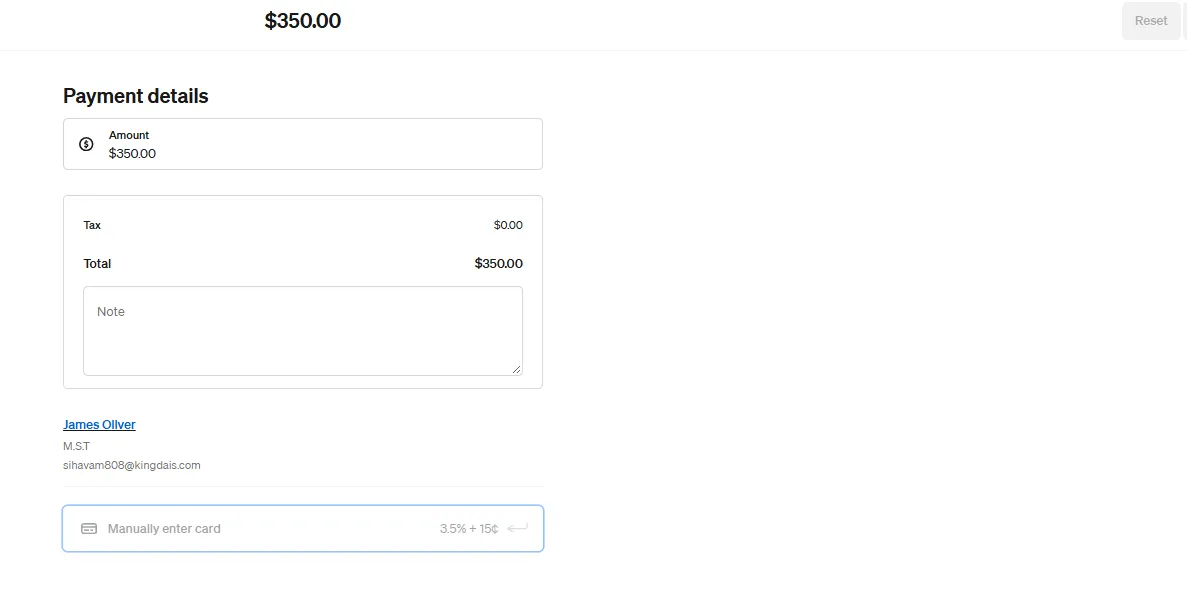
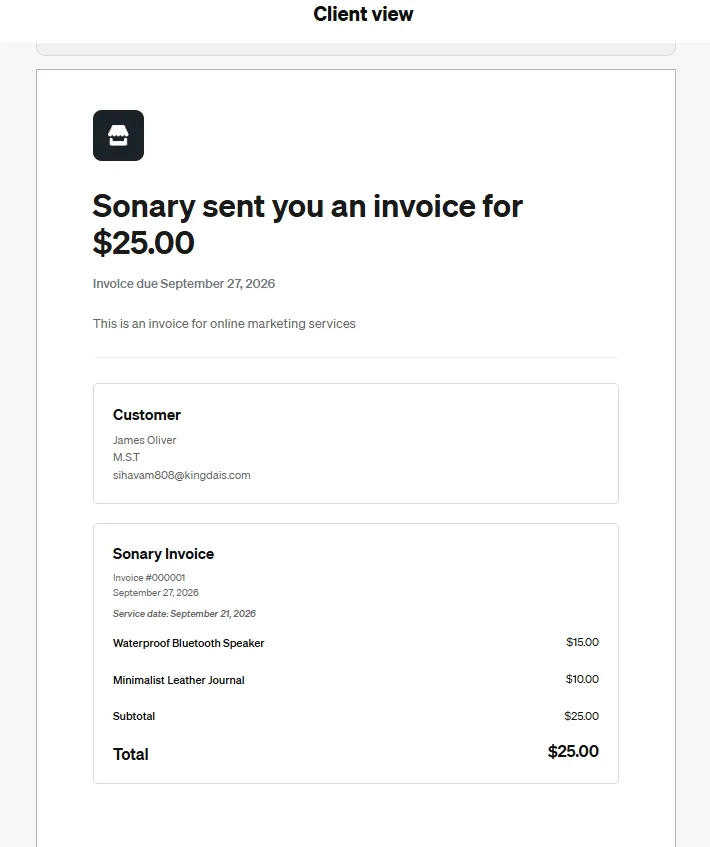
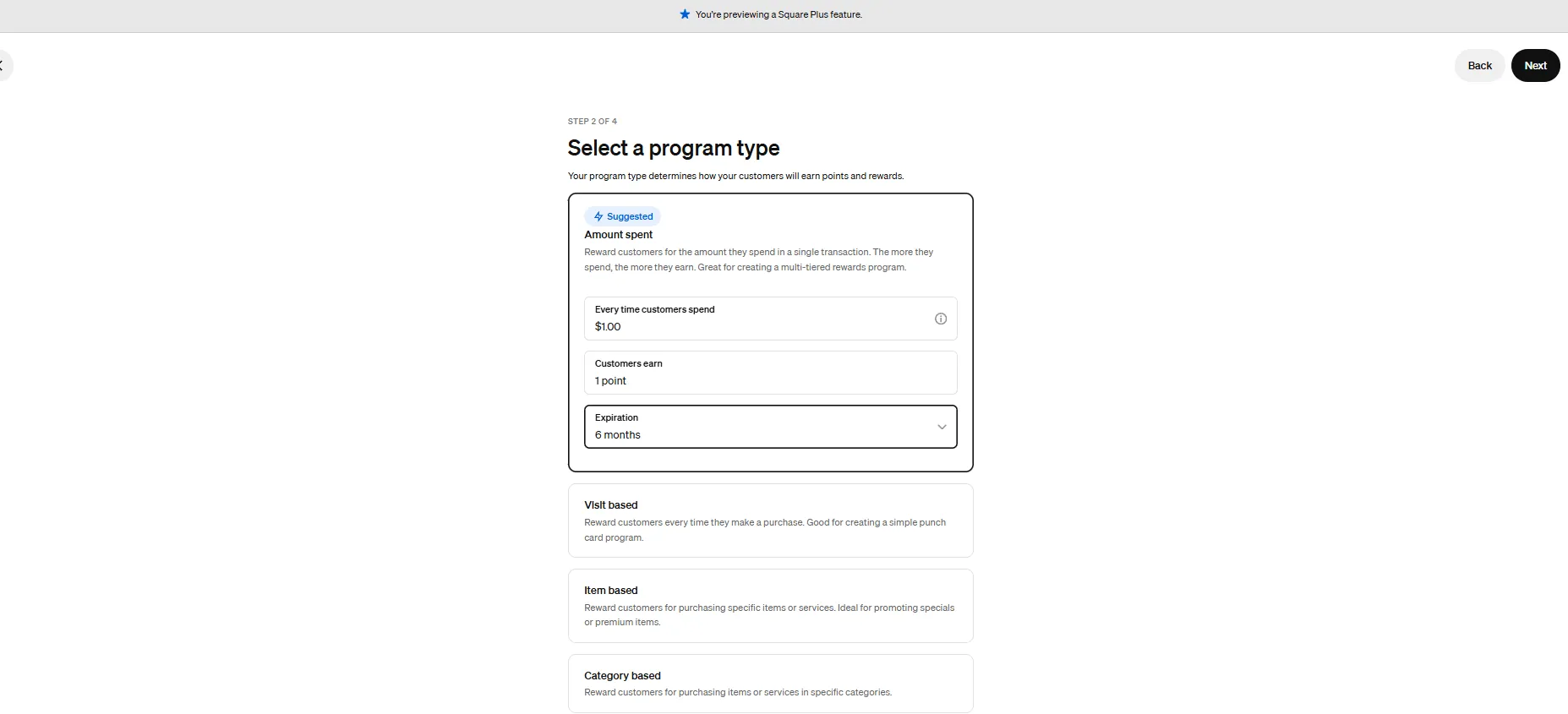
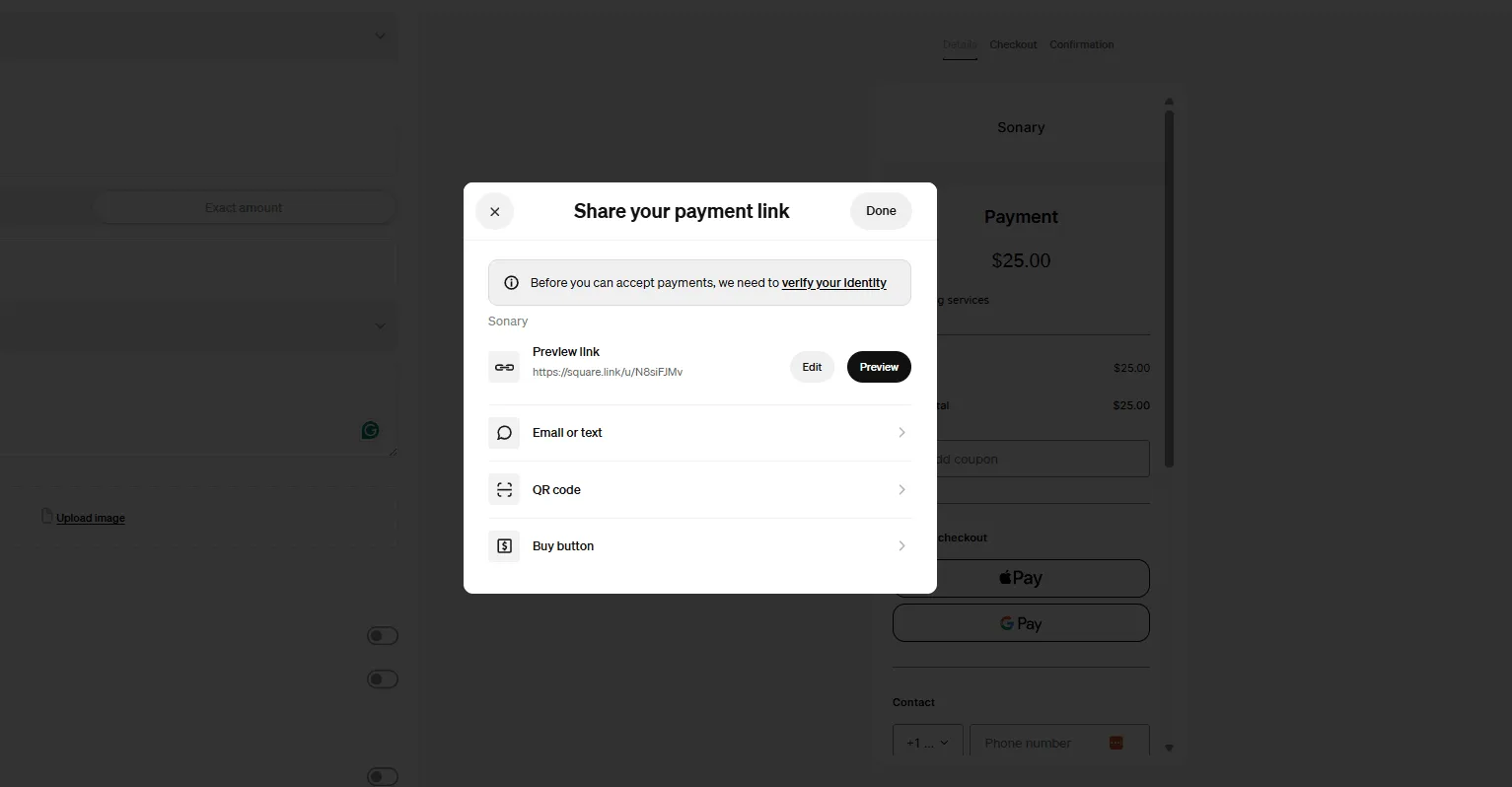
Square is the best starting point for small business merchant services when you need everything in one place and want zero fixed monthly costs.
We tested Square as a first-time setup - no prior merchant account, no technical help. From download to first transaction: 22 minutes. That includes creating the account, connecting a bank, and running a test card payment with the free reader. No other payment processing service we tested came close to that onboarding speed.
What makes Square stand out as a small business merchant service isn't just setup speed - it's that the free online store, POS, invoicing, and inventory all share one dashboard. As a small team, you're not toggling between systems or reconciling two separate processors. You're looking at one screen that shows every payment, channel, and transaction in real time.
One thing worth knowing: Square overhauled its pricing in October 2025. The Free plan's online transaction fee is now 3.3% + $0.30 - noticeably higher than before. If you sell primarily online, factor that into your cost comparison.
Transaction fees | 2.6% + $0.15 in-person · 3.3% + $0.30 online (Free plan) · 2.9% + $0.30 (Plus plan, $49/mo) |
Monthly fee | $0 on Free plan |
Same-day funding | ✅ Available for 1.5% of the transfer amount. Free next-business-day is the default. |
Hidden fees | No PCI compliance fee, no batch fee, no terminal rental.$0 chargeback fee- most merchant processors charge $15–$25 per dispute. |
Offline card acceptance | ✅ Transactions stored locally, processed when connectivity returns. 24-hour window. |
Unified online + in-store payments | ✅ Native - one merchant account, shared inventory, one real-time report. |
The math at $5,000/month (approx. 100 transactions):
- Square Free at 2.6% + $0.15/txn:$130 + $15 = $145/month
- No monthly fee, free card reader to start
- ⚡$0 chargeback fee- at $15–$25 per dispute elsewhere, this advantage grows with volume
When to move on: Once you consistently process $10K+/month online, the Free plan's 3.3% online rate starts costing more than it should. →Use our fee calculator to find your exact switch point
Case study - 3-person artisan bakery: An owner with two part-time staff was paying a monthly terminal fee even during their slowest month - a common pain point with traditional merchant processing services. After switching to Square, they ran a counter card reader, a farmers market reader, and an online pre-order store under one merchant account. January statement: $0 in fixed fees. Month-end reconciliation dropped from two systems to one. The owner's exact words:"I finally understand my own numbers."
2. Helcim - Best Online Payment Processing Service for Fee Savings
Helcim is the best online payment processing service for established small businesses who are ready to stop overpaying on every transaction.
When we ran a live statement comparison between Helcim and a flat-rate processor for a business doing $10,000/month, the difference was $94/month in real savings. That's $1,128/year that stays in the business - without changing a single thing about how customers pay.
Helcim's interchange-plus pricing passes you the actual wholesale cost of each transaction, set by Visa and Mastercard, then adds a small published markup. No flat-rate inflation, no averaged pricing. When a customer pays with a basic debit card (low interchange), you pay less. Premium rewards cards cost more - but only the actual network cost, not an inflated margin on top.
What surprised us during testing: the full payment processing suite- virtual terminal, invoicing, recurring billing, online store, and in-person POS - is entirely free. You only pay transaction fees when you process a payment. There are no setup fees, no PCI compliance fees, and no early termination fees.
Transaction fees | Interchange + 0.4% + $0.08 in-person · Interchange + 0.5% + $0.25 online · Effective rate typically 1.7–1.9% at $10K/month |
Monthly fee | $0 |
Same-day funding | ❌ Not available. Free next-business-day deposits as standard. |
Hidden fees | None. Chargeback fee:$15 (waived if you win the dispute). Full pricing is publicly listed - no sales call required. |
Offline card acceptance | ⚠️ Basic - functional but not suited for high-traffic in-person environments. |
Unified online + in-store payments | ✅ Online store, virtual terminal, invoicing, recurring billing, and POS - all in one free merchant account. |
The math at $10,000/month (approx. 200 transactions):
- Square Free at 2.6% + $0.15/txn:$260 + $30 = $290/month
- Helcim at IC + 0.4% + $0.08/txn (~1.8% effective):$180 + $16 = ~$196/month
- Monthly savings: ~$94 · Annual savings: ~$1,128
Case study - 4-person marketing agency: A small agency invoicing $12,000/month through PayPal's standard payment processing service was paying close to $380/month in combined fees. After switching to Helcim, their effective rate dropped from ~2.9% to ~1.8%, bringing monthly processing costs to around $225. Annual savings: over $1,800, with no change in how clients paid. They also discovered Helcim's ACH bank transfer costs a flat $0.25 - and began routing larger invoices through that channel to reduce costs further.
3. Clover - Best Merchant Service Provider for In-Store Retail and Restaurants
Clover is a user-friendly point-of-sale (POS) system designed for small to medium businesses, offering a range of software and hardware tailored to different industries, from retail to restaurants.… Read more
Clover is a user-friendly point-of-sale (POS) system designed for small to medium businesses, offering a range of software and hardware tailored to different industries, from retail to restaurants. While not the most affordable, its diverse payment partners make it a reliable choice. Developed by Clover Network Inc., a First Data Corporation subsidiary, Clover POS delivers a comprehensive solution for payment processing, inventory management, and sales tracking.
Learn more in our full Clover review.
Pros & Cons
- Attractive pricing 30-day trial at no cost
- Affordable hardware beginning at $49
- Feature-packed Ideal for businesses with an online presence
- Round-the-clock phone and email assistance.
- You can't apply for the POS online; it requires interaction with a sales representative
- Pricing information isn't clear-cut
- No complimentary plan available
Features
- Inventory Management
- Loyalty Program
- Mobile Compatibility
- Online Ordering
- Reporting
- Split Checks
- Manage Tips
- Staff Scheduling
- Offline Payments
- Customer Profiles
- Multidevice Payments
- Gift Card Support
- Accounting Integration
- Tableside Ordering
- Floor Plan Management
- Customer-Facing Display
- Self-Service Kiosk
- Retail Store
- Coffee Shop
- Nightclub
- Quick Service
- Bars
- Restaurants
- Food Truck
- Android
- Cloud-Based
- Free Trial
- Monthly subscription
Pricing
$13
mo/
month
$105
mo/
month
$170
mo/
month
$145
mo/
month
$230
mo/
month
$205
mo/
month
Clover is the top merchant service provider for businesses where the in-store checkout experience is part of how you compete - restaurants, retail, salons, and service businesses with a physical counter.
We tested Clover in both a restaurant and a retail setup. The hardware quality is immediately noticeable compared to consumer-grade card readers - it feels like a professional payment terminal, not a phone accessory. The industry-specific software handles split checks, table management, kitchen display routing, item modifiers, and staff tracking natively - features that basic merchant processing services don't offer.
The offline mode was our most important technical test. We severed the network connection mid-transaction during a simulated busy shift. Clover continued accepting card payments without interruption, queued every transaction securely, and processed the full batch when connectivity returned. No errors, no data loss. For a restaurant or retail business where 40 minutes of downtime means hundreds in lost sales, this is the single feature that justifies the hardware investment.
The major caution: Clover is sold through banks and third-party resellers, and pricing varies significantly. We found the same hardware offered by two resellers with a $40/month difference in software fees and different contract lengths. Always read the full merchant agreement before signing.
Transaction fees | From 2.3% + $0.10 in-person · Monthly software: $0–$95+ · Payment terminal hardware: $49–$1,200+ (one-time) |
Monthly fee | $0–$95+ depending on plan |
Same-day funding | ✅ Available through select bank-issued Clover accounts - confirm before signing. |
Hidden fees | ⚠️ Reseller model means terms vary. Always ask about early termination fees ($200–$500+). |
Offline card acceptance | ✅ Best-in-class. No transaction cap within a 24-hour offline window. |
Unified online + in-store payments | ⚠️ Integrates with Shopify and WooCommerce - not native, but reliable for in-person-primary businesses. |
The math at $20,000/month in-person (approx. 600 transactions):
- Generic flat-rate merchant processing service at 2.6% + $0.15/txn:$520 + $90 + terminal rental
- Clover at 2.3% + $0.10/txn + $95 software plan:$460 + $60 + $95 = $615/month
- Near-equal on processing cost - but Clover replaces $150–$200/month in add-on software(kitchen display, loyalty programs, staff scheduling) that most restaurants and retailers pay for separately
Case study - 5-person fast-casual restaurant: An owner with two cooks and two front-of-house staff was losing orders during peak hours - no split payments, no kitchen routing, no real-time reporting through their basic payment processing service. After switching to Clover, order errors dropped immediately. When their router went down for 40 minutes on a Saturday, offline mode kept the payment terminal running - an estimated $600 in sales that would have been lost before. The reporting dashboard revealed their lunch special had the highest margin on the menu, and they built a targeted promotion around it within the month.
4. Stax - Best Merchant Processing Service for High-Volume Businesses
Stax is a merchant services provider that offers monthly membership pricing instead of percentage-based markups for payment processing. It provides useful features to complement its payment… Read more
Stax is a merchant services provider that offers monthly membership pricing instead of percentage-based markups for payment processing. It provides useful features to complement its payment processing services, such as its Omni Integrated Payments suite. Stax works well for high-volume businesses.
Learn more in our full Stax review.
Pros & Cons
- Quickbooks integration
- Transparent monthly pricing with no percentage markups
- Omni Integrated Payments platform
- US-based merchants only
- Pricy for low-volume businesses
Features
- ACH Payment Processing
- Billing & Invoicing
- Debit/Credit Card Processing
- Electronic Signature
- In-Person Payments
- Mobile Payments
- Online payment processing
- PCI Compliance
- POS Integration
- Recurring Billing
- Reporting/Analytics
- Electronic Receipts
- Mobile Card Reader
- iOS
- Android
- Cloud-Based
- Monthly subscription
- Instore Sales
- Online Sales
- Mobile Sales
Pricing
$99
mo/
month
$199
mo/
month
$199
mo/
month
Stax is the best merchant processing service for established businesses processing $15,000+/month who want to eliminate the percentage markup on every card transaction.
We ran a full fee comparison using three months of real processing data from a business doing $18K/month. The result: Stax saved $200+/month versus their flat-rate payment processing service. That's not a projection - it's money that went directly back into growth.
Stax's model is fundamentally different from most small business merchant services: instead of charging a percentage on every transaction, you pay a flat monthly subscription and then receive the direct interchange rate plus a small per-transaction cent fee. Zero percentage markup. The more volume you process, the wider the savings gap grows.
Important transparency note: Stax's pricing has more layers than the headline $99/month suggests. The Stax Pay subscription covers core payment processing, but software features - invoicing customization, same-day funding, ACH - are sold as add-ons at $49–$129/month. Model your full expected monthly cost before committing.
Transaction fees | $99/mo (up to $150K/year) · $139/mo ($150K–$250K/year) · $199+/mo ($250K+/year) · + interchange + $0.08/txn in-person · $0.15/txn online · 0% percentage markup |
Monthly fee | $99–$199+ (volume-based) + optional software add-ons |
Same-day funding | ✅ Available as a paid add-on- extra fee applies. Confirm cost during setup. |
Hidden fees | ⚠️ Software add-on plans ($49–$129/mo) layer on top of base subscription. No PCI fee, no cancellation fee. |
Offline card acceptance | ⚠️ Basic - optimized for online and software-based payment flows, not high-traffic in-person. |
Unified online + in-store payments | ✅ Strong API, major e-commerce platform integrations, standout invoicing and recurring billing tools. |
The math at $15,000/month (approx. 200 transactions):
$15K/month = ~$180K/year →$139/mo plan tier
- Square Free at 2.6% + $0.15/txn:$390 + $30 = $420/month
- Stax at $139/mo + ~1.5% effective interchange + $0.08/txn:$139 + $225 + $16 = ~$380/month
- Monthly savings: ~$40 · Annual savings: ~$480
The math at $30,000/month (approx. 400 transactions):
- Square Free at 2.6% + $0.15/txn:$780 + $60 = $840/month
- Stax at $199/mo + ~1.5% + $0.08/txn:$199 + $450 + $32 = ~$681/month
- Monthly savings: ~$159 · Annual savings: ~$1,908
→Find your exact break-even point with our calculator
Case study - 2-person e-commerce business: A husband-and-wife specialty food brand processing $18K/month through a flat-rate online payment processing service was paying ~$500/month in fees. After switching to Stax, monthly processing costs dropped to ~$295. They reinvested the savings into paid advertising, grew to $25K/month in four months, and the cost advantage compounded with every dollar of new volume.
5. PayPal - Most Popular Merchant Service for Service Businesses and Global Payments

PayPal Merchant Services is one of the most established online payment platforms, known for its ease of setup, global reach. For small and mid-sized businesses, PayPal offers a vast commerce… Read more
PayPal Merchant Services is one of the most established online payment platforms, known for its ease of setup, global reach. For small and mid-sized businesses, PayPal offers a vast commerce ecosystem that combines online payment processing, e-commerce integrations, and even in-person point-of-sale tools – all without monthly fees for basic services.
Learn more in our full Paypal review.
Pros & Cons
- Easy Setup and Use
- Trusted by Consumers
- All-in-One Solution
- No Monthly Fees (Basic)
- Transaction Fees Can Be High
- Not Great for High-Risk or Large Businesses
- Limited Customization on Basic Plan
- Withdrawal Limits and Fees:
Features
- Billing & Invoicing
- Data Security
- Debit/Credit Card Processing
- Electronic Signature
- In-Person Payments
- Mobile Payments
- Multiple Payment Gateways
- Online payment processing
- PCI Compliance
- POS Integration
- Payment Processing Services Integration
- Recurring Billing
- Reporting/Analytics
- Mobile Credit card processing
- Contactless NFC
- Electronic Receipts
- Mobile Card Reader
- 3rd-Party Integrations
- iOS
- Android
- Cloud-Based
- On-place Installation
- Windows
- Mac
- Freemium
- Instore Sales
- Online Sales
- Mobile Sales
Pricing
$0
mo/
month
$30
mo/
month
$10
mo/
month
$14.99
mo/
month
$30
mo/
month
PayPal is one of the most popular merchant services in the world for one specific reason: trust. Customers who won't enter card details on an unfamiliar checkout complete a PayPal payment without hesitation.
We tested checkout conversion on identical product pages - one with PayPal, one without. PayPal checkout completed faster and with fewer abandoned sessions. For online payment merchant services targeting international clients or invoice-based billing, that trust advantage converts directly into faster payment.
PayPal's Instant Transfer (1% fee, max $50) is the fastest same-day deposit option in the merchant services market. On a $2,000 invoice, that's $20 to get your money in minutes rather than waiting until the next business day.
The fee reality check: PayPal's online checkout rate of 3.49% + $0.49 is among the highest of any online payment processing service on this list - and higher than what many older reviews still quote. At scale, this is not the most cost-effective merchant processing service. But for service businesses and international invoicing, the trust factor and payment speed justify the premium for the right business type.
Transaction fees | PayPal Checkout: 3.49% + $0.49 · Standard card: 2.99% + $0.49 · In-person Zettle: 2.29% + $0.09 · International: +1.5% surcharge |
Monthly fee | $0 |
Same-day funding | ✅ Instant Transfer in minutes -1% fee (min $2, max $50). Fastest option in the market. |
Hidden fees | Chargeback fee:$20 per dispute(up to $30 for high-dispute accounts). International fees add up for global sellers. |
Offline card acceptance | ✅ PayPal Zettle supports offline mode - compact wireless payment terminal, good for markets and pop-ups. |
Unified online + in-store payments | ⚠️ Functional across both channels, but inventory and reporting sync is less integrated than Square. |
The math for a service business invoicing $8,000/month (approx. 160 transactions):
- PayPal standard card at 2.99% + $0.49/txn:$239 + $78 = ~$317/month
- Helcim at ~1.8% effective + $0.08/txn:$144 + $13 = ~$157/month
- Fee difference: ~$160/month- PayPal's trust factor and same-day transfers offset this for businesses where payment speed matters more than fee optimization
Case study - solo consultant to 3-person agency: A UX consultant grew from freelancing to a three-person agency billing US and European retainer clients. PayPal's multi-currency online payment merchant service kept average invoice payment time under 48 hours without requiring clients to change anything. She paid more in processing fees than Helcim would have cost - but spent significantly less time chasing late payments, which had its own hidden cost in time and cash flow stress.
6. Worldpay - Best Online Payment Processing Service for International Revenue
Worldpay is one of the most established providers of merchant services in the world today. It handles trillions of transactions every year for more than one million businesses. It caters to… Read more
Worldpay is one of the most established providers of merchant services in the world today. It handles trillions of transactions every year for more than one million businesses. It caters to businesses of all shapes and sizes. With a focus on innovation, Worldpay offers seamless transactions covering a huge range of payment methods. This ensures your business delivers efficient and secure online payment processing services. My Worldpay merchant services review will explore all the features, pricing, ease of use, and customer support.
Learn more in our full Worldpay review.
Pros & Cons
- Offers custom pricing to cater to your specific business needs
- Intuitive software and systems with powerful features
- Next-day funding helps maintain cash flow
- You can access 24/7 telephone support
- No transparent pricing plans, so it’s hard to compare with other options
Features
- ACH Payment Processing
- Billing & Invoicing
- Cryptocurrency Processing
- Data Security
- Debit/Credit Card Processing
- Electronic Signature
- In-Person Payments
- Mobile Payments
- Multiple Payment Gateways
- Online payment processing
- PCI Compliance
- POS Integration
- Payment Fraud Prevention
- Payment Processing Services Integration
- Recurring Billing
- Reporting/Analytics
- iOS
- Android
- Cloud-Based
- Windows
- Mac
- Free Trial
- Monthly subscription
- Annual subscription
- Instore Sales
- Online Sales
- Mobile Sales
Worldpay processes payments across 125+ countries. For small businesses where more than 20% of revenue comes from international customers, the FX rate savings alone typically justify the more involved onboarding.
We found Worldpay's setup to be the most complex on this list - a dedicated account manager, two-week onboarding, and a negotiated merchant contract. For a business doing under $5K/month domestically, that's not worth the effort. For a business losing 3–4% on every international card transaction through a consumer-grade payment processing service, the math changes quickly.
Transaction fees | Custom-quoted. Competitive FX rates that outperform standard merchant processing services for international volume. |
Monthly fee | Custom - minimum monthly fees may apply |
Same-day funding | Depends on contract - confirm during onboarding. |
Hidden fees | ⚠️ Contract terms and minimum monthly fees require careful review before signing. |
Offline card acceptance | ❌ Limited - primarily an online and card-not-present payment processing service. |
Unified online + in-store payments | ✅ Strong online payment processing. In-person is secondary. |
The math for international transactions at $10,000/month:
- Standard merchant service provider at 3.5% international rate:$350/month
- Worldpay at competitive FX rates (~2%):~$200/month
- Monthly savings: $150 · Annual savings: $1,800- on international volume alone
→Read our full Worldpay review
7. North Payments - Best Merchant Service for Near-Zero Processing Costs
NNorth Payments stands as a premier Merchant Services software, delivering comprehensive online merchant services tailored for businesses of all sizes. As a top 10 non-bank merchant acquirer, North… Read more
NNorth Payments stands as a premier Merchant Services software, delivering comprehensive online merchant services tailored for businesses of all sizes. As a top 10 non-bank merchant acquirer, North Payments has garnered numerous awards and partners with over 100,000 merchants. Their suite of services includes credit card processing, point-of-sale (POS) systems, and mobile payments, offering flexible solutions across various industries to meet diverse payment needs. In this North Payments review, I'll check out the features, performance, customer service, and merchant services pricing.
Learn more in our full North Payments review.
Pros & Cons
- Integrates seamlessly with many business systems
- Prioritizes data protection and fraud prevention
- Flexible payment options: ACH, mobile, contactless NFC, and third-party integrations
- New customers receive free equipment like mobile card readers and POS systems
- No option for an online chat
- Price quotes must be obtained through a consultation
- No clear support for handling cash payments
Features
- ACH Payment Processing
- Billing & Invoicing
- Data Security
- Debit/Credit Card Processing
- Electronic Signature
- In-Person Payments
- Mobile Payments
- Multiple Payment Gateways
- Online payment processing
- PCI Compliance
- POS Integration
- Payment Fraud Prevention
- Payment Processing Services Integration
- Recurring Billing
- Reporting/Analytics
- Mobile Credit card processing
- Contactless NFC
- Electronic Receipts
- Mobile Card Reader
- 3rd-Party Integrations
- iOS
- Android
- Cloud-Based
- On-place Installation
- Windows
- Mac
- Freemium
- Monthly subscription
- Instore Sales
- Online Sales
- Mobile Sales
Pricing
$14.95
mo/
month
$29.95
mo/
month
North Payments' cash discounting program lets you pass the card processing fee to card-paying customers - bringing your out-of-pocket merchant processing cost close to zero. Cash discounting is legal in all 50 US states as of 2026.
In our testing, we found zero meaningful checkout friction in business environments where card surcharging is expected - auto repair, medical offices, and some retail. In premium hospitality or customer-experience-first settings, it needs more careful consideration.
Transaction fees | ~0% with cash discounting enabled · Standard interchange-plus available without the program |
Monthly fee | Varies by plan |
Same-day funding | Available on select plans |
Hidden fees | ⚠️ Some resellers bundle with multi-year contracts. Read the full merchant agreement. |
Offline card acceptance | ✅ Supported across most payment terminal models |
Unified online + in-store payments | ✅ Available - confirm e-commerce platform compatibility during onboarding |
The math at $10,000/month with cash discounting:
- Standard merchant processing service at 2.6% + $0.15/txn:~$290/month you absorb
- North Payments with cash discounting:~$0/month you absorb
- Annual savings: up to $3,480- shifted to card-paying customers via a 3–4% surcharge
→Read our full North Payments review
8. Paysafe & PaymentCloud - Best Merchant Services for High-Risk Businesses
Paysafe merchant services are worth it for merchants processing over $500K in annual card volume or operating in high-risk verticals (CBD, nutraceuticals, online gaming, travel) where flat-rate… Read more
Paysafe merchant services are worth it for merchants processing over $500K in annual card volume or operating in high-risk verticals (CBD, nutraceuticals, online gaming, travel) where flat-rate providers like Square and Stripe refuse to underwrite. Pricing is quote-based interchange-plus, typically landing around interchange + 0.30% + $0.15 per transaction. The catch: Paysafe's website is notoriously opaque on pricing, contract terms often include 2-year commitments and PCI fees, and the SMB onboarding experience is weaker than Stripe or Square. Under $500K annual volume and low-risk, stay on Stripe.
Learn more in our full Paysafe review.
Pros & Cons
- User-friendly interface
- Diverse payment options for all sized businesses
- Prompt customer service
- Efficient chargebacks management feature
- Compatibility Problems which may lead to manual reconciliation
- Customer Support on technical issues may be slower than anticipated
Features
- ACH Payment Processing
- Billing & Invoicing
- Cryptocurrency Processing
- Data Security
- Debit/Credit Card Processing
- Electronic Signature
- In-Person Payments
- Mobile Payments
- Multiple Payment Gateways
- Online payment processing
- PCI Compliance
- POS Integration
- Payment Fraud Prevention
- Payment Processing Services Integration
- Recurring Billing
- Reporting/Analytics
- Mobile Credit card processing
- Cash Transactions
- Contactless NFC
- Electronic Receipts
- Mobile Card Reader
- 3rd-Party Integrations
- iOS
- Android
- Cloud-Based
- On-place Installation
- Windows
- Mac
- Instore Sales
- Online Sales
- Mobile Sales
Pricing
2.75%
/ transaction/
/ transaction
Being declined by a mainstream merchant service provider doesn't mean your business isn't legitimate - it means their underwriting criteria don't fit your category.
Both Paysafe and PaymentCloud are purpose-built merchant processing services for businesses in CBD, travel, firearms accessories, online gaming, subscription services, and other flagged categories. Both use multi-bank placement - your merchant account application is matched with the most suitable acquiring bank for your specific business type and transaction profile.
We spoke with merchants in high-risk categories who had accounts frozen mid-month by standard processors. The lost revenue, customer friction, and operational disruption in every case cost more than the premium they would have paid on a purpose-built high-risk merchant service provider.
Transaction fees | Higher than standard - the industry-standard premium for stable high-risk payment processing |
Monthly fee | Custom |
Same-day funding | Varies by account and acquiring bank |
Hidden fees | ⚠️ Request a full written fee breakdown before signing - fee structures are more layered than standard merchant services |
Offline card acceptance | ✅ Available through payment terminal programs on both platforms |
Unified online + in-store payments | ✅ Both support multi-channel: online payment processing, in-person, and phone/MOTO |
The value equation:
- A frozen standard merchant service account during a busy month:$0 in revenue while the hold lasts
- A stable high-risk merchant processing service at 3.5%: revenue continues uninterrupted
- Stability has a dollar value - and it's usually higher than the fee premium
Which credit card processing is the cheapest for a small business?
True cost efficiency depends on matching the pricing model to your monthly transaction volume and average order size. The cheapest provider for a $2,000/month shop will be expensive for a $20,000/month store.
Standout Capabilities of Recommended Products
- PayPal Zettle (Cheapest flat-rate under $5,000/mo): Charges 2.29% + 9¢ per in-person transaction with $0/month in fixed costs. Its lower fixed fee (9¢ vs Square's 10¢) and lower percentage rate make it the cheapest flat-rate option for low-volume counters.
- Helcim (Cheapest interchange-plus over $5,000/mo): Charges $0/month for software while passing wholesale card fees directly to you, averaging ~1.93% + 8¢ for in-person sales. This saves significant processing costs compared to flat-rate platforms once you pass $5,000/month.
- Kurv (Cheapest zero-fee option via surcharging): Offers a built-in zero-cost surcharging program that automatically passes a 3.95% transaction fee to credit card customers at checkout, bringing your net merchant processing cost down to 0%.
Skip: Staying on a flat-rate plan when processing over $5,000/month, as percentage-based markups quickly become far more expensive than interchange-plus or subscription models.
What is the best mobile credit card processing?
Mobile credit card processing requires reliability in unpredictable environments. Key capabilities include hardware-free smartphone card acceptance, offline payment buffering for weak cell zones, long battery life, and portable equipment.
Standout Capabilities of Recommended Products
- Square & Helcim (Best software-only setups): Both apps support native Tap to Pay on iPhone and Android. By using the smartphone’s internal NFC chip, merchants can process contactless chip cards, Apple Pay, and Google Pay with zero external hardware.
- Clover Flex (Best dedicated handheld terminal): A rugged, portable device featuring a built-in thermal receipt printer, integrated barcode scanner, 4G LTE cellular connectivity, and a full touchscreen register running on a rechargeable battery.
Skip: Bluetooth dongles that lose pairing frequently or rely on external audio jacks, as well as apps that lack offline processing capabilities.
Where can I find a payment processing platform with customizable billing solutions?
Customizable billing requires software that goes beyond simple monthly invoicing. It needs to handle metered (usage-based) billing, seat-based subscriptions, trial periods, automated card updating, and smart dunning workflows to retry failed cards.
Standout Capabilities of Recommended Products
- Stripe Billing: Offers a flexible subscription management API. It supports complex monetization models—such as tiered pricing, usage-based metering, and add-on subscriptions—while automating pro-rata adjustments and dunning logic.
- Helcim: Provides a user-friendly, $0/month virtual terminal and recurring invoice scheduler. It allows service-based businesses to vault customer credit card details securely and automate weekly or monthly billing schedules without developer setup.
Skip: Basic point-of-sale software that only accepts immediate, one-time in-person transactions and lacks card vaulting capabilities.
What is the fastest payment processing system?
Speed applies to two distinct operational phases: checkout authorization speed (how quickly the card reader processes a payment) and payout speed (how fast transaction funds land in your business bank account).
Standout Capabilities of Recommended Products
- Square: Delivers sub-second NFC contactless authorizations at the counter and provides an Instant Payout feature that transfers funds to your bank account via debit push within minutes for a 1.5% fee.
- Stripe: Built on high-throughput cloud infrastructure processing thousands of API requests per second with negligible latency, backed by Instant Payout capabilities for eligible accounts.
Skip: Traditional processors that require overnight batch settling and take 3 to 5 business days to clear deposits into your account.
What are the best payment processing services for scaling a startup?
Scaling startups need developer-friendly payment infrastructure that supports modular customization, international card acceptance, multi-currency payouts, and price reductions that activate automatically as sales volume expands.
Standout Capabilities of Recommended Products
- Stripe: The industry benchmark for developer-first payment APIs. Stripe provides pre-built checkout UI components, webhooks, sandbox testing environments, and seamless integrations with modern tech stacks, allowing startups to build custom payment flows in hours.
- Helcim: Features automated volume discounting. As a startup scales from $10,000 to $100,000+ per month, Helcim’s interchange-plus processor markup drops across predefined thresholds without needing contract renegotiations.
Skip: Proprietary, closed-loop payment systems that restrict API access, lack sandbox environments, or charge high foreign conversion fees.
Who has the best merchant services rates?
The best rate is the one that results in the lowest effective processing fee (total fees divided by total processing volume) for your specific business size and payment method breakdown.
Standout Capabilities of Recommended Products
- Stax (Best for $20,000+/mo volume): Provides direct wholesale interchange rates with 0% processor markup, charging only a flat $99/month subscription plus a few cents per transaction.
- Helcim (Best for $5,000–$20,000/mo volume): Provides transparent interchange-plus pricing with $0/month software fees, automatically lowering its markup percentage as your transaction volume increases.
- Kurv (Best for zero-merchant-cost processing): Eliminates merchant processing expenses entirely by utilizing a compliant 3.95% credit card surcharging model.
Skip: Tiered rate structures (qualified, mid-qualified, non-qualified) where the processor inflates transaction costs behind opaque category definitions.
What are the most effective payment processing services for global transactions?
Cross-border sales require local acquiring bank relationships to boost authorization rates, support for local alternative payment methods (like SEPA, iDEAL, or Klarna), multi-currency settlement, and automated VAT/sales tax handling.
Standout Capabilities of Recommended Products
- Stripe: Supports card acquiring in 45+ countries, settles in 135+ currencies, and natively accepts dozens of regional non-card payment methods through a single checkout interface.
- PayPal / Braintree: Delivers high worldwide brand recognition and wallet adoption across 200+ markets, helping international buyers complete purchases without entering credit card details manually.
Skip: Regional domestic processors that decline international cards or impose excessive cross-border conversion fees.
What are the most cost-effective online payment processors for startups?
Online card payments carry higher fraud risk, so standard flat rates are often higher (typically 2.9% + 30¢). A cost-effective online processor charges $0 in fixed monthly fees while offering lower per-transaction markups.
Standout Capabilities of Recommended Products
- Helcim Online: Charges interchange + 0.25% + 25¢ with $0/month in subscription costs. Because wholesale online interchange rates for debit cards are low, Helcim's effective rate is often significantly cheaper than standard 2.9% flat rates.
- Kurv Online: Offers a competitive 2.90% + 25¢ flat online rate with $0/month hidden fees and dedicated 24/7 technical support for onboarding startups.
Skip: Standalone online payment gateways that charge monthly portal access fees on top of standard credit card processing rates.
What are the cheapest in-person payment options for SMBs?
In-person transactions carry lower fraud risk than online payments, resulting in lower wholesale bank costs. The cheapest options pass these lower card-present rates directly to the business without monthly subscription markups.
Standout Capabilities of Recommended Products
- PayPal Zettle (Cheapest flat-rate): Charges 2.29% + 9¢ per swipe/dip/tap with $0/month in subscription costs.
- Kurv (Cheapest flat-rate & zero-cost surcharging): Offers a standard 2.50% + 10¢ in-person flat rate or a 0% merchant cost surcharging option.
- Helcim (Cheapest interchange-plus): Delivers wholesale card-present rates averaging ~1.93% + 8¢ on a $0/month platform.
Skip: Keying in card numbers manually, which triggers higher card-not-present rates (often 3.3% + 30¢ or more). Always use Tap to Pay or EMV chip dipping.
Which companies offer reliable 24/7 payment processing?
True reliability requires both 24/7 live technical support (so you can reach a real person when terminals fail) and offline transaction authorization (so card sales continue even during local internet outages).
Standout Capabilities of Recommended Products
- Kurv: Features 100% US-based 24/7 live phone support, ensuring small business owners can resolve processing holds or terminal issues at any hour.
- Clover: Dedicated Clover hardware includes local encrypted storage for offline card authorization, allowing counters to continue ringing up sales during network outages.
- Stripe: Maintains a 99.99%+ global API uptime infrastructure, utilizing automated fallback routing across global acquiring networks to prevent payment downtime.
Skip: Processors that restrict customer service to Monday–Friday business hours or rely exclusively on automated email ticketing for urgent terminal failures.
How to accept credit cards on phone?
Accepting payments on a phone is most efficient when using contactless Tap to Pay technology rather than keying in card numbers manually, which triggers higher processing fees and increased fraud risk.
Step-by-Step Setup & Operational Flow
- Download a Compatible POS App: Install Square, Helcim, or Kurv on your smartphone.
- Enable Tap to Pay: Activate Tap to Pay on iPhone or Tap to Pay on Android in the app settings (no extra hardware required).
- Enter the Sale: Type in a custom dollar amount or select items from your saved product catalog.
- Complete the Tap: Have the customer tap their physical credit/debit card, Apple Pay, or Google Pay against the back of your smartphone.
Skip: Manually typing in card details (card number, expiration date, CVV), which incurs card-not-present rates (typically 3.3% + 30¢ or higher) instead of standard card-present rates.
Best merchant-focused POS payment service for high-volume stores?
High-volume retail stores and busy venues processing over $20,000/month require fast transaction throughput, multi-lane register management, dedicated commercial hardware, and zero-percentage-markup pricing.
Standout Capabilities of Recommended Products
- Stax: Its $99/month subscription model replaces traditional percentage markups with a flat 8¢–15¢ per-transaction fee over direct interchange, saving high-volume stores thousands of dollars per month.
- Clover: High-speed Clover Station Duo registers feature dual customer-facing displays, integrated high-speed thermal printers, and enterprise management tools for multi-lane counters.
Skip: Flat-rate payment models once monthly store sales pass $15,000, as percentage fees will scale up unnecessarily with your sales growth.
How to choose a merchant service provider?
- Assess Your Monthly Volume Thresholds:
- Under $5,000/month: Pick a $0/mo flat-rate processor (Square or PayPal Zettle) to eliminate fixed overhead.
- $5,000 to $20,000/month: Pick a $0/mo interchange-plus processor (Helcim) to capture wholesale savings.
- Over $20,000/month: Pick a subscription processor (Stax) to eliminate percentage-based markups.
- Verify Total Effective Rate Targets: Ensure your target effective rate (total monthly fees ÷ total card processing volume) remains between 1.5% and 2.2% for in-person sales and 2.3% and 2.9% for online checkout.
- Audit Contract Clauses: Reject any merchant agreement that includes 3-year lock-in clauses, automatic renewal terms, or Early Termination Fees (ETFs).
- Confirm Native Integrations: Ensure the provider integrates directly with your existing POS hardware, mobile operating system, or e-commerce platform.
Best Merchant Services by Business Type: Find Your Match
Use your monthly processing volume and business type to identify the right small business merchant service immediately.
- Just starting out - under $5,000/month→Square- best small business merchant services for zero fixed costs and instant setup →See Square's full pricing
- E-commerce business - $5,000–$20,000/month→Helcim- best online payment processing service for growing e-commerce with no monthly fee
- Retail store or restaurant - $10,000–$50,000/month→Clover- top merchant service provider for in-person payments with professional POS hardware →See the best POS systems for retail
- High-volume business - $20,000+/month→Stax- best merchant processing service for eliminating percentage markup at scale →Calculate your exact savings
- Service business or consultant invoicing clients→Helcim (domestic)or PayPal (international)- best payment processing services for invoice-based billing
- Multi-currency or international revenue (20%+ of sales)→Worldpay- best online payment merchant service for cross-border transactions →Read our Worldpay review
- Declined by standard processors or in a flagged category→PaymentCloud or Paysafe- best merchant services for high-risk business types →See the best high-risk merchant services
See also
- Flat-rate versus interchange-plus is the whole decision. The best credit card processing for small business page shows the break-even monthly volume where interchange-plus starts saving you money.
- CBD, supplements, travel, adult and subscription businesses get declined by Square and Stripe. The high-risk merchant accounts list covers who actually underwrites those industries and at what rate premium.
- If you sell online only, you need a gateway, not a full merchant account. The best payment gateways for small business are compared on per-transaction cost and checkout conversion, not on brand.
- There is no free processing, only free hardware or no monthly fee. We explain what free merchant services actually waive and where the cost comes back.
- Under a few thousand dollars a month in card sales, a monthly fee eats the savings. Start with credit card processing with no monthly fee.
- Taking cards at a client's home or a market stall is a reader-plus-app decision. See mobile credit card processing for which readers work offline and what the tap-to-pay fee is.
- If you invoice and want to get paid faster, a payment app on your phone beats a terminal. Compare credit card payment apps on payout speed and invoicing.
Why Small Businesses Overpay for Merchant Processing Services
Most small business owners know their payment processing service is too expensive. They've seen the monthly statement. They've done the rough math. But they don't switch - and the reason is understandable:"It processes payments. Customers don't complain. I'm not going to touch it."
That logic costs thousands in avoidable fees every year. The truth is: the next merchant service provider will also process payments. Customers won't notice the transition. The migration takes less time than a slow Tuesday afternoon.
The Business Lifecycle Problem: When to Switch Merchant Services
The small business merchant service that was right for you at launch is probably not right for where you are now.
When you're new, flat-rate payment processing services are exactly right: simple, predictable, no friction. But as monthly volume grows past $8,000–$10,000, flat-rate pricing starts costing more than it should. The merchant service provider that got you started is now working against your margins.
Use the fee calculator to run your actual numbers. In five minutes, you'll see exactly which merchant processing servi ce structure saves you the most - and how much:
👉Credit Card Processing Fee Calculator
Conclusion: Choosing the Best Merchant Services for Your Small Business
The best merchant services for small businesses aren't the ones with the lowest advertised rate - they're the ones with the lowest effective rate, the fastest deposits, and the operational reliability your business actually needs day to day.
Match your situation to the guide above. Run your numbers through the fee calculator. The math will point you to the right merchant service provider faster than any feature comparison - and the savings start from the first month you make the right switch.
→ Calculate your merchant processing fees and find your best fit