Best Retail POS System for a Small Business

Most micro and small retail businesses (1–5 employees) need a POS that processes payments, tracks inventory, and shows what's selling, without monthly fees they can't justify yet. After hands-on testing, Square POS is the best starting point for most. Shopify POS wins for omnichannel. Clover has the best hardware. GoDaddy POS has the lowest fees. EPOS Now has the most integrations.
- Free setup & no hidden fees
- Create customer profiles in seconds
- Simple to use inventory management



- Process digital wallets & popular payments
- Personalize marketing to boost loyalty
- Sync online & in-store sales effortlessly

- Cloud-hosted & accessible from anywhere
- Accept payments & track inventory
- Offer gift cards to boost customer retention
- Scalability for selling online & in-person
- Easy setup and 24/7 support
- Real-time inventory & fast payouts
- 100+ app integrations for your business
- Business reporting available in real-time
- Award-winning software
You need one system that handles payments, tracks inventory, and provides sales data, without requiring a tech team to run it. That’s the core job of a retail POS, and most micro businesses (1–5 employees) overpay for features they’ll never touch.
Which Retail POS Should You Choose?
- Square POS – Free to start. No contracts. You can take your first payment today with just your phone. Best for solo operators, pop-ups, and stores with fewer than 300 SKUs. Processing: 2.6% + $0.15 per tap/chip transaction.
- Shopify POS – Syncs your online store and physical store inventory automatically. If you already sell on Shopify or plan to sell online, this is the one. Starts at $39/month (Basic) with POS Lite included. POS Pro is $89/month per location.
- Clover POS – The best-looking, most professional hardware lineup of any POS. You pick the exact device setup your store needs. Great app marketplace to add features as you grow. Plans from ~$14.95/month.
- GoDaddy POS – The lowest in-person processing fees in this group (2.5%, or 2.3% on the Plus plan). Simple, plug-and-play hardware. Ideal if you already have a GoDaddy website or online store. Plus plan is $28.99/month.
- EPOS Now – Over 100 third-party integrations (QuickBooks, Xero, Mailchimp, Shopify, and more). Works on iPads, Android tablets, and Windows PCs. Built for businesses that need flexibility across retail and hospitality. Hardware bundles start around $349.
How Do We Test POS Systems for Small Teams?
We don’t review POS systems from a spec sheet. We set up each platform the way a real 2–3 person retail store would – from scratch.
That means we import a product catalog of 150–300 SKUs, configure taxes, run test sales, process refunds and exchanges, and check how fast inventory updates across devices. We time the full setup. We train a second person and see how long it takes them to run a transaction on their own. We pull weekly reports and check whether the data is actually useful or just numbers on a screen.
We also calculate the real monthly cost – not just the subscription price you see on the website, but the total after processing fees, hardware, and the add-ons a micro retail store realistically needs.
If a 2-person team can’t set up and start using the POS within one business day, that’s a red flag for micro businesses. Every platform in this guide passed that test.
Is Square POS Good for a Small Retail Store?
Best for: Solo operators, pop-ups, stores under 300 SKUs


Features
Best For

General Features
Hardware & Software
Pricing Options
Pros & Cons
Pros
Cons

Square is the POS that makes the most sense for the widest range of small retail businesses. If you’re a solo operator or running a store with 1–3 employees, a boutique, a gift shop, a pop-up, or a market stall – Square should be your default starting point.
Here’s why: you can start with $0 in monthly software fees. Download the app, connect a card reader (the basic one is free for new sign-ups), and you’re ready to accept payments. No contract. No annual commitment. If it’s not the right fit, you walk away without losing anything.
That zero-risk entry point is a massive deal for micro businesses. You’re not gambling $500 on hardware and a 12-month contract before you know if the system works for your workflow.
What’s included free
- Payment processing (tap, chip, swipe)
- Basic inventory with barcode scanning and categories
- Digital receipts
- Refunds and exchanges
- Sales dashboard with AI assistant (ask plain-language questions like “what sold best last week?”)
Where it falls short
- No vendor management, purchase orders, or COGS reporting on the free plan — need Plus ($49/month)
- Can’t use a third-party processor — locked into Square’s rates
- Processing fees add up at higher volumes: ~$405/month on $15,000 in card sales
Case study: 3-person gift shop
A downtown gift shop (owner + 2 part-time staff) switched from a cash register. Setup took one afternoon — 250 products imported via CSV, both employees trained the same day.
Result: Owner discovered 30% of revenue came from just 12 products. Reorganized the store display accordingly.
Monthly cost: $0 software + ~$350 processing fees on $13,000 card volume + $299 one-time Terminal purchase.
How much does Square POS actually cost?
| Plan | Monthly Fee | In-Person Rate | Best For |
| Free | $0 | 2.6% + $0.15 | Pop-ups, new stores, market sellers |
| Plus | $49/location | 2.5% + $0.15 | Established retail, 1–3 locations |
| Premium | $79/location | Custom | Higher volume ($250K+ annual sales) |
Is Shopify POS Worth It for a Small Retail Store?
Best for: Stores selling online + in-person

Features
Best For
General Features
Hardware & Software
Pricing Options
Pros & Cons
Pros
Cons
Shopify POS is the right choice when you sell (or plan to sell) both online and in a physical store. It’s not just a POS – it’s the in-store extension of Shopify’s e-commerce platform. That means your online store and your physical register share the same product catalog, the same inventory counts, and the same customer profiles.
For a small team that can’t afford to reconcile two separate systems manually – or deal with the headache of overselling a product because your online store didn’t know your in-store staff just sold the last one – this automatic sync is the core reason to choose Shopify POS.
If you only sell in person and have zero plans to go online, Shopify POS is probably not the best fit. You’d be paying for e-commerce infrastructure you don’t use. Square or Clover would be a better starting point.
Why small omnichannel teams choose it
- Real-time inventory sync — sell one in-store, online count updates instantly
- Unified customer profiles — see every customer’s full purchase history (online + offline)
- Buy online, pick up in-store — built in, no extra tools
- Unlimited staff accounts on POS Pro with roles and permissions
Where it falls short
- Minimum $128/month before processing fees or hardware — expensive for a micro store
- 2% surcharge if you use a third-party processor instead of Shopify Payments
- iPad and accessories purchased separately
Case study: 2-person clothing boutique
An owner and 1 employee had a Shopify online store for a year before opening a physical shop. They added POS Pro, and their entire catalog appeared on the register app instantly.
Result: Eliminated overselling (previously, last units would sell online and in-store simultaneously). The email list grew 40% from in-store capture within 3 months.
Monthly cost: $128 (Basic + POS Pro) + ~$280 processing on $10,000 card volume = ~$408/month.
How much does Shopify POS cost per month?
| Component | Cost | Notes |
| Basic Shopify Plan | $39/month | Includes POS Lite |
| POS Pro Add-On | $89/month per location | Needed for permanent retail |
| In-Person Processing | 2.6% + $0.10 | Via Shopify Payments |
| Retail Plan (alternative) | $89/month | Includes POS Pro, built for brick-and-mortar |
Is Clover POS Good for Small Businesses?
Best for: Boutiques, specialty shops, stores where checkout experience matters

Features
Best For
General Features
Hardware & Software
Pricing Options
Pros & Cons
Pros
Cons
Clover is the POS system that looks and feels the most like a professional retail register right out of the box. If the checkout experience matters to your brand – and for boutiques, specialty shops, and gift stores, it absolutely does – Clover gives you hardware options that no other provider in this guide can match.
You can start small with the Clover Go ($49, a mobile card reader) and scale up to a Clover Mini ($799, a compact countertop terminal) or a full Clover Station Duo ($1,799, a dual-screen register with a cash drawer and receipt printer). Each device is purpose-built, polished, and customer-facing. This isn’t an iPad propped up on a stand – it’s dedicated retail hardware.
App marketplace advantage
Start with basic POS. Add features only when you need them:
- Loyalty programs
- Gift card management
- Age verification
- Advanced analytics
You only pay for what you use — no bloated software bundles.
The warning about Clover POS
Clover devices are sold through third-party resellers. Some bundle hardware with 3–4 year processing contracts and early termination fees. Multiple users report difficulty canceling.
Safe route: Buy from Clover.com directly. Read every line of the contract. Never sign a multi-year processing commitment.
Case study: 4-person home décor store
The owner purchased a Station Duo (main register) and a Flex (floor sales). The Flex was the surprise win — the store manager carries it to check stock and ring up customers on the spot, cutting register lines.
Monthly cost: $69.95 (Advanced) + $20 (analytics app) + ~$460 processing on $20,000 volume = ~$550/month.
How much does Clover POS cost?
| Plan | Monthly Fee | In-Person Rate | Notes |
| Starter | ~$14.95/month | 2.6% + $0.10 | Basic POS features |
| Standard | ~$49.95/month | 2.3% + $0.10 | Inventory + employee management |
| Advanced | ~$69.95/month | 2.3% + $0.10 | Advanced reporting, loyalty |
Is GoDaddy POS Any Good for Retail?
Best for: GoDaddy website users, budget-conscious stores, market sellers

On the software side, GoDaddy POS offers real-time inventory alerts, a customizable product catalog, and unified data across in-store and online sales — perfect for businesses offering pickup or booking options. With rates as low as 2.3% + $0 for in-person transactions, GoDaddy POS beats many leading providers on cost. Add in features like a mobile app, receipt flexibility (print, email, or SMS), and a library of 70+ business apps for industries like salons and restaurants, and you’ve got a seriously competitive system for growing businesses. In this GoDaddy POS review, we'll cover its pricing, features, hardware perks, and who it’s best suited for.
Features
Best For
General Features
Hardware & Software
Pricing Options
Pros & Cons
Pros
Cons
GoDaddy POS is the option most people don’t think about – and for micro businesses already in the GoDaddy ecosystem, that’s a missed opportunity. If you registered your domain through GoDaddy, built your website there, or run a GoDaddy online store, their POS plugs into everything you already have. No new accounts, no new dashboards, no learning a whole new system.
The other reason to look at GoDaddy: processing fees. GoDaddy charges 2.5% per in-person transaction on the standard plan – one of the lowest flat rates in this group. And if you upgrade to the Plus plan ($28.99/month), that drops to 2.3% + $0.00 per transaction. That’s notably cheaper than Square (2.6% + $0.15) and Shopify (2.6% + $0.10).
For a store doing $15,000/month in card sales, GoDaddy’s Plus plan saves roughly $50–$70/month in processing fees compared to Square’s free plan. Over a year, that adds up.
What GoDaddy does well
- Plug-and-play — unbox terminal, connect Wi-Fi, log in, sell
- Per-location pricing — add multiple terminals in one store with no extra software fee
- Online + in-store catalog sync if you have a GoDaddy online store
- AI assistant for sales data questions
- 1-on-1 onboarding included — a real person helps you set up
Where it falls short
- Limited third-party integrations compared to Clover or EPOS Now
- Limited customization for complex workflows
- Confusing pricing across different pages — confirm full cost before committing
- Requires the GoDaddy ecosystem for the best value
Case study: 2-person candle shop (online store + market stall)
The owner had a GoDaddy online store for 2 years, then opened a permanent market stall. Bought a Smart Terminal Flex ($275), logged in — 80 products synced automatically in under 30 minutes.
Monthly cost: $28.99 (Plus) + ~$184 processing at 2.3% on $8,000 volume = ~$213/month.
Why the processing fees matter
On $15,000/month in card sales:
| POS | Rate | Monthly processing cost |
| Square Free | 2.6% + $0.15 | ~$405 |
| Shopify Basic | 2.6% + $0.10 | ~$400 |
| GoDaddy Plus | 2.3% + $0.00 | ~$345 |
GoDaddy saves ~$60/month vs. Square at this volume. That’s over $700/year.
How much does GoDaddy POS cost?
| Component | Cost | Notes |
| Standard POS (no subscription) | $0/month | 2.5% per in-person transaction |
| Point of Sale Plus | $28.99/month | 2.3% + $0.00 per transaction |
| Smart Terminal Flex | $275 | Handheld, built-in printer + scanner |
| Smart Terminal Duo | $399 | Dual-screen countertop |
| Smart Terminal Pro | $599 | 10-inch screen for large catalogs |
| Card Reader | $79 | Mobile, for on-the-go selling |
Should I Use EPOS Now for My Retail Store?
Best for: Hybrid retail/food, integration-heavy businesses

Features
Best For
General Features
Hardware & Software
Pricing Options
Pros & Cons
Pros
Cons
EPOS Now is worth a serious look if two things describe your business: you need lots of integrations with other tools you already use, or you run a hybrid business that blends retail with food or hospitality (a bakery with a retail counter, a gift shop inside a café, a farm store with a food truck).
EPOS Now connects with over 100 third-party apps – QuickBooks, Xero, Sage, Mailchimp, Shopify, WooCommerce, BigCommerce, Loyalzoo, and many more. That’s significantly more native integrations than Square, GoDaddy, or Clover offer. If your business depends on a specific accounting or marketing tool, EPOS Now probably connects to it.
The other major advantage is hardware flexibility. Unlike most POS providers that lock you into their own devices, EPOS Now works on iPads, Android tablets, Windows PCs, and their own proprietary terminals. If you already own compatible hardware, you may not need to buy anything new.
What EPOS Now does that others don’t
- 100+ native integrations — QuickBooks, Xero, Sage, Mailchimp, Shopify, WooCommerce, BigCommerce, Uber Eats, DoorDash
- Any hardware — runs on iPad, Android tablet, Windows PC, or proprietary terminals
- Retail + food in one system — barcode inventory AND kitchen display, table management, online ordering
- Training mode — employees practice without processing real transactions
- AI pricing tool — suggests competitive price points based on market data
- Bring your own processor — switch payment providers freely
Where it falls short
- Opaque pricing — no public pricing, must contact sales
- Contracts — typically 1–5 years, hard to cancel early
- Steeper learning curve — interface is feature-rich but cluttered vs. Square
- No manual card entry — can’t type in card numbers if customer doesn’t have their card
- Some users report unexpected fees for add-ons and support
Case study: 3-person bakery with a retail shelf
A bakery (owner + baker + 1 front-of-house) sells pastries over the counter and packaged products (jams, honey, merchandise) from a retail shelf. EPOS Now handles both: pastry menu with modifiers + barcode-scanned retail products, one register.
QuickBooks integration saves ~2 hours/week on bookkeeping. Training mode got the new hire comfortable before their first shift.
Downside: Owner signed a 2-year contract and wished they’d negotiated shorter terms.
Monthly cost: ~$50 software + ~$390 processing on $15,000 volume = ~$440/month.
How much does EPOS Now cost?
| Component | Cost | Notes |
| Complete Countertop POS Bundle | From ~$349 one-time | 15.6″ touchscreen + receipt printer |
| iPad POS Bundle | Lower entry point | Uses your own iPad |
| Monthly Software | Quote-based | Contact EPOS Now for pricing |
| EPOS Now Payments | 2.6% + $0.10 | Or use your own processor |
| Third-Party Processor | Rates vary | EPOS Now allows any processor |
How Do These POS Systems Compare Side by Side?
| Feature | Square | Shopify POS | Clover | GoDaddy POS | EPOS Now |
| Best For | Solo operators, pop-ups, new stores | Online + in-store sellers | Professional storefront hardware | GoDaddy website users, low processing fees | Integration-heavy, hybrid retail/food |
| Free Plan | Yes | No | No | Partial (no subscription, 2.5% fee) | No |
| Monthly Cost | $0–$79 | $39–$128+ | $14.95–$69.95 | $0–$28.99 | Quote-based |
| In-Person Fee | 2.6% + $0.15 | 2.6% + $0.10 | 2.3%–2.6% + $0.10 | 2.3%–2.5% | 2.6% + $0.10 |
| Use Own Processor | No | Yes (with surcharge) | No | No | Yes (no surcharge) |
| Hardware Options | Moderate | iPad-based | Excellent | Good (3 terminal options) | Excellent (any device) |
| E-Commerce Sync | Basic (Square Online) | Best in class | Limited | Good (GoDaddy stores) | Good (Shopify, WooCommerce, BigCommerce) |
| Integrations | Moderate | Large (via app store) | Large (app marketplace) | Limited | 100+ native integrations |
| Contract Required | No | No | Varies by reseller | No (annual billing for best price) | Typically yes (1–5 years) |
| Setup Time (tested) | Under 1 hour | 2–4 hours | 2–4 hours | Under 1 hour | Half to full day |
| Training Mode | No | No | No | No | Yes |
Which POS System Should I Pick for My Small Business?
- Zero budget, zero risk → Square
- Online + in-store → Shopify POS (or GoDaddy POS if you’re already on GoDaddy)
- Professional checkout experience → Clover
- Lowest processing fees → GoDaddy POS Plus (2.3%)
- Most integrations or hybrid retail/food → EPOS Now
Start with what your business needs today. Every platform here scales as you grow.
POS Systems We Tested But Don’t Recommend for Micro Businesses
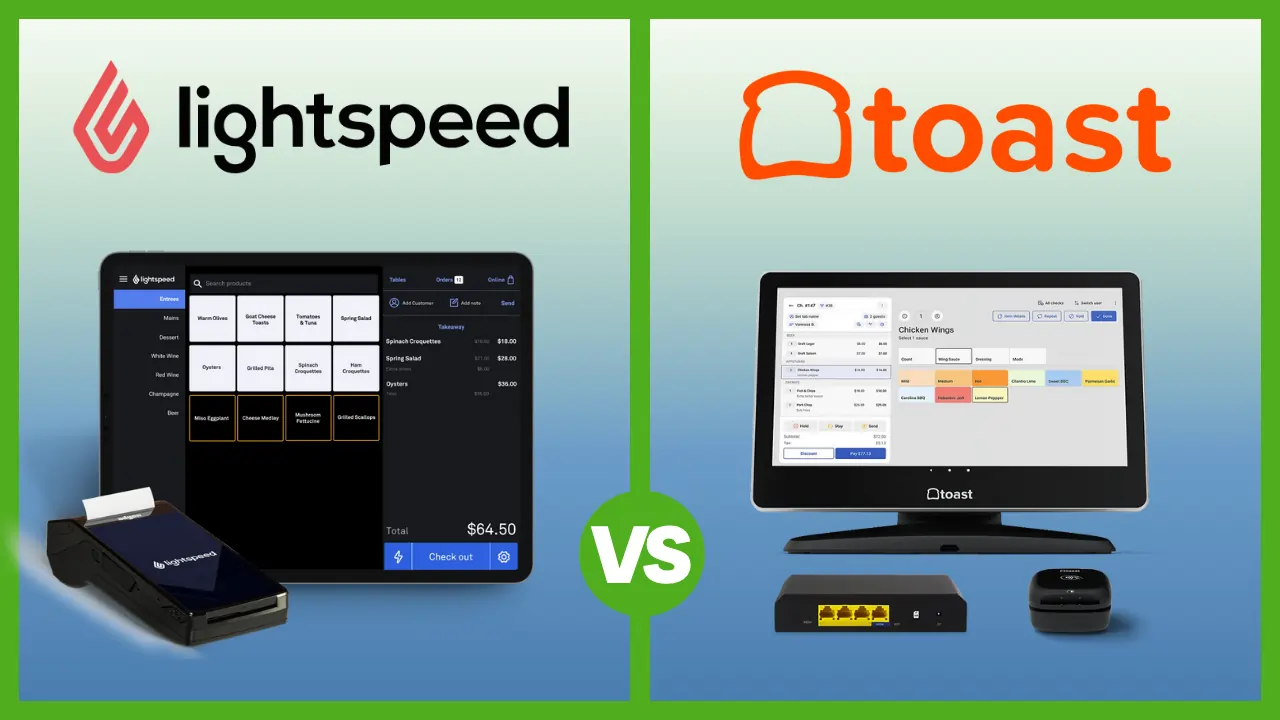
- Lightspeed Retail – Strong inventory tools, but plans start at $89/month before processing fees. That pricing makes sense when you’re managing 1,000+ SKUs across multiple suppliers. For a 2-person shop with 200 products, you’re paying for complexity you don’t need. Square Plus at $49/month covers enough inventory management for most micro stores.
- Toast – Built for restaurants. Toast is testing retail features in beta, but it’s not designed for a gift shop, boutique, or market stall. If you run a bakery with a retail counter, EPOS Now handles that hybrid better today.
- Helcim / Zettle / SumUp – These are payment processors with basic POS features, not full retail POS systems. They work for accepting payments at a farmers market, but they lack the inventory tracking, reporting, and multi-device support that even a small permanent store needs.
Bottom Line
There’s no single best retail POS for every small business. The right choice depends on where you are right now.
Start with what fits your business today. Every platform in this guide scales as you grow. The worst decision is paying for enterprise features when you’re a 2-person team doing 30 transactions a day.
FAQ
What is the cheapest POS for a small retail store?
Square — $0/month. You only pay 2.6% + $0.15 per transaction. GoDaddy POS is the second cheapest: no required subscription, 2.5% per transaction.
Can I use my phone as a POS?
Yes. Square, Shopify, and GoDaddy all support Tap to Pay on iPhone and Android. No extra hardware needed for basic contactless payments.
Can I switch POS systems later?
Yes. All systems export product catalogs, customer data, and sales history as CSV files. Expect 1–2 days of setup. Note: Clover hardware only works with Clover — you can’t repurpose it. Square, Shopify, and GoDaddy run on standard iPads/phones.
Is Clover safe to buy?
The system itself is solid. The risk is third-party resellers who lock you into long-term contracts. Buy from Clover.com directly and read the full agreement.
Does EPOS Now require a contract?
Usually, yes, 1 to 5 years. Monthly plans may allow shorter notice, but hardware-financed packages typically lock you in. If you want no contract at all, go with Square or GoDaddy.
Do I need a POS if I only take cash?
A POS still helps with inventory tracking, sales reports, and tax records. But most U.S. consumer transactions are now card-based — adding card acceptance will likely increase your revenue.