We evaluated several top-rated web hosting companies based on 15+ key factors, such as uptime reliability, pricing, customer support, ease of setup, and included features like SSL certificates and domain registration.
Some of the best web hosting services for small businesses start as low as $1 to $2.95 per month, with many offering free domains, SSL certificates, and 24/7 support. Whether you’re a first-time site owner or upgrading from a basic plan, there’s a hosting solution to match your needs and budget.
In this guide, we compare the top website hosting providers – focusing on cost, performance, support, features, and scalability, to help you find the best platform to power your business online.
Key Points
- Performance is Money: Sites that load in under 1 second see 3x higher conversion rates than those taking 5 seconds.
- AI is Standard: 42% of providers now use AI for server management and customer support to predict issues before they cause downtime.
- Security First: With cyberattacks occurring every 11 seconds, features like free SSL and daily backups are no longer optional—they are mandatory.
- Price Awareness: Introductory rates can be 80% lower than renewal rates; always budget for the Year 2 cost jump.
What is Web Hosting Software?
Web hosting software and services provide the physical and virtual infrastructure required to make your website accessible on the internet. It stores your site’s files (images, code, text) on a server and delivers them to visitors’ browsers when they type in your domain name.
Common Use Cases:
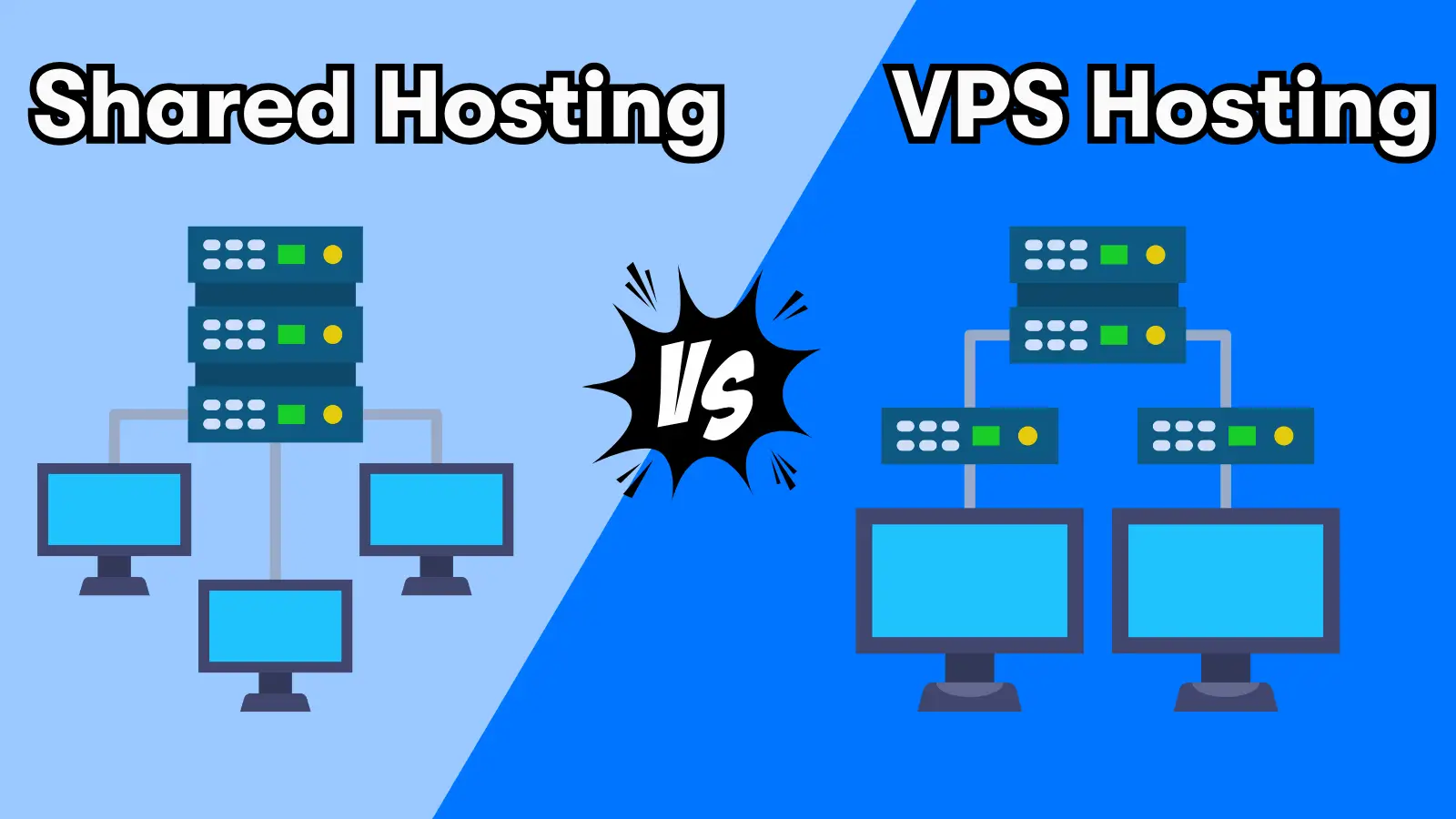
- Shared Hosting: Cost-effective for personal blogs and small business sites.
- VPS (Virtual Private Server): For growing stores needing dedicated resources and better speed.
- Dedicated Hosting: For enterprise-level traffic requiring maximum control and security.
- Managed WordPress: tailored specifically for WordPress sites with automated updates and caching.
How to Choose the Best Web Hosting Software
Choosing the right host is about balancing your current budget with your future growth. Here is what matters most for SMB owners in 2026:
- Uptime Reliability: Look for a “99.9% uptime guarantee.” For a business, downtime equals lost revenue.
- Speed (TTFB): “Time to First Byte” measures how fast the server responds. Faster servers improve Google rankings and user experience.
- Scalability: Can you upgrade from a shared plan to a VPS with one click when your traffic spikes?
- Support Quality: Test their live chat before buying. You want 24/7 support that can actually fix technical issues, not just send links.
- Security Features: Ensure your plan includes a free SSL certificate, firewall, and automated daily backups.
Expert Note: “The best software is the one that fits your workflow.” Don’t overpay for a dedicated server if a solid cloud plan fits your traffic needs.
Key Features or Capabilities to Expect
The “standard” hosting package has evolved. Features that were once premium add-ons are now baseline requirements for any serious business website. Here is what you should look for and why it matters to your bottom line.
- NVMe SSD Storage:
- What it is: Non-Volatile Memory Express (NVMe) drives are the modern successor to standard SSDs. They connect directly to the server’s motherboard to transfer data up to 6x faster.
- Why you need it: Speed equals revenue. NVMe drives significantly reduce “Time to First Byte” (TTFB), which helps your site rank higher on Google and keeps mobile visitors from bouncing.
- Free Domain Name:
- What it is: Most providers waive the registration fee for your first year (e.g., yourbusiness.com), saving you roughly $15–$20 upfront.
- Why you need it: It lowers your initial startup costs. However, check if “Domain Privacy” (which keeps your name and address off public lists) is also included, as this is often a hidden upcharge.
- Free SSL Certificates:
- What it is: A digital certificate that encrypts the data between your website and your visitor’s browser, turning your URL from http to https.
- Why you need it: It is non-negotiable for security and SEO. Google penalizes sites without it, and browsers mark them as “Not Secure,” scaring away customers. Top hosts now auto-renew these for free via Let’s Encrypt.
- Staging Environment:
- What it is: A “sandbox” or clone of your live website where you can test changes safely.
- Why you need it: It is your digital dress rehearsal. You can test new plugins, design updates, or code changes without risking downtime or breaking your actual site. Once the test version works, you “push to live” with one click.
- Unmetered Bandwidth:
- What it is: Hosting plans that do not put a hard cap on the amount of data transferred (traffic) to your site each month.
- Why you need it: It prevents your site from being taken offline during a viral marketing campaign or busy season. Note: “Unmetered” is not “Unlimited”—you are still bound by “fair use” policies that prevent you from using excessive server resources.
- One-Click Installs:
- What it is: An automated script library (often Softaculous) that installs complex software like WordPress, Joomla, or Drupal in seconds without you touching a single line of code.
- Why you need it: It removes the technical barrier to entry. You don’t need to know how to create a database or configure PHP files; the system handles the backend setup so you can start designing immediately.
- Automated Daily Backups:
- What it is: The host automatically takes a snapshot of your entire website (files + database) every 24 hours.
- Why you need it: Weekly backups are no longer enough for active businesses. If your site gets hacked or an update breaks your store on a Tuesday, a weekly backup from last Sunday means losing days of sales data. Look for “One-Click Restore” to fix issues instantly.
- Content Delivery Network (CDN):
- What it is: A network of servers distributed globally that stores copies of your site’s images and static files.
- Why you need it: It ensures a visitor in London sees your site just as fast as a visitor in New York by loading data from the server closest to them. This is critical for passing Google’s “Core Web Vitals” speed tests.
Cost Breakdown: What Are You Really Paying?
Pricing in web hosting is often confusing due to “introductory offers.” Here is the reality for 2026:
- Shared Hosting: $2–$5/mo initially, renewing at $10–$15/mo.
- VPS Hosting: $20–$50/mo for dedicated resources.
- Domain Name: Free for Year 1, then $15–$20/year.
- SSL: Should be Free (beware providers charging for this).
- Email: Often free, but specialized Google Workspace/Office 365 add-ons cost $6/mo/user.
Pro Tip: Buying a 3-year term upfront locks in the low introductory rate for longer, saving you hundreds of dollars compared to renewing annually.
Hosting Trends or Emerging Features (2026 Insight)
- AI-Driven Defense: Hosting providers are deploying AI to detect traffic anomalies and block bot attacks in real-time, long before a human engineer could react.
- Green Hosting: Expect to see more “carbon-negative” badges. Providers like DreamHost and Google Cloud (SiteGround) are prioritizing renewable energy data centers to attract eco-conscious brands.
- Decentralized Hosting: A shift toward edge computing and decentralized nodes means your website data is stored in multiple locations, reducing the risk of a single server failure taking you offline.
Real-World Examples
1. The E-commerce Expansion (Bluehost)
Scenario: Midfield Lavender Farm, a family business in Tennessee, needed to scale from local farmers markets to a nationwide online store. They switched to Bluehost’s Managed WordPress solution to launch their digital shop. The result? They successfully expanded their customer base across the U.S., securing wholesale contracts and handling traffic spikes from seasonal sales without requiring a dedicated IT team.
The Technical “Why”:
-
WonderSuite & AI Onboarding:
- The Problem: The owners were farmers, not web developers, and needed to launch a complex WooCommerce store quickly.
- The Solution: Bluehost’s WonderSuite uses AI to automate the initial WordPress configuration. It set up the correct plugin architecture (WooCommerce + Payment Gateways) and generated industry-specific page structures, cutting development time from weeks to days.
-
Server-Side Performance (NVMe + Caching):
- The Mechanism: Bluehost’s Managed WordPress plans utilize NVMe SSD storage, which retrieves database information (like product inventory and pricing) up to 6x faster than traditional SATA SSDs.
- The Impact: Combined with server-level caching, this ensures that the database-heavy checkout process remains instant (approx. 0.44s load times), preventing cart abandonment during high-traffic harvest seasons.
-
Scalable “Double” Processing Power:
-
The Upgrade: Unlike standard shared hosting, Bluehost’s specialized business plans allocate double the processing power (CPU resources) to the account. This prevents the “noisy neighbor” effect, ensuring the site stays stable even if other sites on the same server network experience heavy loads.
2. The Rapid Launch (Hostinger)
Scenario: Generating a full, SEO-optimized portfolio in 30 minutes for the price of a coffee using Hostinger’s AI Builder.
The Technical “Why”: This is the result of Abstraction of Complexity and Generative AI Integration.
Web Hosting FAQ
- What is web hosting?
Web hosting is a service that stores your website files on a server and allows you to publish your content online. It provides the necessary infrastructure for your website to be accessible on the internet.
- What are the different types of web hosting?
The main types of web hosting are shared hosting, VPS (virtual private server) hosting, dedicated hosting, cloud hosting, and WordPress hosting. Each type varies in terms of resources, performance, and cost.
- What is shared hosting?
Shared hosting is an entry-level hosting plan where multiple websites share the same server resources. It is cost-effective but can be impacted by other websites on the same server.
- What is VPS hosting?
VPS hosting provides a virtual partition on a server, giving you dedicated resources while sharing the physical server with other VPS users. It offers more control and stability than shared hosting.
- What is dedicated hosting?
Dedicated hosting allocates an entire server to your website, offering maximum performance, control, and security. It is suitable for large websites with high traffic.
- What is cloud hosting?
Cloud hosting utilizes multiple servers to host a single website, allowing for scalable resource usage and improved reliability. It can adjust resources up or down based on demand.
- What is WordPress hosting?
WordPress hosting is optimized specifically for WordPress websites. It can be shared or managed, providing enhanced performance and compatibility with WordPress.
- What factors should I consider when choosing a web hosting plan?
Key factors to consider include uptime guarantee, customer support, bandwidth, storage, scalability, security features, and whether the host offers a money-back guarantee.
- Why is uptime important for web hosting?
Uptime refers to the percentage of time your website is accessible online. A higher uptime guarantee ensures that your website remains available to visitors with minimal downtime.
- Do I need an SSL certificate for my website?
Yes, an SSL certificate encrypts data between your website and its visitors, providing security and trust. Many web hosts offer free SSL certificates with their hosting plans.