







Best AI Tools for SMBs in 2026 – Expert Comparison
AI tools are advanced software applications that use artificial intelligence to perform tasks typically requiring human intelligence. These tools can save time and reduce costs by automating mundane activities, analyzing vast amounts of data for insights, improving customer interactions with chatbots, and optimizing business processes. By leveraging AI, you can increase efficiency, drive innovation, and gain a competitive edge in your industry, ultimately leading to better business outcomes. Let’s discuss and compare some of those tools.
Over the past two years, I’ve watched AI evolve from a buzzword into an essential part of my daily work. As someone running content, marketing, and product growth for a fast-moving B2B platform, I’ve tested dozens of AI tools to streamline my workflow, scale production, and compete with bigger players. What started as a few experiments quickly became an AI-powered operating system for my entire business.
Below is a deep dive into the AI tools I rely on today, how they work, how they help me specifically as an SMB operator, and why I chose each one over the alternatives. Whether it’s generating videos, creating blog content, running ads, or the new wave of “vibe coding” apps, these tools have become extensions of my team.
Key Points
- The “Vibe Coding” Shift: In 2025, the biggest trend is building software just by describing it. Tools like Base44 and Lovable let non-coders build real, secure apps in minutes.
- Video is Scalable: You no longer need a camera crew. Synthesia and HeyGen now offer studio-quality avatars that can replace expensive production days.
- Consolidation: The best ai marketing tools (like HubSpot and ChatGPT Team) are combining features. Many of the best ai marketing tools now offer generous free plans and free credits, making it easy for users to get started and try out advanced features before committing. Don’t pay for 10 separate subscriptions when one platform can handle SEO, writing, and data analysis.
- Security Matters: We’ve highlighted tools like Drata and ChatGPT Team that explicitly protect your business data from being used to train public models.
What AI means for small and medium-sized businesses
AI for SMBs (Small and Medium-sized Businesses) is all about using smart tools to help you run your business more efficiently, even if you don’t have a big team or a massive budget. Think of it as having a digital assistant that can write content, answer emails, help with customer support, create videos, or even build parts of your website or app.
In the past, only big companies could afford this kind of technology. Now, with AI becoming more accessible, small businesses like mine can automate tasks and streamline business operations by integrating these tools into daily workflows. This means we can automate the repetitive stuff, make smarter decisions faster, and focus on what actually moves the business forward. It’s not about replacing people—it’s about helping us do more with the time and resources we already have.
How we chose these tools
At Sonary.com, we don’t just list software—we evaluate it from every angle. Our selection process for AI tools is grounded in real-world use and what actually works for small and mid-sized businesses. As part of our evaluation, we review a wide range of AI software and consider how each tool integrates into your overall tech stack to ensure seamless workflows and maximum productivity.
Here’s how we decide what makes the cut:
- Hands-on Testing: We personally explore each tool’s features, interface, and performance to see how it holds up in day-to-day use.
- Feedback from SMB Users: We analyze verified reviews and testimonials from real business owners and teams who use these tools regularly.
- Expert Input: We consult industry professionals and AI specialists to understand which platforms deliver long-term value and reliability.
- Value vs. Cost: We weigh pricing tiers against the features offered, ensuring that every tool provides strong ROI—especially for lean teams with tight budgets.
Top AI Tools of 2026
| AI Tool | Best For | Key Features | Starting Price |
| ChatGPT | Content creation, customer support | AI chatbot, content generation, API access, web based tool | Free / $20/mo |
| Grammarly | Writing & editing | Grammar check, AI writing suggestions, tone rewrites, web based tool | Free / $12/mo |
| Jasper | SEO, Marketing & copywriting | Long-form content, AI SEO, brand tone training, web based tool | From $39/mo |
| Notion AI | Productivity & documentation | Note summaries, task generation, Q&A | Add-on: $10/user/mo |
| Copy.ai | Marketing automation | Email sequences, blog writing, AI workflows | Free / $49/mo |
| Zapier AI | Automation & workflows | AI-powered automation builder with 6000+ integrations | Free / $19.99/mo |
| Surfer SEO | SEO optimization | AI content editor, keyword suggestions, NLP analysis | From $89/mo |
| Pictory | Video content | AI video creation from text, automatic subtitles | From $19/mo |
| Base44 |
App Building | Prompt-to-App, Internal Tools | Free / $16/mo (Annual) |
| Lovable | App Building | React Web Apps, SaaS UI | Free / $25/mo |
Vibe Coding & AI App Builders
The biggest shift this year is “Vibe Coding”, using natural language to build fully functional apps, not just code snippets. Some of these platforms now include an AI agent that can automate workflows or even write code based on user prompts.
1. Base44: The All-in-One “Prompt-to-App” Builder
Category: Vibe Coding / Internal Tools
Base44
Launch fully-functional apps instantly
Starting from:
$0 /mo
 Automatically sets up the backend for you
Build with words. No coding needed
Automatically sets up the backend for you
Build with words. No coding needed What it is & how it works:
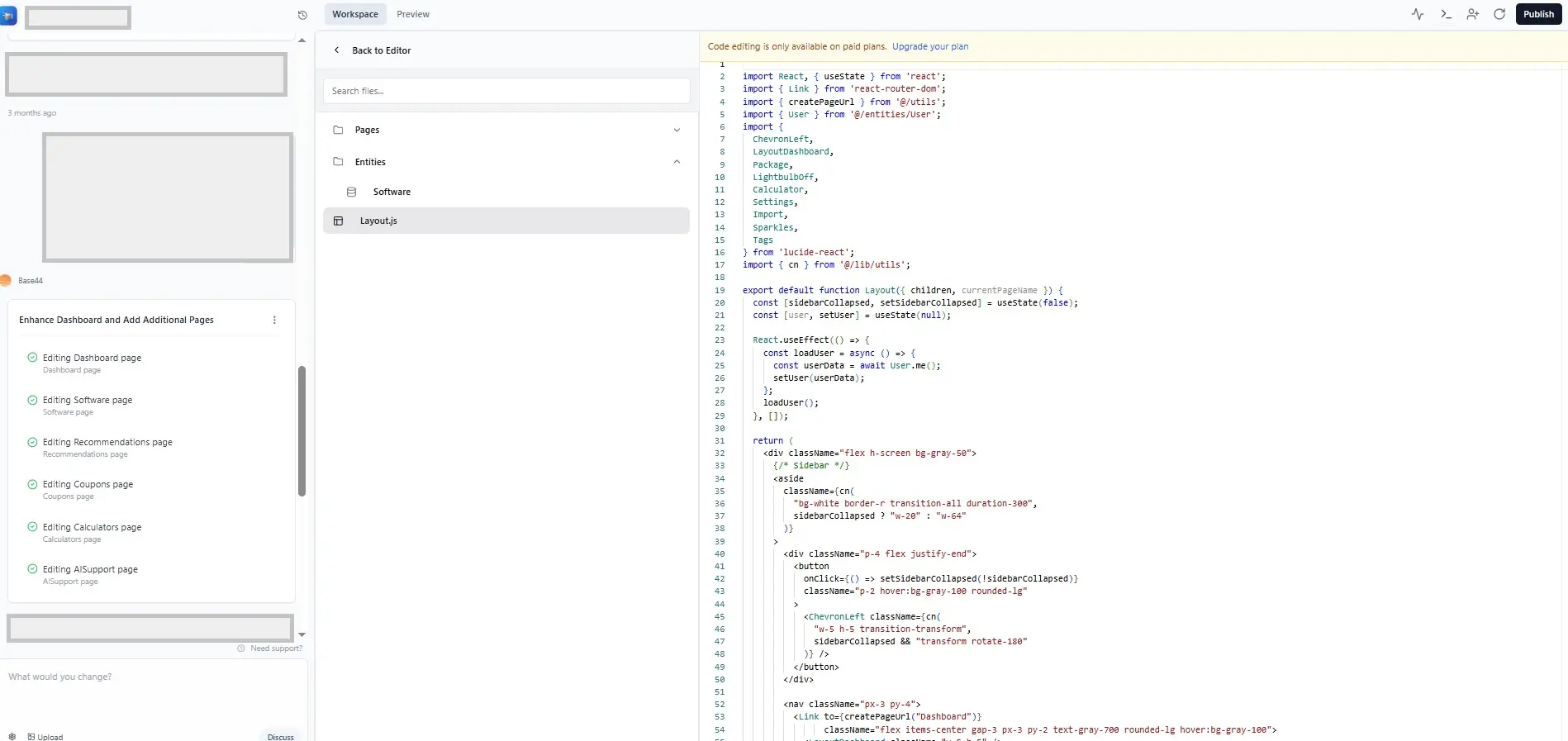
Base44 is one of the most innovative tools I’ve come across lately. It goes beyond just writing code—it spins up the entire backend, database, and user interface instantly. I describe a “Vendor Management Portal,” and it builds the tables, the forms, and the login flow in seconds. It allows me to edit the “vibe” and logic visually without touching syntax. Base44 can also generate JavaScript files and automatically build web pages directly from prompts, streamlining the process of creating digital content.
Benefits for SMBs:
For teams that want to ship faster but don’t have deep dev resources, Base44 gives you a no-fluff launchpad. I used it to spin up internal tools and early-stage SaaS features without writing everything manually. It removes the scariest part of development: the database.
Key capabilities & features:
- Prompt-to-App: Generates UI, API logic, and database structure simultaneously.
- Visual Workflow Editor: See and edit the logic behind the AI’s decisions.
- No Setup Required: Database and hosting are built-in; no need for AWS/Heroku.
2. Lovable: The “AI Full Stack Engineer”
Category: Web App Builder
Lovable
Create apps & websites by chatting with AI
Starting from:
$0 /mo
Clickable mockups in seconds—no coding
Collaborate seamlessly & iterate What it is & how it works:
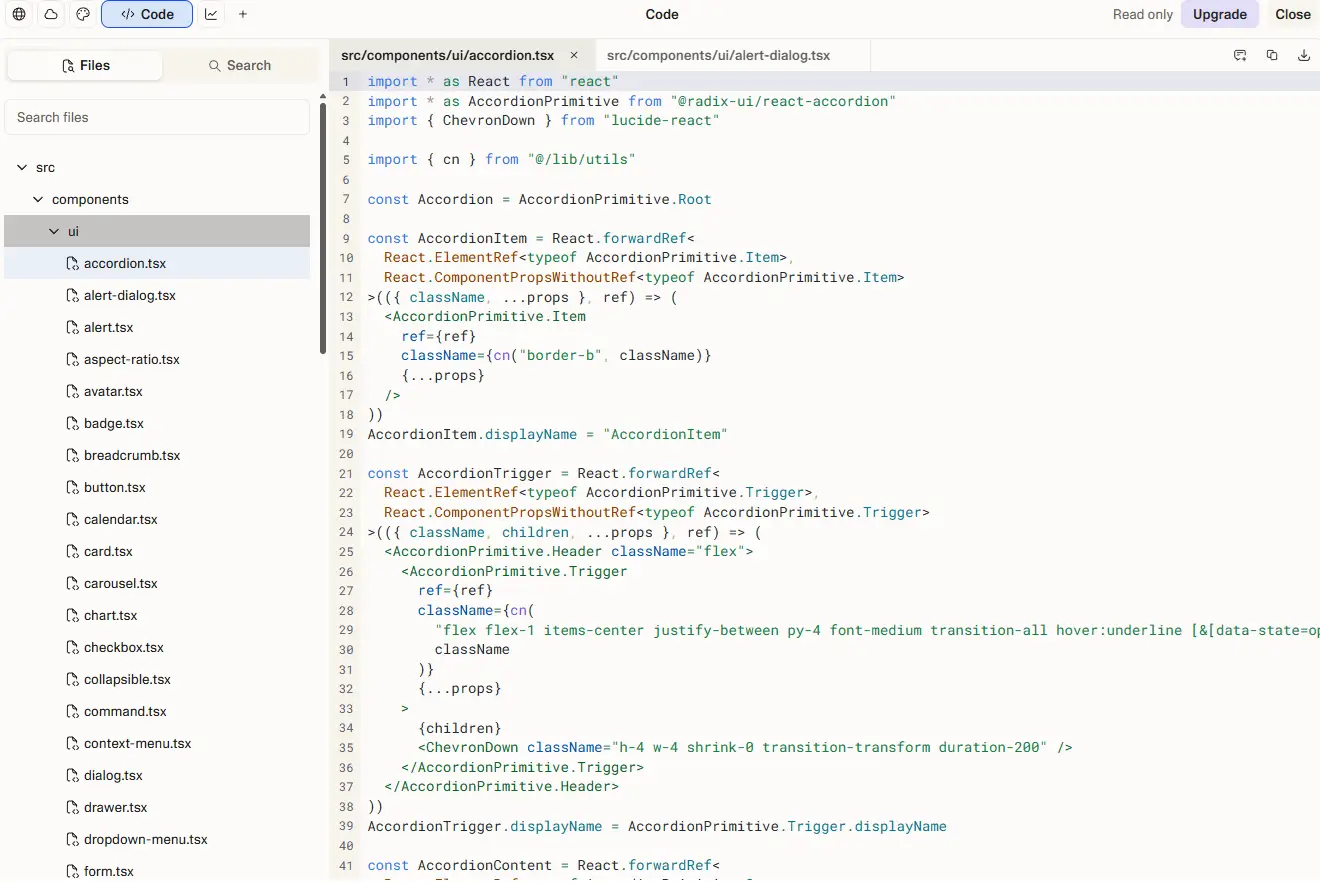
Lovable (Lovable.dev) positions itself as an AI engineer that works alongside you. It is fantastic for building beautiful, consumer-facing web apps. I use it when the design needs to be pixel-perfect. It generates high-quality React code and integrates with Supabase for the backend, meaning the code it writes is standard and exportable.
Benefits for SMBs:
This is my go-to for validating new product ideas before investing real dev time. In 10 minutes, I can turn an idea into something visual and testable—way faster than Figma + dev handoff.
Key capabilities & features:
- Figma-Quality UI: Generates stunning, modern interfaces by default.
- GitHub Sync: Exports clean code that developers can actually use.
- Supabase Integration: Real backend power for managing users and data.
- AI Integration: Seamlessly connects with other productivity platforms, automating tasks and enhancing workflow by leveraging AI capabilities.
3. Hostinger Horizons: Instant AI Websites
Category: Website Builder
Hostinger Horizons
Launch your idea today
Starting from:
$6.99 /mo
Deploy in 1 click, no coding, no delays
Publish your project under a custom domain What it is & how it works:
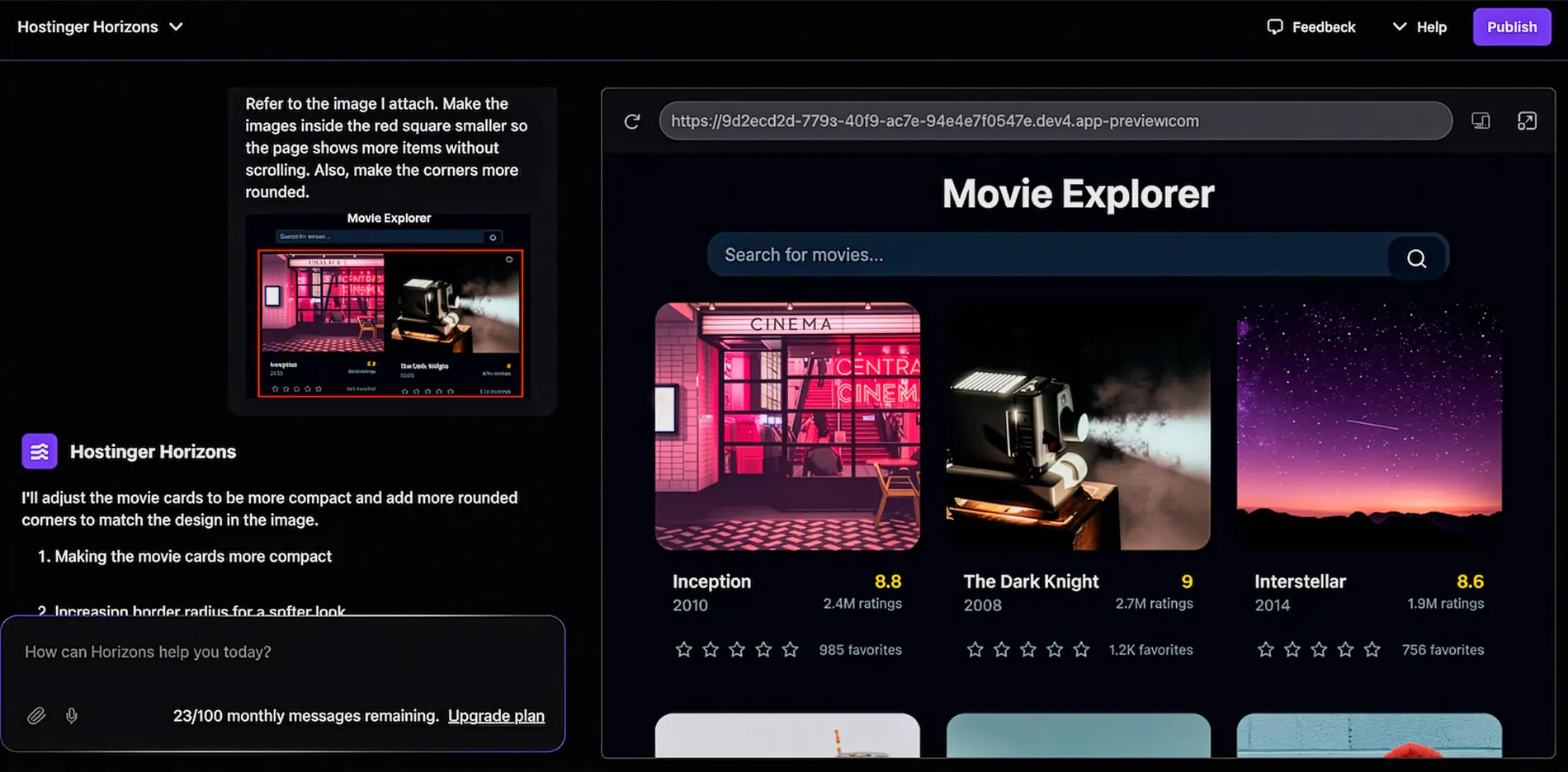
Hostinger Horizons is less about complex logic and more about getting a business online instantly. I enter a business name and type, and it generates a fully hosted, SEO-optimized website with images and copy in minutes.
Benefits for SMBs:
Perfect for when I need a brochure site or a simple landing page for a new project immediately. It handles the hosting, domain, and design in one affordable subscription.
Key capabilities & features:
- All-in-One: Hosting and domain included.
- AI Heatmaps: Predicts where users will look on your site.
- eCommerce Ready: Can generate simple store functionality.
- Search Engine Optimization: Built-in features to enhance website visibility and support your SEO efforts, including optimized visual content like blog thumbnails.
4. Bubble: Scalable Logic for Power Users
Category: No-Code Platform
Bubble
AI-powered platform to build launch & grow
Starting from:
$0 /mo
Generate, deploy & scale with ease
Automate actions in just a few clicks What it is & how it works:
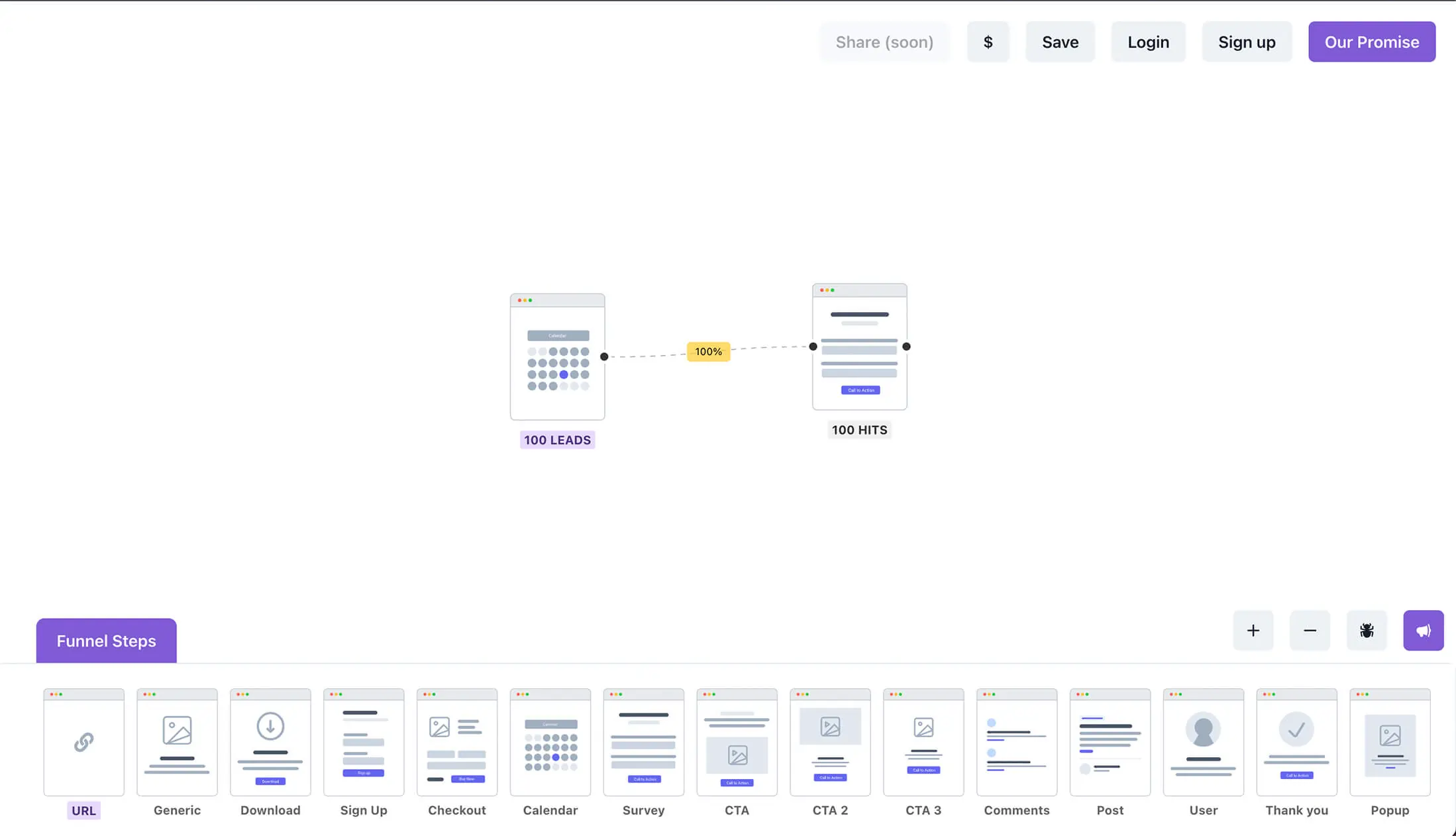
Bubble is the heavyweight champion. While it has a steeper learning curve, its new AI features help generating page layouts. Unlike the others, Bubble offers granular control over every single pixel and “if/then” logic workflow, making it suitable for enterprise-grade apps.
Benefits for SMBs:
I use Bubble when the app needs to be “real”—handling complex data relationships and scaling to thousands of users. It’s the platform you graduate to when you’re building a serious SaaS business.
Key capabilities & features:
- Deep Logic Engine: Handles complex workflows other builders can’t.
- Machine Learning Automation: Leverages machine learning to automate complex workflows, such as AI-powered image background removal and predictive content generation.
- Workload Units (WU): Flexible pricing based on app activity.
- Enterprise Security: SOC 2 compliant features available.
Video generation tools
1. Synthesia: Talking-head videos without the studio
Category: Video generator
Synthesia
AI technology for studio quality videos
Starting from:
$0 /mo
For teams who create videos at scale
Generates your script from a link or doc What it is & how it works:
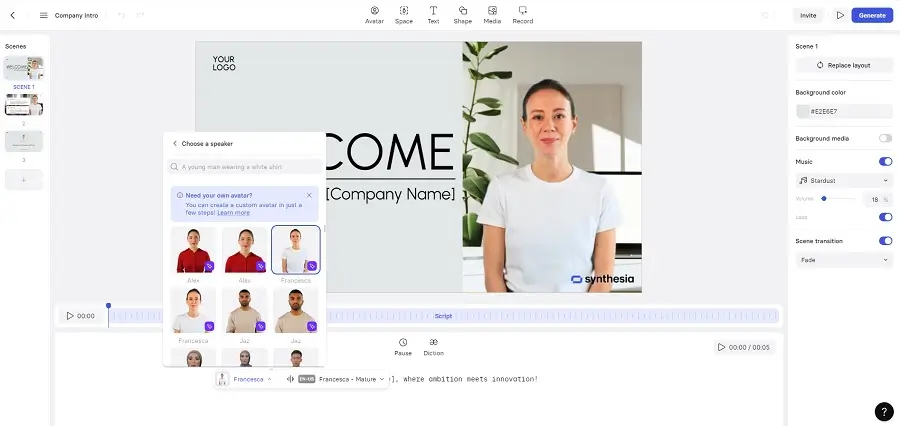
I use Synthesia when I need a talking-head video but don’t want to book a camera crew or appear on camera myself. The tool allows me to type up a script and turn it into a video with a digital avatar in minutes. I usually pick one of their realistic avatars that match my audience. It also supports multiple languages and subtitles, so I’ve used it for localized video versions too.
Benefits for SMBs:
As part of a lean team, Synthesia helps me quickly produce explainer videos, landing page demos, and training content. There’s no need for actors or video editors—just script, click, and publish.
Key capabilities & features:
- Text-to-video from a simple script
- 125+ avatars, 60+ languages
- Built-in templates and layouts
- Turn a doc or link into a video script instantly.
- Now included in the Starter plan.
2. HeyGen: Custom avatar videos with my own face
Category: Video generator / personalized avatars
What it is & how it works:
HeyGen is an AI-powered video generator that allows users to create personalized avatar videos with ease. Its intuitive interface and wide range of customization options make it suitable for businesses looking to produce professional-looking content without hiring actors or video editors.
Benefits for SMBs:
HeyGen streamlines the video creation process, saving time and reducing costs for small and medium-sized businesses. It is especially useful for producing explainer videos, onboarding materials, and marketing content. Additionally, HeyGen enables SMBs to quickly generate short form videos optimized for platforms like TikTok and Instagram Reels, making it easier to create engaging, viral-ready content for social media marketing.
Key capabilities & features:
- Personalized avatars from headshot
- 175+ voice/language options
- Custom branding + music overlays
- Free plan with 3 mins/month
- Lip-sync your video into other languages automatically.
- Real-time conversational avatars for support.
- Best AI Tools For Content Creation
3. Pika Labs: Cinematic scenes with AI-controlled visuals
Category: Video generator / creative storytelling
What it is & how it works:
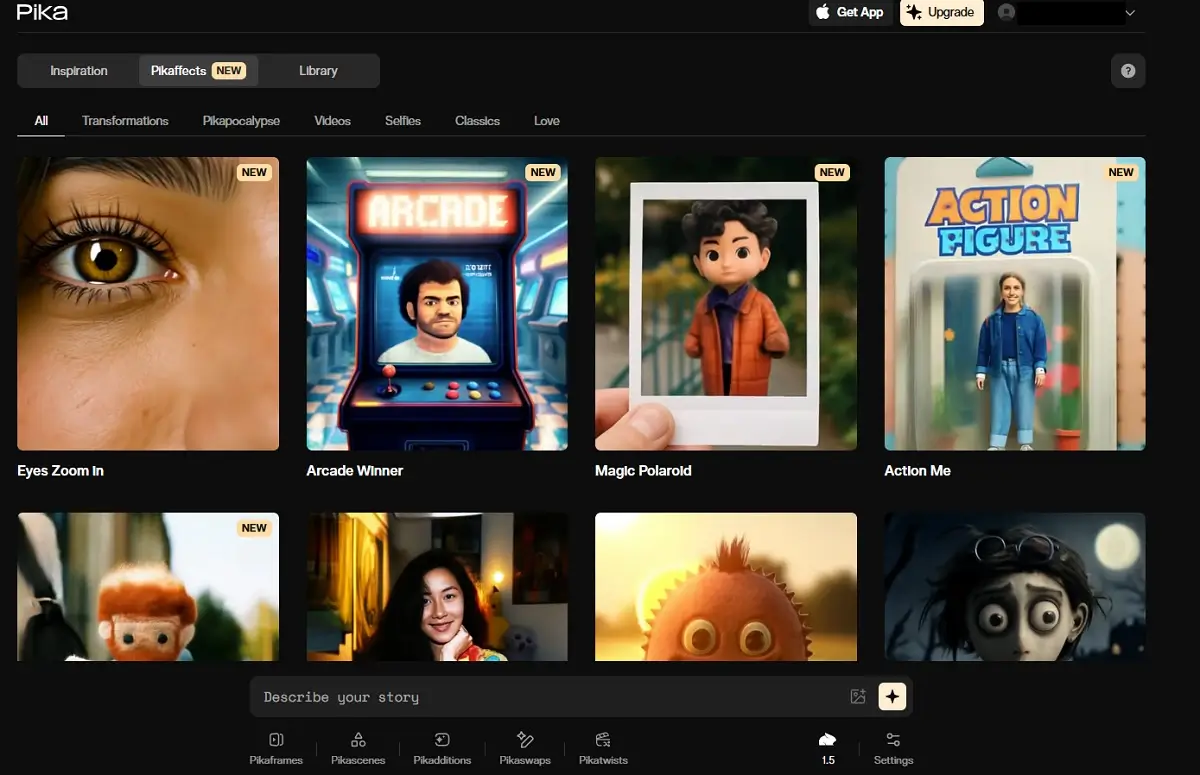
Pika is a fun, creative tool for brand storytelling. I upload photos or logos and describe a scene, and it generates short, cinematic clips that feel like movie trailers. The “Scene Ingredients” feature is wild—I can insert our team or products into dreamlike scenarios.
Benefits for SMBs:
Pika Labs offers small and medium-sized businesses an accessible platform for creating engaging video content. Its intuitive interface and AI-driven features streamline the production process, saving time and resources. Additionally, Pika Labs helps generate fresh ideas for brand storytelling and marketing campaigns, making it easier for SMBs to produce unique and compelling content that stands out in a crowded market.
Key capabilities & features:
- Image + prompt-to-video workflows
- Scene customization
- Fast generation (under a minute)
- Free to use (currently in research preview)
- Do I Need AI Tools?
4. Runway Gen-3 Alpha: B-roll and background videos on demand
Category: Video generation & editor

Runway
Highly realistic videos from text or image
Starting from:
$0 /mo
AI-powered object removal and slow motion
Motion brush and advanced camera controls What it is & how it works:
Runway is perfect for b-rolls or background scenes in my videos. I upload a reference photo or write a short description, and it gives me stylized video clips. Plus, it has a full built-in video editor, so I can polish clips without jumping to another tool.
Benefits for SMBs:
This tool helps me produce professional-looking videos from scratch, even if I don’t have footage. I often generate transitions, intros, or background scenes this way. It’s a huge time saver during campaign crunches.
Key capabilities & features:
- Text/image to video generation
- Real-time video editing and enhancement
- Timeline editor with effects
- Green screen, motion tracking
- High-fidelity, photorealistic video generation.
- Control exactly which parts of an image move.
- Free plan available
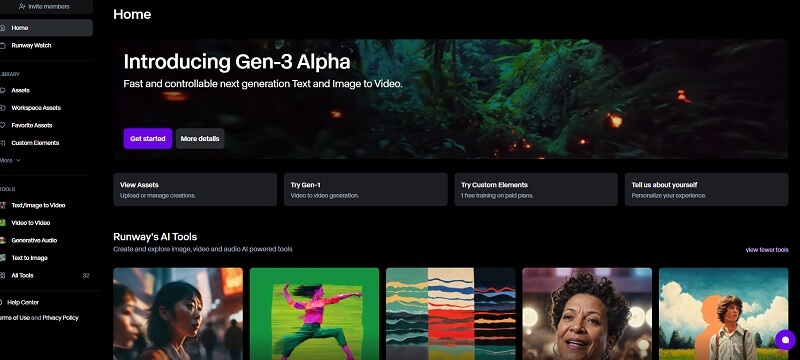
Image generation tools
1. Midjourney: Standout visuals with a unique artistic edge
Category: Image generator

Midjourney
For designers, marketers & creators
Starting from:
$10 /mo
Tons of features and customization tools
4 high-quality images with each prompt What it is & how it works:
Midjourney is a generative AI tool designed to produce original artwork and unique artistic visuals. I use Midjourney when I want something that looks stunning, artistic, and original. It runs entirely through Discord, and while the interface took a minute to get used to, it now feels second nature. I type a prompt like “futuristic city skyline, golden hour, cinematic” and in less than a minute, I get four options.
Benefits for SMBs:
This is my secret weapon for brand mood boards, ad concepts, blog headers, and even product mockups. The results are far more visually interesting than stock photos, which helps us stand out—especially on social media.
Key capabilities & features:
- High-quality artistic output from text prompts
- Now available (moving away from Discord-only) for easier use.
- Iteration and upscaling tools
- Expand images beyond their original borders.
- Stylization and aspect ratio controls

2. Adobe Firefly + Express: Design-grade visuals fast
Category: Image generation + design toolkit

Adobe Firefly AI Image Generator
Extensive text-to-image generative tool
Starting from:
$0 /mo
Web-based and user-friendly AI tool
Broad settings to tailor generated images What it is & how it works:
Adobe Firefly + Express makes it easy for SMBs to create high-quality visuals quickly. One key benefit is that it helps ensure all generated images and designs adhere to your brand guidelines, maintaining consistent and on-brand visuals across all content. This consistency reinforces your brand identity and prevents off-brand outputs. Firefly gives me AI-generated images that plug directly into Adobe Express, which I use to build social graphics and email banners. I can type “clean 3D icon of a laptop with floating charts,” which outputs a polished, commercial-use-ready image. I then tweak it with Express’s templates.
Benefits for SMBs:
It’s perfect when I want on-brand, copyright-safe visuals that are also sized right. Firefly integrates into our workflow since we’re already in the Adobe ecosystem. Express speeds up everything from Instagram posts to infographics.
Key Capabilities & Features:
- Text-to-image generation with Firefly
- Design templates and resize tools in Express
- Commercial-use license included
- Bundled in Adobe plans (or Firefly web version)

3. DALL·E 3 via ChatGPT: Fast, flexible illustrations for content
Category: Image generation

DALL-E
User-friendly for professionals & novices
Starting from:
$0 /mo
Modify or expand existing images
Create different variations of images What it is & How it Works:
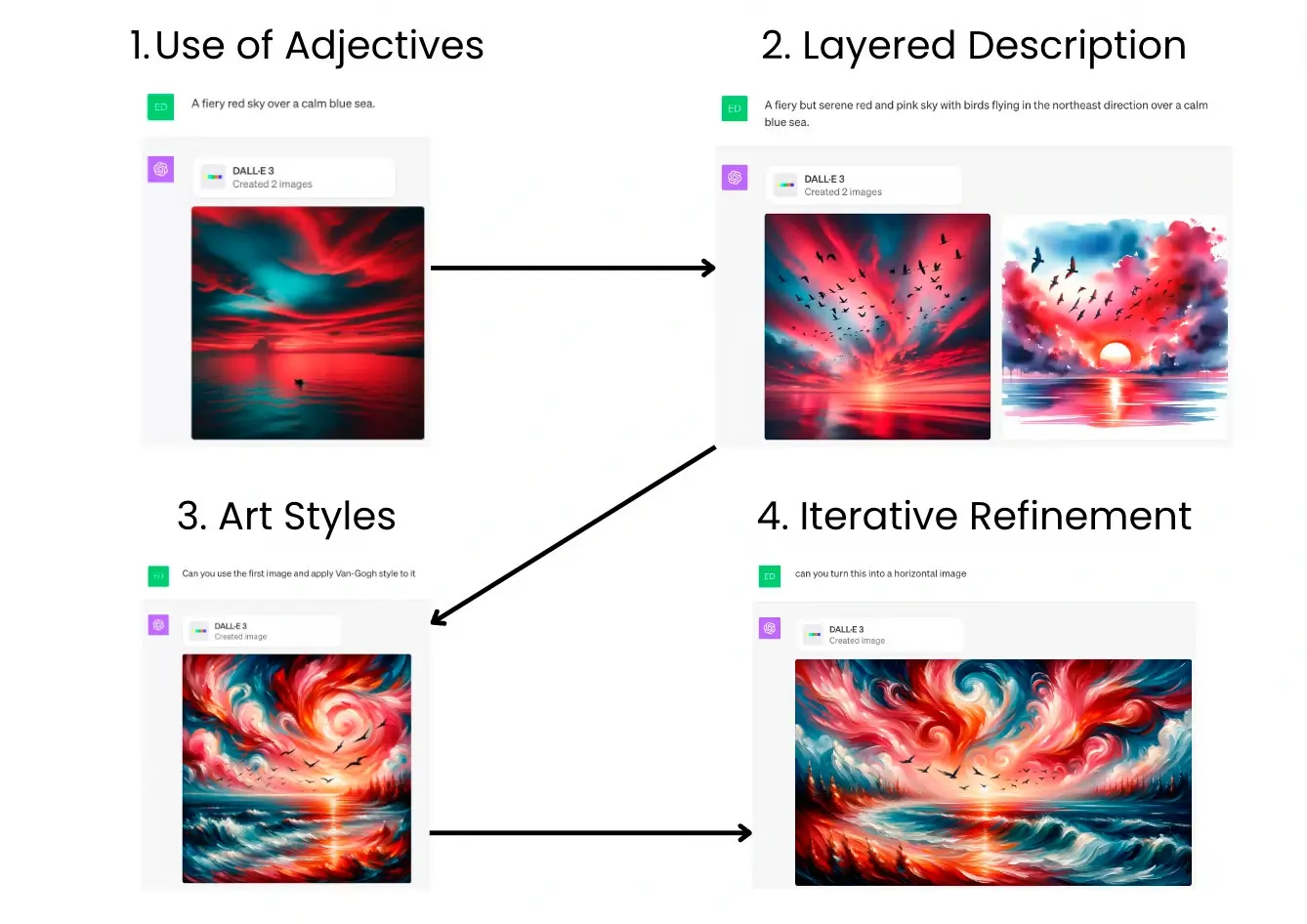
DALL·E 3 via ChatGPT is a powerful tool for small and medium-sized businesses (SMBs) looking to quickly generate high-quality images for marketing, social media, and website content. Additionally, DALL·E 3 can generate custom images that are easily used in Google Slides presentations, streamlining the process of creating visually engaging slides for meetings and pitches. DALL·E 3 is integrated into ChatGPT Plus, which I use daily. If I’m writing an article or presentation and need an illustration, like “businesswoman at a laptop with charts,” I just prompt it and get 2–4 visual options. I can even ask for variations or adjust details.
Benefits for SMBs:
Since it’s built into ChatGPT, it’s fast and always available. I don’t have to switch tools to create content visuals, which saves time and keeps the creative flow uninterrupted for blog illustrations or concept art.
Key capabilities & features:
- Seamless image generation inside ChatGPT
- Prompt-based edits and variations
- Great for editorial or conceptual visuals
- You can now tell it “Make the logo blue” without rewriting the prompt.
- Included in ChatGPT Plus ($20/month)
Content creation tools
1. Jasper: Marketing copy that converts
Category: Content writing/marketing assistant
Jasper
AI tool to boost productivity & creativity
Starting from:
$59 /mo
Built-in collaboration tools for teams
SEO capabilities for search engines What it is & how it works:
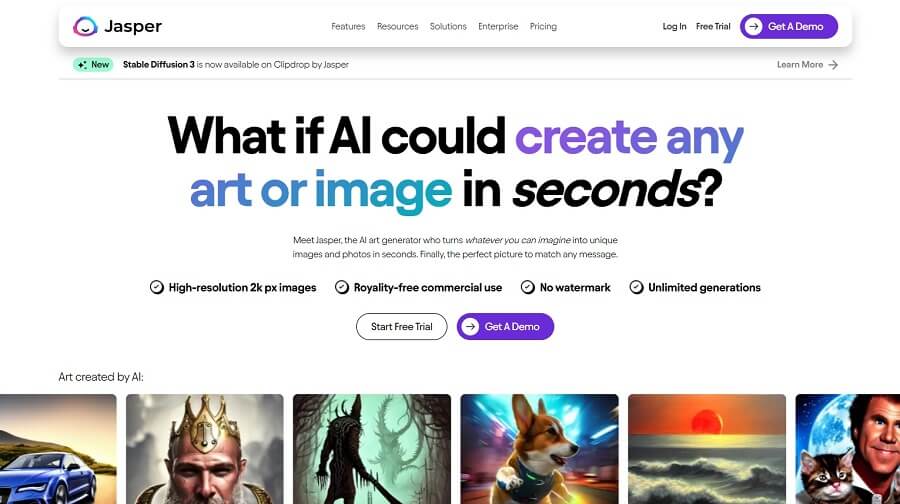
Jasper is the tool I use most when I need to write blog intros, landing pages, or product descriptions at scale. I feed it a quick brief and tone, and it produces surprisingly structured, conversion-optimized copy.
Benefits for SMBs:
Jasper helps SMBs quickly create high-quality written content for blogs, social media, and websites. In addition, Jasper can generate marketing content such as branded images, blog thumbnails, and personalized videos to boost brand engagement. It also provides AI responses for various channels, assisting with tasks like composing emails, summarizing information, and delivering conversational outputs to streamline workflows. As a solo marketer or small team, Jasper gives you pro-level writing across channels—without hiring a content agency. It also remembers brand voice if you train it with samples.
Key capabilities & features:
- 50+ copy templates (ads, landing pages, product blurbs)
- Brand Voice memory & campaigns
- Upload your style guide to keep tone consistent.
- Integrated with SurferSEO for ranking.
- Paid plans from $39/month
2. Copy.ai: Quick social & sales content
Category: Short-form writing/outreach AI

Copy.ai
Generates fresh ideas & content with ease
Starting from:
$0 /mo
Built-in analytics to measure performance
Tailor brand voice with style adjustments What it is & how it works:
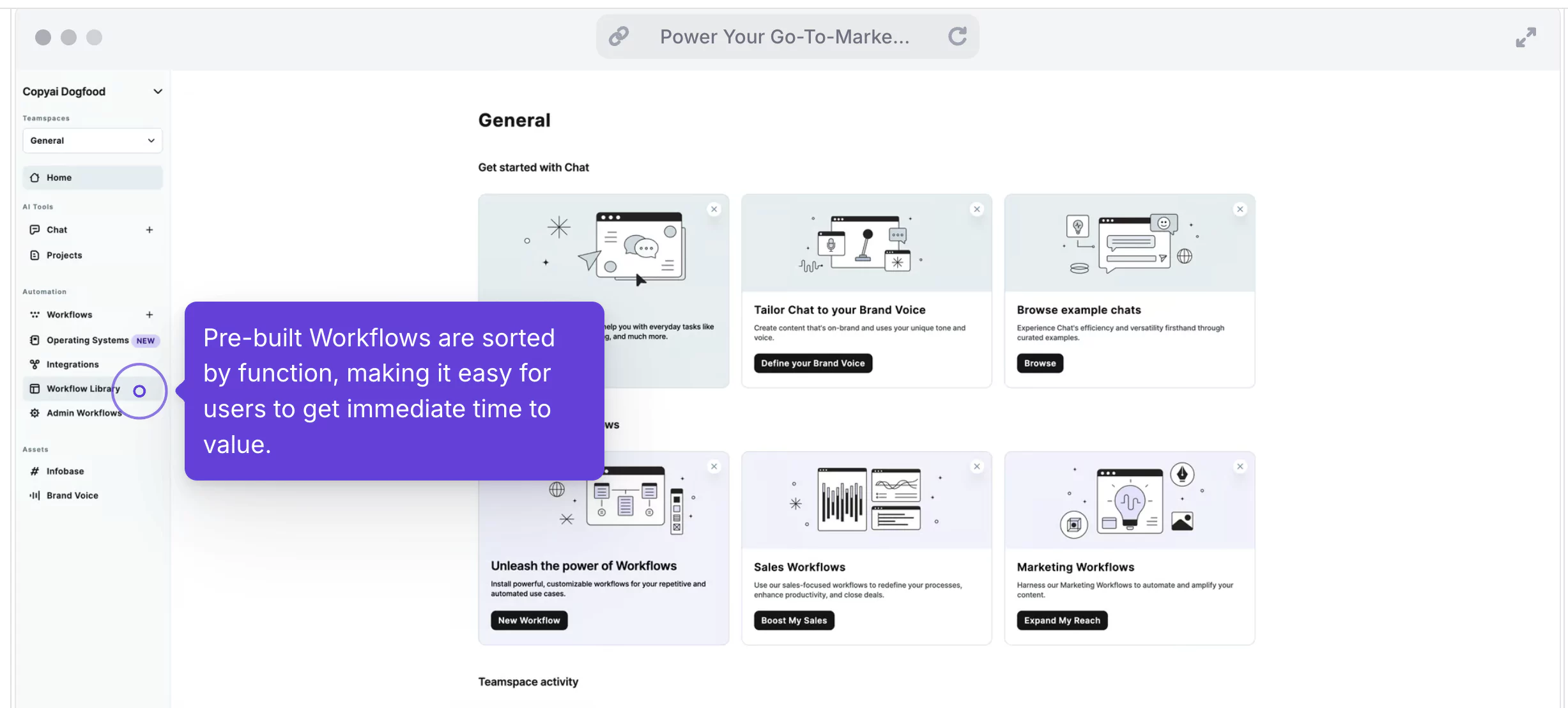
Copy.ai is a popular AI-powered writing tool designed to help businesses create high-quality content quickly. It offers a range of templates for emails, blog posts, and product descriptions. I turn to Copy.ai when I need fast social captions, cold email sequences, or value props. It’s built for quick wins and tailored outreach, which is especially helpful when I’m juggling multiple campaigns.
Benefits for SMBs:
Copy.ai streamlines content creation, saving time and resources for small and medium-sized businesses. It can efficiently generate engaging social media posts, helping brands maintain a consistent and professional presence online. The tool is user-friendly and requires no prior experience with AI or copywriting. This tool gives me high-quality snippets I can drop into ads, email platforms, or LinkedIn without overthinking the structure or flow.
Key capabilities & features:
- Email, LinkedIn, ad and product templates
- AI workflows for multi-step content
- Automate “LinkedIn Post to Newsletter” sequences.
- Free tier with limited tokens
3. Notion AI: Internal writing and knowledge management
Category: Productivity & writing assistant

Notion
Multiple views: Kanban, tables, timelines
Starting from:
$0 /mo / seat
Automate workflows with Notion AI
Unlimited storage for all users What it is & how it works:
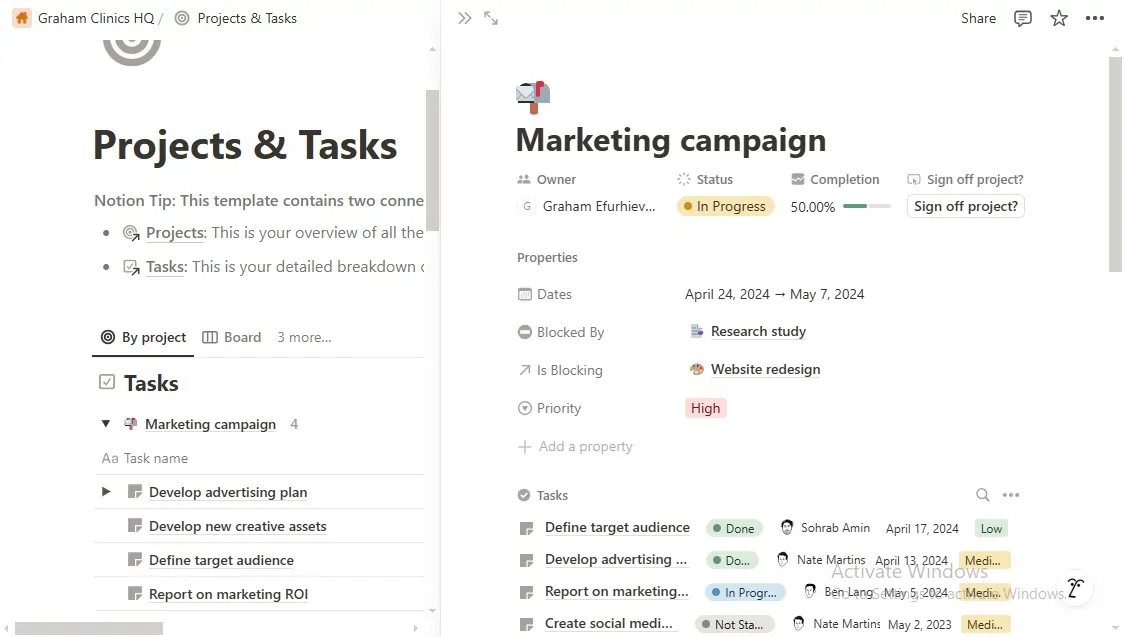
Notion AI streamlines internal documentation and knowledge management for small and medium businesses. With built-in AI assistance, teams can automate writing tasks, summarize meeting notes, and organize information more efficiently. I use Notion AI inside my workspace to summarize meeting notes, write SOPs, and reformat docs. It’s less about marketing and more about internal clarity and speed.
Benefits for SMBs:
It helps me maintain clean documentation and project notes across the team. When things move fast, this keeps our internal wiki up to date.
Key capabilities & features:
- Write, summarize, and brainstorm inside Notion
- Works with all Notion databases and wikis
- Included with Notion AI add-on
Marketing automation tools
1. HubSpot Breeze AI: Smart CRM + campaign workflows in one place
Category: CRM + marketing automation

HubSpot
Generate & convert leads with AI tools
Starting from:
$0 /mo
Unified platform for sales and marketing
Track customer interactions in real time What it is & how it works:
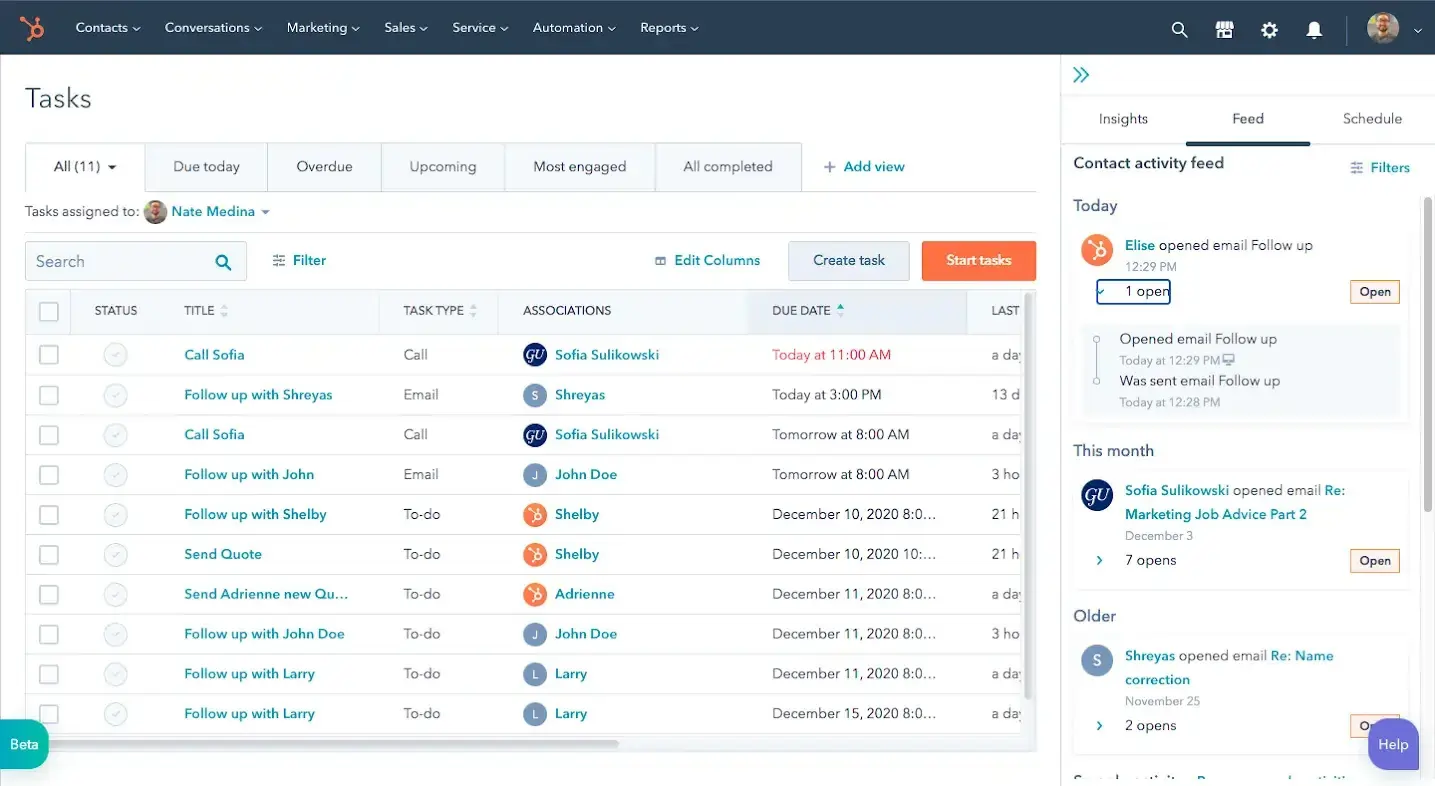
In addition to managing initial inquiries, HubSpot Breeze AI can handle follow up questions from leads and customers, ensuring extended conversations remain seamless and all relevant information is captured. I use HubSpot’s new Breeze AI agents to handle tasks like researching prospects and drafting follow-up emails automatically. The rollout of their AI tools—like subject line generation, call summaries, and workflow suggestions—now helps me work smarter at scale. The AI assistant speeds up content writing, and its predictive tools help surface high-intent leads.
Benefits for SMBs:
If you’re trying to unify sales and marketing without juggling five platforms, HubSpot is the solution. The AI layer gives my team an edge when personalizing emails, scheduling follow-ups, or building campaign logic.
Key capabilities & features:
- AI subject line & CTA generator
- Lead scoring and conversation summaries
- AI assistant throughout the platform.
- Marketing workflows, email campaigns
- Turn one blog post into emails and social posts instantly.
- Free CRM, with paid Marketing Hub from $50/month
2. Zapier Central: Automated workflows with smarter triggers
Category: Workflow automation/productivity

Zapier
Streamline processes without coding skills
Starting from:
$0 /mo
Easily integrate apps into custom chatbots
Use AI-powered 24/7 customer support What it is & how it works:
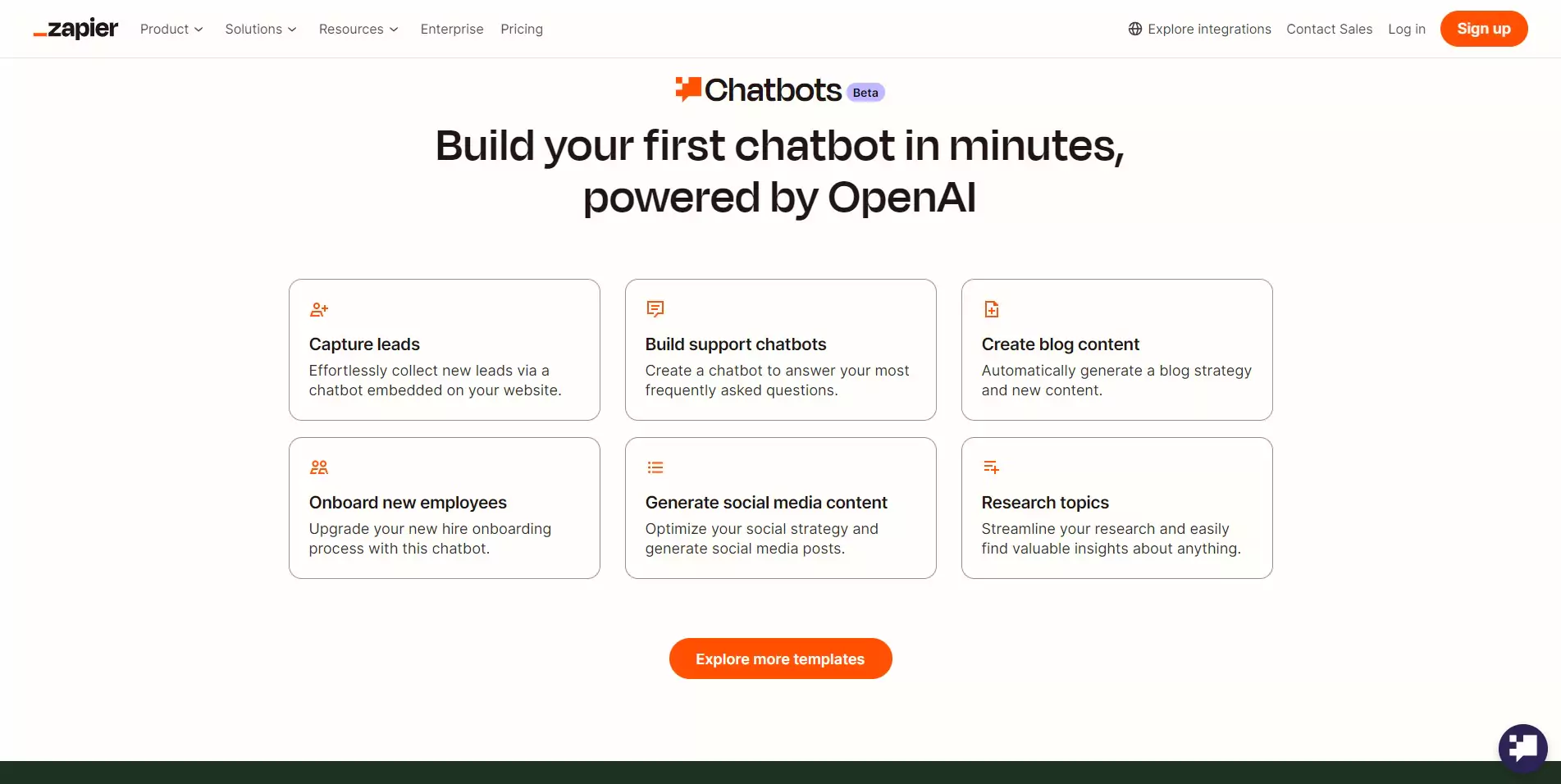
Zapier Central streamlines workflow automation, allowing small and medium businesses to connect their favorite apps and automate repetitive processes. By automating boring tasks, Zapier helps make these chores more manageable and less time-consuming, freeing up teams to focus on higher-value work. This efficiency can lead to increased productivity and reduced operational costs. Zapier AI takes the manual steps out of connecting software. I’ve built Zaps that trigger when someone fills a form, signs up for a trial, or schedules a call—no code needed. The AI builder now suggests automations based on my business goals, which helped me set up new flows in minutes.
Benefits for SMBs:
This has saved me countless hours across admin, lead routing, and content publishing. You don’t need a tech team to automate the boring stuff—just describe what you want and Zapier handles it.
Key capabilities & features:
- AI-powered workflow creation
- 6,000+ software integrations
- A new AI behavior builder that works across 6,000+ apps
- Diagram and build your workflows visually
- Prebuilt templates by use case
CRM & sales tools
1. Apollo.io: Smarter lead lists + AI-powered outreach
Category: Sales enablement/outbound automation
What it is & how it Works:
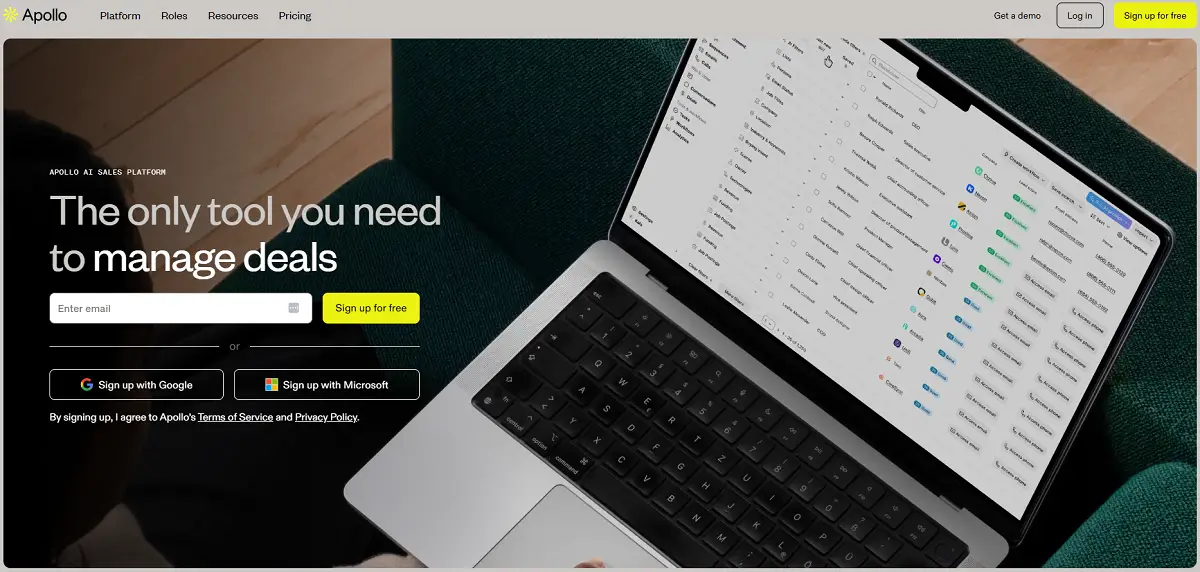
Apollo.io is a sales intelligence and engagement platform that helps teams find prospects, enrich contact data, and automate outreach. It offers a large database of business contacts and integrates with CRM tools for seamless workflow. Apollo.io can also source lead information from Google search results, providing users with additional data points and improving the accuracy of prospecting. Apollo gives me lead data, enrichment, and a full cold outreach engine in one dashboard. I use its AI to write personalized emails, prioritize contacts based on behavior, and track engagement all the way to demo booking.
Benefits for SMBs:
It’s like having an SDR on autopilot. I can test 5 subject lines at once, personalize by industry, and get replies from leads I didn’t even know were looking.
Key capabilities & features:
- AI email writer and A/B testing
- Lead scoring and enrichment
- Outreach sequences and call tracking
- Free tier with limited contacts; paid from $49/month
2. Clay: Build custom AI-driven prospecting workflows
Category: Enrichment + prospecting automation
What it is & how it works:
Clay is a powerful enrichment and prospecting automation tool that helps you find and organize leads from multiple sources. It can automatically gather and update contact information, social profiles, and company data. Additionally, Clay can enrich contact profiles with detailed job history information, providing deeper insights for more personalized outreach. You can set up workflows to automate repetitive tasks and integrate with your CRM. Clay is a bit more advanced—I use it when I want ultra-targeted prospecting. It lets me pull data from tools like LinkedIn, Crunchbase, or Google Maps, enrich it with AI, and generate personalized messaging at scale.
Benefits for SMBs:
I can build 1:1 outreach at the scale of 1:1000. This has helped me reach niche verticals or accounts that were impossible to reach manually. With GPT built in, it’s like combining a data analyst and a copywriter.
Key cpabilities & features:
- Data scraping and enrichment from multiple sources
- GPT-powered message generation
- Conditional logic and workflows
- Paid plans from $149/month (advanced users)
Finance & operations tools
1. QuickBooks + Intuit Assist: AI for small business accounting
Category: Accounting/bookkeeping assistant

QuickBooks
Limited offer! Get 50% off for 3 months
Starting from:
$17.50 /mo
Unlimited custom invoices and quotes
Smart invoicing with automated tracking What it is & how it works:
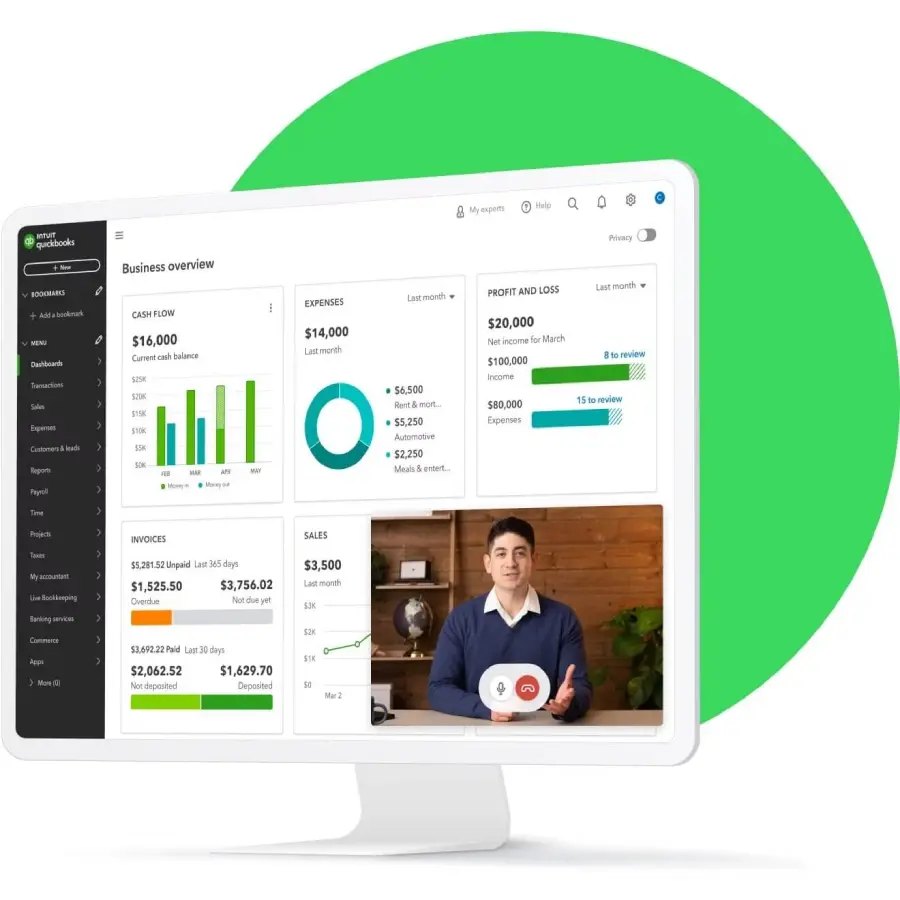
I use QuickBooks for all my SMB accounting, and its new AI assistant helps me summarize reports, track overdue invoices, and get answers to tax questions without asking my accountant every time.
Benefits for SMBs:
This gives me financial clarity in seconds. I’ve avoided late fees, optimized cash flow, and even discovered subscription waste—all with conversational AI inside my books.
Key capabilities & features:
- AI assistant for P&L, balance sheets, and Q&A
- Categorizes transactions automatically
- Flags overdue bills or tax items
- Paid plans from $30/month
2. Fathom: Meeting summaries that save hours
Category: Meeting productivity/operations
What it is & how it works:
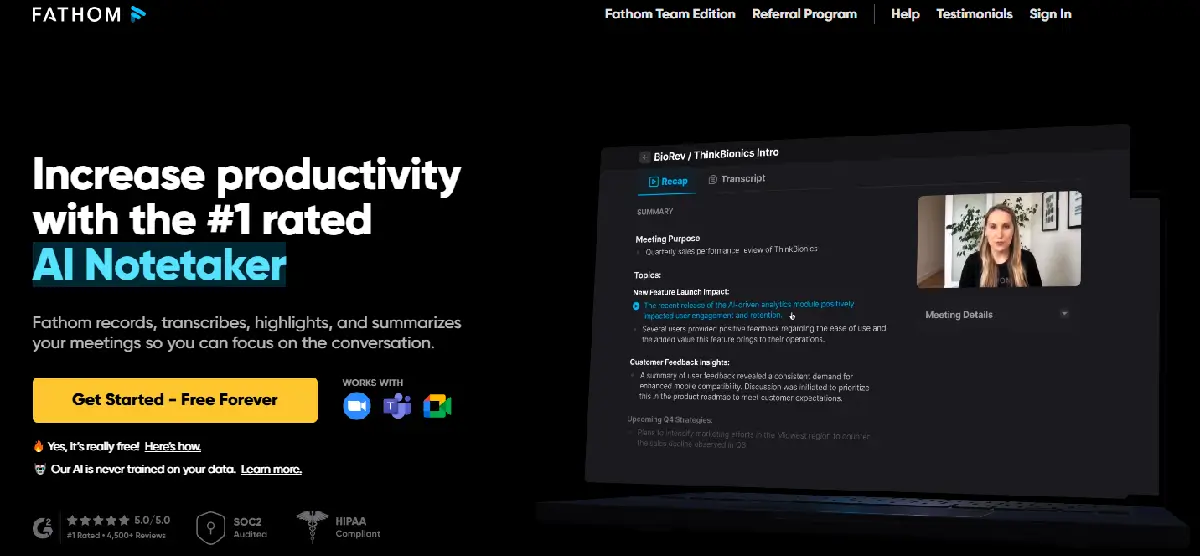
I use Fathom for every Zoom call I join. It records, transcribes, and automatically summarizes the meeting, highlighting key decisions, action items, and follow-ups. I just forward the summary to my team and move on.
Benefits for SMBs:
It’s like having an assistant take notes while I focus on the conversation. Great for sales calls, investor chats, or internal check-ins.
Key capabilities & features:
- Instant AI summaries with key highlights
- Transcription and video playback
- CRM and calendar integration
- Free plan available
Related Articles
HR & recruiting tools
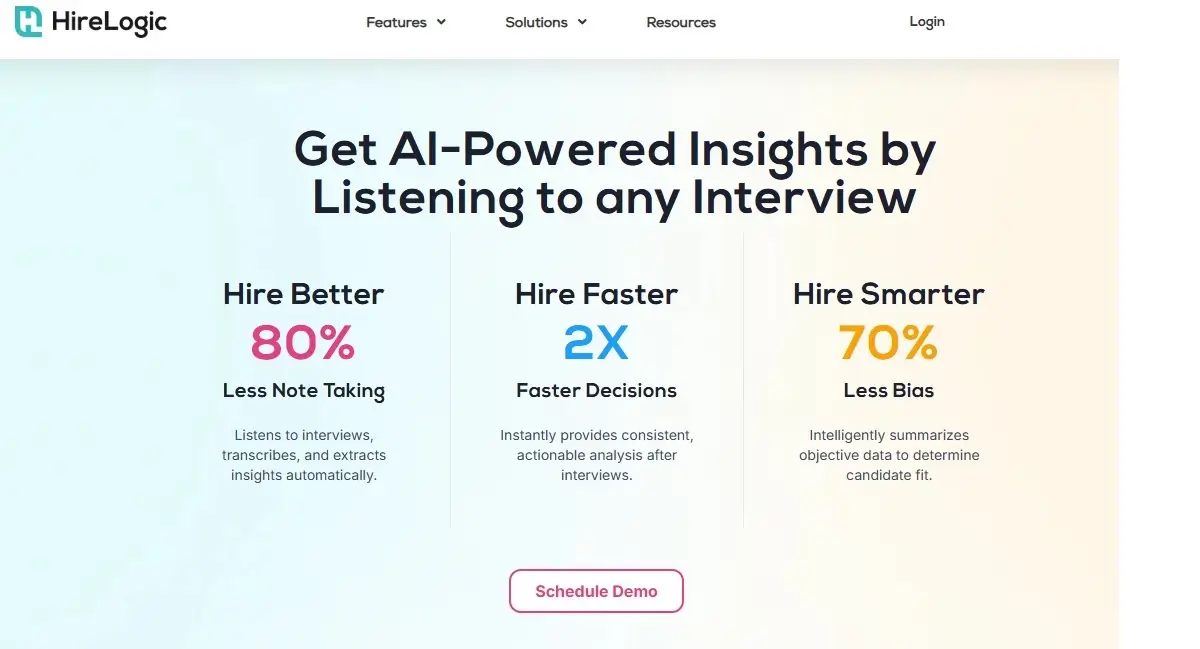
1. HireLogic: AI-Powered interview insights
Category: HR tech/candidate evaluation
What it is & how it works:
HireLogic listens in on interviews (with the candidate’s permission) and gives me structured feedback instantly after the call. It highlights soft skills, confidence, and red flags based on the conversation, helping me make faster hiring decisions.
Benefits for SMBs:
I don’t have a full HR department, so this gives me confidence in my hiring process. Instead of relying on gut feeling, I now have a breakdown of how each candidate performed—almost like a second set of trained eyes.
Key capabilities & features:
- Interview transcription and sentiment analysis
- Highlights behavioral signals and qualifications
- Summarizes pros, cons, and action items
- Paid plans from $49/month
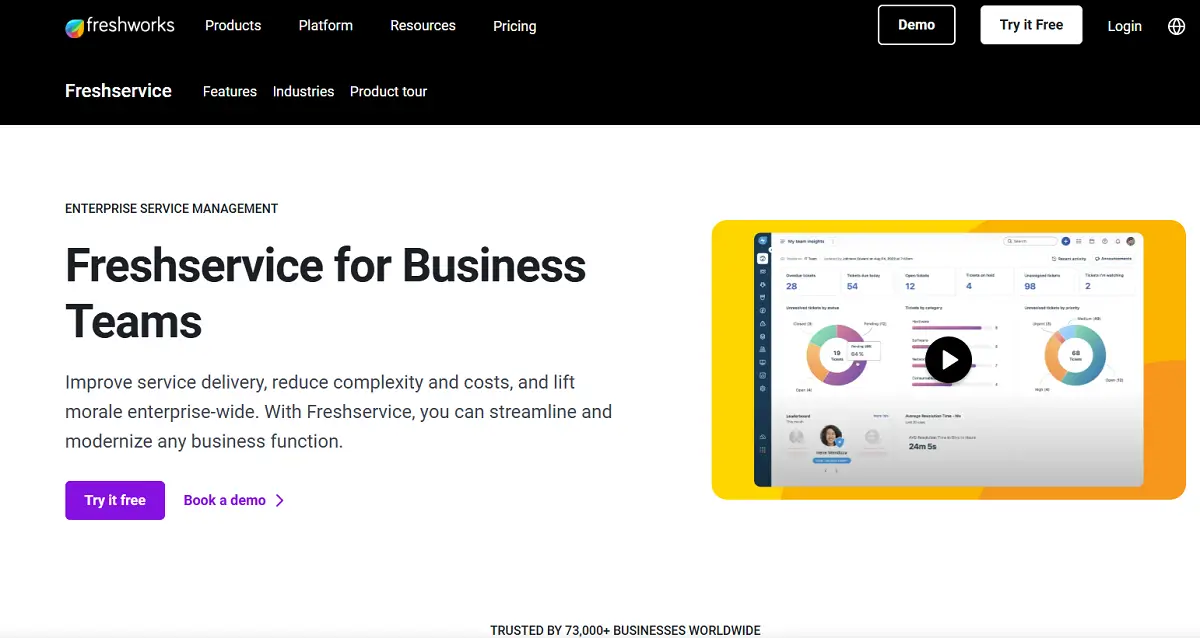
2. Freshteam by Freshworks: Applicant tracking with AI help
Category: Applicant tracking/recruiting CRM
What it is & how it works:
I use Freshteam to manage job postings, track applicants, and automate interview scheduling. The AI scoring ranks candidates based on job description matches and previous interview performance.
Benefits for SMBs:
This tool saves me from drowning in resumes. When I hire for multiple roles, Freshteam helps me narrow things down quickly so I can move fast on great talent.
Key capabilities & features:
- AI resume screening and candidate ranking
- Interview scheduling and team collaboration
- Integrated onboarding tools
- Free for small teams; paid plans from $71/month
Cybersecurity & compliance tools
1. Canary by Thinkst: Early threat detection for lean IT teams
Category: Security monitoring/breach detection
What it is & how it works:
Canary is like having decoy traps across my system. It instantly alerts me if someone tries to snoop around or access the wrong file. I set up Canaries across email, file storage, and login systems with almost no effort.
Benefits for SMBs:
We’re too small for a full-time security team, but Canary gives me peace of mind. I get early warning signs before damage happens, without having to babysit dashboards all day.
Key capabilities & features:
- Plant fake files or credentials to detect breaches
- Instant alerts via Slack, email, or SMS
- Works with cloud or on-prem systems
- Paid plans from $7/month per Canary
2. Drata: AI-assisted SOC 2 & compliance automation
Category: Compliance & audit automation
What it is & how it works:
I use Drata when we need to pass compliance frameworks like SOC 2 or ISO 27001. It pulls data from our tools (Google Workspace, AWS, etc.), fills out 80% of the audit checklist, and flags what’s missing.
Benefits for SMBs:
Getting certified used to be a nightmare. With Drata, I know what auditors will ask before they even show up—and I’ve shaved weeks off the prep.
Key capabilities & features:
- Automated control testing and evidence collection
- AI-generated policy templates and checklists
- Integrates with cloud tools and HR systems
- Paid plans from $500/month (for audit-heavy orgs)
- Here are some AI-first platforms that I’ve explored or used to build MVPs, launch software ideas, and test new UX experiences.
Important AI tool features
The best AI tools are all specialists, meaning they hone in on one need or another. So, it’s hard to say which features are outrightly required. However, all the best AI apps have some features in common. These include:
- Process Optimization: The best AI tools must simplify your process in some way instead of adding complexity. They streamline workflows by automating repetitive tasks, reducing the time and effort required to complete tasks, and minimizing errors.
- Data Analysis and Insights: AI tools can typically handle and process large volumes of data. These are quickly and accurately analyzed to uncover patterns, trends, and actionable insights. Some tools even predict future trends with said data, enabling businesses to make proactive and informed decisions.
- Natural Language Processing (NLP): Most AI tools use textual input or output. This means they should be able to understand and interpret human language. The quality and accuracy of AI responses in NLP tasks depend heavily on the training data used to build the model, as richer and more diverse training data enables the AI to generate more nuanced and relevant answers. This is particularly useful for content creation, customer service, and feedback.
- Personalization: Your AI tool should be able to tailor interactions and recommendations based on individual customer preferences and behaviors.
- Integration and Scalability: The best AI tools integrate seamlessly with existing business systems and platforms instead of trying to replace them, improving workflows and data consistency. They should also be scalable, allowing for adjustments based on business needs without compromising performance.
How to choose the right AI tools for your business
To select the optimal AI tools for your business, you’ll need to assess your specific needs, comprehend the capabilities and limitations of various AI solutions, and align these technologies with your strategic objectives to maximize their impact on your operations and growth.
- Identify Business Needs and Objectives: Some users expect an all-in-one magic wand with their AI tool. Clearly defining the business problems you want to solve or the processes you want to improve will help you determine the right tool to tackle them.
- Assess Current Infrastructure: Ensure your IT infrastructure can adequately support AI tools. This is important as this software can be data — and processing power-intensive. You must also consider security protocols and the chances of integrating your existing software.
- Determine Budget and Resources: Due to the nature of these tools, you must consider not only the initial cost of purchasing or subscribing to AI tools but also the long-term costs associated with implementation, maintenance, training, and support.
- Research Available & New AI Tools: Conduct thorough research on the new AI tools available. Look for tools that specifically address your identified needs and fit within your budget and infrastructure. Gather information on their features, capabilities, pricing models, and customer reviews. Platforms like Browse AI can automate the process of gathering competitor data and monitoring reviews, while advanced search engines powered by AI provide direct, conversational, and source-cited answers to help you compare different AI software options efficiently.
- Use Comparative Tools: Leverage comparative tools and platforms to compare AI tools. These platforms provide detailed reviews, ratings, and comparisons of various AI tools, helping you understand their strengths and weaknesses. Assess their fit with your business processes, and consider factors such as customer service and training resources.
- Scalability and Flexibility: Ensure that the AI tools you choose can scale with your business growth and adapt to evolving needs. Look for flexible tools for features, integrations, and customization options. After all this, you can make an informed decision.
Products that integrate with AI tools
Customer Relationship Management (CRM) Systems
- Enhanced Data Analysis: Customer data can be better and faster analyzed to identify trends and insights.
- Personalization: AI-driven CRM can personalize customer interactions, providing tailored recommendations and communication.
Marketing Automation Platforms
- Targeted Campaigns: AI can create highly targeted marketing campaigns based on user behavior and preferences.
- Lead Scoring: The best leads by scoring them based on their likelihood to convert, improving sales efficiency.
E-commerce Platforms
- Personalized Shopping Experience: Product recommendation based on user behavior and preferences.
- Inventory Management: Automated management of inventory levels, reducing stockouts and overstock situations.
Customer Support and Help Desk Software
- Automated Responses: AI-powered chatbots can handle common customer queries 24/7, providing instant support and reducing response times.
- Sentiment Analysis: AI can analyze customer communications to gauge sentiment and prioritize issues based on urgency.
Project Management Tools
- Task Automation: AI can automate repetitive project management tasks like scheduling and progress tracking.
- Resource Optimization: AI can better analyze project data to optimize resource allocation and improve project efficiency.
Accounting and Financial Software
- Automated Bookkeeping: Data entry and simple reconciliation tasks can be automated, reducing errors and saving time.
- Fraud Detection: AI can analyze financial transactions for unusual patterns, identifying potential fraud.
Content Management Systems (CMS)
- Content Personalization: AI can deliver personalized content and draft strategies to users based on their behavior and preferences.
- SEO Optimization: AI can analyze content for SEO, suggesting improvements to enhance search engine rankings.
Final thoughts
If there’s one thing I’ve learned, it’s that AI tools aren’t about replacing teams—they’re about multiplying what a small, scrappy team can accomplish. These platforms have helped me run marketing, sales, ops, and content like a company three times our size.
The key is not to chase every new shiny object. Instead, I treat AI like building blocks—plugging in what solves a real bottleneck and stacking it on top of the systems we already trust.
If you’re running an SMB and feel like you’re constantly short on time, budget, or bandwidth, start by integrating just one or two of these tools. You’ll feel the impact almost immediately.
This AI stack didn’t just save me time—it helped us grow.
FAQs
Q: What types of tasks can AI tools automate?
A: AI tools can automate a wide range of tasks, including data entry, customer service interactions via chatbots, content creation, predictive analytics, inventory management, and even some aspects of decision-making.
Q: Are AI tools suitable for small businesses?
A: Yes, many AI tools offer scalable solutions suitable for small businesses, providing cost-effective automation and analytics capabilities that were previously accessible only to larger enterprises.
Q: Can AI tools integrate with existing business systems?
A: Yes, many AI tools offer APIs and integration capabilities to connect with existing business systems such as CRM platforms, ERP software, marketing automation tools, and more.
Q: Do I need technical expertise to implement AI tools in my business?
A: While some AI tools may require technical expertise for setup and customization, many are designed with user-friendly interfaces and offer support services to assist businesses in implementation.