What's Better Clover or Square? A Full Side-by-Side POS Comparison for Small Businesses (2026)


Choosing a Point of Sale (POS) system feels like a huge decision – it’s the nerve center of your daily operations, handling everything from ringing up sales to managing inventory and tracking customer data. When you start looking, two names pop up everywhere: Square and Clover.
Both offer sleek hardware and powerful software designed for modern small businesses. But they operate quite differently under the hood, especially regarding how you buy them and who handles your payments.
Square is known for its simplicity and direct approach. You get everything – hardware, software, and payment processing – directly from Square. They offer transparent pricing and flexible, often month-to-month terms, making them super accessible, especially for new businesses.
Clover, owned by Fiserv (a massive payment processing company), offers highly capable, stylish hardware and a robust app market. However, Clover systems are typically sold through third-party banks and merchant service providers (like Wells Fargo, Bank of America, or smaller ISOs). This means your pricing, contract terms, and even customer support experience can vary wildly depending on who you buy it from.
A merchant account is a type of bank account that allows businesses to accept credit and debit card payments. Square uses an aggregated merchant account model, combining many businesses under one account, while Clover requires each business to have a dedicated merchant account, which can offer more account stability and flexibility.
So, are you looking for the straightforward, all-in-one simplicity of Square, or the potentially more customizable (but complex to purchase) power of Clover? This data-driven, easy-to-understand comparison will break down the key differences in hardware, software features, pricing complexities, and overall value to help you choose the best fit for your business.
Key Points
- Square is best for… Simplicity, transparency, and flexibility. Ideal for startups, small retailers, cafes, mobile businesses, and those who prefer predictable pricing and no long-term contracts.
- Clover is stronger in… Hardware variety and app customization (potentially). Good for established businesses, restaurants needing specific features via apps, and those who might get a good deal through their existing bank or merchant processor (but must compare offers carefully).
- The main difference in pricing is… Square offers clear, public pricing for software tiers (including a free plan) and payment processing, usually with month-to-month terms. Clover has software tiers, but hardware costs, payment processing rates, and contract terms (often 3+ years) are set by the reseller (your bank or merchant provider), requiring careful shopping and negotiation.
- The key feature that separates them is… Square’s integrated hardware, software, and payment processing directly from one company vs. Clover’s hardware/software platform sold through various third-party merchant account providers.
- The ideal audience for Square is… New businesses, mobile vendors, boutiques, coffee shops, and anyone prioritizing ease of use, predictable costs, and flexibility.
- The ideal audience for Clover is… Established retail stores or restaurants needing specific functionalities available on the Clover App Market, and businesses comfortable negotiating contracts and comparing offers from merchant service providers.
Quick Overview: Clover vs Square POS
Before diving deeper, here’s a quick side-by-side view of the key differences between Clover and Square:
| Feature | Clover POS | Square POS |
| Best For | Full-service restaurants, retail stores, healthcare offices | Mobile businesses, small retail, food trucks, service providers |
| Software Cost | From $14.95/month | Free basic version (paid upgrades optional) |
| Hardware Cost | Starts around $599+ | Starts from $0 (for mobile card reader) |
| Processing Fees | ~2.3% + 10¢ (varies) | 2.6% + 10¢ (flat) |
| Free POS Option | ❌ No | ✅ Yes |
| Customizability | High (through App Market) | Moderate (add-ons available) |
| E-commerce Support | Integrations (BigCommerce, Shopify) | Built-in Square Online Store |
✅ Choose Clover for premium in-store operations.
✅ Choose Square for flexible, mobile-friendly businesses.


Starter Retail
Pros
- Attractive pricing 30-day trial at no cost
- Affordable hardware beginning at $49
- Feature-packed Ideal for businesses with an online presence
Cons
- You can’t apply for the POS online; it requires interaction with a sales representative
- Pricing information isn’t clear-cut

Free
Pros
- No monthly payment
- Next-business-day transfers
- Inexpensive long-term option
Cons
- Not great for all industries
- Some performance issues
Market position & ideal use cases
Square revolutionized mobile payments and has become a go-to for millions of small businesses worldwide. Its philosophy is built on accessibility and simplicity. Square POS, including its specialized versions (Square for Retail, Square for Restaurants, Square Appointments), offers a straightforward, integrated experience. You sign up, get your hardware (sometimes even a free basic reader), and start selling.
Ideal for: Coffee shops, boutiques, salons, contractors, food trucks, market vendors, pop-ups, online sellers, retail business, and any business wanting an easy start with predictable fees and no long-term commitment.
Clover offers a sleek, modern POS experience with a wide range of proprietary hardware devices. Owned by Fiserv, a global payment processing leader, Clover systems are primarily distributed through banks and independent sales organizations (ISOs). This distribution model means it’s often pitched by the bank where a business has its checking account. Its strength lies in its versatile hardware and a large app market for adding specialized features.
Ideal for: Small to medium-sized retail stores, full-service restaurants, counter-service eateries, and service businesses that need specific functions (like advanced inventory or loyalty programs) found in the Clover App Market, provided they secure a favorable contract from a reputable reseller.
POS Features Comparison: Clover vs Square
Choosing a POS system means understanding the available features. Both Clover and Square offer POS software with a range of features to suit different business needs. Let’s compare Clover POS and Square POS feature-by-feature:
| Feature | Clover POS | Square POS |
| POS App | Paid subscription required | Free basic POS app (free pos software) |
| Inventory Management | Advanced, with variants, modifiers, and alerts | Basic tracking with low-stock notifications |
| Employee Management | Scheduling, clock-in/out, permissions | Permissions, limited scheduling (upgraded plans available) |
| Loyalty Programs | Built-in customer loyalty programs (via higher plans or apps) | Paid add-on customer loyalty programs (~$45/month) |
| Offline Mode | ✅ Supported | ✅ Supported |
| Customization | Through Clover App Market (200+ apps) | Through Square App Marketplace (hundreds of apps) |
| Sales & payments | Ring up sales, accept all payment types, offline payments. | Ring up sales, accept all payment types, offline payments. |
| Reporting | Good real-time reports; Advanced reporting often requires higher software tier. | Good real-time reports on sales, items, staff. |
| Online store | Available via software plans or third-party apps. | Square Online (free website builder included). |
Both Clover and Square provide customer engagement tools, including loyalty programs, gift cards, and marketing integrations to help businesses connect with and retain customers. Clover’s POS system specifically includes features to help connect with customers and market businesses, such as gift cards and loyalty programs.
Both systems support multi location management, though the level of sophistication and available features may vary depending on the plan. Each platform also offers a virtual terminal, allowing businesses to accept remote or manual card payments without specialized hardware.
✅ Clover good for restaurants, full retail stores, and healthcare clinics that need deep management tools.
✅ Square good for new businesses, food trucks, pop-up stores, and online retailers who need an easy setup.
Key difference: App markets
- Square App Marketplace: Offers integrations (~350+) with third-party apps like QuickBooks, Xero, Mailchimp, etc., to extend functionality.
- Clover App Market: Very large (~500+ apps). Offers many specialized apps (often with their own monthly fees) for niche retail or restaurant functions, loyalty programs, advanced inventory, etc. This is a major strength if you need those specific functions and factor in the app costs.
Reporting, analytics & insights
- Square: Provides excellent, easy-to-understand real-time reporting via the Square Dashboard (web and mobile). Covers sales trends, item performance, customer behavior, and basic labor reporting. More advanced reports are available in the paid industry-specific plans.
- Clover: Offers solid reporting capabilities, accessible on the device and via a web dashboard. Standard reports cover sales, payments, items, and employees. More detailed analytics (e.g., tracking profitability, advanced inventory reports) often require higher-tier software plans (like Register or Register Lite) or specific apps from the market.
Integrations & connected tools
- Square: Focuses on integrating with popular, mainstream small business software (accounting like QuickBooks/Xero, email marketing, e-commerce platforms like WooCommerce). Its API allows for custom integrations.
- Clover: Integrates with major accounting software and offers many specialized integrations via its App Market, connecting to niche industry tools (e.g., specific restaurant management platforms, retail analytics). The quality and cost of these app integrations can vary.
AI, automation & smart features
- Square: Increasingly uses AI in its ecosystem, particularly for customer engagement (Square Marketing suggesting campaigns), risk management, and potentially in future inventory/sales forecasting features.
- Clover: Leverages AI through Fiserv’s network for advanced fraud detection. Some apps on the Clover market utilize AI for analytics, customer insights, or automation.
Pricing and Payment Processing Fees: Clover vs Square POS
Understanding cost is critical for small businesses when comparing POS systems. Both Clover and Square allow businesses to accept card payments and process a variety of transaction types, making them popular choices for payment processing services.
| Pricing Category | Clover POS | Square POS |
| Hardware Costs | $599+ for devices like Clover Station (higher initial hardware costs, often involving contracts) | $0 (reader) or $299+ (Terminal, Register) |
| Software Fees | $14.95+/month (monthly software/processing fees) | Free basic; paid upgrades optional |
| Processing Fees | Varies (~2.3% + 10¢ per transaction) | Flat 2.6% + 10¢ per swipe |
| Long-Term Contract | Often mandatory | No contracts required |
When processing payments, both systems support card-present transactions (where the card is physically swiped, tapped, or inserted) and keyed-in transactions (where card details are manually entered). Card-present transactions typically have lower transaction fees compared to keyed-in transactions, which are considered higher risk and thus incur higher card processing fees.
Clover’s payment processing services often require a contract and come with higher initial hardware costs and monthly software/processing fees. Square, on the other hand, offers more flexibility with no contracts and free basic software. The transaction fees and card processing fees charged by each provider can significantly impact your overall costs, so it’s important to consider the types of transactions your business will process most frequently.
How Does Payment Processing Compare Between Clover and Square?
Payment processing fees can impact your bottom line — here’s how Clover’s merchant services compare to Square’s payment processing:
| Category | Clover POS | Square POS |
| Processing Provider | Fiserv (or authorized resellers) | Square directly |
| Transparency | Varies by reseller | Fully transparent flat rates |
| Contract Penalties | Possible early termination fees | No penalties, cancel anytime |
Both Clover and Square aim to provide seamless payment processing for businesses, but the experience may differ based on the provider and contract terms.
✅ Square POS is better for transparent, no-contract processing.
Hardware Options
Your business needs reliable hardware. When comparing Clover’s hardware and Square’s hardware, it’s important to consider the range of Clover’s hardware options, which are known for their versatility and robustness. Both providers offer a variety of POS terminals, from entry-level devices to full setup options, and support essential accessories like cash drawers and receipt printers. However, Clover’s hardware options are generally more expensive than Square’s.
Here’s a side-by-side breakdown of Clover hardware and Square hardware:
| Hardware | Clover POS | Square POS |
| Entry-Level Device | Clover Flex (~$599) | Square Reader (free) |
| Full Setup Option | Clover Station Duo | Square Register |
| Mobile POS | Clover Go | Square Terminal |
| Hardware Durability | Premium, retail-grade hardware | Lightweight, modern design |
Clover POS Hardware Options
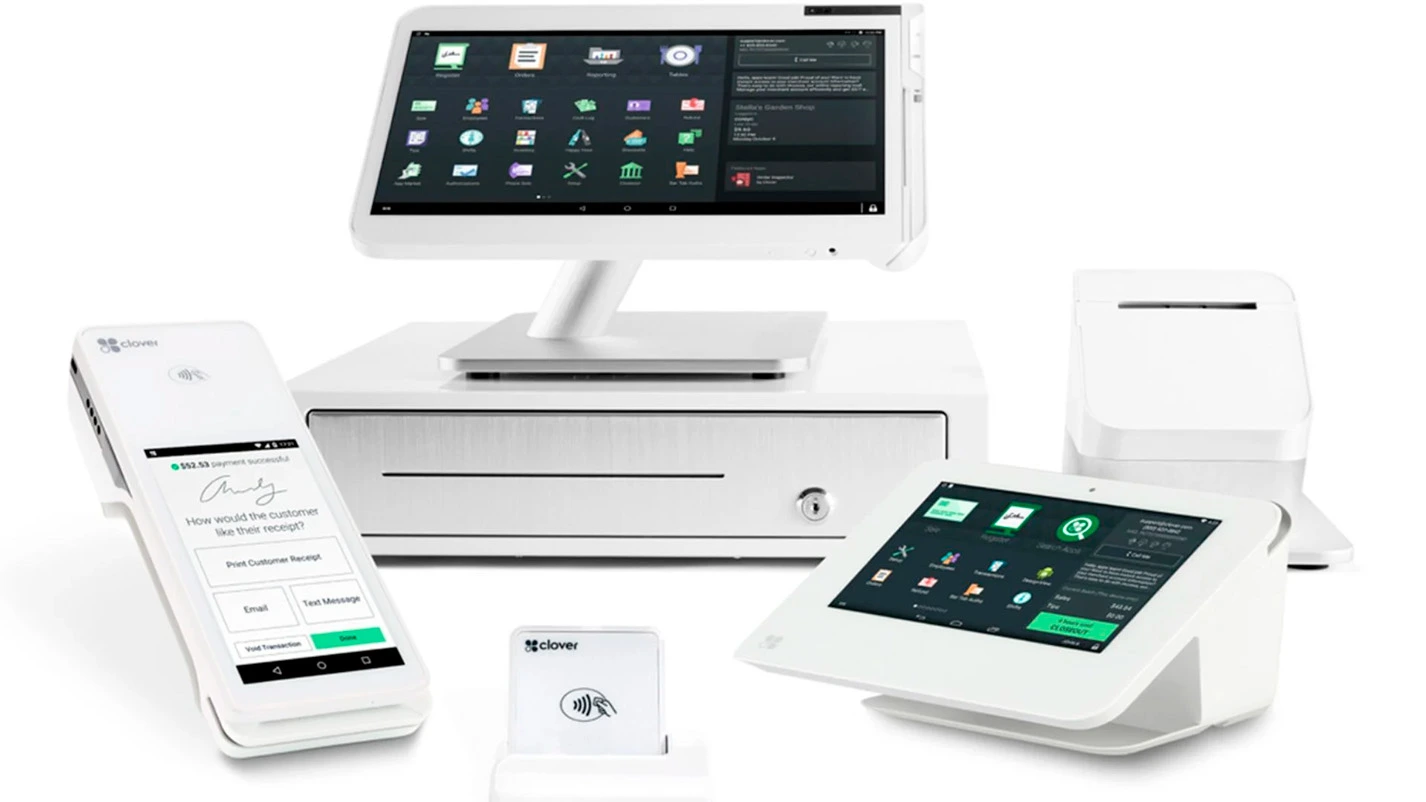
- Clover Station Duo
- Full-sized POS with dual screens (staff + customer)
- Built-in receipt printer
- Option to connect a cash drawer
- Best for: Full-service restaurants, busy retail stores, healthcare offices
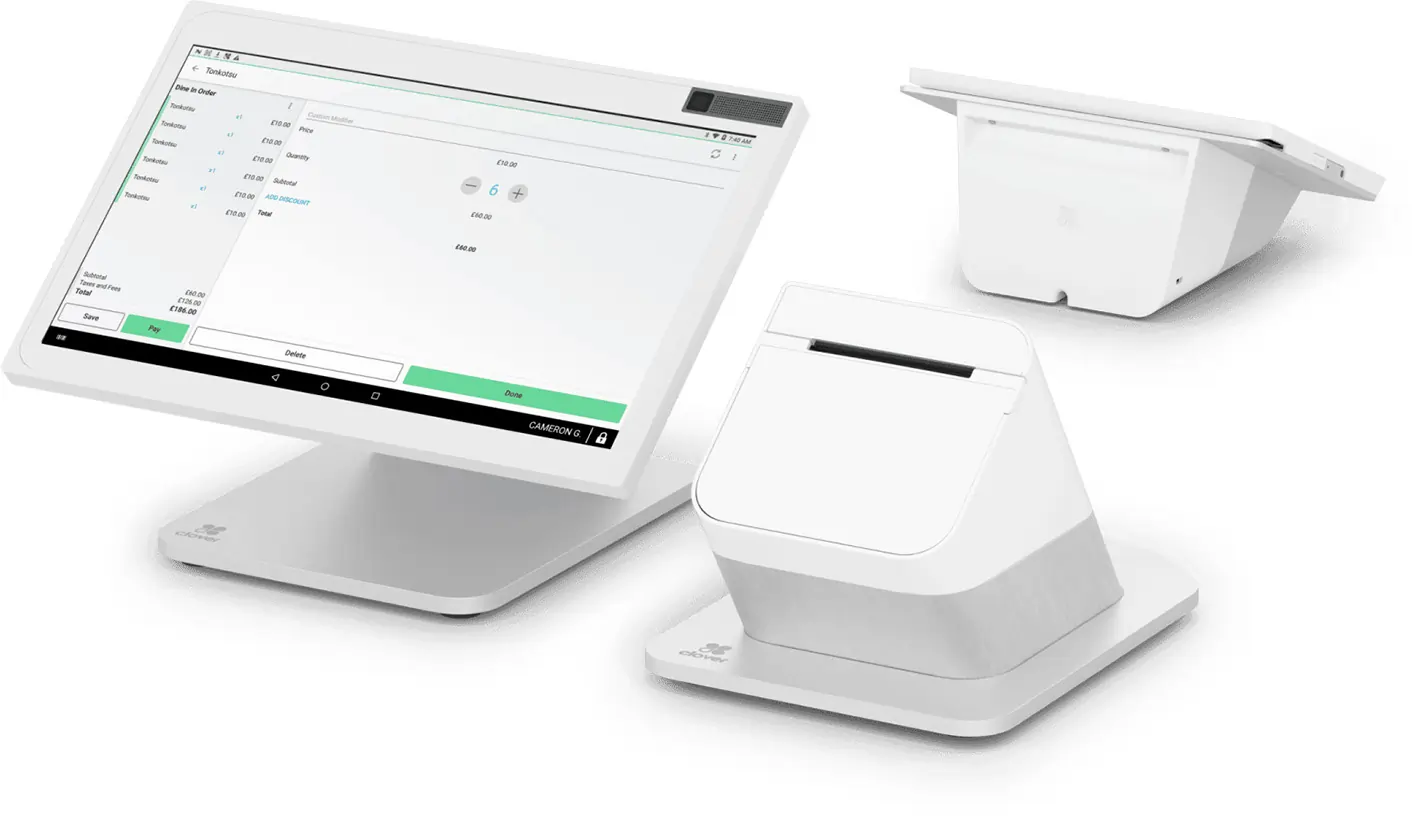
- Clover Station Solo
- Single large touchscreen terminal
- Integrated printer
- No customer-facing screen
- Best for: Quick-service restaurants, retail counters, mid-sized businesses
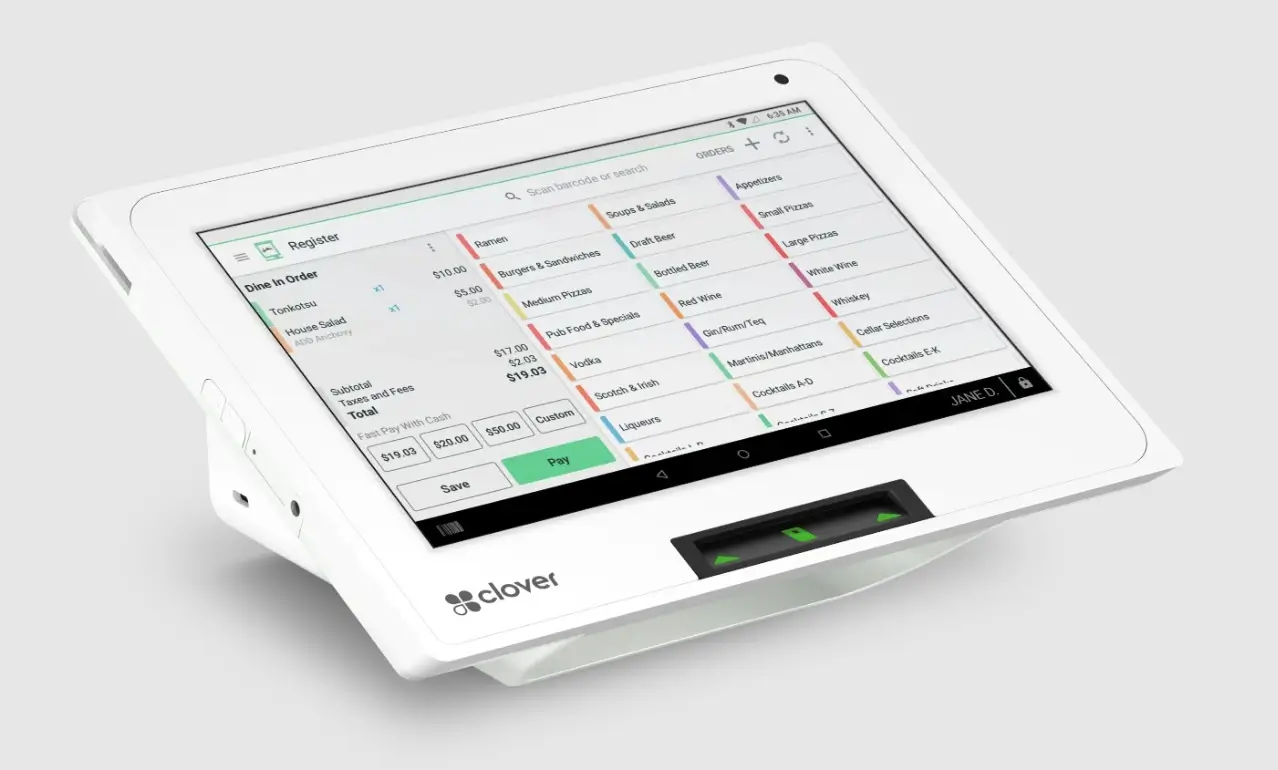
- Clover Mini
- Compact POS device with a small touchscreen
- Built-in printer and payment acceptance
- Access to Clover App Market
- Best for: Small shops, cafes, salons, boutiques
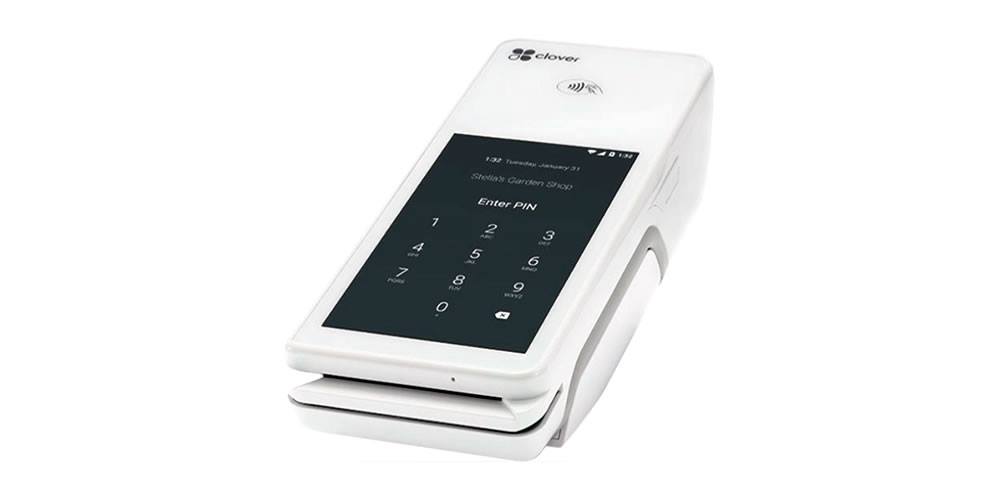
- Clover Flex
- Handheld mobile POS
- Accepts cards, prints receipts, tracks inventory
- Wi-Fi or LTE connectivity options
- Best for: Tableside ordering, curbside pickup, mobile businesses
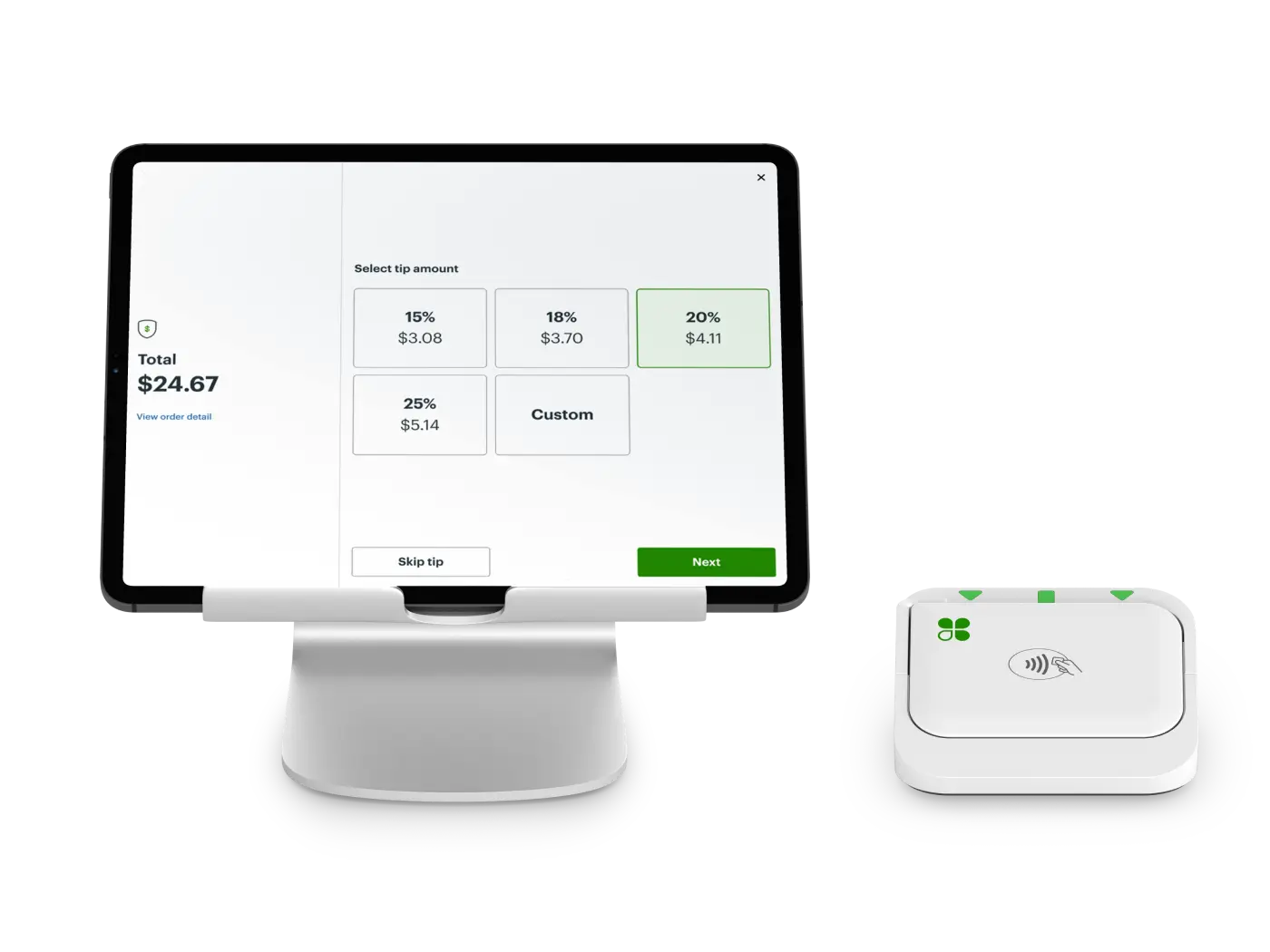
- Clover Go
- Bluetooth mobile card reader
- Connects to smartphones and tablets
- Lightweight and portable
- Best for: Freelancers, pop-up shops, mobile vendors
Square POS Hardware Options
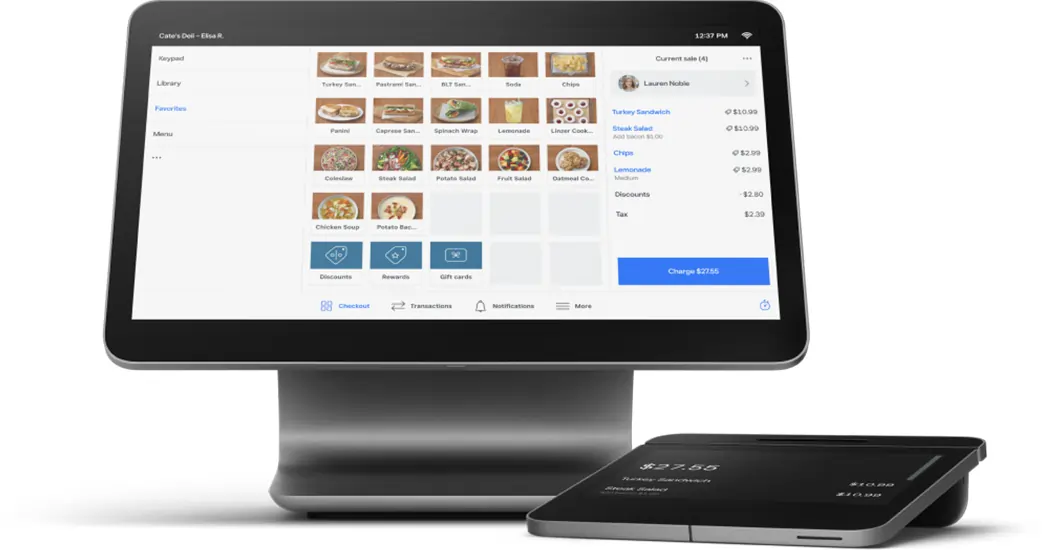
- Square Register
- All-in-one touchscreen POS with customer-facing display
- Built-in card reader and countertop setup
- No extra tablet needed
- Best for: Retail stores, fast-casual restaurants, cafes
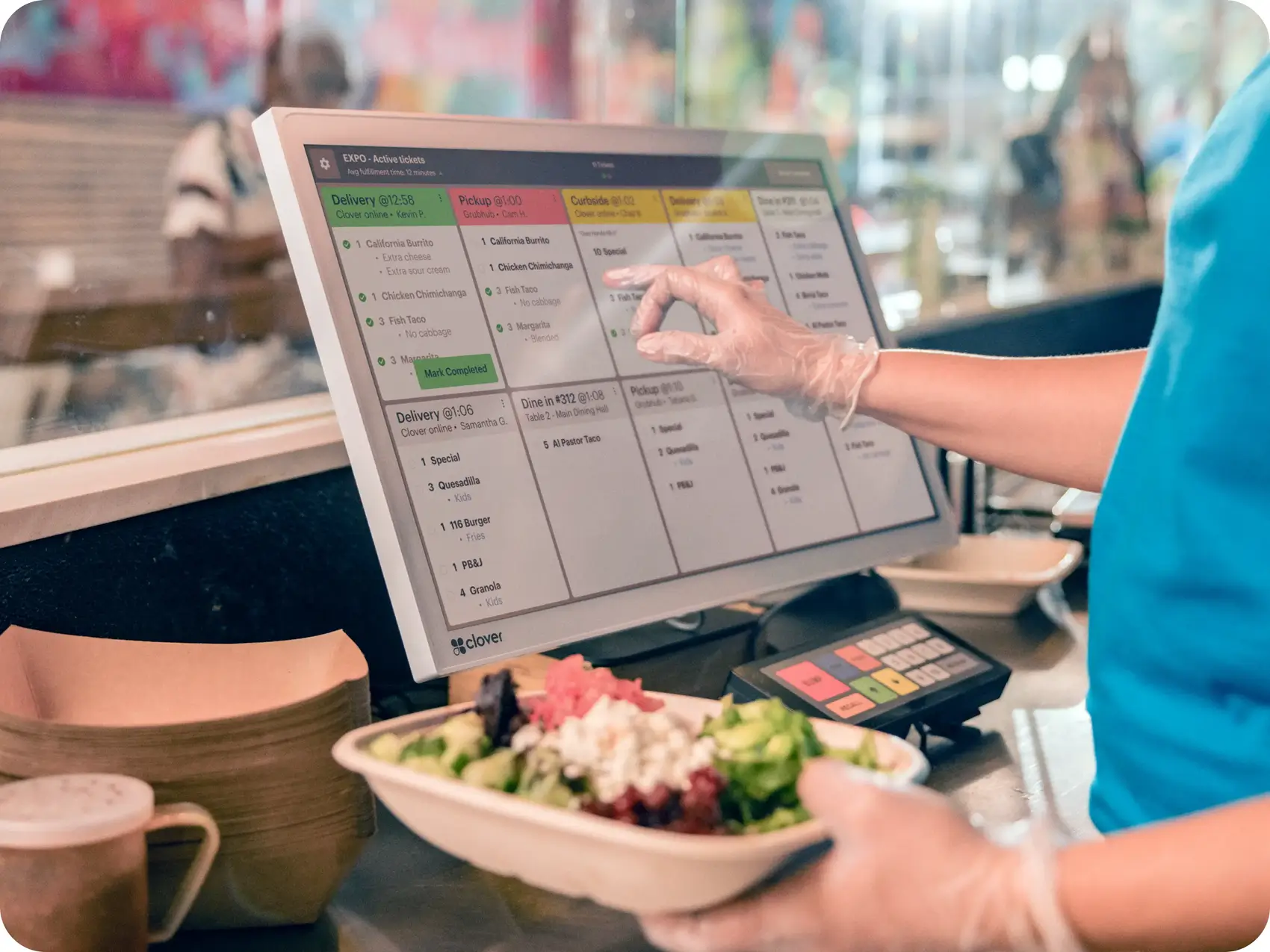
- Clover Kitchen Display System (KDS)
- Available in 14″ and 24″ touchscreen sizes
- Features anti-glare glass for easy viewing in kitchen environments
- Integrates seamlessly with other Clover POS devices
- Essential for efficient kitchen operations, order management, and reducing errors
- Best for: Restaurants and food service businesses needing real-time order tracking
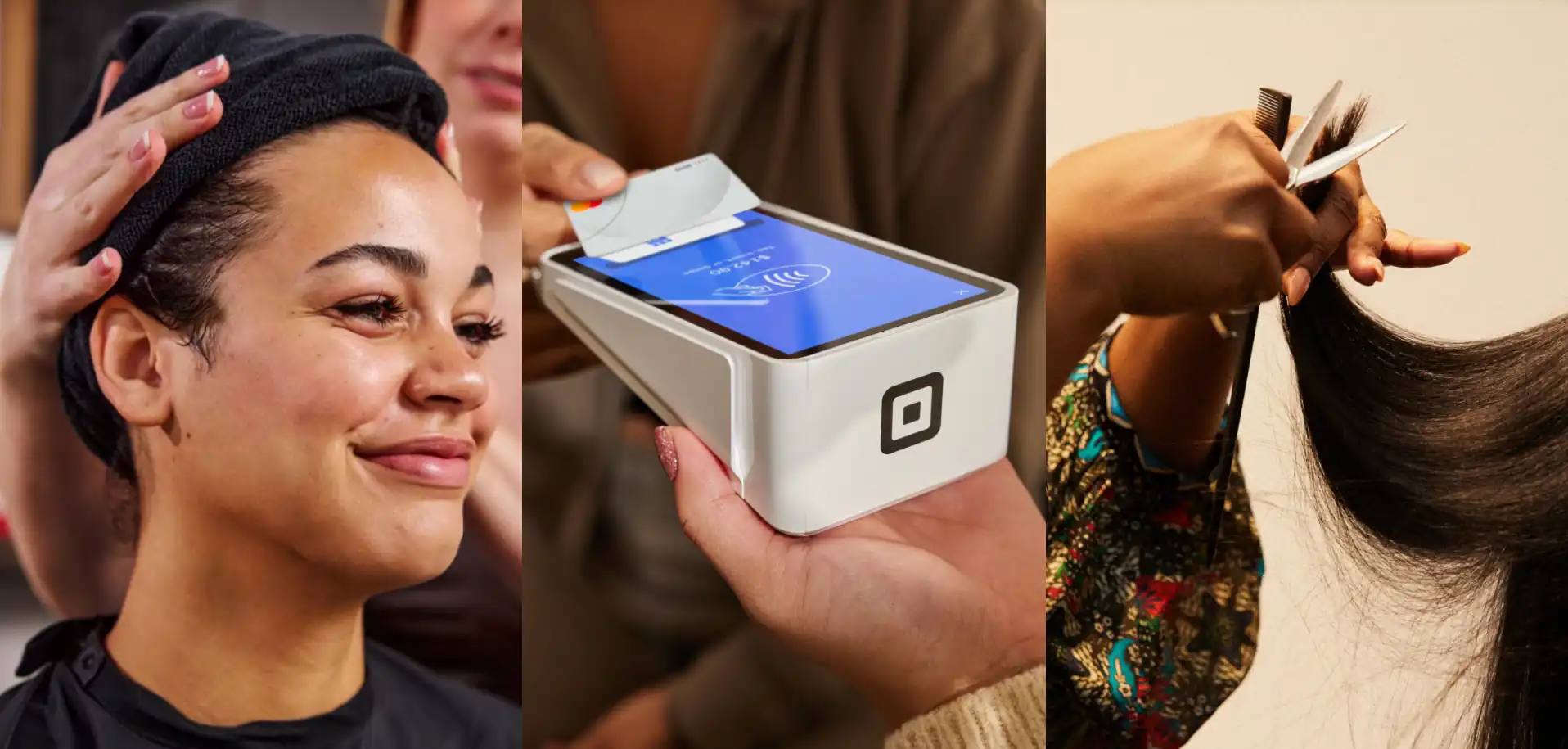
- Square Terminal
- Portable, battery-powered device
- Accepts chip cards, magstripe, and contactless payments
- Prints receipts directly
- Best for: Cafes, mobile checkout, restaurants needing tableside service
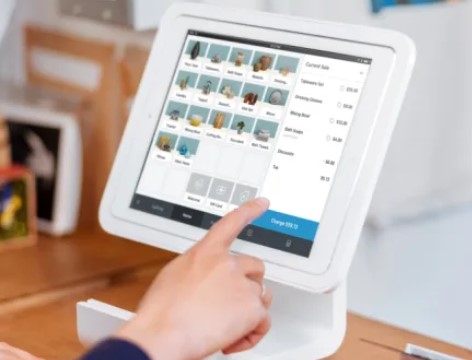
- Square Stand
- Stand that turns an iPad into a full POS system
- Built-in card reader for payments
- Swivel design for easy customer interaction
- Best for: Small shops, quick-service counters, salons
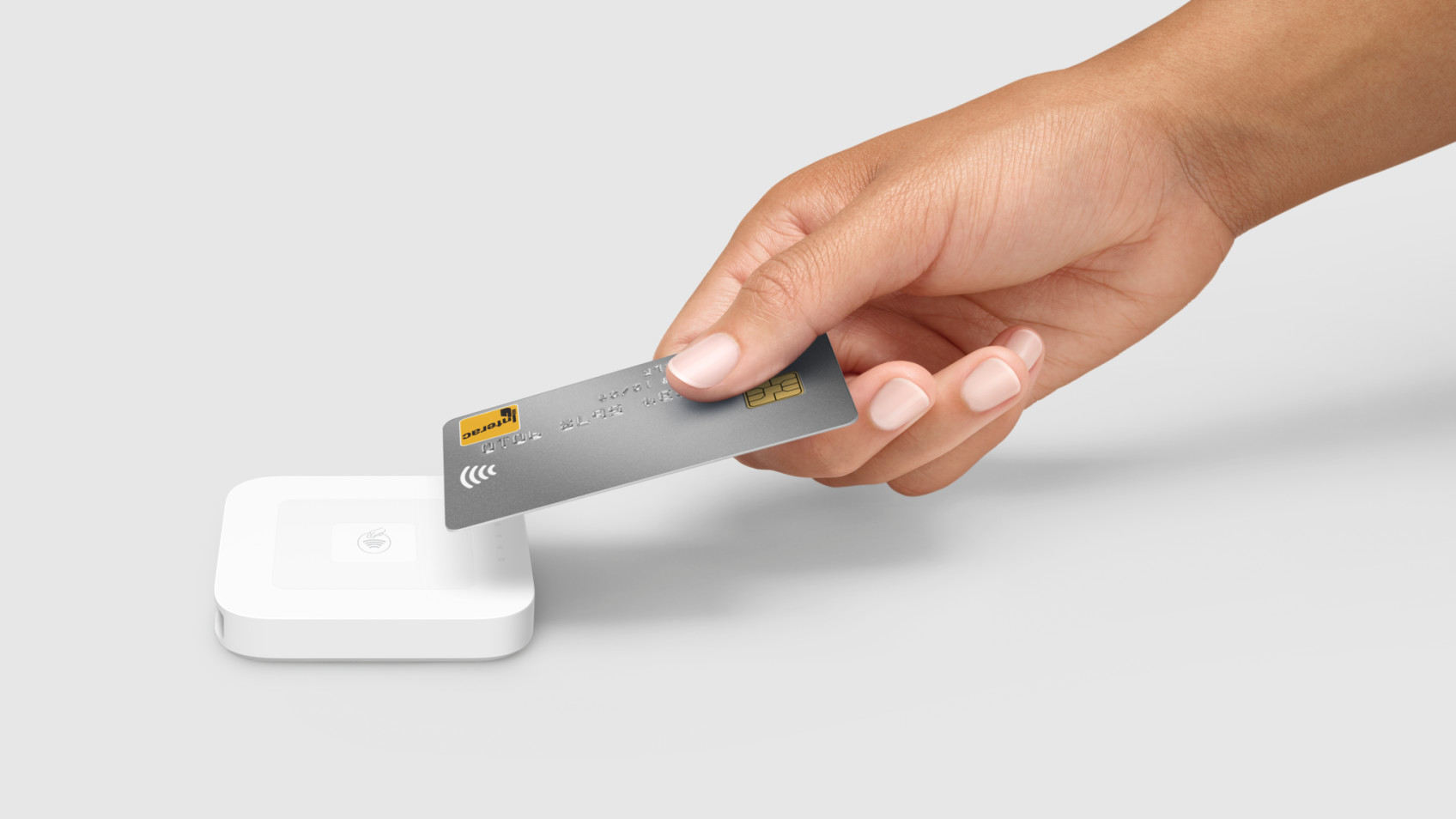
- Square Reader for Contactless and Chip
- Pocket-sized wireless reader
- Accepts tap and chip payments
- Works with smartphones or tablets
- Best for: Mobile businesses, service providers on the go
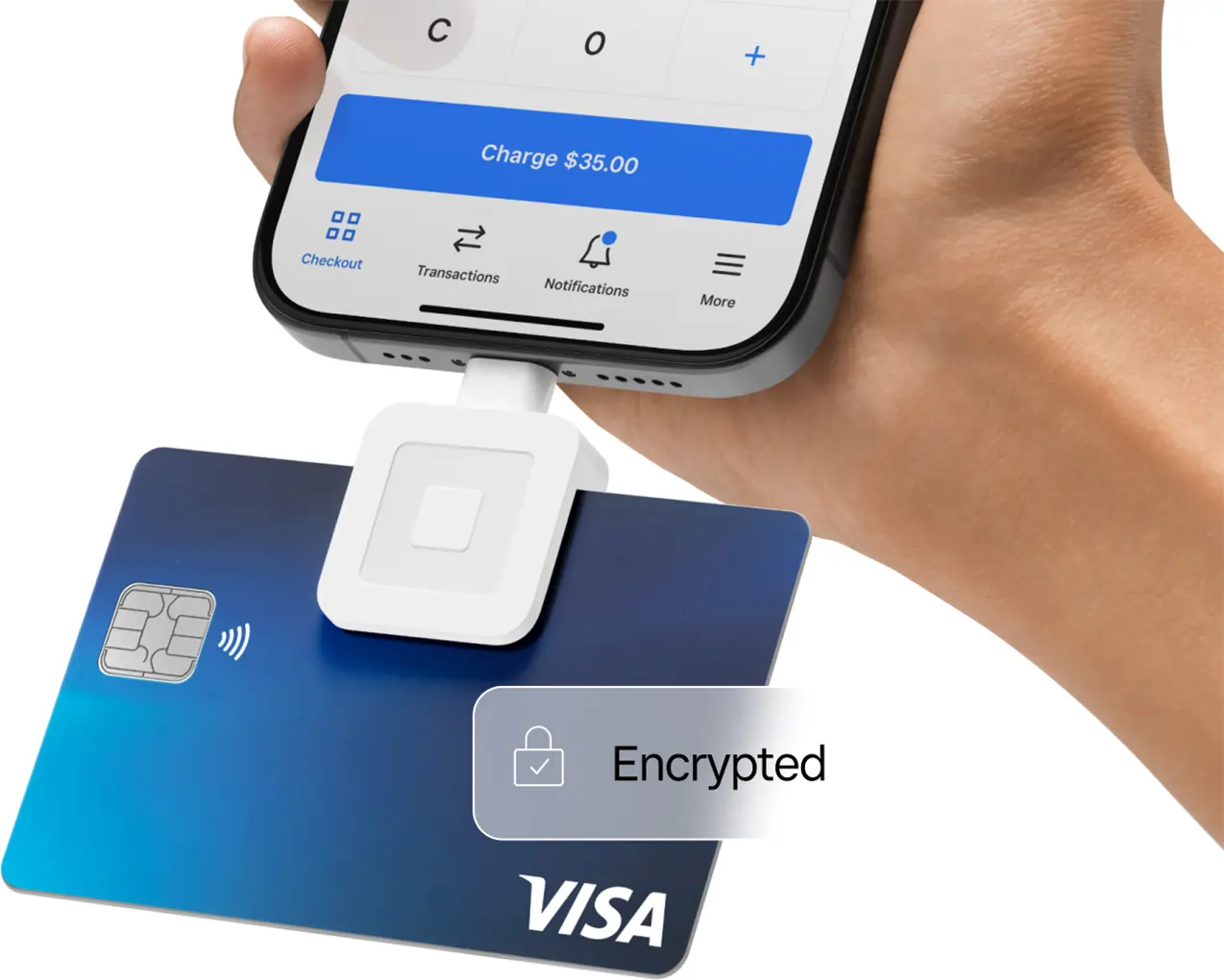
- Square Magstripe Reader
- Basic free reader for swiping magstripe cards
- Connects via headphone jack or Lightning connector
- Best for: New businesses starting with minimal equipment
Square’s platform scales in a unified way, so you can add tools, upgrade hardware, or move to a more advanced plan without leaving the Square ecosystem.
Does Clover or Square Support E-commerce Better?
Selling online is now crucial. Let’s compare e-commerce features:
Both Clover and Square allow businesses to start accepting payments online, but Square makes it especially easy with its built-in tools.
| E-commerce Feature | Clover POS | Square POS |
| Native E-commerce | ❌ No (needs BigCommerce, Shopify, etc) | ✅ Yes (Square Online free version) |
| Inventory Sync | Via third-party apps | Native sync with Square POS |
| Online Ordering | Requires integration setup | Built-in with pickup/delivery options |
Both Clover and Square support omnichannel selling, but Square’s system is more seamless and integrated.
✅ Square POS is better if you want built-in e-commerce.
Merchant Processing Flexibility
How easily can the POS system grow with your business?
| Aspect | Clover POS | Square POS |
| Payment Processor Options | Locked to Fiserv or reseller | Only Square (direct processing) |
| Flexibility Level | Low, but Clover can provide a customized payment solution for businesses with specific needs. | Moderate to high |
Which Industries Are Best Served by Clover and Square?
Different industries have unique requirements; here’s how each POS system aligns.
Square users are typically merchants who prefer a simple, user-friendly payment system with quick setup and seamless integration of services. In contrast, Clover users often seek greater customization and flexibility.
Clover’s user interface is modern and powerful, but it may require more setup time compared to Square. Once configured, Clover’s interface is especially intuitive for employees at the register.
| Industry | Clover POS | Square POS |
| Full-Service Restaurants | ✅ Excellent | ➖ Good |
| Quick-Service/Fast Casual | ✅ Excellent | ✅ Excellent |
| Retail Shops | ✅ Strong | ✅ Strong |
| Healthcare Practices | ✅ HIPAA-ready options | ➖ Limited |
| Freelancers/Mobile Businesses | ➖ Moderate fit | ✅ Perfect fit |
Customer Support and Help Resources
Getting fast help matters when running a business. Here’s the support side-by-side:
| Support Category | Clover POS | Square POS |
| Phone Support | 24/7 (depends on reseller) | Available during business hours |
| Email Support | ✅ Available | ✅ Available |
| Live Chat | Varies by provider | ✅ Available |
| Self-Help Resources | Moderate | Extensive and well-organized |
Hidden Fees and Costs: What to Watch Out For
When choosing between Clover and Square POS systems, it’s crucial to look beyond the headline rates and consider the hidden fees and costs that can impact your bottom line. While both Clover and Square promote transparent pricing, there are additional charges that may not be immediately obvious—especially as your business grows or your needs change.
Payment Processing Fees
Payment processing fees are a major area to watch. Square offers a flat, predictable processing fee of 2.6% + 10¢ for in-person transactions, making it easy to estimate your costs. Clover’s payment processing fees start at 2.3% + 10¢, but these rates can vary depending on your merchant services provider and the type of transaction. For example, if you process a lot of online sales, Clover’s online payment processing fee jumps to 3.5% + 10¢ per transaction, which can quickly add up for businesses with a strong online store presence.
Monthly fees
Monthly fees are another consideration. While both Clover and Square offer a free plan, these plans often come with limitations. For instance, Square’s free plan may not include advanced inventory management or full access to its online store features, while Clover’s entry-level options may require a paid upgrade to unlock essential features for growing businesses.
Device Fees
If you plan to use multiple devices or expand to multiple locations, device fees can become a significant expense. Clover charges $19.95 per month for each additional device, while Square’s fee is $50 per device. For businesses with several registers or handheld POS units, these monthly fees can add up quickly.
Chargeback Fees
Don’t overlook chargeback fees—the costs incurred when a customer disputes a transaction. Both Clover and Square may charge a fee for handling chargebacks, which can affect your profitability if you experience a high volume of disputed payments.
Cancellation Fees
Cancellation fees and early termination fees are especially important for businesses considering long-term contracts. Clover, often sold through third-party merchant service providers, may include early termination fees or cancellation penalties in their contracts. Square, on the other hand, is known for its no-contract, cancel-anytime approach, which can save you from unexpected costs if your business needs change.
Pros and Cons of Clover POS vs Square POS
| Clover POS | Square POS | |
| Pros | High-end hardware | Free POS app, fast setup |
| Deep customization | Transparent pricing | |
| Strong for full-service businesses | Native e-commerce tools | |
| Cons | Higher upfront costs | Costs grow with add-ons |
| Payment processing locked | Lighter-duty hardware | |
| No free software option | Less suited for complex, high-volume businesses |
Real-world scenarios / use case analysis
Example 1: The new independent coffee shop
- Need: Easy-to-use countertop POS for taking orders and payments quickly, simple inventory tracking for cups/lids/beans, a basic loyalty program, and the ability to easily add online ordering later. Needs low startup cost and flexibility.
- Better Choice: Square POS (Free or Plus plan)
- Reason: Square’s free plan covers the basics, keeping initial costs minimal. They can use a Square Stand with an iPad or a Square Register. Setup is DIY and fast. Adding Square Loyalty or Square Online later is seamless. The month-to-month term is ideal for a new venture. Negotiating a Clover contract would likely be more complex and costly upfront.
Example 2: The established multi-location boutique retailer
- Need: POS system for two stores, advanced inventory management (tracking variants like size/color, purchase orders, vendor management), a robust customer loyalty program integrated with email marketing, and potentially specific integrations with their existing e-commerce platform. Comfortable signing a contract if the features and rates are right.
- Better Choice: Potentially Clover (with careful vetting) or Square for Retail (Plus plan)
Reason: Clover’s App Market might offer specialized retail inventory or loyalty apps that perfectly fit their needs, potentially exceeding Square for Retail’s built-in features. However, they MUST get multiple quotes from different Clover resellers, compare processing rates and contract terms meticulously, and factor in app costs. Square for Retail (Plus) offers strong built-in inventory and is simpler to purchase with predictable costs and terms, making it a very strong and often safer contender.
Conclusion
Both Clover and Square POS offer robust solutions tailored to different business needs.
- Choose Clover POS if you’re an established restaurant, retail store, or healthcare provider seeking high-end hardware and comprehensive features.
- Opt for Square POS if you’re a new business, mobile seller, or retailer looking for low upfront costs and flexibility to grow both online and offline.
Pro Tip: Consider your business’s growth trajectory over the next 1–2 years. Selecting the right POS system now can save time, money, and operational headaches in the future.
FAQ: Clover vs Square POS
What is better: Clover or Square POS?
It depends on your business type. Clover POS is better for established restaurants, retail stores, and healthcare offices needing premium hardware and full-service features. Square POS is better for small retailers, mobile businesses, and startups looking for flexibility, low costs, and e-commerce support.
Is Square POS free?
Yes, Square POS offers a free basic version with no monthly software fees.
Does Clover POS support e-commerce?
Clover POS does not have a built-in online store but supports e-commerce through third-party integrations.
What are Clover POS processing fees?
Clover POS processing fees typically average around 2.3% + 10¢ per swipe, but the rates can vary depending on the reseller.
Does Clover POS have monthly fees?
Yes, Clover POS requires a monthly subscription starting at $14.95, depending on your plan and business type.
Does Square POS have hidden fees?
No, Square POS uses flat, transparent pricing with no hidden fees or long-term contracts.
Can you use Clover POS without Fiserv?
In most cases, no. Clover POS is tied to Fiserv (or approved resellers) for payment processing.
Can you use Square POS offline?
Yes, Square POS supports offline mode for in-person transactions.
Does Square POS work for restaurants?
Yes, Square offers Square for Restaurants, a tailored POS solution with table management, menu customization, and online ordering.
Can Clover POS be customized for different industries?
Yes, Clover POS offers apps and hardware bundles customized for industries like restaurants, retail, and healthcare.