
Best Restaurants POS Systems for in 2026
The right restaurant point of sale (POS) system can make all the difference. Whether you run a small café, a bustling pizzeria, or a full-service restaurant, this guide compares the top restaurant POS systems to help you find the perfect fit. From Toast to Lightspeed, we’ll break down features, pricing, and benefits to help you make an informed decision.
Last updated: October 2026

Free plan available
- Start for free
- Customize your package
- Features to help your restaurant adapt
- Streamlined back office operations
- Excellent integration between kitchen and service staff
- Multi-location menu management
- Fairly priced
- Only available on Android
- Early termination fee
- Not suitable for large restaurants or chains
Free plan available
- Start for free
- Customize your package
- Features to help your restaurant adapt
- Streamlined back office operations
- Excellent integration between kitchen and service staff
- Multi-location menu management
- Fairly priced
- Only available on Android
- Early termination fee
- Not suitable for large restaurants or chains

14-Days Free Trial
- Advanced inventory management capabilities
- Smarter sales & reporting
- Cloud-based data management
- Payments, POS and e-commerce all in one place
- Wide hardware compatibility makes customization easy
- Interface is intuitive and simple to use
- Lots of support options and helpful tutorials
- Some desirable features only included in the top tier plans
- Add-ons can ramp up the cost
- You are tied in to an annual contract
14-Days Free Trial
- Advanced inventory management capabilities
- Smarter sales & reporting
- Cloud-based data management
- Payments, POS and e-commerce all in one place
- Wide hardware compatibility makes customization easy
- Interface is intuitive and simple to use
- Lots of support options and helpful tutorials
- Some desirable features only included in the top tier plans
- Add-ons can ramp up the cost
- You are tied in to an annual contract

- Manage tables with smart floor plan tools
- Boost loyalty with custom rewards plans
- Simplify staff scheduling and payroll
- Intuitive system build specifically for restaurants
- Easily manage online ordering and table reservations
- 24/7 support available
- A wide choice of add-ons
- Some additional features cost extra
- Only supports iPads
- Pricing for multiple users could be more transparent
- Manage tables with smart floor plan tools
- Boost loyalty with custom rewards plans
- Simplify staff scheduling and payroll
- Intuitive system build specifically for restaurants
- Easily manage online ordering and table reservations
- 24/7 support available
- A wide choice of add-ons
- Some additional features cost extra
- Only supports iPads
- Pricing for multiple users could be more transparent

30-Days Free Trial
- Cloud-hosted & accessible from anywhere
- Accept payments & track inventory
- Offer gift cards to boost customer retention
- Attractive pricing 30-day trial at no cost
- Affordable hardware beginning at $49
- Feature-packed Ideal for businesses with an online presence
- Round-the-clock phone and email assistance.
- You can't apply for the POS online; it requires interaction with a sales representative
- Pricing information isn't clear-cut
- No complimentary plan available
30-Days Free Trial
- Cloud-hosted & accessible from anywhere
- Accept payments & track inventory
- Offer gift cards to boost customer retention
- Attractive pricing 30-day trial at no cost
- Affordable hardware beginning at $49
- Feature-packed Ideal for businesses with an online presence
- Round-the-clock phone and email assistance.
- You can't apply for the POS online; it requires interaction with a sales representative
- Pricing information isn't clear-cut
- No complimentary plan available

Free plan available
- Free setup & no hidden fees
- Create customer profiles in seconds
- Simple to use inventory management
- No monthly payment
- Next-business-day transfers
- Inexpensive long-term option
- Comprehensive inventory management
- Not great for all industries
- Some performance issues
Free plan available
- Free setup & no hidden fees
- Create customer profiles in seconds
- Simple to use inventory management
- No monthly payment
- Next-business-day transfers
- Inexpensive long-term option
- Comprehensive inventory management
- Not great for all industries
- Some performance issues

- Integrates with top e-commerce platforms
- Automated rewards & marketing
- Seamless Bluetooth app connectivity
- Lower-than-average transaction fees
- Ability to process international cards
- Easy-to-use platform
- They provide you with a card reader
- Customer service may be difficult to reach at times
- Integrates with top e-commerce platforms
- Automated rewards & marketing
- Seamless Bluetooth app connectivity
- Lower-than-average transaction fees
- Ability to process international cards
- Easy-to-use platform
- They provide you with a card reader
- Customer service may be difficult to reach at times

- Offset 99% of credit card fees
- Affordable and easy-to-use iPad technology
- Offer easy online ordering to boost sales
- Supports local server use
- Supports kitchen display system
- Ideal for all restaurant types
- Wide range of third-party integration
- Limiting software requirement
- Offset 99% of credit card fees
- Affordable and easy-to-use iPad technology
- Offer easy online ordering to boost sales
- Supports local server use
- Supports kitchen display system
- Ideal for all restaurant types
- Wide range of third-party integration
- Limiting software requirement

- Securely access your data from the cloud
- Get powerful analytics on real-time sales
- Leverage open API & integrated partners
- Flexible hardware option
- Countless integrations and add-ons
- Compatible for multiple store locations
- Comprehensive reporting system
- Exclusive for iOS devices
- Cumbersome setup
- Securely access your data from the cloud
- Get powerful analytics on real-time sales
- Leverage open API & integrated partners
- Flexible hardware option
- Countless integrations and add-ons
- Compatible for multiple store locations
- Comprehensive reporting system
- Exclusive for iOS devices
- Cumbersome setup

- 24/7 support & low commission rates
- Ability to build custom menus
- Simplify staff scheduling and payroll
- 24/7 customer support
- Restaurant-focused platform
- Low commission rates
- No annual contract
- Add-on costs
- No free trial or money-back guarantee
- Must use SpotOn hardware only
- 24/7 support & low commission rates
- Ability to build custom menus
- Simplify staff scheduling and payroll
- 24/7 customer support
- Restaurant-focused platform
- Low commission rates
- No annual contract
- Add-on costs
- No free trial or money-back guarantee
- Must use SpotOn hardware only
* Featured prices and terms can be updated. Free offers may include additional terms.
The best restaurant POS system for most full-service businesses in [date format= " Y "] is Toast due to its industry-leading handheld hardware and kitchen display systems (KDS). For small cafes and food trucks, Square for Restaurants is the superior choice because of its zero monthly fees and easy setup. If you specifically require an iPad-based setup, TouchBistro is the top-rated iOS solution.
We tested the top contenders to help you avoid hidden fees and find the perfect fit.
What is the best POS system for a small restaurant?
A small, full-service restaurant needs a system that eliminates manual order taking, coordinates kitchen prep times, speeds up table turnover, and handles dinner rushes without crashing. The ideal solution combines intuitive tableside ordering hardware with real-time kitchen display system (KDS) synchronization.
- Best Overall POS: Toast- The industry standard for full-service dining with best-in-class handhelds.
- Best for Small Business: Square- Zero monthly fees and easiest setup for cafes & food trucks.
- Best for iPads: TouchBistro- Reliable hybrid system that runs perfectly on Apple hardware.
- Best for Multi-Location: Lightspeed- Advanced inventory & central management
- Most Budget-Friendly: Square for Restaurants- $0/month basic plan
- Best for Cafes & Food Trucks: SumUp- Mobile POS with compact hardware
- Best for Scaling: Lightspeed- Powerful inventory tools for multi-location restaurants.
Scroll down to see full comparisons, features, and pricing breakdowns.
What is a Restaurant POS System for Small Businesses?
Think of a Restaurant POS as the digital bridge between your customers and your kitchen.
Without a POS, you are running a restaurant in manual mode. You’re writing orders on paper, walking back and forth to the kitchen, and doing mental math for every bill. A Restaurant POS takes all that messy, invisible work and puts it into one easy-to-use screen. It ensures that what the customer orders is exactly what the chef sees and exactly what the customer pays for.
The Reality Check: What You Earn vs. What You Lose
Running a small restaurant is a game of margins. Here is the simple breakdown of how a POS changes your daily life:
Running WITHOUT a POS (The Manual Way) | Running WITH a POS (The Smart Way) |
|---|---|
❌ You Lose Time: Every minute spent walking a paper slip to the kitchen is a minute you aren't talking to guests or prepping food. | ✅ You Earn Speed: Orders are sent to the kitchen instantly with one tap. You stay on the floor where the money is made. |
❌ You Lose Accuracy: Illegible handwriting leads to "wrong orders," which means wasted ingredients and unhappy customers. | ✅ You Earn Precision: The kitchen gets a clear, printed ticket. No mistakes, no "freebie" remakes, and less food waste. |
❌ You Lose Revenue: It’s easy to forget to charge for that extra side of sauce or that second soda when things get busy. | ✅ You Earn Every Cent: The system tracks every add-on automatically. If it’s served, it’s paid for. |
❌ You Lose Sleep: At the end of the night, you have to manually count receipts to see if you made a profit. | ✅ You Earn Peace of Mind: One button tells you exactly how much you made, what sold out, and what your most profitable dish is. |
Top POS Software for Small Restaurants
POS Software | Best For | Starting Price | Key Features |
|---|---|---|---|
Toast POS | Full-Service Restaurants | $0; Free basic plan | Order & table management, online ordering, payroll integration, loyalty programs, offline mode |
Lightspeed Restaurant | Multi-Location Restaurants | $189/year | Cloud-based, advanced inventory, multi-location management, CRM features |
TouchBistro | Ease of Use and Quick Setup | $69/month per terminal | iPad-based, offline capabilities, tableside ordering, detailed reporting |
Clover POS | Flexibility and Customization | $89.95/month | Modular hardware, customizable apps, inventory management, loyalty programs |
Square for Restaurants | Budget-Friendly Solutions | $0; Free basic plan | No upfront costs, integrated payments, online ordering, transparent fees |
SumUp POS | Small Cafes and Food Trucks | $99/month | Compact mobile POS, simple payment processing, basic reporting |
Lavu POS | Customizable Restaurant Operations | $59/month per terminal | Customizable workflows, integrated payments, inventory tracking, robust reporting |
SpotOn POS | Customer Engagement and Loyalty | $0; Free basic plan | Integrated marketing tools, advanced analytics, online ordering, employee management |
1. Toast POS - Best for Full-Service Restaurants
Toast is built by restaurant people, for restaurant people. It is the gold standard for full-service operations that need to sync the front-of-house with the kitchen instantly.
Toast excels because it is an Android-based "Walled Garden"- software and hardware are designed to work perfectly together. Their Toast Go 2 handhelds allow servers to fire orders tableside, which our data shows can improve table turnover by up to 15%.
Toast POS is a cloud-based POS system tailored to restaurants. It offers special features for restaurant management and a diverse array of features for restaurant management and revenue maximization.
Learn more in our full Toast review.
Pros & Cons
- Streamlined back office operations
- Excellent integration between kitchen and service staff
- Multi-location menu management
- Fairly priced
- Only available on Android
- Early termination fee
- Not suitable for large restaurants or chains
Features
- Inventory Management
- Loyalty Program
- Mobile Compatibility
- Online Ordering
- Reporting
- Split Checks
- Manage Tips
- Staff Scheduling
- Offline Payments
- Customer Profiles
- Multidevice Payments
- Gift Card Support
- Accounting Integration
- Tableside Ordering
- Floor Plan Management
- Customer-Facing Display
- Self-Service Kiosk
- Coffee Shop
- Quick Service
- Bars
- Restaurants
- Food Truck
- iOS
- Android
- Cloud-Based
- On-place Installation
- Windows
- Mac
- Free Trial
- Monthly subscription
- Annual subscription
- One-Time License
Pricing
$0
mo/
month
$69
mo/
month
$69
mo/
month
Key Features:
- Order and table management with real-time updates.
- Customizable menus with modifiers and easy item editing.
- Integrated online ordering and delivery options.
- Employee management tools, including scheduling and payroll.
- Robust reporting and analytics for data-driven decisions.
- Offline mode for uninterrupted service.
- Loyalty programs and gift card integration.
Pricing:
- Starts at $69/month per terminal, with additional fees for add-ons.
- Hardware costs are separate and can vary based on setup.
Is Toast POS good value for my business?
If you are a busy restaurant processing over $30k/month, yes. The efficiency gains from their Kitchen Display System (KDS) alone pay for the subscription. However, if you are a low-volume coffee shop, the transaction fees might be too high compared to a simple iPad solution.
Who is this NOT for?
Small coffee shops that just need a simple checkout, or businesses that refuse to sign long-term processing contracts.
2. Lightspeed Restaurant - Best for Multi-Location Restaurants
Lightspeed is the brain that powers complex restaurant groups. If you have 3+ locations and need to manage one central menu, this is your tool.
Lightspeed’s strength lies in its Advanced Inventory. It doesn't just track "Burgers sold"; it tracks buns, patties, and cheese slices across multiple warehouses or kitchens. It also integrates seamlessly with hotel property management systems (PMS), making it a favorite for hotel restaurants.
Lightspeed Restaurant POS is a cloud-based point-of-sale system designed to streamline operations for various dining establishments. Its intuitive interface simplifies order management, while robust… Read more
Lightspeed Restaurant POS is a cloud-based point-of-sale system designed to streamline operations for various dining establishments. Its intuitive interface simplifies order management, while robust inventory tracking ensures optimal stock levels. The system's customizable menu options and detailed sales analytics empower restaurateurs to make informed decisions, enhancing efficiency and profitability. In this Lightspeed Restaurant POS review, I'll discuss features, performance, customer service, and Lightspeed pricing.
Learn more in our full Lightspeed Restaurant review.
Pros & Cons
- Payments, POS and eCommerce all in one place
- Wide hardware compatibility makes customization easy
- Interface is intuitive and simple to use
- Lots of support options and helpful tutorials
- Some desirable features only included in the top tier plans
- Add-ons can ramp up the cost
- You are tied in to an annual contract
Features
- Inventory Management
- Loyalty Program
- Mobile Compatibility
- Online Ordering
- Reporting
- Split Checks
- Manage Tips
- Offline Payments
- Customer Profiles
- Multidevice Payments
- Gift Card Support
- Accounting Integration
- Tableside Ordering
- Floor Plan Management
- Customer-Facing Display
- Retail Store
- Coffee Shop
- Quick Service
- Bars
- Restaurants
- iOS
- Cloud-Based
- Windows
- Mac
- Free Trial
- Monthly subscription
- Annual subscription
Pricing
$89
mo/
month
$149
mo/
month
$289
mo/
month
Key Features:
- Cloud-based system accessible from anywhere.
- Advanced inventory management with real-time tracking.
- Multi-location management for centralized control.
- Customizable floor plans and table management.
- Integrated payment processing and reporting.
- CRM features to build customer loyalty.
Pricing:
- Starts at $69/month per register.
- Additional costs for premium features and hardware.
Is Lightspeed a good value for my business?
For single locations, it's overkill. But for multi-unit owners, it's a lifesaver. The ability to push a menu update to 10 locations in one click saves hours of admin work every week.
Who is this NOT for?
A single-location food truck or a mom-and-pop diner.
See how it compares: Lightspeed vs. Toast
3. TouchBistro - Best for Ease of Use and Quick Setup
TouchBistro is the premier choice for restaurateurs who want the reliability of a local server with the sleekness of an iPad interface.
If you are looking for an iPad POS for restaurant use, this is the market leader. Uniquely, TouchBistro uses a "Hybrid" model. The system runs on a local network in your restaurant (so it never crashes if the internet cuts out), but syncs to the cloud for reporting.
TouchBistro POS is a restaurant-focused point-of-sale and management system built for full-service, quick-service, bars, food trucks and cafés. It runs on iPads (primarily) and offers robust… Read more
TouchBistro POS is a restaurant-focused point-of-sale and management system built for full-service, quick-service, bars, food trucks and cafés. It runs on iPads (primarily) and offers robust front-of-house and back-of-house tools (tableside ordering, floor-plan management, menu management, kitchen display etc) tailored for hospitality.
Learn more in our full TouchBistro review.
Pros & Cons
- Intuitive system build specifically for restaurants
- Easily manage online ordering and table reservations
- 24/7 support available
- A wide choice of add-ons
- Some additional features cost extra
- Only supports iPads
- Pricing for multiple users could be more transparent
Features
- Inventory Management
- Loyalty Program
- Mobile Compatibility
- Online Ordering
- Reporting
- Split Checks
- Manage Tips
- Staff Scheduling
- Offline Payments
- Customer Profiles
- Multidevice Payments
- Gift Card Support
- Accounting Integration
- Tableside Ordering
- Floor Plan Management
- Customer-Facing Display
- Coffee Shop
- Nightclub
- Quick Service
- Bars
- Restaurants
- Food Truck
- iOS
- Cloud-Based
- On-place Installation
- Mac
- Free Trial
- Monthly subscription
- Annual subscription
Pricing
$69
mo/
month
Key Features:
- iPad-based POS system with a user-friendly interface.
- Offline capabilities for uninterrupted service.
- Menu management with easy updates and customization.
- Tableside ordering and payment processing.
- Detailed sales reports and analytics.
- Employee management tools.
Pricing:
- Starts at $69/month per terminal.
- Hardware packages available at additional cost.
Is TouchBistro a good value for my business?
Yes, if you already own iPads. Being able to reuse your existing Apple hardware makes the upfront cost significantly lower than buying proprietary Android terminals.
Who is this NOT for?
Android enthusiasts or those who want an "out of the box" hardware setup without configuring a network.
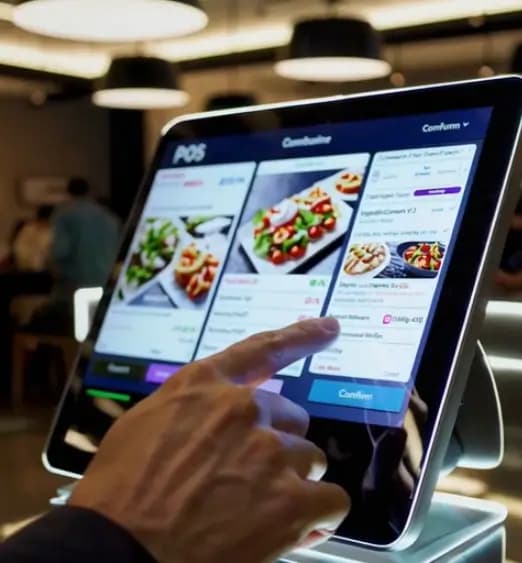
4. Clover POS - Best for Flexibility and Customization
Clover POS is known for its customizable features and flexible hardware options. It’s ideal for restaurants that want to tailor their POS system to specific business needs.
Clover is a user-friendly point-of-sale (POS) system designed for small to medium businesses, offering a range of software and hardware tailored to different industries, from retail to restaurants.… Read more
Clover is a user-friendly point-of-sale (POS) system designed for small to medium businesses, offering a range of software and hardware tailored to different industries, from retail to restaurants. While not the most affordable, its diverse payment partners make it a reliable choice. Developed by Clover Network Inc., a First Data Corporation subsidiary, Clover POS delivers a comprehensive solution for payment processing, inventory management, and sales tracking.
Learn more in our full Clover review.
Pros & Cons
- Attractive pricing 30-day trial at no cost
- Affordable hardware beginning at $49
- Feature-packed Ideal for businesses with an online presence
- Round-the-clock phone and email assistance.
- You can't apply for the POS online; it requires interaction with a sales representative
- Pricing information isn't clear-cut
- No complimentary plan available
Features
- Inventory Management
- Loyalty Program
- Mobile Compatibility
- Online Ordering
- Reporting
- Split Checks
- Manage Tips
- Staff Scheduling
- Offline Payments
- Customer Profiles
- Multidevice Payments
- Gift Card Support
- Accounting Integration
- Tableside Ordering
- Floor Plan Management
- Customer-Facing Display
- Self-Service Kiosk
- Retail Store
- Coffee Shop
- Nightclub
- Quick Service
- Bars
- Restaurants
- Food Truck
- Android
- Cloud-Based
- Free Trial
- Monthly subscription
Pricing
$13
mo/
month
$105
mo/
month
$170
mo/
month
$145
mo/
month
$230
mo/
month
$205
mo/
month
Key Features:
- Modular hardware options, from handheld devices to full terminals.
- Customizable apps from the Clover App Market.
- Tableside ordering and payment.
- Inventory management with real-time updates.
- Employee and shift management.
- Integrated loyalty programs and customer engagement tools.
Pricing:
- Starts at $39.95/month for basic plans.
- Hardware costs vary based on setup.
Is Clover a good value for my business?
It depends on who you buy it from. If you get a good processing rate from your bank, Clover is an excellent value. Just be careful of "free placement" leases that lock you into long contracts.
Who is this NOT for?
Owners who want one single point of contact for support (software + payments + hardware).
5. Square for Restaurants - Best for Budget-Friendly Solutions
Square removed the barrier to entry. It is the cheapest restaurant POS that is actually viable for professional use, perfect for cafes, bakeries, and QSRs.
Square is famous for its "Free" plan, but don't let the price tag fool you. It includes a free online ordering site, table management, and inventory tracking. For , their KDS on iPad has become a legitimate competitor to pricier systems.2026
Square for Restaurants is the restaurant edition of Square POS, built for cafés, food trucks, and full-service dining rooms that want to start taking orders without signing a long-term contract. The… Read more
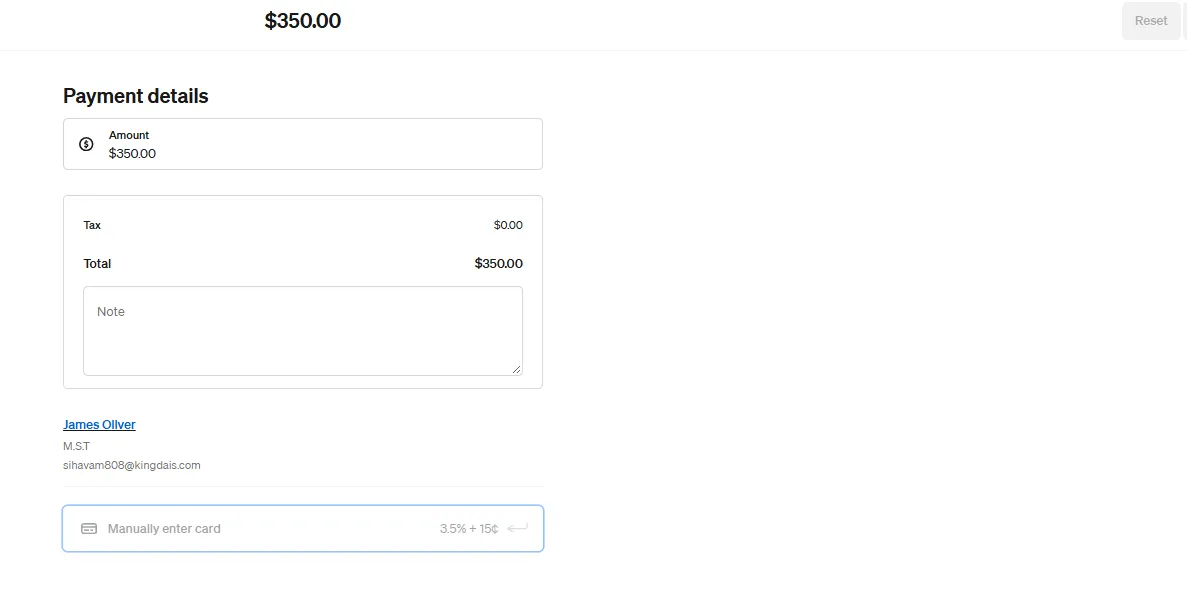
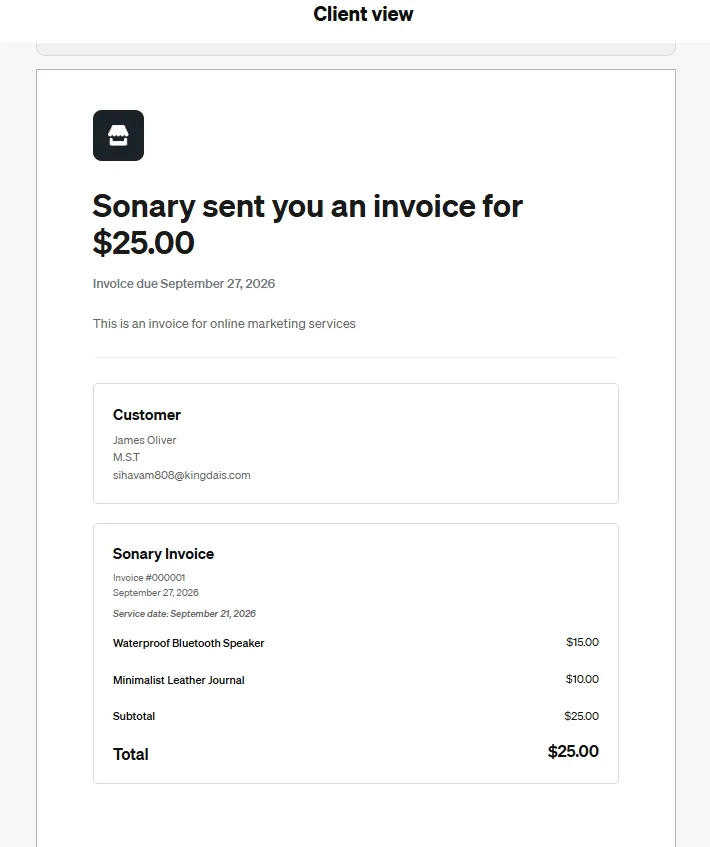
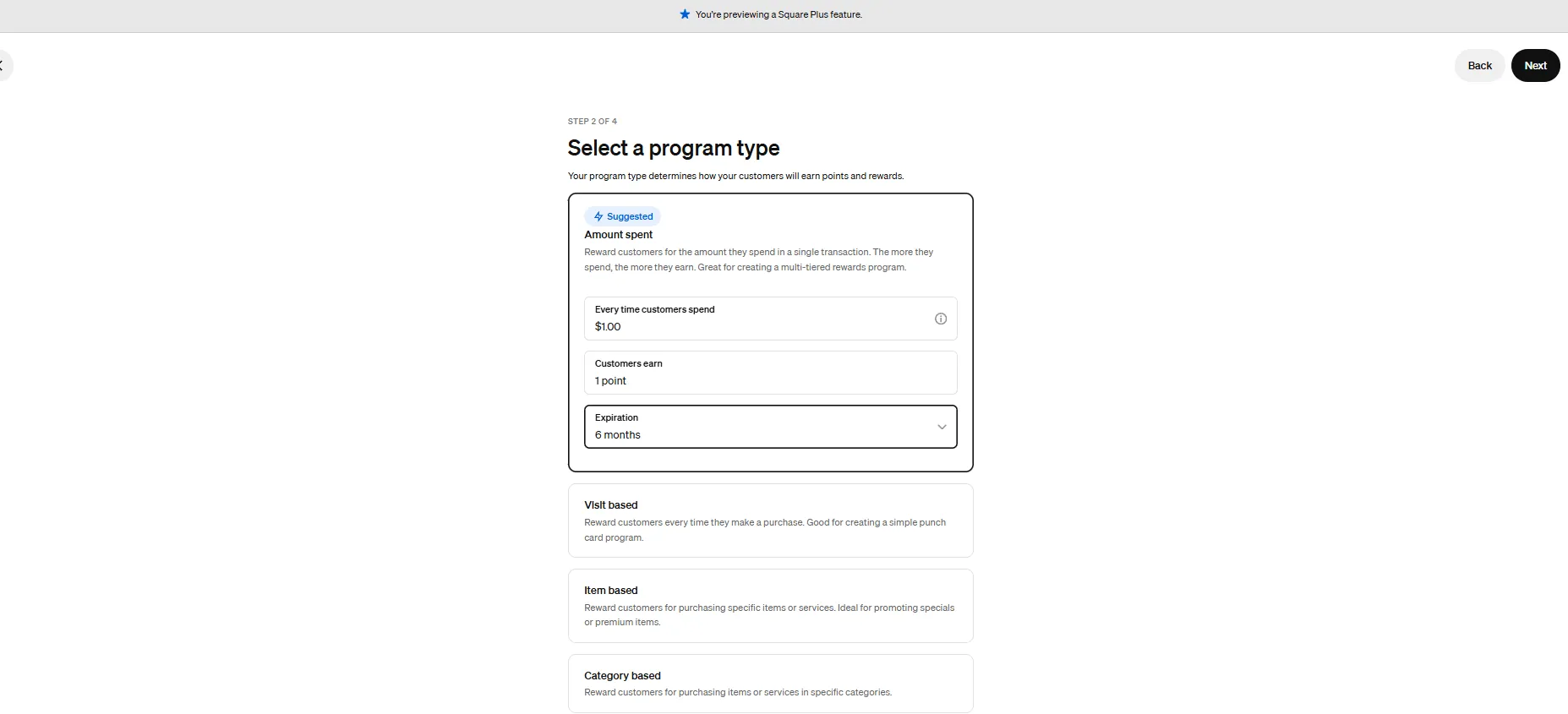
Square for Restaurants is the restaurant edition of Square POS, built for cafés, food trucks, and full-service dining rooms that want to start taking orders without signing a long-term contract. The Free plan costs $0 per location and still covers menu management, pickup and delivery orders, and in-person payments at 2.6% + 15¢. Plus ($49/mo per location) adds inventory, advanced reporting, and loyalty, while Premium ($149/mo) brings coursing, seat management, and cheaper kitchen display and kiosk add-ons. The catch - you can only process payments through Square. In this Square for Restaurants review, I cover features, performance, customer support, and pricing.
Learn more in our full Square for Restaurants review.
Pros & Cons
- No monthly payment
- Next-business-day transfers
- Inexpensive long-term option
- Comprehensive inventory management
- Not great for all industries
- Some performance issues
Features
- Inventory Management
- Loyalty Program
- Mobile Compatibility
- Online Ordering
- Reporting
- Split Checks
- Manage Tips
- Staff Scheduling
- Offline Payments
- Customer Profiles
- Multidevice Payments
- Gift Card Support
- Accounting Integration
- Tableside Ordering
- Floor Plan Management
- Customer-Facing Display
- Self-Service Kiosk
- Retail Store
- Coffee Shop
- Nightclub
- Quick Service
- Bars
- Restaurants
- Food Truck
- iOS
- Android
- Cloud-Based
- Free Trial
- Freemium
- Monthly subscription
- One-Time License
Pricing
$0
mo/
month
$29
mo/
month
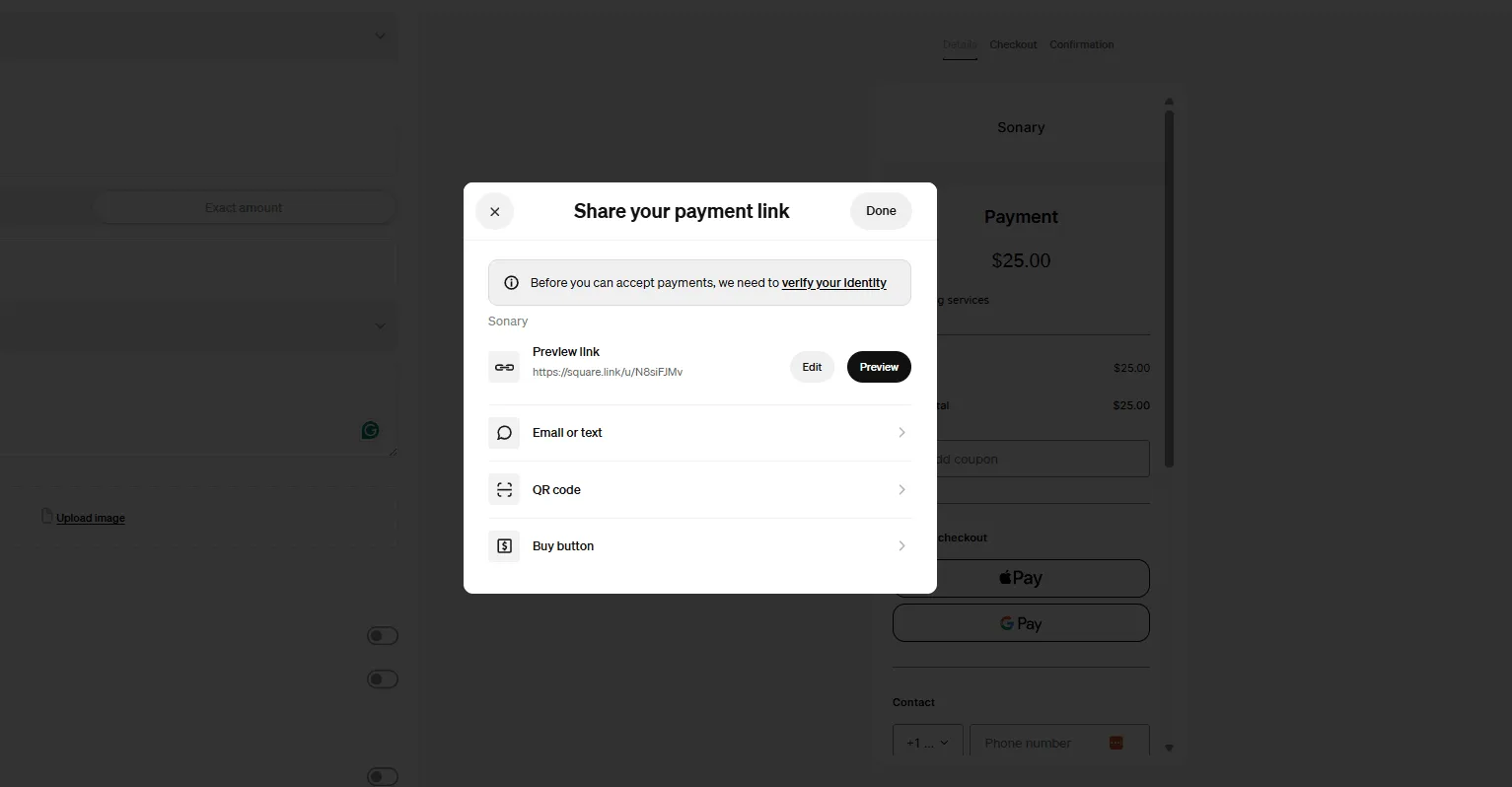
Screenshots
Key Features:
- No upfront costs with pay-as-you-go pricing.
- Customizable menus and table layouts.
- Integrated payment processing with transparent fees.
- Online ordering and delivery integrations.
- Employee management and time tracking.
- Detailed reporting and analytics.
Pricing:
- Free basic plan available; plus plans start at $60/month per location.
- 2.6% + 10¢ per transaction for payment processing.
Is Square a good value for my business?
For startups, absolutely. The $0 monthly fee is unbeatable. However, once you scale, the standard processing fees (2.6% + 10¢) can become more expensive than a negotiated rate with a traditional provider.
Who is this NOT for?
High-volume, full-service restaurants that need intricate course firing and dedicated 24/7 phone support.
What is the best coffee shop POS system?
Coffee shops rely heavily on rapid line-busting during morning rushes, easy custom drink modifiers (milk swaps, syrup shots, extra espresso), fast contactless payments, and minimal monthly software overhead during slow business cycles.
Product Fits & Key Capabilities
- Square for Restaurants (Best for Rapid Counter Sales & Low Overhead): Features a $0/month subscription model paired with fast visual layout buttons. Baristas can ring up customized drink orders in seconds and accept contactless card taps directly on an iPad or smartphone.
- SumUp (Best Compact Mobile Setup for Small Cafes): Features compact mobile hardware and lower-than-average transaction fees, making it an efficient choice for small cafe counters, pop-ups, and mobile coffee carts needing simple card processing.
- Toast (Best for High-Volume Coffee Shops & Roasters): Provides Toast Go handhelds for line-busting, custom barista display screens, and integrated gift card/loyalty tracking to keep long morning queues moving smoothly.
See the best coffee shop POS system
What is the best restaurant POS system for fast-casual restaurants?
Fast casual dining combines rapid counter service with high-quality food prep. These venues need immediate kitchen ticket routing, real-time inventory tracking, self-ordering kiosks to reduce front-of-house labor, and unified online pickup ordering.
Product Fits & Key Capabilities
- Toast (Best for Kitchen Sync & Self-Ordering Kiosks): Connects counter ordering, online pickup tickets, and self-service Toast Kiosks directly to Kitchen Display Systems (KDS), ensuring prep lines receive organized tickets instantly without paper clutter.
- SpotOn (Best for Custom Menu Logic & No Annual Contracts): Offers customizable menu builders, low commission rates for online ordering, and 24/7 technical support on a $0/month starter plan, allowing fast-casual teams to adapt menus quickly.
Which POS company is best for holiday and event dining management?
Managing holiday rushes and large party banquets requires visual floor plan mapping, deposit collection, automated reservation syncing, timed multi-course ticket holds, and guest allergy tracking.
Product Fits & Key Capabilities
- TouchBistro (Best for In-House Reservations & Party Seating): Features built-in TouchBistro Reservations directly on the POS screen, letting management handle table layouts, collect holiday guest deposits, send automated SMS reminders, and split large party checks easily.
- Lightspeed Restaurant (Best for Fine Dining & Guest CRM Tracking): Provides cloud-based floor plan customization and deep CRM tools to log guest preferences, dietary requirements, and VIP status for holiday events and multi-course dining.
What are some budget-friendly options?
Budget-friendly options keep Total Cost of Ownership (TCO) low by offering $0/month software base plans, zero upfront hardware bundles, or minimal fixed hardware costs, allowing new or low-margin venues to operate without high recurring subscription overhead.
Product Fits & Key Capabilities
- Square for Restaurants: Features a $0/month base software plan with unlimited menu items, table mapping, and online ordering. It runs on iPads or smartphones you already own, eliminating hardware startup expenses.
- Toast Starter Pay-As-You-Go: Offers $0 upfront hardware and software costs, funding equipment setup through a slightly adjusted processing percentage per sale, making it accessible for capital-constrained launches.
- Clover: Offers software plans starting at $13/month paired with affordable hardware options (starting as low as $49 or 1¢/mo promotional offers) for sleek, space-saving counter registers.
What restaurant POS system has the most reliable performance?
Reliability means the POS continues operating during internet or cloud server outages, supported by heat-, grease-, and spill-resistant commercial hardware built for active kitchens.
Product Fits & Key Capabilities
- TouchBistro (Best Local Network Hybrid Stability): Operates on a hybrid local network architecture where iPads communicate directly over a local Wi-Fi router. If your internet connection dies, register communication, table tracking, and kitchen ticket printing remain 100% functional.
- Toast (Best Hardware Durability & Encrypted Offline Mode): Features spill-proof, drop-tested Toast Go 2 handhelds paired with an encrypted offline mode that stores card payments during internet drops and processes them automatically once connectivity restores.
What are the most affordable self-service kiosks for restaurants?
Self-service kiosks reduce front-of-house labor expenses by letting guests order and pay independently. Affordable options utilize low-cost tablet enclosures rather than expensive custom-engineered terminal towers.
Product Fits & Key Capabilities
- Square Kiosk (Most Affordable Hardware Setup): Uses a standard Apple iPad mounted inside a $149 Square Kiosk stand on a $0/month base software plan, providing an ultra-low-cost self-ordering station.
- Toast Kiosk (Best Fully Integrated Food Kiosk): Integrates directly with Toast KDS screens and inventory management, automatically prompting guests with visual add-on options that increase average check sizes.
What is the best iPad kiosk software for quick-service restaurants?
Effective iPad kiosk software requires high-contrast visual product menus, intuitive modifier flows (selecting sides, toppings, or combo upgrades), automatic tipping prompts, and native card acceptance.
Product Fits & Key Capabilities
- Square for Restaurants (Best $0 Base iPad Kiosk Software): Converts standard iPads into self-guided ordering screens with visual modifier prompts, automatic upsells, and integrated Tap to Pay card checkout.
- TouchBistro Kiosk (Best iPad-Native Food Ordering Workflow): Built specifically for iOS tablets, featuring high-resolution food imagery, custom modifier groups, and direct order firing to kitchen displays.
What's the best POS for a new restaurant opening?
Opening a new restaurant carries high capital burn and operational uncertainty. New owners need fast staff training turnaround (under 15 minutes), flexible hardware scaling, and an all-in-one ecosystem that avoids managing multiple software vendors.
Product Fits & Key Capabilities
- Toast (Best Complete Starter Ecosystem): Provides an all-in-one suite (POS, KDS, online ordering, payroll, and team scheduling) on $0 upfront starter options, giving new restaurateurs a unified operational foundation.
- Square for Restaurants (Best Zero-Risk Setup): Offers a $0/month plan with no long-term contracts, allowing new venue owners to test their concept on existing tablets without fixed financial commitments.
- SpotOn (Best Hands-On Onboarding Support): Delivers dedicated setup specialists who assist with initial menu building, floor plan mapping, and on-site staff training before launch day.
Cheapest POS System for Restaurants
When you are starting a small bistro, a food truck, or a neighborhood cafe, every dollar counts. However, in the POS world, "cheap" can be deceptive. A system with $0 monthly software might cost you more in transaction fees or hardware costs later.
As experts, we look at the Total Cost of Ownership (TCO): the balance between what you pay today and what you pay every time a customer taps their card. Here are the top three budget-friendly picks from our list:
1. Square for Restaurants: Best for Zero Monthly Fees
Square is the gold standard for micro-businesses that want a professional setup without a recurring monthly bill.
- Software Cost: $0/mo (Free Plan).
- Best For: Coffee shops and bakeries that need to get up and running in minutes.
- The Pro: You can use an iPad you already own, meaning your "startup cost" is almost zero.
- The Trade-off: While there’s no monthly fee, their flat-rate processing (roughly 2.6% + 10¢) can become expensive as your sales volume grows.
2. Toast: Best for Zero Upfront Hardware Costs
Toast is built exclusively for the restaurant industry. Their "Starter Kit" is designed specifically for pizzerias and food trucks that need rugged, professional gear.
- Software Cost: Starting at $0/mo.
- Best For: High-pace environments where you need spill-proof screens and "server-proof" durability.
- The Pro: They often offer a "pay-as-you-go" model where you pay nothing for the hardware upfront.
- The Trade-off: To cover the hardware cost, your transaction fees are typically slightly higher than the industry average.
3. Clover: Best Value for All-in-One Hardware
Clover is the "middle ground" choice. If you want a sleek, all-in-one device that looks great on your counter and handles payments, inventory, and even gift cards, Clover is the top contender.
- Software Cost: Starting at $13/mo.
- Best For: Retail-heavy restaurants or "Quick Service" shops that want a compact, professional terminal.
- The Pro: It’s cloud-hosted and accessible from anywhere, allowing you to check your sales from your phone while you’re away from the shop.
- The Trade-off: Unlike Square, there is a small monthly fee, but the hardware is often considered more "all-in-one" and user-friendly for staff.
Comparison: Budget Leaderboard
Feature | Square | Toast | Clover |
|---|---|---|---|
Best For | Micro-Cafes & Bakeries | Pizzerias & Food Trucks | Quick Service & Retail |
Software Fee | $0/mo | $0/mo | $13/mo |
Hardware | Use your own iPad | Purpose-built Terminal | All-in-one "Mini" or "Flex" |
Key Advantage | No hidden fees | Professional durability | Best for gift cards & CRM |
The Bottom Line
- Pick Square if you want $0 monthly bills and already own a tablet.
- Pick Toast if you want the best restaurant-specific features without paying for hardware today.
- Pick Clover if you want a professional, all-in-one system with a very low monthly entry point.
How to Choose a Restaurant POS System
Don't get dazzled by shiny screens. Focus on these 4 "Dealbreaker" factors:
- Processing Fees: This is your biggest long-term cost. A "free" POS that charges 3.5% is much more expensive than a $100/mo POS that charges 2.2%. Do the math on your annual sales.
- Offline Capability: Pull the ethernet cable out of the demo unit. Does it still work? If not, don't buy it. Internet outages happen.
- Hardware Durability: Is the screen "consumer grade" (like a regular iPad) or "commercial grade" (hardened plastic, spill-proof)? Kitchens are wet, hot, and greasy.
- Integration Ecosystem: Does it talk to your accounting software (QuickBooks) and your staff scheduling tool (7shifts)? If it doesn't, you are creating hours of manual data entry for yourself.
How We Rate Restaurant POS Systems
The team at Sonary spent over 100 hours testing 30+ different POS systems. We don’t just rely on what companies claim; we get hands-on with the hardware and software to see how they perform in the heat of a simulated dinner rush.
Our ratings are based on a mix of research and real-world stress testing. We talk to restaurant owners about their daily challenges, like internet outages during peak hours or grease-covered screens. We assess:
- Speed & Durability: Can the hardware survive a drop? How many clicks does it take to split a check 4 ways?
- Kitchen Logic: Does the system understand that "Appetizers" fire before "Entrees"? (You'd be surprised how many don't).
- Support Reality: We call customer support anonymously at 9 PM on a Friday to see if they actually pick up.
Our goal is to provide an honest look at how these tools handle the pressure of running a busy kitchen, not just an empty office.
See also
- Table service is the demanding end of the category, and the best POS for small businesses comparison shows what lighter setups leave out.
- Tickets have to reach the line in the right order, which is why best kitchen display systems gets its own page.
- Counter and takeaway formats need no table plans or seat numbers, so start from best POS for quick service restaurants instead of this list.
- Drink-led sites want open tabs, pre-auth and split rounds, set out on the best POS system for bars page.
- Tip handling and settlement timing come from the processor rather than the till, so price best credit card processing for small business as well.