
POS System Features Explained: What a Modern POS Can Actually Do for Your Small Business in 2026

TL;DR: POS system features explained - what a POS actually does for your small business
The core POS system features every small business needs in are: multi-payment processing (cards, contactless, mobile wallets), real-time inventory tracking, customer data with built-in loyalty, mobile and cloud-based access, an automated POS reporting system that shows your sales live on your phone, employee management, and integrations with your other tools. Most modern POS sales systems include all of these in their basic plans.2026But the features list on a vendor's sales page doesn't tell you what these features actually DO for your business - and that's why most owners buy the wrong POS. This guide translates each feature into a real-world capability: what you'll actually do with it on a Tuesday afternoon at your coffee shop, salon, food truck, or boutique.
If you've been running your shop, restaurant, salon, or food truck on a basic register (or worse, just a card reader and a notebook), a real POS will change how you spend your day. The list of POS software features on a vendor's website doesn't really tell you any of this - that's why we wrote this guide.
This guide is for you if you're running a small or micro business and you've been wondering: do I really need a POS? What's it actually going to do for me on a Tuesday afternoon? Is it worth the money? Read on.
If you're brand new to the topic and want to understand what a POS even is first, start with our what is a POS system guide.
Why we wrote this differently - Daniel's take
Most articles about POS sales systems give you a long list of features. Things like inventory management, customer relationship management, and advanced reporting. If you don't already work in tech, those words are basically meaningless.
Here's my honest take after years of reviewing POS software at Sonary: the features list is a trap. Every modern POS lists the same features. Every vendor checks the same boxes. But the way each system implements those features in real life is wildly different - and that's where most small business owners get burned.
I've watched hundreds of small business owners pick a POS based on a features comparison chart, then come back 12-18 months later wishing they'd picked something else. They didn't pick the wrong tool. They picked the tool whose features looked best on paper without ever testing whether they'd actually do those jobs every day.
We're a small business ourselves at Sonary. We know what it's like to read a sales page full of words like robust omnichannel capabilities or advanced reporting suite and have no idea if that helps you sell more cupcakes. That's why this guide is different. Instead of listing features, I'm going to translate each one into a specific real-world capability - what you'll actually do with it on a Tuesday afternoon at your coffee shop, salon, food truck, or boutique.
The biggest problem I see at Sonary: most owners pick a POS based on the features list, then realize a year later they're using maybe 30% of what it can do - and it's missing the things they actually need. This guide is built so you don't make that mistake.
The 12 POS system features every small business should know
Below are the 12 most important POS system features for a small business in - translated from feature lists into real things you'll actually do with each one. Each capability starts with a real example. Then we explain what it means and which kinds of businesses get the most out of it.2026
The data behind why these features matter:
- 57% of US small businesses now accept mobile wallet payments in 2025, up from 42% in 2020.(Source)
- 83% of small businesses that started accepting tap-to-pay reported happier customers in 2025.(Source)
- 61% of businesses had to upgrade their POS at some point because what they bought didn't actually do what they needed.(Source: Sonary data)
A note on what's NOT on this list before we dive in: I deliberately left out several features that vendor sales pages obsess over - things like advanced loyalty tier hierarchies, complex employee permission matrices, and most AI-powered analytics claims. Why? In my experience reviewing these systems, those are features that small business owners almost never actually use. They sound impressive on a demo. They never make it into the daily workflow. This list is the 12 capabilities I see small businesses actually USE - not the 50 features the vendors want you to think you need.
1. Let your customers pay any way they want
Real example: A customer walks into your coffee shop. They forgot their wallet but they have their phone. They tap their phone on your card reader. Done. Coffee in 10 seconds.
What it means: Your POS accepts every kind of payment - cards, contactless tap, Apple Pay, Google Pay, and even split payments between two cards. You never have to say sorry; we don't take that.
My honest take: I see small business owners hesitate on this all the time because of transaction fees. Don't. The math is brutal: if blocking American Express saves you 0.5% in fees but loses you 5% of customers, you've made the wrong trade by an order of magnitude. Customers don't remember when checkout was easy - but they DO remember when you made them put their phone away and dig out cash. Set this up to accept everything, then forget about it.
Who needs it: Everyone. In , customers expect this. If you make them dig out cash because your card reader is old, some of them just leave.2026
2. Tells you when you're running low - automatically (before you run out)
Real example: It's 7 am. You're getting ready for work. Your phone buzzes with a notification: Almond milk: 2 left. You text your supplier from your kitchen. Crisis avoided.
What it means: This is what an automated point of sale system actually does for you. The POS counts your stock automatically as you sell - no manual counting, no spreadsheets, no end-of-day inventory check. When something hits a level you set (say, 5 left), it alerts you on your phone. You stop running out of your best-sellers on busy days.
Who needs it: Anyone selling physical things - coffee shops, retail boutiques, restaurants tracking ingredients, food trucks, gift shops, anyone with stock on shelves.
3. Builds you a list of your customers - without you doing anything
Real example: Three months in, you open your POS. You have 847 customer names. Each one has their email, when they last visited, what they bought, and how much they've spent total. You didn't type any of it in. It just happened.
What it means: Every time a customer wants an emailed receipt or signs up for your loyalty program, the POS adds them to your customer list. Months later, you can email these people. Send a we miss you message. Tell them about a sale.
Who needs it: Anyone with regular customers. Coffee shops, restaurants, boutiques, salons, gyms, any place people come back to.
4. Gives customers a reason to come back
Real example: Sarah comes into your boutique three times in two months. By her fourth visit, she's earned $20 in rewards thanks to your loyalty program. She mentions it to her sister. Now her sister starts coming too.
What it means: Your POS tracks who spends what. You set up rewards - points for spending, a free coffee at $50 spent, and a discount at $200 spent. The POS handles all of it. You don't have to remember anyone's points.
Who needs it: Coffee shops, restaurants, retail, salons, and anyone whose customers come back regularly. (If you run a one-time service like a wedding photographer, less important.)
5. Gives you a live POS reporting system on your phone
Real example: It's Wednesday morning. You're drinking your coffee. You open your POS app. Yesterday: $1,247 in sales. Top item: chocolate croissants (32 sold). Slowest hour: 2pm-3pm. Best day this month: Saturday. All on your phone, in 30 seconds.
What it means: A modern POS reporting system shows you live sales data on your phone, anytime. You see what's selling, when, by which employee, by which location. You stop guessing about your own business and start making decisions based on real numbers.
My take on which reports actually matter: Most POS reporting systems show you 50 different metrics. Honestly? You don't need most of them. The 6 numbers I tell every small business owner to track: daily revenue trend, top 10 sellers, bottom 10 sellers, average sale size, repeat customer rate, and busiest hours. That's it. If you check these six numbers weekly, you'll make better decisions than 90% of small business owners. The other 44 metrics on the dashboard? Mostly noise.
Who needs it: Every business. Without a real reporting system, you're flying blind.
6. Manages your team without spreadsheets
Real example: You have three employees. Each has their own login. You can see Maria worked 32 hours last week. She sold $4,200. James only worked 18 hours but his sales-per-hour was actually higher. Lisa keeps voiding transactions - you go ask her about it.
What it means: Each employee logs in with their own PIN. The POS tracks who worked when, what they sold, who's making mistakes. You stop using paper time cards. Maybe you stop paying for separate time-tracking software.
Who needs it: Any business with 2+ employees. Especially restaurants and shops with shift workers.
7. Let you check on your business from anywhere
Real example: You're at dinner. You wonder if today went okay. You open the POS app on your phone. $890 today, slightly above average. End-of-day reconciled correctly by your closing manager. You can finish dinner.
What it means: Cloud-based POS = your data lives online. You can check sales from your couch, add a new product while waiting for an oil change, update prices for tomorrow's sale before bed. You're not chained to the counter.
Who needs it: Every owner who wants to actually have a life outside the shop.
8. Connects your in-person sales to your online store
Real example: You sell handmade candles. You sell online and at your shop. A customer buys Vanilla Lavender online at noon. The POS at your shop instantly shows you have one less in stock. Now you can't accidentally sell that candle to someone in your store who doesn't know it's already gone.
What it means: If you sell both online and in-person, the POS keeps both stocks matched automatically. Same customer? Same record in both places. Same loyalty points. Same purchase history.
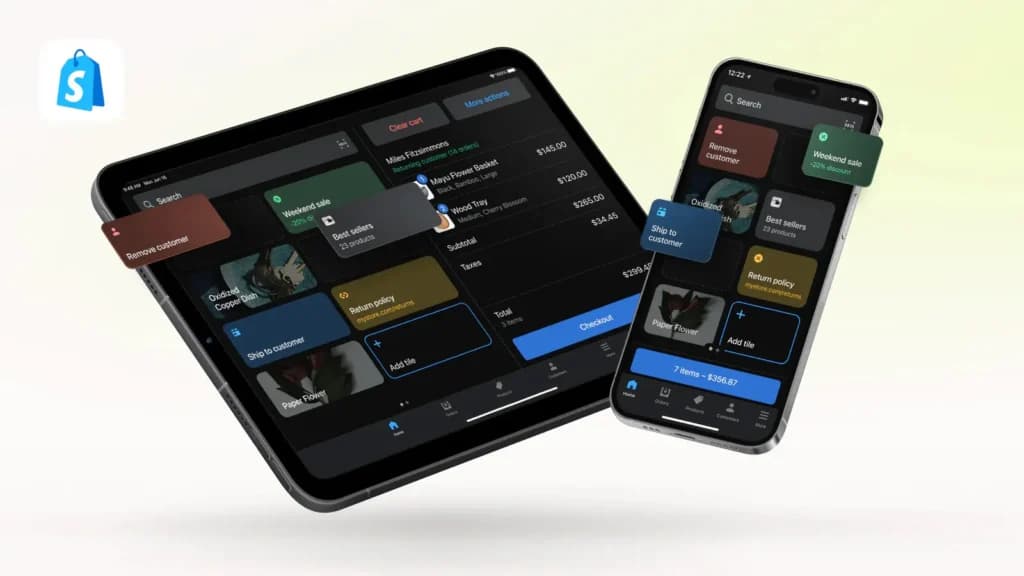
Who needs it: Anyone selling both online and at a physical location. Especially anyone using Shopify online - Shopify POS does this best because it's all the same system.
9. Let you take payments wherever your customer is
Real example: You run a small restaurant. Instead of customers walking up to your counter to pay, your servers carry a small device to the table. Customers tap their card. Receipt is emailed. Done. Faster turnover, happier customers.
What it means: Your POS isn't stuck on the counter. You can take payments at tables, at customers' cars (curbside pickup), at their door (delivery), or at a market booth. All from a small phone-sized device.
Who needs it: Restaurants, food trucks, market sellers, anyone doing curbside or delivery, mobile services like dog grooming or massage.
10. Connects to the other tools you already use
Real example: Every Friday afternoon, you used to spend 45 minutes typing your week's sales into QuickBooks. You stopped doing this. Your POS now sends the data automatically. That's about 36 hours a year you got back.
What it means: Your POS talks to your other software - accounting (QuickBooks, Xero), email marketing (Klaviyo, Mailchimp), online store. Information flows automatically. You stop typing the same things into different programs.
Who needs it: Any business using multiple software tools. So... almost everyone.
11. Runs multiple locations from one place
Real example: You opened a second coffee shop across town. Your POS lets you see both stores in one view. You notice your downtown location sells more pastries; your uptown location sells more drinks. You shift your stock and your menu accordingly.
What it means: If you have (or plan to have) more than one location, the POS handles multiple stores from one dashboard. Inventory, customers, reports - all combined.
Who needs it: Anyone planning to scale beyond one location. If you're sticking with one shop, skip this.
12. Keeps you open when WiFi drops
Real example: It's Saturday at 2 pm. Your shop is packed. The internet goes out. With an old card reader, you'd have to send people away. With a modern POS, you keep ringing up sales. They process automatically once the WiFi is back.
What it means: Most POS systems can keep working even when your internet is down. They process payments offline and sync up when you're back online. You don't lose Saturday-rush sales because your router is grumpy.
Who needs it: Every business - but especially anyone in an area with shaky internet, food trucks, market vendors, anywhere connectivity isn't reliable.
POS features vs. capabilities: what's the actual difference?
Here's the thing every small business owner needs to know:
A POS company's sales page lists features. Things like inventory management, customer relationship management, advanced reporting suite. Every POS system says they have all of this.
But what those features actually do varies widely from one POS to another.
Square's inventory management is simple. Click, count, done. Toast's inventory management tracks every cup of milk you use in every latte. Shopify POS's inventory management syncs automatically with your online store. Clover's inventory management lets you customize everything - but you have to set it up.
Same checkbox on the sales page. Completely different from your actual day.
The right question isn't Does this POS have inventory management? Will this POS let me run my shop the way I want to?
Some practical translations:
What the sales page says | What it actually means for you |
|---|---|
Inventory management | I get an alert when I'm running low - before customers notice |
Customer relationship management | I can email everyone who hasn't been in for 60 days, automatically |
Advanced reporting | I can see yesterday's sales while drinking my morning coffee |
Employee management | I see which barista is selling the most pastries this week |
Loyalty program | Sarah gets a free coffee after she buys 9 - and the POS tracks it |
Omnichannel selling | When I sell a candle online, my in-store stock count goes down too |
Multi-payment processing | Customers can pay with whatever they have - phone, card, tap, cash |
Test the actual job, not the feature list. Most POS systems offer free trials or demos. Use them. Try to do the thing you'd actually do every day. The POS that survives is the one to buy.
This is the same thing Daniel writes about for CRMs in his guide to choosing the right CRM for small business- the principle is the same across small business software.
Real-world POS scenarios - which features matter when you have specific constraints
The right POS for you depends on your specific situation, not on a generic feature list. Below are the most common multi-constraint scenarios I see at Sonary - combining the business type, monthly card volume, employee count, and growth plans into honest recommendations.
Scenario 1: Coffee shop owner doing $15K/month, 3 employees, no online store, expecting to add a second location next year
Features that matter: Multi-payment processing (must accept all mobile wallets - coffee customers expect tap-to-pay), real-time inventory for ingredients, employee clock-in/out for 3 shift workers, basic loyalty program (regulars are everything for coffee shops), and multi-location capability ready for next year.
My pick: Square for Restaurants if you want simple and cheap, Toast if you want restaurant-specific depth and can stomach the 2-year contract. Skip the multi-location features in the basic plan now - but verify the upgrade path so you're not stuck when you open store #2.
Watch out for: Square's transaction rates climb at higher volumes. At $15K/month you're on the edge. Run the math at Sonary's credit card processing fee calculator to compare against Helcim before committing.
Scenario 2: Salon owner doing $8K/month, 1-2 stylists, books appointments, sells some hair products
Features that matter: Online appointment booking (this is a non-negotiable for service businesses), customer profiles with service history, basic inventory for retail products, mobile payments for clients who pay at the chair, and integrations with email marketing for rebooking reminders.
My pick: Square Appointments if you want POS + booking in one tool, vcita if you want a deeper client portal with intake forms and recurring billing.
Watch out for: Generic POS systems (Square Free, Clover) won't handle your appointment workflow. You need something appointment-specific. The features list might say scheduling but in practice it's only good enough for retail.
Scenario 3: Boutique retail owner doing $20K/month, sells online (Shopify) AND in-person, 1 employee + me
Features that matter: Omnichannel sync (your in-store and online stock counts must stay matched automatically), product variants (size, color, style), barcode scanning, customer profiles that work across channels, and tight integration with Shopify online.
My pick: Shopify POS- almost no other POS comes close for this scenario. The native integration with your existing Shopify store eliminates 90% of the manual reconciliation work that destroys boutique margins.
Watch out for: Switching from Shopify POS to anything else means rebuilding the integrations Shopify gives you natively. Almost never worth it.
Scenario 4: Food truck owner doing $5K-12K/month depending on the season, 1-person operation, spotty WiFi at events
Features that matter: Mobile capability (your POS IS your phone), strong offline mode (your WiFi will fail), low monthly cost (you can't afford $200/month software in slow months), and simple setup (you're alone - no IT person).
My pick: Square for the simplest start, Toast or TouchBistro if you need stronger restaurant features and offline mode. For the simplest possible setup, Square Tap to Pay on iPhone - no card reader needed.
Watch out for: Test offline mode BEFORE you trust it. Run a transaction with WiFi disabled. The POS that handles this gracefully is the one to buy. Square's offline mode is okay; Toast's is robust; some others fail completely.
Scenario 5: Side hustle/weekend market seller doing under $3K/month, no employees, just starting out
Features that matter: Free or near-free monthly cost, ability to use your existing phone (no equipment purchase), simple setup, payment processing for cards and tap.
My pick: Square Free, full stop. $0/month, transaction fees only, runs on your existing phone with Tap to Pay. Set up in 15 minutes. As your sales grow past $5K/month, reevaluate - but at this stage, free is the right answer.
Watch out for: Don't overthink this. The biggest mistake at this stage is paying for features you won't use for two years. Start cheap. Plan to switch when you hit $10K/month in card sales.
How do I know if I need all these POS features?
Honest answer: You probably need most of it. But not all of it. Below are some honest gut-checks.
You probably need a POS if...
- You take card payments, and your card reader is more than 3 years old
- You count your inventory by hand or pen and paper
- You don't know how much you sold yesterday until your accountant tells you next month
- You wish you could email past customers, but don't have their info
- You sell both online and in person, and stuff gets messy
- You have employees, and you're tracking their hours on paper
- You miss sales when your internet drops
You might be fine without one if...
- You're a one-person shop with very few customers, all repeat regulars
- You only do cash sales (rare in , but it happens)2026
- You're a service business that only sends invoices by email (like a freelance designer or consultant)
You can start small
The good news: most modern POS sales systems for small business aren't expensive. Square's free plan is genuinely free- $0/month, you only pay when customers pay. You can run an entire small business POS from a phone you already own using Tap to Pay. No counter setup. No special equipment.
Most micro businesses can start with Square, Helcim, or Clover for under $50/month all-in. As you grow, you upgrade. The biggest mistake we see at Sonary is people picking the cheapest option without thinking about what happens when their business grows - and getting stuck with a system that doesn't fit them anymore. (We wrote about that mistake in detail in our what is a POS system guide.)
Run the math before you commit
Whatever POS you're considering, run the actual cost math for YOUR sales volume using Sonary's credit card processing fee calculator. Most owners get surprised - the transaction fees usually cost more than the monthly subscription.
How did Sonary learn what we share here?
We're a small team running a small business that reviews software for small businesses. We've spent years talking to vendors' sales and support teams, testing software the way our readers would, and watching small businesses make the same mistakes over and over. Most of what we share here isn't theoretical - it's the patterns I see every week.
Most articles about POS systems are written by people who only work with big corporations, or by sites that get paid by whichever vendor pays them the most. That's not us. Sonary has real experience across our team - and we apply that lens to every recommendation.
We're SMB-only by design: every recommendation is filtered through the question, 'Would this work for a 1-30 person business?' If a tool requires a tech person to set up, it doesn't make our list - no matter how powerful it is.
One thing I'll say that most other POS guides won't: the two POS systems I think are most underrated for small businesses are Helcim and Epos Now. Helcim has the lowest transparent transaction fees in the industry - but you've probably never heard of it because they don't have Square's marketing budget. Epos Now is a reliable cloud POS that punches well above its name recognition. Most of the best POS lists skip both of them because they don't pay for placement. We don't, so we tell you about them.
For more on the patterns we see, our report on how microbusinesses are managing software covers the most common SMB software adoption mistakes.
The bottom line: POS system features that matter for small businesses
A modern POS does way more than take your money - it tells you what's selling, who's buying, what's running low, and how your business is doing, all automatically. The 12 POS system features above are what every small business should look for in . For a small or micro business, this isn't a luxury anymore.2026It's how you stop guessing about your own business and start making real decisions based on real numbers.
If you take one thing from this guide, take this: stop comparing POS systems by feature lists. Every modern POS has the same features. What matters is whether you can actually do the job with each one - and the only way to know that is to test it on a free trial or demo before you commit.
Pick a POS by what you'll actually DO with each feature, not by reading the marketing copy. Most small businesses can start with Square's free plan for $0/month, on a phone they already own. As you grow, you upgrade. Just make sure you're not picking something that locks you out of growing - that's the #1 mistake I see at Sonary.
Run the cost math at YOUR sales volume using Sonary's credit card processing fee calculator before you commit to anything. The transaction fees almost always cost more than the monthly subscription, so the right answer at $5K/month in card sales is rarely the right answer at $50K/month.
Ready to find the right POS for you?
- Just starting? Read our what is a POS system guide for the basics.
- Compare by your business type: best POS for small business, best POS for restaurants, best retail POS, best food truck POS, best mobile POS, best free POS.
- Run the cost math: Sonary's credit card processing fee calculator.
- Read the deeper guides: how much does a POS cost, Clover vs. Square.
FAQ: POS system features for small business owners
What can a POS actually do besides take payments?
Track your stock automatically. Save customer info so you can email them later. Run a loyalty program. Show you live sales reports on your phone. Track your employees' hours. Sync your in-person and online sales. Take payments anywhere via mobile. Connect to your accounting software. Run multiple locations. Keep working when WiFi drops. Most modern POS systems include all of these in their basic plans.
What POS software features should a small business look for?
The core POS software features every small business needs in : multi-payment processing (cards, contactless, mobile wallets), real-time inventory tracking, customer data and loyalty, automated sales reporting accessible from your phone, employee management, mobile and offline capability, omnichannel sync between online and in-person, and integrations with your accounting and email tools. Most modern POS sales systems include these in their basic plans - what changes is depth and ease of use.2026
What is an automated point of sale system?
An automated point of sale system is a POS that handles tasks for you instead of requiring manual work - automatically tracking inventory as items sell, automatically updating customer profiles after each purchase, automatically generating end-of-day reports, automatically syncing data to your accounting software, and automatically alerting you when stock runs low. Almost every modern cloud-based POS qualifies as automated. The differences come from how DEEP the automation goes and how well it connects to the rest of your tools.
What is a POS reporting system and what should it show me?
A POS reporting system is the part of your POS that turns daily sales data into useful insights. The reports that matter most for small businesses: daily/weekly/monthly sales totals, top sellers and slow movers, sales by hour (so you know when you're busiest), sales by employee, repeat customer rate, and tax summaries for your accountant. Most modern POS reporting systems show all of this on your phone in real time - no waiting for end-of-month reports.
Do I really need all 12 of these capabilities?
No. Most small businesses use 5-7 of them heavily. Pick a POS that has all 12 (most modern ones do), but focus your evaluation on the ones you'll actually use every day. The rest will be there when you grow into them.
What's the simplest POS for a one-person business?
Square. Genuinely free, no monthly fee, runs on your existing phone with Tap to Pay. You can start in 15 minutes. Setup is intuitive. Most micro businesses don't need anything more complicated.
What POS works best for a small restaurant?
Toast. It's built for restaurants - kitchen displays, table management, tip pooling, all the restaurant-specific stuff. For a very small food business (coffee cart, food truck), Square for Restaurants is a more affordable option. See our best POS for restaurants guide.
What POS works best for a small boutique or shop?
For most small retail: Square if you want simple and cheap, Shopify POS if you also sell online (especially if you're already on Shopify), or Clover if you want better in-store hardware. See our best retail POS systems guide.
What POS works best for a salon or service business with appointments?
Square Appointments - combines POS with online booking so customers can schedule themselves. Or Vcita, which adds invoicing and a client portal. Both match how salons, therapists, tutors, and fitness trainers actually work.
Do I need to buy special equipment?
Probably not at first. If you have a recent iPhone or Android phone, you can take card payments using Tap to Pay - no card reader needed. Many small businesses run their entire POS on the phone they already own.
How much does a POS cost?
Most small businesses spend $0-$100/month on the software, plus 2.3-3.0% per card sale in fees. Equipment is anywhere from $0 (use your phone) to a few hundred for a basic counter setup. The transaction fees usually cost more than the monthly subscription. Run the math at YOUR volume using Sonary's credit card processing fee calculator.
Can a POS work without internet?
Most cloud-based POS systems have an offline mode that lets you keep accepting payments when WiFi drops. Quality varies - Toast and TouchBistro have the best offline modes. During your free trial, deliberately disconnect WiFi and try processing a sale to see how the POS handles it.
Are customer credit cards safe with a POS?
Yes. Modern POS systems scramble (encrypt) the card information before it leaves the card reader. The actual card numbers are never saved anywhere. You don't have to set up any of the security yourself - the POS company handles all of that. Just make sure you pick a reputable provider.
What's the biggest mistake small businesses make with POS?
Picking the cheapest option without thinking about what happens when their business grows. Most owners pick something that fits today and 18 months later they're stuck with pricing that's way more expensive than they planned for - and switching is painful enough that most just absorb the cost. We wrote about this in detail in our what is a POS system guide.
About the author: Daniel Zvi leads Sonary's coverage of POS systems and small business operations software. He's spent years reviewing POS systems for how small and micro businesses actually use them, not how enterprise vendors describe them. His work focuses on translating overwhelming feature lists into the specific capabilities small business owners will actually use day to day, with a particular eye for the underrated tools (Helcim, Epos Now) that don't have the marketing budgets of bigger names. The recommendations in this guide come from Sonary's actual experience reviewing POS software as a small business itself.