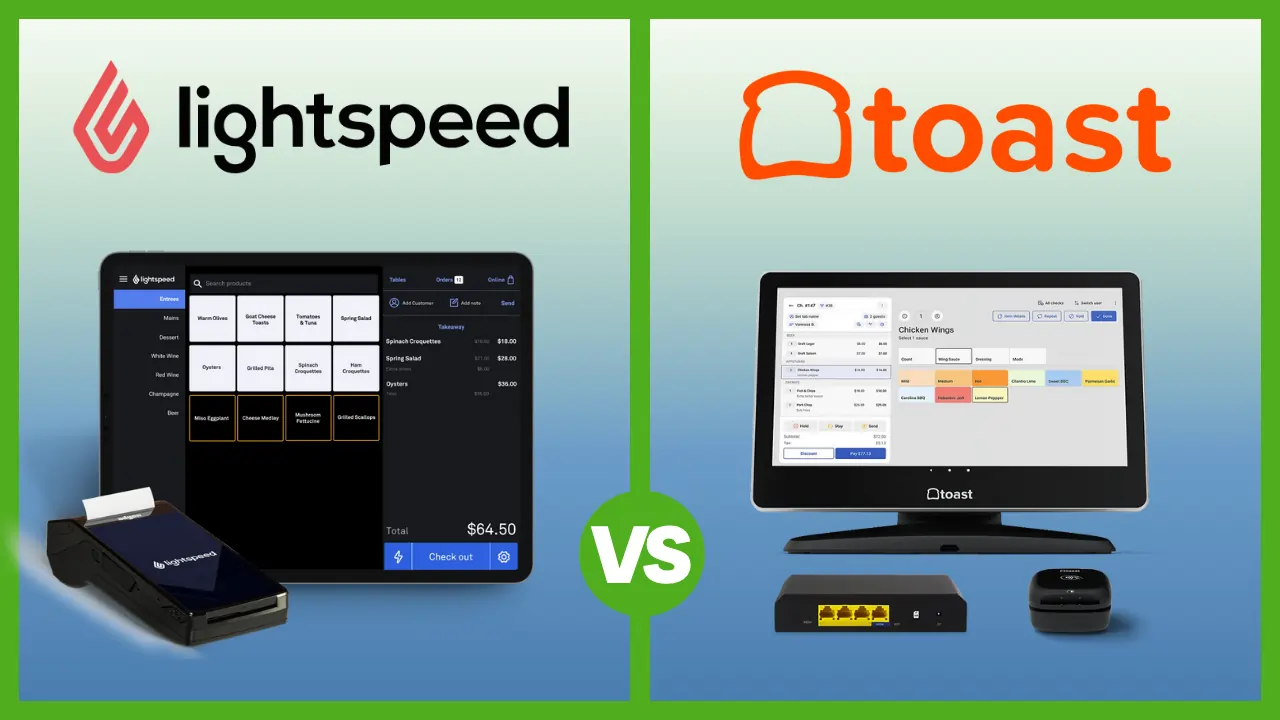
Best POS Systems for Small and Micro Businesses in 2026

If you're running a small business with 1-5 people and still using a basic cash register, a calculator, or worse - a handwritten notebook - you're losing money, time, and data every single day. The right POS (point-of-sale) system fixes all of that. It processes payments, tracks inventory, manages customers, and gives you real sales data so you can actually make informed decisions instead of guessing. This guide covers the best POS systems tested specifically from the perspective of small and micro business owners.

- Free setup & no hidden fees
- Create customer profiles in seconds
- Simple to use inventory management




- Start for free
- Customize your package
- Features to help your restaurant adapt

- Process digital wallets & popular payments
- Personalize marketing to boost loyalty
- Sync online & in-store sales effortlessly


- Cloud-hosted & accessible from anywhere
- Accept payments & track inventory
- Offer gift cards to boost customer retention

- Advanced inventory management capabilities
- Smarter sales & reporting
- Cloud-based data management

- No contracts. No monthly fees. No hidden charges.
- Top-rated customer service
- Lowest interchange rate for each transaction
The 5 Things You Need to Know
- Square POS is the best starting point for almost any micro or small business – it’s free, takes 15 minutes to set up, and you can start selling with just your phone. No contracts, no monthly fees on the free plan.
- Toast is the only real option if you’re running a restaurant, café, or any food service business – its kitchen display system, table management, and online ordering tools are built for how restaurants actually work.
- Shopify POS is the move if you sell both online and in-person – it syncs everything (inventory, customers, orders) across all your channels automatically. No other system does omnichannel as seamlessly.
- Clover is for established small businesses that want professional-grade hardware and the flexibility to choose their own payment processor – but it costs more upfront than Square or Toast.
- Don’t overpay for features you won’t use. A solo food truck doesn’t need enterprise inventory tools. An online boutique doesn’t need kitchen display tools. Match the system to your actual business, not the one with the longest feature list.
How We Test: Hands-On as Solo Entrepreneurs and Small Teams
We don’t review POS systems from a corporate perspective. We test them the way a 2-person coffee shop, a 3-person retail store, or a solo market vendor would actually use them.
We evaluate each POS system on how fast you can go from sign-up to first sale, how intuitive the interface is for someone with zero Point of Sale experience, whether it actually works on hardware you already own (your iPad, your phone), what the real monthly cost looks like after transaction fees and add-ons, and how well it scales when you go from 1 employee to 3 or 5 without needing to rip everything out and start over.
Every system in this guide has been set up, configured, and used by people running small operations – not by a review team with enterprise budgets.
Square POS – Best Overall for Small and Micro Businesses
Square is the POS system that most small business owners should start with. Not because it’s perfect, but because it removes every barrier to getting started. There’s no monthly fee on the free plan, no contract, no termination fee, and you can literally download the app on your phone, plug in a $59 card reader, and start accepting payments within 15 minutes.
For a micro business, that matters more than any feature list. You don’t need to call a sales rep, wait for hardware to ship, or commit to a 2-year deal before you’ve even made your first sale. Square lets you start immediately and figure out what you need as you go.
The free plan includes more than most paid plans from competitors: a full POS with inventory tracking, a free online store, low-stock alerts, basic reporting, Google review monitoring, and the ability to accept chip cards, Apple Pay, Google Pay, Cash App Pay, and contactless payments. Transaction fees are 2.6% + 10¢ per in-person tap, dip, or swipe – and there are no PCI compliance fees or chargeback fees on top of that.

 Free setup & no hidden fees
Create customer profiles in seconds
Free setup & no hidden fees
Create customer profiles in seconds Pros:
- Zero Fixed Cost: The “Free” plan is genuinely usable for most small businesses.
- Ecosystem: seamlessly integrates invoices, appointments, and payroll.
- Hardware: The magstripe reader is free; contactless readers are affordable.
Cons:
- Support: Customer service can be difficult to reach for free-tier users.
- Fees: At 2.6% + 15¢ per transaction, the fees are slightly higher than competitors’, which adds up for high-volume merchants.
Pricing: $0/mo for the standard plan. Processing fees ~2.6% + 15¢ per tap/dip.
Where Square Actually Shines for Small Teams
The real strength of Square for a 2-5 person team is that one person can manage everything. Your cashier uses the POS to ring up sales. You, the owner, check the dashboard from your phone at home to see how the day went. The same system handles your online store, your loyalty program, your invoicing, and your payroll if you add it. You’re not toggling between 4 different platforms or manually entering data from one system to another.
Square also recently added Square AI – a conversational assistant built into the dashboard where you can ask natural-language questions like “what was my best-selling item last Tuesday?” or “how did this week compare to last month?” and get instant answers without digging through reports. For a small business owner who doesn’t have time to build custom reports, this is genuinely useful.
Where Square Falls Short
Square’s limitations become real as you grow. The reporting is basic compared to systems like Lightspeed or Toast – you can see top-line numbers, but drilling into category-level detail or building custom reports is limited. Inventory management works fine for a small catalog, but if you’re managing hundreds of SKUs across multiple locations, you’ll outgrow it.
The bigger issue for some owners is transaction fees. At 2.6% + 10¢ per swipe, Square is competitive for low-to-moderate volume. But if you’re processing $30,000+ per month, those flat-rate fees add up faster than interchange-plus pricing from providers like Helcim. And customer support is a known pain point – some users report long wait times and difficulty reaching a human when things go wrong.
Case Study: 3-Person Juice Bar
A small cold-pressed juice bar with one owner and two part-time employees started on Square’s free plan when they opened. They used a single iPad with a Square Stand at the counter and the Square Reader for weekend farmers market pop-ups.
Within the first month, they set up an online ordering page through Square’s free online store so customers could order ahead for pickup. They added Square Loyalty on the Plus plan ($29/month) after 3 months, and the customer-facing display on the register automatically prompted sign-ups – they hit 400 loyalty members within 6 months without any manual effort.
The owner manages inventory, checks daily sales reports, and runs payroll for both employees – all from the Square Dashboard on her phone. Total monthly cost: $29/month for the Plus plan + transaction fees. Total setup time: one afternoon.
Toast POS – Best for Restaurants and Food Service Businesses
If you’re opening a restaurant, a café with table service, a bar, a bakery, or any food-focused business – Toast is built for you in a way that general-purpose POS systems like Square or Clover simply aren’t.
Toast isn’t a generic POS that added restaurant features as an afterthought. Every single feature – table management, kitchen display systems (KDS), tip pooling, menu engineering, online ordering, curbside pickup, and labor cost tracking – was designed from the ground up for how food businesses actually operate day-to-day.
Start for free
Customize your package Pros:
- Hardware Durability: The “Toast Go 2” handhelds are spill-proof and drop-tested.
- Offline Mode: continues to process credit card payments even during internet outages.
- Menu Management: Excellent handling of complex modifiers (e.g., “Steak: Medium, No Sauce, Sub Salad”).
Cons:
- Contract Lock-in: Requires a long-term contract and exclusive use of Toast payment processing.
- Android Only: It does not work on iPads/iOS devices.
The Starter Kit is free ($0/month) if you’re willing to pay higher processing fees (around 3.09% + 15¢). If you pay for hardware upfront, the standard plan is $69/month with lower processing fees (from 2.49% + 15¢). Toast’s purpose-built Android hardware is designed for kitchen environments – it handles grease, heat, and the general chaos of a busy service.
Why Restaurants Specifically Need Toast
Here’s the thing most generic POS reviews won’t tell you: running a restaurant on Square or Clover is possible, but it’s frustrating. Restaurant owners who’ve tried Square often describe the reporting as too shallow – you can’t easily drill into individual menu item performance, food cost percentages, or labor-to-revenue ratios. Square doesn’t natively handle tip pooling with the flexibility restaurants need. And Clover’s backend, while functional, wasn’t designed around kitchen workflows.
Toast handles all of this natively. The kitchen display system routes orders to the right station automatically. The online ordering is commission-free (a huge deal when DoorDash and Uber Eats take 15-30% per order). Menu engineering tools show you which items are high-profit and high-popularity, so you can design your menu around actual margin data.
Where Toast Falls Short
Toast is exclusively for food and beverage businesses – you can’t use it for retail. It’s Android-only, so if you’re an iPad shop, Toast isn’t an option. Some plans come with 2-year contracts and early termination fees, which is a real risk for a new restaurant that might not survive year one. And many features that should be standard (loyalty programs, advanced analytics, marketing tools) are paid add-ons that increase your monthly cost.
For very small operations – a single-location coffee shop with a simple menu – Toast can feel overpowered and overly complex. Several users have noted that the number of features is overwhelming for a business that just needs to ring up lattes and pastries.
Case Study: 4-Person Taco Restaurant
A small taco restaurant with one owner, one kitchen manager, and two front-of-house staff launched with Toast’s pay-as-you-go Starter Kit – $0 upfront for hardware, $0/month for software, with higher per-transaction fees.
They set up the KDS in the kitchen so orders from the counter flowed directly to a screen at the prep station – no more handwritten tickets getting lost or misread. They activated Toast’s online ordering within the first week and offered commission-free pickup and delivery, which drove about 25% of their total orders within the first two months.
The owner uses Toast’s labor cost reports to schedule shifts based on actual sales data per hour, and the menu engineering dashboard helped them identify that their $14 burrito bowl had a 68% margin while their $4 street tacos were running at 31%. They restructured their menu placement and saw average ticket size increase by roughly $2.50 per order.
After 8 months, they upgraded to the $69/month plan to get lower processing fees as their volume grew. Total investment in year one: hardware (free), software ($69/mo after month 8), plus transaction fees.
Find the best POS by industry
- Restaurant POS Systems
- Retail POS Systems
- Beauty Salon POS Software
- Food Truck POS Systems
- POS for Coffee Shops and Cafes
- Mobile POS Systems
- POS for Hotels
- Ipad POS Systems
- Kitchen Display Systems
Shopify POS – Best for Businesses That Sell Online and In-Person
If your business sells products both online and in physical locations, Shopify POS is the strongest option. Not because the in-store POS itself is the best on the market – but because no other system integrates online and offline sales as seamlessly.
When a customer buys something in your physical store, Shopify automatically updates your online inventory. When someone orders from your website, the same stock count adjusts across all your locations. Customer profiles unify purchase history from every channel – so when a regular walks into your shop, you can see what they’ve bought online. This isn’t a feature you configure. It just works.
Process digital wallets & popular payments
Personalize marketing to boost loyalty Pros:
- Unified Inventory: Automatic syncing prevents overselling.
- Fulfillment: unique features like “Buy Online, Pick Up In-Store” (BOPIS).
- Interface: incredibly clean and familiar to Shopify web users.
Cons:
- Offline Functionality: Not as robust as specialized offline systems.
- Add-Ons: Advanced POS features require the “Pro” subscription.
Shopify doesn’t have a free plan – it starts at $39/month for Basic Shopify, which includes POS Lite (basic in-store selling). If you want advanced in-store features like staff permissions, custom receipts, and exchanges, you’ll need POS Pro at an additional $89/month per location. Transaction fees are 2.6% + 10¢ for in-person payments on most plans.
What Makes Shopify POS Different From Just Using Square + a Website
The question many small business owners ask is: “Can’t I just use Square for in-store sales and a separate website for online orders?” Technically, yes. But the moment you try to manage inventory across two disconnected systems, you’ll understand why Shopify’s unified approach saves hours per week.
With Square, if a product sells online, you have to manually adjust your in-store inventory (or hope Square’s e-commerce and in-store sync works – it sometimes doesn’t for complex catalogs). With Shopify, it’s one catalog, one inventory count, one customer database, one reporting dashboard. You also get abandoned cart recovery emails included on all plans, the ability to sell on Instagram, Facebook, and TikTok directly from your Shopify dashboard, and support for sales in 133 currencies and multiple languages.
Where Shopify POS Falls Short
If you don’t sell online, Shopify POS doesn’t make much sense. You’d be paying $39+/month for an e-commerce platform you’re not using. The in-store POS itself, while solid, isn’t as feature-rich for pure brick-and-mortar operations as Square’s free plan or Clover’s retail-specific tools.
Shopify also gets expensive quickly. $39/month base + $89/month for POS Pro + hardware costs + transaction fees adds up to a significant monthly commitment for a micro business. And unlike Square, there’s no free plan to test the waters.
Case Study: 2-Person Handmade Ceramics Business
A ceramics studio run by two partners – one handles production, the other manages sales – started on Shopify to sell their pottery online. When they opened a small retail space in a local maker’s market (3 days/week), they added Shopify POS rather than setting up a separate system.
The result: when a customer buys a vase in-person on Saturday, the online store automatically shows one fewer in stock. When an order comes in from their Instagram shop at 2am, the inventory adjusts before they open the physical booth the next morning. They never oversell, and they never manually update stock counts.
They run the in-store POS on an iPad with a Shopify card reader ($49). Their combined monthly cost is $39/month (Basic Shopify) + transaction fees. They skipped POS Pro because the two of them don’t need advanced staff permissions – they both do everything. Total setup for the physical POS: about 2 hours, since their entire product catalog was already in Shopify from the online store.
Clover POS – Best Hardware and Payment Processor Flexibility
Clover is the POS system you choose when you want professional-grade hardware, the flexibility to pick your own payment processor, and a polished customer-facing experience. It’s owned by Fiserv (one of the largest payment processing companies in the world), and it shows in the build quality.
Clover’s hardware is, objectively, the best-looking and most responsive POS hardware on the market. The Clover Station Duo (a dual-screen setup with a customer-facing display) looks like it belongs in a high-end boutique. The Clover Mini is a compact all-in-one terminal for smaller spaces. The Clover Flex is a handheld device for line-busting or tableside payments. And the Clover Go is a $49 card reader for mobile selling.
Cloud-hosted & accessible from anywhere
Accept payments & track inventory Pros:
- Hardware: Look and feel is premium; great for customer perception.
- iOS Companion: The Clover Go app pairs with a card reader to let you take payments on an iPad or iPhone, perfect for line-busting.
- App Market: Huge library of 3rd-party apps for loyalty, payroll, and scheduling.
Cons:
- Proprietary Station: You cannot install the main “Station” software on your own iPad; you must use their counter hardware for the full experience.
- Distributor Model: You often buy Clover through a bank, meaning support quality varies wildly.
Pricing starts at $14.95/month for the most basic payment-only plan, but realistic retail or restaurant plans range from $84.95 to $179+/month. Transaction fees start as low as 2.3% + 10¢ – slightly lower than Square.
The Processor Flexibility Advantage
Here’s something most small business owners don’t realize: with Square, Toast, or Shopify, you’re locked into their payment processor. You can’t negotiate rates, and you can’t switch to a cheaper processor if your volume grows. Clover gives you the option to work with multiple payment processing partners. If you’re processing high volumes and want to negotiate interchange-plus rates rather than paying flat-rate fees, Clover lets you do that.
This matters most for established businesses processing $20,000+ per month, where the difference between 2.6% and 2.3% (or a custom interchange-plus rate) can save hundreds of dollars per month.
Where Clover Falls Short
Clover’s biggest weakness for micro businesses is cost. While Square and Toast let you start for free, Clover’s entry price for a retail or restaurant setup is $84.95+/month – before hardware. The Clover Station Duo runs about $1,799 (or monthly financing), which is a significant upfront investment for a new business.
The App Market, while extensive, can be a cost trap. Many integrations that are free on Square (like syncing with QuickBooks) cost $40+/month as Clover apps. And multiple user reviews note that while the front-end hardware and customer-facing interface are excellent, the backend management software doesn’t match that quality – it can feel clunky and less intuitive than Square’s dashboard.
Case Study: 5-Person Boutique Clothing Store
A boutique clothing store with one owner, one manager, and three part-time sales associates chose Clover specifically for its hardware and the ability to use a third-party payment processor with lower rates.
They installed a Clover Station Duo at the main checkout and a Clover Flex for the fitting room area (so associates could check customers out on the floor without sending them to the register). The customer-facing display shows itemized purchases and prompts for email capture, which they use for their marketing list.
Because they process about $45,000/month in card transactions, the owner negotiated an interchange-plus rate through their Clover processing partner – saving approximately $350/month compared to what they’d pay on Square’s flat rate. They use Clover’s App Market for appointment scheduling (for personal shopping sessions) and employee shift management.
Monthly cost: ~$135/month for the Essentials retail plan + app subscriptions + processing fees. Hardware investment: ~$2,400 upfront for the Station Duo and Flex. The owner’s view: “The upfront cost was real, but the processing savings paid it back in about 7 months. And customers constantly comment on how professional the checkout looks.”
Lightspeed POS – Best for Complex Inventory and Multi-Location Retail
Lightspeed is the POS you choose when inventory management is the core challenge of your business. If you’re a specialty retailer – a bike shop, a wine store, a sporting goods store, a business with hundreds or thousands of SKUs, or a multi-location operation – Lightspeed’s inventory tools are a level above anything Square, Clover, or Shopify offers.
When you enter products into Lightspeed, you can add descriptions, images, SKUs, barcodes, brands, categories, cost prices, selling prices, MSRP, tax rules, discount rules, supplier information, and custom fields. You can filter reports by any of these attributes. If you need to know “which brand of running shoes sold the most units at Location B in the last 90 days at full price versus discounted,” Lightspeed can answer that. Square can’t.
Advanced inventory management capabilities
Smarter sales & reporting Pros:
- Purchase Orders: integrated supplier catalogs for one-click reordering.
- Multi-Store: Best-in-class features for transferring stock between locations.
- Analytics: Deep reporting on “dusty” (unsold) inventory.
Cons:
- Learning Curve: The interface is denser and takes longer to train staff on than Square.
- Cost: Features get expensive as you add modules.
Pricing starts at $89/month (billed annually) for the Basic plan. Some plans require a 3-year contract, which is a significant commitment. Transaction fees vary by plan and processor.
When Lightspeed Makes Sense for a Small Business
Lightspeed makes sense when your business complexity justifies the cost. If you manage 50+ SKUs with variants (sizes, colors, materials), need supplier management and purchase order workflows, operate more than one location, or rely on granular inventory data for purchasing decisions – Lightspeed pays for itself in reduced stockouts, better ordering, and faster inventory counts.
Where Lightspeed Falls Short
For most micro businesses, Lightspeed is overkill. A 2-person shop with 30 products doesn’t need this level of inventory sophistication. The $89/month minimum (with potential 3-year contracts) is a steep entry point compared to Square’s free plan. Setup is more complex and time-consuming than simpler systems, and the learning curve is steeper.
Case Study: 4-Person Running Specialty Store
A running specialty store with one owner, one assistant manager, and two part-time staff carries about 800 SKUs – shoes in multiple sizes, apparel in multiple sizes and colors, accessories, and nutrition products. They chose Lightspeed because Square’s inventory couldn’t handle variant-level tracking at that scale.
With Lightspeed, each shoe style has variants for every size and width. When a size 10.5 in a specific model sells, only that variant decrements – not the parent product. The owner sets reorder points per variant and generates purchase orders directly within Lightspeed to send to suppliers.
Their monthly inventory counts, which used to take an entire Sunday with spreadsheets, now take about 3 hours using Lightspeed’s built-in counting tools and barcode scanning. The detailed reporting helps them identify slow-moving inventory before it becomes dead stock.
Monthly cost: $89/month + transaction fees. Hardware: iPad setup with barcode scanner and receipt printer (~$600). The owner’s take: “I tried Square first. It was fine for the first few months, but once we hit 400+ SKUs, I was spending more time managing inventory workarounds than actually running the store.”
Helcim – Best for Keeping Transaction Fees as Low as Possible
Helcim takes a fundamentally different approach to POS pricing. Instead of flat-rate transaction fees (like Square’s 2.6% + 10¢), Helcim uses interchange-plus pricing – meaning you pay the actual cost the card networks charge (interchange) plus a small, transparent markup. And that markup automatically decreases as your volume grows.
The POS software is completely free. There are no monthly fees, no contracts, and no hidden charges. You only pay for transactions. For a business processing moderate to high volumes (especially with higher-ticket items), this can result in significant savings compared to flat-rate providers.
No contracts. No monthly fees. No hidden charges.
Top-rated customer service Helcim also offers a Fee Saver program that lets you pass processing costs to customers through surcharging or cash discounts – effectively eliminating your processing fees entirely. Hardware options include the Helcim Smart Terminal and Tap to Pay on iPhone.
Who Helcim Is Actually Built For
Helcim is ideal for service-based businesses (consultants, law firms, marketing agencies, contractors), professional services that process recurring payments or high-ticket invoices, and any business where transaction fee savings matter more than industry-specific POS features. The built-in invoicing, subscription management, and recurring billing tools make it especially strong for B2B and service businesses.
Where Helcim Falls Short
Helcim doesn’t have the deep industry-specific features that Square, Toast, or Shopify offer. There’s no restaurant table management, no advanced retail inventory, no kitchen display system, no e-commerce platform. The app ecosystem is smaller. Hardware options are limited.
If you need a full-featured POS with industry-specific workflows, Helcim isn’t the right choice. But if your primary concern is keeping per-transaction costs as low as possible, Helcim is hard to beat.
Case Study: 2-Person Marketing Agency
A small marketing agency with two partners processes about $25,000/month in client payments – mostly through invoices for retainer fees and project milestones. They were previously using Square for invoicing and paying 2.9% + 30¢ per online transaction.
After switching to Helcim, their effective processing rate dropped to approximately 2.1% on average (interchange-plus pricing). On $25,000/month, that’s roughly $200/month in savings – $2,400/year – with no monthly software fees.
They use Helcim’s invoicing tools to send branded invoices that clients pay directly online, and the recurring billing feature auto-charges retainer clients monthly. The POS software is free, the invoicing is free, and the only cost is the per-transaction processing. For a service business that doesn’t need inventory management or in-person checkout features, it’s the most cost-effective option available.
How to Choose: A Quick Decision Framework
“I’m just starting out and need to accept payments as cheaply as possible.” → Start with Square. Free plan, no commitment, works on your phone. Upgrade later if you need to.
“I’m opening a restaurant, bar, or café.” → Go with Toast. The restaurant-specific features will save you headaches from day one. If you’re a very simple coffee shop or food truck, Square for Restaurants is a leaner alternative.
“I sell products both online and in-person.” → Use Shopify POS. The unified inventory and customer management across channels is unmatched.
“I want premium hardware and the ability to negotiate my processing rates.” → Choose Clover. Be prepared for higher upfront costs, but you’ll get processor flexibility and a polished setup.
“Inventory is my biggest operational challenge.” → Look at Lightspeed. Its inventory depth is best-in-class for specialty retail and multi-location businesses.
“I run a service business and want the lowest possible transaction fees.” → Go with Helcim. Free software + interchange-plus pricing = maximum savings on every transaction.
Conclusion
The best POS system for your small or micro business isn’t the one with the most features – it’s the one that matches your business type, your workflow, your budget, and your growth plan.
For the vast majority of micro businesses starting out, Square is the right call. It’s free, fast, and does 80% of what most small businesses need. As you grow, you can always switch to something more specialized – Toast for restaurants, Shopify for omnichannel retail, Clover for hardware quality, Lightspeed for complex inventory, or Helcim for fee savings.
The most important thing is to stop waiting for the “perfect” system. Every day you run your business without proper sales data, real-time inventory, and modern payment acceptance is a day you’re leaving money and insights on the table. Pick the system that fits your situation today, set it up this week, and iterate from there.
FAQ
What is the best POS system for a very small business?
Square is the best POS system for very small businesses. It has a free plan with no monthly fees, no long-term contracts, and includes essential features like payment processing, inventory tracking, an online store, and basic reporting. You can start selling with just your phone and a $59 card reader, or even use Tap to Pay on iPhone with no hardware at all.
How much does a POS system cost for a small business?
POS system costs for small businesses typically range from $0 to $100+ per month for software, plus transaction fees of 2.3%-3.0% per in-person sale. Square and Toast both offer free plans. Hardware costs range from $0 (using your phone) to $59 for a basic card reader, up to $1,000-$2,000+ for a full register setup with receipt printer, scanner, and cash drawer. Always calculate the total cost including transaction fees – a system with “$0/month” software but 3.09% processing fees can cost more than a $69/month system with 2.49% fees.
Can I use a POS system on my phone or tablet?
Yes. Most modern POS systems – including Square, Shopify, Toast, and Helcim – run on smartphones and tablets. Square and Helcim both support Tap to Pay on iPhone, which lets you accept contactless payments with no additional hardware. For a more permanent setup, Square Stand and Shopify POS work with standard iPads. Toast uses Android-based hardware.
What is the best free POS system?
Square offers the most full-featured free POS plan. It includes unlimited sales, products, and users, plus a free online store, basic inventory management, and reporting – with no time limit. Loyverse is another strong free option, especially for small food retailers, with free loyalty programs and multi-location support. Helcim offers free POS software with interchange-plus processing fees that can save money compared to flat-rate providers.
Do I need a POS system if I only accept cash?
Even if you only accept cash today, a POS system still provides significant value through sales tracking, inventory management, and reporting. You’ll know exactly what you sold, when, and how much revenue you generated – data that’s invisible with a cash register or notebook. That said, cash-only businesses are increasingly rare. Customers expect to pay with cards and mobile wallets, and not accepting them means losing sales to businesses that do.
What POS system is best for a restaurant?
Toast is the best POS system for restaurants. It’s specifically designed for food service with features like kitchen display systems, table management, menu engineering, tip pooling, and commission-free online ordering. For very small or simple food businesses (coffee shops, food trucks), Square for Restaurants is a more affordable alternative with a free plan and basic restaurant tools.
How long does it take to set up a POS system?
Simple cloud-based POS systems like Square can be set up and processing payments within 15-30 minutes if you’re using a basic card reader and a small product catalog. More complex setups with multiple terminals, detailed inventory imports, employee accounts, and integrations can take 1-3 days. Systems like Lightspeed or Clover, which involve more hardware and configuration, may require a full week for a complete implementation including staff training.
Can I switch POS systems later without losing my data?
Most POS systems allow you to export your product catalog, customer data, and sales history as CSV files. Some systems (like Square and Shopify) offer migration tools or guided support for importing data from a previous provider. However, switching POS systems always involves some setup time and a learning curve, which is why choosing the right system upfront matters – but it shouldn’t scare you into over-buying a system you don’t need yet.