
Which business software should you pay for — and what can you use for free?

If you’re a small business owner wondering which software is actually worth paying for, here’s the short answer: pay for the tools that directly drive revenue, protect you from financial or legal risk, or become operationally critical as you grow— like accounting, payroll, POS systems, and core industry software. Use free plans for supporting tools such as internal chat, basic project management, design, and early-stage marketing — at least until usage, complexity, or revenue impact makes an upgrade necessary. The difference isn’t about price. It’s about impact.
That’s the clear trend we’re seeing on Sonary, across 368 small businesses tracking their software in the Booster: 7 in 10 businesses run on just one or two paid tools, and the typical monthly software bill is around $99— not the thousands you might expect. Businesses that feel buried in software usually aren't the ones with the most subscriptions. They're the ones paying for the wrong categories. Most small businesses don’t have a revenue problem.
They have a software discipline problem.
It starts with “It’s only $29 a month.” Then another $19. Then another upgrade “just in case.” A year later, you’re paying for 15 tools — and you’re not sure which ones are actually worth it.
The real question isn’t how to cut software costs; it’s how to decide what’s worth paying for in the first place.
This guide gives you a practical framework to make that decision with confidence.
Day 1 expected costs per category
- Accounting and bookkeeping:$15 – $40/month
- Payment processing and POS:$0-90/month
- Payroll and HR:$40 – $50 base fee + $6 per employee/month
- CRM:$12 – $25 per user/month
- Industry-specific operational software:$50 – $200/month
**Use free tools to support business operations, not for core business.

The core rule: pay for revenue and risk, use free for support
If software directly drives revenue, protects revenue, reduces compliance risk, or prevents expensive mistakes, it usually deserves a paid plan.
If it simply improves convenience or organization — and you could still operate without advanced features — the free version is often enough.
Think of software in four buckets:
Category | What it means | Paid usually makes sense when… |
|---|---|---|
Revenue | Directly generates sales | Missed features could cost deals |
Retention | Improves customer experience | Service quality affects repeat business |
Risk | Protects compliance, tax, payroll, data | Errors could trigger penalties or loss |
Resource savings | Saves major time or headcount | Manual work is slowing growth |
If a tool clearly falls into Revenue, Retention, or Risk, treat it as infrastructure — not an expense to minimize.
The software categories most small businesses should pay for
There are exceptions. But for micro and small businesses, the following categories typically justify investment.
Accounting and bookkeeping
Free tools work when you’re pre-revenue or running very simple finances.
Once you have steady income, contractors, payroll, or tax complexity, paid accounting software becomes protection. Clean books reduce audit risk, simplify tax filing, and prevent expensive errors.
Saving $30 a month here can cost thousands later.
Day 1 expected cost:$15 – $40/month.
In practice, Sonary Booster users – who are in various stages of business development – running paid accounting software pay a median of $132/month, and bookkeeping users $208. The gap from the entry-level price reflects what most businesses learn the hard way: simple finances rarely stay simple.
Payment processing and POS
If you run retail, hospitality, or in-person services, this is your revenue engine.
Reliability, reporting, inventory control, and integrations matter. Downtime costs money immediately. Weak data hides margin problems.
This is rarely a category to cheap out on.
Day 1 expected cost:$0 – $90/month (software) + $50 – $600 (one-time hardware fee).
Payroll and HR (once you hire)
The moment you have employees, compliance risk increases.
Paid payroll software reduces tax filing mistakes, missed deadlines, and labor law exposure. Free options are rarely robust enough once you have real staff.
Day 1 expected cost:$40 – $50 base fee + $6 per employee/month.
Among Booster users running payroll software, the median spend is $530/month — the highest of any category we track. That price tag isn't a luxury – it's what compliance costs once you have real employees.
CRM (when sales become repeatable)
Spreadsheets are fine early.
Upgrade when you have multiple sales stages, more than one person selling, or a need for forecasting and reporting.
When pipeline visibility affects revenue, paid CRM becomes an investment — not a luxury.
Day 1 expected cost:$12 – $25 per user/month.
Once Booster users start paying for CRM, the median spend is $310/month per tool — significant enough that the timing matters. Move too early, and it's overhead. Move too late, and you're losing deals to weak follow-up.
Industry-specific operational software
Generic tools are flexible. Industry tools are efficient.
Construction companies need job costing. Restaurants need real inventory control. Field services need scheduling and dispatch optimization. E-commerce brands need analytics depth.
When operations get complex, industry software often pays for itself through margin protection.
Day 1 expected cost:$50 – $200/month.
The software categories that are often fine on free plans
Free plans work well for tools that support the business but don’t directly determine revenue or compliance. Here is how to navigate some of the best free options available today, along with our recommendations:
Project management
If your team is small and workflows are straightforward, free tiers are usually enough. Upgrade when visibility gaps start affecting deadlines or client experience.
- Our recommendation: monday.com offers up to 2 seats for free, making it ideal for duos or solopreneurs.

- Instantly organize with 200+ templates
- 40+ integration apps including Zoom
Internal chat
Most small teams can operate comfortably on free messaging plans until message limits or compliance needs become disruptive.
- Our recommendation: Slack offers limited free options for small teams, providing a solid foundation for real-time communication.
Basic design tools
Free design platforms are surprisingly capable. Paid makes sense when brand consistency, collaboration, or volume increases.
- Our recommendation: Canva offers a robust free plan that includes a vast library of templates and assets.

- Built for easy team collaboration
- Internal content scheduler and publisher
Document storage
Free plans are often fine early. Upgrade when storage limits, permissions, or security controls become operational risks.
- Our recommendation: Google Drive offers a great free tool for anyone with a Google account, providing generous initial storage.
Email marketing (early stage)
Free plans work when your list is small and campaigns are simple. Upgrade when email becomes a predictable revenue channel rather than occasional outreach.
- Our recommendation: Hubspot offers a 14-day free trial to test their advanced features. For growing small teams, their"starter" plan begins at $9/seat, allowing for a low-cost transition into paid marketing.

- Unified platform for sales and marketing
- Track customer interactions in real time
When building your own tool makes more sense than paying
There’s a third option most small businesses overlook: building a lightweight internal tool instead of subscribing to one.
App builders and no-code platforms — like Base44 and similar tools — allow you to create simple systems without hiring developers. For certain use cases, it can be more cost-effective than paying monthly SaaS fees.
Building can make sense when:
- The tool is internal-only and doesn’t directly impact customers
- Your workflow is unique and off-the-shelf tools feel bloated
- You only need a narrow set of features
- Paid plans feel expensive for what you actually use
For example, a marketing agency might build a simple internal client tracker instead of paying for a full CRM suite. A construction firm might create a custom job dashboard instead of forcing a generic project tool to fit.
That said, building your own tool still carries responsibility. You’re now maintaining it. If the system affects revenue, compliance, or customer experience, reliability matters. In those cases, proven SaaS platforms are often safer.
The same core rule applies:
If it protects revenue or reduces risk, lean toward established software.
If it supports internal workflow and you can build it simply, a no-code solution may be enough.
How the decision changes as you grow
Size increases coordination. Coordination increases risk.
Here’s how that typically plays out:
Software category | Solo founder | 2–5 employees | 6–25 employees |
|---|---|---|---|
Accounting | Free early, upgrade at steady revenue | Paid recommended | Paid essential |
CRM | Spreadsheet or free | Free CRM works | Paid strongly recommended |
Payroll | Contractor-based or none | Paid payroll | Full payroll + HR |
Project management | Free | Free or low-tier paid | Often paid |
Industry software | Case-by-case | Increasingly important | Mission-critical |
The bigger your team, the more expensive coordination mistakes become. Paid systems reduce those mistakes.
How the decision changes by business type
Not all businesses should spend in the same places, and business model often matters more than tool popularity.
Business type | Invest in paid | Often fine on free | Upgrade trigger |
|---|---|---|---|
Retail | POS, inventory, accounting | Marketing tools | Multi-location expansion |
Restaurant | POS, scheduling, accounting | Basic marketing | Complex staffing or multiple sites |
Construction | Job costing, accounting | CRM early | Multiple active projects |
Marketing agency | CRM, invoicing, project management | Chat tools | Team growth or retainers |
Ecommerce | E-commerce platform, analytics | Internal tools | Scaling ads or SKU growth |
Local services | Scheduling, invoicing | Marketing tools | Route or dispatch complexity |
Insights from small businesses using the Sonary Booster
As we know from Sonary Booster users, the gap between what vendors recommend and what small businesses actually run on is wider than most articles admit. Across 368 of our users — tracking 971 software subscriptions between them — three patterns keep emerging.
Most small businesses run leaner than the internet suggests. Seven in ten of our users track only one or two paid tools. Just 7% track six or more. The "tech stack" narrative makes it sound like you need a dozen subscriptions to compete. What we see is the opposite — real small businesses run on far less.
Typical monthly spend is around $100 – not thousands. Among users reporting any software spend, the median is $99/month. The top 25% sit above $538/month, and only the top 10% cross $3,000. A high total isn't a status symbol; when we see it, it's usually a signal to audit.
The money goes where the framework above lines up almost perfectly. Here's the median monthly cost of a paid tool in the categories our users track most often:
Category | Median cost per tool |
|---|---|
Payroll | $530 |
CRM | $310 |
Bookkeeping | $208 |
Accounting | $132 |
Graphic Design | $44 |
eCommerce | $44 |
Email Marketing | $27 |
Website Builders | $21 |
AI Tools | $20 |
Project Management | $14 |
The expensive categories are exactly the ones this guide flags as worth paying for — payroll, CRM, bookkeeping, accounting. The cheap categories are exactly the ones where free plans work — project management, email marketing, design, websites.
Our users are telling us the story themselves: pay for what you must to run the business, and start free on what supports it. You pay for accounting because a missed filing costs more than the subscription ever will. You don't pay for Canva to draft a few social posts when the free tier handles it — until brand consistency, volume, or collaboration start to matter. Then you consider upgrading. Same logic for project management, email marketing, basic web tools, and every other support category: free until the next stage of the business actually demands more.
One pattern worth flagging on its own: AI tools are now the most-tracked category among our users, ahead of accounting and websites. They're cheap (median $20/month) but additive — most of our users layer them on top of an existing stack rather than swapping anything out. It's the fastest-growing line in the typical small business stack right now.
If your spend sits below our median, check that you haven't skipped the categories that protect revenue. If it sits well above, the next section is for you.
Signs you’re paying for software you don’t need
If no one logs in weekly, you upgraded “just in case,” two tools overlap, you can’t clearly explain the ROI, or you don’t even know when the subscription renews, that tool deserves scrutiny. Most unnecessary software isn’t malicious — it’s forgotten.
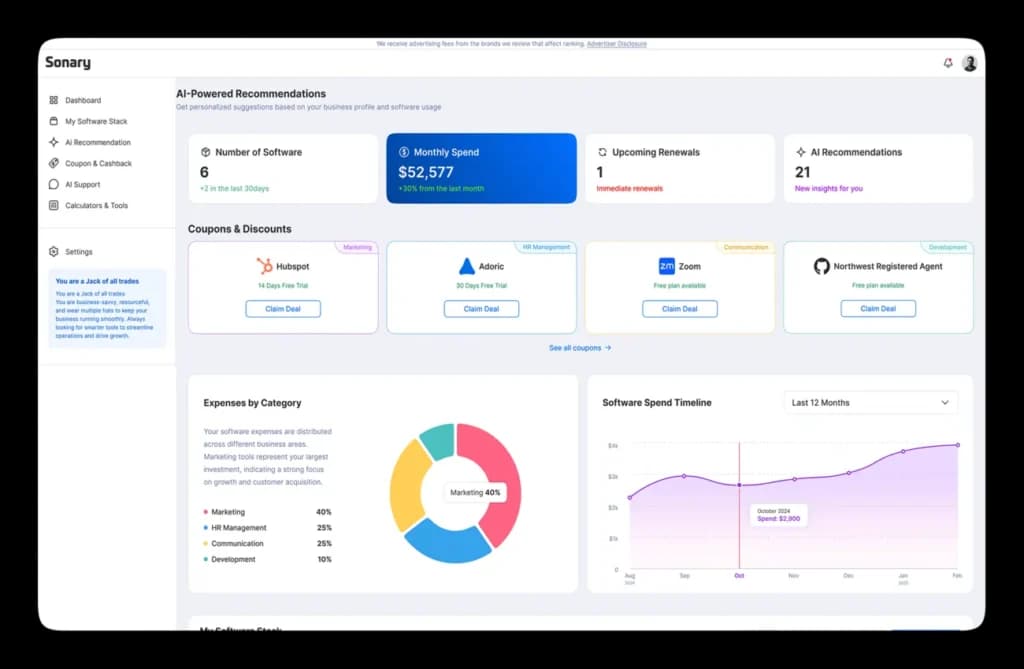
If you don’t have full visibility into your subscriptions, it’s difficult to make disciplined decisions. That’s where lightweight oversight tools — like the Booster by Sonary— can help you see everything in one place before renewal hits. Visibility alone often uncovers savings.
A simple five-step software audit
- List every paid tool.
- Assign each to Revenue, Retention, Risk, or Resource savings.
- Mark how often it’s actually used.
- Define the specific outcome it’s supposed to produce.
- Downgrade or cancel anything that doesn’t justify its cost.
Review your stack twice a year. Growth changes needs. So does complexity.
Related Articles


The bottom line on free vs paid business software
Pay deeply for the systems that protect revenue and reduce risk. Stay lean on everything else.
Small businesses rarely struggle because they didn’t try enough software. They struggle because they accumulate too much of the wrong kind. Software should simplify your business. If you want to skip the trial-and-error phase, the Sonary Booster is a free resource that matches you with the right tools based on your requirements.
If it’s making it heavier, it’s time to reassess.