
Best Website Builders for Small Businesses in 2026
We tried and tested the most popular website builders for small businesses so you don't have to - and the good news is, building a great website has never been easier or more affordable.
Last updated: October 2026

Free plan available
- Over 300 million sites were built on Wix
- 90K+ Sites created daily
- Website creation as natural as thinking
- Wix-powered websites are fast
- Has intuitive drag-and-drop design features
- Digital marketing integrations are super easy
- Massive reservoir of support materials
- One paid plan (except Enterprise) for only one site.
- Wix branding on Free plan
- Cannot use a custom domain on Free plan
Free plan available
 Prompt to Site
 Drag & Drop
- Over 300 million sites were built on Wix
- 90K+ Sites created daily
- Website creation as natural as thinking
- Wix-powered websites are fast
- Has intuitive drag-and-drop design features
- Digital marketing integrations are super easy
- Massive reservoir of support materials
- One paid plan (except Enterprise) for only one site.
- Wix branding on Free plan
- Cannot use a custom domain on Free plan

3-Days Free Trial
- Create a personalized storefront with built-in AI
- Pick from hundreds of feature-packed themes
- Be business-ready from day one
- Diverse App Store with 6,000 integrable apps designed for the Website Builder
- Comprehensive analytics dashboard
- Internet-wide digital marketing reporting
- Scalable and suitable for all business sizes
- Free version is not useful
- Users outside Shopify Payments supported countries have to use commission-based 3rd party apps.
3-Days Free Trial
- Create a personalized storefront with built-in AI
- Pick from hundreds of feature-packed themes
- Be business-ready from day one
- Diverse App Store with 6,000 integrable apps designed for the Website Builder
- Comprehensive analytics dashboard
- Internet-wide digital marketing reporting
- Scalable and suitable for all business sizes
- Free version is not useful
- Users outside Shopify Payments supported countries have to use commission-based 3rd party apps.

30-Days Free Trial
- 100+ Professional templates
- 30-day money-back guarantee
- Lightning-fast website load time
- Excellent uptime
- Unlimited storage and bandwidth on all plans
- Sophisticated AI-powered business tools
- Large photo repository
- Can’t publish a site on free plan
- Limited customization
30-Days Free Trial
- 100+ Professional templates
- 30-day money-back guarantee
- Lightning-fast website load time
- Excellent uptime
- Unlimited storage and bandwidth on all plans
- Sophisticated AI-powered business tools
- Large photo repository
- Can’t publish a site on free plan
- Limited customization

14-Days Free Trial
- Personalized design tailored to your business
- Generate content and images for your site
- 14M+ running their business on Squarespace
- You can create up to 1,000 pages
- In-built SEO tools
- Free SSL certificates
- Rich library of user learning materials
- You can not publish your professional website on the free trial mode
- No free plan, only free trail period
- Has a bit of a learning curve
14-Days Free Trial
- Personalized design tailored to your business
- Generate content and images for your site
- 14M+ running their business on Squarespace
- You can create up to 1,000 pages
- In-built SEO tools
- Free SSL certificates
- Rich library of user learning materials
- You can not publish your professional website on the free trial mode
- No free plan, only free trail period
- Has a bit of a learning curve

30-Days Free Trial
- Easy drag & drop WordPress builder
- Get started with over 300 templates
- 24/7 builder support
- Large design template library (over 300 design templates available)
- Large stock image repository
- First-class uptime
- You can quickly learn how to use WordPress through Bluehost Website Builder
- No free plan
- No monthly billing on some plans
30-Days Free Trial
- Easy drag & drop WordPress builder
- Get started with over 300 templates
- 24/7 builder support
- Large design template library (over 300 design templates available)
- Large stock image repository
- First-class uptime
- You can quickly learn how to use WordPress through Bluehost Website Builder
- No free plan
- No monthly billing on some plans

- Over 3M already chose web.com
- Award-winning software
- Free 1-hour design support session*
- Streamlines the website building and management process
- Provides hundreds of templates
- Sell up to 50 products with just a simple eCommerce store
- Provides email marketing tools
- Website builder offers limited customization functionality
- Some customers report uptime issues
- Over 3M already chose web.com
- Award-winning software
- Free 1-hour design support session*
- Streamlines the website building and management process
- Provides hundreds of templates
- Sell up to 50 products with just a simple eCommerce store
- Provides email marketing tools
- Website builder offers limited customization functionality
- Some customers report uptime issues

14-Days Free Trial
- AI-powered & custom websites
- Industry-leading SEO tools
- Enterprise-grade security & stability
- Sophisticated in creating mobile responsive websites
- Outstanding traffic analytics
- Unlimited website storage and bandwidth
- Wide range of apps and widgets
- No free plans
- The Basic plan is relatively expensive
- Basic and Team plans only cover for one website
14-Days Free Trial
- AI-powered & custom websites
- Industry-leading SEO tools
- Enterprise-grade security & stability
- Sophisticated in creating mobile responsive websites
- Outstanding traffic analytics
- Unlimited website storage and bandwidth
- Wide range of apps and widgets
- No free plans
- The Basic plan is relatively expensive
- Basic and Team plans only cover for one website
- Chat your way to a custom website
- Shop in just 3 easy steps
- Simple, affordable plans
- Multilingual website
- Free domain and SSL certificate
- Built-in editor SEO tools
- Predesigned website layouts
- App integrations require an upgrade to eCommerce plan
- No free website transfers
- Chat your way to a custom website
- Shop in just 3 easy steps
- Simple, affordable plans
- Multilingual website
- Free domain and SSL certificate
- Built-in editor SEO tools
- Predesigned website layouts
- App integrations require an upgrade to eCommerce plan
- No free website transfers

- Top rated drag & drop editor
- Live editing capabilities
- Powers 5,000,000+ websites
- Live page editor
- 300+ customizable templates
- Thousands of powerful integrations
- Mobile-responsive design
- Has a somewhat steep learning curve
- No white-label option for developers
- Top rated drag & drop editor
- Live editing capabilities
- Powers 5,000,000+ websites
- Live page editor
- 300+ customizable templates
- Thousands of powerful integrations
- Mobile-responsive design
- Has a somewhat steep learning curve
- No white-label option for developers

15-Days Free Trial
- 100+ design templates
- Drag & drop product merchandising
- Industry-leading expertise
- BigCommerce provides DDOS protection and Level 1 PCI-compliant
- In-built conversion rate optimization (CRO) tools
- Websites in multiple languages
- Offers omni-channel selling
- Limited design templates
- Has annual sales limits
15-Days Free Trial
- 100+ design templates
- Drag & drop product merchandising
- Industry-leading expertise
- BigCommerce provides DDOS protection and Level 1 PCI-compliant
- In-built conversion rate optimization (CRO) tools
- Websites in multiple languages
- Offers omni-channel selling
- Limited design templates
- Has annual sales limits
- 24/7 live chat support
- Sell globally with an online store
- Free email accounts with different plans
- Has easy drag-and-drop feature for intuitive design experience.
- Offers advanced store features for ecommerce businesses.
- Multiple language options and automatic translation.
- Outstanding 24/7 customer support via live chat and email support.
- Premium packages only cover for one website. You have to purchase multiple packages if you own more than one website.
- Site123 branded message on the free plan.
- Great for generic websites as customization features are highly limited.
- 24/7 live chat support
- Sell globally with an online store
- Free email accounts with different plans
- Has easy drag-and-drop feature for intuitive design experience.
- Offers advanced store features for ecommerce businesses.
- Multiple language options and automatic translation.
- Outstanding 24/7 customer support via live chat and email support.
- Premium packages only cover for one website. You have to purchase multiple packages if you own more than one website.
- Site123 branded message on the free plan.
- Great for generic websites as customization features are highly limited.

Free plan available
- Create a website in 10 minutes.
- Used by 356,000 small business owners
- Average score of 4.4/5 on Trustpilot
- Excellent UI/UX
- Easy to setup and use
- Multiple ready-made templates
- Commission-free webshop selling
- No phone support
- Limited third-party apps integration
Free plan available
- Create a website in 10 minutes.
- Used by 356,000 small business owners
- Average score of 4.4/5 on Trustpilot
- Excellent UI/UX
- Easy to setup and use
- Multiple ready-made templates
- Commission-free webshop selling
- No phone support
- Limited third-party apps integration
* Featured prices and terms can be updated. Free offers may include additional terms.
For most small businesses, Wix is our top pick. It's easy to use, looks great, and gives you everything you need to run your business online - all in one place, no tech skills required. The one exception: if your business is focused entirely on selling products online, Shopify is the better fit.
That said, every business is a little different - and the right platform for your neighbor's bakery might not be the right one for your consulting business. We spent over 2 hours testing each platform hands-on, so you can find the perfect match for your business quickly and with confidence.
What is the best website builder for a small business?
A small business website has one job: to turn visitors into calls, bookings, or orders. So the right builder depends on how your business makes money. A service business needs a booking calendar, contact forms, and a clear way to call or find you. A product business needs a checkout, inventory tracking, shipping, and tax settings.
There is a second filter most people miss: you will probably update the site yourself, between other jobs. The editor has to be simple enough that changing your opening hours or a price takes five minutes, not a call to a developer.
Standout Capabilities of Recommended Products:
Wix: The best fit for service and local businesses. Online bookings, payments, invoices, and email marketing are built in, and the free plan lets you build the whole site before you pay anything. When you upgrade, everything you built stays in place.
Shopify: The best fit if most of your revenue comes from selling products. The Basic plan ($29/mo) includes hosting, SSL, checkout, inventory, discount codes and shipping tools, so you are selling on day one. The domain is bought separately.
Hostinger: The best fit on a tight budget. For $2.99/mo intro, you get hosting, a domain for the first year, business email, and an AI builder that drafts the first version of your site for you. If you need to sell online, step up to the Unlimited plan, where ecommerce is enabled.
See also
- Free plans put ads on your site and a subdomain in your URL. The free website builders list says which ones are usable for a real business and which are a trial in disguise.
- AI builders get you a first draft in minutes and then charge like a normal builder. See which AI website builders let you edit the result without a designer.
- For paid campaigns you want A/B tests and fast load, not a blog. Compare landing page builders on those two.
- The advertised price is the first-year price. The cheapest website builders page shows the renewal price and what the free plan really lets you publish.
- Some builders block basic SEO controls behind higher tiers. The best website builders for SEO list checks meta control, redirects, sitemaps and page speed on the real plans.
- If you want full control of the layout without code, drag-and-drop website builders are the list - ranked on how much the editor actually lets you move.
- Selling originals and prints needs galleries plus checkout. See website builders for artists.
- If you have never built a site, the editor matters more than the feature list. Start with the easiest website builders.
- Portfolios live or die on image handling and templates. See portfolio website builders.
- One page for a campaign does not need a full site plan. The free landing page builders list covers forms, tracking and what the free tier watermarks.
- First site? Read website builders for beginners - we rank on how far you get in the first hour.
Top Website Builder Reviews: Which Builder Fits Which Business
1.Wix - Best for Small Teams Wearing Every Hat
Wix is a versatile website builder that empowers users to create stunning, professional websites without requiring advanced technical skills. Known for its intuitive drag-and-drop editor, Wix offers… Read more
Wix is a versatile website builder that empowers users to create stunning, professional websites without requiring advanced technical skills. Known for its intuitive drag-and-drop editor, Wix offers hundreds of customizable templates, robust e-commerce capabilities, and built-in SEO tools to optimize site performance. Whether you're a small business owner, blogger, or creative professional, Wix provides an all-in-one solution to design, manage, and grow your online presence. With features like mobile optimization, app integrations, and reliable hosting, Wix ensures your website is both functional and visually impressive, making it a top choice for users of all experience levels.
Learn more in our full Wix review.
Pros & Cons
- Wix-powered websites are fast
- Has intuitive drag-and-drop design features
- Digital marketing integrations are super easy
- Massive reservoir of support materials
- One paid plan (except Enterprise) for only one site.
- Wix branding on Free plan
- Cannot use a custom domain on Free plan
Features
- 100+ Templates
- Add HTML code
- Blog Templates
- Portfolio
- Drag & Drop Editor
- Multi-lingual website
- Fully customized
- SEO Tools
- Social Media Integration
- Widgets + Apps
- Newsletter tool
- Monetization
- Visitor statistics
- Multiple Sites
- Free Stock Photos
- Free custom domain
- Unlimited Space
- Unmetered Bandwidth
- Video Plug-Ins
- Blogging
- Online Stores
- Automatic Website Building
- Mobile-friendly
Pricing
$0
mo/
month
$17
mo/
month
$29
mo/
month
$39
mo/
month
$159
mo/
month
Best for: Service businesses, local businesses, multi-purpose sites, anyone managing their own marketing.
Wix is the platform built for the person who is simultaneously the designer, developer, marketer, and customer service rep. If your team is 1–3 people and you need full creative control without writing a single line of code, Wix is the most capable all-in-one tool on this list.
The drag-and-drop editor gives you genuine pixel-level freedom - you can place any element anywhere on the page, which is rare. Most builders lock you into a column grid. Wix doesn't, which means your site can look intentional rather than templated.
The AI site builder (Wix ADI) is where small teams gain the most time. You answer a short quiz - your business type, name, color preferences, and the pages you need - and Wix generates a complete, functional website with a coherent structure, placeholder content, and relevant images. From there, you swap in your real photos, copy, and contact details. For a business owner who's never built a website, this cuts setup from days to a few hours.
The Wix App Market extends the platform further: booking systems, live chat, email marketing, membership portals, loyalty programs - all connectable without code. For a small business trying to look enterprise-level on a startup budget, that matters.
Key Features
- Drag-and-drop editor: Customize every part of your site visually, no coding needed
- 800+ templates: Professionally designed layouts for businesses, portfolios, stores, and more
- App Market: Extend your site with apps for booking, chat, forms, and beyond
- AI Site Generator: Build a full site in minutes by answering a few questions
- Mobile optimization: Every site is automatically mobile-friendly
- Built-in SEO tools: Easily optimize your pages to help rank on search engines
What to watch: Wix's e-commerce features work for businesses with a moderate product range, but if selling is your entire business model, Shopify's infrastructure is stronger. Also: once you build on Wix, migrating away is possible but not seamless - you're building inside their ecosystem.

Case Study: Local Wellness Studio (3 Employees)
A yoga and pilates studio with 3 staff - the owner, one instructor, and a part-time admin - needed a site that handled class bookings, memberships, and a blog for SEO. They used Wix ADI to get the initial site live in one afternoon. The owner customized the color scheme and swapped in brand photography. The admin connected Wix Bookings for class scheduling - no third-party tool needed. Within two weeks of launch, they were taking bookings directly through the site. Setup time: under 6 hours. Monthly cost: $29 on the Core plan.
Who It’s For
Wix is ideal for entrepreneurs, small business owners, creatives, and anyone who wants to build a website that looks exactly how they envision it, without hiring a developer. It’s one of the best easy website builders in today’s market, especially if you want freedom to play and personalize.
2. Shopify - Best for Businesses Built Entirely Around Selling Products

- Trusted by millions of businesses globally
- Drag-and-drop store creator
Best for: Online stores, product-first businesses, dropshipping, omnichannel retail.
Shopify isn't a website builder with an e-commerce module bolted on. It's an e-commerce operating system that happens to let you build a website. That distinction matters enormously. If your revenue comes from selling products - physical, digital, or dropshipped - Shopify is engineered for that workflow in a way no other platform on this list matches.
The setup is fast and opinionated. You pick a theme, and Shopify generates a homepage, collection pages, and a checkout - all immediately functional. Shopify Payments works out of the box in supported countries. The inventory system handles variants, SKUs, low-stock alerts, and order tracking without a separate tool. For a 2-person team managing dozens of products, that operational consolidation is genuinely valuable.
Shopify's sales channels are another real advantage: you can sell on Instagram, Facebook, TikTok, Amazon, and in-person at markets using Shopify POS - all inventory synced from the same dashboard.
Key Features
- Product & inventory management–Track stock, variations, SKUs, and fulfillment
- Built-in checkout & payments–Accept credit cards, Apple Pay, Google Pay, and more
- Abandoned cart recovery –Automatically follow up with shoppers who don’t complete purchases
- Sales channels –Sell on Facebook, Instagram, Amazon, TikTok, and in-person with Shopify POS
- App store –Extend functionality with thousands of plugins
- Themes & customization –Mobile-optimized, responsive storefront templates
What to watch: Transaction fees apply if you use a third-party payment processor instead of Shopify Payments (Shopify Payments isn't available in all countries - verify availability for your region). The base plan is lean; most real stores end up adding apps for reviews, upsells, and email - each with a monthly fee. A $29/mo plan can realistically become $80–120/mo once you have the tools a functioning store needs. Also, if you want to build a content-heavy site alongside your store, Shopify's blogging and page tools feel clunky compared to Wix or WordPress.

Case Study: Handmade Jewelry Brand (2 Employees)
Two siblings running a handmade jewelry business from home wanted to move from Etsy to their own domain to stop paying Etsy's transaction fees. They launched on Shopify using the free Dawn theme, connected Shopify Payments, set up flat-rate shipping, and used Shopify Email for their launch campaign - all within a weekend. In their first month on their own domain, they retained the majority of their previous Etsy revenue without the per-sale marketplace fee. They now sell via their Shopify store, Instagram Shopping, and at weekend markets via the Shopify POS app - all from the same inventory dashboard.
Who It’s For
Shopify is best suited for users focused on selling online, whether launching a small boutique or running a high-volume dropshipping business. It’s one of the top website builders for ecommerce thanks to its stability, feature depth, and ease of use for merchants.
3. Hostinger - Best for Getting a Professional Site Live Fast on a Tight Budget
The Hostinger (formerly known as Zyro) website builder is a drag-and-drop, intuitive website builder equipped with an interactive and minimalistic interface, over 100 fascinating website templates,… Read more
The Hostinger (formerly known as Zyro) website builder is a drag-and-drop, intuitive website builder equipped with an interactive and minimalistic interface, over 100 fascinating website templates, seamless eCommerce integrations, and AI-powered tools to automate even the most human-centric activities like blog writing.
Learn more in our full Hostinger review.
Pros & Cons
- Excellent uptime
- Unlimited storage and bandwidth on all plans
- Sophisticated AI-powered business tools
- Large photo repository
- Can’t publish a site on free plan
- Limited customization
Features
- 100+ Templates
- Add HTML code
- Blog Templates
- Portfolio
- Drag & Drop Editor
- Fully customized
- Mobile-friendly
- SEO Tools
- Widgets + Apps
- Visitor statistics
- Free custom domain
- Unlimited Space
- Unmetered Bandwidth
- Free Stock Photos
- Video Plug-Ins
- Blogging
- Online Stores
- Automatic Website Building
Pricing
$2.99
mo/
month
$3.99
mo/
month
$9.99
mo/
month
Best for: Local businesses, freelancers, and service providers who need a professional web presence without complexity or high cost.
Hostinger answers a specific question better than anyone else on this list: "How do I get a real, professional-looking business website live today, for as little as possible?" No other platform combines low price, fast AI setup, and included hosting as cleanly.
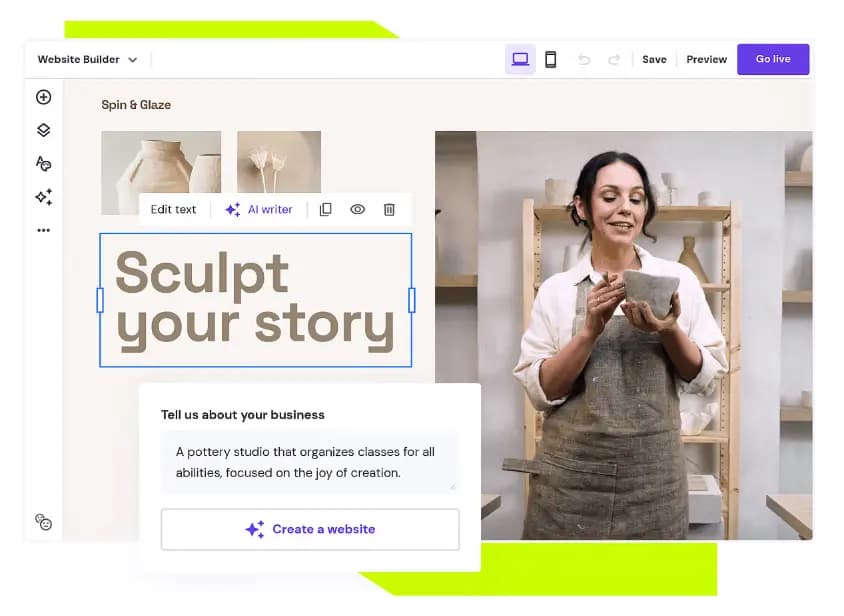
The AI builder is the fastest we tested - three questions (business type, style preference, business name), and in under a minute, Hostinger generates a complete site with coherent structure, placeholder copy, and images. It's not as visually refined as Wix's output, but it's more than good enough as a real starting point.
The editor uses a smart grid system - elements snap into a clean layout as you drag them, which keeps the site looking structured even for users with no design instinct. You won't accidentally create a broken mobile layout.
The bundled hosting is worth highlighting separately. With most builders you're paying for the builder and hosting in two separate bills. With Hostinger, it's one plan, one login, one support team. For a 2-person operation that doesn't want to think about infrastructure, that simplicity has real operational value.
Key Features
- AI website builder –Generate layouts, copy, and images with built-in AI tools
- Integrated hosting –No need to purchase separate hosting; everything is included
- Pre-designed templates –Clean, responsive themes for business, portfolio, and online stores
- Ecommerce support –Sell products online with inventory, shipping, and payment tools
- SEO & analytics tools –Basic SEO features and Google Analytics integration
- Free domain with paid plan –One less thing to worry about when getting started
What to watch: The template library and customization ceiling are lower than Wix or Squarespace. If your brand has a precise visual identity you need to express exactly, you'll hit limits faster here. The app ecosystem is also limited compared to Wix.
Case Study: Freelance Accounting Practice (2 Employees)
A solo accountant who recently brought on a junior partner needed a website up before tax season to capture local search traffic. They used Hostinger's AI builder, answered three questions, and had a functional 5-page site - services, about, pricing, blog, contact - live in under an hour. They added Google Analytics through the dashboard and embedded a Calendly link on the contact page. Within 6 weeks of publishing two location-specific blog posts, they ranked on the first page of Google for their target local keyword. Total monthly cost: $2.99.
Who It’s For
Hostinger is ideal for individuals and small businesses looking for an easy, low-cost way to get online. If you’re after the best web builder that includes hosting and automation in one bundle, it’s a strong pick, especially for budget-conscious users.
4. Squarespace - Best for Businesses Where First Impressions Drive the Sale
The Squarespace drag-and-drop editor allows users to create stunning websites. Be it a simple portfolio or an online store, the website builder has over 100 modern templates and integrates with… Read more
The Squarespace drag-and-drop editor allows users to create stunning websites. Be it a simple portfolio or an online store, the website builder has over 100 modern templates and integrates with 5,000+ apps. Squarespace lets users can begin their website building with customizable web page sections.
Learn more in our full Squarespace review.
Pros & Cons
- You can create up to 1,000 pages
- In-built SEO tools
- Free SSL certificates
- Rich library of user learning materials
- You can not publish your professional website on the free trial mode
- No free plan, only free trail period
- Has a bit of a learning curve
Features
- 100+ Templates
- Add HTML code
- Blog Templates
- Drag & Drop Editor
- Multi-lingual website
- Fully customized
- Mobile-friendly
- SEO Tools
- Social Media Integration
- Widgets + Apps
- Newsletter tool
- Visitor statistics
- Free custom domain
- Unlimited Space
- Unmetered Bandwidth
- Free Stock Photos
- Video Plug-Ins
- Audio Plug-Ins
- Blogging
- Online Stores
- Automatic Website Building
Pricing
$16
mo/
month
$23
mo/
month
$39
mo/
month
$99
mo/
month
Best for: Photographers, architects, consultants, restaurants, wellness brands, and creative services where visual credibility is a core sales asset.
If your business is sold on how it looks before a word is read, Squarespace is where you build. No other platform on this list produces this quality of visual output from standard templates without a designer involved. The templates are genuinely beautiful - not "good for a builder" beautiful, but good in the way that makes potential clients trust you immediately.
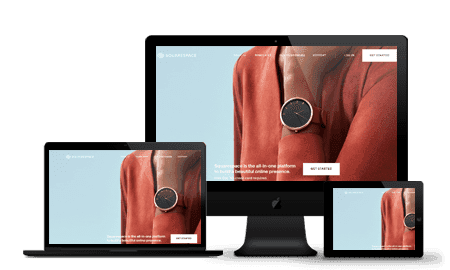
Typography and color systems are handled cohesively at the template level. Even a first-time user with no design background can produce a site that looks intentional and premium. The Fluid Engine editor (Squarespace's drag-and-drop system) takes about an hour to get comfortable with but gives substantial layout flexibility once you understand its logic.
Squarespace consolidates email marketing, SEO tooling, and analytics inside the same platform. For a small team that wants one login instead of five separate subscriptions, that integration removes real operational friction.
Key Features
- Award-winning templates –Modern, responsive themes optimized for images and typography
- Built-in ecommerce –Sell physical and digital products with inventory and tax tools
- Marketing tools –Email campaigns, SEO features, and social media integrations
- Blog and portfolio support –Great for showcasing creative work or thought leadership
- Logo maker & branding tools –Build your brand visuals directly in the platform
- Analytics dashboard –Track visitor behavior and site performance
What to watch: Third-party integrations are more limited than Wix. If you need to connect specialized industry tools - specific booking systems, certain CRMs, or niche payment processors - you may find the integration library comes up short. The e-commerce features are functional but not competitive with Shopify for high-volume product businesses.
Case Study: Independent Architecture Practice (4 Employees)
A 4-person architecture firm needed a portfolio site that reflected the quality of their work without a $6,000–8,000 custom build. They chose Squarespace's "Paloma" template, uploaded project photography, wrote case studies for six completed projects, and launched in two days. No developer, no agency. They connected Squarespace's built-in form to their Gmail for project inquiries. Within 3 months, two new clients specifically referenced finding the firm through their website - something that had never happened with their previous site.
Who It’s For
Squarespace is a strong choice for small business owners, freelancers, and creatives who prioritize branding and visual design. If you’re looking for the best website maker to showcase your work or business with style, it’s one of the top website builders to consider.
Read full Squarespace review →
5. Bluehost - Best for Small Businesses with a Long-Term SEO Strategy
The Bluehost website builder is a basic site editor built on top of WordPress with over 300 design templates for SMB owners to build interactive websites for their businesses. An embedded WordPress… Read more
The Bluehost website builder is a basic site editor built on top of WordPress with over 300 design templates for SMB owners to build interactive websites for their businesses. An embedded WordPress plugin integration feature allows you to install WordPress-enabled apps that will boost your website performance.
Learn more in our full Bluehost review.
Pros & Cons
- Large design template library (over 300 design templates available)
- Large stock image repository
- First-class uptime
- You can quickly learn how to use WordPress through Bluehost Website Builder
- No free plan
- No monthly billing on some plans
Features
- 100+ Templates
- Add HTML code
- Blog Templates
- Portfolio
- Drag & Drop Editor
- Fully customized
- Mobile-friendly
- SEO Tools
- Social Media Integration
- Widgets + Apps
- Newsletter tool
- Monetization
- Visitor statistics
- Free custom domain
- Unlimited Space
- Unmetered Bandwidth
- Free Stock Photos
- Video Plug-Ins
- Audio Plug-Ins
- Blogging
- Online Stores
- Automatic Website Building
Pricing
$2.95
mo/
month
$4.95
mo/
month
$5.45
mo/
month
$9.95
mo/
month
$13.95
mo/
month
$12.95
mo/
month
Best for: Service businesses, content-driven brands, and any small business planning to build organic search traffic over 12–24 months.
Bluehost is a different category from the platforms above. It's a web hosting company with pre-installed WordPress - not a traditional drag-and-drop website builder. But for a small business thinking 2–3 years ahead, the combination of WordPress's SEO infrastructure and Bluehost's affordable managed hosting is a serious strategic advantage.
WordPress powers approximately 43% of all websites globally and holds roughly 61% of the CMS market share. That dominance exists because WordPress gives you more SEO control than any hosted builder - more plugin flexibility, deeper technical customization, and a vast ecosystem of SEO tools that go far beyond what Wix or Squarespace offer. If your growth plan involves content marketing and organic search, starting on WordPress puts you in a stronger long-term position.
Bluehost's onboarding has improved: they pre-install WordPress, guide you through theme selection, and include a block editor that works for non-technical users. You can get a functional site live without touching code - though it takes slightly longer to get comfortable with than Wix.
Key Features
- WordPress integration –Pre-installed and optimized for performance
- Drag-and-drop builder –Visual editor layered on top of WordPress
- Ecommerce support –WooCommerce-ready with payment and inventory tools
- Included hosting & domain –One-stop solution for launching a site
- Custom templates –Designed specifically for WordPress users
- Marketing tools –SEO, email marketing, and analytics built-in
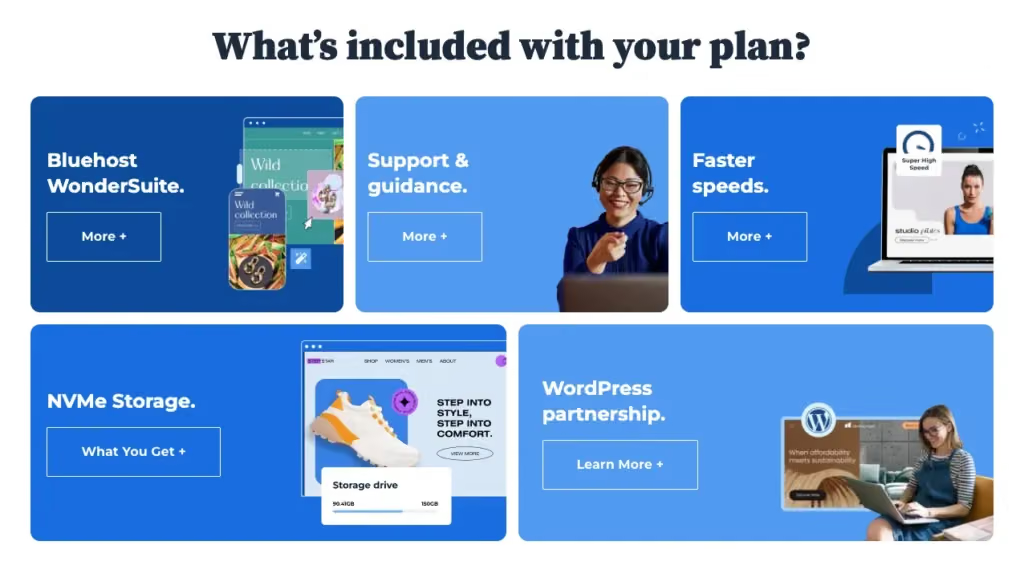
What to watch: Bluehost's introductory pricing ($2.95/mo) renews at a significantly higher rate - check the renewal price before committing. Managing WordPress also means handling plugin updates, occasional security issues, and more hands-on site management than fully hosted platforms. For a team where nobody is tech-comfortable, that overhead is real.
Case Study: Local HVAC Company (5 Employees)
A family-run HVAC business wanted to stop paying per-lead fees to lead aggregators and build their own inbound traffic. They set up Bluehost with the Astra theme and Elementor's free version. The owner published 24 location-specific blog posts over 8 months targeting search terms like "AC repair [city]" and "heat pump installation cost [state]." Today, more than half of their new customer inquiries come from organic Google search - traffic they own, with no per-lead cost.
See our full Wix vs WordPress comparison for SMBs
Who It’s For
Bluehost is best for users who want the flexibility of WordPress without having to configure everything manually. If you’re aiming to build a website that can grow with your business and want hosting included, Bluehost is a solid, affordable choice among website building services.
6. Elementor - Best for WordPress Users Who Want Design Control Without a Developer
With over 11 million websites, Elementor goes beyond plug-in-built, WordPress-powered websites. The Cloud-based Elementor website builder lets small business owners create powerful websites with… Read more
With over 11 million websites, Elementor goes beyond plug-in-built, WordPress-powered websites. The Cloud-based Elementor website builder lets small business owners create powerful websites with limitless integrations to supercharge their businesses with no need for technical experience.
Learn more in our full Elementor review.
Pros & Cons
- Live page editor
- 300+ customizable templates
- Thousands of powerful integrations
- Mobile-responsive design
- Has a somewhat steep learning curve
- No white-label option for developers
Features
- 100+ Templates
- Add HTML code
- Blog Templates
- Portfolio
- Drag & Drop Editor
- Fully customized
- Mobile-friendly
- SEO Tools
- Social Media Integration
- Widgets + Apps
- Newsletter tool
- Monetization
- Visitor statistics
- Free Stock Photos
- Video Plug-Ins
- Audio Plug-Ins
- Blogging
- Online Stores
- Automatic Website Building
Pricing
$59
yr/
year
$99
yr/
year
$199
yr/
year
$399
yr/
year
Best for: Small businesses already on WordPress, and micro-agencies building multiple client sites.
Elementor is a WordPress page builder - it sits on top of WordPress and replaces the default block editor with a live drag-and-drop canvas. Currently powering over 5 million websites, it's the most widely used WordPress page builder available.
The free version is functional for most basic business sites. Elementor Pro ($59/year, one site) unlocks the WooCommerce builder, pop-up builder, full-site theme builder (headers, footers, archive pages), and a library of premium widgets - all of which can replace multiple standalone tool subscriptions. For a small agency building client sites, Elementor's multi-site pricing tiers make it one of the best value tools in the ecosystem.
Key Features
- Live drag-and-drop editor –Design pages visually with real-time updates
- Theme builder –Customize headers, footers, and global site elements
- Widgets & templates –Choose from 100+ elements and prebuilt page designs
- Responsive design tools –Adjust how your site looks on desktop, tablet, and mobile
- Pop-up builder –Create promotional banners, lead capture forms, and more
- WooCommerce support –Build and style online stores within WordPress
What to watch: Elementor adds rendering overhead to WordPress - page speed can suffer if you're on a slow host. Always pair it with a fast hosting plan and a lightweight theme (Astra, Hello, or GeneratePress). This is not a standalone product; you still need WordPress hosting underneath it.

Case Study: Boutique Web Design Agency (3 Employees)
A 3-person agency building client sites created a reusable template kit in Elementor Pro - a set of section blocks, headers, and layouts they deploy for new clients in hours rather than days. One team member handles all client updates visually without a developer. Their $59/year Pro license (used across their agency hosting plan) replaced a $200+/year third-party page builder subscription they'd previously relied on.
Who It’s For
Elementor is ideal for users who want full design control within WordPress. If you already use WordPress—or plan to—and want a visual editing experience, Elementor is one of the top website builders for building polished, fully customized sites.
7. Duda - Best for Freelancers and Micro-Agencies Building Client Sites
Duda website builder is a no-code, easy-to-use website builder with an interactive interface that allows you to build a hard-to-resist website for your business. Over 18,000 creative agencies… Read more
Duda website builder is a no-code, easy-to-use website builder with an interactive interface that allows you to build a hard-to-resist website for your business. Over 18,000 creative agencies worldwide currently trust Duda for its seamless website design experience and wide-range functionality.
Learn more in our full Duda review.
Pros & Cons
- Sophisticated in creating mobile responsive websites
- Outstanding traffic analytics
- Unlimited website storage and bandwidth
- Wide range of apps and widgets
- No free plans
- The Basic plan is relatively expensive
- Basic and Team plans only cover for one website
Features
- 100+ Templates
- Add HTML code
- Blog Templates
- Portfolio
- Drag & Drop Editor
- Multi-lingual website
- Fully customized
- Mobile-friendly
- SEO Tools
- Social Media Integration
- Widgets + Apps
- Newsletter tool
- Visitor statistics
- Multiple Sites
- Free custom domain
- Unlimited Space
- Unmetered Bandwidth
- Free Stock Photos
- Video Plug-Ins
- Audio Plug-Ins
- Blogging
- Online Stores
- Automatic Website Building
Pricing
$19
mo/
month
$29
mo/
month
$52
mo/
month
$149
mo/
month
Best for: Web design freelancers and small agencies who build and maintain sites for multiple clients.
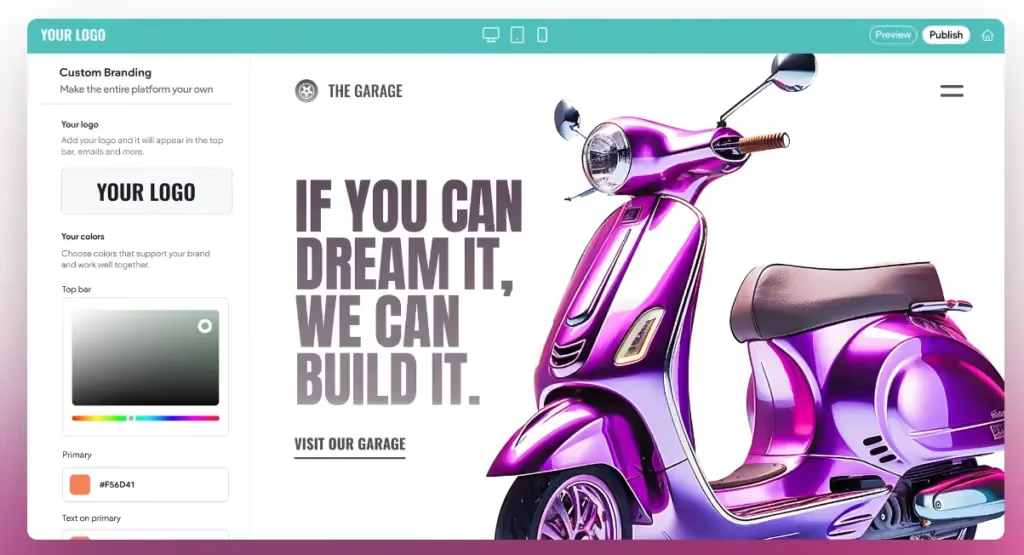
Duda is purpose-built for one specific use case: professionals who build websites for other businesses. The client management tools, white-label dashboard, and content permissions system are all designed around this workflow - and no other platform on this list competes with it in that niche.
The client portal feature lets you grant clients access to update their own content (text, images, business hours, menu items) without touching the design. For a freelancer managing 10–20 client sites, that feature eliminates hours of back-and-forth every month.
Key Features
- Client management tools –White-label portals, permissions, and team access
- Drag-and-drop editor –Fast, visual site design with mobile responsiveness
- Site personalization –Show different content based on user behavior or location
- Multi-site dashboard –Manage multiple projects in one interface
- Prebuilt sections & templates –Quickly assemble sites with reusable content blocks
- Hosting & SSL included –Secure hosting bundled with every plan
What to watch: Duda's pricing structure is designed for volume. At 1–2 sites, it's more expensive per site than Wix or Squarespace. It makes economic sense once you're managing 5+ client sites simultaneously.
Case Study: Freelance Web Designer (Solo → 2-Person Team)
A freelance web designer scaling to a 2-person operation had 35 small business client sites to manage. She moved all clients to Duda's white-label platform under her own brand. Clients now update their own menus, team bios, and operating hours via their branded portal without contacting her. She handles design changes only. The reduction in support requests freed up roughly 8 hours per week - time she reinvested in acquiring new clients.
Who It’s For
Duda is best suited for professionals building websites for others and need efficiency, client-facing tools, and a scalable workflow. If you’re offering website building services or managing multiple brands, Duda makes it easier to stay organized and deliver high-quality results.
8. IONOS - Best for the Absolute Minimum-Cost Professional Website

IONOS is a mature web hosting company that provides all the tools small and medium businesses need to thrive online. A lightning-fast CDN, 24/7 support, and inexpensive pricing make this work… Read more
IONOS is a mature web hosting company that provides all the tools small and medium businesses need to thrive online. A lightning-fast CDN, 24/7 support, and inexpensive pricing make this work checking out.
Learn more in our full Ionos review.
Pros & Cons
- Free domain when you register
- Among the cheapest hosting providers available
- Outstanding uptime with little if any downtime
- 1-click software installation
- The admin area is different and can take time to learn
- Can only use the SSL provided by the company
Features
- Website Builder
- Shared Hosting
- Cloud hosting
- Reseller Hosting
- Dedicated Hosting
- VPS Hosting
- WordPress Hosting
- Linux Servers
- Windows servers
- Unmetered SSD storage
- Unlimited Transfers
- Email Access
- Control Panel
- Free SSL Certificate
- Free Backups
- 1-Click App Installs
- Free Domain Registration
- PCI Compliance
- GIT
- SSH Access
- Site Statistics
- Log Files
- File Manager
- Custom Cron Jobs
- Raw Access Logs
- Script Library
- Customizable Error Pages
- Autoresponder
- Cron Jobs
- Spam Filters
- Unlimited Mailboxes
- Hypertext Access
- Unlimited FTP Accounts
- Anonymous FTP
- Mailing lists
- Search engine submission
Pricing
$4
mo/
month
$6
mo/
month
$1
mo/
month
$10
mo/
month
Best for: Local tradespeople, sole traders, and micro-businesses that need a professional web presence for the lowest possible ongoing cost.
IONOS exists to answer one question efficiently: "How do I get a real website with a custom domain and business email without spending much?" At $6/month, IONOS includes a free first-year domain, business email addresses, and a simple drag-and-drop builder. For a local business that needs a 4–6 page site with contact info, photos, and a map, that's everything required.
What to watch: IONOS is not a growth platform. The integration library is sparse and the feature set is basic. Think of it as a professional digital business card - excellent at what it is, limited beyond that.
Key Features
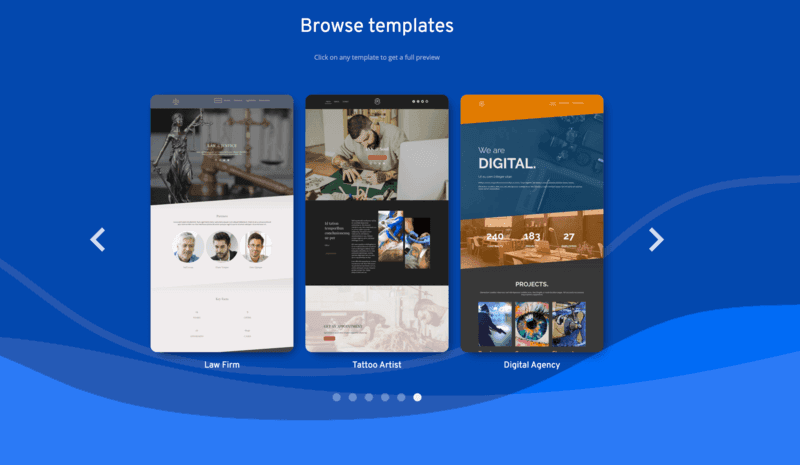
- Easy drag-and-drop builder –Clean interface with industry-specific templates
- Built-in email –Includes professional email accounts with hosting
- Mobile-friendly templates –Automatically optimized for phones and tablets
- Business tools –Contact forms, maps, scheduling widgets, and more
- Integrated hosting & SSL –Everything bundled in one package
- SEO basics –Tools for meta tags, alt text, and keyword guidance
Case Study: Sole-Trader Landscaping Business (2 Employees)
A landscaper and his apprentice needed a site to replace paper flyers. They signed up for IONOS, built a 4-page site (Home, Services, Gallery, Contact) using the AI builder, uploaded before/after project photos, and added their service area to every page. Setup cost: $6/month, 2 hours to build. They now use the included business email for customer quotes - no more free Gmail address on their invoices, which was affecting how clients perceived them professionally.
Who It’s For
IONOS is a strong option for small businesses that need a professional website up quickly, without unnecessary extras. It’s one of the best web builders if you’re focused on cost-efficiency and just need the basics done right.
9. SITE123 - Best for the Fastest Possible Launch, Zero Learning Curve
Site123 is a modern website builder that makes it possible for non-designers to build beautiful web presences. Over the years, it has evolved into a solid platform with a wide range of apps, add-ons,… Read more
Site123 is a modern website builder that makes it possible for non-designers to build beautiful web presences. Over the years, it has evolved into a solid platform with a wide range of apps, add-ons, and templates that’ll serve brands in almost any industry. Today, it has over 1 million registered users and continues to build tools to level the playing field between large and small brands.
Learn more in our full Site123 review.
Pros & Cons
- Has easy drag-and-drop feature for intuitive design experience.
- Offers advanced store features for ecommerce businesses.
- Multiple language options and automatic translation.
- Outstanding 24/7 customer support via live chat and email support.
- Premium packages only cover for one website. You have to purchase multiple packages if you own more than one website.
- Site123 branded message on the free plan.
- Great for generic websites as customization features are highly limited.
Features
- 100+ Templates
- Add HTML code
- Blog Templates
- Portfolio
- Drag & Drop Editor
- Multi-lingual website
- Fully customized
- Mobile-friendly
- SEO Tools
- Social Media Integration
- Widgets + Apps
- Monetization
- Visitor statistics
- Multiple Sites
- Free custom domain
- Free Stock Photos
- Video Plug-Ins
- Audio Plug-Ins
- Blogging
- Online Stores
- Automatic Website Building
Pricing
$0
mo/
month
$7.8
mo/
month
Best for: Businesses that need a site live immediately and have zero web experience or tolerance for learning curves.
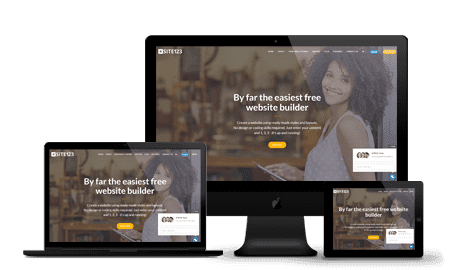
SITE123 is not competing on features or design sophistication. It competes on one metric: the fastest path from zero to a live, functional website. The setup wizard walks you through every decision in sequence - no blank canvas, no open-ended choices. You pick a category, a template, and your site is structured and live in under 90 minutes. SITE123 also has strong multilingual support, making it useful for businesses serving diverse communities.
Key Features
- Step-by-step setup wizard –Answer a few questions and the platform builds your layout
- Prebuilt templates –Choose from structured designs optimized for different industries
- Mobile responsiveness –All templates adjust automatically for mobile
- Form and contact tools –Built-in modules for bookings, contact, and feedback
- Free plan available –Basic features included at no cost
- Multilingual support –Easily create sites in multiple languages
What to watch: Customization limits are real and arrive quickly. If you have a specific vision for your site's appearance, SITE123 will frustrate you within the first hour.
Who It’s For
SITE123 is best for individuals, freelancers, or small service businesses that need a simple web presence without the learning curve. If you want to build a website in under an hour and don’t need many extras, this tool delivers just that.
10. BigCommerce - Best for Small Businesses Growing Toward High Volume

BigCommerce is a leading e-commerce platform designed for both B2B and B2C businesses, offering extensive customization and scalability. With a robust CMS, it provides seamless app integrations,… Read more
BigCommerce is a leading e-commerce platform designed for both B2B and B2C businesses, offering extensive customization and scalability. With a robust CMS, it provides seamless app integrations, expert services, and diverse commerce solutions, all within a single platform. This comprehensive approach empowers businesses to tailor their online stores to unique requirements, facilitating growth and adaptability in a dynamic market. In this BigCommerce review I'll discuss the features, pricing, ease of use and business value offered by this e-commerce website builder.
Learn more in our full Bigcommerce review.
Pros & Cons
- Can use HTML and CSS for deep design flexibility
- Large ecosystem of third-party integration
- 24/7 support for all customers
- Even on the entry-level plan, you get many advanced features
- Pricing plans are tied to your yearly sales volume
- Difficult to edit orders after they’ve been placed
Features
- Number of templates
- Drag & Drop Editor
- SEO Tools
- Social Media Integration
- Visitor statistics
- Third-party apps
- Data Security
- Multi-lingual website
- Inventory Management
- Payment options
- Returns & Refunds
- Shipping Management
- Mobile - friendly
- Mobile compatible templates
- Add HTML code
- Blog
- Design flexibility
- Fully customized
- Video Plug-Ins
- Audio Plug-Ins
- Widgets + Apps
- Abandoned cart tools
- Newsletter tool
- Monetization
- Product reviews
- Promotions & Discounts
- Number of sites
- Space
- Bandwith
Pricing
$29
mo/
month
$79
mo/
month
$299
mo/
month
Best for: Product businesses that are growing quickly and want to avoid a painful platform migration at scale.
BigCommerce sits between Shopify and enterprise platforms. For a true micro-business with 10–20 products, it's unnecessary complexity. But for a small business that knows it will be managing hundreds of SKUs, running B2B and DTC simultaneously, or processing high transaction volumes within 12 months, starting on BigCommerce avoids a migration later.
The key differentiator from Shopify for small businesses: BigCommerce charges zero transaction fees regardless of which payment processor you use. At meaningful sales volume, that difference is significant. Built-in B2B pricing tiers (different prices for wholesale vs. retail customers) are also included without apps - a feature Shopify charges extra for.
Key Features
- Multi-channel selling –Sell on Amazon, eBay, Facebook, Instagram, and TikTok
- Flexible product options –Manage variants, SKUs, inventory, and categories
- Custom checkout –Tailor the shopping experience with developer tools
- Built-in SEO tools –Clean URLs, schema markup, and advanced settings
- Ecommerce analytics –In-depth reports on sales, customers, and conversions
- No transaction fees –Keep more of what you sell
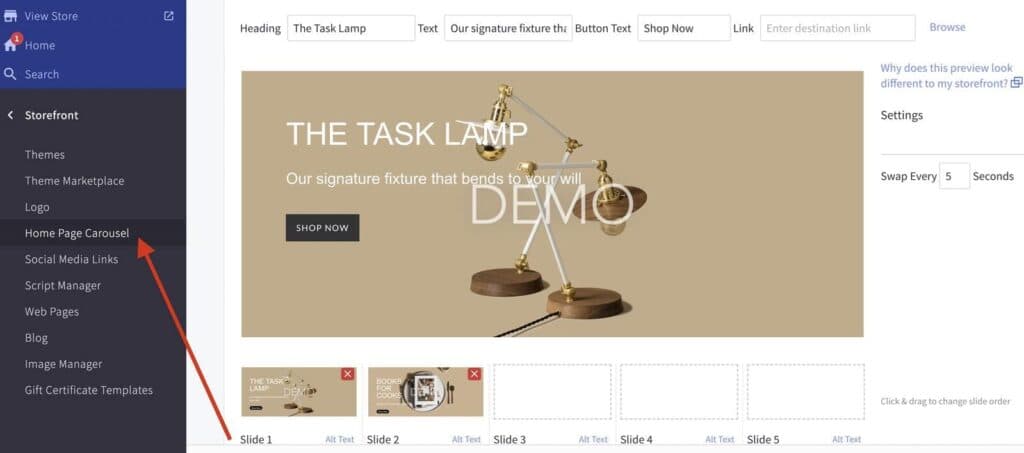
What to watch: BigCommerce's setup is more complex than Shopify's. The theme editor requires more technical comfort. For a genuine micro-business, that complexity overhead isn't justified.
Case Study: Artisan Food Producer (4 Employees)
A 4-person artisan food brand selling both direct-to-consumer online and wholesale to restaurants chose BigCommerce specifically for the B2B customer groups feature. They configured two pricing tiers - retail and wholesale - visible to different account types after login. No app required, no additional monthly cost. The same site handles both sales channels with unified inventory management.
Who It’s For
BigCommerce is best for online retailers who are scaling, or plan to. If your store needs advanced inventory control, multi-channel selling, and customizable checkout experiences, this is one of the best website makers built specifically for ecommerce growth.
Read full BigCommerce review →
11. Webador - Best for a True First Website with Zero Prior Experience
Webador is a no-code website builder for small business owners to build an online presence by creating a website and selling their products directly to customers. With over 90,00 users, Webador… Read more
Webador is a no-code website builder for small business owners to build an online presence by creating a website and selling their products directly to customers. With over 90,00 users, Webador offers inclusive pricing to help SMEs gain their footing started with a 3-month $1 trial offer.
Learn more in our full Webador review.
Pros & Cons
- Excellent UI/UX
- Easy to setup and use
- Multiple ready-made templates
- Commission-free webshop selling
- No phone support
- Limited third-party apps integration
Features
- Add HTML code
- Blog Templates
- Drag & Drop Editor
- Multi-lingual website
- Fully customized
- Mobile-friendly
- SEO Tools
- Social Media Integration
- Widgets + Apps
- Monetization
- Visitor statistics
- Free custom domain
- Unlimited Space
- Free Stock Photos
- Video Plug-Ins
- Audio Plug-Ins
- Blogging
- Online Stores
Pricing
$0
mo/
month
$5
mo/
month
$9
mo/
month
$18
mo/
month
Best for: First-time website builders, personal brands, and very small local businesses making their first move online.
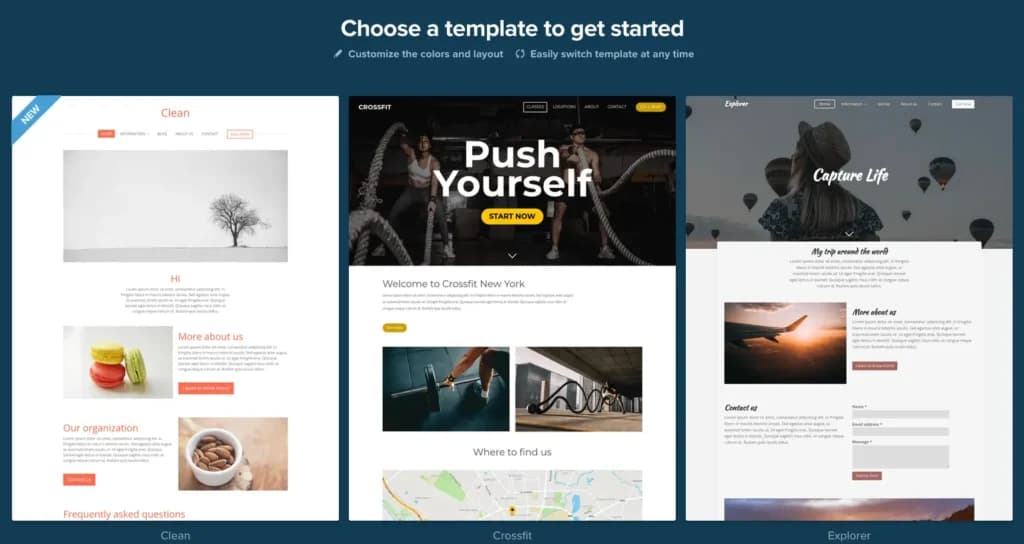
Webador's block-based editor is the simplest interface on this list. You add pre-built sections one at a time - no blank canvas paralysis. The free plan is among the most generous for basic use, and paid plans are the most affordable on this list after IONOS. It's a legitimate starting point, not a long-term solution for a business with growth ambitions. The SEO tools and integration options are limited compared to every other platform reviewed here.
Key Features
- Beginner-friendly editor –Simple drag-and-drop tools with minimal learning curve
- Responsive templates –Mobile-ready themes that require no extra setup
- Free domain & hosting –Included even on the free plan
- Blog and form features –Add basic functionality like contact forms and blog posts
- Photo galleries and video –Showcase media easily with built-in blocks
- Fast publishing –Launch your site within minutes of signing up
Who It’s For
Webador is best for users who want a simple, no-fuss way to publish a website for personal use, hobbies, or portfolios. If you’re looking for the best website maker that doesn’t require a steep learning curve, it’s a strong pick for getting started for free.
How to choose the best website builder?
Start with four questions, in this order. What does the site need to do - sell products, take bookings, rank in Google or show off your work? Who will update it, and how comfortable are they with tech? What will it cost over the next three to four years, not just the first month? And can you leave later without rebuilding everything?
Templates and long feature lists matter less than they look on a pricing page. Every builder on this list can publish a good-looking, mobile-friendly site. The real differences show up in the tools for your specific business model, the renewal price and how hard it is to move away.
After testing 10+ platforms, we learned that reading feature lists isn’t enough. You need to verify them. Here is a 5-step “Stress Test” to run during any free trial to ensure you don’t get trapped on a bad platform.
- Selling products: Shopify or BigCommerce. Both are built around checkout, inventory, and orders, and BigCommerce charges no transaction fees, whichever payment processor you use.
- Taking bookings and leads: Wix. Bookings, forms, payments, and email marketing are all native, so a local service business does not need extra apps.
- Looking good: Squarespace. Its templates are built for photographers, architects, and consultants whose work sells on visuals before anyone reads a word.
- Showing up in Google: Bluehost. It runs on WordPress, so you control every URL, redirect, and piece of structured data, which gives you more SEO control than any hosted builder.
- Building sites for clients: Duda. Client management, white-labeling, and team permissions are built for freelancers and small agencies.
Skip: Choosing a builder based on its intro price alone. Most low monthly prices require paying for several years upfront, and the plan renews at two to four times the intro rate.
What is the best all-in-one platform for starting a website?
All-in-one means you can go from no website to a live business site without leaving one dashboard. That covers the hosting (where your site lives), a domain name, an SSL certificate (the padlock in the browser bar that tells visitors the site is safe), a professional email address, and a drag-and-drop editor with ready-made templates you can pick and customize. It also covers the business tools your site actually needs, like contact forms, bookings, or a checkout.
The test is simple - if you need to open accounts with a domain registrar, a hosting company, and an email provider before you can publish, it is not all-in-one. Every extra account is another bill, another login, and another place to look when something breaks.
Standout Capabilities of Recommended Products
- Wix: Hosting, the drag-and-drop editor, over 1,000 templates and an AI site builder all come in one account, and paid plans add a free domain for the first year. Bookings, payments, forms and email marketing live in the same dashboard, so a service business can launch and take its first booking without installing anything else.
- Hostinger: The Premium plan ($2.99/mo intro) bundles hosting, a free domain for the first year, 2 email mailboxes per site, free SSL, an AI builder and 400+ templates. You manage the site, the domain and the email from one panel, which is about as close to "sign up and publish" as it gets at this price.
- IONOS: The Starter plan ($6/mo for the first year) includes a free domain, a professional email address, SSL and the builder, plus 24/7 support with a personal consultant. It suits a tradesperson or sole trader who wants the essentials handled and a real person to call.
Skip: Piecing your site together from a separate domain registrar, host and email provider when you are just starting out. It saves a few dollars on paper and costs you hours every time something needs fixing.
What is the cheapest website builder?
The cheapest website builder is the one with the lowest total cost to get a real, working business website live and keep it running. Not the one with the lowest number on the pricing page. A real website needs hosting, a domain name, an SSL certificate, an editor with ready-made templates you can easily customize, and in most cases a professional email address. A $2 plan that leaves out the domain and email can end up costing more than a $6 plan that includes them.
Two more things decide the real price. The first is the term - the lowest monthly rates usually require paying for three or four years upfront. The second is the renewal price, which is what you pay from the moment the intro period ends and for as long as the site stays online.
Standout Capabilities of Recommended Products
- Hostinger: The Premium plan costs $2.99/mo on a 48-month term ($143.52 paid upfront) and includes everything a real website needs: hosting, a free domain for the first year, 2 email mailboxes per site, free SSL, and a drag-and-drop editor with an AI builder and 400+ templates. It renews at $10.99/mo.
- Bluehost: The Starter plan is $3.99/mo for 36 months and renews at $9.99/mo, the lowest renewal price of the three. The price covers both the hosting and WordPress - WordPress comes already installed, and once you log in to Bluehost you manage the site, the hosting, the domain and the SSL from the same account. The AI builder creates your first draft, so you start from a ready site instead of a blank WordPress install. A free domain for the first year is included.
- IONOS: The Starter plan is $6/mo with a 1-year term and renews at $14/mo. It includes a free domain, a professional email address with a 2 GB inbox, SSL and the builder, so there is nothing to add. The shorter commitment suits anyone who does not want to pay for four years upfront, but the 10-page limit fits a simple business site, not a growing one.
Skip: Comparing builders on the headline monthly price. Add up the upfront payment for the full term, check whether the domain and email are included, and look at the renewal price - that is the number you will be paying in year four.
See: Compare the cheapest website builder
How to build a free website?
You can build and publish a website without paying anything. A free plan typically gives you hosting, the drag-and-drop editor, and access to the template library, so you can design every page and put the site online the same day.
What you do not get matters just as much. The site lives on the builder's address (yourname.wixsite.com instead of yourname.com), shows the builder's branding or ads, and lacks a professional email address. Online payments and store features are usually locked to paid plans too. That makes free plans great for building, testing, and getting feedback, and weak for running a business in front of customers.
Standout Capabilities of Recommended Products
- Wix: The most complete free plan on this list - the full drag-and-drop editor, over 1,000 templates, the AI site builder and hosting, all at $0. You can build the entire site for free and only upgrade when you are ready to connect your own domain, without redoing any work.
- Webador: The simplest free editor here. You pick a template, swap in your text and photos, and publish, which makes it a good fit for a personal brand or a first site.
- Site123: The fastest route from nothing to a live site. You answer a few questions about your business, and it generates the layout, so all you do is edit the content.
Skip: Treating WordPress as a free website. WordPress and page builders like Elementor have free versions, but you still need hosting, which you have to pay for.
See: Best free website builders
What is the best website builder for blogs?
A blog lives or dies on how easy it is to keep publishing. You need a comfortable editor for long posts with images, categories and tags so readers can find older content, scheduled publishing, and SEO settings on every post (title, description and URL). If you plan to grow an audience, you also need comments, email subscriber sign-ups and a way to earn from the blog through ads or affiliate links.
Pick a platform you can stay on for years. Moving a blog with a few hundred posts to another platform later means broken links and lost rankings, so this is the one choice worth getting right from the start.
Standout Capabilities of Recommended Products
- Bluehost: Runs on WordPress, the platform originally built for blogging. You log in to Bluehost, open the WordPress dashboard and write in the same editor most professional blogs use. Plugins handle SEO (Yoast or Rank Math), newsletters and ad placements, and since WordPress is open-source, your content is not locked to one company.
- Wix: The built-in Wix Blog covers scheduling, categories, comments and SEO settings on each post. It is the right choice when the blog supports a business site, like a local service company publishing guides to attract customers, rather than being the business itself.
- Squarespace: Every template includes a blog with clean, image-led layouts, from $16/mo. It suits photographers, designers and creators whose posts are mostly visual and who care more about how a post looks than about advanced SEO controls.
Skip: E-commerce platforms like Shopify or BigCommerce as the home for a content-first blog. They include a blog, but the publishing tools are basic and built to support a store, not an audience.
What is the most scalable website builder?
A scalable website builder lets your business grow - more products, more traffic, more orders, more staff - without forcing you to rebuild the site on a new platform. In practice that means four things: higher plans on the same platform you can upgrade to, an app or plugin marketplace for features you will need later, fees that do not eat into your margin as revenue grows, and multiple staff accounts with their own permissions.
The cost of getting this wrong is a migration. Moving a store with hundreds of products, customer accounts and order history to a new platform is a project of its own, and you risk losing search rankings along the way.
Standout Capabilities of Recommended Products
- Shopify: An e-commerce system that happens to let you build a website. The same store grows from the $29/mo Basic plan up to Shopify Plus for enterprise brands, with thousands of apps, selling on social media and marketplaces, and in-person sales through Shopify POS. Watch the fees: using a payment processor other than Shopify Payments adds an extra transaction fee.
- BigCommerce: Built for small businesses heading toward high volume. It charges no transaction fees whichever payment processor you use, which matters more with every sale you add, and it includes more advanced store features out of the box, so you rely less on paid apps.
- Bluehost: Runs on WordPress, so there is no feature ceiling - anything you need later can be added with a plugin or custom development. You can move to a bigger hosting plan as traffic grows, add a store with WooCommerce (pre-installed on the eCommerce Essentials plan), and since WordPress is open-source, you can even move to another host without rebuilding.
Skip: Beginner builders like Site123 or Webador if you expect fast growth. They are excellent for getting online quickly, but outgrowing them means rebuilding from scratch somewhere else.
What is the most user-friendly website builder?
A user-friendly builder lets someone with no design or coding experience pick a template, replace the text and photos, and publish a site that looks professional, in an afternoon and without watching tutorials. Fewer choices usually make a builder easier, not harder, because there are fewer settings to get wrong.
Two things beginners only notice later: the site should look right on mobile without fixing it separately, and help should be quick to reach when you get stuck. Being able to make small edits on your own, like updating a price or adding a photo, is what keeps the site current after launch.
Standout Capabilities of Recommended Products
- Webador: The simplest interface on this list. Templates are clean, settings are minimal and there is very little you can break, which makes it ideal for a first website or a personal brand.
- Site123: Builds the site for you from a short set of questions about your business. You edit content instead of designing layouts, so you can launch a working site with zero experience.
- Wix: More flexible than the two above while still fully drag-and-drop, and the AI site builder can generate a first draft from a short description of your business. It is the right step up if you want design control without touching code.
Skip: Elementor if you have never used WordPress. The editor itself is visual, but you still have to set up WordPress, hosting and plugins first, which is exactly what beginners are trying to avoid.
See: Best website builders for beginners
Which website builder is best for SEO?
A builder is good for SEO when it lets you control the technical basics yourself: title tags and meta descriptions, clean URL slugs, 301 redirects (which keep rankings when you change a page address), canonical tags, structured data (the code that helps Google show rich results like ratings and articles), a sitemap and fast-loading mobile pages. The more of these you can edit directly, the fewer ranking problems you get stuck with.
Content matters too. Ranking usually comes from publishing helpful pages and blog posts over time, so the builder should make adding new pages and posts easy.
Standout Capabilities of Recommended Products
- Bluehost: Runs on WordPress, which gives you more SEO control than any hosted builder. From the WordPress dashboard inside your Bluehost account you can install SEO plugins like Yoast or Rank Math to manage titles, schema, sitemaps and redirects, and you control the structure of every URL on the site.
- Wix: One of the strongest built-in SEO setups among hosted builders - editable meta tags, custom URL slugs, a redirect manager, robots.txt editing, custom structured data and a step-by-step SEO setup checklist. That is enough for most local and service businesses competing on local searches.
- Elementor: Adds visual, drag-and-drop design to WordPress, so you keep every WordPress SEO advantage and plugin without hand-coding your pages. Keep an eye on page speed, since heavy designs with many widgets can slow pages down.
Skip: Picking a builder because it advertises "AI SEO" or an SEO checklist. These tools suggest keywords and score your pages, but they do not give you control over redirects, URLs or structured data - and that control is what affects rankings.
See: Best website builders for SEO
What Every Small Business Owner Should Know Before Choosing
Based on hands-on experience advising small and micro businesses on their web presence.
Drag-and-Drop Means You See What You're Building - Use That
Every platform here offers drag-and-drop editing. That means you see your site exactly as your visitors will see it, in real time, while you're building it. For small businesses without a graphic designer on call, that's not a convenience feature - it's your design team substitute.
The mobile version deserves equal attention. Build your desktop version, then immediately switch to mobile preview and check every page. Most visitors arrive on phones - in many industries, 70–80% of traffic is mobile. A site that looks perfect on a laptop and broken on a phone is actively losing customers. Every platform here lets you edit the mobile version independently. Use that every time.
SEO Tools on These Platforms - Good Enough to Start
Most modern website builders have invested seriously in their SEO infrastructure. Wix, Shopify, Squarespace, and WordPress (via plugins) are all genuinely capable. The real advantage of platforms like Wix and Shopify for non-SEO-specialist business owners is that they guide you- they flag what's missing, explain what to fix, and walk you through optimization in plain language. It's not a replacement for a real SEO strategy, but it's an excellent starting point. Take the recommendations seriously.
Learn how to do keyword research for your small business
Hosting Plan Performance - Don't Always Buy the Cheapest Tier
Small business owners understandably want to minimize costs. But the hosting plan you're on affects your site's load speed - which directly affects user experience, bounce rate, and search rankings. Most major platforms have improved their infrastructure significantly, but within each platform, entry plans and premium plans can show measurable speed differences.
Start on an entry plan if budget requires it, but check your page speed score on Google PageSpeed Insights (it's free) within the first month. If your mobile score is below 60, the plan or the setup needs attention.
80% Is Excellent - Focus on What Makes Money
We all want the best version of everything. But knowledge gaps and budget limits are real. Here's the mindset that actually works for small business websites: invest your energy in what generates revenue, not in visual perfection. The internet is full of websites that aren't beautiful but make real money. It's also full of perfectly designed sites that generate nothing.
Your website needs to support your full marketing chain - from the moment someone finds you, to the moment they contact you, buy from you, or book with you. Make sure the platform you choose can support that entire journey. Design is secondary to function.
Use AI - And Ask It Why, Not Just What
Every platform here either has AI tools built in or integrates with free tools like ChatGPT or Gemini. Use them for copywriting, page structure planning, product descriptions, and SEO optimization. More importantly: don't just take the AI's output - ask why it's making that recommendation. Understanding the reasoning behind a suggestion helps you make better decisions across the whole site.
ChatGPT vs. Gemini - which AI is better for small business tasks?
Your Domain Is Your Business Name Online - Protect It
When you register a domain, set a calendar reminder before it expires. Most small businesses register for one year because they're uncertain about the future - that's fine. But domain registrars send renewal emails that land in spam or get ignored. If your domain expires and someone else registers it, recovering it can cost hundreds of dollars or may be impossible entirely.
Set a reminder 60 days before expiry, and again at 30 days. Two minutes of admin prevents a serious business problem.
How to choose the right domain extension for your business
The Most Important Thing: Start
Don't let the platform comparison stop you from launching. The most common mistake small business owners make is spending weeks comparing options while competitors are already live. Pick what fits your current skill level and actual need - and build.
If you outgrow it, you can migrate. Almost every platform allows you to export your content, images, and pages. The process isn't always frictionless, but it's always possible. Build what works today, and improve it as your business grows.
How to build a website from scratch - step-by-step guide
Which Platform for Which Situation - Quick Reference
Your Situation | Best Choice | Why |
|---|---|---|
You handle design, content, and marketing yourself | Wix | Maximum flexibility + AI builder + app ecosystem |
Your entire business is selling products | Shopify | Purpose-built e-commerce, no compromises |
You need a professional site live today for under $3/mo | Hostinger | Cheapest bundle of builder + hosting + domain |
Visual credibility is your #1 sales tool | Squarespace | Best-in-class template design out of the box |
You want to own your organic search in 2–3 years | Bluehost + WordPress | Strongest SEO foundation available to small businesses |
You build websites for other businesses | Duda | Built for client management and multi-site workflow |
Cheapest possible real business website | IONOS | $6/mo includes domain, email, and builder |
Need a site live in the next 2 hours | SITE123 | Fastest wizard-driven setup on the market |
Growing fast, planning for scale | BigCommerce | No transaction fees, B2B tools without apps |
First website ever, total beginner | Webador | Simplest interface, lowest barrier |
How We Test - Real Hands-On Testing, Minimum 2 Hours Per Platform
We don't fill out a feature checklist and call it a review. Every platform in this guide was tested hands-on by a small team - the same 1–5 person setup as the businesses we're writing for. Each platform received a minimum of 2 hours of active building time, and we completed the same standardized build on every single one.
The Standard Build We Completed on Every Platform
To compare website builders for small businesses fairly, we built the same site structure on each platform:
- Homepage- hero section, value proposition, call to action, and at least one image block
- 3 service pages- each with a page title, descriptive copy, at least 2 images, and a contact/booking CTA
- Contact page- form with name, email, message fields, plus a map embed where supported
- Blog- 3 published articles with featured images, categories, and meta descriptions
This is the minimum viable website for most service-based businesses and SMBs - not a showcase build, not a demo. If a platform made this difficult, that matters.
What We Scored on Every Build
1. Template selection - how fast and how useful We timed how long it took to find a template relevant to a service business. We noted whether the template required significant restructuring to be usable, or whether the out-of-the-box layout was close to a real working site. For platforms with an AI builder that can help generate a custom template for your business, we used it first before falling back to the manual template library.
2. Time to a complete, presentable build Total hands-on time from account creation to a site we'd be comfortable sharing with a real potential client. We tracked this for both the AI-assisted path and the manual template path where both were available. Results are reported in the individual platform sections.
3. AI builder capability - does it actually save time? We tested every platform's AI website builder or AI content tool. The key question wasn't "does AI exist here" - it was: does the AI help generate a custom template for your business specifically, or does it produce a generic placeholder that still needs 90% of the work done manually? We report which AI builders are genuinely time-saving for SMBs and which are marketing features that don't change the build time meaningfully.
4. Plans and pricing - can you actually go live on the entry tier? This is the most misunderstood area when small businesses compare website builders. We tested every free plan and every first-tier paid plan against one specific question: can you publish your site, have it visible on the internet with a custom domain, and use the core website features needed to run your business?
Here's what we found matters most at this stage:
- Does the free plan allow public publishing, or does it sit behind a "coming soon" wall?
- Does the free plan show the platform's own branding on your site? (Most do.)
- Does the free plan give you a custom domain, or only a subdomain like yourbusiness.wixsite.com?
- Does the first paid tier - typically the cheapest website builder option on that platform - unlock e-commerce, booking, or the specific features your business type needs, or do those require a higher plan?
We document the real entry cost for each platform - not the promotional price, but what you'll actually pay after month one.
5. Small business website management after launch Getting a site live is only half the job. We also tested how easy it is to update pages, add new blog posts, swap images, and change pricing copy after the initial build - without returning to any tutorial. This reflects the reality of website management for small business owners who update their own site once a month, not every day.
What We Don't Test For: We don't weight enterprise features, developer tools, or advanced e-commerce infrastructure for this guide. Those are real features - they just aren't what determines whether a platform is the best choice for small businesses with a team of 1–5 people, no dedicated web function, and a need for practical, manageable small business website design with as little friction as possible.
Conclusion
There's no universal best website builder for small businesses - there's a best one for your specific situation. The businesses that struggle with these platforms usually pick based on brand recognition or a low promotional price, rather than matching the tool to their actual workflow and website type.
The pattern that works: define what type of site you need before opening any trial account. Brochure site, service site, or e-commerce site - that decision narrows the field from twelve options to two or three. From there, use the free trial. Build the first version of your site before committing financially. You'll know within two hours whether the editor fits how you work.
And if it doesn't - you can always migrate. Don't let the fear of picking wrong stop you from starting.
The complete software stack for small teams in2026
FAQ
WordPress or Wix - which is better for a small business?
It depends on your timeline and technical comfort. Wix is faster to launch, requires no technical maintenance, and guides non-experts through SEO and site management. WordPress (via Bluehost or similar hosting) gives you more long-term control, deeper SEO capabilities, and full ownership of your site's data and code - but it requires more hands-on management. If you want to be live this week without a learning curve: Wix. If you're building toward serious organic search traffic over 2+ years and have some patience for setup: WordPress.
Full Wix vs WordPress comparison for SMBs
Which builder is best for scaling from a side hustle to a full-time store?
Shopify is the strongest foundation for this transition. Start on the Basic plan ($29/mo), and every tool you add - payments, shipping, inventory, sales channels - scales with you without rebuilding. BigCommerce is a valid alternative if you anticipate high volume or need B2B pricing. Wix can support a small store, but if the store is the business, you'll want dedicated e-commerce infrastructure.
Shopify vs Etsy - when to move to your own store
Can ChatGPT or another AI platform build me a website automatically?
AI tools like ChatGPT and Gemini can't build and deploy a website directly - they can generate code, write copy, plan structure, and answer questions, but they don't have the ability to publish a site to a live server on their own. However, platforms like Wix ADI, Hostinger's AI builder, and 10Web (WordPress-based) can generate a complete, deployable website from a few text prompts. These are purpose-built AI builders, not general-purpose AI chatbots. For the fastest AI-assisted launch, those platform-native tools are the right choice.
Best AI website builders in 2026
How much does it cost to use AI to build a website?
If you use a platform with a built-in AI builder, the cost is just the platform plan: $2.99/mo (Hostinger), $17/mo (Wix Light), or $16/mo (Squarespace Personal). There's no separate AI charge on these platforms. If you use a standalone AI tool like ChatGPT Plus ($20/mo) or Claude Pro to help write copy and plan your site, that cost is separate from your hosting/builder plan. Total realistic cost for an AI-assisted professional small business site: $3–40/month depending on the platform and whether you use premium AI tools.
What are the top-rated website templates for small businesses?
Wix offers 800+ templates across business categories - their service business and restaurant categories are particularly strong. Squarespace's templates are the most visually polished out of the box, especially for creative and hospitality businesses. Shopify's Dawn theme (free) is the most widely used for e-commerce. For WordPress, Astra and GeneratePress are the most popular free themes with strong performance for small businesses.
Drag-and-drop website builders with the best templates
Who legally owns a website?
The person or business that registers the domain name legally owns the domain. The website content (text, images, code) is owned by whoever created it or licensed it - typically you, or a designer/developer you hired. The hosting and platform provider does not own your content, but the terms of service on platforms like Wix mean you're building inside their infrastructure. If you want full ownership and portability of everything, self-hosted WordPress (via Bluehost or similar) is the only option on this list where you own the code outright. Always register your domain in your own name - not through an agency or third party - so it can't be held over you.
Is it possible to switch platforms later if I change my mind?
Yes, always. Most platforms allow you to export your content, images, and blog posts. The process varies in friction - exporting from Squarespace and WordPress is relatively clean; migrating away from Wix requires more manual work since Wix doesn't offer a standard CMS export. But no choice you make today is permanent. Start with the platform that fits your current needs and skill level. Improve when the business outgrows it.
Wix vs Hostinger - full comparison for SMBs