
Best Landing Page Builders in 2026
A landing page builder is a tool that lets you create eye-catching squeeze pages quickly and easily, no coding required. A well-designed landing page helps drive conversions by focusing on a single goal—whether it's promoting a product, collecting leads, or running an ad campaign. The right creator comes with drag-and-drop editors, customizable templates, and optimization tools to make the process seamless.
Last updated: September 2026
Why You Can Trust the Expertise of Sonary
At Sonary, we are committed to providing accurate and trustworthy information to help you make informed decisions. Our research process is meticulous, transparent, and guided by a dedication to maintaining the highest standards of integrity, ensuring accurate, real-world insights.
Read more Unlike many other review platforms, we conduct in-depth evaluations of the software and services we feature. Our expert team tests and actively uses the tools we review to understand their features, performance, and value comprehensively. Our assessments are based on real-world use, giving you insights beyond surface-level descriptions. Our research methodology includes analyzing key consumer factors such as pricing, functionality, device usability, scalability, customer support quality, and unique industry-specific features. This hands-on approach and dedication to transparency mean you can trust Sonary to deliver regular, up-to-date content and recommendations that are well-researched and genuinely helpful for your business needs.

The best landing page builders offer different strengths. Some focus on simplicity, while others provide advanced design and marketing tools. If you're looking for cheap landing pages, AI-powered design, or full creative control, it's all about finding the right fit. Comparing features, pricing, and integrations will help you choose the best software for your needs.
Best Landing Page Builders

Wix is a versatile website builder that empowers users to create stunning, professional websites without requiring advanced technical skills. Known for its intuitive drag-and-drop editor, Wix offers… Read more
Wix is a versatile website builder that empowers users to create stunning, professional websites without requiring advanced technical skills. Known for its intuitive drag-and-drop editor, Wix offers hundreds of customizable templates, robust e-commerce capabilities, and built-in SEO tools to optimize site performance. Whether you're a small business owner, blogger, or creative professional, Wix provides an all-in-one solution to design, manage, and grow your online presence. With features like mobile optimization, app integrations, and reliable hosting, Wix ensures your website is both functional and visually impressive, making it a top choice for users of all experience levels.
Learn more in our full Wix review.
Pros & Cons
- Wix-powered websites are fast
- Has intuitive drag-and-drop design features
- Digital marketing integrations are super easy
- Massive reservoir of support materials
- One paid plan (except Enterprise) for only one site.
- Wix branding on Free plan
- Cannot use a custom domain on Free plan
Features
- 100+ Templates
- Add HTML code
- Blog Templates
- Portfolio
- Drag & Drop Editor
- Multi-lingual website
- Fully customized
- SEO Tools
- Social Media Integration
- Widgets + Apps
- Newsletter tool
- Monetization
- Visitor statistics
- Multiple Sites
- Free Stock Photos
- Free custom domain
- Unlimited Space
- Unmetered Bandwidth
- Video Plug-Ins
- Blogging
- Online Stores
- Automatic Website Building
- Mobile-friendly
Pricing
$0
mo/
month
$17
mo/
month
$29
mo/
month
$39
mo/
month
$159
mo/
month

Web.com is an established player in the web hosting and site builder space. It has a platform that has helped countless users get online by providing the essential tools needed for success. If you’re… Read more
Web.com is an established player in the web hosting and site builder space. It has a platform that has helped countless users get online by providing the essential tools needed for success. If you’re looking for a simple site builder and inexpensive pricing then Web.com is worth taking a closer look at.
Learn more in our full Web Com review.
Pros & Cons
- Streamlines the website building and management process
- Provides hundreds of templates
- Sell up to 50 products with just a simple eCommerce store
- Provides email marketing tools
- Website builder offers limited customization functionality
- Some customers report uptime issues
Features
- 100+ Templates
- Portfolio
- Drag & Drop Editor
- Multi-lingual website
- Fully customized
- Mobile-friendly
- SEO Tools
- Social Media Integration
- Widgets + Apps
- Free custom domain
- Free Stock Photos
- Video Plug-Ins
- Online Stores
- Automatic Website Building
Pricing
$4.99
mo/
month
$7.99
mo/
month
$9.99
mo/
month
$12.95
mo/
month

Site123 is a modern website builder that makes it possible for non-designers to build beautiful web presences. Over the years, it has evolved into a solid platform with a wide range of apps, add-ons,… Read more
Site123 is a modern website builder that makes it possible for non-designers to build beautiful web presences. Over the years, it has evolved into a solid platform with a wide range of apps, add-ons, and templates that’ll serve brands in almost any industry. Today, it has over 1 million registered users and continues to build tools to level the playing field between large and small brands.
Learn more in our full Site123 review.
Pros & Cons
- Has easy drag-and-drop feature for intuitive design experience.
- Offers advanced store features for ecommerce businesses.
- Multiple language options and automatic translation.
- Outstanding 24/7 customer support via live chat and email support.
- Premium packages only cover for one website. You have to purchase multiple packages if you own more than one website.
- Site123 branded message on the free plan.
- Great for generic websites as customization features are highly limited.
Features
- 100+ Templates
- Add HTML code
- Blog Templates
- Portfolio
- Drag & Drop Editor
- Multi-lingual website
- Fully customized
- Mobile-friendly
- SEO Tools
- Social Media Integration
- Widgets + Apps
- Monetization
- Visitor statistics
- Multiple Sites
- Free custom domain
- Free Stock Photos
- Video Plug-Ins
- Audio Plug-Ins
- Blogging
- Online Stores
- Automatic Website Building
Pricing
$0
mo/
month
$7.8
mo/
month

The Bluehost website builder is a basic site editor built on top of WordPress with over 300 design templates for SMB owners to build interactive websites for their businesses. An embedded WordPress… Read more
The Bluehost website builder is a basic site editor built on top of WordPress with over 300 design templates for SMB owners to build interactive websites for their businesses. An embedded WordPress plugin integration feature allows you to install WordPress-enabled apps that will boost your website performance.
Learn more in our full Bluehost review.
Pros & Cons
- Large design template library (over 300 design templates available)
- Large stock image repository
- First-class uptime
- You can quickly learn how to use WordPress through Bluehost Website Builder
- No free plan
- No monthly billing on some plans
Features
- 100+ Templates
- Add HTML code
- Blog Templates
- Portfolio
- Drag & Drop Editor
- Fully customized
- Mobile-friendly
- SEO Tools
- Social Media Integration
- Widgets + Apps
- Newsletter tool
- Monetization
- Visitor statistics
- Free custom domain
- Unlimited Space
- Unmetered Bandwidth
- Free Stock Photos
- Video Plug-Ins
- Audio Plug-Ins
- Blogging
- Online Stores
- Automatic Website Building
Pricing
$2.95
mo/
month
$4.95
mo/
month
$5.45
mo/
month
$9.95
mo/
month
$13.95
mo/
month
$12.95
mo/
month

Webador is a no-code website builder for small business owners to build an online presence by creating a website and selling their products directly to customers. With over 90,00 users, Webador… Read more
Webador is a no-code website builder for small business owners to build an online presence by creating a website and selling their products directly to customers. With over 90,00 users, Webador offers inclusive pricing to help SMEs gain their footing started with a 3-month $1 trial offer.
Learn more in our full Webador review.
Pros & Cons
- Excellent UI/UX
- Easy to setup and use
- Multiple ready-made templates
- Commission-free webshop selling
- No phone support
- Limited third-party apps integration
Features
- Add HTML code
- Blog Templates
- Drag & Drop Editor
- Multi-lingual website
- Fully customized
- Mobile-friendly
- SEO Tools
- Social Media Integration
- Widgets + Apps
- Monetization
- Visitor statistics
- Free custom domain
- Unlimited Space
- Free Stock Photos
- Video Plug-Ins
- Audio Plug-Ins
- Blogging
- Online Stores
Pricing
$0
mo/
month
$5
mo/
month
$9
mo/
month
$18
mo/
month
Quick Comparison
Website | Key Feature | Best For | Platform | Pricing |
|---|---|---|---|---|
Wix | Drag-and-drop editor | Small businesses | Web-based | Free and paid plans |
Web.com | AI-powered design | Entrepreneurs | Web-based | Subscription based |
Site123 | One-click site setup | Quick personal sites | Web-based | Free & paid options |
Bluehost | Optimized for WordPress | WordPress users | Self-hosted | Requires hosting plan |
Webador | Beginner-friendly templates | Simple business pages | Web-based | Free with premium options |
WordPress | Full customization | Bloggers and content creators | Self-hosted and web-based | Hosting and domain costs |
Square Online | E-commerce integration | Online stores | Web-based | Free with transaction fees |
10Web | Automated site creation | AI-driven website creation | Web-based | AI-driven pricing plans |
Google Sites Builder | Google ecosystem integration | Basic websites and portfolios | Web-based | Completely free |
Our Top Picks
A great landing page builder makes it easy to create lead capture pages that look professional and get results. Some tools offer AI-powered design, others focus on drag-and-drop simplicity, and some provide full customization for total creative control. If you're looking for cheap landing pages, fast setups, or advanced marketing tools, these are the landing page builders worth considering.
Wix
- Over 300 million sites were built on Wix
- 90K+ Sites created daily
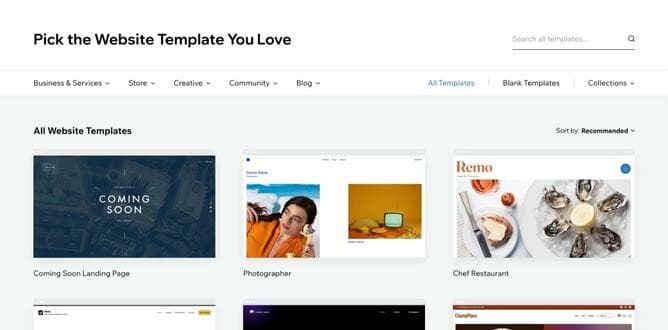
Wix is a popular landing page builder known for its drag-and-drop editor, making it easy to create landing pages without coding. It offers a wide range of customizable templates, built-in landing page development tools, and AI-powered design assistance for faster creation.
This landing page creator is ideal for small businesses, entrepreneurs, and anyone looking for cheap landing pages without sacrificing design quality. With a mix of marketing features, SEO tools, and third-party integrations, Wix provides everything needed to build and optimize a high-converting landing page.
Key Features
- Drag-and-drop editor: Easily create one-pagers with a fully customizable interface, no coding needed.
- AI-powered design: Wix ADI (Artificial Design Intelligence) helps generate professional development layouts in minutes.
- SEO and marketing tools: Built-in tools to optimize landing pages for search engines and improve conversions.
- Mobile-friendly designs: Every squeeze page designer template is automatically optimized for mobile.
- App marketplace: Integrate third-party apps for email marketing, analytics, and automation.
- Hosting included: No need to set up separate web hosting—everything is managed within Wix.
Pros and Cons
- Pros
- Easy to use with drag-and-drop editing.
- AI-assisted design speeds up page creation.
- Built-in SEO and marketing tools.
- Hosting included with all plans.
- Cons
- Limited customization options.
- Not ideal for complex landing pages.
- Premium features require a paid plan.
Who It's For
Wix is a great choice for small businesses, entrepreneurs, and individuals who need a simple and visually appealing page builder. It’s ideal for those who want drag-and-drop editing, AI-assisted design, and built-in marketing tools without dealing with coding or complex customization.
Web.com
- Over 3M already chose web.com
- Award-winning software
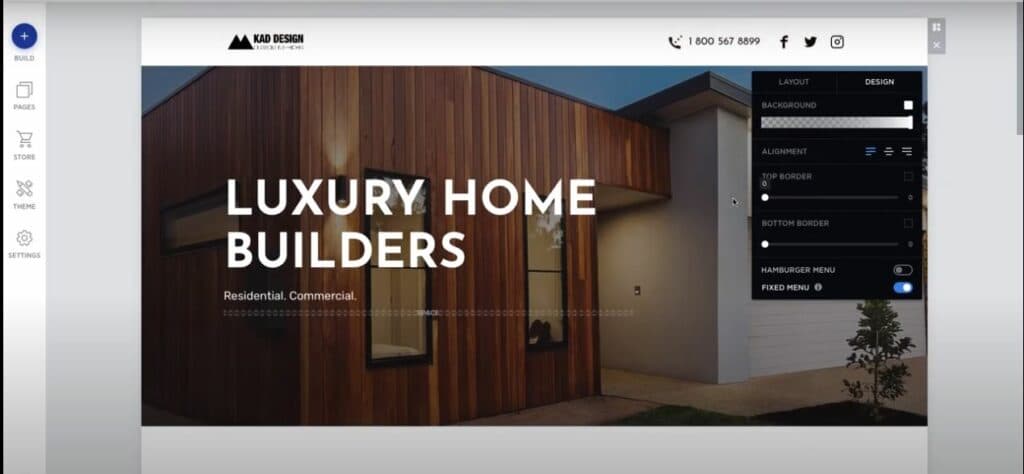
Web.com is a landing page builder designed for users who want a fast and hassle-free way to create lead capture pages. It offers AI-powered design tools, making it easy to build professional pages without coding. With a focus on simplicity, Web.com provides customizable templates, built-in SEO features, and marketing integrations to help users get their pages live quickly.
Key Features
- AI-powered design: Automatically generates landing pages based on user preferences.
- Drag-and-drop editor: Customize layouts and elements without coding.
- Pre-made templates: Professionally designed options for quick setup.
- Built-in SEO tools: Helps optimize destination pages for search engines.
- Marketing integrations: Connects with email and analytics tools for lead tracking.
Pros and Cons
- Pros
- AI-powered design speeds up page creation.
- Simple drag-and-drop editor.
- Pre-made templates for quick setup.
- Includes built-in SEO and marketing tools.
- Cons
- Limited customization options.
- Fewer advanced design features.
- Some features require a paid plan.
Who It's For
Web.com is a good fit for entrepreneurs, small businesses, and individuals who need a landing page builder that’s quick and easy to use. It’s ideal for those who want AI-powered design, pre-made templates, and built-in SEO tools without the complexity of advanced customization.
Site123
- 24/7 live chat support
- Sell globally with an online store
Site123 is a landing page builder designed for users who want a fast, no-fuss way to create landing pages. It features a one-click setup process, making it one of the easiest ways to create landing pages without coding. With ready-made templates, built-in SEO tools, and mobile optimization, Site123 focuses on simplicity and efficiency.
Key Features
- One-click setup: Quickly create landing pages with minimal effort.
- Pre-designed templates: Ready-made layouts for different industries.
- Drag-and-drop editor: Simple customization without coding.
- Built-in SEO tools: Helps improve search engine rankings.
- Mobile optimization: Landing pages automatically adjust for all devices.
- Free hosting included: No need for external hosting services.

Pros and Cons
- Prosֿ
- One-click setup for fast page creation.
- Pre-designed templates for easy customization.
- No coding required with a simple drag-and-drop editor.
- Built-in SEO tools and mobile optimization.
- Cons
- Limited design flexibility.
- Fewer advanced features compared to other builders.
- Some customization options require a paid plan.
Who It's For
Site123 is ideal for freelancers, small businesses, and personal projects that need a landing page builder with quick setup and minimal effort. It’s a great option for users who want pre-designed templates, built-in SEO tools, and mobile-friendly pages without dealing with complex customization. If you’re looking for a simple and fast way to create landing pages, Site123 is a solid choice.
Bluehost
- Easy drag & drop WordPress builder
- Get started with over 300 templates
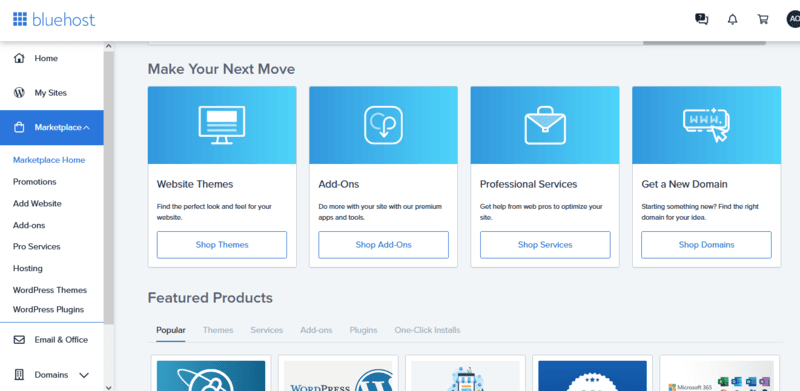
Bluehost is a landing page builder designed for users who want to create landing pages using WordPress. It provides integrated website hosting, pre-made templates, and a drag-and-drop editor, making it easy to launch and manage pages. Bluehost also offers built-in SEO tools and marketing features to optimize performance.
Key Features
- WordPress integration: Seamlessly works with WordPress for easy landing page creation.
- Drag-and-drop editor: Customize pages without coding.
- Pre-designed templates: Professionally designed layouts for various industries.
- Built-in SEO tools: Helps optimize landing pages for search engines.
- Reliable hosting: Secure and fast website hosting included.
- Marketing tools: Supports email marketing and lead generation integrations.
Pros and Cons
- Pros
- Seamless integration with WordPress.
- Drag-and-drop editor for easy customization.
- Pre-designed templates for quick setup.
- Secure and reliable hosting included.
- Cons
- Best suited for WordPress users, limiting flexibility.
- Some advanced features require a paid plan.
- Can have a learning curve for beginners.
Who It's For
Bluehost is ideal for WordPress users, bloggers, and small businesses looking for a landing page builder with built-in hosting and seamless WordPress integration. It’s a great choice for those who want pre-designed templates, SEO tools, and marketing features while managing everything within WordPress.
Webador
- Create a website in 10 minutes.
- Used by 356,000 small business owners
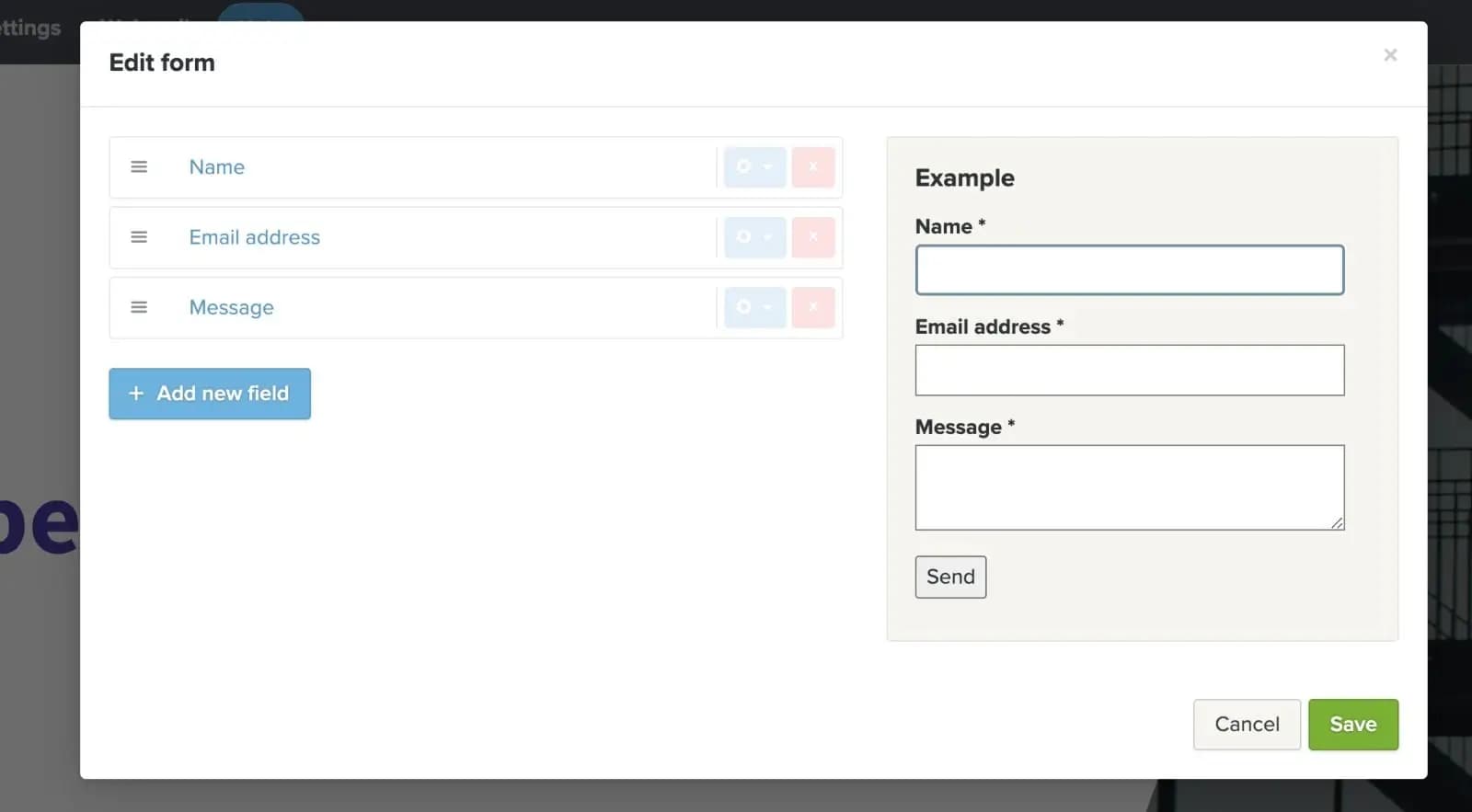
Webador is a landing page builder designed for users who want a quick and easy way to create landing pages. It offers a drag-and-drop editor, customizable templates, and built-in SEO tools, making it a user-friendly option for beginners.
Key Features
- Drag-and-drop editor: Easily create landing pages with no coding required.
- Pre-designed templates: Customizable layouts for different industries.
- Built-in SEO tools: Helps improve search engine rankings.
- Mobile-friendly designs: One pagers automatically adjust for all devices.
- Free hosting included: No need for separate web hosting.
- E-commerce support: Allows for basic online store integration.
Pros and Cons
- Pros
- Simple and beginner-friendly interface.
- Drag-and-drop editor with customizable templates.
- Free hosting included with all plans.
- Mobile-optimized designs.
- Cons
- Limited advanced customization options.
- Fewer marketing and integration tools than competitors.
- Some features require a paid plan.
Who It's For
Webador is ideal for small businesses, freelancers, and personal projects that need a page builder with a simple, no-fuss setup. It’s a great choice for users who want drag-and-drop editing, pre-designed templates, and free hosting without dealing with complex customization.
WordPress

- Professionally-designed themes
- Create a mobile‑friendly site with a click
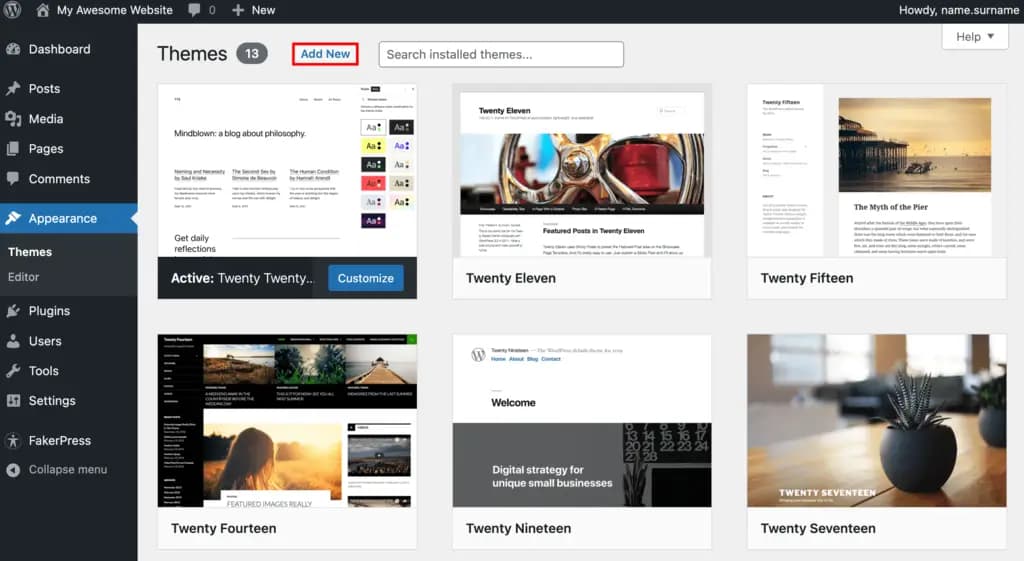
WordPress is a squeeze page builder that offers complete control and customization for creating high-performing static pages. It supports thousands of themes, plugins, and integrations, making it one of the most versatile lead capture page development platforms available.
This page creator is best suited for bloggers, businesses, and marketers who want full design flexibility, advanced SEO tools, and marketing integrations. While it requires some learning, WordPress allows users to create landing pages with unlimited customization potential.
Key Features
- Full customization: Complete control over design, layout, and functionality.
- Thousands of themes: Wide selection of free and premium templates.
- Plugin support: Access to landing page builders, SEO tools, and marketing plugins.
- SEO optimization: Advanced tools to improve search engine rankings.
- E-commerce compatibility: Integrates with WooCommerce for online stores.
- Self-hosted or managed hosting: Choose between self-hosted WordPress.org or hosted WordPress.com.
Pros and Cons
- Pros
- Full customization with themes and plugins.
- Access to powerful SEO and marketing tools.
- Supports e-commerce and membership sites.
- Scalable for any type of business or project.
- Cons
- Learning curve for beginners.
- Requires hosting and domain setup.
- Some premium features and plugins require payment.
Who It's For
WordPress is ideal for bloggers, businesses, and marketers who need a flexible landing page builder with full customization options. It’s a great choice for users who want complete design control, access to SEO tools, and integrations with marketing plugins. If you need a scalable platform for squeeze page development, WordPress is a powerful option.
Square Online

- Free setup & no hidden fees
- Create customer profiles in seconds
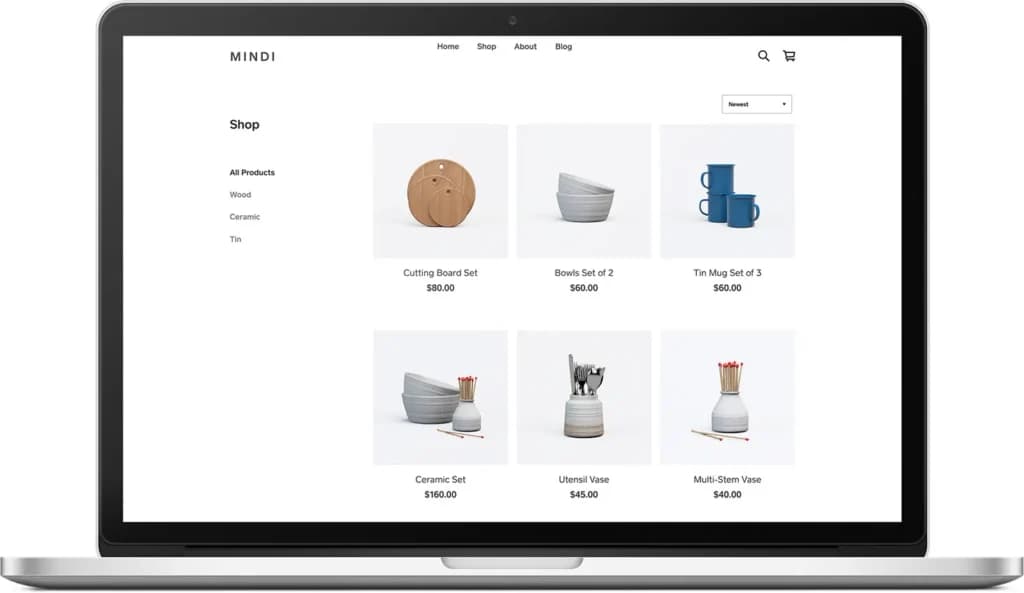
Square Online is a landing page builder designed for businesses that need e-commerce integration. It offers ready-made templates, payment processing, and marketing tools, making it easy to create squeeze pages that drive sales.
Key Features
- E-commerce integration: Seamlessly connects with Square’s payment processing.
- Pre-designed templates: Professionally designed layouts optimized for sales.
- Built-in marketing tools: Includes email campaigns and promotions.
- Mobile-friendly design: Ensures pages look great on any device.
- Inventory management: Syncs with Square’s POS system for real-time stock tracking.
- No coding required: Simple drag-and-drop editor for easy customization.
Pros and Cons
- Pros
- Easy integration with Square’s payment system.
- Pre-designed templates optimized for sales.
- Built-in marketing and inventory management tools.
- Mobile-friendly and simple to set up.
- Cons
- Best suited for e-commerce, not general landing pages.
- Limited customization compared to other builders.
- Some features require a paid plan.
Who It's For
Square Online is ideal for small businesses, service providers, and online stores that need a landing page builder with built-in e-commerce and payment processing. It’s a great choice for users who want a simple way to sell products, manage inventory, and run marketing campaigns without dealing with complex setup.
10Web

- Manage products, orders & customers
- Powered by Google Cloud: Reliable & fast
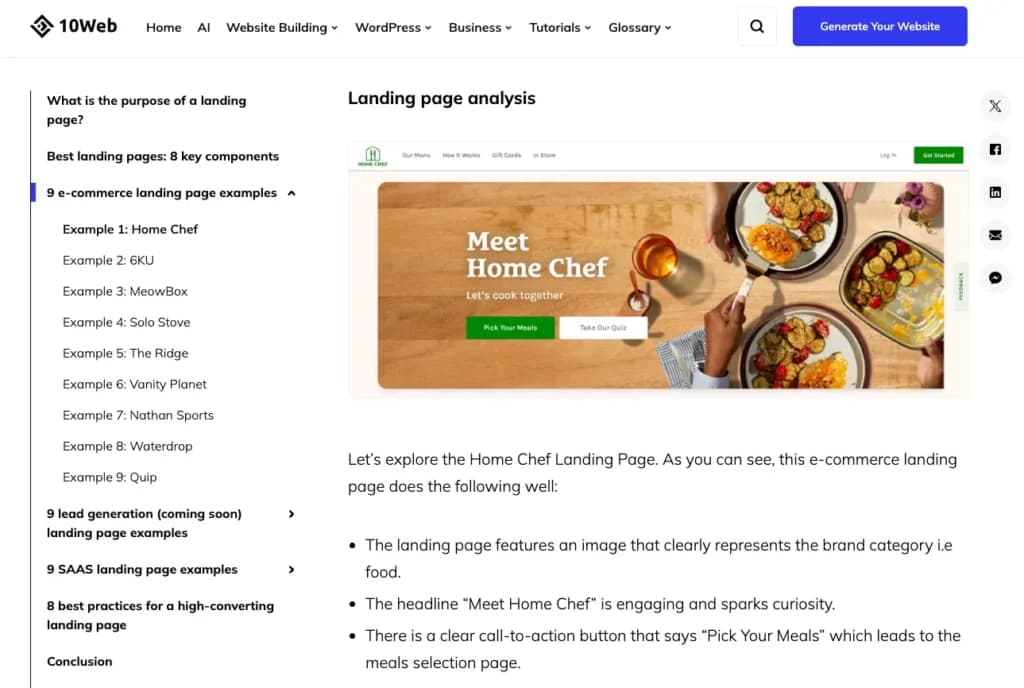
10Web is a landing page builder that uses AI-powered automation to help users create single property pages quickly. Designed for WordPress, it offers drag-and-drop editing, pre-built templates, and automatic page optimization to streamline the design process.
10Web is best suited for businesses, marketers, and agencies looking for a fast, AI-driven solution for landing page development without manual setup.
Key Features
- AI-powered automation: Generates landing pages based on user input.
- Drag-and-drop editor: Easy customization without coding.
- WordPress integration: Built specifically for WordPress users.
- Pre-designed templates: Professionally designed layouts for quick setup.
- SEO and speed optimization: Ensures pages load fast and rank well.
- Cloud hosting included: Managed hosting for better performance.
Pros and Cons
- Pros
- AI-powered automation speeds up page creation.
- Seamless integration with WordPress.
- Pre-designed templates for quick customization.
- Built-in SEO and speed optimization.
- Cons
- Limited to WordPress users.
- Advanced features require a paid plan.
- Less flexibility compared to fully custom-built pages.
Who It's For
10Web is ideal for businesses, marketers, and agencies that need a fast, AI-powered landing page builder for WordPress. It’s a great choice for users who want automated page creation, SEO optimization, and managed cloud hosting without the hassle of manual setup.
Google Sites Builder

- Built-in fact-checking and citation tools
- Boost your writing skills & efficiency
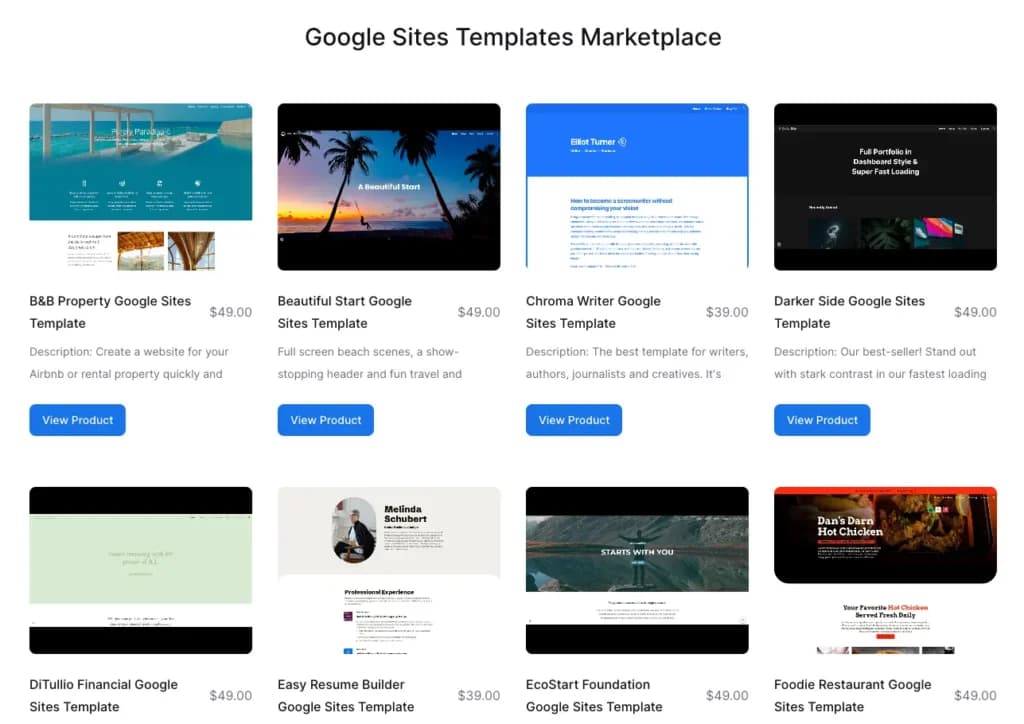
Google Sites Builder is designed for users who need a free and easy way to create landing pages. It integrates seamlessly with Google Workspace, making it a convenient option for personal projects, business pages, or internal company use.
Key Features
- Free to use: No subscription or hosting costs.
- Drag-and-drop editor: Simple and intuitive customization.
- Google Workspace integration: Works seamlessly with Google Drive, Docs, and Sheets.
- Mobile-friendly design: Pages automatically adjust for different screen sizes.
- Collaboration tools: Multiple users can edit landing pages in real-time.
- Custom domain support: Option to connect a custom domain for a more professional look.
Pros and Cons
- Pros
- Completely free with no hosting costs.
- Simple drag-and-drop editor for easy customization.
- Seamless integration with Google Workspace.
- Mobile-friendly and responsive design.
- Cons
- Limited design and customization options.
- No built-in marketing or SEO tools.
- Best suited for basic landing pages, not advanced campaigns.
Who It's For
Google Sites Builder is ideal for individuals, small businesses, and teams who need a free, simple page builder with Google Workspace integration. It’s a great option for users who want basic landing pages, internal business sites, or project portfolios without dealing with complex customization or extra costs.
Related Articles


The Importance of a Landing Page Builder
A well-designed landing page can make or break your online marketing efforts. Whether you’re capturing leads, promoting a product, or driving traffic to a specific offer, a landing page builder simplifies the process. Instead of coding from scratch, these tools allow you to create one-page sites quickly, ensuring a professional design and better conversion rates.
Why it matters:
- Saves time and effort– No need for coding or design expertise.
- Optimized for conversions– Designed to engage visitors and drive actions.
- Ensures consistency– Keeps branding, messaging, and design aligned.
- Cost-effective– Many offer cheap landing pages with powerful features.
- Mobile and SEO-friendly– Built-in tools help pages rank and perform well on all devices.
Key Benefits of a Landing Page Builder
- Quick and easy setup: Pre-designed templates and drag-and-drop editors let you create your online business card in minutes.
- Better conversion rates: Optimized layouts, CTAs, and design elements help turn visitors into customers.
- Seamless integrations: Many squeeze page designers connect with email marketing, CRM, and analytics tools.
- No coding required: Most best builders offer easy customization with zero technical skills needed.
- A/B testing capabilities: Some platforms let you test different versions of a page to maximize performance.
- Scalability: Whether you need a single page or multiple campaigns, landing page development tools grow with your needs.
How to Choose the Best Landing Page Builder
- Define your goals: Decide if you need a page for lead generation, product sales, or brand awareness.
- Look for ease of use: Drag-and-drop editors and pre-designed templates make setup faster.
- Consider integrations: Check if the platform connects with email marketing, analytics, and CRM tools.
- Check customization options: Some builders offer full design flexibility, while others have template restrictions.
- Compare pricing and features: Some platforms provide cheap landing pages with basic features, while premium plans unlock advanced tools.
- Test for mobile and SEO optimization: Ensure the landing page builder supports fast load times, mobile-friendly designs, and search engine optimization.
- Check hosting and domain options: Some platforms include hosting, while others require a separate domain setup.
See also
- One page for one offer is a narrower build than a website, so read best website builder for small business when you need navigation, a blog and many pages.
- A budget of zero changes the shortlist because page counts and testing get restricted, and the best free landing page builders list shows exactly where.
- Conversion pages live or die on the form, so decide the follow-up in free email marketing software before you send traffic.
- Pages parked on a vendor subdomain accumulate no authority for your own domain, so check the canonical and redirect controls in best website builders for SEO.
- Precise element placement across breakpoints is an editor question, which is what the best drag and drop website builders page answers.
Final Thoughts
A landing page is your first impression, your pitch, and your conversion tool all in one. Whether you're capturing leads, selling a product, or running an ad campaign, the right landing page builder makes all the difference. It takes the guesswork out of design, helps you focus on what matters, and gets your pages live fast.
You don’t need to waste time coding or struggling with complicated setups. The best landing page creators give you the tools to build high-converting pages with ease—whether you need cheap landing pages for a quick project or an advanced platform for scaling your business. The key is choosing the one that fits your needs, integrates with your tools, and makes it simple to create one-pagers that actually get results.
FAQ
Q: What is a landing page builder?
A: A landing page builder is a tool that allows you to create standalone web pages designed to capture leads or drive specific actions without needing coding skills. These platforms offer templates, drag-and-drop editors, and integrations to help you design effective landing pages quickly.
Q: Why should I use a landing page builder instead of coding from scratch?
A: Using a landing page builder saves time and doesn't require technical expertise. These tools provide optimized templates and features like A/B testing, analytics, and integrations with marketing platforms, which can enhance your page's performance and conversion rates.
Q: Can I integrate a landing page builder with my existing website?
A: Yes, most landing page builders allow you to publish pages to your own domain or subdomain, ensuring a seamless experience for your visitors. They often integrate with various content management systems and website platforms.
Q: Are there free landing page builders available?
A: Yes, several landing page builders offer free plans with basic features. For example, Wix and Google Sites provide free options, though they may come with limitations like displaying the builder's branding or restricted access to advanced features.
Q: How do I choose the best landing page builder for my needs?
A: Consider factors such as ease of use, customization options, available templates, integrations with other tools, pricing, and customer support. Define your goals and assess which platform aligns best with your specific requirements.
Q: Do landing page builders offer analytics to track performance?
A: Yes, many landing page builders come with built-in analytics or integrate with third-party analytics tools. This allows you to monitor visitor behavior, conversion rates, and other key metrics to optimize your landing pages effectively.