
Email Marketing for Small Business in 2026: The Practical Strategy That Works

An email marketing strategy for a small business has three parts: a way to collect email addresses that fits your business type (website signup, checkout opt-in, in-store QR code, or invitations to existing customers), segmentation that groups subscribers by why they joined, and a content plan where roughly 80% of sends provide pure value and 20% include a commercial offer. Done right, email becomes the highest value-for-money marketing channel a small business can run.
The reason is simple: when someone gives you their email, they're not a stranger you paid to reach. They already encountered your business and chose to hear from you again. You earn each subscriber once and serve them for years. This guide walks through every step, with honest benchmarks and a 6-step strategy you can start this week.
Why is email marketing the best value-for-money channel for small businesses?
Email is the best value-for-money channel for small businesses because you earn each subscriber once and engage them indefinitely. Every other channel charges you per interaction — paid ads, social platforms, sponsored content. With email, the cost-per-engagement approaches zero as your list grows, and you own the relationship instead of renting attention from a platform.
Most marketing channels work like this: you pay for attention, the platform delivers a stranger, you have one shot to convert them, and you pay again the next time you want to reach them. Every interaction has a cost.
Email is different:
- You earn each subscriber once. Through whatever channel fits your business — content, a lead magnet, a checkout opt-in, an in-store signup, an event, a referral.
- You can engage them indefinitely. Not for the lifetime of an ad campaign. For years.
- You own the connection. No algorithm sits between you and your audience.
- The cost-per-engagement approaches zero as your list grows. One email to 5,000 people costs the same as one email to 500.
For a small business specifically, this is a different asset category. Other channels rent you attention. Email gives you ownership.
The widely cited industry stat is roughly $36 in ROI for every $1 spent. The real value runs even higher for SMBs, because email costs scale slowly while results compound. A list you build this year keeps producing for years.
"For every $1 spent on email marketing, 35% of companies see $10–$36 in return, and 30% see $36–$50 in return."Source
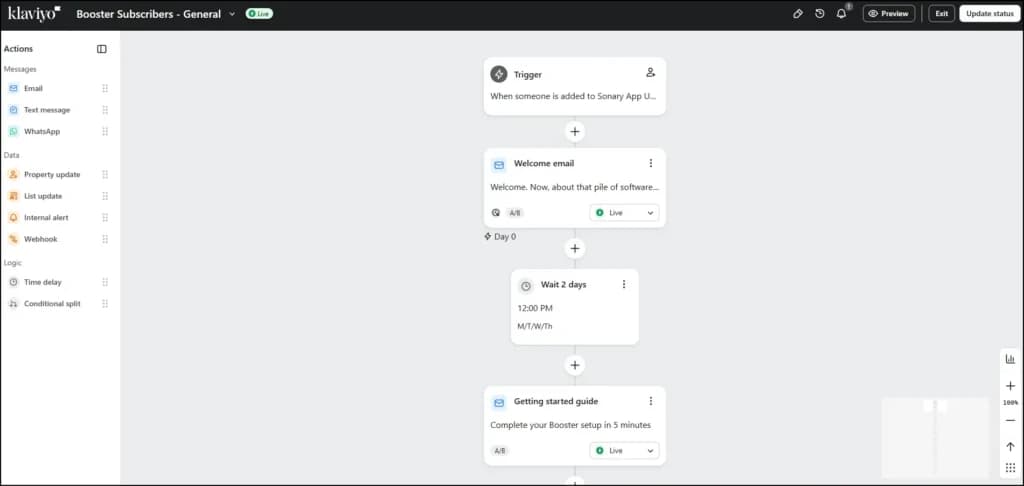
I run email marketing at Sonary— we use Klaviyo, but the tool isn't the magic. Any decent email platform will do for an SMB. What matters is the strategy. Here's the version I'd build from scratch today.
How do small businesses actually collect email addresses?
Small businesses collect email addresses through whichever method fits their business: website signup forms with a lead magnet for content sites, checkout opt-ins for ecommerce, QR codes or signup cards at the counter for physical locations, and transparent invitation emails for existing customer bases. The principle is universal: offer something genuinely valuable in exchange, and ask in places where the right people will see it.
The right method depends on your business type. Below is what works for each — pick the one (or two) that match yours.
If you have a website
The placements that work best:
- A signup form in the header or as a slim top bar visible on every page
- An exit-intent pop-up appears when someone moves to close the tab
- Inline within high-traffic blog posts natural placement after the reader has gotten value
- The footer converts brand-loyal repeat visitors
Conversion rate is rarely about form design. It's about the offer. A blank subscription to our newsletter yields a 0.5-1% conversion rate. A real lead magnet (Get the free pricing template we use ourselves) often hits 3-8%.
If you sell products or run ecommerce
Use the signup opportunities built into your sales flow:
- Checkout opt-in checkbox— Email me about new products and exclusive offers
- Order confirmation pages— the moment after someone buys is high-trust
- Account creation— opting in at signup
- Post-purchase follow-up— invite them to your list when sending delivery updates
Just enabling these built-in collection points produces a list of 1,000+ subscribers within a few months for most ecommerce SMBs.
If you have a physical location or run events
Offline acquisition is underrated:
- A signup card or QR code at the counter— printed, simple, in plain sight
- An iPad on the desk during checkout— works for salons, repair shops, restaurants
- A clipboard at events, trade shows, or workshops— surprisingly effective for niche audiences
- Receipts with a join our list QR code— costs nothing to add
A list built at one trade show or pop-up can be more valuable than 6 months of website signups, because attendees were genuinely interested enough to show up.
If you already have a customer base but no formal list
You probably already have email addresses from invoices, orders, or contact forms. Importing them is fine, but do it right:
- Send one transparent invitation email explaining what subscribers will get and including a clear opt-in link
- Honor opt-outs immediately— don't email anyone who didn't actively confirm
- Don't import contacts you haven't talked to in 12+ months— they'll mark you as spam
What lead magnets work for small businesses?
The biggest factor in signup rate is the offer, not the form. Lead magnets that work:
- A practical template (pricing, contract, social media planner, invoice)
- A specific checklist that solves one concrete problem
- A short, useful guide (5-10 pages, not 50)
- A 7-day email course teaching one specific skill
- A discount code or first-order offer (especially for ecommerce)
- A free tool or calculator relevant to your niche
- An invitation to a useful event or webinar
A small business with 3-5 different lead magnets covering different topics ends up with 3-5 ready-made segments, which sets you up for the next step.
What should you NOT do?
- Never buy email lists. The addresses are usually dead, complaint rates destroy your sender reputation, and most privacy laws (GDPR, CASL, CCPA) penalize you for it.
- Don't scrape from LinkedIn or other platforms. Same problems plus terms-of-service violations.
- Don't add people without permission. Produces low-quality subscribers and high spam complaints.
- Use double opt-in if possible. Confirm new signups via a second email. It kills 5-10% of signups, but the people who confirm are real and engaged.
Why is segmentation the most important part of an email marketing strategy?
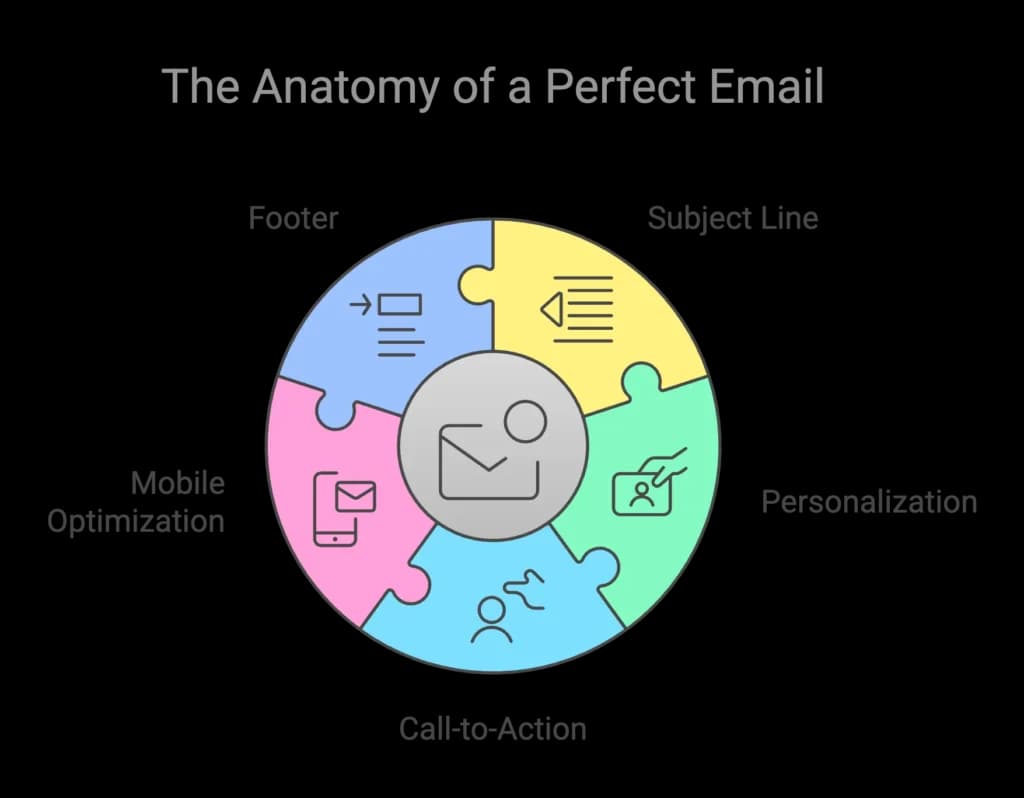
Segmentation is the most important part of an email marketing strategy because the same email is rarely right for two different people on your list. Every subscriber joined for a specific reason — a s pecific problem they wanted solved or a topic they cared about. If you send everyone the same generic content, you break that implicit deal and start losing the most valuable subscribers first.
When someone subscribes, they come for a specific reason. If your next email talks about something completely different, you've broken the implicit promise: I gave you my email because of X, you'll keep talking to me about X.
This is what separates email programs that grow into long-term assets from those that bleed subscribers with every send.
How should a small business segment its email list?
When someone joins our list at Sonary, the first question I'm trying to answer isn't, What should I send them? It's: What kind of user is this?
Most small businesses can cluster their subscribers into 3-5 main types. For Sonary, ours look like:
- Researchers— investigating a software category
- Decision-stage buyers— comparing specific tools
- Existing tool users— wanting optimization tips and alternatives
- Budget-conscious starters— wanting free or cheap solutions
Your segments will be different. The principle stays the same: cluster people by intent, not just demographics. Age and job title tell you who they are. Intent tells you what they need from you.
Practical mechanics for capturing intent:
- Tag subscribers based on which lead magnet or signup path they used. Different signup paths create different segments automatically.
- Add one optional question to your signup form— What brought you here? with 3-4 options. Optional, skip-able, but the people who answer have just sorted themselves into segments.
- Watch behavior, not just demographics. Your email tool tracks who clicks what. Use that data — it's worth more than any survey.
- Don't over-segment early. 3-5 segments are plenty until you have 5,000+ subscribers.
Why does spamming your own list destroy the whole asset?
Sending the wrong content to the wrong segment breaks trust. So does sending too often, or sending generic blasts to people who signed up for something specific. Each broken-trust email pushes subscribers toward unsubscribing or — much worse — marking you as spam.
For small businesses specifically: if 100 of your subscribers mark you as spam, your sender reputation tanks and ALL your emails go to spam folders, even for engaged subscribers. One bad batch of un-segmented sends can destroy a list you spent two years building.
Treating subscribers as individuals isn't just nice for SMBs. It's the only safe scale strategy.
How do you provide real value in email marketing instead of just pitching?
You provide real value by treating every email as information that solves a real problem or moves the reader toward an outcome they care about — never as a sales opportunity dressed up as content. The 80/20 rule is the simplest test: roughly 80% of your sends should provide pure value with no ask, and 20% can include an offer. Reverse the ratio and revenue dries up because the trust isn't there.
Here's the principle behind it: money is downstream of value.
The fastest way to fail at email marketing is to treat every send as a sales opportunity. Audiences can tell. They unsubscribe quietly until you have a list of 500 ghosts who never open anything.
The slowest way to fail is to genuinely help your audience. Then conversion happens naturally because they trust you.
What does value actually mean in an email?
Value isn't motivation or excitement. It's information that solves a real problem or moves the reader toward an outcome they care about. For SMB audiences, value usually looks like:
- A specific answer to a question they had
- Data they didn't have
- A walkthrough of a process
- A useful resource (template, checklist, comparison)
- An honest take on something they're considering
- Behind-the-scenes insight from your own work
Every email should land on at least one of these. If you can't honestly point to which type of value an email provides, don't send it. The unsent email is better than the value-less email. Unsent emails don't damage your reputation; valueless ones do.
What's the right ratio of value emails to promotional emails?
A useful rule for small businesses: roughly 80% of your sends should provide pure value with no ask. 20% can include an offer or commercial CTA.
The 80% builds trust. The 20% converts trust into revenue. Flip the ratio, and revenue dries up because the trust isn't there. When the value-first sends do their job, the commercial sends convert dramatically better — the audience has been trained to open every email from you.
When revenue is soft, small business owners sometimes get nervous and push harder — bigger discounts, more urgency, more sends. It always backfires. The audience sees the change in tone and feels betrayed. The right move when revenue is soft is the opposite: send something especially valuable. The trust you rebuild that way generates more revenue than any discount push.
Related reading from Sonary
- Best Email Marketing Software for Small Business
- Best Free Email Marketing Software
- HubSpot Marketing Hub vs. Klaviyo
- Constant Contact vs. Mailchimp 2026
- Best CRM for Small Business
- The Complete Software Stack for Sole Traders & Small Teams
What's the simplest email marketing strategy a small business can start this week?
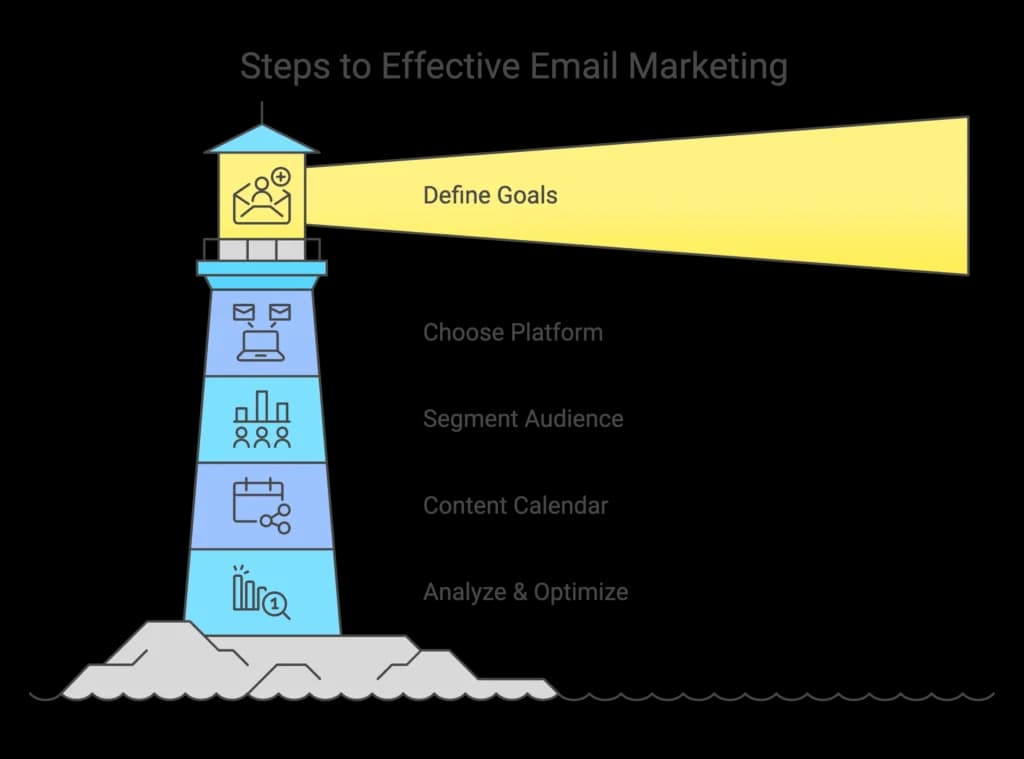
The simplest email marketing strategy a small business can start this week has six steps:
- Define why people will subscribe
- Build a 3-email welcome flow
- Plan a content calendar with one or two sends per week per segment
- Set up four core automations (welcome, abandoned cart, post-purchase, win-back)
- Measure CTR and reply rate instead of obsessing over opens
- Audit every send before pressing send.
Most of this can be set up in a weekend. Here's how to execute each step in detail.
Step 1: Define what your subscribers actually came for
List your lead magnets, signup paths, or content offers. For each, write one sentence about who that person is and what they hoped to get. That's your starting segmentation map.
Step 2: Build a welcome flow per segment
The welcome flow is the single highest-leverage automation. Open rates here are the highest you'll ever see (often 60-80%). A working 3-email welcome sequence:
- Email 1 (sent immediately): Deliver what they signed up for. Set the expectation for what's coming.
- Email 2 (2-3 days later): Your most valuable content related to what they signed up for.
- Email 3 (5-7 days later): A useful tool, template, or resource. Not a pitch — a gift that proves the relationship will be valuable.
If you want a soft commercial moment, save it for email 4 or 5. Not earlier.
Step 3: Plan your ongoing calendar by segment
For most SMBs: 1-2 sends per week per segment, with overlap between segments. A practical setup:
- A core weekly send to your full engaged list
- Segment-specific deeper content sent only to the relevant subset
- A monthly newsletter that summarizes everything
Step 4: Set up the four automations that compound
- Welcome series(covered in Step 2) — your highest-leverage flow
- Abandoned cart(if you have ecommerce) — recovery rates of 10-15% are common
- Post-purchase follow-up— drives repeat purchases at 5-10x the cost-efficiency of new acquisition
- Re-engagement / win-back— one final email to subscribers who've gone quiet 90+ days
Set these up once. They run forever. Each one compounds the value of the list.
Step 5: Measure value, not just opens
Track these instead of obsessing over opens:
- Reply rate— the best signal of a real relationship
- Click-through rate (CTR)— most reliable engagement metric in 2026
- Click-to-open rate (CTOR)— clicks divided by opens; the cleanest content metric
- Revenue per subscriber per year— the only metric that matters long-term
- Unsubscribe rate by send type— tells you what content the audience tolerates vs. wants
Step 6: Audit every send before you hit send
Ask: If I were on this list, would I be glad to receive this email today? If the honest answer is no, don't send it. This is the rarest discipline in the industry — and the most important.
What's a good open rate, click rate, and CTR for small business email marketing in 2026?
A good email marketing benchmark for a small business in 2026 is roughly 30-45% open rate, 3-5% click-through rate, 12-18% click-to-open rate, a below-0.3 % unsubscribe rate per send, and an under-0.05 % spam complaint rate. Anything above these ranges is great; anything significantly below is a sign that something needs fixing. Important caveat: open rates have been inflated by 15-20+ points since Apple Mail Privacy Protection launched in 2021, so dashboard numbers are higher than reality.
Below is the full breakdown by metric, including why benchmarks vary so wildly between sources.
Why are published email benchmarks so inconsistent?
Most average open rate numbers are inflated. In 2021, Apple introduced Mail Privacy Protection (MPP), which automatically loads emails sent to Apple Mail users and counts them as opens — even if the user never actually opens them. Roughly 40-60% of emails today are opened in clients affected by this.
"Apple Mail Privacy Protection (MPP) automatically pre-loads email content — including tracking pixels — meaning emails are counted as 'opened' even when the subscriber never actually viewed them."Source
That's why you'll see wildly different averages:
- MailerLite reports a 43% median open rate
- ActiveCampaign reports 39%
- WebFX and Monday.com report closer to 19-22%
They're all measuring the same thing. They're just filtering MPP differently. Treat published benchmarks as rough reference points, not absolute truth.
What are realistic benchmarks for a small business?
These ranges combine multiple major 2026 benchmark reports and account for MPP inflation:
Metric | Concerning | Average | Good | Great |
|---|---|---|---|---|
Open rate | Below 15% | 20-30% | 30-45% | 45%+ |
Click-through rate (CTR) | Below 1% | 1-3% | 3-5% | 5%+ |
Click-to-open rate (CTOR) | Below 5% | 6-12% | 12-18% | 18%+ |
Unsubscribe rate per send | Above 1% | 0.3-0.5% | Below 0.3% | Below 0.1% |
Spam complaint rate | Above 0.1% | 0.05-0.1% | Below 0.05% | Below 0.02% |
Bounce rate | Above 5% | 2-5% | Under 2% | Under 0.5% |
Reply rate | Below 0.1% | 0.5-1% | 1-3% | 3%+ |
Source: ActiveCampaign
Two honest notes:
- Your dashboard will likely show numbers in the good or great column for opens due to MPP inflation. That's not a sign you're winning — it's a sign Apple's privacy feature is artificially boosting the number.
- CTR and CTOR are now more reliable than open rate. CTOR specifically is the cleanest single metric — if it's healthy, your content is working.
What's the most important benchmark of all?
Your own baseline. After 4-8 weeks of consistent sending, you'll have your own averages. From that point on, every campaign gets compared against your own past performance — not against MailerLite's median across 3.6 million accounts.
Industry benchmarks are useful for sanity-checking the first month. After that, your own trend is the only benchmark that matters.
Which email marketing software should a small business use?
For most small and micro businesses, the tool barely matters —Brevo, Constant Contact, Mailchimp, HubSpot, Benchmark Email, and ActiveCampaign all handle segmentation, automation, and analytics well enough for SMBs with fewer than 10,000 subscribers. Pick by use case: Brevo for the most generous free tier, Constant Contact for ease of use, Klaviyo for ecommerce, and HubSpot when email is part of a sales operation. The strategy on top of the tool determines the results.
This is the honest answer that contradicts most best email marketing software articles. Switching tools doesn't fix a broken email strategy, and a great strategy works on almost any tool.
A few real differentiators worth knowing:
- Most generous free tier: Brevo (300 emails/day forever)
- Easiest for non-marketers: Constant Contact, Benchmark
- Best for ecommerce: Klaviyo (or Mailchimp for very small ecommerce)
- Best when email is part of a sales operation: HubSpot
For a deeper comparison, see our best email marketing software for small business and free email marketing software reviews.
How much should a small business expect to pay?
- Free tier (up to 500-2,000 contacts):$0/month
- Growing list (2,000-5,000 contacts):$15-50/month
- Established list (5,000-15,000 contacts):$50-200/month
Even at the higher end, this is one of the cheapest customer-engagement channels you can run. Spending $50/month to maintain ongoing relationships with thousands of pre-qualified prospects is genuinely a steal compared to roughly any other line item in your marketing budget.
What are the most common mistakes that break small business email marketing?
The patterns that destroy small business email programs:
- Treating the list as a broadcast channel. Same email to everyone, every time. Audience tunes out, then unsubscribes.
- Pitching too early. Hard sale in welcome email #1 before any trust has been built.
- Going silent for months, then mass-emailing. The audience forgot you exist. Re-emergence looks like spam.
- Sending only when you want something. When every email is a pitch, the audience tunes out.
- Buying lists. Destroys sender reputation, violates privacy laws, almost no real customers.
- Optimizing the wrong thing. Hours of A/B testing button colors while segmentation is broken.
- Treating the list as static. Lists need maintenance. Remove people who have been inactive for 6+ months — their disengagement hurts deliverability for everyone.
What's the email marketing strategy checklist for small businesses?
Print this. Tape it next to your monitor. Work through it.
# | Task | Done? |
|---|---|---|
1 | Identify the 3-5 reasons people will subscribe to your list | ⬜ |
2 | Choose your collection method (website, checkout, in-store, events) | ⬜ |
3 | Build at least one strong lead magnet | ⬜ |
4 | Pick an email tool (free tier OK to start) | ⬜ |
5 | Set up double opt-in for new subscribers | ⬜ |
6 | Set up email authentication so your emails don't go to spam (your tool has a wizard) | ⬜ |
7 | Map your subscribers to 3-5 segments | ⬜ |
8 | Build a 3-email welcome flow | ⬜ |
9 | Plan a content calendar with 80% value, 20% commercial | ⬜ |
10 | Set up the 4 essential automations | ⬜ |
11 | Track CTR, CTOR, reply rate (not just opens) | ⬜ |
12 | Audit every send: would I be glad to receive this? | ⬜ |
12 of 12 = a working email program. 8 of 12 = enough to start producing results.
The bottom line
Email is the highest-value-for-money marketing channel a small business can run. Not because of any specific tool or tactic. Because of the underlying economics, you earn each subscriber once and serve them indefinitely.
The work is in the foundations. Build a way to collect emails that fits your business. Segment your list so the right content reaches the right people. Provide real value instead of pushing offers. Respect the trust someone placed in you when they handed over their address.
Do that — and revenue follows. Not because you pushed harder. Because you built something genuinely worth opening.
Pick one tool. Build one welcome flow. Send one valuable email a week. Don't over-engineer it. The list you start this year is the asset that compounds for the next decade.
FAQ: The most common email marketing questions from small business owners
How small can my list be and still make email marketing worth it?
A list of 100 truly engaged subscribers is worth running campaigns for. ROI compounds with quality, not raw size. 500 active, segmented subscribers will outperform 5,000 stale ones every time.
How often should a small business send emails?
For most SMBs, once or twice a week per segment is the sweet spot. Less than weekly and your audience forgets you; more than three times a week and unsubscribe rates spike. Test in 4-week increments.
Is buying an email list ever a good idea?
No. Never. The cost of damaging your sender reputation far exceeds any short-term value, and most privacy laws (GDPR, CASL, CCPA) penalize you for it.
How do I get my first 100 email subscribers?
Depends on your business. Website: lead magnet + signup form on your highest-traffic page. Physical location: counter signup with a QR code. Existing customers: a transparent personal invitation. Plus your social bios, email signature, and printed materials. 30-60 days is realistic for 100 subscribers.
What metrics should I actually track?
Open rates have been unreliable since 2021's Apple Mail Privacy Protection update — they're inflated by 15-20+ points for most senders. Track instead: reply rate, click-through rate, click-to-open rate (CTOR), revenue per subscriber per year, and unsubscribe rate by send type.
How do I avoid the spam folder?
Five things, in order of importance:
- Set up email authentication (SPF, DKIM, DMARC) — explained in the next question.
- Only email people who actually asked for your emails. This matters more than anything else.
- Use double opt-in — confirm new signups with a click. Cuts fake addresses immediately.
- Skip spam-trigger words in subject lines (FREE!!!, ACT NOW, GUARANTEED).
- Don't send mostly-image emails. Spam filters can't read images, so they assume the worst.
What are SPF, DKIM, and DMARC, and do small businesses really need them?
There are three small settings that tell Gmail, Outlook, and Yahoo: this email is really from us, not from a scammer pretending to be us.
Think of it like an ID check at a building entrance. Without the ID, the security guard sends you to wait in the lobby — that's the spam folder.
You don't need to understand the technical details. Every email tool (Mailchimp, Brevo, Constant Contact, Klaviyo, HubSpot) has a setup wizard that walks you through it. You copy 3-5 lines of text from the wizard into your domain settings (where you bought your website address). That's it.
Why bother: without these set up, your emails go to spam more often, even when subscribers want them. Gmail and Yahoo made this required for big senders in 2024, and they favor senders who have it set up at any size.
How long it takes: 15-30 minutes to set up, then 24-48 hours for it to start working.
What's the best free email marketing software for a small business?
Brevo (formerly Sendinblue)and Benchmark Email have the strongest free tiers in 2026. For a full comparison, see our free email marketing software breakdown.
How long does it take to know if my email marketing is working?
Plan for 4-8 weeks of consistent sending before you have enough data to see real patterns. After 8 weeks, you have your own baseline; after 3-4 months, you can run meaningful tests; after 6-12 months, you see compounding revenue.
Is email marketing dead because of AI and social media?
No. Email is generating roughly $36 ROI per dollar spent — higher than any social channel — and is more stable than algorithm-driven platforms. As organic social reach has declined over the past 5 years, email has become MORE important for small businesses, not less.