What is POS (Point of Sale)? Everything You Need to Know About Point of Sale Systems
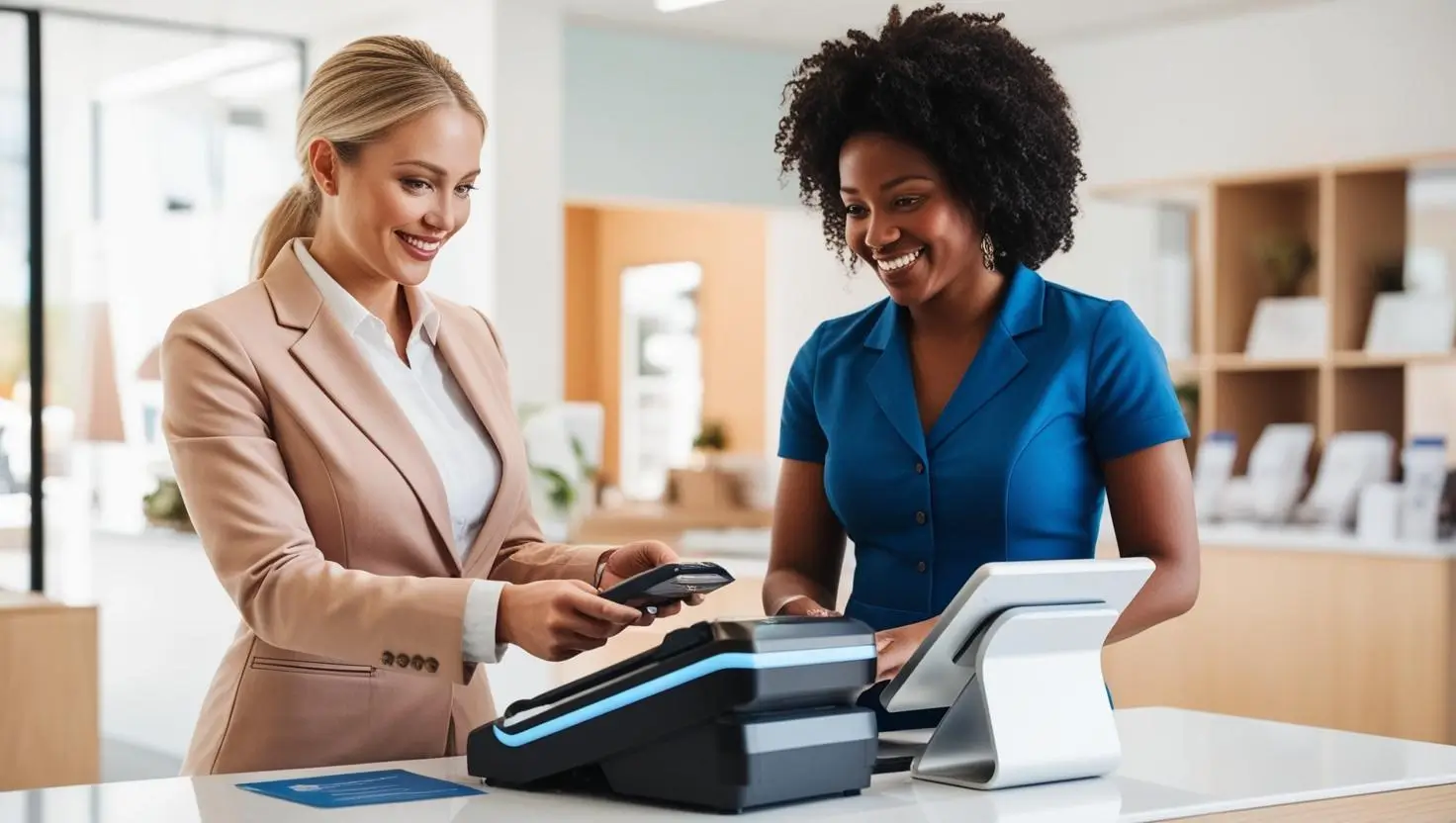


A point of sale system is the tool you use to process sales, accept payments, and manage daily tasks like inventory, receipts, and customer orders. It replaces the old cash register with an all-in-one setup that helps you track what sells, spot trends, reduce mistakes, and keep your business running smoothly.
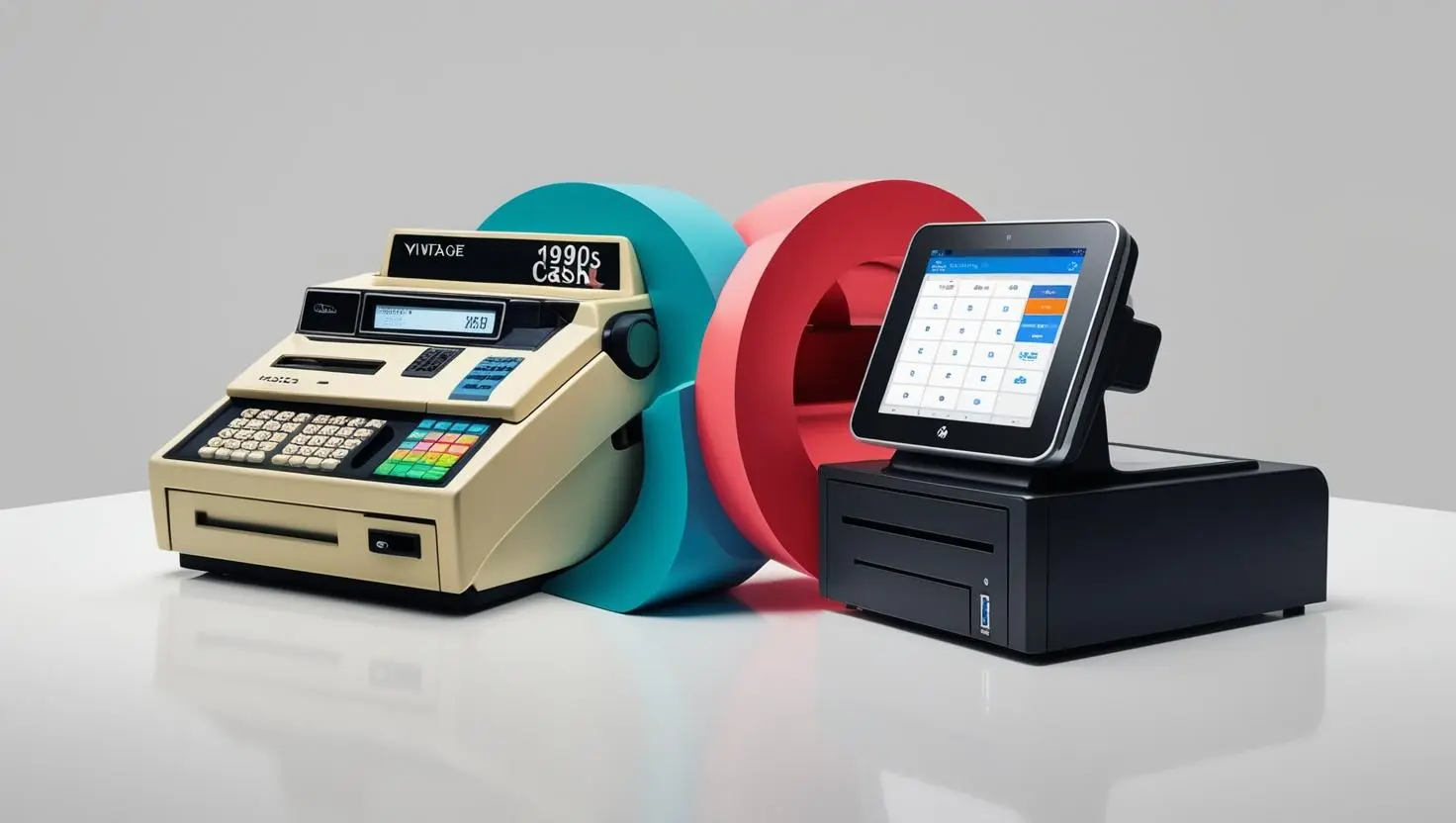
You know you need a way to take payments—no mystery there. And when you hear “POS system (point of sale),” you probably picture that old-school cash register: big buttons, a buzzing receipt printer, and the classic ka-ching of the drawer popping open. It’s familiar, sure (if you’re over 30)—but it’s also outdated.
The right point of sale system for your business is one that does way more than just ring up sales. With so many options available today—traditional registers, cloud-based systems, mobile POS setups, and even self-service kiosks—how do you know which one is right for your business? What features actually matter? And how do you avoid paying for things you don’t need?
What is a POS System?
A POS (point of sale) system is the combination of software and hardware that businesses use to process customer transactions. Most POS systems are comprehensive POS solutions that support both in-person transactions and online sales. At its simplest, it’s where sales happen—whether that’s at a retail checkout counter, a restaurant table, or a service appointment. But today’s POS systems do far more than just take payments.
A modern POS can help you:
-
Accepting payments through various methods (including cash payments, credit/debit cards, digital wallets, and contactless payment options)
-
Accept contactless payments using mobile devices or tablet point of sale systems
-
Accept multiple payment types (cash, credit, mobile wallets)
-
Track sales and revenue in real time
-
Manage inventory and restock alerts
-
Track inventory and automate tracking inventory across physical stores and online channels
-
Automate accounting and tax reporting
-
Process payments quickly and securely, recording payment details for each POS transaction or retail transaction
-
Enable online ordering for restaurants and service businesses
-
Improve customer experience with loyalty tools and CRM features
Most POS operating systems include both hardware (POS devices) and software (such as a POS app), and choosing the right POS provider is crucial for setup and ongoing support. POS solutions are available for every business type, and the right POS solution can streamline operations in both physical stores and online environments.
The right system simplifies your day-to-day operations. The wrong one slows you down, costs too much, and frustrates both you and your customers.
What a POS System Looks Like Today
Early POS systems (we’re talking 1970s to early ’80s) were nothing more than glorified calculators with a cash drawer—they recorded sales, printed receipts, and not much else. Mid-to-late 80’s brought us electronic registers, those clunky gray boxes with tiny green digital screens that could finally process credit cards (slowly, over a dial-up connection). By the ’90s, businesses started using computer-based POS systems, which introduced inventory tracking and sales reports, making life a little easier for shop owners.
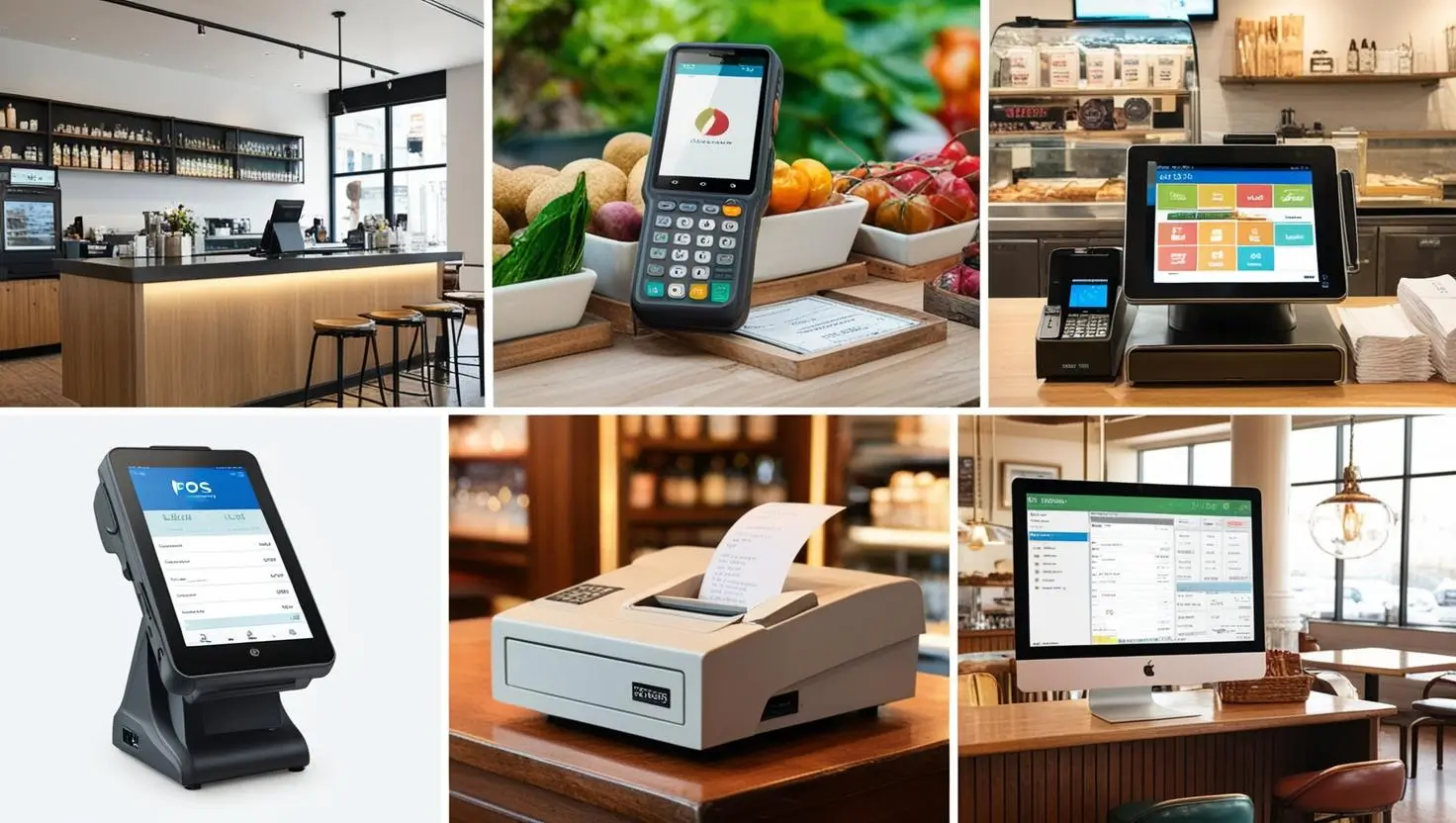
Your modern-day POS system can be anything from a sleek tablet to a fully automated self-checkout kiosk or even an AI-powered cloud system that runs your entire business. Advances in POS technology have enabled these features, making it possible for businesses to streamline operations, enhance customer experience, and analyze sales data more effectively. Most POS systems now offer integrated POS solutions that combine hardware like tablets, barcode scanners, and receipt printers with cloud-based software for seamless business operations, especially for businesses with multiple locations or remote management.
But here’s the thing: not all POS systems are built the same. If you want your POS to actually make an impact, it has to be configured for the way you do business.
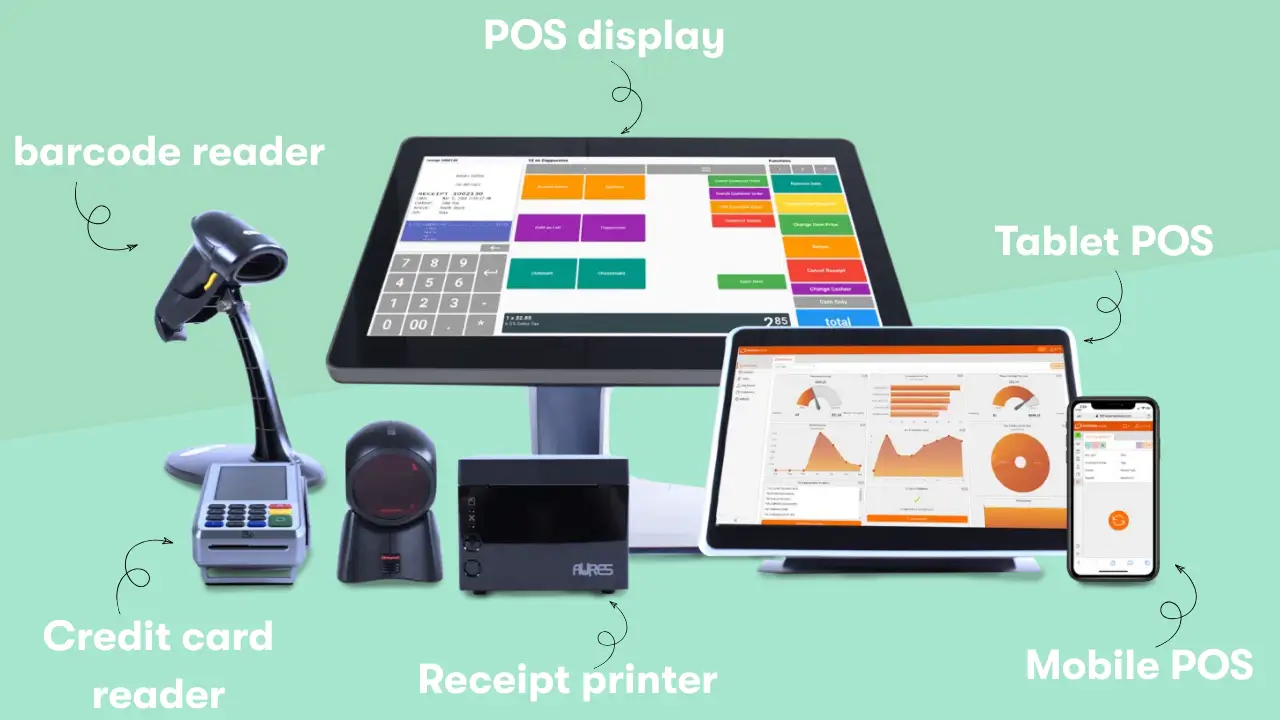
All POS systems can take payments, but that’s only one piece of the puzzle. They also track sales, manage inventory, sync data, and keep everything running smoothly behind the scenes. The hardware is what customers see: pos devices such as card readers, barcode scanners, and receipt printers. These devices allow businesses to print receipts and process payments efficiently. The software is what keeps it all running: tracking sales, managing inventory, syncing everything in real-time, and recording payment details for each transaction.
POS Hardware (the body of the system)
POS hardware is the physical equipment your business uses to take payments, run transactions, and keep sales organized. It works together with your POS software, so the devices you choose depend on the system you plan to use.
You know when a button sticks, the touchscreen lags, or the card reader needs a dozen tries to work? That’s bad hardware. A good POS system minimizes those minor hiccups, ensuring transactions are smooth and quick. The POS hardware—or pos devices—includes all the physical devices you need to accept payments and manage transactions. These pos devices range from traditional cash registers to modern tablet pos systems and mobile devices, offering flexibility and ease of use.
1. POS terminal
A POS terminal is the card reader with a screen that customers use to pay. In many retail stores this is a PIN pad style device with a small display. In some restaurants, the card reader is built into the main POS display, so staff may call the full device “the terminal.”
Most modern POS displays are touch screens. Some cloud POS operating systems use iPads, which makes these setups very flexible and low-cost.
- A touchscreen tablet (like an iPad) running POS software
- A traditional desktop computer
- A handheld mobile device for businesses that take payments on the go
Useful for: Restaurants, retail stores, service-based businesses, mobile vendors
Price range: 0 to 1200
Best for:
- Businesses that want a basic POS setup
- Mobile sellers or food trucks
- Restaurants that do not want a central checkout counter
2. POS display
If your card reader is not built into the main unit, you will need a separate staff-facing display. This is the screen where employees log in, ring up sales, apply discounts, redeem loyalty, process returns, and clock in or out.
Most modern point-of-sale displays are touch screens. In many high volume environments such as grocery, you may still see traditional non touch monitors.
Cloud POS systems often use iPads as displays. In those cases, you buy the tablet and a compatible stand. For example, Square Stand is a common iPad based POS display.
Typical price range: $149 – $2,000
Best for:
- Businesses with a fixed checkout counter or central cash wrap
- Stores or restaurants that need a robust, full featured POS interface
3. Cash register or cash drawer
A cash drawer is essential equipment if you accept cash. It is controlled by the POS software so that it only opens when it should (for example, when a cash sale is completed or a drawer count is performed).
- Connects to your POS system
- Opens automatically when a cash transaction is made
- Keeps bills and coins organized
- Locks securely to prevent theft
Cost: usually 100 or more per drawer
Best for: Retail stores, restaurants, businesses with frequent cash transactions
4. POS receipt printer
A receipt printer is still required by many point of sale systems, even though digital receipts are more common. Some customers still prefer printed receipts, and some businesses need paper records for returns, coupons, or compliance.
Most POS setups use thermal receipt printers, which are fast and do not require ink cartridges. Brands like Epson and Star Micronics are widely used for their reliability and compatibility with many POS systems.
Typical price range: $300 to $600
- Prints fast, ink-free receipts (thermal technology = no messy ink cartridges)
- Customizes receipts with your business logo and contact info
- Provides a paper trail for cash transactions and refunds
Best for:
- Businesses where customers expect paper receipts
- POS systems that are built around printed receipts or kitchen tickets
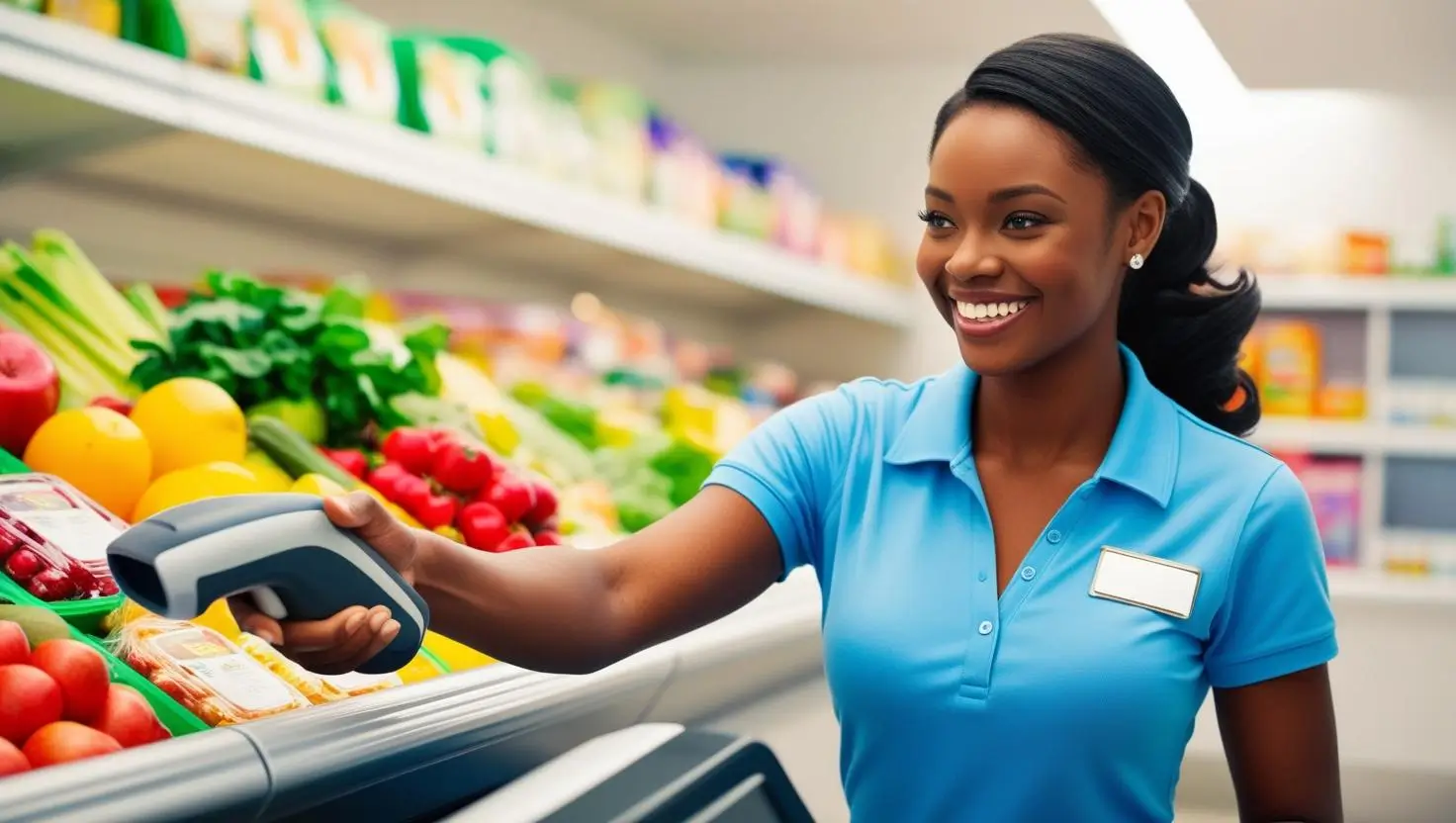
5. Barcode scanner
A barcode scanner reads labels, coupons, loyalty cards, and sometimes IDs. This is much faster and more accurate than typing items or codes manually.
Scanners can connect via USB cable or Bluetooth.
- Speeds up checkout times
- Prevents pricing errors
- Automatically updates stock levels
Cost: around $119 to $800
Best for: gift shops, supermarkets, convenience stores, and any retailer with many SKUs
6. Card reader & payment terminal (tap, chip, swipe)
A credit card reader handles secure dip, tap, chip, or contactless payments. Some versions attach directly to tablets or smartphones, allowing mobile payments anywhere in the store or on the go.
Today’s customers expect fast, flexible payment options—so a good POS system should include a card reader that accepts:
- Chip & PIN
- Contactless tap payments (Apply Pay, Google Pay, etc.)
- Traditional swipe transactions
Typical price range: $10-$500
Best for:
- Most small and mid sized businesses
- Multichannel retailers that take payments across locations
7. Kitchen display system (KDS)
A KDS is a digital screen used in restaurant kitchens to organize orders, track cooking times, and reduce miscommunication. It can combine in person, online, and kiosk orders.
Instead of handwritten tickets or shouting orders, a kitchen display system (KDS) sends orders straight to the kitchen digitally.
- Improves accuracy (no more messy handwriting)
- Tracks wait times so staff can prioritize orders
- Syncs with the POS terminal to update inventory in real-time
Typical price range: $100-$1,500 per screen
Best for:
- Quick service and full service restaurants
- Kitchens replacing paper tickets
8. Customer-facing display
A customer facing display is a second screen that shows customers their items as they are scanned. It improves speed and accuracy because customers can verify totals in real time and complete digital payments or loyalty entries easily.
- Review their order before paying
- See pricing & discounts in real time
- Enter their email for digital receipts or loyalty rewards
Typical price range: Around $200 to $800
Useful for: Retail stores, self-service kiosks, restaurants with counter service
9. Digital menu board
A digital menu board is a screen that shows your menu or services. It is easy to update, brand, and schedule throughout the day.
Typical price range: $130-$2,000
Best for:
- Restaurants
- Theaters, salons, and retail businesses that need dynamic signage
POS Software
POS hardware is useless without the right software – the brain of the system. The POS software is what makes everything run—it processes transactions, manages inventory, tracks customers, and generates reports. A pos app is a type of POS software that allows businesses to process payments and manage sales directly from mobile devices.
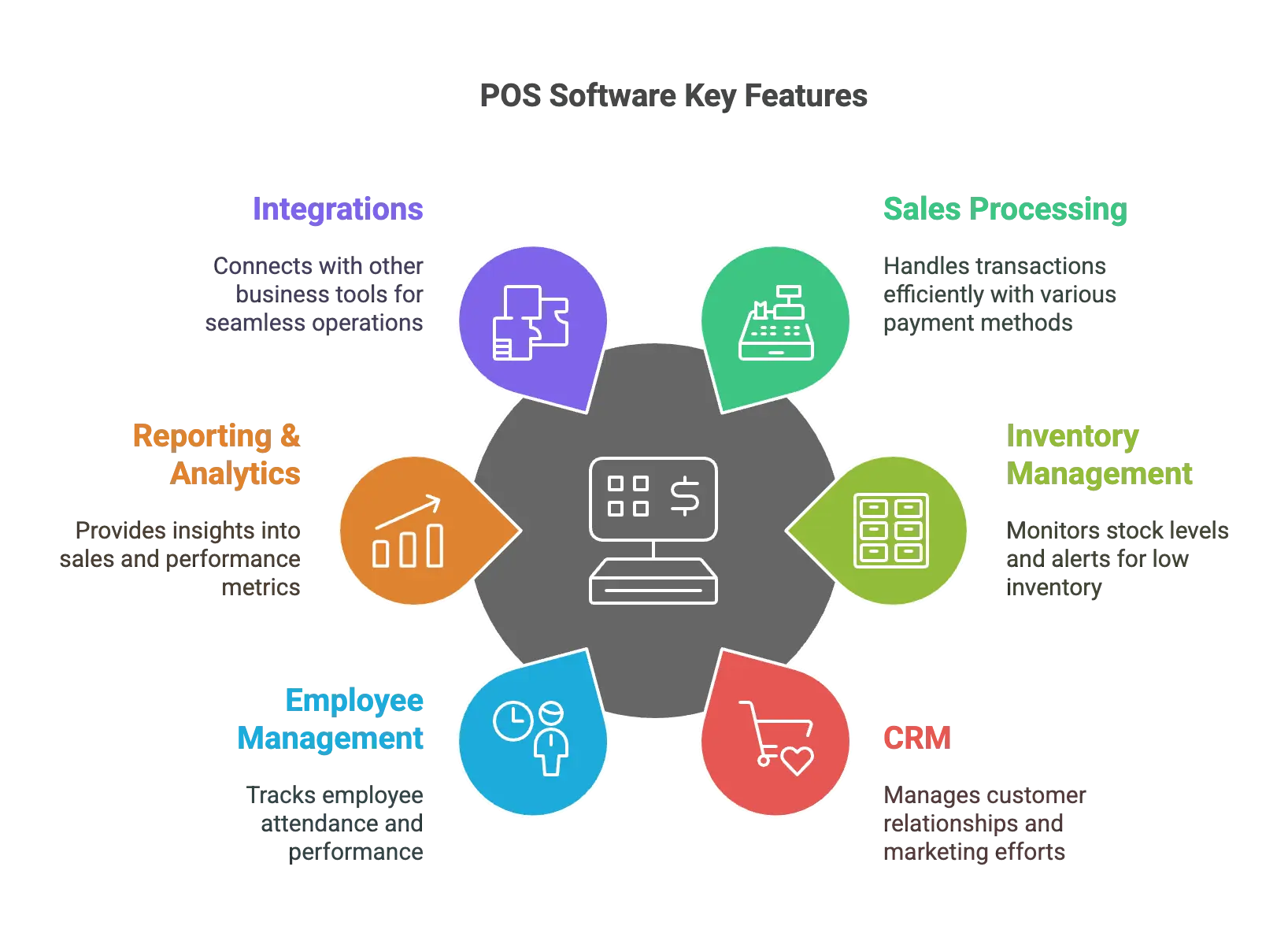
Here’s what a good POS software system should include:
1. Sales & Transaction Processing
At its core, POS software needs to process payments and accept payments from customers quickly and securely. It should:
- Accept multiple payment methods (cash, card, mobile payments, online invoices)
- Support accepting payments through various technologies, including credit/debit cards, digital wallets, NFC, and gift cards
- Securely record payment details for each pos transaction or retail transaction
- Handle discounts, refunds, and store credits
- Work both online and offline (so you can keep selling even if the internet goes down)
Useful for: Every business—this is the core function of any POS system
2. Inventory Management
Good POS software helps businesses track inventory and automate tracking inventory in real time, so you always know what’s in stock and what needs restocking.
- Auto-updates when items are sold
- Sends low-stock alerts before you run out
- Syncs with online stores for businesses selling both in-store and online
Useful for: Retail stores, restaurants, warehouses, e-commerce businesses
3. Customer Relationship Management (CRM & loyalty programs)
A great POS system doesn’t just track sales—it tracks customers, too. With built-in CRM tools, you can:
- Store customer purchase history for personalized recommendations
- Set up loyalty programs to keep customers coming back
- Send email or text promotions based on what customers buy
Useful for: Businesses that rely on repeat customers—retail, salons, restaurants, gyms
4. Employee Management & Permissions
If you have employees, your POS system should help you manage shifts, track sales by employee, and set role-based permissions (so cashiers can’t access manager-only functions).
- Clock-in/clock-out tracking
- Sales performance reports by employee
- Restricted access for refunds, discounts, and voided transactions
Useful for: Any business with staff handling sales
5. Reporting and analytics
A smart POS system helps you track business performance and keep on top of what’s working and what’s not, with:
- Daily, weekly, and monthly sales reports
- Best-selling product insights
- Peak sales hours & staffing recommendations
Some advanced systems even use AI-powered analytics to predict trends and optimize pricing strategies.
Useful for: Any business looking to grow smarter and scale efficiently
6. Integrations
No one likes entering data manually when there’s no need. Your POS software should connect with the other tools you use, like:
- Accounting software (QuickBooks, Xero, etc.)
- E-commerce platforms (Shopify, WooCommerce, etc.)
- Marketing & loyalty programs (email lists, SMS promotions)
- Payroll & scheduling tools
Useful for: Businesses that want seamless automation across multiple systems
With the right mix of hardware and software, your POS system keeps your business organized, efficient, and ready to grow.
Cloud-Based POS: The Modern Standard
If you’re still picturing a clunky cash register chained to your counter, it’s time to meet the modern standard: the cloud-based pos system. Today’s cloud-based pos systems let you run your business from anywhere—your shop, your sofa, or even the beach—using just a mobile device or laptop with an internet connection. That means you can check sales data, update inventory management, and review customer data in real time, no matter where you are.
Cloud-based pos systems are built for flexibility and growth. Need to add a new location or start selling online? No problem—your sales data, inventory, and customer behavior insights are all synced instantly across every device. These systems also play nice with your other business tools, like accounting software and inventory management platforms, so you can streamline your operations and cut down on manual work.
Security is another big win. With a cloud-based pos, your payment processing and sensitive customer data are protected by top-tier encryption and secure servers—no more worrying about losing everything if your hardware crashes. Plus, updates and new features roll out automatically, so your pos system is always up to date.
Bottom line: a cloud based pos system gives you the power to manage your business smarter, faster, and from anywhere the day takes you.
Top POS System for Your Business: A Quick Comparison
The table below compares leading POS solutions, highlighting the strengths of each POS provider. Choosing the right POS solution is essential, as these comprehensive systems integrate hardware and software to streamline business operations, enhance customer experience, and support features like tipping and cloud-based accessibility. Reviewing the features and training materials offered by each POS provider can help ensure your staff are properly trained and familiar with the new system before implementation.
The best POS system for you depends on what you sell, how you run your business, and what features you actually need. Here’s a side-by-side look at some top options to help you figure out which one fits best.
| POS System | Best For | Hardware Options | Standout Feature | Subscription? | Ease of Use |
| Lightspeed | Retail | iPad, desktop, custom terminals | Advanced inventory management | ✅ | Moderate learning curve |
| Clover | Restaurants | All-in-one POS terminal, mobile countertop | Highly customizable setup |
❌ |
User-friendly & customizable |
| Shopify | E-commerce | iPad, mobile, desktop | Seamless e-commerce integration | ✅ | Simple for e-commerce users |
| Square | Small businesses | Mobile card readers, register kits | Simple, no-contract pricing |
❌ |
Very easy for beginners |
| Toast | Full-service restaurants | POS tablets, kitchen display systems | Restaurant-specific tools | ✅ | Designed for restaurant workflows |
How Does a POS System Work?
A POS system might seem pretty straightforward—customer orders, payment is taken, transaction complete. But behind the scenes, it’s a carefully coordinated system of hardware, software, and data syncing that ensures speed, accuracy, and efficiency at checkout. POS systems work by integrating these components to process every POS transaction or retail transaction, ensuring seamless payment acceptance and record-keeping.
Let’s walk through how a modern POS system works step by step.
Step 1: Order or item entry
Order entry is the first step in a retail transaction or pos transaction, typically initiated during in person transactions using pos devices. The process starts the moment a product or service is entered into the system. Depending on the type of business, this can happen in different ways:
- Retail stores – A barcode is scanned, pulling up the item, price, and stock level.
- Restaurants & cafés – A server selects menu items from a touchscreen or enters a custom order.
- Service-based businesses – A receptionist books an appointment and adds services to the sale.
At this point, the POS software tracks what’s being sold and adjusts inventory in real-time.
Example: A customer at a coffee shop orders a latte and a croissant. The cashier taps the items on the POS screen, and the system instantly updates inventory, showing how many croissants are left.
Step 2: Price calculation and promotions
The POS system automatically applies pricing rules, including:
- Base price of the product or service
- Discounts, loyalty points, or special promotions
- Taxes and service fees based on location
The system ensures accurate pricing without manual calculations.
Example: The coffee shop is running a “Buy 1 Latte, Get 50% Off a Pastry” promotion. The POS system applies the discount automatically, adjusting the total price before checkout.
Step 3: Payment processing
This step involves accepting payments and processing payments through various methods. Once the total is confirmed, the POS system moves to payment collection. Modern POS systems accept multiple payment types, including:
✅ Credit & debit cards (chip, swipe, or tap)
✅ Mobile wallets (Apple Pay, Google Pay)
✅ Cash (POS tracks how much is in the register)
✅ Gift cards & store credit
✅ Buy Now, Pay Later options (like Afterpay or Klarna)
Many businesses now accept contactless payments for added convenience, allowing customers to pay quickly and securely using their smartphones or cards. The system securely records payment details for each transaction, ensuring accuracy and security.
For businesses using mobile POS terminals, payments can be processed anywhere in the store, at the table, or even outside.
Example: The coffee shop customer taps their phone on the POS card reader to pay via Apple Pay. The transaction is approved within seconds.
Step 4: Receipt generation and order confirmation
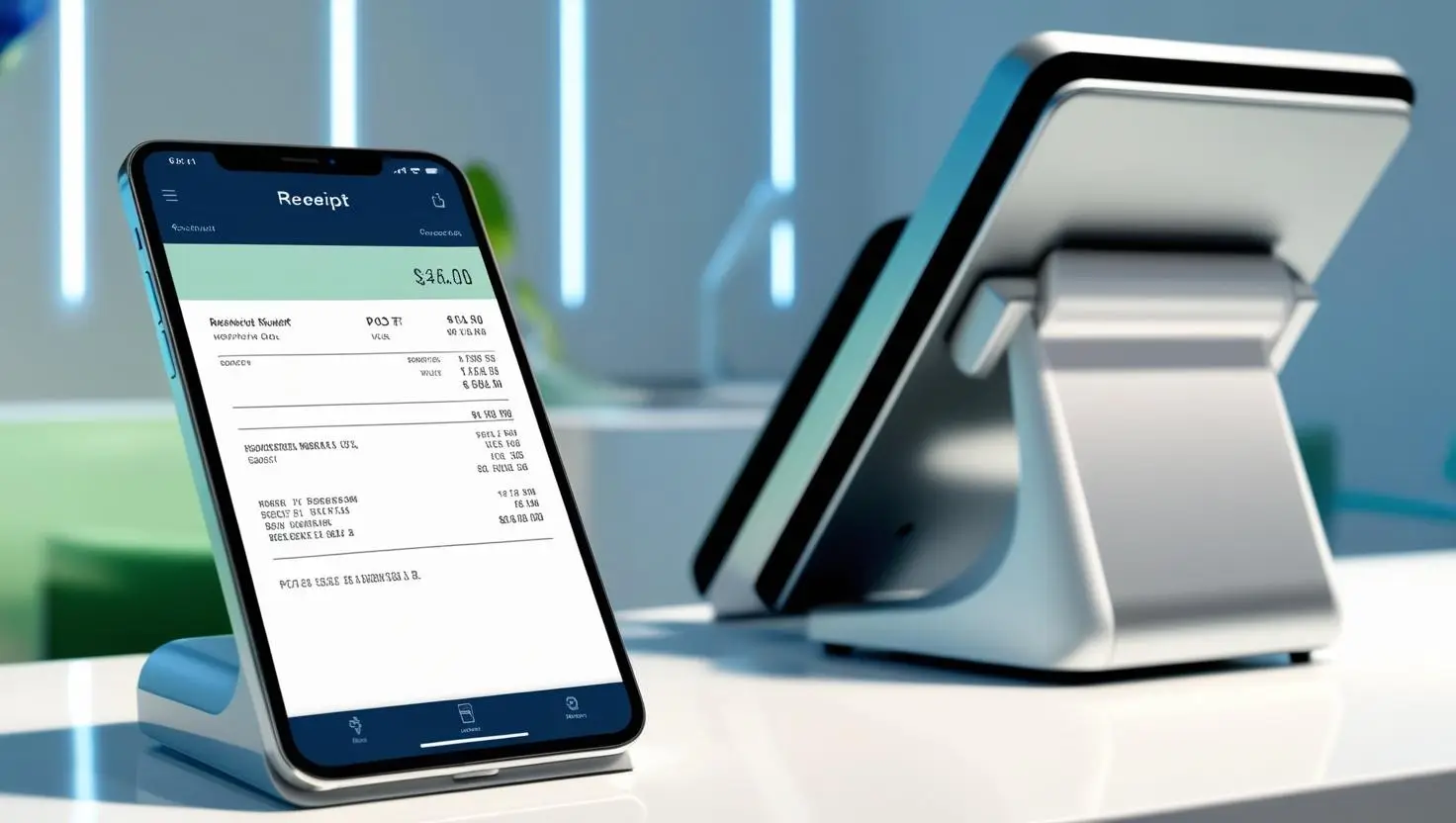
Once the payment is completed, the POS system allows businesses to print receipts or provide a printed receipt to customers who request one. The receipt can be:
- Printed via a receipt printer
- Emailed or texted to the customer
- Sent through the store’s mobile app (if integrated)
For restaurants or businesses with order fulfillment, the order is now sent to the necessary departments.
Example:After payment, the POS system sends the order to the barista’s display screen at the coffee machine and to another station in the kitchen, so they can both start preparing the latte and croissant immediately.
Step 5: Inventory and sales update
A modern POS system helps businesses track inventory and automate tracking inventory after each sale by automatically updating stock levels and recording the sale in real-time. This helps businesses:
- Track best-selling items
- Reorder stock when supplies run low
- Prevent overselling for e-commerce stores
Example: The system now shows 19 croissants left in stock. If the count drops below 5, it triggers a reorder alert for the manager.
Step 6: Data sync and business insights
At the end of the day, all transactions sync with back-end analytics and reporting tools. This allows business owners to:
- See daily sales totals
- Track peak hours & best-selling items
- Monitor staff performance
- Analyze trends for better business decisions
Example: At closing, the café owner checks the POS dashboard and sees that lattes were the top seller today, making up 40% of total revenue.
Types of POS Systems (Retail, Mobile, Restaurant, etc.)
Not every business needs the same type of POS system. Most POS systems are designed as comprehensive POS solutions, integrating both hardware and software and leveraging the latest POS technology to meet the needs of different business types. The right POS solution should fit your business model, customer flow, and work environment.
Here’s a breakdown of the most common types of POS systems by use case:
1. Retail POS Systems
Best for: Clothing stores, electronics shops, bookstores, and multi-location retailers.
A retail POS is optimized for processing every retail transaction and pos transaction in physical stores. It tracks product inventory, syncs with your online store, and provides real-time updates on what’s selling. It helps you avoid stockouts and streamlines checkout with barcode scanning and fast payment processing.
Features to expect:
- Barcode scanner and product lookup
- Real-time inventory updates
- Integration with e-commerce platforms
- Customer profiles and purchase history
✅ Works for: Brick-and-mortar retail, pop-up shops, seasonal businesses, and high-volume stores.
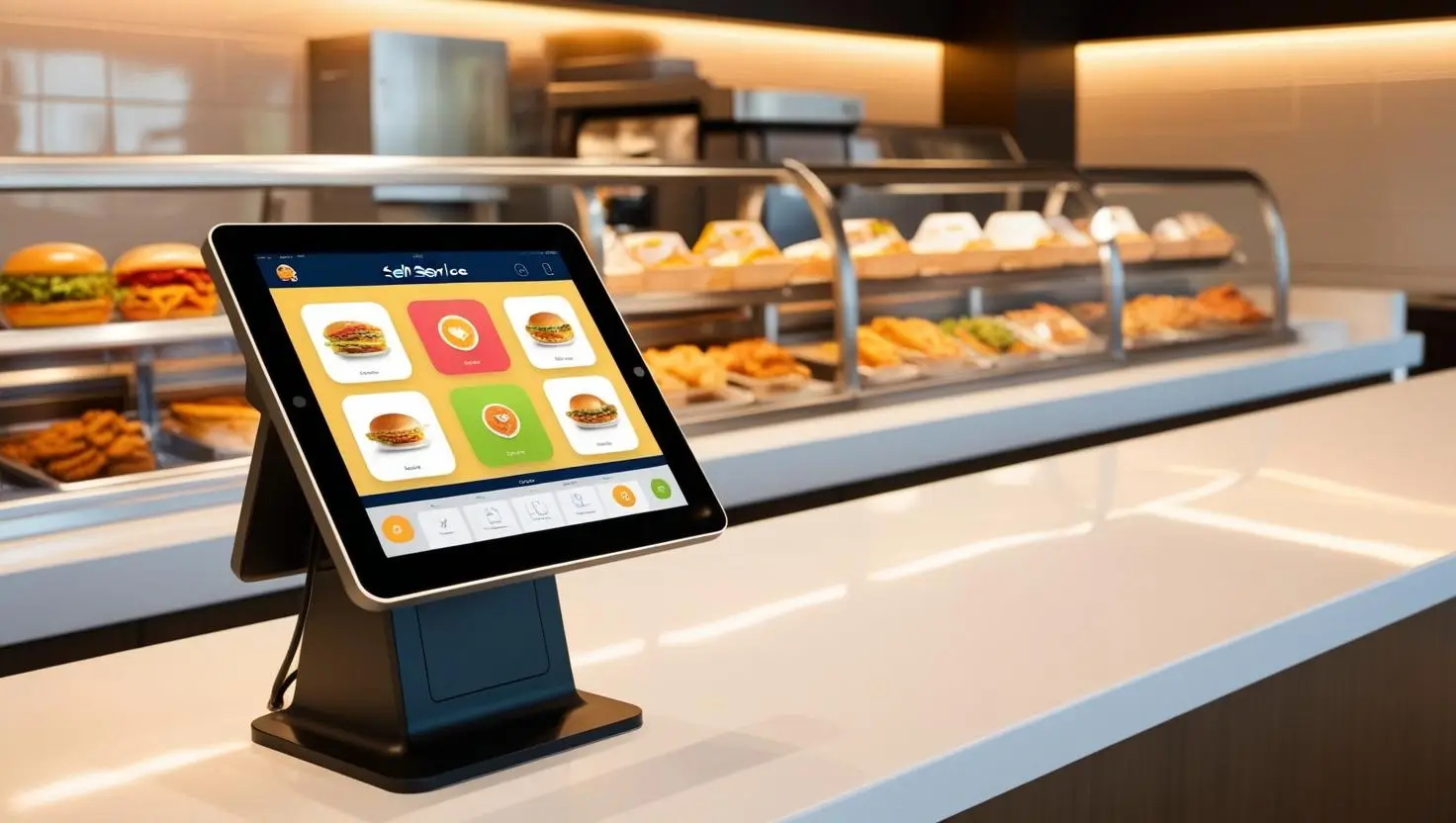
2. Restaurant & Café POS Systems
Best for: Full-service restaurants, cafés, food trucks, and quick-service spots.
These systems handle food orders, tips, and kitchen coordination. Mobile ordering, kitchen displays, and table mapping help streamline operations during busy hours.
Features to expect:
- Menu customization
- Kitchen Display System (KDS)
- Tableside ordering via tablets
- Split checks, tipping, and modifiers
- Online ordering integration for takeout and delivery
✅ Works for: Fine dining, quick-serve restaurants, coffee shops, and fast casual.
3. Mobile POS Systems
Best for: Food trucks, delivery drivers, market vendors, field service pros.
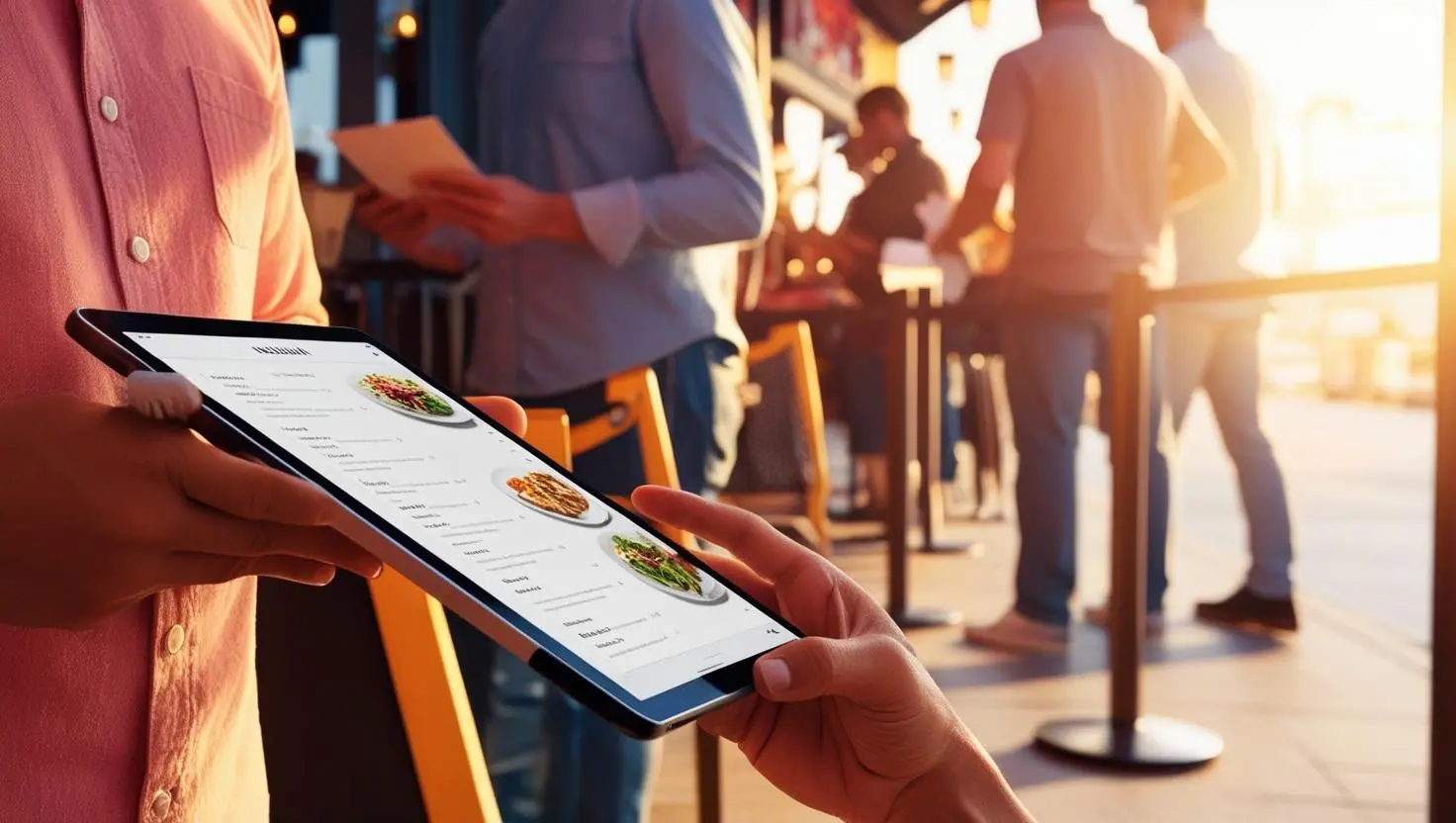
A mobile POS runs on a mobile devices such as smartphones and tablets, often using a dedicated pos app. This setup allows you to accept payments from anywhere. It’s ideal for businesses on the move or those without a traditional counter.
Features to expect:
- Portable card readers
- Offline mode for payments without Wi-Fi
- Bluetooth receipt printers
- Inventory tracking on the go
✅ Works for: Pop-ups, events, home service businesses, and small teams.
4. Appointment-Based & Membership POS Systems
Best for: Salons, spas, fitness studios, and wellness centers.
These POS systems focus on scheduling and recurring services. Customers can book appointments online, manage memberships, and pay deposits—all through one platform.
Features to expect:
- Appointment booking and calendar view
- Recurring billing and auto-renewals
- CRM and customer history tracking
- Employee shift and commission tracking
✅ Works for: Hair salons, massage therapists, fitness coaches, and wellness clinics.
5. E-commerce & Omnichannel POS Systems
Best for: Online sellers, subscription boxes, and businesses selling through social media.
These POS systems integrate online ordering with sales in physical stores, keeping inventory, orders, and customer data in sync across all channels.
Features to expect:
- Integration with Shopify, WooCommerce, and social shops
- Centralized inventory for online and in-store sales
- Multi-channel reporting and shipping tools
- Automated tax and checkout settings by location
✅ Works for: Hybrid stores, online-first brands, and content creators who sell physical products.
6. Enterprise & Multi-Location POS Systems
Best for: Franchises, hotel chains, large retailers, and restaurants with multiple locations.
Enterprise POS systems are advanced pos solutions provided by leading pos providers to support large-scale operations. These comprehensive pos solutions centralize everything, including inventory, sales, HR, and pricing, across all locations from a single dashboard.
Features to expect:
- Chain-wide reporting and control
- Region-specific pricing and menu customization
- Role-based access control
- Real-time multi-location inventory sync
✅ Works for: Franchises, hotels, large retailers, and multi-venue businesses.
Pro Tip: Don’t just choose a POS based on your industry – choose based on your workflow. Ask: Do I need mobility? Real-time inventory? Scheduling tools? Start with your needs, then match the POS type to your business.
Training Staff and Testing the System
Even the best pos system is only as good as the people using it. That’s why training your staff—and giving your new system a thorough test drive—is non-negotiable if you want an efficient checkout process and smooth business operations.
Start by making sure every team member who’ll touch the pos system gets hands-on training. Show them how to process sales, handle different payment methods, manage inventory, and answer customer questions using the system. Don’t just stick to the basics—walk through real-life scenarios, like handling a rush at the checkout counter or updating inventory after a big delivery.
Before you go live, put your pos system through its paces. Run simulated transactions, test inventory management features, and make sure everyone’s comfortable with the workflow. This is your chance to catch any hiccups before your customers do. The payoff? Fewer mistakes, less downtime, and a checkout experience that keeps customers coming back.
Understanding POS Fees and Costs
Let’s talk money: understanding the true cost of your pos system is key to protecting your bottom line. The price tag isn’t just about the hardware or the software—it’s also about payment processing fees, transaction fees, monthly subscriptions, and sometimes even extra charges for things like support or advanced features.
When you’re shopping for a pos system, look for transparent pricing. Know exactly what you’re paying for: is there a flat monthly fee, or do you pay per transaction? What are the payment processing rates? Are there any hidden costs for adding more users, integrating with other tools, or accessing premium features?
Don’t forget to factor in the cost of any equipment you’ll need—like card readers, barcode scanners, or receipt printers. By understanding all the fees and costs up front, you can choose a pos system that fits your budget and helps you avoid nasty surprises down the road. The right pos system should make you money, not eat it up with unexpected charges.
Managing Returns and Refunds
Returns and refunds are a fact of life in retail, but with the right pos system, they don’t have to be a headache. A modern pos system—especially a cloud based pos system—makes managing returns and refunds quick, accurate, and painless for both your team and your customers.
With centralized inventory management, every return or refund is automatically tracked and your stock levels are updated in real time. No more manual adjustments or lost items—your inventory management stays on point, and you can spot trends in returns to help improve your products or service. Plus, processing returns through your pos system means you can issue refunds faster, keep better records, and boost customer satisfaction by making the process hassle-free.
For any retail business, using a pos system to handle returns and refunds isn’t just about saving time—it’s about building trust and keeping your customers happy.
How to Get the Most Out of Your POS System
Now you’ve got the right POS system for your business—solid move. But are you actually using it to its full potential or just ringing up sales and calling it a day? Leveraging the latest POS technology and choosing the right POS solution or POS app can help you get the most out of your system. Your POS is your secret weapon. Use it right, and it’ll do way more than just take payments. Here’s how to put it to work:
- Let AI do the thinking. Your POS tracks sales patterns, predicts demand, and even suggests pricing adjustments. Take advantage of it.
- Automate the busywork. Auto-reorders, scheduled discounts, loyalty points—set it up once and let it run.
- Make checkout easy. Accept every payment method possible: tap-to-pay, QR codes, Venmo, you name it. Faster checkout = happier customers.
- Use your data, don’t just collect it. Your POS tells you what’s selling, when, and to whom. Use that info to stock smarter, schedule better, and boost profits.
- Sync it with everything. Accounting, e-commerce, delivery apps, email marketing—connect it all so your business runs like a machine.
POS Integrations: Connect Your Business Tools
Leading POS solutions and POS providers offer integrations with online ordering platforms and other essential business tools, making it easier to streamline operations and enhance order accuracy. Your POS system should be able to sync with the other business tools you’re using to keep everything running smoothly with less manual work. Here’s what to look for:
- Payment processing & terminals: Connects your POS to credit card readers, mobile wallets, and contactless payments.
- Bank account sync: Links your POS to your business bank account for automatic deposits and reconciliation
- CRM (Customer relationship management): Stores customer data, purchase history, and preferences
- Dashboards & reporting Gives real-time insights into sales, inventory, and employee performance
- E-Commerce & online sales: Syncs with your online store, marketplaces, and social media sales channels
- Accounting & payroll: Automates sales tracking, tax calculations, and payroll processing
By choosing the right POS solution, you ensure your system integrates all these features, supporting both front- and back-of-house operations.
The Bottom Line: Find the Right POS for Your Business
The best POS system isn’t just about features—it’s about finding one that fits how you work. Most POS systems are designed as comprehensive POS solutions, integrating both hardware and software to streamline your operations. Choosing the right POS provider is key to finding the best fit for your business. Here are some solid options based on your business type:
- Restaurants & Cafés – If you need tableside ordering, kitchen display integration, and restaurant-specific tools, check out Toast and TouchBistro.
- Retail Stores – For real-time inventory tracking, multi-location support, and smooth checkout, consider Lightspeed, Square, or Korona POS.
- E-Commerce & Omnichannel – Selling both online and in-store? GoDaddy, Shopify POS (integrated with Shopify) make syncing sales seamless.
- Service-Based Businesses – If you run a salon, auto shop, or appointment-based service, Clover and Epos Now offer great scheduling and customer management tools.
- Enterprise & Multi-Location Businesses – For franchises, hotels, or large-scale operations, you’ll want something powerful like Oracle Netsuite, Epicor, or Worldpay.
- Mobile & Small Businesses – Need something simple and affordable? SumUp and Helcim are both great for taking payments on the go.
Whatever your business needs, there’s a POS system built to make your life easier.
Still contemplating? Sonary can help you choose.