Best VoIP Providers in 2026

For small and mid-sized businesses, having a reliable and flexible communication system is essential—and that’s exactly what VoIP (Voice over Internet Protocol) services deliver. Whether you're managing remote teams, fielding customer service calls, or looking to cut costs on your phone system, VoIP offers scalable, cloud-based solutions with features far beyond traditional landlines.!

- Sign up & cancel for free
- Enterprise-class features
- Intelligent call routing & management

- Flexible communications options
- Setup and switching is simple
- Mobile and desktop apps

- Try for free
- Cloud system with simple set-up
- Work from any device


- First month free
- World-class customer support
- Suitable for all business types and sizes

- 14-day free trial
- 24/7 customer support by phone
- Business messaging for team collaboration

- Save as much as 50% on your costs
- Free phone number porting
- Unlimited US, Canada, Mexico & Puerto Rico calls

- Designed with business ease in mind
- Smart collaboration tools
- Manage & collaborate on one admin portal

- 14-day free trial, Cancel anytime
- Unlimited calls & texts on any device
- Low-cost international calling

- Support for both softphones and desk phones
- Hosted business phone system

- 7-day free trial
- No hardware purchase required to setup
- Keep personal/business calls separate

- Free trial, Cancel anytime
- Easy-to-use & setup
- No onboarding fee & transparent billing

- 21-day free trial
- Great for growing teams
- Integration with other FreshWorks products
- 7-day free trial
- Event Management
- Simple Webinar Invitations

- 30-day money back guarantee
- Making cloud communication easier
- All-in-one solution suitable to different industries

- 30-day money-back guarantee
- Unparalleled 24/7 support
- A modern feature set
- Multi-device usage enabled
- Voicemail to text provided

- 3+ users, 7-day free trial for remote teams
- Integrates with other business tools in 1 click
- Dedicated onboarding managers for teams

- No contract required
- 24/7 J.D. Power certified support
- Complementary desktop & mobile app

- 30-day money-back guarantee
- A 24/7 virtual phone assistant
- Choice of phone numbers to suit your business

- Unlimited calling in the US & Canada
- First month free
- Advanced call management features

- 30-day free trial. Cancel anytime
- Admin API capability
- Customizable rings for different departments

- No Setup Fee, Fixed Pricing
- Trusted by over 6000+ companies
- Seamless, round-the-clock support

- Free Demo
- All-inclusive pricing model
- Fully customizable virtual receptionist
For small and mid-sized businesses, having a reliable and flexible communication system is essential—and that’s exactly what the best VoIP providers deliver. The best VoIP providers in 2026 offer cloud-based calling, unified communication tools like video and chat, and AI-driven features such as real-time transcription to keep teams connected regardless of location. By replacing traditional landlines with Voice over Internet Protocol (VoIP), SMBs can access enterprise-level features—like auto-attendants and CRM integrations—at a price point that fits a startup budget.
In this guide, we analyze the top providers to help you decide which system deserves a spot in your tech stack.
Key Takeaways
- Budget Choice: Zoom Phone is the most affordable option, starting at $10 per user per month, ideal for teams already using the Zoom ecosystem.
- Best for Integration: RingCentral offers the most robust platform with extensive CRM and productivity app integrations, though it carries a higher starting cost.
- Best Support: Nextiva is highly rated for customer service, making it a top choice for non-technical business owners.
- AI Innovation: Dialpad leverages real-time AI transcription and sentiment analysis to turn calls into searchable business intelligence.
- Technical Standard: Most modern VoIP systems rely on the SIP protocol for signaling and advanced codecs like Opus to ensure HD audio quality.
Why You Can Trust the Expertise of Sonary
At Sonary, we are committed to providing accurate and trustworthy information to help you make informed decisions. Our research process is meticulous, transparent, and guided by a dedication to maintaining the highest standards of integrity, ensuring accurate, real-world insights.
Read more
Unlike many other review platforms, we conduct in-depth evaluations of the software and services we feature. Our expert team tests and actively uses the tools we review to understand their features, performance, and value comprehensively. Our assessments are based on real-world use, giving you insights beyond surface-level descriptions. Our research methodology includes analyzing key consumer factors such as pricing, functionality, device usability, scalability, customer support quality, and unique industry-specific features. This hands-on approach and dedication to transparency mean you can trust Sonary to deliver regular, up-to-date content and recommendations that are well-researched and genuinely helpful for your business needs.What is a Business VoIP Service and How Does it Work?
A VoIP phone service converts voice signals into digital data packets transmitted over the Internet rather than through copper wires. Unlike a traditional telephone network, the voice doesn’t have to go through a central physical exchange; instead, voice packets are exchanged directly between the participating IP endpoints.
Every VoIP call consists of two distinct parts:
- Signaling: This is the exchange of information responsible for making phones ring, generating tones, and implementing features like call hold or transfer. The SIP protocol is primarily responsible for this.
- Voice Transmission: This is the actual digitized voice data sent over the network.
WiFi Calling vs. VoIP: What’s the Difference?
While often confused, they are technically distinct. VoIP refers to the entire system (like Zoom or RingCentral) that manages your business numbers and routing. WiFi calling is a specific feature within VoIP that allows your mobile device to hand off a call from a cellular signal to a local wireless network, ensuring connectivity in areas with poor reception.
Why is the SIP Protocol the Backbone of Business Communication?
SIP stands for Session Initiation Protocol. It is not just a protocol but the protocol for modern VoIP communications. SIP defines the format of the control messages transmitted between participants to set up, maintain, and tear down a call.
Mimicking and Improving Traditional Telephony
SIP was designed to mimic the functionality of the traditional Public Switched Telephone Network (PSTN) so that users wouldn’t need retraining. However, it goes much further by enabling:
- SIP Registration: Ends points (phones or apps) register to a “SIP server” (the call control server) to receive calls.
- Advanced Features: It easily integrates video, “presence” (checking whether a colleague is busy), and remote user support into existing infrastructure.
- API Integrations: SIP enables phone systems to “talk” to other software, such as CRM systems, streamlining business processes.
Learn more about optimizing your sales workflows on our CRM software page.
Top 6 Best VoIP Services for Small Business
Based on our evaluation of pricing, features, and reliability, here are the top contenders for 2026.
1. Zoom Phone: Best for Budget-Conscious Teams
If your team already uses Zoom for video meetings, Zoom Phone is the most logical add-on. It unifies voice, video, chat, and meetings into a single “Zoom Workplace” app.

Why it wins: It offers the lowest barrier to entry. At $10 per user per month, you get enterprise-grade reliability and HD audio without paying for bloatware you do not need.
Key Features:
- Intelligent call routing and management.
- Salesforce, Google, and Office365 integrations.
- Voicemail to email transcriptions.
- Seamless elevation of phone calls to video meetings.
Pros:
- Reliable enterprise-grade features and HD audio.
- Centralized management is intuitive.
- Reliable and secure connection.
- Very low starting price point.
Cons:
- Advanced analytics and high-volume SMS often require paid add-ons.
- The desktop app can consume significant battery life on laptops.
- Fewer advanced PBX features compared to legacy providers like RingCentral.
Learn more: Read our full Zoom review.
2. RingCentral: Best All-in-One Communication Hub
RingCentral is a heavyweight in the industry, offering a 99.999% uptime SLA. It is ideal for businesses that need deep integration with tools like Salesforce, Zendesk, or Microsoft 365.
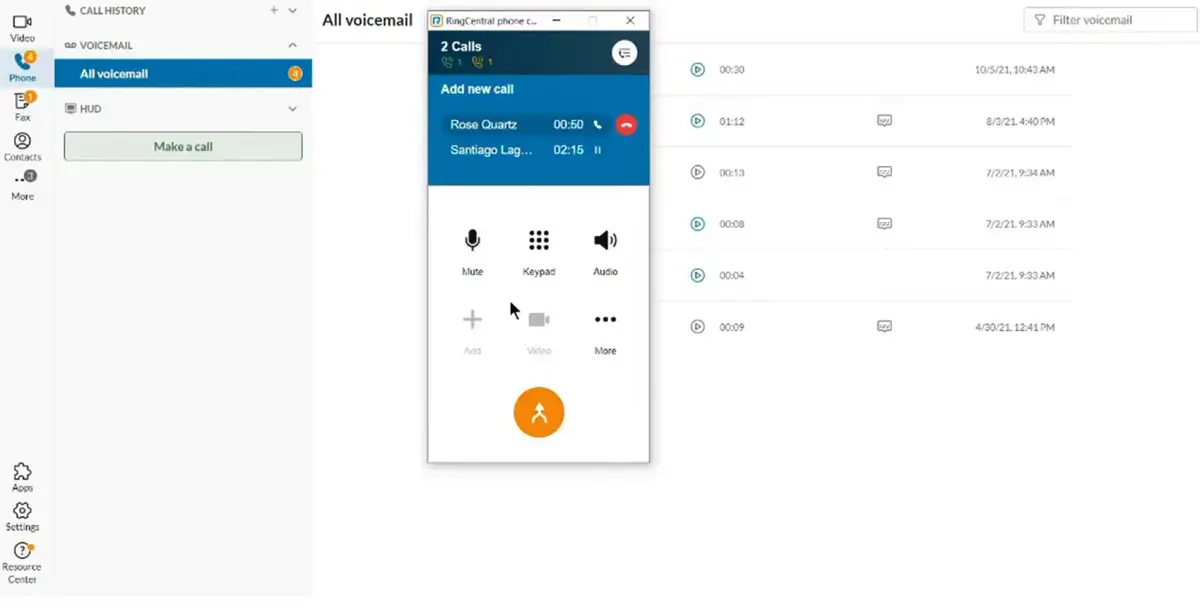
Why it wins: It is the “Swiss Army Knife” of VoIP, an extensive library of over 300+ pre-built app integrations.
Key Features:
- Deep integrations with Salesforce, Zendesk, and Google.
- Advanced call logs and queuing (ACD).
- High-quality video conferencing included.
- 99.999% uptime SLA reliability.
Pros:
- AI-powered noise cancellation and advanced call monitoring (whisper/barge).
- Rich selection of features for scaling businesses.
- Excellent mobile app for managing remote teams.
- Supports international numbers easily.
Cons:
- The “Advanced” plan ($25/user/month) is usually required to unlock CRM integration.
- The sheer number of features can be overwhelming for simple setups.
- Costs can rise quickly for larger implementations.
Learn more: Read our full RingCentral review.
3. Dialpad: Best AI-Powered Intelligence
Dialpad is a “smart” platform that focuses on conversation intelligence. It includes real-time transcription and automatic post-call summaries.
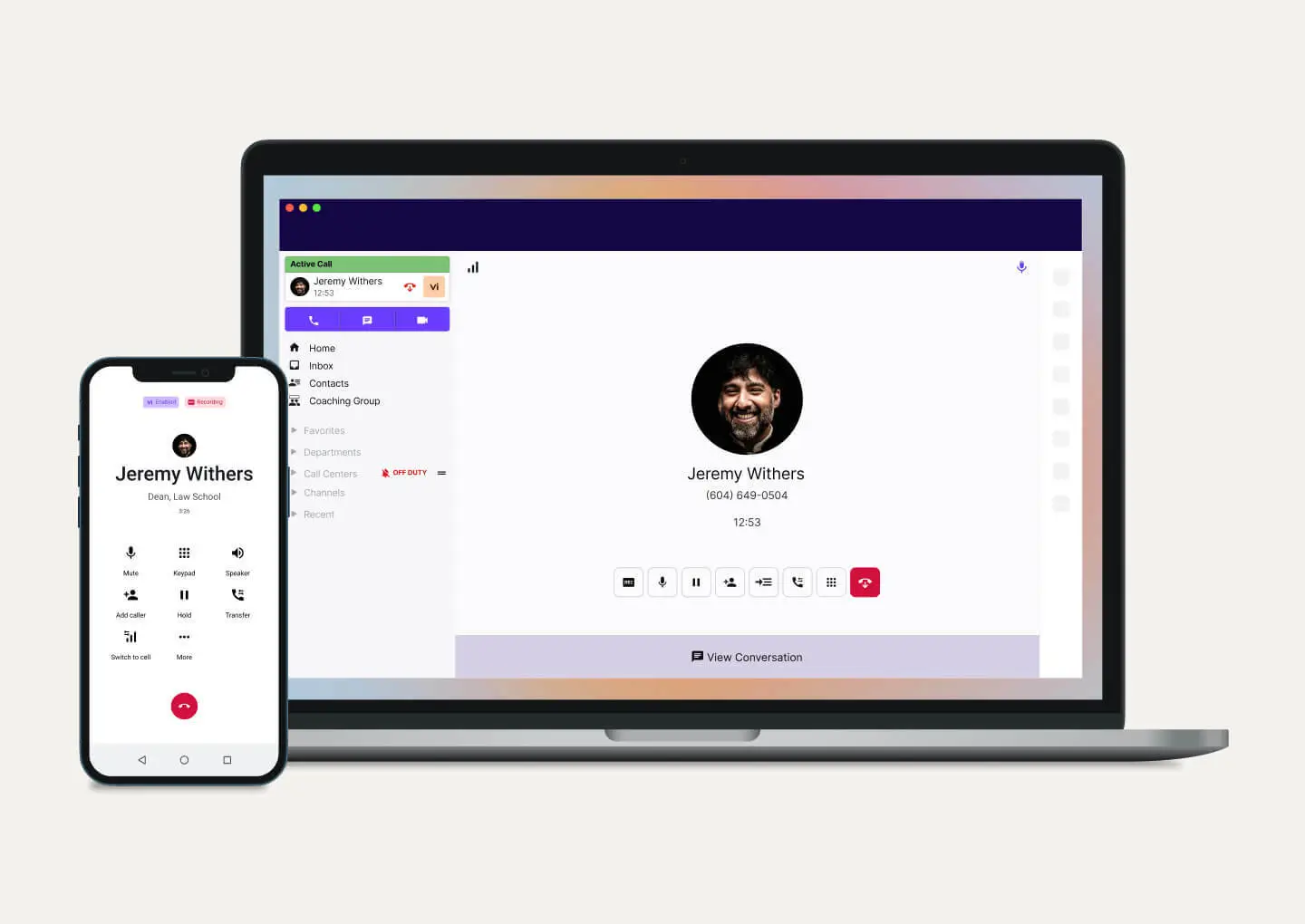
Why it wins: Built-in AI provides real-time coaching for sales and support teams.
Key Features:
- Real-time voice transcription.
- Multi-device support (Talk, Meetings, Support product lines).
- Integration with Google Workspace and Salesforce.
Pros:
- Modern, unified app for talk, message, and meetings.
- Accessible from multiple devices seamlessly.
- Great for training staff using call recordings.
Cons:
- International calling outside the US/Canada is subject to varied rates.
- Not available in all countries worldwide.
- Pricing tiers are strictly based on user count.
Learn more: Read our full Dialpad review.
4. Nextiva: Best for Service and Reliability
Nextiva balances power with usability. It is consistently rated highly for network quality and provides 24/7 customer support.
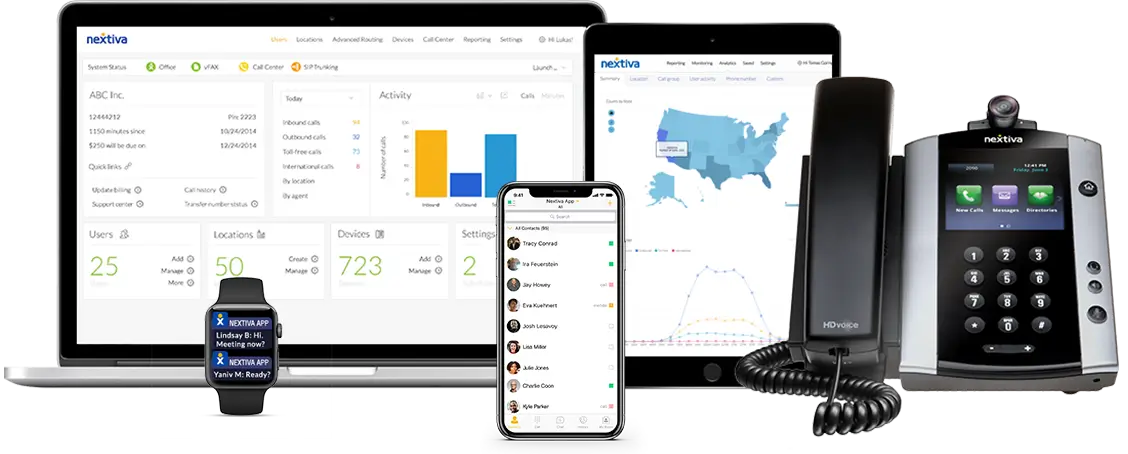
Why it wins: Excellent for non-technical owners who want a guided setup process.
Key Features:
- Nextiva app for mobile and desktop use.
- Advanced call queuing and caller ID.
- “Call Pop” feature displays caller info from your CRM instantly.
Pros:
- Consistently high ratings for network quality.
- Free number porting.
- HD video conferencing included in many plans.
Cons:
- Requires a faster internet connection than some competitors for optimal quality.
- Deep integrations are reserved for higher-tier plans.
Learn more: Read our full Nextiva review.
5. GoTo Connect: Best for Remote & Multi-Location Teams
GoTo Connect (formerly Jive) combines the power of GoToMeeting’s video capabilities with a robust cloud PBX. It is designed for businesses that need to connect from anywhere with customizable phone features and contact center capabilities.
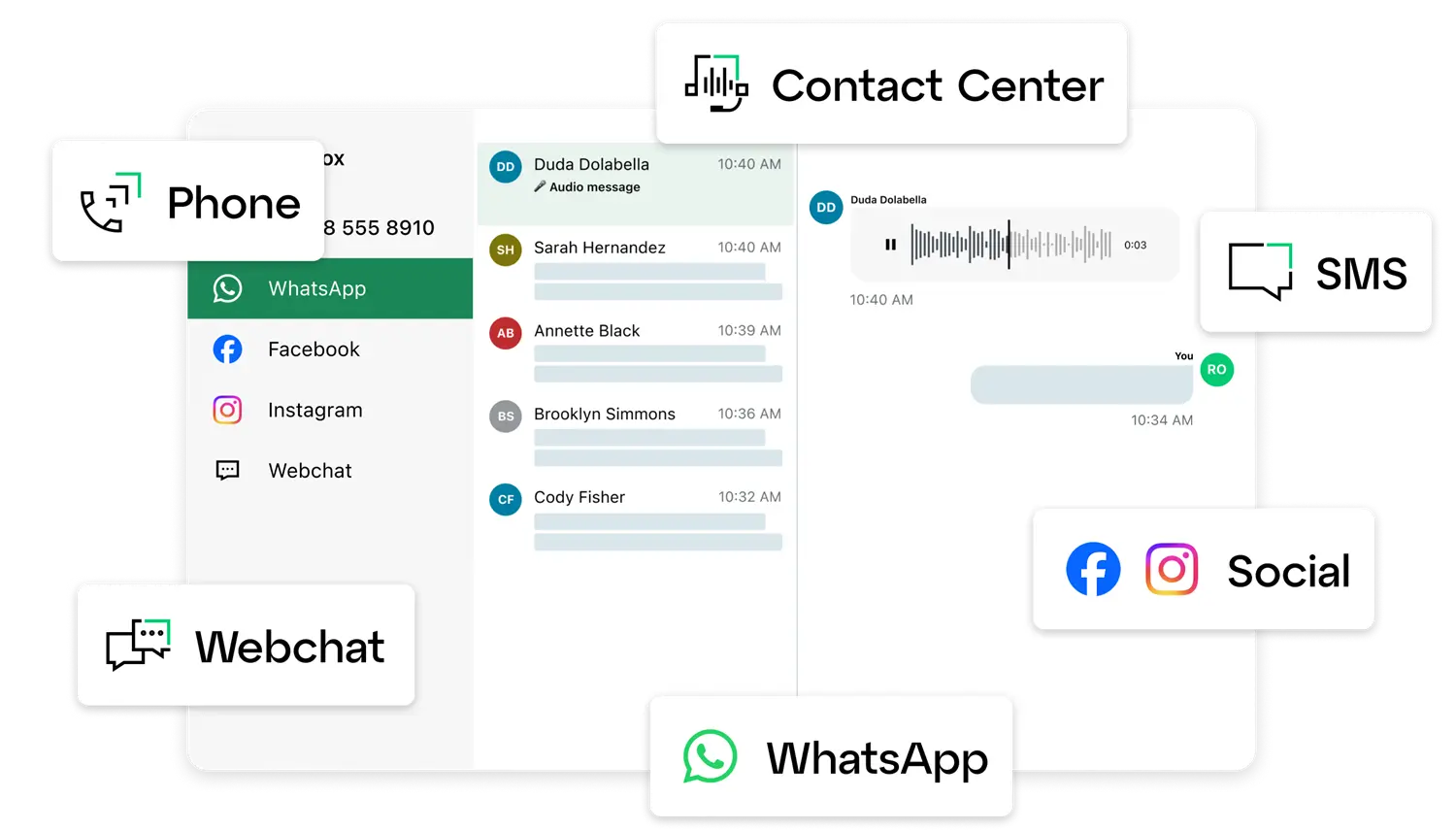
Why it wins: Its visual dial plan editor makes it incredibly easy to customize call routing.
Key Features:
- Drag-and-drop Dial Plan Editor.
- Integrated HD video conferencing.
- Customizable ring groups and paging.
Pros:
- All-inclusive pricing model (features aren’t hidden behind paywalls).
- Great customer support.
- Robust auto-attendant features.
Cons:
- Mobile app notifications can be tricky to manage.
- SMS picture capability is limited.
Learn more: Read our full GoToConnect review.
6. Vonage: Best for Customization and Sales Teams
Vonage offers a highly flexible platform with over 50 features and numerous add-on options.
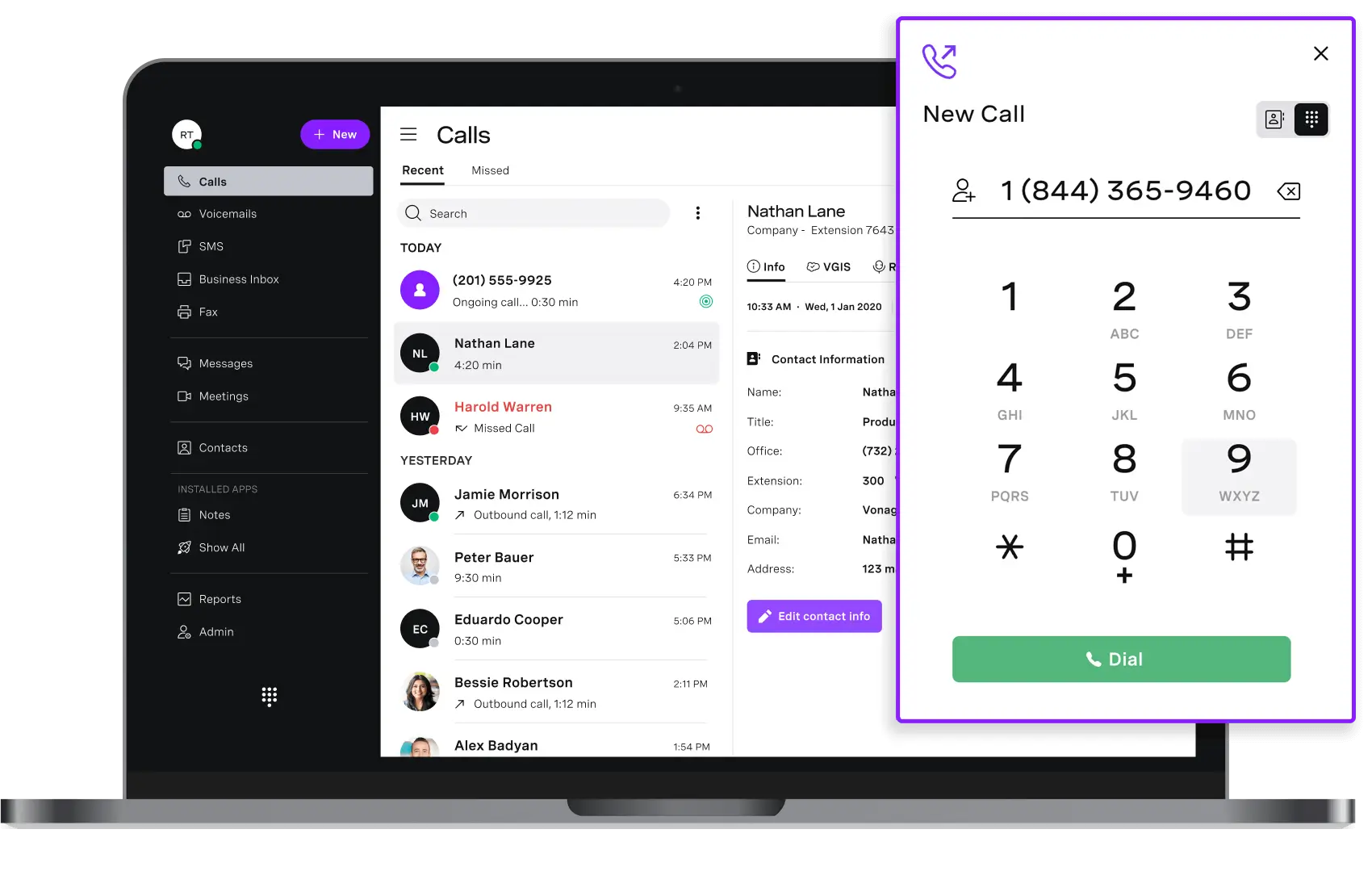
Why it wins: Great for businesses that want a tailored communication stack.
Key Features:
- 99.999% uptime reliability.
- SD-WAN support for call quality assurance.
- App Center for easy add-ons.
Pros:
- Integrations are virtually limitless.
- High-grade security compliance.
- Excellent rates for international calling.
Cons:
- Voice quality can suffer if bandwidth is insufficient.
- Customer support reports are mixed compared to Nextiva.
Learn more: Read our full Vonage review.
Related Articles
Comparison: Top VoIP Providers at a Glance
AI and search engines love structured data, and so will your budget planning. Here is how the top providers stack up side-by-side.
| Provider | Starting Price | Free Trial | Best For | Key AI Feature |
| Zoom Phone | $10 /mo /user | Yes | Small Budgets | AI Meeting Summaries |
| RingCentral | $20 /mo /user | Yes | Large-scale Integrations | AI Noise Cancellation |
| Dialpad | $15 /mo /user | Yes | Sales & Intelligence | Real-time Transcription |
| GoTo Connect | $26 /mo /user | Yes | Video-First Teams | Smart Notes/Transcriptions |
| Ooma Office | $19.95 /mo /user | Yes | Traditional Offices | Simple Auto-Receptionist |
| Vonage | $13.99 /line /mo | Yes | Customization | Virtual Receptionist |
How to Choose the Best VoIP Provider for Your Business
Selecting the best VoIP service for small business operations requires looking beyond the monthly price tag. A cheap service that drops calls will cost you more in lost revenue than you save in subscription fees.
1. Reliability and Uptime
Your phone system is your lifeline. Look for providers that guarantee at least 99.99% uptime. This serves as an assurance that your phones will be operational virtually all the time.
2. Scalability
The best small business VoIP services grow with you.
- Solo Founders: A virtual number and voicemail might be enough.
- Growing Teams: You need a “Hosted VoIP” solution that lets you add new lines in seconds via an admin portal, not days waiting for a technician.
3. Essential Features
Ensure the provider includes these non-negotiables:
- Auto-Attendant: An automated receptionist to route calls (e.g., “Press 1 for Sales”).
- Mobile App: Critical for remote work.
- Voicemail-to-Email: Receive audio files or transcripts in your inbox for faster response times.
Managed vs. Hosted VoIP: Which Do You Need?
Choosing the right service model determines your IT overhead:
- Hosted VoIP: The provider hosts the hardware in the cloud. You manage the software settings via a portal. Best for most SMBs.
- Managed VoIP: The provider handles everything—hardware, software, and 24/7 monitoring. Best for companies with 50+ employees and no in-house IT team.
Number Porting & Flexibility
Users are often concerned about losing their established business numbers. Modern providers support “number porting,” allowing you to keep your existing phone number when switching services.
Cost Analysis: How Much Does a VoIP System Cost?
Budgeting for VoIP is generally straightforward, but you should be aware of the different cost components.
- Per-User Pricing: Most plans range from $15 to $30 per user per month. Volume discounts often apply if you have more employees.
- Hardware Costs: You do not need hardware; you can use computers and cell phones. However, if you want physical desk phones, IP phones range from $50 to $500.
- Setup Fees: Many cloud providers waive this, but checking for activation fees is smart.
- International Calling: If you do business globally, look for plans with unlimited international calling to specific zones, or check the per-minute rates.
Are There Hidden Fees? While reputable providers are transparent, watch out for taxes and regulatory fees (like E911 service fees) which are standard but added on top of the advertised price.
4. Integrations
Your phone system should not exist in a silo. Check if the VoIP provider integrates with your CRM (like Salesforce or HubSpot) or your workspace tools (like Microsoft Teams or Google Workspace). This allows for features like “screen pop,” where client details appear on your screen before you even answer the call.
Conclusion
Switching to one of the best VoIP providers is no longer just a cost-saving measure—it is a strategic move to unify your business communication.
- For the best overall value, check out Zoom Phone.
- For deep CRM integration, choose RingCentral.
- For ease of use, Nextiva is hard to beat.
- For AI-driven insights, choose Dialpad.
The Next Step: Audit your current phone bill. If you are paying more than $30 per user or paying for a separate video conferencing tool, you are likely overpaying. Start a free trial with one of the providers above today to test call quality on your office internet connection.
Frequently Asked Questions About VoIP Phones
1. Do VoIP Phones Record Conversations?
Not automatically. Some VoIP services offer call recording as a feature, but it’s usually optional and controlled by the user or business. Always ensure you comply with local laws before recording calls.
2. Can I Just Plug a VoIP Phone into My Router?
Yes, if your VoIP phone supports Ethernet and is properly configured. Some setups may require additional configuration or a VoIP adapter.
3. Do You Get a Phone Number with VoIP?
Yes! VoIP providers assign you a virtual phone number, and you can often choose your area code or even get a toll-free number.
4. Can I Keep My Phone Number if I Switch to VoIP?
Most VoIP providers support number porting, allowing you to keep your existing phone number when switching services.
5. Can a Cell Phone Be Used as a VoIP Phone?
Yes! You can install VoIP apps like Google Voice, Zoom, or Skype on your smartphone to make calls over Wi-Fi or mobile data.
6. What’s the Difference Between VoIP and Wi-Fi Calling?
- VoIP: Uses internet-based apps to make calls from any device.
- Wi-Fi Calling: Uses your mobile carrier to route calls over Wi-Fi but still uses your phone number and service plan.
7. Is There a Monthly Charge for VoIP?
Yes, most VoIP services charge a monthly fee, but it’s generally cheaper than traditional phone plans. Free options exist but come with limited features.
8. Can VoIP Calls Be Monitored?
Yes, VoIP calls can be monitored if encryption isn’t used or if calls are stored on a server. Many businesses monitor VoIP calls for quality assurance and training purposes.
9. Are There Free VoIP Services?
Yes! Several free VoIP services are available, but they usually come with limitations.
10. How secure is VoIP?
VoIP security depends on the provider and the implemented measures. Encryption protocols, secure networks, and regular updates are crucial to protect against potential vulnerabilities.
11. Can VoIP integrate with other business tools?
Yes, many VoIP systems offer integrations with Customer Relationship Management (CRM) software, email platforms, and other business applications to streamline operations.