Best Website Builders for Small & Micro Businesses in 2026

We tried and tested the most popular website builders for small businesses so you don't have to - and the good news is, building a great website has never been easier or more affordable.
- Choose from 800+ designer made templates
- 1000+ innovative small business features
- Enterprise level security

- Used by millions of businesses across the globe
- Fully customizable, user-friendly interface
- Seamless integrations to boost your business
- 100+ Professional templates
- 30-day money-back guarantee
- Lightning-fast website load time
- All-in-one platform to power your website
- Easy-to-customize website templates
- Feature-rich website builder
- Easy drag & drop WordPress builder
- Get started with over 300 templates
- 24/7 builder support

- Over 3M already chose web.com
- Award-winning software
- Free 1-hour design support session*
- AI-powered & custom websites
- Industry-leading SEO tools
- Enterprise-grade security & stability
- 1 month money back trial
- Free domain for first year
- Customer support available 24/7
- Top rated drag & drop editor
- Live editing capabilities
- Powers 5,000,000+ websites
- 100+ design templates
- Drag & drop product merchandising
- Industry-leading expertise
- 24/7 live chat support
- Sell globally with an online store
- Free email accounts with different plans
- Used by 123,000 small business owners
- No coding or design experience required
- Create a website within 10 min
For most small businesses, Wix is our top pick. It’s easy to use, looks great, and gives you everything you need to run your business online – all in one place, no tech skills required. The one exception: if your business is focused entirely on selling products online, Shopify is the better fit.
That said, every business is a little different – and the right platform for your neighbor’s bakery might not be the right one for your consulting business. We spent over 2 hours testing each platform hands-on, so you can find the perfect match for your business quickly and with confidence.
TL;DR – 5 Things Worth Knowing Before You Read Further
- The platform matters less than the use case. Picking a builder before knowing what type of site you need is the #1 mistake small businesses make – and it leads to paying for features you’ll never use.
- Wix is the most flexible all-in-one option for businesses where one person handles design, content, and marketing – especially with its AI site builder that generates a full working site from a few questions.
- Shopify is the right call only if selling products is your entire business model – its e-commerce engine is unmatched, but it’s overkill (and expensive) for service businesses or brochure sites.
- You can get a real, professional business website for $3–6/month – Hostinger and IONOS both include hosting, a free domain, and a functional builder at that price point.
- Free plans exist but come with limits – your site will show the platform’s branding and sit on a subdomain (e.g., yourbusiness.wixsite.com). For any real business, a paid plan with a custom domain is worth the $10–17/month.
Top Website Builder Reviews: Which Builder Fits Which Business
1.Wix – Best for Small Teams Wearing Every Hat


Features
Design

Marketing
Hosting
Multimedia
Good For
Pros & Cons
Pros
Cons

Best for: Service businesses, local businesses, multi-purpose sites, anyone managing their own marketing.
Wix is the platform built for the person who is simultaneously the designer, developer, marketer, and customer service rep. If your team is 1–3 people and you need full creative control without writing a single line of code, Wix is the most capable all-in-one tool on this list.
The drag-and-drop editor gives you genuine pixel-level freedom – you can place any element anywhere on the page, which is rare. Most builders lock you into a column grid. Wix doesn’t, which means your site can look intentional rather than templated.
The AI site builder (Wix ADI) is where small teams gain the most time. You answer a short quiz – your business type, name, color preferences, and the pages you need – and Wix generates a complete, functional website with a coherent structure, placeholder content, and relevant images. From there, you swap in your real photos, copy, and contact details. For a business owner who’s never built a website, this cuts setup from days to a few hours.
The Wix App Market extends the platform further: booking systems, live chat, email marketing, membership portals, loyalty programs – all connectable without code. For a small business trying to look enterprise-level on a startup budget, that matters.
Key Features
- Drag-and-drop editor: Customize every part of your site visually, no coding needed
- 800+ templates: Professionally designed layouts for businesses, portfolios, stores, and more
- App Market: Extend your site with apps for booking, chat, forms, and beyond
- AI Site Generator: Build a full site in minutes by answering a few questions
- Mobile optimization: Every site is automatically mobile-friendly
- Built-in SEO tools: Easily optimize your pages to help rank on search engines
What to watch: Wix’s e-commerce features work for businesses with a moderate product range, but if selling is your entire business model, Shopify’s infrastructure is stronger. Also: once you build on Wix, migrating away is possible but not seamless – you’re building inside their ecosystem.
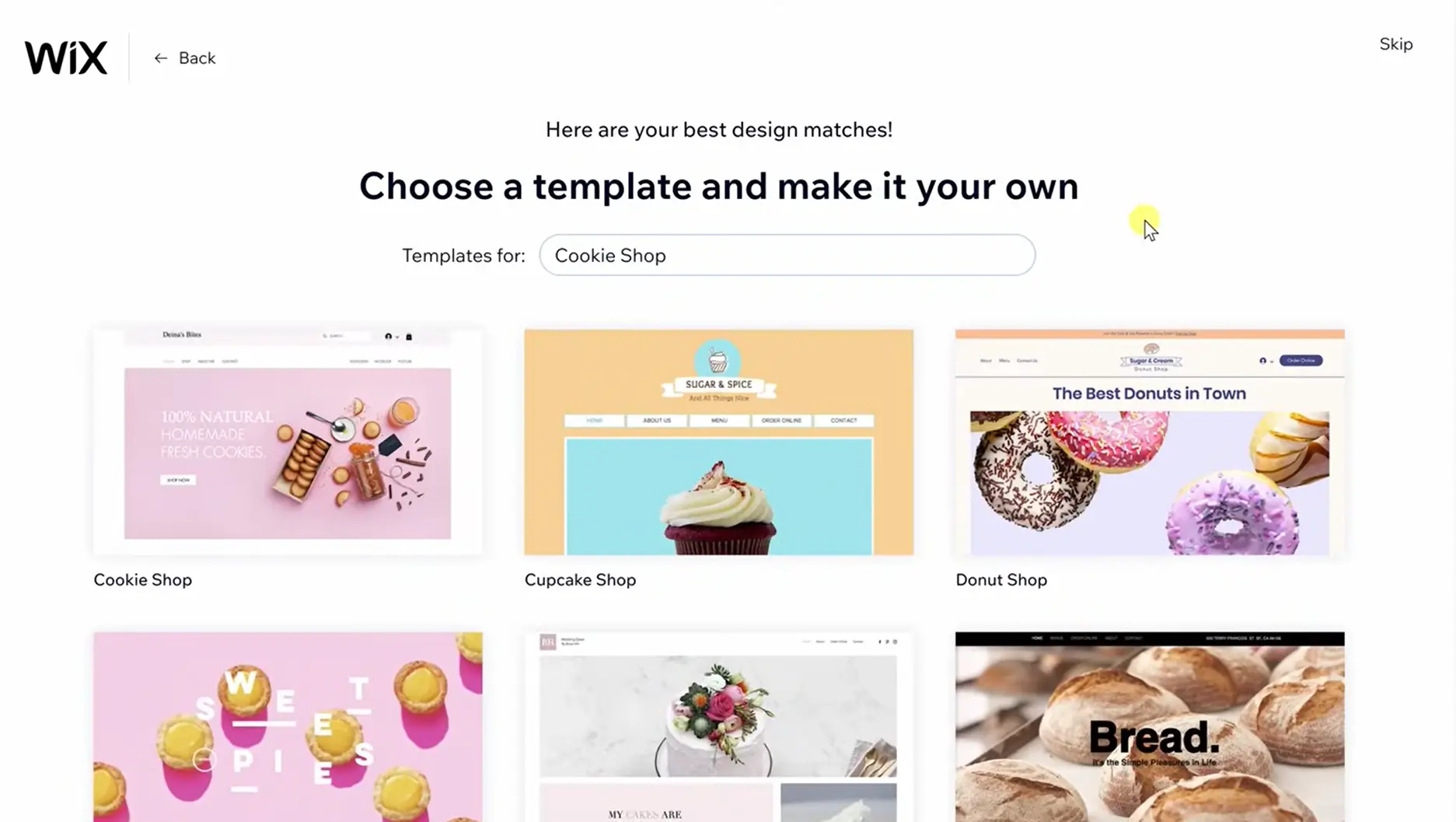
Case Study: Local Wellness Studio (3 Employees)
A yoga and pilates studio with 3 staff – the owner, one instructor, and a part-time admin – needed a site that handled class bookings, memberships, and a blog for SEO. They used Wix ADI to get the initial site live in one afternoon. The owner customized the color scheme and swapped in brand photography. The admin connected Wix Bookings for class scheduling – no third-party tool needed. Within two weeks of launch, they were taking bookings directly through the site. Setup time: under 6 hours. Monthly cost: $29 on the Core plan.
Who It’s For
Wix is ideal for entrepreneurs, small business owners, creatives, and anyone who wants to build a website that looks exactly how they envision it, without hiring a developer. It’s one of the best easy website builders in today’s market, especially if you want freedom to play and personalize.
2. Shopify – Best for Businesses Built Entirely Around Selling Products
 Used by millions of businesses across the globe
Fully customizable, user-friendly interface
Used by millions of businesses across the globe
Fully customizable, user-friendly interface Best for: Online stores, product-first businesses, dropshipping, omnichannel retail.
Shopify isn’t a website builder with an e-commerce module bolted on. It’s an e-commerce operating system that happens to let you build a website. That distinction matters enormously. If your revenue comes from selling products – physical, digital, or dropshipped – Shopify is engineered for that workflow in a way no other platform on this list matches.
The setup is fast and opinionated. You pick a theme, and Shopify generates a homepage, collection pages, and a checkout – all immediately functional. Shopify Payments works out of the box in supported countries. The inventory system handles variants, SKUs, low-stock alerts, and order tracking without a separate tool. For a 2-person team managing dozens of products, that operational consolidation is genuinely valuable.
Shopify’s sales channels are another real advantage: you can sell on Instagram, Facebook, TikTok, Amazon, and in-person at markets using Shopify POS – all inventory synced from the same dashboard.
Key Features
- Product & inventory management – Track stock, variations, SKUs, and fulfillment
- Built-in checkout & payments – Accept credit cards, Apple Pay, Google Pay, and more
- Abandoned cart recovery – Automatically follow up with shoppers who don’t complete purchases
- Sales channels – Sell on Facebook, Instagram, Amazon, TikTok, and in-person with Shopify POS
- App store – Extend functionality with thousands of plugins
- Themes & customization – Mobile-optimized, responsive storefront templates
What to watch: Transaction fees apply if you use a third-party payment processor instead of Shopify Payments (Shopify Payments isn’t available in all countries – verify availability for your region). The base plan is lean; most real stores end up adding apps for reviews, upsells, and email – each with a monthly fee. A $29/mo plan can realistically become $80–120/mo once you have the tools a functioning store needs. Also, if you want to build a content-heavy site alongside your store, Shopify’s blogging and page tools feel clunky compared to Wix or WordPress.
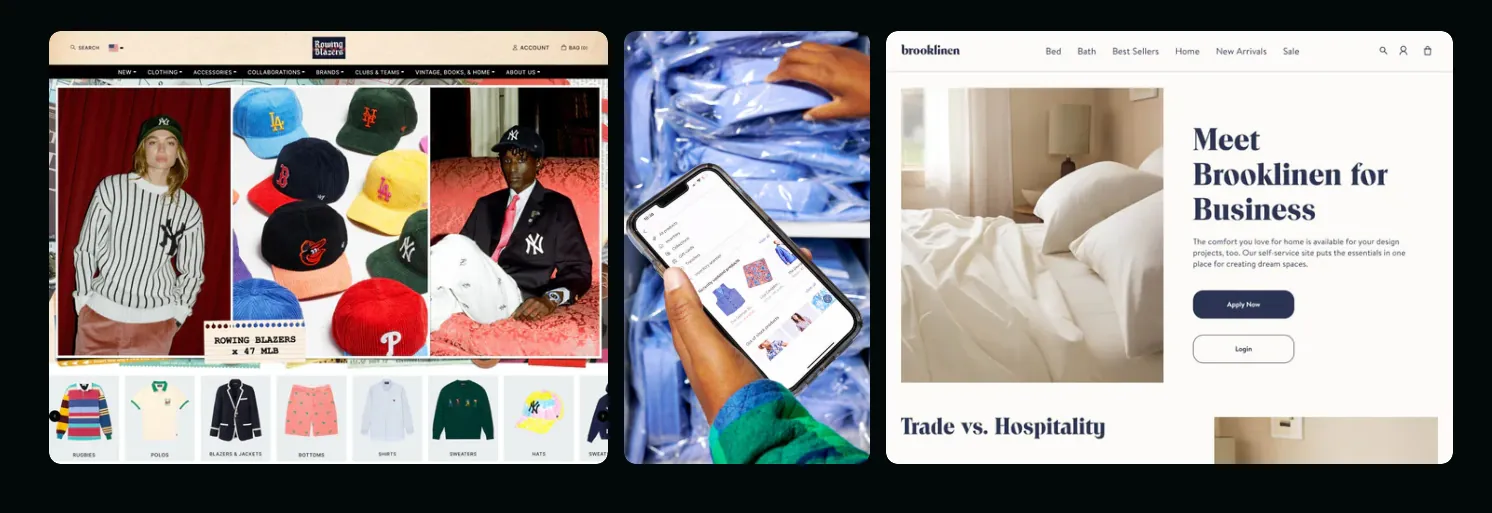
Case Study: Handmade Jewelry Brand (2 Employees)
Two siblings running a handmade jewelry business from home wanted to move from Etsy to their own domain to stop paying Etsy’s transaction fees. They launched on Shopify using the free Dawn theme, connected Shopify Payments, set up flat-rate shipping, and used Shopify Email for their launch campaign – all within a weekend. In their first month on their own domain, they retained the majority of their previous Etsy revenue without the per-sale marketplace fee. They now sell via their Shopify store, Instagram Shopping, and at weekend markets via the Shopify POS app – all from the same inventory dashboard.
Who It’s For
Shopify is best suited for users focused on selling online, whether launching a small boutique or running a high-volume dropshipping business. It’s one of the top website builders for ecommerce thanks to its stability, feature depth, and ease of use for merchants.
3. Hostinger – Best for Getting a Professional Site Live Fast on a Tight Budget

Features
Design
Marketing
Hosting
Multimedia
Good For
Pros & Cons
Pros
Cons
Best for: Local businesses, freelancers, and service providers who need a professional web presence without complexity or high cost.
Hostinger answers a specific question better than anyone else on this list: “How do I get a real, professional-looking business website live today, for as little as possible?” No other platform combines low price, fast AI setup, and included hosting as cleanly.
The AI builder is the fastest we tested – three questions (business type, style preference, business name), and in under a minute, Hostinger generates a complete site with coherent structure, placeholder copy, and images. It’s not as visually refined as Wix’s output, but it’s more than good enough as a real starting point.
The editor uses a smart grid system – elements snap into a clean layout as you drag them, which keeps the site looking structured even for users with no design instinct. You won’t accidentally create a broken mobile layout.
The bundled hosting is worth highlighting separately. With most builders you’re paying for the builder and hosting in two separate bills. With Hostinger, it’s one plan, one login, one support team. For a 2-person operation that doesn’t want to think about infrastructure, that simplicity has real operational value.
Key Features
- AI website builder – Generate layouts, copy, and images with built-in AI tools
- Integrated hosting – No need to purchase separate hosting; everything is included
- Pre-designed templates – Clean, responsive themes for business, portfolio, and online stores
- Ecommerce support – Sell products online with inventory, shipping, and payment tools
- SEO & analytics tools – Basic SEO features and Google Analytics integration
- Free domain with paid plan – One less thing to worry about when getting started
What to watch: The template library and customization ceiling are lower than Wix or Squarespace. If your brand has a precise visual identity you need to express exactly, you’ll hit limits faster here. The app ecosystem is also limited compared to Wix.
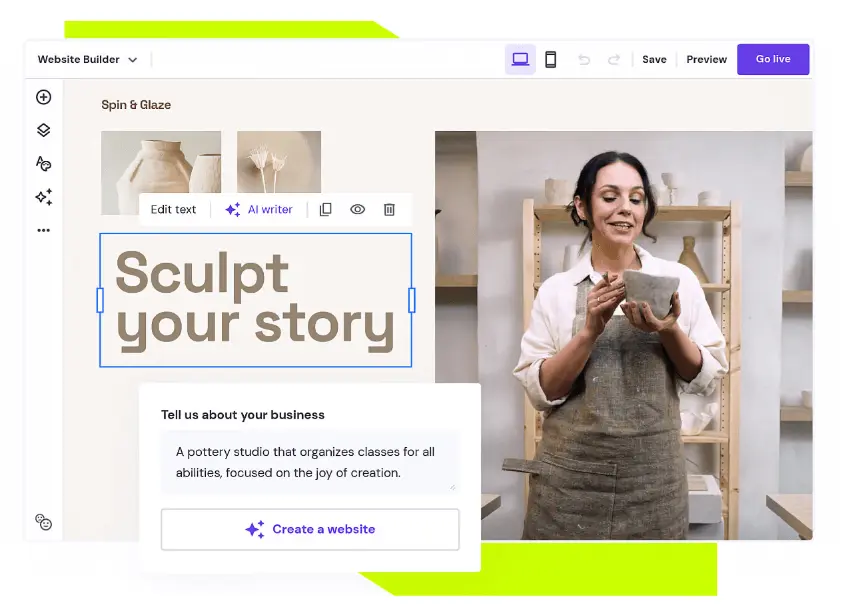
Case Study: Freelance Accounting Practice (2 Employees)
A solo accountant who recently brought on a junior partner needed a website up before tax season to capture local search traffic. They used Hostinger’s AI builder, answered three questions, and had a functional 5-page site – services, about, pricing, blog, contact – live in under an hour. They added Google Analytics through the dashboard and embedded a Calendly link on the contact page. Within 6 weeks of publishing two location-specific blog posts, they ranked on the first page of Google for their target local keyword. Total monthly cost: $2.99.
Who It’s For
Hostinger is ideal for individuals and small businesses looking for an easy, low-cost way to get online. If you’re after the best web builder that includes hosting and automation in one bundle, it’s a strong pick, especially for budget-conscious users.
4. Squarespace – Best for Businesses Where First Impressions Drive the Sale

Features
Design
Marketing
Hosting
Multimedia
Good For
Pros & Cons
Pros
Cons
Best for: Photographers, architects, consultants, restaurants, wellness brands, and creative services where visual credibility is a core sales asset.
If your business is sold on how it looks before a word is read, Squarespace is where you build. No other platform on this list produces this quality of visual output from standard templates without a designer involved. The templates are genuinely beautiful – not “good for a builder” beautiful, but good in the way that makes potential clients trust you immediately.
Typography and color systems are handled cohesively at the template level. Even a first-time user with no design background can produce a site that looks intentional and premium. The Fluid Engine editor (Squarespace’s drag-and-drop system) takes about an hour to get comfortable with but gives substantial layout flexibility once you understand its logic.
Squarespace consolidates email marketing, SEO tooling, and analytics inside the same platform. For a small team that wants one login instead of five separate subscriptions, that integration removes real operational friction.
Key Features
- Award-winning templates – Modern, responsive themes optimized for images and typography
- Built-in ecommerce – Sell physical and digital products with inventory and tax tools
- Marketing tools – Email campaigns, SEO features, and social media integrations
- Blog and portfolio support – Great for showcasing creative work or thought leadership
- Logo maker & branding tools – Build your brand visuals directly in the platform
- Analytics dashboard – Track visitor behavior and site performance
What to watch: Third-party integrations are more limited than Wix. If you need to connect specialized industry tools – specific booking systems, certain CRMs, or niche payment processors – you may find the integration library comes up short. The e-commerce features are functional but not competitive with Shopify for high-volume product businesses.
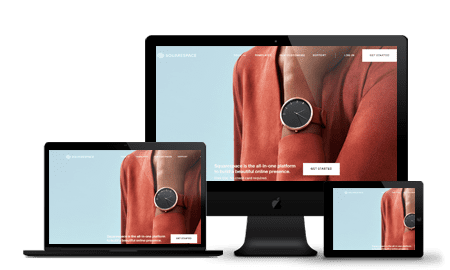
Case Study: Independent Architecture Practice (4 Employees)
A 4-person architecture firm needed a portfolio site that reflected the quality of their work without a $6,000–8,000 custom build. They chose Squarespace’s “Paloma” template, uploaded project photography, wrote case studies for six completed projects, and launched in two days. No developer, no agency. They connected Squarespace’s built-in form to their Gmail for project inquiries. Within 3 months, two new clients specifically referenced finding the firm through their website – something that had never happened with their previous site.
Who It’s For
Squarespace is a strong choice for small business owners, freelancers, and creatives who prioritize branding and visual design. If you’re looking for the best website maker to showcase your work or business with style, it’s one of the top website builders to consider.
Read full Squarespace review →
5. Bluehost – Best for Small Businesses with a Long-Term SEO Strategy

Features
Design
Marketing
Hosting
Multimedia
Good For
Pros & Cons
Pros
Cons
Best for: Service businesses, content-driven brands, and any small business planning to build organic search traffic over 12–24 months.
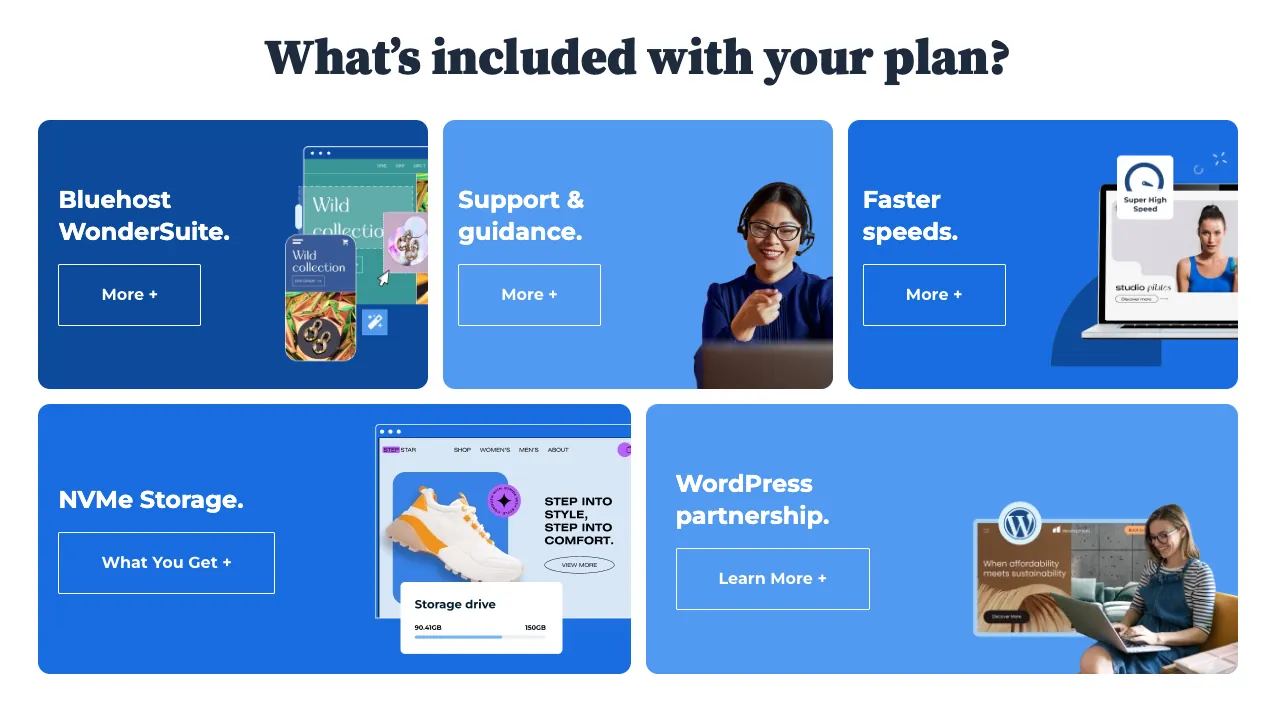
Bluehost is a different category from the platforms above. It’s a web hosting company with pre-installed WordPress – not a traditional drag-and-drop website builder. But for a small business thinking 2–3 years ahead, the combination of WordPress’s SEO infrastructure and Bluehost’s affordable managed hosting is a serious strategic advantage.
WordPress powers approximately 43% of all websites globally and holds roughly 61% of the CMS market share. That dominance exists because WordPress gives you more SEO control than any hosted builder – more plugin flexibility, deeper technical customization, and a vast ecosystem of SEO tools that go far beyond what Wix or Squarespace offer. If your growth plan involves content marketing and organic search, starting on WordPress puts you in a stronger long-term position.
Bluehost’s onboarding has improved: they pre-install WordPress, guide you through theme selection, and include a block editor that works for non-technical users. You can get a functional site live without touching code – though it takes slightly longer to get comfortable with than Wix.
Key Features
- WordPress integration – Pre-installed and optimized for performance
- Drag-and-drop builder – Visual editor layered on top of WordPress
- Ecommerce support – WooCommerce-ready with payment and inventory tools
- Included hosting & domain – One-stop solution for launching a site
- Custom templates – Designed specifically for WordPress users
- Marketing tools – SEO, email marketing, and analytics built-in
What to watch: Bluehost’s introductory pricing ($2.95/mo) renews at a significantly higher rate – check the renewal price before committing. Managing WordPress also means handling plugin updates, occasional security issues, and more hands-on site management than fully hosted platforms. For a team where nobody is tech-comfortable, that overhead is real.
Case Study: Local HVAC Company (5 Employees)
A family-run HVAC business wanted to stop paying per-lead fees to lead aggregators and build their own inbound traffic. They set up Bluehost with the Astra theme and Elementor’s free version. The owner published 24 location-specific blog posts over 8 months targeting search terms like “AC repair [city]” and “heat pump installation cost [state].” Today, more than half of their new customer inquiries come from organic Google search – traffic they own, with no per-lead cost.
See our full Wix vs WordPress comparison for SMBs
Who It’s For
Bluehost is best for users who want the flexibility of WordPress without having to configure everything manually. If you’re aiming to build a website that can grow with your business and want hosting included, Bluehost is a solid, affordable choice among website building services.
6. Elementor – Best for WordPress Users Who Want Design Control Without a Developer

Features
Design
Marketing
Multimedia
Good For
Pros & Cons
Pros
Cons
Best for: Small businesses already on WordPress, and micro-agencies building multiple client sites.
Elementor is a WordPress page builder – it sits on top of WordPress and replaces the default block editor with a live drag-and-drop canvas. Currently powering over 5 million websites, it’s the most widely used WordPress page builder available.
The free version is functional for most basic business sites. Elementor Pro ($59/year, one site) unlocks the WooCommerce builder, pop-up builder, full-site theme builder (headers, footers, archive pages), and a library of premium widgets – all of which can replace multiple standalone tool subscriptions. For a small agency building client sites, Elementor’s multi-site pricing tiers make it one of the best value tools in the ecosystem.
Key Features
- Live drag-and-drop editor – Design pages visually with real-time updates
- Theme builder – Customize headers, footers, and global site elements
- Widgets & templates – Choose from 100+ elements and prebuilt page designs
- Responsive design tools – Adjust how your site looks on desktop, tablet, and mobile
- Pop-up builder – Create promotional banners, lead capture forms, and more
- WooCommerce support – Build and style online stores within WordPress
What to watch: Elementor adds rendering overhead to WordPress – page speed can suffer if you’re on a slow host. Always pair it with a fast hosting plan and a lightweight theme (Astra, Hello, or GeneratePress). This is not a standalone product; you still need WordPress hosting underneath it.

Case Study: Boutique Web Design Agency (3 Employees)
A 3-person agency building client sites created a reusable template kit in Elementor Pro – a set of section blocks, headers, and layouts they deploy for new clients in hours rather than days. One team member handles all client updates visually without a developer. Their $59/year Pro license (used across their agency hosting plan) replaced a $200+/year third-party page builder subscription they’d previously relied on.
Who It’s For
Elementor is ideal for users who want full design control within WordPress. If you already use WordPress—or plan to—and want a visual editing experience, Elementor is one of the top website builders for building polished, fully customized sites.
7. Duda – Best for Freelancers and Micro-Agencies Building Client Sites

Features
Design
Marketing
Hosting
Multimedia
Good For
Pros & Cons
Pros
Cons
Best for: Web design freelancers and small agencies who build and maintain sites for multiple clients.
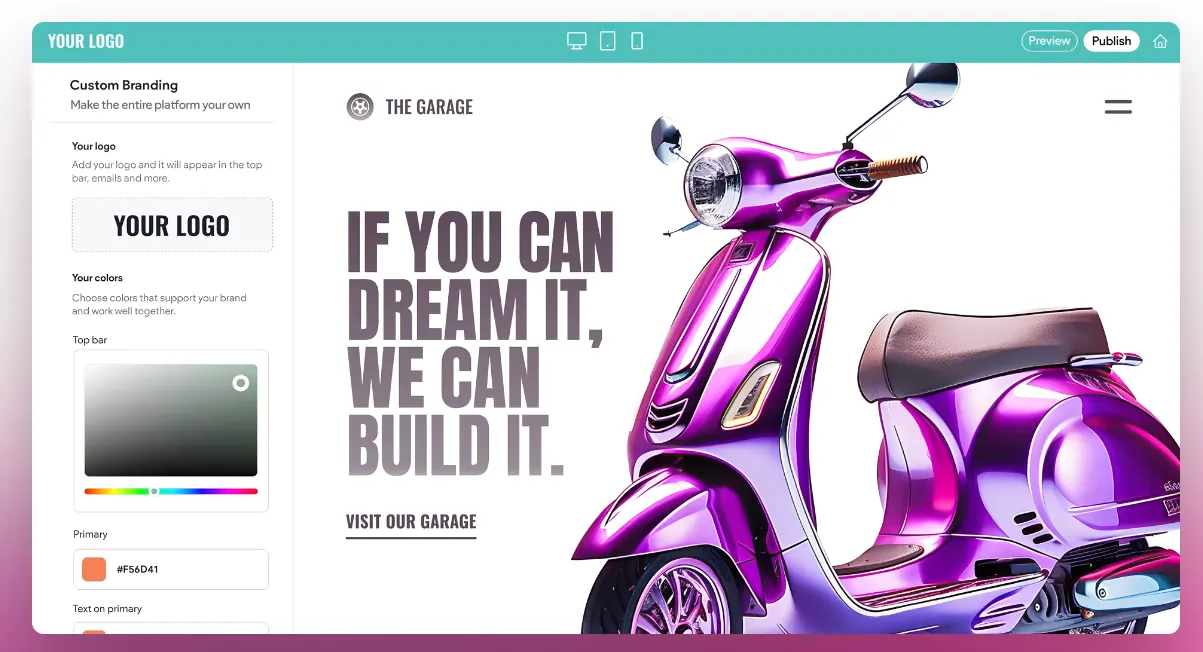
Duda is purpose-built for one specific use case: professionals who build websites for other businesses. The client management tools, white-label dashboard, and content permissions system are all designed around this workflow – and no other platform on this list competes with it in that niche.
The client portal feature lets you grant clients access to update their own content (text, images, business hours, menu items) without touching the design. For a freelancer managing 10–20 client sites, that feature eliminates hours of back-and-forth every month.
Key Features
- Client management tools – White-label portals, permissions, and team access
- Drag-and-drop editor – Fast, visual site design with mobile responsiveness
- Site personalization – Show different content based on user behavior or location
- Multi-site dashboard – Manage multiple projects in one interface
- Prebuilt sections & templates – Quickly assemble sites with reusable content blocks
- Hosting & SSL included – Secure hosting bundled with every plan
What to watch: Duda’s pricing structure is designed for volume. At 1–2 sites, it’s more expensive per site than Wix or Squarespace. It makes economic sense once you’re managing 5+ client sites simultaneously.
Case Study: Freelance Web Designer (Solo → 2-Person Team)
A freelance web designer scaling to a 2-person operation had 35 small business client sites to manage. She moved all clients to Duda’s white-label platform under her own brand. Clients now update their own menus, team bios, and operating hours via their branded portal without contacting her. She handles design changes only. The reduction in support requests freed up roughly 8 hours per week – time she reinvested in acquiring new clients.
Who It’s For
Duda is best suited for professionals building websites for others and need efficiency, client-facing tools, and a scalable workflow. If you’re offering website building services or managing multiple brands, Duda makes it easier to stay organized and deliver high-quality results.
8. IONOS – Best for the Absolute Minimum-Cost Professional Website

Features
Design
Marketing
Hosting
Multimedia
Good For
Pros & Cons
Pros
Cons
Best for: Local tradespeople, sole traders, and micro-businesses that need a professional web presence for the lowest possible ongoing cost.
IONOS exists to answer one question efficiently: “How do I get a real website with a custom domain and business email without spending much?” At $6/month, IONOS includes a free first-year domain, business email addresses, and a simple drag-and-drop builder. For a local business that needs a 4–6 page site with contact info, photos, and a map, that’s everything required.
What to watch: IONOS is not a growth platform. The integration library is sparse and the feature set is basic. Think of it as a professional digital business card – excellent at what it is, limited beyond that.
Key Features
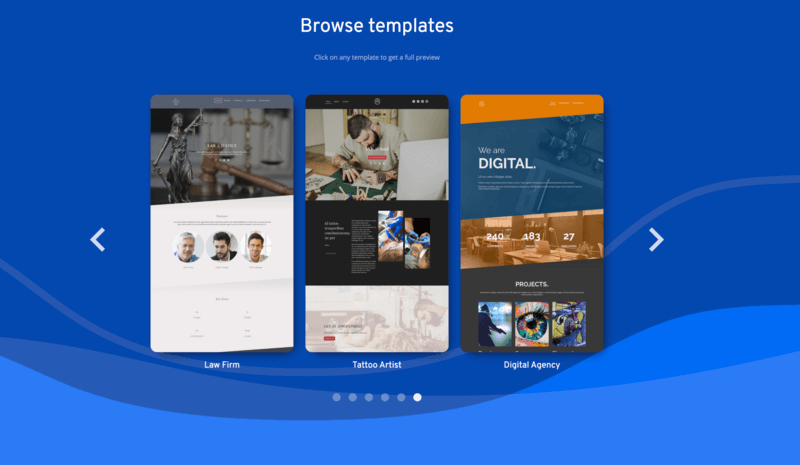
- Easy drag-and-drop builder – Clean interface with industry-specific templates
- Built-in email – Includes professional email accounts with hosting
- Mobile-friendly templates – Automatically optimized for phones and tablets
- Business tools – Contact forms, maps, scheduling widgets, and more
- Integrated hosting & SSL – Everything bundled in one package
- SEO basics – Tools for meta tags, alt text, and keyword guidance
Case Study: Sole-Trader Landscaping Business (2 Employees)
A landscaper and his apprentice needed a site to replace paper flyers. They signed up for IONOS, built a 4-page site (Home, Services, Gallery, Contact) using the AI builder, uploaded before/after project photos, and added their service area to every page. Setup cost: $6/month, 2 hours to build. They now use the included business email for customer quotes – no more free Gmail address on their invoices, which was affecting how clients perceived them professionally.
Who It’s For
IONOS is a strong option for small businesses that need a professional website up quickly, without unnecessary extras. It’s one of the best web builders if you’re focused on cost-efficiency and just need the basics done right.
9. SITE123 – Best for the Fastest Possible Launch, Zero Learning Curve
Features
Design
Marketing
Hosting
Multimedia
Good For
Pros & Cons
Pros
Cons
Best for: Businesses that need a site live immediately and have zero web experience or tolerance for learning curves.
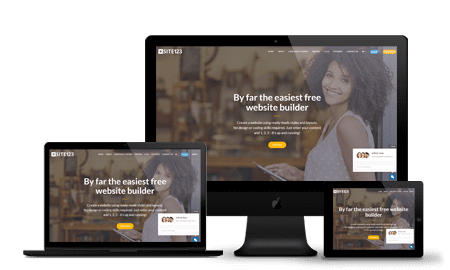
SITE123 is not competing on features or design sophistication. It competes on one metric: the fastest path from zero to a live, functional website. The setup wizard walks you through every decision in sequence – no blank canvas, no open-ended choices. You pick a category, a template, and your site is structured and live in under 90 minutes. SITE123 also has strong multilingual support, making it useful for businesses serving diverse communities.
Key Features
- Step-by-step setup wizard – Answer a few questions and the platform builds your layout
- Prebuilt templates – Choose from structured designs optimized for different industries
- Mobile responsiveness – All templates adjust automatically for mobile
- Form and contact tools – Built-in modules for bookings, contact, and feedback
- Free plan available – Basic features included at no cost
- Multilingual support – Easily create sites in multiple languages
What to watch: Customization limits are real and arrive quickly. If you have a specific vision for your site’s appearance, SITE123 will frustrate you within the first hour.
Who It’s For
SITE123 is best for individuals, freelancers, or small service businesses that need a simple web presence without the learning curve. If you want to build a website in under an hour and don’t need many extras, this tool delivers just that.
10. BigCommerce – Best for Small Businesses Growing Toward High Volume

Features
Design
Marketing
Hosting
Multimedia
Good For
Pros & Cons
Pros
Cons
Best for: Product businesses that are growing quickly and want to avoid a painful platform migration at scale.
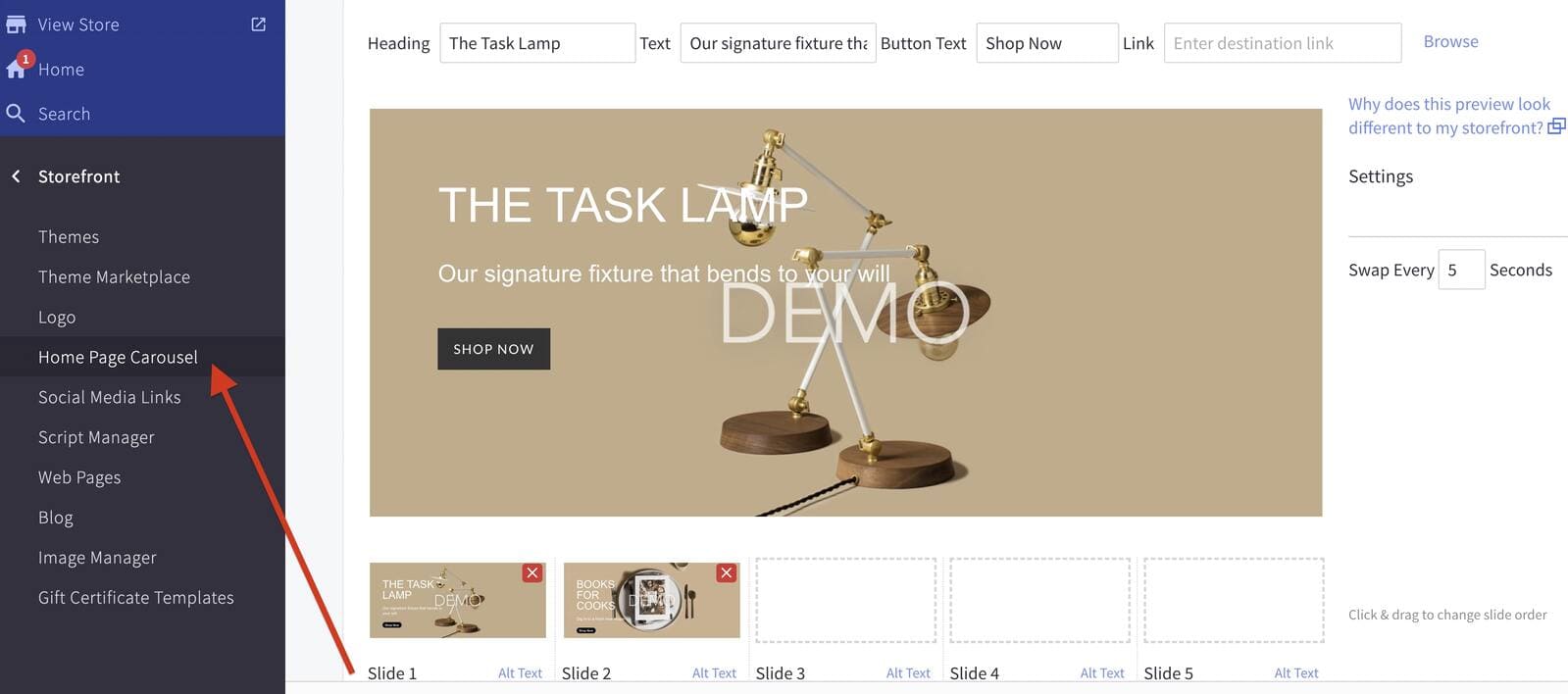
BigCommerce sits between Shopify and enterprise platforms. For a true micro-business with 10–20 products, it’s unnecessary complexity. But for a small business that knows it will be managing hundreds of SKUs, running B2B and DTC simultaneously, or processing high transaction volumes within 12 months, starting on BigCommerce avoids a migration later.
The key differentiator from Shopify for small businesses: BigCommerce charges zero transaction fees regardless of which payment processor you use. At meaningful sales volume, that difference is significant. Built-in B2B pricing tiers (different prices for wholesale vs. retail customers) are also included without apps – a feature Shopify charges extra for.
Key Features
- Multi-channel selling – Sell on Amazon, eBay, Facebook, Instagram, and TikTok
- Flexible product options – Manage variants, SKUs, inventory, and categories
- Custom checkout – Tailor the shopping experience with developer tools
- Built-in SEO tools – Clean URLs, schema markup, and advanced settings
- Ecommerce analytics – In-depth reports on sales, customers, and conversions
- No transaction fees – Keep more of what you sell
What to watch: BigCommerce’s setup is more complex than Shopify’s. The theme editor requires more technical comfort. For a genuine micro-business, that complexity overhead isn’t justified.
Case Study: Artisan Food Producer (4 Employees)
A 4-person artisan food brand selling both direct-to-consumer online and wholesale to restaurants chose BigCommerce specifically for the B2B customer groups feature. They configured two pricing tiers – retail and wholesale – visible to different account types after login. No app required, no additional monthly cost. The same site handles both sales channels with unified inventory management.
Who It’s For
BigCommerce is best for online retailers who are scaling, or plan to. If your store needs advanced inventory control, multi-channel selling, and customizable checkout experiences, this is one of the best website makers built specifically for ecommerce growth.
Read full BigCommerce review →
11. Webador – Best for a True First Website with Zero Prior Experience

Features
Design
Marketing
Hosting
Multimedia
Good For
Pros & Cons
Pros
Cons
Best for: First-time website builders, personal brands, and very small local businesses making their first move online.
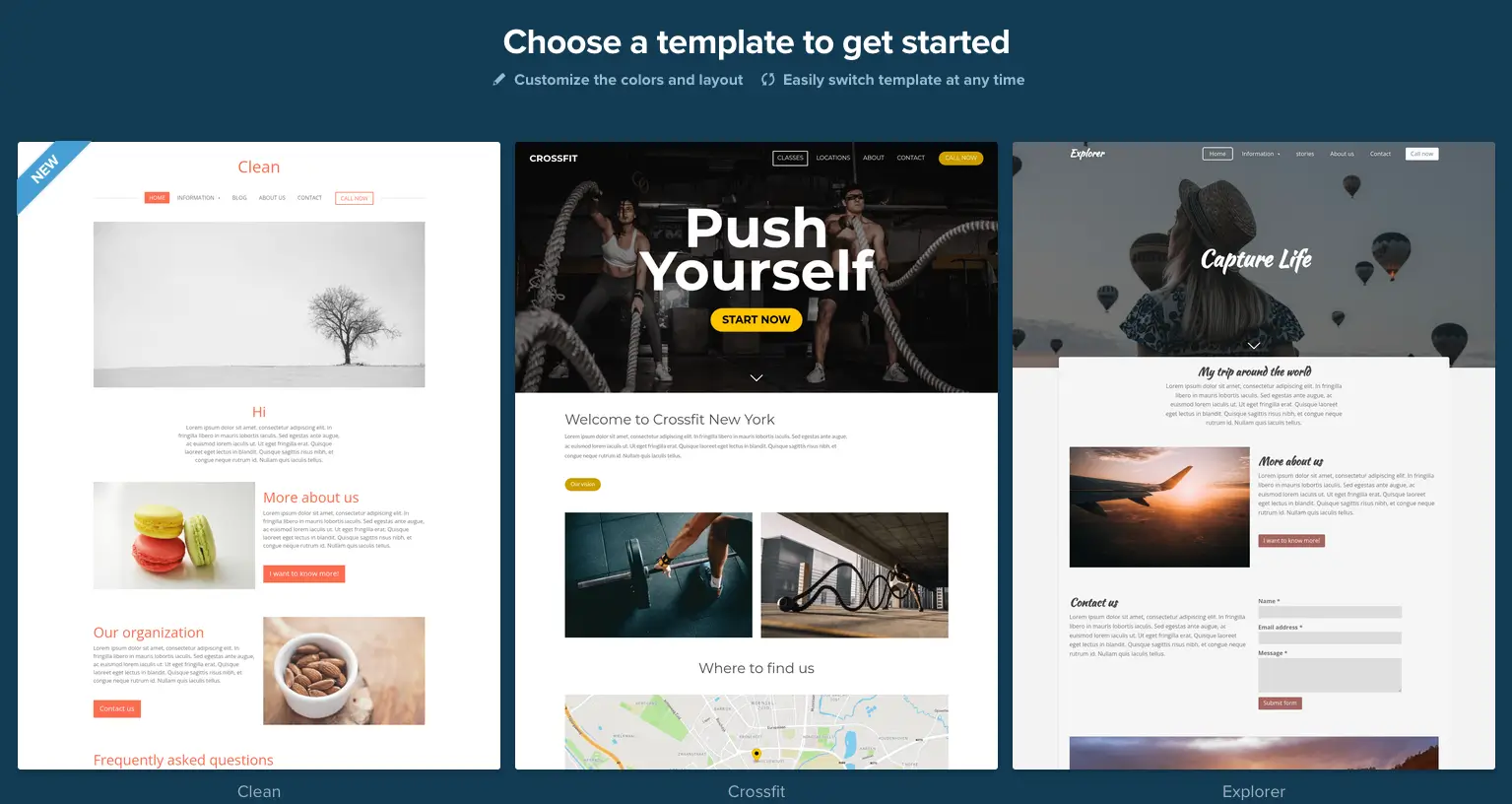
Webador’s block-based editor is the simplest interface on this list. You add pre-built sections one at a time – no blank canvas paralysis. The free plan is among the most generous for basic use, and paid plans are the most affordable on this list after IONOS. It’s a legitimate starting point, not a long-term solution for a business with growth ambitions. The SEO tools and integration options are limited compared to every other platform reviewed here.
Key Features
- Beginner-friendly editor – Simple drag-and-drop tools with minimal learning curve
- Responsive templates – Mobile-ready themes that require no extra setup
- Free domain & hosting – Included even on the free plan
- Blog and form features – Add basic functionality like contact forms and blog posts
- Photo galleries and video – Showcase media easily with built-in blocks
- Fast publishing – Launch your site within minutes of signing up
Who It’s For
Webador is best for users who want a simple, no-fuss way to publish a website for personal use, hobbies, or portfolios. If you’re looking for the best website maker that doesn’t require a steep learning curve, it’s a strong pick for getting started for free.
What Type of Website Do You Actually Need?
The biggest trap for small business owners isn’t picking the wrong platform – it’s picking any platform before answering one question: what kind of site do I need?
Most website builders offer far more features than the majority of small businesses will ever use. Before you compare plans and pricing, figure out which category your site falls into:
- A brochure site is essentially a digital business card. Who you are, what you do, where you’re located, how to contact you. 3–5 pages. This is what 60%+ of local service businesses actually need – and almost every platform on this list handles it well. Don’t pay for an e-commerce engine if you’re a plumber.
- A service site needs booking, inquiry forms, pricing pages, possibly a blog for SEO, and sometimes a client portal. More pages, more structure, but still no product catalogue.
- A sales/e-commerce site needs product pages, inventory management, a checkout flow, payment processing, and order tracking. This is where platform choice becomes critical – not all builders are equal here.
- A content or portfolio site prioritizes visual design, strong image display, and a blog. Photography studios, architects, consultants, and agencies typically fall here.
Once you know which category applies to you, the platform decision becomes straightforward. The sections below are organized around that logic.
How to choose the best website builder for your needs
After testing 10+ platforms, we learned that reading feature lists isn’t enough. You need to verify them. Here is a 5-step “Stress Test” you should perform during any free trial to ensure you don’t get trapped in a bad platform.
- Define Your Primary Goal Don’t guess. If you are building a serious store, you need an e-commerce engine (like Shopify) aimed at sales. If you are a photographer, you need a visual-first platform (like Squarespace). Match the tool’s strength to your site’s main job.
- Look for Value, Not Just “Cheap” The cheapest plans often hide costs—like charging extra for domains or removing essential tools. A slightly higher-priced plan that includes hosting, security, and AI features usually saves you more money (and time) in the long run.
- Know Your Skill Level Choose an editor that fits your workflow.
- Drag-and-Drop (Wix, Hostinger): Offers total creative freedom but requires a design eye.
- Structured (Web.com): rigid but ensures you can’t “break” the layout.
- Technical (WordPress/Bluehost): Steep learning curve but maximum power.
- Plan for Growth Migrating a website later is difficult and costly. Ensure the platform can grow with you. If your hobby turns into a business, does the builder support email marketing, unlimited products, or CRM integration? If not, look elsewhere.
- Stress-Test the Free Trial Don’t just browse the templates. Use the free trial to actually build a page. Try to break the layout or contact support. If the interface feels clunky or frustrating now, it won’t get better after you pay.
What Every Small Business Owner Should Know Before Choosing
Based on hands-on experience advising small and micro businesses on their web presence.
Drag-and-Drop Means You See What You’re Building – Use That
Every platform here offers drag-and-drop editing. That means you see your site exactly as your visitors will see it, in real time, while you’re building it. For small businesses without a graphic designer on call, that’s not a convenience feature – it’s your design team substitute.
The mobile version deserves equal attention. Build your desktop version, then immediately switch to mobile preview and check every page. Most visitors arrive on phones – in many industries, 70–80% of traffic is mobile. A site that looks perfect on a laptop and broken on a phone is actively losing customers. Every platform here lets you edit the mobile version independently. Use that every time.
SEO Tools on These Platforms – Good Enough to Start
Most modern website builders have invested seriously in their SEO infrastructure. Wix, Shopify, Squarespace, and WordPress (via plugins) are all genuinely capable. The real advantage of platforms like Wix and Shopify for non-SEO-specialist business owners is that they guide you – they flag what’s missing, explain what to fix, and walk you through optimization in plain language. It’s not a replacement for a real SEO strategy, but it’s an excellent starting point. Take the recommendations seriously.
Learn how to do keyword research for your small business
Hosting Plan Performance – Don’t Always Buy the Cheapest Tier
Small business owners understandably want to minimize costs. But the hosting plan you’re on affects your site’s load speed – which directly affects user experience, bounce rate, and search rankings. Most major platforms have improved their infrastructure significantly, but within each platform, entry plans and premium plans can show measurable speed differences.
Start on an entry plan if budget requires it, but check your page speed score on Google PageSpeed Insights (it’s free) within the first month. If your mobile score is below 60, the plan or the setup needs attention.
80% Is Excellent – Focus on What Makes Money
We all want the best version of everything. But knowledge gaps and budget limits are real. Here’s the mindset that actually works for small business websites: invest your energy in what generates revenue, not in visual perfection. The internet is full of websites that aren’t beautiful but make real money. It’s also full of perfectly designed sites that generate nothing.
Your website needs to support your full marketing chain – from the moment someone finds you, to the moment they contact you, buy from you, or book with you. Make sure the platform you choose can support that entire journey. Design is secondary to function.
Use AI – And Ask It Why, Not Just What
Every platform here either has AI tools built in or integrates with free tools like ChatGPT or Gemini. Use them for copywriting, page structure planning, product descriptions, and SEO optimization. More importantly: don’t just take the AI’s output – ask why it’s making that recommendation. Understanding the reasoning behind a suggestion helps you make better decisions across the whole site.
ChatGPT vs. Gemini – which AI is better for small business tasks?
Your Domain Is Your Business Name Online – Protect It
When you register a domain, set a calendar reminder before it expires. Most small businesses register for one year because they’re uncertain about the future – that’s fine. But domain registrars send renewal emails that land in spam or get ignored. If your domain expires and someone else registers it, recovering it can cost hundreds of dollars or may be impossible entirely.
Set a reminder 60 days before expiry, and again at 30 days. Two minutes of admin prevents a serious business problem.
How to choose the right domain extension for your business
The Most Important Thing: Start
Don’t let the platform comparison stop you from launching. The most common mistake small business owners make is spending weeks comparing options while competitors are already live. Pick what fits your current skill level and actual need – and build.
If you outgrow it, you can migrate. Almost every platform allows you to export your content, images, and pages. The process isn’t always frictionless, but it’s always possible. Build what works today, and improve it as your business grows.
How to build a website from scratch – step-by-step guide
Which Platform for Which Situation – Quick Reference
| Your Situation | Best Choice | Why |
| You handle design, content, and marketing yourself | Wix | Maximum flexibility + AI builder + app ecosystem |
| Your entire business is selling products | Shopify | Purpose-built e-commerce, no compromises |
| You need a professional site live today for under $3/mo | Hostinger | Cheapest bundle of builder + hosting + domain |
| Visual credibility is your #1 sales tool | Squarespace | Best-in-class template design out of the box |
| You want to own your organic search in 2–3 years | Bluehost + WordPress | Strongest SEO foundation available to small businesses |
| You build websites for other businesses | Duda | Built for client management and multi-site workflow |
| Cheapest possible real business website | IONOS | $6/mo includes domain, email, and builder |
| Need a site live in the next 2 hours | SITE123 | Fastest wizard-driven setup on the market |
| Growing fast, planning for scale | BigCommerce | No transaction fees, B2B tools without apps |
| First website ever, total beginner | Webador | Simplest interface, lowest barrier |
How We Test – Real Hands-On Testing, Minimum 2 Hours Per Platform
We don’t fill out a feature checklist and call it a review. Every platform in this guide was tested hands-on by a small team – the same 1–5 person setup as the businesses we’re writing for. Each platform received a minimum of 2 hours of active building time, and we completed the same standardized build on every single one.
The Standard Build We Completed on Every Platform
To compare website builders for small businesses fairly, we built the same site structure on each platform:
- Homepage – hero section, value proposition, call to action, and at least one image block
- 3 service pages – each with a page title, descriptive copy, at least 2 images, and a contact/booking CTA
- Contact page – form with name, email, message fields, plus a map embed where supported
- Blog – 3 published articles with featured images, categories, and meta descriptions
This is the minimum viable website for most service-based businesses and SMBs – not a showcase build, not a demo. If a platform made this difficult, that matters.
What We Scored on Every Build
1. Template selection – how fast and how useful We timed how long it took to find a template relevant to a service business. We noted whether the template required significant restructuring to be usable, or whether the out-of-the-box layout was close to a real working site. For platforms with an AI builder that can help generate a custom template for your business, we used it first before falling back to the manual template library.
2. Time to a complete, presentable build Total hands-on time from account creation to a site we’d be comfortable sharing with a real potential client. We tracked this for both the AI-assisted path and the manual template path where both were available. Results are reported in the individual platform sections.
3. AI builder capability – does it actually save time? We tested every platform’s AI website builder or AI content tool. The key question wasn’t “does AI exist here” – it was: does the AI help generate a custom template for your business specifically, or does it produce a generic placeholder that still needs 90% of the work done manually? We report which AI builders are genuinely time-saving for SMBs and which are marketing features that don’t change the build time meaningfully.
4. Plans and pricing – can you actually go live on the entry tier? This is the most misunderstood area when small businesses compare website builders. We tested every free plan and every first-tier paid plan against one specific question: can you publish your site, have it visible on the internet with a custom domain, and use the core website features needed to run your business?
Here’s what we found matters most at this stage:
- Does the free plan allow public publishing, or does it sit behind a “coming soon” wall?
- Does the free plan show the platform’s own branding on your site? (Most do.)
- Does the free plan give you a custom domain, or only a subdomain like yourbusiness.wixsite.com?
- Does the first paid tier – typically the cheapest website builder option on that platform – unlock e-commerce, booking, or the specific features your business type needs, or do those require a higher plan?
We document the real entry cost for each platform – not the promotional price, but what you’ll actually pay after month one.
5. Small business website management after launch Getting a site live is only half the job. We also tested how easy it is to update pages, add new blog posts, swap images, and change pricing copy after the initial build – without returning to any tutorial. This reflects the reality of website management for small business owners who update their own site once a month, not every day.
What We Don’t Test For: We don’t weight enterprise features, developer tools, or advanced e-commerce infrastructure for this guide. Those are real features – they just aren’t what determines whether a platform is the best choice for small businesses with a team of 1–5 people, no dedicated web function, and a need for practical, manageable small business website design with as little friction as possible.
Conclusion
There’s no universal best website builder for small businesses – there’s a best one for your specific situation. The businesses that struggle with these platforms usually pick based on brand recognition or a low promotional price, rather than matching the tool to their actual workflow and website type.
The pattern that works: define what type of site you need before opening any trial account. Brochure site, service site, or e-commerce site – that decision narrows the field from twelve options to two or three. From there, use the free trial. Build the first version of your site before committing financially. You’ll know within two hours whether the editor fits how you work.
And if it doesn’t – you can always migrate. Don’t let the fear of picking wrong stop you from starting.
The complete software stack for small teams in 2026
FAQ – Direct Answers to What Small Business Owners Actually Ask
Which website builder is the easiest for a complete beginner?
Wix and Hostinger are the most beginner-friendly platforms. Both offer AI builders that generate a full starting site from a few questions, and both have genuinely intuitive drag-and-drop editors. For the absolute simplest experience with zero design decisions, SITE123’s step-by-step wizard removes all open-ended choices. Squarespace has a slightly steeper learning curve but produces more polished results for non-designers.
Is a free plan actually enough to run my business publicly?
Technically, yes – you can launch a working site on Wix’s, Webador’s, or SITE123’s free plans. But there are meaningful limitations: your site will show the platform’s branding, sit on a subdomain (e.g., yourbusiness.wixsite.com instead of yourbusiness.com), and in most cases you won’t be able to connect a custom email address. For a business trying to look credible, those are real problems. A paid plan with a custom domain starts at $6–10/month on most platforms – that’s the minimum we’d recommend for any business accepting customers.
Is it possible to make a completely free website?
Yes, but with real trade-offs. Wix, SITE123, and Webador all offer permanent free plans. You’ll have the platform’s branding on your site, a subdomain URL, and limited features. For testing an idea or building something personal, that’s fine. For a business that needs to look professional and appear in local search results, the subdomain and branding limitations hurt credibility and SEO.
See our comparison of free website builder options
WordPress or Wix – which is better for a small business?
It depends on your timeline and technical comfort. Wix is faster to launch, requires no technical maintenance, and guides non-experts through SEO and site management. WordPress (via Bluehost or similar hosting) gives you more long-term control, deeper SEO capabilities, and full ownership of your site’s data and code – but it requires more hands-on management. If you want to be live this week without a learning curve: Wix. If you’re building toward serious organic search traffic over 2+ years and have some patience for setup: WordPress.
Full Wix vs WordPress comparison for SMBs
Which builder is best for scaling from a side hustle to a full-time store?
Shopify is the strongest foundation for this transition. Start on the Basic plan ($29/mo), and every tool you add – payments, shipping, inventory, sales channels – scales with you without rebuilding. BigCommerce is a valid alternative if you anticipate high volume or need B2B pricing. Wix can support a small store, but if the store is the business, you’ll want dedicated e-commerce infrastructure.
Shopify vs Etsy – when to move to your own store
Can ChatGPT or another AI platform build me a website automatically?
AI tools like ChatGPT and Gemini can’t build and deploy a website directly – they can generate code, write copy, plan structure, and answer questions, but they don’t have the ability to publish a site to a live server on their own. However, platforms like Wix ADI, Hostinger’s AI builder, and 10Web (WordPress-based) can generate a complete, deployable website from a few text prompts. These are purpose-built AI builders, not general-purpose AI chatbots. For the fastest AI-assisted launch, those platform-native tools are the right choice.
Best AI website builders in 2026
Can AI build an entire website automatically?
Platform-based AI builders (Wix, Hostinger, 10Web) can generate a full site structure, placeholder content, and a visual layout automatically. What they can’t do: fill in your specific business information, write accurate copy about your services, or take professional photos. Think of AI generation as producing a 70% complete site – the structure, layout, and design logic are done; you fill in the real content. For most small businesses, that 70% represents 80% of the time savings. The remaining work is faster and simpler because the skeleton is already there.
How much does it cost to use AI to build a website?
If you use a platform with a built-in AI builder, the cost is just the platform plan: $2.99/mo (Hostinger), $17/mo (Wix Light), or $16/mo (Squarespace Personal). There’s no separate AI charge on these platforms. If you use a standalone AI tool like ChatGPT Plus ($20/mo) or Claude Pro to help write copy and plan your site, that cost is separate from your hosting/builder plan. Total realistic cost for an AI-assisted professional small business site: $3–40/month depending on the platform and whether you use premium AI tools.
What are the top-rated website templates for small businesses?
Wix offers 800+ templates across business categories – their service business and restaurant categories are particularly strong. Squarespace’s templates are the most visually polished out of the box, especially for creative and hospitality businesses. Shopify’s Dawn theme (free) is the most widely used for e-commerce. For WordPress, Astra and GeneratePress are the most popular free themes with strong performance for small businesses.
Drag-and-drop website builders with the best templates
Who legally owns a website?
The person or business that registers the domain name legally owns the domain. The website content (text, images, code) is owned by whoever created it or licensed it – typically you, or a designer/developer you hired. The hosting and platform provider does not own your content, but the terms of service on platforms like Wix mean you’re building inside their infrastructure. If you want full ownership and portability of everything, self-hosted WordPress (via Bluehost or similar) is the only option on this list where you own the code outright. Always register your domain in your own name – not through an agency or third party – so it can’t be held over you.
What are the most common website mistakes small businesses make?
The mistakes we see most often: launching without a mobile check (the site looks broken on phones); having no clear call to action on the homepage (what do you want visitors to do?); using the platform’s free subdomain for a real business (hurts credibility and SEO); forgetting to set up Google Analytics and Search Console before going live (you lose baseline data); and not renewing the domain on time. The domain renewal issue is more common than it should be – set a calendar reminder 60 days before expiry.
Is it possible to switch platforms later if I change my mind?
Yes, always. Most platforms allow you to export your content, images, and blog posts. The process varies in friction – exporting from Squarespace and WordPress is relatively clean; migrating away from Wix requires more manual work since Wix doesn’t offer a standard CMS export. But no choice you make today is permanent. Start with the platform that fits your current needs and skill level. Improve when the business outgrows it.
Wix vs Hostinger – full comparison for SMBs