The Complete Software Stack for Sole Traders & Small Teams in 2026



Running a business with a team of 1–5 means you’re the designer, the accountant, the marketer, and the customer support department – all at once. The right software stack doesn’t save hours; it replaces the roles you can’t afford to hire for yet. Here’s the exact stack we tested, used, and vetted for small and micro businesses in 2026.
TL;DR
- Accounting: FreshBooks for service providers; Zoho Books free if under $50K/year; QuickBooks if you need multi-channel or inventory
- Invoicing: Square to start for free; HoneyBook if you also need contracts and CRM in one workflow
- Website & E-commerce: Wix for most small businesses; Shopify when products are the whole business
- Payments: Square or Merchant One — depends on whether you need in-person or online-first
- Project Management: ClickUp is the most powerful free option; monday.com is the easiest to adopt
- CRM: HubSpot free CRM covers 90% of what a sole trader needs — permanently, no catch
- Email Marketing: Mailchimp to start; Brevo once your list grows past 1,000 contacts
- Scheduling: Calendly to eliminate email back-and-forth; Zoho Bookings for multi-service businesses
- VoIP: Zoom Phone for most small teams already using Zoom
- Inventory: Zoho Inventory for the best free-plan depth
- POS: Lightspeed for retail and hospitality; Square Appointments for service businesses
- Payroll: Paychex for the most complete HR + payroll combination
How we evaluate small business software
We don’t review software from a corporate perspective. Every tool in this guide was set up and used hands-on by solo operators and small teams of 2–5. We don’t rely on vendor demos or press releases. If we didn’t actually use it, it doesn’t make the list.
We evaluate each tool against five criteria that actually predict real-world value for small businesses:
Time to value — How fast can a non-technical person go from sign-up to the tool doing its actual job? Setup that requires a consultant is disqualifying.
Total cost of ownership — The real yearly cost: base plan, add-ons, per-user fees, and the admin time to keep it running. A $9/month tool that requires 3 hours/month to manage may cost more than a $25/month tool that runs itself.
Fit for purpose — Does it solve the specific problem it’s supposed to solve, cleanly and completely? We penalize tools that bolt on half-built features to expand their category.
Integration and portability — Does it work cleanly with the other tools in this guide? And if you outgrow it, can you leave without losing your data?
Support and reliability — Is there a real human available when something breaks? A knowledge base is not support.
Why These Tools — Our “Best Value for Money” Standard
The tools in this guide share four qualities that matter specifically to small and micro businesses: they work on day one without a setup consultant, they don’t lock essential features behind enterprise pricing, they connect to each other without Zapier gymnastics, and they have real support behind them.
We specifically excluded tools that are cheap at entry but expensive to migrate away from, tools that require a dedicated admin to maintain, and tools that are effectively enterprise products with a small-business marketing page stapled on.
What follows is what we actually use and recommend — with clear guidance on which tool fits which type of business, and where each one starts to show its limits.
1. Accounting software
Managing your finances without dedicated software is the fastest way to build a tax anxiety problem. For a 1–5 person business, you don’t need an enterprise finance system — you need something that tracks money in, money out, keeps your records clean, and doesn’t require an accounting degree to operate.
Who it’s for
Every small business that invoices clients, tracks spending, runs payroll, or files taxes.
What to look for
- Bank integration: Reliable transaction syncing.
- Invoicing: Recurring billing, payment reminders, online payment options.
- Reporting: P&L, balance sheets, cash flow, and tax reports.
- Ease of use: Clear dashboards and minimal learning curve.
- Scalability: Support for inventory, multi-entity, and advanced approvals.
Our top pick: QuickBooks Online
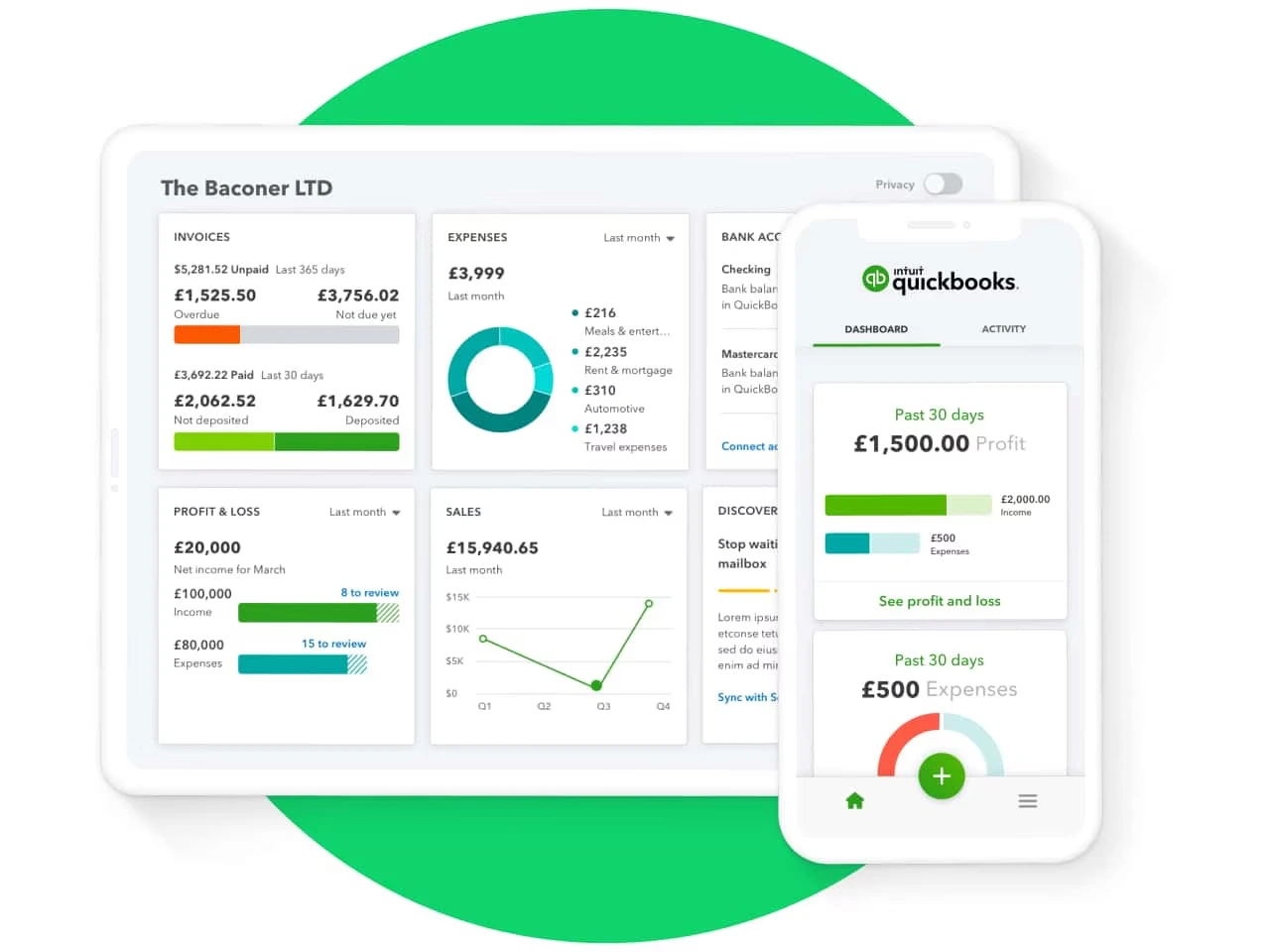
QuickBooks is the go-to small business accounting software that combines ease of use, scalability, and a robust ecosystem that grows with your business. Unlike niche tools that solve only one part of the financial puzzle, QuickBooks provides a complete foundation for bookkeeping, reporting, and cash flow management in one place.
Why we picked it
QuickBooks Online hits the sweet spot for most small and medium-sized businesses (SMBs) because of a combination of price, features, integrations, and support:
- Affordability with room to grow
Its tiered pricing means you don’t have to overpay as a startup, but you can add advanced features—like bill management, project tracking, or inventory—once your business expands. Many competitors either stay basic forever or jump quickly to expensive enterprise pricing.
- Comprehensive yet approachable
QuickBooks automates the tedious tasks like bank reconciliation and expense categorization, while keeping the interface intuitive. This makes it friendly for non-accountants but still powerful enough for bookkeepers and CPAs.
- Deep integrations for SMB tools
QuickBooks connects seamlessly with payroll services, payment processors, ecommerce platforms, and hundreds of SMB productivity tools. This ecosystem helps business owners keep all their financial operations connected instead of juggling multiple disconnected apps.
- Trusted by accountants and advisors
Because QuickBooks is the industry standard, most accountants, bookkeepers, and tax professionals already know it inside and out. That makes it easier to find help, onboard external advisors, and avoid costly errors.
What you’ll get from Quickbooks Accounting
- Automated bank feeds with real-time transaction categorization.
- Professional invoicing with built-in online payment links.
- Real-time dashboards and reports to track profit, expenses, and cash flow.
- Expense tracking and receipt capture for cleaner books.
- Access to a vast app ecosystem and accountant network, ensuring scalability.
In short: QuickBooks Online balances price, functionality, and ecosystem better than any other SMB accounting tool. For most small businesses, it’s the platform that “just works” both now and as they grow.
FreshBooks – Best for Solo Service Providers
FreshBooks is built for the person who bills for their time and expertise: designers, copywriters, consultants, photographers, plumbers, marketing agencies. If your invoice is really a record of hours and expertise delivered, FreshBooks is designed around that workflow in a way that no other accounting tool matches.
The interface doesn’t feel like it was built by accountants for accountants. It’s built for the person who has three client calls today and needs to send an invoice quickly between them. The Client Lifecycle view follows a project from proposal to tracked hours to invoice to payment in one thread. When a client pays, the invoice auto-updates and the revenue flows into your reports with no manual input.
The timer feature is the one most people underestimate. Start a timer when a project begins, stop it when you’re done, and FreshBooks adds it to the relevant invoice automatically. Small, unbillable-seeming tasks that used to disappear – the “quick edit” that took 25 minutes, the call that became real work – start appearing in your revenue. One designer on our test team recovered $400 in previously uncharged work in their first month.
Why we picked it: The invoicing experience is the best in class for service providers. Clients receive a professional invoice with a “Pay Now” button – card, bank transfer, and Apple Pay all work out of the box. For a sole trader whose professional image is part of what they’re selling, FreshBooks makes you look like a larger operation without the overhead.
Where it falls short: The entry plan caps you at 5 active clients. High-volume freelancers hit this ceiling almost immediately. And if you’re selling physical products with inventory, QuickBooks is the better fit.
Starting from: $7.60/month | Free Trial: 30 days
Case Study: Solo Brand Consultant
Lior runs a brand consultancy with himself and one part-time coordinator. He was billing monthly via PDF invoices from Gmail and manually tracking hours in a spreadsheet – and regularly forgetting to bill for small tasks.
After switching to FreshBooks, his first month invoice was 18% higher. Not because he raised prices, but because the timer captured work he’d been giving away for free. Automated invoice reminders also eliminated his most uncomfortable job: chasing late payments. He now gets paid an average of 9 days faster.
Setup time: 20 minutes.
Zoho Books – Best Free Plan for Businesses Under $50K/Year
Zoho Books offers a permanently free plan for businesses with annual revenue under $50,000. Not a trial – an indefinite plan that includes bank feeds, invoicing, expense tracking, and real-time financial reports.
What makes Zoho Books powerful beyond the price is the workflow automation engine. Create rules like: “If an invoice is unpaid after 5 days, automatically send a follow-up and CC me.” The system behaves like a virtual assistant managing your receivables – without you touching it.
Why we picked it: It’s the only tool in this category where the free plan is production-ready, not stripped-down. For a business in its first year running lean, spending zero dollars on accounting while still having professional invoicing and automated bank reconciliation is a genuine advantage.
Starting from: $0/month (Free plan) | Paid from $15/month
2. Website Builders & E-Commerce Platforms
Your website is your digital storefront, and for most small businesses, it also needs to sell products or book services directly. The platform you choose here is one of the highest-leverage decisions in your stack — it either removes friction or creates it at scale.
Who it’s for
Small businesses selling physical products, digital downloads, subscriptions, or appointment-based services online.
What to look for
- Ease of setup: Drag-and-drop tools, templates, and guided onboarding.
- Payments: Multiple gateways, clear transaction fees, and currency support.
- Shipping: Real-time rates, label printing, and returns management.
- Mobile optimization: Works perfectly on any device.
- Marketing tools: SEO controls, email, social integrations, and discount codes.
- Pricing: Affordable plans that scale as your business grows.
Wix – Best for the Small Business That Does Everything
Wix is built for the person who is simultaneously the designer, the developer, and the marketing department. That’s the reality for most sole traders, and Wix is one of the few platforms that genuinely acknowledges it.
The drag-and-drop editor gives you pixel-level control without touching code, and the mobile and desktop editors are separate – meaning you can optimize each version independently without one breaking the other. That matters because the majority of your customers are on mobile.
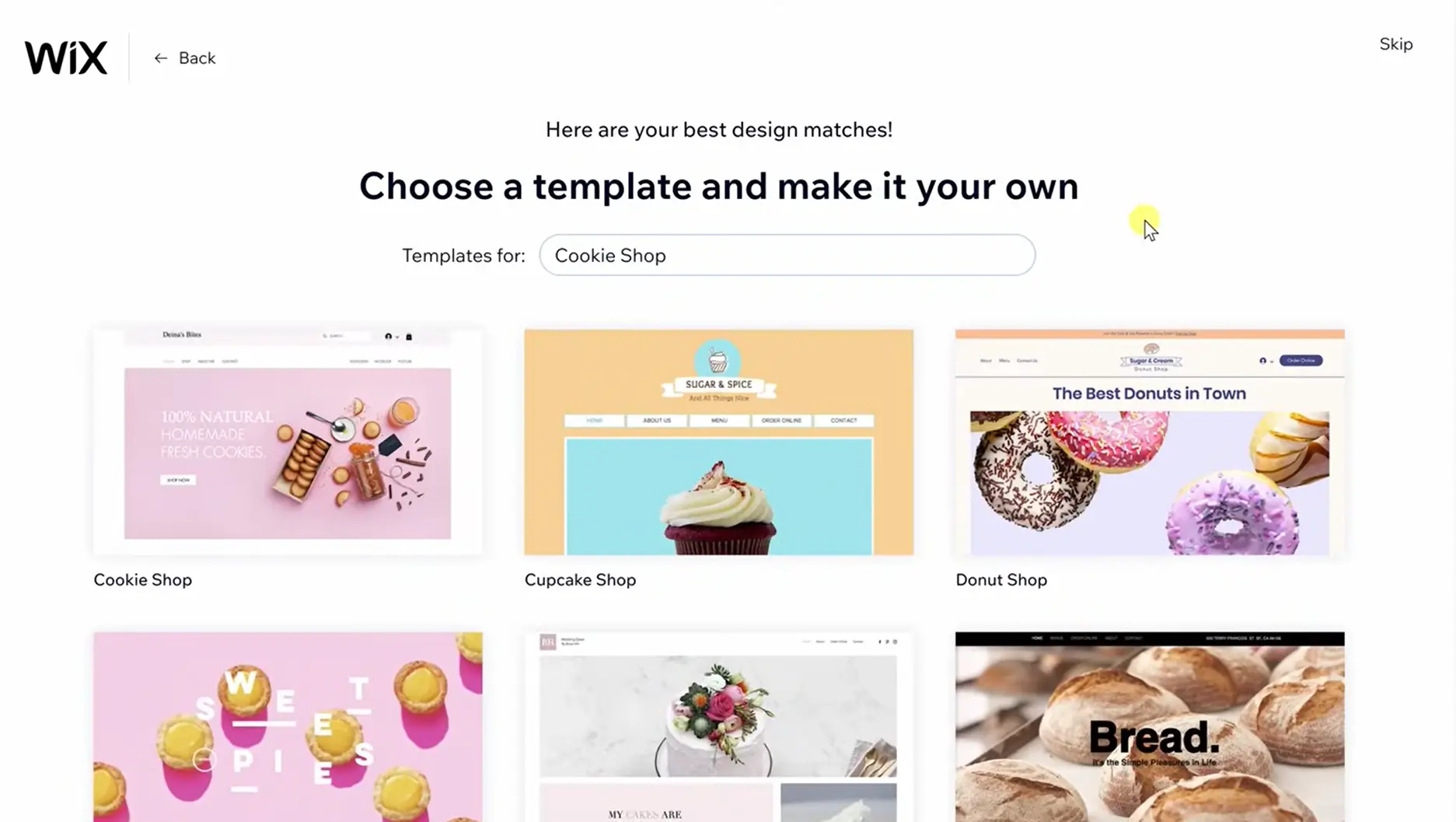
The standout feature in 2026 is Wix ADI (Artificial Design Intelligence). You answer a short quiz about your business – what you sell, your aesthetic, your audience – and Wix builds a complete site with demo products populated, a color palette applied, and a homepage structure in place. It’s a genuine 70% head start. For a sole trader spending evenings trying to launch a site while managing everything else, that 70% is everything.
The Wix App Market now connects to more than 100 third-party integrations. Booking software, live chat, loyalty programs, email marketing, inventory tools – most of the add-ons you’d normally pay separately for are available directly inside the platform. This keeps your tech stack contained.
Why we picked Wix: It’s the most balanced tool for a small business that needs a website, a store, and a booking system – and has one person managing all three. The AI builder alone eliminates the need for a designer at the start.
Where it falls short: Once you’re processing hundreds of orders daily, Shopify’s infrastructure makes more sense. But for a business with under 100 SKUs, Wix handles it cleanly.
Starting from: $17/month
Case Study: Solo Ceramics Business, 2 People
Maya runs a handmade ceramics business with one part-time helper. She needed a site that looked professional, sold products directly, and took bookings for her pottery workshops – with no developer budget.
She used Wix ADI and launched in a single weekend. The AI built a site that already matched the earthy aesthetic of her brand. She swapped in her photos, rewrote the copy, and connected Wix Bookings for the workshops. Six months later, she runs her entire digital operation – products, workshops, and email list – from a single Wix dashboard. Monthly cost: $27. Estimated design savings: over $3,000.
Shopify – Best When Products Are the Whole Business
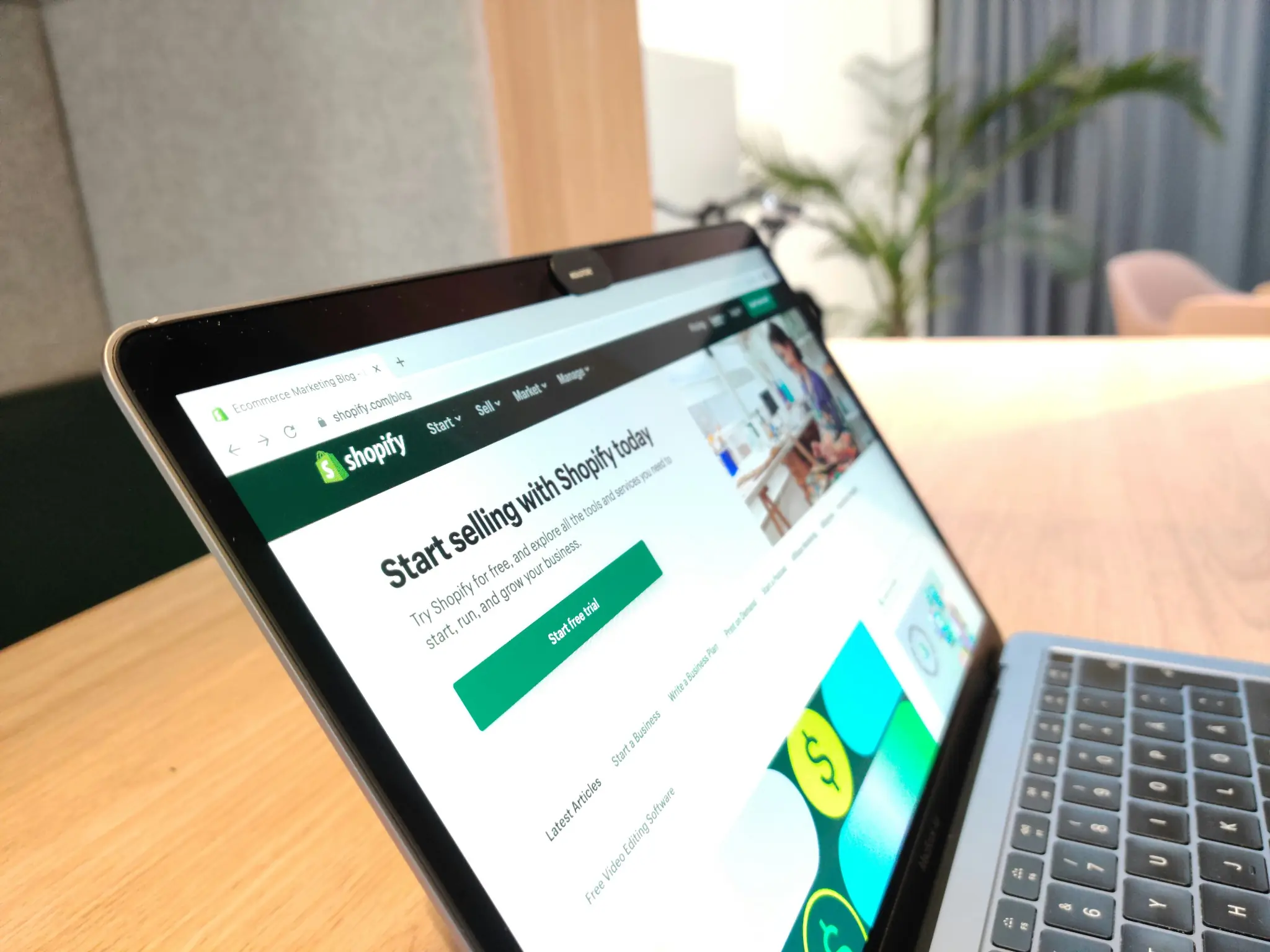
If you’re a small business and physical or digital products are your entire business model – not a side feature of a broader services site – Shopify is the better call.
The operational depth Shopify offers is unmatched by any drag-and-drop builder. Inventory management is real, not bolted on. Shipping rules, discount logic, abandoned cart flows, multi-currency – these work at a level that feels like enterprise software at a small business price.
Shopify’s checkout is the best-converting in the industry. The one-page checkout, Shop Pay, and Apple Pay integration all work without any configuration on your end.
Why we picked Shopify: For product-first businesses, the gap between Shopify and the alternatives widens as volume increases. If your biggest concern is “can I process 500 orders this weekend without my site breaking,” this is your answer.
Where it falls short: Design flexibility. You’re working within themes. Customizing beyond the theme’s built-in options requires either paying a developer or learning Liquid (Shopify’s templating language). Wix gives you more visual freedom; Shopify gives you more commercial depth.
Starting from: $39/month
Case Study: Handmade Skincare Brand, 3 People
Priya, her sister, and a part-time fulfilment helper launched on Etsy, outgrew it, and moved to Shopify. The switch took one week – a $180 paid theme and three days of product setup.
Within 30 days, abandoned cart recovery alone had recovered $1,400 in lost sales. Priya manages orders and inventory from the Shopify mobile app while her sister handles fulfilment. Monthly cost: $39. The site has never gone down on a product launch day.
Shopify is a leading software solution for small business e-commerce, offering a streamlined way to build, manage, and grow an online store. It combines a customizable storefront, secure checkout, built-in marketing tools, and a robust app ecosystem.
Why we picked it
Shopify offers scalability, ease of use, and flexibility, ideal for SMBs that want professional-level e-commerce without a steep learning curve.
What you’ll get from Shopify e-commerce
- Customizable, mobile-friendly storefront.
- Multiple payment gateway options.
- App store with thousands of integrations.
- Inventory and order management.
- Built-in SEO and marketing tools.
3. Merchant Services & Payment Processing
Accepting card payments is table stakes for any business in 2026. The right merchant services provider ensures transactions are fast, secure, and cost-effective — without surprise fees eating into your margins.
Who it’s for
Any SMB taking in-person, online, or over-the-phone card payments.
What to look for
- Transparent pricing: No hidden fees or surprise charges.
- Multiple payment methods: Card, contactless, online checkout, and mobile.
- Hardware & software compatibility: Works with your POS or e-commerce system.
- Deposit speed: Fast transfers into your bank account.
- Customer support: Help when you need it, ideally 24/7.
- Contract terms: Flexibility without long lock-ins.
Our top pick: Merchant One
Merchant One specializes in quick approvals, flexible payment setups, and 24/7 support — for businesses that need reliable processing across multiple environments. Whether you’re taking payments at a counter, over the phone, or through an online checkout, Merchant One handles the full range without requiring separate providers.
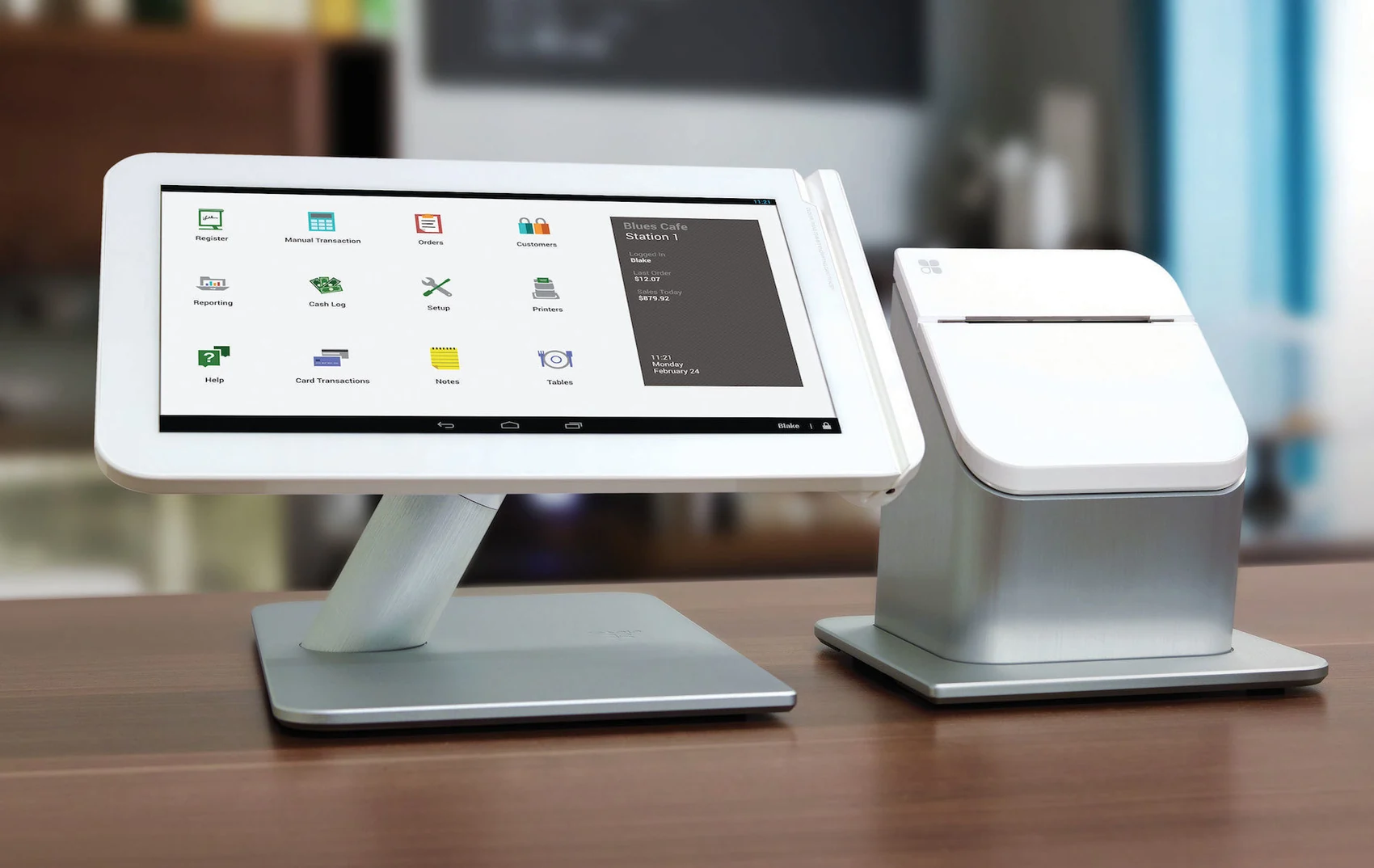
Next-day funding means cash flow moves quickly. The hardware — terminals, mobile readers, and POS-compatible setups — connects to your existing systems without a significant integration project.
Why we picked it
It blends competitive rates with responsive service and simple onboarding, helping small businesses start processing payments without delays or confusing contracts. The 24/7 support is a meaningful differentiator when a payment issue surfaces on a Saturday afternoon.
What you’ll get from Merchant One payments
- Card-present and online payment options.
- Next-day funding on most transactions.
- Compatible terminals, mobile readers, and POS setups.
- Competitive rates and transparent billing.
- 24/7 customer support.
Square – Best Free Entry Point for Payments
For a business that’s just starting out and isn’t ready to evaluate merchant services contracts, Square is the default. No monthly fee, no long-term commitment – you pay a flat processing rate per transaction and that’s it. The hardware (card reader) is often free or near-free to start.
Square also integrates natively with Square Invoices and Square Appointments, making it the cleanest ecosystem for a small service or retail business that wants one provider handling payments across every surface.
Starting from: $0/month + processing rates
4. VoIP & Business Communications
VoIP (Voice over Internet Protocol) replaces traditional phone lines with internet-based calling. Many VoIP services also offer video meetings, messaging, and call routing—all from one platform.
Who it’s for
SMBs replacing landlines or managing communication across multiple locations.
What to look for
- Call quality & reliability: Consistent uptime and clear audio.
- Features: Call routing, voicemail, conferencing, recordings.
- Unified tools: One app for calls, video, and chat.
- Ease of management: Simple admin dashboard and number setup.
- Cost: Flexible plans that fit your usage needs.
Zoom Phone — Best for Small Teams Already Using Zoom
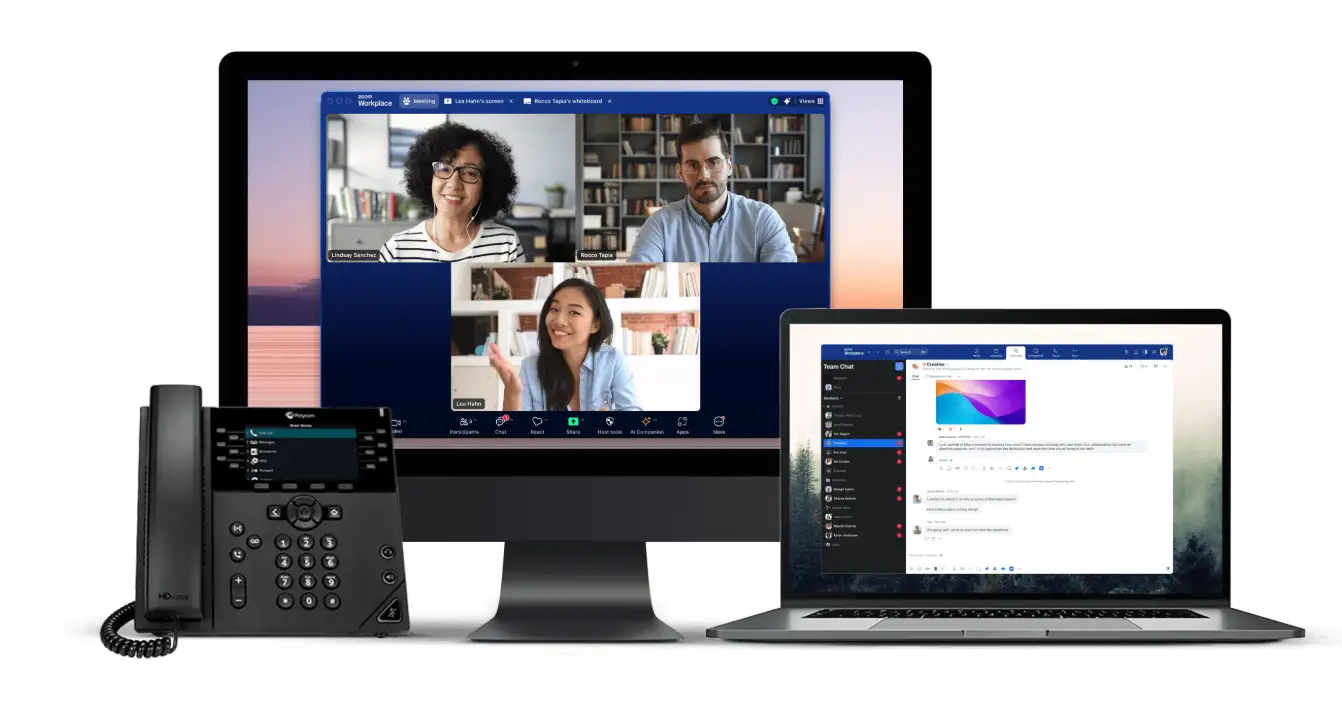
For a small team that already lives in Zoom for meetings, Zoom Phone is the logical extension. It adds business phone numbers, call routing, voicemail, and call recording to the same platform you’re already running. No new app to install, no new login to manage.
The desktop and mobile apps handle calls, meetings, and chat in one unified interface. For a remote or hybrid team, this eliminates the cost and friction of maintaining a separate phone provider alongside Zoom.
Why we picked it
If your business already pays for Zoom, the incremental cost to add Zoom Phone is the most efficient path to a professional phone presence. Everything works together because it already does.
What you’ll get from Zoom Phone communications
- Business phone numbers and extensions.
- Call routing, voicemail, and call recording.
- Integration with Zoom Meetings and Chat.
- Desktop and mobile apps.
- Scalable plans for different team sizes.
Starting from: Plans vary — check Zoom review for current pricing.
5. Online Invoicing
If accounting feels like too much overhead for where your business is today, a dedicated invoicing tool is a perfectly valid starting point. The tools below let you create professional invoices, accept card payments, and track who owes you – without the full accounting commitment.
Square – Best Free Invoicing for Getting Started
Square’s invoicing costs nothing monthly. You pay only a processing fee when a client actually pays you. For a sole trader sending 5–10 invoices a month, this is the most cost-effective starting point in the market.
The invoices look professional, the payment experience is clean for clients, and Square connects to its own POS system if you also take in-person payments. For a business that operates across both online and physical sales, the integrated Square ecosystem removes the need for a separate payment terminal.
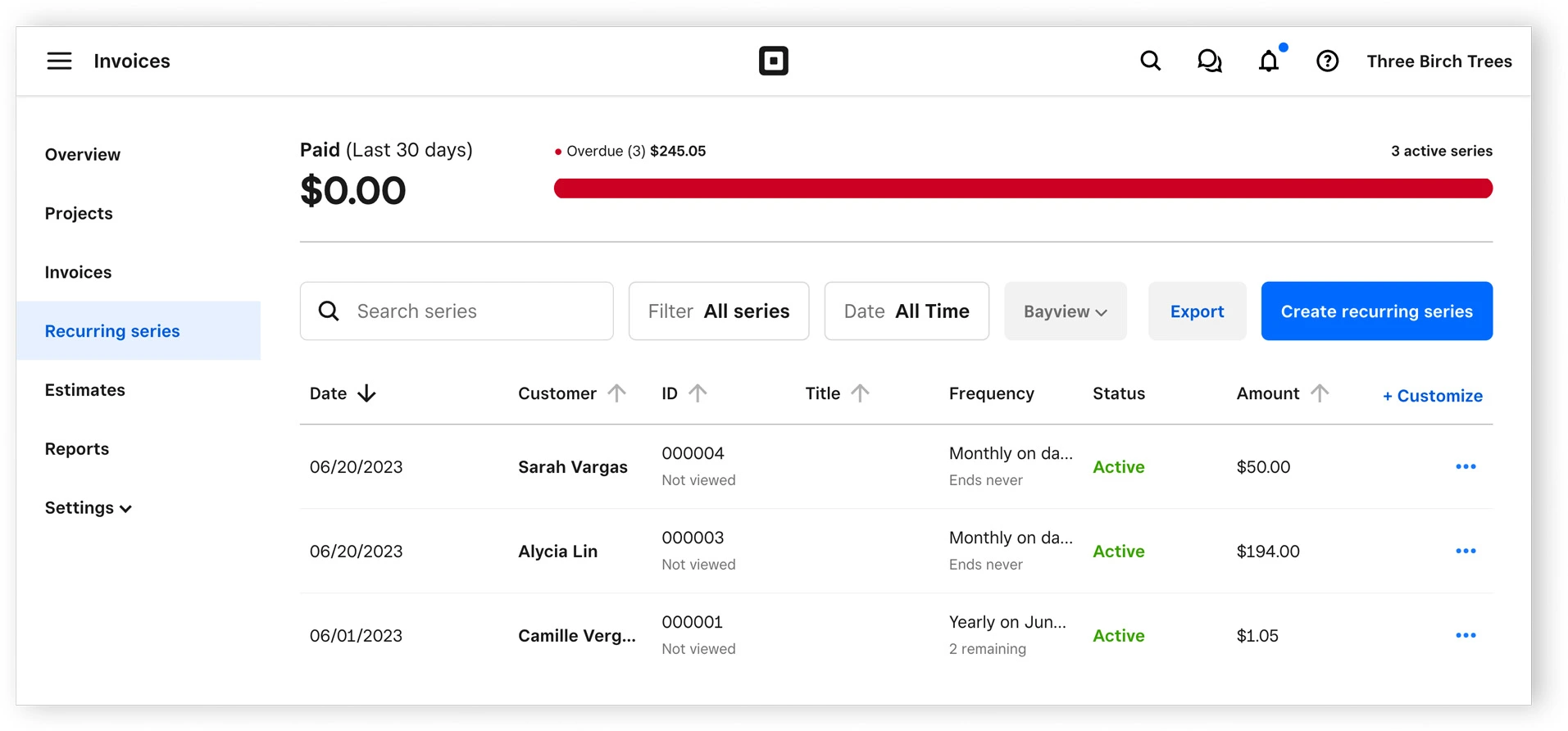
Why we picked it: Zero monthly cost, real payment processing, and an interface anyone can master in one session. For a business that needs to start invoicing today, Square removes every barrier.
Starting from: $0/month + processing rates
HoneyBook – Best for Freelancers Who Need Contracts and Invoicing Together
HoneyBook sits at the intersection of CRM, invoicing, and contracts in a single workflow. When a new client inquiry arrives, you send a proposal, get a contract signed, and collect a deposit – all from one thread without switching tools.
The client portal gives customers a professional home base to view their project status, sign documents, and pay – without email threads bouncing back and forth.
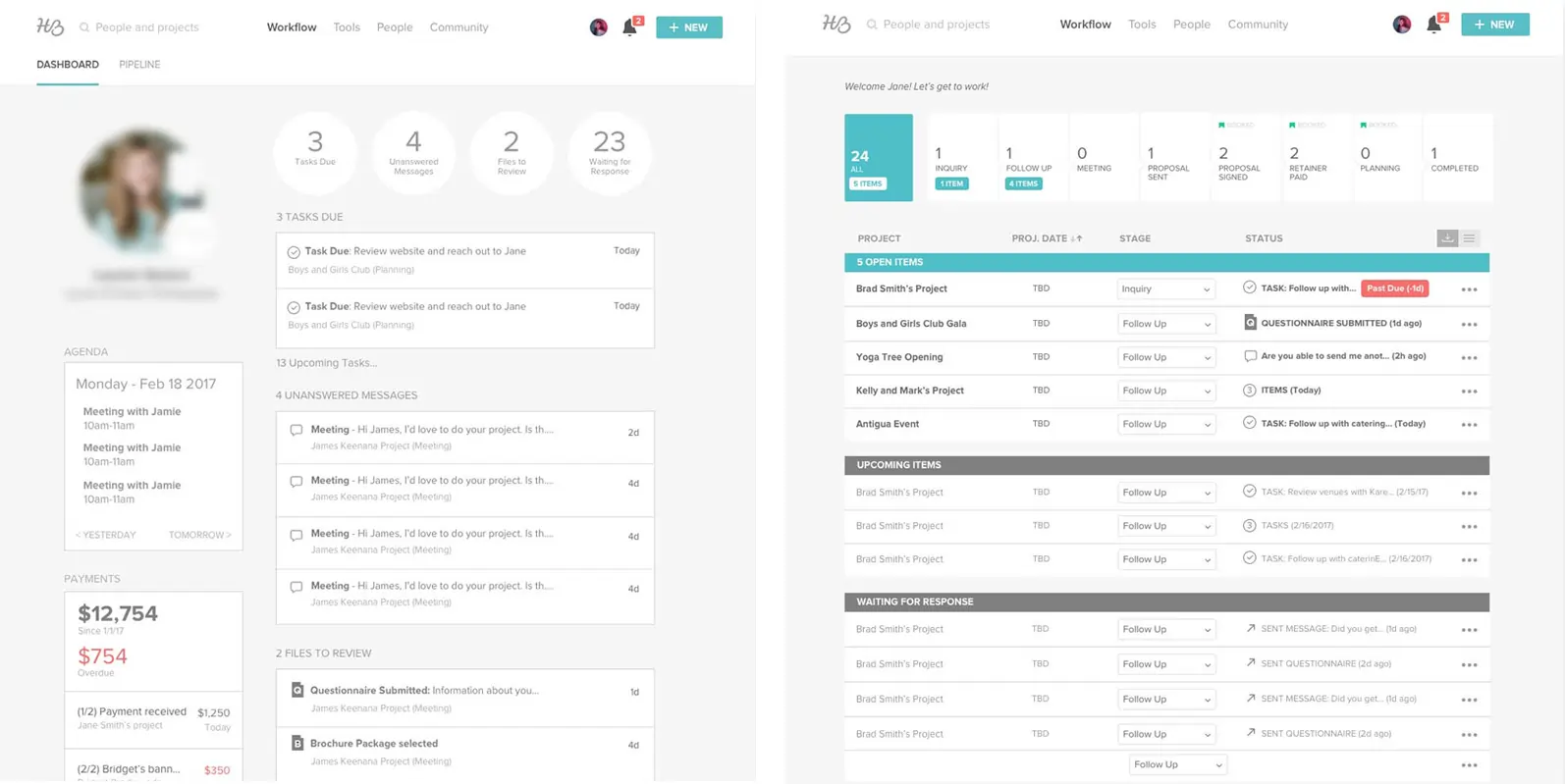
Why we picked it: It replaces 3–4 separate tools (proposal software, e-signature, invoicing, light CRM) for $29/month. For a solo creative or service provider, that consolidation saves real money and eliminates real friction.
Starting from: $29/month | 60-day money-back guarantee
6. Project management tools
Project management software helps you plan, track, and deliver on time. It keeps tasks, deadlines, and team communication in one place.
Who it’s for
SMBs who manage multiple projects, campaigns, or client deliverables.
What to look for
- Views: Lists, boards, calendars, timelines.
- Automation: Reduce manual updates and status checks.
- Collaboration: Built-in chat, comments, and file sharing
- Templates: Save time with reusable project structures.
- Scalability: Fits small teams but grows with you.
ClickUp — Best All-in-One for Sole Traders and Small Teams
ClickUp is the one tool in this guide that genuinely earns the “replace everything” claim. Tasks, documents, goals, time tracking, chat, and whiteboards live inside a single workspace. For a small business currently juggling Google Docs for notes, Trello for tasks, Slack for conversations, and a calendar for deadlines — ClickUp consolidates all of it.
The free plan is the most generous in the category: unlimited tasks and members, built-in docs, and the core views (list, board, calendar, Gantt) are all included. A team of 1–5 can run their entire operation on the free plan indefinitely.
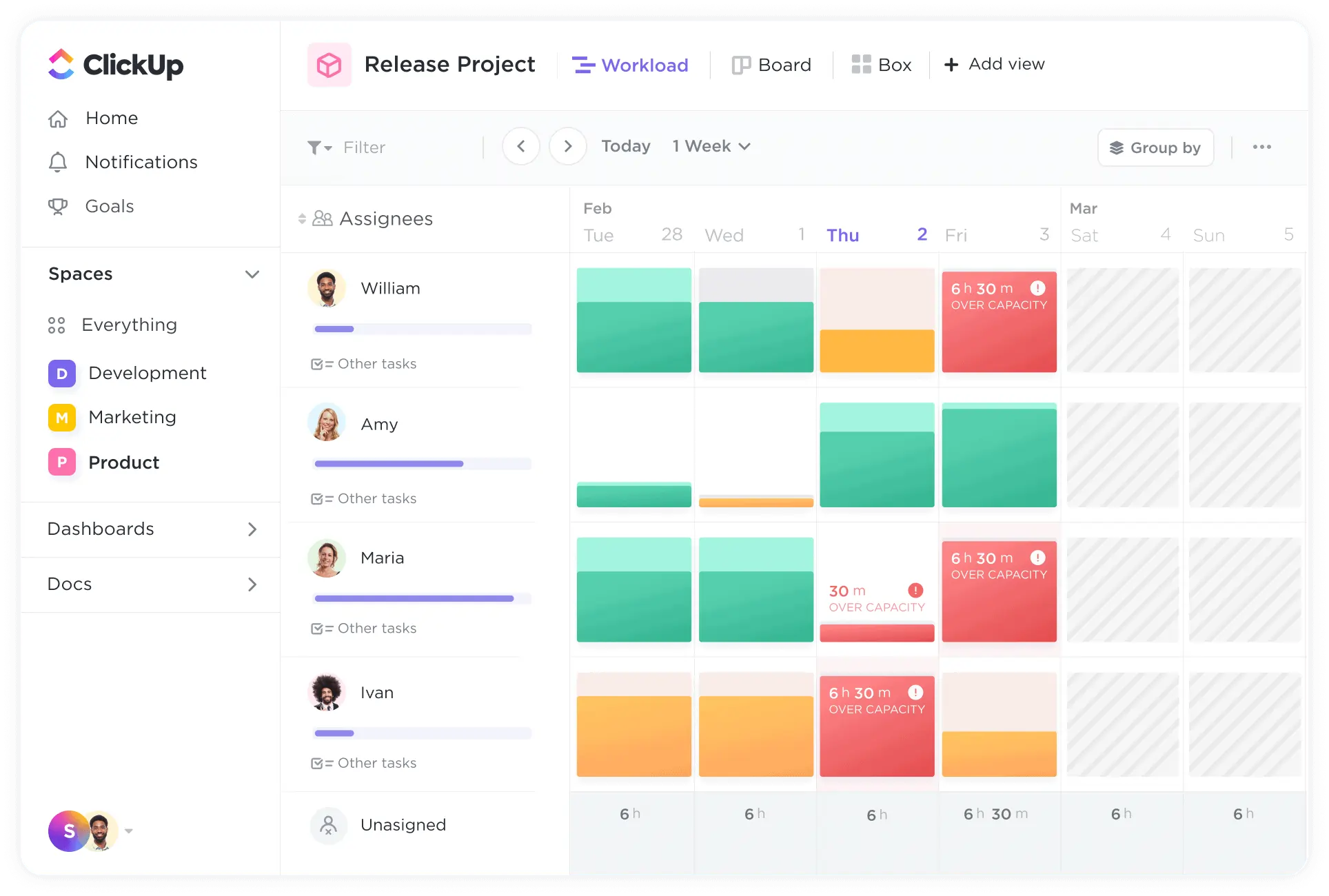
ClickUp Brain, the AI assistant built into the workspace, summarizes project threads, generates task lists from meeting notes, and drafts status updates from your completed tasks. For a sole trader who handles their own admin, this is the difference between spending 20 minutes on a Friday status email versus clicking one button.
Why we picked it
The free plan alone is more capable than the paid plans of several competitors. ClickUp reduces the number of other tools you need rather than adding to them.
Where it falls short: The number of customization options can be overwhelming. We recommend starting with one project before exploring the full feature set.
What you’ll get from ClickUp project management
- Multiple task and project views.
- Built-in docs and goal tracking.
- Automations to save time on routine work.
- Integration with popular apps.
- Customizable workflows.
Case Study: Content Agency, 4 People
Tal runs a content agency with himself and three part-time contractors. Work was scattered across Google Docs, email threads, and a shared Notion. Onboarding new contractors took two full days.
After migrating to ClickUp: every client has a dedicated Space with content calendar, brief, feedback notes, and asset links. New contractor onboarding dropped from two days to three hours. Client check-in calls went from weekly to bi-weekly because clients can now see project status without asking.
Monthly cost for 4 users on paid: $28/month total — replacing four separate tools.
monday.com — Best for Visual Teams Who Need Immediate Adoption
monday.com is the choice when the team’s primary requirement is “we need to actually use this.” The color-coded boards, drag-and-drop cards, and 200+ ready-made templates make it the most immediately intuitive project management platform available. No training session required.
The automations — zero code — handle recurring tasks, status notifications, and deadline reminders. The integration with Zoom, Slack, and Google Drive means it slots into any existing communication setup cleanly.
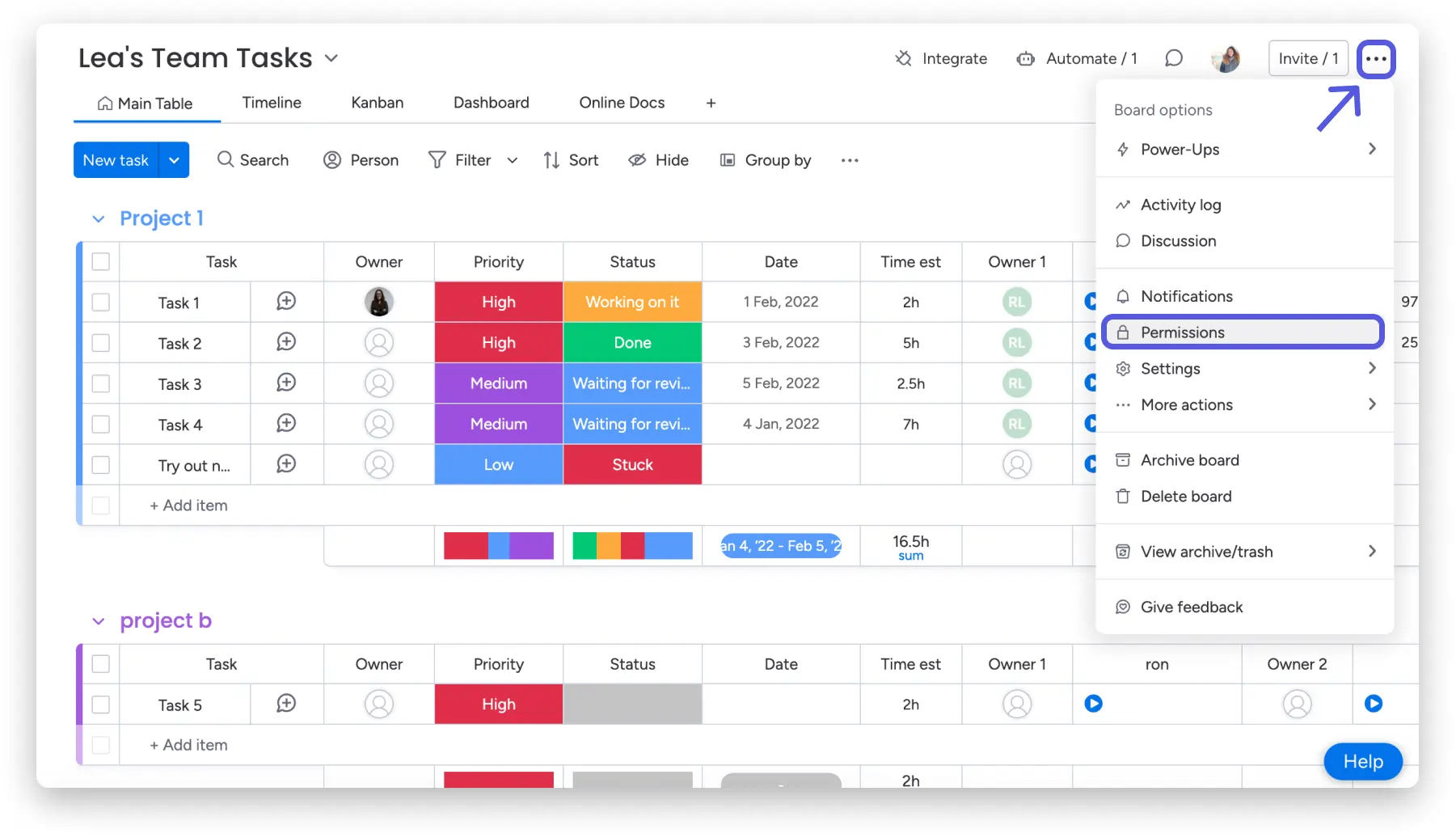
Why we picked it:
A tool nobody uses delivers zero value. monday.com gets used, even by the team member who resists every new tool.
Starting from: $9/month/user | 14-day free trial
7. Point of sale (POS) systems
A POS setup is more than just a cash register—it’s how you process in-person sales, track inventory, and keep records for reporting and tax purposes.
Who it’s for
Retailers, restaurants, and service businesses that take on-site payments.
What to look for
- Ease of checkout: Speed and simplicity at the counter.
- Inventory tracking: Real-time counts and alerts.
- Industry-specific features: Menus, modifiers, and loyalty programs.
- Hardware compatibility: Works with your preferred devices.
- Integration: Syncs with accounting and e-commerce tools.
Lightspeed — Best for Retail and Hospitality Businesses
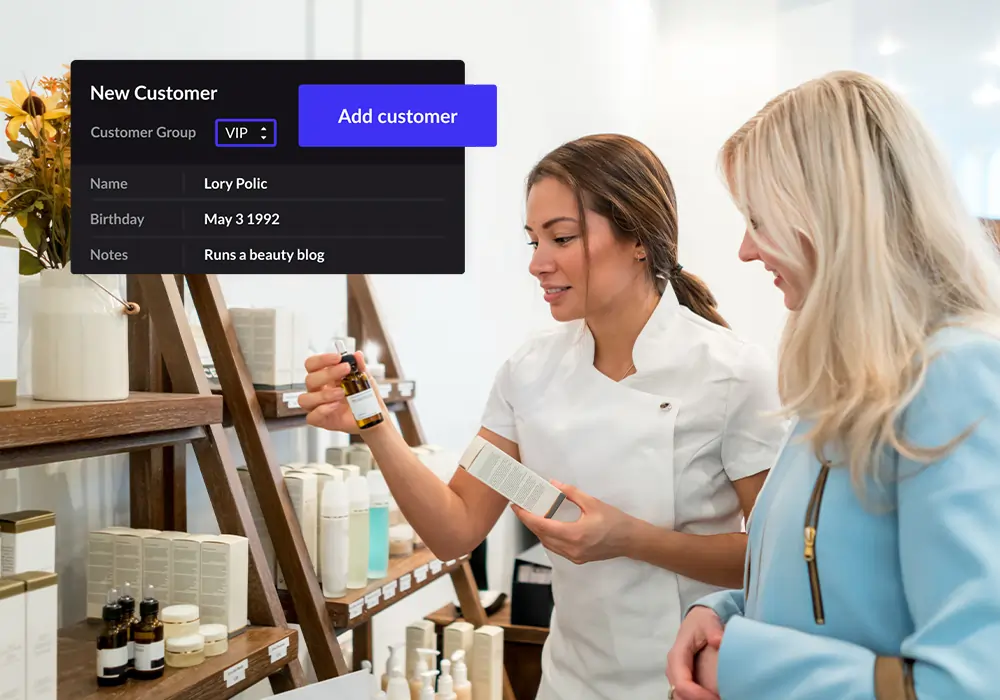
Lightspeed offers a cloud-based POS with built-in inventory, analytics, and industry-specific features for retail and hospitality.
Lightspeed is a cloud-based POS built specifically for the complexity that retail and hospitality businesses face: variable inventory, table management, modifiers, loyalty programs, and multi-location management. It goes beyond processing a payment — it’s an operational platform for businesses where the checkout moment is only one part of a complex service flow.
The real-time inventory tracking updates across locations as sales happen. The analytics surface which products move, which don’t, and when your peak demand occurs. For a small retailer or restaurant owner who currently makes inventory decisions from gut feel, this data changes the quality of every buying decision.
Why we picked itֿ
It combines fast, reliable checkout with the management tools a product-based or hospitality business actually needs to operate — not just transact.
What you’ll get from Lightspeed POS
- Fast, intuitive checkout process.
- Real-time inventory tracking.
- Sales and performance reporting.
- Loyalty program options.
- Cloud access for multi-location management.
Square — Best Free POS for Service Businesses
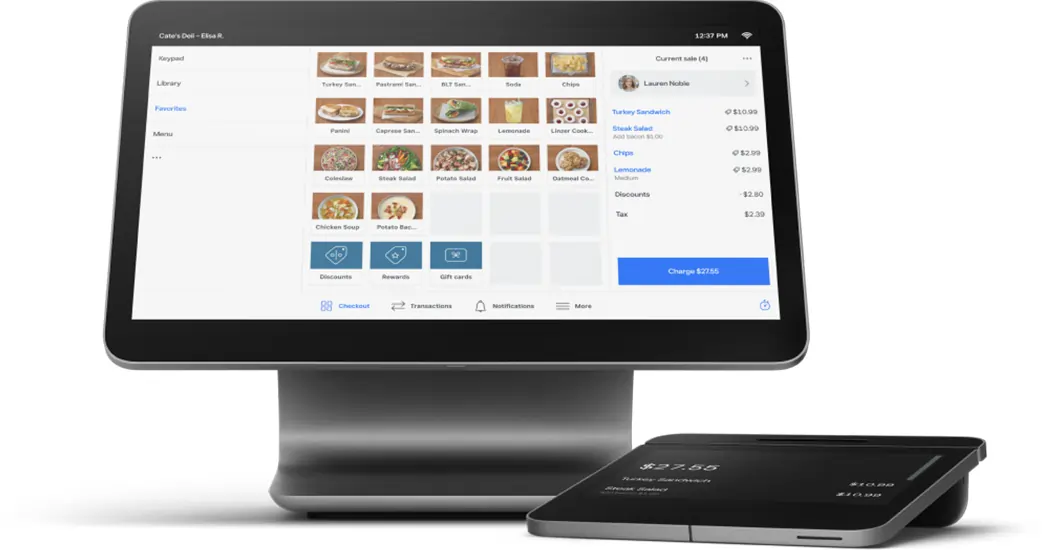
For service-based businesses — salons, spas, personal trainers, therapists — Square Appointments combines scheduling, POS, and payment processing in one free platform. Clients can book online, staff see their schedule, and payments process at checkout through the same system. No integration required.
The free plan covers one staff member with unlimited appointments and services. For a sole trader in a service business, this is genuinely all you need.
Starting from: $0/month (Free for individuals) | Paid from $29/month for teams
8. CRM Software
A CRM keeps track of every customer and lead, helping you manage relationships, follow-ups, and sales pipelines.
Who it’s for
SMBs that want a clear view of their customer base and sales process.
What to look for
- Pipeline management: Easy drag-and-drop deal tracking.
- Automation: Reminders, follow-ups, and task creation.
- Reporting: Sales performance and forecasts.
- Integrations: Works with marketing, accounting, and support tools.
- Ease of use: Minimal training required for your team.
monday CRM — Best Visual CRM for Sales and Project Management in One
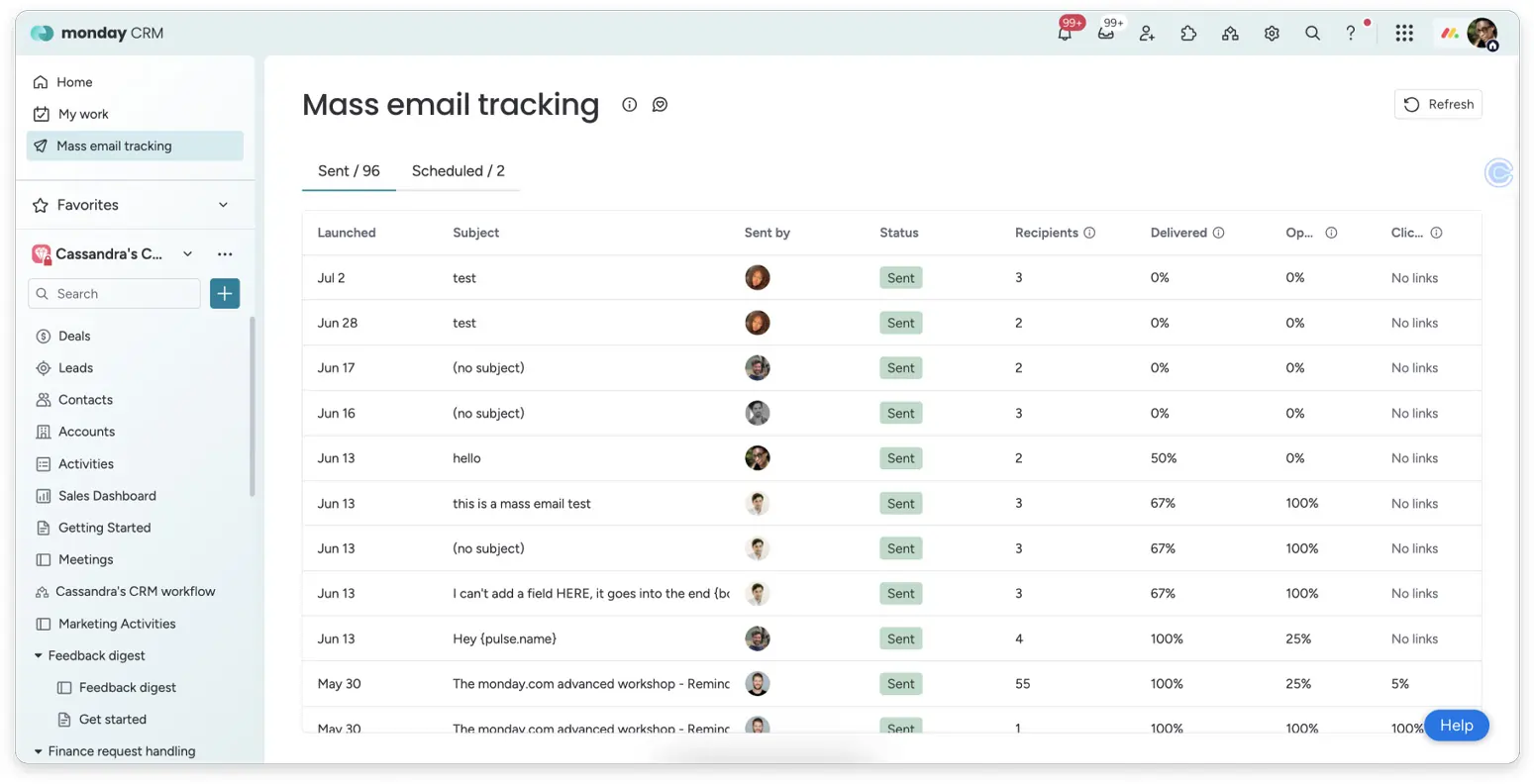
monday CRM takes the visual clarity that monday.com is known for in project management and applies it to the sales pipeline. The result is a CRM that feels natural to teams already using monday.com — or to any team that finds traditional CRM interfaces too rigid.
Deal tracking, contact management, email sync, automation, and reporting all work from the same colorful, drag-and-drop interface. For a business that manages both client relationships and project delivery, running both in monday keeps data in one place and eliminates the handoff between “sale closed” and “project started.”
Why we picked itֿ
It’s flexible, easy to set up, and works for teams that need both CRM and light project management.
What you’ll get from monday.com CRM
- Visual sales pipelines.
- Customizable fields and dashboards.
- Automation for follow-ups and task creation.
- Reporting on deals and performance.
- Integrations with key SMB tools.
HubSpot — Best Free CRM for Small Teams
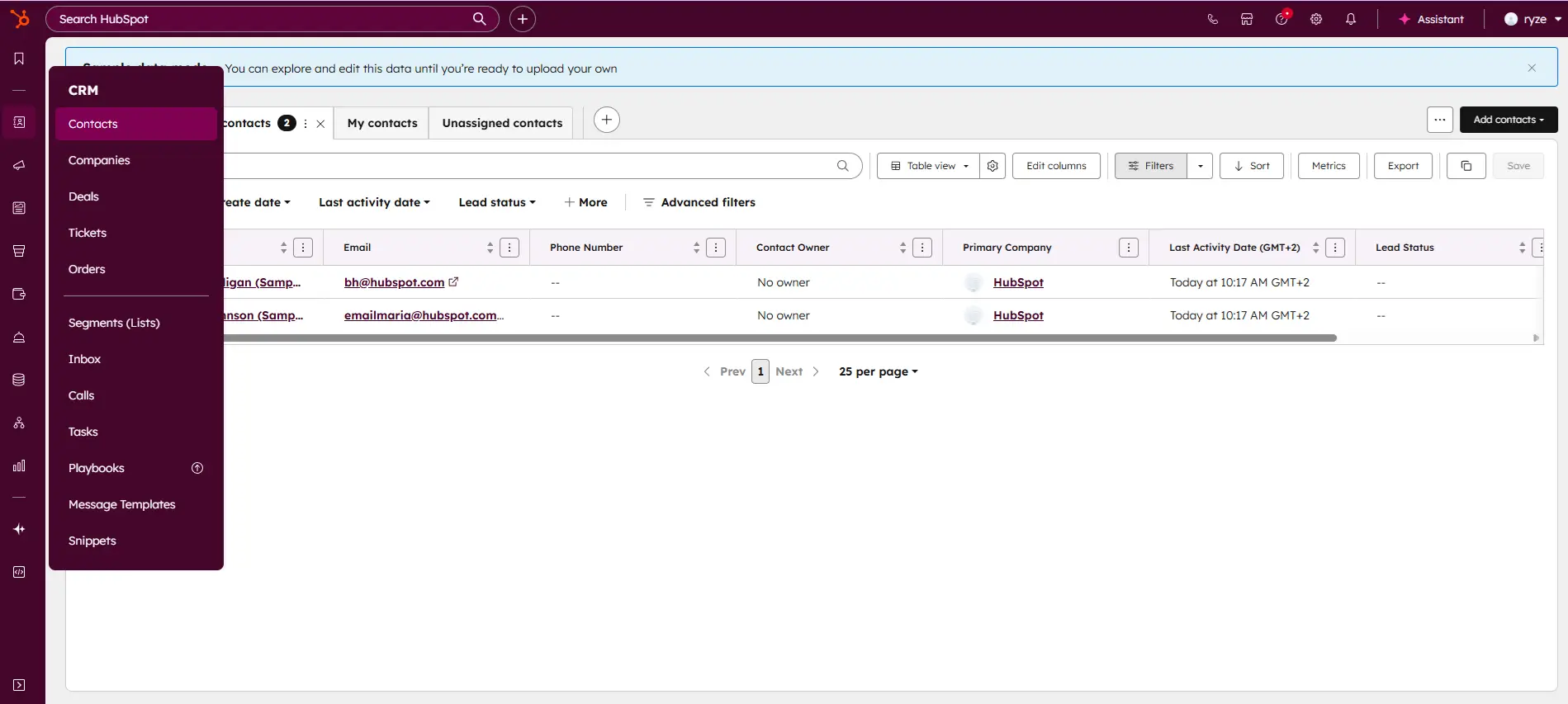
HubSpot’s free CRM is the single most underused tool in a small business owner’s toolkit. Contact management, deal pipelines, email tracking, meeting scheduling, and email templates — permanently free, not a trial.
The feature that changes daily behavior is email tracking. When you send a proposal, you see the moment the prospect opens it and how many times they’ve returned to it. That information tells you exactly when to follow up. When someone has opened your proposal four times in the last hour, you call — that timing converts.
The CRM also maintains itself. Connect Gmail or Outlook and every client email is automatically logged on the contact record without any manual input.
Why we picked it:
Best free product in the CRM category by a meaningful margin. Works out of the box for a sole trader or small team, and the free tier doesn’t expire.
Where it falls short:
Automated email sequences are locked behind paid plans, which jump significantly from the free tier. Once you need workflow automation, Pipedrive often offers better value for a sales-focused team.
Starting from: $0/month | Paid from $15/month/seat
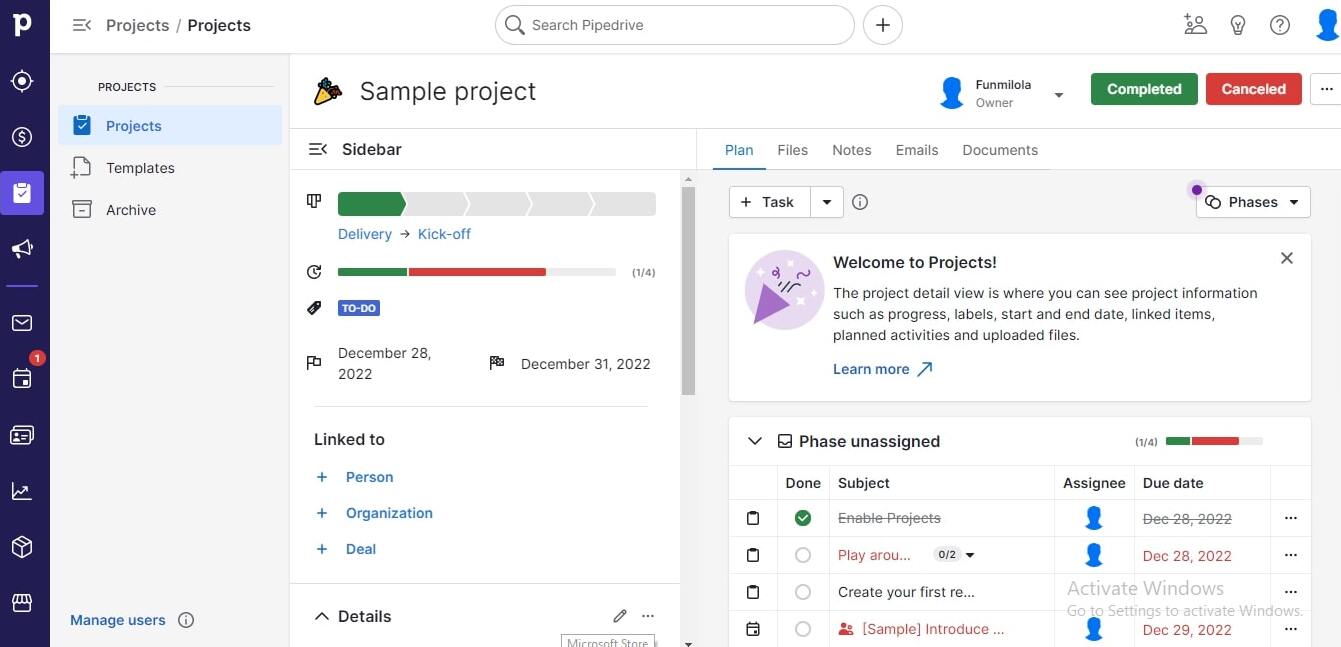
Pipedrive — Best for Sales-Focused Small Businesses
If closing deals is the core activity of your business, Pipedrive is the better CRM over HubSpot. Built from the ground up as a sales pipeline tool, the visual pipeline and AI Sales Assistant — which surfaces deals going cold, contacts overdue for follow-up, and stage bottlenecks — give a sole trader managing 15–20 active deals the intelligence of a second brain.
Starting from: $14/month | 14-day free trial
9. Email Marketing
Mailchimp — Best General-Purpose Email Tool to Start
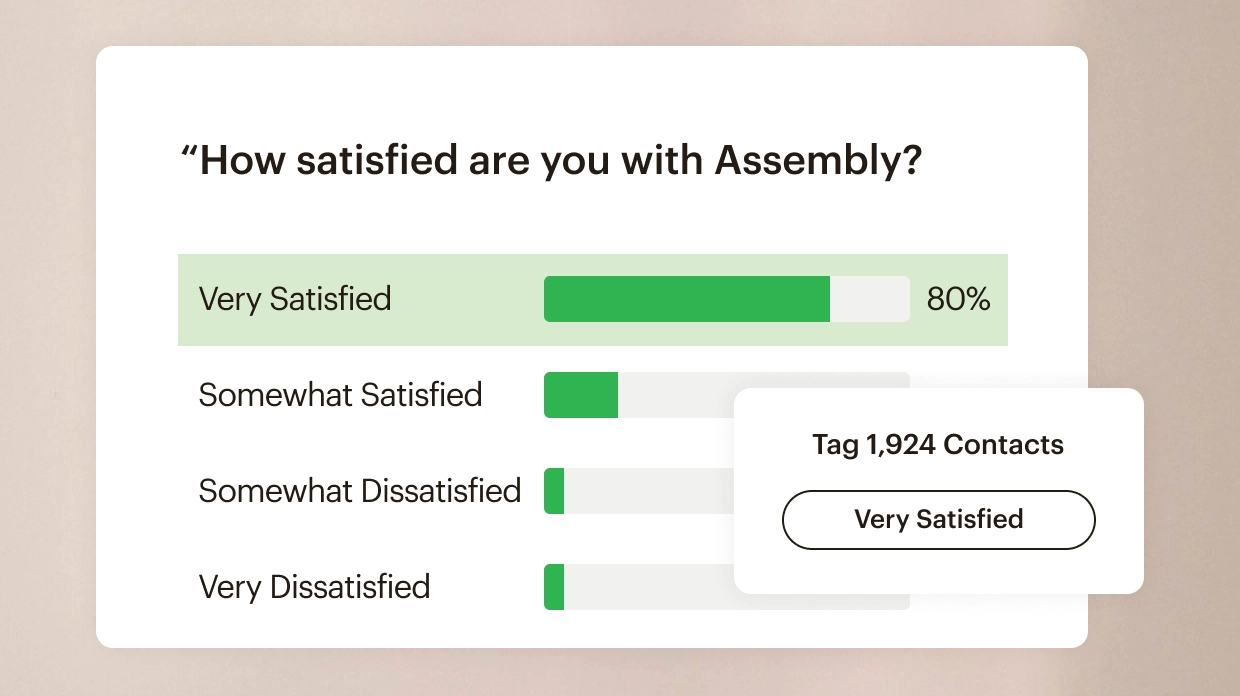
Mailchimp’s free plan covers 500 contacts and 1,000 sends per month — more than enough for a business building its first email list. The Customer Journey Builder lets you map a complete welcome sequence in about an hour, and it runs forever without any ongoing work.
Why we picked it:
It’s the standard for a reason. Deliverability is strong, integrations are the deepest in the category, and the free plan lets you start real email marketing without financial commitment.
Where it falls short:
At 5,000 contacts, you’re paying $75/month. That’s when Brevo makes more sense.
Starting from: $0/month | Paid from $13/month
Brevo — Best Value When Your List Grows
Brevo charges by emails sent, not by contact list size. You can store unlimited contacts on all plans and pay only for what you actually send. For a business with a large list it emails once a month — 5,000 people monthly — Brevo costs approximately $9/month. The same operation on Mailchimp costs around $75/month.
Brevo also includes SMS and WhatsApp marketing from the same dashboard, AI send-time optimization, and a transactional email API for automated system emails like receipts and booking confirmations.
Why we picked it:
The pricing model is structurally fairer for small businesses. Most email marketing tools penalize you for building a large list. Brevo doesn’t.
Starting from: $0/month (300 emails/day free) | Paid from $9/month
Case Study: Local Fitness Studio, 3 People
A fitness studio with a 3,400-person email list was paying $52/month on Mailchimp for two monthly sends. After switching to Brevo: $9/month. Same deliverability, same open rates. The $43/month savings funded an upgrade to their booking tool.
Constant Contact — Best for Simplicity and Real Phone Support
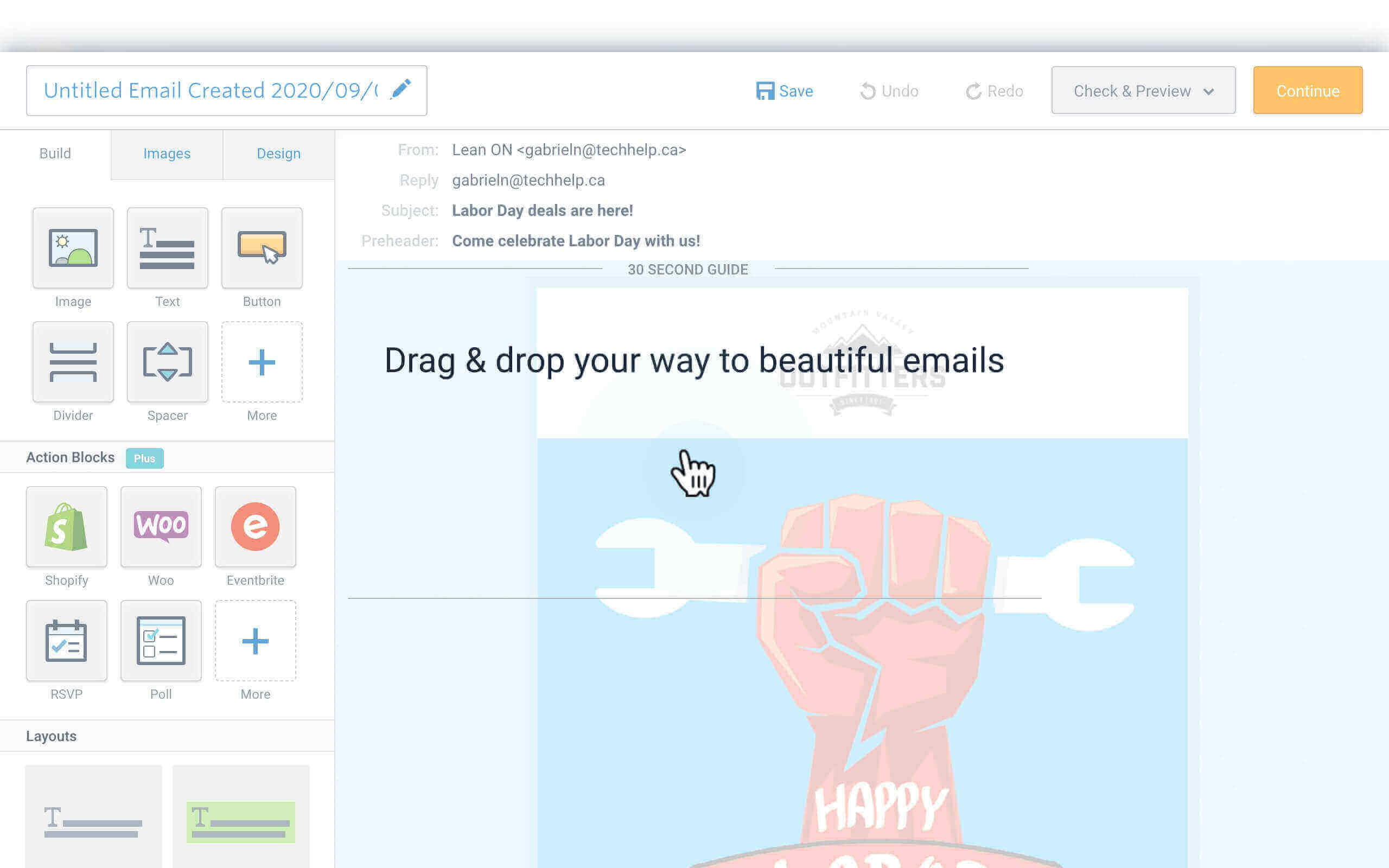
Constant Contact differentiates on two things: phone support on all paid plans (rare in email marketing), and native event management — sell tickets, manage registrations, and send event reminders from the same platform you use for newsletters. For a business running workshops or events, this eliminates a separate ticketing tool entirely.
Starting from: $12/month
10. Scheduling Software
Calendly — Best for Eliminating Scheduling Back-and-Forth
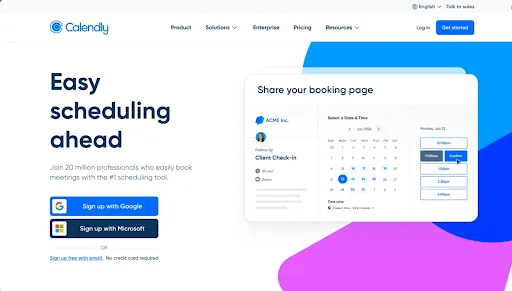
Every sole trader who has discovery calls, consultations, or client meetings should have a Calendly link. The free plan allows one event type with unlimited bookings. You send the link. The prospect picks a time from your real availability. A Zoom link is generated automatically. Both calendars update. Done.
The paid plan connects to HubSpot CRM — when a prospect books, their contact is created or updated automatically. For a sole trader running the entire sales process alone, this removes the administrative layer from client acquisition almost entirely.
Why we picked it:
The free plan is complete for a sole trader with one primary meeting type. The paid plan at $10/month returns its cost in the first week.
Starting from: $0/month | Paid from $10/month
Case Study: Executive Coach, Solo
An executive coach was spending 90 minutes per week back-and-forth scheduling calls across email and WhatsApp. After setting up Calendly with two event types, scheduling overhead dropped to near zero. Adding the Calendly link to her email signature also improved cold outreach conversion — prospects could book immediately rather than waiting for a response.
Zoho Bookings — Best Free Scheduling for Multi-Service Businesses
Zoho Bookings has the most generous free plan in the scheduling category: customizable booking page, calendar sync (Google, Outlook, Zoho), automated reminders, and basic payment collection at no cost.
For a service business with multiple offering types — “30-minute consultation” vs. “full session” — each service can have its own duration, price, availability window, and confirmation message. For a solo therapist, trainer, or hairstylist, this granularity matters.
Starting from: $0/month | Paid from $6/month/user
HubSpot Scheduling — Best for Teams Already in the HubSpot Ecosystem
If you’re using HubSpot CRM, the built-in meeting scheduler is the zero-friction option. Every booked meeting automatically creates or updates a contact record and can trigger follow-up sequences — natively, without any Zapier workflow or sync delay.
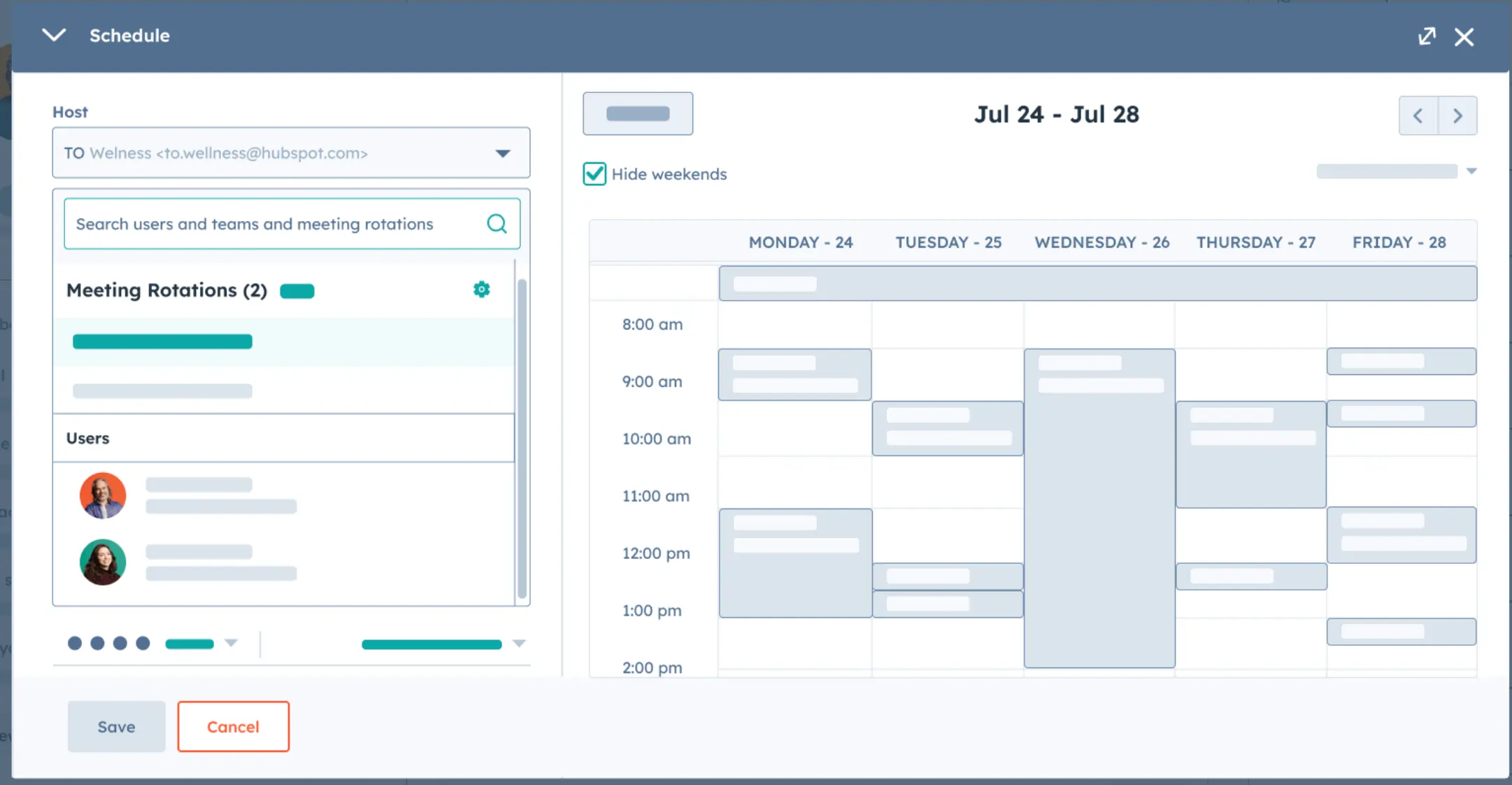
Starting from: $0/month (included with HubSpot Free CRM)
11. Inventory management software
Inventory management tools help you track stock levels, manage orders, and avoid over- or under-ordering.
Who it’s for
SMBs that sell physical products and need to track inventory across warehouses, retail locations, or online channels.
What to look for
- Real-time tracking: Live stock counts across locations.
- Order management: Purchase orders, sales orders, and returns.
- Integrations: Works with your e-commerce, POS, and accounting tools.
- Reporting: Low-stock alerts and demand forecasting.
- Scalability: Support for growing product catalogs.
Zoho Inventory — Best Value for Product-Based Small Businesses
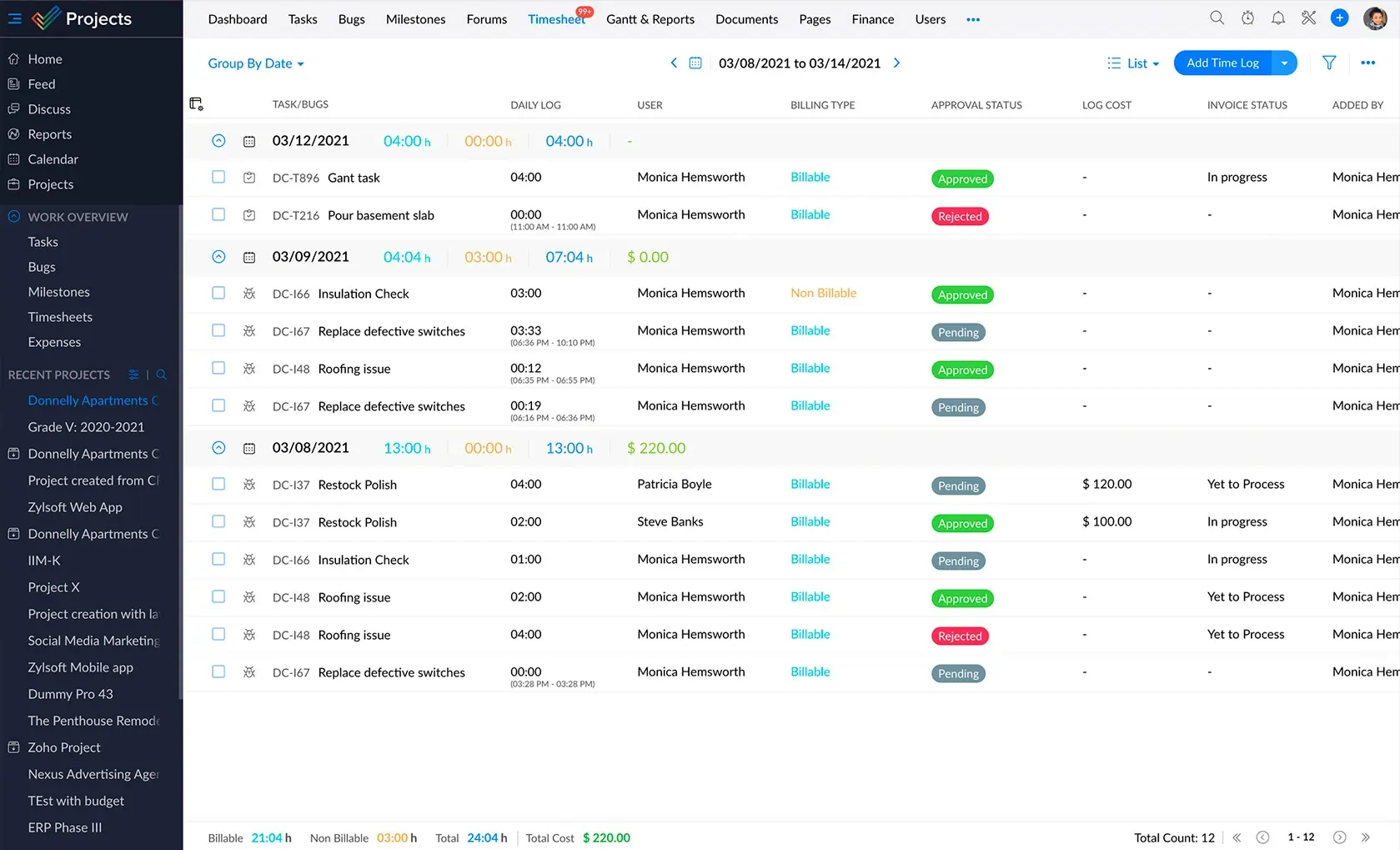
Zoho Inventory delivers cloud-based inventory management — real-time stock tracking, multi-channel selling, purchase orders, and shipping — at pricing that doesn’t punish small businesses for being small. The free plan alone covers the basics that most growing product businesses need in their first year.
The integration with Zoho Books, Shopify, Amazon, and eBay means your inventory counts, orders, and accounting sync automatically across every channel you sell through. For a 2–3 person product business managing stock manually across platforms, this integration alone saves hours weekly.
Why we picked it
It delivers robust features at SMB-friendly pricing, with strong integrations to other business tools.
What you’ll get from Zoho Inventory management
- Real-time stock tracking.
- Multi-channel sales management.
- Automated reorder points.
- Shipping and fulfillment tools.
- Integration with accounting and e-commerce platforms.
Starting from: $0/month (Free plan) | Paid from $29/month
12. Payroll software
Payroll software automates paying employees, calculating taxes, and filing required paperwork.
Who it’s for
SMBs with employees or contractors to pay regularly.
What to look for
- Ease of setup: Guided onboarding for employee details and tax settings.
- Compliance: Automated tax calculations and filings.
- Direct deposit: Fast and secure payments.
- Employee self-service: Access to pay stubs and tax forms.
- Integration: Works with your accounting software.
Paychex — Best Full-Service Payroll for Growing Small Businesses
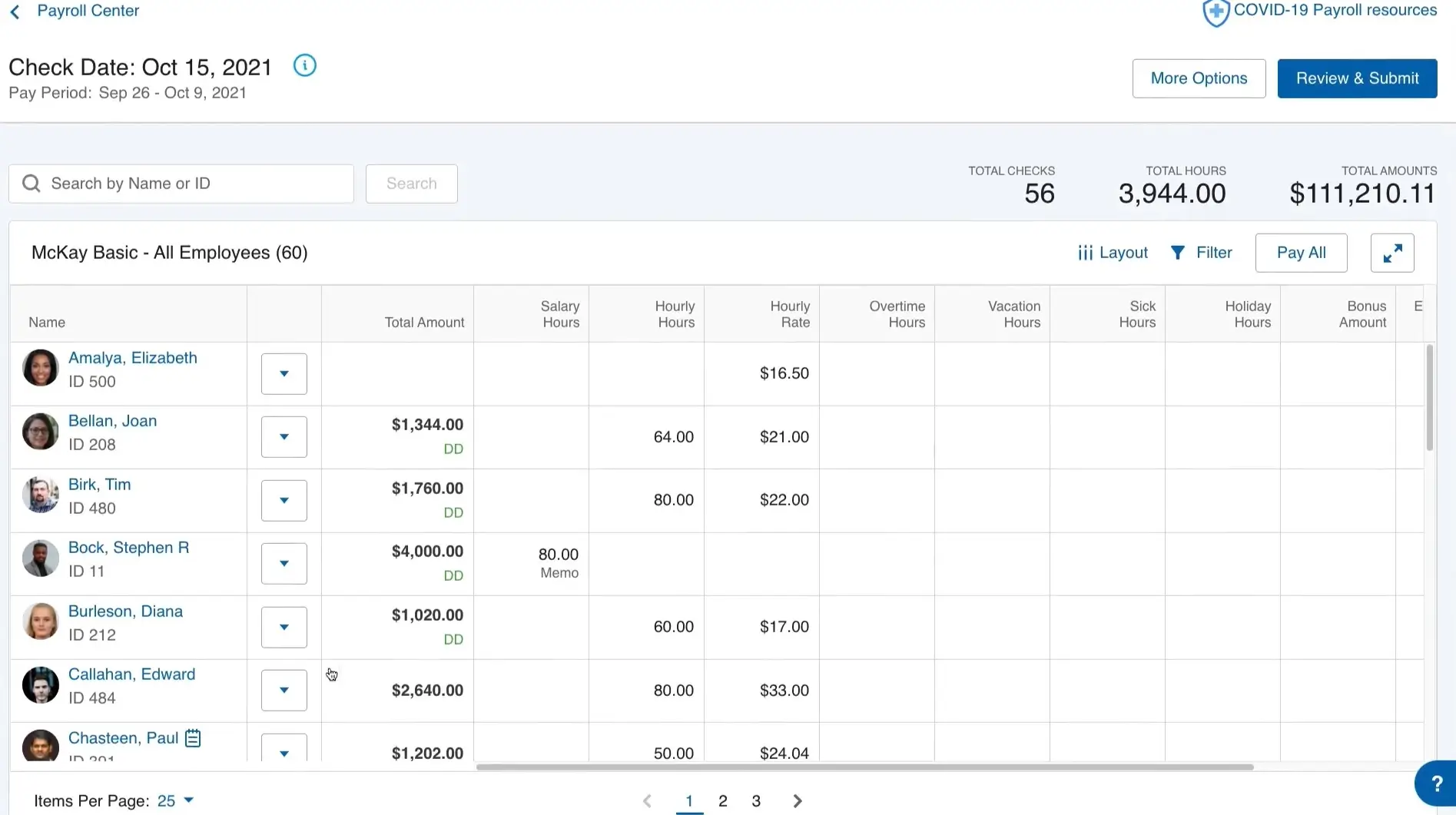
Once you have employees — even one — payroll is the task you most want automated correctly. A missed tax filing or a delayed payment creates regulatory and trust problems simultaneously. Paychex combines payroll processing, tax filings, HR administration, and benefits management in one platform designed to handle the regulatory complexity so you don’t have to.
Automated payroll means employees get paid on time every time, tax calculations and filings happen in the background, and compliance requirements are met without you understanding every detail of employment tax law.
The direct deposit and employee self-service portal means your team can access their own pay stubs and tax documents without asking you — removing a category of administrative interruptions entirely.
Why we picked it
It combines compliance, convenience, and scalability. Paychex grows from a 1-employee operation to a 50-person company without requiring a platform switch.
What you’ll get from Paychex payroll
- Automated payroll and tax filings.
- Direct deposit and employee self-service.
- HR and benefits administration.
- Compliance support.
- Integration with accounting systems.
Related articles






Sonary Booster – The Tool That Manages Your Entire Stack
You’ve just read about a full software stack for a small business. Here’s the problem nobody talks about: most small businesses end up paying for tools they’ve forgotten about, running duplicate tools doing the same job, and missing better-value alternatives that emerged since they last reviewed their subscriptions.
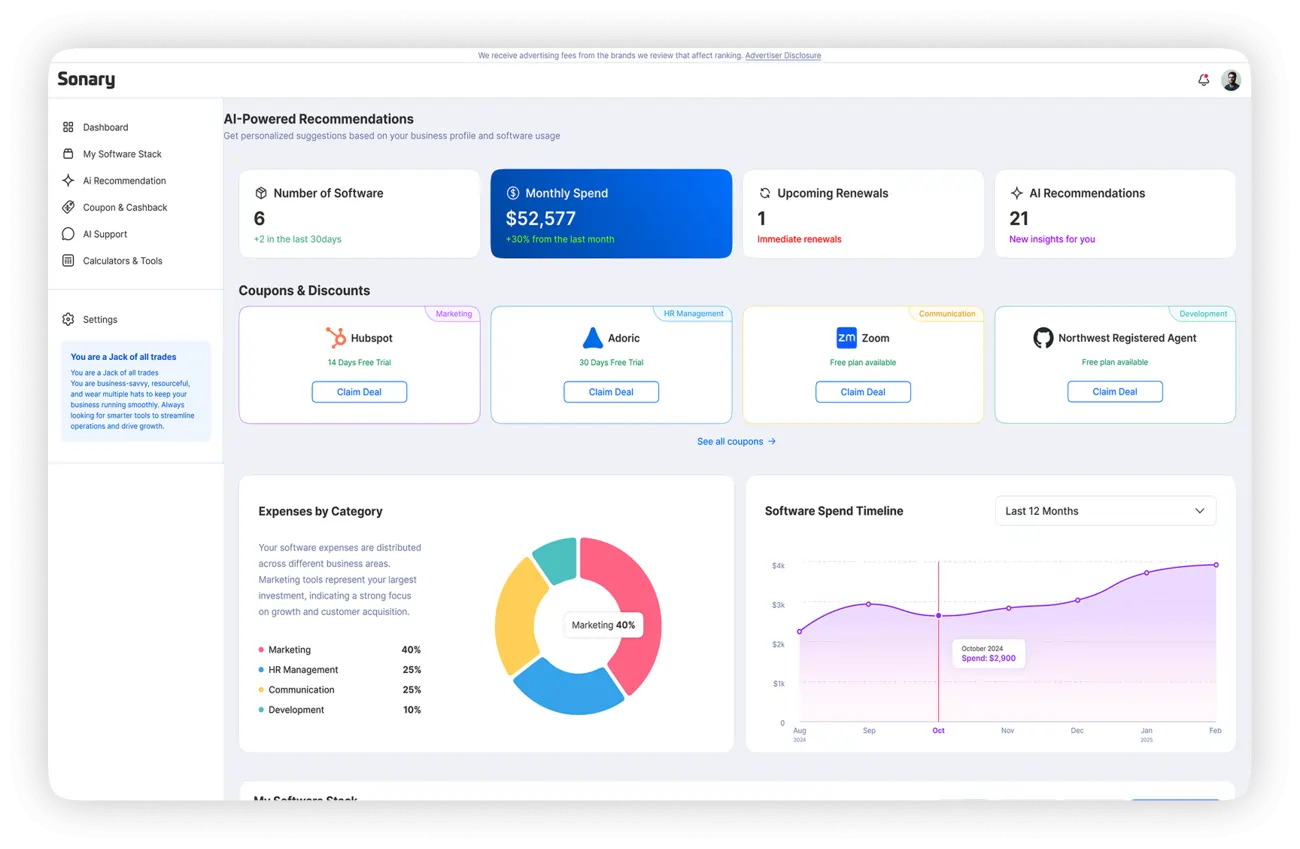
Sonary Booster is a free, AI-powered dashboard that gives you a complete view of every SaaS tool you’re running – what you’re paying, when it renews, where you’re overlapping, and where you could be saving money.
What Booster Actually Does
Booster maps your entire software stack in one dashboard and puts an AI layer on top of it. The AI then surfaces three types of insights:
Overlap detection: If you’re paying for two tools doing the same job – which happens more than you’d think when a team member signs up for something without checking what’s already in use – Booster flags it immediately.
Renewal alerts: Booster notifies you before a subscription renews, giving you a window to decide whether you’re still getting value. Most overspending on software happens on autopilot – tools that were useful 18 months ago, quietly renewing every month.
Better alternatives: The AI matches your current stack against the Sonary database to surface options that deliver more value at lower cost – specific to your actual usage, not generic recommendations.
Why It Matters for a Small Business
The average small business wastes an estimated 20–30% of its SaaS spend on unused or redundant tools. On a $200/month software budget, that’s $40–60 going to tools nobody touches – $480–720 per year that could have gone to growth instead.
One Booster user, Danielle, summarized it: “We found out we were paying for six tools we didn’t even use. Booster made it easy to see what to cut – and what to keep.”
Short-term: Stop the immediate bleeding – trials that converted silently, renewals you didn’t notice, duplicate subscriptions across team members.
Long-term: Stack visibility that scales with your business. As your tool count grows, the management complexity compounds. Booster handles that complexity automatically.
Booster is free. No credit card required, no commitment, no premium tier locked behind a paywall for the core functionality.
→ Try Sonary Booster free at sonary.com/booster
The Recommended Stacks
Bootstrap Stack (Free to Start)
| Category | Tool | Monthly Cost |
| Accounting | Zoho Books | Free |
| Invoicing | Square | Free + processing |
| Website | Wix (free plan) | Free |
| Project Management | ClickUp | Free |
| CRM | HubSpot | Free |
| Email Marketing | Mailchimp | Free |
| Scheduling | Calendly | Free |
| Stack Management | Sonary Booster | Free |
| Total | ~$0/month |
Growth Stack (~$120–160/month)
| Category | Tool | Monthly Cost |
| Accounting | FreshBooks | $7.60 |
| Invoicing + Contracts | HoneyBook | $29 |
| Website + E-com | Wix Core or Shopify | $27–$39 |
| Project Management | ClickUp Unlimited | $7 |
| CRM | HubSpot Starter | $15 |
| Email Marketing | Brevo Starter | $9 |
| Scheduling | Calendly Standard | $10 |
| Stack Management | Sonary Booster | Free |
| Total | ~$105–$117/month |
Bottom line
Your software stack is the backbone of your operations. The wrong tools waste time, drain budget, and frustrate your team. The right ones handle what doesn’t need a human so you can focus on the work that actually moves the business forward.
The tools in this guide were chosen through hands-on testing against one standard: would we recommend this to someone we know starting a business today? The answer for each one is yes — with clear guidance on where each tool fits and where it starts to show its limits.
Start with the Bootstrap stack. Add paid tools only when a specific gap is visibly costing you time or money. Use Sonary Booster to audit your stack every 90 days so costs don’t drift. The goal is a lean, connected stack that fits where your business is now and scales to where it’s going.
FAQ
What software does a small business actually need to start?
At minimum: a way to invoice (Square, free), a way to track clients (HubSpot CRM, free), a scheduling link (Calendly, free), and a project task list (ClickUp, free). Everything else is an upgrade you add when a specific problem appears.
What’s the best free accounting software for a small business?
Zoho Books offers the best free plan – bank feeds, unlimited invoicing, and reporting at zero cost for businesses under $50K annual revenue. FreshBooks is a better experience for service providers but costs $7.60/month minimum.
Wix vs. Shopify – which should I choose?
Wix if your site has multiple purposes (services, products, booking, blog) or you need a non-technical person to maintain it. Shopify if selling products is your primary business and you need serious inventory and checkout infrastructure. If unsure, start with Wix. You can migrate to Shopify when volume demands it. See full comparison
Is HubSpot CRM really free?
Yes, permanently. Contact management, deal pipelines, email tracking, meeting scheduling, and Gmail/Outlook integration – all free with no trial expiration. The free tier is genuinely production-ready for a small team.
What’s the difference between Mailchimp and Brevo?
Mailchimp charges by contact list size; Brevo charges by email volume. If you have a large list you email infrequently, Brevo is dramatically cheaper. If you’re starting with under 500 contacts, Mailchimp’s free plan is the easier starting point.
How much should a small business budget for software monthly?
A functional full stack can run for free using the tools in this guide. A professional growth stack runs $100–$160/month. Most businesses overspend by paying for tools they use once a month. Use Sonary Booster to audit your stack regularly.
Do I need a POS system or will Square work?
Square works for most small service businesses and simple retail. If you run a restaurant, multi-location retail, or a business with complex inventory (modifiers, variants, reorder management), Lightspeed offers the operational depth Square doesn’t.
What is Sonary Booster and is it really free?
Sonary Booster is a free AI-powered dashboard that maps your entire software stack, alerts you before renewals, identifies duplicate tools, and recommends better-value alternatives. Free, no credit card required. For a business spending $100+/month on software, it typically identifies savings in the first session.
When do I need payroll software?
The moment you hire your first employee. Payroll tax errors and late filings create regulatory and employee trust problems simultaneously. Paychex handles both the calculations and the filings, so you’re compliant from day one without needing to understand employment tax law.