
Last updated: October 2025
Looka is an AI-powered logo design platform that helps businesses, entrepreneurs, and individuals create professional-quality logos without hiring a designer. It’s known for its easy-to-use interface and affordability, making it popular among startups and small businesses.
Plans & Pricing
* Featured prices can be updated and free offers may include additional terms.
Looka offers flexible, one-time purchase options for its logo packages, so you only pay when you’re happy with the design — no subscription is required just to create or preview logos.
The platform also provides optional upgrade packages, including a Brand Kit, which unlocks a full suite of branding materials like business cards, social media graphics, email signatures, and brand guidelines to ensure a consistent look across all channels.
For businesses that want to establish an online presence, Looka offers additional packages combining the Brand Kit with website tools and templates, helping you launch a complete branded experience.
While the logo package gives you access to your chosen logo in multiple high-resolution file formats (suitable for both web and print), the subscription-based brand services offer ongoing access to editable assets, marketing materials, and new template updates over time.
Expert Score
Pros
- Powerful AI capabilities
- Swift logo generation process
- Covers an expansive range of aesthetics
- User-friendly
Cons
- Limited options for customization
- Expensive if you need a professional’s touch
Customer Support
Looka offers good customer support. However, it depends on your pricing plan. The support types are via phone, email, and live chat, available 24/7 once you subscribe to the Enterprise or Premium plan.
Phone Support
Users can reach customer support at any time via +1(888)-966-0917
They have a dedicated email address; support@looka.com
24/7 Help & Support
Looka offers this support to Enterprise and Premium plan users
FAQ
There is a highly detailed section on Looka's site
Live Online Chat
Available 24/7 with an average response time of 10 minutes
Video Tutorials
Looka has several video tutorials on their YouTube channel
Ease of Use
Looka is easy to use and navigate, even for the minor tech-savvy users. The tool does an excellent job of explaining every step of the process. The whole process is entirely free until the purchase of the final version, so even if you make mistakes, you can start over.
Features & Functionality
Looka offers a range of features specifically designed for logo creation that cater to both experienced designers and those without any design background. Here's a brief overview of the features Looka provides for logo designs:
✅ AI Logo Generator
Looka uses artificial intelligence to generate dozens (sometimes hundreds) of logo options based on your inputs like brand name, industry, and style preferences.
✅ Customization Tools
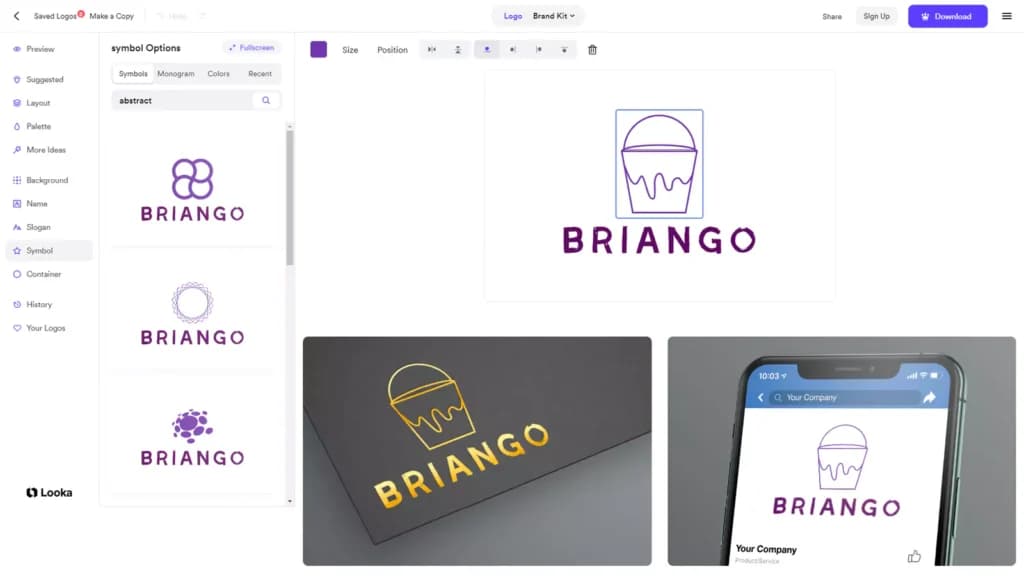
You can fine-tune the logo’s font, colors, layout, icons, and symbols using an intuitive drag-and-drop editor.
✅ Brand Kit (Paid Add-on)
Beyond just the logo, Looka offers a full Brand Kit with ready-to-use assets:
- Business card designs
- Social media templates (Facebook, Instagram, LinkedIn, etc.)
- Email signature designs
- Brand guidelines with fonts and color codes
✅ Multiple File Formats
Download your logo in high-resolution formats, including PNG, SVG, EPS, and PDF, suitable for both web and print.
✅ One-Time Purchase, No Subscription Required
Unlike some platforms, you can buy your logo once without needing ongoing payments (though the Brand Kit has its own upgrade pricing).
These features make Looka a comprehensive tool for businesses looking to quickly and efficiently establish a strong brand identity from logo creation to full brand development.
Let’s explore the features more deeply and understand how they’ll be valuable to your business:
AI-powered Design Suggestions
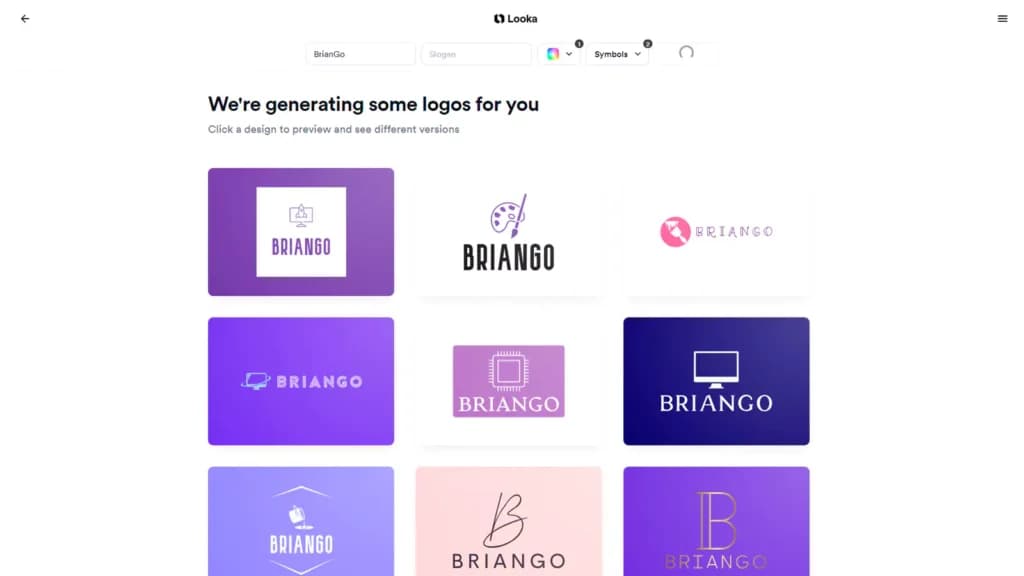
Looka's AI-powered design suggestions simplify the logo creation process by generating designs based on user preferences such as style, color, and symbols. Users start by inputting their business name and selecting visual preferences through a series of questions.
Looka’s AI tools then use this information to produce a variety of logo options, which can be further customized in terms of color schemes, typography, and layout.
This approach helps users quickly find a suitable starting point for their logo, ensuring that the final design aligns with their brand identity.
High Customization of Logo Elements
The Look tools enable users to customize their logos deeply, adjusting everything from color schemes to font styles, ensuring the logo aligns perfectly with their brand identity.
Social Media Kit Creation
The graphic design tool provides tailored logos for various social media platforms, ensuring brand consistency across all digital channels, which is crucial for maintaining a professional online presence.
Brand Kit Development
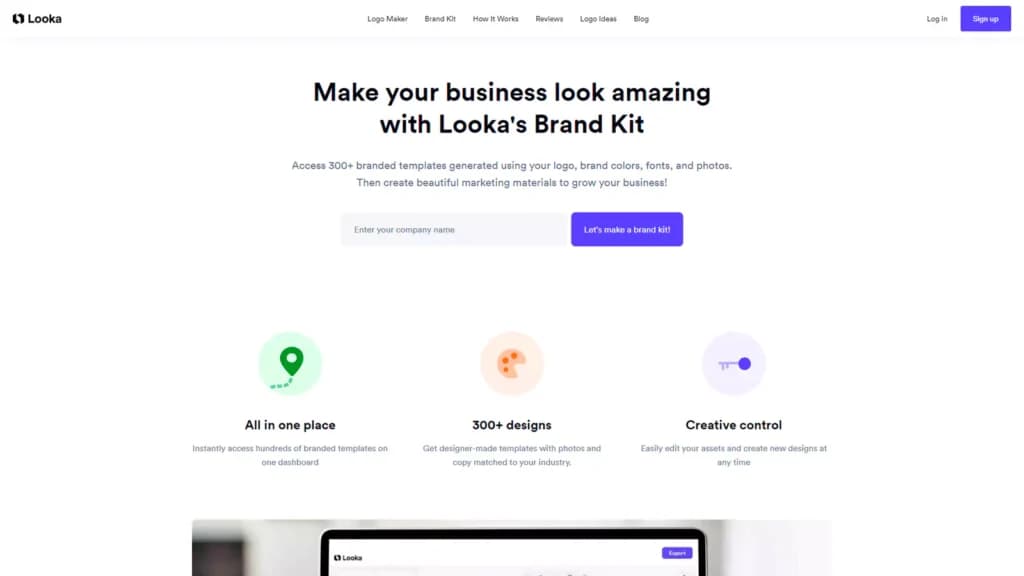
Users can develop a comprehensive brand kit, including logos, color palettes, and typography, which facilitates consistent branding across all business materials.
Full Ownership of Logo Designs
Once a logo is created, users receive full ownership, allowing them to trademark the design and use it indefinitely without further payment.
Vector Logo Files
The Looka tool provides logos in vector format, which are scalable to any size without loss of quality, essential for everything from business cards to billboards.
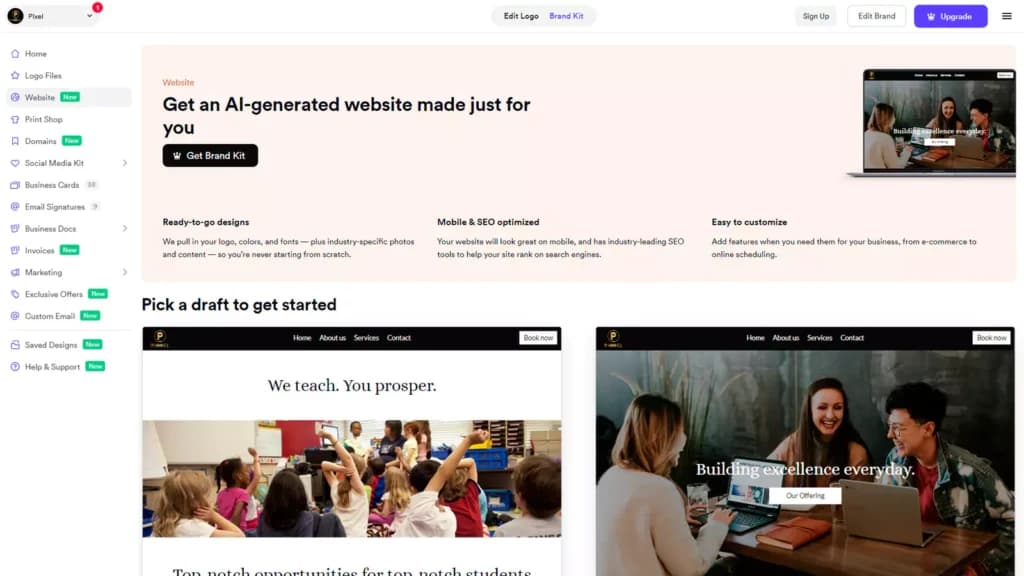
Website Design Tools
Looka extends its graphic design capabilities to website creation, offering users tools to design and launch basic websites that align with their new logo and brand identity. Through Looka’s platform, users can create websites using a drag-and-drop editor that includes features such as SEO tools, mobile-friendly designs, and unlimited storage and bandwidth.
The website creation process is integrated within the Brand Kit, ensuring consistency in branding across all materials. Users can preview different website templates, edit content, and make broad changes to the entire site, such as adjusting color schemes or adding widgets.
Additionally, Looka offers both basic and ecommerce website packages, catering to various business needs from informational sites to online stores
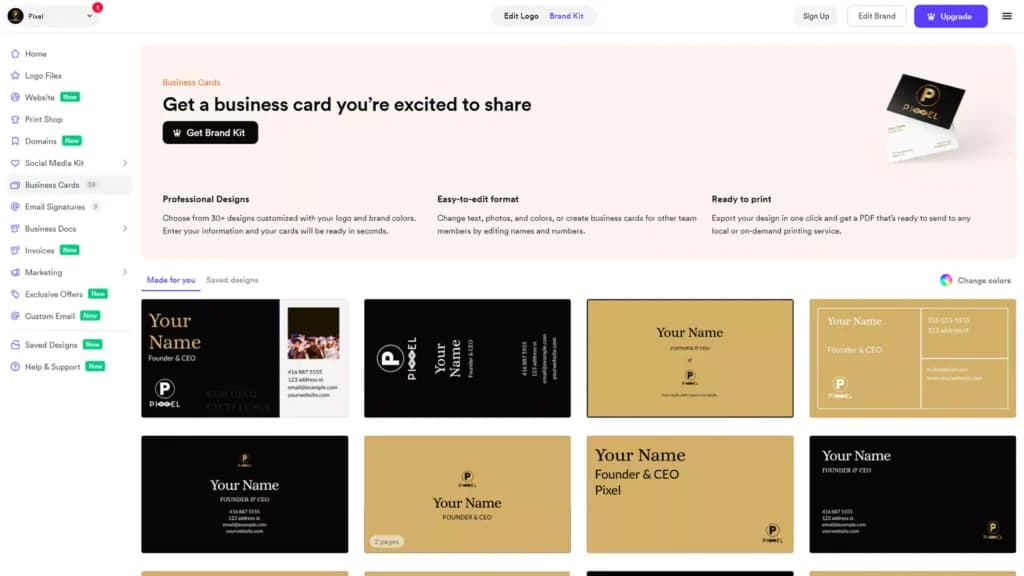
Business Card Designs
The platform also offers business card design tools, making it easy to create professional cards that match the new logo and brand style.
Brand Guidelines Creation
Users can generate brand guidelines, which are critical for maintaining brand consistency as the business grows and as more people work on the brand.
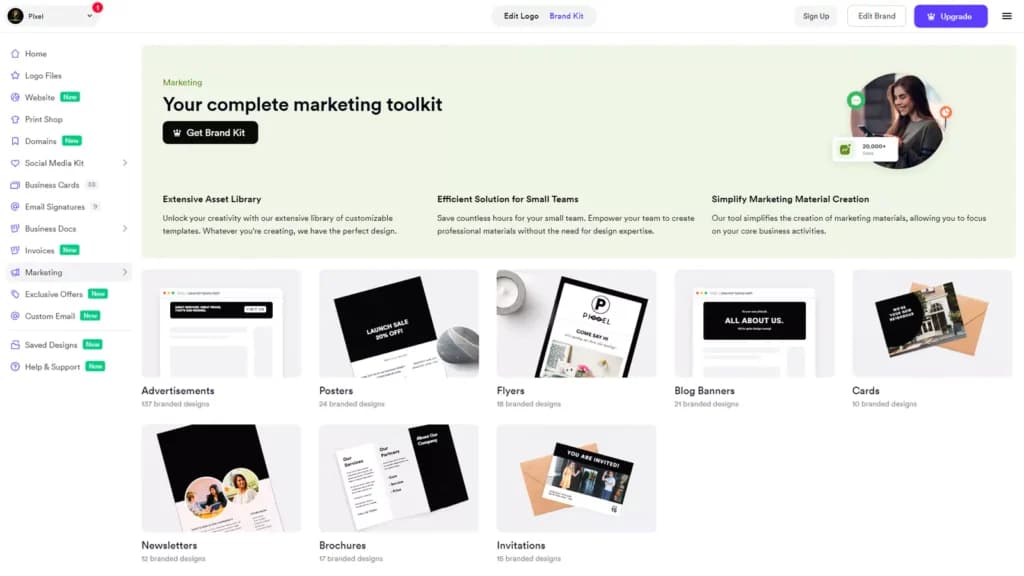
Marketing Materials Creation
The platform allows for the design of various marketing materials, such as flyers, posters, and email signatures, ensuring all promotional content is aligned with the brand’s visual identity.
Portfolio and Experience
When it boils down to design suggestions and variety, Looka is on top. There are over 470 premium fonts, 550,000+ premium symbols, 5,500 color presets, and six layouts to select from. The tool is embedded with helpful tips to understand every product feature; this means you do not need any experience or skill in logo design or branding to create something truly outstanding. The result comes out in a 100% unique symbol and text design.
Design Process
The entire process is quite simple and could take between 30 seconds to 30 minutes to finalize.
See the logo generation steps below:
1. Select your industry
2. Pick five existing logo designs you like.
3. Pick three colors that you like.
4. Type in your company name and slogan.
5. Add five symbols from the list. It is optional and can be done later.
Once this is exhausted, the AI will generate some logo options for you to choose from. When you choose the one you like, you can perfect it by altering the background, layout, font, text, colors, symbol, and size. After this is done, the tool will ask if you would like to receive the logo in various file formats to cover different uses for websites, print advertising, social media, business cards, etc., in any size and four different color variations. To access this, you need the premium plan or higher.
Export high-quality logos ready for various applications.
Who Is Looka Best For?
- Startups and entrepreneurs wanting fast, affordable branding
- Small businesses looking to refresh their visual identity
- Side projects, blogs, personal brands, or event logos
- Anyone without design experience who needs a polished result
Pros and Cons
Pros | Cons |
|---|---|
Easy to use, no design skills needed | AI designs can feel generic or overused |
Affordable compared to hiring a designer | Limited advanced customization options |
Full branding kit available | Not ideal for highly unique or complex logos |
Fast turnaround (minutes, not weeks) | AI can’t match the creativity of a human designer |
Features
- Do it yourself
- Drag-and-drop tool
- Multiple templates
- Multiple design concepts
- High-res file types
- Royalty-free usage
- Professional design experience
- Customer testimonials
- Vector format
- PNG transparent background
Verdict
Looka is a perfect tool that anybody can use to create aesthetically pleasing, high-quality logos quickly at an affordable price. The fact that the logo generation process is free of charge lets users try out or explore several concepts until they find the most suitable fit. This tool is a great way to get started with something you can perfect or customize later.
Users Reviews
Write a review
Leave a review, help others get it right the first time.
5 Reviews
Trey
co-founder
Overall, its worth 4-stars
I gave logo makers in the market a try for my new venture, browsing 3 websites from Looka.com, instantlogodesign.com, and tailorbrands.com All these 3 generated tons of logos instantly after keying in the business name and answering a few simple questions. Looka is among the best of all but the logo editor seems more complicated for those who have no experience with design tools.
- non templated logos, every logo is unique
- logo editor could be improved, learn from instantlogodesign.com
Manny I
Great Support Team
I was very satisfied with how the logo turned out! The process is so simple. I was able to create the logo that I desired. You can also easily dave drafts as you go. The overall process is more cost and time effective than hiring a professional graphic designer, in my opinion. IThe support team was the cherry on top. They helped me immensely and were super responsive to any inquiries I had.
- Highly responsive logo maker/builder. Outstanding templates. Superb team to help you with anything.
Kimmy C
Happy customer
My fav part about Looka is that you can create logos and icons for your business within minutes.
- Creative and sleek logo maker. The customer service is also top-notch!
Zack Y
Somewhat of a selection process, great tool!
I’ll I had to do was input a few preferences such as color, the style, and name. It will then take these and share with you dozens of customized logo options. In the end, I found the perfect one for my storefront.
- Some layouts can be generic and too basic. You just gotta sift through these to find the more fresh and lively ones.
Charlie H
Better for small start-ups
My recommendation is that if you need a logo for something on a smaller scale, then Looka is the way to go. It is reliable and produces a high res icon for you. If you need something more distinguished and for a larger project, then this may lack the customization and originality you’re looking for. It takes a lot of updating to get exactly what you want.
- Too simple of options for icons